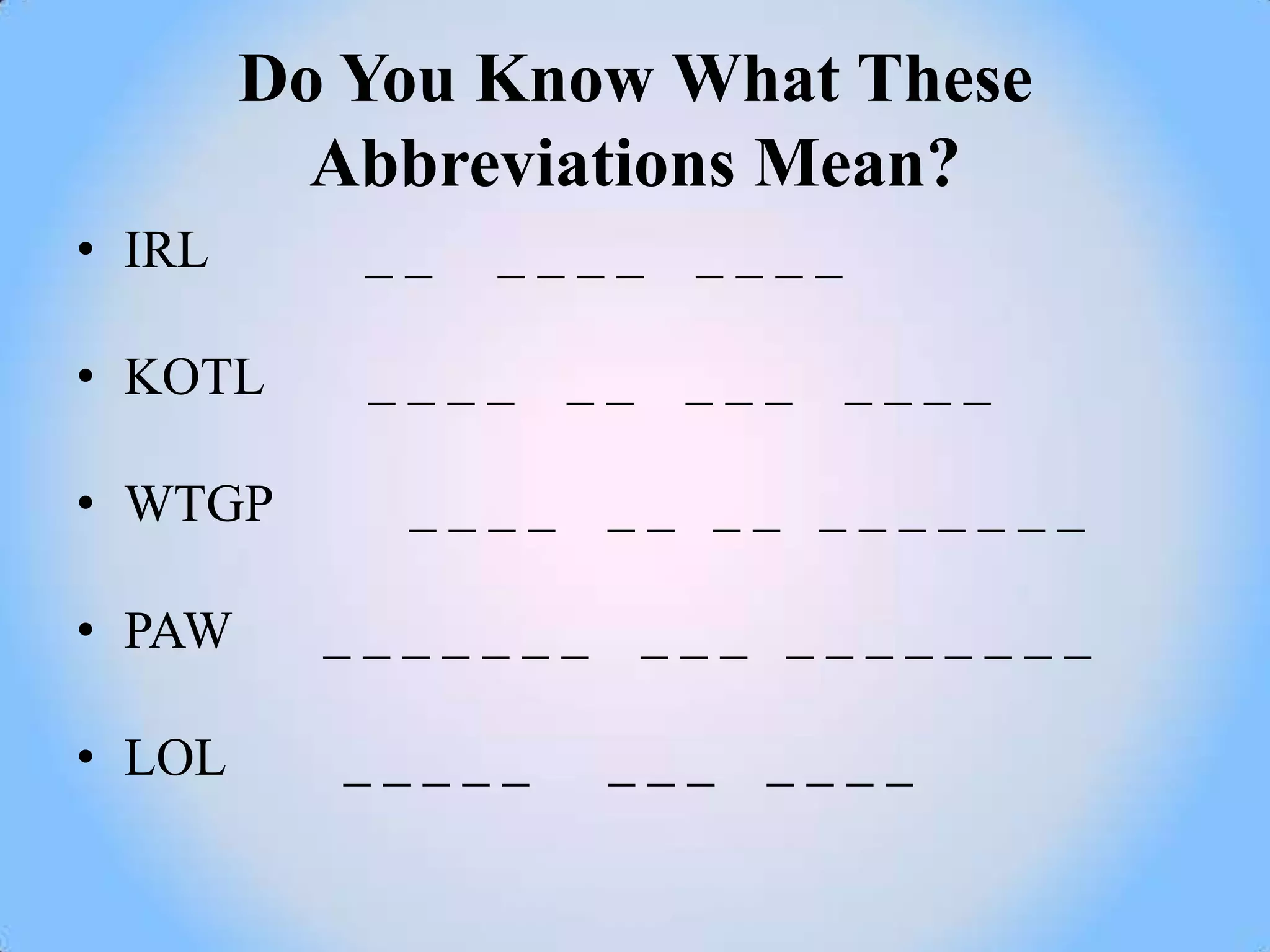
Do You Know What These
          Abbreviations Mean?
• IRL      __   ____     ____

• KOTL     ____    __    ___    ____

• WTGP      ____    __ __ _______

• PAW     _______       ___ ________

• LOL     _____     ___ ____
Common Text Messaging
            Abbreviations
• IRL      IN REAL LIFE

• KOTL     KISS ON THE LIPS

• WTGP      WANT TO GO PRIVATE

• PAW      PARENTS ARE WATCHING

• LOL      LAUGH OUT LOUD
INTERNET SAFETY and
SOCIAL NETWORKING


              Officer Malcolm Warfield
             Carlsbad Police Department
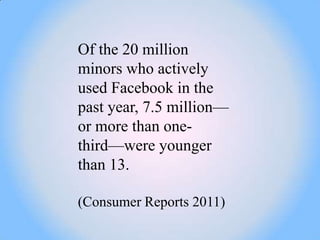
Of the 20 million
minors who actively
used Facebook in the
past year, 7.5 million—
or more than one-
third—were younger
than 13.

(Consumer Reports 2011)
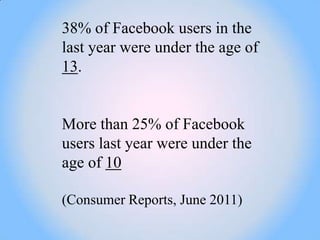
38% of Facebook users in the
last year were under the age of
13.


More than 25% of Facebook
users last year were under the
age of 10

(Consumer Reports, June 2011)
22% of teenagers log
on to their favorite
social media site
more than 10 times a
day.


(Gwenn Schurgin O'Keeffe, Kathleen Clarke-
Pearson and COUNCIL ON COMMUNICATIONS
AND MEDIA, March 2011
SOCIAL NETWORKING


72% of teens have a
social networking
profile and nearly half
(47%) have a public
profile viewable by
anyone
(Teen Online & Wireless Safety Survey: Cyber
bullying, Sexting and Parental Controls. Cox
Communications Teen Online and Wireless
Safety Survey in Partnership with the National
Center for Missing and Exploited
Children, 2009. Cox Communications Teen
Internet Safety Survey, Wave II, 2007)
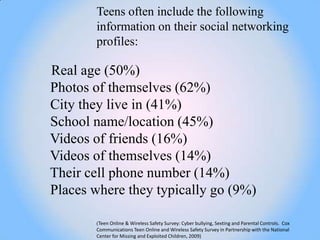
Teens often include the following
       information on their social networking
       profiles:

Real age (50%)
Photos of themselves (62%)
City they live in (41%)
School name/location (45%)
Videos of friends (16%)
Videos of themselves (14%)
Their cell phone number (14%)
Places where they typically go (9%)

       (Teen Online & Wireless Safety Survey: Cyber bullying, Sexting and Parental Controls. Cox
       Communications Teen Online and Wireless Safety Survey in Partnership with the National
       Center for Missing and Exploited Children, 2009)
SOCIAL NETWORKING


• Assume that EVERYONE has
access to your profile
(parents, teachers, future
employers, and law
enforcement) even if you have your
profile restricted to ―friends only.‖
Don‘t discuss things you wouldn‘t want
them to know about. Don‘t use
language you wouldn‘t use in front of
your parents. Finally, make sure you set
your profile to ―private‖ so that you can
control who has easy access to your
information.
SOCIAL NETWORKING


• USE DISCRETION when
putting pictures (or any content
for that matter) on your profile.
Your friends might think that picture
of you acting silly at the party last
night is hilarious, but how will your
parents or a potential employer
react? Also remember that when
your friend (or a stranger) takes your
picture it may end up on their profile
for all to see.
SOCIAL NETWORKING


• Assume people WILL use the
information on your profile to cause
you harm. Don‘t put anything online
you wouldn‘t want your worst enemy to
know. Also, don‘t add people as
―friends‖ unless you know them in real
life. Even if you think you know
them, be skeptical. Kids often think it is
cool to accumulate and have thousands
of ―friends.‖ Just remember that these
people have open access to all of your
posted content and information.
SOCIAL NETWORKING


• Assume there are predators
out there trying to FIND
YOU based on the
information you provide on
your profile. Think like a
predator. What information on
your profile identifies who
you are, where you hang
out, and where you live?
Never post this kind of
information anywhere online.
Your friends know how to find
you.
SOCIAL NETWORKING


• You may be held responsible for
inappropriate content on your profile
that is in violation of the Terms of Service
or Acceptable Use Policies of the Internet
Service Provider or web site(s) you use.
Moreover, school
districts across the country are revising
their policies to allow them to discipline
students for online behavior
that can be linked to a disruption in the
classroom environment – even if you
wrote or posted the content at
home from your own computer
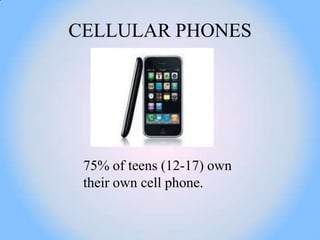
CELLULAR PHONES


 75% of teens (12-17) own
 their own cell phone.
Percentage of teen cell phone owners who
use the following functions on their
device: 88% text; 83% take pictures; 64%
exchange pictures; 60% play music; 54%
record videos; 46% play games; 32%
exchange video; 31% instant message;
27% general Internet use; 23% social
networking sites; 21% email; and 11%
purchase products through their mobile
phone.

(Pew Internet & American Life Project. "How Do They Even Do
That?" A Pew Internet Guide to Teens, Mobile phones and Social
Media. M Communications Studies, Lenhart, Amanda. June
2010)
Mobile Devices
•Set clear rules with your children regarding when they are
allowed to talk, text and surf the Internet via their mobile
device.

•Your child should only communicate with parent-approved
contacts.

•Talk to your children about respecting others online. Your
child should never text something to someone else that they
would not say to them in real life.

•If your child receives a threatening, mean or sexual message
from someone they should come to you immediately.

•Advise your child never to share personal information through
their mobile device including date of birth, address, full name.
MOBILE DEVICES


•Talk to your children about privacy. Discuss
with them how there is no such thing as privacy
through their mobile device--and there are no
"take-backs" with what they post, text, upload or
send. Content your kids send through the
Internet or their mobile device can be distributed
across the world, without their permission or
knowledge.

•Decide whether your children are allowed to
post content to their social networking sites and
other websites through their mobile
device. Content posted should be parent-
approved.
MOBILE DEVICES

Mobile Dangers:

The development of new
technologies including
portable music
devices, gaming
devices, mobile phones and
PDAs has increased the
benefits and the threats that
children face. These threats
include:
MOBILE
                         DEVICES


•Cyber bullying and harassment

•Contact by a sexual predator

•Picture and video uploads (youth
use camera and video functions on
their cell phones to take and post
inappropriate and sexual content)

•Direct access to social networking
sites
MOBILE DEVICES


•Sexting

•Difficulty for parents to monitor
content and contacts accessed

•Phone scams, which are designed to
steal personal details or money, often
via text. You might not know you or
your children have been
scammed, so it‘s important to check
invoices or online statements
carefully for any unusual charges
What is SEXTING?

We define sexting as ―the sending or receiving of
sexually‐explicit or sexually‐suggestive images or
video via a cell phone.‖ Most commonly, the term
has been used to describe incidents where
teenagers take nude or semi‐nude (e.g., topless)
pictures of themselves and distribute those
pictures to others using their cell phones (although
it is also possible to distribute such images via
social networking sites, email, instant messaging
programs, and video chat). The images are often
initially sent to romantic partners or interests but
can find their way into the hands of others, which
ultimately is what creates the problems.
SEXTING


In a recent survey from the National
Campaign to Prevent Teen and
Unplanned Pregnancy, one out of
five teens reported that they have
electronically sent or posted
online, nude or seminude pictures
or videos of themselves.
SEXTING


24% of teens ages 14-17 have been
involved in "some type of naked
sexting," either by cellphone or on
the Internet.
(The Associated Press and MTV, Sept. 2009)


20% of teens have sent or posted
nude or seminude photographs or
videos of themselves.

(Gwenn Schurgin O'Keeffe, Kathleen Clarke-Pearson and
COUNCIL ON COMMUNICATIONS AND MEDIA, March
2011)
SEXTING


44% of teens say it is common for sexually
suggestive text messages to get shared with
people other than the intended recipient.
(The National Campaign to Prevent Teen and Unplanned
Pregnancy, 2008)


48% of teens say they have received a
sexually suggestive messages (via
text, email or IM).

(The National Campaign to Prevent Teen and Unplanned
Pregnancy, 2008)
SEXTING


• Talk to your kids about what they are doing online
  and outline the risks.

• Talk to your kids about sex and relationships in the
  offline and online world.

• Make sure your kids understand that messages or
  pictures they send over the Internet or on their cell
  phones are not truly private or anonymous.

• Also make sure they know anyone can--and often
  will--forward their pictures of messages to others.
  (Ask your daughter what her boyfriend will do with
  those pictures once they break up). And check up
  on what your kids are posting online.
SEXTING


• Know who your kids are communicating with online
  and via cell phones: Do your best to learn who your
  kids are spending time with online and on the phone
  by checking their IM buddy lists, social networking
  friends and mobile device address/contact list.

• Consider placing limits on electronic
  communication. Check out the parental controls
  offered by your mobile provider. Many mobile
  carriers offer family plans that allow you to limit the
  amount and type of text messages your kids can
  send. Also disable attachments on text messages.

• Set expectations: Make sure you are clear with your
  teen about what you consider appropriate behavior
  online and through text.
CYBERBULLYING, is willful
and repeated harm (i.e.
harassing, humiliating, or
threatening text or images)
inflicted through the
Internet, interactive technologies
or mobile phones.
Cyber bullying Tactics

Gossip: Posting or sending cruel gossip to
damage a person‘s reputation and relationships
with friends, family and acquaintances.

Exclusion: Deliberately excluding someone
from an online group.

Impersonation: Breaking into someone‘s
email or other online account and sending
messages that will cause embarrassment or
damage to the person‘s reputation and
affect his/her relationship with others.
Harassment: Repeatedly posting or
sending offensive, rude, and insulting
messages.

Cyber stalking: Posting or sending
unwanted or intimidating messages, which
may include threats.

Flaming: Online fights where scornful
and offensive messages are posted on
websites, forums, or blogs.
Outing and Trickery: Tricking
someone into revealing secrets or
embarrassing information, which is
then shared
Online.

Cyber‐threats: Remarks on the
Internet threatening or implying
violent behavior, displaying suicidal
tendencies.
Ask your child:

1. Are your profiles set to private?

2. Would it be easy for someone to track you
down?

3. How many online ―friends‖ do you have?

4. What kind of information do you consider
safe? Unsafe?

5. Have you posted anything that you
wouldn‘t want your school assembly to
see?
6. What messages do your pictures and
postings portray?

7. Have you been contacted by a stranger?

8. Have your friends ever put themselves at
risk? If so, what did you do about it?

9. Have you ever said/posted anything online
you wish you could take back?

10. Has anyone ever hurt your feelings by
anything they posted about you online
What you can do?

Do not erase or delete messages from cyber bullies.

Your children do not have to read the messages they
receive from bullies, but they (or you) do need to
keep messages as evidence.

To report cyber bullying, it is important to save as
much info as you can. The more you save, the easier
it will be to track down the people that are bothering
your child. (Save the email, email address, date and
time received, copies of all relevant
emails, screenshots, etc.).
Watch for the warning signs of
being cyber bullied, such as
reluctance to use the computer, a
change in your child‘s behavior and
mood, or reluctance to go to school.


           For More Resources about
           Cyber bullying go to:
           www.stopcyberbullying.org
           www.cyberbullying.us
           www.ryanpatrickhalligan.org
           www.cyberbullyhelp.com
           http://new.csriu.org/
           www.enough.org
NOTES:
1. Lenhart A, Ling R, Campbell S, Purcell
K. Teens and Mobile Phones.
Washington DC: Pew Internet & American
Life Project; 2010.

2. Leshnoff J. Sexting Not Just for Kids.
Adults from many different backgrounds
are now sending and receiving explicit text
messages. AARP Global Network; 2009.

3. National Campaign. Sex and Tech:
Results from a Survey of Teens and Young
Adults. Washington DC. The National
Campaign to
Prevent Teen and Unplanned Pregnancy;
2008. Survey; 2009.

4. Cox Communications. Teen Online &
Wireless Safety
5. MTV‐AP. Digital Abuse Study: MTV
Networks; 2009.

 6. Lenhart A. Teens and Sexting: How and
why minor teens are sending sexually
suggestive nude or nearly nude images via
text messaging. Washington, DC: Pew
Internet & American Life Project;
2009.

7. Lenhart A. Teens and Sexting.
Washington, D.C: Pew Internet &
American Life Project; 2010.

8. Wastler S. The Harm in ―Sexting‖?:
Analyzing the Constitutionality of Child
Pornography Statutes that Prohibit the
Voluntary Production, Possession, and
Dissemination of Sexually Explicit Images
By Teenagers. Harvard Journal of Law and
Gender.
2010;33(2):687‐702.
9. Zetter K. ACLU Sues Prosecutor Over
‗Sexting‘ Child Porn Charges.
Threat Level, Wired.com, Condé Nast
Digital; 2009.

10. Koppel N, Jones A. Are ‗Sext‘
Messages a Teenage Felony or Folly
Life & Style. New York, NY: New York
Times; 2010.

11. Falcone A. Rookie Legislator In
National Eye With Bill To Lessen
‗Sexting‘ Penalty For Consenting Minors.
Hartford Courant.
Hartford, CT; 2010.

12. Oei T‐Y. My Students. My Cellphone.
My Ordeal. Washington Post.
Washington DC; 2009.
13. Willard NE. Sexting Investigation and
 Intervention Protocol. Sexting and Youth:
 Achieving a Rational Response.
 Eugene, OR:
 Center for Safe and Responsible Internet
 Use; 2010.

 14. Soronen LE, Vitale N, Haase KA.
 Sexting at School: Lessons Learned the
 Hard Way. Inquiry & Analysis.
 Alexandria, VA: National School Boards
 Association‘s Council of School
 Attorneys; 2010.
 15. Adapted from 'Tech Talk:
Sexting',         ConsumerReports.org,
February 24, 2009 & "Sex & Tech", Five
Tips to Help Parents Talk to Their Kids
About Sex and Technology, National
Campaign to Prevent Teen and Unplanned
Pregnancy.
Officer Malcolm Warfield
School Resource Officer
Carlsbad Police Department
(760) 931-2100 ext. 6300
Malcolm.Warfield@carlsbadca.gov

Social networks

  • 1.
    Do You KnowWhat These Abbreviations Mean? • IRL __ ____ ____ • KOTL ____ __ ___ ____ • WTGP ____ __ __ _______ • PAW _______ ___ ________ • LOL _____ ___ ____
  • 2.
    Common Text Messaging Abbreviations • IRL IN REAL LIFE • KOTL KISS ON THE LIPS • WTGP WANT TO GO PRIVATE • PAW PARENTS ARE WATCHING • LOL LAUGH OUT LOUD
  • 3.
    INTERNET SAFETY and SOCIALNETWORKING Officer Malcolm Warfield Carlsbad Police Department
  • 4.
    Of the 20million minors who actively used Facebook in the past year, 7.5 million— or more than one- third—were younger than 13. (Consumer Reports 2011)
  • 5.
    38% of Facebookusers in the last year were under the age of 13. More than 25% of Facebook users last year were under the age of 10 (Consumer Reports, June 2011)
  • 6.
    22% of teenagerslog on to their favorite social media site more than 10 times a day. (Gwenn Schurgin O'Keeffe, Kathleen Clarke- Pearson and COUNCIL ON COMMUNICATIONS AND MEDIA, March 2011
  • 7.
    SOCIAL NETWORKING 72% ofteens have a social networking profile and nearly half (47%) have a public profile viewable by anyone (Teen Online & Wireless Safety Survey: Cyber bullying, Sexting and Parental Controls. Cox Communications Teen Online and Wireless Safety Survey in Partnership with the National Center for Missing and Exploited Children, 2009. Cox Communications Teen Internet Safety Survey, Wave II, 2007)
  • 8.
    Teens often includethe following information on their social networking profiles: Real age (50%) Photos of themselves (62%) City they live in (41%) School name/location (45%) Videos of friends (16%) Videos of themselves (14%) Their cell phone number (14%) Places where they typically go (9%) (Teen Online & Wireless Safety Survey: Cyber bullying, Sexting and Parental Controls. Cox Communications Teen Online and Wireless Safety Survey in Partnership with the National Center for Missing and Exploited Children, 2009)
  • 9.
    SOCIAL NETWORKING • Assumethat EVERYONE has access to your profile (parents, teachers, future employers, and law enforcement) even if you have your profile restricted to ―friends only.‖ Don‘t discuss things you wouldn‘t want them to know about. Don‘t use language you wouldn‘t use in front of your parents. Finally, make sure you set your profile to ―private‖ so that you can control who has easy access to your information.
  • 10.
    SOCIAL NETWORKING • USEDISCRETION when putting pictures (or any content for that matter) on your profile. Your friends might think that picture of you acting silly at the party last night is hilarious, but how will your parents or a potential employer react? Also remember that when your friend (or a stranger) takes your picture it may end up on their profile for all to see.
  • 11.
    SOCIAL NETWORKING • Assumepeople WILL use the information on your profile to cause you harm. Don‘t put anything online you wouldn‘t want your worst enemy to know. Also, don‘t add people as ―friends‖ unless you know them in real life. Even if you think you know them, be skeptical. Kids often think it is cool to accumulate and have thousands of ―friends.‖ Just remember that these people have open access to all of your posted content and information.
  • 12.
    SOCIAL NETWORKING • Assumethere are predators out there trying to FIND YOU based on the information you provide on your profile. Think like a predator. What information on your profile identifies who you are, where you hang out, and where you live? Never post this kind of information anywhere online. Your friends know how to find you.
  • 13.
    SOCIAL NETWORKING • Youmay be held responsible for inappropriate content on your profile that is in violation of the Terms of Service or Acceptable Use Policies of the Internet Service Provider or web site(s) you use. Moreover, school districts across the country are revising their policies to allow them to discipline students for online behavior that can be linked to a disruption in the classroom environment – even if you wrote or posted the content at home from your own computer
  • 14.
    CELLULAR PHONES 75%of teens (12-17) own their own cell phone.
  • 15.
    Percentage of teencell phone owners who use the following functions on their device: 88% text; 83% take pictures; 64% exchange pictures; 60% play music; 54% record videos; 46% play games; 32% exchange video; 31% instant message; 27% general Internet use; 23% social networking sites; 21% email; and 11% purchase products through their mobile phone. (Pew Internet & American Life Project. "How Do They Even Do That?" A Pew Internet Guide to Teens, Mobile phones and Social Media. M Communications Studies, Lenhart, Amanda. June 2010)
  • 16.
    Mobile Devices •Set clearrules with your children regarding when they are allowed to talk, text and surf the Internet via their mobile device. •Your child should only communicate with parent-approved contacts. •Talk to your children about respecting others online. Your child should never text something to someone else that they would not say to them in real life. •If your child receives a threatening, mean or sexual message from someone they should come to you immediately. •Advise your child never to share personal information through their mobile device including date of birth, address, full name.
  • 17.
    MOBILE DEVICES •Talk toyour children about privacy. Discuss with them how there is no such thing as privacy through their mobile device--and there are no "take-backs" with what they post, text, upload or send. Content your kids send through the Internet or their mobile device can be distributed across the world, without their permission or knowledge. •Decide whether your children are allowed to post content to their social networking sites and other websites through their mobile device. Content posted should be parent- approved.
  • 18.
    MOBILE DEVICES Mobile Dangers: Thedevelopment of new technologies including portable music devices, gaming devices, mobile phones and PDAs has increased the benefits and the threats that children face. These threats include:
  • 19.
    MOBILE DEVICES •Cyber bullying and harassment •Contact by a sexual predator •Picture and video uploads (youth use camera and video functions on their cell phones to take and post inappropriate and sexual content) •Direct access to social networking sites
  • 20.
    MOBILE DEVICES •Sexting •Difficulty forparents to monitor content and contacts accessed •Phone scams, which are designed to steal personal details or money, often via text. You might not know you or your children have been scammed, so it‘s important to check invoices or online statements carefully for any unusual charges
  • 21.
    What is SEXTING? Wedefine sexting as ―the sending or receiving of sexually‐explicit or sexually‐suggestive images or video via a cell phone.‖ Most commonly, the term has been used to describe incidents where teenagers take nude or semi‐nude (e.g., topless) pictures of themselves and distribute those pictures to others using their cell phones (although it is also possible to distribute such images via social networking sites, email, instant messaging programs, and video chat). The images are often initially sent to romantic partners or interests but can find their way into the hands of others, which ultimately is what creates the problems.
  • 22.
    SEXTING In a recentsurvey from the National Campaign to Prevent Teen and Unplanned Pregnancy, one out of five teens reported that they have electronically sent or posted online, nude or seminude pictures or videos of themselves.
  • 23.
    SEXTING 24% of teensages 14-17 have been involved in "some type of naked sexting," either by cellphone or on the Internet. (The Associated Press and MTV, Sept. 2009) 20% of teens have sent or posted nude or seminude photographs or videos of themselves. (Gwenn Schurgin O'Keeffe, Kathleen Clarke-Pearson and COUNCIL ON COMMUNICATIONS AND MEDIA, March 2011)
  • 24.
    SEXTING 44% of teenssay it is common for sexually suggestive text messages to get shared with people other than the intended recipient. (The National Campaign to Prevent Teen and Unplanned Pregnancy, 2008) 48% of teens say they have received a sexually suggestive messages (via text, email or IM). (The National Campaign to Prevent Teen and Unplanned Pregnancy, 2008)
  • 25.
    SEXTING • Talk toyour kids about what they are doing online and outline the risks. • Talk to your kids about sex and relationships in the offline and online world. • Make sure your kids understand that messages or pictures they send over the Internet or on their cell phones are not truly private or anonymous. • Also make sure they know anyone can--and often will--forward their pictures of messages to others. (Ask your daughter what her boyfriend will do with those pictures once they break up). And check up on what your kids are posting online.
  • 26.
    SEXTING • Know whoyour kids are communicating with online and via cell phones: Do your best to learn who your kids are spending time with online and on the phone by checking their IM buddy lists, social networking friends and mobile device address/contact list. • Consider placing limits on electronic communication. Check out the parental controls offered by your mobile provider. Many mobile carriers offer family plans that allow you to limit the amount and type of text messages your kids can send. Also disable attachments on text messages. • Set expectations: Make sure you are clear with your teen about what you consider appropriate behavior online and through text.
  • 28.
    CYBERBULLYING, is willful andrepeated harm (i.e. harassing, humiliating, or threatening text or images) inflicted through the Internet, interactive technologies or mobile phones.
  • 29.
    Cyber bullying Tactics Gossip:Posting or sending cruel gossip to damage a person‘s reputation and relationships with friends, family and acquaintances. Exclusion: Deliberately excluding someone from an online group. Impersonation: Breaking into someone‘s email or other online account and sending messages that will cause embarrassment or damage to the person‘s reputation and affect his/her relationship with others.
  • 30.
    Harassment: Repeatedly postingor sending offensive, rude, and insulting messages. Cyber stalking: Posting or sending unwanted or intimidating messages, which may include threats. Flaming: Online fights where scornful and offensive messages are posted on websites, forums, or blogs.
  • 31.
    Outing and Trickery:Tricking someone into revealing secrets or embarrassing information, which is then shared Online. Cyber‐threats: Remarks on the Internet threatening or implying violent behavior, displaying suicidal tendencies.
  • 32.
    Ask your child: 1.Are your profiles set to private? 2. Would it be easy for someone to track you down? 3. How many online ―friends‖ do you have? 4. What kind of information do you consider safe? Unsafe? 5. Have you posted anything that you wouldn‘t want your school assembly to see?
  • 33.
    6. What messagesdo your pictures and postings portray? 7. Have you been contacted by a stranger? 8. Have your friends ever put themselves at risk? If so, what did you do about it? 9. Have you ever said/posted anything online you wish you could take back? 10. Has anyone ever hurt your feelings by anything they posted about you online
  • 34.
    What you cando? Do not erase or delete messages from cyber bullies. Your children do not have to read the messages they receive from bullies, but they (or you) do need to keep messages as evidence. To report cyber bullying, it is important to save as much info as you can. The more you save, the easier it will be to track down the people that are bothering your child. (Save the email, email address, date and time received, copies of all relevant emails, screenshots, etc.).
  • 35.
    Watch for thewarning signs of being cyber bullied, such as reluctance to use the computer, a change in your child‘s behavior and mood, or reluctance to go to school. For More Resources about Cyber bullying go to: www.stopcyberbullying.org www.cyberbullying.us www.ryanpatrickhalligan.org www.cyberbullyhelp.com http://new.csriu.org/ www.enough.org
  • 39.
    NOTES: 1. Lenhart A,Ling R, Campbell S, Purcell K. Teens and Mobile Phones. Washington DC: Pew Internet & American Life Project; 2010. 2. Leshnoff J. Sexting Not Just for Kids. Adults from many different backgrounds are now sending and receiving explicit text messages. AARP Global Network; 2009. 3. National Campaign. Sex and Tech: Results from a Survey of Teens and Young Adults. Washington DC. The National Campaign to Prevent Teen and Unplanned Pregnancy; 2008. Survey; 2009. 4. Cox Communications. Teen Online & Wireless Safety
  • 40.
    5. MTV‐AP. DigitalAbuse Study: MTV Networks; 2009. 6. Lenhart A. Teens and Sexting: How and why minor teens are sending sexually suggestive nude or nearly nude images via text messaging. Washington, DC: Pew Internet & American Life Project; 2009. 7. Lenhart A. Teens and Sexting. Washington, D.C: Pew Internet & American Life Project; 2010. 8. Wastler S. The Harm in ―Sexting‖?: Analyzing the Constitutionality of Child Pornography Statutes that Prohibit the Voluntary Production, Possession, and Dissemination of Sexually Explicit Images By Teenagers. Harvard Journal of Law and Gender. 2010;33(2):687‐702.
  • 41.
    9. Zetter K.ACLU Sues Prosecutor Over ‗Sexting‘ Child Porn Charges. Threat Level, Wired.com, Condé Nast Digital; 2009. 10. Koppel N, Jones A. Are ‗Sext‘ Messages a Teenage Felony or Folly Life & Style. New York, NY: New York Times; 2010. 11. Falcone A. Rookie Legislator In National Eye With Bill To Lessen ‗Sexting‘ Penalty For Consenting Minors. Hartford Courant. Hartford, CT; 2010. 12. Oei T‐Y. My Students. My Cellphone. My Ordeal. Washington Post. Washington DC; 2009.
  • 42.
    13. Willard NE.Sexting Investigation and Intervention Protocol. Sexting and Youth: Achieving a Rational Response. Eugene, OR: Center for Safe and Responsible Internet Use; 2010. 14. Soronen LE, Vitale N, Haase KA. Sexting at School: Lessons Learned the Hard Way. Inquiry & Analysis. Alexandria, VA: National School Boards Association‘s Council of School Attorneys; 2010. 15. Adapted from 'Tech Talk: Sexting', ConsumerReports.org, February 24, 2009 & "Sex & Tech", Five Tips to Help Parents Talk to Their Kids About Sex and Technology, National Campaign to Prevent Teen and Unplanned Pregnancy.


  • 43.
    Officer Malcolm Warfield SchoolResource Officer Carlsbad Police Department (760) 931-2100 ext. 6300 Malcolm.Warfield@carlsbadca.gov