Literacy Differentiation Using
Chrome Extensions and Apps
Dr. Tara Mason @ New Tech
for Education
Hello!
I am Dr. Tara Mason
I am here to talk about differentiating
when using technology with Chrome
Extensions and Apps
You can find me at:
tara@newtechfored.com
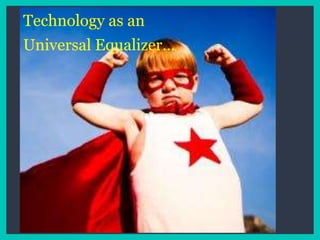
Technology as an
Universal Equalizer…
Our Objectives
1. Overview
Chrome
Extensions,
Google
Drive and
Apps +
UDL
2.Implementation
Guidance
3. Connect
the why,
when and
where…
Quiz
Agenda & Socrative (for feedback)
Socrative Student -
http://apple.co/1RnFKPE
Room # 4NQ6PGAFR
1.
What is
Differentiation?
All learners benefit.
“
Our 21st Century definition of
differentiation is creating multiple paths
for students at different levels to have
appropriate and accessible ways to
absorb, apply, develop and present
concepts and learning.
An Education System where Everyone Can Thrive
BIG IDEA: Create it & Plan
for it Right from the Start
Universal Design for Learning
http://bit.ly/1PyIqzg
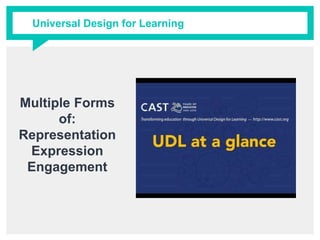
Universal Design for Learning
Multiple Forms
of:
Representation
Expression
Engagement
“
Decrease the disabilities in
the curriculum itself, so
that more students
succeed….
Another Important
UDL Truth to
Know…
“
“The Average {Brain} Represented
Nobody…”
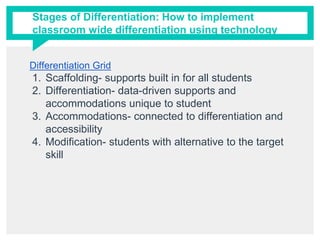
Stages of Differentiation: How to implement
classroom wide differentiation using technology
Differentiation Grid
1. Scaffolding- supports built in for all students
2. Differentiation- data-driven supports and
accommodations unique to student
3. Accommodations- connected to differentiation and
accessibility
4. Modification- students with alternative to the target
skill
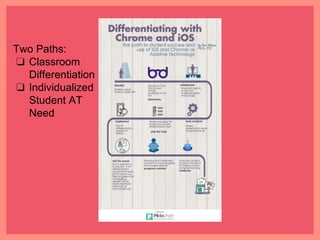
Two Paths:
❏ Classroom
Differentiation
❏ Individualized
Student AT
Need
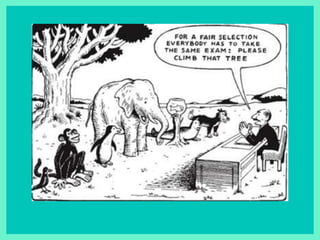
“Fairness is giving each student
what they need, not just what
everyone else has. Fair does not
mean equal.”
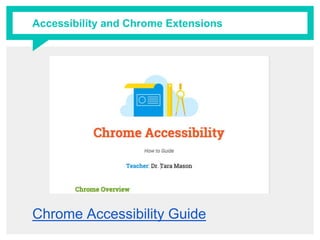
Accessibility and Chrome Extensions
Chrome Accessibility Guide
So… now that we know
what Google Chrome
can do…
What should we
consider?
Consideration Steps
SETT
Student
Environment
Tasks
Tools
Other items to consider
Instructional
Planning
Task Analysis Collaboration
Task Analysis Steps
1. Identify target skill
2. Identify prerequisite skills
3. Break down skill into components or
steps
4. Confirm tasks is complete
5. Determine how skill will be taught
6. Monitor skill progress
Using your
Table Tent
Guidance let’s
try it!
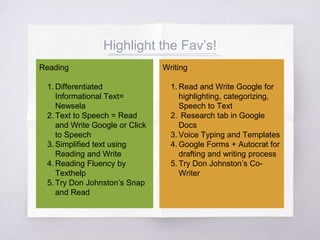
Reading
1. Differentiated
Informational Text=
Newsela
2. Text to Speech = Read
and Write Google or Click
to Speech
3. Simplified text using
Reading and Write
4. Reading Fluency by
Texthelp
5. Try Don Johnston’s Snap
and Read
Writing
1. Read and Write Google for
highlighting, categorizing,
Speech to Text
2. Research tab in Google
Docs
3. Voice Typing and Templates
4. Google Forms + Autocrat for
drafting and writing process
5. Try Don Johnston’s Co-
Writer
Highlight the Fav’s!
Case study and discussion
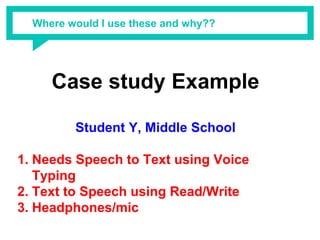
Where would I use these and why??
Case study Example
Student Y, Middle School
1. Needs Speech to Text using Voice
Typing
2. Text to Speech using Read/Write
3. Headphones/mic
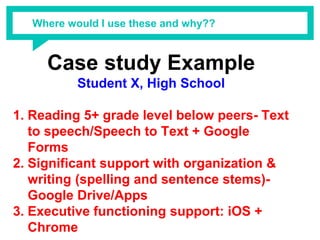
Where would I use these and why??
Case study Example
Student X, High School
1. Reading 5+ grade level below peers- Text
to speech/Speech to Text + Google
Forms
2. Significant support with organization &
writing (spelling and sentence stems)-
Google Drive/Apps
3. Executive functioning support: iOS +
Chrome
Where would I use these and why??
Case study Example
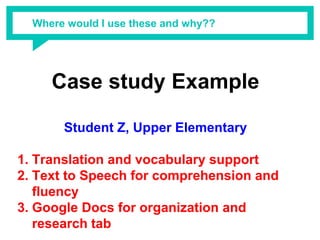
Student Z, Upper Elementary
1. Translation and vocabulary support
2. Text to Speech for comprehension and
fluency
3. Google Docs for organization and
research tab
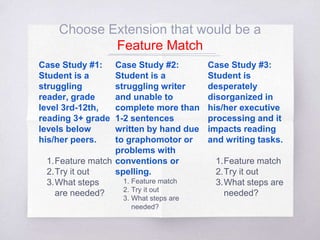
Let’s Feature
Match
Case Study #1:
Student is a
struggling
reader, grade
level 3rd-12th,
reading 3+ grade
levels below
his/her peers.
1.Feature match
2.Try it out
3.What steps
are needed?
Case Study #2:
Student is a
struggling writer
and unable to
complete more than
1-2 sentences
written by hand due
to graphomotor or
problems with
conventions or
spelling.
1. Feature match
2. Try it out
3. What steps are
needed?
Case Study #3:
Student is
desperately
disorganized in
his/her executive
processing and it
impacts reading
and writing tasks.
1.Feature match
2.Try it out
3.What steps are
needed?
Choose Extension that would be a
Feature Match
Additional Information:
Writing and Reading
Components related to
Assistive Technology
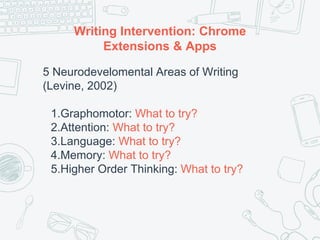
Writing Intervention: Chrome
Extensions & Apps
5 Neurodevelomental Areas of Writing
(Levine, 2002)
1.Graphomotor: What to try?
2.Attention: What to try?
3.Language: What to try?
4.Memory: What to try?
5.Higher Order Thinking: What to try?
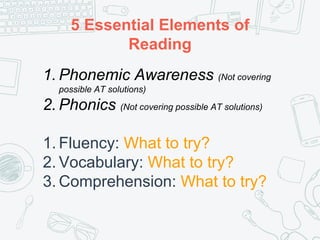
5 Essential Elements of
Reading
1. Phonemic Awareness (Not covering
possible AT solutions)
2. Phonics (Not covering possible AT solutions)
1. Fluency: What to try?
2. Vocabulary: What to try?
3. Comprehension: What to try?
Thanks!
Any questions?
You can find me at:
www.newtechfored.com
tara@newtechfored.com
ILC Teacher at Monarch HS in BVSD!
Resources:
Center for the Individual, Todd Rose Co-Founder, http://bit.ly/28Tm8ac
Universal Design for Learning @ CAST: http://bit.ly/1PyIqzg
Youtube channel: http://bit.ly/1J4UFiO
St. Vrain Assistive Technology Blog: http://bit.ly/1NSvb5C