What is the Cloud Advisor
Platform?
It’s much like the Felix the Cat “Bag of Tricks”. What you need to do your work, is inside it, just look
You may remember “Whenever he gets in a fix, he reaches into his bag of tricks”.
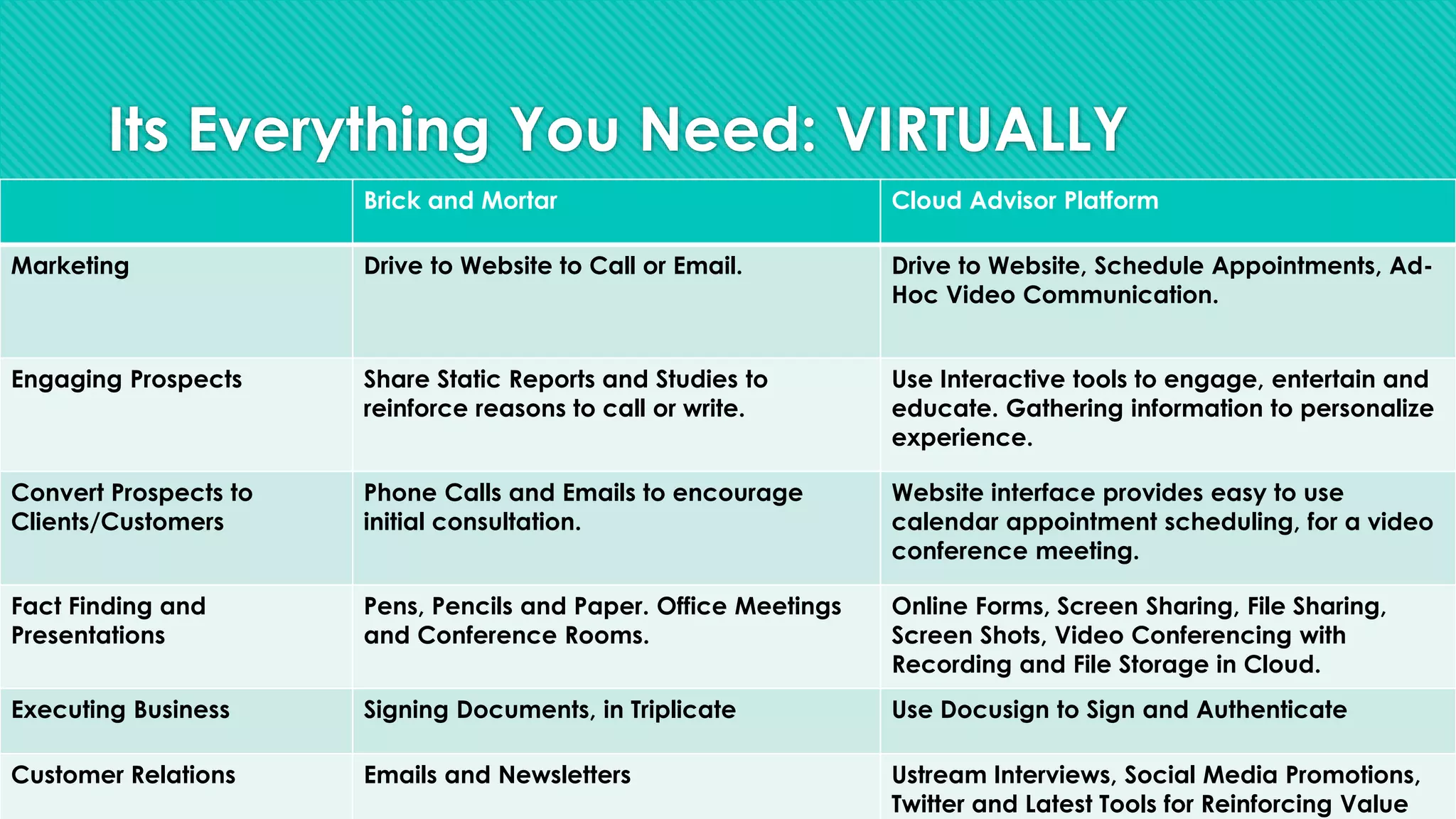
Its Everything You Need: VIRTUALLY
Brick and Mortar Cloud Advisor Platform
Marketing Drive to Website to Call or Email. Drive to Website, Schedule Appointments, Ad-
Hoc Video Communication.
Engaging Prospects Share Static Reports and Studies to
reinforce reasons to call or write.
Use Interactive tools to engage, entertain and
educate. Gathering information to personalize
experience.
Convert Prospects to
Clients/Customers
Phone Calls and Emails to encourage
initial consultation.
Website interface provides easy to use
calendar appointment scheduling, for a video
conference meeting.
Fact Finding and
Presentations
Pens, Pencils and Paper. Office Meetings
and Conference Rooms.
Online Forms, Screen Sharing, File Sharing,
Screen Shots, Video Conferencing with
Recording and File Storage in Cloud.
Executing Business Signing Documents, in Triplicate Use Docusign to Sign and Authenticate
Customer Relations Emails and Newsletters Ustream Interviews, Social Media Promotions,
Twitter and Latest Tools for Reinforcing Value
What is the Cloud?
A lot of hype but is there any REAL benefits?
The Cloud – What is it?
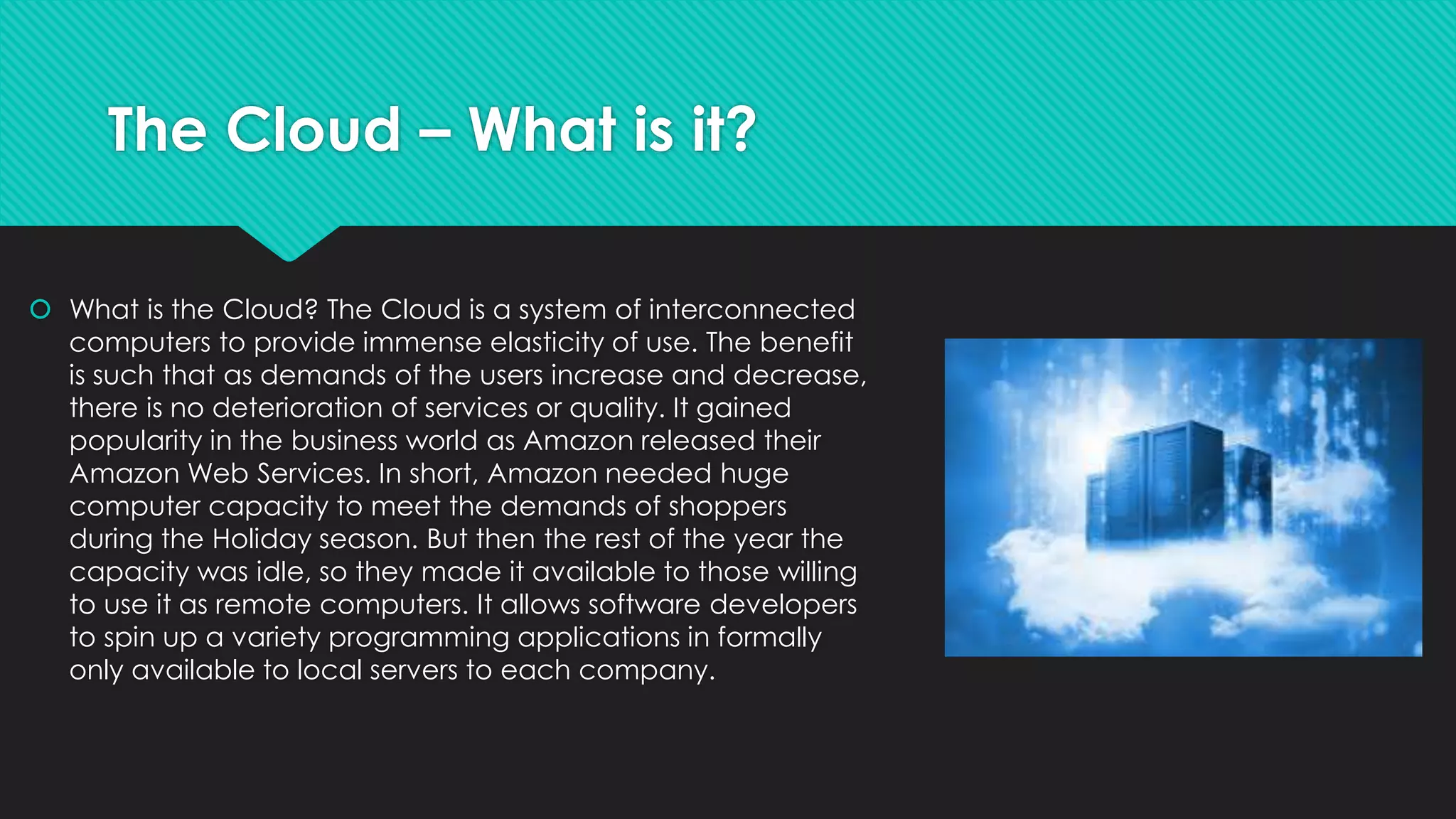
 What is the Cloud? The Cloud is a system of interconnected
computers to provide immense elasticity of use. The benefit
is such that as demands of the users increase and decrease,
there is no deterioration of services or quality. It gained
popularity in the business world as Amazon released their
Amazon Web Services. In short, Amazon needed huge
computer capacity to meet the demands of shoppers
during the Holiday season. But then the rest of the year the
capacity was idle, so they made it available to those willing
to use it as remote computers. It allows software developers
to spin up a variety programming applications in formally
only available to local servers to each company.
The Cloud – Where is It?
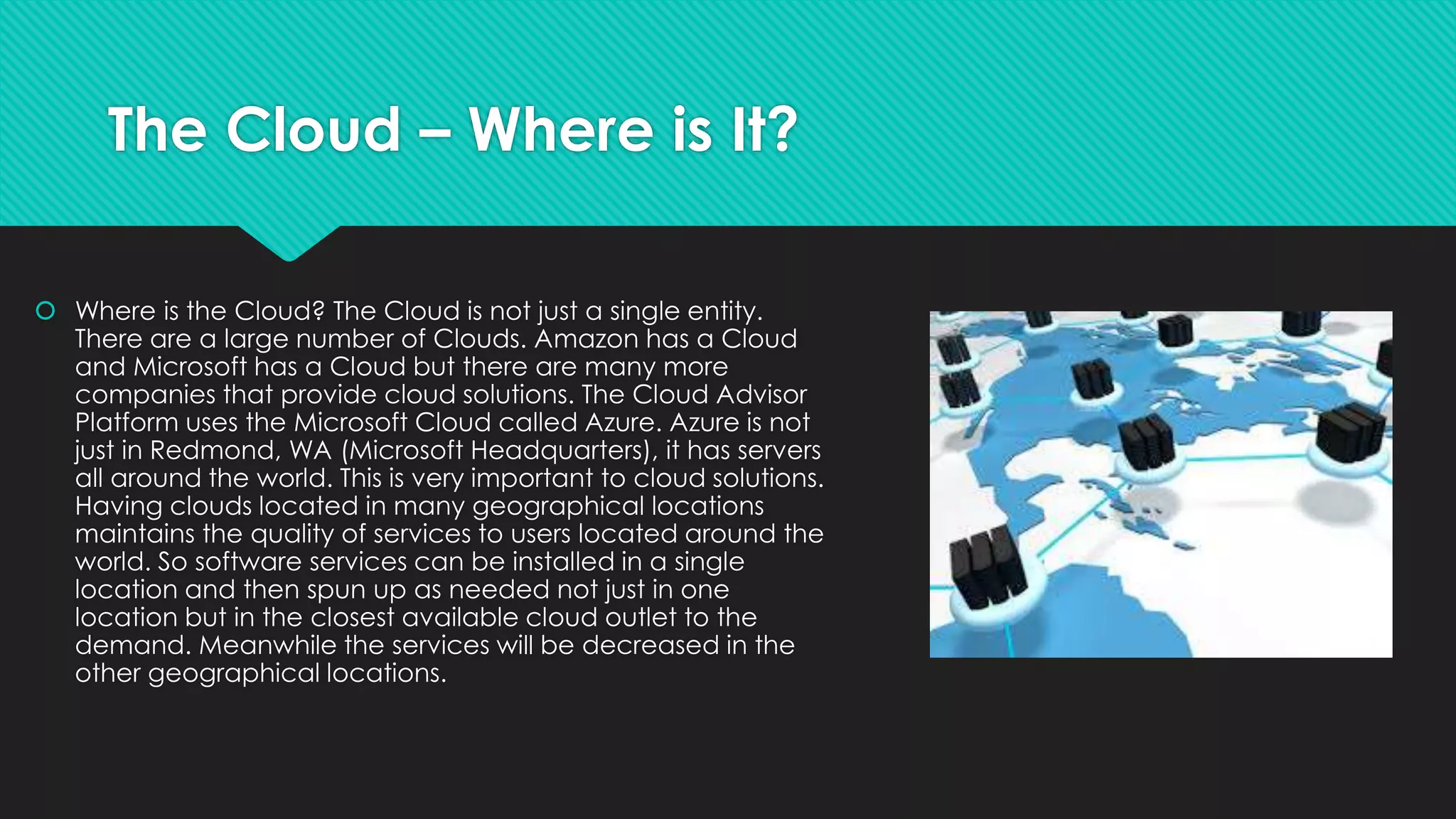
 Where is the Cloud? The Cloud is not just a single entity.
There are a large number of Clouds. Amazon has a Cloud
and Microsoft has a Cloud but there are many more
companies that provide cloud solutions. The Cloud Advisor
Platform uses the Microsoft Cloud called Azure. Azure is not
just in Redmond, WA (Microsoft Headquarters), it has servers
all around the world. This is very important to cloud solutions.
Having clouds located in many geographical locations
maintains the quality of services to users located around the
world. So software services can be installed in a single
location and then spun up as needed not just in one
location but in the closest available cloud outlet to the
demand. Meanwhile the services will be decreased in the
other geographical locations.
The Cloud – How is it Changing the World?
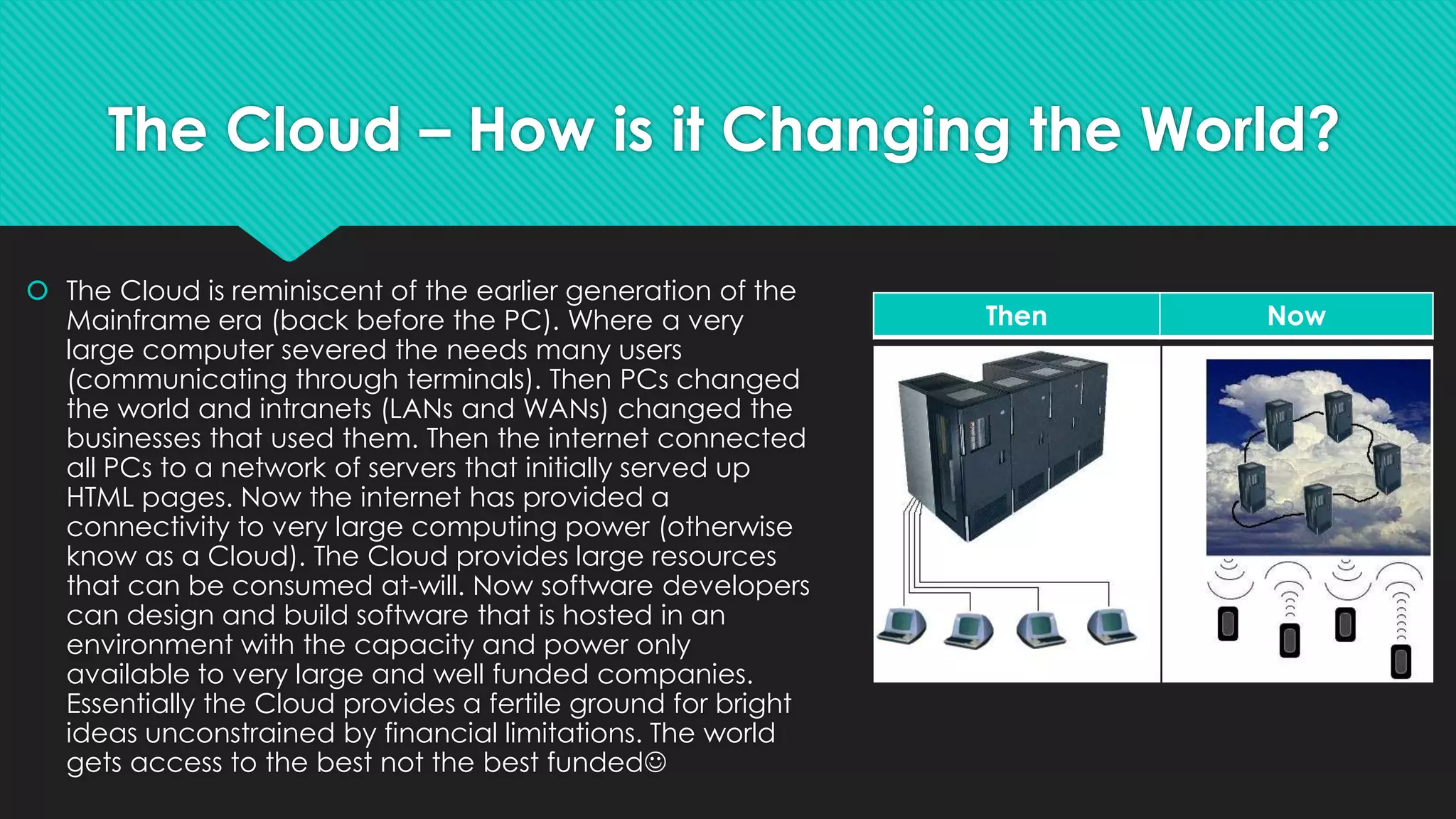
 The Cloud is reminiscent of the earlier generation of the
Mainframe era (back before the PC). Where a very
large computer severed the needs many users
(communicating through terminals). Then PCs changed
the world and intranets (LANs and WANs) changed the
businesses that used them. Then the internet connected
all PCs to a network of servers that initially served up
HTML pages. Now the internet has provided a
connectivity to very large computing power (otherwise
know as a Cloud). The Cloud provides large resources
that can be consumed at-will. Now software developers
can design and build software that is hosted in an
environment with the capacity and power only
available to very large and well funded companies.
Essentially the Cloud provides a fertile ground for bright
ideas unconstrained by financial limitations. The world
gets access to the best not the best funded
Then Now
What is Web RTC (Real Time
Communication)?
Video Conferencing Can and Should be Anywhere and Everywhere
The Telephone Conversation is just too Analog
What Can you Do with Web
RTC and the Cloud Advisor
Platform?
 The Cloud Advisor Platform is integrated with Web
RTC Innovators. Chances are it provides more than
you have doing business in your office
1. One Touch Video Calling
2. Video Conferencing
3. Screen and File Sharing
4. Text Chat
5. Data Channel
6. Recording
7. High Definition Video
8. User Authentication
9. Wide Band Audio
10. Drawing
11. Snap Shot
12. Presence
No Plugins
No Software
No Flash
No Silverlight
Just your HTML 5 compliant
Browser
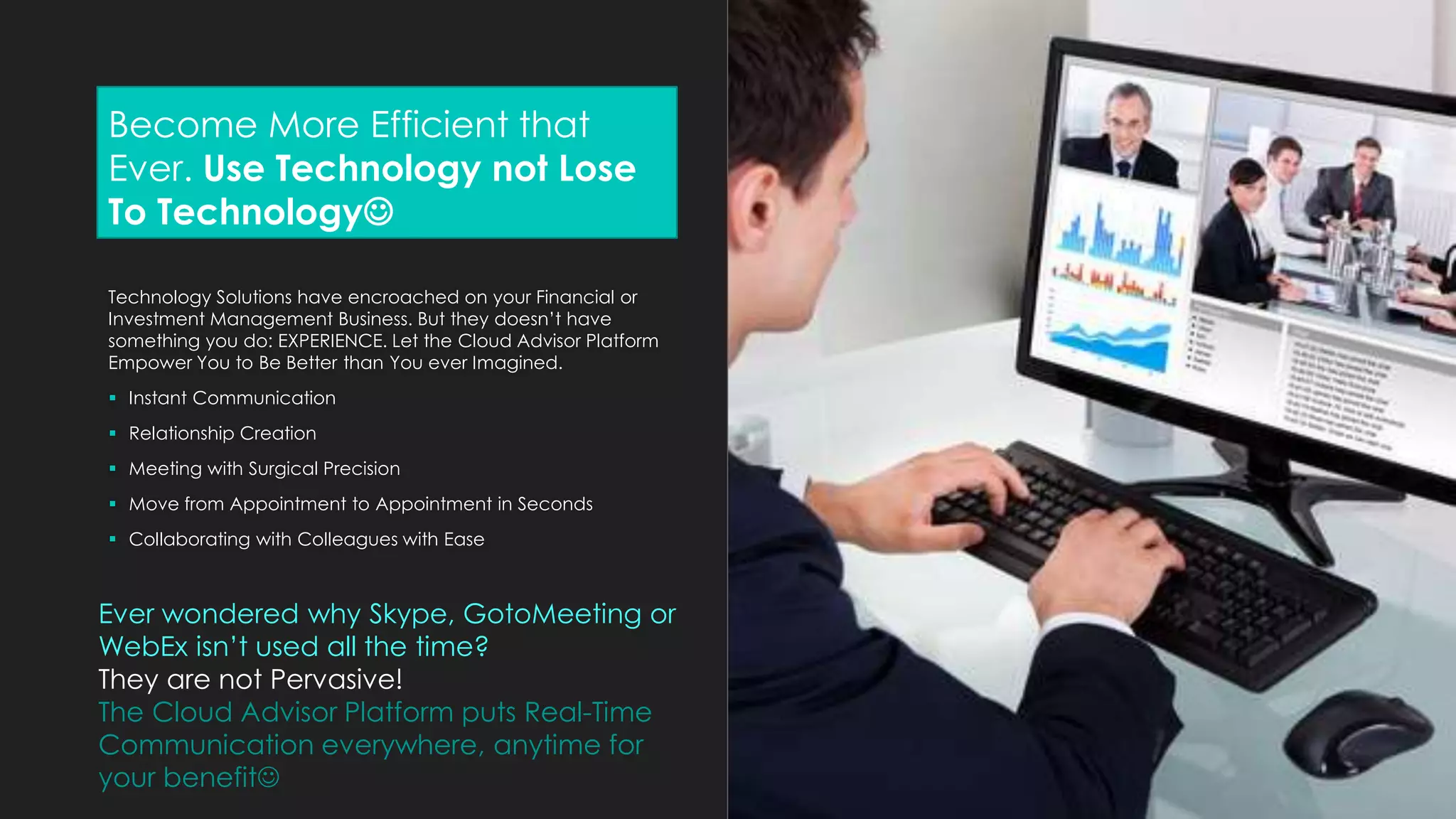
Become More Efficient that
Ever. Use Technology not Lose
To Technology
Technology Solutions have encroached on your Financial or
Investment Management Business. But they doesn’t have
something you do: EXPERIENCE. Let the Cloud Advisor Platform
Empower You to Be Better than You ever Imagined.
 Instant Communication
 Relationship Creation
 Meeting with Surgical Precision
 Move from Appointment to Appointment in Seconds
 Collaborating with Colleagues with Ease
Ever wondered why Skype, GotoMeeting or
WebEx isn’t used all the time?
They are not Pervasive!
The Cloud Advisor Platform puts Real-Time
Communication everywhere, anytime for
your benefit
What type of user are you?
The Cloud Advisory Technology is a communication platform to help you provide sales and
services activities using the internet. Today you drive to potential customers or they drive to
you; expensive and time consuming. However using the cloud to communicate, share
information and execute sales transaction without ever leaving home
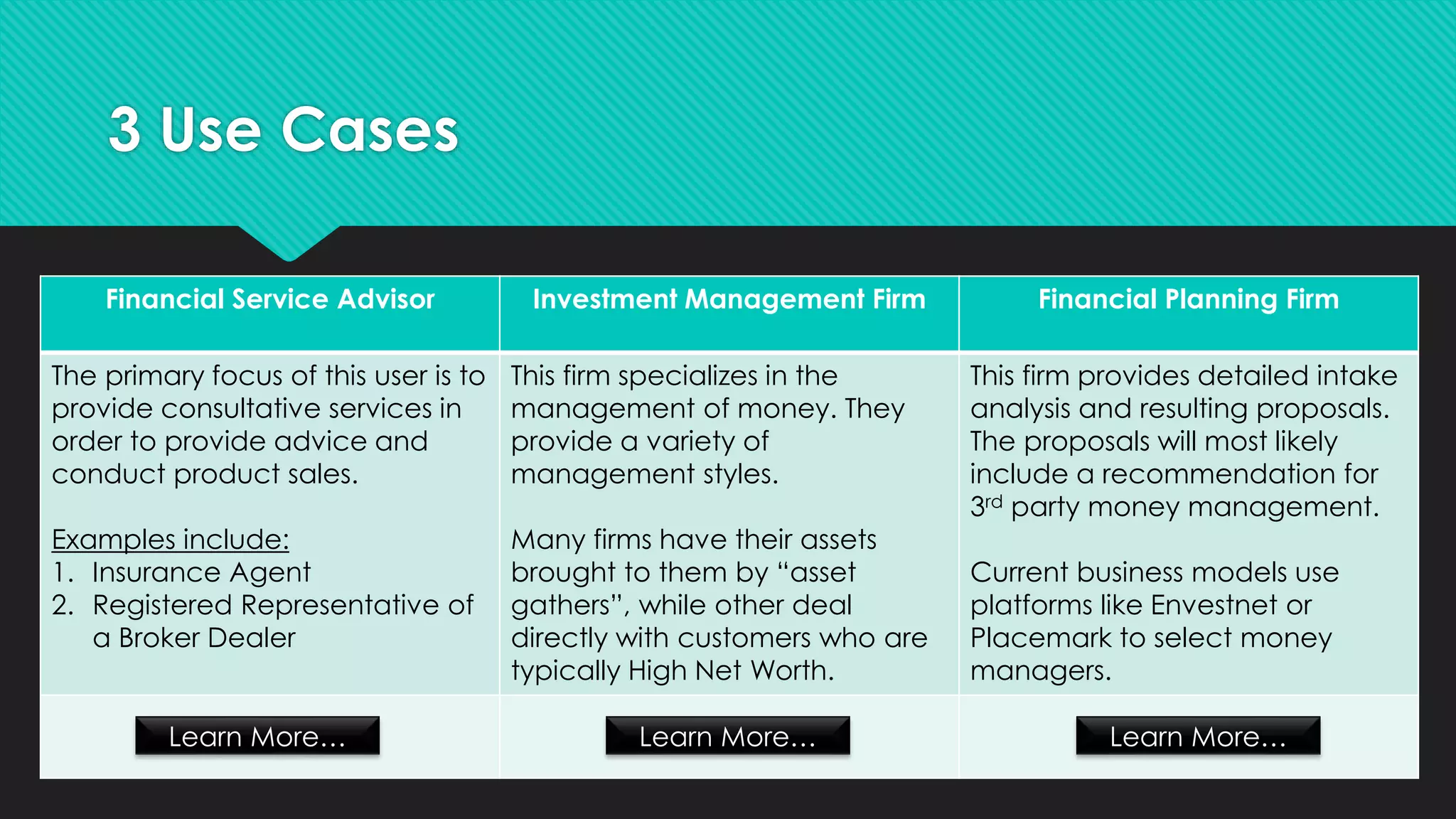
3 Use Cases
Financial Service Advisor Investment Management Firm Financial Planning Firm
The primary focus of this user is to
provide consultative services in
order to provide advice and
conduct product sales.
Examples include:
1. Insurance Agent
2. Registered Representative of
a Broker Dealer
This firm specializes in the
management of money. They
provide a variety of
management styles.
Many firms have their assets
brought to them by “asset
gathers”, while other deal
directly with customers who are
typically High Net Worth.
This firm provides detailed intake
analysis and resulting proposals.
The proposals will most likely
include a recommendation for
3rd party money management.
Current business models use
platforms like Envestnet or
Placemark to select money
managers.
Learn More… Learn More… Learn More…
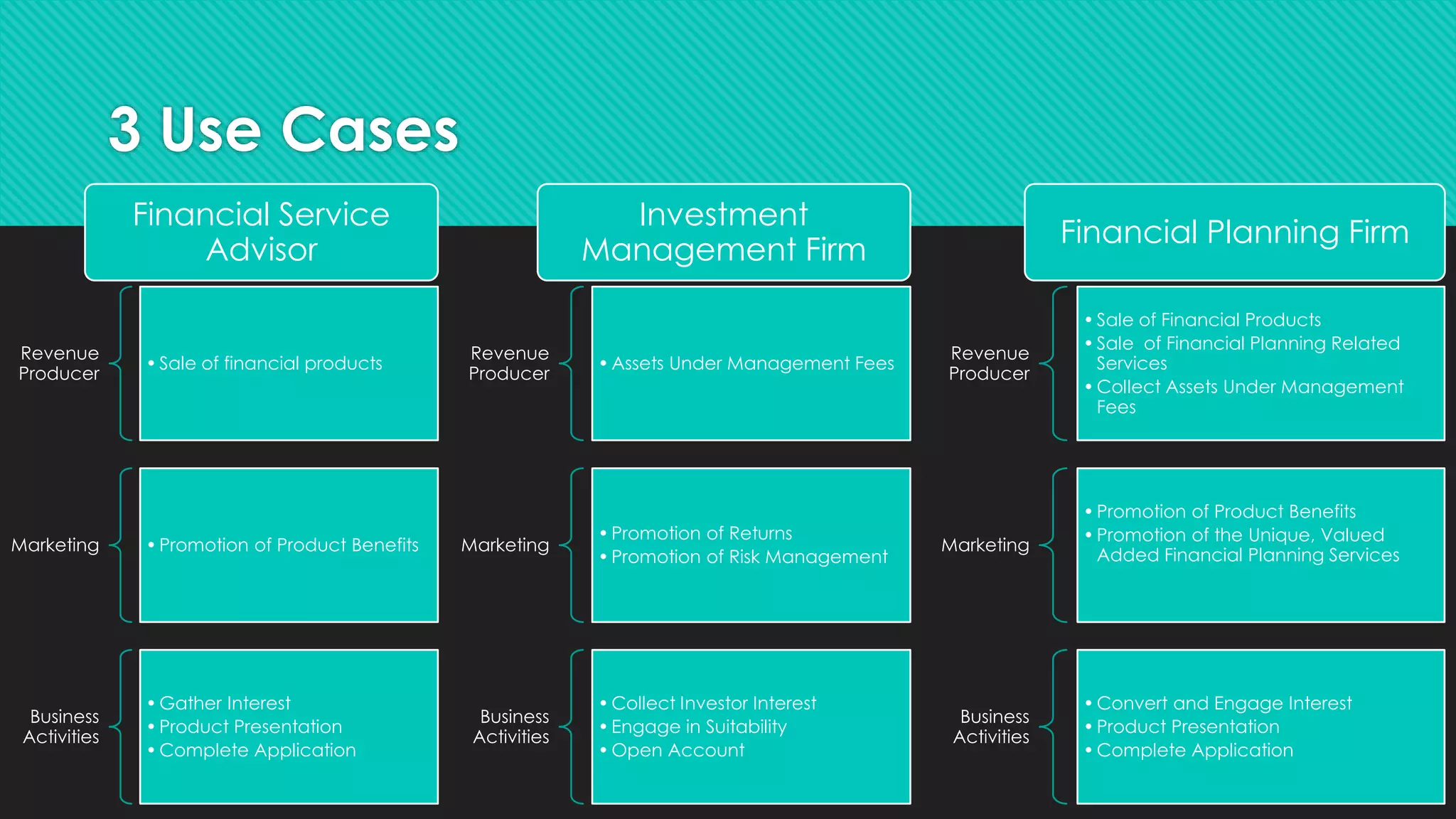
3 Use Cases
Revenue
Producer
•Sale of financial products
Marketing •Promotion of Product Benefits
Business
Activities
•Gather Interest
•Product Presentation
•Complete Application
Revenue
Producer
•Assets Under Management Fees
Marketing
•Promotion of Returns
•Promotion of Risk Management
Business
Activities
•Collect Investor Interest
•Engage in Suitability
•Open Account
Revenue
Producer
•Sale of Financial Products
•Sale of Financial Planning Related
Services
•Collect Assets Under Management
Fees
Marketing
•Promotion of Product Benefits
•Promotion of the Unique, Valued
Added Financial Planning Services
Business
Activities
•Convert and Engage Interest
•Product Presentation
•Complete Application
Financial Service
Advisor
Investment
Management Firm
Financial Planning Firm
Using the Cloud Advisor Platform
as your Business Workflow
From the prospective customer to long-term client.
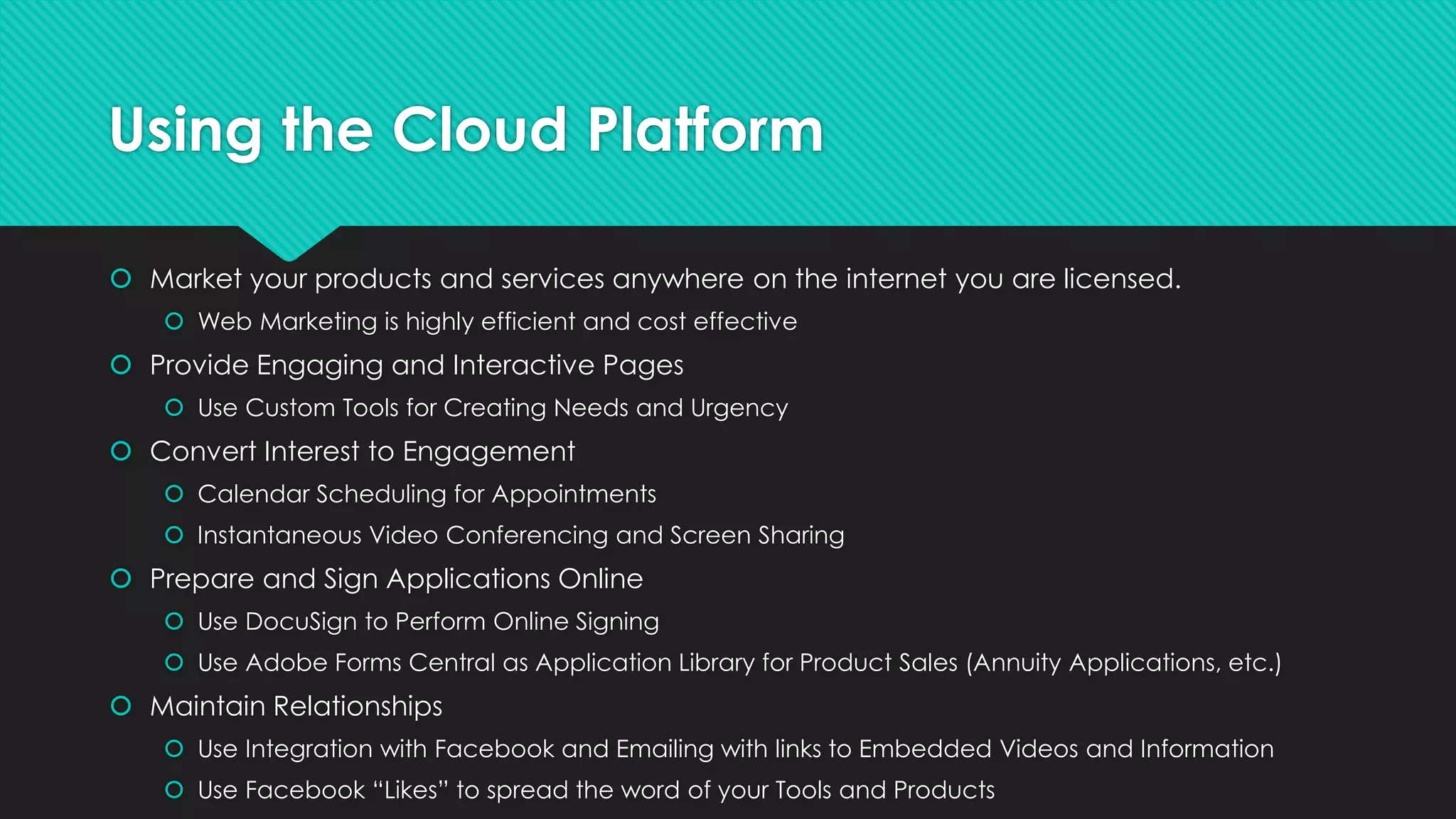
Using the Cloud Platform
 Market your products and services anywhere on the internet you are licensed.
 Web Marketing is highly efficient and cost effective
 Provide Engaging and Interactive Pages
 Use Custom Tools for Creating Needs and Urgency
 Convert Interest to Engagement
 Calendar Scheduling for Appointments
 Instantaneous Video Conferencing and Screen Sharing
 Prepare and Sign Applications Online
 Use DocuSign to Perform Online Signing
 Use Adobe Forms Central as Application Library for Product Sales (Annuity Applications, etc.)
 Maintain Relationships
 Use Integration with Facebook and Emailing with links to Embedded Videos and Information
 Use Facebook “Likes” to spread the word of your Tools and Products
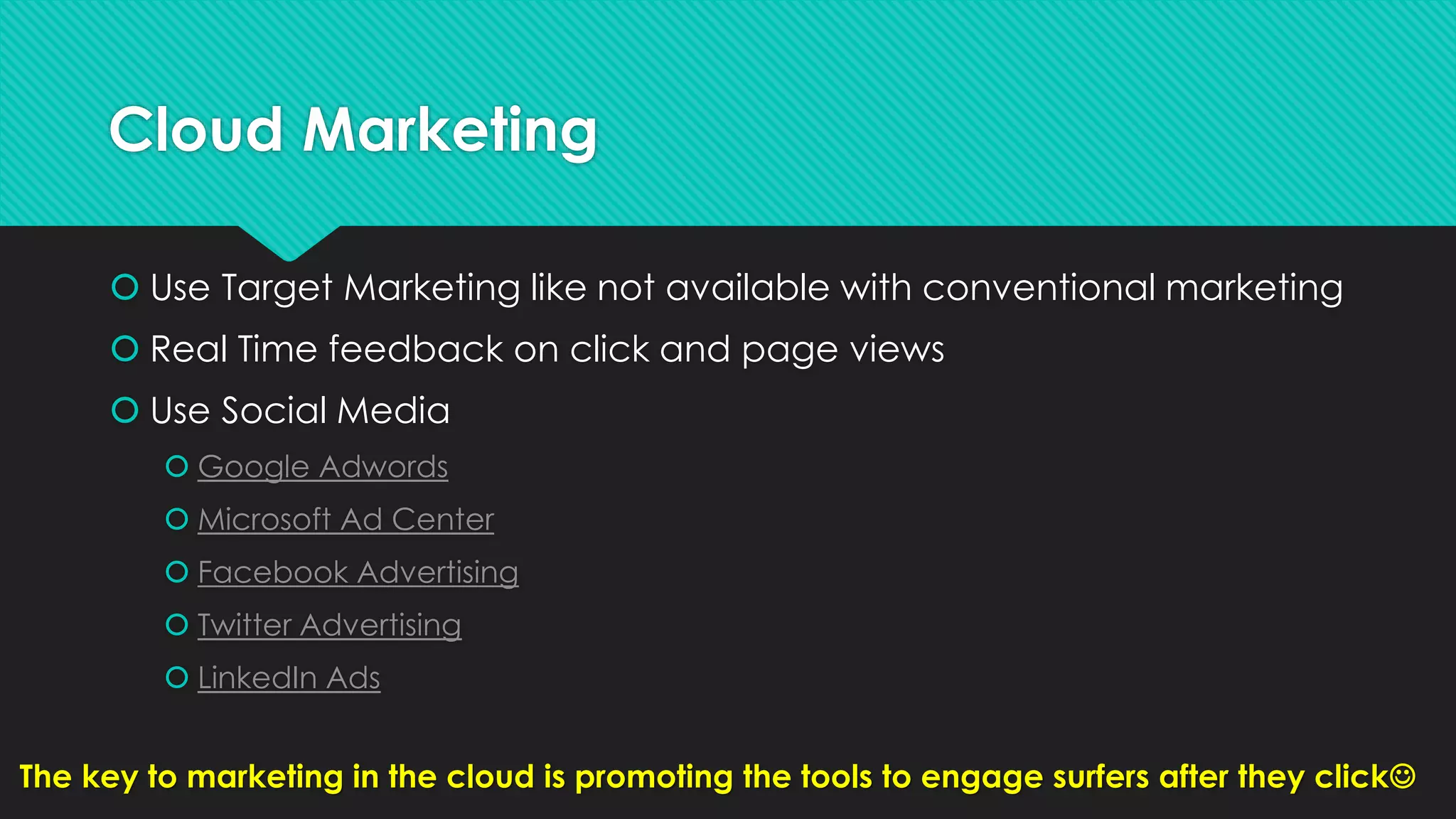
Cloud Marketing
 Use Target Marketing like not available with conventional marketing
 Real Time feedback on click and page views
 Use Social Media
 Google Adwords
 Microsoft Ad Center
 Facebook Advertising
 Twitter Advertising
 LinkedIn Ads
The key to marketing in the cloud is promoting the tools to engage surfers after they click
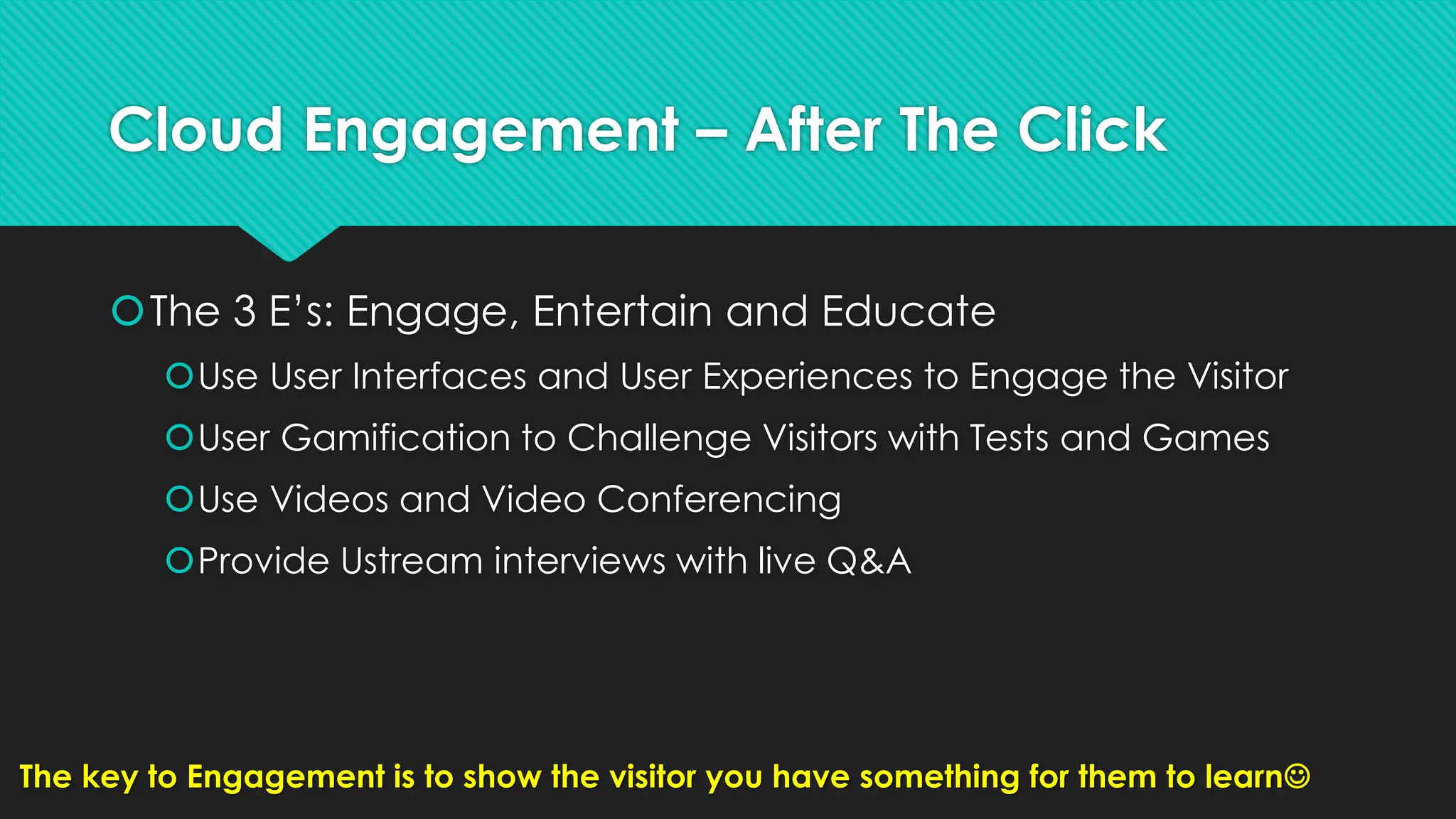
Cloud Engagement – After The Click
The 3 E’s: Engage, Entertain and Educate
Use User Interfaces and User Experiences to Engage the Visitor
User Gamification to Challenge Visitors with Tests and Games
Use Videos and Video Conferencing
Provide Ustream interviews with live Q&A
The key to Engagement is to show the visitor you have something for them to learn
Cloud Conversion
 Use Workflow Strategies to take turn a Visitor to a Prospect
 Use Wizards and Processes to Collect Information and Schedule
Video Conferences
 Provide Various Examples of Satisfied Customers to Help them see
the Finish Line
 Video Interviews with Satisfied Customers
 Possible Paperwork for Completion
 Eliminate All Concerns or Questions that will Cause the Prospect to Halt their
Engagement
The key to Conversion is to remove any apprehension about moving forward
Cloud Execution
KISS – Keep It Simple Stupid
Use Adobe Forms Central to Host Account Applications and
Paperwork
Use File Sharing to Assist Customers to Fill Out Paperwork
Use Screen Sharing to provide Disclosures
Use DocuSign to Sign the Documents
Use Video Conferencing to Record the Entire Meeting
The key to Execution is Holding the Client’s Hand, VIRTUALLY
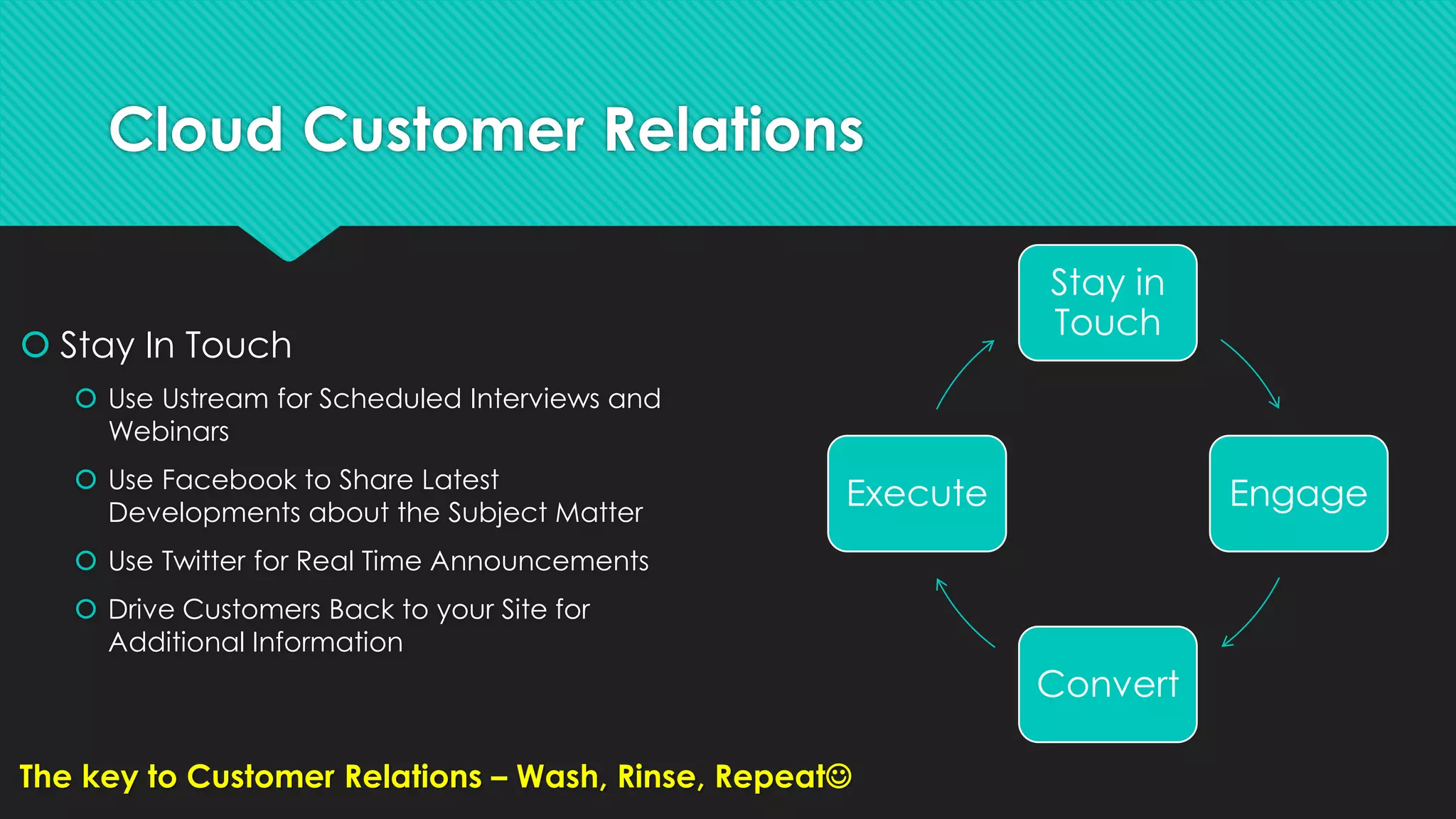
Cloud Customer Relations
 Stay In Touch
 Use Ustream for Scheduled Interviews and
Webinars
 Use Facebook to Share Latest
Developments about the Subject Matter
 Use Twitter for Real Time Announcements
 Drive Customers Back to your Site for
Additional Information
Stay in
Touch
Engage
Convert
Execute
The key to Customer Relations – Wash, Rinse, Repeat
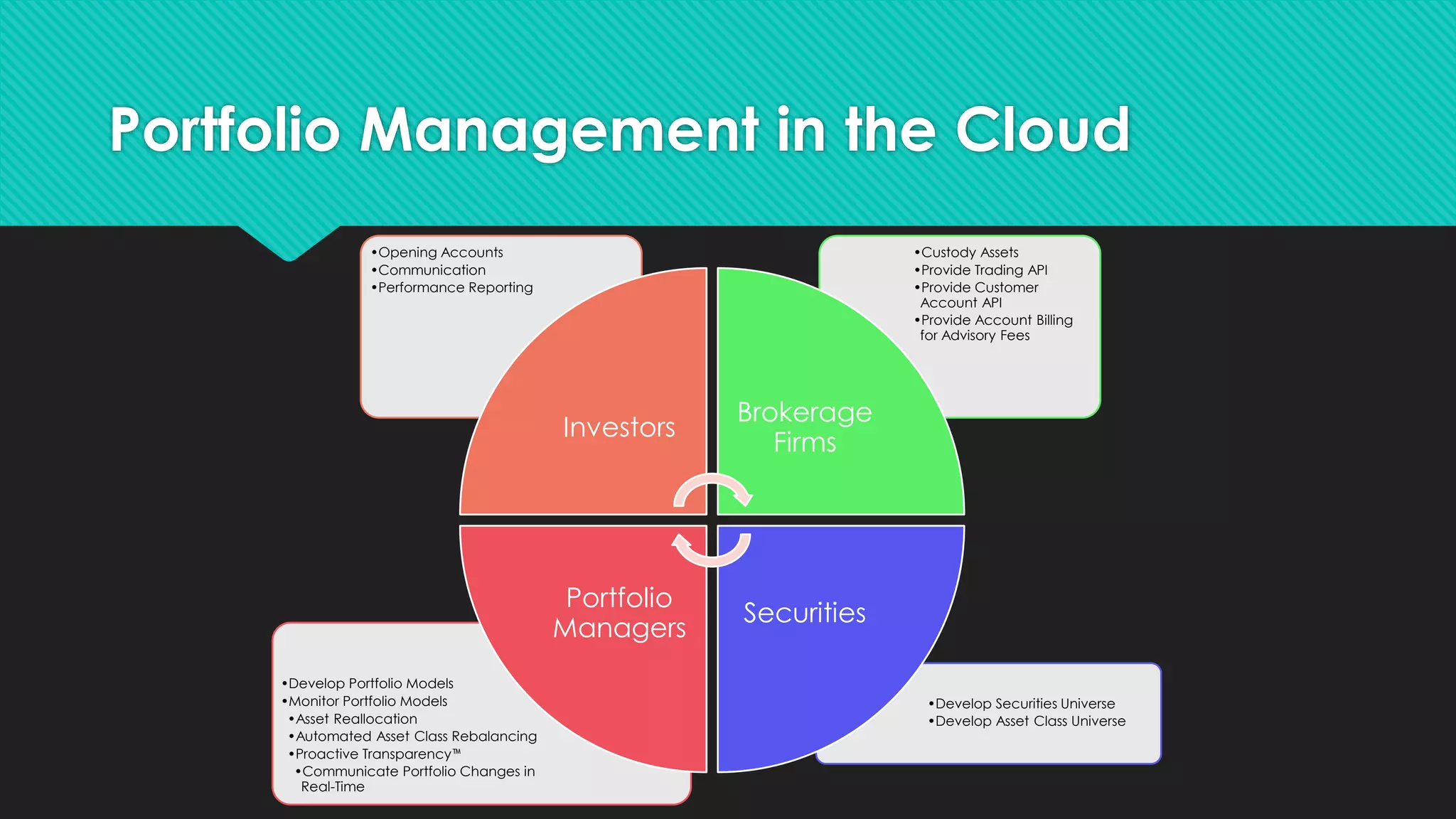
Portfolio Management in the Cloud
Making Everything More Simple and Accessible for Investors
Portfolio Management in the Cloud
•Develop Securities Universe
•Develop Asset Class Universe
•Develop Portfolio Models
•Monitor Portfolio Models
•Asset Reallocation
•Automated Asset Class Rebalancing
•Proactive Transparency™
•Communicate Portfolio Changes in
Real-Time
•Custody Assets
•Provide Trading API
•Provide Customer
Account API
•Provide Account Billing
for Advisory Fees
•Opening Accounts
•Communication
•Performance Reporting
Investors
Brokerage
Firms
Securities
Portfolio
Managers
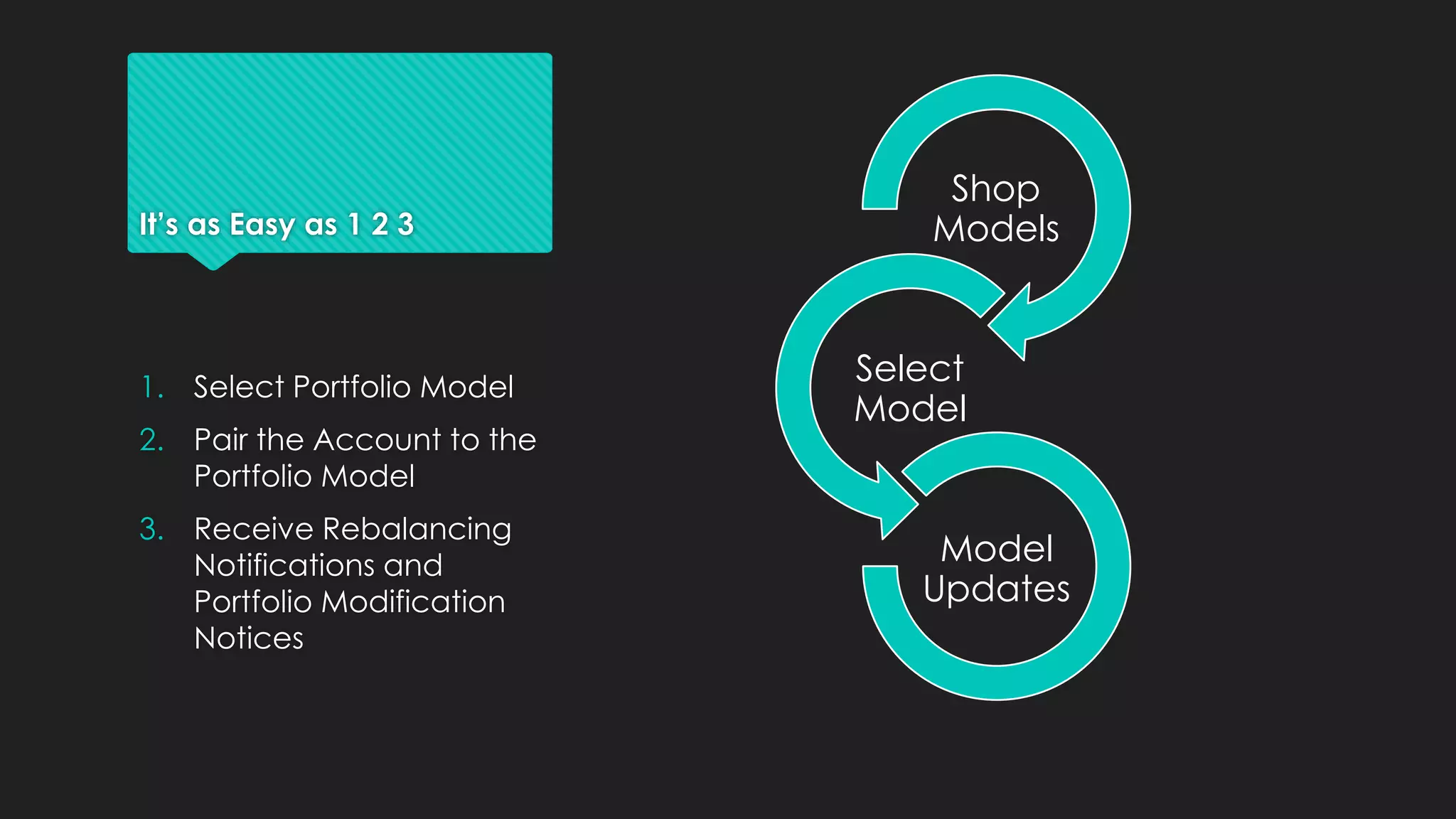
It’s as Easy as 1 2 3
Shop
Models
Select
Model
Model
Updates
1. Select Portfolio Model
2. Pair the Account to the
Portfolio Model
3. Receive Rebalancing
Notifications and
Portfolio Modification
Notices
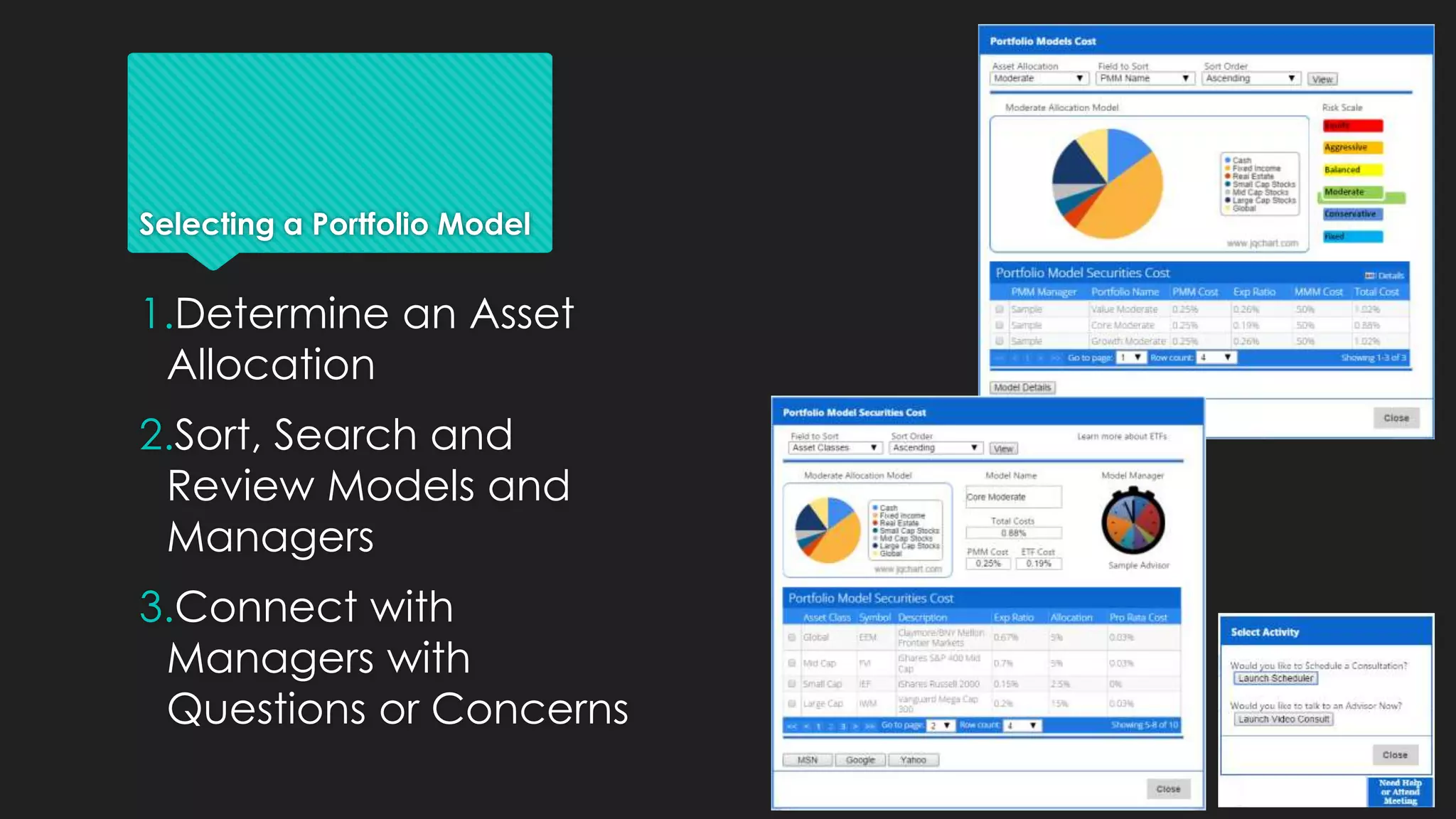
Selecting a Portfolio Model
1.Determine an Asset
Allocation
2.Sort, Search and
Review Models and
Managers
3.Connect with
Managers with
Questions or Concerns
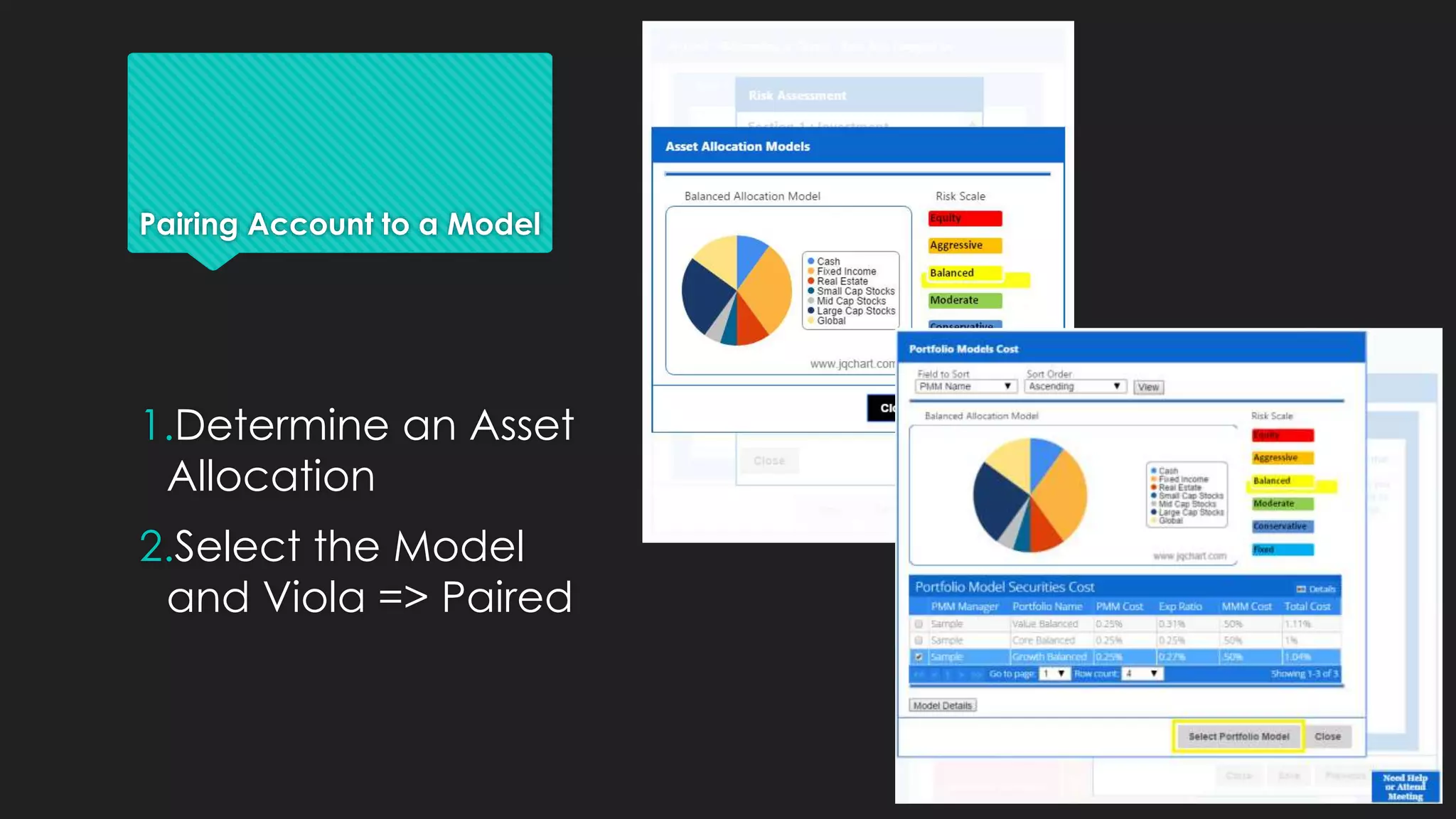
Pairing Account to a Model
1.Determine an Asset
Allocation
2.Select the Model
and Viola => Paired
Portfolio Management
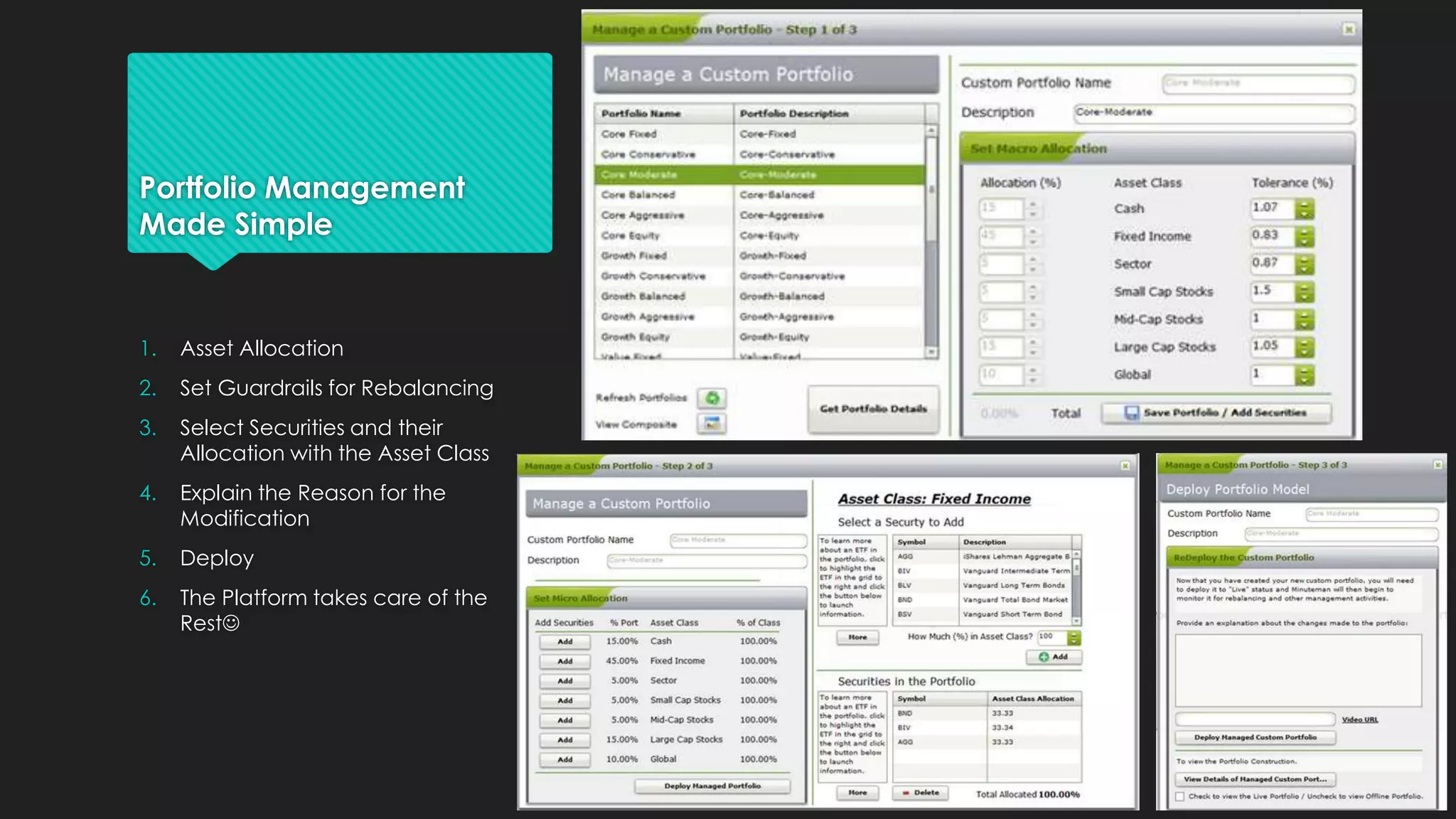
Made Simple
1. Asset Allocation
2. Set Guardrails for Rebalancing
3. Select Securities and their
Allocation with the Asset Class
4. Explain the Reason for the
Modification
5. Deploy
6. The Platform takes care of the
Rest
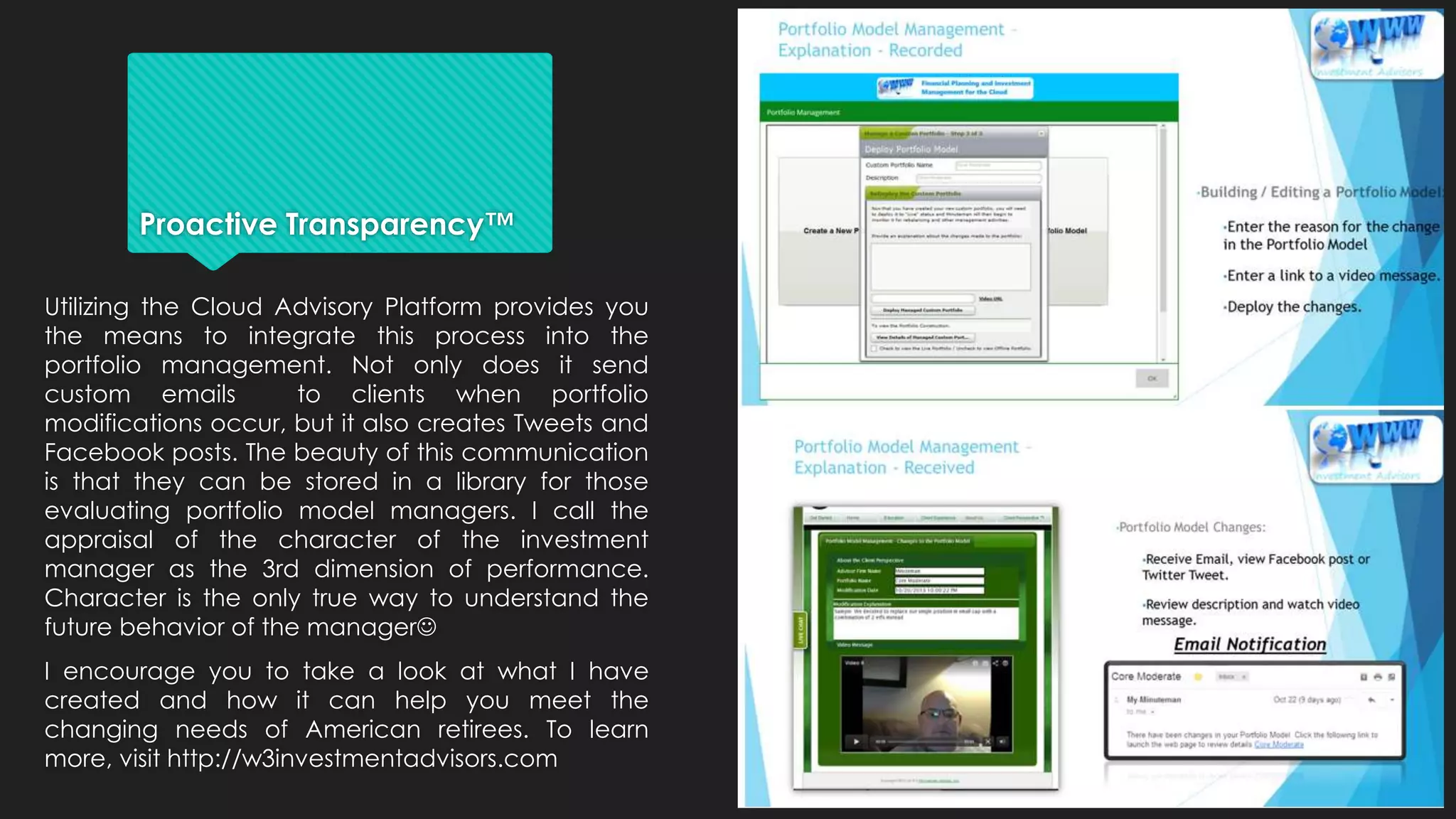
Proactive Transparency™
Utilizing the Cloud Advisory Platform provides you
the means to integrate this process into the
portfolio management. Not only does it send
custom emails to clients when portfolio
modifications occur, but it also creates Tweets and
Facebook posts. The beauty of this communication
is that they can be stored in a library for those
evaluating portfolio model managers. I call the
appraisal of the character of the investment
manager as the 3rd dimension of performance.
Character is the only true way to understand the
future behavior of the manager
I encourage you to take a look at what I have
created and how it can help you meet the
changing needs of American retirees. To learn
more, visit http://w3investmentadvisors.com
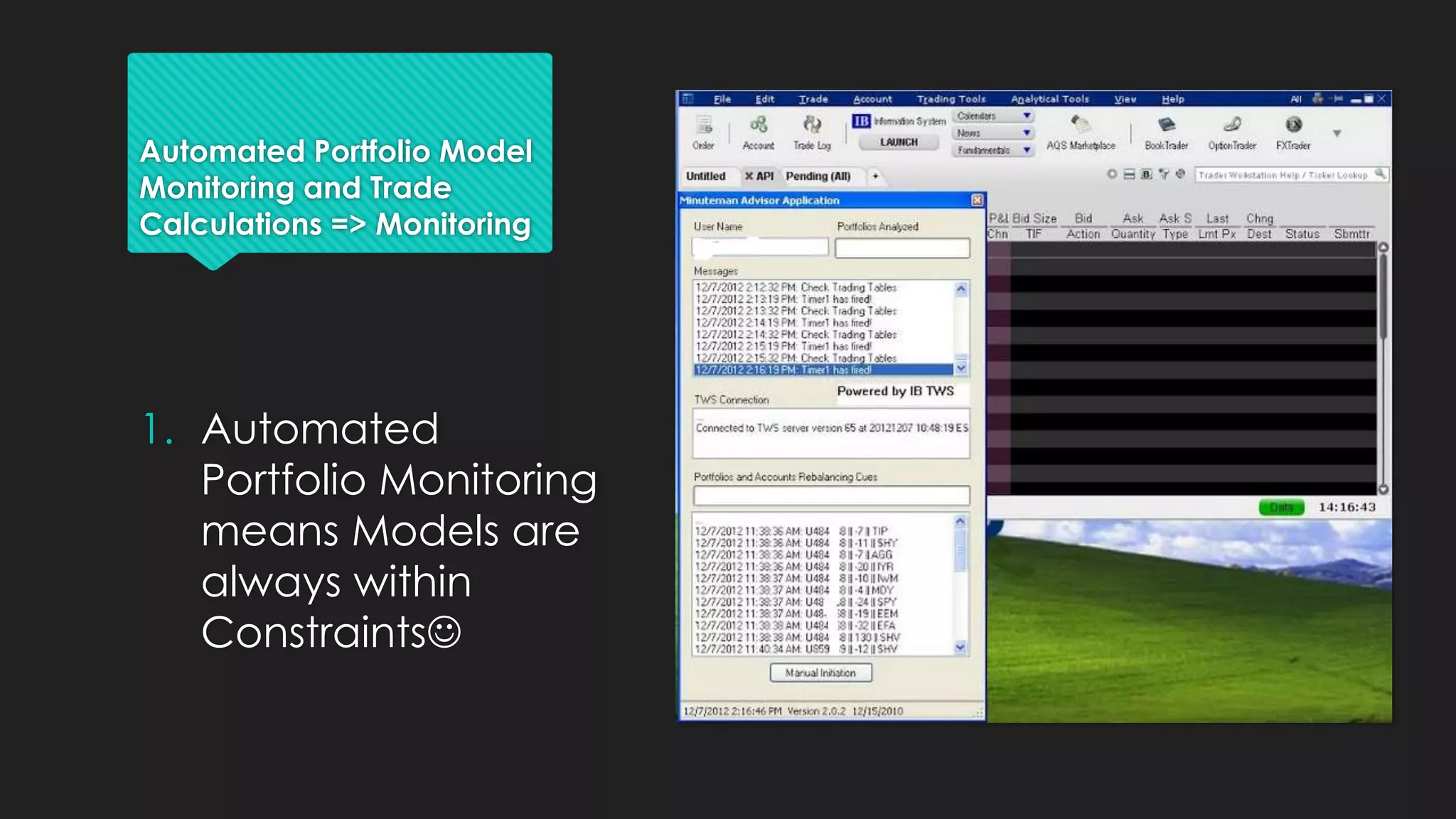
Automated Portfolio Model
Monitoring and Trade
Calculations => Monitoring
1. Automated
Portfolio Monitoring
means Models are
always within
Constraints
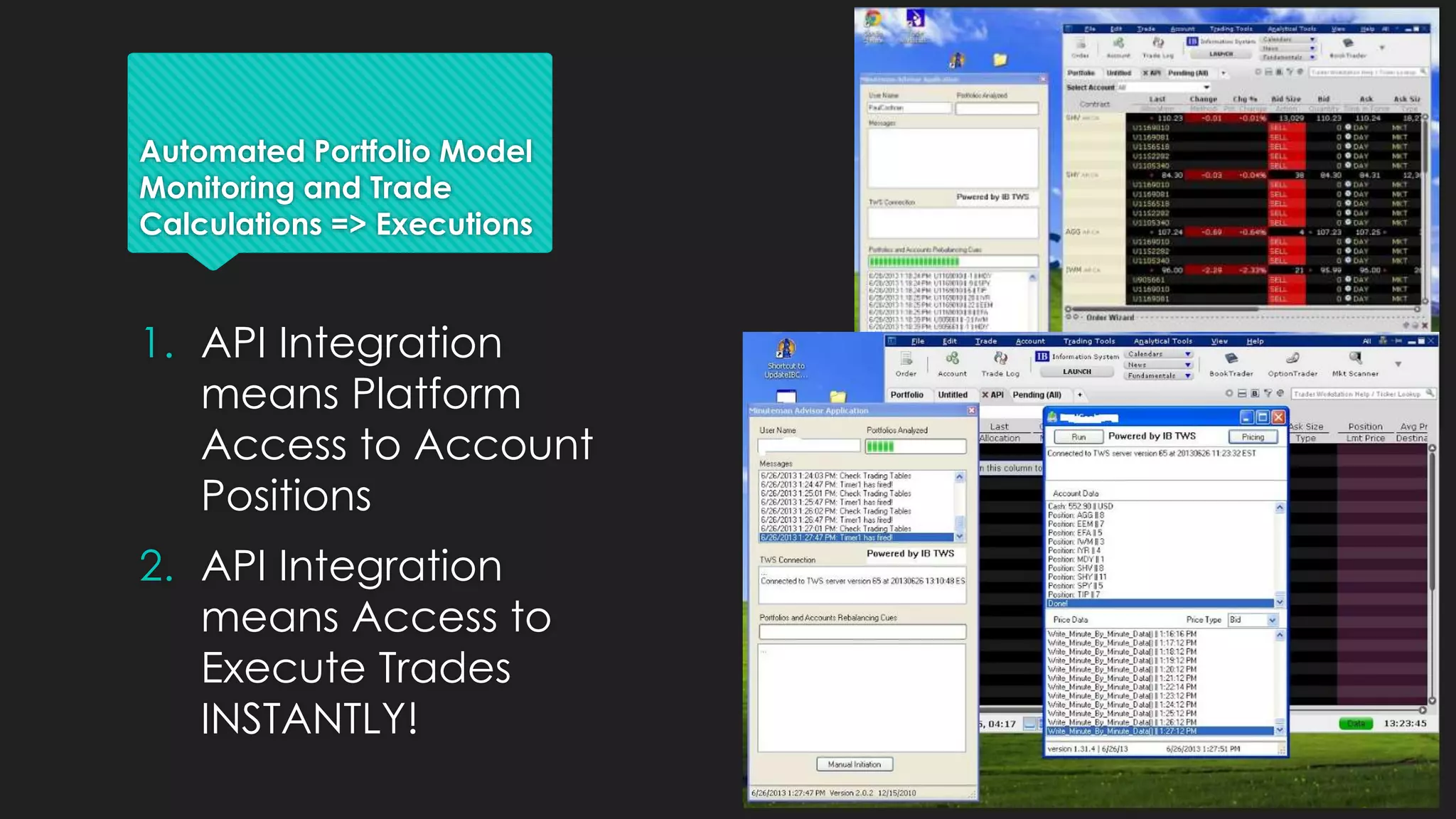
Automated Portfolio Model
Monitoring and Trade
Calculations => Executions
1. API Integration
means Platform
Access to Account
Positions
2. API Integration
means Access to
Execute Trades
INSTANTLY!
If you like what you see, schedule
a demo ASAP. We look forward to
sharing the details with you!
Call me today: Mitch Maynard 818-370-7446

UserCasesPresentation

  • 1.
    What is theCloud Advisor Platform? It’s much like the Felix the Cat “Bag of Tricks”. What you need to do your work, is inside it, just look You may remember “Whenever he gets in a fix, he reaches into his bag of tricks”.
  • 2.
    Its Everything YouNeed: VIRTUALLY Brick and Mortar Cloud Advisor Platform Marketing Drive to Website to Call or Email. Drive to Website, Schedule Appointments, Ad- Hoc Video Communication. Engaging Prospects Share Static Reports and Studies to reinforce reasons to call or write. Use Interactive tools to engage, entertain and educate. Gathering information to personalize experience. Convert Prospects to Clients/Customers Phone Calls and Emails to encourage initial consultation. Website interface provides easy to use calendar appointment scheduling, for a video conference meeting. Fact Finding and Presentations Pens, Pencils and Paper. Office Meetings and Conference Rooms. Online Forms, Screen Sharing, File Sharing, Screen Shots, Video Conferencing with Recording and File Storage in Cloud. Executing Business Signing Documents, in Triplicate Use Docusign to Sign and Authenticate Customer Relations Emails and Newsletters Ustream Interviews, Social Media Promotions, Twitter and Latest Tools for Reinforcing Value
  • 3.
    What is theCloud? A lot of hype but is there any REAL benefits?
  • 4.
    The Cloud –What is it?  What is the Cloud? The Cloud is a system of interconnected computers to provide immense elasticity of use. The benefit is such that as demands of the users increase and decrease, there is no deterioration of services or quality. It gained popularity in the business world as Amazon released their Amazon Web Services. In short, Amazon needed huge computer capacity to meet the demands of shoppers during the Holiday season. But then the rest of the year the capacity was idle, so they made it available to those willing to use it as remote computers. It allows software developers to spin up a variety programming applications in formally only available to local servers to each company.
  • 5.
    The Cloud –Where is It?  Where is the Cloud? The Cloud is not just a single entity. There are a large number of Clouds. Amazon has a Cloud and Microsoft has a Cloud but there are many more companies that provide cloud solutions. The Cloud Advisor Platform uses the Microsoft Cloud called Azure. Azure is not just in Redmond, WA (Microsoft Headquarters), it has servers all around the world. This is very important to cloud solutions. Having clouds located in many geographical locations maintains the quality of services to users located around the world. So software services can be installed in a single location and then spun up as needed not just in one location but in the closest available cloud outlet to the demand. Meanwhile the services will be decreased in the other geographical locations.
  • 6.
    The Cloud –How is it Changing the World?  The Cloud is reminiscent of the earlier generation of the Mainframe era (back before the PC). Where a very large computer severed the needs many users (communicating through terminals). Then PCs changed the world and intranets (LANs and WANs) changed the businesses that used them. Then the internet connected all PCs to a network of servers that initially served up HTML pages. Now the internet has provided a connectivity to very large computing power (otherwise know as a Cloud). The Cloud provides large resources that can be consumed at-will. Now software developers can design and build software that is hosted in an environment with the capacity and power only available to very large and well funded companies. Essentially the Cloud provides a fertile ground for bright ideas unconstrained by financial limitations. The world gets access to the best not the best funded Then Now
  • 7.
    What is WebRTC (Real Time Communication)? Video Conferencing Can and Should be Anywhere and Everywhere The Telephone Conversation is just too Analog
  • 8.
    What Can youDo with Web RTC and the Cloud Advisor Platform?  The Cloud Advisor Platform is integrated with Web RTC Innovators. Chances are it provides more than you have doing business in your office 1. One Touch Video Calling 2. Video Conferencing 3. Screen and File Sharing 4. Text Chat 5. Data Channel 6. Recording 7. High Definition Video 8. User Authentication 9. Wide Band Audio 10. Drawing 11. Snap Shot 12. Presence No Plugins No Software No Flash No Silverlight Just your HTML 5 compliant Browser
  • 9.
    Become More Efficientthat Ever. Use Technology not Lose To Technology Technology Solutions have encroached on your Financial or Investment Management Business. But they doesn’t have something you do: EXPERIENCE. Let the Cloud Advisor Platform Empower You to Be Better than You ever Imagined.  Instant Communication  Relationship Creation  Meeting with Surgical Precision  Move from Appointment to Appointment in Seconds  Collaborating with Colleagues with Ease Ever wondered why Skype, GotoMeeting or WebEx isn’t used all the time? They are not Pervasive! The Cloud Advisor Platform puts Real-Time Communication everywhere, anytime for your benefit
  • 10.
    What type ofuser are you? The Cloud Advisory Technology is a communication platform to help you provide sales and services activities using the internet. Today you drive to potential customers or they drive to you; expensive and time consuming. However using the cloud to communicate, share information and execute sales transaction without ever leaving home
  • 11.
    3 Use Cases FinancialService Advisor Investment Management Firm Financial Planning Firm The primary focus of this user is to provide consultative services in order to provide advice and conduct product sales. Examples include: 1. Insurance Agent 2. Registered Representative of a Broker Dealer This firm specializes in the management of money. They provide a variety of management styles. Many firms have their assets brought to them by “asset gathers”, while other deal directly with customers who are typically High Net Worth. This firm provides detailed intake analysis and resulting proposals. The proposals will most likely include a recommendation for 3rd party money management. Current business models use platforms like Envestnet or Placemark to select money managers. Learn More… Learn More… Learn More…
  • 12.
    3 Use Cases Revenue Producer •Saleof financial products Marketing •Promotion of Product Benefits Business Activities •Gather Interest •Product Presentation •Complete Application Revenue Producer •Assets Under Management Fees Marketing •Promotion of Returns •Promotion of Risk Management Business Activities •Collect Investor Interest •Engage in Suitability •Open Account Revenue Producer •Sale of Financial Products •Sale of Financial Planning Related Services •Collect Assets Under Management Fees Marketing •Promotion of Product Benefits •Promotion of the Unique, Valued Added Financial Planning Services Business Activities •Convert and Engage Interest •Product Presentation •Complete Application Financial Service Advisor Investment Management Firm Financial Planning Firm
  • 13.
    Using the CloudAdvisor Platform as your Business Workflow From the prospective customer to long-term client.
  • 14.
    Using the CloudPlatform  Market your products and services anywhere on the internet you are licensed.  Web Marketing is highly efficient and cost effective  Provide Engaging and Interactive Pages  Use Custom Tools for Creating Needs and Urgency  Convert Interest to Engagement  Calendar Scheduling for Appointments  Instantaneous Video Conferencing and Screen Sharing  Prepare and Sign Applications Online  Use DocuSign to Perform Online Signing  Use Adobe Forms Central as Application Library for Product Sales (Annuity Applications, etc.)  Maintain Relationships  Use Integration with Facebook and Emailing with links to Embedded Videos and Information  Use Facebook “Likes” to spread the word of your Tools and Products
  • 15.
    Cloud Marketing  UseTarget Marketing like not available with conventional marketing  Real Time feedback on click and page views  Use Social Media  Google Adwords  Microsoft Ad Center  Facebook Advertising  Twitter Advertising  LinkedIn Ads The key to marketing in the cloud is promoting the tools to engage surfers after they click
  • 16.
    Cloud Engagement –After The Click The 3 E’s: Engage, Entertain and Educate Use User Interfaces and User Experiences to Engage the Visitor User Gamification to Challenge Visitors with Tests and Games Use Videos and Video Conferencing Provide Ustream interviews with live Q&A The key to Engagement is to show the visitor you have something for them to learn
  • 17.
    Cloud Conversion  UseWorkflow Strategies to take turn a Visitor to a Prospect  Use Wizards and Processes to Collect Information and Schedule Video Conferences  Provide Various Examples of Satisfied Customers to Help them see the Finish Line  Video Interviews with Satisfied Customers  Possible Paperwork for Completion  Eliminate All Concerns or Questions that will Cause the Prospect to Halt their Engagement The key to Conversion is to remove any apprehension about moving forward
  • 18.
    Cloud Execution KISS –Keep It Simple Stupid Use Adobe Forms Central to Host Account Applications and Paperwork Use File Sharing to Assist Customers to Fill Out Paperwork Use Screen Sharing to provide Disclosures Use DocuSign to Sign the Documents Use Video Conferencing to Record the Entire Meeting The key to Execution is Holding the Client’s Hand, VIRTUALLY
  • 19.
    Cloud Customer Relations Stay In Touch  Use Ustream for Scheduled Interviews and Webinars  Use Facebook to Share Latest Developments about the Subject Matter  Use Twitter for Real Time Announcements  Drive Customers Back to your Site for Additional Information Stay in Touch Engage Convert Execute The key to Customer Relations – Wash, Rinse, Repeat
  • 20.
    Portfolio Management inthe Cloud Making Everything More Simple and Accessible for Investors
  • 21.
    Portfolio Management inthe Cloud •Develop Securities Universe •Develop Asset Class Universe •Develop Portfolio Models •Monitor Portfolio Models •Asset Reallocation •Automated Asset Class Rebalancing •Proactive Transparency™ •Communicate Portfolio Changes in Real-Time •Custody Assets •Provide Trading API •Provide Customer Account API •Provide Account Billing for Advisory Fees •Opening Accounts •Communication •Performance Reporting Investors Brokerage Firms Securities Portfolio Managers
  • 22.
    It’s as Easyas 1 2 3 Shop Models Select Model Model Updates 1. Select Portfolio Model 2. Pair the Account to the Portfolio Model 3. Receive Rebalancing Notifications and Portfolio Modification Notices
  • 23.
    Selecting a PortfolioModel 1.Determine an Asset Allocation 2.Sort, Search and Review Models and Managers 3.Connect with Managers with Questions or Concerns
  • 24.
    Pairing Account toa Model 1.Determine an Asset Allocation 2.Select the Model and Viola => Paired
  • 25.
    Portfolio Management Made Simple 1.Asset Allocation 2. Set Guardrails for Rebalancing 3. Select Securities and their Allocation with the Asset Class 4. Explain the Reason for the Modification 5. Deploy 6. The Platform takes care of the Rest
  • 26.
    Proactive Transparency™ Utilizing theCloud Advisory Platform provides you the means to integrate this process into the portfolio management. Not only does it send custom emails to clients when portfolio modifications occur, but it also creates Tweets and Facebook posts. The beauty of this communication is that they can be stored in a library for those evaluating portfolio model managers. I call the appraisal of the character of the investment manager as the 3rd dimension of performance. Character is the only true way to understand the future behavior of the manager I encourage you to take a look at what I have created and how it can help you meet the changing needs of American retirees. To learn more, visit http://w3investmentadvisors.com
  • 27.
    Automated Portfolio Model Monitoringand Trade Calculations => Monitoring 1. Automated Portfolio Monitoring means Models are always within Constraints
  • 28.
    Automated Portfolio Model Monitoringand Trade Calculations => Executions 1. API Integration means Platform Access to Account Positions 2. API Integration means Access to Execute Trades INSTANTLY!
  • 29.
    If you likewhat you see, schedule a demo ASAP. We look forward to sharing the details with you! Call me today: Mitch Maynard 818-370-7446