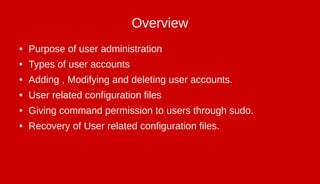
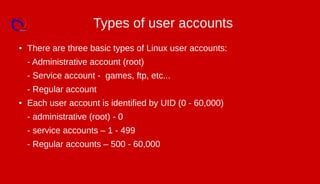
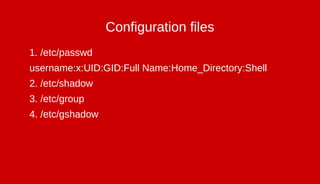
There are three types of Linux user accounts: administrative, service, and regular accounts. User accounts are identified by a UID and stored in configuration files like /etc/passwd and /etc/shadow. Commands like useradd, passwd, and usermod allow administrators to add, modify, and delete user accounts and configure account properties.


![1. # id -To get uid and gid of a user
2. # useradd [newusername]
3. # passwd [username]
4. # useradd -u [uid] [newusername]
5. # usermod -u [uid] [username]
6. # usermod -g [gid] [username]
7. # su](https://image.slidesharecdn.com/useradmincommd-180930154743/85/Useradmin-5-320.jpg)
![8. # usermod -s [shell location] [username]
9. # usermod -l [newname] [oldname]
10. # usermod -L [username]
11. # usermod -U [username]
12. # passwd -l [username]
13. # passwd -u [username]
14. # usermod -e [yy-mm-dd] [username]
15. # chage -l [username]](https://image.slidesharecdn.com/useradmincommd-180930154743/85/Useradmin-6-320.jpg)


![[Deck] What's New in Spark-Iceberg Integration via DSV2.pptx](https://cdn.slidesharecdn.com/ss_thumbnails/deckwhatsnewinspark-icebergintegrationviadsv2-260210005337-25955b12-thumbnail.jpg?width=640&height=640&fit=bounds)


