









User Experiencedelivering great ux through great ui
Who am I?What I do for a living?Sr. UI Designer @ NOKIAHow long have I been in business?Almost 10 years nowWhat I ‘actually’ do?Make a ‘consumer’ deliverable out of ‘technical’ deliverable 227 June 2009HELLO.My name is…Uday M. Shankar
What's User ExperienceLet me try to make it simple3
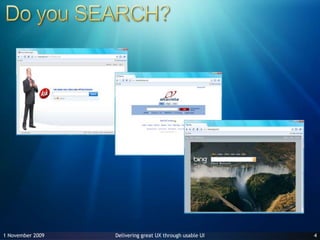
27 June 20094Do you SEARCH?
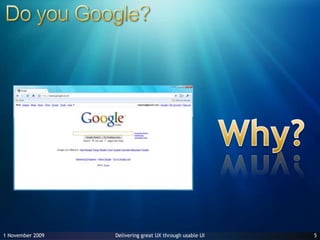
27 June 20095Do you Google?Why?
That’s User ExperienceNow, let’s look at how to get there27 June 20096
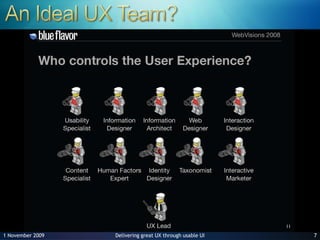
An Ideal UX Team?27 June 20097
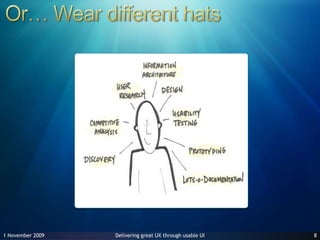
Or… Wear different hats27 June 20098
Anyone can cook?UI Design is not everybody’s cup of teaUI design demands patience, creativity, out-of-the-box thinkingUI design demands an instinct to make stuff SIMPLEKeep Design & Development as 2 activities.927 June 2009
UI Development is NOTabout making screens look better!
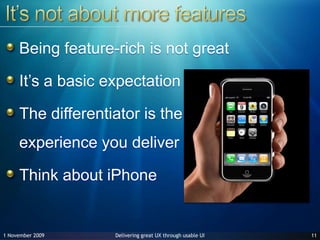
It’s not about more featuresBeing feature-rich is not greatIt’s a basic expectationThe differentiator is the experience you deliverThink about iPhone1127 June 2009
Not just about colors, fonts, pixelsThere is an intended behavior that we want to create & We have no direct control over the userBut, via design we have means to control the environment and to evaluate the resulting effects1227 June 2009
Do not get carried awayMany UI designers get carried away with the cool effects provided  by the technology.Possibility <> UsabilityCool <> Usable1327 June 2009
Front End keeps changingHTML > DHTML > AJAX > Silverlight > ???Abstract the UI completely from the business layerLet the UI evolve with times1427 June 2009
Follow standardsDo not break paradigms unnecessarilyDo not use a lot of colors on screenFollow basic UCD & HCI principles while designingDo not create Frankenstein components!1527 June 2009
Manage expectationsManage expectations using designClients often judge progress based on UI designClients want to see a steady progression of developmentFor Users, the UI is the application1627 June 2009
Get your X & Y rightThe position of components on screen is IMPORTANT& The dimensions of components on screen is IMPORTANTDrag & Drop is not always uber-cool!Control to user is good as long as the system still has control1727 June 2009
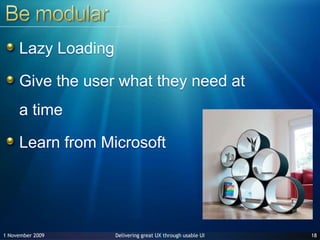
Be modularLazy LoadingGive the user what they need at a timeLearn from Microsoft1827 June 2009
Do not over-engineerAbstraction and perfection is good. But, don’t overdo it.Pattern implementations are only as valuable as the problem they solve.1927 June 2009
What you want users to see
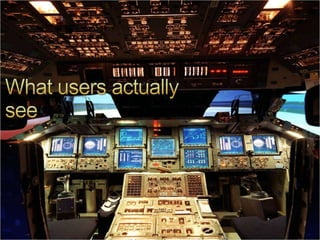
What users actually see
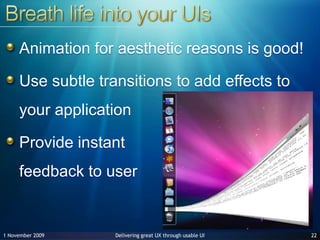
Breath life into your UIs2227 June 2009Animation for aesthetic reasons is good!Use subtle transitions to add effects to your applicationProvide instant feedback to user
Good Uis & Bad UIsSome real life examples
24Bad UI – Usable?27 June 2009
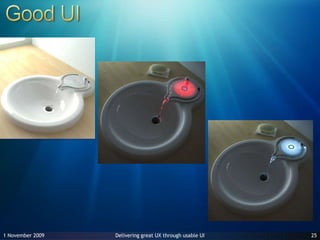
27 June 200925Good UI
27 June 200926Bad UI
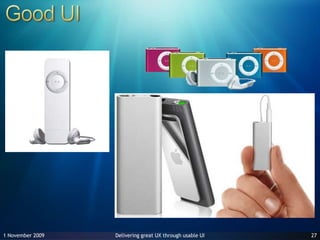
27 June 200927Good UI
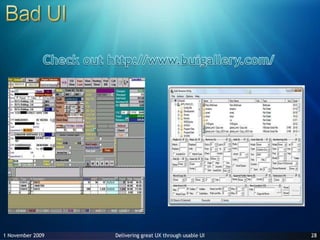
27 June 200928Bad UICheck out http://www.buigallery.com/
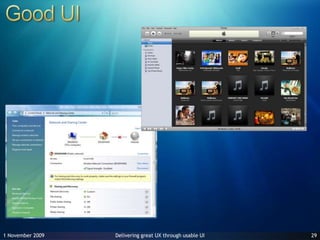
29Good UI27 June 2009
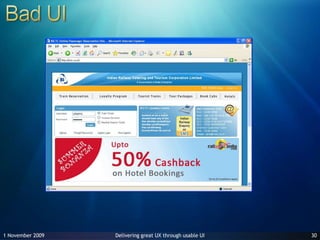
30Bad UI27 June 2009
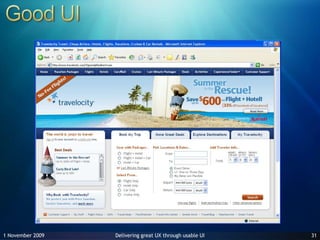
31Good UI27 June 2009
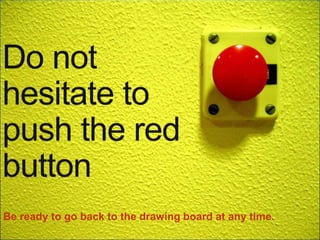
Do not hesitate to push the red buttonBe ready to go back to the drawing board at any time.
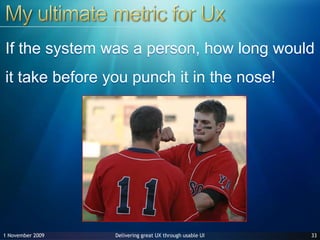
My ultimate metric for UxIf the system was a person, how long would it take before you punch it in the nose! 3327 June 2009
Next is what?In the 80’s it was SCDSystem Centric DesignIn the late 90’s, it transformed to UCDUser Centric DesignWhat’s next?Process Centric Design?3427 June 2009
Questions?
Thank youudayms@gmail.comTwitter @udaymsflexed.wordpress.com | udayms.wordpress.com
Jacob SebastianBlog: http://blog.beyondrelational.comPinal Kumar DaveBlog: http://blog.sqlauthority.comEmail: pinal@sqlauthority.comUday M. ShankarTwitter: @udaymsBlog: http://udayms.wordpress.comEmail: udayms@ovi.comShoban KumarBlog: http://codegeeks.netEmail: shobankr@gmail.comTwitter: @shobankrPraseedPaiBlog: http://praseedp.blogspot.comEmail: praseedp@yahoo.comJairamRameshEmail: v-jairar@microsoft.comRenuka AlexEmail: renuka.alex@gmail.comSmitha GeorgeEmail: mailme@smithageorge.com http://www.k-mug.org

User Experioence - delivering great ux through great ui

  • 1.
  • 2.
    Who am I?WhatI do for a living?Sr. UI Designer @ NOKIAHow long have I been in business?Almost 10 years nowWhat I ‘actually’ do?Make a ‘consumer’ deliverable out of ‘technical’ deliverable 227 June 2009HELLO.My name is…Uday M. Shankar
  • 3.
    What's User ExperienceLetme try to make it simple3
  • 4.
    27 June 20094Doyou SEARCH?
  • 5.
    27 June 20095Doyou Google?Why?
  • 6.
    That’s User ExperienceNow,let’s look at how to get there27 June 20096
  • 7.
    An Ideal UXTeam?27 June 20097
  • 8.
    Or… Wear differenthats27 June 20098
  • 9.
    Anyone can cook?UIDesign is not everybody’s cup of teaUI design demands patience, creativity, out-of-the-box thinkingUI design demands an instinct to make stuff SIMPLEKeep Design & Development as 2 activities.927 June 2009
  • 10.
    UI Development isNOTabout making screens look better!
  • 11.
    It’s not aboutmore featuresBeing feature-rich is not greatIt’s a basic expectationThe differentiator is the experience you deliverThink about iPhone1127 June 2009
  • 12.
    Not just aboutcolors, fonts, pixelsThere is an intended behavior that we want to create & We have no direct control over the userBut, via design we have means to control the environment and to evaluate the resulting effects1227 June 2009
  • 13.
    Do not getcarried awayMany UI designers get carried away with the cool effects provided by the technology.Possibility <> UsabilityCool <> Usable1327 June 2009
  • 14.
    Front End keepschangingHTML > DHTML > AJAX > Silverlight > ???Abstract the UI completely from the business layerLet the UI evolve with times1427 June 2009
  • 15.
    Follow standardsDo notbreak paradigms unnecessarilyDo not use a lot of colors on screenFollow basic UCD & HCI principles while designingDo not create Frankenstein components!1527 June 2009
  • 16.
    Manage expectationsManage expectationsusing designClients often judge progress based on UI designClients want to see a steady progression of developmentFor Users, the UI is the application1627 June 2009
  • 17.
    Get your X& Y rightThe position of components on screen is IMPORTANT& The dimensions of components on screen is IMPORTANTDrag & Drop is not always uber-cool!Control to user is good as long as the system still has control1727 June 2009
  • 18.
    Be modularLazy LoadingGivethe user what they need at a timeLearn from Microsoft1827 June 2009
  • 19.
    Do not over-engineerAbstractionand perfection is good. But, don’t overdo it.Pattern implementations are only as valuable as the problem they solve.1927 June 2009
  • 20.
    What you wantusers to see
  • 21.
  • 22.
    Breath life intoyour UIs2227 June 2009Animation for aesthetic reasons is good!Use subtle transitions to add effects to your applicationProvide instant feedback to user
  • 23.
    Good Uis &Bad UIsSome real life examples
  • 24.
    24Bad UI –Usable?27 June 2009
  • 25.
  • 26.
  • 27.
  • 28.
    27 June 200928BadUICheck out http://www.buigallery.com/
  • 29.
  • 30.
  • 31.
  • 32.
    Do not hesitateto push the red buttonBe ready to go back to the drawing board at any time.
  • 33.
    My ultimate metricfor UxIf the system was a person, how long would it take before you punch it in the nose! 3327 June 2009
  • 34.
    Next is what?Inthe 80’s it was SCDSystem Centric DesignIn the late 90’s, it transformed to UCDUser Centric DesignWhat’s next?Process Centric Design?3427 June 2009
  • 35.
  • 36.
  • 37.
    Jacob SebastianBlog: http://blog.beyondrelational.comPinalKumar DaveBlog: http://blog.sqlauthority.comEmail: pinal@sqlauthority.comUday M. ShankarTwitter: @udaymsBlog: http://udayms.wordpress.comEmail: udayms@ovi.comShoban KumarBlog: http://codegeeks.netEmail: shobankr@gmail.comTwitter: @shobankrPraseedPaiBlog: http://praseedp.blogspot.comEmail: praseedp@yahoo.comJairamRameshEmail: v-jairar@microsoft.comRenuka AlexEmail: renuka.alex@gmail.comSmitha GeorgeEmail: mailme@smithageorge.com http://www.k-mug.org