Python Lists
• Listsare the most versatile of Python's compound data types.
• A list contains items separated by commas and enclosed within square brackets ([]).
• To some extent, lists are similar to arrays in C. One of the differences between them is that
all the items belonging to a list can be of different data type.
• The values stored in a list can be accessed using the slice operator ([ ] and [:]) with indexes
starting at 0 in the beginning of the list and working their way to end -1.
• The plus (+) sign is the list concatenation operator, and the asterisk (*) is the repetition
operator.
• Important thing about a list is that the items in a list need not be of the same type.
• Creating a list is as simple as putting different comma-separated values between square
brackets.
2.
Python Lists
• Forexample-
#!/usr/bin/python3
list = [ 'abcd', 786 , 2.23, ‘Omkar', 70.2 ]
tinylist = [123, ‘Omkar']
print (list) # Prints complete list
print (list[0]) # Prints first element of the list
print (list[1:3]) # Prints elements starting from 2nd till 3rd
print (list[2:]) # Prints elements starting from 3rd element
print (tinylist * 2) # Prints list two times
print (list + tinylist) # Prints concatenated lists
This produces the following result
['abcd', 786, 2.23, ‘Omkar',
70.200000000000003]
abcd
[786, 2.23]
[2.23, ‘Omkar', 70.200000000000003]
[123, ‘Omkar', 123, Omkar']
['abcd', 786, 2.23, Omkar',
70.200000000000003, 123, Omkar']
3.
Python Lists
Example
list1 =['physics', 'chemistry', 1997, 2000];
list2 = [1, 2, 3, 4, 5 ];
list3 = ["a", "b", "c", "d"];
• Similar to string indices, list indices start at 0, and lists can be sliced, concatenated and so
on.
Accessing Values in Lists
• To access values in lists, use the square brackets for slicing along with the index or indices
to obtain value available at that index.
Output:
list1[0]: physics
list2[1:5]: [2, 3, 4, 5]
4.
Python Lists
Updating Lists
Youcan update single or multiple elements of lists by giving the slice on the left-hand side
of the assignment operator, and you can add to elements in a list with the append()
method.
For example-
#!/usr/bin/python3
list = ['physics', 'chemistry', 1997, 2000]
print ("Value available at index 2 : ", list[2])
list[2] = 2001
print ("New value available at index 2 : ", list[2])
Output:
Value available at index 2 :
1997
New value available at index 2 :
2001
5.
Python Lists
Delete ListElements
To remove a list element, you can use either the del statement if you know exactly which
element(s) you are deleting. You can use the remove() method if you do not know exactly
which items to delete.
For example-
#!/usr/bin/python3
list = ['physics', 'chemistry', 1997, 2000]
print (list)
del list[2]
print ("After deleting value at index 2 : ", list)
Output:
['physics', 'chemistry', 1997, 2000]
After deleting value at index 2 :
['physics', 'chemistry', 2000]
6.
Python Lists
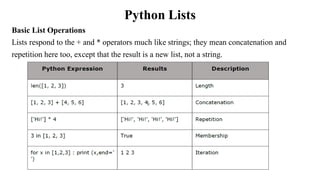
Basic ListOperations
Lists respond to the + and * operators much like strings; they mean concatenation and
repetition here too, except that the result is a new list, not a string.
7.
Python Lists
Indexing, Slicingand Matrices
• Since lists are sequences, indexing and slicing work the same way for lists as they do for
strings.
• Example
L=['C++'', 'Java', 'Python']
8.
Python Lists
Built-in ListFunctions & Methods
Python includes the following list functions-
Function with Description
The len() method returns the number of elements in the list.
Syntax
Following is the syntax for len() method
len(list)
• Example:
list1 = ['physics', 'chemistry', 'maths']
print (len(list1))
list2=list(range(5)) #creates list of numbers between 0-4
print (len(list2))
Output:
3
5
9.
Python Lists
List max()Method
Description
The max() method returns the elements from the list with maximum value.
Syntax
Following is the syntax for max() method
max( list)
Example:
list1, list2 = ['C++','Java', 'Python'], [250, 550, 300]
print ("Max value element : ", max(list1))
print ("Max value element : ", max(list2))
Output:
Max value element : Python
Max value element : 550
10.
Python Lists
List min()Method
Description
The min() method returns the elements from the list with minimum value.
Syntax
Following is the syntax for max() method
min(list)
Example:
list1, list2 = ['C++','Java', 'Python'], [250, 550, 300]
print ("Min value element : ", min(list1))
print ("Min value element : ", min(list2))
Output:
Min value element : C++
Min value element : 250
11.
Python Lists
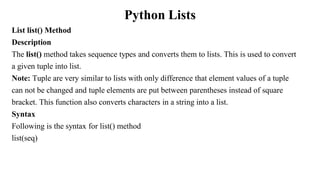
List list()Method
Description
The list() method takes sequence types and converts them to lists. This is used to convert
a given tuple into list.
Note: Tuple are very similar to lists with only difference that element values of a tuple
can not be changed and tuple elements are put between parentheses instead of square
bracket. This function also converts characters in a string into a list.
Syntax
Following is the syntax for list() method
list(seq)
12.
Python Lists
List list()Method Example:
a= (123, 'C++', 'Java', 'Python')
list1 = list(a)
print ("List elements : ", list1)
str="Hello World"
list2=list(str)
print ("List elements : ", list2)
Output:
List elements : [123, 'C++', 'Java', 'Python']
List elements : ['H', 'e', 'l', 'l', 'o', ' ', 'W', 'o', 'r', 'l', 'd']
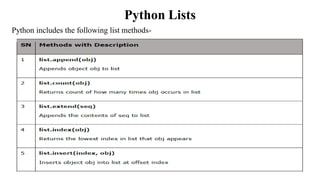
Python Lists
Python includesthe following list methods-
The append() method appends a passed obj into the existing list.
Syntax
Following is the syntax for append() method
list.append(obj)
Parameters
obj - This is the object to be appended in the list.
Return Value
This method does not return any value but updates existing list.
Example
The following example shows the usage of append() method.
#!/usr/bin/python3
list1 = ['C++', 'Java', 'Python']
list1.append('C#')
print (“Updated list : ", list1)
Output:
Updated list : ['C++', 'Java', 'Python', 'C#']
16.
Python Lists
The count()method returns count of how many times obj occurs in list.
Syntax
Following is the syntax for count() method
list.count(obj)
Parameters
obj - This is the object to be counted in the list.
Return Value
This method returns count of how many times obj occurs in list.
Example
aList = [123, 'xyz', ‘pqr', 'abc', 123];
print ("Count for 123 : ", aList.count(123))
print ("Count for abc: ", aList.count(abc'))
Output:
Count for 123 : 2
Count for abc: 1
17.
Python Lists
The extend()method appends the contents of
seq to list.
Syntax
Following is the syntax for extend() method
list.extend(seq)
Parameters
seq - This is the list of elements
Return Value
This method does not return any value but adds
the content to an existing list.
Output:
Extended List : ['physics', 'chemistry', 'maths', 0, 1, 2, 3, 4]
Example
The following example shows the usage
of extend() method.
#!/usr/bin/python3
list1 = ['physics', 'chemistry', 'maths']
list2=list(range(5)) #creates list of
numbers between 0-4
list1.extend('Extended List :', list2)
print (list1)
18.
Python Lists
The index()method returns the lowest index in
list that obj appears.
Syntax
Following is the syntax for index() method
list.index(obj)
Parameters
obj - This is the object to be find out.
Return Value
This method returns index of the found object
otherwise raises an exception indicating
that the value is not found.
Example
The following example shows the usage of
index() method.
Output:
Index of chemistry 1
Traceback (most recent call last):
File "test.py", line 3, in
print ('Index of C#', list1.index('C#'))
ValueError: 'C#' is not in list
Example
list1 = ['physics', 'chemistry', 'maths']
print ('Index of chemistry',
list1.index('chemistry'))
print ('Index of C#', list1.index('C#'))
19.
Python Lists
The insert()method inserts object obj into list at
offset index.
Syntax
Following is the syntax for insert() methodlist.
insert(index, obj)
Parameters
• index - This is the Index where the object obj
need to be inserted.
• obj - This is the Object to be inserted into the
given list.
Return Value
This method does not return any value but it
inserts the given element at the given index.
Output:
Final list : ['physics', 'Biology',
'chemistry', 'maths']
Example
list1 = ['physics', 'chemistry', 'maths']
list1.insert(1, 'Biology')
print ('Final list : ', list1)
20.
Python Lists
The pop()method removes and returns last
object or obj from the list.
Syntax
Following is the syntax for pop() methodlist.
pop(obj=list[-1])
Parameters
obj - This is an optional parameter, index of the
object to be removed from the list.
Return Value
This method returns the removed object from
the list.
Output:
List now : ['physics', 'Biology', 'chemistry']
list now : ['physics', 'chemistry']
Example
list1 = ['physics', 'Biology', 'chemistry',
'maths']
list1.pop()
print ("list now : ", list1)
list1.pop(1)
print ("list now : ", list1)
21.
Python Lists
List remove()Method
Parameters
obj - This is the object to be removed from the
list.
Return Value
This method does not return any value but
removes the given object from the list.
Output:
List now : ['physics', 'chemistry' , 'maths']
list now : ['physics', 'chemistry']
Example
list1 = ['physics', 'Biology', 'chemistry',
'maths']
list1.remove('Biology')
print ("list now : ", list1)
list1.remove('maths')
print ("list now : ", list1)
22.
Python Lists
The reverse()method reverses objects of list in
place.
Syntax
Following is the syntax for reverse() method
list.reverse()
Parameters
NA
Return Value
This method does not return any value but
reverse the given object from the list.
Output:
list now : [['maths', 'chemistry', 'Biology', 'physics']
Example
list1 = ['physics', 'Biology', 'chemistry',
'maths']
print ("list now : ", list1)
list1.reverse()
print ("list now : ", list1)
23.
Python Lists
The sort()method sorts objects of list, use
compare function if given.
Syntax
Following is the syntax for sort() method
list.sort([func])
Parameters
NA
Return Value
This method does not return any value but
reverses the given object from the list.
Output:
list now : ['Biology ', 'chemistry', ‘maths’, 'physics']
Example
list1 = ['physics', 'Biology', 'chemistry',
'maths']
list1.sort()
print ("list now : ", list1)
24.
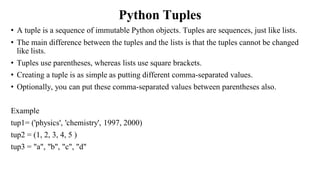
Python Tuples
• Atuple is a sequence of immutable Python objects. Tuples are sequences, just like lists.
• The main difference between the tuples and the lists is that the tuples cannot be changed
like lists.
• Tuples use parentheses, whereas lists use square brackets.
• Creating a tuple is as simple as putting different comma-separated values.
• Optionally, you can put these comma-separated values between parentheses also.
Example
tup1= ('physics', 'chemistry', 1997, 2000)
tup2 = (1, 2, 3, 4, 5 )
tup3 = "a", "b", "c", "d"
25.
Python Tuples
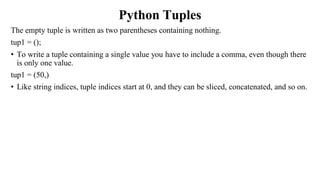
The emptytuple is written as two parentheses containing nothing.
tup1 = ();
• To write a tuple containing a single value you have to include a comma, even though there
is only one value.
tup1 = (50,)
• Like string indices, tuple indices start at 0, and they can be sliced, concatenated, and so on.
26.
Python Tuples
Accessing Valuesin Tuples
To access values in tuple, use the square brackets for slicing along with the index or indices
to obtain the value available at that index.
Example-
#!/usr/bin/python3t
tup1 = ('physics', 'chemistry', 1997, 2000)
tup2 = (1, 2, 3, 4, 5, 6, 7 )
print ("tup1[0]: ", tup1[0])
print ("tup2[1:5]: ", tup2[1:5])
Output:
tup1[0]: physics
tup2[1:5]: [2, 3, 4, 5]
27.
Python Tuples
Updating Tuples
•Tuples are immutable, which means you cannot update or change the values of tuple
elements.
• New tuples can be created by taking portions of the existing tuples.
Example-
tup1 = (12, 34.56)
tup2 = ('abc', 'xyz')
# Following action is not valid for tuples
# tup1[0] = 100;
# Let's create a new tuple as follows:
tup3 = tup1 + tup2
print (tup3)
Output:
(12, 34.56, 'abc', 'xyz')
28.
Python Tuples
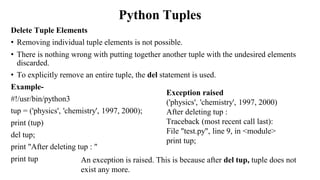
Delete TupleElements
• Removing individual tuple elements is not possible.
• There is nothing wrong with putting together another tuple with the undesired elements
discarded.
• To explicitly remove an entire tuple, the del statement is used.
Example-
#!/usr/bin/python3
tup = ('physics', 'chemistry', 1997, 2000);
print (tup)
del tup;
print "After deleting tup : "
print tup
Exception raised
('physics', 'chemistry', 1997, 2000)
After deleting tup :
Traceback (most recent call last):
File "test.py", line 9, in <module>
print tup;
An exception is raised. This is because after del tup, tuple does not
exist any more.
29.
Python Tuples
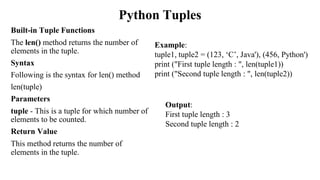
Built-in TupleFunctions
The len() method returns the number of
elements in the tuple.
Syntax
Following is the syntax for len() method
len(tuple)
Parameters
tuple - This is a tuple for which number of
elements to be counted.
Return Value
This method returns the number of
elements in the tuple.
Example:
tuple1, tuple2 = (123, ‘C’, Java'), (456, Python')
print ("First tuple length : ", len(tuple1))
print ("Second tuple length : ", len(tuple2))
Output:
First tuple length : 3
Second tuple length : 2
30.
Python Tuples
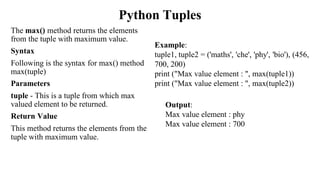
The max()method returns the elements
from the tuple with maximum value.
Syntax
Following is the syntax for max() method
max(tuple)
Parameters
tuple - This is a tuple from which max
valued element to be returned.
Return Value
This method returns the elements from the
tuple with maximum value.
Example:
tuple1, tuple2 = ('maths', 'che', 'phy', 'bio'), (456,
700, 200)
print ("Max value element : ", max(tuple1))
print ("Max value element : ", max(tuple2))
Output:
Max value element : phy
Max value element : 700
31.
Python Tuples
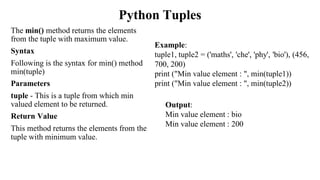
The min()method returns the elements
from the tuple with maximum value.
Syntax
Following is the syntax for min() method
min(tuple)
Parameters
tuple - This is a tuple from which min
valued element to be returned.
Return Value
This method returns the elements from the
tuple with minimum value.
Example:
tuple1, tuple2 = ('maths', 'che', 'phy', 'bio'), (456,
700, 200)
print ("Min value element : ", min(tuple1))
print ("Min value element : ", min(tuple2))
Output:
Min value element : bio
Min value element : 200
32.
Python Tuples
The tuple()method converts a list of items
into tuples.
Syntax
Following is the syntax for tuple() method
tuple(seq)
Parameters
seq - This is a tuple to be converted into
tuple.
Return Value
This method returns the tuple.
Example:
list1= ['maths', 'che', 'phy', 'bio']
tuple1=tuple(list1)
print ("tuple elements : ", tuple1)
Output:
tuple elements : ('maths', 'che', 'phy', 'bio')
33.
Python Tuples
Example
#!/usr/bin/python3
tuple =( 'abcd', 786 , 2.23, Omkar', 70.2 )
tinytuple = (123, Omkar')
print (tuple) # Prints complete tuple
print (tuple[0]) # Prints first element of the tuple
print (tuple[1:3]) # Prints elements starting from 2nd till 3rd
print (tuple[2:]) # Prints elements starting from 3rd element
print (tinytuple * 2) # Prints tuple two times
print (tuple + tinytuple) # Prints concatenated tuple
Output:
('abcd', 786, 2.23, ‘Omakr', 70.2)
abcd
(786, 2.23)
(2.23, ‘Omkar', 70.2)
(123, ‘Omkar', 123, Omkar')
('abcd', 786, 2.23, Omkar', 70.2, 123, Omkar')
34.
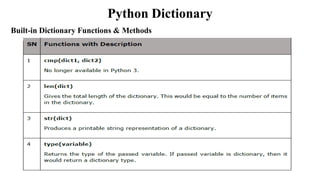
Python Dictionary
• Eachkey is separated from its value by a colon (:), the items are separated by commas, and
the whole thing is enclosed in curly braces.
• An empty dictionary without any items is written with just two curly braces, like this: {}.
• Keys are unique within a dictionary while values may not be.
• The values of a dictionary can be of any type, but the keys must be of an immutable data
type such as strings, numbers, or tuples.
35.
Python Dictionary
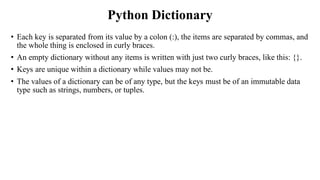
Accessing Valuesin Dictionary
To access dictionary elements, you can use the familiar square brackets along with the
key to obtain its value.
Example
#!/usr/bin/python3
dict = {'Name': ‘Amey', 'Age': 7, 'Class': 'First'}
print ("dict['Name']: ", dict['Name'])
print ("dict['Age']: ", dict['Age'])
Output:
dict['Name']: Amey
dict['Age']: 7
36.
Python Dictionary
If weattempt to access a data item with a key, which is not a part of the dictionary, we
get an error as follows-
#!/usr/bin/python3
dict = {'Name': ‘Amey', 'Age': 7, 'Class': 'First'};
print "dict[‘Omkar']: ", dict[‘Omkar']
When the above code is executed, it produces the following result
dict[‘Amey']:
Traceback (most recent call last):
File "test.py", line 4, in <module>
print "dict['Omkar']: ", dict['Omkar'];
KeyError: 'Omkar'
37.
Python Dictionary
Updating Dictionary
Youcan update a dictionary by adding a new entry or a key-value pair, modifying an
existing entry, or deleting an existing entry as shown in a simple example given below.
#!/usr/bin/python3
dict = {'Name': ‘Amey', 'Age': 7, 'Class': 'First'}
dict['Age'] = 8; # update existing entry
dict['School'] = "DPS School" # Add new entry
print ("dict['Age']: ", dict['Age'])
print ("dict['School']: ", dict['School'])
Output:
dict['Age']: 8
dict['School']: DPS School
38.
Python Dictionary
Delete DictionaryElements
You can either remove individual dictionary elements or clear the entire contents of a
dictionary. You can also delete entire dictionary in a single operation.
To explicitly remove an entire dictionary, just use the del statement.
Example-
#!/usr/bin/python3
dict = {'Name': ‘Amey', 'Age': 7, 'Class': 'First'}
del dict['Name'] # remove entry with key 'Name'
dict.clear() # remove all entries in dict
del dict # delete entire dictionary
print ("dict['Age']: ", dict['Age'])
print ("dict['School']: ", dict['School'])
Output:
An exception is raised because after del
dict, the dictionary does not exist
anymore.
dict['Age']:
Traceback (most recent call last):
File "test.py", line 8, in <module>
print "dict['Age']: ", dict['Age'];
TypeError: 'type' object is unsubscriptable
39.
Python Dictionary
• Propertiesof Dictionary Keys
• Dictionary values have no restrictions.
• They can be any arbitrary Python object, either standard objects or user-defined objects.
However, same is not true for the keys.
• There are two important points to remember about dictionary keys-
(a) More than one entry per key is not allowed, i.e. no duplicate key is allowed. When
duplicate keys are encountered during assignment, the last assignment wins.
Example:
dict = {'Name': ‘Amey', 'Age': 7, 'Name': 'Manasi'}
print ("dict['Name']: ", dict['Name'])
Output:
dict['Name']: Manasi
40.
Python Dictionary
(b) Keysmust be immutable.
This means you can use strings, numbers or tuples as dictionary keys but something like
['key'] is not allowed.
Output
Traceback (most recent call last):
File "test.py", line 3, in <module>
dict = {['Name']: ‘Amey', 'Age': 7}
TypeError: list objects are unhashable
Example:
#!/usr/bin/python3
dict = {['Name']: ‘Amey', 'Age': 7}
print ("dict['Name']: ", dict['Name'])
Python Dictionary
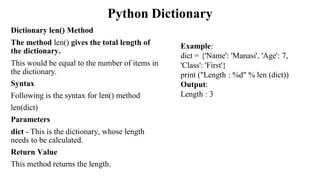
Dictionary len()Method
The method len() gives the total length of
the dictionary.
This would be equal to the number of items in
the dictionary.
Syntax
Following is the syntax for len() method
len(dict)
Parameters
dict - This is the dictionary, whose length
needs to be calculated.
Return Value
This method returns the length.
Example:
dict = {'Name': 'Manasi', 'Age': 7,
'Class': 'First'}
print ("Length : %d" % len (dict))
Output:
Length : 3
43.
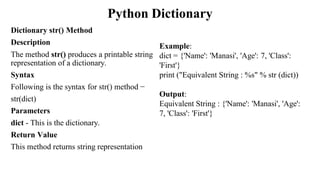
Python Dictionary
Dictionary str()Method
Description
The method str() produces a printable string
representation of a dictionary.
Syntax
Following is the syntax for str() method −
str(dict)
Parameters
dict - This is the dictionary.
Return Value
This method returns string representation
Example:
dict = {'Name': 'Manasi', 'Age': 7, 'Class':
'First'}
print ("Equivalent String : %s" % str (dict))
Output:
Equivalent String : {'Name': 'Manasi', 'Age':
7, 'Class': 'First'}
44.
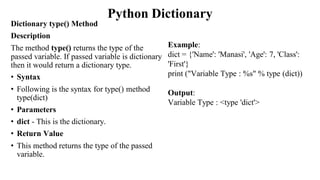
Python Dictionary
Dictionary type()Method
Description
The method type() returns the type of the
passed variable. If passed variable is dictionary
then it would return a dictionary type.
• Syntax
• Following is the syntax for type() method
type(dict)
• Parameters
• dict - This is the dictionary.
• Return Value
• This method returns the type of the passed
variable.
Example:
dict = {'Name': 'Manasi', 'Age': 7, 'Class':
'First'}
print ("Variable Type : %s" % type (dict))
Output:
Variable Type : <type 'dict'>
Python Dictionary
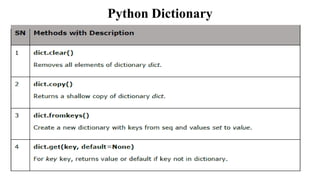
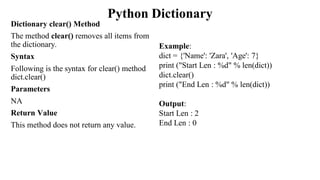
Dictionary clear()Method
The method clear() removes all items from
the dictionary.
Syntax
Following is the syntax for clear() method
dict.clear()
Parameters
NA
Return Value
This method does not return any value.
Example:
dict = {'Name': 'Zara', 'Age': 7}
print ("Start Len : %d" % len(dict))
dict.clear()
print ("End Len : %d" % len(dict))
Output:
Start Len : 2
End Len : 0
48.
Python Dictionary
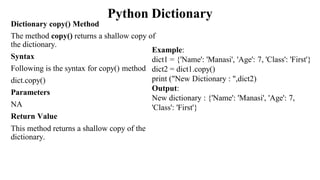
Dictionary copy()Method
The method copy() returns a shallow copy of
the dictionary.
Syntax
Following is the syntax for copy() method
dict.copy()
Parameters
NA
Return Value
This method returns a shallow copy of the
dictionary.
Example:
dict1 = {'Name': 'Manasi', 'Age': 7, 'Class': 'First'}
dict2 = dict1.copy()
print ("New Dictionary : ",dict2)
Output:
New dictionary : {'Name': 'Manasi', 'Age': 7,
'Class': 'First'}
49.
Python Dictionary
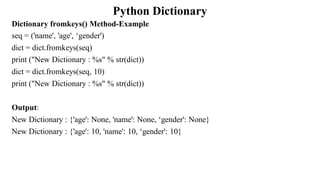
Dictionary fromkeys()Method
The method fromkeys() creates a new dictionary with keys from seq and values set to
value.
Syntax
Following is the syntax for fromkeys() method
dict.fromkeys(seq[, value]))
Parameters
seq - This is the list of values which would be used for dictionary keys preparation.
value - This is optional, if provided then value would be set to this value
Return Value
This method returns the list.
Python Dictionary
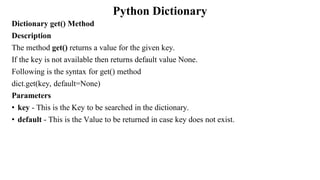
Dictionary get()Method
Description
The method get() returns a value for the given key.
If the key is not available then returns default value None.
Following is the syntax for get() method
dict.get(key, default=None)
Parameters
• key - This is the Key to be searched in the dictionary.
• default - This is the Value to be returned in case key does not exist.
52.
Python Dictionary
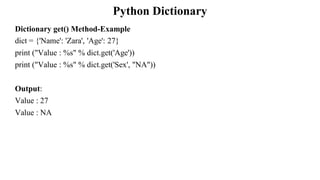
Dictionary get()Method-Example
dict = {'Name': 'Zara', 'Age': 27}
print ("Value : %s" % dict.get('Age'))
print ("Value : %s" % dict.get('Sex', "NA"))
Output:
Value : 27
Value : NA
53.
Python Dictionary
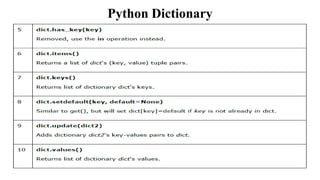
Dictionary items()Method
Description
The method items() returns a list of dict's (key, value) tuple pairs.
Syntax
Following is the syntax for items() method
dict.items()
Parameters
NA
Return Value
This method returns a list of tuple pairs.
Dictionary items() Method-Example
dict = {'Name': 'Zara', 'Age': 7}
print ("Value : %s" % dict.items())
Output:
Value : [('Age', 7), ('Name', 'Zara')]
54.
Python Dictionary
Dictionary keys()Method
The method keys() returns a list of all the available keys in the dictionary.
Syntax
Following is the syntax for keys() method
dict.keys()
Parameters
NA
Return Value
This method returns a list of all the available keys in the dictionary.
Example:
dict = {'Name': 'Zara', 'Age': 7}
print ("Value : %s" % dict.keys())
Output:
Value : ['Age', 'Name']
55.
Python Dictionary
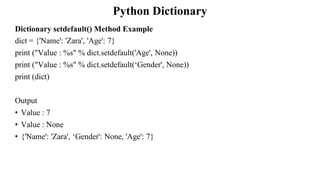
Dictionary setdefault()Method
The method setdefault() is similar to get(), but will set dict[key]=default if the key is not
already in dict.
Syntax
Following is the syntax for setdefault() method
dict.setdefault(key, default=None)
Parameters
key - This is the key to be searched.
default - This is the Value to be returned in case key is not found.
Return Value
This method returns the key value available in the dictionary and if given key is not
available then it will return provided default value.
Python Dictionary
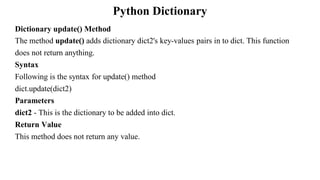
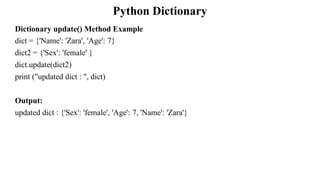
Dictionary update()Method
The method update() adds dictionary dict2's key-values pairs in to dict. This function
does not return anything.
Syntax
Following is the syntax for update() method
dict.update(dict2)
Parameters
dict2 - This is the dictionary to be added into dict.
Return Value
This method does not return any value.
Python Dictionary
Dictionary values()Method
The method values() returns a list of all the values available in a given dictionary.
Syntax
Following is the syntax for values() method
dict.values()
Parameters
NA
Return Value
This method returns a list of all the values available in a given dictionary.
Python Dictionary
Example
#!/usr/bin/python3
dict ={}
dict['one'] = "This is one"
dict[2] = "This is two"
tinydict = {'name': ‘Omkar','code':6734, 'dept': 'sales'}
print (dict['one']) # Prints value for 'one' key
print (dict[2]) # Prints value for 2 key
print (tinydict) # Prints complete dictionary
print (tinydict.keys()) # Prints all the keys
print (tinydict.values()) # Prints all the values
This produces the following result
This is one
This is two
{'dept': 'sales', 'code': 6734, 'name': Omkar'}
['dept', 'code', 'name']
['sales', 6734, Omkar']
Dictionaries have no concept of order among the
elements. They are simply unordered.
![Python Lists
• Lists are the most versatile of Python's compound data types.
• A list contains items separated by commas and enclosed within square brackets ([]).
• To some extent, lists are similar to arrays in C. One of the differences between them is that
all the items belonging to a list can be of different data type.
• The values stored in a list can be accessed using the slice operator ([ ] and [:]) with indexes
starting at 0 in the beginning of the list and working their way to end -1.
• The plus (+) sign is the list concatenation operator, and the asterisk (*) is the repetition
operator.
• Important thing about a list is that the items in a list need not be of the same type.
• Creating a list is as simple as putting different comma-separated values between square
brackets.](https://image.slidesharecdn.com/unit1-part-4-liststuplesanddictionaries-250616033014-12c9954d/85/Unit-1-Part-4-Lists-tuples-and-dictionaries-pdf-1-320.jpg)
![Python Lists
• Lists are the most versatile of Python's compound data types.
• A list contains items separated by commas and enclosed within square brackets ([]).
• To some extent, lists are similar to arrays in C. One of the differences between them is that
all the items belonging to a list can be of different data type.
• The values stored in a list can be accessed using the slice operator ([ ] and [:]) with indexes
starting at 0 in the beginning of the list and working their way to end -1.
• The plus (+) sign is the list concatenation operator, and the asterisk (*) is the repetition
operator.
• Important thing about a list is that the items in a list need not be of the same type.
• Creating a list is as simple as putting different comma-separated values between square
brackets.](https://image.slidesharecdn.com/unit1-part-4-liststuplesanddictionaries-250616033014-12c9954d/75/Unit-1-Part-4-Lists-tuples-and-dictionaries-pdf-1-2048.jpg)
![Python Lists
• For example-
#!/usr/bin/python3
list = [ 'abcd', 786 , 2.23, ‘Omkar', 70.2 ]
tinylist = [123, ‘Omkar']
print (list) # Prints complete list
print (list[0]) # Prints first element of the list
print (list[1:3]) # Prints elements starting from 2nd till 3rd
print (list[2:]) # Prints elements starting from 3rd element
print (tinylist * 2) # Prints list two times
print (list + tinylist) # Prints concatenated lists
This produces the following result
['abcd', 786, 2.23, ‘Omkar',
70.200000000000003]
abcd
[786, 2.23]
[2.23, ‘Omkar', 70.200000000000003]
[123, ‘Omkar', 123, Omkar']
['abcd', 786, 2.23, Omkar',
70.200000000000003, 123, Omkar']](https://image.slidesharecdn.com/unit1-part-4-liststuplesanddictionaries-250616033014-12c9954d/85/Unit-1-Part-4-Lists-tuples-and-dictionaries-pdf-2-320.jpg)
![Python Lists
Example
list1 = ['physics', 'chemistry', 1997, 2000];
list2 = [1, 2, 3, 4, 5 ];
list3 = ["a", "b", "c", "d"];
• Similar to string indices, list indices start at 0, and lists can be sliced, concatenated and so
on.
Accessing Values in Lists
• To access values in lists, use the square brackets for slicing along with the index or indices
to obtain value available at that index.
Output:
list1[0]: physics
list2[1:5]: [2, 3, 4, 5]](https://image.slidesharecdn.com/unit1-part-4-liststuplesanddictionaries-250616033014-12c9954d/85/Unit-1-Part-4-Lists-tuples-and-dictionaries-pdf-3-320.jpg)
![Python Lists
Updating Lists
You can update single or multiple elements of lists by giving the slice on the left-hand side
of the assignment operator, and you can add to elements in a list with the append()
method.
For example-
#!/usr/bin/python3
list = ['physics', 'chemistry', 1997, 2000]
print ("Value available at index 2 : ", list[2])
list[2] = 2001
print ("New value available at index 2 : ", list[2])
Output:
Value available at index 2 :
1997
New value available at index 2 :
2001](https://image.slidesharecdn.com/unit1-part-4-liststuplesanddictionaries-250616033014-12c9954d/85/Unit-1-Part-4-Lists-tuples-and-dictionaries-pdf-4-320.jpg)
![Python Lists
Delete List Elements
To remove a list element, you can use either the del statement if you know exactly which
element(s) you are deleting. You can use the remove() method if you do not know exactly
which items to delete.
For example-
#!/usr/bin/python3
list = ['physics', 'chemistry', 1997, 2000]
print (list)
del list[2]
print ("After deleting value at index 2 : ", list)
Output:
['physics', 'chemistry', 1997, 2000]
After deleting value at index 2 :
['physics', 'chemistry', 2000]](https://image.slidesharecdn.com/unit1-part-4-liststuplesanddictionaries-250616033014-12c9954d/85/Unit-1-Part-4-Lists-tuples-and-dictionaries-pdf-5-320.jpg)
![Python Lists
Indexing, Slicing and Matrices
• Since lists are sequences, indexing and slicing work the same way for lists as they do for
strings.
• Example
L=['C++'', 'Java', 'Python']](https://image.slidesharecdn.com/unit1-part-4-liststuplesanddictionaries-250616033014-12c9954d/85/Unit-1-Part-4-Lists-tuples-and-dictionaries-pdf-7-320.jpg)
![Python Lists
Built-in List Functions & Methods
Python includes the following list functions-
Function with Description
The len() method returns the number of elements in the list.
Syntax
Following is the syntax for len() method
len(list)
• Example:
list1 = ['physics', 'chemistry', 'maths']
print (len(list1))
list2=list(range(5)) #creates list of numbers between 0-4
print (len(list2))
Output:
3
5](https://image.slidesharecdn.com/unit1-part-4-liststuplesanddictionaries-250616033014-12c9954d/85/Unit-1-Part-4-Lists-tuples-and-dictionaries-pdf-8-320.jpg)
![Python Lists
List max() Method
Description
The max() method returns the elements from the list with maximum value.
Syntax
Following is the syntax for max() method
max( list)
Example:
list1, list2 = ['C++','Java', 'Python'], [250, 550, 300]
print ("Max value element : ", max(list1))
print ("Max value element : ", max(list2))
Output:
Max value element : Python
Max value element : 550](https://image.slidesharecdn.com/unit1-part-4-liststuplesanddictionaries-250616033014-12c9954d/85/Unit-1-Part-4-Lists-tuples-and-dictionaries-pdf-9-320.jpg)
![Python Lists
List min() Method
Description
The min() method returns the elements from the list with minimum value.
Syntax
Following is the syntax for max() method
min(list)
Example:
list1, list2 = ['C++','Java', 'Python'], [250, 550, 300]
print ("Min value element : ", min(list1))
print ("Min value element : ", min(list2))
Output:
Min value element : C++
Min value element : 250](https://image.slidesharecdn.com/unit1-part-4-liststuplesanddictionaries-250616033014-12c9954d/85/Unit-1-Part-4-Lists-tuples-and-dictionaries-pdf-10-320.jpg)
![Python Lists
List list() Method Example:
a= (123, 'C++', 'Java', 'Python')
list1 = list(a)
print ("List elements : ", list1)
str="Hello World"
list2=list(str)
print ("List elements : ", list2)
Output:
List elements : [123, 'C++', 'Java', 'Python']
List elements : ['H', 'e', 'l', 'l', 'o', ' ', 'W', 'o', 'r', 'l', 'd']](https://image.slidesharecdn.com/unit1-part-4-liststuplesanddictionaries-250616033014-12c9954d/85/Unit-1-Part-4-Lists-tuples-and-dictionaries-pdf-12-320.jpg)

![Python Lists
Python includes the following list methods-
The append() method appends a passed obj into the existing list.
Syntax
Following is the syntax for append() method
list.append(obj)
Parameters
obj - This is the object to be appended in the list.
Return Value
This method does not return any value but updates existing list.
Example
The following example shows the usage of append() method.
#!/usr/bin/python3
list1 = ['C++', 'Java', 'Python']
list1.append('C#')
print (“Updated list : ", list1)
Output:
Updated list : ['C++', 'Java', 'Python', 'C#']](https://image.slidesharecdn.com/unit1-part-4-liststuplesanddictionaries-250616033014-12c9954d/85/Unit-1-Part-4-Lists-tuples-and-dictionaries-pdf-15-320.jpg)
![Python Lists
The count() method returns count of how many times obj occurs in list.
Syntax
Following is the syntax for count() method
list.count(obj)
Parameters
obj - This is the object to be counted in the list.
Return Value
This method returns count of how many times obj occurs in list.
Example
aList = [123, 'xyz', ‘pqr', 'abc', 123];
print ("Count for 123 : ", aList.count(123))
print ("Count for abc: ", aList.count(abc'))
Output:
Count for 123 : 2
Count for abc: 1](https://image.slidesharecdn.com/unit1-part-4-liststuplesanddictionaries-250616033014-12c9954d/85/Unit-1-Part-4-Lists-tuples-and-dictionaries-pdf-16-320.jpg)
![Python Lists
The extend() method appends the contents of
seq to list.
Syntax
Following is the syntax for extend() method
list.extend(seq)
Parameters
seq - This is the list of elements
Return Value
This method does not return any value but adds
the content to an existing list.
Output:
Extended List : ['physics', 'chemistry', 'maths', 0, 1, 2, 3, 4]
Example
The following example shows the usage
of extend() method.
#!/usr/bin/python3
list1 = ['physics', 'chemistry', 'maths']
list2=list(range(5)) #creates list of
numbers between 0-4
list1.extend('Extended List :', list2)
print (list1)](https://image.slidesharecdn.com/unit1-part-4-liststuplesanddictionaries-250616033014-12c9954d/85/Unit-1-Part-4-Lists-tuples-and-dictionaries-pdf-17-320.jpg)
![Python Lists
The index() method returns the lowest index in
list that obj appears.
Syntax
Following is the syntax for index() method
list.index(obj)
Parameters
obj - This is the object to be find out.
Return Value
This method returns index of the found object
otherwise raises an exception indicating
that the value is not found.
Example
The following example shows the usage of
index() method.
Output:
Index of chemistry 1
Traceback (most recent call last):
File "test.py", line 3, in
print ('Index of C#', list1.index('C#'))
ValueError: 'C#' is not in list
Example
list1 = ['physics', 'chemistry', 'maths']
print ('Index of chemistry',
list1.index('chemistry'))
print ('Index of C#', list1.index('C#'))](https://image.slidesharecdn.com/unit1-part-4-liststuplesanddictionaries-250616033014-12c9954d/85/Unit-1-Part-4-Lists-tuples-and-dictionaries-pdf-18-320.jpg)
![Python Lists
The insert() method inserts object obj into list at
offset index.
Syntax
Following is the syntax for insert() methodlist.
insert(index, obj)
Parameters
• index - This is the Index where the object obj
need to be inserted.
• obj - This is the Object to be inserted into the
given list.
Return Value
This method does not return any value but it
inserts the given element at the given index.
Output:
Final list : ['physics', 'Biology',
'chemistry', 'maths']
Example
list1 = ['physics', 'chemistry', 'maths']
list1.insert(1, 'Biology')
print ('Final list : ', list1)](https://image.slidesharecdn.com/unit1-part-4-liststuplesanddictionaries-250616033014-12c9954d/85/Unit-1-Part-4-Lists-tuples-and-dictionaries-pdf-19-320.jpg)
![Python Lists
The pop() method removes and returns last
object or obj from the list.
Syntax
Following is the syntax for pop() methodlist.
pop(obj=list[-1])
Parameters
obj - This is an optional parameter, index of the
object to be removed from the list.
Return Value
This method returns the removed object from
the list.
Output:
List now : ['physics', 'Biology', 'chemistry']
list now : ['physics', 'chemistry']
Example
list1 = ['physics', 'Biology', 'chemistry',
'maths']
list1.pop()
print ("list now : ", list1)
list1.pop(1)
print ("list now : ", list1)](https://image.slidesharecdn.com/unit1-part-4-liststuplesanddictionaries-250616033014-12c9954d/85/Unit-1-Part-4-Lists-tuples-and-dictionaries-pdf-20-320.jpg)
![Python Lists
List remove() Method
Parameters
obj - This is the object to be removed from the
list.
Return Value
This method does not return any value but
removes the given object from the list.
Output:
List now : ['physics', 'chemistry' , 'maths']
list now : ['physics', 'chemistry']
Example
list1 = ['physics', 'Biology', 'chemistry',
'maths']
list1.remove('Biology')
print ("list now : ", list1)
list1.remove('maths')
print ("list now : ", list1)](https://image.slidesharecdn.com/unit1-part-4-liststuplesanddictionaries-250616033014-12c9954d/85/Unit-1-Part-4-Lists-tuples-and-dictionaries-pdf-21-320.jpg)
![Python Lists
The reverse() method reverses objects of list in
place.
Syntax
Following is the syntax for reverse() method
list.reverse()
Parameters
NA
Return Value
This method does not return any value but
reverse the given object from the list.
Output:
list now : [['maths', 'chemistry', 'Biology', 'physics']
Example
list1 = ['physics', 'Biology', 'chemistry',
'maths']
print ("list now : ", list1)
list1.reverse()
print ("list now : ", list1)](https://image.slidesharecdn.com/unit1-part-4-liststuplesanddictionaries-250616033014-12c9954d/85/Unit-1-Part-4-Lists-tuples-and-dictionaries-pdf-22-320.jpg)
![Python Lists
The sort() method sorts objects of list, use
compare function if given.
Syntax
Following is the syntax for sort() method
list.sort([func])
Parameters
NA
Return Value
This method does not return any value but
reverses the given object from the list.
Output:
list now : ['Biology ', 'chemistry', ‘maths’, 'physics']
Example
list1 = ['physics', 'Biology', 'chemistry',
'maths']
list1.sort()
print ("list now : ", list1)](https://image.slidesharecdn.com/unit1-part-4-liststuplesanddictionaries-250616033014-12c9954d/85/Unit-1-Part-4-Lists-tuples-and-dictionaries-pdf-23-320.jpg)
![Python Tuples
Accessing Values in Tuples
To access values in tuple, use the square brackets for slicing along with the index or indices
to obtain the value available at that index.
Example-
#!/usr/bin/python3t
tup1 = ('physics', 'chemistry', 1997, 2000)
tup2 = (1, 2, 3, 4, 5, 6, 7 )
print ("tup1[0]: ", tup1[0])
print ("tup2[1:5]: ", tup2[1:5])
Output:
tup1[0]: physics
tup2[1:5]: [2, 3, 4, 5]](https://image.slidesharecdn.com/unit1-part-4-liststuplesanddictionaries-250616033014-12c9954d/85/Unit-1-Part-4-Lists-tuples-and-dictionaries-pdf-26-320.jpg)
![Python Tuples
Updating Tuples
• Tuples are immutable, which means you cannot update or change the values of tuple
elements.
• New tuples can be created by taking portions of the existing tuples.
Example-
tup1 = (12, 34.56)
tup2 = ('abc', 'xyz')
# Following action is not valid for tuples
# tup1[0] = 100;
# Let's create a new tuple as follows:
tup3 = tup1 + tup2
print (tup3)
Output:
(12, 34.56, 'abc', 'xyz')](https://image.slidesharecdn.com/unit1-part-4-liststuplesanddictionaries-250616033014-12c9954d/85/Unit-1-Part-4-Lists-tuples-and-dictionaries-pdf-27-320.jpg)
![Python Tuples
The tuple() method converts a list of items
into tuples.
Syntax
Following is the syntax for tuple() method
tuple(seq)
Parameters
seq - This is a tuple to be converted into
tuple.
Return Value
This method returns the tuple.
Example:
list1= ['maths', 'che', 'phy', 'bio']
tuple1=tuple(list1)
print ("tuple elements : ", tuple1)
Output:
tuple elements : ('maths', 'che', 'phy', 'bio')](https://image.slidesharecdn.com/unit1-part-4-liststuplesanddictionaries-250616033014-12c9954d/85/Unit-1-Part-4-Lists-tuples-and-dictionaries-pdf-32-320.jpg)
![Python Tuples
Example
#!/usr/bin/python3
tuple = ( 'abcd', 786 , 2.23, Omkar', 70.2 )
tinytuple = (123, Omkar')
print (tuple) # Prints complete tuple
print (tuple[0]) # Prints first element of the tuple
print (tuple[1:3]) # Prints elements starting from 2nd till 3rd
print (tuple[2:]) # Prints elements starting from 3rd element
print (tinytuple * 2) # Prints tuple two times
print (tuple + tinytuple) # Prints concatenated tuple
Output:
('abcd', 786, 2.23, ‘Omakr', 70.2)
abcd
(786, 2.23)
(2.23, ‘Omkar', 70.2)
(123, ‘Omkar', 123, Omkar')
('abcd', 786, 2.23, Omkar', 70.2, 123, Omkar')](https://image.slidesharecdn.com/unit1-part-4-liststuplesanddictionaries-250616033014-12c9954d/85/Unit-1-Part-4-Lists-tuples-and-dictionaries-pdf-33-320.jpg)
![Python Dictionary
Accessing Values in Dictionary
To access dictionary elements, you can use the familiar square brackets along with the
key to obtain its value.
Example
#!/usr/bin/python3
dict = {'Name': ‘Amey', 'Age': 7, 'Class': 'First'}
print ("dict['Name']: ", dict['Name'])
print ("dict['Age']: ", dict['Age'])
Output:
dict['Name']: Amey
dict['Age']: 7](https://image.slidesharecdn.com/unit1-part-4-liststuplesanddictionaries-250616033014-12c9954d/85/Unit-1-Part-4-Lists-tuples-and-dictionaries-pdf-35-320.jpg)
![Python Dictionary
If we attempt to access a data item with a key, which is not a part of the dictionary, we
get an error as follows-
#!/usr/bin/python3
dict = {'Name': ‘Amey', 'Age': 7, 'Class': 'First'};
print "dict[‘Omkar']: ", dict[‘Omkar']
When the above code is executed, it produces the following result
dict[‘Amey']:
Traceback (most recent call last):
File "test.py", line 4, in <module>
print "dict['Omkar']: ", dict['Omkar'];
KeyError: 'Omkar'](https://image.slidesharecdn.com/unit1-part-4-liststuplesanddictionaries-250616033014-12c9954d/85/Unit-1-Part-4-Lists-tuples-and-dictionaries-pdf-36-320.jpg)
![Python Dictionary
Updating Dictionary
You can update a dictionary by adding a new entry or a key-value pair, modifying an
existing entry, or deleting an existing entry as shown in a simple example given below.
#!/usr/bin/python3
dict = {'Name': ‘Amey', 'Age': 7, 'Class': 'First'}
dict['Age'] = 8; # update existing entry
dict['School'] = "DPS School" # Add new entry
print ("dict['Age']: ", dict['Age'])
print ("dict['School']: ", dict['School'])
Output:
dict['Age']: 8
dict['School']: DPS School](https://image.slidesharecdn.com/unit1-part-4-liststuplesanddictionaries-250616033014-12c9954d/85/Unit-1-Part-4-Lists-tuples-and-dictionaries-pdf-37-320.jpg)
![Python Dictionary
Delete Dictionary Elements
You can either remove individual dictionary elements or clear the entire contents of a
dictionary. You can also delete entire dictionary in a single operation.
To explicitly remove an entire dictionary, just use the del statement.
Example-
#!/usr/bin/python3
dict = {'Name': ‘Amey', 'Age': 7, 'Class': 'First'}
del dict['Name'] # remove entry with key 'Name'
dict.clear() # remove all entries in dict
del dict # delete entire dictionary
print ("dict['Age']: ", dict['Age'])
print ("dict['School']: ", dict['School'])
Output:
An exception is raised because after del
dict, the dictionary does not exist
anymore.
dict['Age']:
Traceback (most recent call last):
File "test.py", line 8, in <module>
print "dict['Age']: ", dict['Age'];
TypeError: 'type' object is unsubscriptable](https://image.slidesharecdn.com/unit1-part-4-liststuplesanddictionaries-250616033014-12c9954d/85/Unit-1-Part-4-Lists-tuples-and-dictionaries-pdf-38-320.jpg)
![Python Dictionary
• Properties of Dictionary Keys
• Dictionary values have no restrictions.
• They can be any arbitrary Python object, either standard objects or user-defined objects.
However, same is not true for the keys.
• There are two important points to remember about dictionary keys-
(a) More than one entry per key is not allowed, i.e. no duplicate key is allowed. When
duplicate keys are encountered during assignment, the last assignment wins.
Example:
dict = {'Name': ‘Amey', 'Age': 7, 'Name': 'Manasi'}
print ("dict['Name']: ", dict['Name'])
Output:
dict['Name']: Manasi](https://image.slidesharecdn.com/unit1-part-4-liststuplesanddictionaries-250616033014-12c9954d/85/Unit-1-Part-4-Lists-tuples-and-dictionaries-pdf-39-320.jpg)
![Python Dictionary
(b) Keys must be immutable.
This means you can use strings, numbers or tuples as dictionary keys but something like
['key'] is not allowed.
Output
Traceback (most recent call last):
File "test.py", line 3, in <module>
dict = {['Name']: ‘Amey', 'Age': 7}
TypeError: list objects are unhashable
Example:
#!/usr/bin/python3
dict = {['Name']: ‘Amey', 'Age': 7}
print ("dict['Name']: ", dict['Name'])](https://image.slidesharecdn.com/unit1-part-4-liststuplesanddictionaries-250616033014-12c9954d/85/Unit-1-Part-4-Lists-tuples-and-dictionaries-pdf-40-320.jpg)
![Python Dictionary
Dictionary fromkeys() Method
The method fromkeys() creates a new dictionary with keys from seq and values set to
value.
Syntax
Following is the syntax for fromkeys() method
dict.fromkeys(seq[, value]))
Parameters
seq - This is the list of values which would be used for dictionary keys preparation.
value - This is optional, if provided then value would be set to this value
Return Value
This method returns the list.](https://image.slidesharecdn.com/unit1-part-4-liststuplesanddictionaries-250616033014-12c9954d/85/Unit-1-Part-4-Lists-tuples-and-dictionaries-pdf-49-320.jpg)
![Python Dictionary
Dictionary items() Method
Description
The method items() returns a list of dict's (key, value) tuple pairs.
Syntax
Following is the syntax for items() method
dict.items()
Parameters
NA
Return Value
This method returns a list of tuple pairs.
Dictionary items() Method-Example
dict = {'Name': 'Zara', 'Age': 7}
print ("Value : %s" % dict.items())
Output:
Value : [('Age', 7), ('Name', 'Zara')]](https://image.slidesharecdn.com/unit1-part-4-liststuplesanddictionaries-250616033014-12c9954d/85/Unit-1-Part-4-Lists-tuples-and-dictionaries-pdf-53-320.jpg)
![Python Dictionary
Dictionary keys() Method
The method keys() returns a list of all the available keys in the dictionary.
Syntax
Following is the syntax for keys() method
dict.keys()
Parameters
NA
Return Value
This method returns a list of all the available keys in the dictionary.
Example:
dict = {'Name': 'Zara', 'Age': 7}
print ("Value : %s" % dict.keys())
Output:
Value : ['Age', 'Name']](https://image.slidesharecdn.com/unit1-part-4-liststuplesanddictionaries-250616033014-12c9954d/85/Unit-1-Part-4-Lists-tuples-and-dictionaries-pdf-54-320.jpg)
![Python Dictionary
Dictionary setdefault() Method
The method setdefault() is similar to get(), but will set dict[key]=default if the key is not
already in dict.
Syntax
Following is the syntax for setdefault() method
dict.setdefault(key, default=None)
Parameters
key - This is the key to be searched.
default - This is the Value to be returned in case key is not found.
Return Value
This method returns the key value available in the dictionary and if given key is not
available then it will return provided default value.](https://image.slidesharecdn.com/unit1-part-4-liststuplesanddictionaries-250616033014-12c9954d/85/Unit-1-Part-4-Lists-tuples-and-dictionaries-pdf-55-320.jpg)
![Python Dictionary
Dictionary values() Method Example
dict = {'Sex': 'female', 'Age': 7, 'Name': ‘Omkar'}
print ("Values : ", list(dict.values()))
Output:
Values : ['female', 7, ‘Omkar']](https://image.slidesharecdn.com/unit1-part-4-liststuplesanddictionaries-250616033014-12c9954d/85/Unit-1-Part-4-Lists-tuples-and-dictionaries-pdf-60-320.jpg)
![Python Dictionary
Example
#!/usr/bin/python3
dict = {}
dict['one'] = "This is one"
dict[2] = "This is two"
tinydict = {'name': ‘Omkar','code':6734, 'dept': 'sales'}
print (dict['one']) # Prints value for 'one' key
print (dict[2]) # Prints value for 2 key
print (tinydict) # Prints complete dictionary
print (tinydict.keys()) # Prints all the keys
print (tinydict.values()) # Prints all the values
This produces the following result
This is one
This is two
{'dept': 'sales', 'code': 6734, 'name': Omkar'}
['dept', 'code', 'name']
['sales', 6734, Omkar']
Dictionaries have no concept of order among the
elements. They are simply unordered.](https://image.slidesharecdn.com/unit1-part-4-liststuplesanddictionaries-250616033014-12c9954d/85/Unit-1-Part-4-Lists-tuples-and-dictionaries-pdf-61-320.jpg)


