What is ModularProgramming?
• Modular programming is the practice of segmenting a single, complicated coding task into
multiple, simpler, easier-to-manage sub-tasks. We call these subtasks modules.
• Therefore, we can build a bigger program by assembling different modules that act like
building blocks.
• Modularizing our code in a big application has a lot of benefits.
• Simplification:
• A module often concentrates on one comparatively small area of the overall problem
instead of the full task.
• We will have a more manageable design problem to think about if we are only
concentrating on one module.
• Program development is now simpler and much less vulnerable to mistakes.
2
3.
What is ModularProgramming? cont..
• Flexibility:
• Modules are frequently used to establish conceptual separations between various
problem areas.
• It is less likely that changes to one module would influence other portions of the
program if modules are constructed in a fashion that reduces interconnectedness. (We
might even be capable of editing a module despite being familiar with the program
beyond it.)
• It increases the likelihood that a group of numerous developers will be able to
collaborate on a big project.
3
4.
What is ModularProgramming? cont..
• Reusability:
• Functions created in a particular module may be readily accessed by different sections
of the assignment (through a suitably established api).
• As a result, duplicate code is no longer necessary.
• Scope:
• Modules often declare a distinct namespace to prevent identifier clashes in various
parts of a program.
• In Python, modularization of the code is encouraged through the use of functions, modules,
and packages.
4
5.
What are Modulesin Python? cont..
• A document with definitions of functions and various statements written in Python is
called a Python module.
• In Python, we can define a module in one of 3 ways:
• Python itself allows for the creation of modules.
• Similar to the re (regular expression) module, a module can be primarily written in C
programming language and then dynamically inserted at run-time.
• A built-in module, such as the itertools module, is inherently included in the
interpreter.
• A module is a file containing Python code, definitions of functions, statements, or classes.
5
6.
What are Modulesin Python? cont..
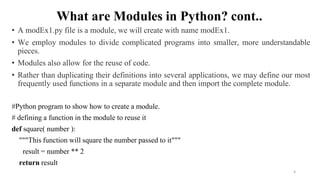
• A modEx1.py file is a module, we will create with name modEx1.
• We employ modules to divide complicated programs into smaller, more understandable
pieces.
• Modules also allow for the reuse of code.
• Rather than duplicating their definitions into several applications, we may define our most
frequently used functions in a separate module and then import the complete module.
#Python program to show how to create a module.
# defining a function in the module to reuse it
def square( number ):
"""This function will square the number passed to it"""
result = number ** 2
return result
6
7.
How to ImportModules in Python?
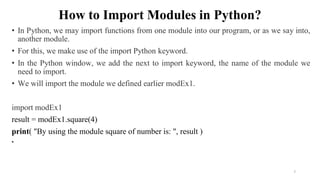
• In Python, we may import functions from one module into our program, or as we say into,
another module.
• For this, we make use of the import Python keyword.
• In the Python window, we add the next to import keyword, the name of the module we
need to import.
• We will import the module we defined earlier modEx1.
import modEx1
result = modEx1.square(4)
print( "By using the module square of number is: ", result )
•
7
8.
Python Modules
• Theimport Statement
• You can use any Python source file as a module by executing an import statement in some
other Python source file.
• The import has the following syntax
import module1[, module2[,... moduleN]
• When the interpreter encounters an import statement, it imports the module if the module
is present in the search path.
• A search path is a list of directories that the interpreter searches before importing a
module.
8
# import module support
import support
# call defined function that module as
follows
support.print_func(“Omkar")
Output:
Hello : Omkar
Example:
def print_func(var):
print "Hello : ", var
return
9.
Python Modules cont..
•A module is loaded only once, regardless of the number of times it is imported.
• This prevents the module execution from happening repeatedly, if multiple imports occur.
The from...import Statement
• Python's from statement lets you import specific attributes from a module into the current
namespace.
• The from...import has the following syntax
• from modname import name1[, name2[, ... nameN]]
9
10.
Python Modules cont..
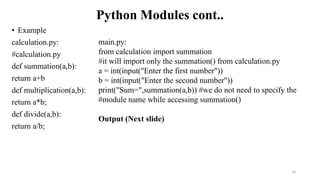
•Example
calculation.py:
#calculation.py
def summation(a,b):
return a+b
def multiplication(a,b):
return a*b;
def divide(a,b):
return a/b;
10
main.py:
from calculation import summation
#it will import only the summation() from calculation.py
a = int(input("Enter the first number"))
b = int(input("Enter the second number"))
print("Sum=",summation(a,b)) #we do not need to specify the
#module name while accessing summation()
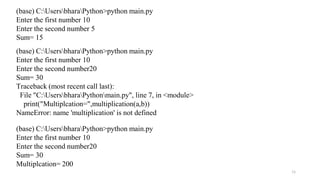
Output (Next slide)
11.
11
(base) C:UsersbharaPython>python main.py
Enterthe first number 10
Enter the second number 5
Sum= 15
(base) C:UsersbharaPython>python main.py
Enter the first number 10
Enter the second number20
Sum= 30
Traceback (most recent call last):
File "C:UsersbharaPythonmain.py", line 7, in <module>
print("Multiplcation=",multiplication(a,b))
NameError: name 'multiplication' is not defined
(base) C:UsersbharaPython>python main.py
Enter the first number 10
Enter the second number20
Sum= 30
Multiplcation= 200
12.
Python Modules cont..
•Example: to import the function fibonacci from the module fib
#Fibonacci numbers module
def fib(n): # return Fibonacci series up to n
result = []
a, b = 0, 1
while b < n:
result.append(b)
a, b = b, a+b
return result
from fib import fib
fib(100)
Output: [1, 1, 2, 3, 5, 8, 13, 21, 34, 55, 89]
12
• This statement does not import the entire module fib into
the current namespace.
• It just introduces the item fib from the module fib into the
global symbol table of the importing module.
13.
Python Modules cont..
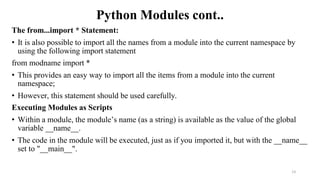
Thefrom...import * Statement:
• It is also possible to import all the names from a module into the current namespace by
using the following import statement
from modname import *
• This provides an easy way to import all the items from a module into the current
namespace;
• However, this statement should be used carefully.
Executing Modules as Scripts
• Within a module, the module’s name (as a string) is available as the value of the global
variable __name__.
• The code in the module will be executed, just as if you imported it, but with the __name__
set to "__main__".
13
14.
Python Modules cont..
Example:
#Fibonacci numbers module
def fib(n): # return Fibonacci series up to n
result = []
a, b = 0, 1
while b < n:
result.append(b)
a, b = b, a+b
return result
if __name__ == "__main__":
f=fib(100)
print(f)
14
Output:
[1, 1, 2, 3, 5, 8, 13, 21, 34, 55, 89]
15.
Python Modules cont..
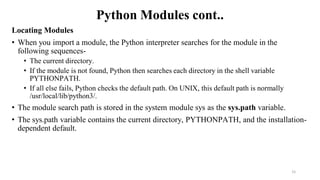
LocatingModules
• When you import a module, the Python interpreter searches for the module in the
following sequences-
• The current directory.
• If the module is not found, Python then searches each directory in the shell variable
PYTHONPATH.
• If all else fails, Python checks the default path. On UNIX, this default path is normally
/usr/local/lib/python3/.
• The module search path is stored in the system module sys as the sys.path variable.
• The sys.path variable contains the current directory, PYTHONPATH, and the installation-
dependent default.
15
16.
Python Modules cont..
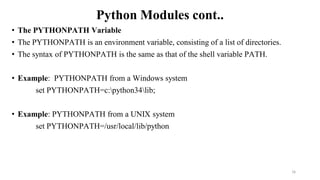
•The PYTHONPATH Variable
• The PYTHONPATH is an environment variable, consisting of a list of directories.
• The syntax of PYTHONPATH is the same as that of the shell variable PATH.
• Example: PYTHONPATH from a Windows system
set PYTHONPATH=c:python34lib;
• Example: PYTHONPATH from a UNIX system
set PYTHONPATH=/usr/local/lib/python
16
17.
Python Modules cont..
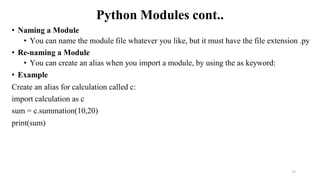
•Naming a Module
• You can name the module file whatever you like, but it must have the file extension .py
• Re-naming a Module
• You can create an alias when you import a module, by using the as keyword:
• Example
Create an alias for calculation called c:
import calculation as c
sum = c.summation(10,20)
print(sum)
17
18.
Python Modules cont..
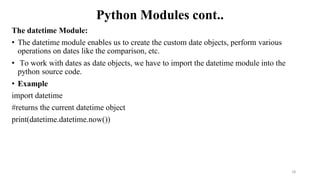
Thedatetime Module:
• The datetime module enables us to create the custom date objects, perform various
operations on dates like the comparison, etc.
• To work with dates as date objects, we have to import the datetime module into the
python source code.
• Example
import datetime
#returns the current datetime object
print(datetime.datetime.now())
18
19.
Python Modules cont..
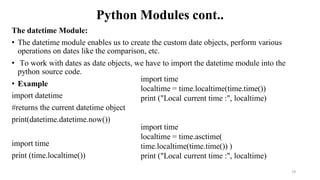
Thedatetime Module:
• The datetime module enables us to create the custom date objects, perform various
operations on dates like the comparison, etc.
• To work with dates as date objects, we have to import the datetime module into the
python source code.
• Example
import datetime
#returns the current datetime object
print(datetime.datetime.now())
import time
print (time.localtime())
19
import time
localtime = time.localtime(time.time())
print ("Local current time :", localtime)
import time
localtime = time.asctime(
time.localtime(time.time()) )
print ("Local current time :", localtime)
20.
Python Modules cont..
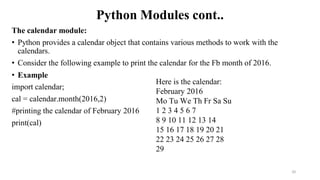
Thecalendar module:
• Python provides a calendar object that contains various methods to work with the
calendars.
• Consider the following example to print the calendar for the Fb month of 2016.
• Example
import calendar;
cal = calendar.month(2016,2)
#printing the calendar of February 2016
print(cal)
20
Here is the calendar:
February 2016
Mo Tu We Th Fr Sa Su
1 2 3 4 5 6 7
8 9 10 11 12 13 14
15 16 17 18 19 20 21
22 23 24 25 26 27 28
29
21.
Python Modules cont..
•The dir( ) Function
• The dir() built-in function returns a sorted list of strings containing the names defined by
a module.
• The list contains the names of all the modules, variables and functions that are defined in
a module.
• Example-
# Import built-in module math
import math
content = dir(math)
print (content)
21
['__doc__', '__file__', '__name__', 'acos', 'asin', 'atan',
'atan2', 'ceil', 'cos', 'cosh', 'degrees', 'e', 'exp',
'fabs', 'floor', 'fmod', 'frexp', 'hypot', 'ldexp', 'log',
'log10', 'modf', 'pi', 'pow', 'radians', 'sin', 'sinh',
'sqrt', 'tan', 'tanh']
Here, the special string variable __name__ is the module's name, and __file__is
the filename from which the module was loaded.
22.
Python Modules cont..
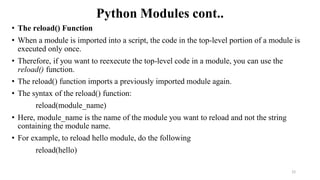
•The reload() Function
• When a module is imported into a script, the code in the top-level portion of a module is
executed only once.
• Therefore, if you want to reexecute the top-level code in a module, you can use the
reload() function.
• The reload() function imports a previously imported module again.
• The syntax of the reload() function:
reload(module_name)
• Here, module_name is the name of the module you want to reload and not the string
containing the module name.
• For example, to reload hello module, do the following
reload(hello)
22
23.
Python Packages
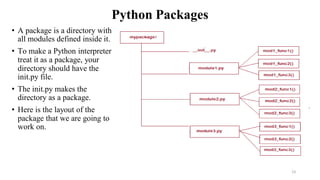
• Apackage is a directory with
all modules defined inside it.
• To make a Python interpreter
treat it as a package, your
directory should have the
init.py file.
• The init.py makes the
directory as a package.
• Here is the layout of the
package that we are going to
work on.
23
24.
Python Packages
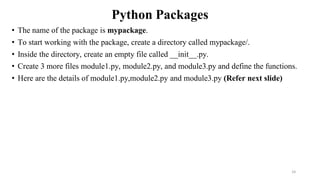
• Thename of the package is mypackage.
• To start working with the package, create a directory called mypackage/.
• Inside the directory, create an empty file called __init__.py.
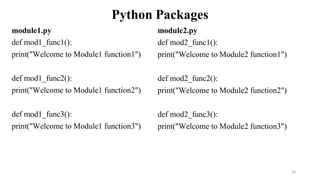
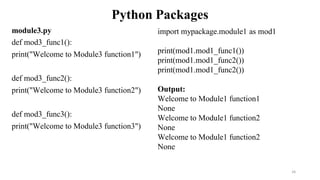
• Create 3 more files module1.py, module2.py, and module3.py and define the functions.
• Here are the details of module1.py,module2.py and module3.py (Refer next slide)
24
25.
Python Packages
module1.py
def mod1_func1():
print("Welcometo Module1 function1")
def mod1_func2():
print("Welcome to Module1 function2")
def mod1_func3():
print("Welcome to Module1 function3")
25
module2.py
def mod2_func1():
print("Welcome to Module2 function1")
def mod2_func2():
print("Welcome to Module2 function2")
def mod2_func3():
print("Welcome to Module2 function3")
26.
Python Packages
module3.py
def mod3_func1():
print("Welcometo Module3 function1")
def mod3_func2():
print("Welcome to Module3 function2")
def mod3_func3():
print("Welcome to Module3 function3")
26
import mypackage.module1 as mod1
print(mod1.mod1_func1())
print(mod1.mod1_func2())
print(mod1.mod1_func2())
Output:
Welcome to Module1 function1
None
Welcome to Module1 function2
None
Welcome to Module1 function2
None
27.
Python Packages
• Thepackages in python facilitate the developer with the application development
environment by
• providing a hierarchical directory structure where a package contains sub-packages,
modules, and sub modules.
• The packages are used to categorize the application level code efficiently.
• Let's create a package named Employees in your home directory.
• Consider the following steps.
1. Create a directory with name Employees on path /home.
2. Create a python source file with name ITEmployees.py on the path /home/Employees
ITEmployees.py
def getITLang():
List = [“Prasad", “Manswini++", “Pradnya", " Parag “, “Anjali”]
return List; 27
28.
Python Packages
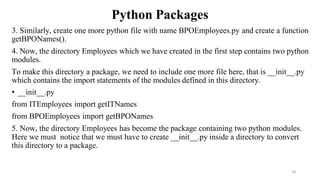
3. Similarly,create one more python file with name BPOEmployees.py and create a function
getBPONames().
4. Now, the directory Employees which we have created in the first step contains two python
modules.
To make this directory a package, we need to include one more file here, that is __init__.py
which contains the import statements of the modules defined in this directory.
• __init__.py
from ITEmployees import getITNames
from BPOEmployees import getBPONames
5. Now, the directory Employees has become the package containing two python modules.
Here we must notice that we must have to create __init__.py inside a directory to convert
this directory to a package.
28
29.
Python Packages
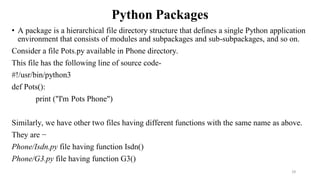
• Apackage is a hierarchical file directory structure that defines a single Python application
environment that consists of modules and subpackages and sub-subpackages, and so on.
Consider a file Pots.py available in Phone directory.
This file has the following line of source code-
#!/usr/bin/python3
def Pots():
print ("I'm Pots Phone")
Similarly, we have other two files having different functions with the same name as above.
They are −
Phone/Isdn.py file having function Isdn()
Phone/G3.py file having function G3()
29
30.
Python Packages
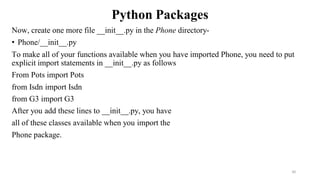
Now, createone more file __init__.py in the Phone directory-
• Phone/__init__.py
To make all of your functions available when you have imported Phone, you need to put
explicit import statements in __init__.py as follows
From Pots import Pots
from Isdn import Isdn
from G3 import G3
After you add these lines to __init__.py, you have
all of these classes available when you import the
Phone package.
30
31.
Python Packages
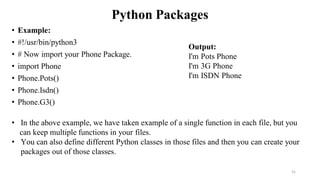
• Example:
•#!/usr/bin/python3
• # Now import your Phone Package.
• import Phone
• Phone.Pots()
• Phone.Isdn()
• Phone.G3()
31
Output:
I'm Pots Phone
I'm 3G Phone
I'm ISDN Phone
• In the above example, we have taken example of a single function in each file, but you
can keep multiple functions in your files.
• You can also define different Python classes in those files and then you can create your
packages out of those classes.
![Python Modules
• The import Statement
• You can use any Python source file as a module by executing an import statement in some
other Python source file.
• The import has the following syntax
import module1[, module2[,... moduleN]
• When the interpreter encounters an import statement, it imports the module if the module
is present in the search path.
• A search path is a list of directories that the interpreter searches before importing a
module.
8
# import module support
import support
# call defined function that module as
follows
support.print_func(“Omkar")
Output:
Hello : Omkar
Example:
def print_func(var):
print "Hello : ", var
return](https://image.slidesharecdn.com/unit-2modulesandpackages-250616033317-2e80ebb5/85/Unit-2-Introduction-of-Modules-and-Packages-pdf-8-320.jpg)
![Python Modules cont..
• A module is loaded only once, regardless of the number of times it is imported.
• This prevents the module execution from happening repeatedly, if multiple imports occur.
The from...import Statement
• Python's from statement lets you import specific attributes from a module into the current
namespace.
• The from...import has the following syntax
• from modname import name1[, name2[, ... nameN]]
9](https://image.slidesharecdn.com/unit-2modulesandpackages-250616033317-2e80ebb5/85/Unit-2-Introduction-of-Modules-and-Packages-pdf-9-320.jpg)
![Python Modules cont..
• Example: to import the function fibonacci from the module fib
#Fibonacci numbers module
def fib(n): # return Fibonacci series up to n
result = []
a, b = 0, 1
while b < n:
result.append(b)
a, b = b, a+b
return result
from fib import fib
fib(100)
Output: [1, 1, 2, 3, 5, 8, 13, 21, 34, 55, 89]
12
• This statement does not import the entire module fib into
the current namespace.
• It just introduces the item fib from the module fib into the
global symbol table of the importing module.](https://image.slidesharecdn.com/unit-2modulesandpackages-250616033317-2e80ebb5/85/Unit-2-Introduction-of-Modules-and-Packages-pdf-12-320.jpg)
![Python Modules cont..
Example:
# Fibonacci numbers module
def fib(n): # return Fibonacci series up to n
result = []
a, b = 0, 1
while b < n:
result.append(b)
a, b = b, a+b
return result
if __name__ == "__main__":
f=fib(100)
print(f)
14
Output:
[1, 1, 2, 3, 5, 8, 13, 21, 34, 55, 89]](https://image.slidesharecdn.com/unit-2modulesandpackages-250616033317-2e80ebb5/85/Unit-2-Introduction-of-Modules-and-Packages-pdf-14-320.jpg)
![Python Modules cont..
• The dir( ) Function
• The dir() built-in function returns a sorted list of strings containing the names defined by
a module.
• The list contains the names of all the modules, variables and functions that are defined in
a module.
• Example-
# Import built-in module math
import math
content = dir(math)
print (content)
21
['__doc__', '__file__', '__name__', 'acos', 'asin', 'atan',
'atan2', 'ceil', 'cos', 'cosh', 'degrees', 'e', 'exp',
'fabs', 'floor', 'fmod', 'frexp', 'hypot', 'ldexp', 'log',
'log10', 'modf', 'pi', 'pow', 'radians', 'sin', 'sinh',
'sqrt', 'tan', 'tanh']
Here, the special string variable __name__ is the module's name, and __file__is
the filename from which the module was loaded.](https://image.slidesharecdn.com/unit-2modulesandpackages-250616033317-2e80ebb5/85/Unit-2-Introduction-of-Modules-and-Packages-pdf-21-320.jpg)
![Python Packages
• The packages in python facilitate the developer with the application development
environment by
• providing a hierarchical directory structure where a package contains sub-packages,
modules, and sub modules.
• The packages are used to categorize the application level code efficiently.
• Let's create a package named Employees in your home directory.
• Consider the following steps.
1. Create a directory with name Employees on path /home.
2. Create a python source file with name ITEmployees.py on the path /home/Employees
ITEmployees.py
def getITLang():
List = [“Prasad", “Manswini++", “Pradnya", " Parag “, “Anjali”]
return List; 27](https://image.slidesharecdn.com/unit-2modulesandpackages-250616033317-2e80ebb5/85/Unit-2-Introduction-of-Modules-and-Packages-pdf-27-320.jpg)