Sponsored byUnderstanding“RedForest”:The3-Tier
EnhancedSecurityAdminEnvironment
(ESAE)andAlternativeWaystoProtect
PrivilegedCredentials
© 2017 Monterey Technology Group Inc.
Thanks to
 Made possible by
Preview of key
points
 Very important concepts
 PtH
 Logon types are not created equal
 Security dependencies
 Clean source
 The problem with AD Forests
 The 3-tier AD security zone design
 DeployingTier 0 in a “red” forest
 Completing the Enhanced SecurityAdministrative Environment
 Beyond
 How far does ESAE get you?
 Alternatives and gaps
 Privilege management
Pass-the-hash
 To view this webcast: https://www.quest.com/webcast-
ondemand/understanding-red-forest-the-3tier-enhanced-
security-admin-environment8121798/
 And related to credential artifact theft
 Randy Smith/QuestWebinar: Deep Dive: Understanding Pass-
the-Hash Attacks and How to Prevent
 https://www.quest.com/webcast-ondemand/-understanding-
pass-the-hash-attacks830251
Logon types
are not
created equal
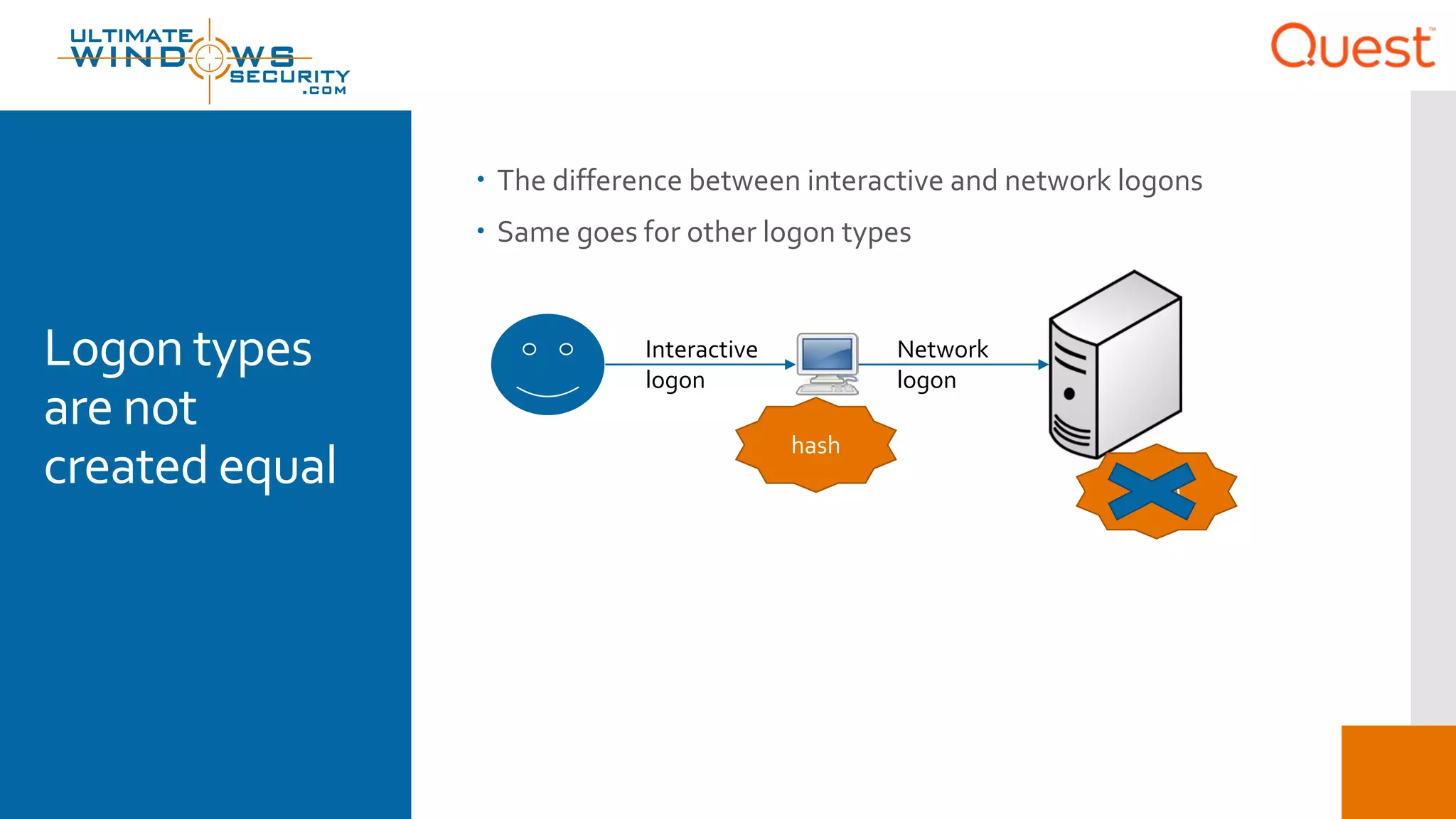
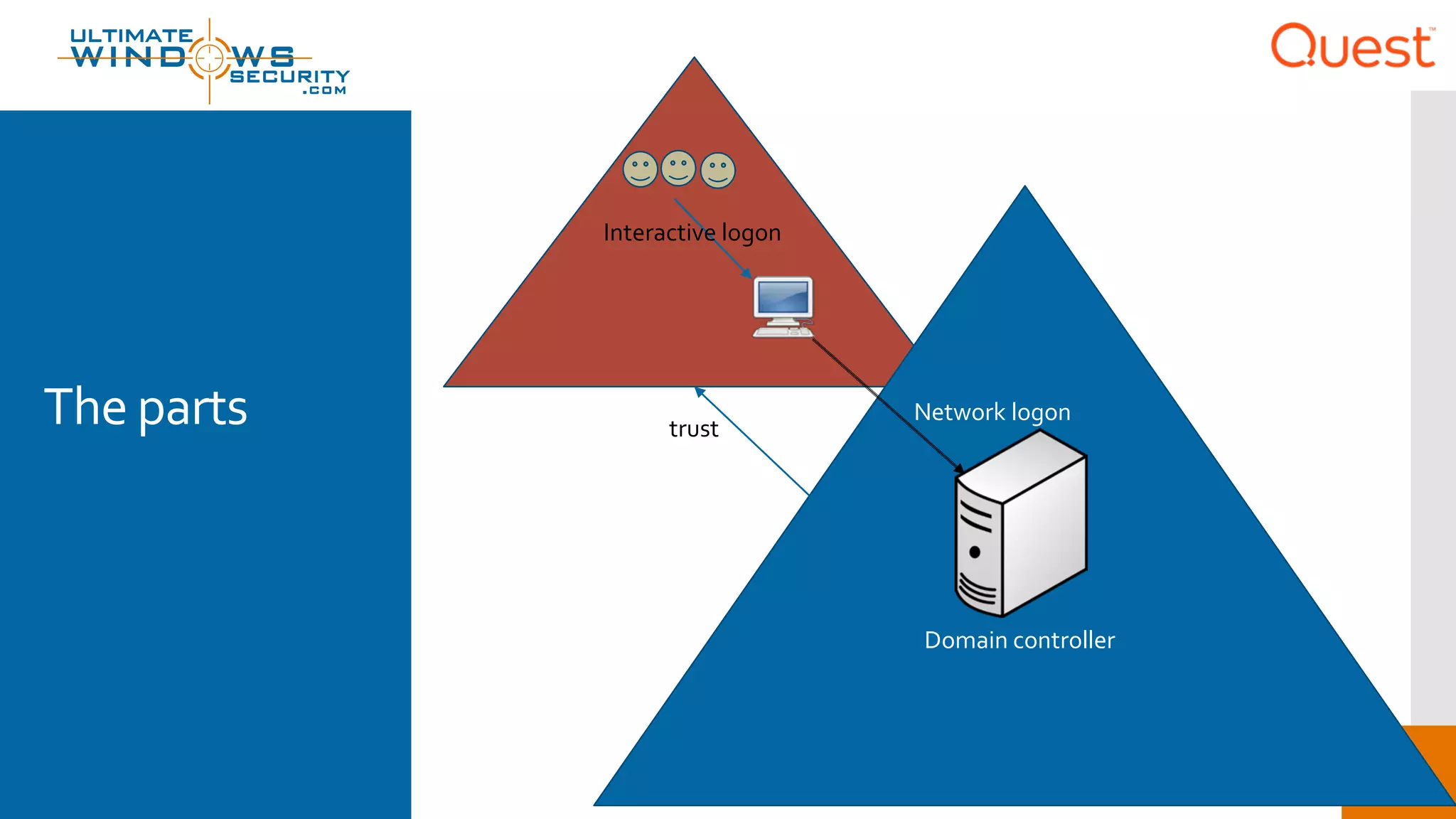
 The difference between interactive and network logons
 Same goes for other logon types
Interactive
logon
Network
logon
hash
hash
Security
dependencies
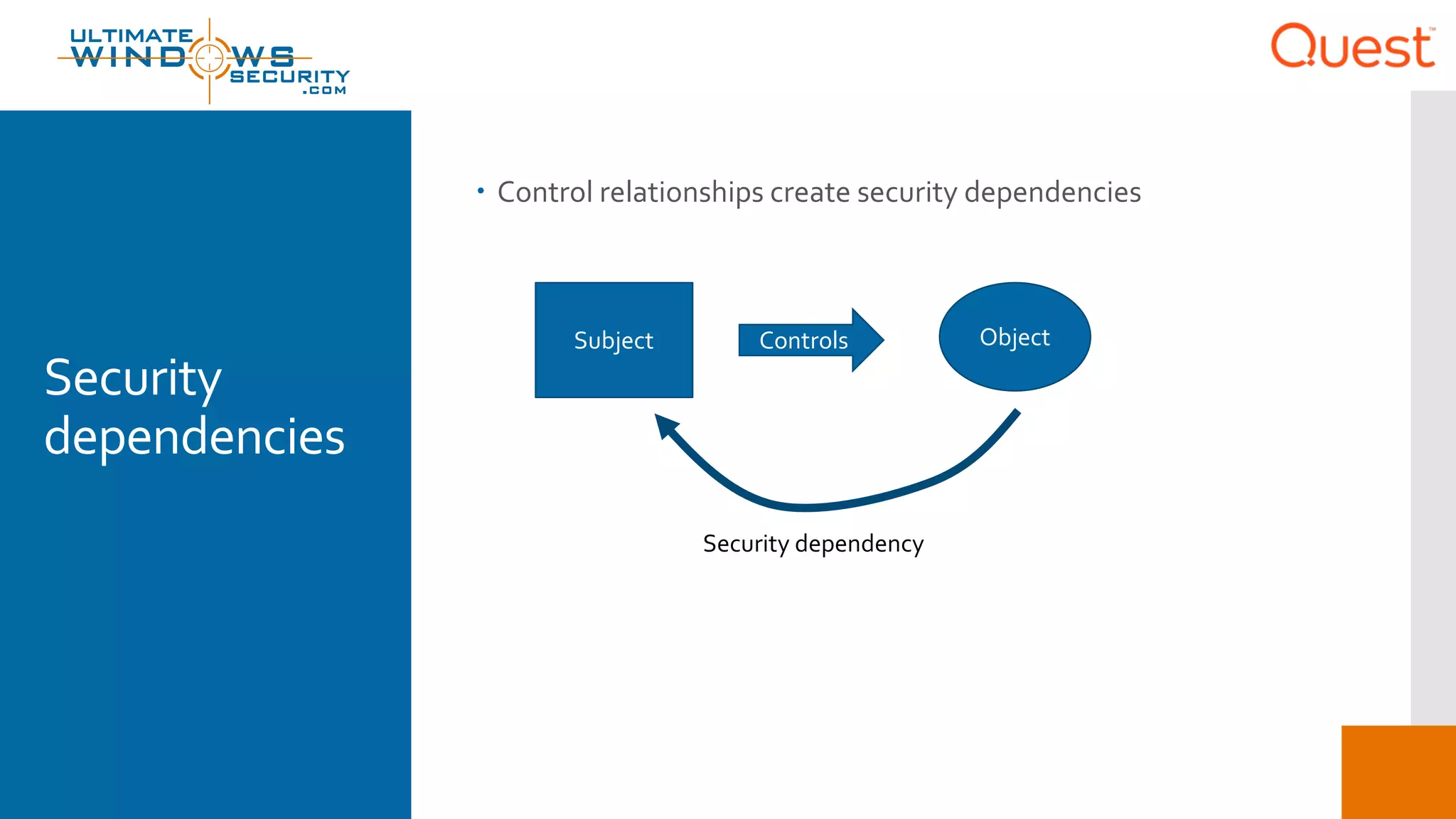
 Control relationships create security dependencies
Subject Controls Object
Security dependency
The problem
withAD
forests
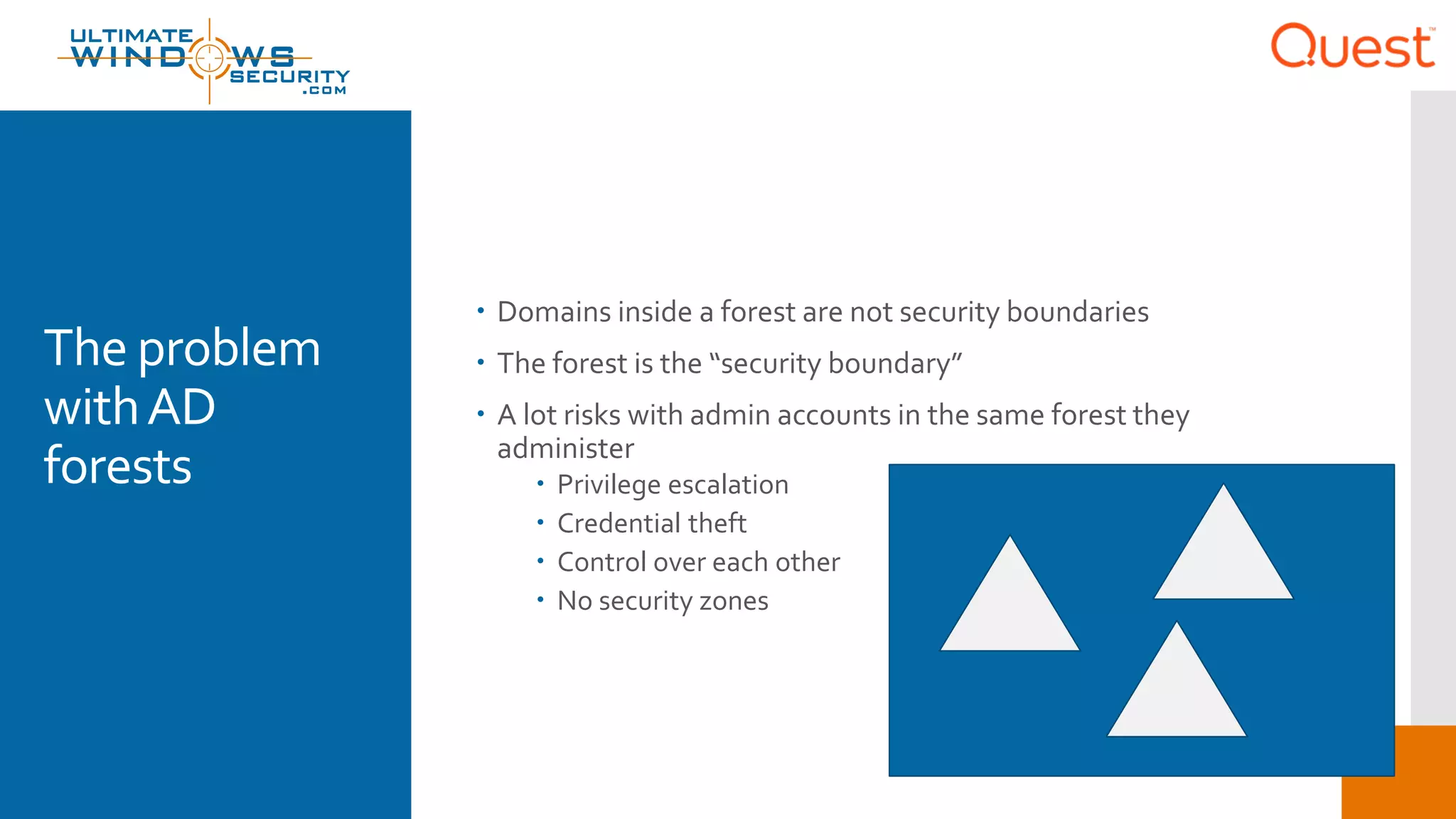
 Domains inside a forest are not security boundaries
 The forest is the “security boundary”
 A lot risks with admin accounts in the same forest they
administer
 Privilege escalation
 Credential theft
 Control over each other
 No security zones
The 3-tier
design
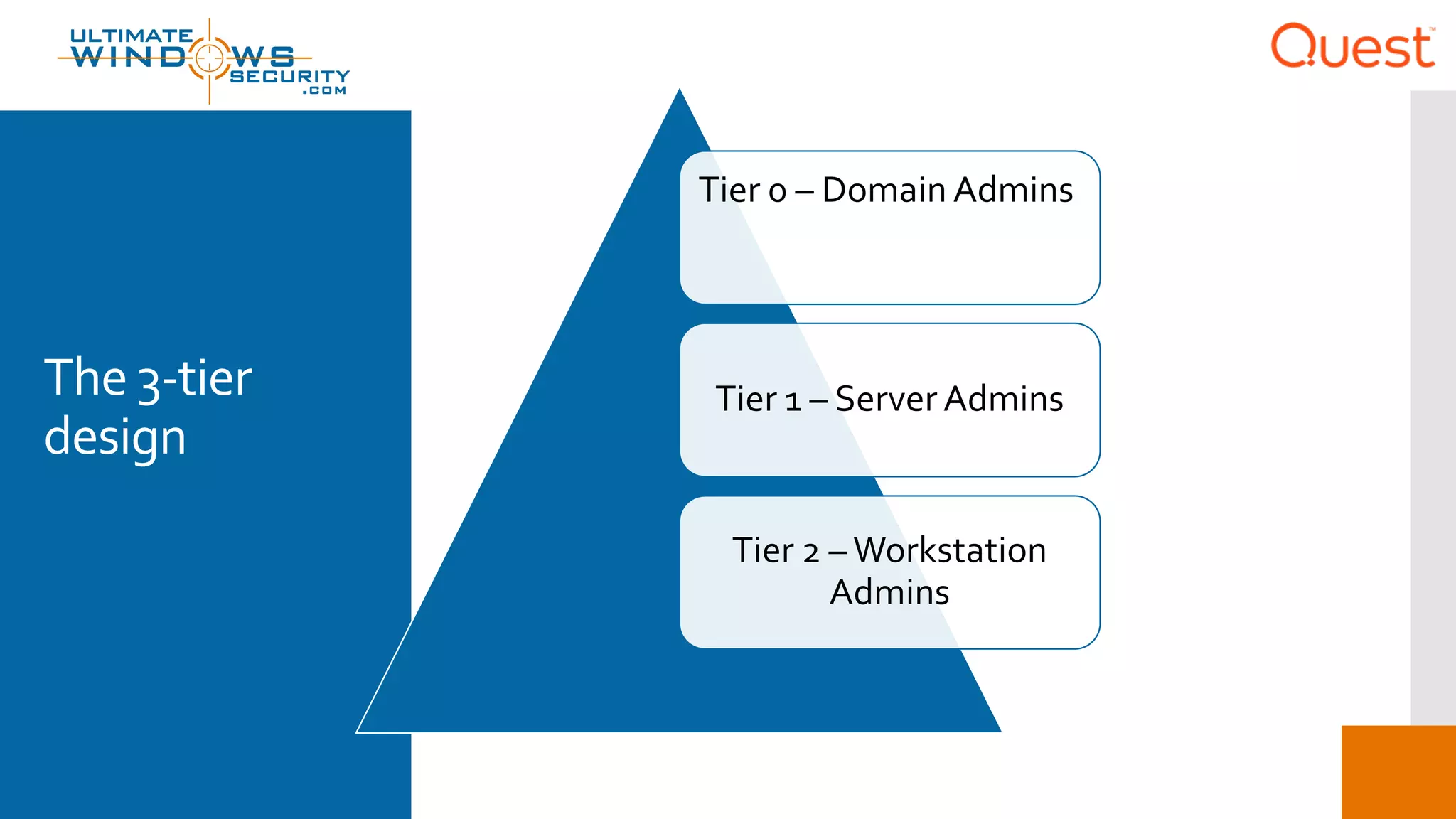
Tier 0 – Domain Admins
Tier 1 – Server Admins
Tier 2 –Workstation
Admins
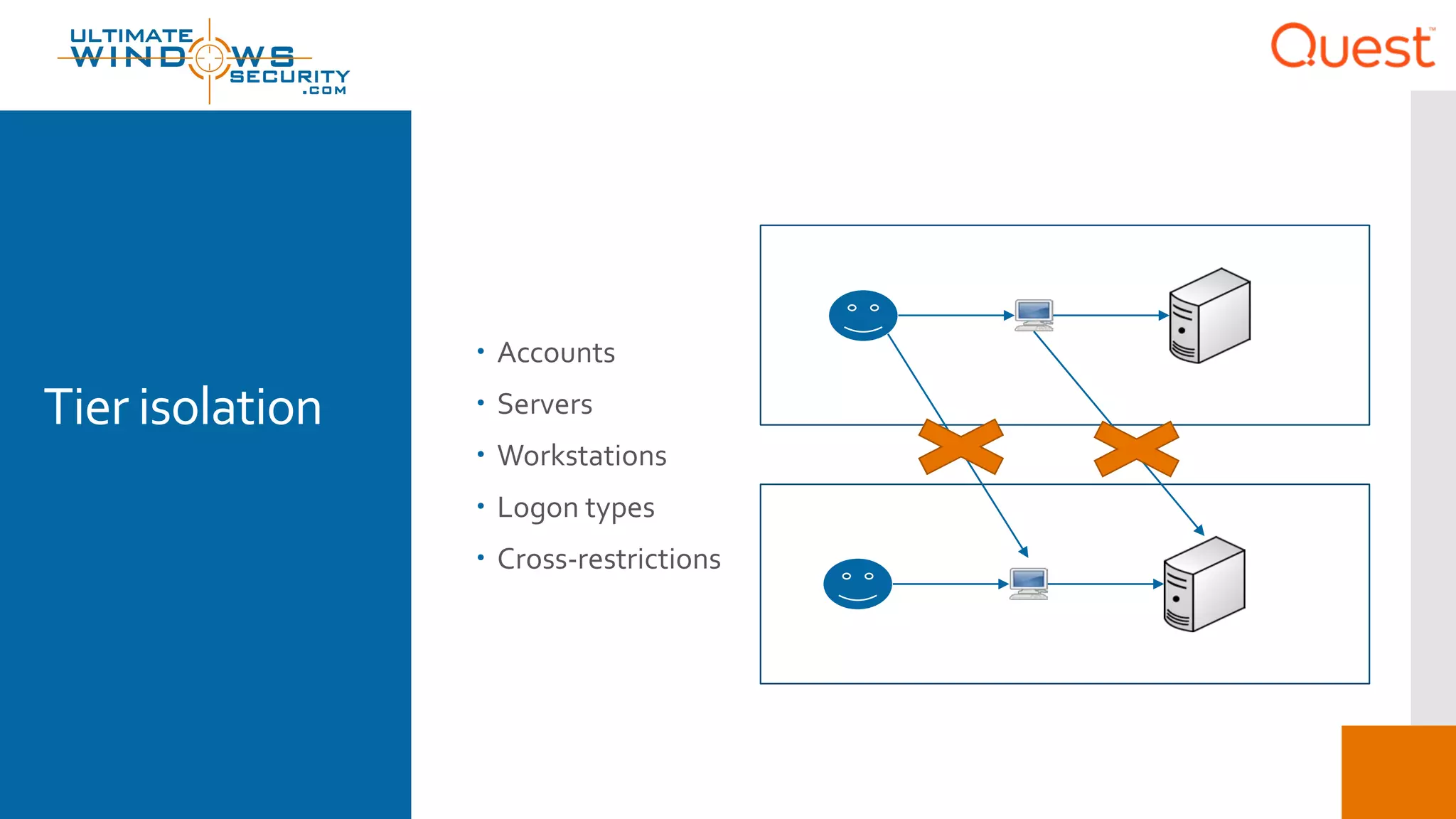
Tier isolation
 Accounts
 Servers
 Workstations
 Logon types
 Cross-restrictions
DeployingTier
0 in a “red”
forest
 Tier Zero should be in a different forest
 Production forest trusts red forest
 No domain admin or similarly privileged accounts in production
forest
 Except emergency access account – built-in Administrator
 Red forest dedicated to simply holdingTier 0 accounts for
administering production forest
 Tier 0 accounts do not have privileged access to red forest
 Accounts needed for that purpose might be considerTier -1
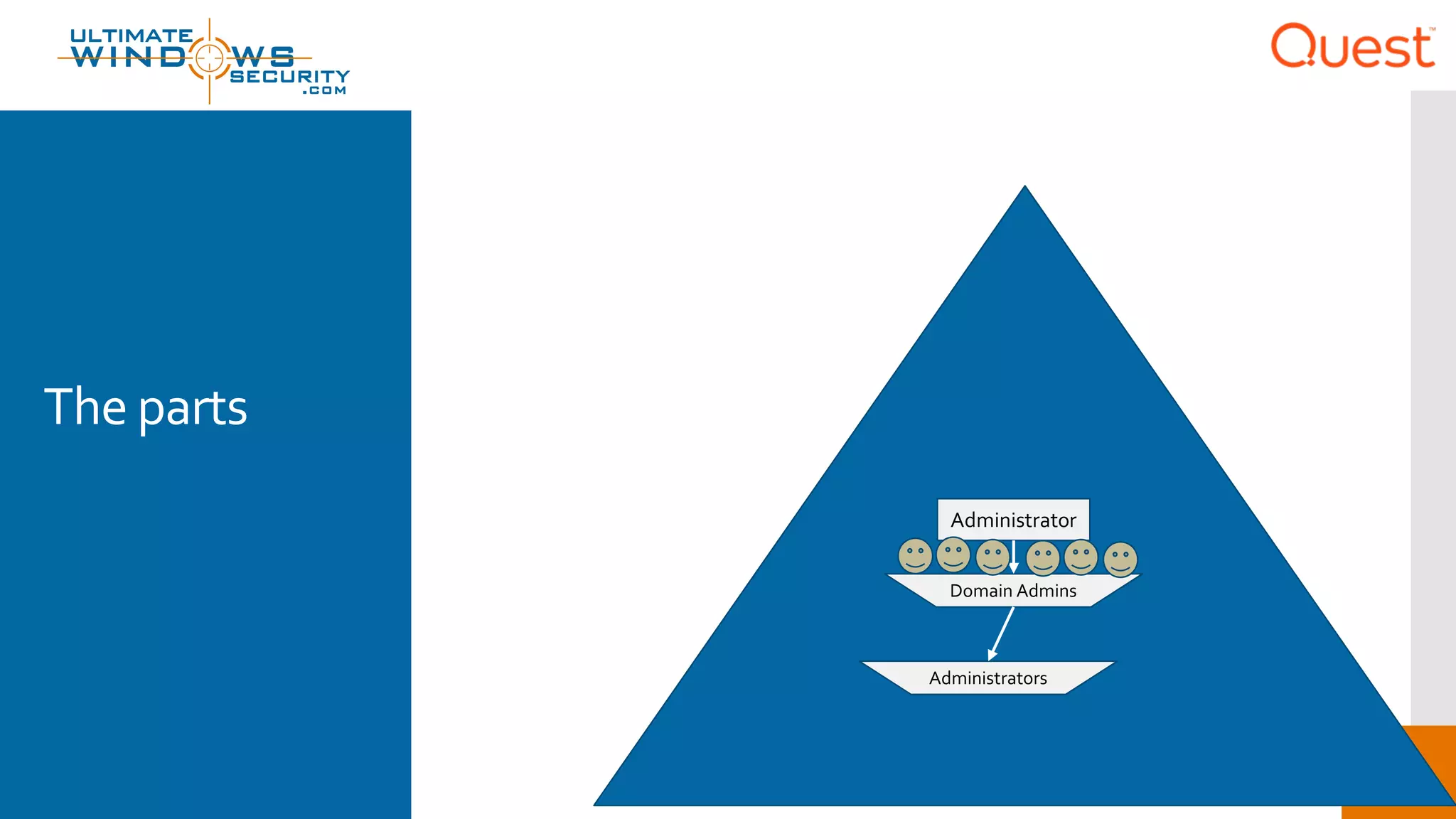
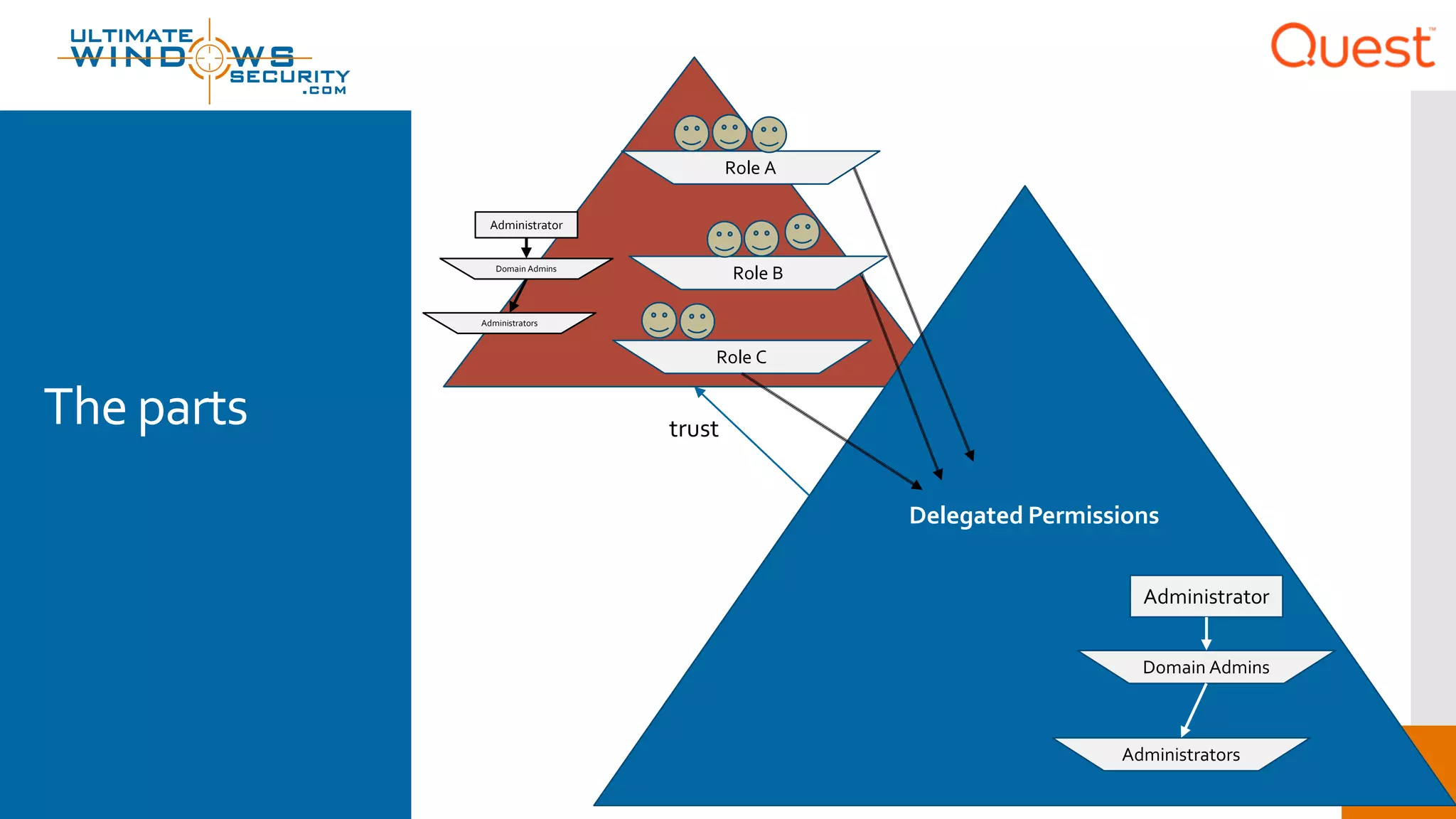
The parts
Domain Admins
Administrators
Administrator
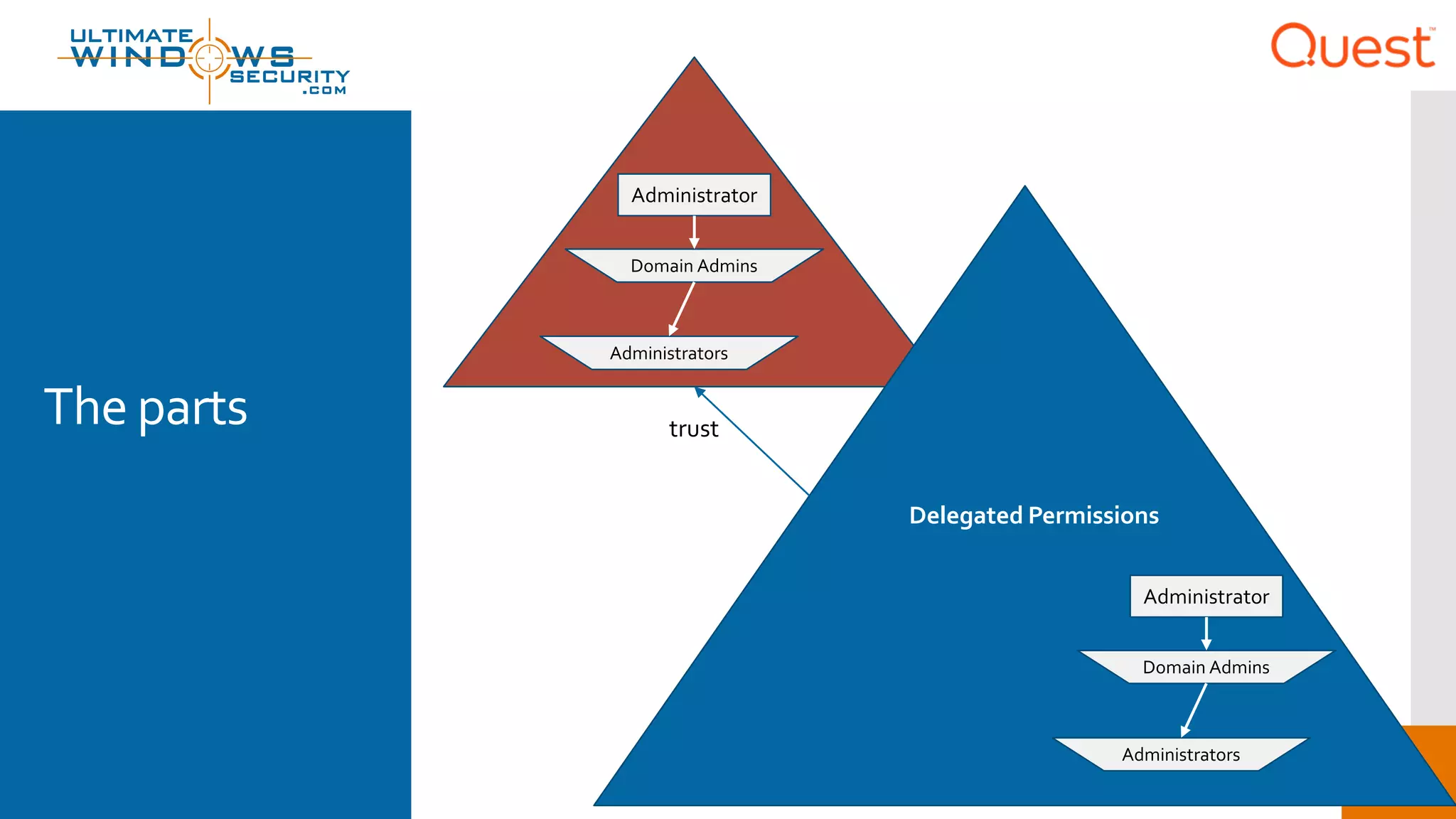
The parts trust
Domain Admins
Administrators
Administrator
Delegated Permissions
Domain Admins
Administrators
Administrator
The parts trust
Domain Admins
Administrators
Role B
Role A
Role C
Administrator
Domain Admins
Administrators
Administrator
Delegated Permissions
The parts trust
Interactive logon
Domain controller
Network logon
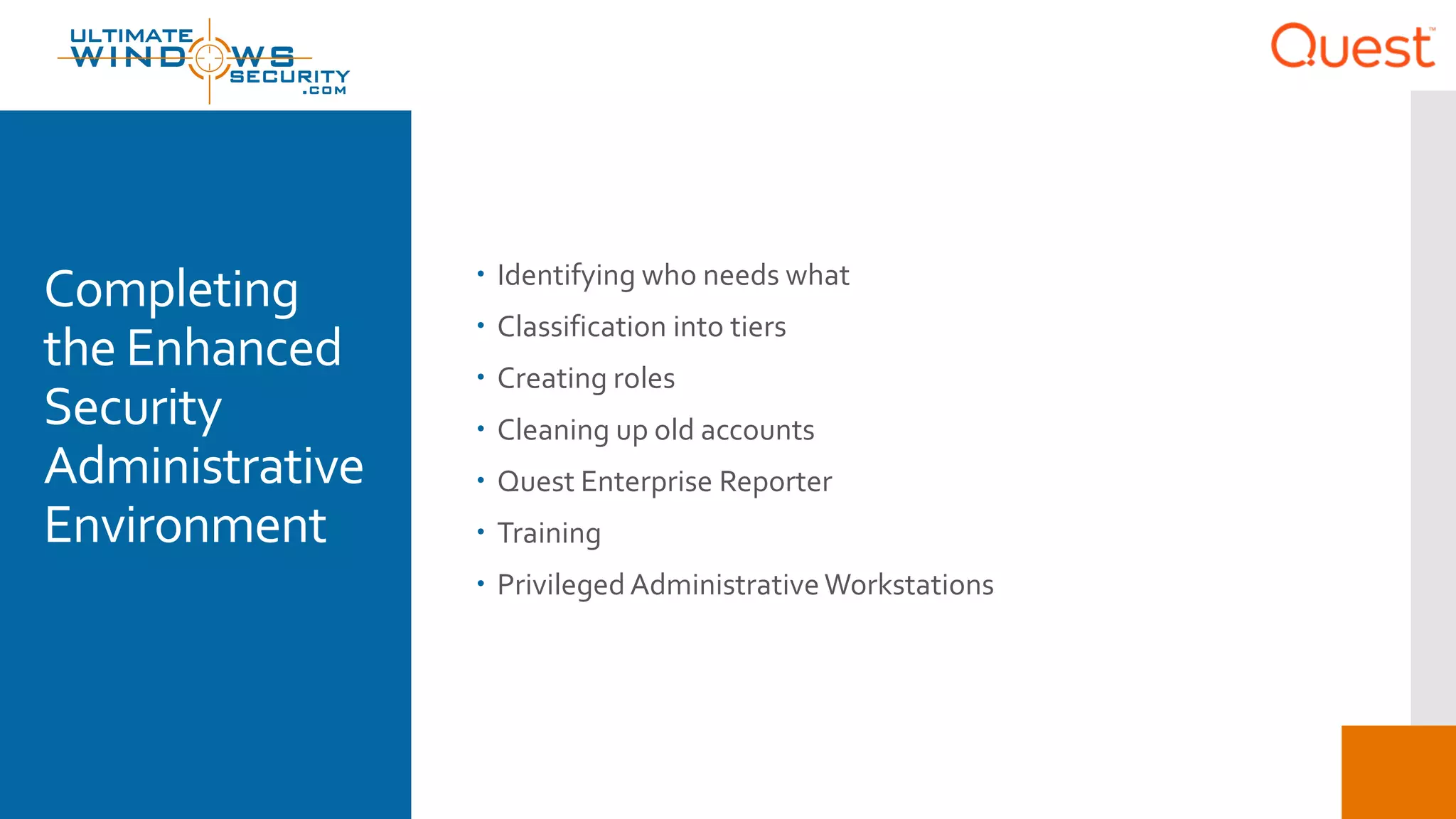
Completing
the Enhanced
Security
Administrative
Environment
 Identifying who needs what
 Classification into tiers
 Creating roles
 Cleaning up old accounts
 Quest Enterprise Reporter
 Training
 Privileged AdministrativeWorkstations
Beyond  How far does ESAE get you?
 Alternatives and gaps
 Privilege management
How far does
ESAE get you?
 Manages risk for
 Active Directory
 Windows OS
 Doesn’t address
 Many applications aren't compatible with being administered
by accounts from an external forest using a standard trust
 UNIX/Linux
 Devices
Alternatives
and gaps
 ESAE doesn’t stop with a red forest
 Tier 1 should be secured with a privilege management solution
 Check out Quest PAM/PSM solutions
 2 factor authentication
 MS assumes smart cards
 But one time password has significant advantages
 Quest Defender
 Alternative: proxy technology
 Active Roles
 GPO Admin
Bottom line
 Really need to understand security dependencies
 Identify control relationships
 Implementing ESAE
 Need good reporting
 How best to address them
 Red forest is one way to address those risks in AD and Windows
 Privileged Account and Session Management Solutions
 Go beyond AD andWindows
 Proxy technologies provide a compelling alternative or
compliment to isolated red forest
 Understand the limitations of smart cards and the advantages
of OTP
 Check outQuest
© 2017 Monterey Technology Group Inc.
“Red Forest”
Bryan Patton, CISSP
Identify who is doing
what
Confidential22
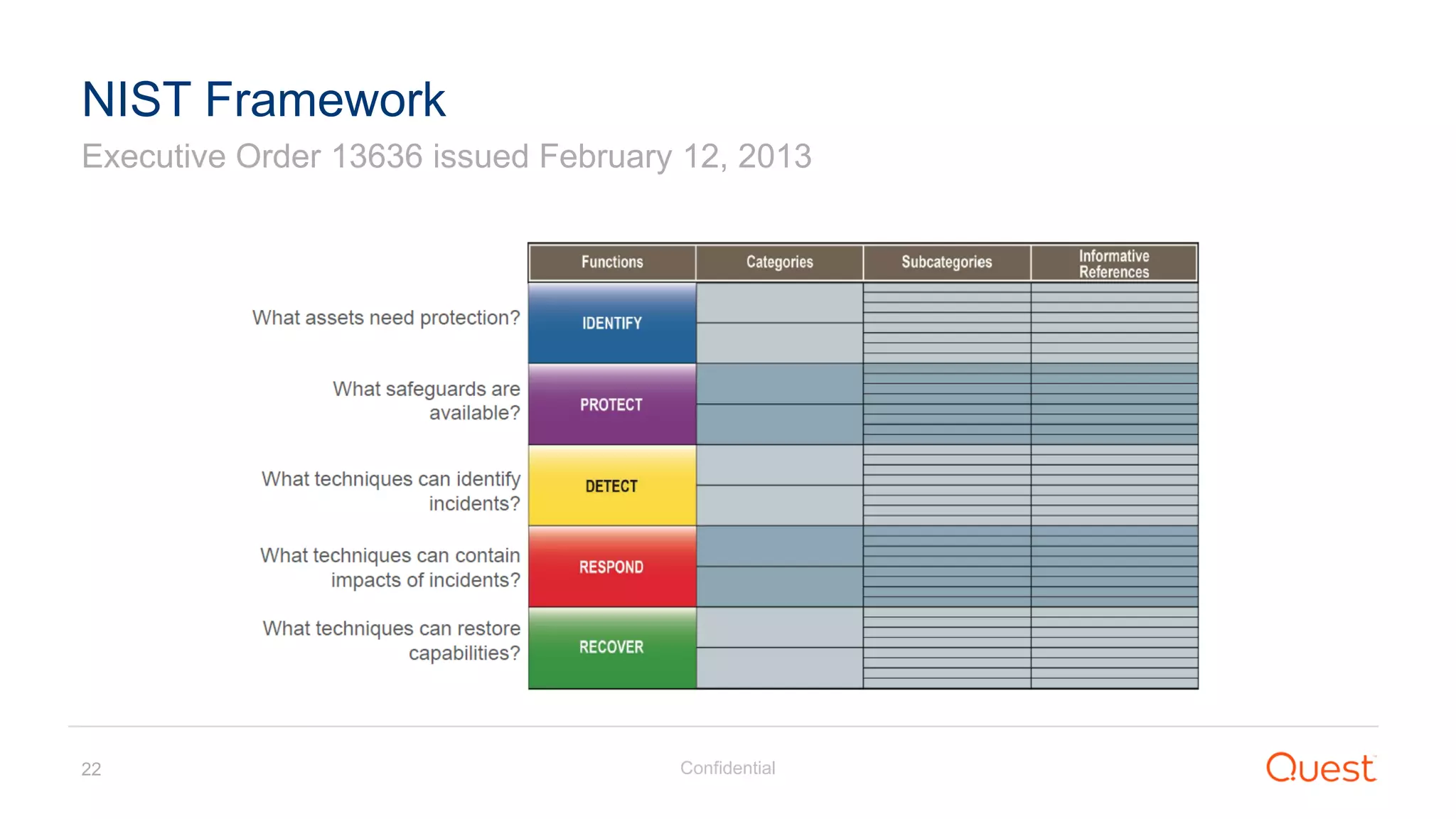
Executive Order 13636 issued February 12, 2013
NIST Framework
Confidential23
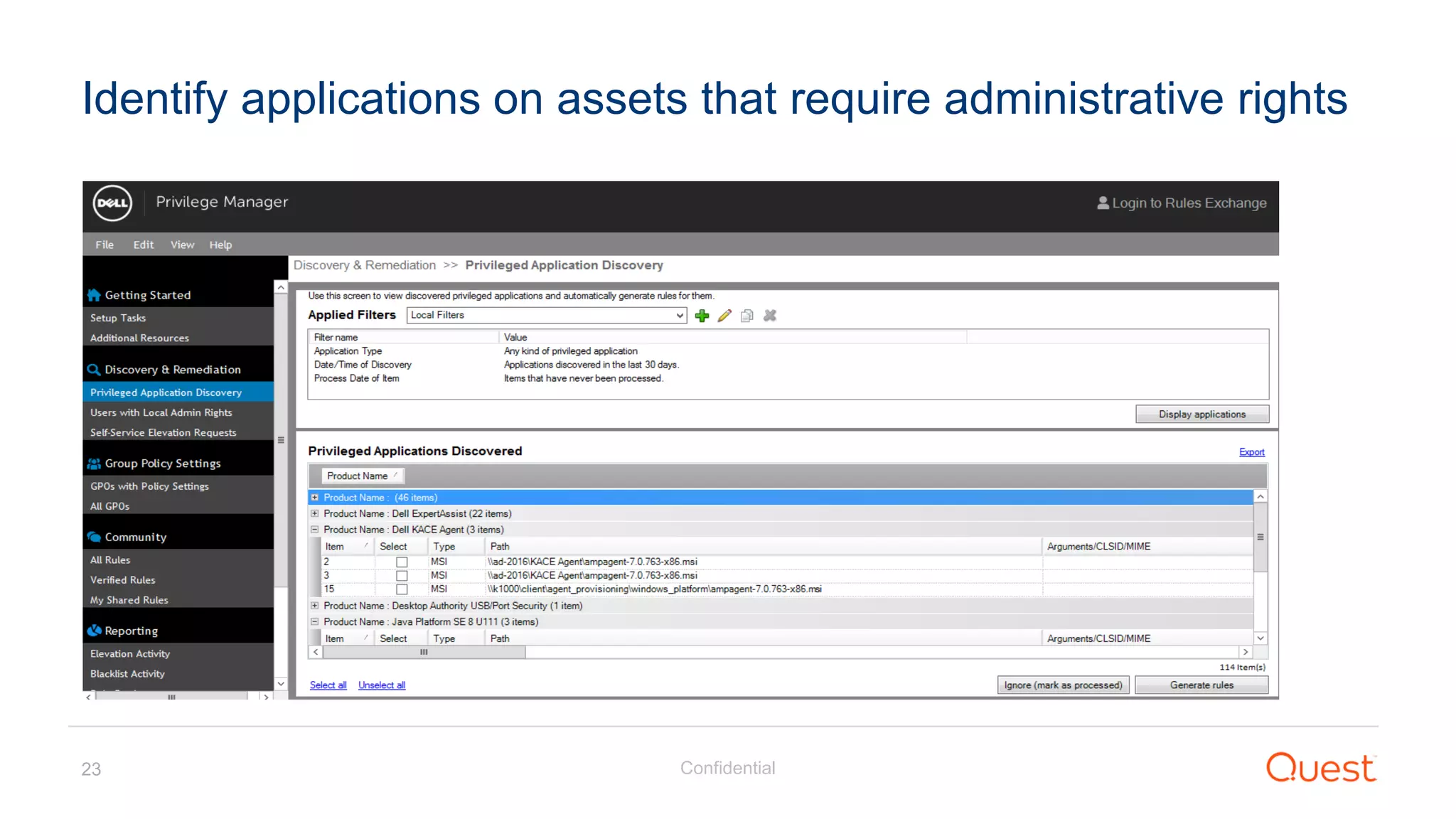
Identify applications on assets that require administrative rights
Confidential24
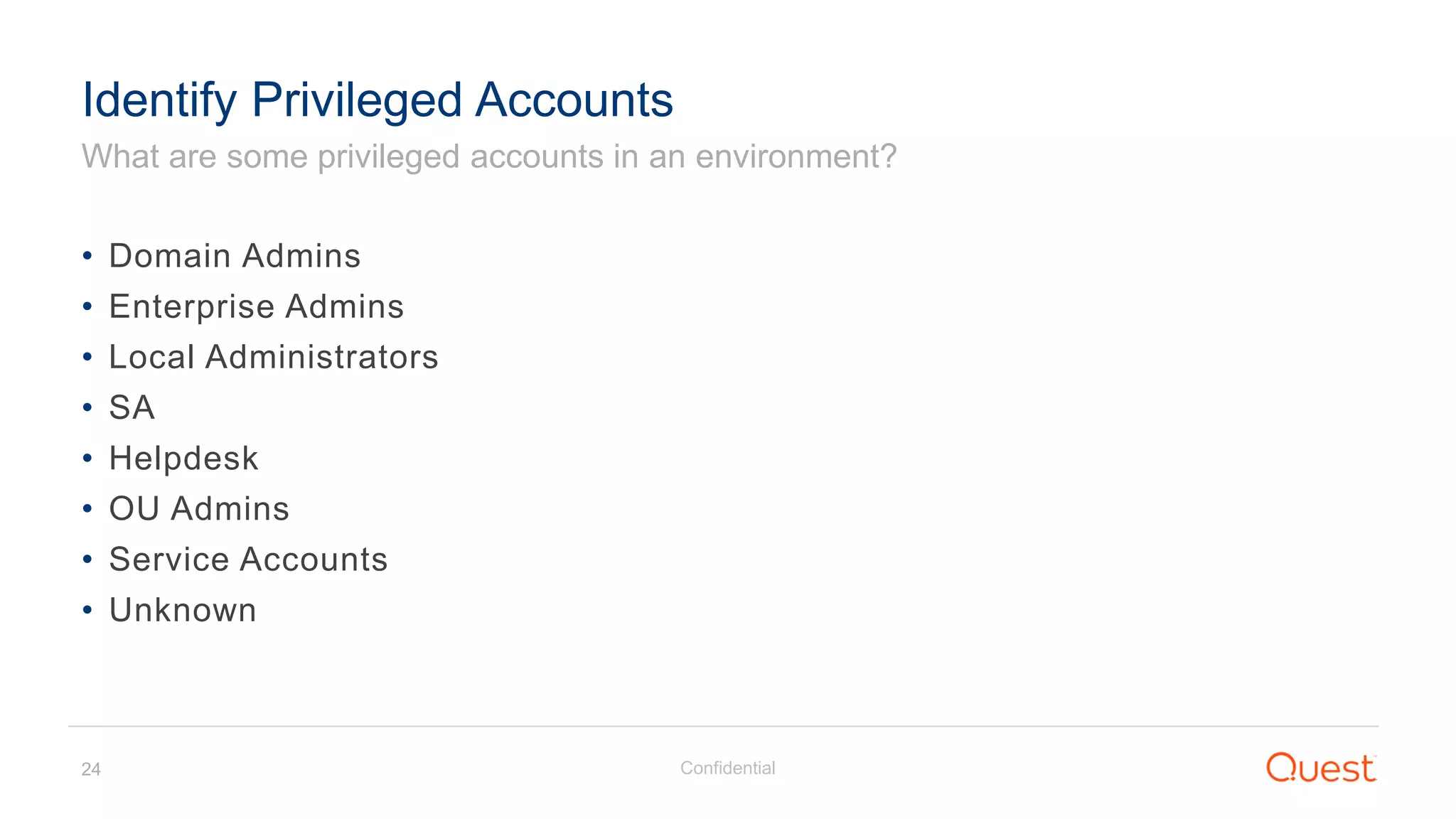
What are some privileged accounts in an environment?
Identify Privileged Accounts
• Domain Admins
• Enterprise Admins
• Local Administrators
• SA
• Helpdesk
• OU Admins
• Service Accounts
• Unknown
Confidential25
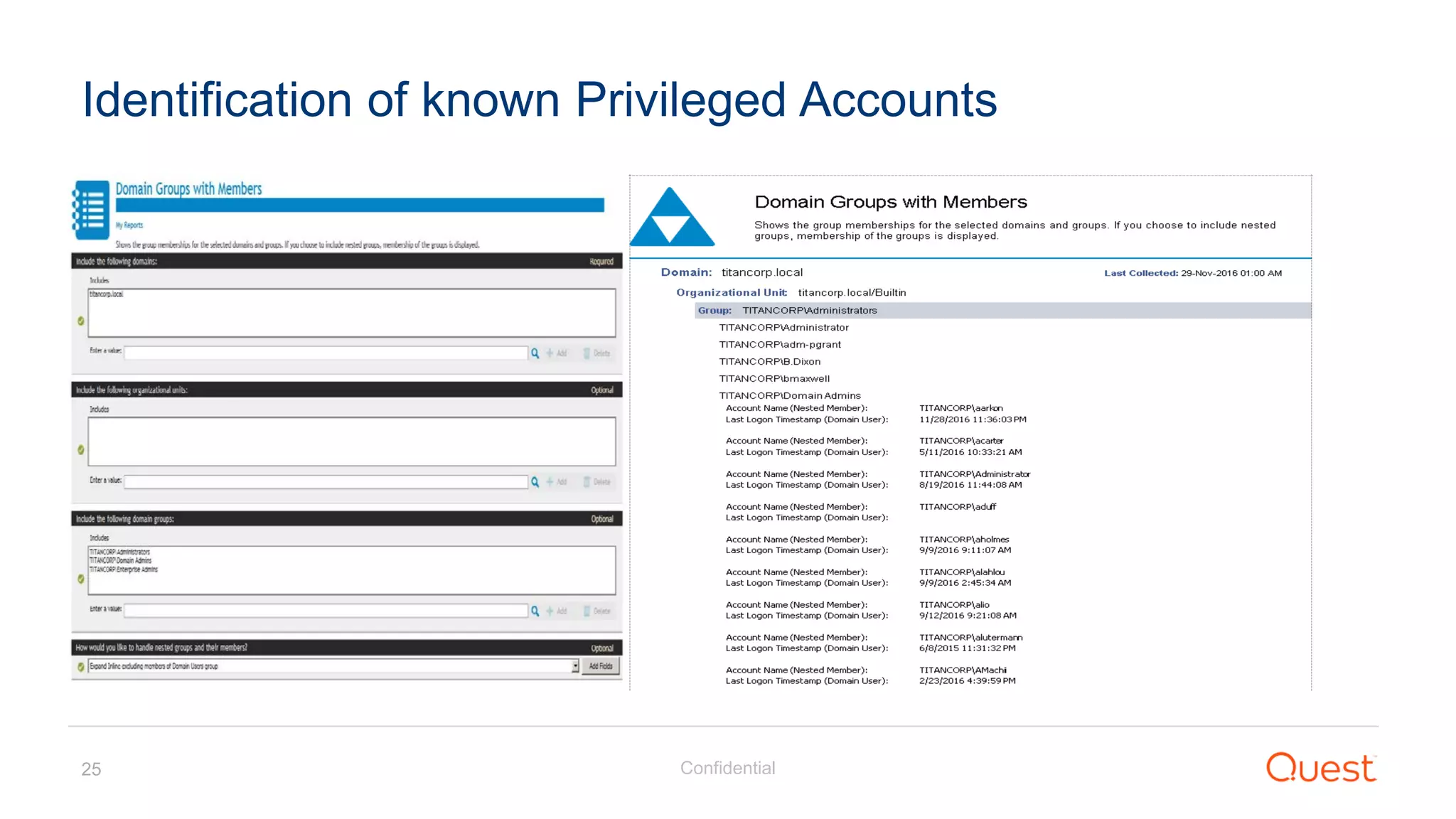
Identification of known Privileged Accounts
Confidential26
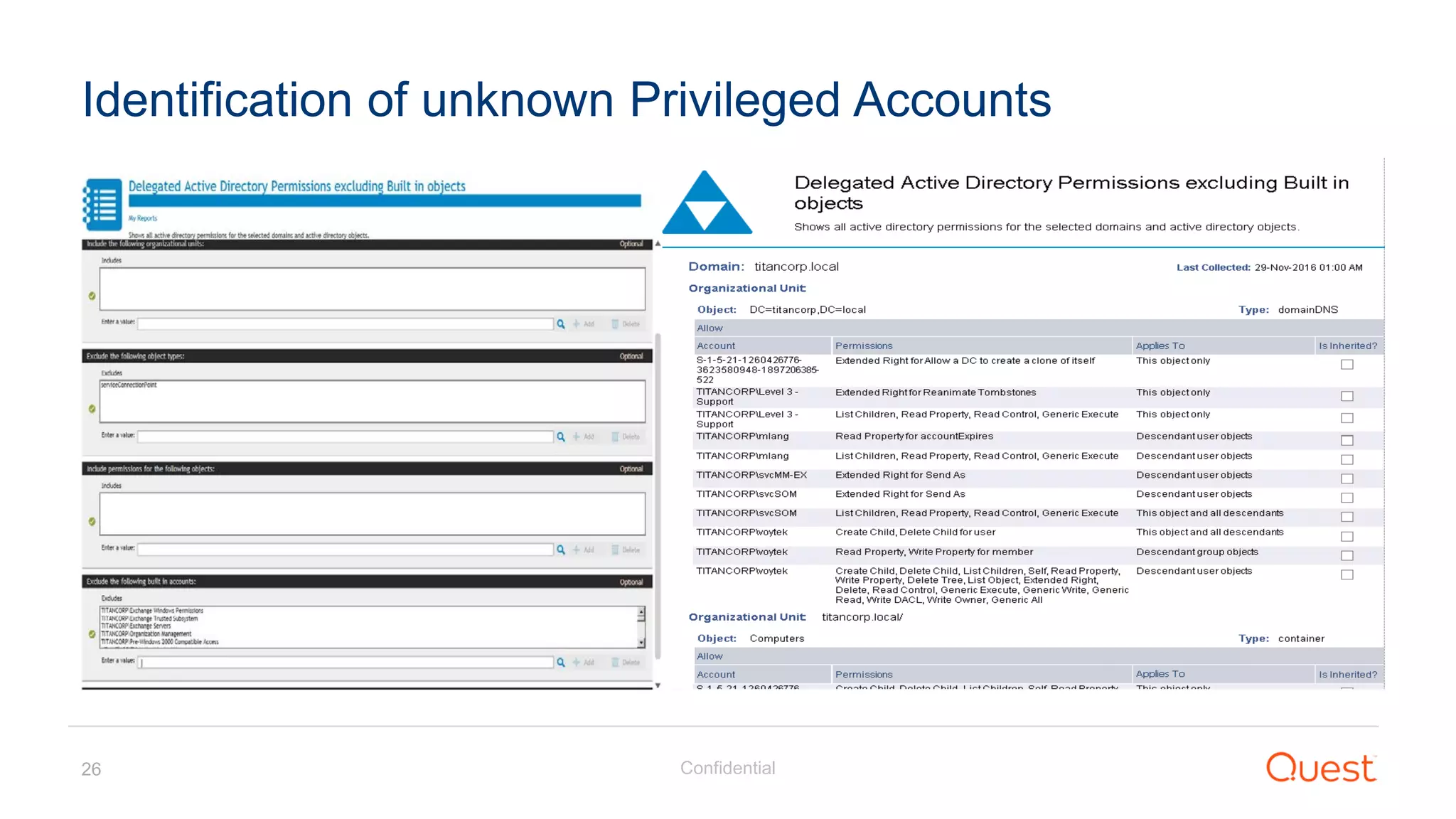
Identification of unknown Privileged Accounts
Confidential27
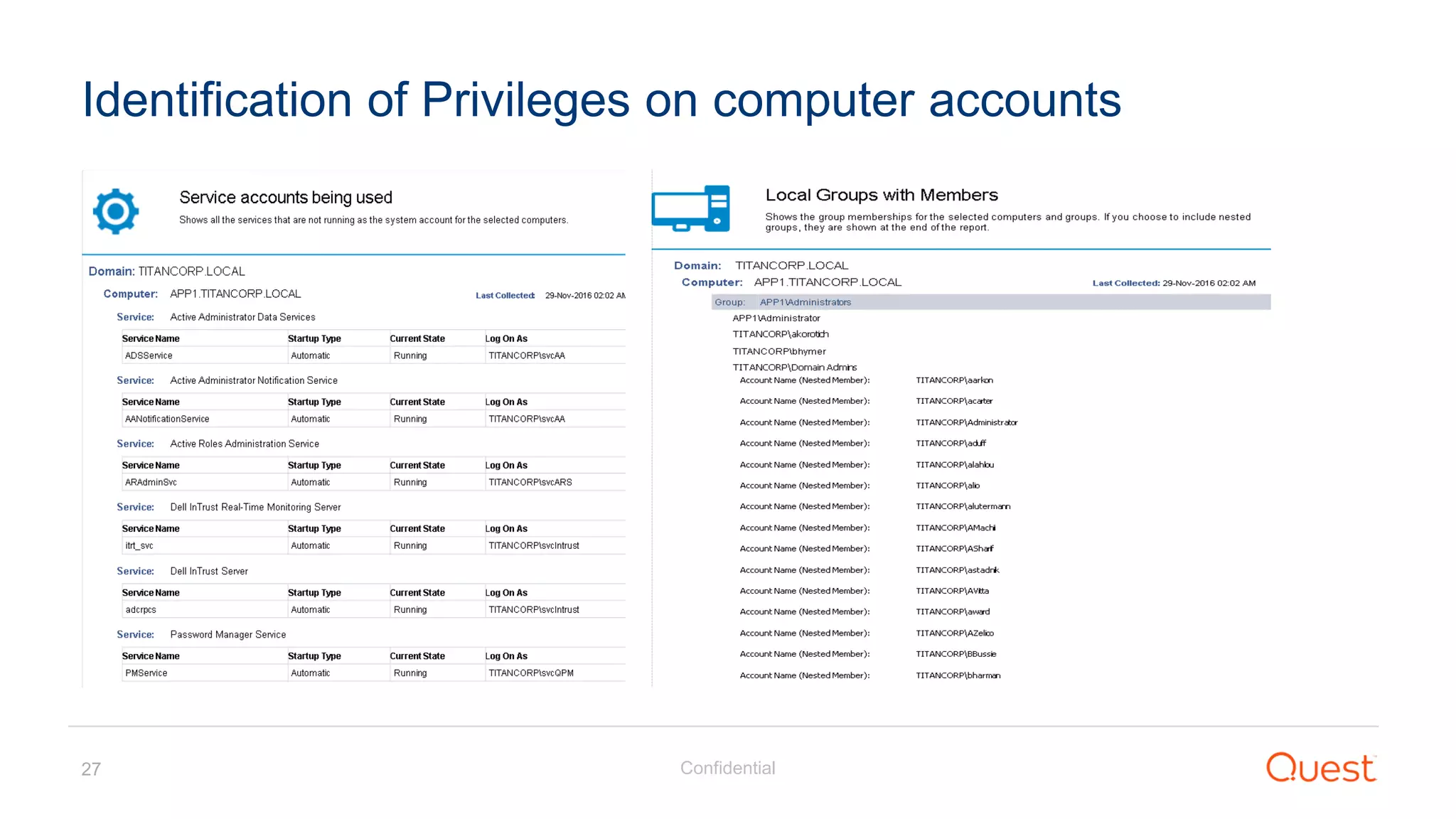
Identification of Privileges on computer accounts
Confidential28
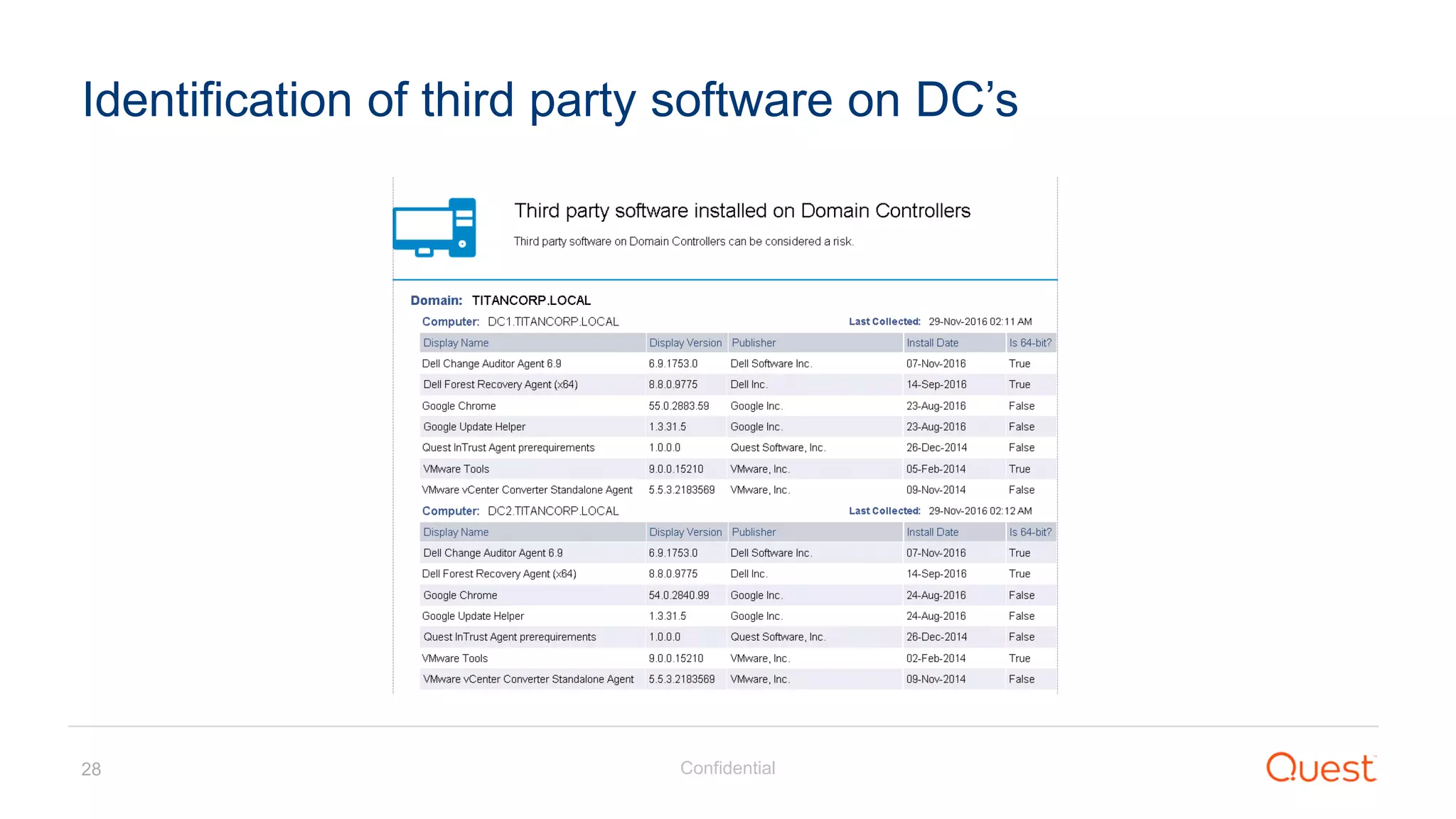
Identification of third party software on DC’s
Confidential29
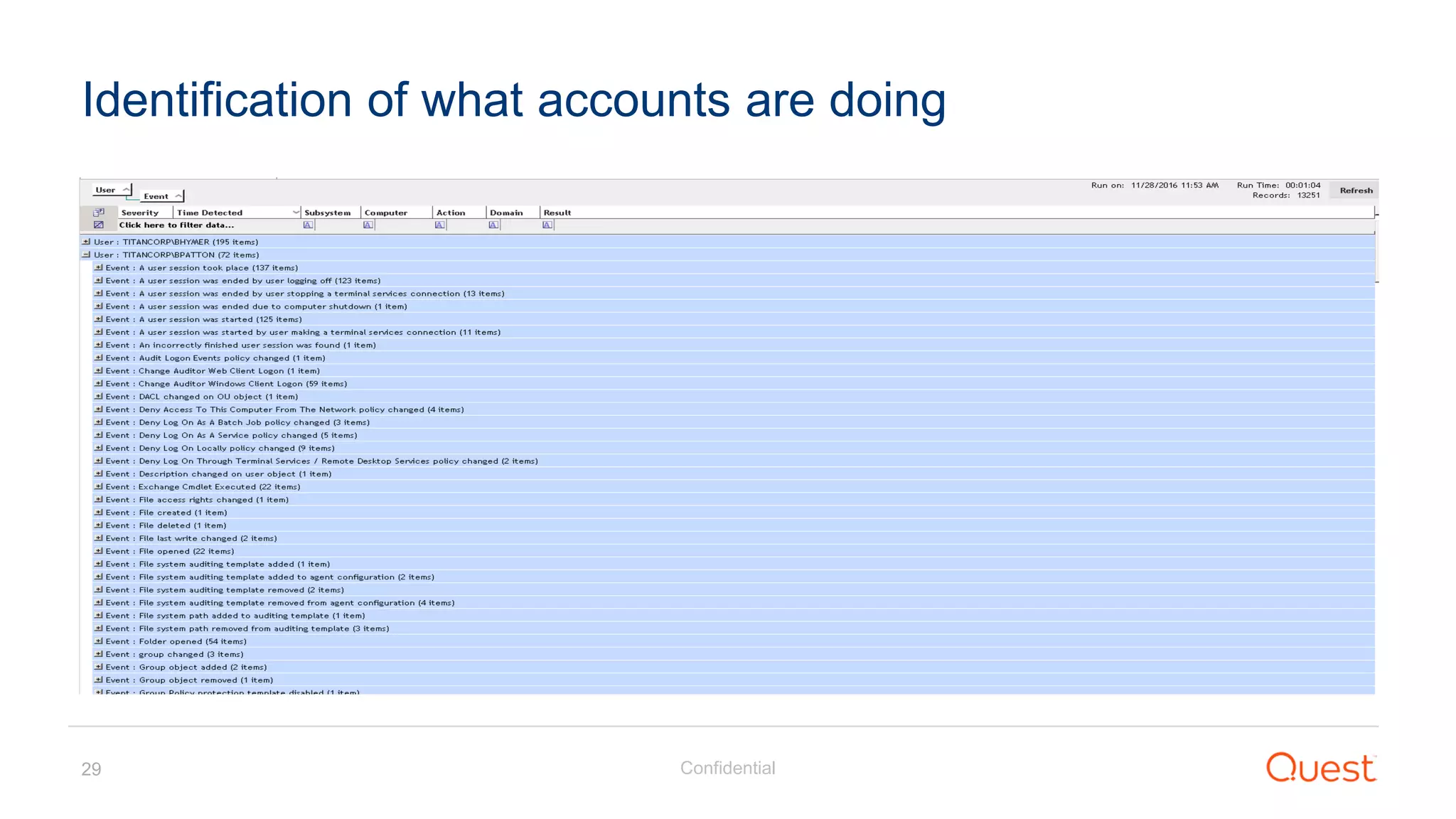
Identification of what accounts are doing
Protection
Confidential31
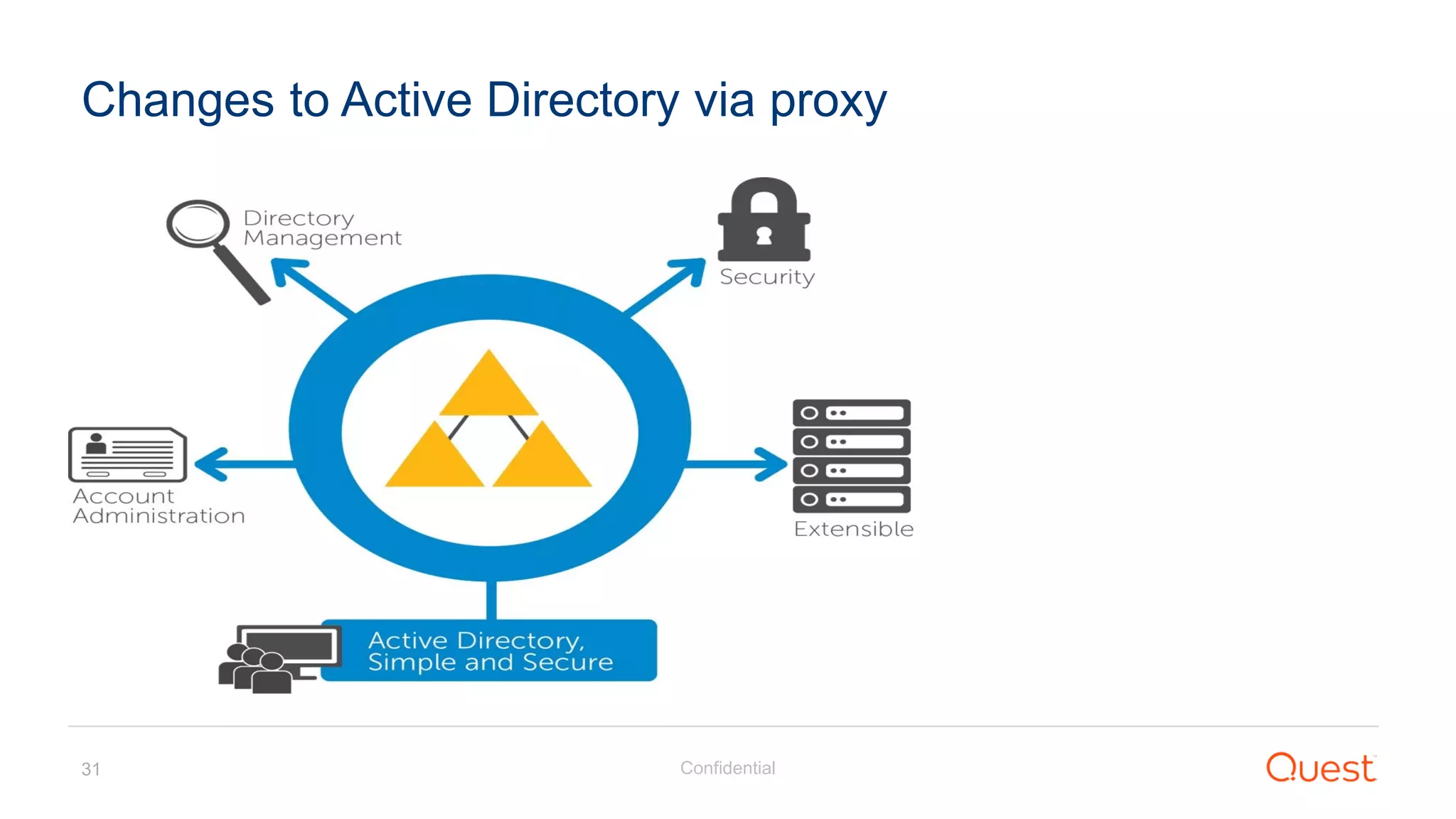
Changes to Active Directory via proxy
Confidential32
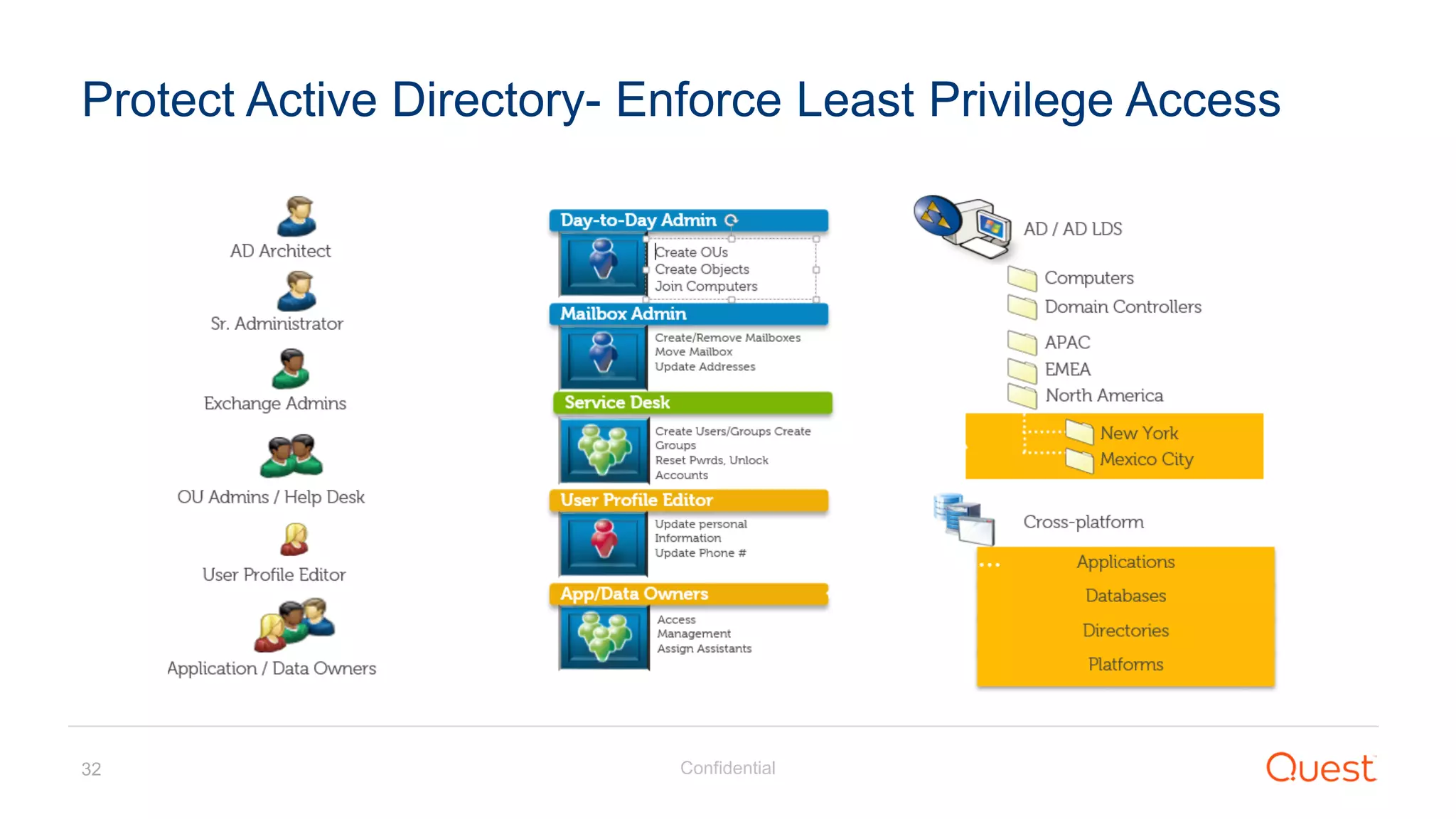
Protect Active Directory- Enforce Least Privilege Access
Confidential33
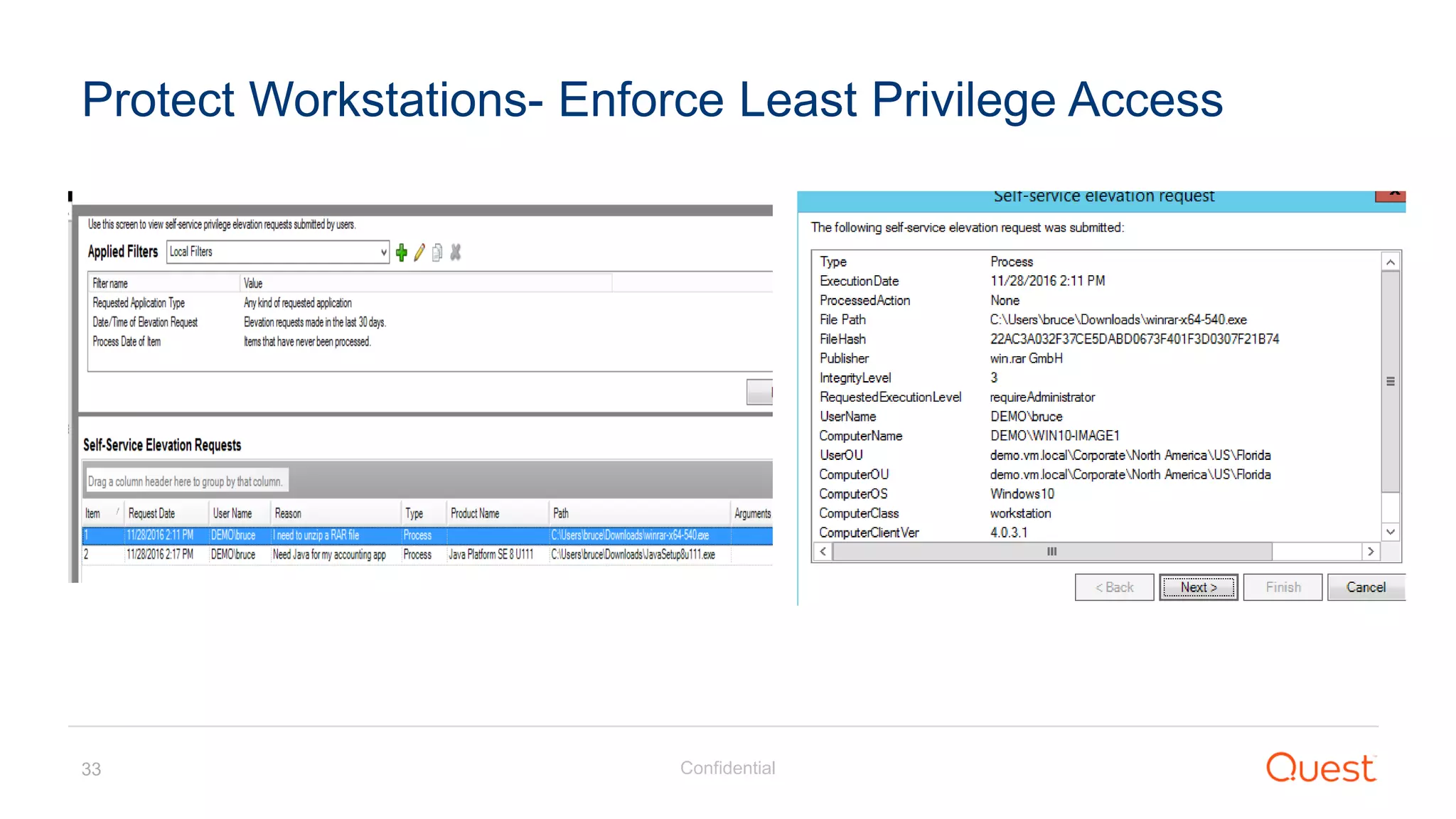
Protect Workstations- Enforce Least Privilege Access
Confidential34
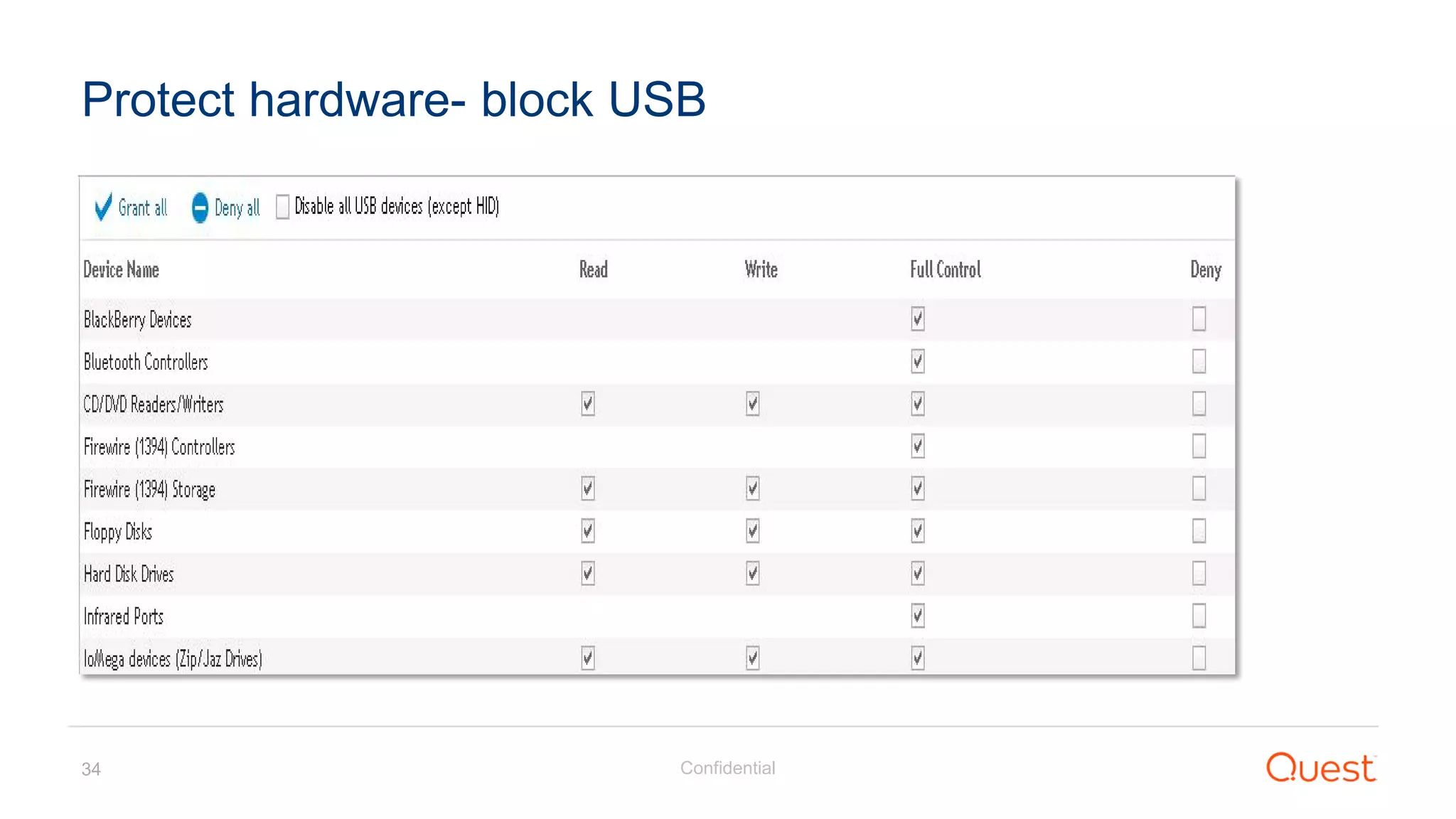
Protect hardware- block USB
Confidential35
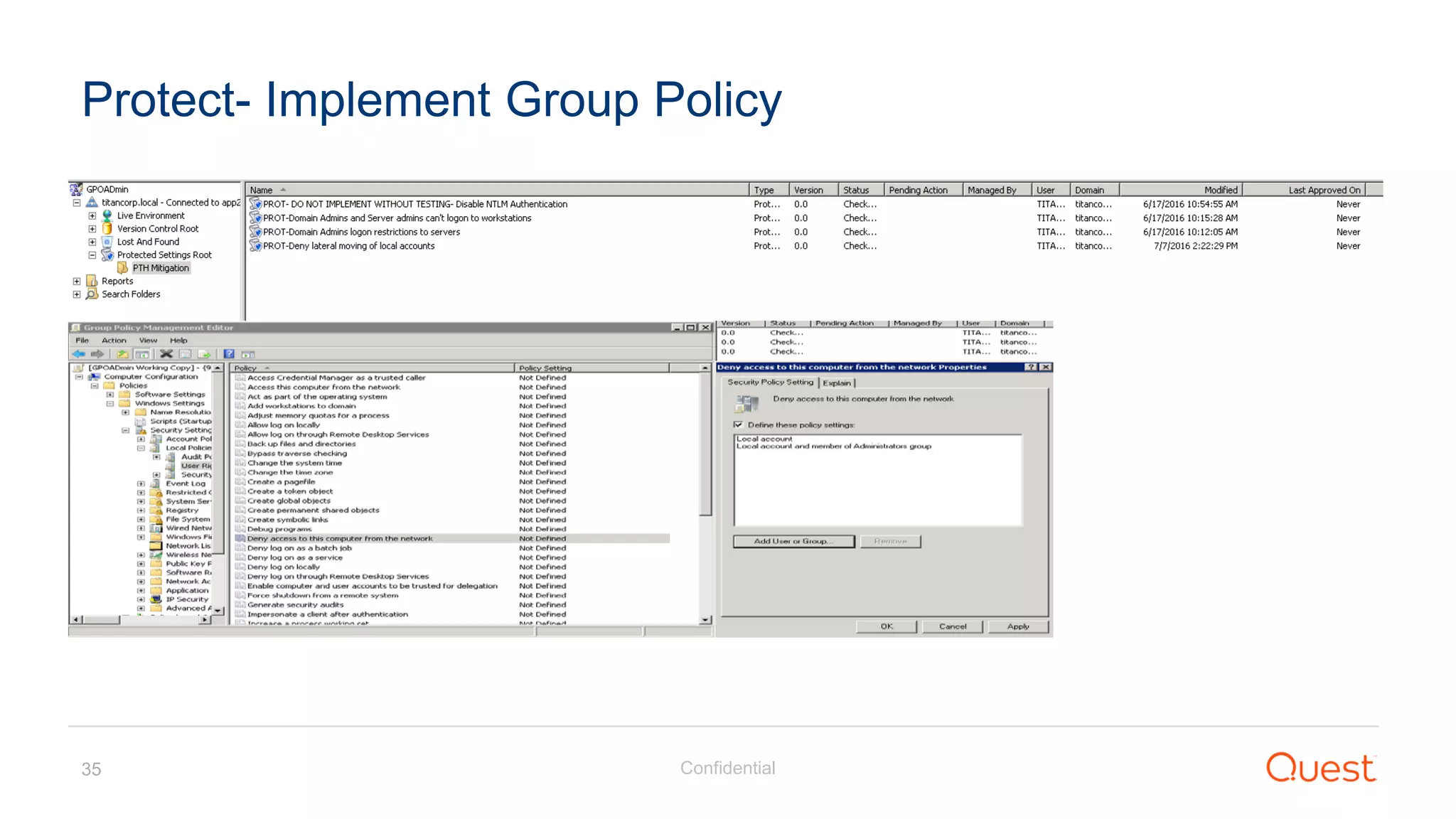
Protect- Implement Group Policy
Confidential36
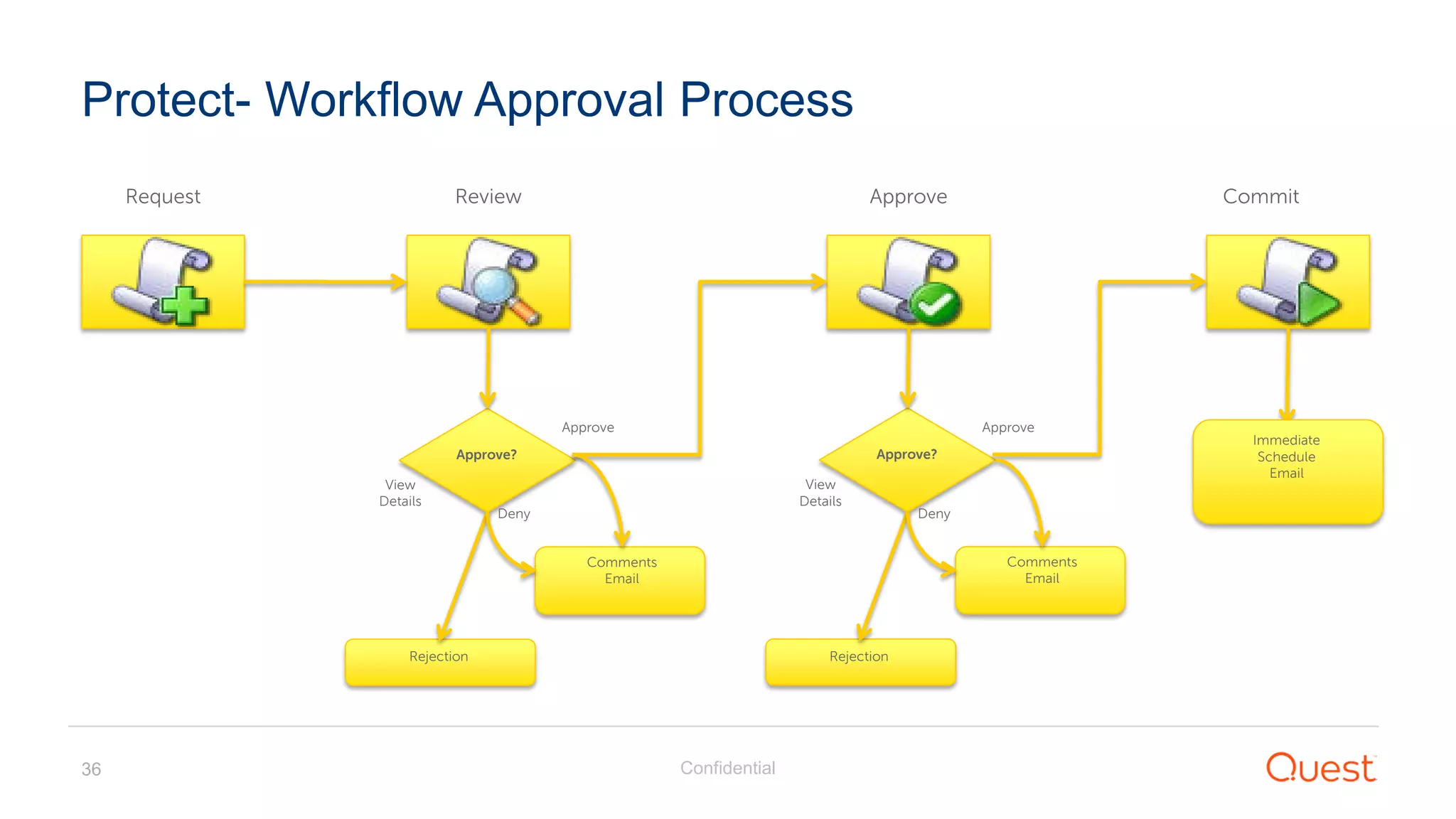
Protect- Workflow Approval Process
Request Review Approve Commit
Immediate
Schedule
Email
Approve?
Approve
Deny
View
Details
Rejection
Comments
Email
Approve?
Approve
Deny
View
Details
Rejection
Comments
Email
Confidential37
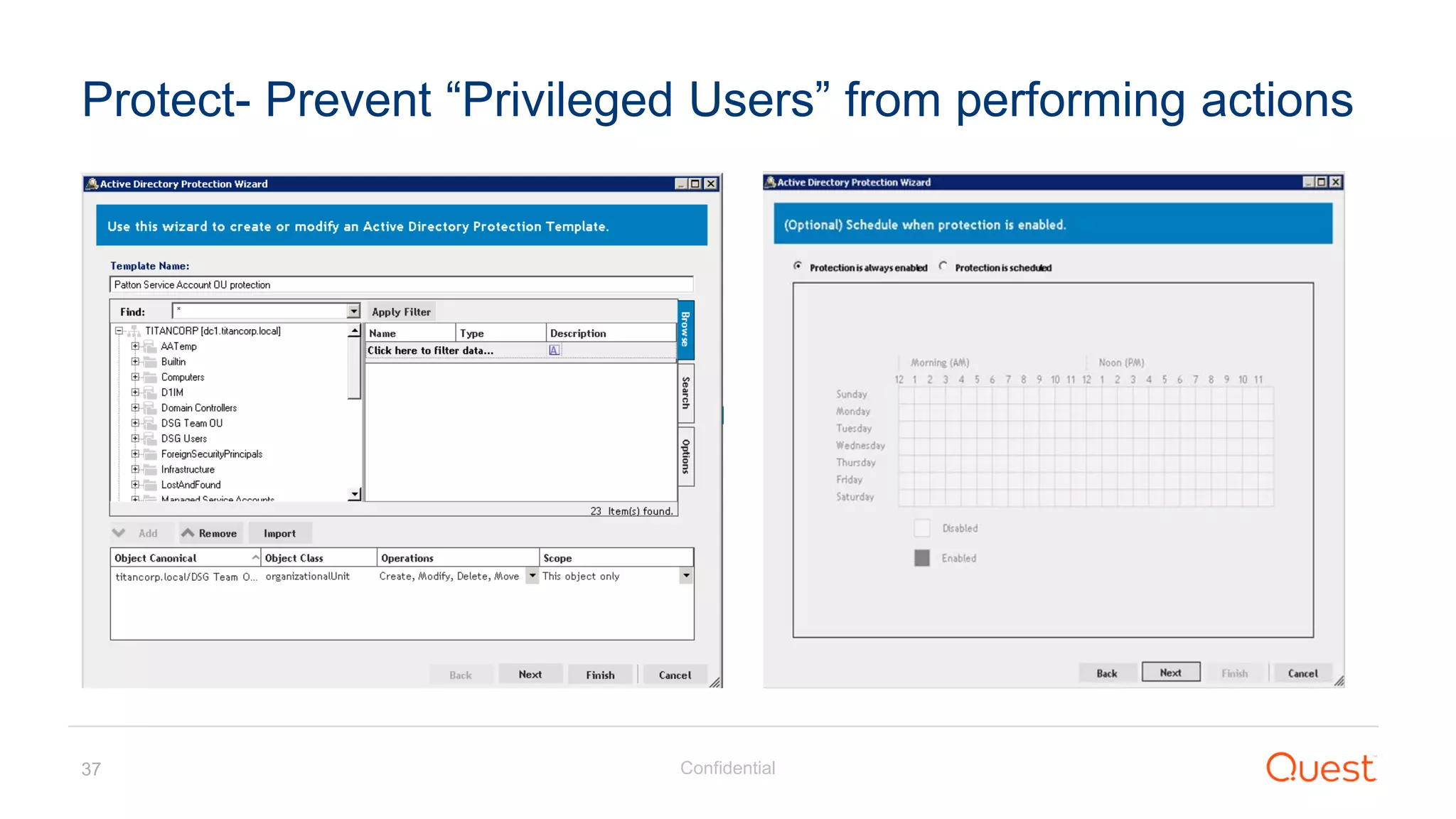
Protect- Prevent “Privileged Users” from performing actions
Detect
Confidential39
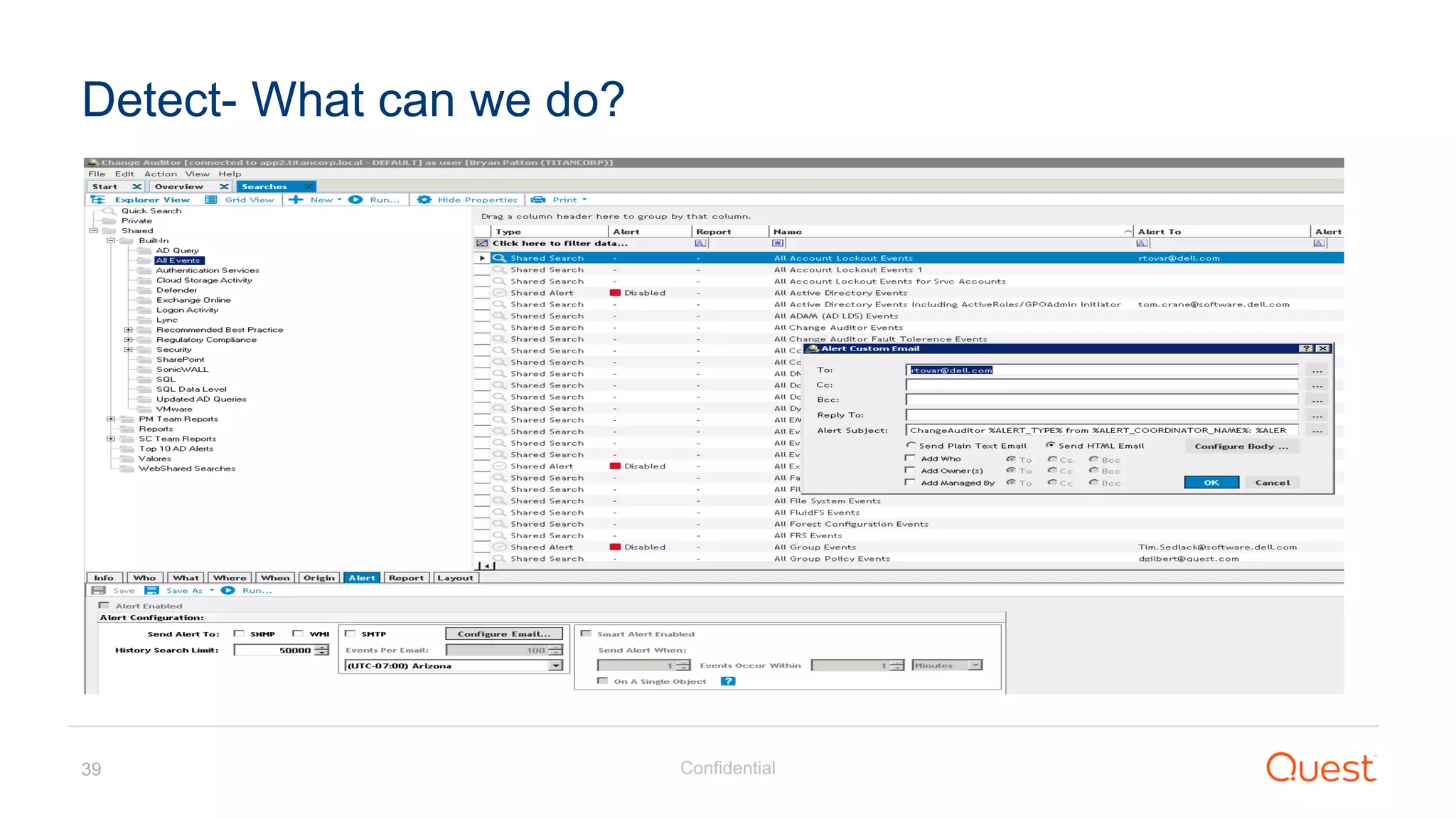
Detect- What can we do?
Confidential40
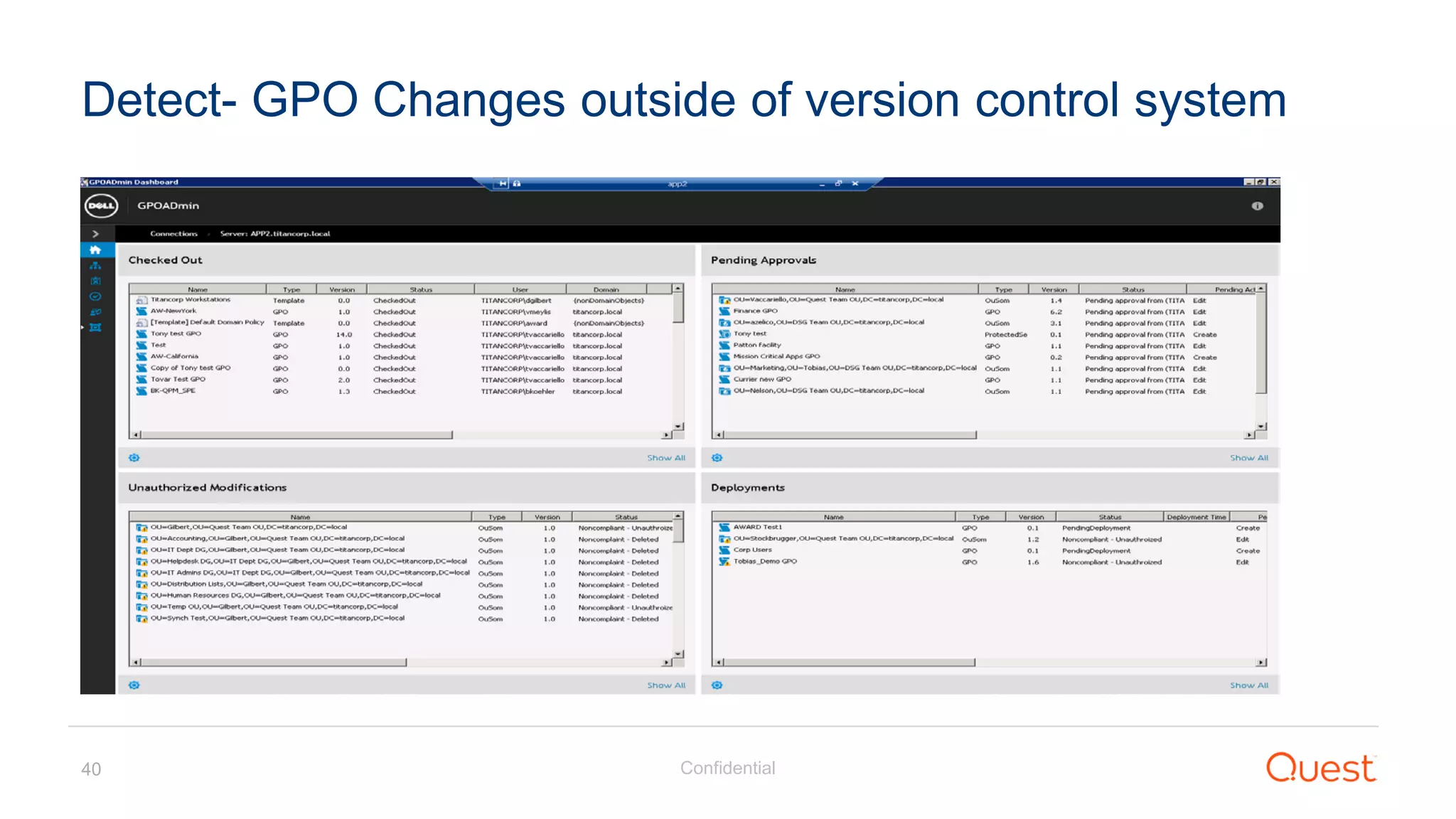
Detect- GPO Changes outside of version control system
Respond
Confidential42
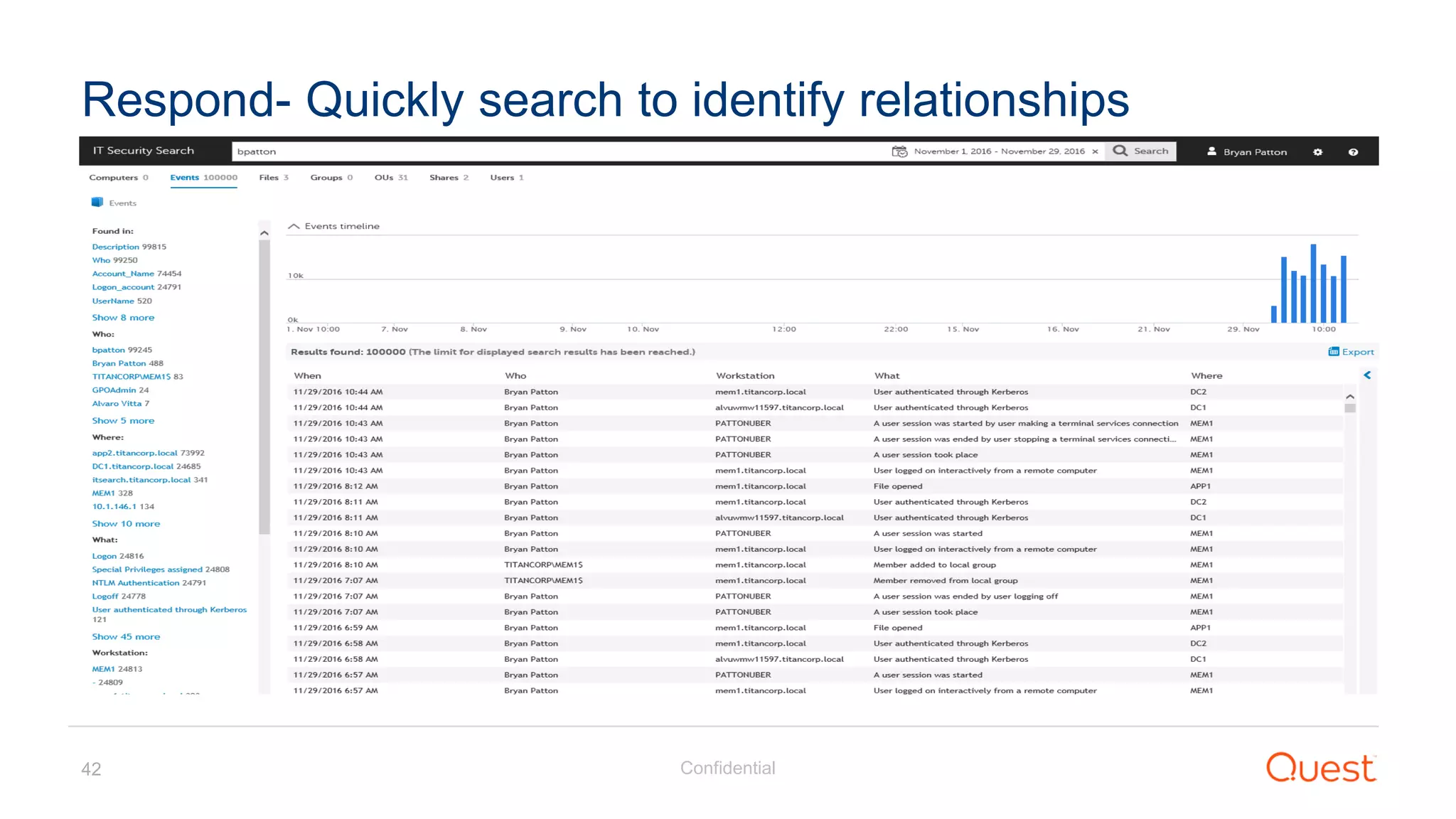
Respond- Quickly search to identify relationships
Confidential43
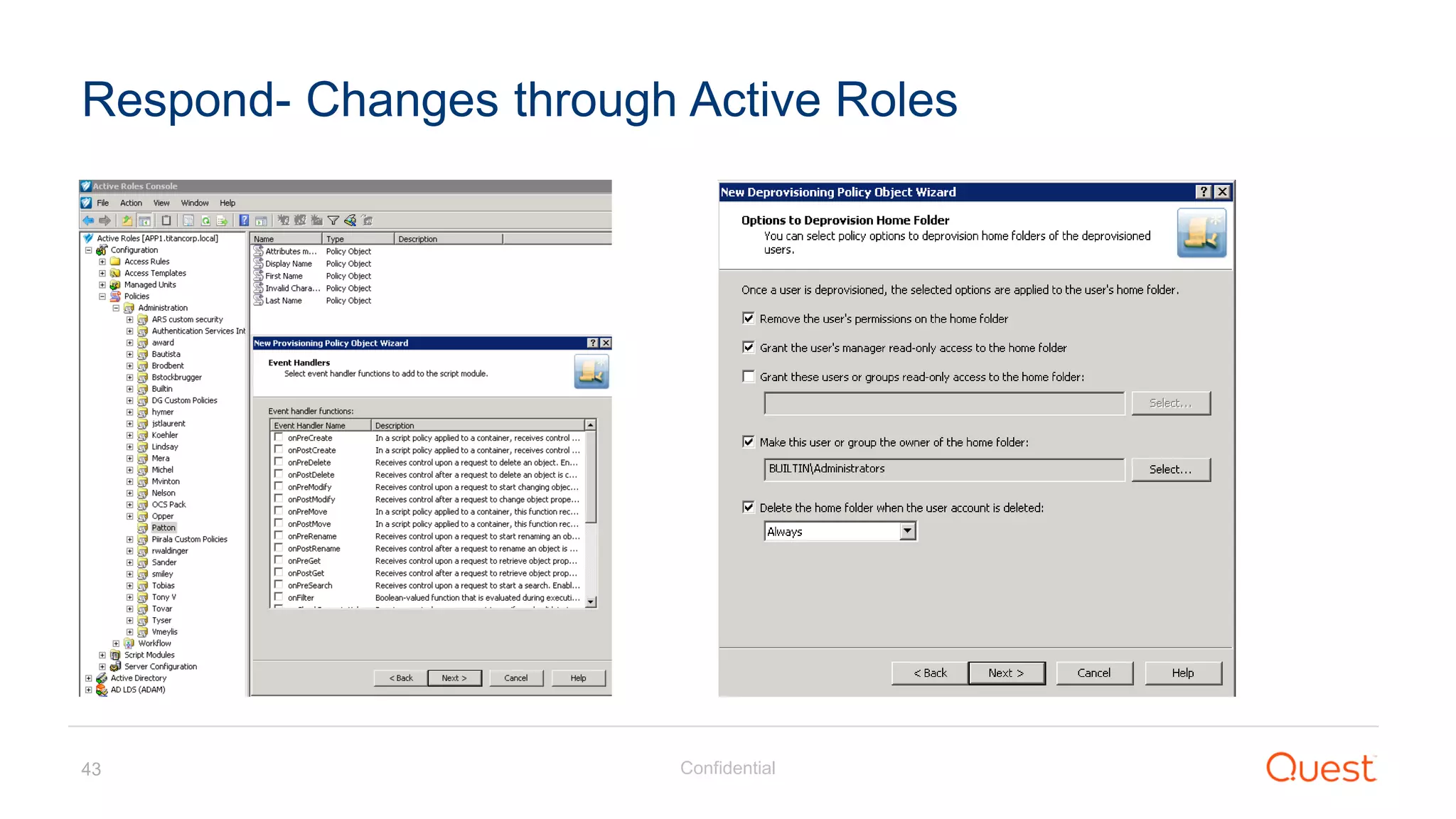
Respond- Changes through Active Roles
Confidential44
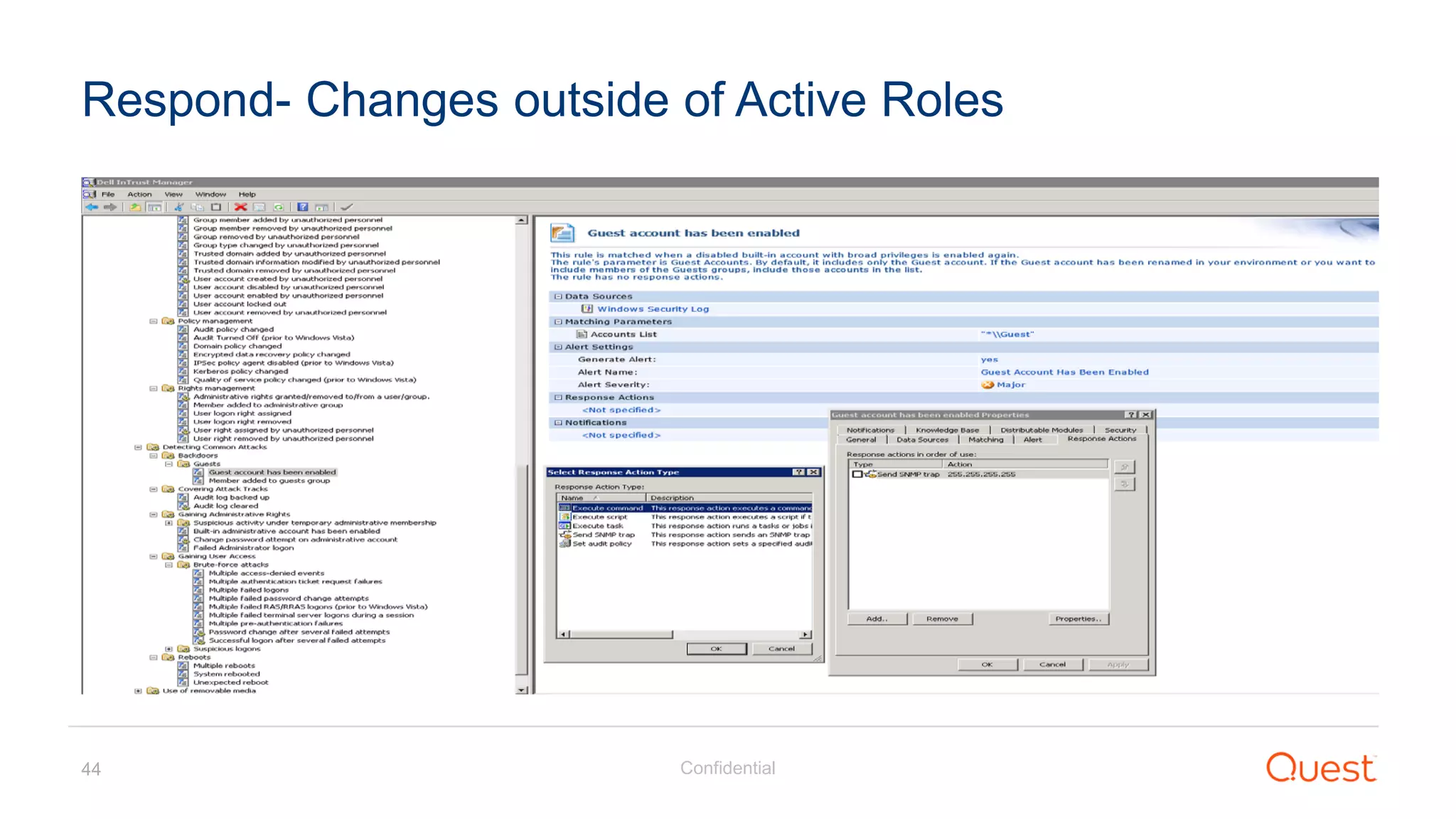
Respond- Changes outside of Active Roles
Confidential45
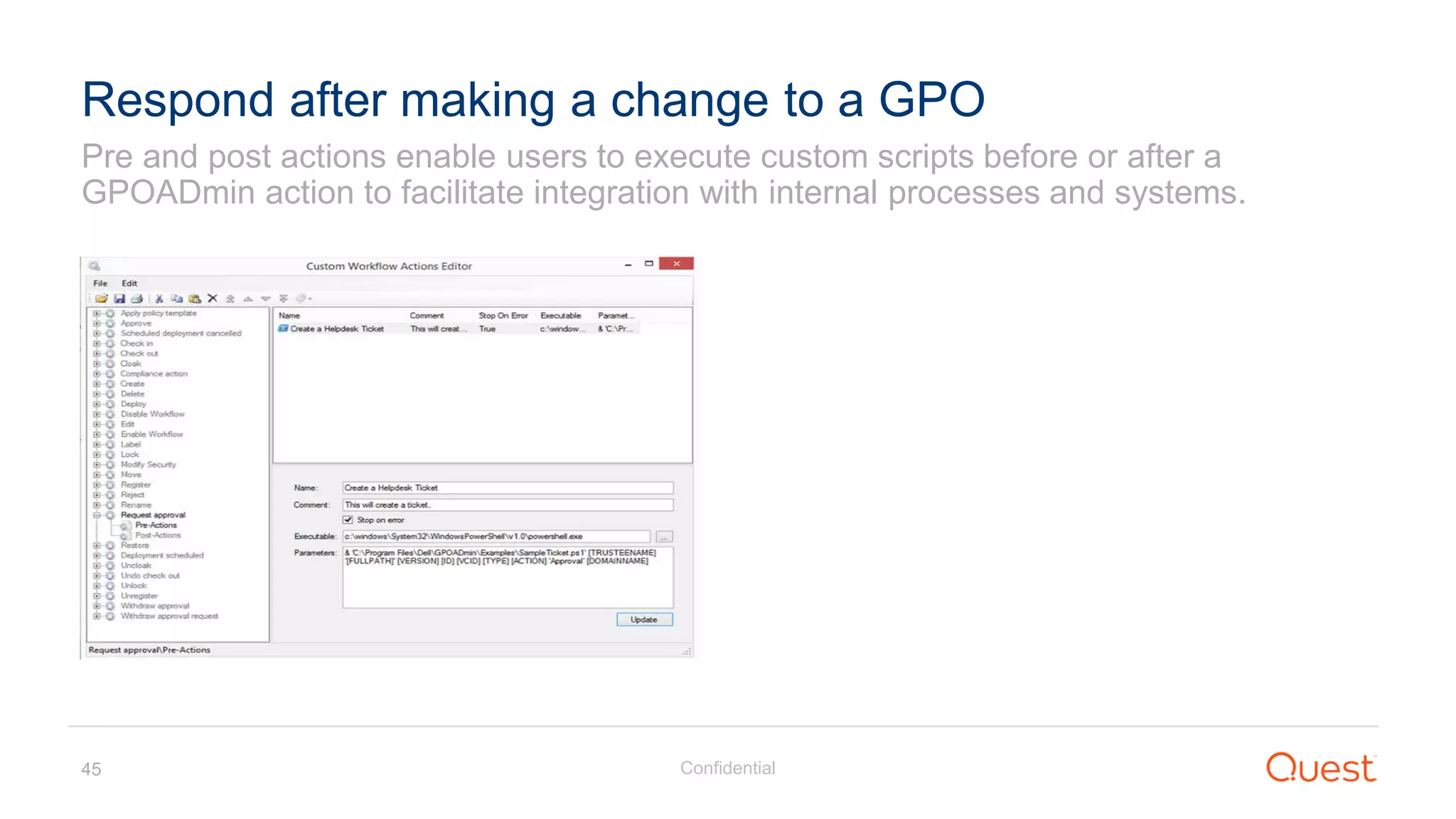
Pre and post actions enable users to execute custom scripts before or after a
GPOADmin action to facilitate integration with internal processes and systems.
Respond after making a change to a GPO
Confidential46
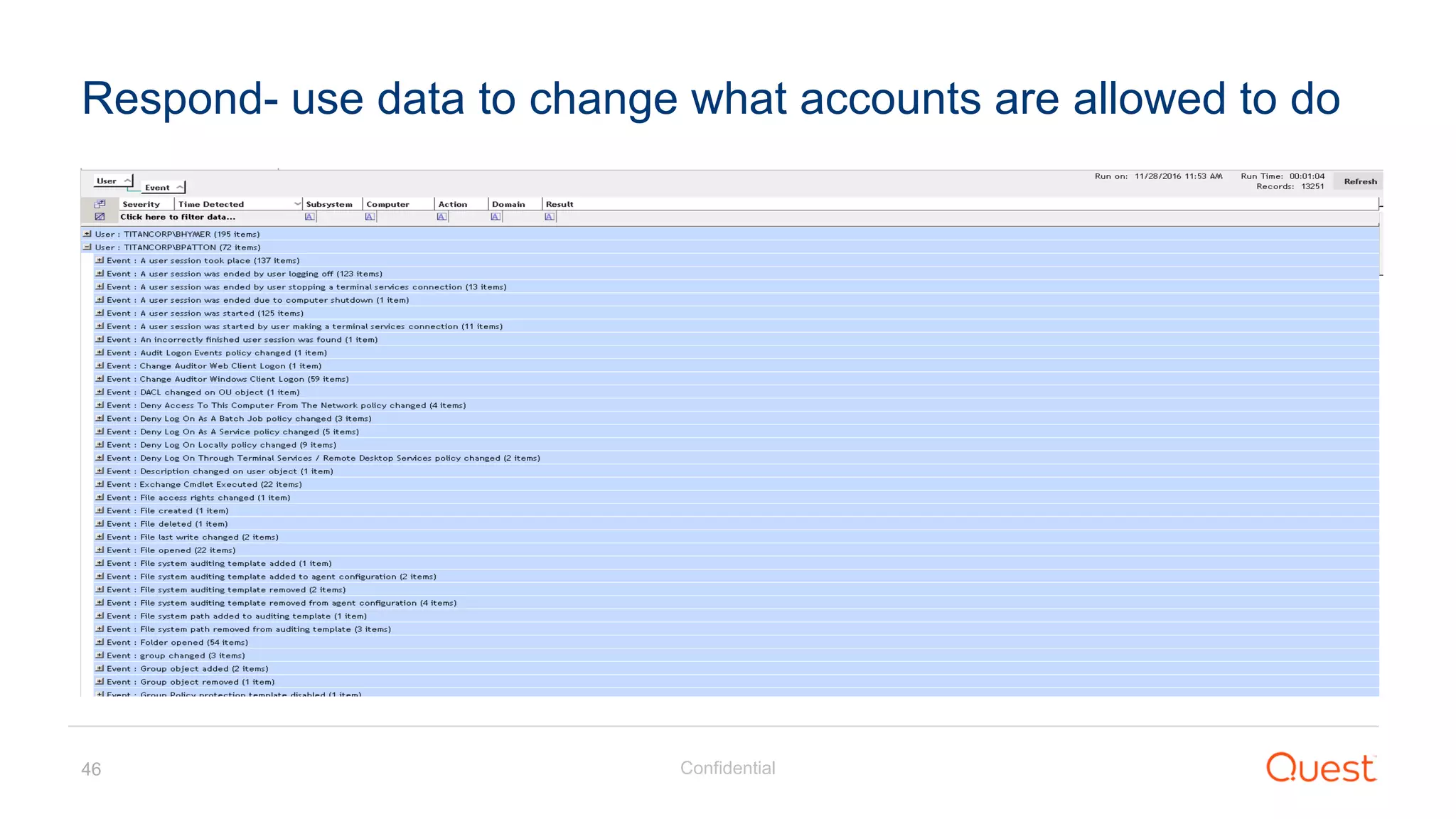
Respond- use data to change what accounts are allowed to do
Recover
Confidential48
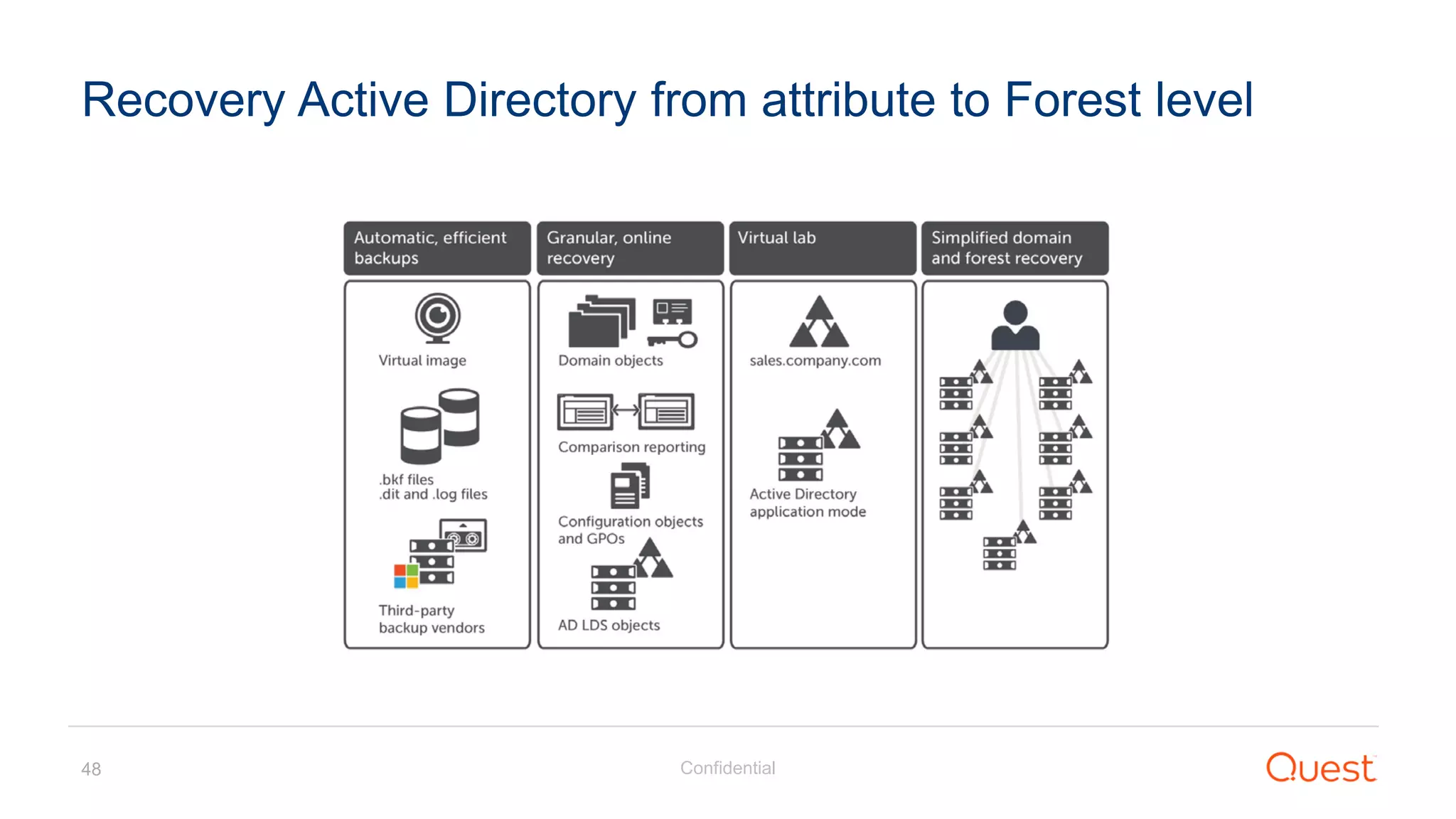
Recovery Active Directory from attribute to Forest level
Confidential49
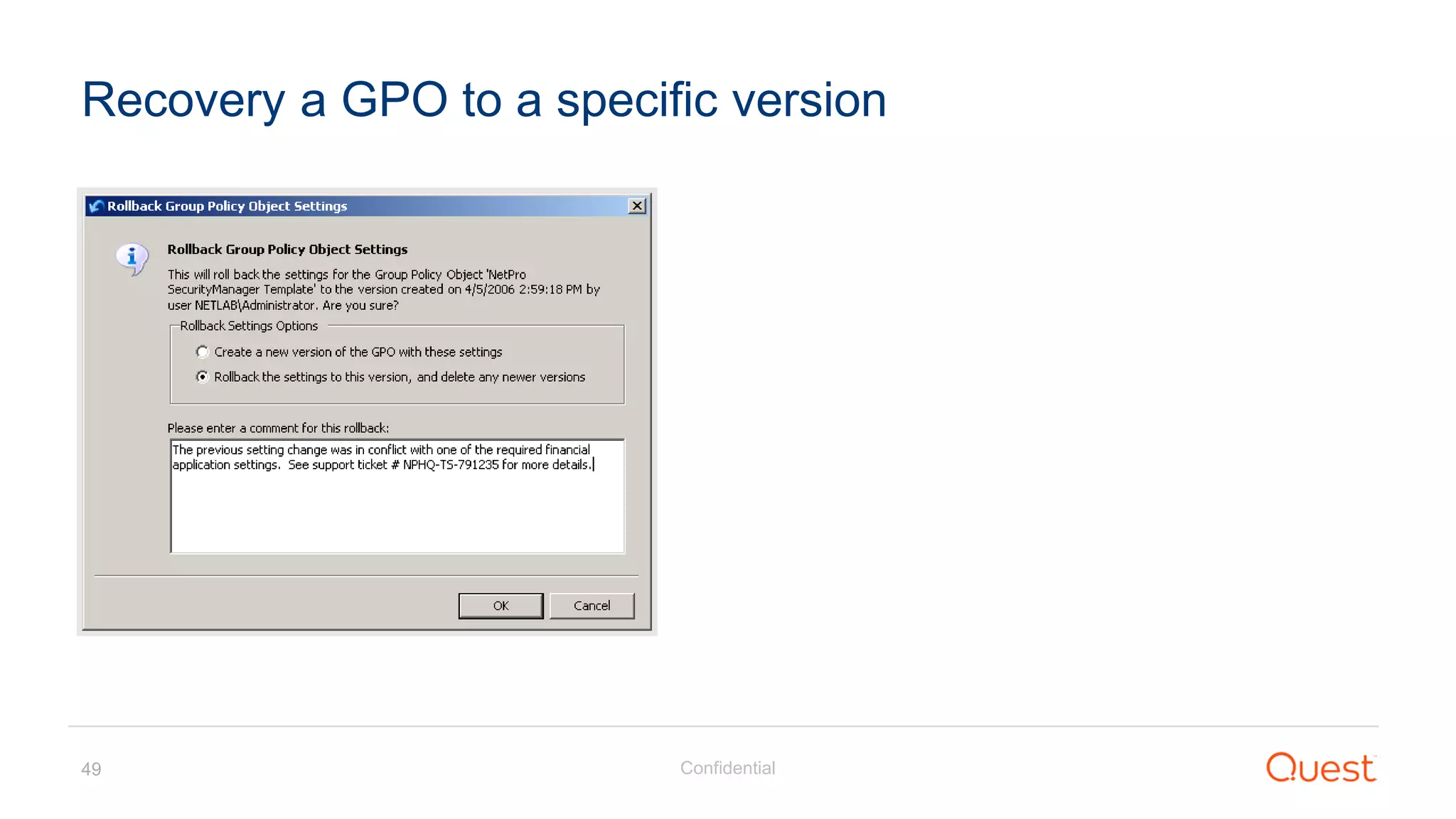
Recovery a GPO to a specific version

Understanding "Red Forest" - The 3-Tier ESAE and Alternative Ways to Protect Privileged Credentials