Understanding DDOS
      Mitigation


                                             Rishabh Dangwal
                              About me : Trivia geek, redbull addict &
Independent security enthusiastic, currently employed at Tulip Telecom
                                                    www.theprohack.com
DDOS Mitigation
 Mitigation : mit·i·ga·tion. /ˌ      ɪʃən/ Spelled[mit-i-
                               mɪtɪˌge
                      gey-shuhn] noun.

 the act of lessening the force or intensity of something


• Understanding DDOS

• Countermeasures

• Mitigation
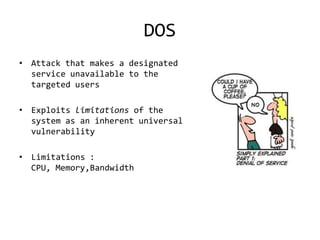
DOS
• Attack that makes a designated
  service unavailable to the
  targeted users

• Exploits limitations of the
  system as an inherent universal
  vulnerability

• Limitations :
  CPU, Memory,Bandwidth
DDOS
• Distributed DOS

• A coordinated effort

• Botnets are in fashion

• Firewalls & IPS are NOT enough

• NO 100% solution present , so you can ONLY slow it down
DDOS Continued ..
• Protocol Attacks – exploit protocol
  vulnerabilities/limitations

• Bandwidth Attacks   – overflow and consume resources
  , mostly flood attacks

• Software Attacks   – exploit network software
  architecture
Typical Countermeasures
•   SYN Proxy
•   Limiting Number of Connections
•   Aggressive Aging
•   Source Rate Limiting
•   Dynamic Filtering
•   Active Verification
•   Anomaly Recognition
•   Granular Rate limiting
•   Whitelisting/Blacklisting
•   Dark Address Prevention
How DDOS Mitigation
             solutions work ?
• Monitor

• Identify

• Mitigate
Monitor
• Devices are generally added to monitoring
  sensors/servers/software via SNMP polling/BGP peering

• Traffic thresholds are set

• Devices..are monitored

• Incase of trouble, alerts are generated
Identify
• Traffic is identified and profiled according to set
  parameters, configurations and algorithms

• Once identified , identify type of attack

• Protocol misuse – DNS / ICMP /TCP Null / TCP RST
  Flood, IP fragment

• Bandwidth misuse
Typical Parameters
•   Advanced Boolean Match / AS Path Reg exp – by using Regular
    expressing matching in traffic or on AS Path field of BGP

•   CIDR – traffic identification using by network prefixes and
    CIDR blocks

•   BGP Communities – traffic identification using BGP
    Communities.

•   Physical Interfaces – traffic identification by monitoring
    router’s physical interface through which the traffic is
    passing.

•   Peer ASNs & Local ASN/Sub AS – traffic identification by using
    peer AS numbers field of BGP or by using Local or Sub AS
    Numbers for the network.
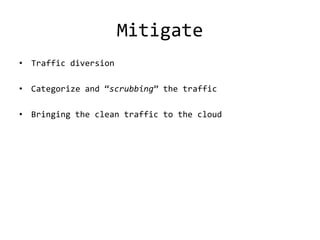
Mitigate
• Traffic diversion

• Categorize and “scrubbing” the traffic

• Bringing the clean traffic to the cloud
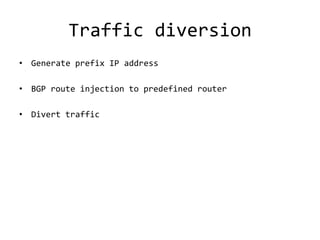
Traffic diversion
• Generate prefix IP address

• BGP route injection to predefined router

• Divert traffic
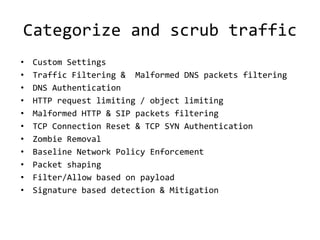
Categorize and scrub traffic
•   Custom Settings
•   Traffic Filtering & Malformed DNS packets filtering
•   DNS Authentication
•   HTTP request limiting / object limiting
•   Malformed HTTP & SIP packets filtering
•   TCP Connection Reset & TCP SYN Authentication
•   Zombie Removal
•   Baseline Network Policy Enforcement
•   Packet shaping
•   Filter/Allow based on payload
•   Signature based detection & Mitigation
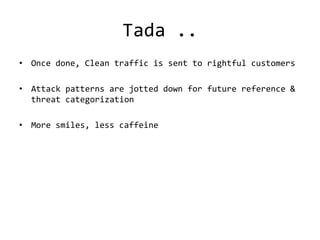
Tada ..
• Once done, Clean traffic is sent to rightful customers

• Attack patterns are jotted down for future reference &
  threat categorization

• More smiles, less caffeine
Questions ?
Thank You :]
feedback appreciated at admin@theprohack.com

Understanding DDOS Mitigation by Rishabh Dangwal - www.theprohack.com

  • 1.
    Understanding DDOS Mitigation Rishabh Dangwal About me : Trivia geek, redbull addict & Independent security enthusiastic, currently employed at Tulip Telecom www.theprohack.com
  • 2.
    DDOS Mitigation Mitigation: mit·i·ga·tion. /ˌ ɪʃən/ Spelled[mit-i- mɪtɪˌge gey-shuhn] noun. the act of lessening the force or intensity of something • Understanding DDOS • Countermeasures • Mitigation
  • 3.
    DOS • Attack thatmakes a designated service unavailable to the targeted users • Exploits limitations of the system as an inherent universal vulnerability • Limitations : CPU, Memory,Bandwidth
  • 4.
    DDOS • Distributed DOS •A coordinated effort • Botnets are in fashion • Firewalls & IPS are NOT enough • NO 100% solution present , so you can ONLY slow it down
  • 5.
    DDOS Continued .. •Protocol Attacks – exploit protocol vulnerabilities/limitations • Bandwidth Attacks – overflow and consume resources , mostly flood attacks • Software Attacks – exploit network software architecture
  • 6.
    Typical Countermeasures • SYN Proxy • Limiting Number of Connections • Aggressive Aging • Source Rate Limiting • Dynamic Filtering • Active Verification • Anomaly Recognition • Granular Rate limiting • Whitelisting/Blacklisting • Dark Address Prevention
  • 7.
    How DDOS Mitigation solutions work ? • Monitor • Identify • Mitigate
  • 8.
    Monitor • Devices aregenerally added to monitoring sensors/servers/software via SNMP polling/BGP peering • Traffic thresholds are set • Devices..are monitored • Incase of trouble, alerts are generated
  • 9.
    Identify • Traffic isidentified and profiled according to set parameters, configurations and algorithms • Once identified , identify type of attack • Protocol misuse – DNS / ICMP /TCP Null / TCP RST Flood, IP fragment • Bandwidth misuse
  • 10.
    Typical Parameters • Advanced Boolean Match / AS Path Reg exp – by using Regular expressing matching in traffic or on AS Path field of BGP • CIDR – traffic identification using by network prefixes and CIDR blocks • BGP Communities – traffic identification using BGP Communities. • Physical Interfaces – traffic identification by monitoring router’s physical interface through which the traffic is passing. • Peer ASNs & Local ASN/Sub AS – traffic identification by using peer AS numbers field of BGP or by using Local or Sub AS Numbers for the network.
  • 11.
    Mitigate • Traffic diversion •Categorize and “scrubbing” the traffic • Bringing the clean traffic to the cloud
  • 12.
    Traffic diversion • Generateprefix IP address • BGP route injection to predefined router • Divert traffic
  • 13.
    Categorize and scrubtraffic • Custom Settings • Traffic Filtering & Malformed DNS packets filtering • DNS Authentication • HTTP request limiting / object limiting • Malformed HTTP & SIP packets filtering • TCP Connection Reset & TCP SYN Authentication • Zombie Removal • Baseline Network Policy Enforcement • Packet shaping • Filter/Allow based on payload • Signature based detection & Mitigation
  • 14.
    Tada .. • Oncedone, Clean traffic is sent to rightful customers • Attack patterns are jotted down for future reference & threat categorization • More smiles, less caffeine
  • 15.
  • 16.
    Thank You :] feedbackappreciated at admin@theprohack.com