Inspire Create Love
โ€ข Interface Designers are mind readers.
โ€ข Enchant users life.
โ€ข Inspire yourself, youโ€™re creative by birth.
โ€ข Mimicking Designs from other platforms is bad.
โ€ข Be creative and native.
โ€ข Think interaction. Itโ€™s not so hard.๏Š
โ€ข Yeah! Your app will run responsive.
โ€ข Most important ! Have fun. Seriously Having Fun is the best way.
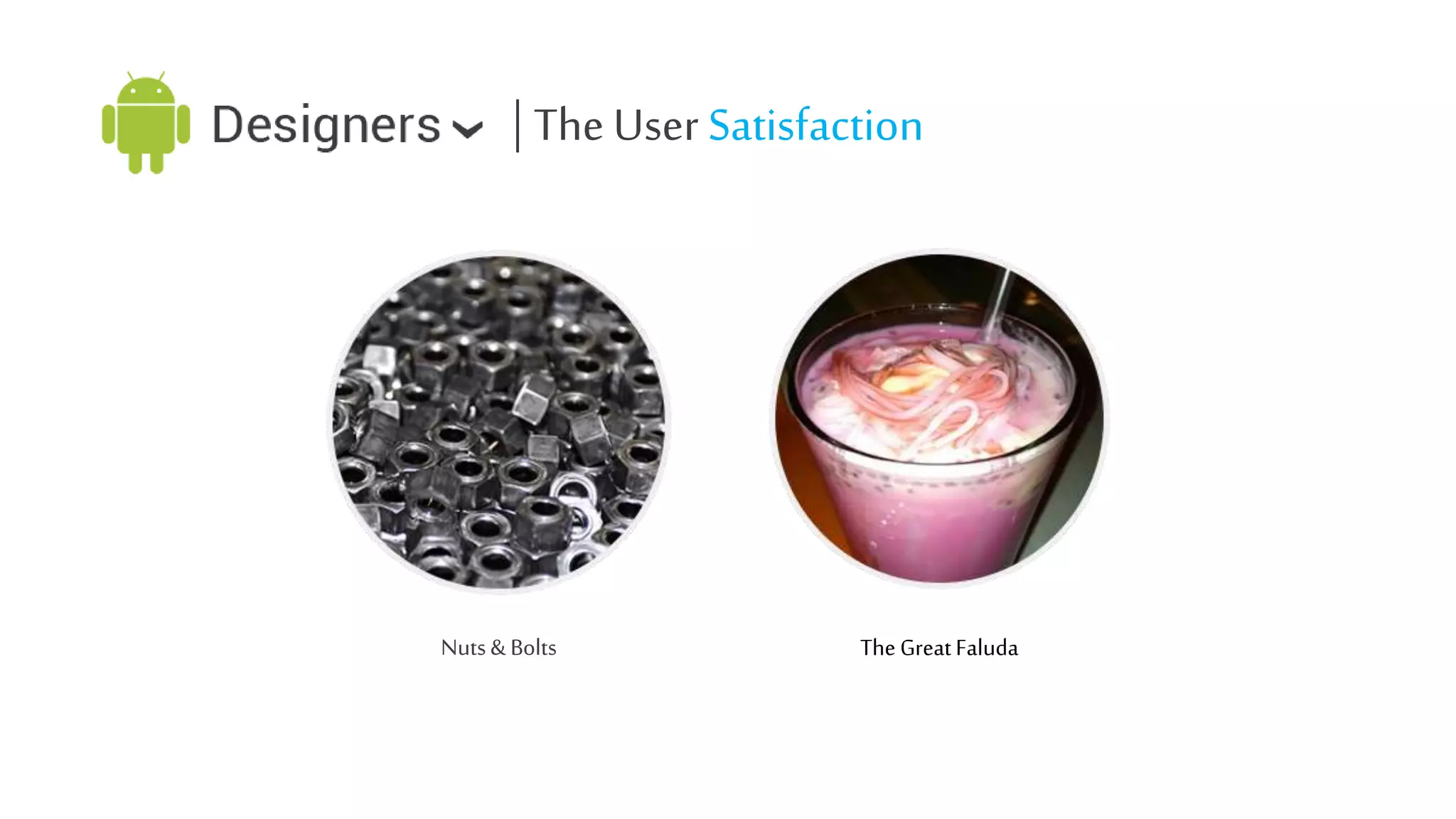
| The User Satisfaction

Nuts & Bolts

The Great Faluda
| Android Design Principles
โ€ข
โ€ข
โ€ข
โ€ข
โ€ข
โ€ข
โ€ข
โ€ข
โ€ข
โ€ข
โ€ข

Objects are fun than Buttons
Get to know me.
Keep it brief please.
10,000 words = 1 image.
Try not to confuse me.
Never loose my stuff.
If it looks same, it should act same.
Give me the way I am used to interact.
I donโ€™t want any terms that I wont understand.
Lets split & be amazing.
Important is always important.
| Brief UI overview
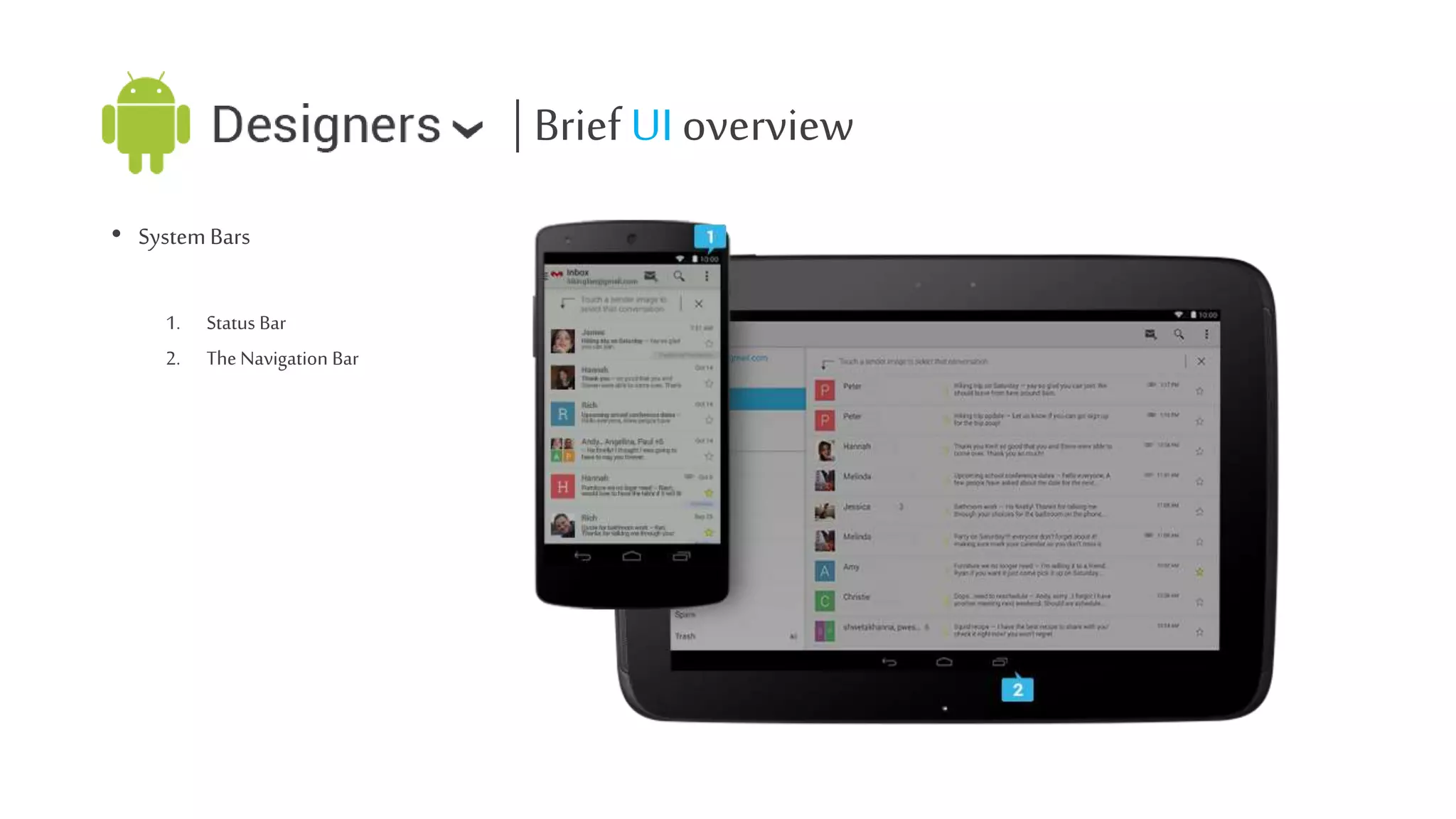
โ€ข System Bars
1.
2.

Status Bar
The Navigation Bar
| Brief UI overview
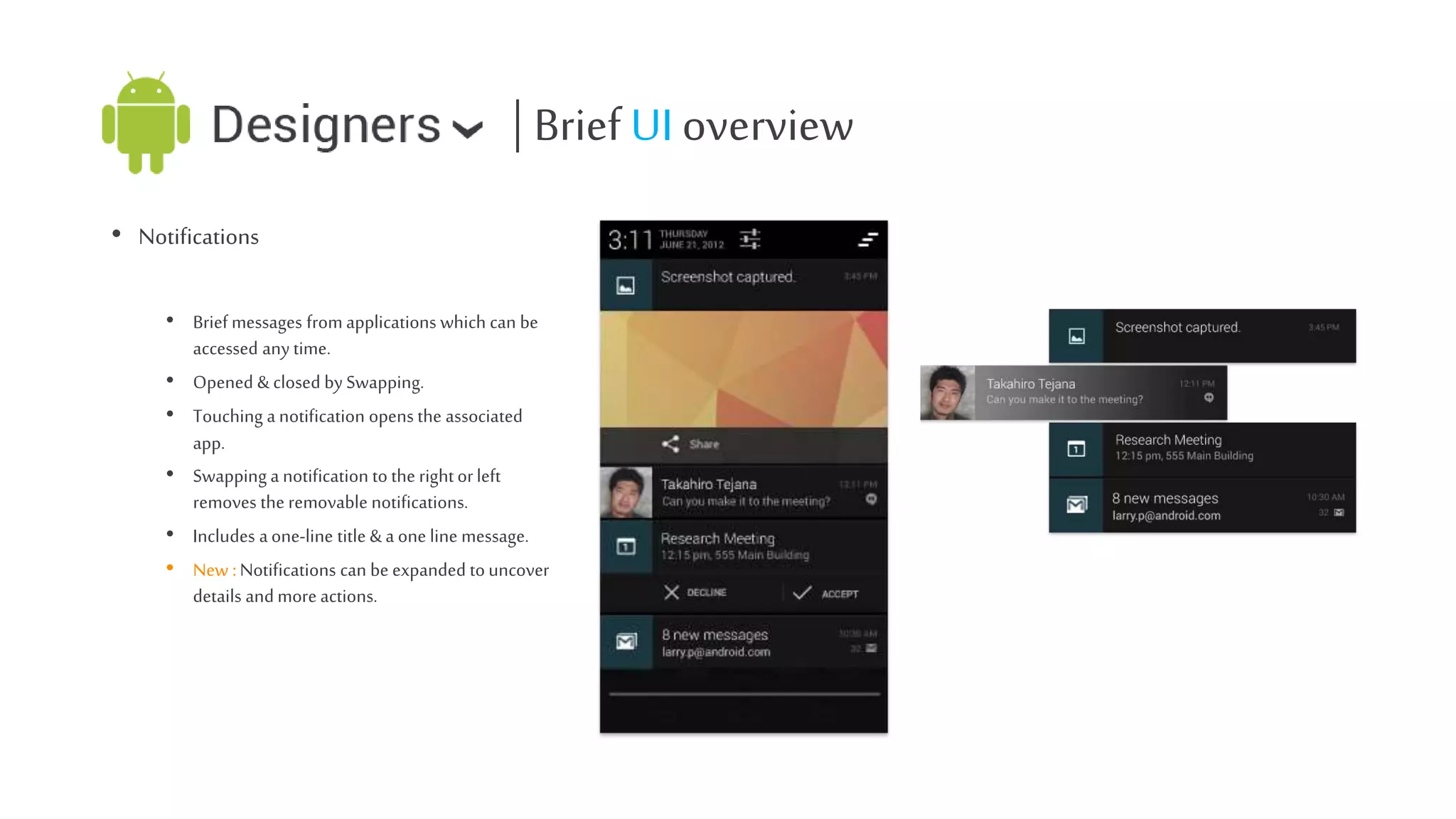
โ€ข Notifications
โ€ข Brief messages from applications which can be
accessed any time.
โ€ข Opened & closed by Swapping.
โ€ข Touching a notification opens the associated
app.
โ€ข Swapping a notification to the right or left
removes the removable notifications.
โ€ข Includes a one-line title & a one line message.
โ€ข New : Notifications can be expanded to uncover
details and more actions.
| Brief UI overview
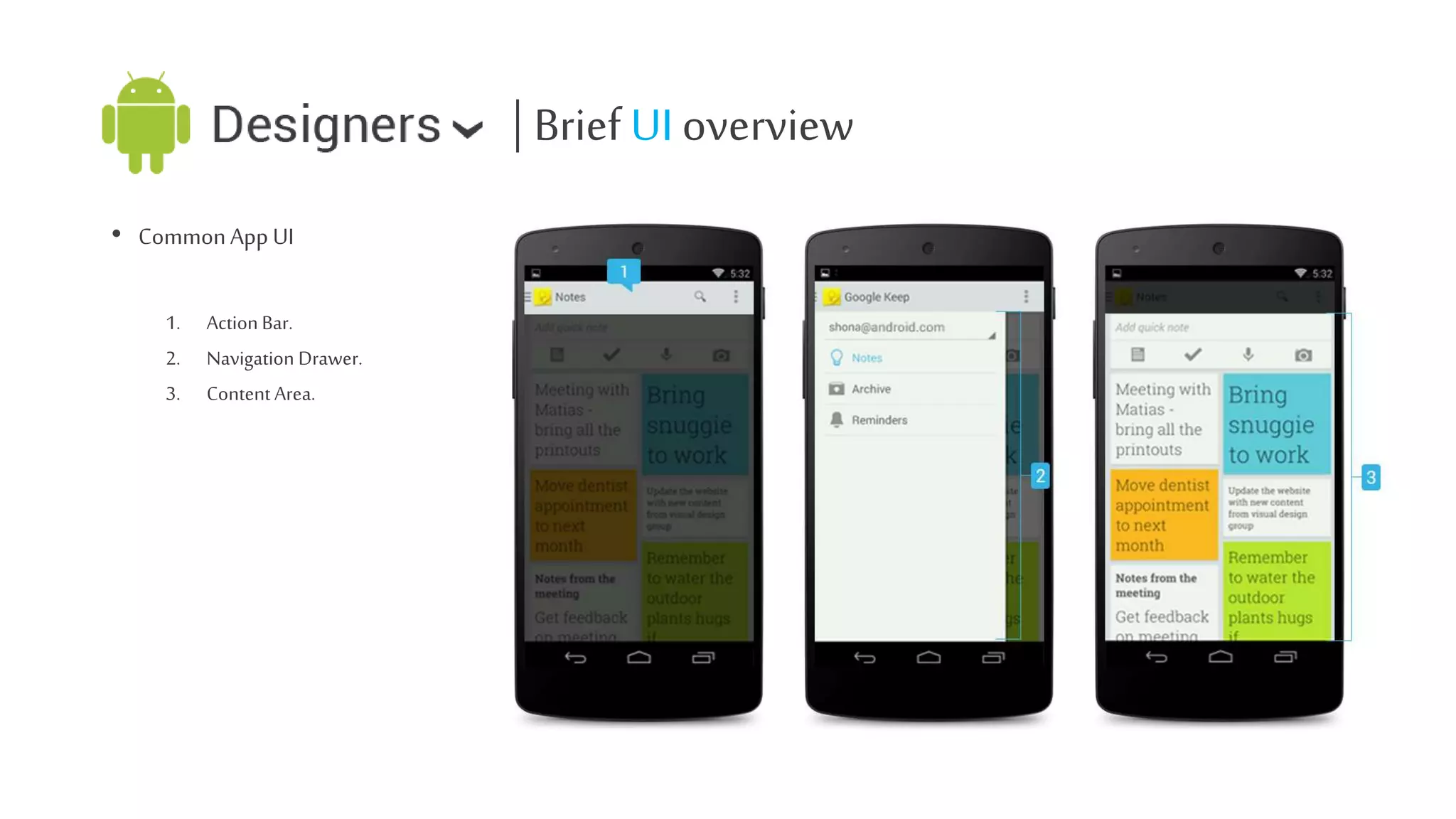
โ€ข Common App UI
1.
2.
3.

Action Bar.
Navigation Drawer.
Content Area.
Cool ! We know how it Works!
But now we gonna learn how to design it.
| Design the App
โ€ข Get some inspiration First.
โ€ข Think your concept & Features.
โ€ข Draw an wireframe.
โ€ข Communicate with teammates.

โ€ข Icons.
โ€ข Design a draft prototype.
โ€ข Fixes, improvements, brainstorming.
โ€ข Final prototype
| Getting Knowledge & Inspiration
โ€ข Get some popular apps installed on your android.
โ€ข Discover the interactions, Experience android with fun.
โ€ข Do a search using android UI/UX related keyword.
โ€ข developer.android.com.
โ€ข behance.net.
โ€ข dribble.com.
โ€ข Stay updated.
| Concept is up to you
โ€ข Think of the information's & APIโ€™s.
โ€ข What hardware you can use from your android ?
โ€ข Who will be the user ?
| Paperwork! Wireframes
โ€ข Pencils, UI grid sheet/ Graph papers.
โ€ข How other app work ?
โ€ข Options, Layout, Buttons. Yes ! You are right, the design principle comes handy.
โ€ข Pick the common resolution, think of the other resolution.
โ€ข At least boxes & text drawing skill. :P
| Applications, Tools, Resources
โ€ข
โ€ข
โ€ข
โ€ข

A pc or mac with mid range configuration.
An active internet connection.
Self Confidence.
Adobe apps (Minimum CS3) or Any mock-up prototyping tools like
โ€ข Adobe Photoshop
โ€ข Adobe Illustrator
โ€ข Adobe Fireworks

โ€ข Little knowledge about designing.
โ€ข Design Stencils, fonts, icon pack.
(http://developer.android.com/design/downloads/index.html)
โ€ข Building Blocks
(http://developer.android.com/design/building-blocks/)
| Measurements

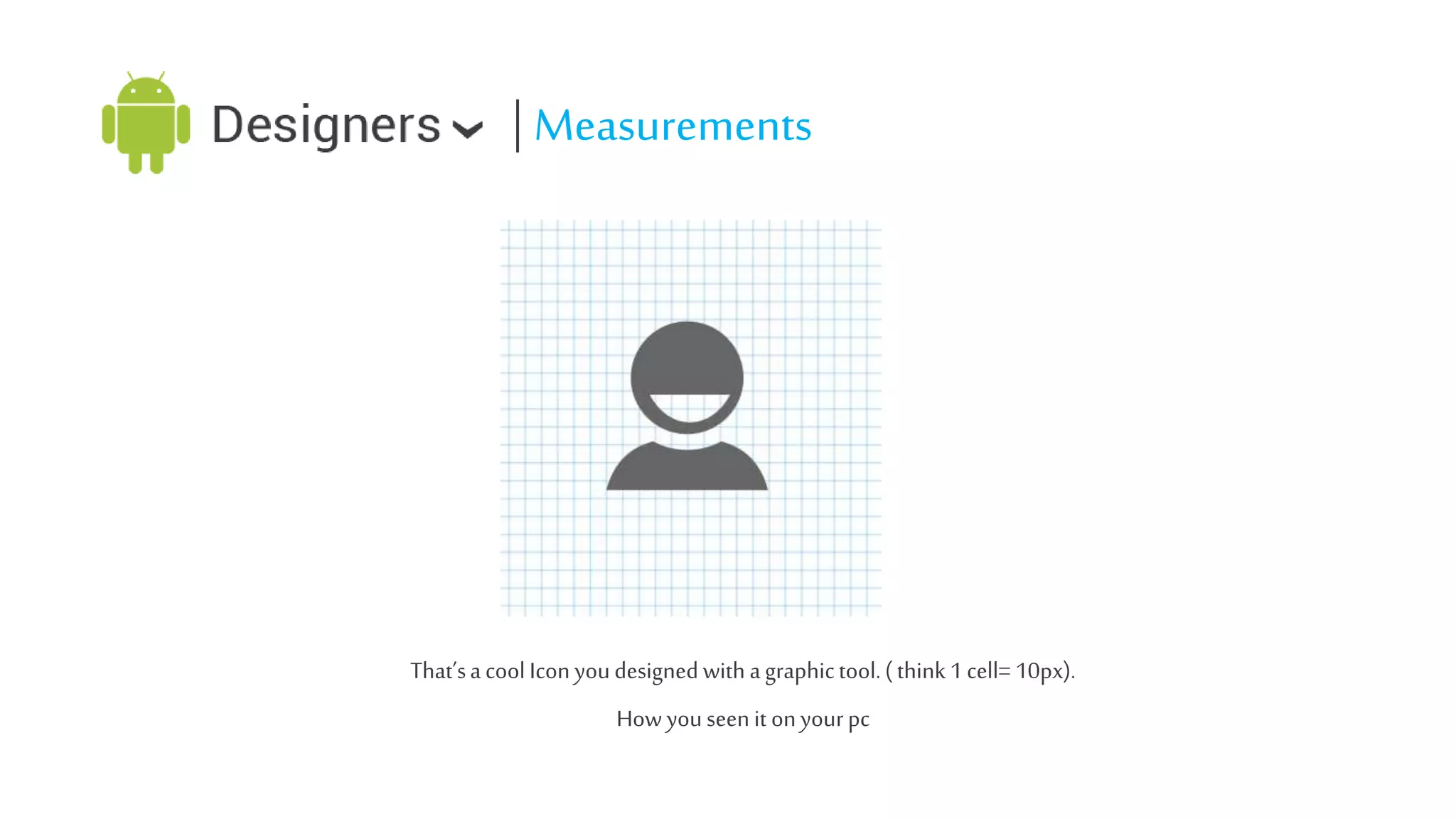
Thatโ€™s a cool Icon you designed with a graphic tool. ( think 1 cell= 10px).
How you seen it on your pc
| Measurements
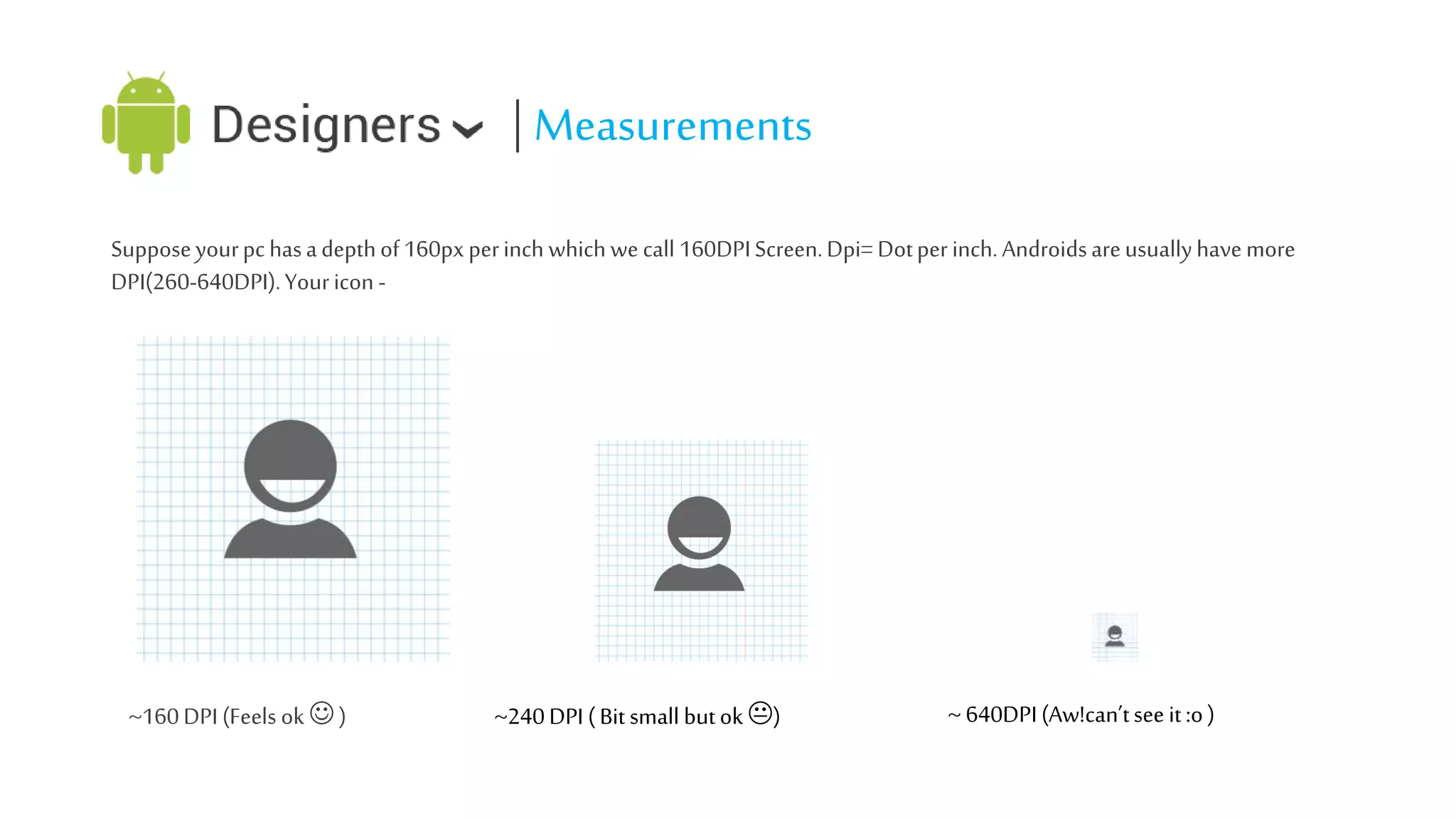
Suppose your pc has a depth of 160px per inch which we call 160DPI Screen. Dpi= Dot per inch. Androids are usually have more
DPI(260-640DPI). Your icon -

~160 DPI (Feels ok ๏Š )

~240 DPI ( Bit small but ok ๏‹)

~ 640DPI (Aw!canโ€™t see it :o )
| Possible Solution?
โ€ข Vector!!! Maybe!! But How android will understand what to show ?
โ€ข Yeah! We need a density independent unit. Which will understand what to show.

โ€ข Actually we got two of them.
โ€ข DP = DIP = Density Independent Pixel. ( Used for all type of graphics)
โ€ข SP = SIP = Scale Independent Pixel. ( Used for fonts )
| Measurements
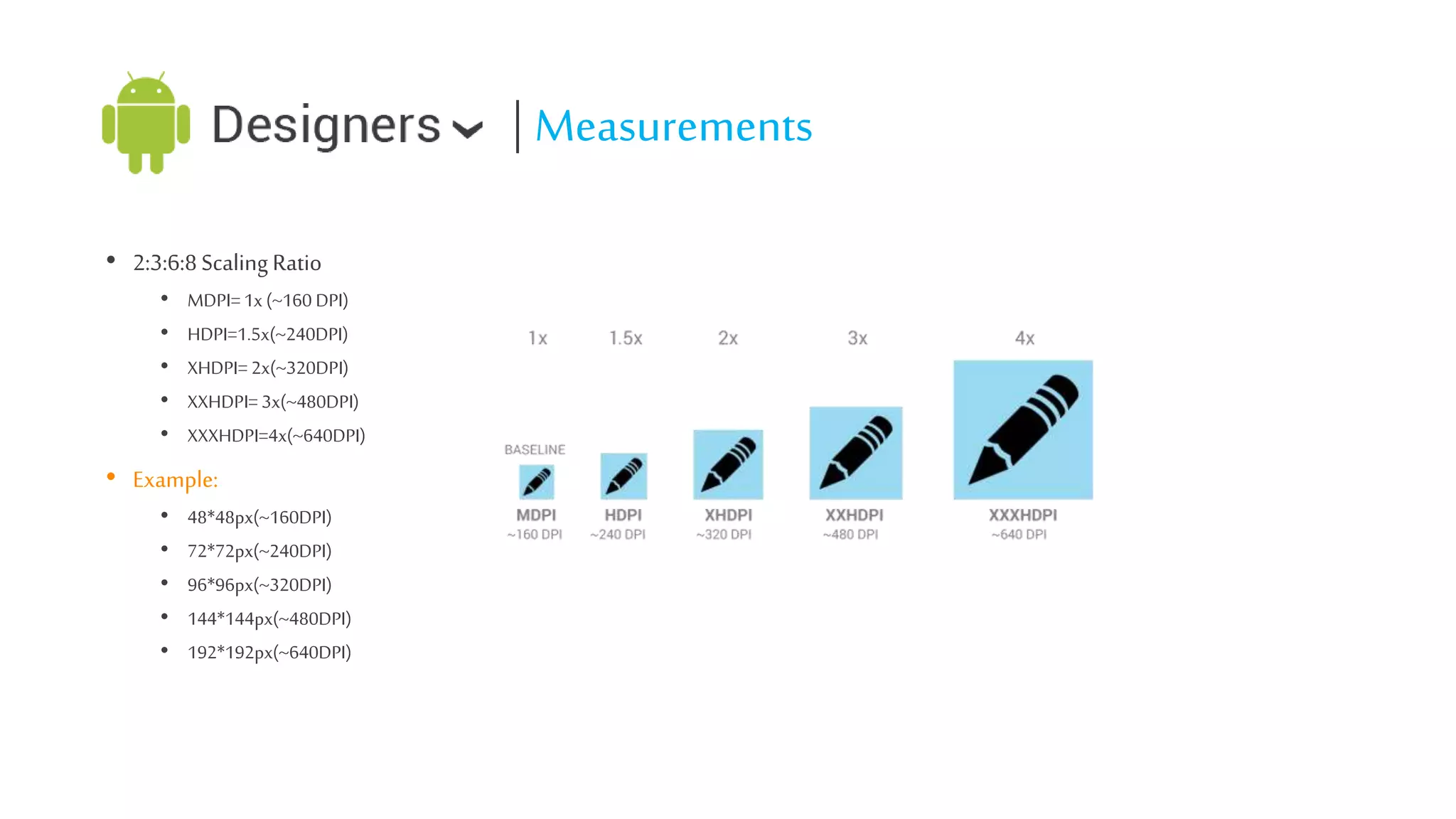
โ€ข 2:3:6:8 Scaling Ratio
โ€ข
โ€ข
โ€ข
โ€ข
โ€ข

MDPI= 1x (~160 DPI)
HDPI=1.5x(~240DPI)
XHDPI= 2x(~320DPI)
XXHDPI= 3x(~480DPI)
XXXHDPI=4x(~640DPI)

โ€ข Example:
โ€ข
โ€ข
โ€ข
โ€ข
โ€ข

48*48px(~160DPI)
72*72px(~240DPI)
96*96px(~320DPI)
144*144px(~480DPI)
192*192px(~640DPI)
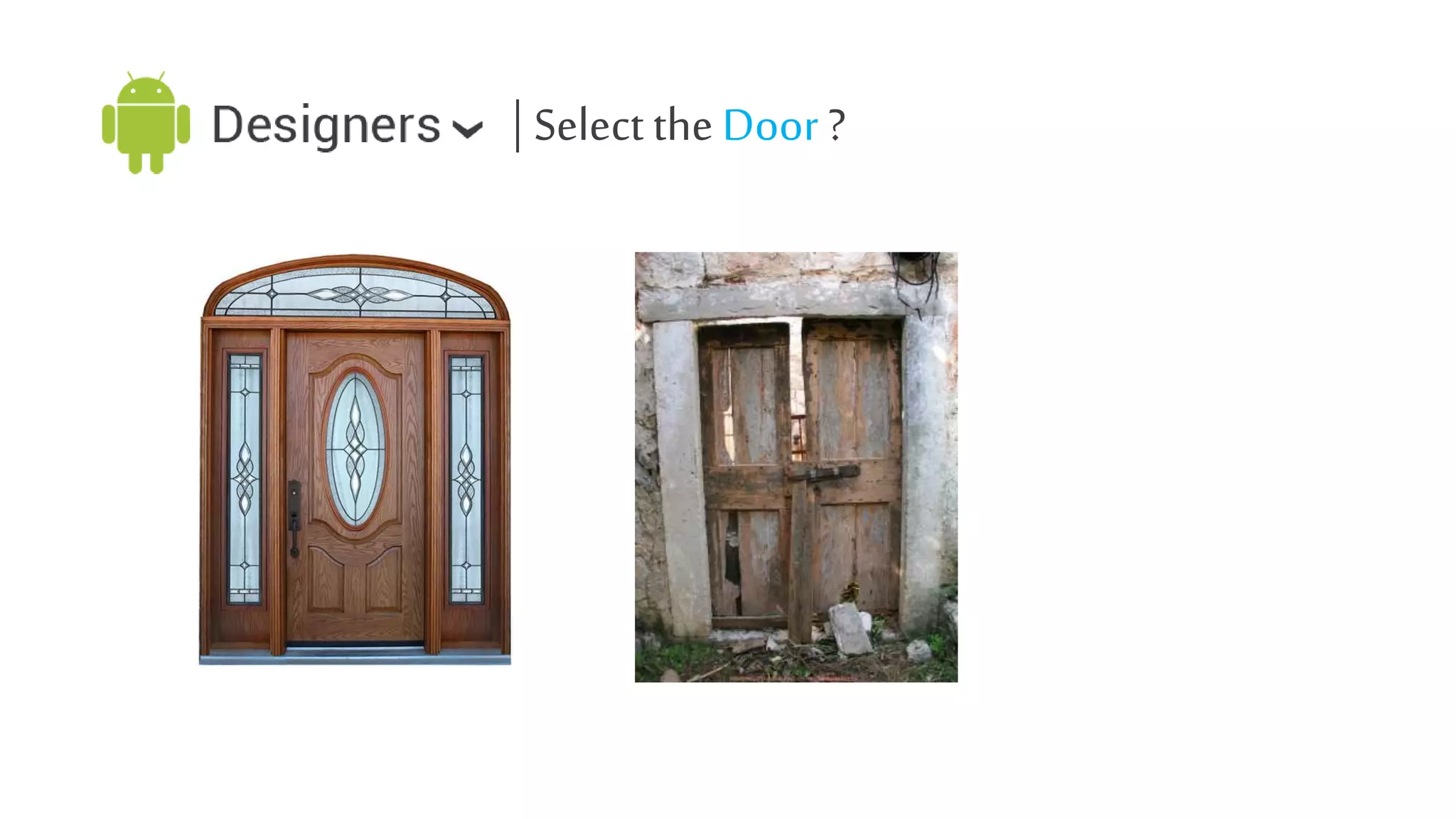
| Select the Door ?
| Icons
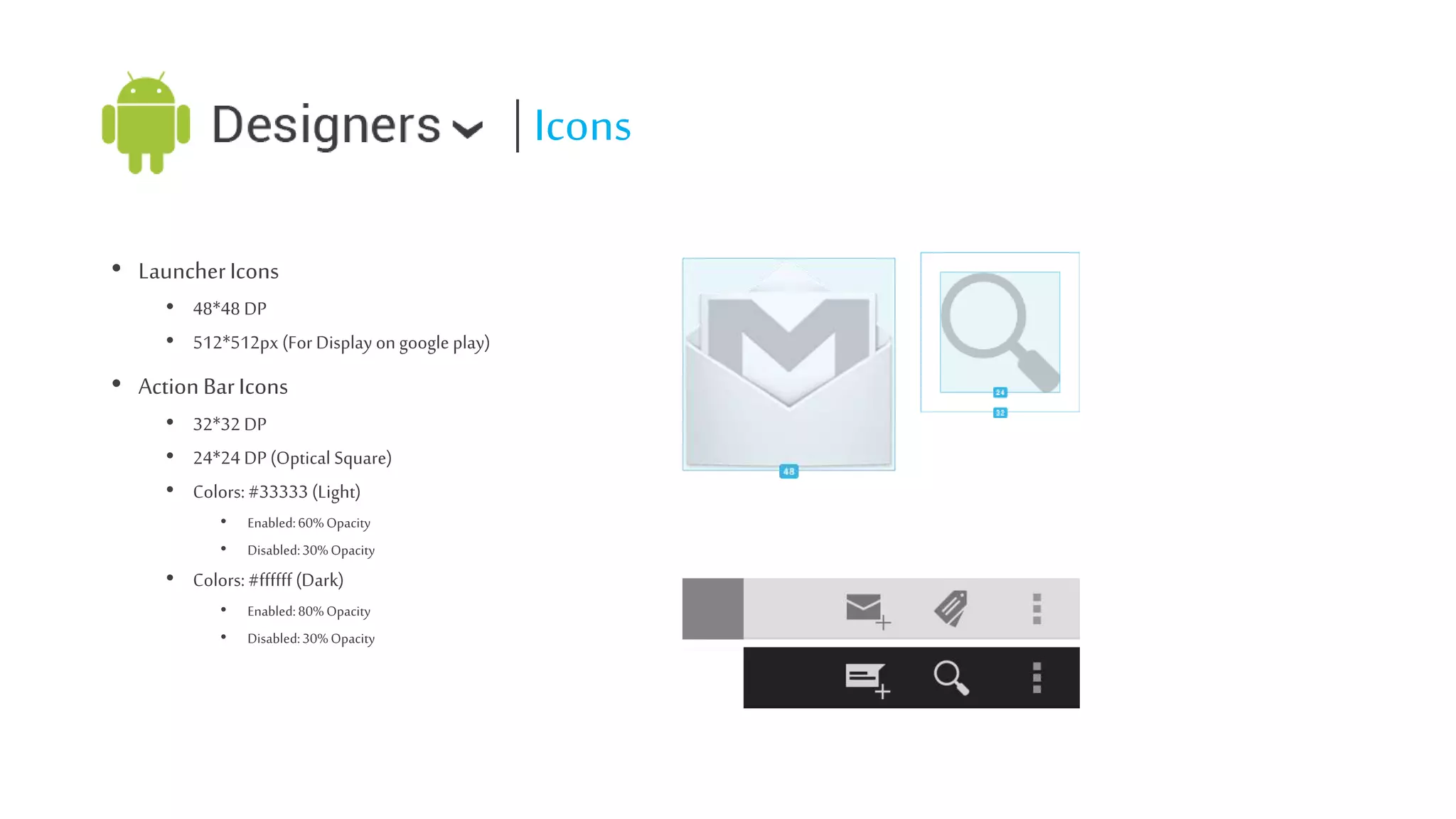
โ€ข Launcher Icons
โ€ข 48*48 DP
โ€ข 512*512px (For Display on google play)

โ€ข Action Bar Icons
โ€ข 32*32 DP
โ€ข 24*24 DP (Optical Square)
โ€ข Colors: #33333 (Light)
โ€ข
โ€ข

Enabled: 60% Opacity
Disabled: 30% Opacity

โ€ข Colors: #ffffff (Dark)
โ€ข
โ€ข

Enabled: 80% Opacity
Disabled: 30% Opacity
| Icons
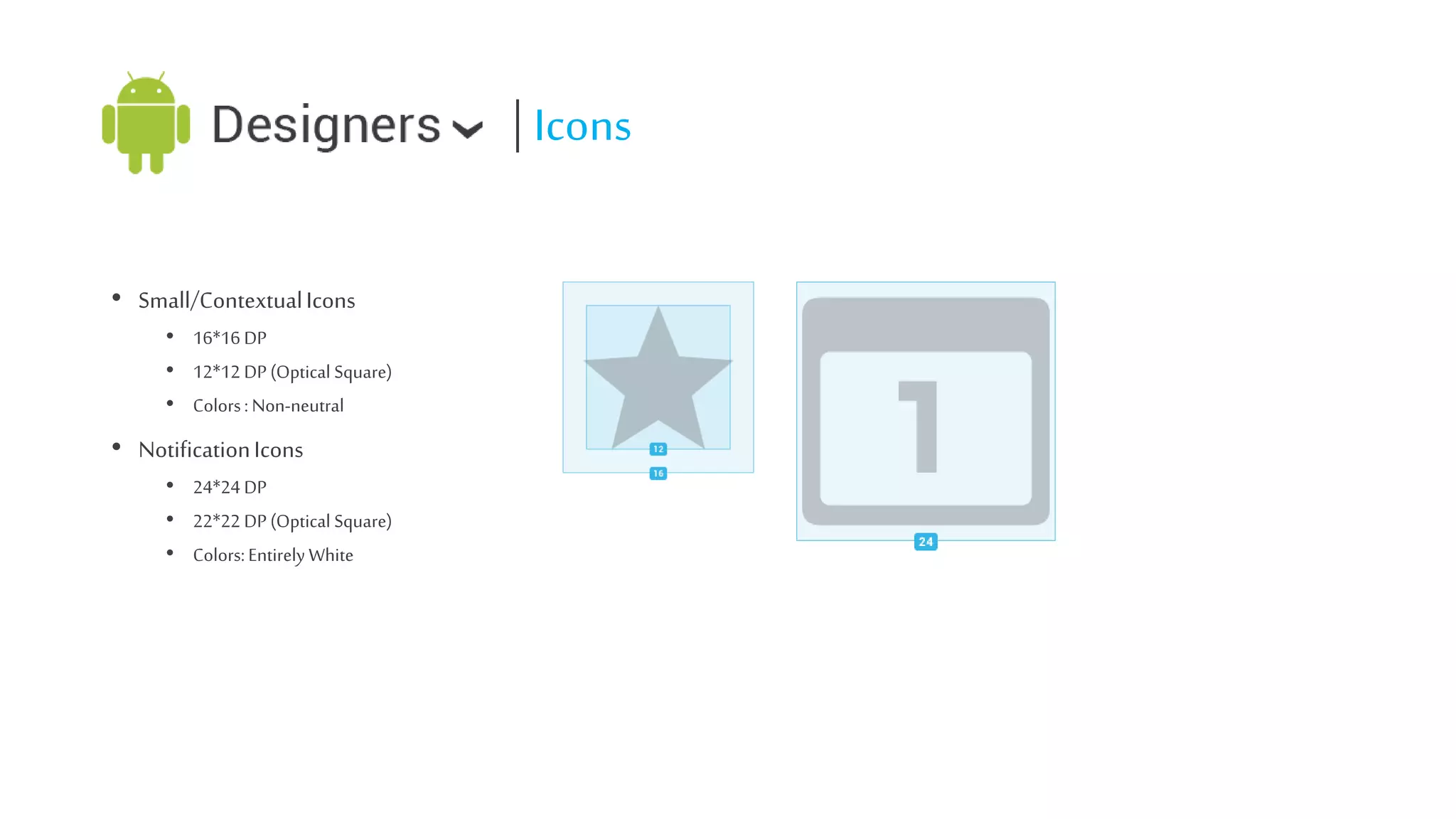
โ€ข Small/Contextual Icons
โ€ข 16*16 DP
โ€ข 12*12 DP (Optical Square)
โ€ข Colors : Non-neutral

โ€ข Notification Icons
โ€ข 24*24 DP
โ€ข 22*22 DP (Optical Square)
โ€ข Colors: Entirely White
| Tips on Icons
โ€ข Do vector where possible.
โ€ข Start Large.
โ€ข Common names are easy to remind.
โ€ข Optimize with OptiPNG/Pngcrush.
| Typography

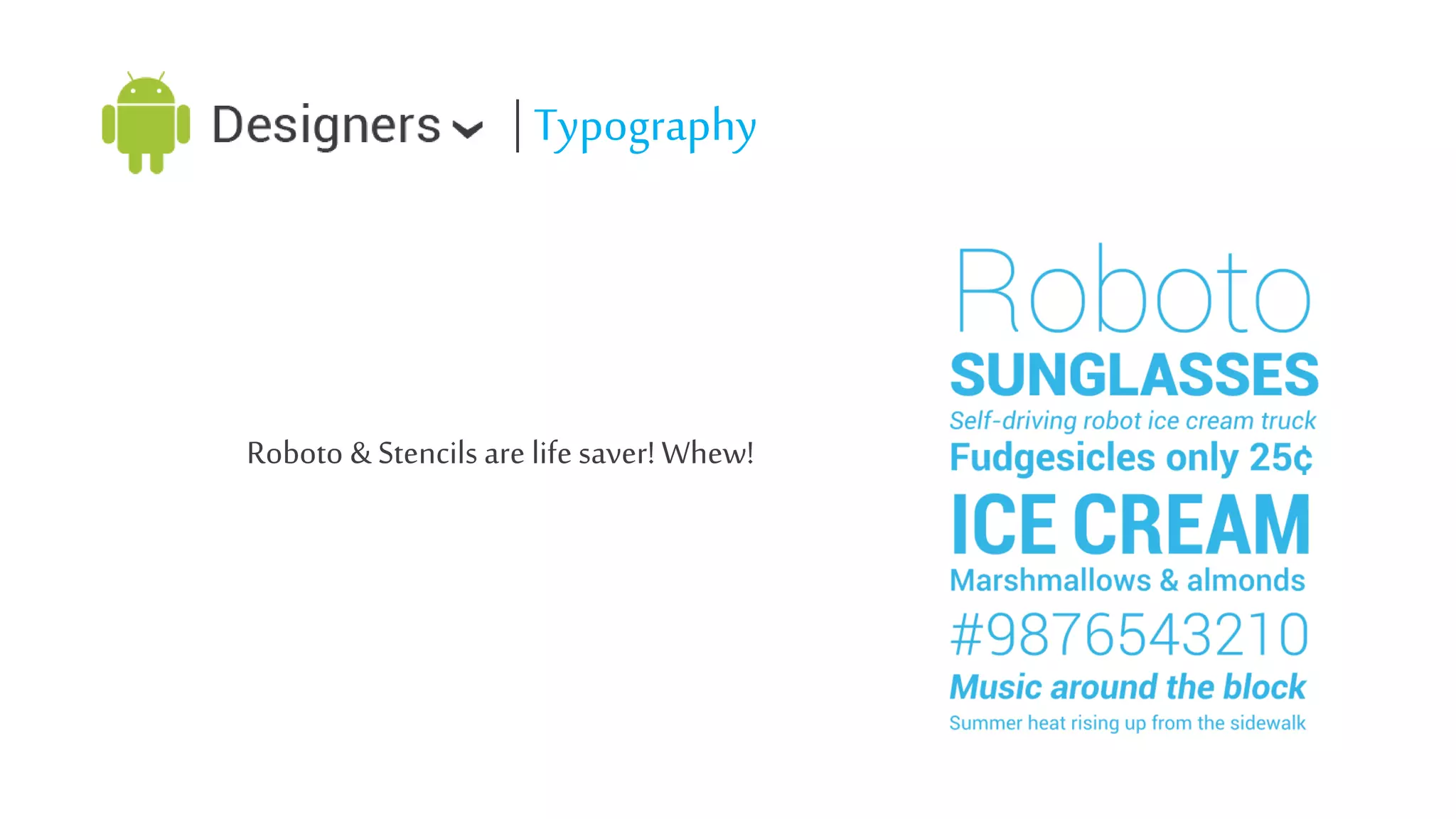
Roboto & Stencils are life saver! Whew!
| Tips on Typography

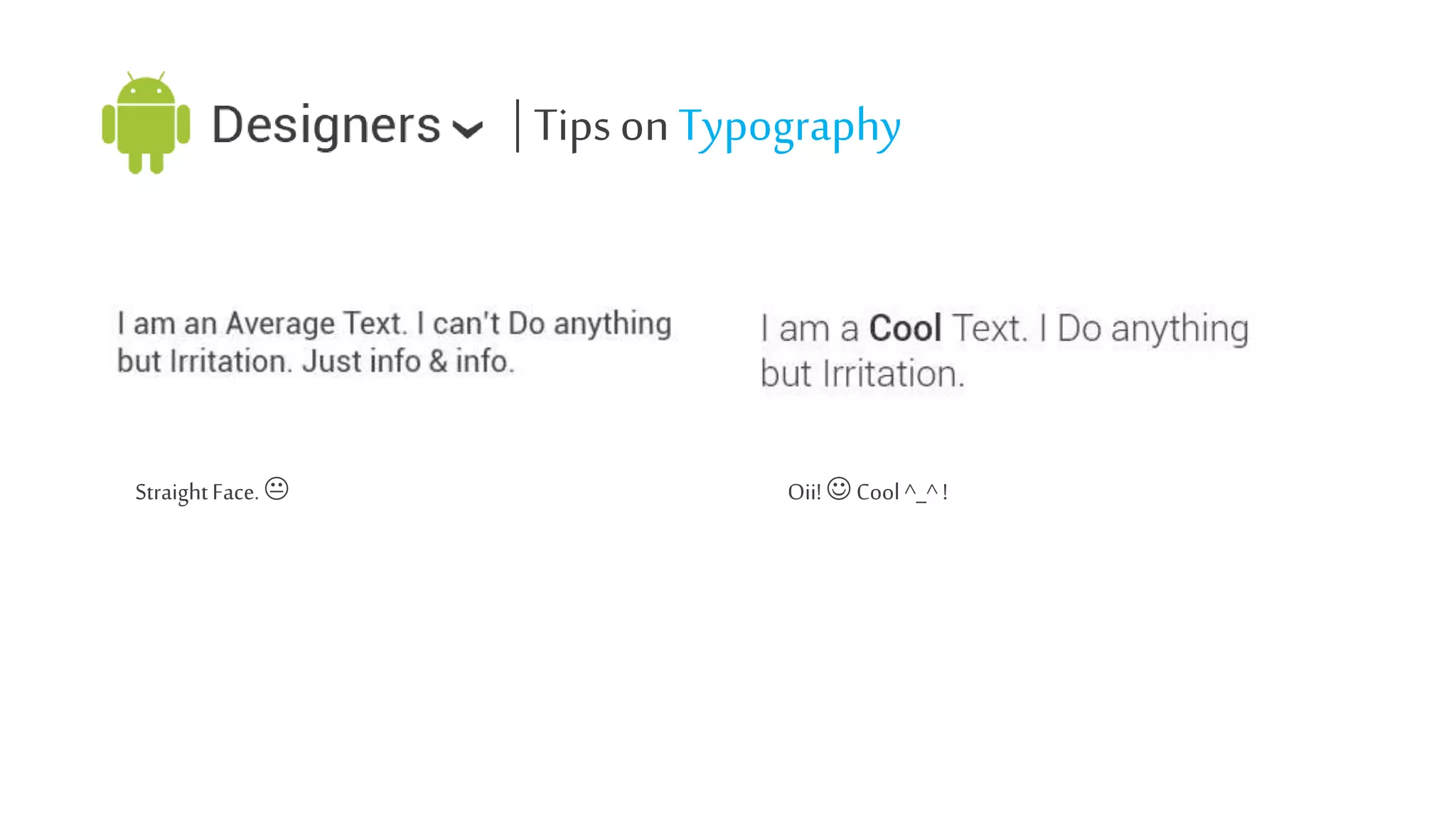
Straight Face. ๏‹

Oii! ๏Š Cool ^_^ !
| Tips on Typography
โ€ข Your app isnโ€™t a textbook.
โ€ข Roboto is great !!! Or you can use close enough fonts.
โ€ข Can use variations of text in some cases.
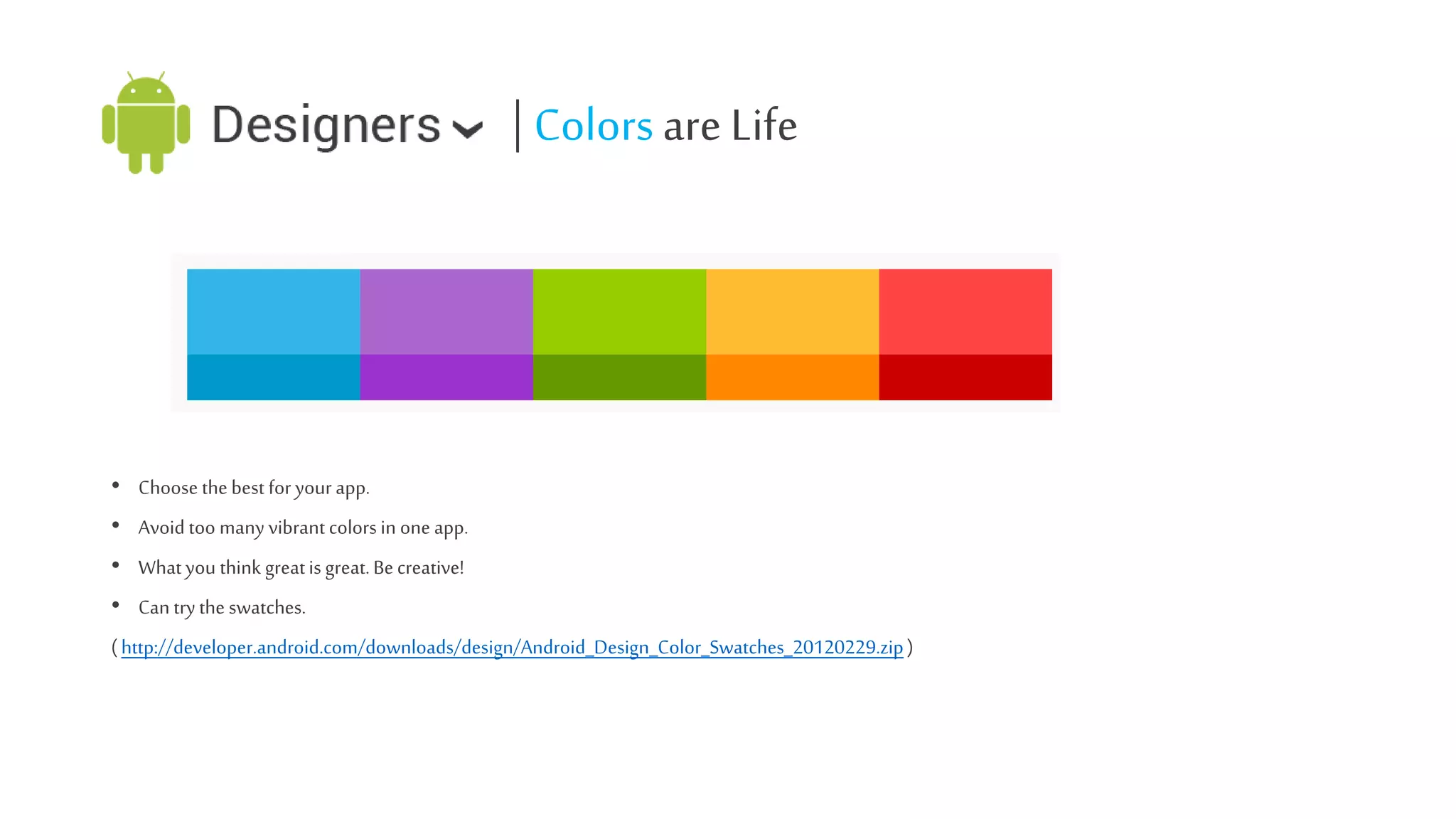
| Colors are Life

โ€ข Choose the best for your app.
โ€ข Avoid too many vibrant colors in one app.
โ€ข What you think great is great. Be creative!

โ€ข Can try the swatches.
( http://developer.android.com/downloads/design/Android_Design_Color_Swatches_20120229.zip )
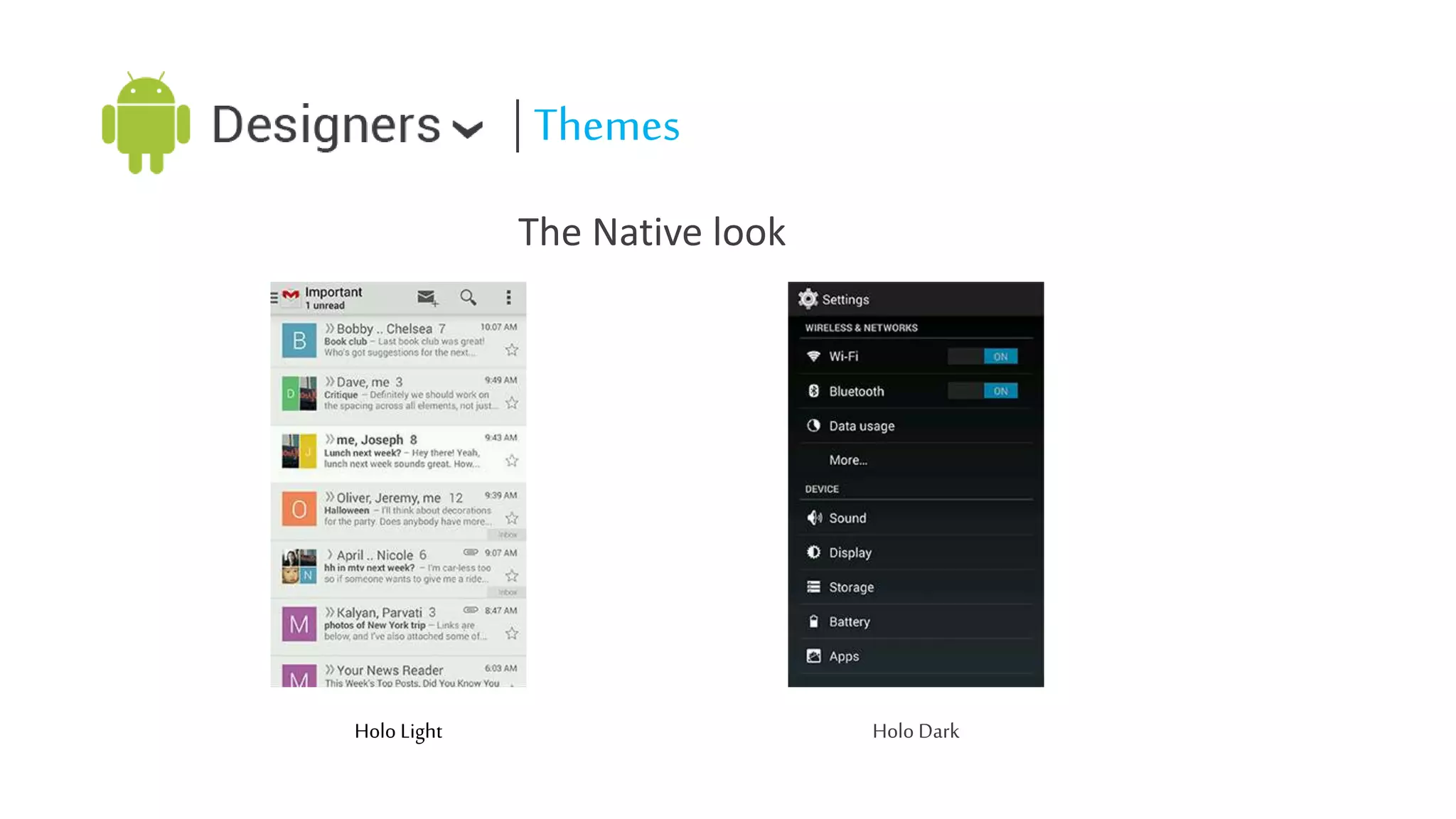
| Themes
The Native look

Holo Light

Holo Dark
| What makes an amazing app?

โ€ข Simplicity

โ€ข Beauty
โ€ข Functionality
| Donโ€™t

โ€ข Yeah! I know ios , WP interfaces are cool, but please donโ€™t use it on android.
โ€ข Donโ€™t use too much technical words.
โ€ข No labeled back buttons please. That was for old ios.
| Do
โ€ข Follow stencils. Developers! You gotta build it with the help of building blocks.
โ€ข Be unique. But keep it easy & native. How to do that? Well Check out some apps.
โ€ข Dp is great! Use them for scaling.
โ€ข Think the orientation change. Though games have locked orientation.
| You are Awesome
Get some real inspiration by checking below apps
โ€ข Any Do
โ€ข Google Now
โ€ข Gmail
โ€ข Instagram
โ€ข Twitter
โ€ข Evernote
โ€ข Next Browser
โ€ข SpeedX 3D
โ€ข Fruit Ninja
โ€ข Temple Run
โ€ข Angry Birds
โ€ข Facebook! Sorry Donโ€™t check Facebook. Itโ€™s laggy & creates bad UX
Questions, Please?
| Ahmad Firoz
UX Designer, Shunnak
www.ahmadfiroz.com
ahmadfiroz@outlook.com

Android User Interface Design

  • 1.
  • 2.
    โ€ข Interface Designersare mind readers. โ€ข Enchant users life. โ€ข Inspire yourself, youโ€™re creative by birth. โ€ข Mimicking Designs from other platforms is bad. โ€ข Be creative and native. โ€ข Think interaction. Itโ€™s not so hard.๏Š โ€ข Yeah! Your app will run responsive. โ€ข Most important ! Have fun. Seriously Having Fun is the best way.
  • 3.
    | The UserSatisfaction Nuts & Bolts The Great Faluda
  • 4.
    | Android DesignPrinciples โ€ข โ€ข โ€ข โ€ข โ€ข โ€ข โ€ข โ€ข โ€ข โ€ข โ€ข Objects are fun than Buttons Get to know me. Keep it brief please. 10,000 words = 1 image. Try not to confuse me. Never loose my stuff. If it looks same, it should act same. Give me the way I am used to interact. I donโ€™t want any terms that I wont understand. Lets split & be amazing. Important is always important.
  • 5.
    | Brief UIoverview โ€ข System Bars 1. 2. Status Bar The Navigation Bar
  • 6.
    | Brief UIoverview โ€ข Notifications โ€ข Brief messages from applications which can be accessed any time. โ€ข Opened & closed by Swapping. โ€ข Touching a notification opens the associated app. โ€ข Swapping a notification to the right or left removes the removable notifications. โ€ข Includes a one-line title & a one line message. โ€ข New : Notifications can be expanded to uncover details and more actions.
  • 7.
    | Brief UIoverview โ€ข Common App UI 1. 2. 3. Action Bar. Navigation Drawer. Content Area.
  • 8.
    Cool ! Weknow how it Works! But now we gonna learn how to design it.
  • 9.
    | Design theApp โ€ข Get some inspiration First. โ€ข Think your concept & Features. โ€ข Draw an wireframe. โ€ข Communicate with teammates. โ€ข Icons. โ€ข Design a draft prototype. โ€ข Fixes, improvements, brainstorming. โ€ข Final prototype
  • 10.
    | Getting Knowledge& Inspiration โ€ข Get some popular apps installed on your android. โ€ข Discover the interactions, Experience android with fun. โ€ข Do a search using android UI/UX related keyword. โ€ข developer.android.com. โ€ข behance.net. โ€ข dribble.com. โ€ข Stay updated.
  • 11.
    | Concept isup to you โ€ข Think of the information's & APIโ€™s. โ€ข What hardware you can use from your android ? โ€ข Who will be the user ?
  • 12.
    | Paperwork! Wireframes โ€ขPencils, UI grid sheet/ Graph papers. โ€ข How other app work ? โ€ข Options, Layout, Buttons. Yes ! You are right, the design principle comes handy. โ€ข Pick the common resolution, think of the other resolution. โ€ข At least boxes & text drawing skill. :P
  • 13.
    | Applications, Tools,Resources โ€ข โ€ข โ€ข โ€ข A pc or mac with mid range configuration. An active internet connection. Self Confidence. Adobe apps (Minimum CS3) or Any mock-up prototyping tools like โ€ข Adobe Photoshop โ€ข Adobe Illustrator โ€ข Adobe Fireworks โ€ข Little knowledge about designing. โ€ข Design Stencils, fonts, icon pack. (http://developer.android.com/design/downloads/index.html) โ€ข Building Blocks (http://developer.android.com/design/building-blocks/)
  • 14.
    | Measurements Thatโ€™s acool Icon you designed with a graphic tool. ( think 1 cell= 10px). How you seen it on your pc
  • 15.
    | Measurements Suppose yourpc has a depth of 160px per inch which we call 160DPI Screen. Dpi= Dot per inch. Androids are usually have more DPI(260-640DPI). Your icon - ~160 DPI (Feels ok ๏Š ) ~240 DPI ( Bit small but ok ๏‹) ~ 640DPI (Aw!canโ€™t see it :o )
  • 16.
    | Possible Solution? โ€ขVector!!! Maybe!! But How android will understand what to show ? โ€ข Yeah! We need a density independent unit. Which will understand what to show. โ€ข Actually we got two of them. โ€ข DP = DIP = Density Independent Pixel. ( Used for all type of graphics) โ€ข SP = SIP = Scale Independent Pixel. ( Used for fonts )
  • 17.
    | Measurements โ€ข 2:3:6:8Scaling Ratio โ€ข โ€ข โ€ข โ€ข โ€ข MDPI= 1x (~160 DPI) HDPI=1.5x(~240DPI) XHDPI= 2x(~320DPI) XXHDPI= 3x(~480DPI) XXXHDPI=4x(~640DPI) โ€ข Example: โ€ข โ€ข โ€ข โ€ข โ€ข 48*48px(~160DPI) 72*72px(~240DPI) 96*96px(~320DPI) 144*144px(~480DPI) 192*192px(~640DPI)
  • 18.
  • 19.
    | Icons โ€ข LauncherIcons โ€ข 48*48 DP โ€ข 512*512px (For Display on google play) โ€ข Action Bar Icons โ€ข 32*32 DP โ€ข 24*24 DP (Optical Square) โ€ข Colors: #33333 (Light) โ€ข โ€ข Enabled: 60% Opacity Disabled: 30% Opacity โ€ข Colors: #ffffff (Dark) โ€ข โ€ข Enabled: 80% Opacity Disabled: 30% Opacity
  • 20.
    | Icons โ€ข Small/ContextualIcons โ€ข 16*16 DP โ€ข 12*12 DP (Optical Square) โ€ข Colors : Non-neutral โ€ข Notification Icons โ€ข 24*24 DP โ€ข 22*22 DP (Optical Square) โ€ข Colors: Entirely White
  • 21.
    | Tips onIcons โ€ข Do vector where possible. โ€ข Start Large. โ€ข Common names are easy to remind. โ€ข Optimize with OptiPNG/Pngcrush.
  • 22.
    | Typography Roboto &Stencils are life saver! Whew!
  • 23.
    | Tips onTypography Straight Face. ๏‹ Oii! ๏Š Cool ^_^ !
  • 24.
    | Tips onTypography โ€ข Your app isnโ€™t a textbook. โ€ข Roboto is great !!! Or you can use close enough fonts. โ€ข Can use variations of text in some cases.
  • 25.
    | Colors areLife โ€ข Choose the best for your app. โ€ข Avoid too many vibrant colors in one app. โ€ข What you think great is great. Be creative! โ€ข Can try the swatches. ( http://developer.android.com/downloads/design/Android_Design_Color_Swatches_20120229.zip )
  • 26.
    | Themes The Nativelook Holo Light Holo Dark
  • 27.
    | What makesan amazing app? โ€ข Simplicity โ€ข Beauty โ€ข Functionality
  • 28.
    | Donโ€™t โ€ข Yeah!I know ios , WP interfaces are cool, but please donโ€™t use it on android. โ€ข Donโ€™t use too much technical words. โ€ข No labeled back buttons please. That was for old ios.
  • 29.
    | Do โ€ข Followstencils. Developers! You gotta build it with the help of building blocks. โ€ข Be unique. But keep it easy & native. How to do that? Well Check out some apps. โ€ข Dp is great! Use them for scaling. โ€ข Think the orientation change. Though games have locked orientation.
  • 30.
    | You areAwesome Get some real inspiration by checking below apps โ€ข Any Do โ€ข Google Now โ€ข Gmail โ€ข Instagram โ€ข Twitter โ€ข Evernote โ€ข Next Browser โ€ข SpeedX 3D โ€ข Fruit Ninja โ€ข Temple Run โ€ข Angry Birds โ€ข Facebook! Sorry Donโ€™t check Facebook. Itโ€™s laggy & creates bad UX
  • 31.
  • 32.
    | Ahmad Firoz UXDesigner, Shunnak www.ahmadfiroz.com ahmadfiroz@outlook.com