1
MODULE 1
Input & Output devices
2
Input Devices
• Input is all information put into a computer.
• Input can be supplied from a variety of sources:
– A person
– A storage device on computer
– Another computer
– A peripheral device
– Another piece of equipment, such as a musical
instrument or thermometer
3
Input Devices…
• Input devices gather and translate data into a
form the computer understands.
• Primary input devices:
– Keyboard - Most common input device; used to type
in commands and data.
– Mouse or trackball: enhances user’s ability to input
commands, manipulate text, images.
4
Input Devices…
• Scanners: are peripheral input devices which
allow users to import:
– Text
– Graphics
– Images
• Specialized software aids in translating
information into a format the computer can
understand and manipulate.
5
Input Devices…
• Digital Cameras: are peripheral input devices
that allow users to create pictures and/or
movies in a digital format.
–Some require specialized software to import
images into the computer.
–Some record digital images directly to a disk
that can be read by the computer.
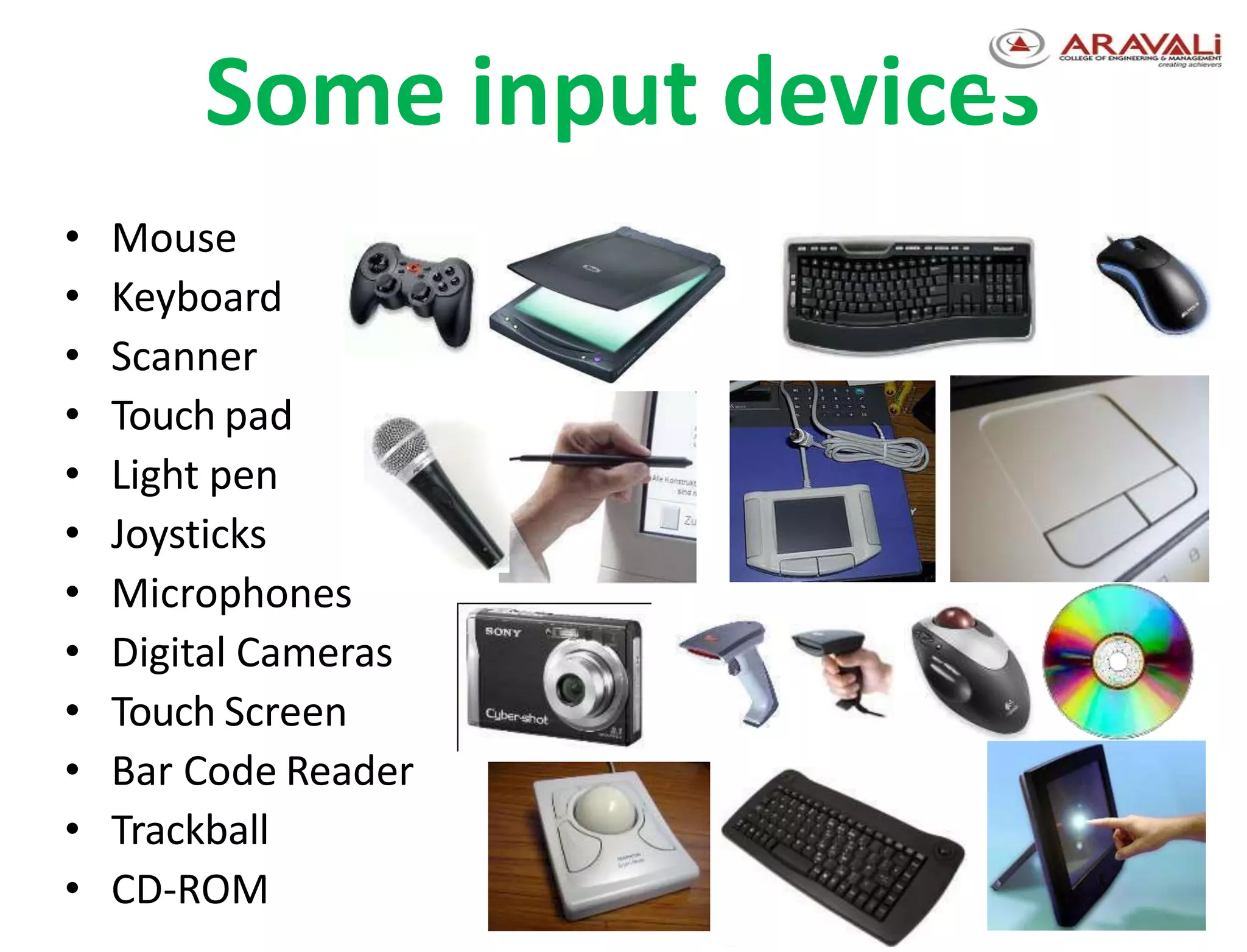
Some input devices
• Mouse
• Keyboard
• Scanner
• Touch pad
• Light pen
• Joysticks
• Microphones
• Digital Cameras
• Touch Screen
• Bar Code Reader
• Trackball
• CD-ROM 44
Output Devices
Used to display processed information to the
user either in softcopy or hardcopy
Soft copy – output displayed on a computer
screen. It is the primary output medium.
E.g. Monitor, speaker, LCD projector
Hard copy – output produced on paper or
micro film.
E.g. Printers, plotters, …
7
8
Output Devices…
• Monitors: are the most commonly used output
device.
• Most monitors use a bitmap display.
– Allows user to resize the display.
– Divides the screen into a matrix of tiny square “dots”
called pixels.
– The more “dots” a screen can display, the higher the
resolution of the monitor.
9
Output Devices…
• Monitors are connected to a computer system
via a port integrated on the video adapter or
graphics card.
• Graphics cards convert digital data output from
software to analog data for display on monitors.
Output Devices…
Printer
• Most widely used output devices to prepare
printed paper documents
• There are Impact and Non-impact printers
• Impact printers
Form characters by striking an inked ribbon
with hammers against paper
E.g. Dot matrix printers & ink printers
10
Output Devices…
• Non-impact printers:
Form characters without physical contact
between a printer and paper
E.g. Laser jet printers
Plotters
capable of drawing complex shapes with
multiple colors
11
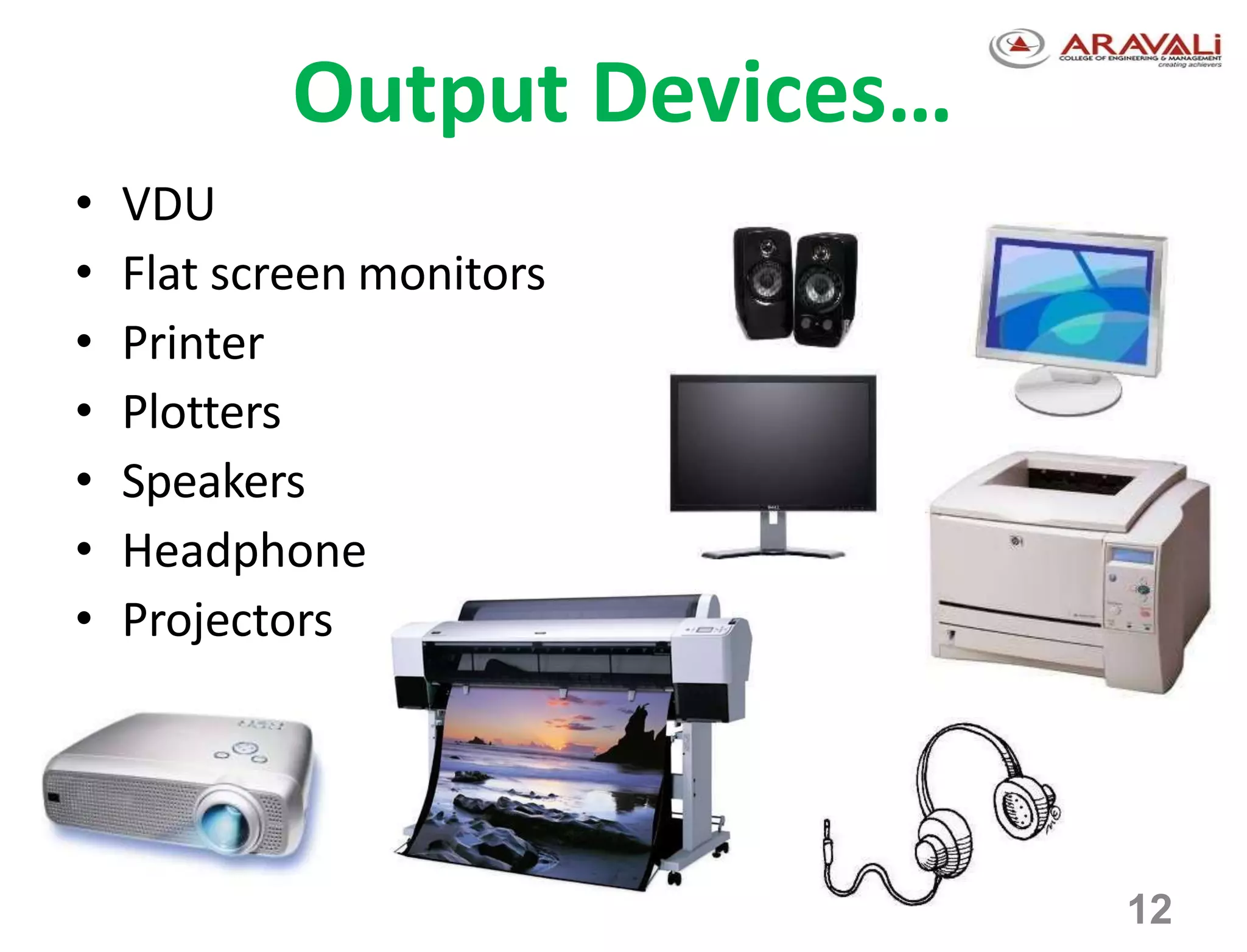
Output Devices…
• VDU
• Flat screen monitors
• Printer
• Plotters
• Speakers
• Headphone
• Projectors
12

Types of input and output devices

  • 1.
    1 MODULE 1 Input &Output devices
  • 2.
    2 Input Devices • Inputis all information put into a computer. • Input can be supplied from a variety of sources: – A person – A storage device on computer – Another computer – A peripheral device – Another piece of equipment, such as a musical instrument or thermometer
  • 3.
    3 Input Devices… • Inputdevices gather and translate data into a form the computer understands. • Primary input devices: – Keyboard - Most common input device; used to type in commands and data. – Mouse or trackball: enhances user’s ability to input commands, manipulate text, images.
  • 4.
    4 Input Devices… • Scanners:are peripheral input devices which allow users to import: – Text – Graphics – Images • Specialized software aids in translating information into a format the computer can understand and manipulate.
  • 5.
    5 Input Devices… • DigitalCameras: are peripheral input devices that allow users to create pictures and/or movies in a digital format. –Some require specialized software to import images into the computer. –Some record digital images directly to a disk that can be read by the computer.
  • 6.
    Some input devices •Mouse • Keyboard • Scanner • Touch pad • Light pen • Joysticks • Microphones • Digital Cameras • Touch Screen • Bar Code Reader • Trackball • CD-ROM 44
  • 7.
    Output Devices Used todisplay processed information to the user either in softcopy or hardcopy Soft copy – output displayed on a computer screen. It is the primary output medium. E.g. Monitor, speaker, LCD projector Hard copy – output produced on paper or micro film. E.g. Printers, plotters, … 7
  • 8.
    8 Output Devices… • Monitors:are the most commonly used output device. • Most monitors use a bitmap display. – Allows user to resize the display. – Divides the screen into a matrix of tiny square “dots” called pixels. – The more “dots” a screen can display, the higher the resolution of the monitor.
  • 9.
    9 Output Devices… • Monitorsare connected to a computer system via a port integrated on the video adapter or graphics card. • Graphics cards convert digital data output from software to analog data for display on monitors.
  • 10.
    Output Devices… Printer • Mostwidely used output devices to prepare printed paper documents • There are Impact and Non-impact printers • Impact printers Form characters by striking an inked ribbon with hammers against paper E.g. Dot matrix printers & ink printers 10
  • 11.
    Output Devices… • Non-impactprinters: Form characters without physical contact between a printer and paper E.g. Laser jet printers Plotters capable of drawing complex shapes with multiple colors 11
  • 12.
    Output Devices… • VDU •Flat screen monitors • Printer • Plotters • Speakers • Headphone • Projectors 12