

Dell World User Forum
UFIL523: Troubleshooting K1000
Mark Weathersbee, Senior Trainer
Veryl White, Senior Trainer
Dell World
User Forum
Dell World User Forum
K1ATT Teaser
Dell World User Forum
Agenda
• Troubleshooting Overview - Circling the problem
• How to maintain your K1000 Appliance
• What’s running on your K1000
• System Performance Checklist
• Logs
• Deployments
• Agent Health
Dell World User Forum
Circling the Problem
Dell World User Forum
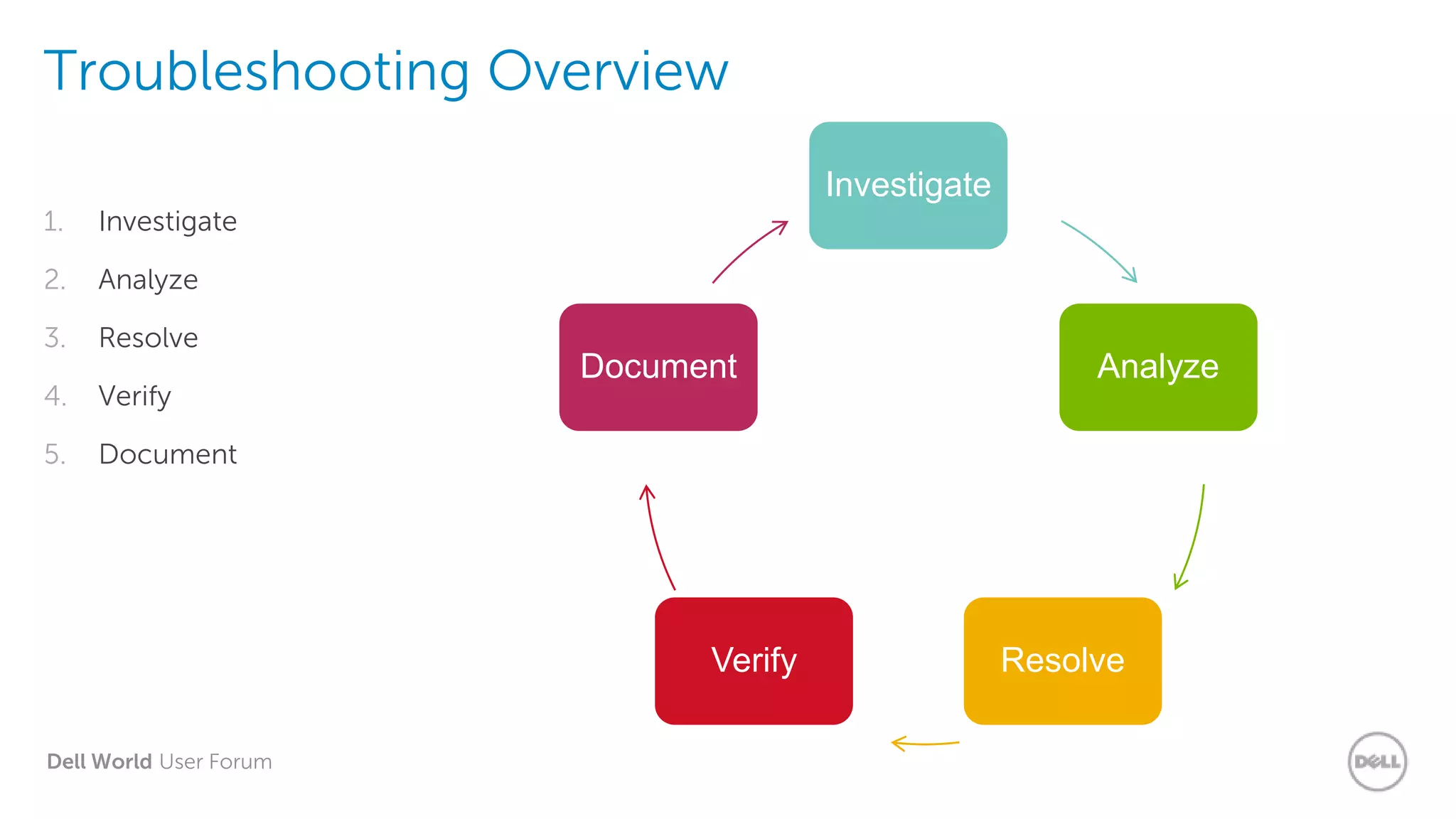
Troubleshooting Overview
1. Investigate
2. Analyze
3. Resolve
4. Verify
5. Document
Investigate
Analyze
ResolveVerify
Document
Dell World User Forum
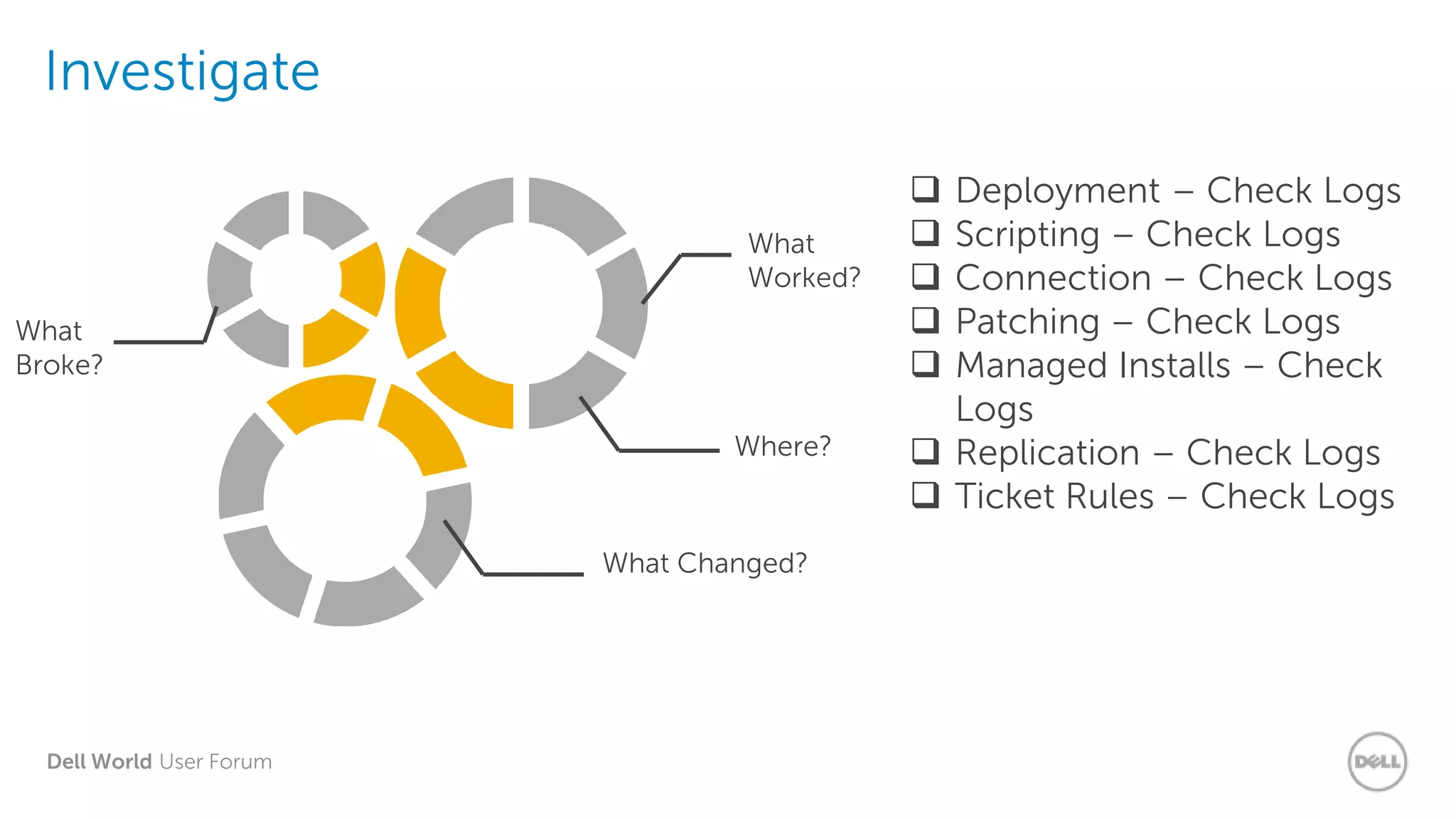
Investigate
 Deployment – Check Logs
 Scripting – Check Logs
 Connection – Check Logs
 Patching – Check Logs
 Managed Installs – Check
Logs
 Replication – Check Logs
 Ticket Rules – Check Logs
What
Broke?
What
Worked?
Where?
What Changed?
Dell World User Forum
Analyze
• Look into what happened
– Check logs
– Check Details screen
• Compare expected outcome to reality
• What can be done to fix it?
 Does it work if you don’t use the K1000?
 Does it work on other systems?
 Different Operating System?
 Different domain?
 Look in Admin Guide
 Look in Support KB
Dell World User Forum
Resolution
• Once you know where it broke, how
it broke, etc.
• Fix it!
• One thing at a time
 Change the
package
 Change the
settings
 Change the
network
 Change the client
Dell World User Forum
Verify & Document
• Make sure it works
• Remember what happened
Expected results on test machine?
Try a larger set
Use your Knowledge Base to document
Dell World User Forum
How to maintain your
K1000 Appliance
Dell World User Forum
Maintaining your
K1000
Ask yourself:
• When was our last backup?
• Where are the backups?
• Are we on the current server/agent versions?
• What is our agent check-in interval?
• How many remote sites are still running?
• Are all of my agents current and checking in?
• What about network bandwidth?
• Are there old/unused items in the database?
• Are my patch subscriptions current?
Dell World User Forum
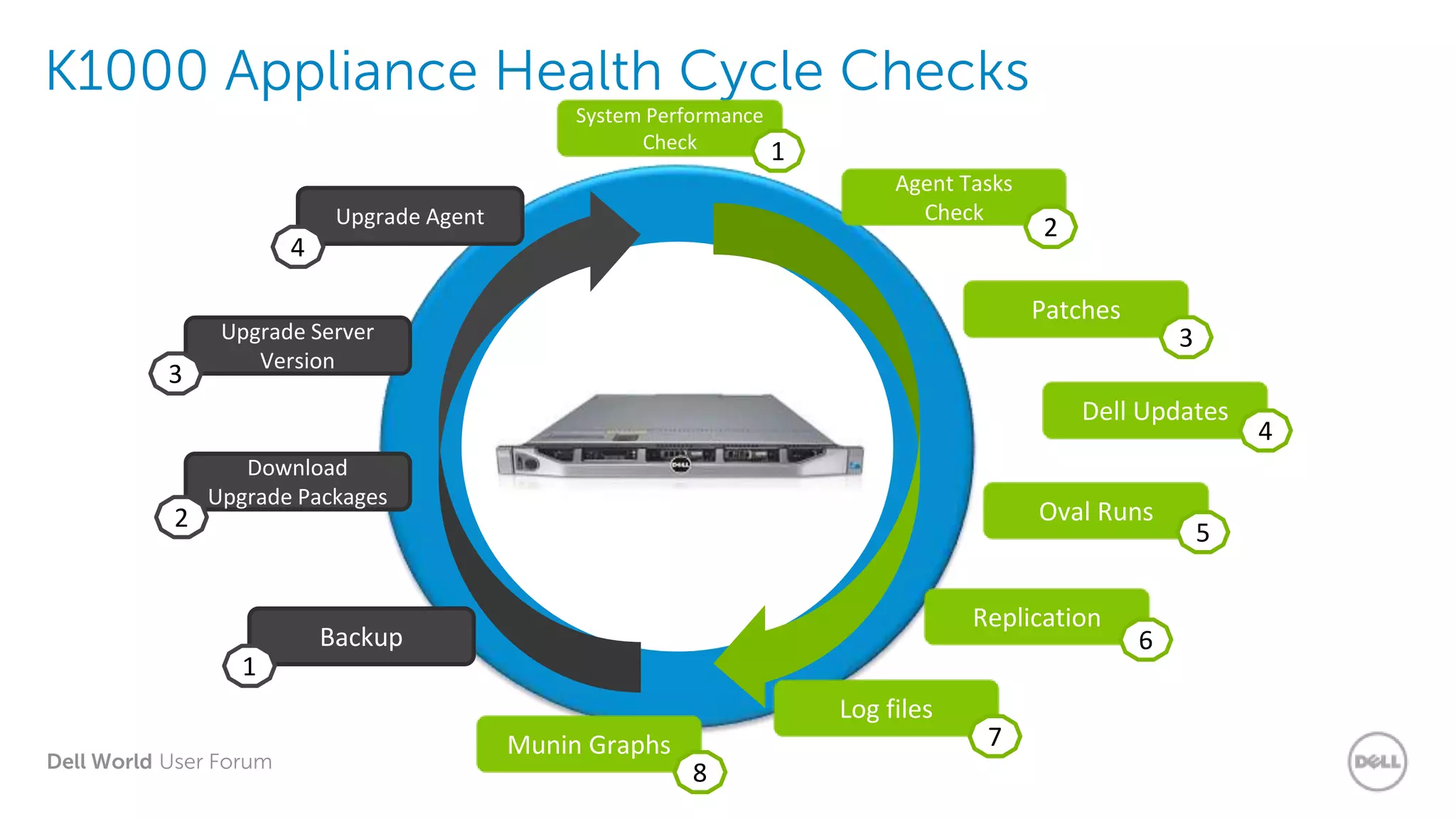
K1000 Appliance Health Cycle Checks
Backup
Upgrade Agent
Download
Upgrade Packages
Upgrade Server
Version
System Performance
Check
Agent Tasks
Check
Replication
Patches
Dell Updates
Log files
Munin Graphs
Oval Runs
1
2
3
4
1
2
3
4
5
6
7
8
Dell World User Forum
What’s Running on
your K1000?
Dell World User Forum
What’s Running on your K1000 Appliance?
Agent – Have you checked what the Agents are doing behind your back?
• Run Interval / Inventory Interval
• Scripting Update / Ping Interval
• Task Throughput / Run Now Tasks
• AMP (Agent Messaging Protocol / Green Light)
Scheduled Tasks – Are you aware that there are “Scheduled Tasks” running?
• Patching / OVAL / Replication / Metering
• Agent Provisioning / Scheduled Reports / Ticket Rules
• Dell Updates / Scripts / IP Scan / Distributions
System Performance – Have you checked and fine tune your K1000?
• Web Server / Database / CPU / Memory / Disk IO (RAID) / Network
• Hardware Spec / Virtual
• Connections (agents/webui/downloads/uploads) / Tasks
Dell World User Forum
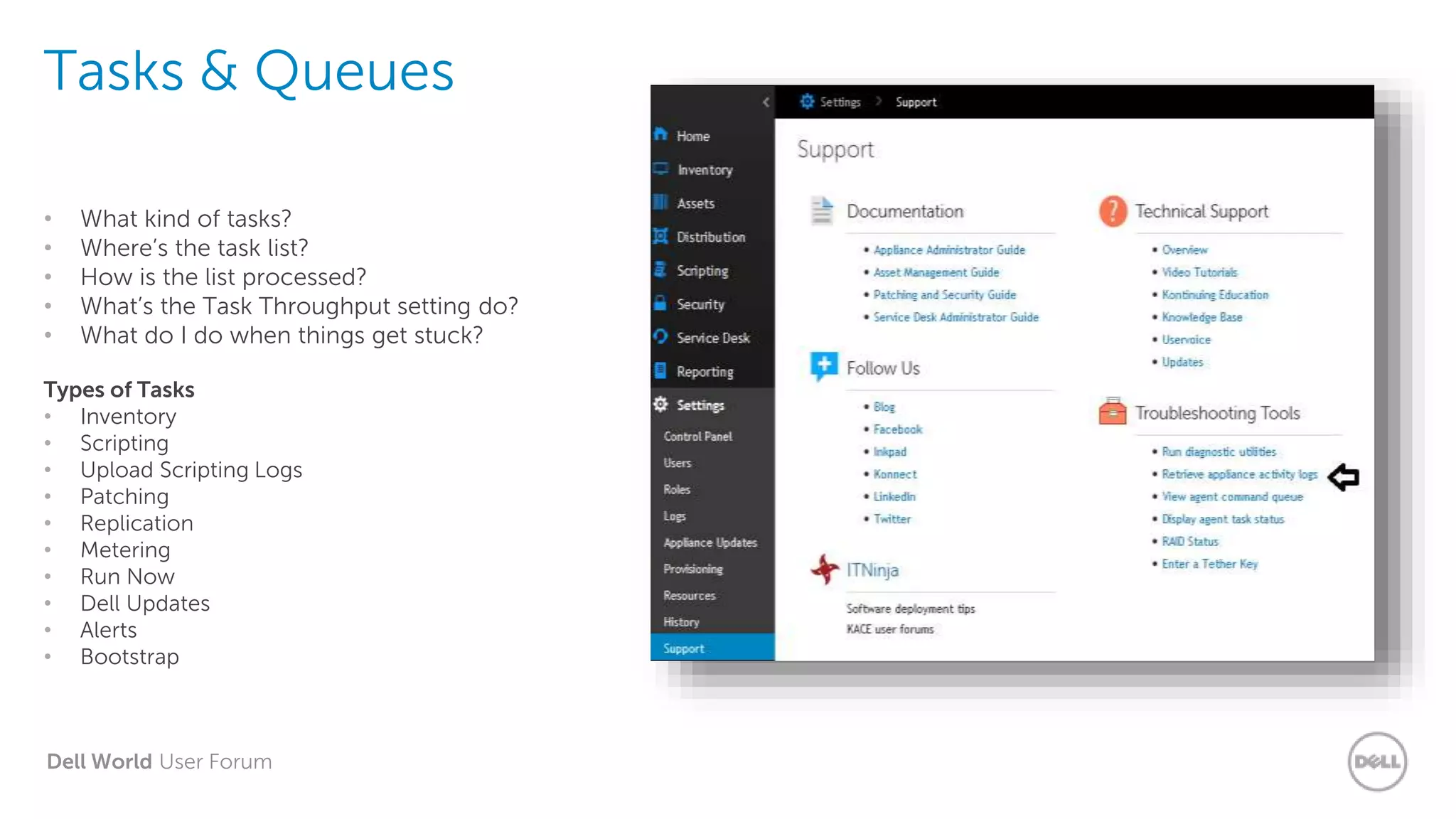
Tasks & Queues
• What kind of tasks?
• Where’s the task list?
• How is the list processed?
• What’s the Task Throughput setting do?
• What do I do when things get stuck?
Types of Tasks
• Inventory
• Scripting
• Upload Scripting Logs
• Patching
• Replication
• Metering
• Run Now
• Dell Updates
• Alerts
• Bootstrap
Dell World User Forum
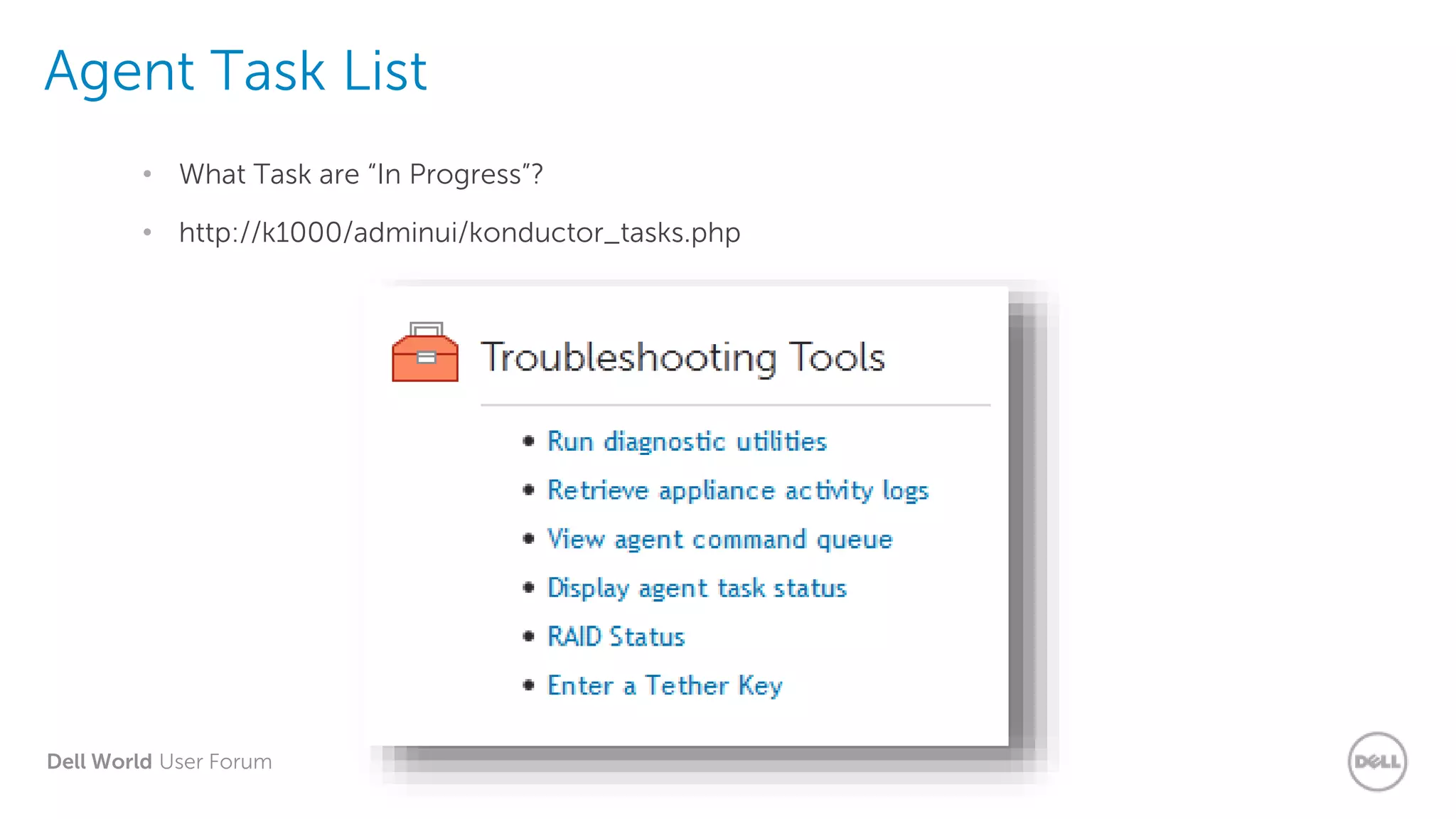
Agent Task List
• What Task are “In Progress”?
• http://k1000/adminui/konductor_tasks.php
Dell World User Forum
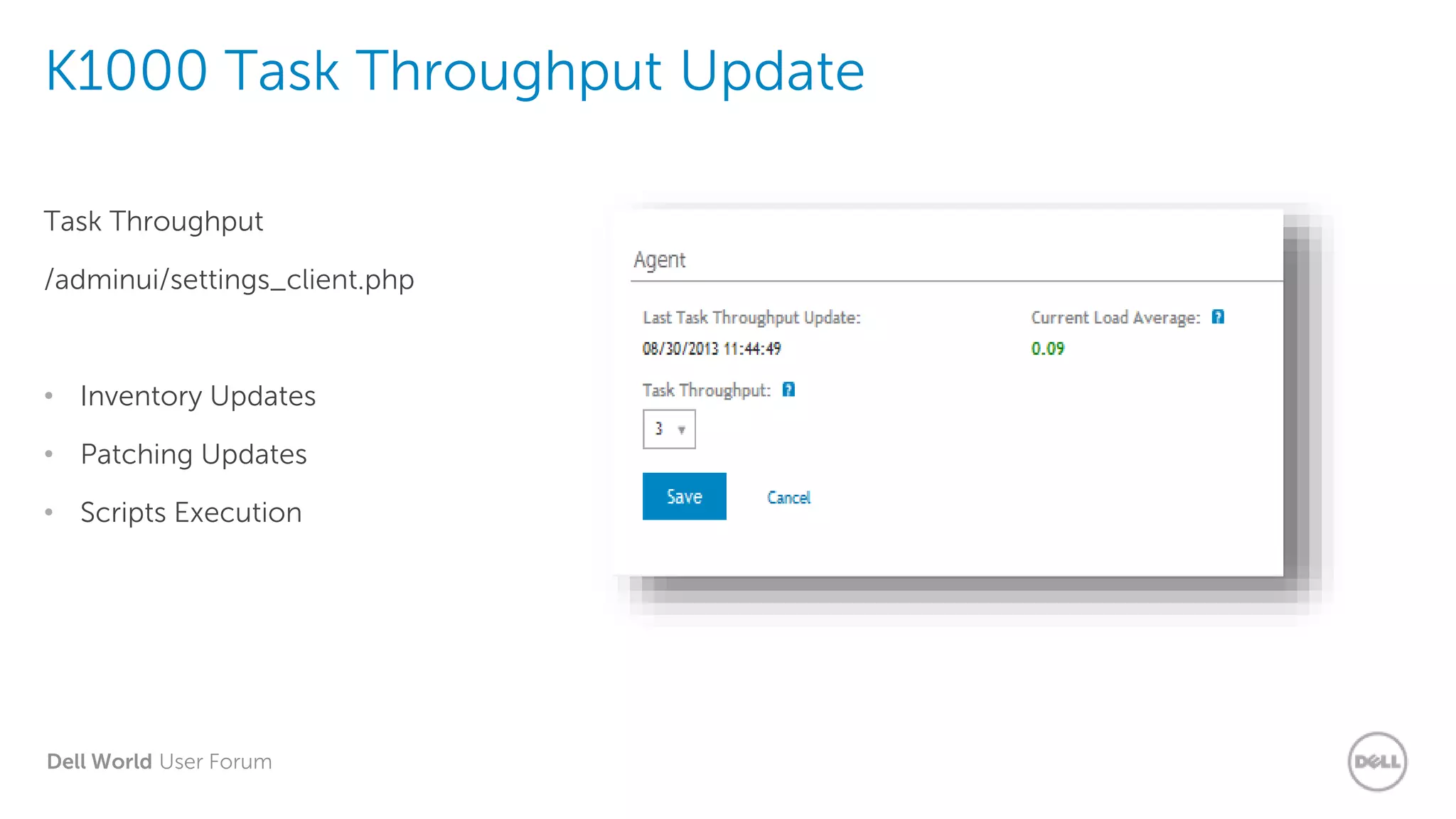
K1000 Task Throughput Update
Task Throughput
/adminui/settings_client.php
• Inventory Updates
• Patching Updates
• Scripts Execution
Dell World User Forum
Demo: K1000
Settings
Dell World User Forum
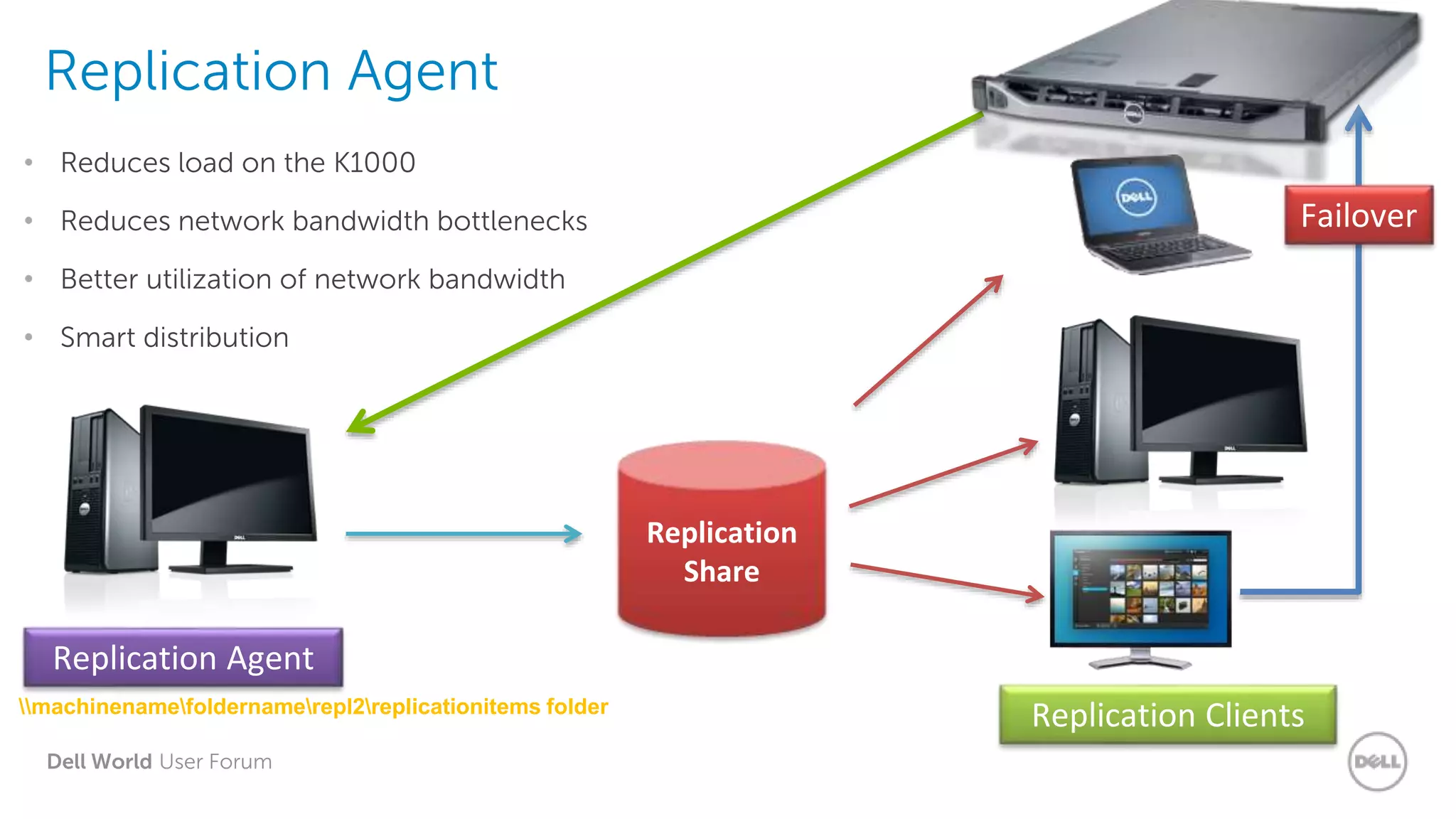
Replication Agent
• Reduces load on the K1000
• Reduces network bandwidth bottlenecks
• Better utilization of network bandwidth
• Smart distribution
Replication
Share
Replication Agent
machinenamefoldernamerepl2replicationitems folder
Replication Clients
Failover
Dell World User Forum
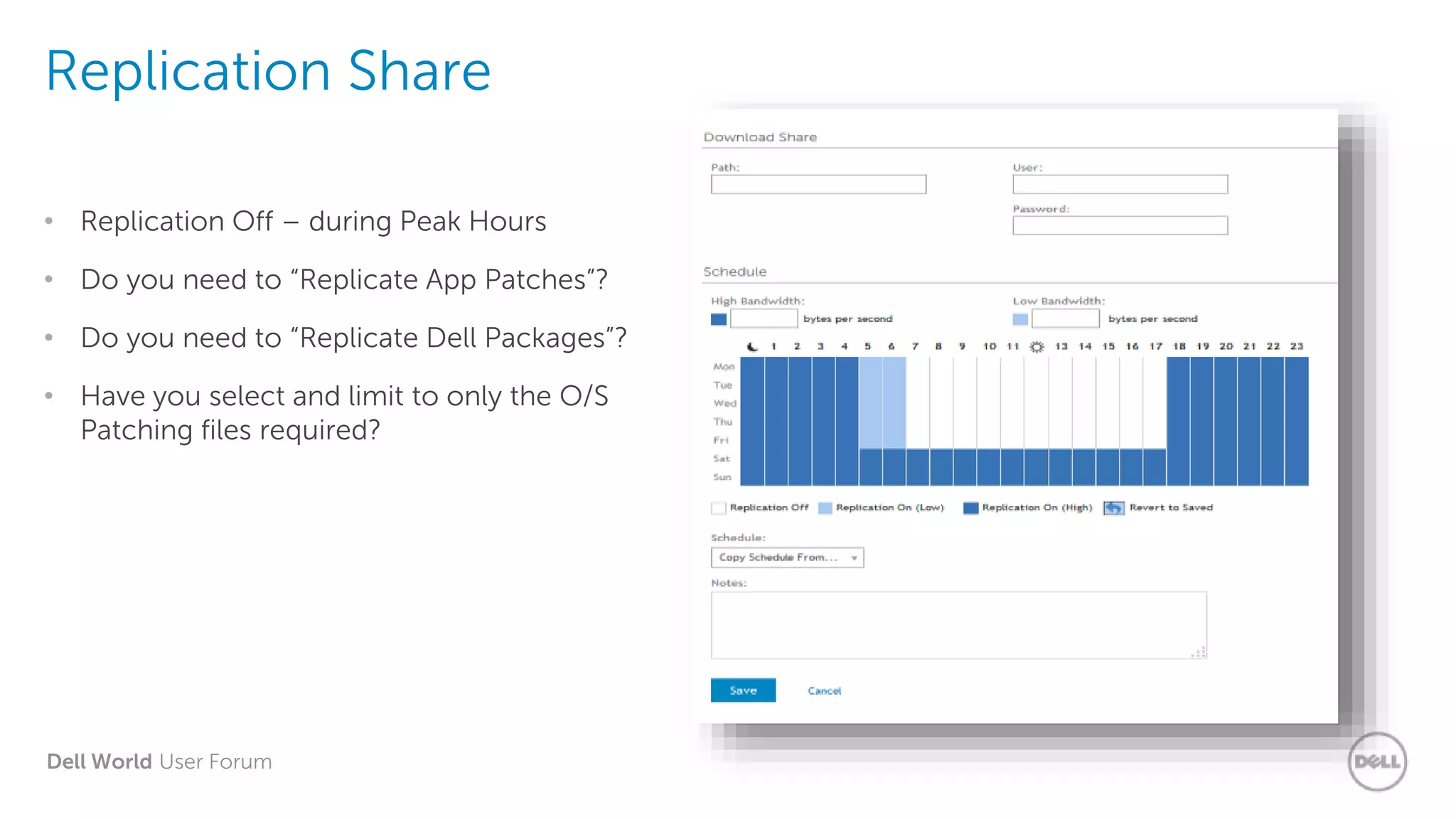
Replication Share
• Replication Off – during Peak Hours
• Do you need to “Replicate App Patches”?
• Do you need to “Replicate Dell Packages”?
• Have you select and limit to only the O/S
Patching files required?
Dell World User Forum
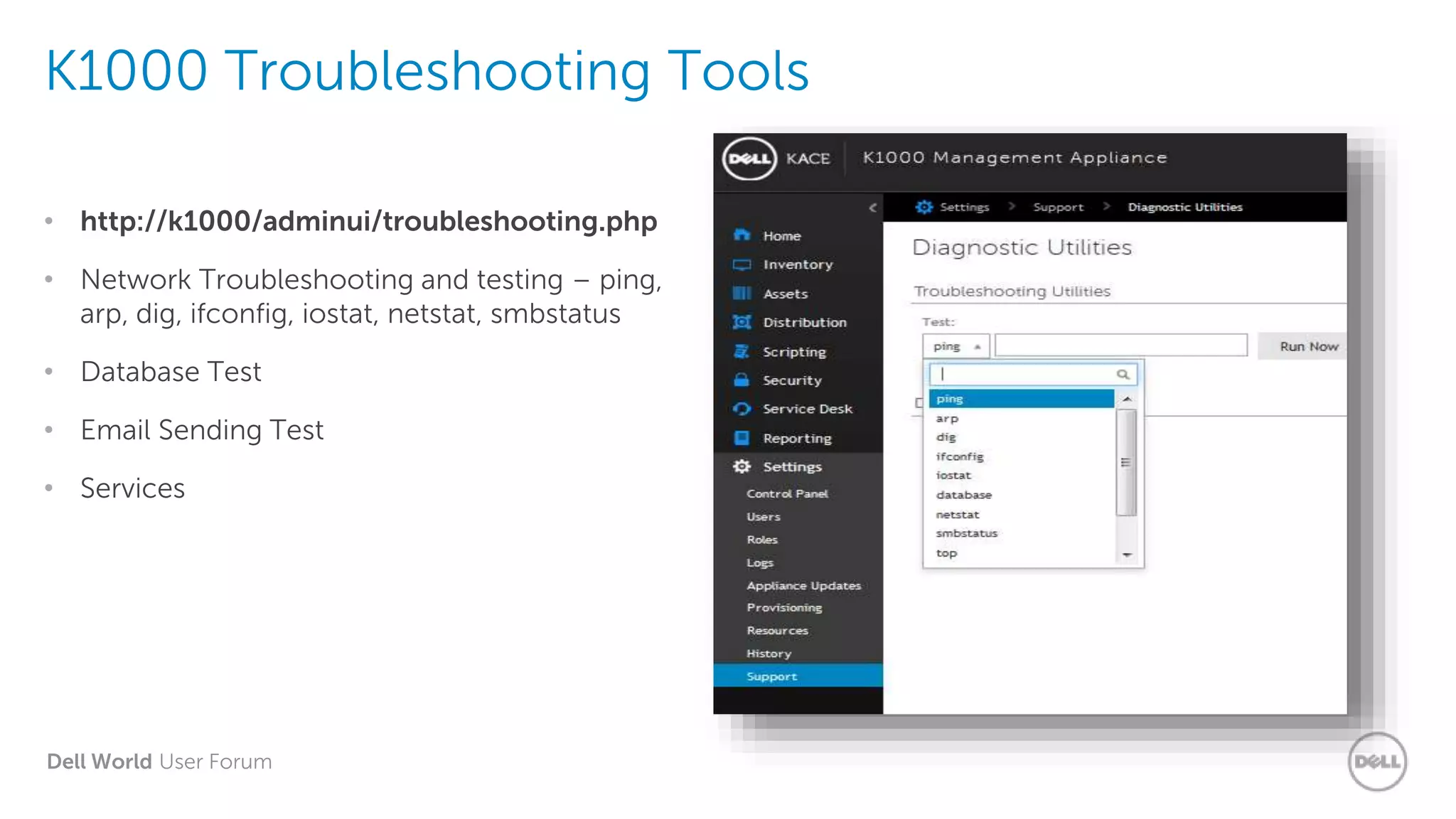
K1000 Troubleshooting Tools
• http://k1000/adminui/troubleshooting.php
• Network Troubleshooting and testing – ping,
arp, dig, ifconfig, iostat, netstat, smbstatus
• Database Test
• Email Sending Test
• Services
Dell World User Forum
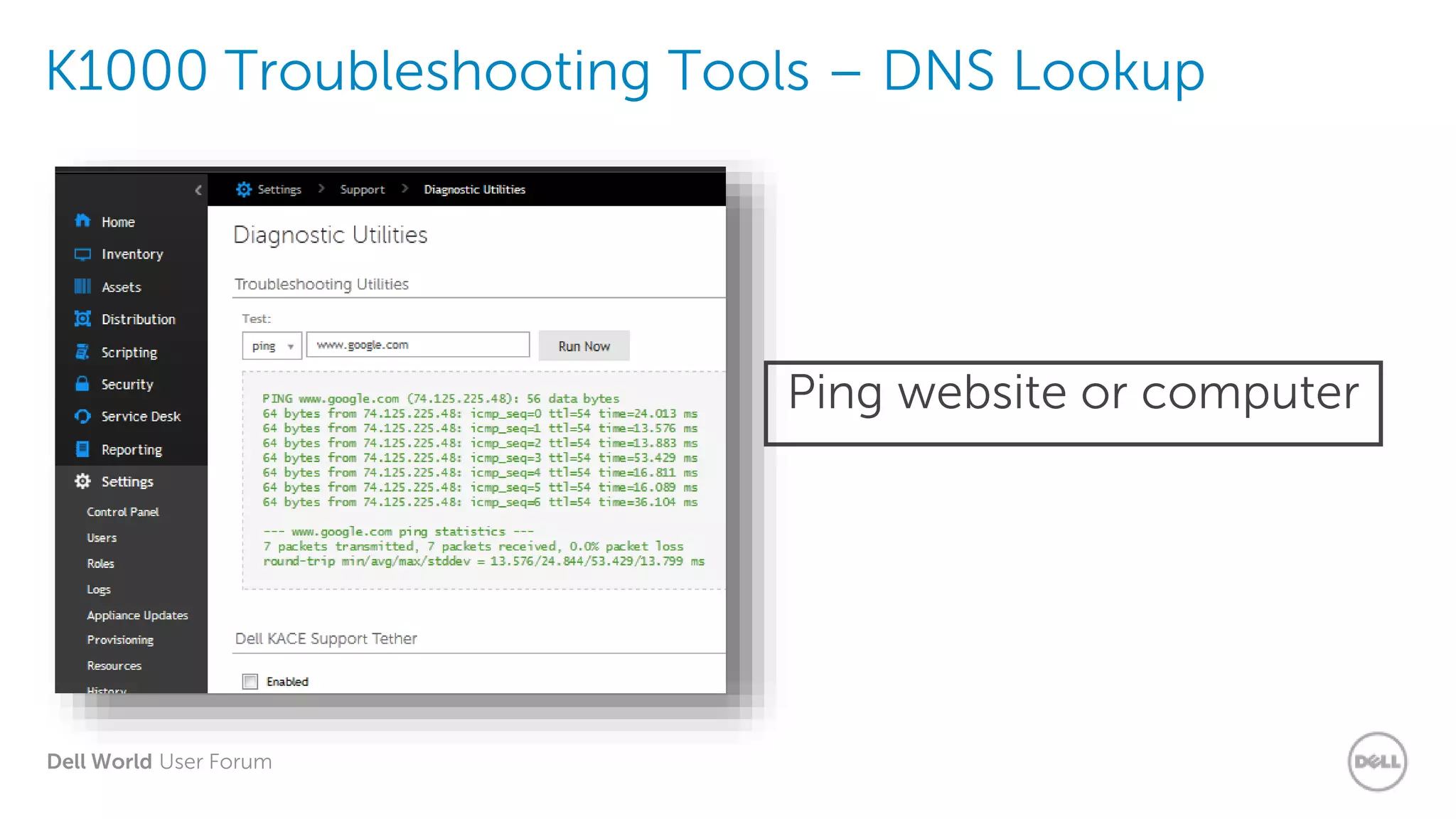
K1000 Troubleshooting Tools – DNS Lookup
Ping website or computer
Dell World User Forum
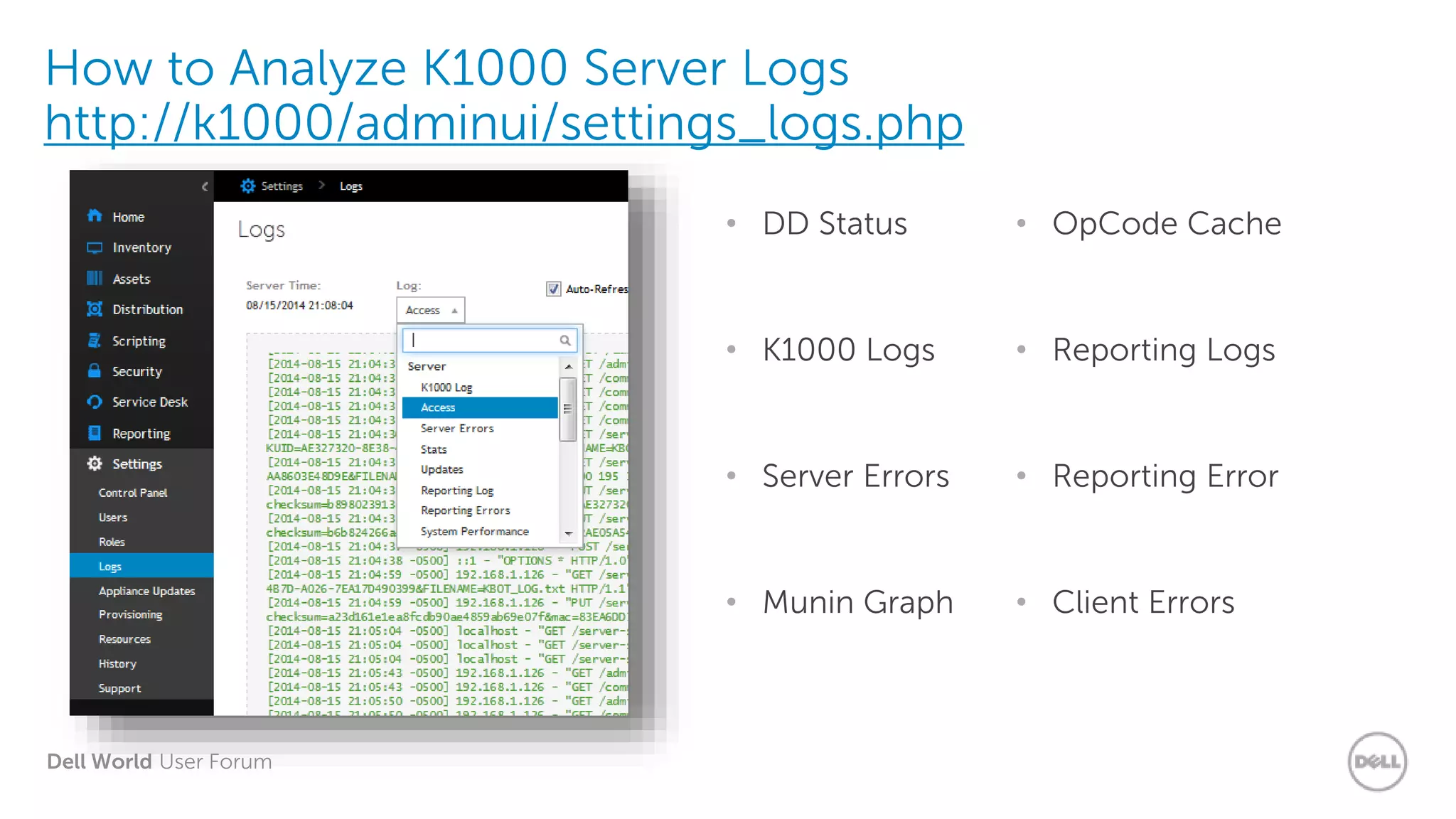
How to Analyze K1000 Server Logs
http://k1000/adminui/settings_logs.php
• DD Status
• K1000 Logs
• Server Errors
• Munin Graph
• OpCode Cache
• Reporting Logs
• Reporting Error
• Client Errors
Dell World User Forum
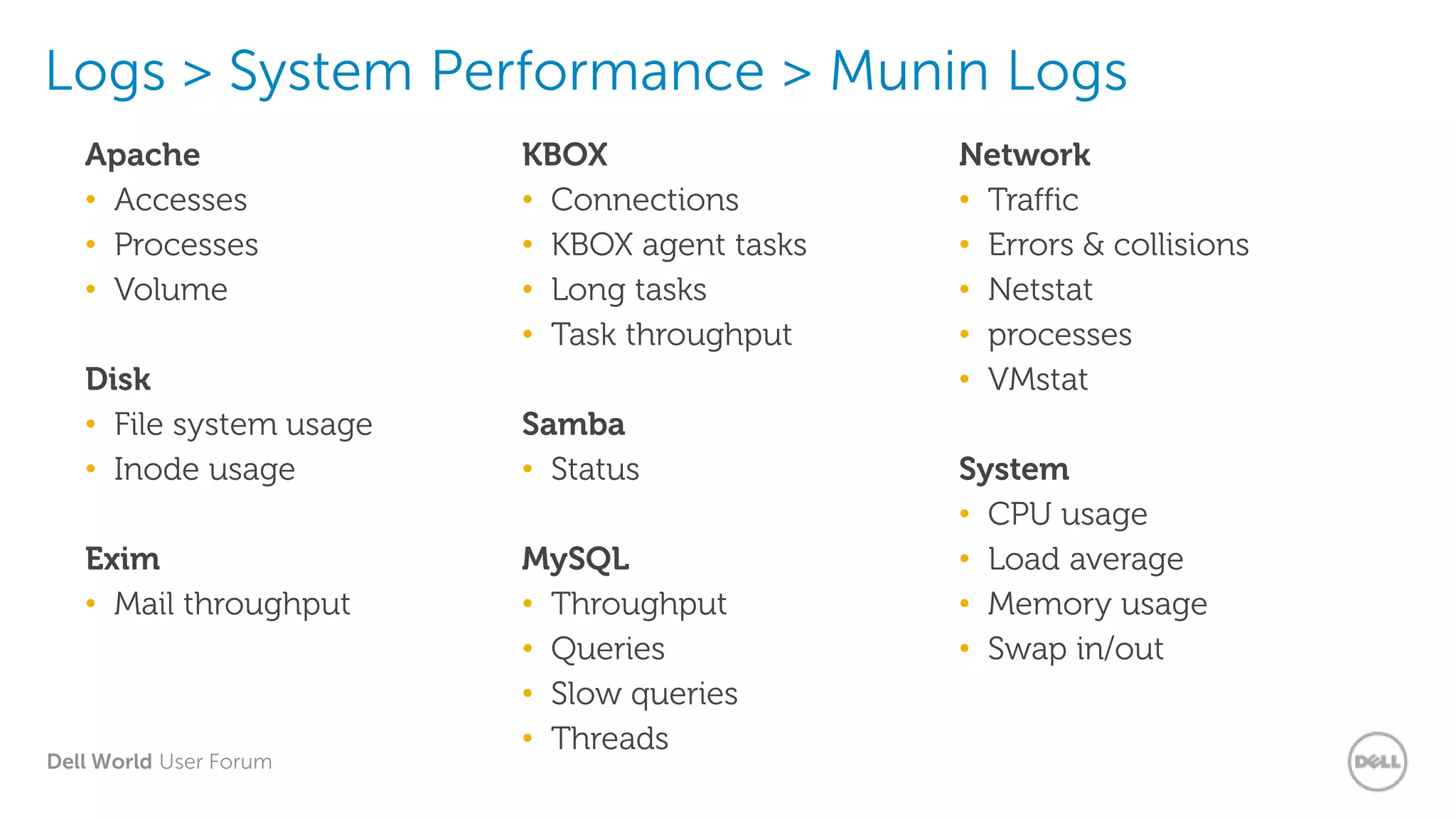
Logs > System Performance > Munin Logs
Apache
• Accesses
• Processes
• Volume
Disk
• File system usage
• Inode usage
Exim
• Mail throughput
KBOX
• Connections
• KBOX agent tasks
• Long tasks
• Task throughput
Samba
• Status
MySQL
• Throughput
• Queries
• Slow queries
• Threads
Network
• Traffic
• Errors & collisions
• Netstat
• processes
• VMstat
System
• CPU usage
• Load average
• Memory usage
• Swap in/out
Dell World User Forum
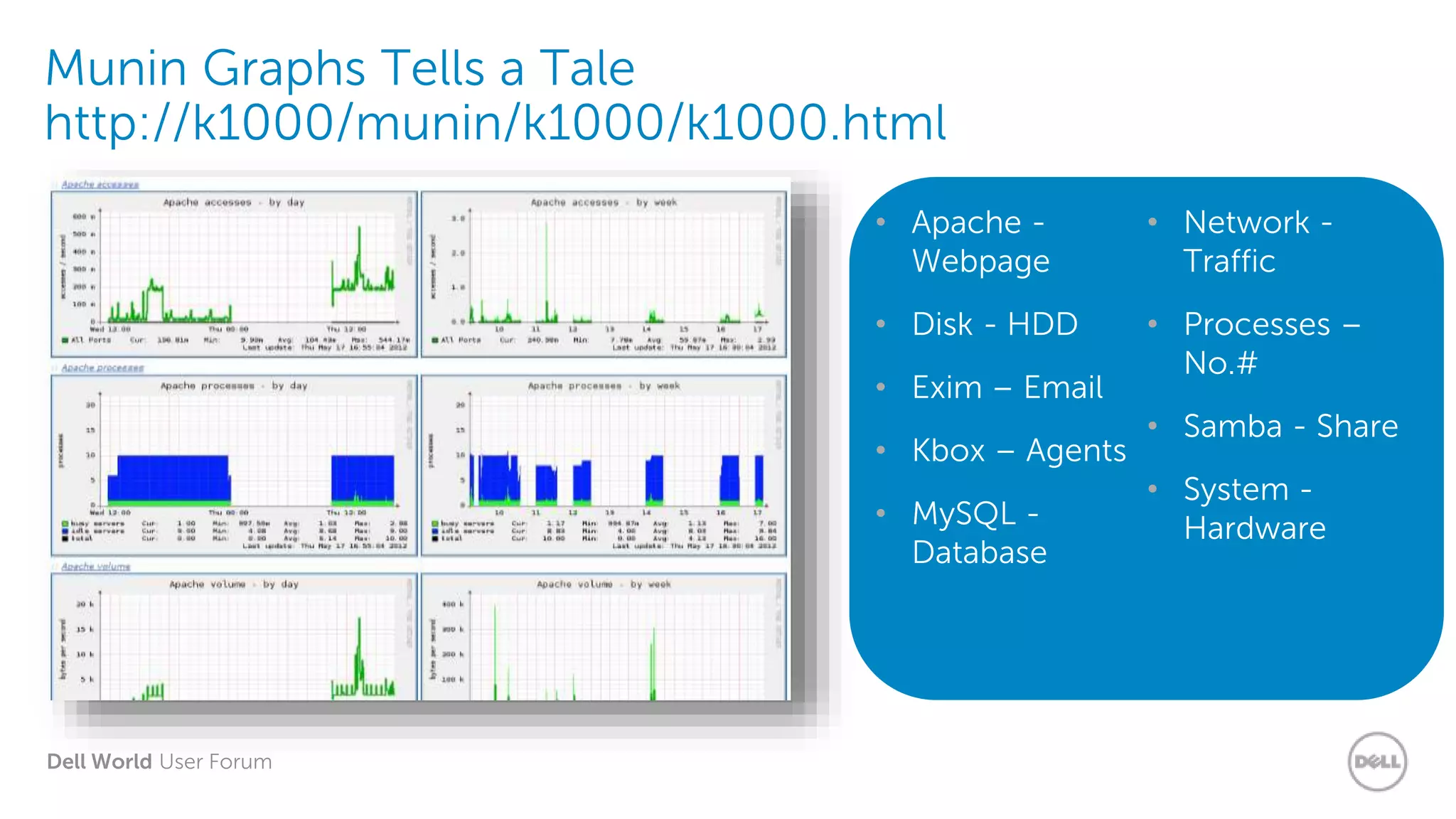
Munin Graphs Tells a Tale
http://k1000/munin/k1000/k1000.html
• Apache -
Webpage
• Disk - HDD
• Exim – Email
• Kbox – Agents
• MySQL -
Database
• Network -
Traffic
• Processes –
No.#
• Samba - Share
• System -
Hardware
Dell World User Forum
Demo: Logs
Dell World User Forum
Deployments
Dell World User Forum
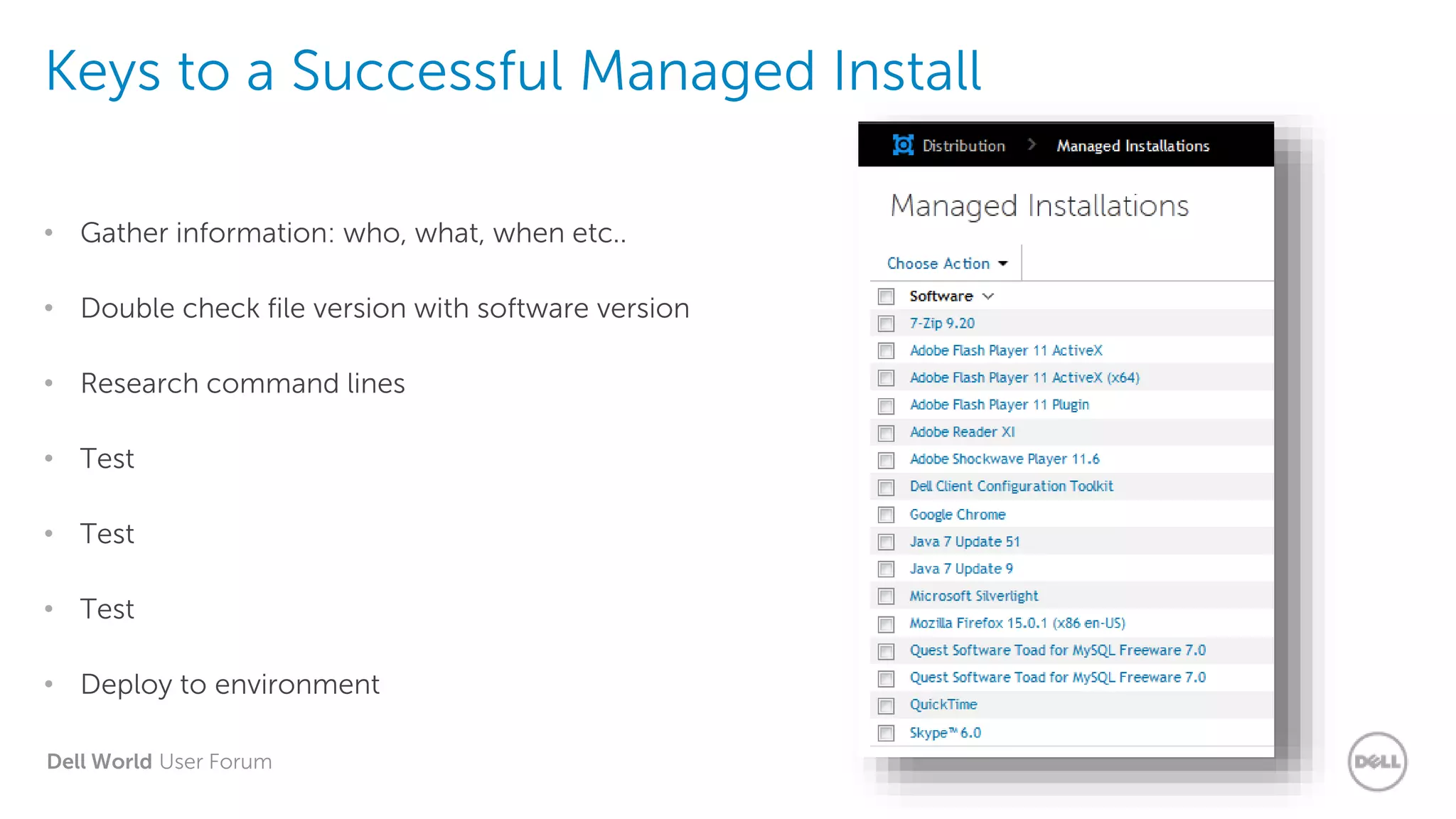
Keys to a Successful Managed Install
• Gather information: who, what, when etc..
• Double check file version with software version
• Research command lines
• Test
• Test
• Test
• Deploy to environment
Dell World User Forum
Keys to a failed Managed Install
• Deploy any version of the software, patching can fix it right?
• Grab some command lines from the previous version you used, they’ll work right?
• Don’t test
• Deploy anytime, who cares if it’s silent
Dell World User Forum
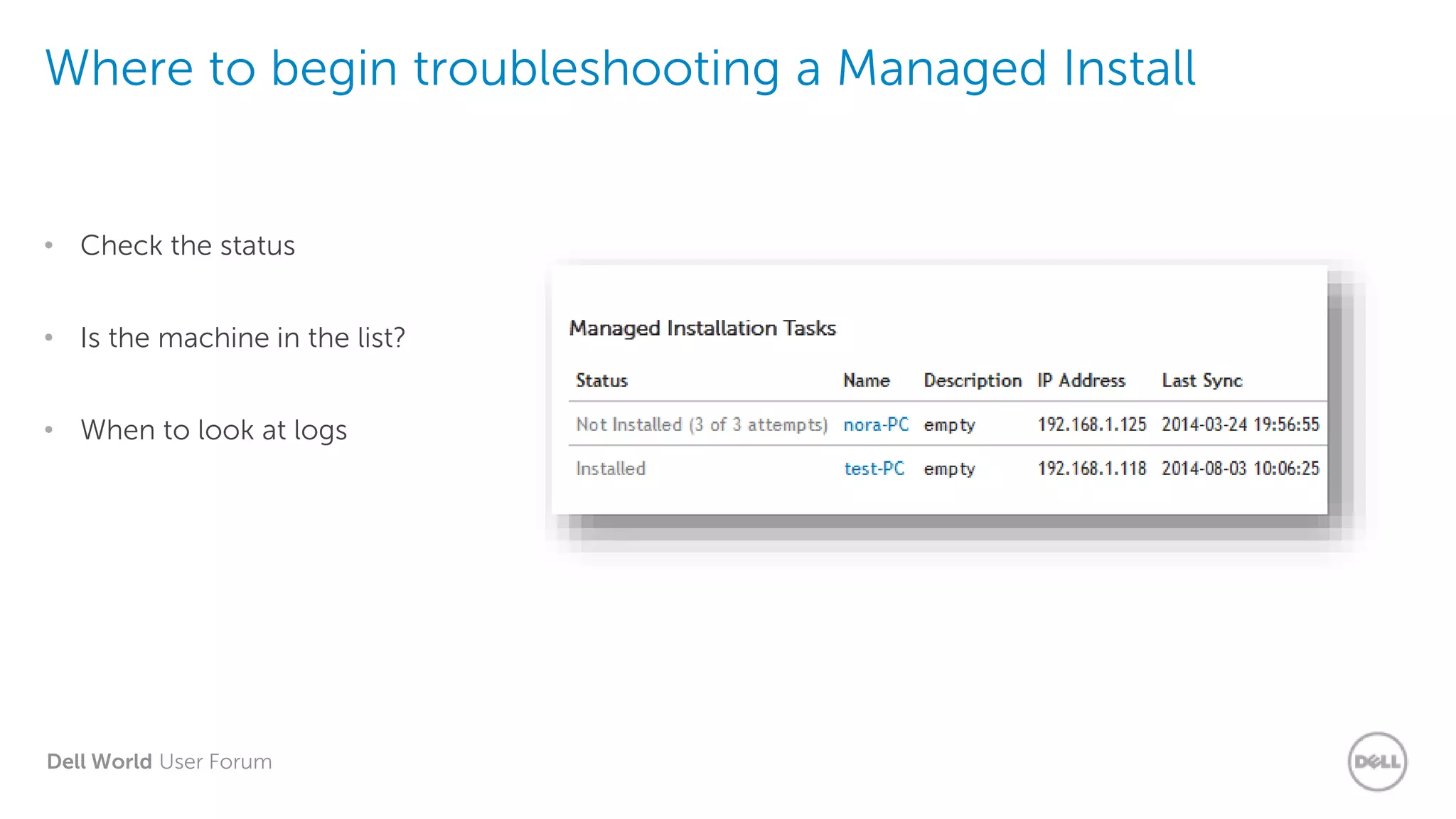
Where to begin troubleshooting a Managed Install
• Check the status
• Is the machine in the list?
• When to look at logs
Dell World User Forum
Demo: Broken
Managed Installation
Dell World User Forum
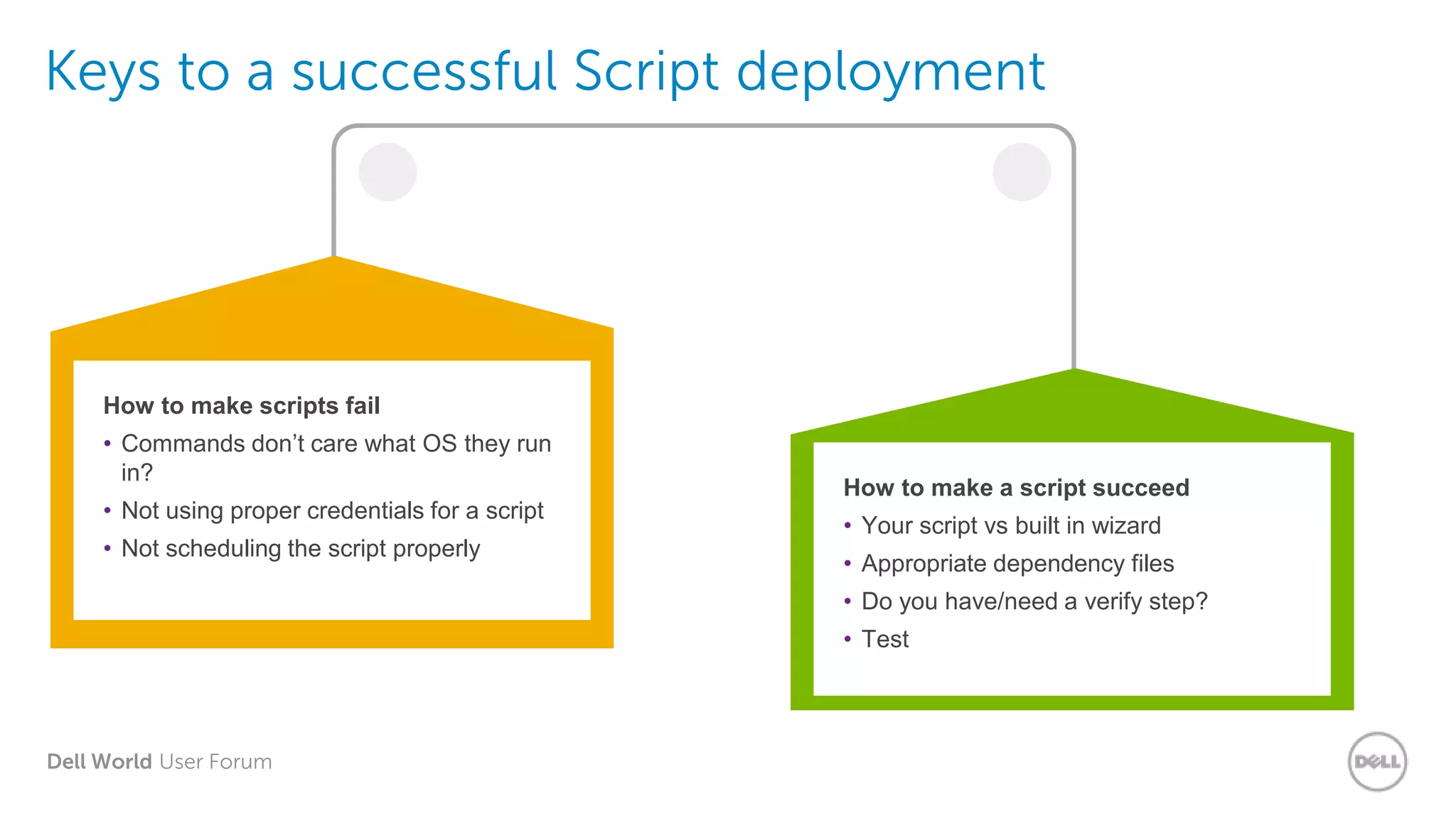
Keys to a successful Script deployment
How to make scripts fail
• Commands don’t care what OS they run
in?
• Not using proper credentials for a script
• Not scheduling the script properly
How to make a script succeed
• Your script vs built in wizard
• Appropriate dependency files
• Do you have/need a verify step?
• Test
Dell World User Forum
Demo: How to run
your Batch and VBS
Dell World User Forum
Agent deployment configuration
• Advanced scan
• When to schedule
• How to update the agent after deployment
Dell World User Forum
Agent deployment failures
• TCP ports/firewall
• Unable to download the agent file due to DNS
• Credentials
• UAC
Dell World User Forum
Demo: Troubleshooting
the Agent
Dell World User Forum
Thank you.
Dell World User Forum
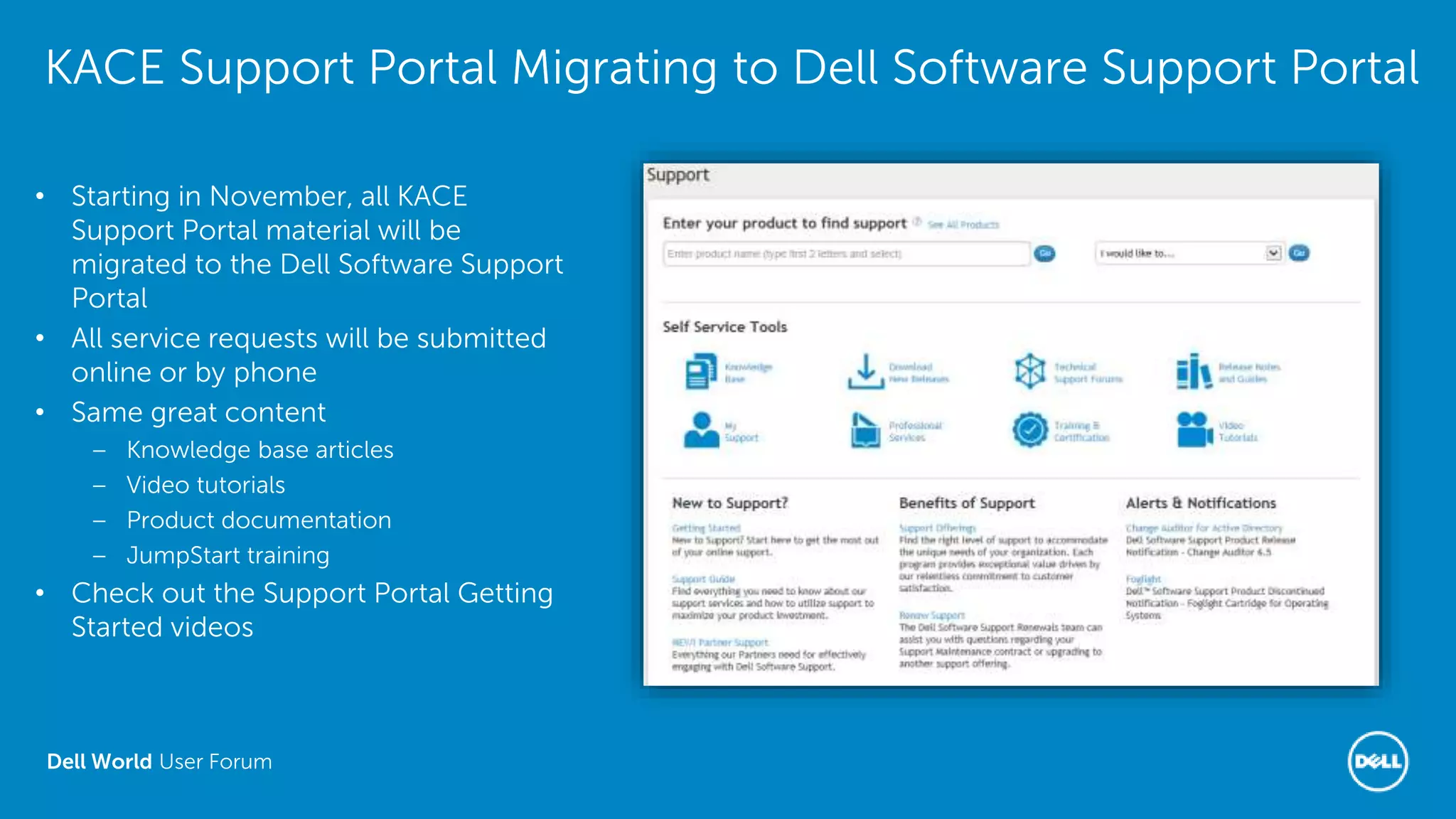
KACE Support Portal Migrating to Dell Software Support Portal
• Starting in November, all KACE
Support Portal material will be
migrated to the Dell Software Support
Portal
• All service requests will be submitted
online or by phone
• Same great content
– Knowledge base articles
– Video tutorials
– Product documentation
– JumpStart training
• Check out the Support Portal Getting
Started videos

Troubleshooting K1000

  • 1.
    Dell World UserForum UFIL523: Troubleshooting K1000 Mark Weathersbee, Senior Trainer Veryl White, Senior Trainer Dell World User Forum
  • 2.
    Dell World UserForum K1ATT Teaser
  • 3.
    Dell World UserForum Agenda • Troubleshooting Overview - Circling the problem • How to maintain your K1000 Appliance • What’s running on your K1000 • System Performance Checklist • Logs • Deployments • Agent Health
  • 4.
    Dell World UserForum Circling the Problem
  • 5.
    Dell World UserForum Troubleshooting Overview 1. Investigate 2. Analyze 3. Resolve 4. Verify 5. Document Investigate Analyze ResolveVerify Document
  • 6.
    Dell World UserForum Investigate  Deployment – Check Logs  Scripting – Check Logs  Connection – Check Logs  Patching – Check Logs  Managed Installs – Check Logs  Replication – Check Logs  Ticket Rules – Check Logs What Broke? What Worked? Where? What Changed?
  • 7.
    Dell World UserForum Analyze • Look into what happened – Check logs – Check Details screen • Compare expected outcome to reality • What can be done to fix it?  Does it work if you don’t use the K1000?  Does it work on other systems?  Different Operating System?  Different domain?  Look in Admin Guide  Look in Support KB
  • 8.
    Dell World UserForum Resolution • Once you know where it broke, how it broke, etc. • Fix it! • One thing at a time  Change the package  Change the settings  Change the network  Change the client
  • 9.
    Dell World UserForum Verify & Document • Make sure it works • Remember what happened Expected results on test machine? Try a larger set Use your Knowledge Base to document
  • 10.
    Dell World UserForum How to maintain your K1000 Appliance
  • 11.
    Dell World UserForum Maintaining your K1000 Ask yourself: • When was our last backup? • Where are the backups? • Are we on the current server/agent versions? • What is our agent check-in interval? • How many remote sites are still running? • Are all of my agents current and checking in? • What about network bandwidth? • Are there old/unused items in the database? • Are my patch subscriptions current?
  • 12.
    Dell World UserForum K1000 Appliance Health Cycle Checks Backup Upgrade Agent Download Upgrade Packages Upgrade Server Version System Performance Check Agent Tasks Check Replication Patches Dell Updates Log files Munin Graphs Oval Runs 1 2 3 4 1 2 3 4 5 6 7 8
  • 13.
    Dell World UserForum What’s Running on your K1000?
  • 14.
    Dell World UserForum What’s Running on your K1000 Appliance? Agent – Have you checked what the Agents are doing behind your back? • Run Interval / Inventory Interval • Scripting Update / Ping Interval • Task Throughput / Run Now Tasks • AMP (Agent Messaging Protocol / Green Light) Scheduled Tasks – Are you aware that there are “Scheduled Tasks” running? • Patching / OVAL / Replication / Metering • Agent Provisioning / Scheduled Reports / Ticket Rules • Dell Updates / Scripts / IP Scan / Distributions System Performance – Have you checked and fine tune your K1000? • Web Server / Database / CPU / Memory / Disk IO (RAID) / Network • Hardware Spec / Virtual • Connections (agents/webui/downloads/uploads) / Tasks
  • 15.
    Dell World UserForum Tasks & Queues • What kind of tasks? • Where’s the task list? • How is the list processed? • What’s the Task Throughput setting do? • What do I do when things get stuck? Types of Tasks • Inventory • Scripting • Upload Scripting Logs • Patching • Replication • Metering • Run Now • Dell Updates • Alerts • Bootstrap
  • 16.
    Dell World UserForum Agent Task List • What Task are “In Progress”? • http://k1000/adminui/konductor_tasks.php
  • 17.
    Dell World UserForum K1000 Task Throughput Update Task Throughput /adminui/settings_client.php • Inventory Updates • Patching Updates • Scripts Execution
  • 18.
    Dell World UserForum Demo: K1000 Settings
  • 19.
    Dell World UserForum Replication Agent • Reduces load on the K1000 • Reduces network bandwidth bottlenecks • Better utilization of network bandwidth • Smart distribution Replication Share Replication Agent machinenamefoldernamerepl2replicationitems folder Replication Clients Failover
  • 20.
    Dell World UserForum Replication Share • Replication Off – during Peak Hours • Do you need to “Replicate App Patches”? • Do you need to “Replicate Dell Packages”? • Have you select and limit to only the O/S Patching files required?
  • 21.
    Dell World UserForum K1000 Troubleshooting Tools • http://k1000/adminui/troubleshooting.php • Network Troubleshooting and testing – ping, arp, dig, ifconfig, iostat, netstat, smbstatus • Database Test • Email Sending Test • Services
  • 22.
    Dell World UserForum K1000 Troubleshooting Tools – DNS Lookup Ping website or computer
  • 23.
    Dell World UserForum How to Analyze K1000 Server Logs http://k1000/adminui/settings_logs.php • DD Status • K1000 Logs • Server Errors • Munin Graph • OpCode Cache • Reporting Logs • Reporting Error • Client Errors
  • 24.
    Dell World UserForum Logs > System Performance > Munin Logs Apache • Accesses • Processes • Volume Disk • File system usage • Inode usage Exim • Mail throughput KBOX • Connections • KBOX agent tasks • Long tasks • Task throughput Samba • Status MySQL • Throughput • Queries • Slow queries • Threads Network • Traffic • Errors & collisions • Netstat • processes • VMstat System • CPU usage • Load average • Memory usage • Swap in/out
  • 25.
    Dell World UserForum Munin Graphs Tells a Tale http://k1000/munin/k1000/k1000.html • Apache - Webpage • Disk - HDD • Exim – Email • Kbox – Agents • MySQL - Database • Network - Traffic • Processes – No.# • Samba - Share • System - Hardware
  • 26.
    Dell World UserForum Demo: Logs
  • 27.
    Dell World UserForum Deployments
  • 28.
    Dell World UserForum Keys to a Successful Managed Install • Gather information: who, what, when etc.. • Double check file version with software version • Research command lines • Test • Test • Test • Deploy to environment
  • 29.
    Dell World UserForum Keys to a failed Managed Install • Deploy any version of the software, patching can fix it right? • Grab some command lines from the previous version you used, they’ll work right? • Don’t test • Deploy anytime, who cares if it’s silent
  • 30.
    Dell World UserForum Where to begin troubleshooting a Managed Install • Check the status • Is the machine in the list? • When to look at logs
  • 31.
    Dell World UserForum Demo: Broken Managed Installation
  • 32.
    Dell World UserForum Keys to a successful Script deployment How to make scripts fail • Commands don’t care what OS they run in? • Not using proper credentials for a script • Not scheduling the script properly How to make a script succeed • Your script vs built in wizard • Appropriate dependency files • Do you have/need a verify step? • Test
  • 33.
    Dell World UserForum Demo: How to run your Batch and VBS
  • 34.
    Dell World UserForum Agent deployment configuration • Advanced scan • When to schedule • How to update the agent after deployment
  • 35.
    Dell World UserForum Agent deployment failures • TCP ports/firewall • Unable to download the agent file due to DNS • Credentials • UAC
  • 36.
    Dell World UserForum Demo: Troubleshooting the Agent
  • 37.
    Dell World UserForum Thank you.
  • 38.
    Dell World UserForum KACE Support Portal Migrating to Dell Software Support Portal • Starting in November, all KACE Support Portal material will be migrated to the Dell Software Support Portal • All service requests will be submitted online or by phone • Same great content – Knowledge base articles – Video tutorials – Product documentation – JumpStart training • Check out the Support Portal Getting Started videos

Editor's Notes

  • #3 Log Perusal What info is in each log? Which graphs are important and what do they mean?
  • #4 Be sure to call out the fact that we offer a “health-check” / follow-up training product.
  • #7 Discuss enabling logs on the local machine. Where will the logs be located? What logs to look at? When to stop looking at logs and get support’s help? Testing deployments before they go network wide goes a long way to preventing failures that require troubleshooting time.
  • #8 Consider deleting slide useless
  • #9 How do we fix the break once the issue is determined? New MI or separate MI to target specific machines Specific label to exclude groups of machines or run when user is not logged in?
  • #13 Discuss major points on slide.
  • #14 What Managed Installs and Scripts are active for deployment
  • #15 Remind them of the service mentioned at the outset
  • #19 Log Perusal What info is in each log? Which graphs are important and what do they mean?
  • #27 Log Perusal What info is in each log? Which graphs are important and what do they mean?
  • #29 Who needs the software? What version of the software do they need? When can we deploy the software to their machines? Can it be deployed while the software is in use? Did I mention Test?
  • #30 This stuff happens, you’re in a hurry or don’t know how to do the deployment so you guess. Use the forums; itninja ask google ask the vendor do something other than throw something together and pray
  • #31 If the machine is not in the status list go back and fix “supported operating systems” Or check labels as its not in the targeted deployment Not installed requires further investigation
  • #32 Did the file download? Is delete downloaded items checked? If so rerun the MI Check status under the MI, does machine show up? If so does it show installed, missing, not installed x of x attempts? Is the command line correct? If system is not listed under MI as missing, installed etc… then check supported operating systems. Correct file type for OS? Is MI attempting to reinstall at next check in? Check version of software association vs file version of upload Deployment window
  • #33 Sudo works in windows also right? Offline vs online script Running the script during the middle of the day or during peak network use
  • #34 http://www.kace.com/support/resources/kb/article/how-to-call-a-visual-basic-script For example: C:\WINDOWS\system32\cscript.exe Test.vbs To run a script as a batch file (.bat), with credentials, create a batch file use the following syntax. For Reference: http://forum.localgeek.us/viewtopic.php?f=3&t=9 To prompt you for the password: runas /user:username "cscript.exe //D \\avnwdc13\renameprof\install_service.vbs" To include the password: runas /user: username /password:password "cscript.exe //D \\avnwdc13\renameprof\install_service.vbs" In the K1000 Environment: The following example uses "Launch a program" in the K1000 appliance scripting to call a Visual Basic Script: On Success 1. Launch “$(KACE_SYS_DIR)\cscript.exe” with params “”$(KACE_DEPENDENCY_DIR)\dump_eventlog.vbs“ ”$(KACE_DEPENDENCY_DIR)\eventlog.txt“”. Or create a batch file to call your script: C:\WINDOS\system32\cscript.exe Test.vbs Remember to attach the actual vbs script file in the dependencies section.
  • #36 Check firewall settings Hostname not entered into DNS, correct DNS or insert IP into provisioning
  • #39 Portal: http://www.software.dell.com/support Ticket Entry: https://support.software.dell.com/create-service-request Videos: https://support.software.dell.com/essentials/getting-started