Downloaded 609 times
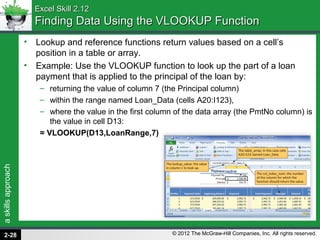
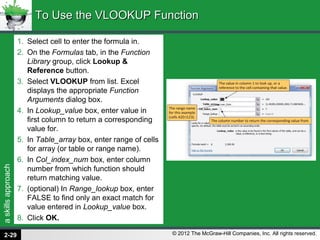
![askillsapproach
© 2012 The McGraw-Hill Companies, Inc. All rights reserved.
Excel Skill 2.13Excel Skill 2.13
Creating Formulas Referencing Data from Another WorksheetCreating Formulas Referencing Data from Another Worksheet
• Cell references are not limited to cells within the same
worksheet.
• Reference cells in other worksheets in a workbook or other
workbooks. This is useful when creating summary sheets
or performing analysis on data from multiple sheets.
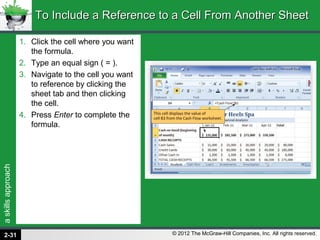
• For example, this formula will display the value of cell B3
from the Cash Flow worksheet:
= ‘Cash Flow’!B3
• If multiple workbooks are open, click a cell in another
workbook to create an external reference. The reference
will look like this:
= B17 + ‘[Four Year Profit Projections.xlsx]Salaries’!$D$6
2-30](https://image.slidesharecdn.com/triad2010excelchapter2-130514015608-phpapp02/85/Triad-2010-excel_chapter_2-30-320.jpg)
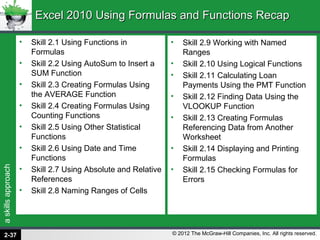

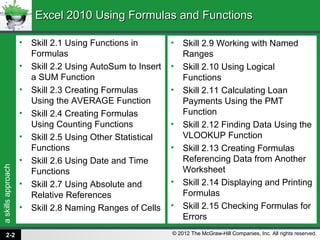
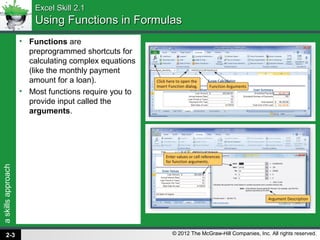
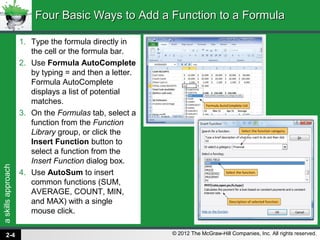
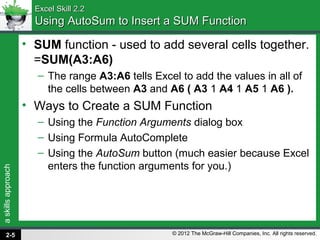
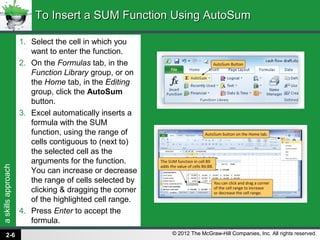
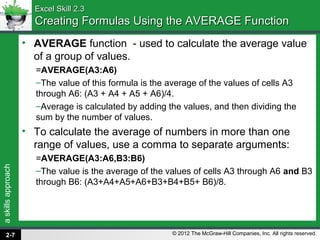
This document provides an overview of using formulas and functions in Excel 2010. It covers topics such as: - Using common functions like SUM, AVERAGE, COUNT, MIN, MAX in formulas - Using the AutoSum button to quickly insert functions - Creating formulas with other statistical, date/time, logical functions - Using absolute and relative cell references in formulas - Naming ranges of cells for use in formulas - Checking formulas for errors The document is from a chapter that teaches key skills for working with formulas and functions in Excel, with explanations and step-by-step instructions.


