Avoiding the
       JavaScript:void(''):
Accommodating 1.0 Users in a Web 2.0
             World


         Jason Pitoniak
Rochester Institute of Technology

    HighEdWebDev ▪ TPR 4
       October 15, 2007
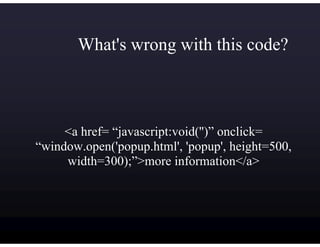
What's wrong with this code?


     <a href= “javascript:void('')” onclick=
“window.open('popup.html', 'popup', height=500,
     width=300);”>more information</a>
What is a 1.0 User?

Any user who, for whatever reason, cannot take
advantage the the advanced features of the sites we
build .

1.0 Users include:
 Users with JavaScript turned off
 Users of older browsers
 Users of mobile devices
 Users of assistive technology devices
Problems? What problems?

What kind of problems arise from using advanced
web design techniques?

     The site stops working if...

Can it be solved?

     Of course...that's why you're here,
     isn't it?
Example of a Problem
Yahoo!'s popular Upcoming.org community events
 database uses an advanced AJAX/JavaScript
 interface to let event organizers select venues.
What happens when you try to add an event without
 JavaScript support? Let's see...
What you won't learn today...
This is not a general accessibility lecture.

This is not a lecture on web standards, JavaScript,
 AJAX, or any related technology.

You will not learn the “best” way to create an
 accessible Web 2.0 site.
But you will leave with unanswered questions!
Some Questions

Is there a difference between a
web site and a web application?
Some Questions

             Is it acceptable to launch two
             versions of a web application?

Text-only pages are generally considered a bad idea
We launch Mac and PC versions of software
Google Maps and GMail
APIs/MVC to the rescue?
Hints for Doing it Right
Understand your audience
Code like it's 1999
Use DOM scripting to enhance the page
on the client
Consider using a JavaScript library
Understand Your Audience
An app that will be restricted to only the
computers in the registrar's office probably
doesn't need to be coded with mobile devices in
mind.
An app for students to check their homework
assignments probably should.
Both apps should address the needs of users with
disabilities.
Code Like It's 1999
Think lowest common denominator when
designing your basic page structure.
Follow web standards to ensure consistant
display.
Use DOM Scripting
Newer browsers can manipulate the page on the
client end.
Add the bells and whistles through JavaScript.
If a browser doesn't understand the manipulations
they will be ignored, but the user will have a
fulling working page nonetheless.
DOM Scripting Limitations
Many irregularities still exist between platforms
Proper care must be taken to prevent script errors
in older JS compliant browsers.
Consider a JavaScript Library
JavaScript libraries...
  Standardize browser irregularities
  Add support for “missing” events
  Often provide easy-to-use AJAX interfaces
  Sometimes provide cool widgets and page
  enhancements
JS Libraries: Many to Choose
And the Winner is...
Y I Chose YUI
Open source (BSD license)‫‏‬
Developed by Yahoo! for use on their properties
Actively being developed
DOM utilities, AJAX handlers, and widgets
Extremely flexible API
Lightweight
Namespacing system prevents naming conflicts
YUI Features
Standardized event model
onAvailable, onContentReady, and
onDOMReady events
DOM utilities like getElementsByClassName()‫‏‬
Many UI widgets: calendars, auto completes,
tabs, menus, data grids, color picker, etc.
YUI Issues
Namespacing model makes for very long lines of
code:
YAHOO.widget.calendar(...);
Flexible API = lots of doing things by hand
Componentialized code makes for lots of JS files
to include on web pages.
AJAX: The Web Developer's
       Four Letter Word
OMG, you used AJAX in an accessibility lecture!
Is AJAX really inaccessible?
If not, then what is?
But, you used DOM scripting in the example!
Avoiding DOM Scripting*
     Can we expect users that don't want advanced
     features of our sites to turn off JavaScript?
     Do we use JS in beneficial ways that don't
     manipulate the DOM?
     Is posting instructions on how to turn off JS a
     reasonable way to make our app accessible?


*when necessary
Accessibility Mode
Consider options to let users turn advanced, non-
acessible features off
−   Top of all pages?
−   On a user preferences page?
Simple check box and cookie?
Thoughts on Screen Readers
Screen readers tend not to notice runtime changes
in the DOM
Screen readers DO understand JavaScript
Screen readers DO understand CSS
Screen readers DON'T like JS “panels”
Screen readers DO work with popup windows
The Solution
<a href= “info.html” id=“mypopup”>more info</a>
document.getElementById(“mypopup”).onclick =
  function (e) {
      e = (window.event) ? window.event : e;
      window.open(this.href, “popup”,
        “height=200,width=300”);
      e.preventDefault();
  }
Yellow Box
When changing anything on the page, highlight it
with a yellow background
Fade the background to white slowly
Helps low-sighted users follow changes to the
page
Originally used by Basecamp
http://webiscope.com/archives/2007/09/19/how-usability-affects-products-part-2-
basecamp/
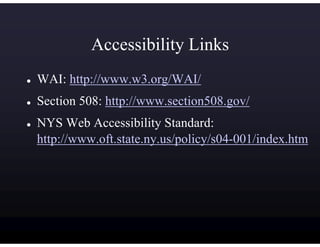
Accessibility Links
WAI: http://www.w3.org/WAI/
Section 508: http://www.section508.gov/
NYS Web Accessibility Standard:
http://www.oft.state.ny.us/policy/s04-001/index.htm
Mobile Device Links
W3C MobileOK Tests:
http://www.w3.org/TR/mobileOK-basic10-tests/
Challenges of Interface Design for Mobile
Devices:
http://yuiblog.com/blog/2007/10/02/challenges-
of-interface-design-for-mobile-devices/
JavaScript Library Links
YUI: http://developer.yahoo.com/yui
Prototype: http://www.prototypejs.org/
Scriptaculous: http://script.aculo.us/
jQuery: http://www.jquery.com/
DEDChain: http://dedchain.dustindiaz.com/
MooFX: http://moofx.mad4milk.net/
Adobe Spry: http://labs.adobe.com/technologies/spry/
Mochikit: http://mochikit.com/
Dojo: http://dojotoolkit.org/
Ext: http://extjs.com/
In Conclusion
Understand your audience
Code for the LCD
Modify on the client when the client supports it
and the user wants it
Consider accessibility issues and work-arounds
Only exploit technology when it serves a
legitimate purpose

TPR4

  • 1.
    Avoiding the JavaScript:void(''): Accommodating 1.0 Users in a Web 2.0 World Jason Pitoniak Rochester Institute of Technology HighEdWebDev ▪ TPR 4 October 15, 2007
  • 2.
    What's wrong withthis code? <a href= “javascript:void('')” onclick= “window.open('popup.html', 'popup', height=500, width=300);”>more information</a>
  • 3.
    What is a1.0 User? Any user who, for whatever reason, cannot take advantage the the advanced features of the sites we build . 1.0 Users include: Users with JavaScript turned off Users of older browsers Users of mobile devices Users of assistive technology devices
  • 4.
    Problems? What problems? Whatkind of problems arise from using advanced web design techniques? The site stops working if... Can it be solved? Of course...that's why you're here, isn't it?
  • 5.
    Example of aProblem Yahoo!'s popular Upcoming.org community events database uses an advanced AJAX/JavaScript interface to let event organizers select venues. What happens when you try to add an event without JavaScript support? Let's see...
  • 6.
    What you won'tlearn today... This is not a general accessibility lecture. This is not a lecture on web standards, JavaScript, AJAX, or any related technology. You will not learn the “best” way to create an accessible Web 2.0 site. But you will leave with unanswered questions!
  • 7.
    Some Questions Is therea difference between a web site and a web application?
  • 8.
    Some Questions Is it acceptable to launch two versions of a web application? Text-only pages are generally considered a bad idea We launch Mac and PC versions of software Google Maps and GMail APIs/MVC to the rescue?
  • 9.
    Hints for Doingit Right Understand your audience Code like it's 1999 Use DOM scripting to enhance the page on the client Consider using a JavaScript library
  • 10.
    Understand Your Audience Anapp that will be restricted to only the computers in the registrar's office probably doesn't need to be coded with mobile devices in mind. An app for students to check their homework assignments probably should. Both apps should address the needs of users with disabilities.
  • 11.
    Code Like It's1999 Think lowest common denominator when designing your basic page structure. Follow web standards to ensure consistant display.
  • 12.
    Use DOM Scripting Newerbrowsers can manipulate the page on the client end. Add the bells and whistles through JavaScript. If a browser doesn't understand the manipulations they will be ignored, but the user will have a fulling working page nonetheless.
  • 13.
    DOM Scripting Limitations Manyirregularities still exist between platforms Proper care must be taken to prevent script errors in older JS compliant browsers.
  • 14.
    Consider a JavaScriptLibrary JavaScript libraries... Standardize browser irregularities Add support for “missing” events Often provide easy-to-use AJAX interfaces Sometimes provide cool widgets and page enhancements
  • 15.
  • 16.
  • 17.
    Y I ChoseYUI Open source (BSD license)‫‏‬ Developed by Yahoo! for use on their properties Actively being developed DOM utilities, AJAX handlers, and widgets Extremely flexible API Lightweight Namespacing system prevents naming conflicts
  • 18.
    YUI Features Standardized eventmodel onAvailable, onContentReady, and onDOMReady events DOM utilities like getElementsByClassName()‫‏‬ Many UI widgets: calendars, auto completes, tabs, menus, data grids, color picker, etc.
  • 19.
    YUI Issues Namespacing modelmakes for very long lines of code: YAHOO.widget.calendar(...); Flexible API = lots of doing things by hand Componentialized code makes for lots of JS files to include on web pages.
  • 20.
    AJAX: The WebDeveloper's Four Letter Word OMG, you used AJAX in an accessibility lecture! Is AJAX really inaccessible? If not, then what is? But, you used DOM scripting in the example!
  • 21.
    Avoiding DOM Scripting* Can we expect users that don't want advanced features of our sites to turn off JavaScript? Do we use JS in beneficial ways that don't manipulate the DOM? Is posting instructions on how to turn off JS a reasonable way to make our app accessible? *when necessary
  • 22.
    Accessibility Mode Consider optionsto let users turn advanced, non- acessible features off − Top of all pages? − On a user preferences page? Simple check box and cookie?
  • 23.
    Thoughts on ScreenReaders Screen readers tend not to notice runtime changes in the DOM Screen readers DO understand JavaScript Screen readers DO understand CSS Screen readers DON'T like JS “panels” Screen readers DO work with popup windows
  • 24.
    The Solution <a href=“info.html” id=“mypopup”>more info</a> document.getElementById(“mypopup”).onclick = function (e) { e = (window.event) ? window.event : e; window.open(this.href, “popup”, “height=200,width=300”); e.preventDefault(); }
  • 25.
    Yellow Box When changinganything on the page, highlight it with a yellow background Fade the background to white slowly Helps low-sighted users follow changes to the page Originally used by Basecamp http://webiscope.com/archives/2007/09/19/how-usability-affects-products-part-2- basecamp/
  • 26.
    Accessibility Links WAI: http://www.w3.org/WAI/ Section508: http://www.section508.gov/ NYS Web Accessibility Standard: http://www.oft.state.ny.us/policy/s04-001/index.htm
  • 27.
    Mobile Device Links W3CMobileOK Tests: http://www.w3.org/TR/mobileOK-basic10-tests/ Challenges of Interface Design for Mobile Devices: http://yuiblog.com/blog/2007/10/02/challenges- of-interface-design-for-mobile-devices/
  • 28.
    JavaScript Library Links YUI:http://developer.yahoo.com/yui Prototype: http://www.prototypejs.org/ Scriptaculous: http://script.aculo.us/ jQuery: http://www.jquery.com/ DEDChain: http://dedchain.dustindiaz.com/ MooFX: http://moofx.mad4milk.net/ Adobe Spry: http://labs.adobe.com/technologies/spry/ Mochikit: http://mochikit.com/ Dojo: http://dojotoolkit.org/ Ext: http://extjs.com/
  • 29.
    In Conclusion Understand youraudience Code for the LCD Modify on the client when the client supports it and the user wants it Consider accessibility issues and work-arounds Only exploit technology when it serves a legitimate purpose