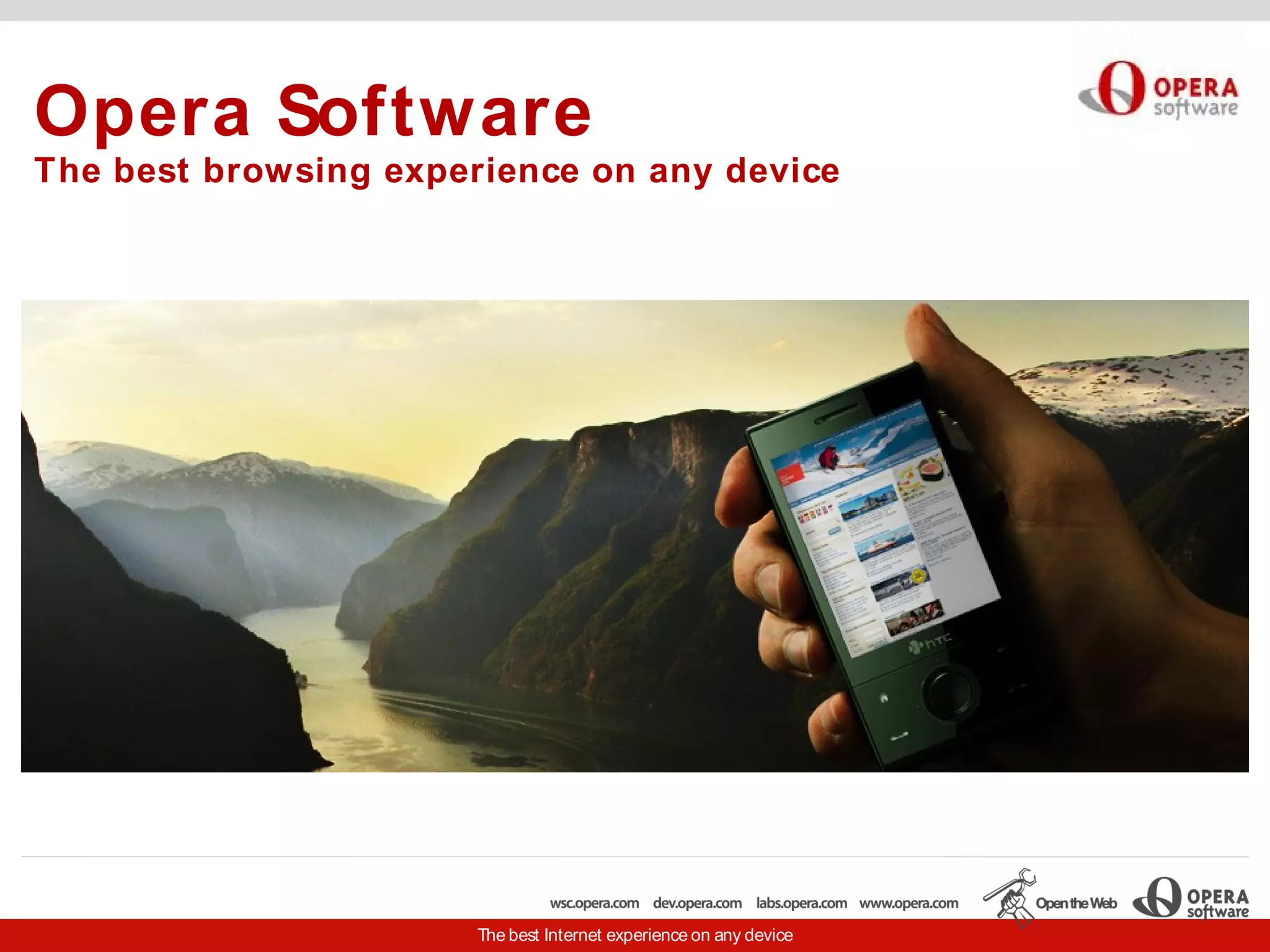
Opera Software
The best browsing experience on any device


                       The best Internet experience on any device
brucel@opera.com, http://dev.opera.com

www.brucelawson.co.uk twitter.com/brucel
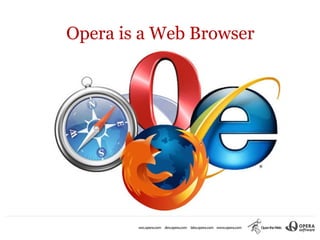
Opera is a Web Browser
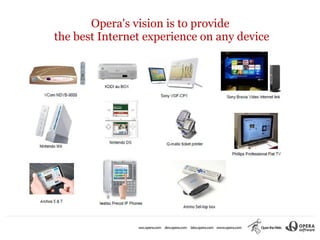
Opera's vision is to provide
the best Internet experience on any device
Why do Web Standards matter?


The most important program on
      your computer is
     your Web Browser.
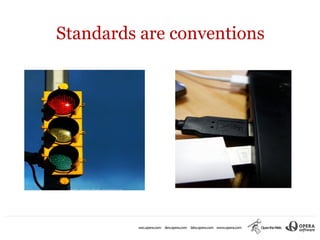
Standards are conventions
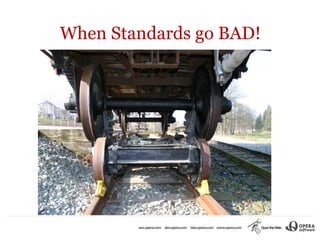
When Standards go BAD!
What are Web Standards?


    Standards are rules and
methodologies that make building
         things easier.
    And the results better.
Open vs Closed Standards

           Open Standards are made by the
      World Wide Web Consortium (W3C) in public,
    through debate, discussion leading to agreement.

Closed Standards are made by a single company, in secret,
    according to the business needs of that company.
Dangers of a closed-standard culture

South Korea is a nation that at the forefront of technology,
 an early adopter of ecommerce, leading the world in 3G
     mobile adoption, in wireless broadband, in wired
  broadband adoption, as well as in citizen-driven media.

     But the Web is in hands of a single corporation.

    http://kanai.net/weblog/archive/2007/01/26/00h53m55s
Advantages of Open Standards
     The Web works everywhere - The Web is the platform

●   Good standards help developers: validate; separate content and
     presentation - means specialisation and maintainability.
●   Good standards help site owners: more maintainability; smaller
     pages; better SEO (webometrics)
●   Good standards help site end-users: light-weight; findable;
     interoperable; more likely accessible
●   Write once, work everywhere (you can't test every device!)
Case study - Legal and General
British based financial services company that provides life,
  health and other insurance, as well as pensions and
  investments.

Its shares trade on the London Stock Exchange as part of
  the FTSE 100 Index. Major markets include U.K., France,
  Germany, the Netherlands and the United States.
                      www.landg.com
Legal and General's re-design
●   30% increase in natural search-engine traffic
●   75% reduction in time for page to load
●   Browser-compatibility (no complaints since), accessible to mobile
      devices
●   Time to manage content “reduced from five days to 0.5 days per
      job”
●   Savings of £200K annually on site maintenance
●   90% increase in life insurance sales online
●   100% return on investment in less than 12 months.
                     www.brucelawson.co.uk/pas78
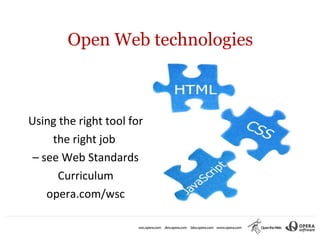
Open Web technologies


Using the right tool for
     the right job
 – see Web Standards
      Curriculum
    opera.com/wsc
HTML
●   Hypertext Markup Language
●   HTML is for information
●   HTML describes the meaning of your information
●   Presentation (fonts, colours, layout, decoration) is not
      meaning – it's style
●   HTML is just text, so it's light and any device can consume
      it: screen readers, braille displays, in-car voice
      browsers, old mobile phones, search engines
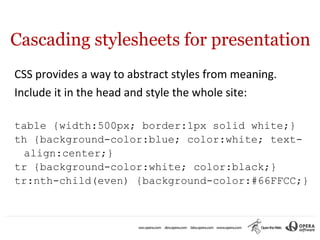
Cascading stylesheets for presentation
CSS provides a way to abstract styles from meaning.
Include it in the head and style the whole site:

table {width:500px; border:1px solid white;}
th {background-color:blue; color:white; text-
 align:center;}
tr {background-color:white; color:black;}
tr:nth-child(even) {background-color:#66FFCC;}
JavaScript for behaviour
Using principles of unobtrusive JavaScript, I'll add Stuart
 Langridge's Sorttable script (kryogenix.org):

<script src="sorttable.js"></script>
<table class="sortable">

Check out the sortable table
<canvas>
Canvas is an immediate graphics mode for modern browsers.
         Placeholder for scripted images/ animations.

     <canvas>Fallback content</canvas>

            Tutorials (write your own games!)
                  http://dev.opera.com
                   Search for “canvas”
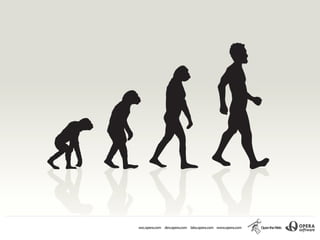
Evolution of HTML: monkey on
left becomes human in 4 stages
th
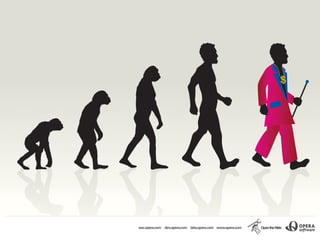
Evolution of HTML: 5 monkey
(HTML5) is human but dressed
       in pimp clothing
HTML5

“... extending the language to better support Web
  applications, since that is one of the directions the Web
  is going in and is one of the areas least well served by
  HTML so far.

This puts HTML in direct competition with other
  technologies intended for applications deployed over the
  Web, in particular Flash and Silverlight.”
HTML5 goodies
●   Drag and drop
●   Cross-window, Cross-domain messaging
●   Web workers
●   Adding toolbars <menu>, <command>
●   WebStorage
●   Geolocation
●   Register protocol handler, content type handlers
●   Server-sent events <eventsource>
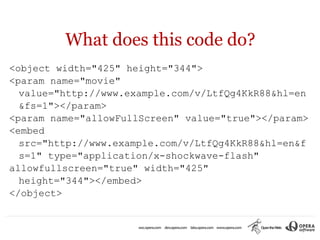
What does this code do?
<object width="425" height="344">
<param name="movie"
  value="http://www.example.com/v/LtfQg4KkR88&hl=en
  &fs=1"></param>
<param name="allowFullScreen" value="true"></param>
<embed
  src="http://www.example.com/v/LtfQg4KkR88&hl=en&f
  s=1" type="application/x-shockwave-flash"
allowfullscreen="true" width="425"
  height="344"></embed>
</object>
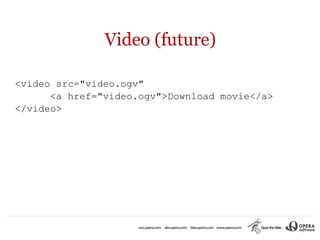
Video (future)

<video src="video.ogv"
      <a href="video.ogv">Download movie</a>
</video>
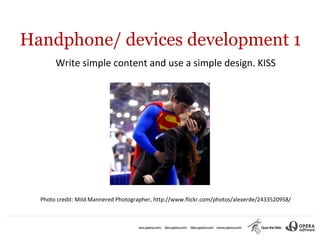
Handphone/ devices development 1
       Write simple content and use a simple design. KISS


  Photo credit: Mild Mannered Photographer, http://www.flickr.com/photos/alexerde/2433520958/
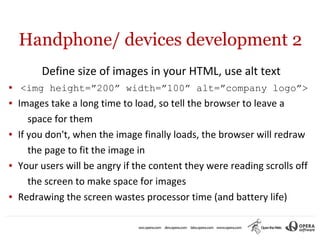
Handphone/ devices development 2
         Define size of images in your HTML, use alt text
●   <img height=”200” width=”100” alt=”company logo”>
●   Images take a long time to load, so tell the browser to leave a
       space for them
●   If you don't, when the image finally loads, the browser will redraw
       the page to fit the image in
●   Your users will be angry if the content they were reading scrolls off
       the screen to make space for images
●   Redrawing the screen wastes processor time (and battery life)
Handphone/ devices development 3

    Put your JavaScript at the bottom of your page if possible

●   Browsers wait for JS to load. If they're at the top,
       rendering pauses.
●   If your JS is at the bottom of the page, the user can read
       the content etc while she is waiting to interact with the
       page.
Handphone/ devices development 4
                     Minimise HTTP requests

●   The slowest part of rendering your pages on handphones is
      requesting a file (JS/ CSS/ image) over the network
●   Combine JS into one file. Same with CSS.
●   Use CSS sprites to combine decorative images
●   Consider encoding images directly in your page as data URLs
●   Use SVG or <canvas> for images
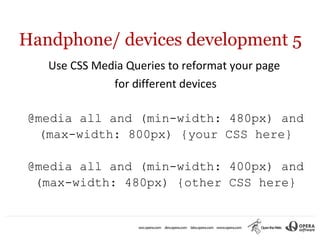
Handphone/ devices development 5
   Use CSS Media Queries to reformat your page
              for different devices

@media all and (min-width: 480px) and
  (max-width: 800px) {your CSS here}

@media all and (min-width: 400px) and
 (max-width: 480px) {other CSS here}
The Standards-based workflow
●   Know and understand your tool set.
●   Use the right tools (HTML, CSS, JS, Media Queries).
●   Validate your code (validator.w3.org, JS Lint).
●   Use Opera Dragonfly and debug menu to hunt down
      errors and kill them, or just see what's going on.
●   Check your work regularly in Opera desktop at different
      screen widths, Opera Mini and other browsers.
●   This is an iterative cycle. It will save time.
Why you need to know
              Open Standards
●   oppose dominance by one corporation and so promote
      choice
●   promote inclusion (slower networks, older computers,
      people with disabilities)
●   lower development cost - work smarter, not cheaper
●   These will be hot skills in a few months' time: get
      them now!
Terima Kasih

brucel@opera.com, www.opera.com/developer

 www.brucelawson.co.uk, twitter.com/brucel

          www.html5doctor.com

Bruce Lawson Opera Indonesia

  • 1.
    Opera Software The bestbrowsing experience on any device The best Internet experience on any device
  • 2.
  • 3.
    Opera is aWeb Browser
  • 4.
    Opera's vision isto provide the best Internet experience on any device
  • 5.
    Why do WebStandards matter? The most important program on your computer is your Web Browser.
  • 6.
  • 7.
  • 8.
    What are WebStandards? Standards are rules and methodologies that make building things easier. And the results better.
  • 9.
    Open vs ClosedStandards Open Standards are made by the World Wide Web Consortium (W3C) in public, through debate, discussion leading to agreement. Closed Standards are made by a single company, in secret, according to the business needs of that company.
  • 10.
    Dangers of aclosed-standard culture South Korea is a nation that at the forefront of technology, an early adopter of ecommerce, leading the world in 3G mobile adoption, in wireless broadband, in wired broadband adoption, as well as in citizen-driven media. But the Web is in hands of a single corporation. http://kanai.net/weblog/archive/2007/01/26/00h53m55s
  • 11.
    Advantages of OpenStandards The Web works everywhere - The Web is the platform ● Good standards help developers: validate; separate content and presentation - means specialisation and maintainability. ● Good standards help site owners: more maintainability; smaller pages; better SEO (webometrics) ● Good standards help site end-users: light-weight; findable; interoperable; more likely accessible ● Write once, work everywhere (you can't test every device!)
  • 12.
    Case study -Legal and General British based financial services company that provides life, health and other insurance, as well as pensions and investments. Its shares trade on the London Stock Exchange as part of the FTSE 100 Index. Major markets include U.K., France, Germany, the Netherlands and the United States. www.landg.com
  • 13.
    Legal and General'sre-design ● 30% increase in natural search-engine traffic ● 75% reduction in time for page to load ● Browser-compatibility (no complaints since), accessible to mobile devices ● Time to manage content “reduced from five days to 0.5 days per job” ● Savings of £200K annually on site maintenance ● 90% increase in life insurance sales online ● 100% return on investment in less than 12 months. www.brucelawson.co.uk/pas78
  • 14.
    Open Web technologies Usingthe right tool for the right job – see Web Standards Curriculum opera.com/wsc
  • 15.
    HTML ● Hypertext Markup Language ● HTML is for information ● HTML describes the meaning of your information ● Presentation (fonts, colours, layout, decoration) is not meaning – it's style ● HTML is just text, so it's light and any device can consume it: screen readers, braille displays, in-car voice browsers, old mobile phones, search engines
  • 16.
    Cascading stylesheets forpresentation CSS provides a way to abstract styles from meaning. Include it in the head and style the whole site: table {width:500px; border:1px solid white;} th {background-color:blue; color:white; text- align:center;} tr {background-color:white; color:black;} tr:nth-child(even) {background-color:#66FFCC;}
  • 17.
    JavaScript for behaviour Usingprinciples of unobtrusive JavaScript, I'll add Stuart Langridge's Sorttable script (kryogenix.org): <script src="sorttable.js"></script> <table class="sortable"> Check out the sortable table
  • 18.
    <canvas> Canvas is animmediate graphics mode for modern browsers. Placeholder for scripted images/ animations. <canvas>Fallback content</canvas> Tutorials (write your own games!) http://dev.opera.com Search for “canvas”
  • 19.
    Evolution of HTML:monkey on left becomes human in 4 stages
  • 20.
    th Evolution of HTML:5 monkey (HTML5) is human but dressed in pimp clothing
  • 21.
    HTML5 “... extending thelanguage to better support Web applications, since that is one of the directions the Web is going in and is one of the areas least well served by HTML so far. This puts HTML in direct competition with other technologies intended for applications deployed over the Web, in particular Flash and Silverlight.”
  • 22.
    HTML5 goodies ● Drag and drop ● Cross-window, Cross-domain messaging ● Web workers ● Adding toolbars <menu>, <command> ● WebStorage ● Geolocation ● Register protocol handler, content type handlers ● Server-sent events <eventsource>
  • 23.
    What does thiscode do? <object width="425" height="344"> <param name="movie" value="http://www.example.com/v/LtfQg4KkR88&hl=en &fs=1"></param> <param name="allowFullScreen" value="true"></param> <embed src="http://www.example.com/v/LtfQg4KkR88&hl=en&f s=1" type="application/x-shockwave-flash" allowfullscreen="true" width="425" height="344"></embed> </object>
  • 24.
    Video (future) <video src="video.ogv" <a href="video.ogv">Download movie</a> </video>
  • 25.
    Handphone/ devices development1 Write simple content and use a simple design. KISS Photo credit: Mild Mannered Photographer, http://www.flickr.com/photos/alexerde/2433520958/
  • 26.
    Handphone/ devices development2 Define size of images in your HTML, use alt text ● <img height=”200” width=”100” alt=”company logo”> ● Images take a long time to load, so tell the browser to leave a space for them ● If you don't, when the image finally loads, the browser will redraw the page to fit the image in ● Your users will be angry if the content they were reading scrolls off the screen to make space for images ● Redrawing the screen wastes processor time (and battery life)
  • 27.
    Handphone/ devices development3 Put your JavaScript at the bottom of your page if possible ● Browsers wait for JS to load. If they're at the top, rendering pauses. ● If your JS is at the bottom of the page, the user can read the content etc while she is waiting to interact with the page.
  • 28.
    Handphone/ devices development4 Minimise HTTP requests ● The slowest part of rendering your pages on handphones is requesting a file (JS/ CSS/ image) over the network ● Combine JS into one file. Same with CSS. ● Use CSS sprites to combine decorative images ● Consider encoding images directly in your page as data URLs ● Use SVG or <canvas> for images
  • 29.
    Handphone/ devices development5 Use CSS Media Queries to reformat your page for different devices @media all and (min-width: 480px) and (max-width: 800px) {your CSS here} @media all and (min-width: 400px) and (max-width: 480px) {other CSS here}
  • 30.
    The Standards-based workflow ● Know and understand your tool set. ● Use the right tools (HTML, CSS, JS, Media Queries). ● Validate your code (validator.w3.org, JS Lint). ● Use Opera Dragonfly and debug menu to hunt down errors and kill them, or just see what's going on. ● Check your work regularly in Opera desktop at different screen widths, Opera Mini and other browsers. ● This is an iterative cycle. It will save time.
  • 31.
    Why you needto know Open Standards ● oppose dominance by one corporation and so promote choice ● promote inclusion (slower networks, older computers, people with disabilities) ● lower development cost - work smarter, not cheaper ● These will be hot skills in a few months' time: get them now!
  • 32.
    Terima Kasih brucel@opera.com, www.opera.com/developer www.brucelawson.co.uk, twitter.com/brucel www.html5doctor.com