MAKE YOUR MOBILE WEB APPS ROCK!


Chris Love
Tellago Inc.
http://ProfessionalASPNET.com
http://Twitter.com/ChrisLove
TELLAGO
REFERENCES
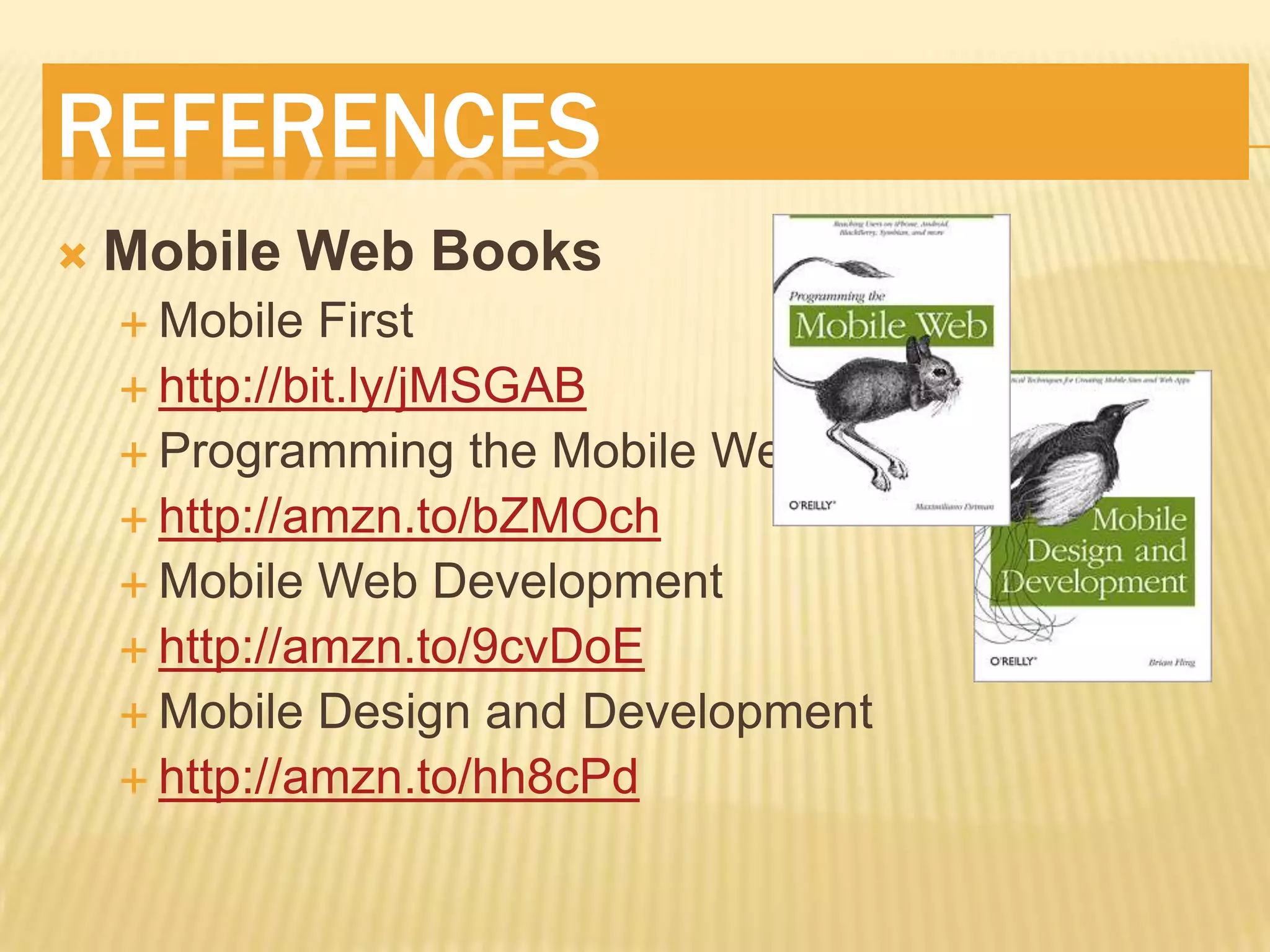
   Mobile Web Books
     Mobile   First
     http://bit.ly/jMSGAB
     Programming the Mobile Web
     http://amzn.to/bZMOch
     Mobile Web Development
     http://amzn.to/9cvDoE
     Mobile Design and Development
     http://amzn.to/hh8cPd
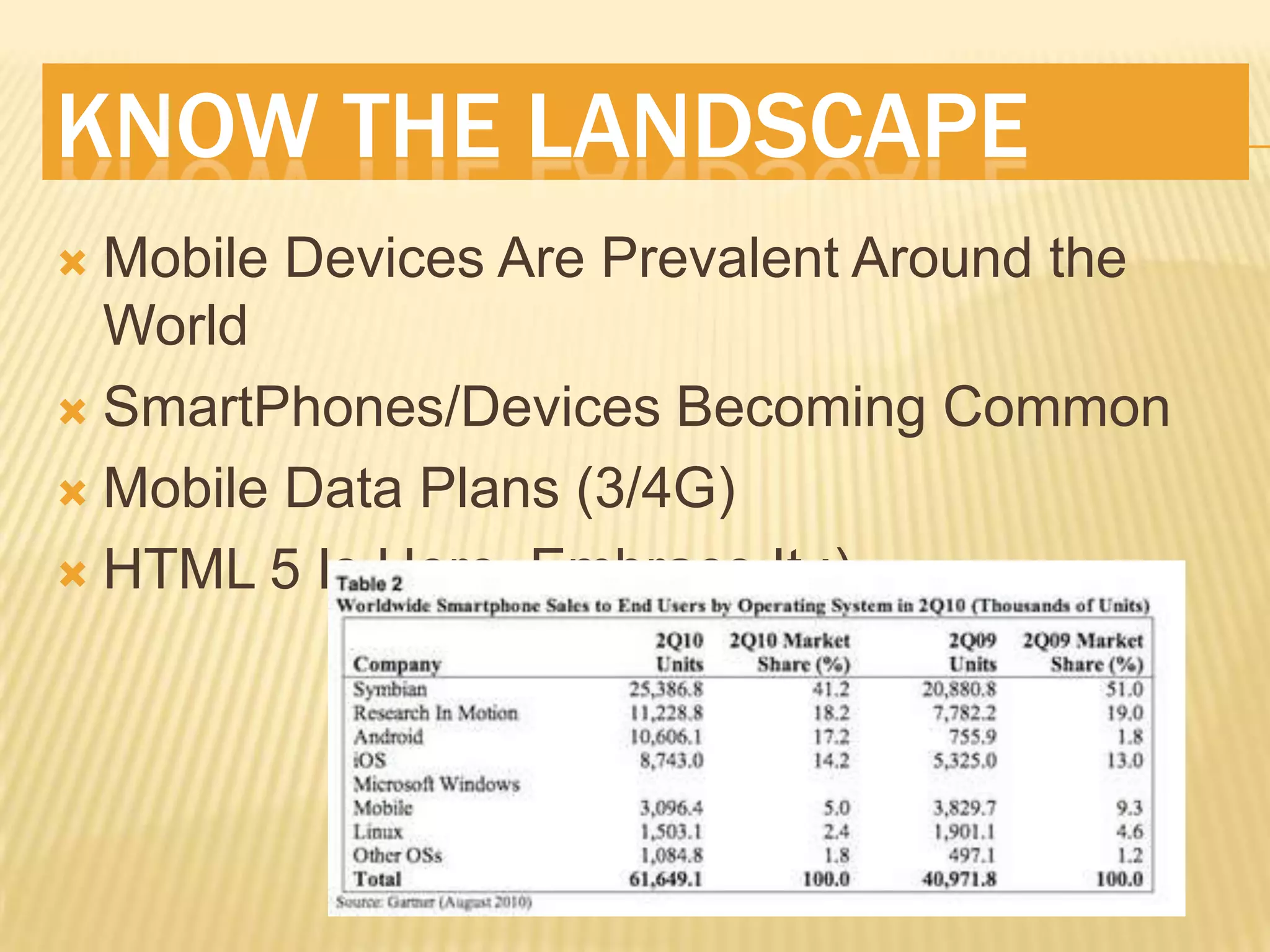
KNOW THE LANDSCAPE
 Mobile Devices Are Prevalent Around the
  World
 SmartPhones/Devices Becoming Common

 Mobile Data Plans (3/4G)

 HTML 5 Is Here, Embrace It ;)
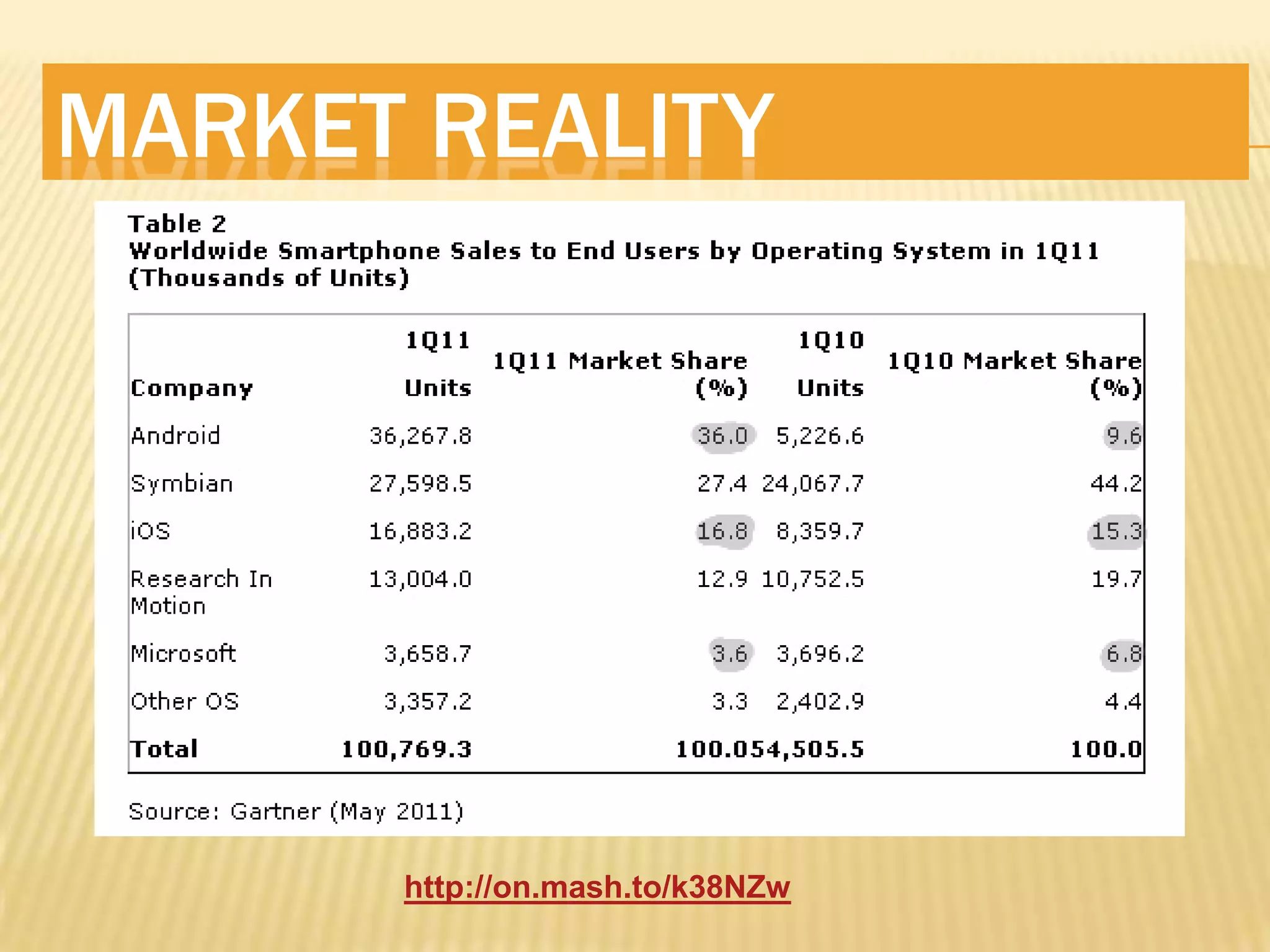
MARKET REALITY


      http://on.mash.to/k38NZw
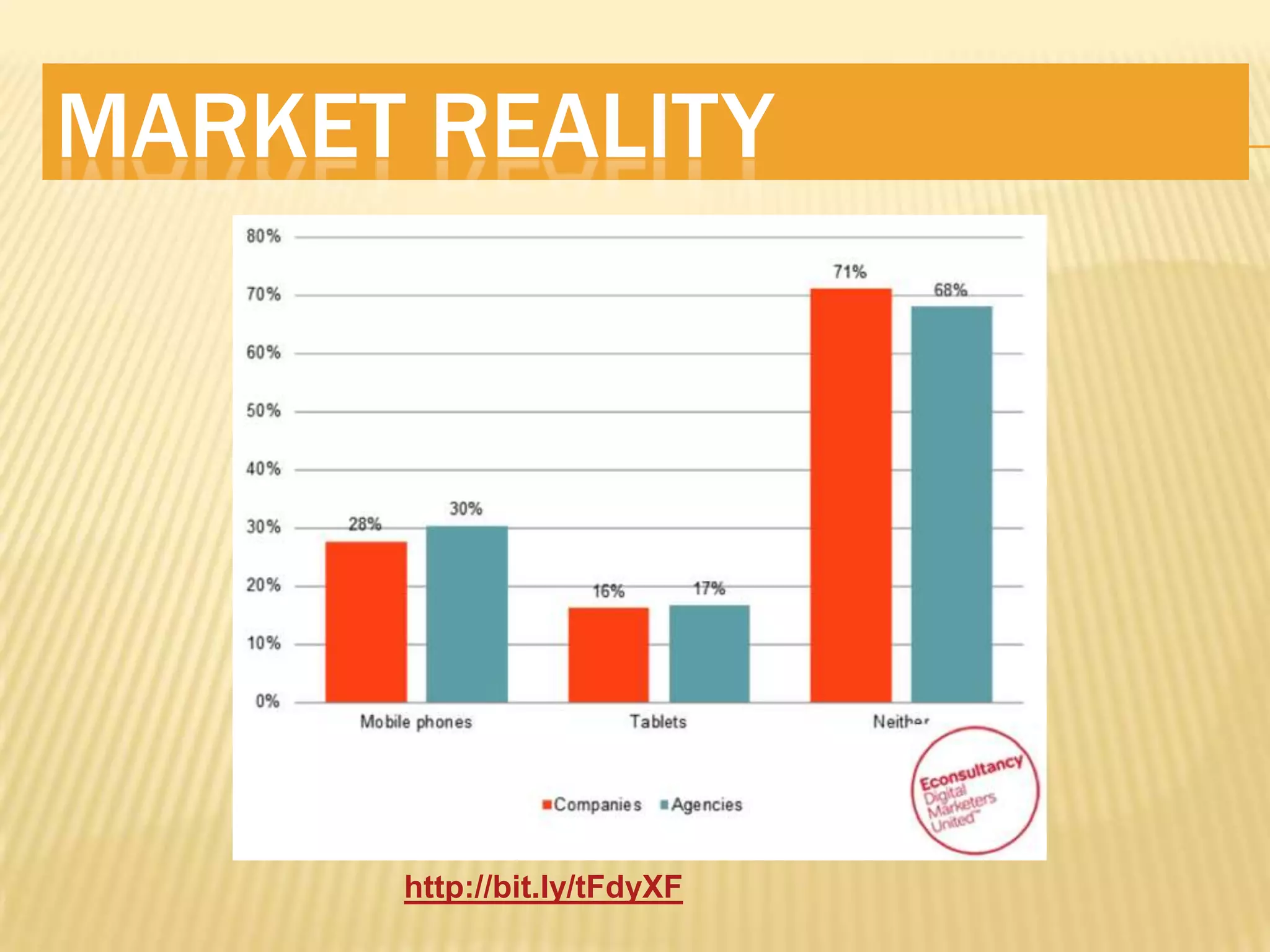
MARKET REALITY


      http://bit.ly/tFdyXF
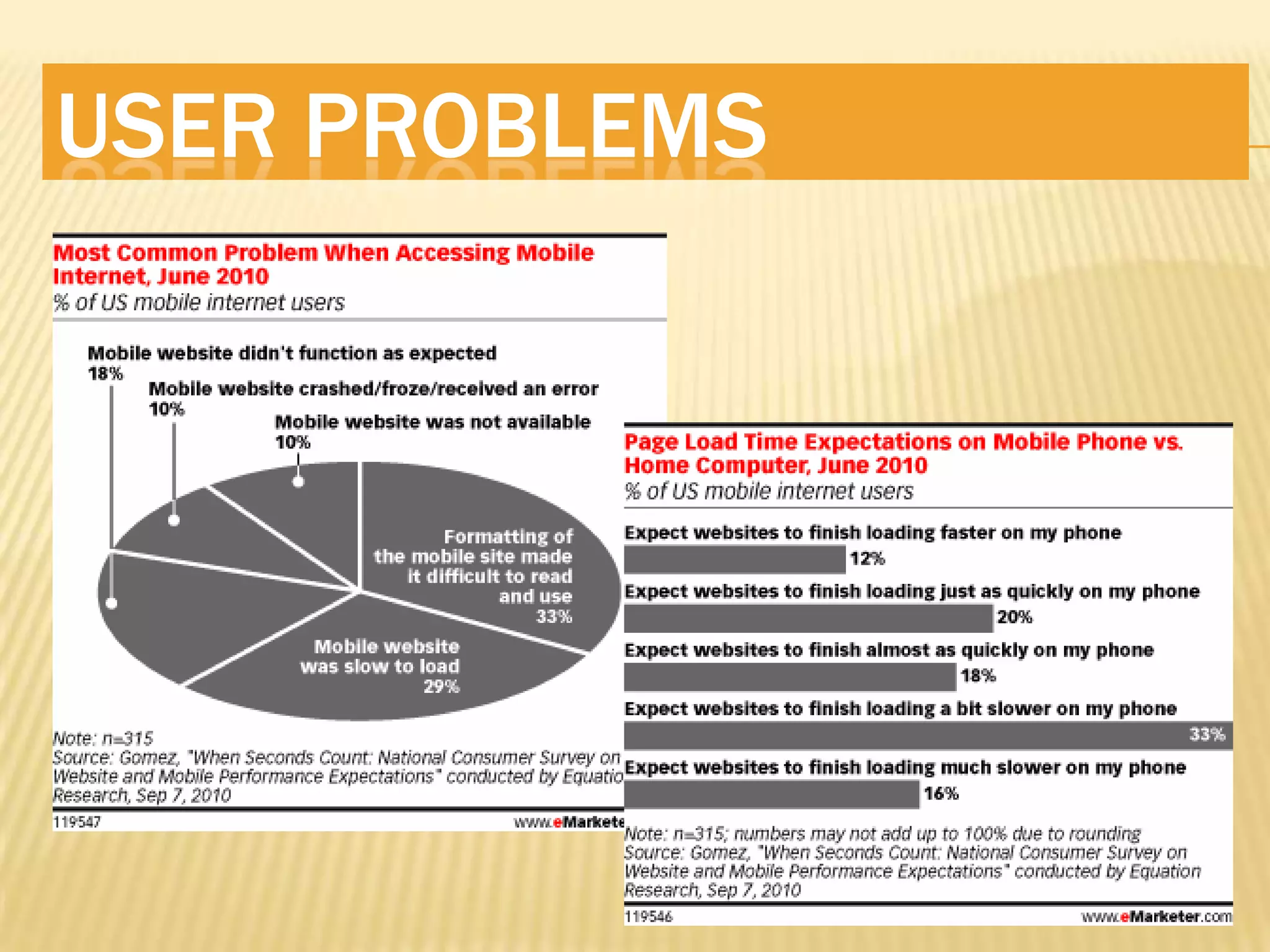
USER PROBLEMS
UNDERSTAND THE LANDSCAPE
 Lots of Phones Out There!
 Several Browsers
     Opera,Safari, IE, FireFox, many others you
     never heard of
   Proxy Browsers
     Opera   Mini
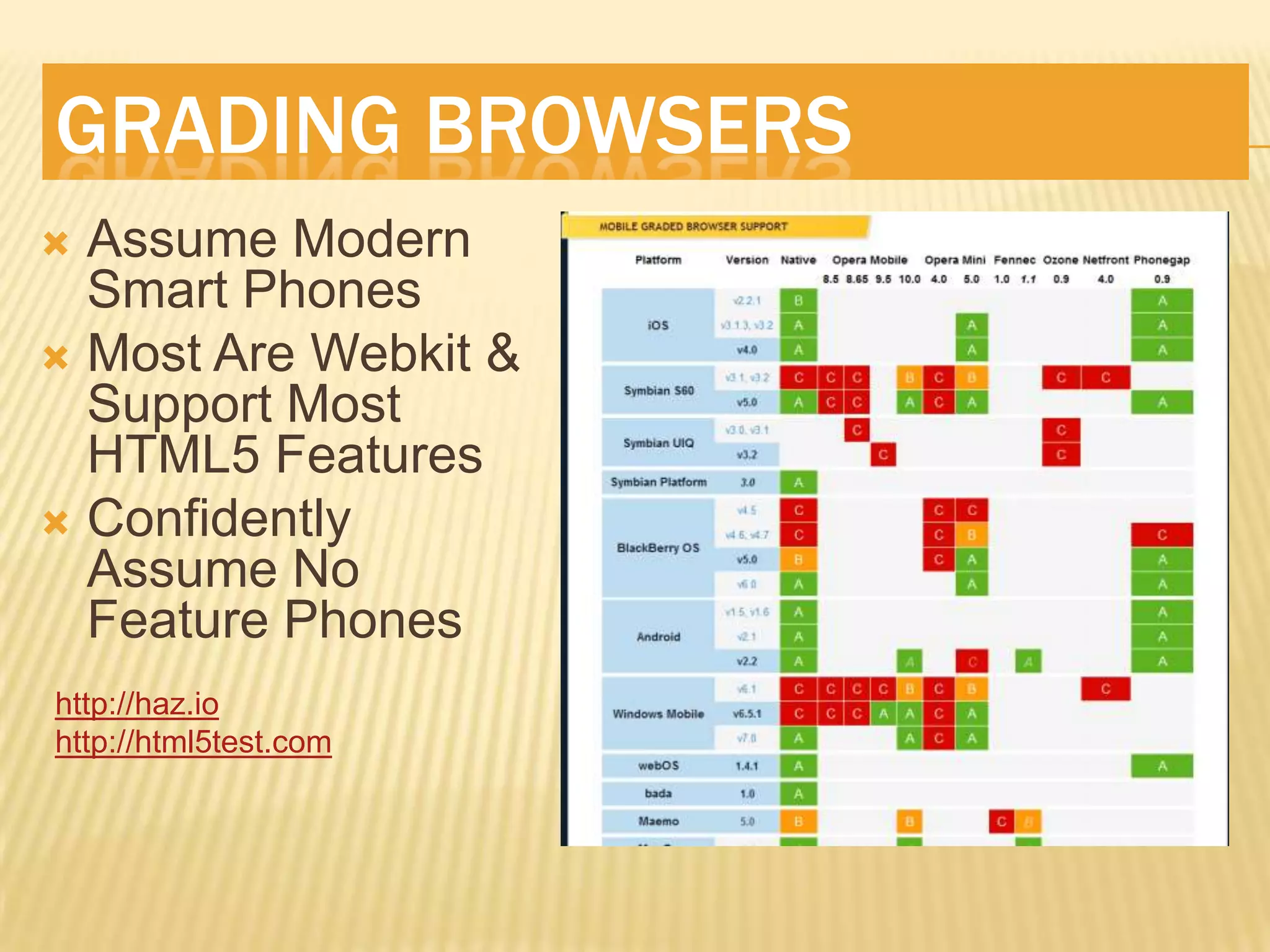
GRADING BROWSERS
 Assume Modern
  Smart Phones
 Most Are Webkit &
  Support Most
  HTML5 Features
 Confidently
  Assume No
  Feature Phones
http://haz.io
http://html5test.com
WINDOWS PHONE 7 IE 9
   Like Desktop
     Supports    Basic HTML5, CSS3, Canvas, Media
      Tag Stuff
     GPU Speed

 Does Not Support Touch
 Does Not Support Input Types


   http://bit.ly/ij3RAj
   http://bit.ly/kYOZ5W
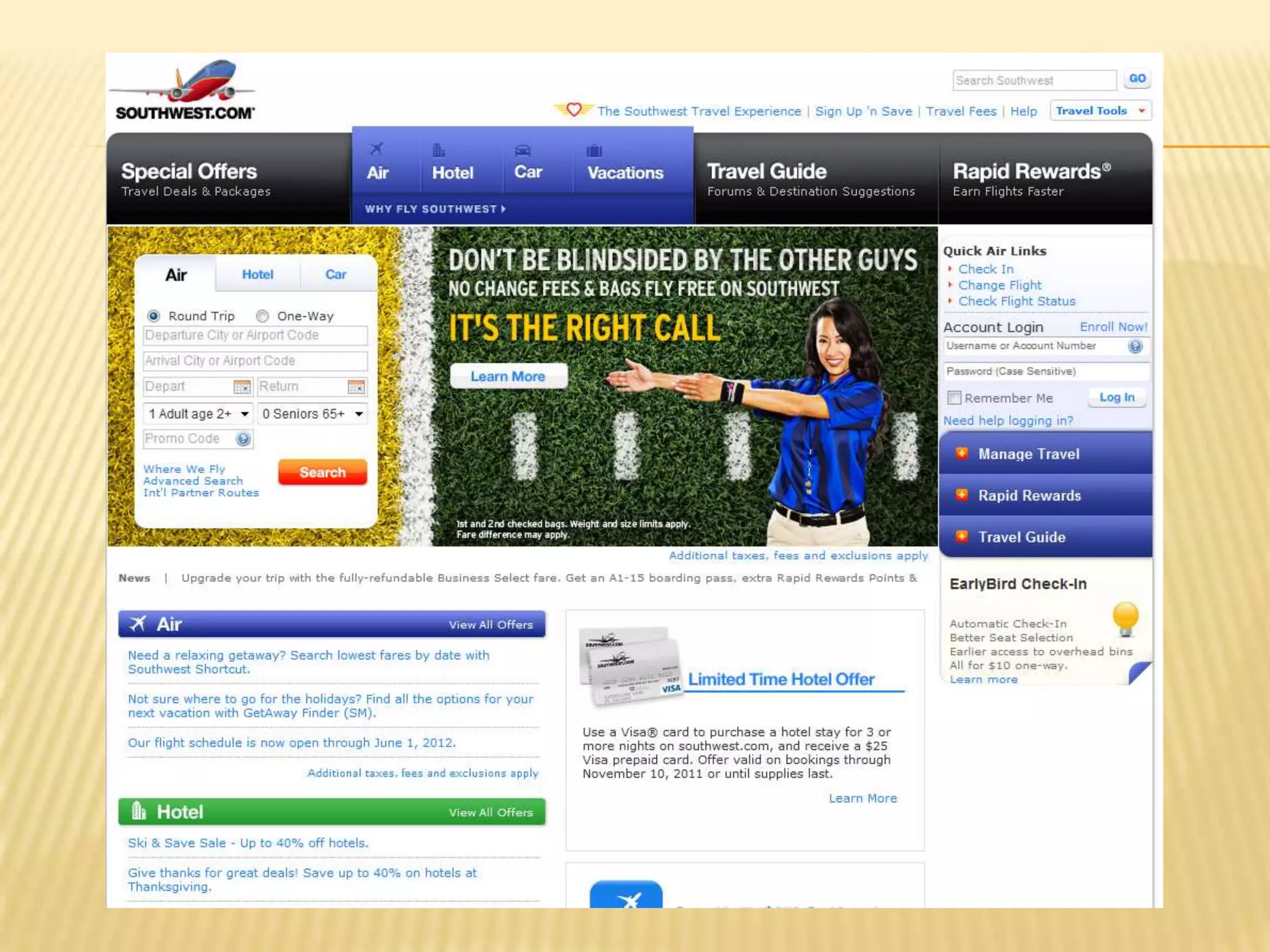
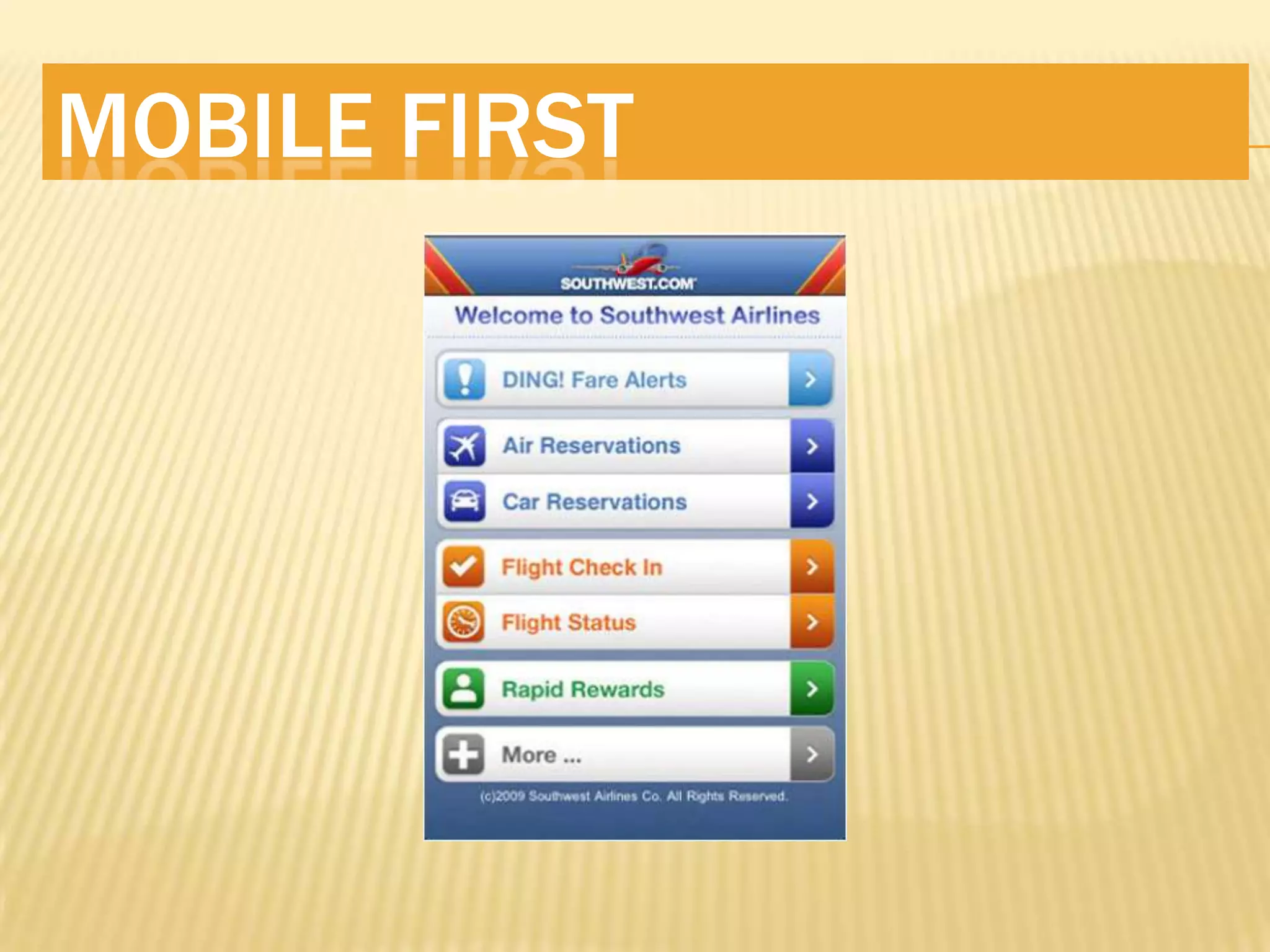
MOBILE FIRST
“designing for mobile first not only prepares
you for the explosive growth and new
opportunities on the mobile internet, it forces
you to focus and enables you to innovate in
ways you previously couldn’t.”
     Luke Wroblewski
MOBILE FIRST
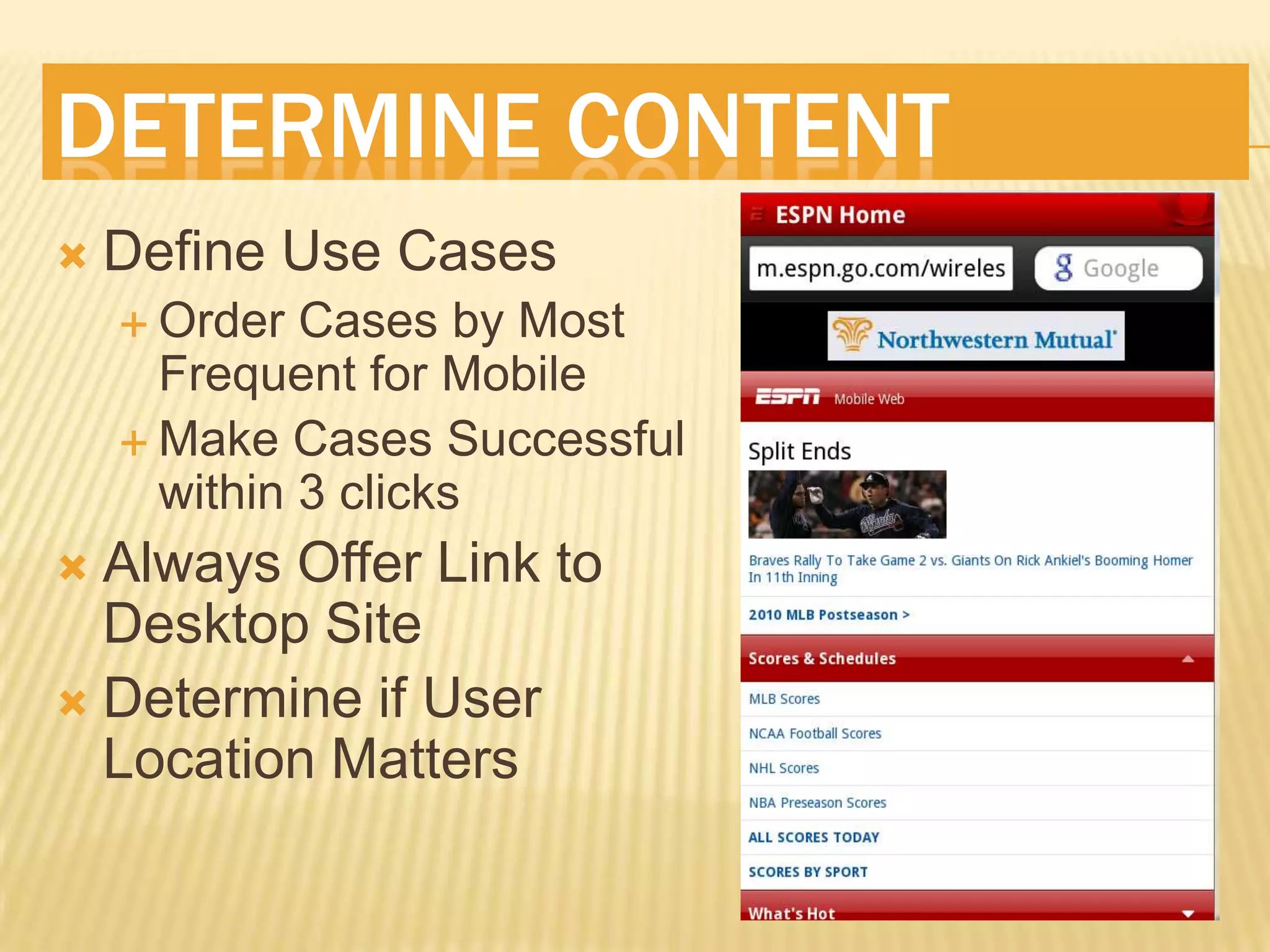
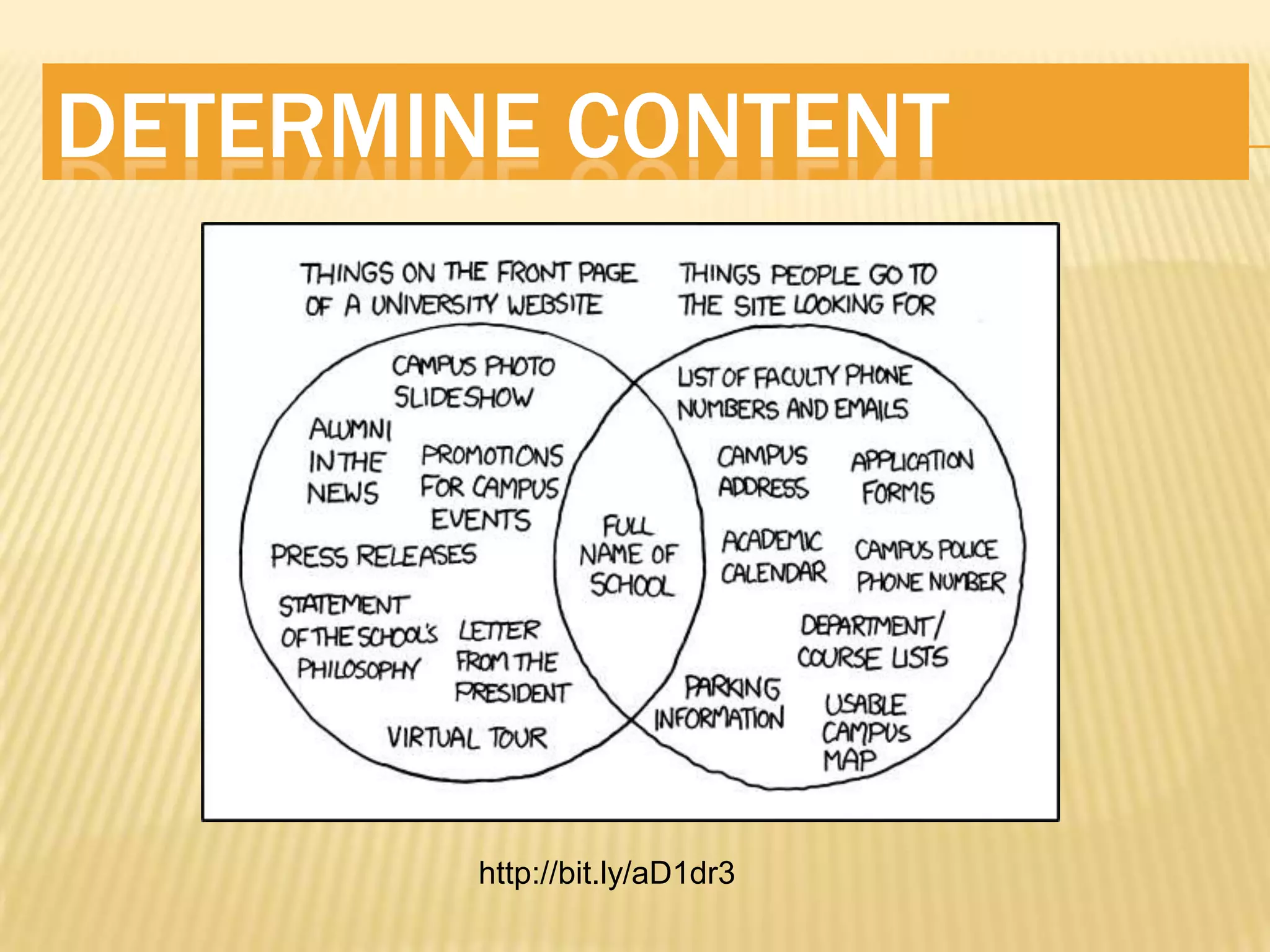
DETERMINE CONTENT
   Define Use Cases
     Order  Cases by Most
      Frequent for Mobile
     Make Cases Successful
      within 3 clicks
 Always Offer Link to
  Desktop Site
 Determine if User
  Location Matters
DETERMINE CONTENT


        http://bit.ly/aD1dr3
USER CONTEXT

   Don’t Miss The Boat
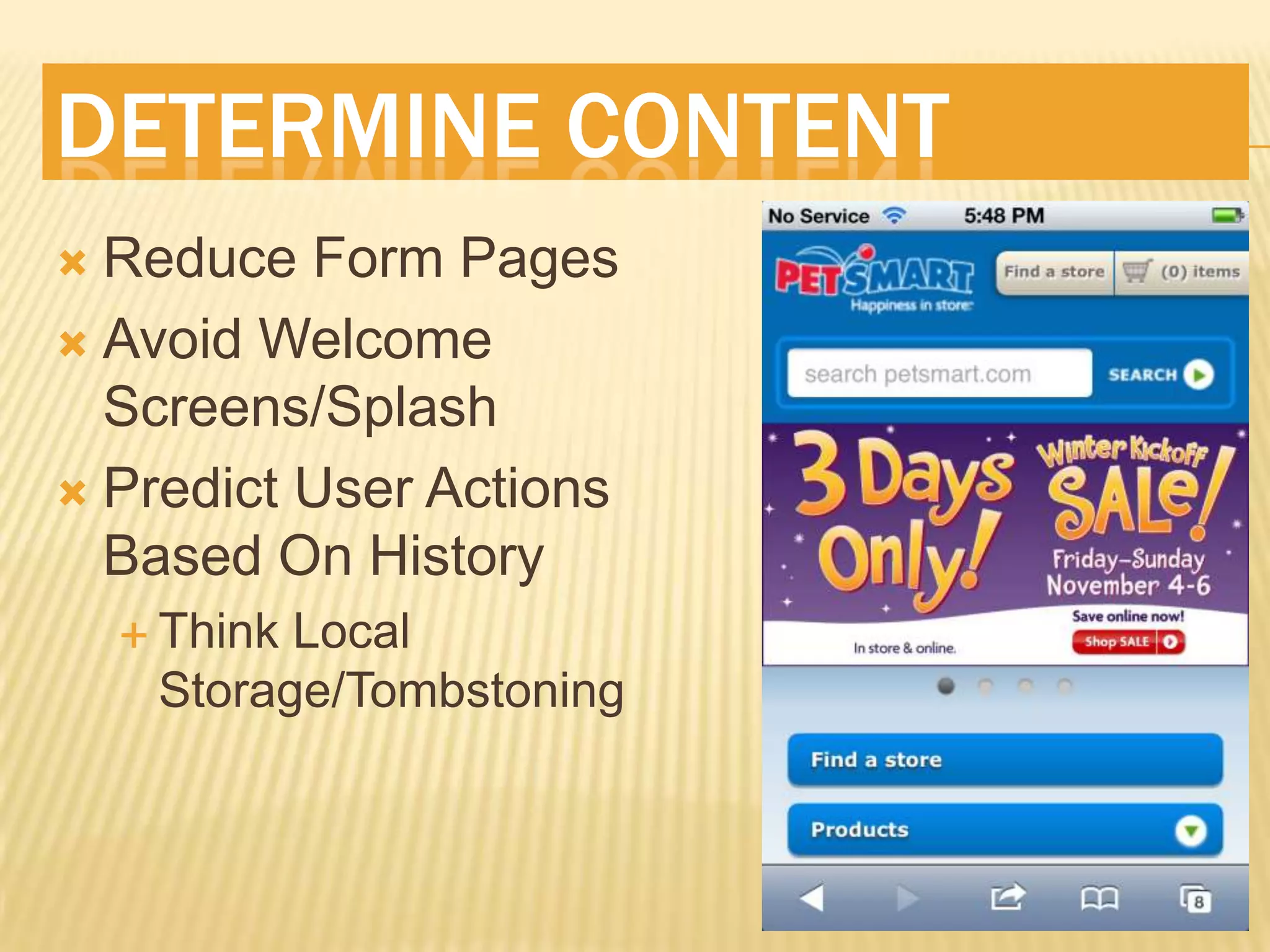
DETERMINE CONTENT
 Reduce Form Pages
 Avoid Welcome
  Screens/Splash
 Predict User Actions
  Based On History
     ThinkLocal
     Storage/Tombstoning
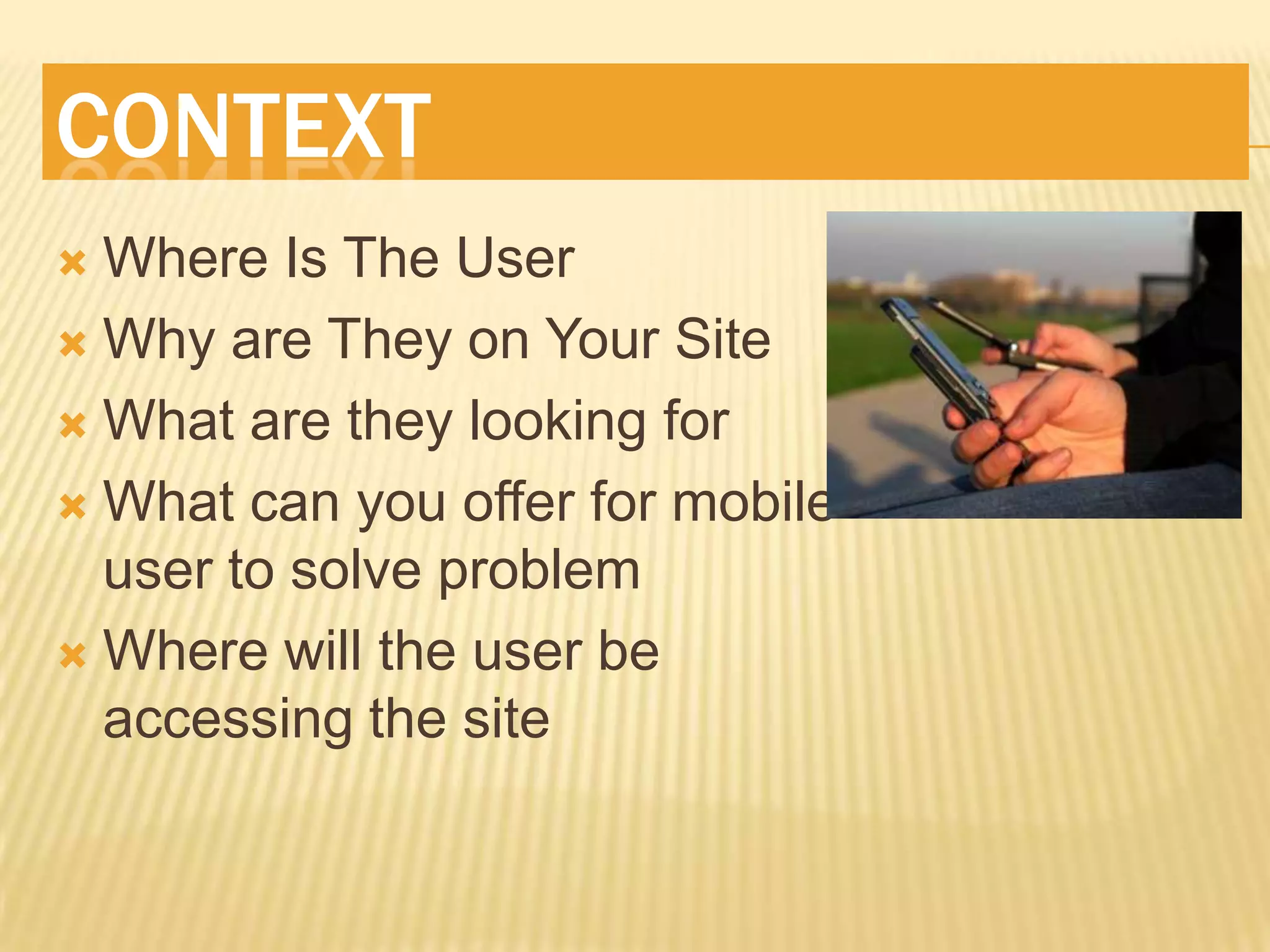
CONTEXT
 Where Is The User
 Why are They on Your Site

 What are they looking for

 What can you offer for mobile
  user to solve problem
 Where will the user be
  accessing the site
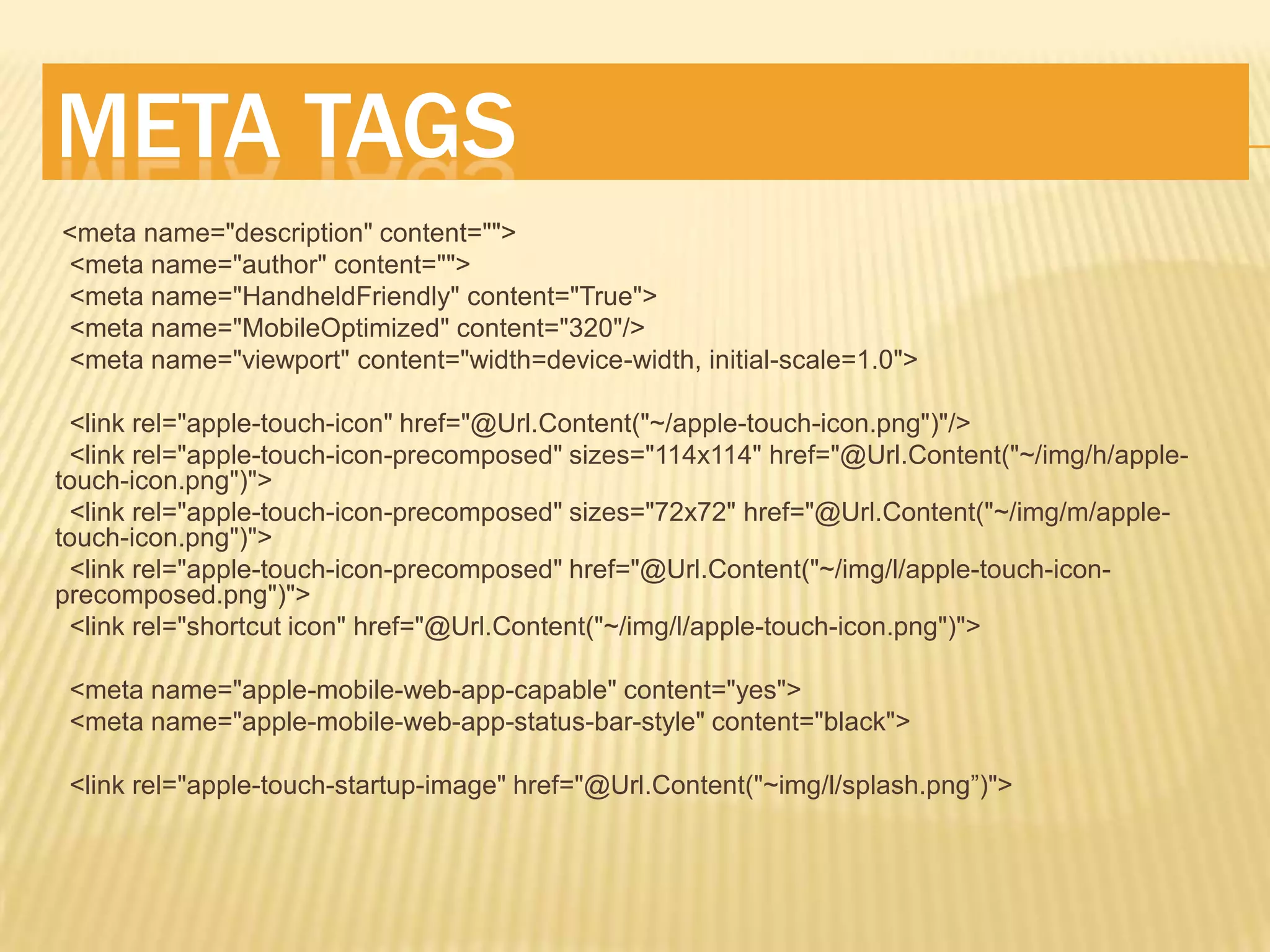
META TAGS
<meta name="description" content="">
<meta name="author" content="">
<meta name="HandheldFriendly" content="True">
<meta name="MobileOptimized" content="320"/>
<meta name="viewport" content="width=device-width, initial-scale=1.0">

 <link rel="apple-touch-icon" href="@Url.Content("~/apple-touch-icon.png")"/>
 <link rel="apple-touch-icon-precomposed" sizes="114x114" href="@Url.Content("~/img/h/apple-
touch-icon.png")">
 <link rel="apple-touch-icon-precomposed" sizes="72x72" href="@Url.Content("~/img/m/apple-
touch-icon.png")">
 <link rel="apple-touch-icon-precomposed" href="@Url.Content("~/img/l/apple-touch-icon-
precomposed.png")">
 <link rel="shortcut icon" href="@Url.Content("~/img/l/apple-touch-icon.png")">

 <meta name="apple-mobile-web-app-capable" content="yes">
 <meta name="apple-mobile-web-app-status-bar-style" content="black">

 <link rel="apple-touch-startup-image" href="@Url.Content("~img/l/splash.png”)">
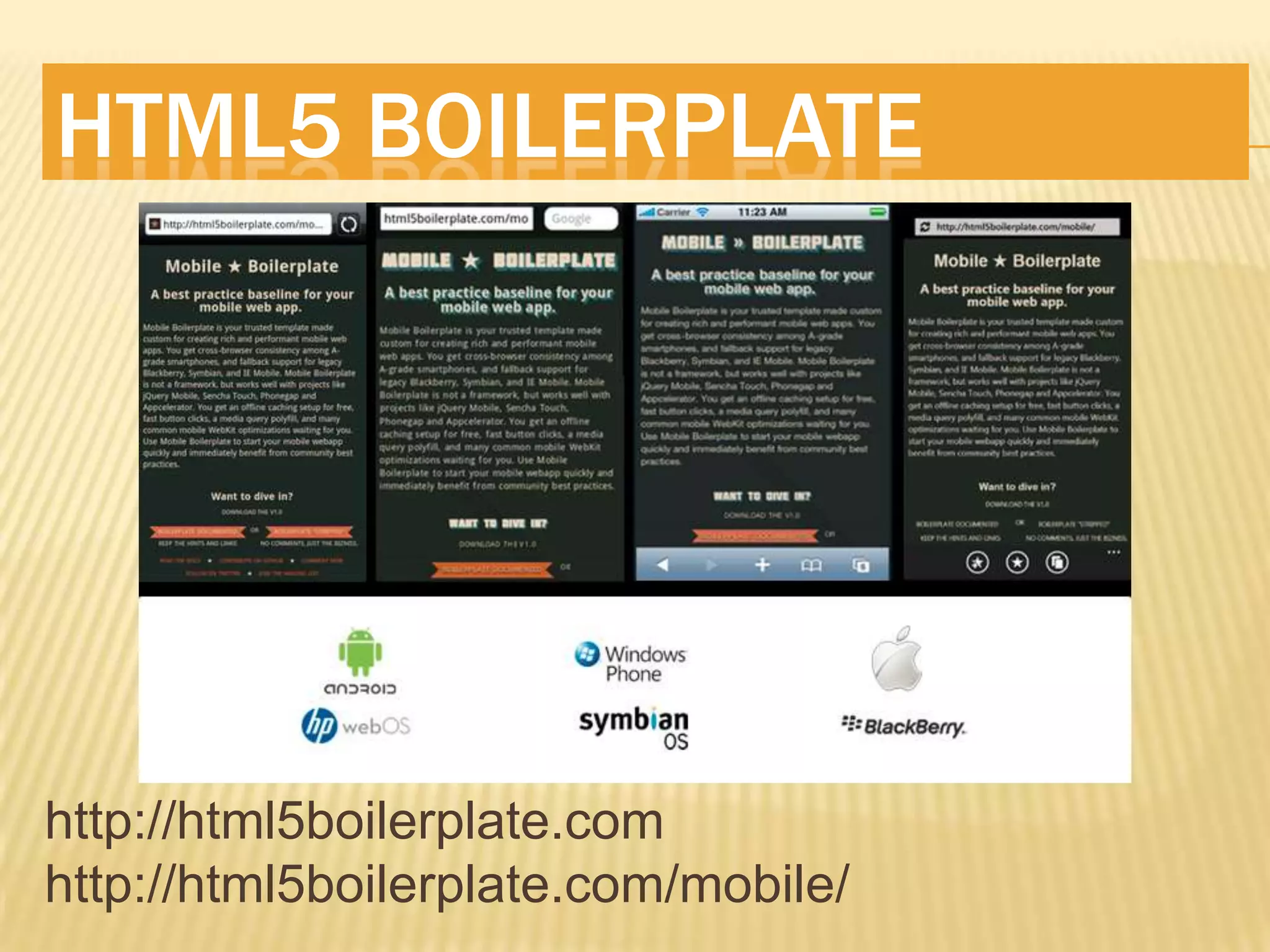
HTML5 BOILERPLATE


http://html5boilerplate.com
http://html5boilerplate.com/mobile/
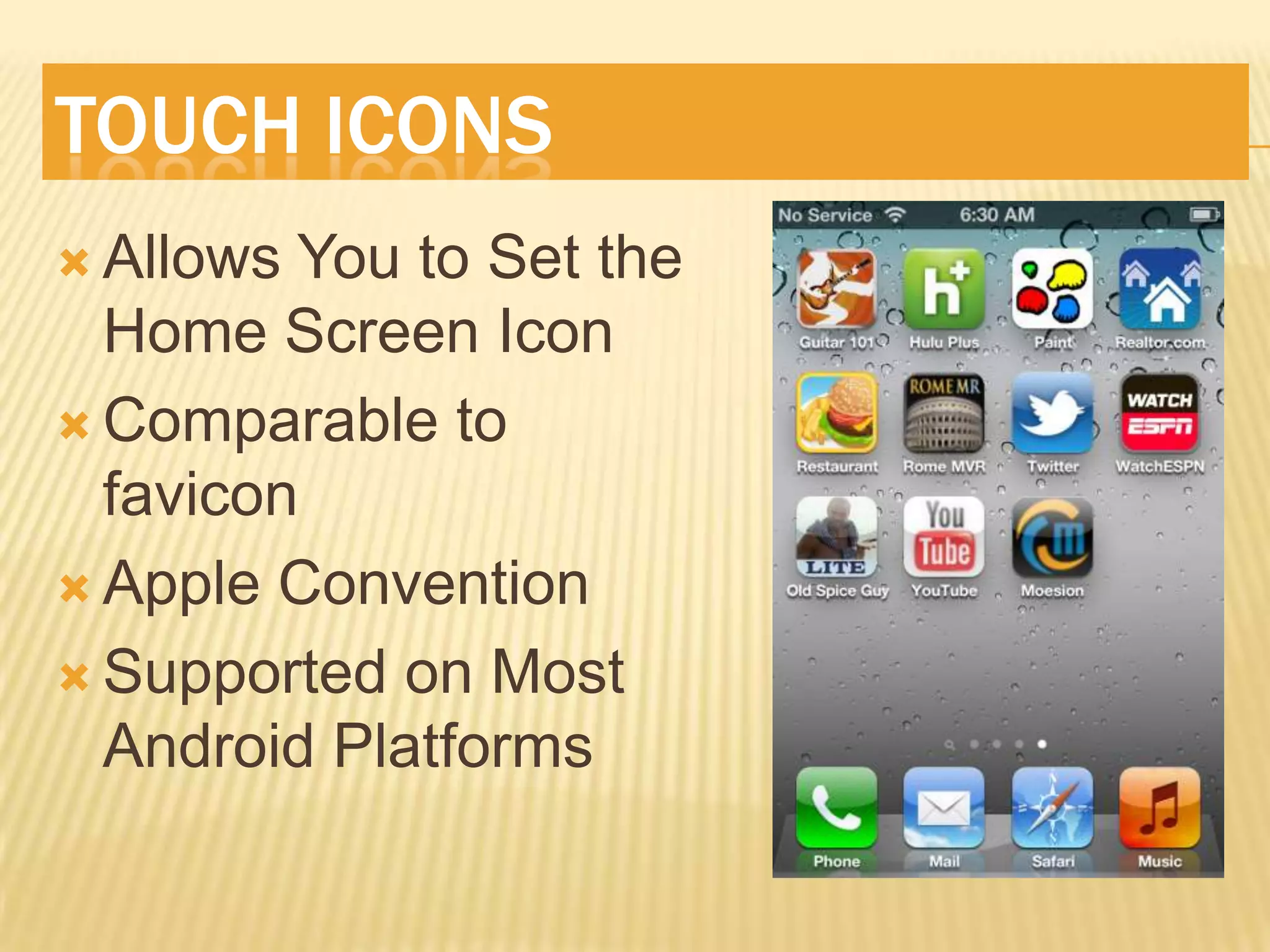
TOUCH ICONS
 Allows You to Set the
  Home Screen Icon
 Comparable to
  favicon
 Apple Convention

 Supported on Most
  Android Platforms
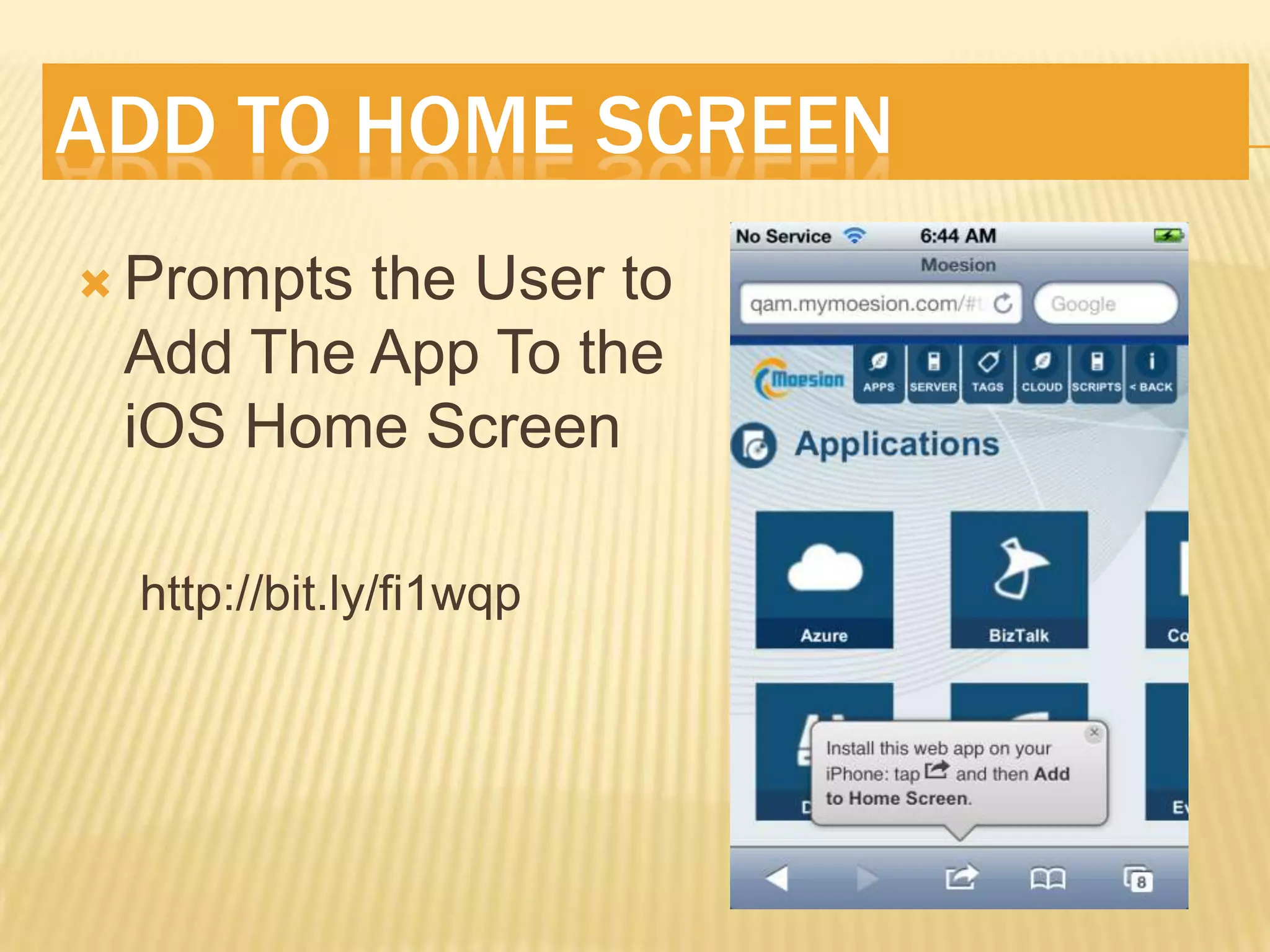
ADD TO HOME SCREEN
 Promptsthe User to
 Add The App To the
 iOS Home Screen

  http://bit.ly/fi1wqp
APPLE-MOBILE-WEB-APP-CAPABLE
 Allows You To Hide Mobile Safari Chrome
 Gives You Native App-Like Experience

 iOS Only At This Point 

 Does use a Different JS Engine Than Safari


http://bit.ly/ilKFKT
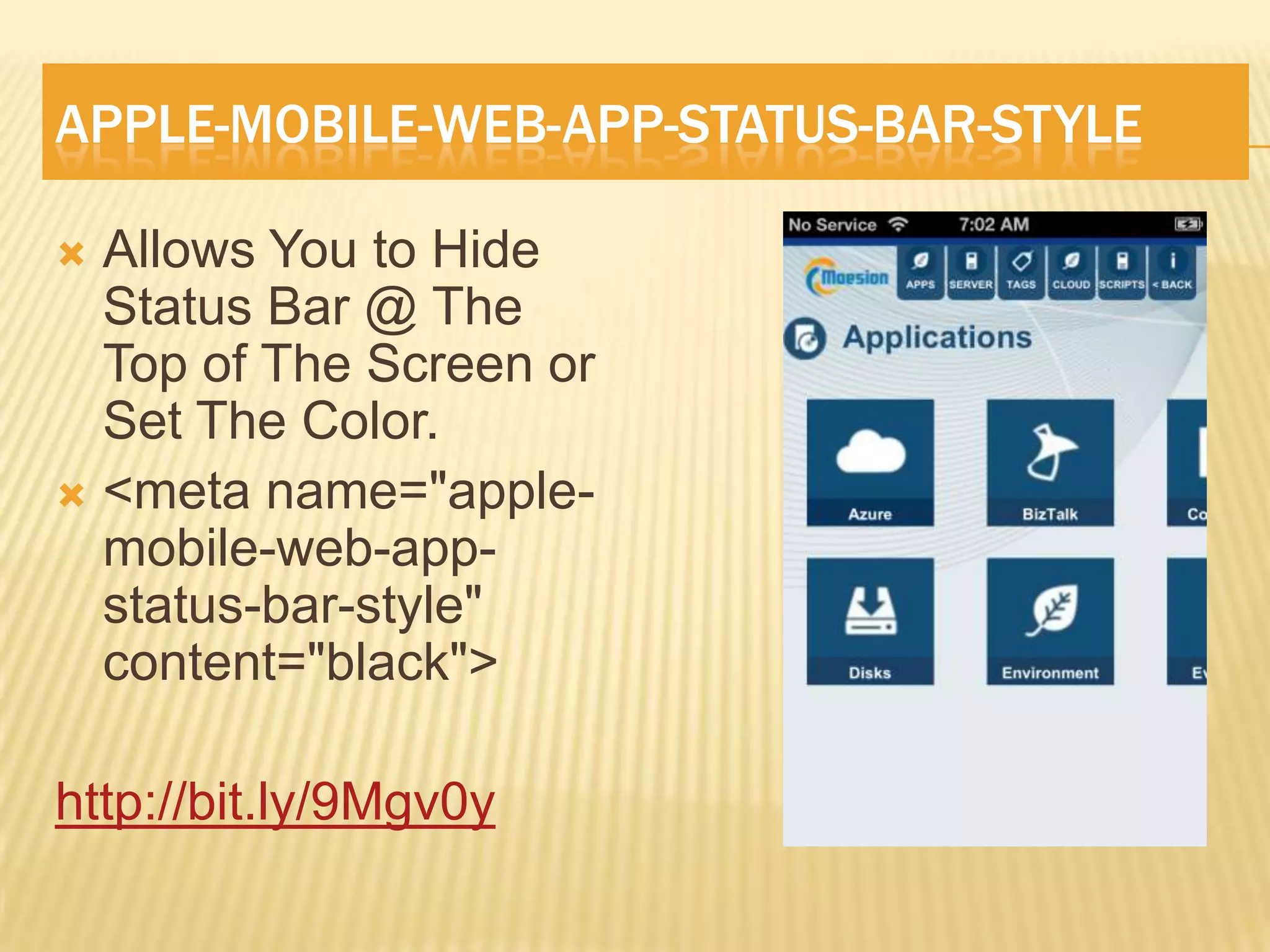
APPLE-MOBILE-WEB-APP-STATUS-BAR-STYLE

 Allows You to Hide
  Status Bar @ The
  Top of The Screen or
  Set The Color.
 <meta name="apple-
  mobile-web-app-
  status-bar-style"
  content="black">

http://bit.ly/9Mgv0y
UNDERSTAND THE VIEWPORT
 ViewableArea on Device
 May actually be very wide
   iPhone   is actually 980pixels
    wide
   Internet Explorer Assumes
    1024 pixels wide

  http://bit.ly/e18svU
SET THE VIEWPORT
•MetaTag
    •Width
    •Height
    •Initial-scale
    •User-scalable
    •Minimum-scale
    •Maximum-scale


<meta name="viewport"
content="width=device-width,initial-
scale=1.0,user-scalable=no"/>
   http://tinyurl.com/wp7viewport
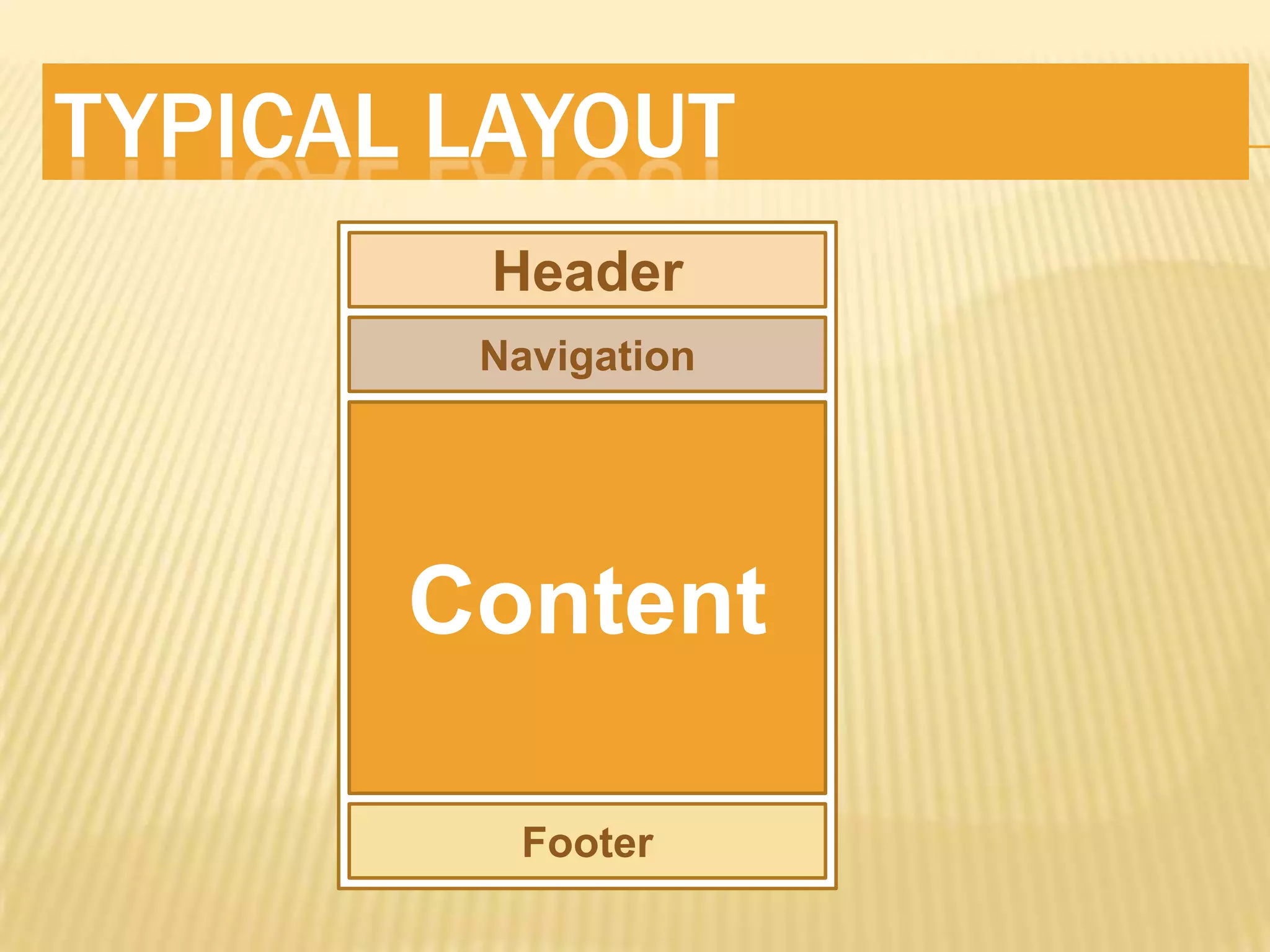
TYPICAL LAYOUT
        Header
        Navigation


       Content

         Footer
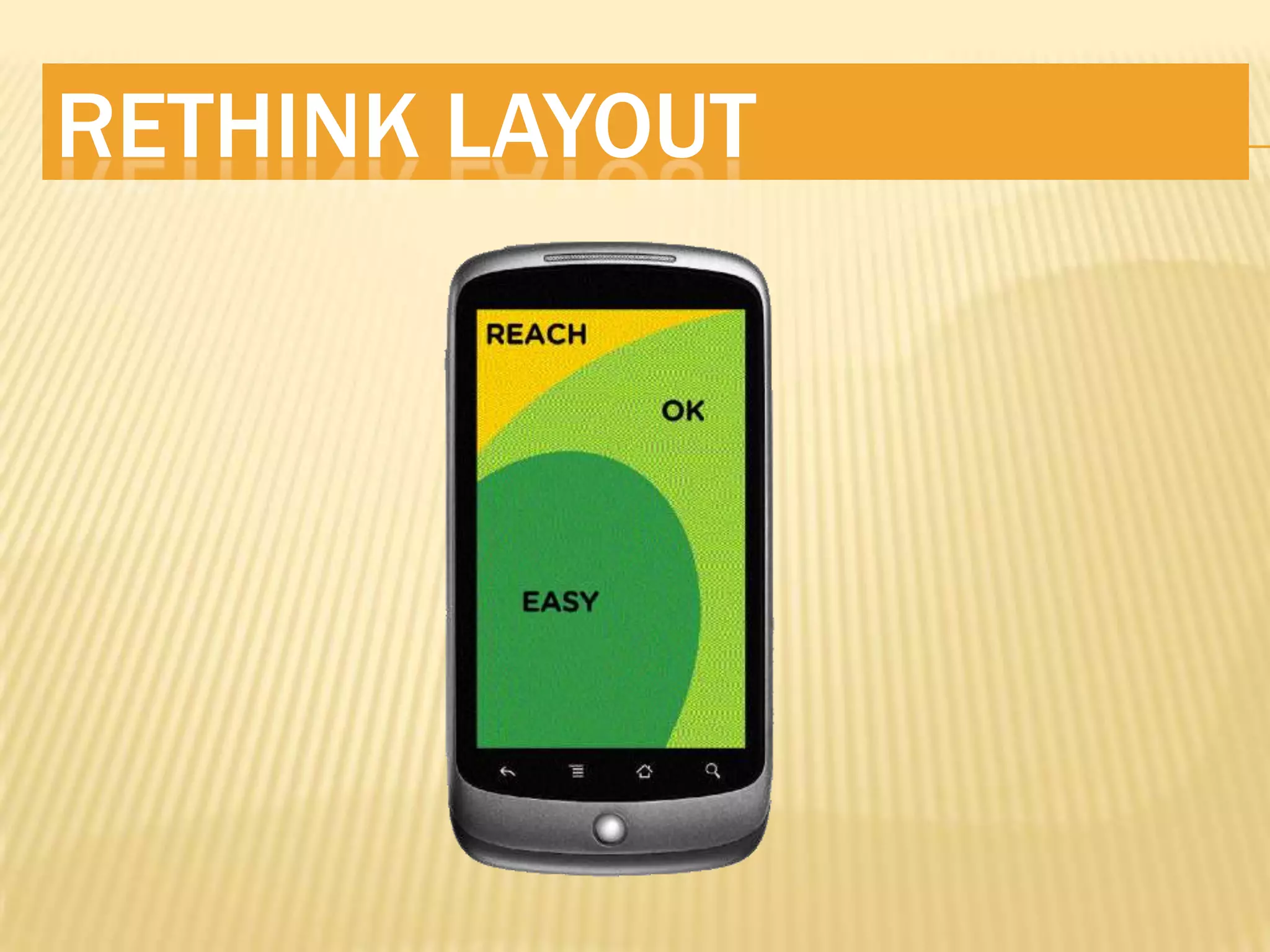
RETHINK LAYOUT
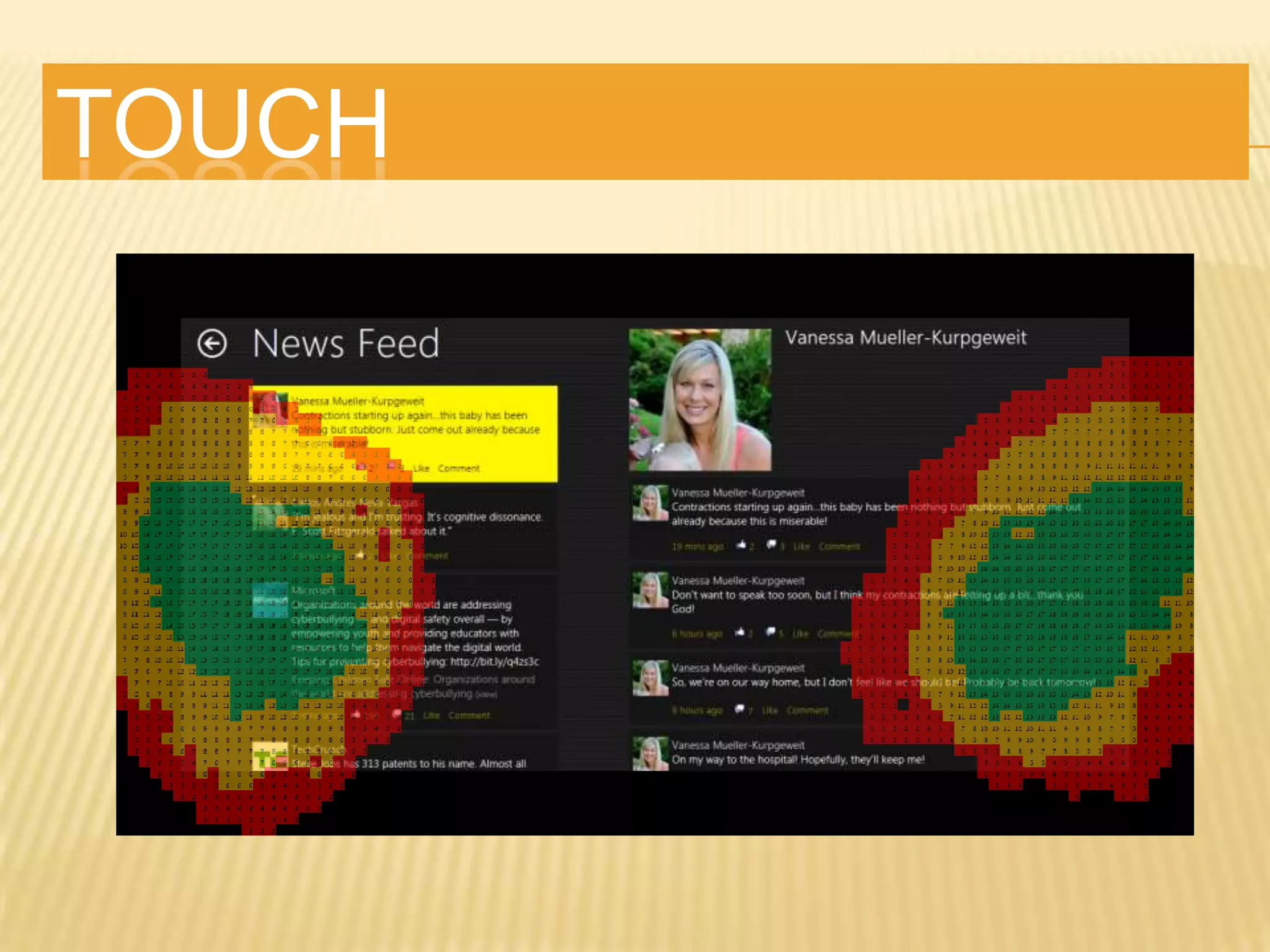
TOUCH
LEVERAGE HTML5
 Semantics
 CSS3 is AWESOMIER

 New Form Input Types Help

 New Form Input Attributes
  Really Help
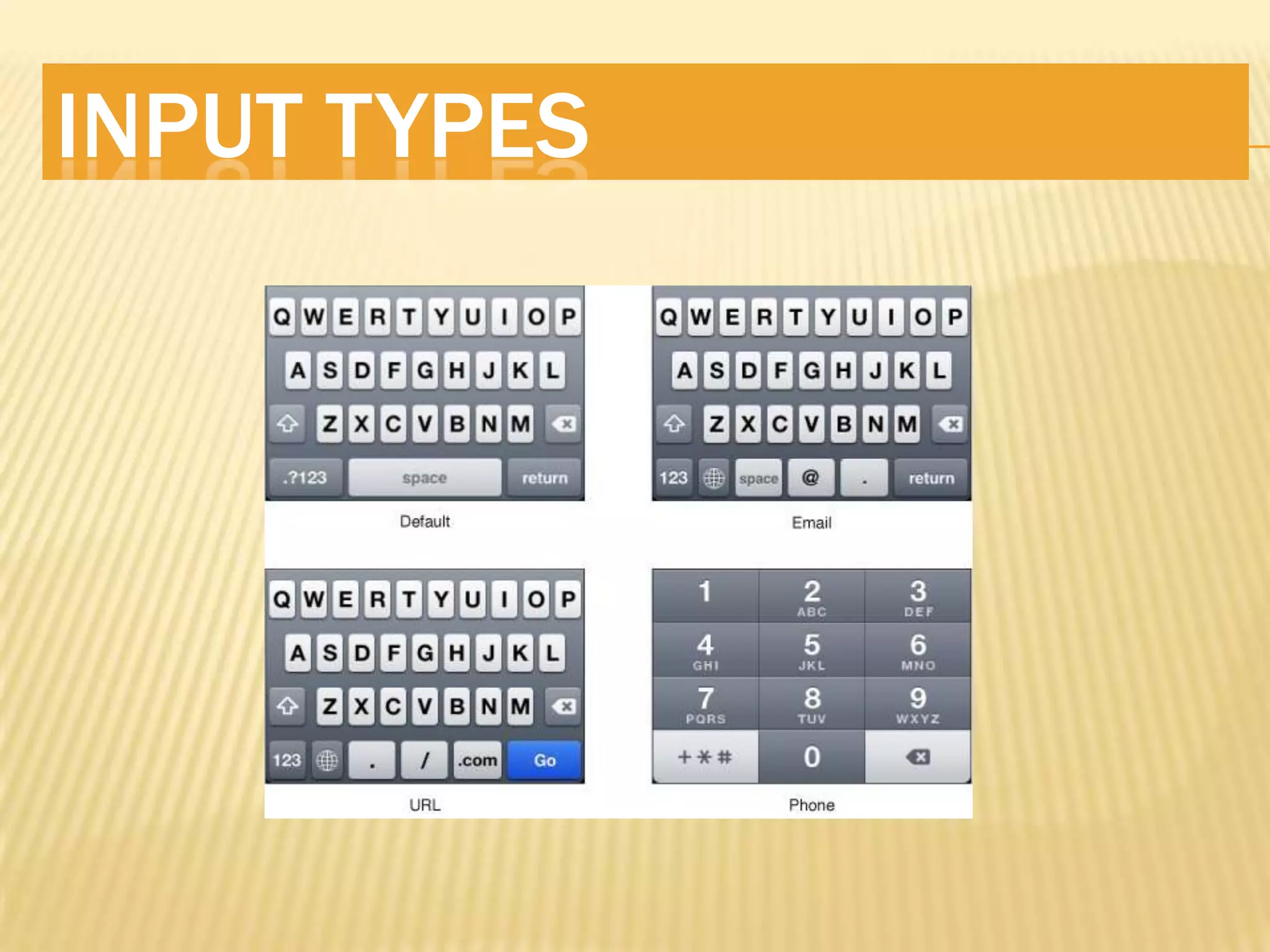
INPUT TYPES
 HTML5 Adds Many New Input Types and
  Attributes
 Telephone, Number, URL, E-Mail, etc

 autocapitalize, autocomplete, placeholder,
  required…
INPUT TYPES
6. UNDERSTAND CSS3
 Animations
 Gradients

 Transforms

 Shadows

 Rounded Corners

 Media Queries

 So Much More!!
TRANSITIONS
 2D Transformations
 Shadows. Rounded Corners Etc

 3D Keyframe Animations!

 CSS3 Animations w/jQuery Fallbacks
     http://bit.ly/oBDnko
SINGLE PAGE SITES
 Use AJAX to Transition Between Content
 Use HashTags to Track State

 jQuery BBQ plugin
     http://bit.ly/abippr

 Allows Transition Effects
 jQuery Mobile, jqTouch & Sencha Leverage
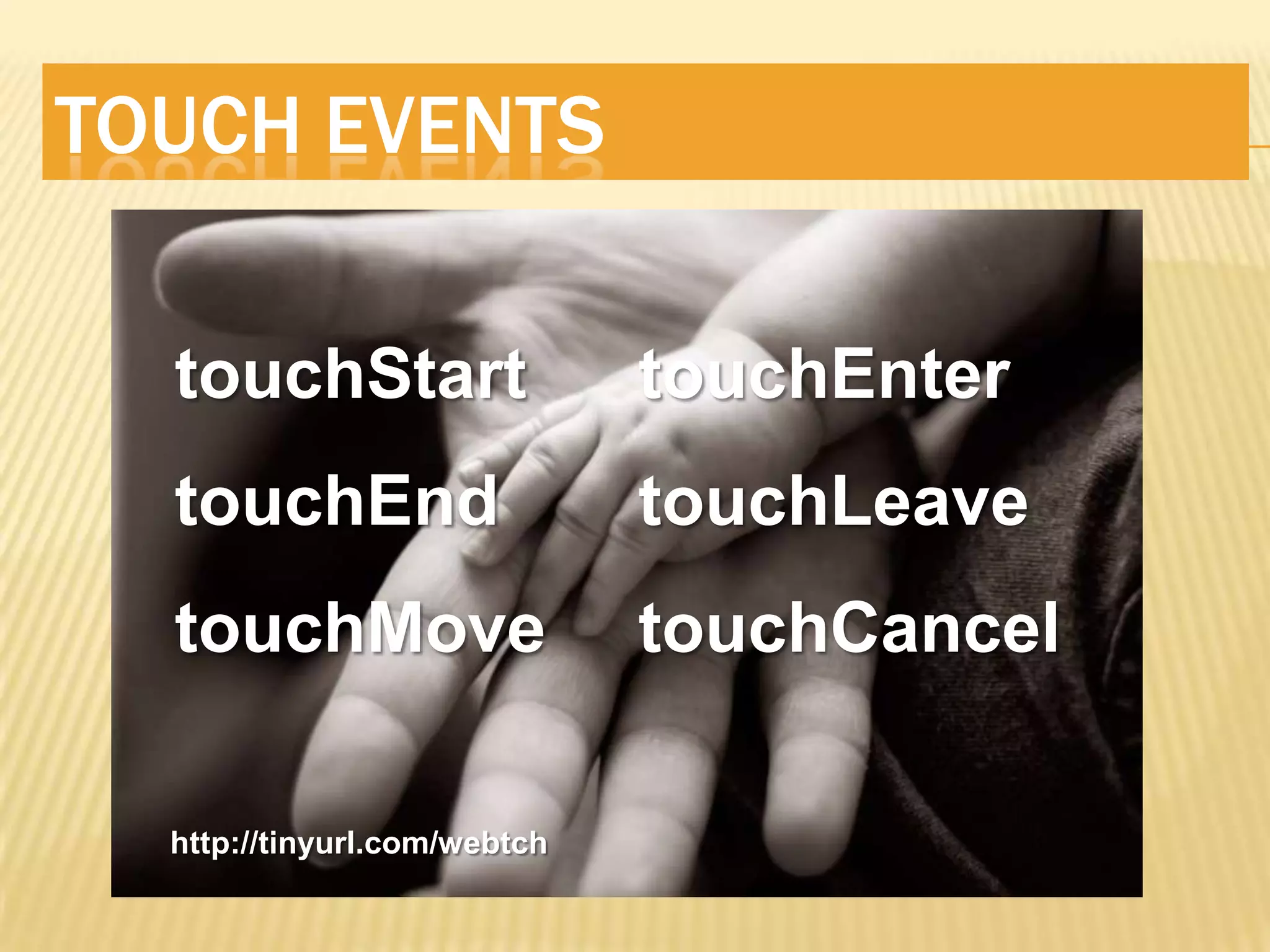
TOUCH EVENTS

  touchStart                  touchEnter
  touchEnd                    touchLeave
  touchMove                   touchCancel

  http://tinyurl.com/webtch
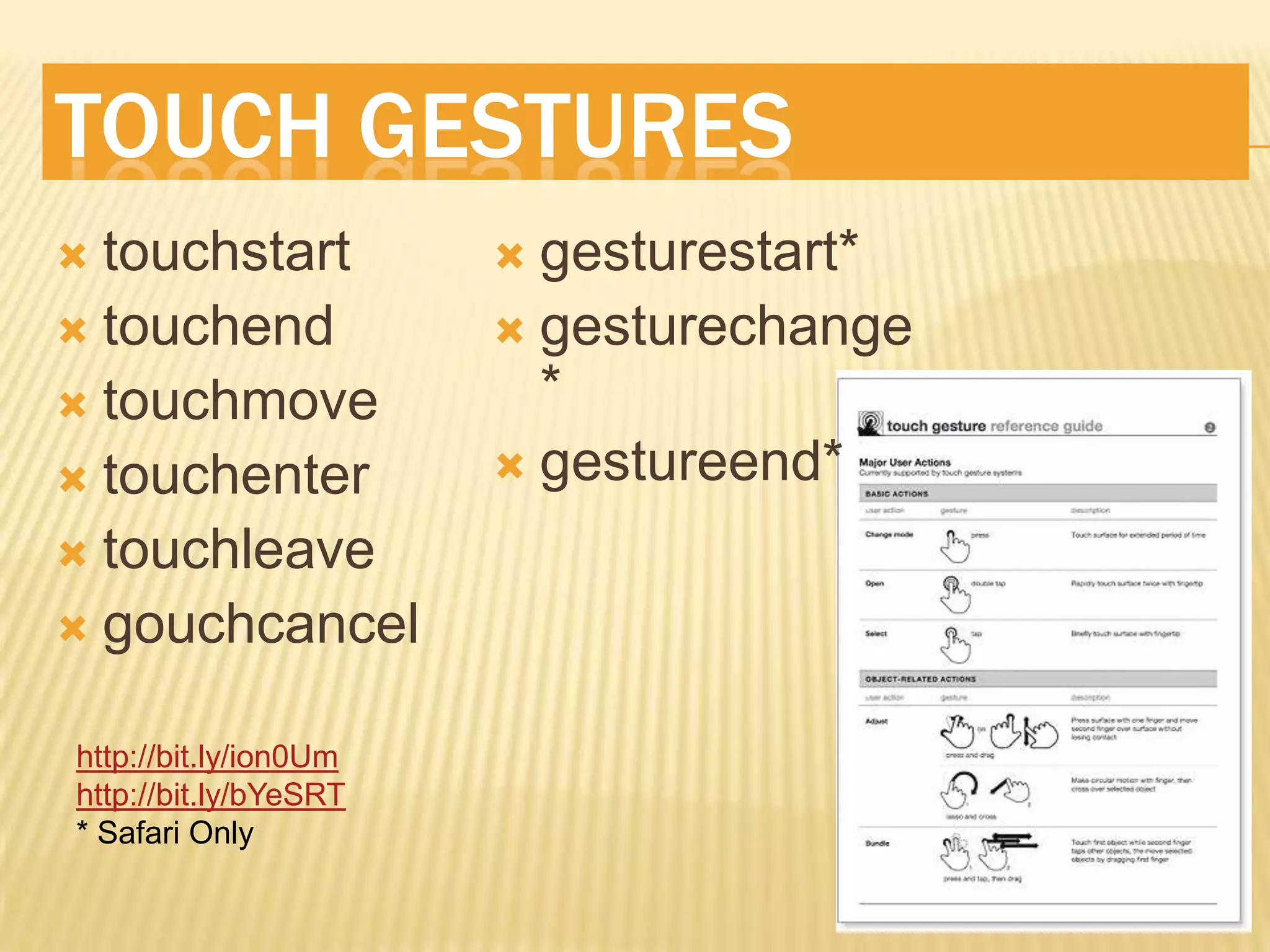
TOUCH GESTURES
 Fingers Are Fat
 20px Spacing

 Primary Items Min 40px W &H

 Provide Quick Feedback of Touched Item

 Include Auto-Clear Feature for Text Inputs
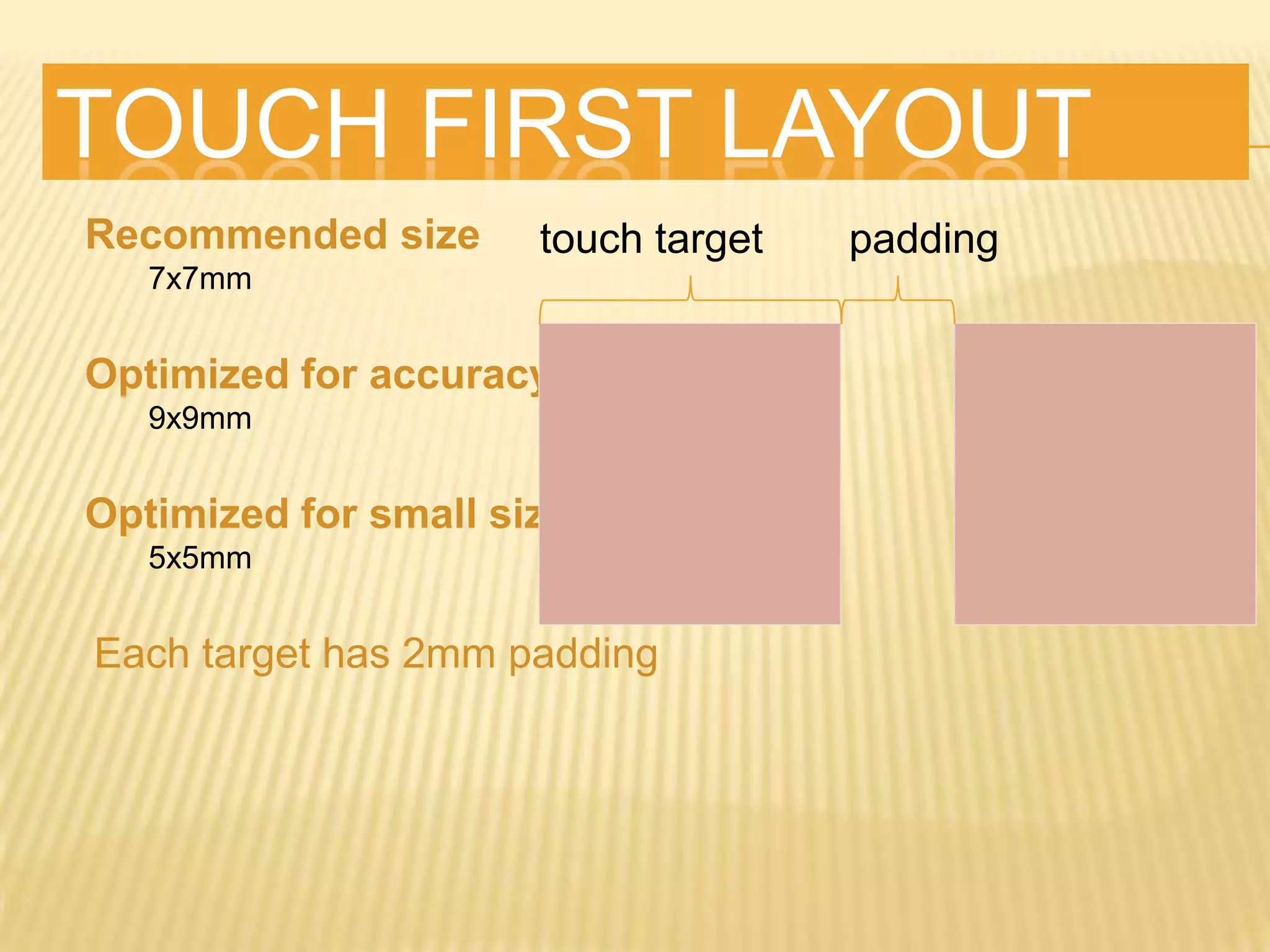
TOUCH FIRST LAYOUT
Recommended size
   7x7mm


Optimized for accuracy
   9x9mm


Optimized for small size
   5x5mm


Each target has 2mm padding
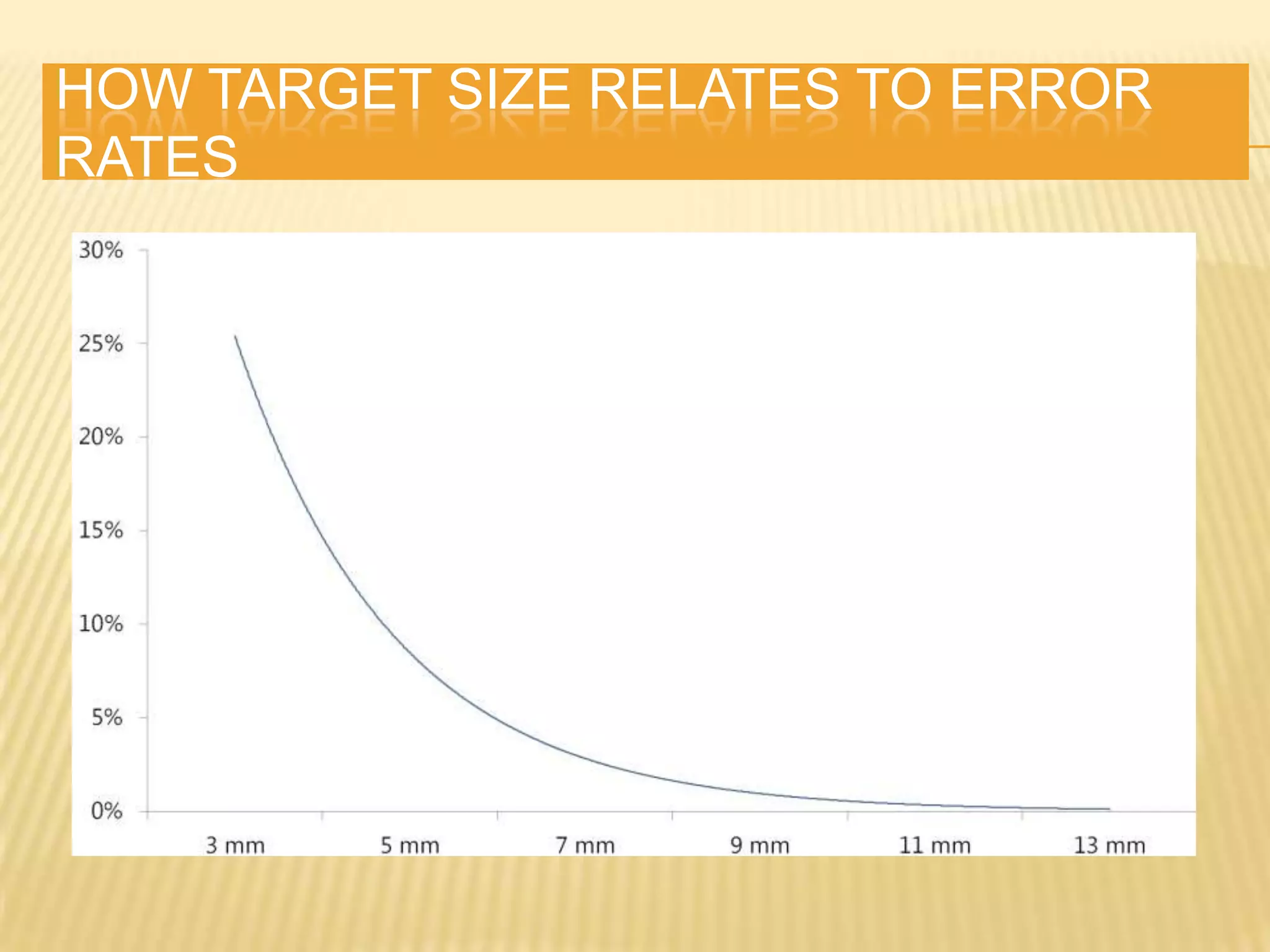
HOW TARGET SIZE RELATES TO ERROR
RATES
TOUCH GESTURES
 touchstart            gesturestart*
 touchend              gesturechange
 touchmove              *
 touchenter            gestureend*

 touchleave
 gouchcancel


http://bit.ly/ion0Um
http://bit.ly/bYeSRT
* Safari Only
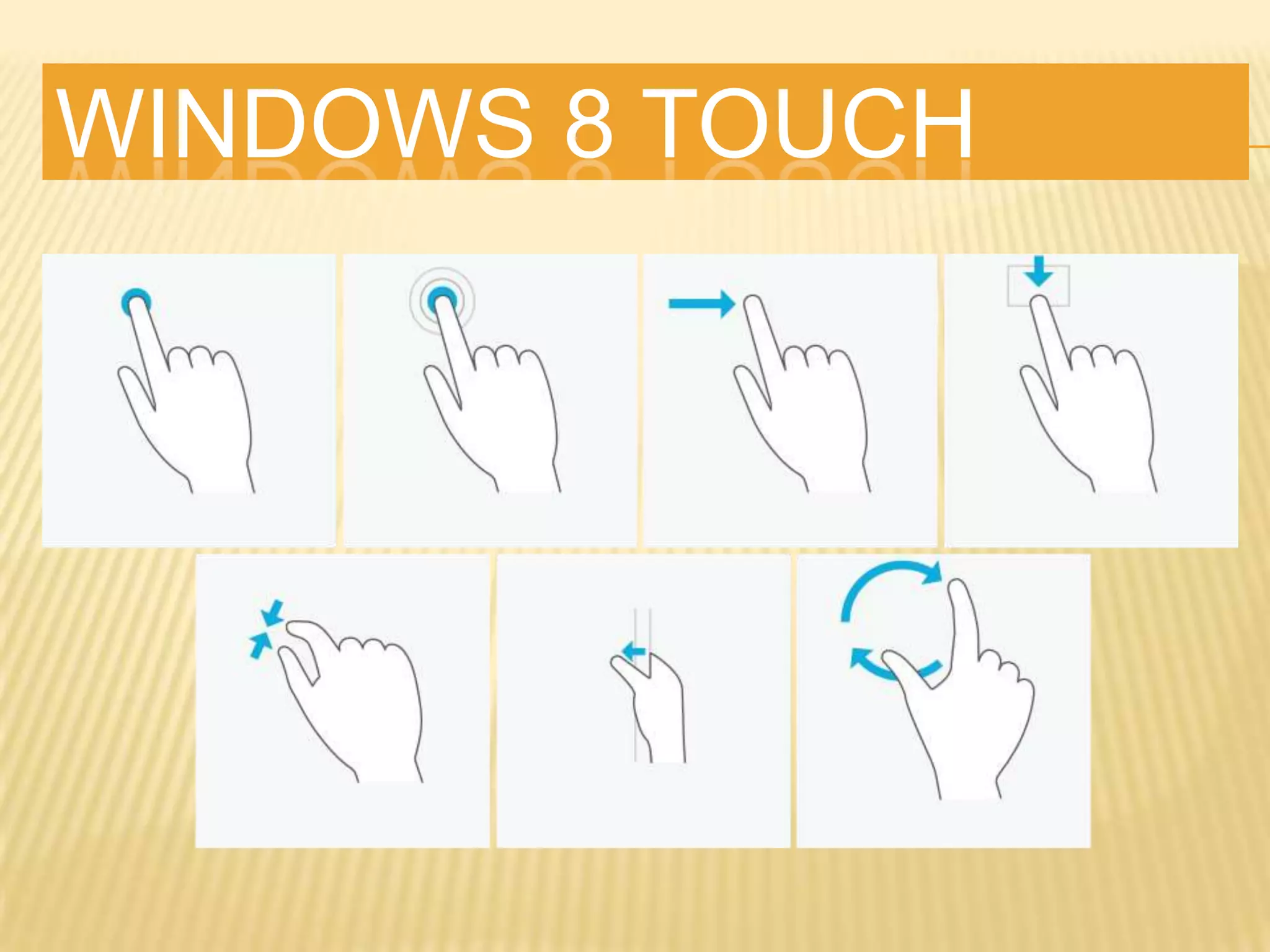
WINDOWS 8 TOUCH
OFFLINE & STORAGE
   Application Cache
     Sort   of Buggy - http://bit.ly/oryAF5
   Local Storage
     localstorage

     sessionstorage
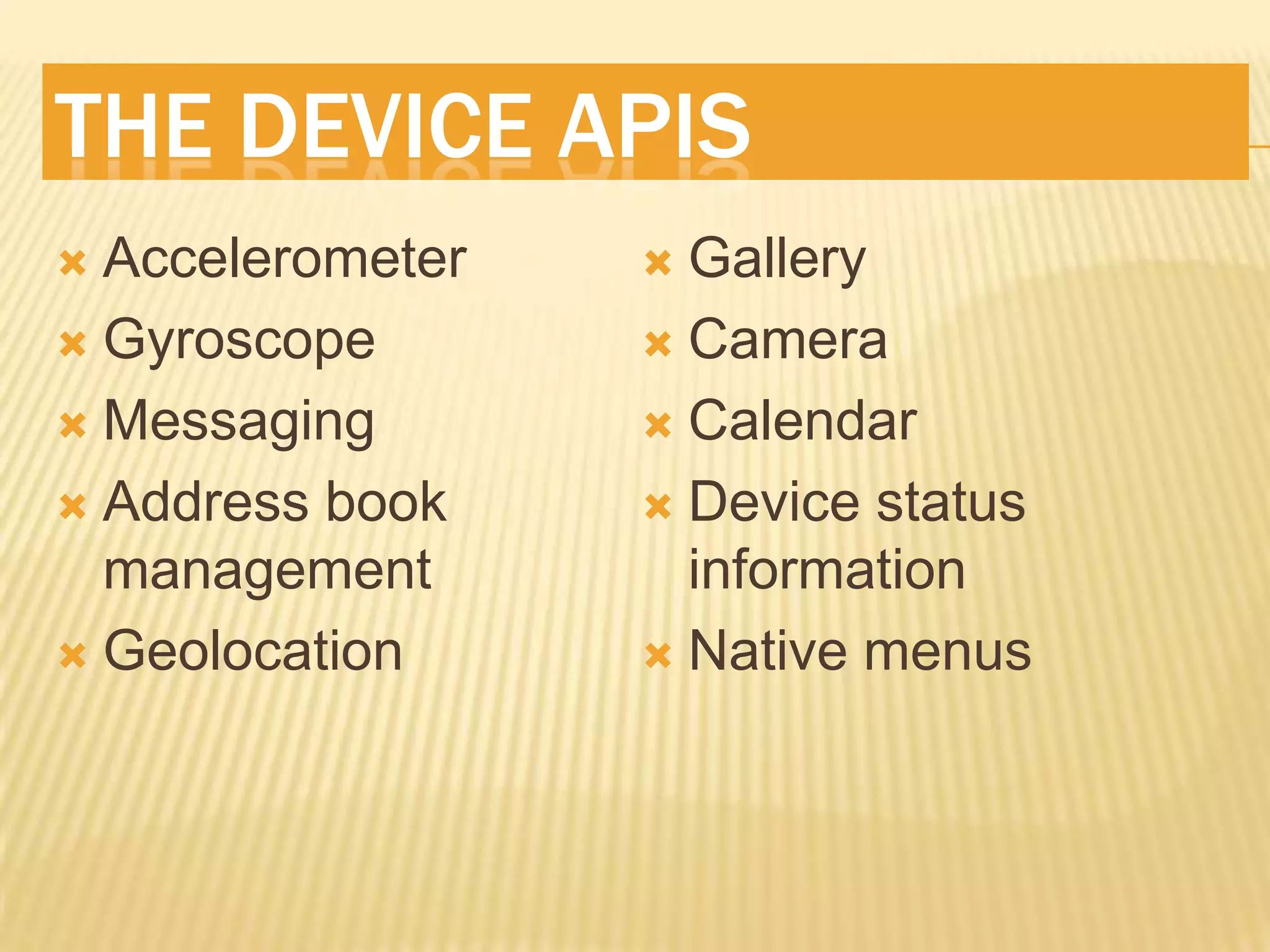
THE DEVICE APIS
 Accelerometer    Gallery
 Gyroscope        Camera

 Messaging        Calendar

 Address book     Device status
  management        information
 Geolocation      Native menus

Make mobile web apps rock

  • 1.
    MAKE YOUR MOBILEWEB APPS ROCK! Chris Love Tellago Inc. http://ProfessionalASPNET.com http://Twitter.com/ChrisLove
  • 2.
  • 3.
    REFERENCES  Mobile Web Books  Mobile First  http://bit.ly/jMSGAB  Programming the Mobile Web  http://amzn.to/bZMOch  Mobile Web Development  http://amzn.to/9cvDoE  Mobile Design and Development  http://amzn.to/hh8cPd
  • 4.
    KNOW THE LANDSCAPE Mobile Devices Are Prevalent Around the World  SmartPhones/Devices Becoming Common  Mobile Data Plans (3/4G)  HTML 5 Is Here, Embrace It ;)
  • 5.
    MARKET REALITY http://on.mash.to/k38NZw
  • 6.
    MARKET REALITY http://bit.ly/tFdyXF
  • 7.
  • 8.
    UNDERSTAND THE LANDSCAPE Lots of Phones Out There!  Several Browsers  Opera,Safari, IE, FireFox, many others you never heard of  Proxy Browsers  Opera Mini
  • 9.
    GRADING BROWSERS  AssumeModern Smart Phones  Most Are Webkit & Support Most HTML5 Features  Confidently Assume No Feature Phones http://haz.io http://html5test.com
  • 10.
    WINDOWS PHONE 7IE 9  Like Desktop  Supports Basic HTML5, CSS3, Canvas, Media Tag Stuff  GPU Speed  Does Not Support Touch  Does Not Support Input Types  http://bit.ly/ij3RAj  http://bit.ly/kYOZ5W
  • 11.
    MOBILE FIRST “designing formobile first not only prepares you for the explosive growth and new opportunities on the mobile internet, it forces you to focus and enables you to innovate in ways you previously couldn’t.” Luke Wroblewski
  • 13.
  • 14.
    DETERMINE CONTENT  Define Use Cases  Order Cases by Most Frequent for Mobile  Make Cases Successful within 3 clicks  Always Offer Link to Desktop Site  Determine if User Location Matters
  • 15.
    DETERMINE CONTENT http://bit.ly/aD1dr3
  • 16.
    USER CONTEXT Don’t Miss The Boat
  • 17.
    DETERMINE CONTENT  ReduceForm Pages  Avoid Welcome Screens/Splash  Predict User Actions Based On History  ThinkLocal Storage/Tombstoning
  • 18.
    CONTEXT  Where IsThe User  Why are They on Your Site  What are they looking for  What can you offer for mobile user to solve problem  Where will the user be accessing the site
  • 19.
    META TAGS <meta name="description"content=""> <meta name="author" content=""> <meta name="HandheldFriendly" content="True"> <meta name="MobileOptimized" content="320"/> <meta name="viewport" content="width=device-width, initial-scale=1.0"> <link rel="apple-touch-icon" href="@Url.Content("~/apple-touch-icon.png")"/> <link rel="apple-touch-icon-precomposed" sizes="114x114" href="@Url.Content("~/img/h/apple- touch-icon.png")"> <link rel="apple-touch-icon-precomposed" sizes="72x72" href="@Url.Content("~/img/m/apple- touch-icon.png")"> <link rel="apple-touch-icon-precomposed" href="@Url.Content("~/img/l/apple-touch-icon- precomposed.png")"> <link rel="shortcut icon" href="@Url.Content("~/img/l/apple-touch-icon.png")"> <meta name="apple-mobile-web-app-capable" content="yes"> <meta name="apple-mobile-web-app-status-bar-style" content="black"> <link rel="apple-touch-startup-image" href="@Url.Content("~img/l/splash.png”)">
  • 20.
  • 21.
    TOUCH ICONS  AllowsYou to Set the Home Screen Icon  Comparable to favicon  Apple Convention  Supported on Most Android Platforms
  • 22.
    ADD TO HOMESCREEN  Promptsthe User to Add The App To the iOS Home Screen http://bit.ly/fi1wqp
  • 23.
    APPLE-MOBILE-WEB-APP-CAPABLE  Allows YouTo Hide Mobile Safari Chrome  Gives You Native App-Like Experience  iOS Only At This Point   Does use a Different JS Engine Than Safari http://bit.ly/ilKFKT
  • 24.
    APPLE-MOBILE-WEB-APP-STATUS-BAR-STYLE  Allows Youto Hide Status Bar @ The Top of The Screen or Set The Color.  <meta name="apple- mobile-web-app- status-bar-style" content="black"> http://bit.ly/9Mgv0y
  • 25.
    UNDERSTAND THE VIEWPORT ViewableArea on Device  May actually be very wide  iPhone is actually 980pixels wide  Internet Explorer Assumes 1024 pixels wide http://bit.ly/e18svU
  • 26.
    SET THE VIEWPORT •MetaTag •Width •Height •Initial-scale •User-scalable •Minimum-scale •Maximum-scale <meta name="viewport" content="width=device-width,initial- scale=1.0,user-scalable=no"/> http://tinyurl.com/wp7viewport
  • 27.
    TYPICAL LAYOUT Header Navigation Content Footer
  • 28.
  • 29.
  • 30.
    LEVERAGE HTML5  Semantics CSS3 is AWESOMIER  New Form Input Types Help  New Form Input Attributes Really Help
  • 31.
    INPUT TYPES  HTML5Adds Many New Input Types and Attributes  Telephone, Number, URL, E-Mail, etc  autocapitalize, autocomplete, placeholder, required…
  • 32.
  • 33.
    6. UNDERSTAND CSS3 Animations  Gradients  Transforms  Shadows  Rounded Corners  Media Queries  So Much More!!
  • 34.
    TRANSITIONS  2D Transformations Shadows. Rounded Corners Etc  3D Keyframe Animations!  CSS3 Animations w/jQuery Fallbacks  http://bit.ly/oBDnko
  • 35.
    SINGLE PAGE SITES Use AJAX to Transition Between Content  Use HashTags to Track State  jQuery BBQ plugin  http://bit.ly/abippr  Allows Transition Effects  jQuery Mobile, jqTouch & Sencha Leverage
  • 36.
    TOUCH EVENTS touchStart touchEnter touchEnd touchLeave touchMove touchCancel http://tinyurl.com/webtch
  • 37.
    TOUCH GESTURES  FingersAre Fat  20px Spacing  Primary Items Min 40px W &H  Provide Quick Feedback of Touched Item  Include Auto-Clear Feature for Text Inputs
  • 38.
    TOUCH FIRST LAYOUT Recommendedsize 7x7mm Optimized for accuracy 9x9mm Optimized for small size 5x5mm Each target has 2mm padding
  • 39.
    HOW TARGET SIZERELATES TO ERROR RATES
  • 40.
    TOUCH GESTURES  touchstart  gesturestart*  touchend  gesturechange  touchmove *  touchenter  gestureend*  touchleave  gouchcancel http://bit.ly/ion0Um http://bit.ly/bYeSRT * Safari Only
  • 41.
  • 42.
    OFFLINE & STORAGE  Application Cache  Sort of Buggy - http://bit.ly/oryAF5  Local Storage  localstorage  sessionstorage
  • 43.
    THE DEVICE APIS Accelerometer  Gallery  Gyroscope  Camera  Messaging  Calendar  Address book  Device status management information  Geolocation  Native menus

Editor's Notes

  • #12 Show sample using local storage for offline, back button support
  • #13 Show sample using local storage for offline, back button support
  • #14 Show sample using local storage for offline, back button support
  • #15 Show sample using local storage for offline, back button support
  • #16 Show sample using local storage for offline, back button support
  • #18 Show sample using local storage for offline, back button support