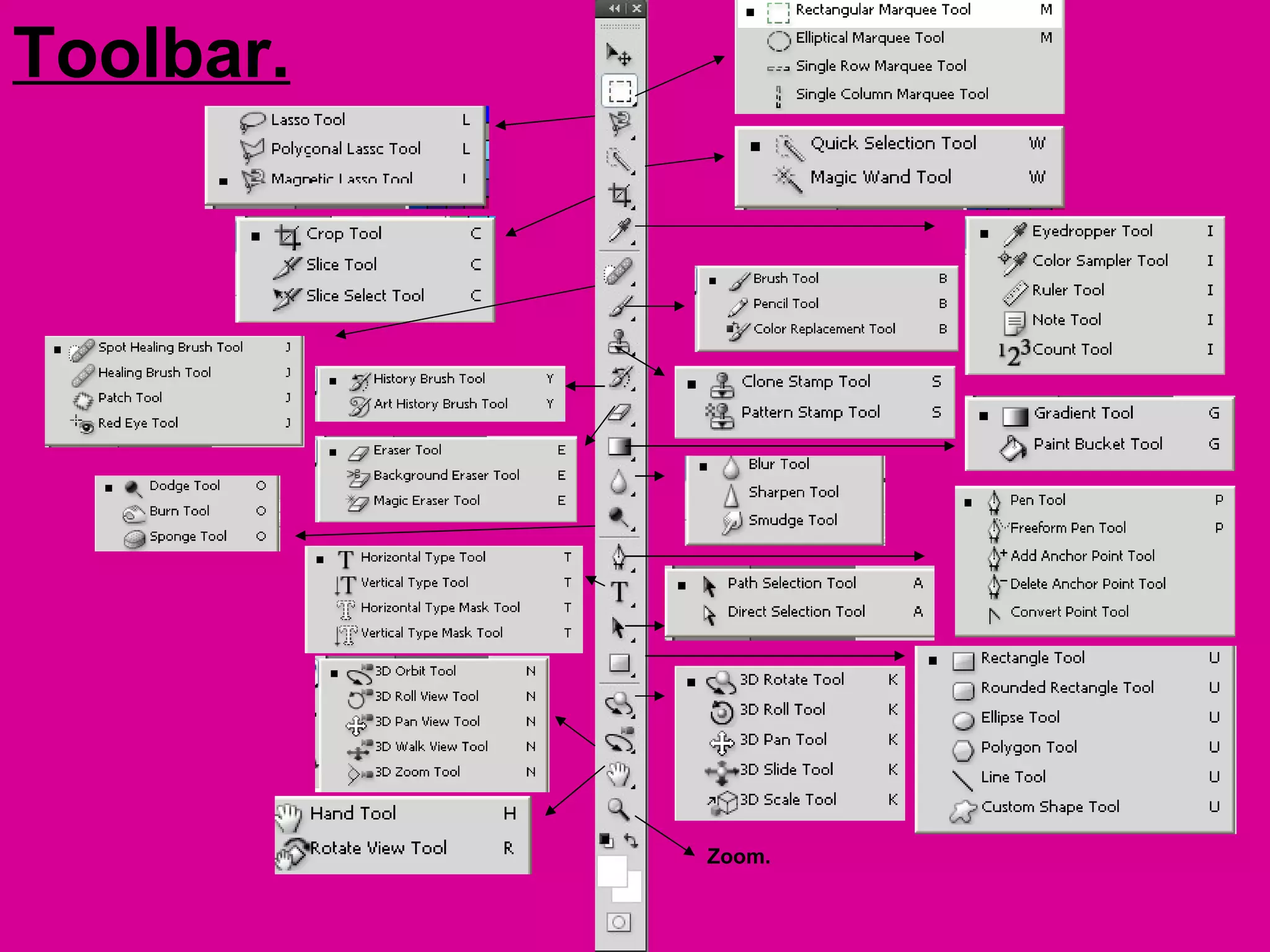
Toolbar.


           Zoom.
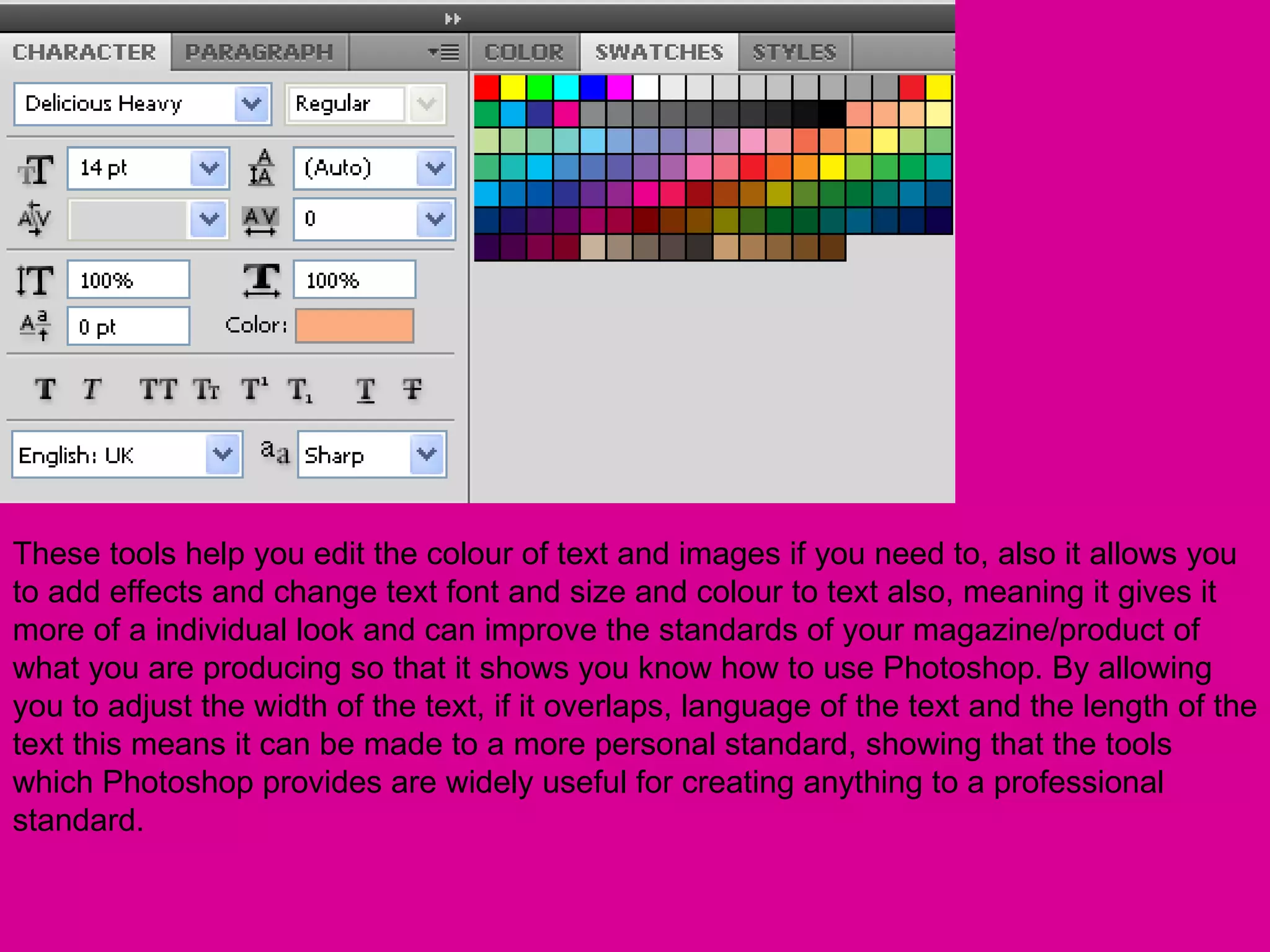
These tools help you edit the colour of text and images if you need to, also it allows you
to add effects and change text font and size and colour to text also, meaning it gives it
more of a individual look and can improve the standards of your magazine/product of
what you are producing so that it shows you know how to use Photoshop. By allowing
you to adjust the width of the text, if it overlaps, language of the text and the length of the
text this means it can be made to a more personal standard, showing that the tools
which Photoshop provides are widely useful for creating anything to a professional
standard.
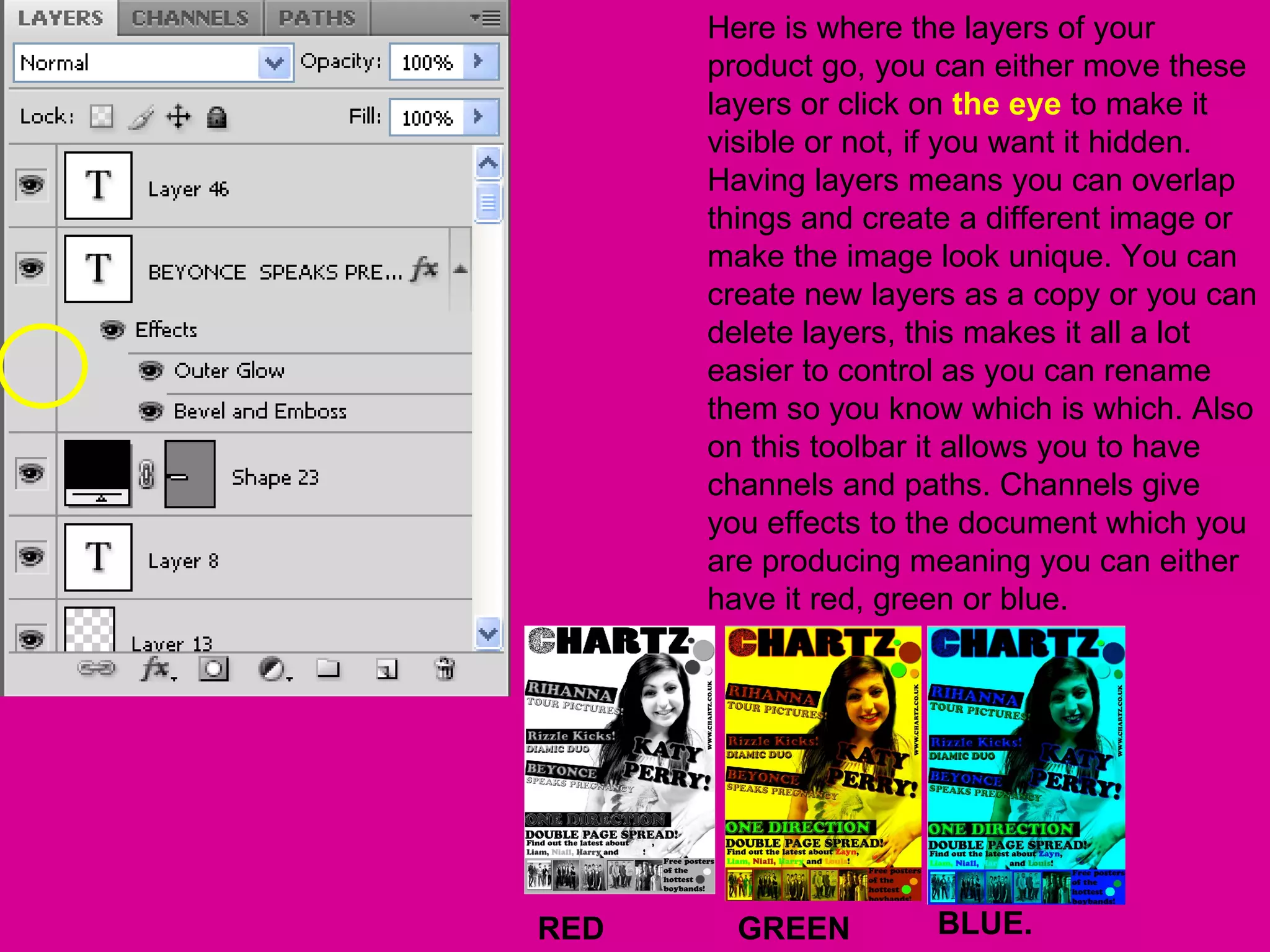
Here is where the layers of your
      product go, you can either move these
      layers or click on the eye to make it
      visible or not, if you want it hidden.
      Having layers means you can overlap
      things and create a different image or
      make the image look unique. You can
      create new layers as a copy or you can
      delete layers, this makes it all a lot
      easier to control as you can rename
      them so you know which is which. Also
      on this toolbar it allows you to have
      channels and paths. Channels give
      you effects to the document which you
      are producing meaning you can either
      have it red, green or blue.


RED     GREEN        BLUE.

Toolbar etc

  • 2.
    Toolbar. Zoom.
  • 3.
    These tools helpyou edit the colour of text and images if you need to, also it allows you to add effects and change text font and size and colour to text also, meaning it gives it more of a individual look and can improve the standards of your magazine/product of what you are producing so that it shows you know how to use Photoshop. By allowing you to adjust the width of the text, if it overlaps, language of the text and the length of the text this means it can be made to a more personal standard, showing that the tools which Photoshop provides are widely useful for creating anything to a professional standard.
  • 4.
    Here is wherethe layers of your product go, you can either move these layers or click on the eye to make it visible or not, if you want it hidden. Having layers means you can overlap things and create a different image or make the image look unique. You can create new layers as a copy or you can delete layers, this makes it all a lot easier to control as you can rename them so you know which is which. Also on this toolbar it allows you to have channels and paths. Channels give you effects to the document which you are producing meaning you can either have it red, green or blue. RED GREEN BLUE.