THE WHY, HOW, AND WHEN?
                      of

CSS FRAMEWORKS
     http://thinkvitamin.com/online-conferences/
Just a brief intro, then we’ll
dig right into the good stuff...
I’m Nathan. I am a designer
(slash) front-end developer
at Fellowship Technologies.

         http://fellowshiptech.com/
You probably know me as
the guy who made this...


        http://960.gs/
But I’m not (entirely) one dimensional.
Today, I we are going to discuss some
of the benefits (and drawbacks) of
using CSS frameworks such as...
Blueprint, YUI 3,
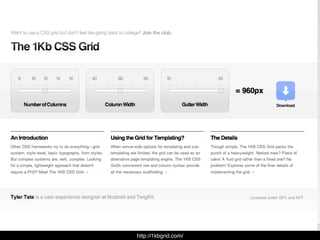
960.gs, 1kb Grid
“Any sufficiently advanced technology
 is indistinguishable from magic.”
   this scares me
                                       — Arthur C. Clarke


        http://en.wikipedia.org/wiki/Clarke's_three_laws
You know why? CSS frameworks are
not magic. Because CSS itself isn’t.
Let’s not treat code like it’s mystical.
(Same for jQuery. But that’s another soapbox entirely.)
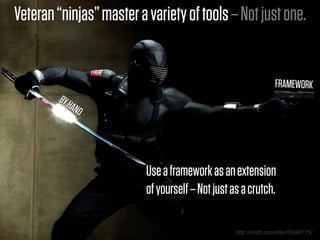
Veteran “ninjas” master a variety of tools – Not just one.


                                                                  FRAMEWORK
        BY H
            AND


                          Use a framework as an extension
                          of yourself – Not just as a crutch.

                                                  http://imdb.com/title/tt1046173/
WHY use a Framework?
+ Increase efficiency + Ease of maintenance
+ Code consistency + Repeatable process
+ Browser tested    + CMS driven templates
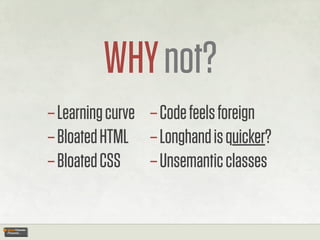
WHY not?
– Learning curve – Code feels foreign
– Bloated HTML – Longhand is quicker?
– Bloated CSS – Unsemantic classes
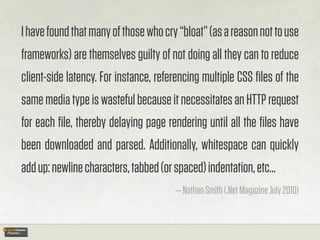
I have found that many of those who cry “bloat” (as a reason not to use
frameworks) are themselves guilty of not doing all they can to reduce
client-side latency. For instance, referencing multiple CSS files of the
same media type is wasteful because it necessitates an HTTP request
for each file, thereby delaying page rendering until all the files have
been downloaded and parsed. Additionally, whitespace can quickly
add up: newline characters, tabbed (or spaced) indentation, etc...
                                       — Nathan Smith (.Net Magazine July 2010)
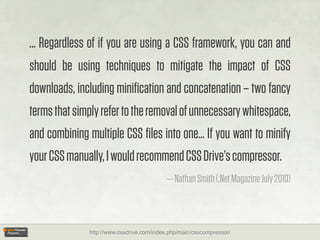
... Regardless of if you are using a CSS framework, you can and
should be using techniques to mitigate the impact of CSS
downloads, including minification and concatenation – two fancy
terms that simply refer to the removal of unnecessary whitespace,
and combining multiple CSS files into one... If you want to minify
your CSS manually, I would recommend CSS Drive’s compressor.
                                           — Nathan Smith (.Net Magazine July 2010)


              http://www.cssdrive.com/index.php/main/csscompressor/
__________
“Unsemantic”
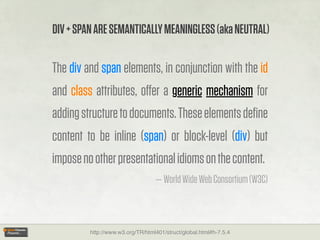
DIV + SPAN ARE SEMANTICALLY MEANINGLESS (aka NEUTRAL)

The div and span elements, in conjunction with the id
and class attributes, offer a generic mechanism for
adding structure to documents. These elements define
content to be inline (span) or block-level (div) but
impose no other presentational idioms on the content.
                                  — World Wide Web Consortium (W3C)


         http://www.w3.org/TR/html401/struct/global.html#h-7.5.4
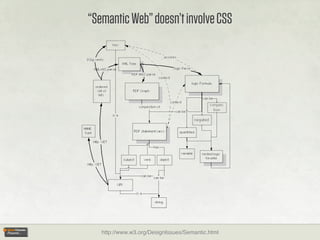
“Semantic Web” doesn’t involve CSS


   http://www.w3.org/DesignIssues/Semantic.html
SORRY CSS... YOU WEREN’T INVITED TO THIS PARTY. WE STILL          YOU.


The term “Semantic Web” refers to W3C’s vision of the Web
of linked data. Semantic Web technologies enable people to
create data stores on the Web, build vocabularies, and write
rules for handling data. Linked data are empowered by
technologies such as RDF, SPARQL, OWL, and SKOS.
                                      — World Wide Web Consortium (W3C)


                 http://www.w3.org/standards/semanticweb/
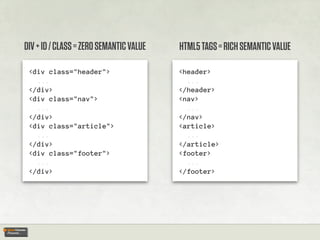
DIV + ID / CLASS = ZERO SEMANTIC VALUE   HTML5 TAGS = RICH SEMANTIC VALUE

 <div class="header">                    <header>
   ...                                     ...
 </div>                                  </header>
 <div class="nav">                       <nav>
   ...                                     ...
 </div>                                  </nav>
 <div class="article">                   <article>
   ...                                     ...
 </div>                                  </article>
 <div class="footer">                    <footer>
   ...                                     ...
 </div>                                  </footer>
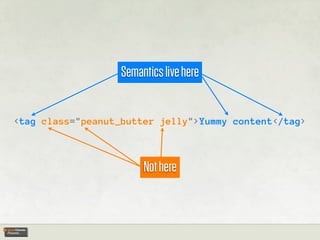
Semantics live here


<tag class="peanut_butter jelly">Yummy content</tag>


                        Not here
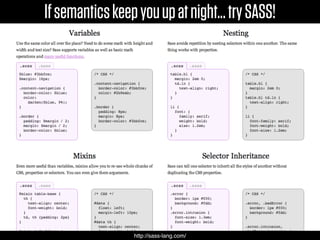
If semantics keep you up at night... try SASS!


                 http://sass-lang.com/
Now that the ranting is done...


HOW
do I use a CSS framework?
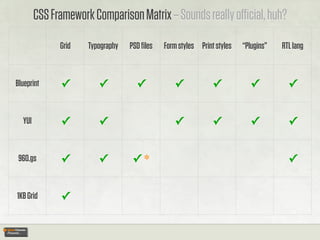
CSS Framework Comparison Matrix – Sounds really official, huh?
              Grid   Typography   PSD files   Form styles Print styles   “Plugins”   RTL lang


Blueprint     ✓         ✓           ✓           ✓             ✓           ✓           ✓


  YUI         ✓         ✓                       ✓             ✓           ✓           ✓


 960.gs       ✓         ✓          ✓*                                                 ✓


1KB Grid      ✓
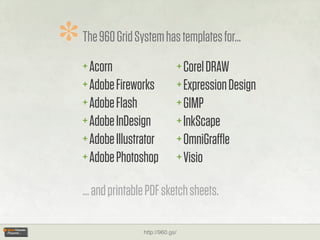
*   The 960 Grid System has templates for...
    + Acorn                          + Corel DRAW
    + Adobe Fireworks                + Expression Design
    + Adobe Flash                    + GIMP
    + Adobe InDesign                 + InkScape
    + Adobe Illustrator              + OmniGraffle
    + Adobe Photoshop                + Visio

    ... and printable PDF sketch sheets.

                    http://960.gs/
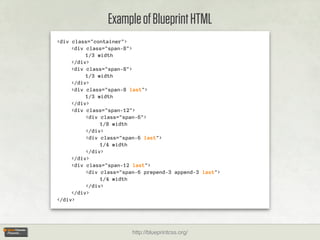
Example of Blueprint HTML
<div class="container">
     <div class="span-8">
          1/3 width
     </div>
     <div class="span-8">
          1/3 width
     </div>
     <div class="span-8 last">
          1/3 width
     </div>
     <div class="span-12">
          <div class="span-6">
               1/8 width
          </div>
          <div class="span-6 last">
               1/4 width
          </div>
     </div>
     <div class="span-12 last">
          <div class="span-6 prepend-3 append-3 last">
               1/4 width
          </div>
     </div>
</div>


                        http://blueprintcss.org/
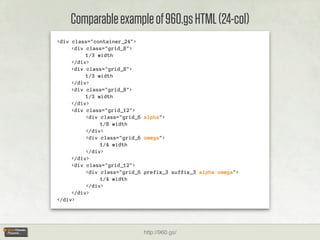
Comparable example of 960.gs HTML (24-col)
<div class="container_24">
     <div class="grid_8">
          1/3 width
     </div>
     <div class="grid_8">
          1/3 width
     </div>
     <div class="grid_8">
          1/3 width
     </div>
     <div class="grid_12">
          <div class="grid_6 alpha">
               1/8 width
          </div>
          <div class="grid_6 omega">
               1/4 width
          </div>
     </div>
     <div class="grid_12">
          <div class="grid_6 prefix_3 suffix_3 alpha omega">
               1/4 width
          </div>
     </div>
</div>


                            http://960.gs/
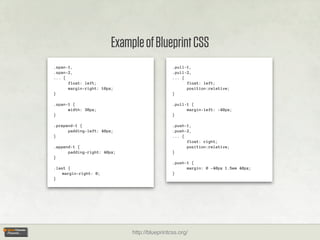
Example of Blueprint CSS
.span-1,                                      .pull-1,
.span-2,                                      .pull-2,
... {                                         ... {
      float: left;                                  float: left;
      margin-right: 10px;                           position:relative;
}                                             }

.span-1 {                                     .pull-1 {
      width: 30px;                                  margin-left: -40px;
}                                             }

.prepend-1 {                                  .push-1,
      padding-left: 40px;                     .push-2,
}                                             ... {
                                                    float: right;
.append-1 {                                         position:relative;
      padding-right: 40px;                    }
}
                                              .push-1 {
.last {                                             margin: 0 -40px 1.5em 40px;
    margin-right: 0;                          }
}


                             http://blueprintcss.org/
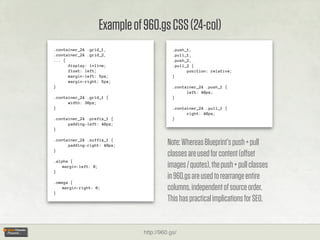
Example of 960.gs CSS (24-col)
.container_24 .grid_1,                       .push_1,
.container_24 .grid_2,                       .pull_1,
... {                                        .push_2,
      display: inline;                       .pull_2 {
      float: left;                                 position: relative;
      margin-left: 5px;                      }
      margin-right: 5px;
}                                            .container_24 .push_1 {
                                                   left: 40px;
.container_24 .grid_1 {                      }
      width: 30px;
}                                            .container_24 .pull_1 {
                                                   right: 40px;
.container_24 .prefix_1 {                    }
      padding-left: 40px;
}

.container_24 .suffix_1 {
      padding-right: 40px;                 Note: Whereas Blueprint’s push + pull
}
                                           classes are used for content (offset
.alpha {
    margin-left: 0;                        images / quotes), the push + pull classes
}
                                           in 960.gs are used to rearrange entire
.omega {

}
    margin-right: 0;                       columns, independent of source order.
                                           This has practical implications for SEO.


                                 http://960.gs/
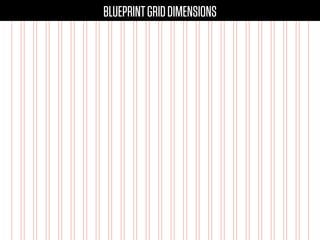
BLUEPRINT GRID DIMENSIONS
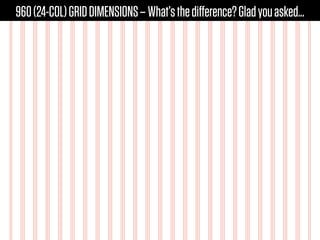
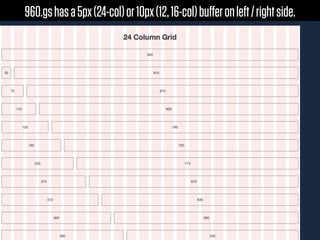
960 (24-COL) GRID DIMENSIONS – What’s the difference? Glad you asked...
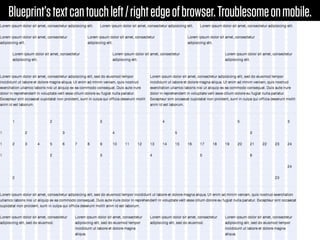
Blueprint’s text can touch left / right edge of browser. Troublesome on mobile.
960.gs has a 5px (24-col) or 10px (12, 16-col) buffer on left / right side.
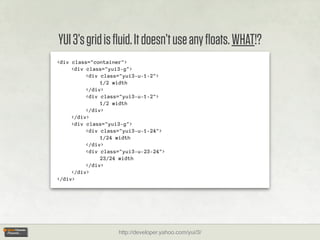
YUI 3’s grid is fluid. It doesn’t use any floats. WHAT!?
<div class="container">
     <div class="yui3-g">
          <div class="yui3-u-1-2">
               1/2 width
          </div>
          <div class="yui3-u-1-2">
               1/2 width
          </div>
     </div>
     <div class="yui3-g">
          <div class="yui3-u-1-24">
               1/24 width
          </div>
          <div class="yui3-u-23-24">
               23/24 width
          </div>
     </div>
</div>


                    http://developer.yahoo.com/yui/3/
.yui3-g {
    /* webkit: collapse white-space
    between units */


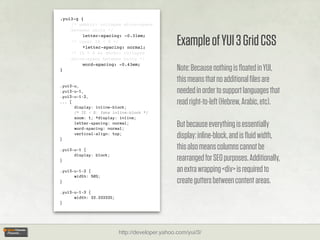
                                                 Example of YUI 3 Grid CSS
         letter-spacing: -0.31em;
    /* reset IE < 8 */
         *letter-spacing: normal;
    /* IE < 8 && gecko: collapse
    white-space between units */
         word-spacing: -0.43em;
}                                                Note: Because nothing is floated in YUI,
                                                 this means that no additional files are
.yui3-u,
.yui3-u-1,                                       needed in order to support languages that
.yui3-u-1-2,
... {
      display: inline-block;
                                                 read right-to-left (Hebrew, Arabic, etc).
      /* IE < 8: fake inline-block */
      zoom: 1; *display: inline;
      letter-spacing: normal;
      word-spacing: normal;
                                                 But because everything is essentially
}
      vertical-align: top;
                                                 display: inline-block, and is fluid width,
.yui3-u-1 {                                      this also means columns cannot be
      display: block;
}                                                rearranged for SEO purposes. Additionally,
.yui3-u-1-2 {                                    an extra wrapping <div> is required to
      width: 50%;
}                                                create gutters between content areas.
.yui3-u-1-3 {
      width: 33.33333%;
}


                          http://developer.yahoo.com/yui/3/
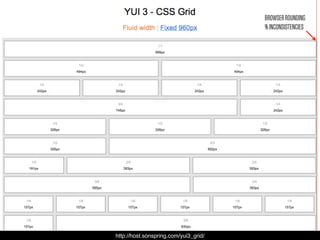
BROWSER ROUNDING
                                       % INCONSISTENCIES


http://host.sonspring.com/yui3_grid/
http://1kbgrid.com/
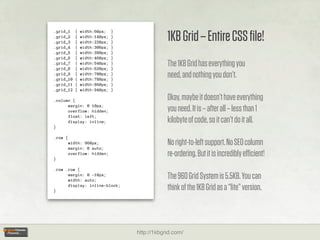
1KB Grid – Entire CSS file!
.grid_1    {   width:60px;    }
.grid_2    {   width:140px;   }
.grid_3    {   width:220px;   }
.grid_4    {   width:300px;   }
.grid_5    {   width:380px;   }
.grid_6    {   width:460px;   }
.grid_7
.grid_8
           {
           {
               width:540px;
               width:620px;
                              }
                              }
                                              The 1KB Grid has everything you
.grid_9
.grid_10
           {
           {
               width:700px;
               width:780px;
                              }
                              }
                                              need, and nothing you don’t.
.grid_11   {   width:860px;   }
.grid_12   {   width:940px;   }

.column {                                     Okay, maybe it doesn’t have everything
      margin: 0 10px;
      overflow: hidden;                       you need. It is – after all – less than 1
      float: left;
      display: inline;                        kilobyte of code, so it can’t do it all.
}

.row {
         width: 960px;
         margin: 0 auto;
                                              No right-to-left support. No SEO column
}
         overflow: hidden;                    re-ordering. But it is incredibly efficient!
.row .row {
      margin: 0 -10px;
      width: auto;
                                              The 960 Grid System is 5.5KB. You can
}
      display: inline-block;
                                              think of the 1KB Grid as a “lite” version.


                                  http://1kbgrid.com/
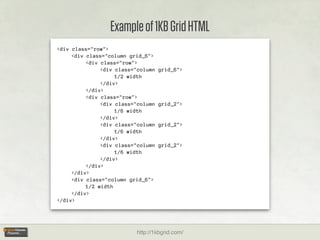
Example of 1KB Grid HTML
<div class="row">
     <div class="column grid_6">
          <div class="row">
               <div class="column   grid_6">
                    1/2 width
               </div>
          </div>
          <div class="row">
               <div class="column   grid_2">
                    1/6 width
               </div>
               <div class="column   grid_2">
                    1/6 width
               </div>
               <div class="column   grid_2">
                    1/6 width
               </div>
          </div>
     </div>
     <div class="column grid_6">
          1/2 width
     </div>
</div>


                          http://1kbgrid.com/
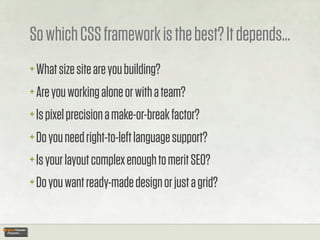
So which CSS framework is the best? It depends...
+ What size site are you building?
+ Are you working alone or with a team?
+ Is pixel precision a make-or-break factor?
+ Do you need right-to-left language support?
+ Is your layout complex enough to merit SEO?
+ Do you want ready-made design or just a grid?
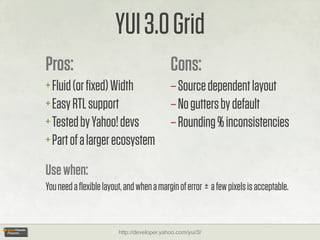
YUI 3.0 Grid
Pros:                                       Cons:
+ Fluid (or fixed) Width                     – Source dependent layout
+ Easy RTL support                          – No gutters by default
+ Tested by Yahoo! devs                     – Rounding % inconsistencies
+ Part of a larger ecosystem

Use when:
You need a flexible layout, and when a margin of error ± a few pixels is acceptable.


                        http://developer.yahoo.com/yui/3/
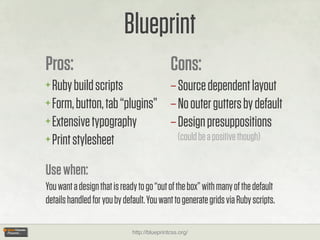
Blueprint
Pros:                                         Cons:
+ Ruby build scripts          – Source dependent layout
+ Form, button, tab “plugins” – No outer gutters by default
+ Extensive typography        – Design presuppositions
+ Print stylesheet              (could be a positive though)


Use when:
You want a design that is ready to go “out of the box” with many of the default
details handled for you by default. You want to generate grids via Ruby scripts.

                              http://blueprintcss.org/
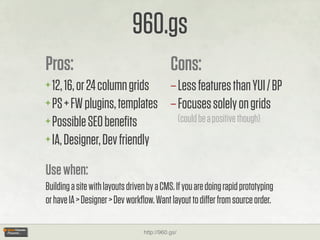
960.gs
Pros:                                        Cons:
+ 12, 16, or 24 column grids – Less features than YUI / BP
+ PS + FW plugins, templates – Focuses solely on grids
+ Possible SEO benefits         (could be a positive though)
+ IA, Designer, Dev friendly

Use when:
Building a site with layouts driven by a CMS. If you are doing rapid prototyping
or have IA > Designer > Dev workflow. Want layout to differ from source order.

                                  http://960.gs/
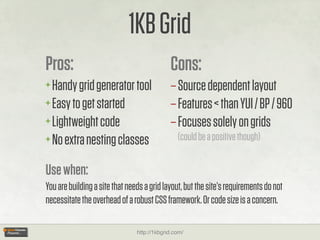
1KB Grid
Pros:                                        Cons:
+ Handy grid generator tool                  – Source dependent layout
+ Easy to get started                        – Features < than YUI / BP / 960
+ Lightweight code                           – Focuses solely on grids
+ No extra nesting classes                      (could be a positive though)


Use when:
You are building a site that needs a grid layout, but the site’s requirements do not
necessitate the overhead of a robust CSS framework. Or code size is a concern.

                                http://1kbgrid.com/
So, others’ frameworks are fine, but...


WHEN
  should I roll my own framework?
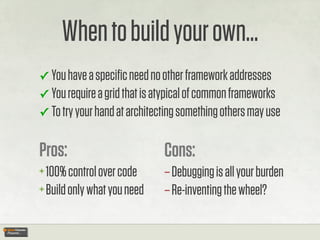
When to build your own...
✓ You have a specific need no other framework addresses
✓ You require a grid that is atypical of common frameworks
✓ To try your hand at architecting something others may use


Pros:                         Cons:
+ 100% control over code      – Debugging is all your burden
+ Build only what you need    – Re-inventing the wheel?
Some
Helpful
Resources...
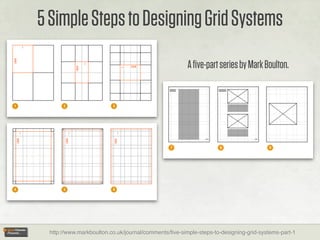
5 Simple Steps to Designing Grid Systems
                                                       A five-part series by Mark Boulton.


  http://www.markboulton.co.uk/journal/comments/five-simple-steps-to-designing-grid-systems-part-1
Mark Boulton’s publishing company – Five Simple Steps


                  http://fivesimplesteps.com/
“Grid computing... and Design” – by Khoi Vinh
http://www.subtraction.com/2004/12/31/grid-computi
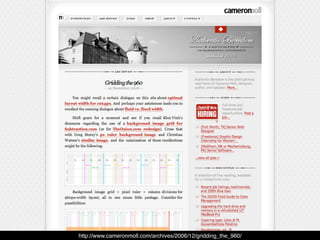
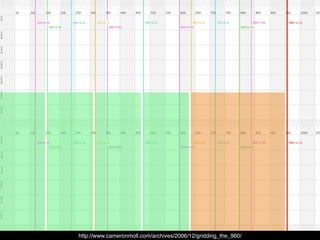
http://www.cameronmoll.com/archives/2006/12/gridding_the_960/
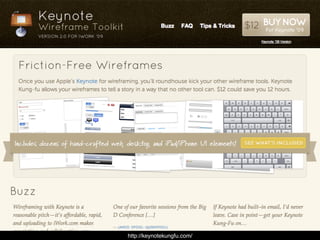
http://keynotekungfu.com/
FURTHER READING...
Frameworks for Designers – Jeff Croft
— http://alistapart.com/articles/frameworksfordesigners


Smart CSS ain’t always sexy CSS – Martin Ringlein
— http://digital-web.com/articles/smart_CSS_aint_always_sexy_CSS/


Object Oriented CSS – Nicole Sullivan
— http://wiki.github.com/stubbornella/oocss/
Questions?
— http://twitter.com/nathansmith
— http://sonspring.com/contact

Get the slides...
— http://slideshare.net/nathansmith/think-vitamin-css

Think Vitamin CSS

  • 1.
    THE WHY, HOW,AND WHEN? of CSS FRAMEWORKS http://thinkvitamin.com/online-conferences/
  • 2.
    Just a briefintro, then we’ll dig right into the good stuff... I’m Nathan. I am a designer (slash) front-end developer at Fellowship Technologies. http://fellowshiptech.com/
  • 3.
    You probably knowme as the guy who made this... http://960.gs/
  • 4.
    But I’m not(entirely) one dimensional. Today, I we are going to discuss some of the benefits (and drawbacks) of using CSS frameworks such as...
  • 5.
  • 6.
    “Any sufficiently advancedtechnology is indistinguishable from magic.” this scares me — Arthur C. Clarke http://en.wikipedia.org/wiki/Clarke's_three_laws
  • 7.
    You know why?CSS frameworks are not magic. Because CSS itself isn’t. Let’s not treat code like it’s mystical. (Same for jQuery. But that’s another soapbox entirely.)
  • 8.
    Veteran “ninjas” mastera variety of tools – Not just one. FRAMEWORK BY H AND Use a framework as an extension of yourself – Not just as a crutch. http://imdb.com/title/tt1046173/
  • 9.
    WHY use aFramework? + Increase efficiency + Ease of maintenance + Code consistency + Repeatable process + Browser tested + CMS driven templates
  • 10.
    WHY not? – Learningcurve – Code feels foreign – Bloated HTML – Longhand is quicker? – Bloated CSS – Unsemantic classes
  • 11.
    I have foundthat many of those who cry “bloat” (as a reason not to use frameworks) are themselves guilty of not doing all they can to reduce client-side latency. For instance, referencing multiple CSS files of the same media type is wasteful because it necessitates an HTTP request for each file, thereby delaying page rendering until all the files have been downloaded and parsed. Additionally, whitespace can quickly add up: newline characters, tabbed (or spaced) indentation, etc... — Nathan Smith (.Net Magazine July 2010)
  • 12.
    ... Regardless ofif you are using a CSS framework, you can and should be using techniques to mitigate the impact of CSS downloads, including minification and concatenation – two fancy terms that simply refer to the removal of unnecessary whitespace, and combining multiple CSS files into one... If you want to minify your CSS manually, I would recommend CSS Drive’s compressor. — Nathan Smith (.Net Magazine July 2010) http://www.cssdrive.com/index.php/main/csscompressor/
  • 13.
  • 14.
    DIV + SPANARE SEMANTICALLY MEANINGLESS (aka NEUTRAL) The div and span elements, in conjunction with the id and class attributes, offer a generic mechanism for adding structure to documents. These elements define content to be inline (span) or block-level (div) but impose no other presentational idioms on the content. — World Wide Web Consortium (W3C) http://www.w3.org/TR/html401/struct/global.html#h-7.5.4
  • 15.
    “Semantic Web” doesn’tinvolve CSS http://www.w3.org/DesignIssues/Semantic.html
  • 16.
    SORRY CSS... YOUWEREN’T INVITED TO THIS PARTY. WE STILL YOU. The term “Semantic Web” refers to W3C’s vision of the Web of linked data. Semantic Web technologies enable people to create data stores on the Web, build vocabularies, and write rules for handling data. Linked data are empowered by technologies such as RDF, SPARQL, OWL, and SKOS. — World Wide Web Consortium (W3C) http://www.w3.org/standards/semanticweb/
  • 17.
    DIV + ID/ CLASS = ZERO SEMANTIC VALUE HTML5 TAGS = RICH SEMANTIC VALUE <div class="header"> <header> ... ... </div> </header> <div class="nav"> <nav> ... ... </div> </nav> <div class="article"> <article> ... ... </div> </article> <div class="footer"> <footer> ... ... </div> </footer>
  • 18.
    Semantics live here <tagclass="peanut_butter jelly">Yummy content</tag> Not here
  • 19.
    If semantics keepyou up at night... try SASS! http://sass-lang.com/
  • 20.
    Now that theranting is done... HOW do I use a CSS framework?
  • 21.
    CSS Framework ComparisonMatrix – Sounds really official, huh? Grid Typography PSD files Form styles Print styles “Plugins” RTL lang Blueprint ✓ ✓ ✓ ✓ ✓ ✓ ✓ YUI ✓ ✓ ✓ ✓ ✓ ✓ 960.gs ✓ ✓ ✓* ✓ 1KB Grid ✓
  • 22.
    * The 960 Grid System has templates for... + Acorn + Corel DRAW + Adobe Fireworks + Expression Design + Adobe Flash + GIMP + Adobe InDesign + InkScape + Adobe Illustrator + OmniGraffle + Adobe Photoshop + Visio ... and printable PDF sketch sheets. http://960.gs/
  • 23.
    Example of BlueprintHTML <div class="container"> <div class="span-8"> 1/3 width </div> <div class="span-8"> 1/3 width </div> <div class="span-8 last"> 1/3 width </div> <div class="span-12"> <div class="span-6"> 1/8 width </div> <div class="span-6 last"> 1/4 width </div> </div> <div class="span-12 last"> <div class="span-6 prepend-3 append-3 last"> 1/4 width </div> </div> </div> http://blueprintcss.org/
  • 24.
    Comparable example of960.gs HTML (24-col) <div class="container_24"> <div class="grid_8"> 1/3 width </div> <div class="grid_8"> 1/3 width </div> <div class="grid_8"> 1/3 width </div> <div class="grid_12"> <div class="grid_6 alpha"> 1/8 width </div> <div class="grid_6 omega"> 1/4 width </div> </div> <div class="grid_12"> <div class="grid_6 prefix_3 suffix_3 alpha omega"> 1/4 width </div> </div> </div> http://960.gs/
  • 25.
    Example of BlueprintCSS .span-1, .pull-1, .span-2, .pull-2, ... { ... { float: left; float: left; margin-right: 10px; position:relative; } } .span-1 { .pull-1 { width: 30px; margin-left: -40px; } } .prepend-1 { .push-1, padding-left: 40px; .push-2, } ... { float: right; .append-1 { position:relative; padding-right: 40px; } } .push-1 { .last { margin: 0 -40px 1.5em 40px; margin-right: 0; } } http://blueprintcss.org/
  • 26.
    Example of 960.gsCSS (24-col) .container_24 .grid_1, .push_1, .container_24 .grid_2, .pull_1, ... { .push_2, display: inline; .pull_2 { float: left; position: relative; margin-left: 5px; } margin-right: 5px; } .container_24 .push_1 { left: 40px; .container_24 .grid_1 { } width: 30px; } .container_24 .pull_1 { right: 40px; .container_24 .prefix_1 { } padding-left: 40px; } .container_24 .suffix_1 { padding-right: 40px; Note: Whereas Blueprint’s push + pull } classes are used for content (offset .alpha { margin-left: 0; images / quotes), the push + pull classes } in 960.gs are used to rearrange entire .omega { } margin-right: 0; columns, independent of source order. This has practical implications for SEO. http://960.gs/
  • 27.
  • 28.
    960 (24-COL) GRIDDIMENSIONS – What’s the difference? Glad you asked...
  • 29.
    Blueprint’s text cantouch left / right edge of browser. Troublesome on mobile.
  • 30.
    960.gs has a5px (24-col) or 10px (12, 16-col) buffer on left / right side.
  • 31.
    YUI 3’s gridis fluid. It doesn’t use any floats. WHAT!? <div class="container"> <div class="yui3-g"> <div class="yui3-u-1-2"> 1/2 width </div> <div class="yui3-u-1-2"> 1/2 width </div> </div> <div class="yui3-g"> <div class="yui3-u-1-24"> 1/24 width </div> <div class="yui3-u-23-24"> 23/24 width </div> </div> </div> http://developer.yahoo.com/yui/3/
  • 32.
    .yui3-g { /* webkit: collapse white-space between units */ Example of YUI 3 Grid CSS letter-spacing: -0.31em; /* reset IE < 8 */ *letter-spacing: normal; /* IE < 8 && gecko: collapse white-space between units */ word-spacing: -0.43em; } Note: Because nothing is floated in YUI, this means that no additional files are .yui3-u, .yui3-u-1, needed in order to support languages that .yui3-u-1-2, ... { display: inline-block; read right-to-left (Hebrew, Arabic, etc). /* IE < 8: fake inline-block */ zoom: 1; *display: inline; letter-spacing: normal; word-spacing: normal; But because everything is essentially } vertical-align: top; display: inline-block, and is fluid width, .yui3-u-1 { this also means columns cannot be display: block; } rearranged for SEO purposes. Additionally, .yui3-u-1-2 { an extra wrapping <div> is required to width: 50%; } create gutters between content areas. .yui3-u-1-3 { width: 33.33333%; } http://developer.yahoo.com/yui/3/
  • 33.
    BROWSER ROUNDING % INCONSISTENCIES http://host.sonspring.com/yui3_grid/
  • 34.
  • 35.
    1KB Grid –Entire CSS file! .grid_1 { width:60px; } .grid_2 { width:140px; } .grid_3 { width:220px; } .grid_4 { width:300px; } .grid_5 { width:380px; } .grid_6 { width:460px; } .grid_7 .grid_8 { { width:540px; width:620px; } } The 1KB Grid has everything you .grid_9 .grid_10 { { width:700px; width:780px; } } need, and nothing you don’t. .grid_11 { width:860px; } .grid_12 { width:940px; } .column { Okay, maybe it doesn’t have everything margin: 0 10px; overflow: hidden; you need. It is – after all – less than 1 float: left; display: inline; kilobyte of code, so it can’t do it all. } .row { width: 960px; margin: 0 auto; No right-to-left support. No SEO column } overflow: hidden; re-ordering. But it is incredibly efficient! .row .row { margin: 0 -10px; width: auto; The 960 Grid System is 5.5KB. You can } display: inline-block; think of the 1KB Grid as a “lite” version. http://1kbgrid.com/
  • 36.
    Example of 1KBGrid HTML <div class="row"> <div class="column grid_6"> <div class="row"> <div class="column grid_6"> 1/2 width </div> </div> <div class="row"> <div class="column grid_2"> 1/6 width </div> <div class="column grid_2"> 1/6 width </div> <div class="column grid_2"> 1/6 width </div> </div> </div> <div class="column grid_6"> 1/2 width </div> </div> http://1kbgrid.com/
  • 37.
    So which CSSframework is the best? It depends... + What size site are you building? + Are you working alone or with a team? + Is pixel precision a make-or-break factor? + Do you need right-to-left language support? + Is your layout complex enough to merit SEO? + Do you want ready-made design or just a grid?
  • 38.
    YUI 3.0 Grid Pros: Cons: + Fluid (or fixed) Width – Source dependent layout + Easy RTL support – No gutters by default + Tested by Yahoo! devs – Rounding % inconsistencies + Part of a larger ecosystem Use when: You need a flexible layout, and when a margin of error ± a few pixels is acceptable. http://developer.yahoo.com/yui/3/
  • 39.
    Blueprint Pros: Cons: + Ruby build scripts – Source dependent layout + Form, button, tab “plugins” – No outer gutters by default + Extensive typography – Design presuppositions + Print stylesheet (could be a positive though) Use when: You want a design that is ready to go “out of the box” with many of the default details handled for you by default. You want to generate grids via Ruby scripts. http://blueprintcss.org/
  • 40.
    960.gs Pros: Cons: + 12, 16, or 24 column grids – Less features than YUI / BP + PS + FW plugins, templates – Focuses solely on grids + Possible SEO benefits (could be a positive though) + IA, Designer, Dev friendly Use when: Building a site with layouts driven by a CMS. If you are doing rapid prototyping or have IA > Designer > Dev workflow. Want layout to differ from source order. http://960.gs/
  • 41.
    1KB Grid Pros: Cons: + Handy grid generator tool – Source dependent layout + Easy to get started – Features < than YUI / BP / 960 + Lightweight code – Focuses solely on grids + No extra nesting classes (could be a positive though) Use when: You are building a site that needs a grid layout, but the site’s requirements do not necessitate the overhead of a robust CSS framework. Or code size is a concern. http://1kbgrid.com/
  • 42.
    So, others’ frameworksare fine, but... WHEN should I roll my own framework?
  • 43.
    When to buildyour own... ✓ You have a specific need no other framework addresses ✓ You require a grid that is atypical of common frameworks ✓ To try your hand at architecting something others may use Pros: Cons: + 100% control over code – Debugging is all your burden + Build only what you need – Re-inventing the wheel?
  • 44.
  • 45.
    5 Simple Stepsto Designing Grid Systems A five-part series by Mark Boulton. http://www.markboulton.co.uk/journal/comments/five-simple-steps-to-designing-grid-systems-part-1
  • 46.
    Mark Boulton’s publishingcompany – Five Simple Steps http://fivesimplesteps.com/
  • 47.
    “Grid computing... andDesign” – by Khoi Vinh http://www.subtraction.com/2004/12/31/grid-computi
  • 48.
  • 49.
  • 50.
  • 51.
    FURTHER READING... Frameworks forDesigners – Jeff Croft — http://alistapart.com/articles/frameworksfordesigners Smart CSS ain’t always sexy CSS – Martin Ringlein — http://digital-web.com/articles/smart_CSS_aint_always_sexy_CSS/ Object Oriented CSS – Nicole Sullivan — http://wiki.github.com/stubbornella/oocss/
  • 52.
    Questions? — http://twitter.com/nathansmith — http://sonspring.com/contact Getthe slides... — http://slideshare.net/nathansmith/think-vitamin-css