The Near Future of CSS
Rachel Andrew
Rachel Andrew
» https://rachelandrew.co.uk
» https://grabaperch.com
» @rachelandrew
» Invited Expert to the CSS Working Group
» Google Developer Expert
Box Alignment Level 3
This is the vertical centering
module!
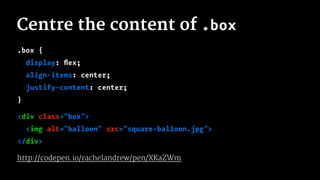
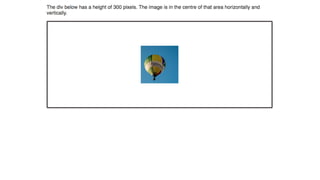
Centre the content of .box
.box {
display: flex;
align-items: center;
justify-content: center;
}
<div class="box">
<img alt="balloon" src="square-balloon.jpg">
</div>
http://codepen.io/rachelandrew/pen/XKaZWm
CSS Box Alignment Level 3
"The box alignment properties in CSS are a set of 6 properties that
control alignment of boxes within other boxes."
-- https://drafts.csswg.org/css-align/
CSS Box Alignment Level 3
Defines:
» justify-content
» align-content
» justify-self
» align-self
» justify-items
» align-items
.wrapper {
display: flex;
}
.wrapper li {
min-width: 1%;
flex: 1 0 25%;
}
.wrapper li:nth-child(2) {
align-self: center;
}
.wrapper li:nth-child(3) {
align-self: flex-start;
}
.wrapper li:nth-child(4) {
align-self: flex-end;
}
http://codepen.io/rachelandrew/pen/RavbmN
The Box Alignment spec defines
how these properties work in other
layout methods
.wrapper {
display: grid;
grid-template-columns: 1fr 1fr 1fr 1fr;
}
.wrapper li {
min-width: 1%;
}
.wrapper li:nth-child(2) {
align-self: center;
}
.wrapper li:nth-child(3) {
align-self: start;
}
.wrapper li:nth-child(4) {
align-self: end;
}
http://codepen.io/rachelandrew/pen/jqdNoL
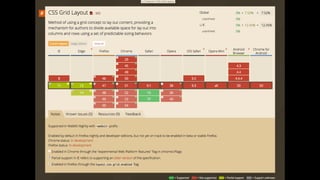
CSS Grid Layout
"Unlike Flexbox, however, which is single-axis–oriented, Grid Layout is
optimized for 2-dimensional layouts: those in which alignment of
content is desired in both dimensions."
-- https://drafts.csswg.org/css-grid/
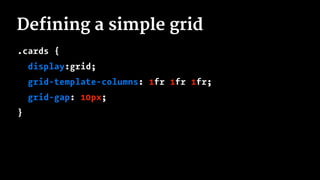
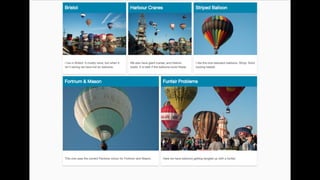
Defining a simple grid
.cards {
display:grid;
grid-template-columns: 1fr 1fr 1fr;
grid-gap: 10px;
}
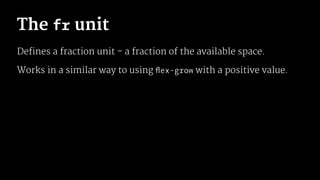
The fr unit
Defines a fraction unit - a fraction of the available space.
Works in a similar way to using flex-grow with a positive value.
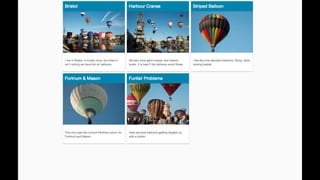
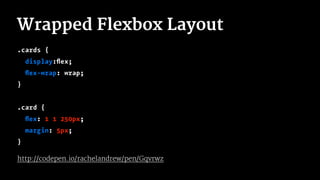
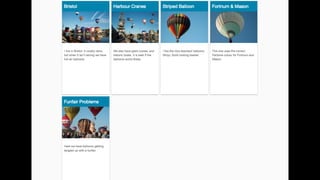
Wrapped Flexbox Layout
.cards {
display:flex;
flex-wrap: wrap;
}
.card {
flex: 1 1 250px;
margin: 5px;
}
http://codepen.io/rachelandrew/pen/Gqvrwz
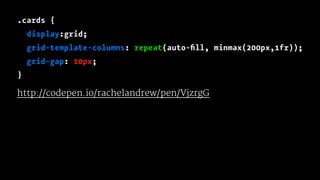
.cards {
display:grid;
grid-template-columns: repeat(auto-fill, minmax(200px,1fr));
grid-gap: 10px;
}
http://codepen.io/rachelandrew/pen/VjzrgG
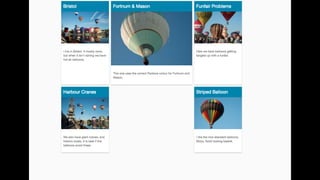
.cards {
display:grid;
grid-template-columns: repeat(12,1fr);
grid-gap: 10px;
}
.card:nth-child(1) { grid-column: 1 / 4; }
.card:nth-child(2) { grid-column: 1 / 4; grid-row: 2; }
.card:nth-child(3) { grid-column: 9 / 13; grid-row: 2; }
.card:nth-child(4) { grid-column: 4 / 10; }
.card:nth-child(5) { grid-column: 10 / 13; }
http://codepen.io/rachelandrew/pen/XKaZwa
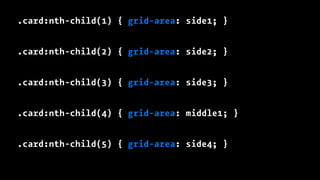
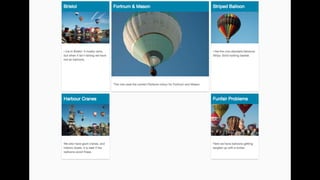
.card:nth-child(1) { grid-area: side1; }
.card:nth-child(2) { grid-area: side2; }
.card:nth-child(3) { grid-area: side3; }
.card:nth-child(4) { grid-area: middle1; }
.card:nth-child(5) { grid-area: side4; }
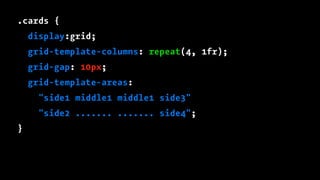
.cards {
display:grid;
grid-template-columns: repeat(4, 1fr);
grid-gap: 10px;
grid-template-areas:
"side1 middle1 middle1 side3"
"side2 ....... ....... side4";
}
Lots of Grid Examples
http://gridbyexample.com
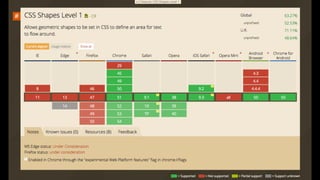
CSS Shapes
"CSS Shapes describe geometric shapes for use in CSS. For Level 1, CSS
Shapes can be applied to floats. A circle shape on a float will cause inline
content to wrap around the circle shape instead of the float’s bounding
box."
-- https://drafts.csswg.org/css-shapes/
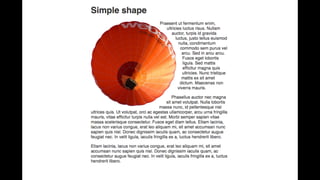
A simple circle
.balloon {
float: left;
width: 429px;
shape-outside: circle(50%);
}
<div class="box">
<img class="balloon" src="round-balloon.png" alt="balloon">
<p>...</p>
</div>
http://codepen.io/rachelandrew/pen/KrvyQq
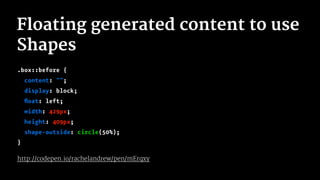
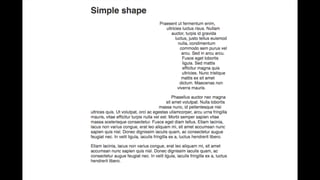
Floating generated content to use
Shapes
.box::before {
content: "";
display: block;
float: left;
width: 429px;
height: 409px;
shape-outside: circle(50%);
}
http://codepen.io/rachelandrew/pen/mErqxy
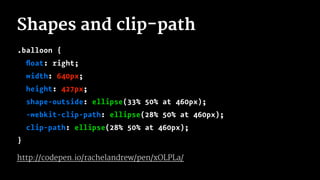
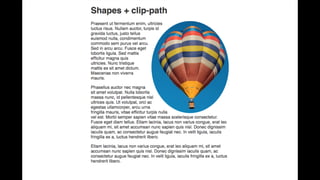
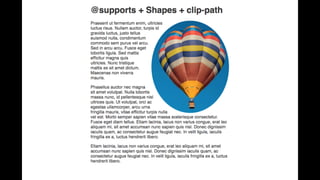
Shapes and clip-path
.balloon {
float: right;
width: 640px;
height: 427px;
shape-outside: ellipse(33% 50% at 460px);
-webkit-clip-path: ellipse(28% 50% at 460px);
clip-path: ellipse(28% 50% at 460px);
}
http://codepen.io/rachelandrew/pen/xOLPLa/
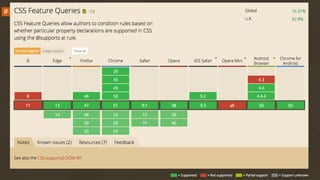
CSS Feature Queries with
@supports
Like Modernizr but in native CSS.
"The ‘@supports’ rule is a conditional group rule whose condition tests
whether the user agent supports CSS property:value pairs."
-- https://www.w3.org/TR/css3-conditional/#at-supports
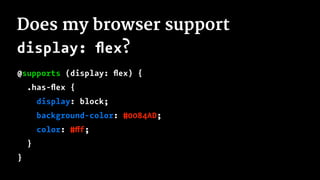
Does my browser support
display: flex?
@supports (display: flex) {
.has-flex {
display: block;
background-color: #0084AD;
color: #fff;
}
}
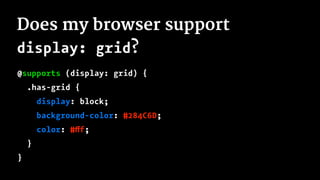
Does my browser support
display: grid?
@supports (display: grid) {
.has-grid {
display: block;
background-color: #284C6D;
color: #fff;
}
}
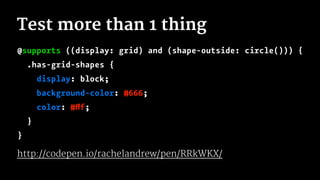
Test more than 1 thing
@supports ((display: grid) and (shape-outside: circle())) {
.has-grid-shapes {
display: block;
background-color: #666;
color: #fff;
}
}
http://codepen.io/rachelandrew/pen/RRkWKX/
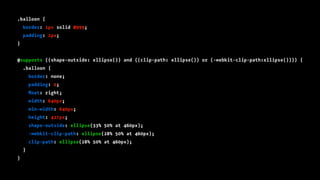
.balloon {
border: 1px solid #999;
padding: 2px;
}
@supports ((shape-outside: ellipse()) and ((clip-path: ellipse()) or (-webkit-clip-path:ellipse()))) {
.balloon {
border: none;
padding: 0;
float: right;
width: 640px;
min-width: 640px;
height: 427px;
shape-outside: ellipse(33% 50% at 460px);
-webkit-clip-path: ellipse(28% 50% at 460px);
clip-path: ellipse(28% 50% at 460px);
}
}
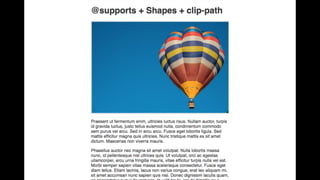
Using feature queries
» Write the css for older browsers
» Inside the feature query reset those properties
» Inside the feature query write your new CSS
http://codepen.io/rachelandrew/pen/vKJmXR
CSS Custom Properties
(CSS Variables!)
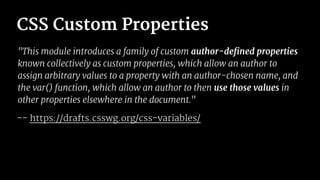
CSS Custom Properties
"This module introduces a family of custom author-defined properties
known collectively as custom properties, which allow an author to
assign arbitrary values to a property with an author-chosen name, and
the var() function, which allow an author to then use those values in
other properties elsewhere in the document."
-- https://drafts.csswg.org/css-variables/
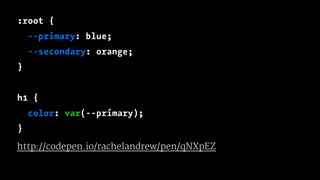
:root {
--primary: blue;
--secondary: orange;
}
h1 {
color: var(--primary);
}
http://codepen.io/rachelandrew/pen/qNXpEZ
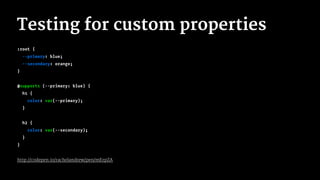
Testing for custom properties
:root {
--primary: blue;
--secondary: orange;
}
@supports (--primary: blue) {
h1 {
color: var(--primary);
}
h2 {
color: var(--secondary);
}
}
http://codepen.io/rachelandrew/pen/mErpZA
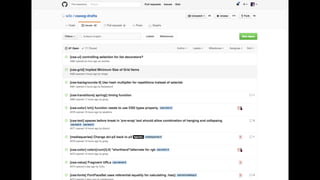
Getting Involved
CSS Specification discussion and
issues are on github
https://github.com/w3c/csswg-drafts
Raise issues with browsers
» Mozilla https://bugzilla.mozilla.org/
» Edge https://developer.microsoft.com/en-us/microsoft-edge/
platform/issues/
» Chrome https://bugs.chromium.org/p/chromium/issues/list
Request features
Directly request features where browsers give you the means to
do so.
Writing blog posts, presentations and demos also helps.
If we don’t ask we
don’t get
Make some noise for the new shiny!
Thank you!
@rachelandrew
https://cssgrid.me/melbjs

The Near Future of CSS

  • 1.
    The Near Futureof CSS Rachel Andrew
  • 2.
    Rachel Andrew » https://rachelandrew.co.uk »https://grabaperch.com » @rachelandrew » Invited Expert to the CSS Working Group » Google Developer Expert
  • 3.
    Box Alignment Level3 This is the vertical centering module!
  • 4.
    Centre the contentof .box .box { display: flex; align-items: center; justify-content: center; } <div class="box"> <img alt="balloon" src="square-balloon.jpg"> </div> http://codepen.io/rachelandrew/pen/XKaZWm
  • 6.
    CSS Box AlignmentLevel 3 "The box alignment properties in CSS are a set of 6 properties that control alignment of boxes within other boxes." -- https://drafts.csswg.org/css-align/
  • 7.
    CSS Box AlignmentLevel 3 Defines: » justify-content » align-content » justify-self » align-self » justify-items » align-items
  • 9.
    .wrapper { display: flex; } .wrapperli { min-width: 1%; flex: 1 0 25%; } .wrapper li:nth-child(2) { align-self: center; } .wrapper li:nth-child(3) { align-self: flex-start; } .wrapper li:nth-child(4) { align-self: flex-end; } http://codepen.io/rachelandrew/pen/RavbmN
  • 10.
    The Box Alignmentspec defines how these properties work in other layout methods
  • 11.
    .wrapper { display: grid; grid-template-columns:1fr 1fr 1fr 1fr; } .wrapper li { min-width: 1%; } .wrapper li:nth-child(2) { align-self: center; } .wrapper li:nth-child(3) { align-self: start; } .wrapper li:nth-child(4) { align-self: end; } http://codepen.io/rachelandrew/pen/jqdNoL
  • 12.
    CSS Grid Layout "UnlikeFlexbox, however, which is single-axis–oriented, Grid Layout is optimized for 2-dimensional layouts: those in which alignment of content is desired in both dimensions." -- https://drafts.csswg.org/css-grid/
  • 13.
    Defining a simplegrid .cards { display:grid; grid-template-columns: 1fr 1fr 1fr; grid-gap: 10px; }
  • 14.
    The fr unit Definesa fraction unit - a fraction of the available space. Works in a similar way to using flex-grow with a positive value.
  • 16.
    Wrapped Flexbox Layout .cards{ display:flex; flex-wrap: wrap; } .card { flex: 1 1 250px; margin: 5px; } http://codepen.io/rachelandrew/pen/Gqvrwz
  • 18.
    .cards { display:grid; grid-template-columns: repeat(auto-fill,minmax(200px,1fr)); grid-gap: 10px; } http://codepen.io/rachelandrew/pen/VjzrgG
  • 20.
    .cards { display:grid; grid-template-columns: repeat(12,1fr); grid-gap:10px; } .card:nth-child(1) { grid-column: 1 / 4; } .card:nth-child(2) { grid-column: 1 / 4; grid-row: 2; } .card:nth-child(3) { grid-column: 9 / 13; grid-row: 2; } .card:nth-child(4) { grid-column: 4 / 10; } .card:nth-child(5) { grid-column: 10 / 13; } http://codepen.io/rachelandrew/pen/XKaZwa
  • 22.
    .card:nth-child(1) { grid-area:side1; } .card:nth-child(2) { grid-area: side2; } .card:nth-child(3) { grid-area: side3; } .card:nth-child(4) { grid-area: middle1; } .card:nth-child(5) { grid-area: side4; }
  • 23.
    .cards { display:grid; grid-template-columns: repeat(4,1fr); grid-gap: 10px; grid-template-areas: "side1 middle1 middle1 side3" "side2 ....... ....... side4"; }
  • 26.
    Lots of GridExamples http://gridbyexample.com
  • 27.
    CSS Shapes "CSS Shapesdescribe geometric shapes for use in CSS. For Level 1, CSS Shapes can be applied to floats. A circle shape on a float will cause inline content to wrap around the circle shape instead of the float’s bounding box." -- https://drafts.csswg.org/css-shapes/
  • 29.
    A simple circle .balloon{ float: left; width: 429px; shape-outside: circle(50%); } <div class="box"> <img class="balloon" src="round-balloon.png" alt="balloon"> <p>...</p> </div> http://codepen.io/rachelandrew/pen/KrvyQq
  • 31.
    Floating generated contentto use Shapes .box::before { content: ""; display: block; float: left; width: 429px; height: 409px; shape-outside: circle(50%); } http://codepen.io/rachelandrew/pen/mErqxy
  • 33.
    Shapes and clip-path .balloon{ float: right; width: 640px; height: 427px; shape-outside: ellipse(33% 50% at 460px); -webkit-clip-path: ellipse(28% 50% at 460px); clip-path: ellipse(28% 50% at 460px); } http://codepen.io/rachelandrew/pen/xOLPLa/
  • 35.
    CSS Feature Querieswith @supports Like Modernizr but in native CSS. "The ‘@supports’ rule is a conditional group rule whose condition tests whether the user agent supports CSS property:value pairs." -- https://www.w3.org/TR/css3-conditional/#at-supports
  • 37.
    Does my browsersupport display: flex? @supports (display: flex) { .has-flex { display: block; background-color: #0084AD; color: #fff; } }
  • 38.
    Does my browsersupport display: grid? @supports (display: grid) { .has-grid { display: block; background-color: #284C6D; color: #fff; } }
  • 39.
    Test more than1 thing @supports ((display: grid) and (shape-outside: circle())) { .has-grid-shapes { display: block; background-color: #666; color: #fff; } } http://codepen.io/rachelandrew/pen/RRkWKX/
  • 40.
    .balloon { border: 1pxsolid #999; padding: 2px; } @supports ((shape-outside: ellipse()) and ((clip-path: ellipse()) or (-webkit-clip-path:ellipse()))) { .balloon { border: none; padding: 0; float: right; width: 640px; min-width: 640px; height: 427px; shape-outside: ellipse(33% 50% at 460px); -webkit-clip-path: ellipse(28% 50% at 460px); clip-path: ellipse(28% 50% at 460px); } }
  • 43.
    Using feature queries »Write the css for older browsers » Inside the feature query reset those properties » Inside the feature query write your new CSS http://codepen.io/rachelandrew/pen/vKJmXR
  • 44.
  • 45.
    CSS Custom Properties "Thismodule introduces a family of custom author-defined properties known collectively as custom properties, which allow an author to assign arbitrary values to a property with an author-chosen name, and the var() function, which allow an author to then use those values in other properties elsewhere in the document." -- https://drafts.csswg.org/css-variables/
  • 46.
    :root { --primary: blue; --secondary:orange; } h1 { color: var(--primary); } http://codepen.io/rachelandrew/pen/qNXpEZ
  • 47.
    Testing for customproperties :root { --primary: blue; --secondary: orange; } @supports (--primary: blue) { h1 { color: var(--primary); } h2 { color: var(--secondary); } } http://codepen.io/rachelandrew/pen/mErpZA
  • 49.
    Getting Involved CSS Specificationdiscussion and issues are on github https://github.com/w3c/csswg-drafts
  • 51.
    Raise issues withbrowsers » Mozilla https://bugzilla.mozilla.org/ » Edge https://developer.microsoft.com/en-us/microsoft-edge/ platform/issues/ » Chrome https://bugs.chromium.org/p/chromium/issues/list
  • 52.
    Request features Directly requestfeatures where browsers give you the means to do so. Writing blog posts, presentations and demos also helps.
  • 53.
    If we don’task we don’t get Make some noise for the new shiny!
  • 54.