Who needssocialmedia?Pauline Randall

A tale of two social media…
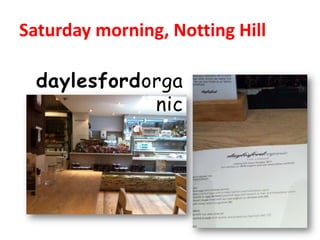
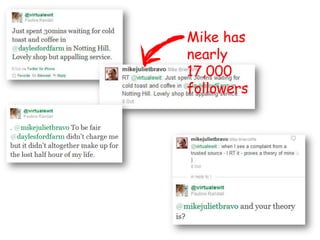
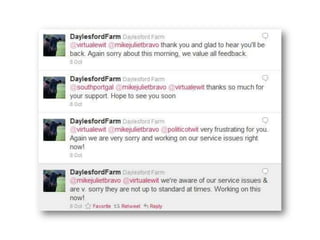
Saturday morning, Notting Hilldaylesfordorganic
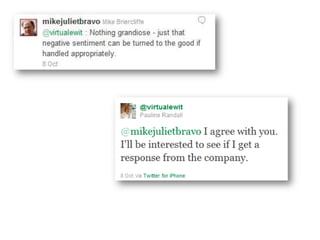
Mike has nearly 17,000 followers
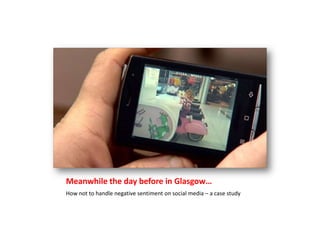
Meanwhile the day before in Glasgow…How not to handle negative sentiment on social media – a case study
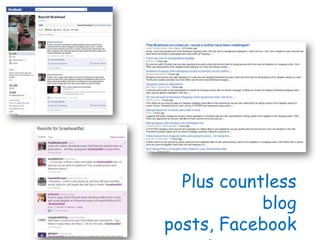
Plus countless blog posts, Facebook reposts, conversations etc
Social media is powerful
Now that we’ve got that out of the way here are 21 social tools to play with
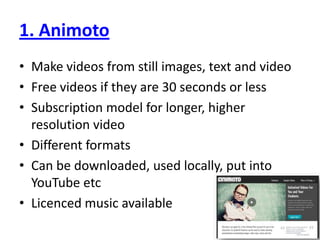
1. AnimotoMake videos from still images, text and videoFree videos if they are 30 seconds or lessSubscription model for longer, higher resolution videoDifferent formatsCan be downloaded, used locally, put into YouTube etcLicenced music available
2. DropboxFree (up to 2 gb) service forUploading documentsSharing documentsBack-upsFiles accessible anywhere including via mobileGood forCollaborative workWhen travellingWatch out forNot all apps on iPhone/iPad work with dropboxAlso consider iCloud for syncing files, images etc
3. EventbriteOnline service for organising eventsHandles payments and ticketingFree events are free to listEvents can be public and listed on EventbriteOr they can be private – invitation only eventsGood forPromoting eventsManaging responsesLooking professionalIntegrating into websites etcAnalytics – get data about your eventiPhone app to check attendees in – smarter than paper!Don’t forget to check out the site for events to attend!
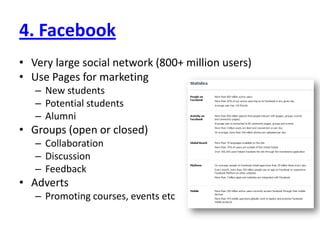
4. FacebookVery large social network (800+ million users)Use Pages for marketingNew studentsPotential studentsAlumniGroups (open or closed)CollaborationDiscussionFeedbackAdvertsPromoting courses, events etc
5. FlickrPhoto and video sharing siteRepository of course, school, establishment picturesFor studentsFor staffUseable image bank – many are uploaded under Creative Commons licenceLocate images using the map function
6. FoursquareLocation-based mobile platformAllows users to ‘check-in’But what’s it good for?Can be used as part of a marketing strategySpecial offersContestsEngagementThe Foursquare api can be used to build other apps – for example this one from Harvard University
7. Google docsWord processing, slideshows, spreadsheets etcOnlineShareableFreeAccessible anywhere
8. Google +Google’s 3rd attempt at social mediaAttempting to take on FacebookAllows you to arrange contacts in circles depending on what you want to shareFacebook’s response is ListsThey are adding functionality in stagesHuddle – web video conferencingOrganisational pages not available yetThe jury is still  out on this one!
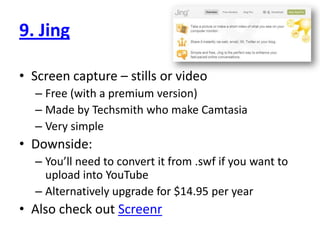
9. JingScreen capture – stills or videoFree (with a premium version)Made by Techsmith who make CamtasiaVery simpleDownside:You’ll need to convert it from .swf if you want to upload into YouTubeAlternatively upgrade for $14.95 per yearAlso check out Screenr
10. LanyrdA social conference directorySee who’s attendingTrack the conversation whether you are there or notAdd conferences, workshops etcKeep in touch with a conference or find conferences to attend
11 LinkedInProfessional profilesOrganisation profilesGroupsQ&AWhy use it?Encourage students to get promote themselves professionallyStart their network of contacts nowJob huntGet applicants to apply for jobs via LinkedInPromote the organisation properlyResearch other people and other organisations
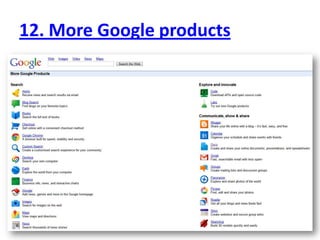
12. More Google products
13. PosterousA very flexible blogging siteYou can email your posts in or add them on the webYou can notify out via a range of other social media sites like Twitter and FacebookYou can be publicOr you can create private groups
14. PreziNon-linear presentation toolLooks way cooler than PowerPoint ;)Can make you feel sea-sick!Also take a look at the PowerPoint plug-in pptPlex which does a similar thingTake a look at an example of Prezihere
15. QuoraQuestions, questions and yet more questionsRelatively new social Q&A siteYou ask a question and other people provide answers and also rate them upTheory is that the best ride to the topYou can also edit other people’s questions…The site monitors can be somewhat pedanticBig question – will be it be more reliable than Yahoo Answers?
16. ScribdSocial publishingFrom single sheet docs to booksAs well as being a good place to publish to it is also an excellent resourceA lot of free content however…There is an increasing amount of paid for content these days
17. SlideshareUpload and shareSlide presentationsDocumentsVideoShare publicly or privatelyHuge resource although the search function isn’t the best
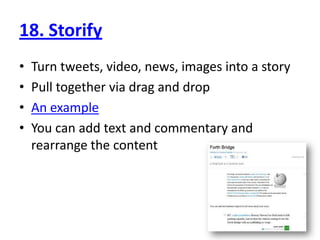
18. StorifyTurn tweets, video, news, images into a storyPull together via drag and dropAn exampleYou can add text and commentary and rearrange the content
19. TwitterMicroblogging serviceMore than just about breakfast!Use it forGathering informationDisseminating informationSharing conversationTracking particular subject areas/keywordsPromoting eventsAnswering questions
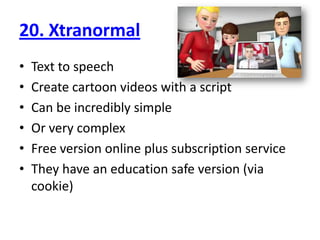
20. XtranormalText to speechCreate cartoon videos with a scriptCan be incredibly simpleOr very complexFree version online plus subscription serviceThey have an education safe version (via cookie)
21. YoutubeVideo uploading and sharingUse channels to keep things togetherGreat resource  - someone, somewhere will have made a video of whatever you want to do!
Helping youmake sense of the digital worldWebsite: www.florizelmedia.comTwitter: @florizelmediaFacebook: Facebook.com/florizelmediaEmail: info@florizelmedia.com

CILIPS Autumn 2011 - Who needs social media?

  • 1.
  • 2.
    A tale oftwo social media…
  • 3.
    Saturday morning, NottingHilldaylesfordorganic
  • 5.
    Mike has nearly17,000 followers
  • 8.
    Meanwhile the daybefore in Glasgow…How not to handle negative sentiment on social media – a case study
  • 9.
    Plus countless blogposts, Facebook reposts, conversations etc
  • 10.
  • 11.
    Now that we’vegot that out of the way here are 21 social tools to play with
  • 12.
    1. AnimotoMake videosfrom still images, text and videoFree videos if they are 30 seconds or lessSubscription model for longer, higher resolution videoDifferent formatsCan be downloaded, used locally, put into YouTube etcLicenced music available
  • 13.
    2. DropboxFree (upto 2 gb) service forUploading documentsSharing documentsBack-upsFiles accessible anywhere including via mobileGood forCollaborative workWhen travellingWatch out forNot all apps on iPhone/iPad work with dropboxAlso consider iCloud for syncing files, images etc
  • 14.
    3. EventbriteOnline servicefor organising eventsHandles payments and ticketingFree events are free to listEvents can be public and listed on EventbriteOr they can be private – invitation only eventsGood forPromoting eventsManaging responsesLooking professionalIntegrating into websites etcAnalytics – get data about your eventiPhone app to check attendees in – smarter than paper!Don’t forget to check out the site for events to attend!
  • 16.
    4. FacebookVery largesocial network (800+ million users)Use Pages for marketingNew studentsPotential studentsAlumniGroups (open or closed)CollaborationDiscussionFeedbackAdvertsPromoting courses, events etc
  • 17.
    5. FlickrPhoto andvideo sharing siteRepository of course, school, establishment picturesFor studentsFor staffUseable image bank – many are uploaded under Creative Commons licenceLocate images using the map function
  • 18.
    6. FoursquareLocation-based mobileplatformAllows users to ‘check-in’But what’s it good for?Can be used as part of a marketing strategySpecial offersContestsEngagementThe Foursquare api can be used to build other apps – for example this one from Harvard University
  • 19.
    7. Google docsWordprocessing, slideshows, spreadsheets etcOnlineShareableFreeAccessible anywhere
  • 20.
    8. Google +Google’s3rd attempt at social mediaAttempting to take on FacebookAllows you to arrange contacts in circles depending on what you want to shareFacebook’s response is ListsThey are adding functionality in stagesHuddle – web video conferencingOrganisational pages not available yetThe jury is still out on this one!
  • 21.
    9. JingScreen capture– stills or videoFree (with a premium version)Made by Techsmith who make CamtasiaVery simpleDownside:You’ll need to convert it from .swf if you want to upload into YouTubeAlternatively upgrade for $14.95 per yearAlso check out Screenr
  • 22.
    10. LanyrdA socialconference directorySee who’s attendingTrack the conversation whether you are there or notAdd conferences, workshops etcKeep in touch with a conference or find conferences to attend
  • 23.
    11 LinkedInProfessional profilesOrganisationprofilesGroupsQ&AWhy use it?Encourage students to get promote themselves professionallyStart their network of contacts nowJob huntGet applicants to apply for jobs via LinkedInPromote the organisation properlyResearch other people and other organisations
  • 24.
  • 25.
    13. PosterousA veryflexible blogging siteYou can email your posts in or add them on the webYou can notify out via a range of other social media sites like Twitter and FacebookYou can be publicOr you can create private groups
  • 26.
    14. PreziNon-linear presentationtoolLooks way cooler than PowerPoint ;)Can make you feel sea-sick!Also take a look at the PowerPoint plug-in pptPlex which does a similar thingTake a look at an example of Prezihere
  • 27.
    15. QuoraQuestions, questionsand yet more questionsRelatively new social Q&A siteYou ask a question and other people provide answers and also rate them upTheory is that the best ride to the topYou can also edit other people’s questions…The site monitors can be somewhat pedanticBig question – will be it be more reliable than Yahoo Answers?
  • 28.
    16. ScribdSocial publishingFromsingle sheet docs to booksAs well as being a good place to publish to it is also an excellent resourceA lot of free content however…There is an increasing amount of paid for content these days
  • 29.
    17. SlideshareUpload andshareSlide presentationsDocumentsVideoShare publicly or privatelyHuge resource although the search function isn’t the best
  • 30.
    18. StorifyTurn tweets,video, news, images into a storyPull together via drag and dropAn exampleYou can add text and commentary and rearrange the content
  • 31.
    19. TwitterMicroblogging serviceMorethan just about breakfast!Use it forGathering informationDisseminating informationSharing conversationTracking particular subject areas/keywordsPromoting eventsAnswering questions
  • 32.
    20. XtranormalText tospeechCreate cartoon videos with a scriptCan be incredibly simpleOr very complexFree version online plus subscription serviceThey have an education safe version (via cookie)
  • 34.
    21. YoutubeVideo uploadingand sharingUse channels to keep things togetherGreat resource - someone, somewhere will have made a video of whatever you want to do!
  • 35.
    Helping youmake senseof the digital worldWebsite: www.florizelmedia.comTwitter: @florizelmediaFacebook: Facebook.com/florizelmediaEmail: info@florizelmedia.com