








Workshop: The Slippery Slope
of SharePoint Migrations:
What to Do to Come Out on Top
Jill Hannemann & Adam Levithan
Jill Hannemann
@JHCherryBlossom
Editor,
Digital
Workplace
Today
Director of
Advisory
Services
10+ years in Knowledge
Management
SharePoint expertise: information
architecture, records management,
content migration, document
management
Culinary project: It’s soup
and chili season!
About Me
Portal Solutions, LLC | Phone: (240) 450-2166
© 2015 Portal Solutions, LLC
Adam Levithan
@collabadam
AIIM & IT
Unity
Blogger
Product
Manager 9+ years in Collaborative Systems
SharePoint expertise: Out-of-the-
box solutions, business process
management, Governance,
adoptions, information architecture
Next Adventure: Riding the
World Championship Cycling
course in Richmond VA
About Me
Portal Solutions, LLC | Phone: (240) 450-2166
© 2015 Portal Solutions, LLC
About Portal Solutions
4
We deliver Digital
Workplace Products
and Solutions that help
organizations share
what they know and
find what they need by
connecting people,
data, and content.
Portal Solutions, LLC | Phone: (240) 450-2166
© 2015 Portal Solutions, LLC
ENOUGH ABOUT US – YOUR TURN
• What are you migrating from – to?
• Where are you in the process?
• What are your biggest concerns?
• What are you looking to get out of this session?
5
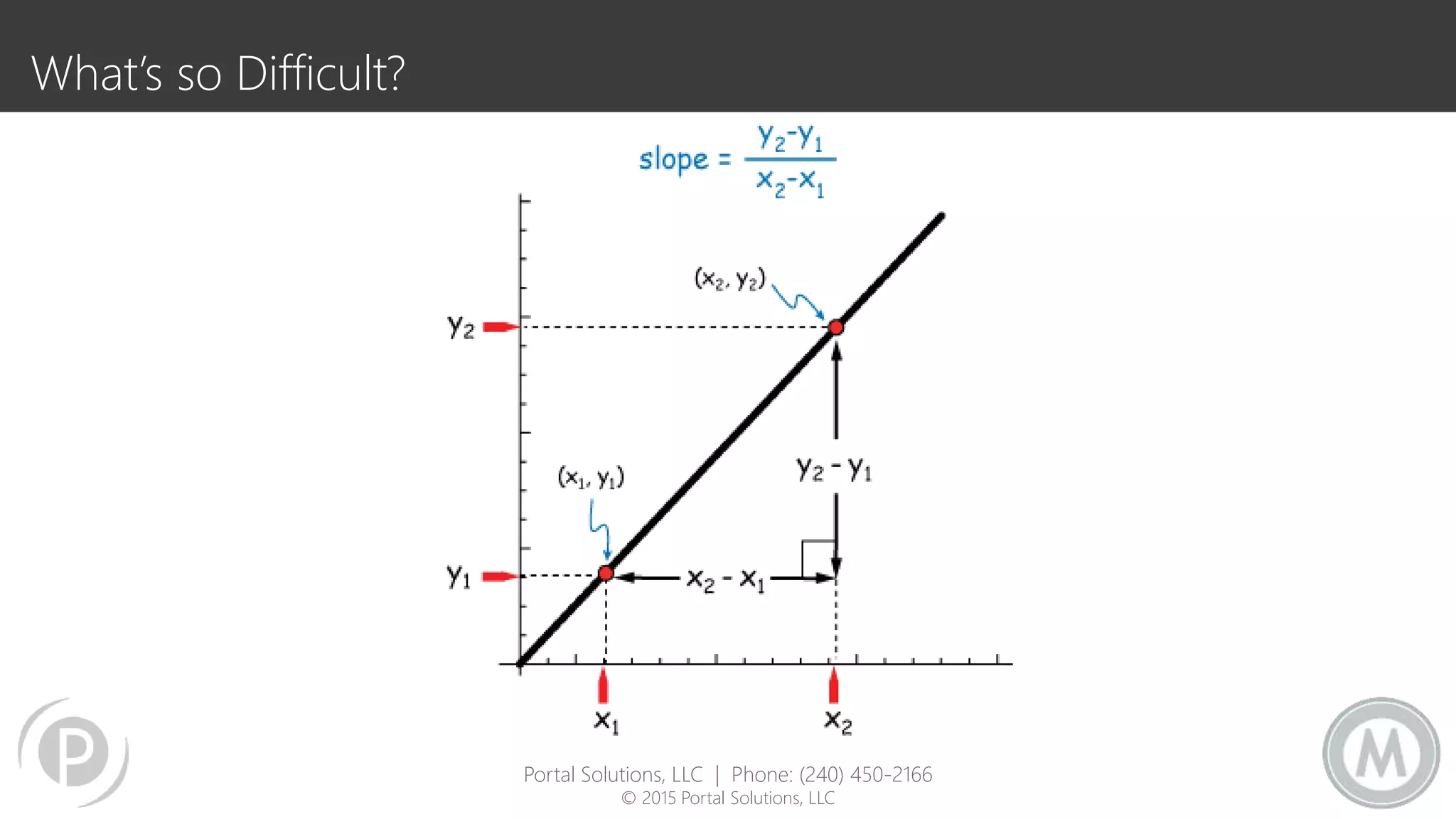
What’s so Difficult?
Portal Solutions, LLC | Phone: (240) 450-2166
© 2015 Portal Solutions, LLC
7
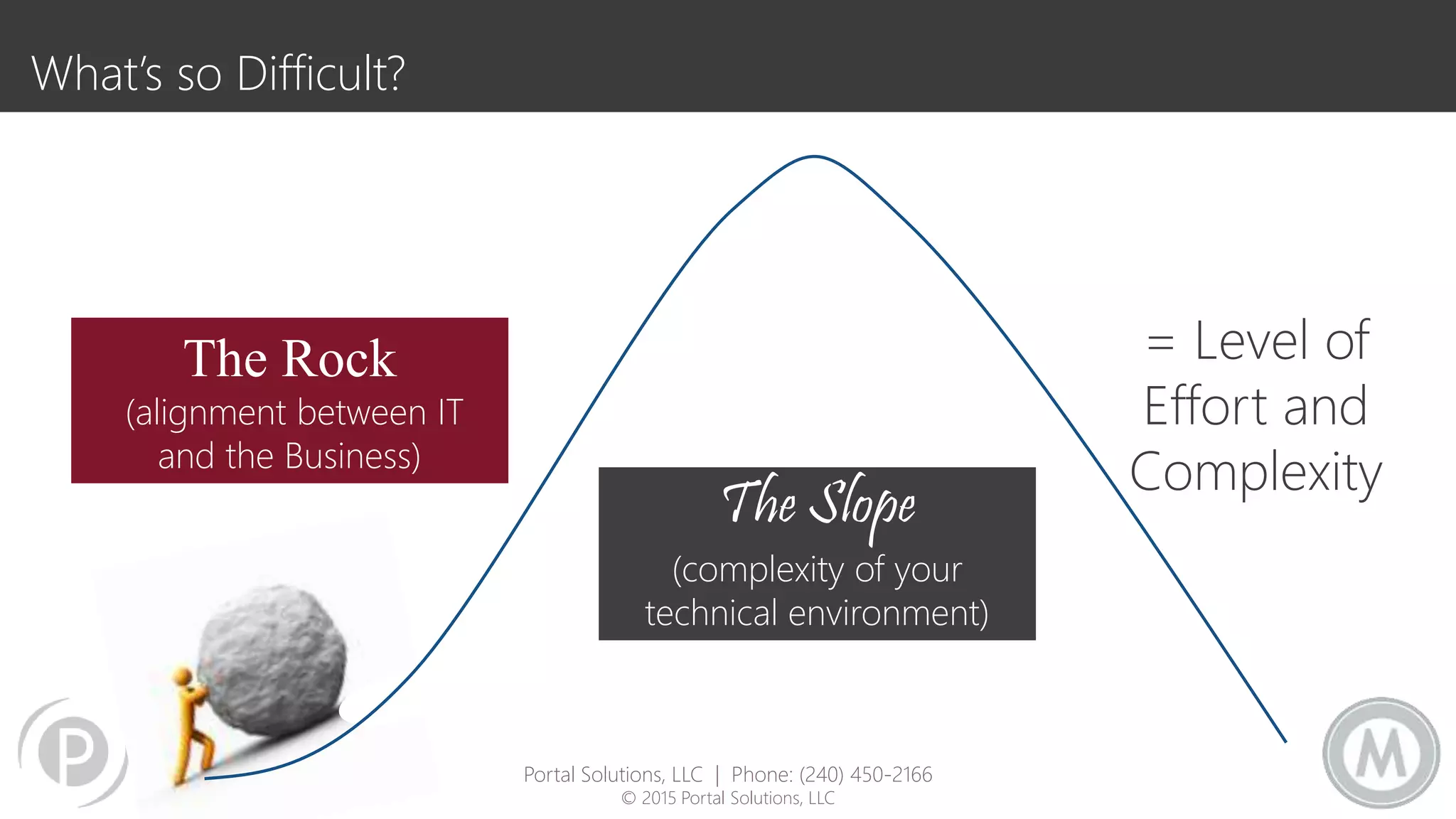
What’s so Difficult?
The Slope
(complexity of your
technical environment)
= Level of
Effort and
Complexity
The Rock
(alignment between IT
and the Business)
Portal Solutions, LLC | Phone: (240) 450-2166
© 2015 Portal Solutions, LLC
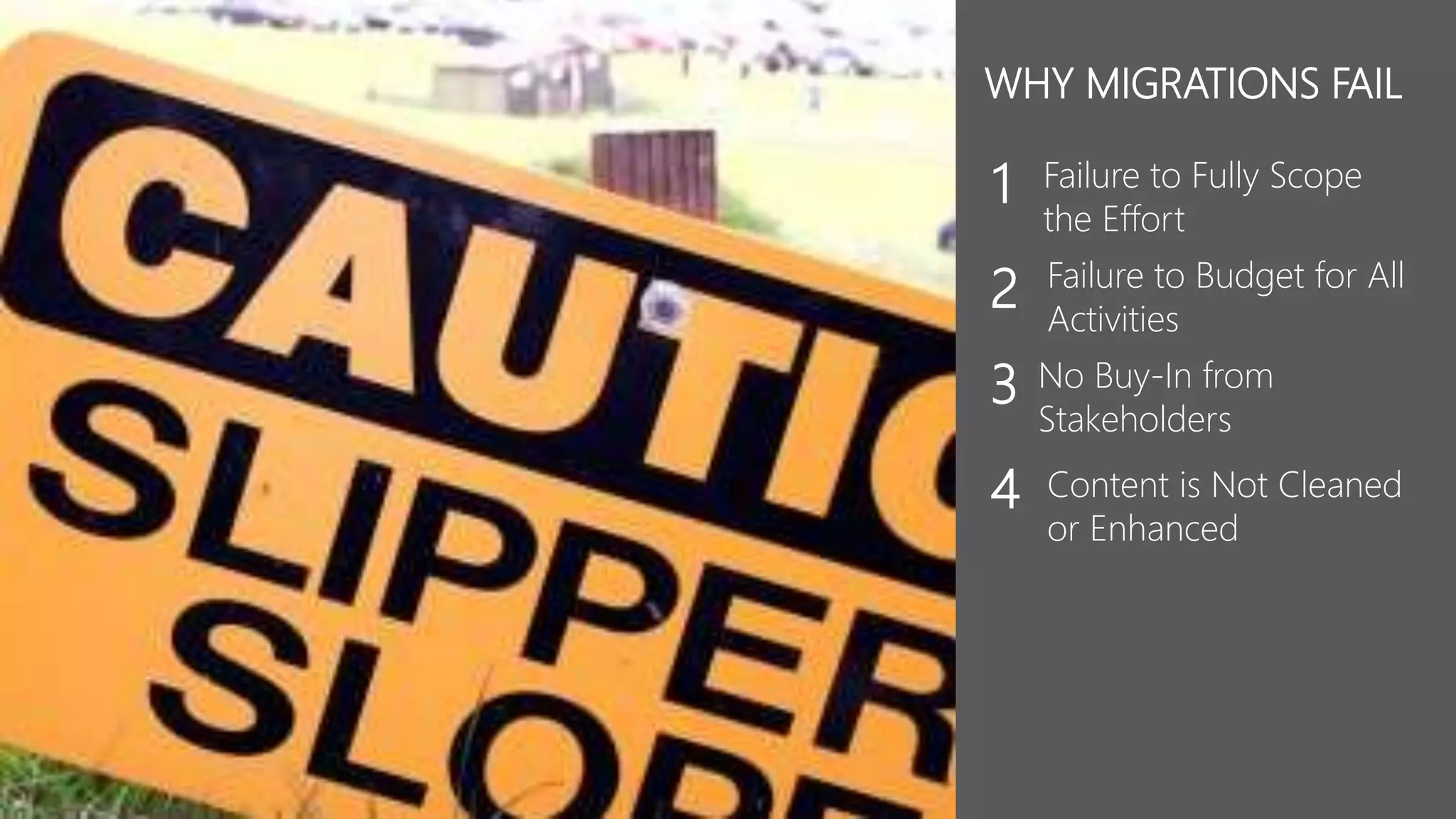
Failure to Fully Scope
the Effort
1
Failure to Budget for All
Activities
2
No Buy-In from
Stakeholders
3
Content is Not Cleaned
or Enhanced
4
WHY MIGRATIONS FAIL
Session Outline
Section 1: 1:45 – 3:00 PM
• Defining the Scope
 Why Migrate
 Steps to reach your goals
 What you’ve got/ Inventory Assessment
 Deciding how to migrate
Section 2: 3:15 – 5:00 PM
• Planning & Budgeting Migrations that
Work
 Ideal Roadmap
 O365 Roadmap 
• Creating Buy-In
 Review of Defining Scope
 How to Govern
• Take advantage of your effort
 Content Cleanup
 Reorganize to aligning with goals
10
Portal Solutions, LLC | Phone: (240) 450-2166
© 2015 Portal Solutions, LLC
In our humble experience…
11
Uninspired Scope
The motivations are to…
• Migrate 1 : 1
• Not interested in any redesign
• Wants the site to look exactly the same
• Needs to preserve that legacy application integration
• Things are broken, but migration will fix it
• Not interested in TRAINING
12
Portal Solutions, LLC | Phone: (240) 450-2166
© 2015 Portal Solutions, LLC
Migrations are the Riskiest thing we do
Where ever you come from, it is a different system!
There are many opportunities though
• Reduce complexity
• Improve user experience
• Enhance productivity
• Improve compliance
13
Portal Solutions, LLC | Phone: (240) 450-2166
© 2015 Portal Solutions, LLC
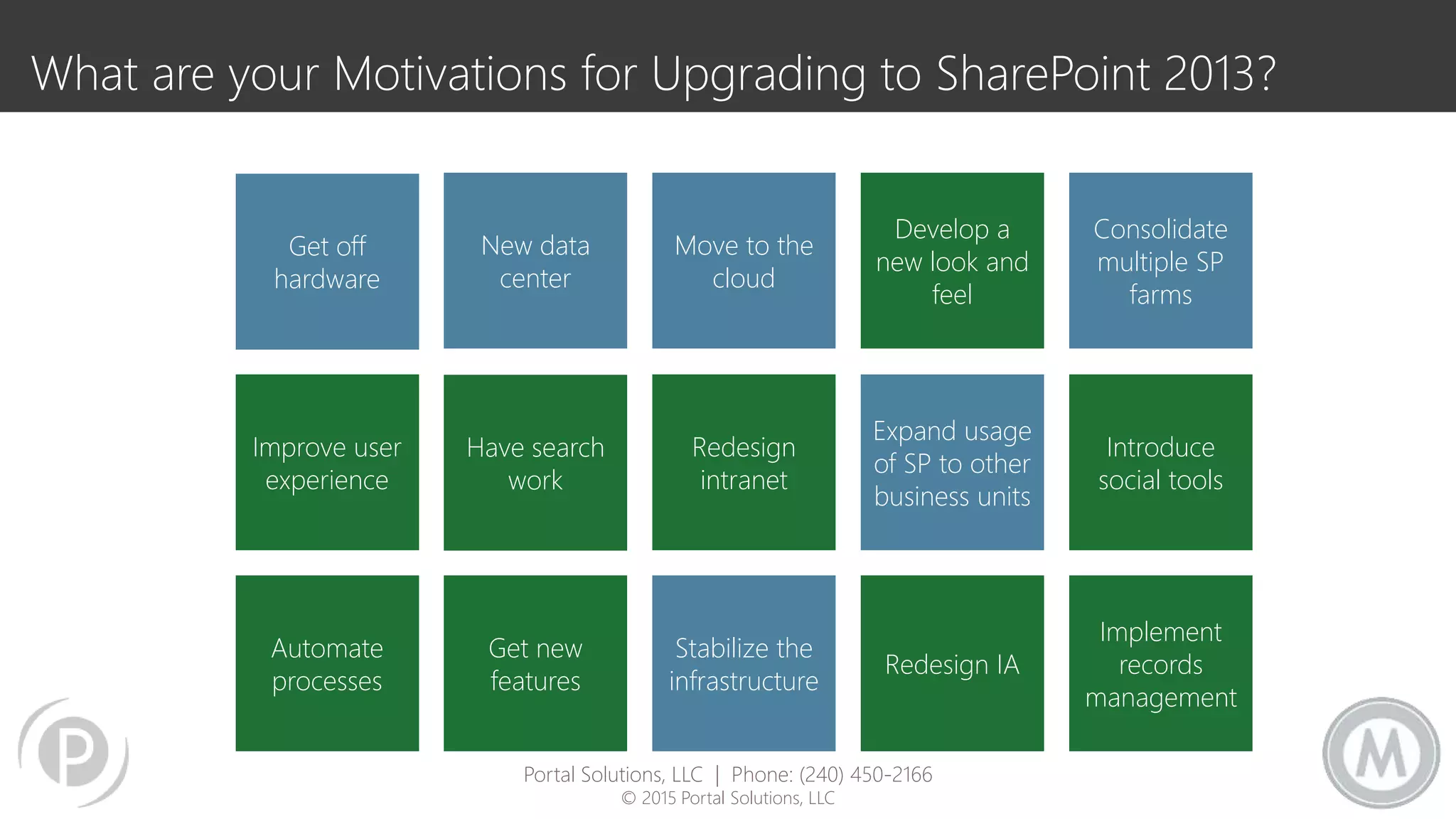
What are your Motivations for Upgrading to SharePoint 2013?
Get off
hardware
Redesign
intranet
Move to the
cloud
New data
center
Have search
work
Get new
features
Automate
processes
Improve user
experience
Stabilize the
infrastructure
Expand usage
of SP to other
business units
Develop a
new look and
feel
Redesign IA
Introduce
social tools
Consolidate
multiple SP
farms
Implement
records
management
Portal Solutions, LLC | Phone: (240) 450-2166
© 2015 Portal Solutions, LLC
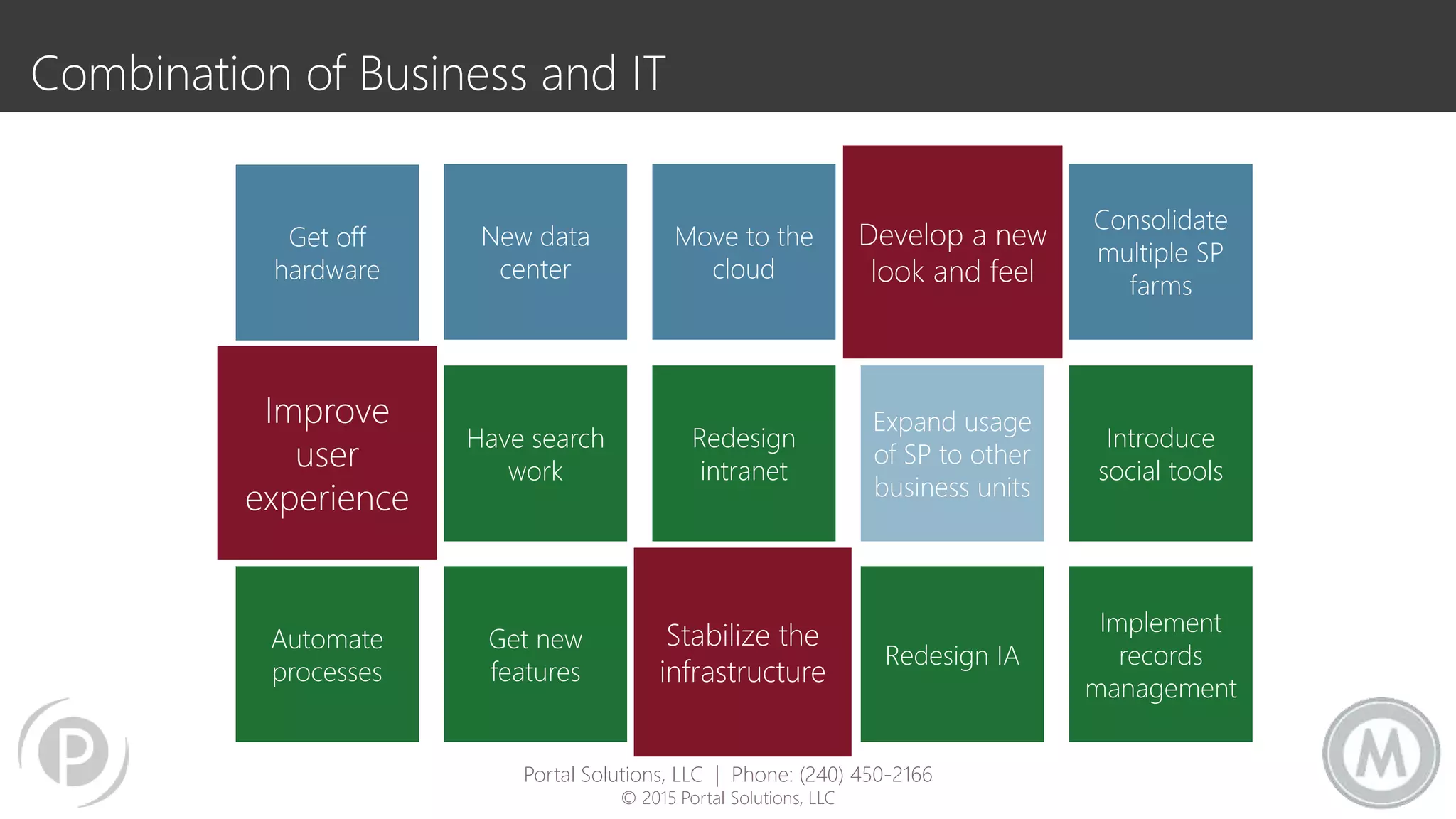
Combination of Business and IT
Get off
hardware
Redesign
intranet
Move to the
cloud
New data
center
Have search
work
Get new
features
Automate
processes
Improve
user
experience
Stabilize the
infrastructure
Expand usage
of SP to other
business units
Develop a new
look and feel
Redesign IA
Introduce
social tools
Consolidate
multiple SP
farms
Implement
records
management
Portal Solutions, LLC | Phone: (240) 450-2166
© 2015 Portal Solutions, LLC
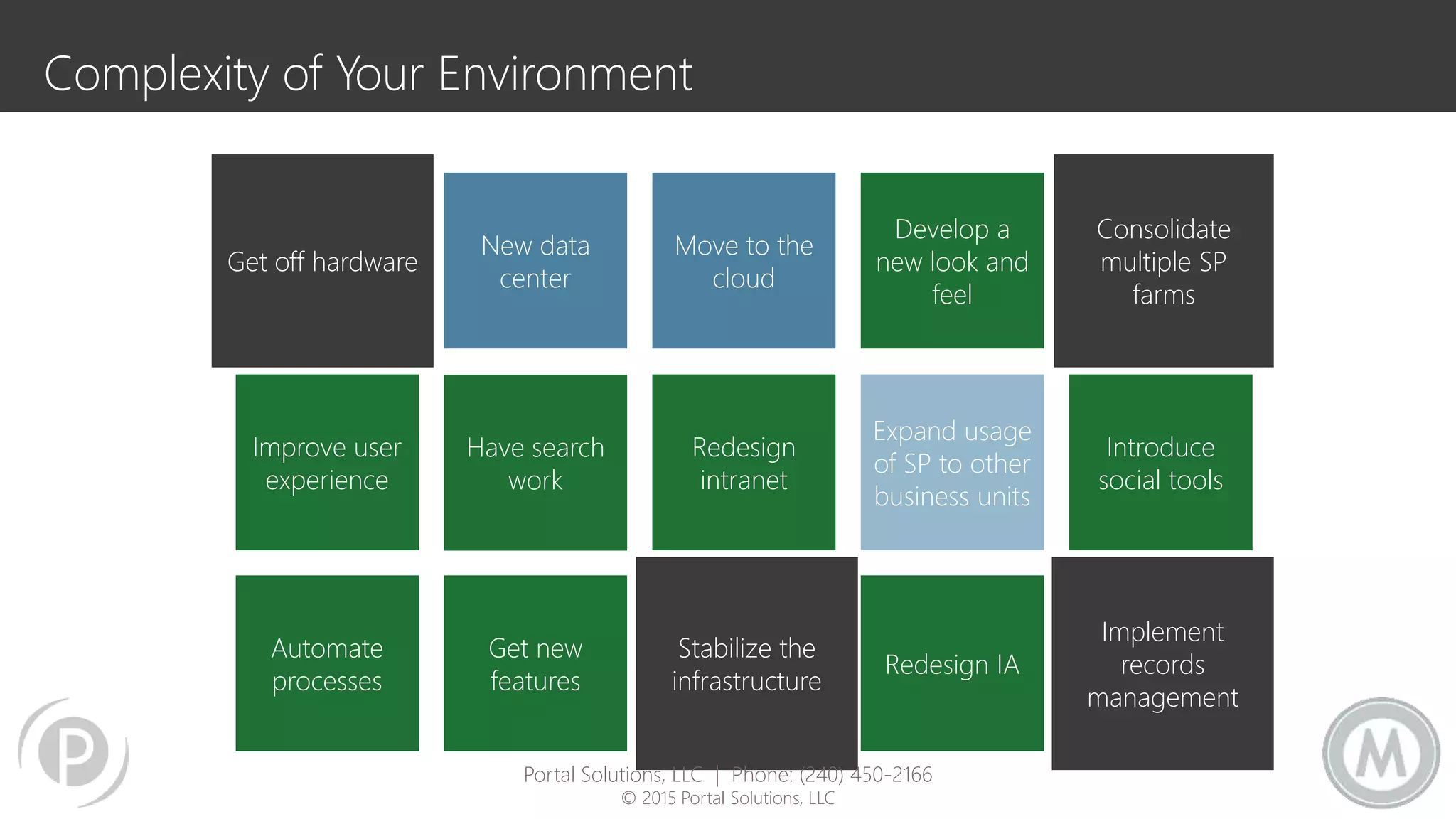
Complexity of Your Environment
Get off hardware
Redesign
intranet
Move to the
cloud
New data
center
Have search
work
Get new
features
Automate
processes
Improve user
experience
Stabilize the
infrastructure
Expand usage
of SP to other
business units
Develop a
new look and
feel
Redesign IA
Introduce
social tools
Consolidate
multiple SP
farms
Implement
records
management
Portal Solutions, LLC | Phone: (240) 450-2166
© 2015 Portal Solutions, LLC
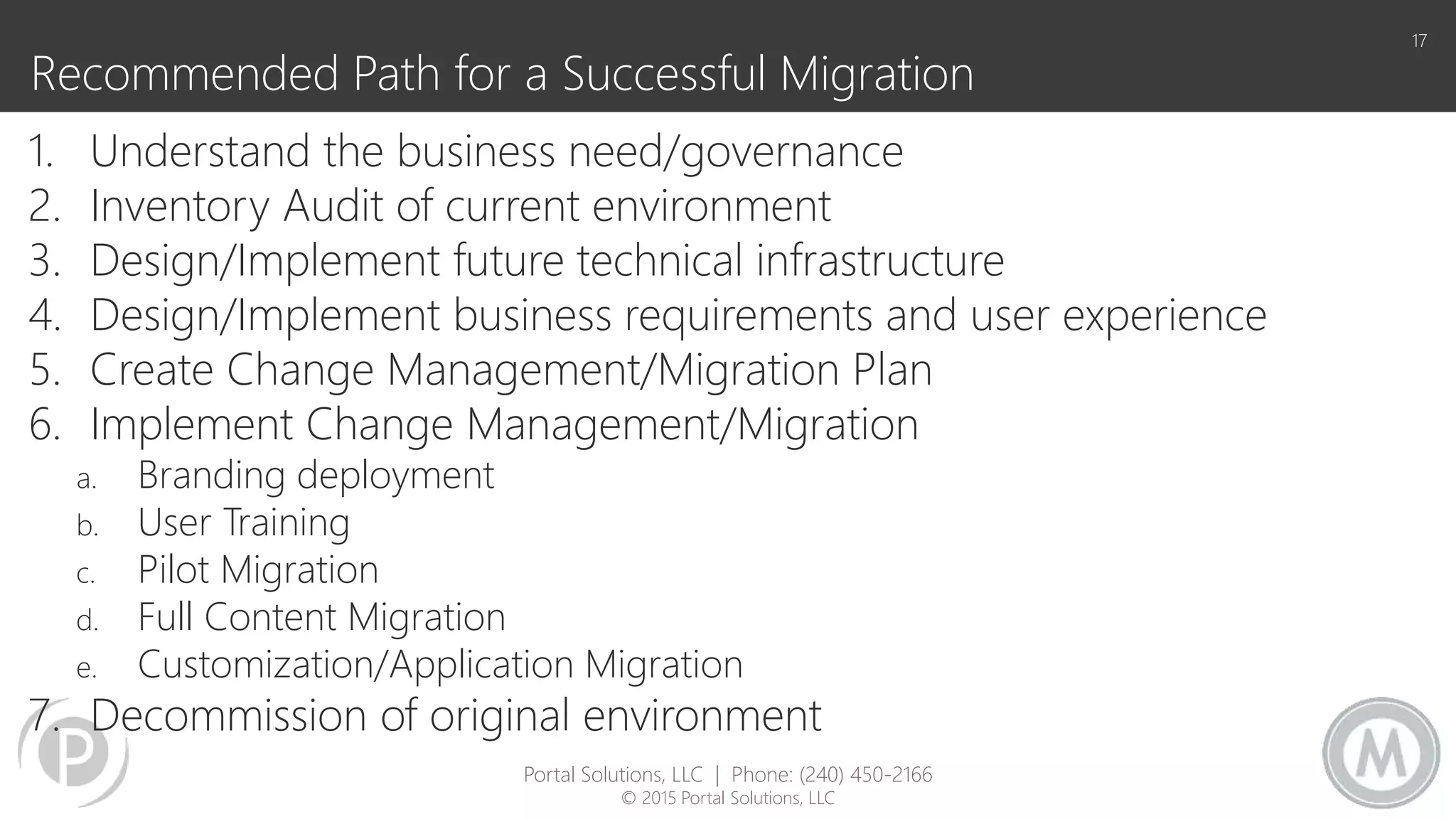
Recommended Path for a Successful Migration
1. Understand the business need/governance
2. Inventory Audit of current environment
3. Design/Implement future technical infrastructure
4. Design/Implement business requirements and user experience
5. Create Change Management/Migration Plan
6. Implement Change Management/Migration
a. Branding deployment
b. User Training
c. Pilot Migration
d. Full Content Migration
e. Customization/Application Migration
7. Decommission of original environment
17
Portal Solutions, LLC | Phone: (240) 450-2166
© 2015 Portal Solutions, LLC
Understanding Your
Environment
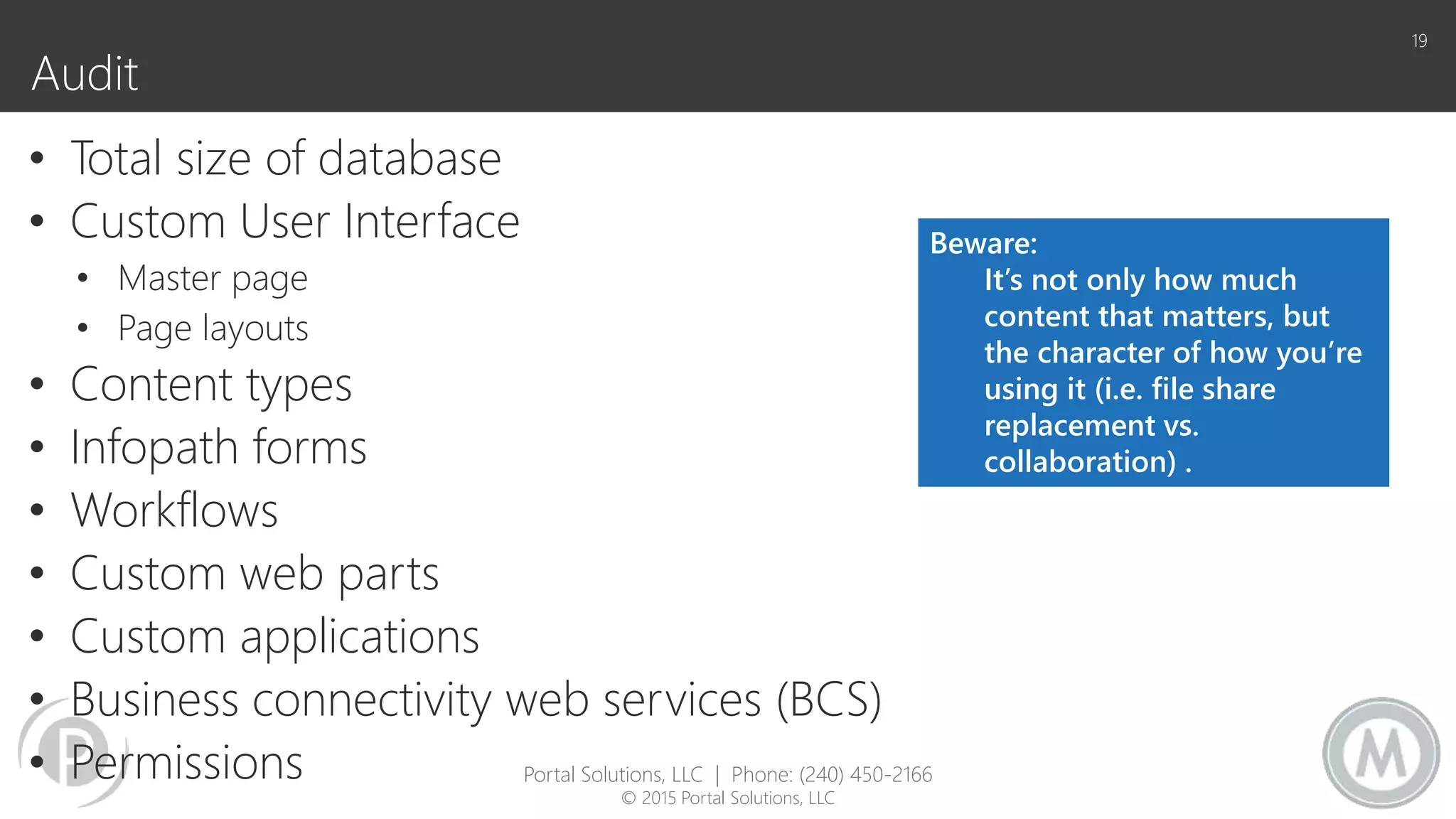
Audit
• Total size of database
• Custom User Interface
• Master page
• Page layouts
• Content types
• Infopath forms
• Workflows
• Custom web parts
• Custom applications
• Business connectivity web services (BCS)
• Permissions
19
Beware:
It’s not only how much
content that matters, but
the character of how you’re
using it (i.e. file share
replacement vs.
collaboration) .
Portal Solutions, LLC | Phone: (240) 450-2166
© 2015 Portal Solutions, LLC
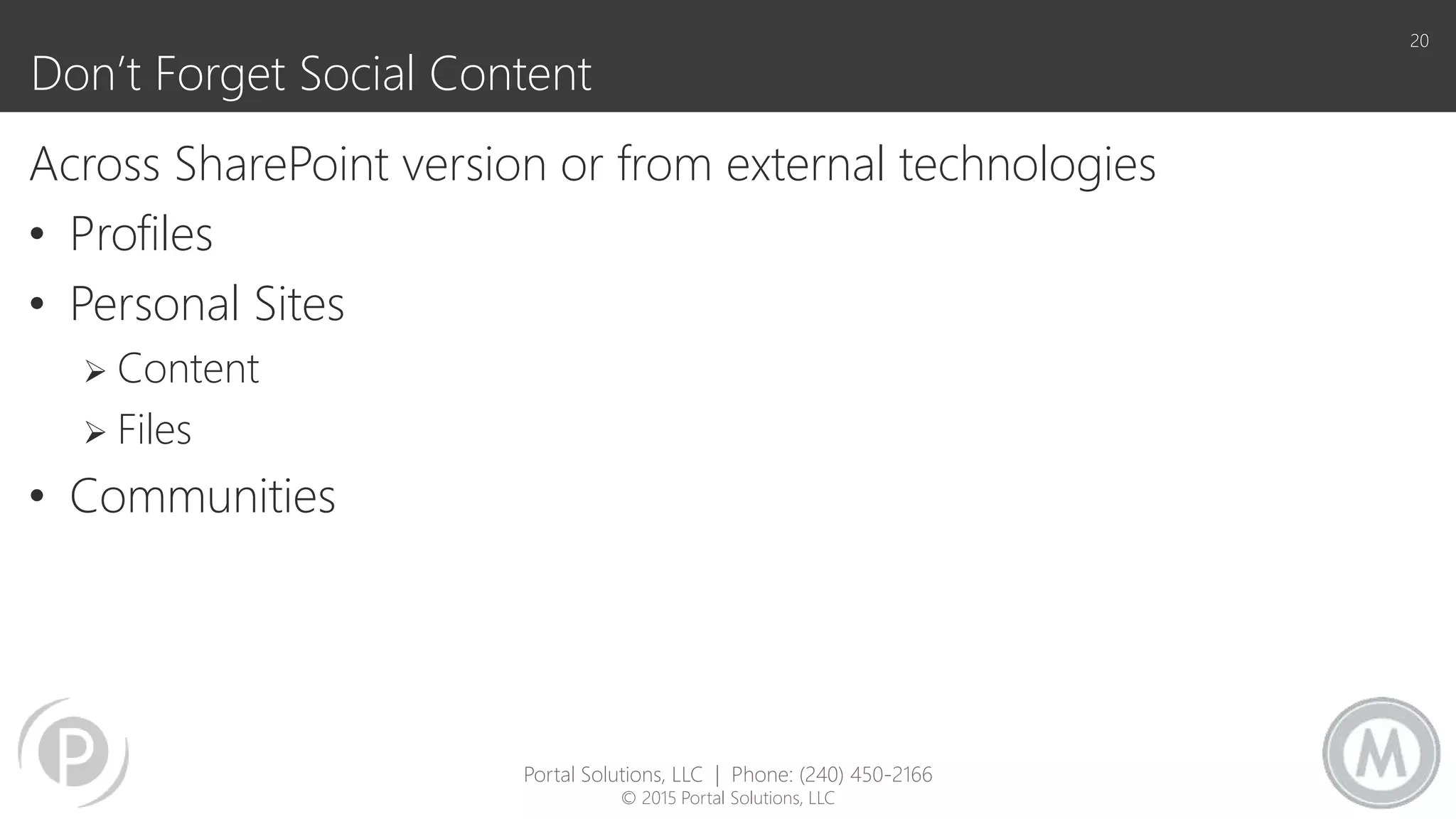
Don’t Forget Social Content
Across SharePoint version or from external technologies
• Profiles
• Personal Sites
 Content
 Files
• Communities
20
Portal Solutions, LLC | Phone: (240) 450-2166
© 2015 Portal Solutions, LLC
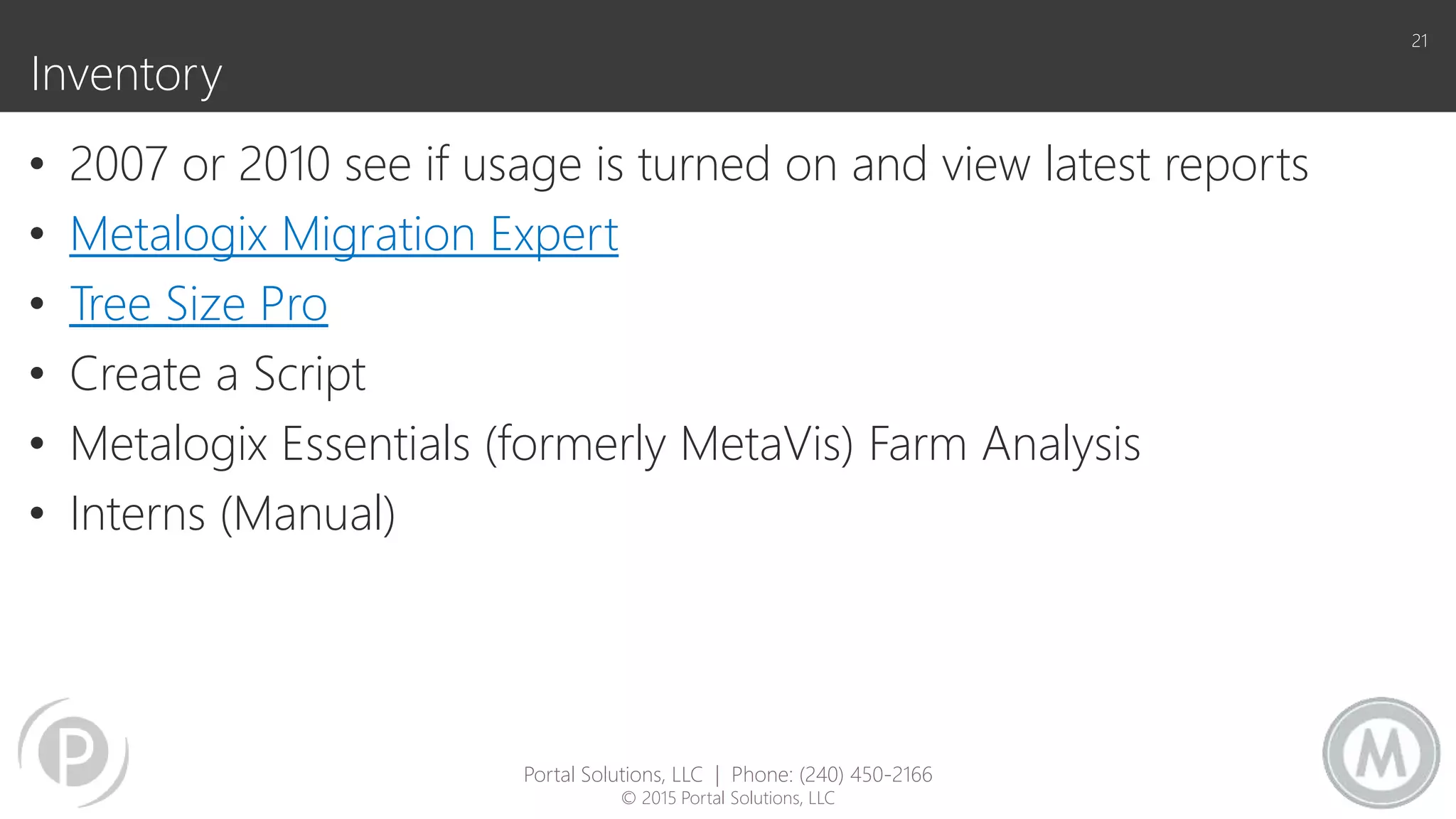
Inventory
• 2007 or 2010 see if usage is turned on and view latest reports
• Metalogix Migration Expert
• Tree Size Pro
• Create a Script
• Metalogix Essentials (formerly MetaVis) Farm Analysis
• Interns (Manual)
21
Portal Solutions, LLC | Phone: (240) 450-2166
© 2015 Portal Solutions, LLC
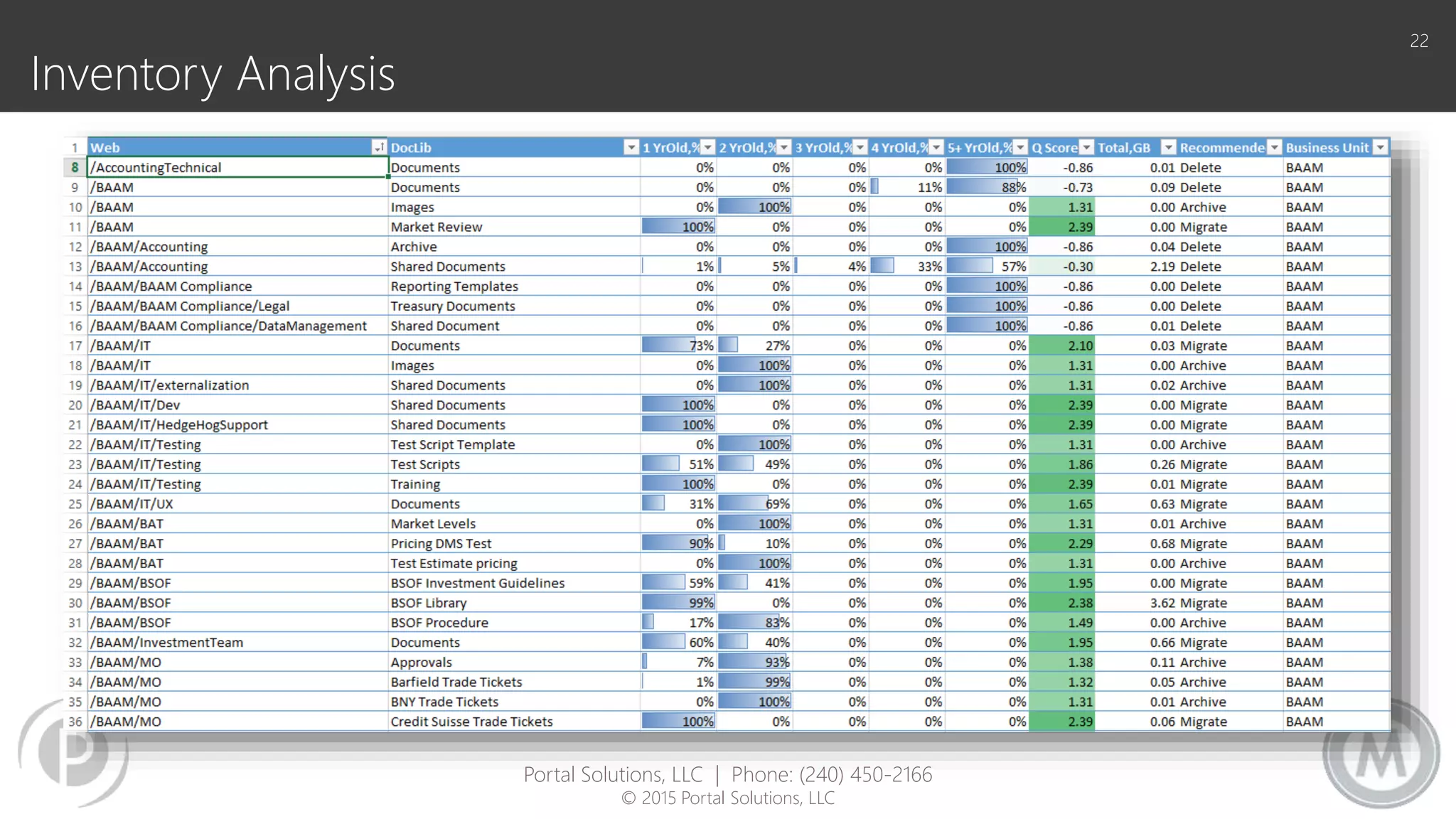
Inventory Analysis
22
Portal Solutions, LLC | Phone: (240) 450-2166
© 2015 Portal Solutions, LLC
How?
24
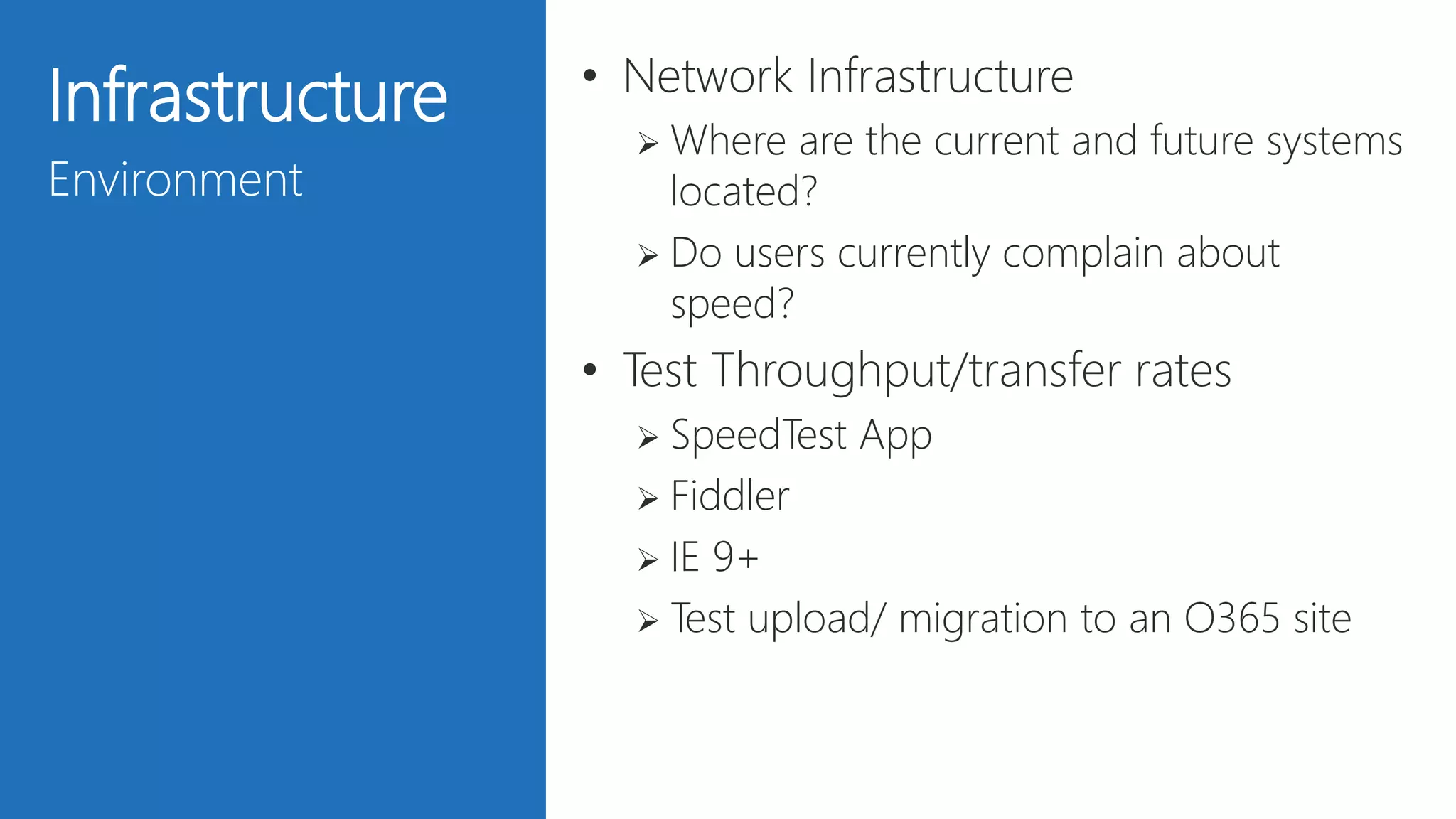
Infrastructure
Environment
• Network Infrastructure
 Where are the current and future systems
located?
 Do users currently complain about
speed?
• Test Throughput/transfer rates
 SpeedTest App
 Fiddler
 IE 9+
 Test upload/ migration to an O365 site
25
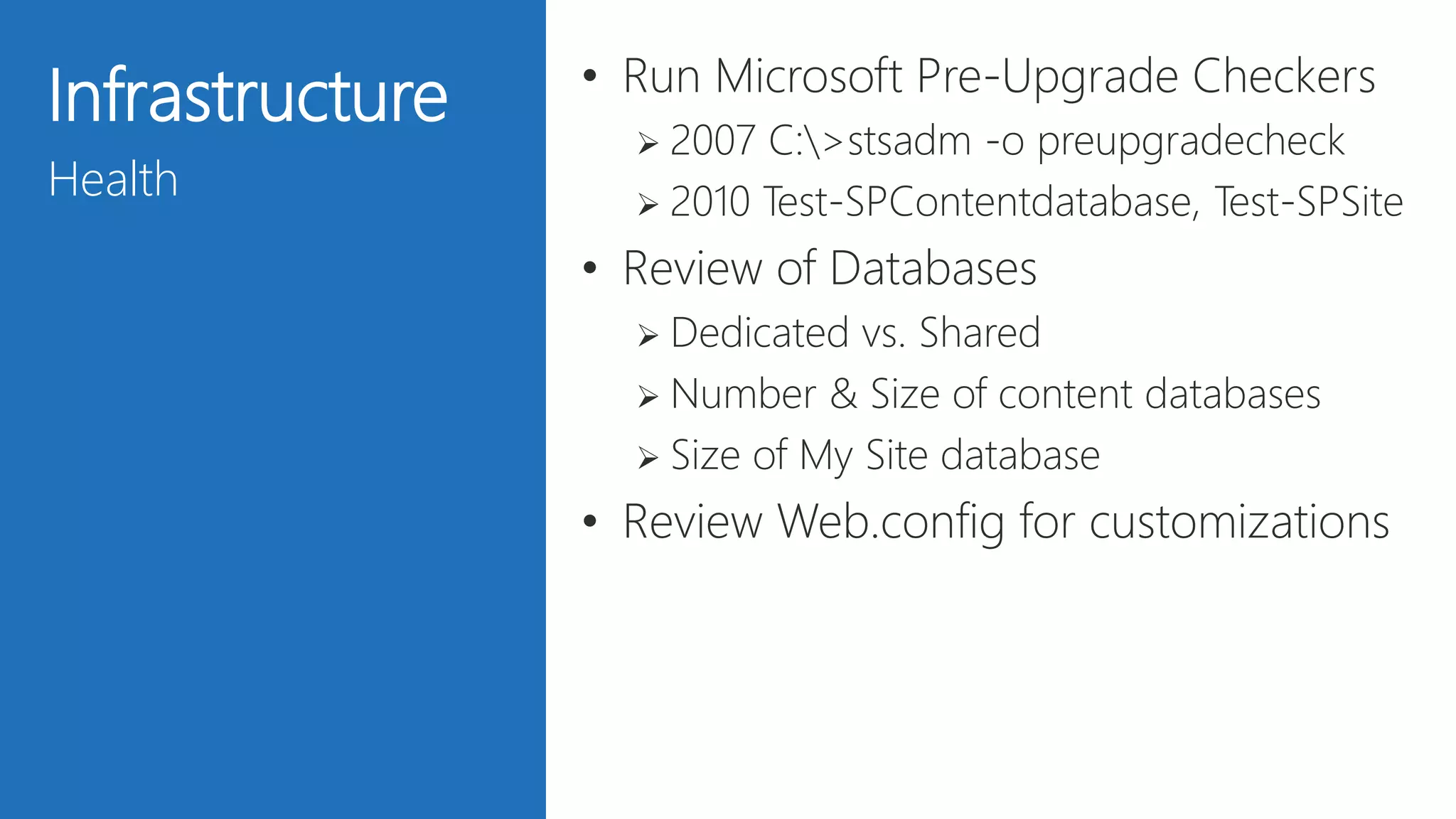
Infrastructure
Health
• Run Microsoft Pre-Upgrade Checkers
 2007 C:>stsadm -o preupgradecheck
 2010 Test-SPContentdatabase, Test-SPSite
• Review of Databases
 Dedicated vs. Shared
 Number & Size of content databases
 Size of My Site database
• Review Web.config for customizations
26
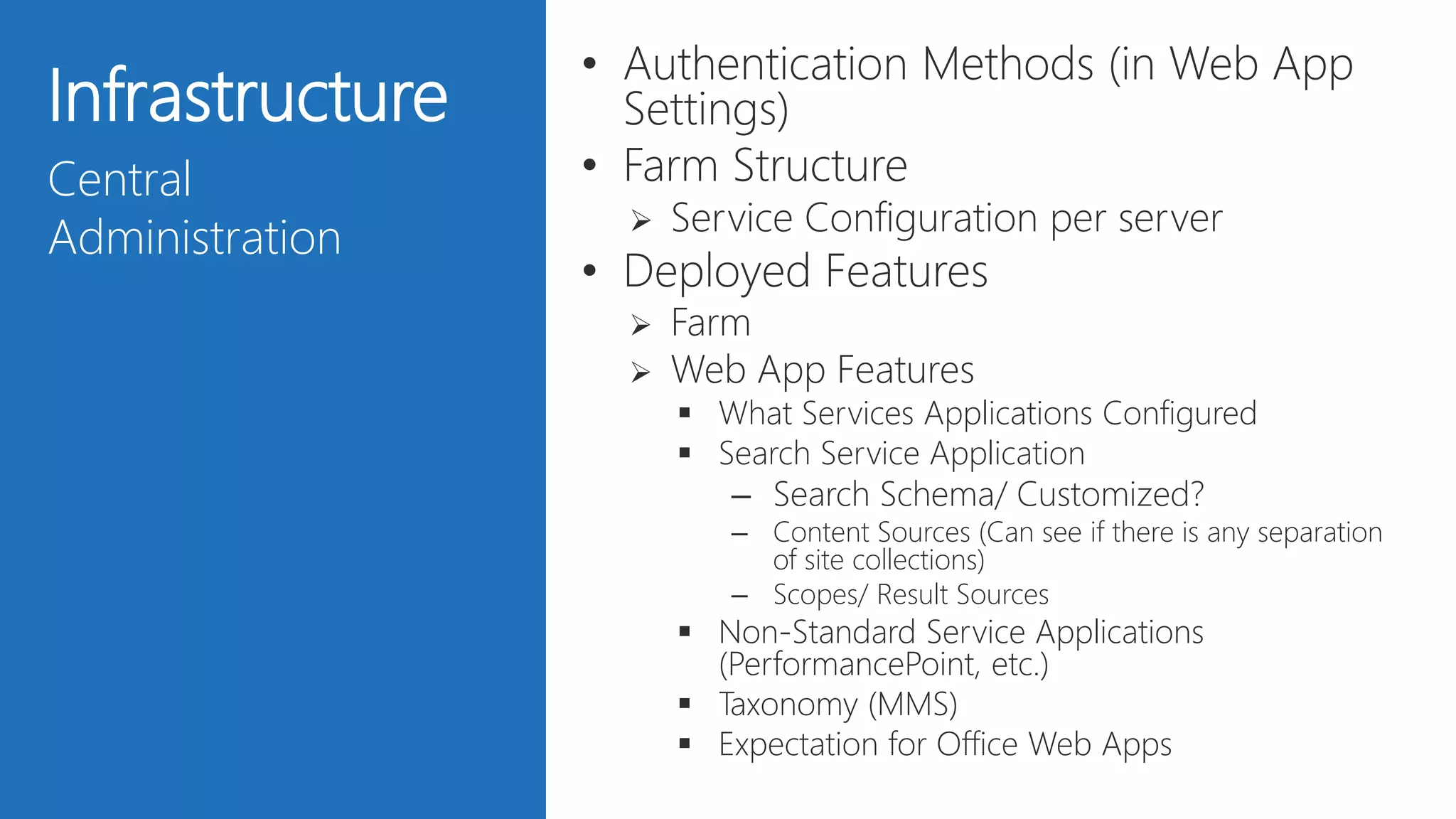
Infrastructure
Central
Administration
• Authentication Methods (in Web App
Settings)
• Farm Structure
 Service Configuration per server
• Deployed Features
 Farm
 Web App Features
 What Services Applications Configured
 Search Service Application
– Search Schema/ Customized?
– Content Sources (Can see if there is any separation
of site collections)
– Scopes/ Result Sources
 Non-Standard Service Applications
(PerformancePoint, etc.)
 Taxonomy (MMS)
 Expectation for Office Web Apps
27
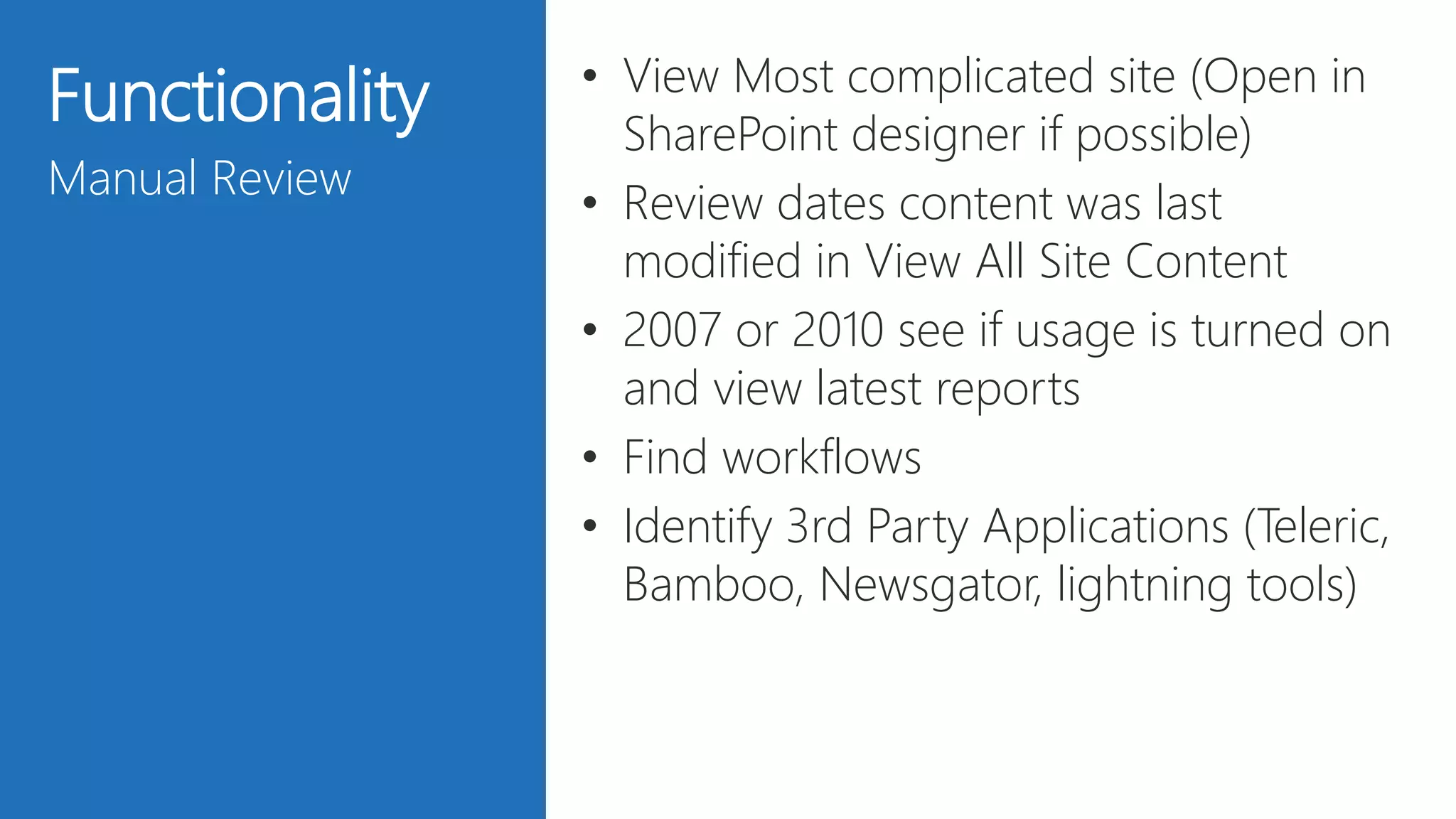
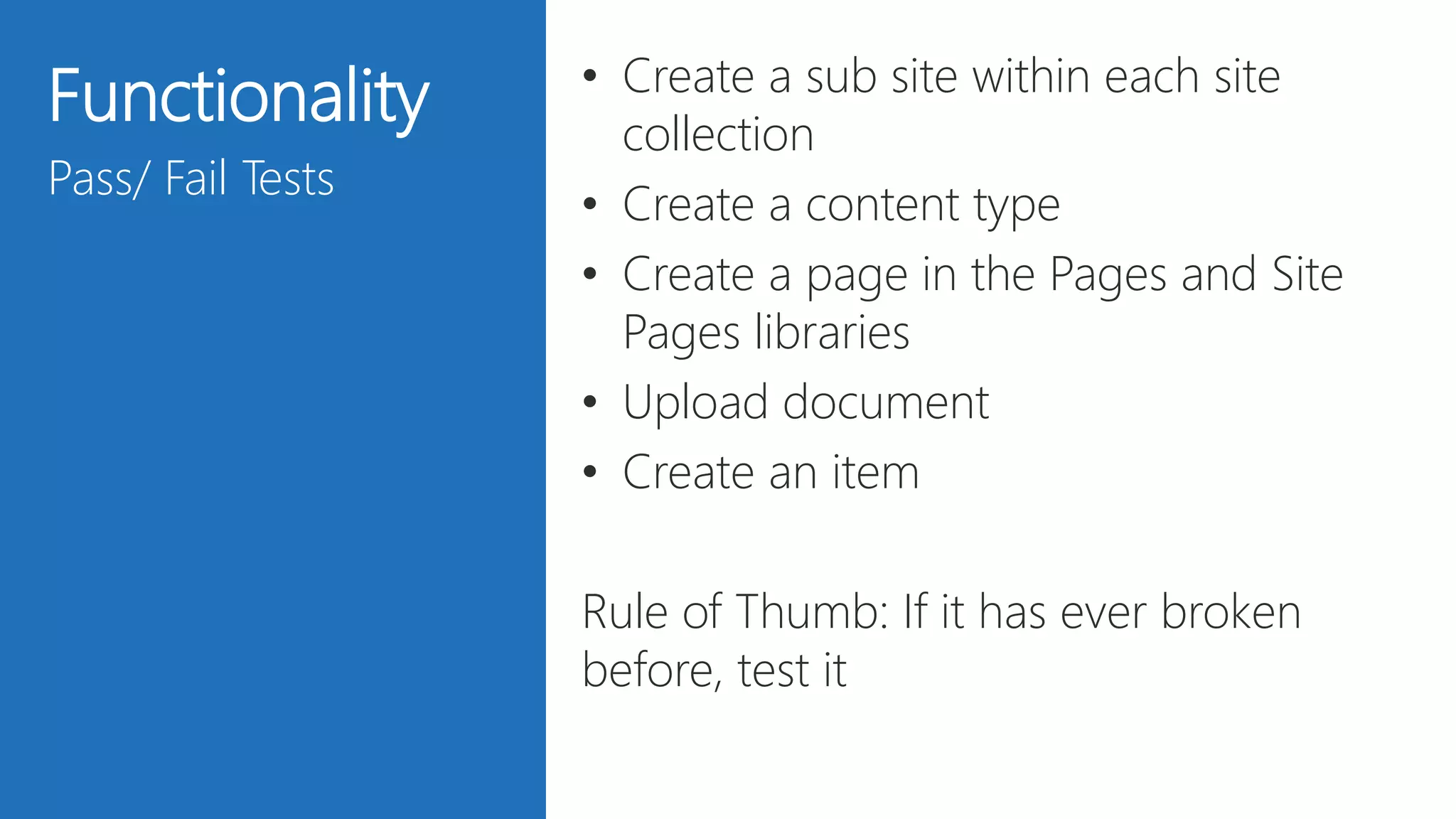
Functionality
Manual Review
• View Most complicated site (Open in
SharePoint designer if possible)
• Review dates content was last
modified in View All Site Content
• 2007 or 2010 see if usage is turned on
and view latest reports
• Find workflows
• Identify 3rd Party Applications (Teleric,
Bamboo, Newsgator, lightning tools)
28
Functionality
Pass/ Fail Tests
• Create a sub site within each site
collection
• Create a content type
• Create a page in the Pages and Site
Pages libraries
• Upload document
• Create an item
Rule of Thumb: If it has ever broken
before, test it
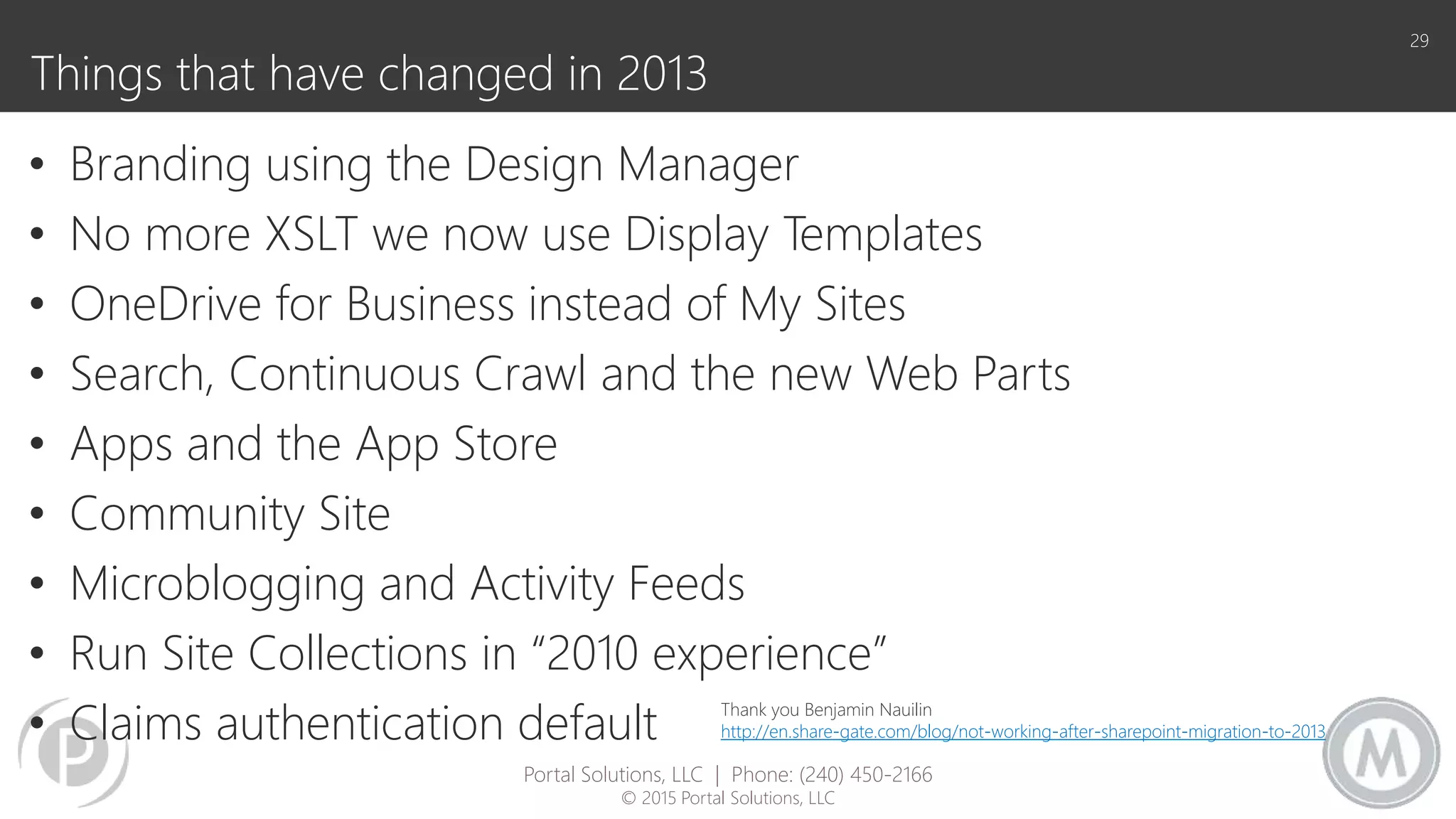
Things that have changed in 2013
• Branding using the Design Manager
• No more XSLT we now use Display Templates
• OneDrive for Business instead of My Sites
• Search, Continuous Crawl and the new Web Parts
• Apps and the App Store
• Community Site
• Microblogging and Activity Feeds
• Run Site Collections in “2010 experience”
• Claims authentication default
29
Portal Solutions, LLC | Phone: (240) 450-2166
© 2015 Portal Solutions, LLC
Thank you Benjamin Nauilin
http://en.share-gate.com/blog/not-working-after-sharepoint-migration-to-2013
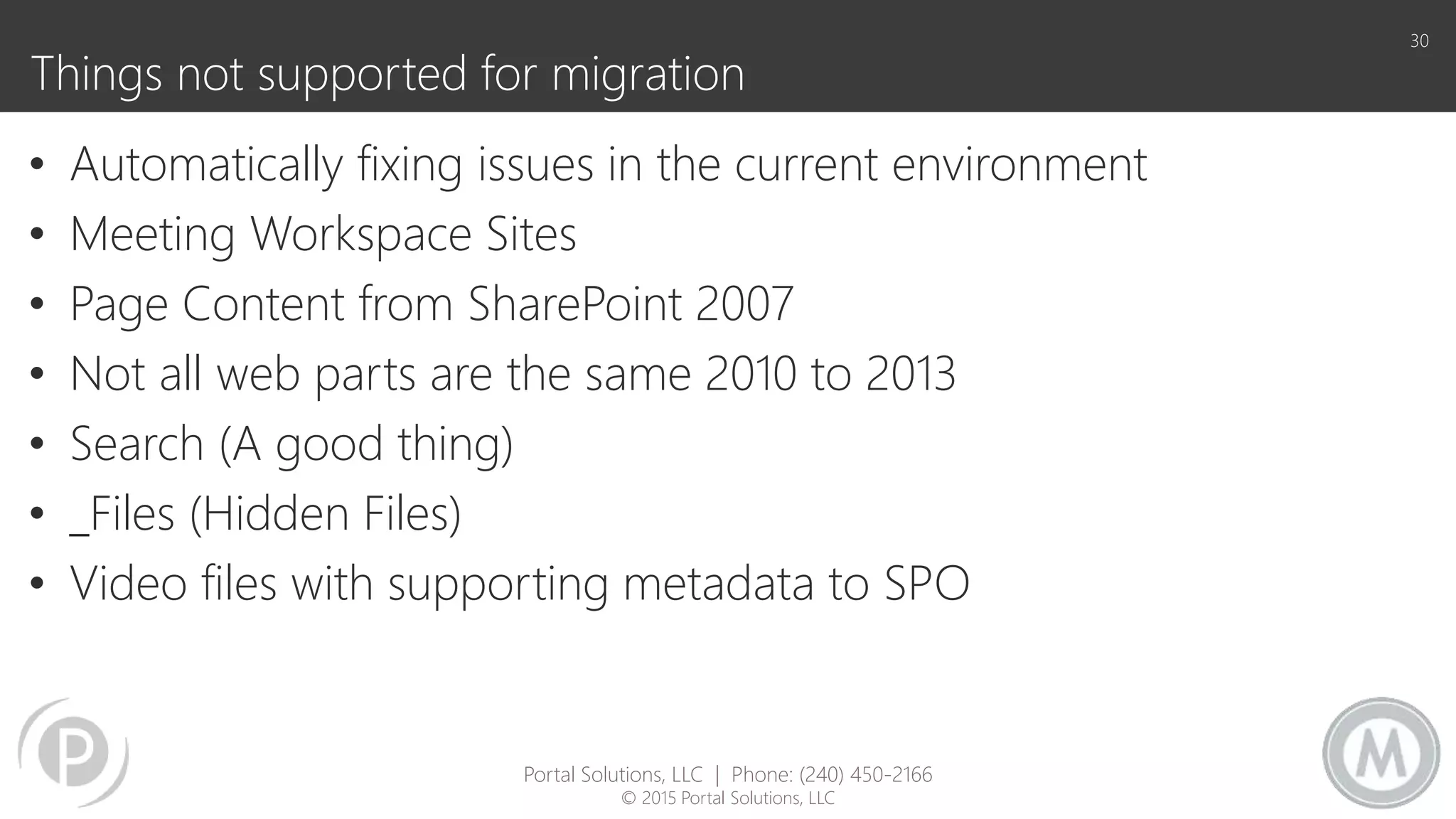
Things not supported for migration
• Automatically fixing issues in the current environment
• Meeting Workspace Sites
• Page Content from SharePoint 2007
• Not all web parts are the same 2010 to 2013
• Search (A good thing)
• _Files (Hidden Files)
• Video files with supporting metadata to SPO
30
Portal Solutions, LLC | Phone: (240) 450-2166
© 2015 Portal Solutions, LLC
31
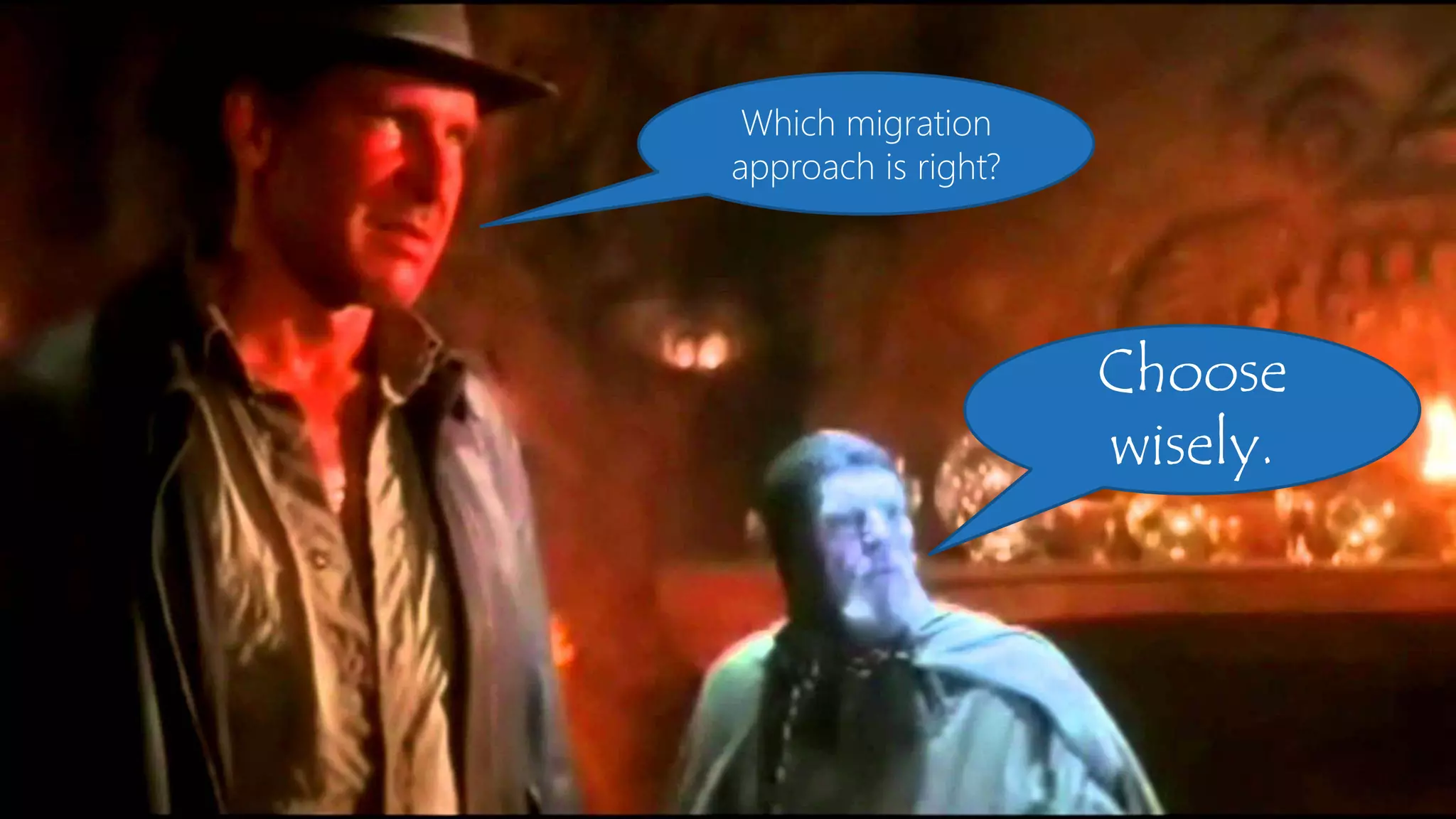
Choose
wisely.
Which migration
approach is right?
Manual
DATABASE
UPGRADE
THIRD PARTY SOLUTIONS
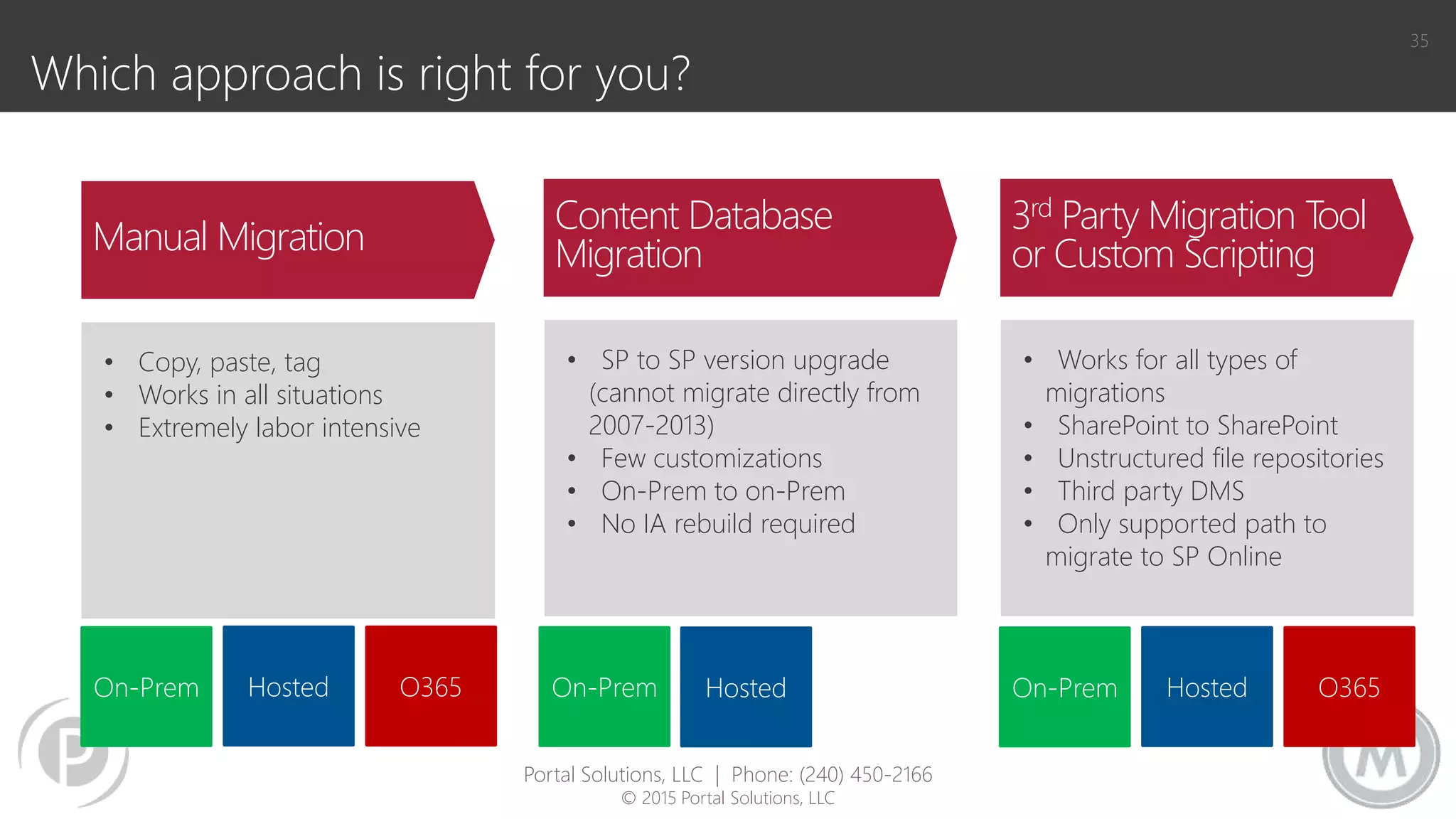
Which approach is right for you?
35
• SP to SP version upgrade
(cannot migrate directly from
2007-2013)
• Few customizations
• On-Prem to on-Prem
• No IA rebuild required
• Works for all types of
migrations
• SharePoint to SharePoint
• Unstructured file repositories
• Third party DMS
• Only supported path to
migrate to SP Online
• Copy, paste, tag
• Works in all situations
• Extremely labor intensive
Content Database
Migration
3rd Party Migration Tool
or Custom ScriptingManual Migration
On-Prem Hosted On-Prem Hosted O365On-Prem Hosted O365
Portal Solutions, LLC | Phone: (240) 450-2166
© 2015 Portal Solutions, LLC
36
36
UPDATE
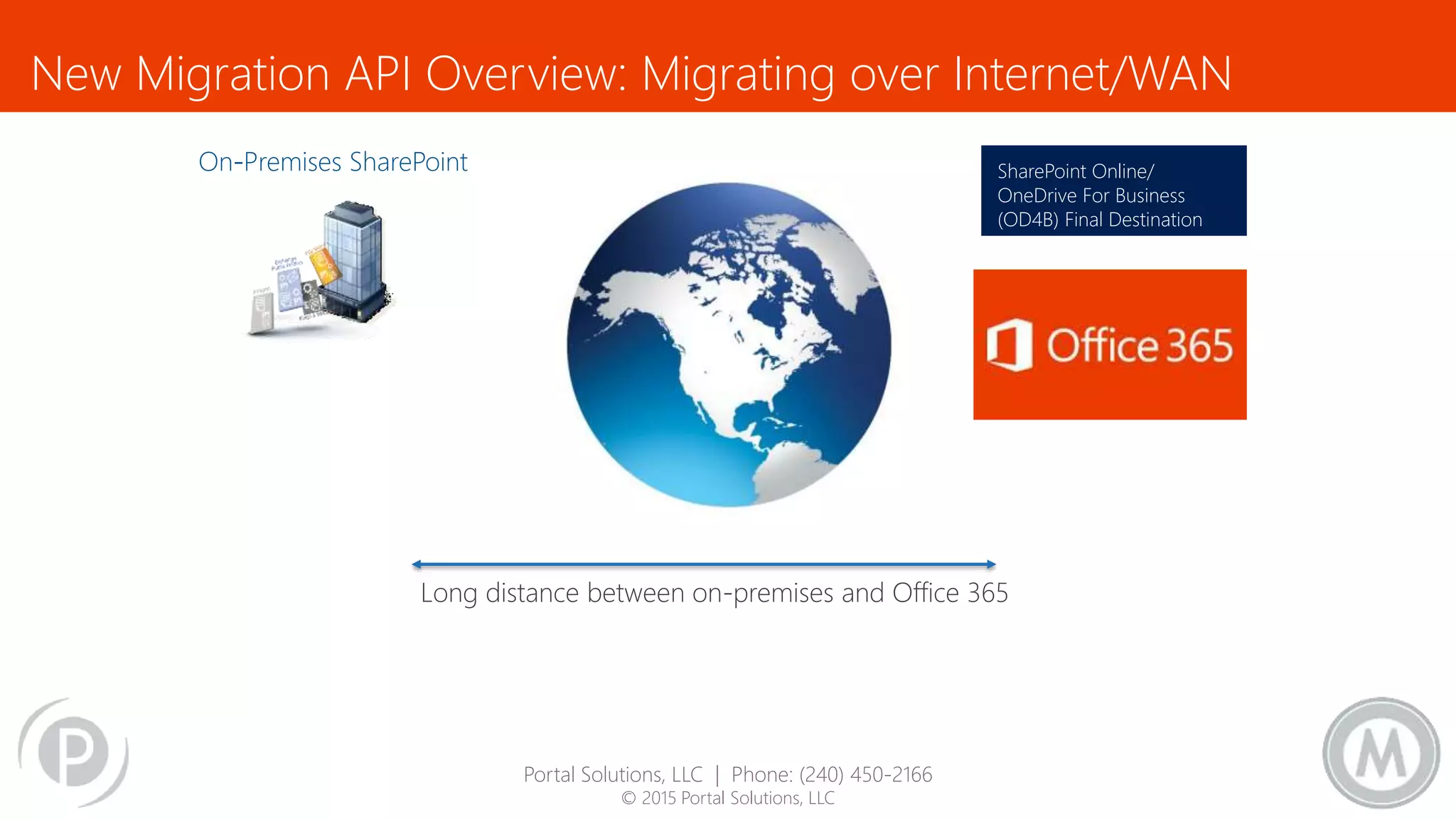
New Migration API Overview: Migrating over Internet/WAN
SharePoint Online/
OneDrive For Business
(OD4B) Final Destination
File Share,
SharePoint On-Prem,
Potentially any other Data
Source.
Long distance between on-premises and Office 365
Portal Solutions, LLC | Phone: (240) 450-2166
© 2015 Portal Solutions, LLC
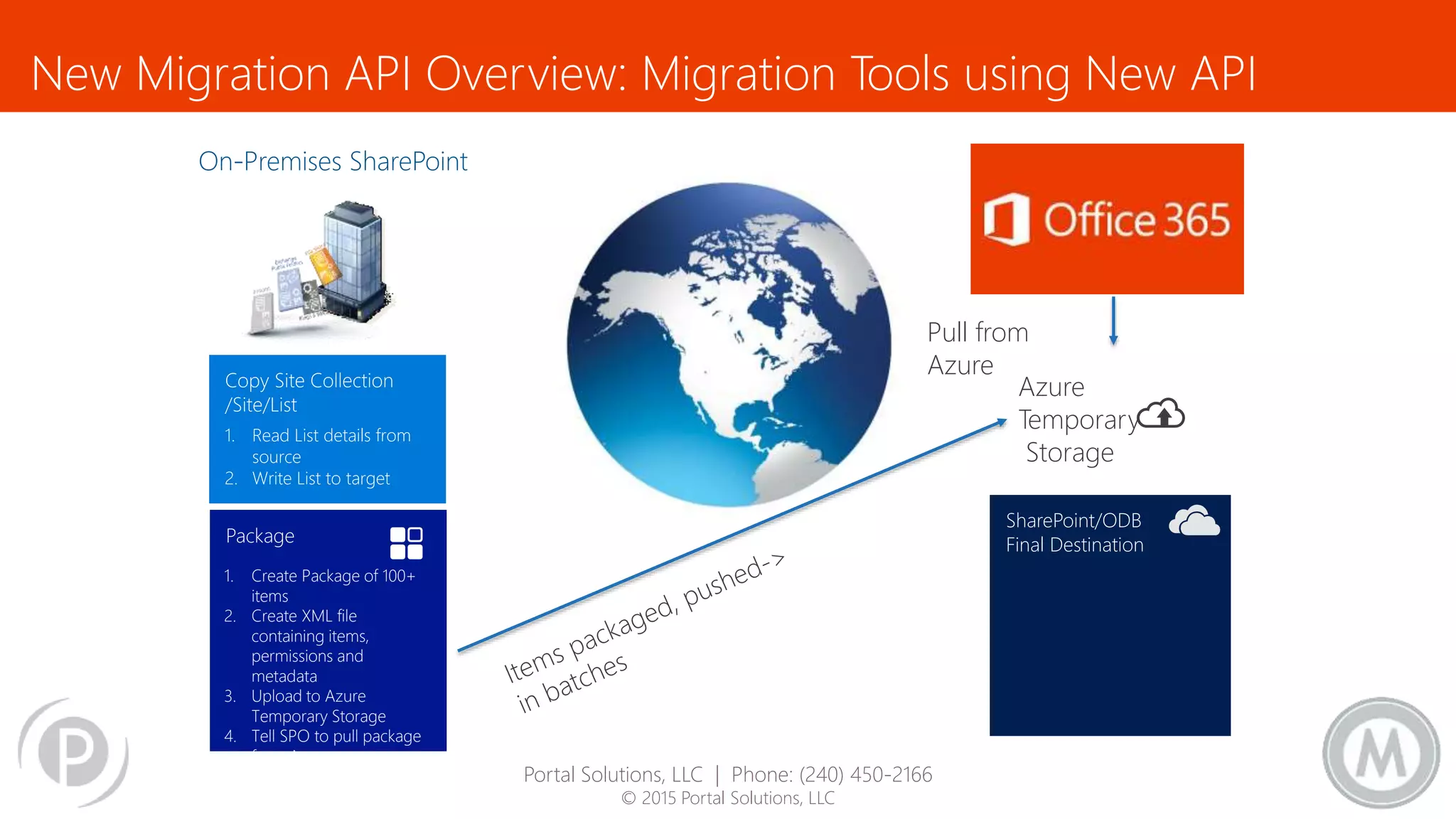
New Migration API Overview: Migration Tools using New API
File Share,
SharePoint On-Prem,
Potentially any other Data
Source.
1. Read List details from
source
2. Write List to target
1. Create Package of 100+
items
2. Create XML file
containing items,
permissions and
metadata
3. Upload to Azure
Temporary Storage
4. Tell SPO to pull package
from Azure
Timer Job Based
imports content in a
scalable way that will
not hurt the service
using back end
resources.
SharePoint/ODB
Final Destination
Pull from
Azure
Azure
Temporary
Storage
Portal Solutions, LLC | Phone: (240) 450-2166
© 2015 Portal Solutions, LLC
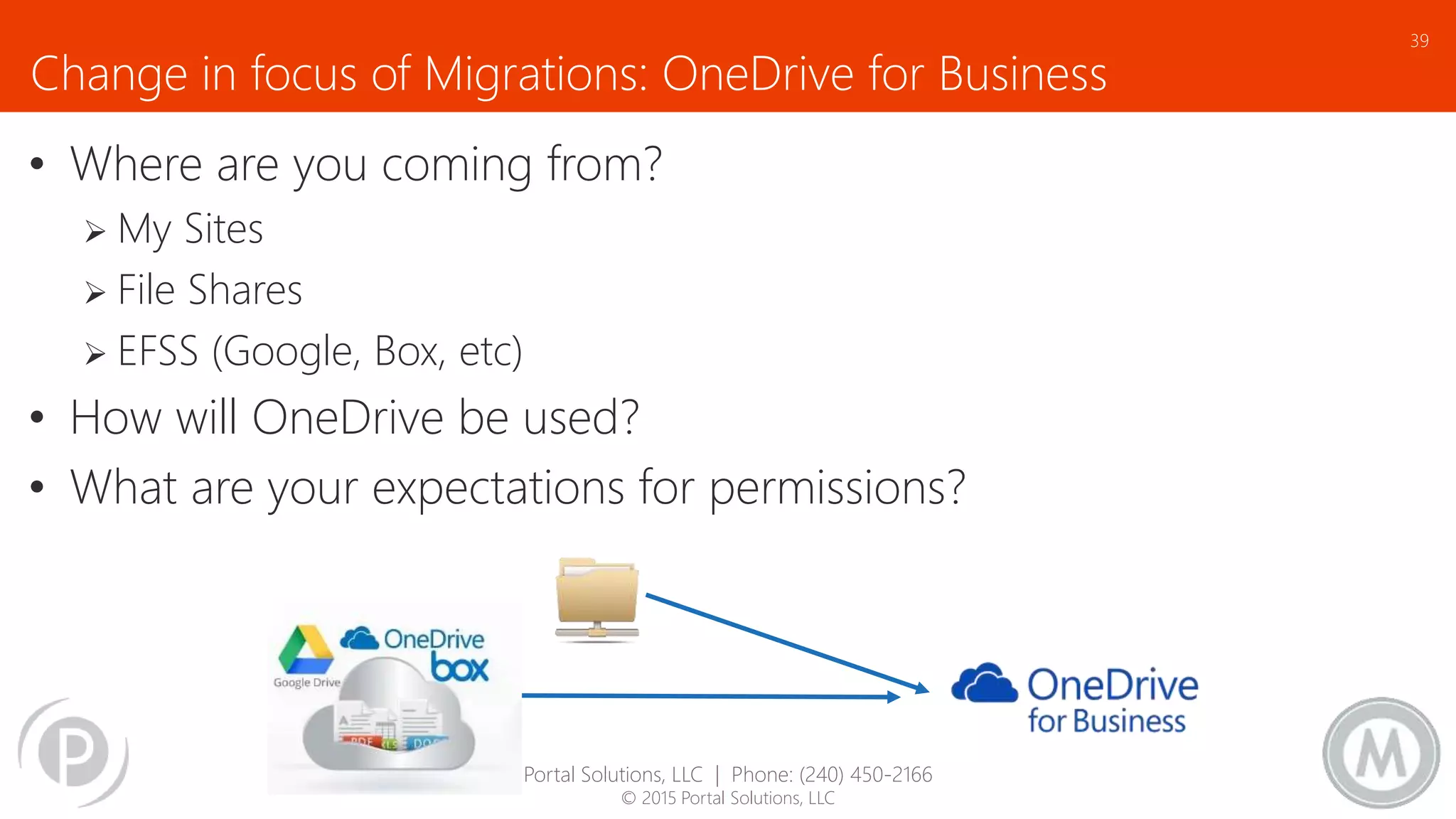
Change in focus of Migrations: OneDrive for Business
• Where are you coming from?
 My Sites
 File Shares
 EFSS (Google, Box, etc)
• How will OneDrive be used?
• What are your expectations for permissions?
39
Portal Solutions, LLC | Phone: (240) 450-2166
© 2015 Portal Solutions, LLC
Change in focus of Migrations: Migrating Exchange
Even at SPTechCon we have to admit that Office 365 isn’t just SharePoint
• Cutover and Staged very similar
 Suitable for 200 or less mailboxes
 Looking at 2 week +/- timeframe
• Staged migration: Limitation with Exchange 2010 or 2013
 Attributes are not managed in the same way, must use 3rd party tool
• Hybrid: For 2000+ mailbox migration
 Can be migrated from Exchange 2010 or 2013
 Issue: after decommissioning 2013, all attributes will be moved to the cloud
 Issue: until cutover, no calendar sharing and free/busy presence awareness
40
Portal Solutions, LLC | Phone: (240) 450-2166
© 2015 Portal Solutions, LLC
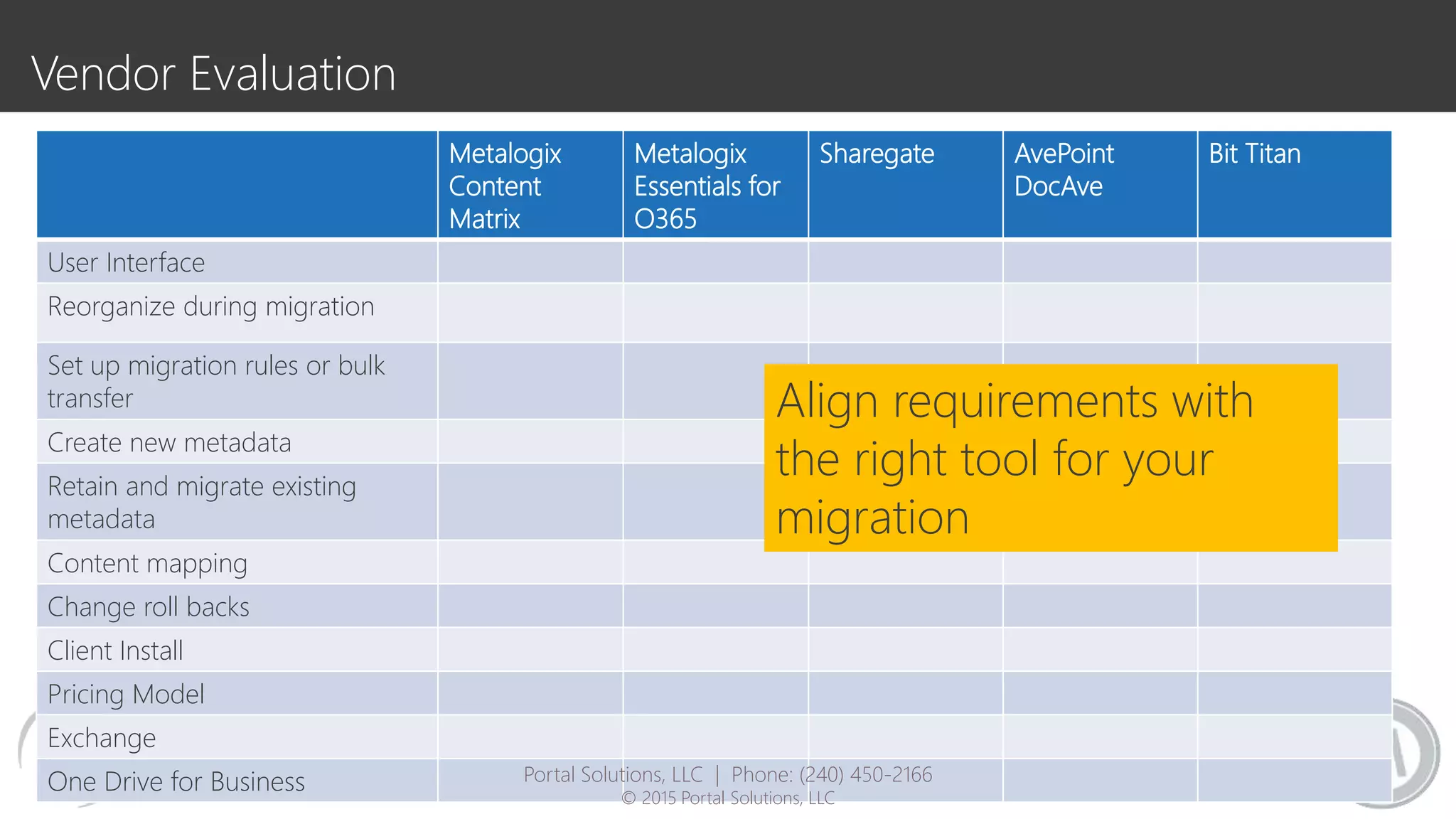
Vendor Evaluation
Metalogix
Content
Matrix
Metalogix
Essentials for
O365
Sharegate AvePoint
DocAve
Bit Titan
User Interface
Reorganize during migration
Set up migration rules or bulk
transfer
Create new metadata
Retain and migrate existing
metadata
Content mapping
Change roll backs
Client Install
Pricing Model
Exchange
One Drive for Business
Align requirements with
the right tool for your
migration
Portal Solutions, LLC | Phone: (240) 450-2166
© 2015 Portal Solutions, LLC
test …. Test …. TEST
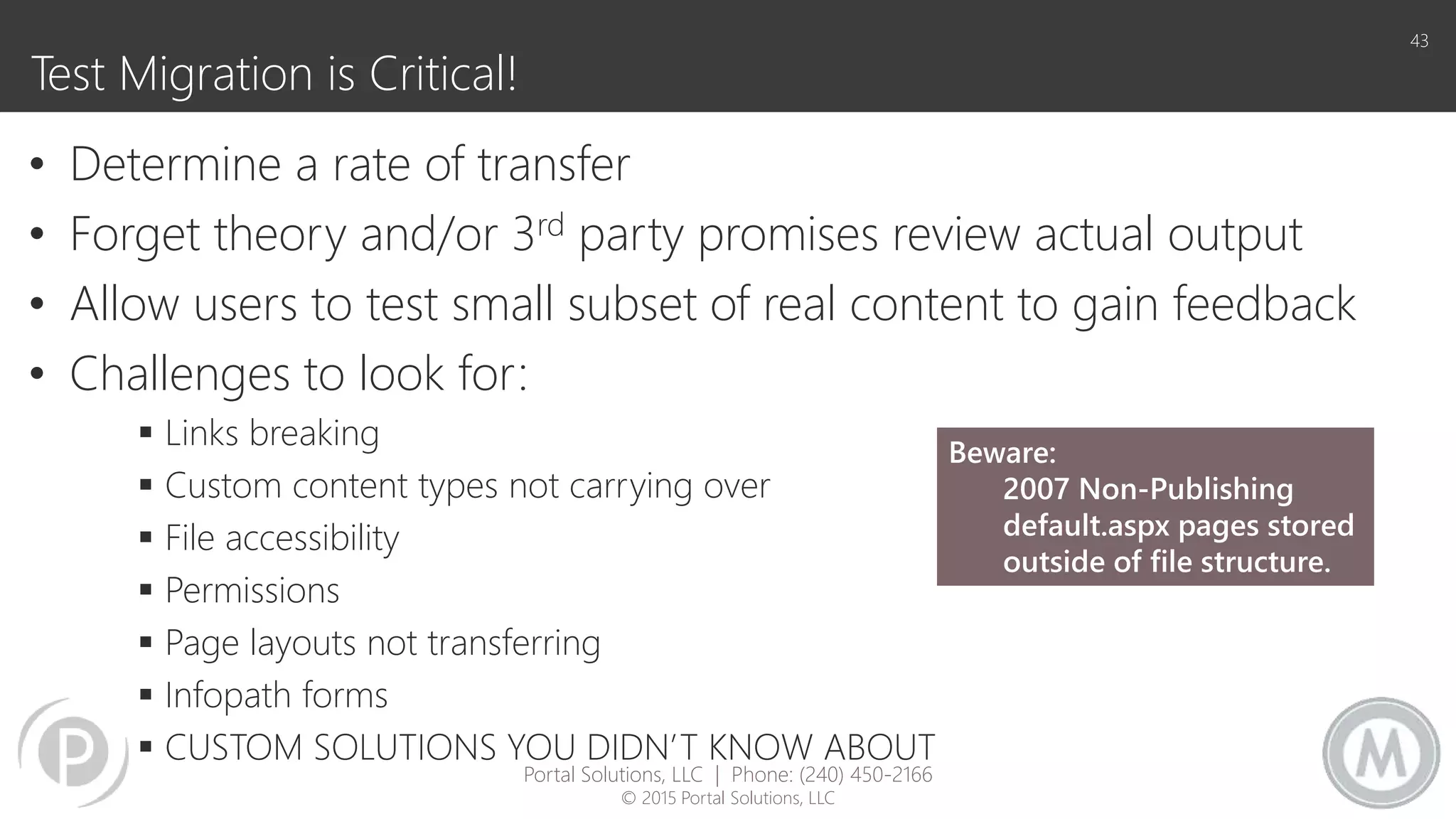
Test Migration is Critical!
• Determine a rate of transfer
• Forget theory and/or 3rd party promises review actual output
• Allow users to test small subset of real content to gain feedback
• Challenges to look for:
 Links breaking
 Custom content types not carrying over
 File accessibility
 Permissions
 Page layouts not transferring
 Infopath forms
 CUSTOM SOLUTIONS YOU DIDN’T KNOW ABOUT
43
Beware:
2007 Non-Publishing
default.aspx pages stored
outside of file structure.
Portal Solutions, LLC | Phone: (240) 450-2166
© 2015 Portal Solutions, LLC
44
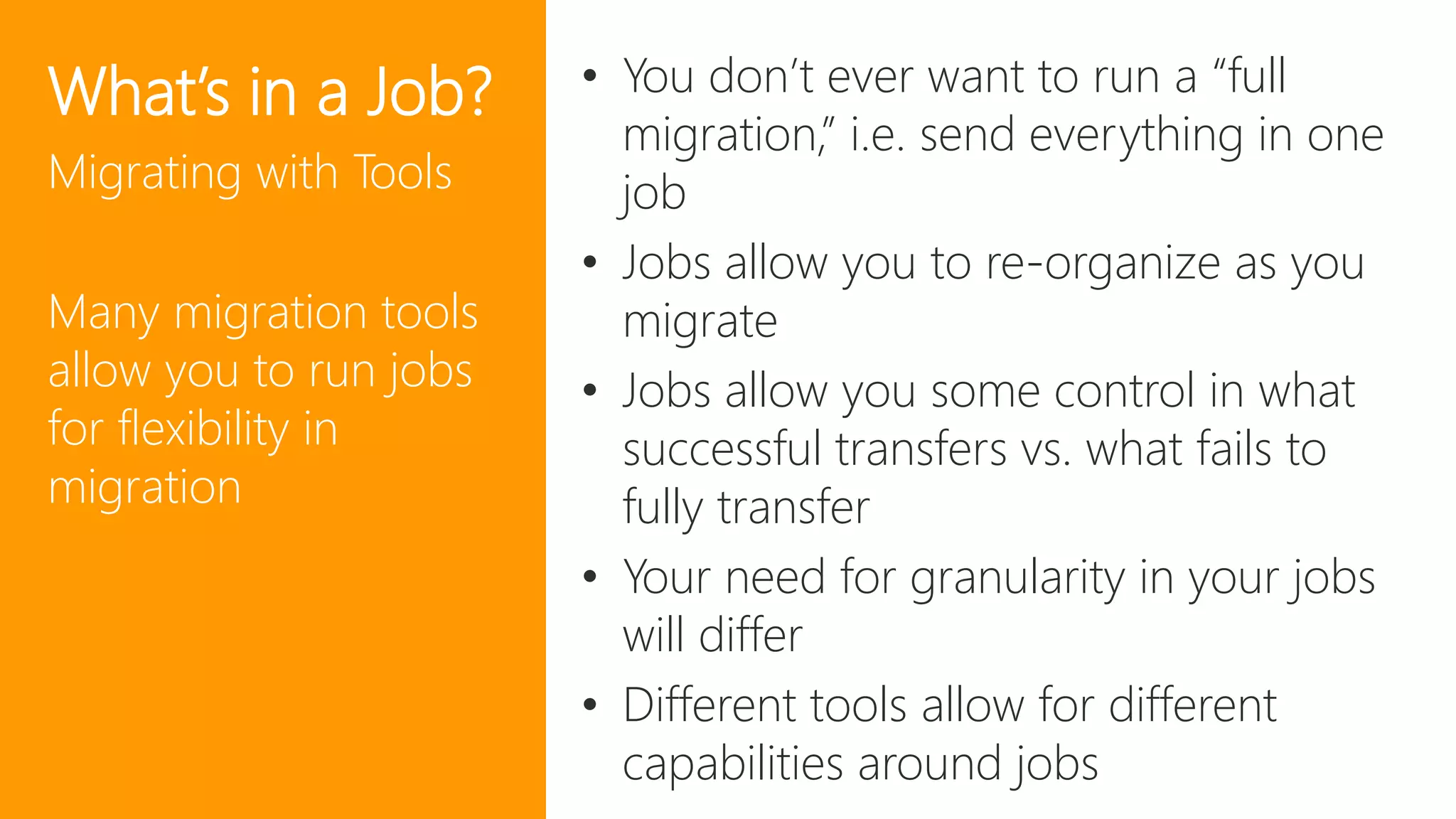
What’s in a Job?
Migrating with Tools
Many migration tools
allow you to run jobs
for flexibility in
migration
• You don’t ever want to run a “full
migration,” i.e. send everything in one
job
• Jobs allow you to re-organize as you
migrate
• Jobs allow you some control in what
successful transfers vs. what fails to
fully transfer
• Your need for granularity in your jobs
will differ
• Different tools allow for different
capabilities around jobs
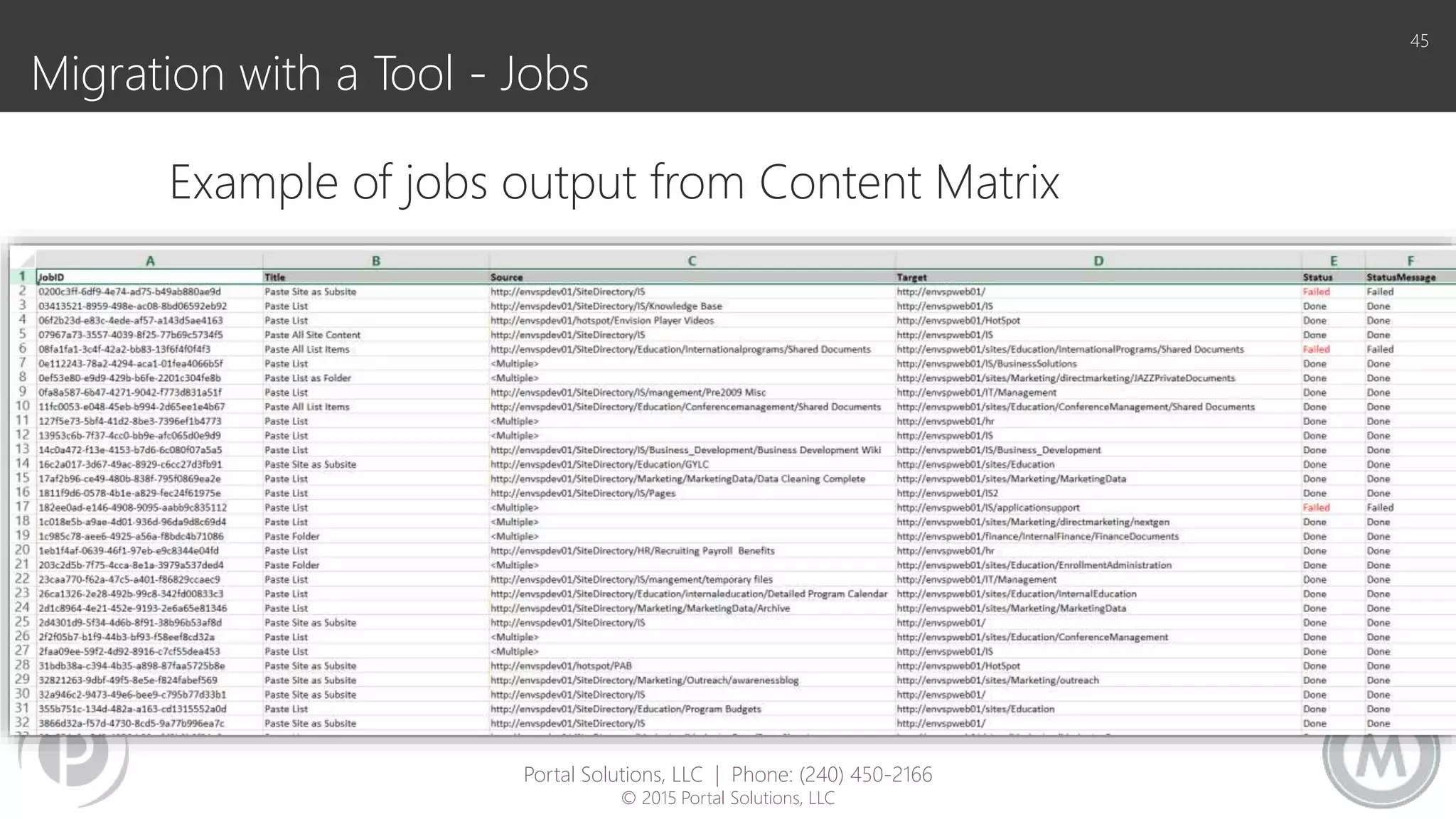
Migration with a Tool - Jobs
45
Example of jobs output from Content Matrix
Portal Solutions, LLC | Phone: (240) 450-2166
© 2015 Portal Solutions, LLC
TIME TO TAKE A BREAK – RESTARTING AT 3:15
It’s too much migration, I need more coffee
46
Planning and budgeting migrations that work
47
Recommended Path for a Successful Migration
1. Understand the business need/governance
2. Inventory Audit of current environment
3. Design/Implement future technical infrastructure
4. Design/Implement business requirements and user experience
5. Create Change Management/Migration Plan
6. Implement Change Management/Migration
a. Branding deployment
b. User Training
c. Pilot Migration
d. Full Content Migration
e. Customization/Application Migration
7. Decommission of original environment
48
Portal Solutions, LLC | Phone: (240) 450-2166
© 2015 Portal Solutions, LLC
Scheduling your Migration
49
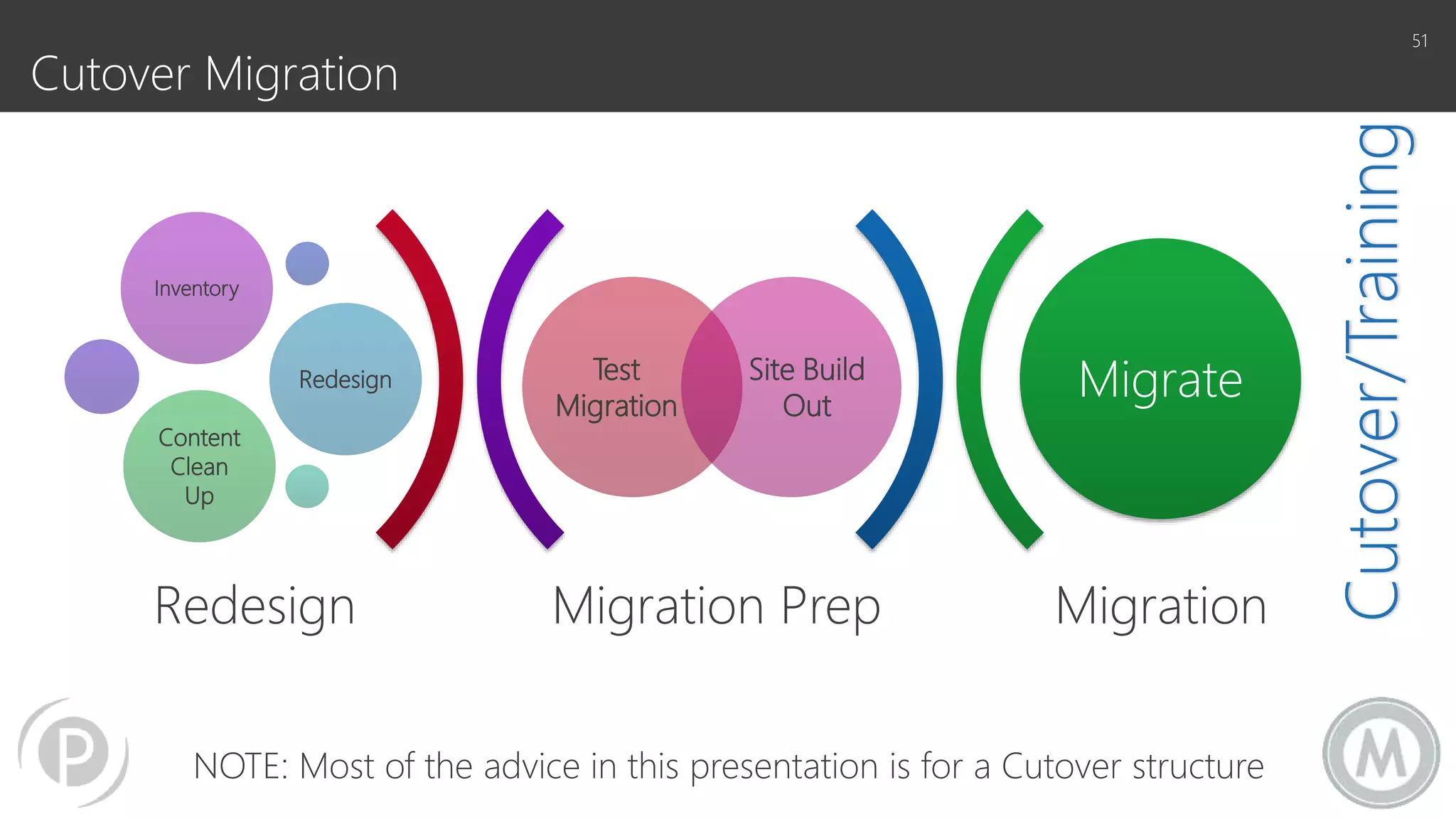
Two major approaches to migration scheduling
Cutover Migration
The Idea: Migrate everything and turn off the old
system when you start to use the new
Benefits:
• Convert all users to the new system
• Minimize duplication
• Enforce change management and adoption
Risks:
• Could take a long time
• Could also never happen
• Change management could be challenging
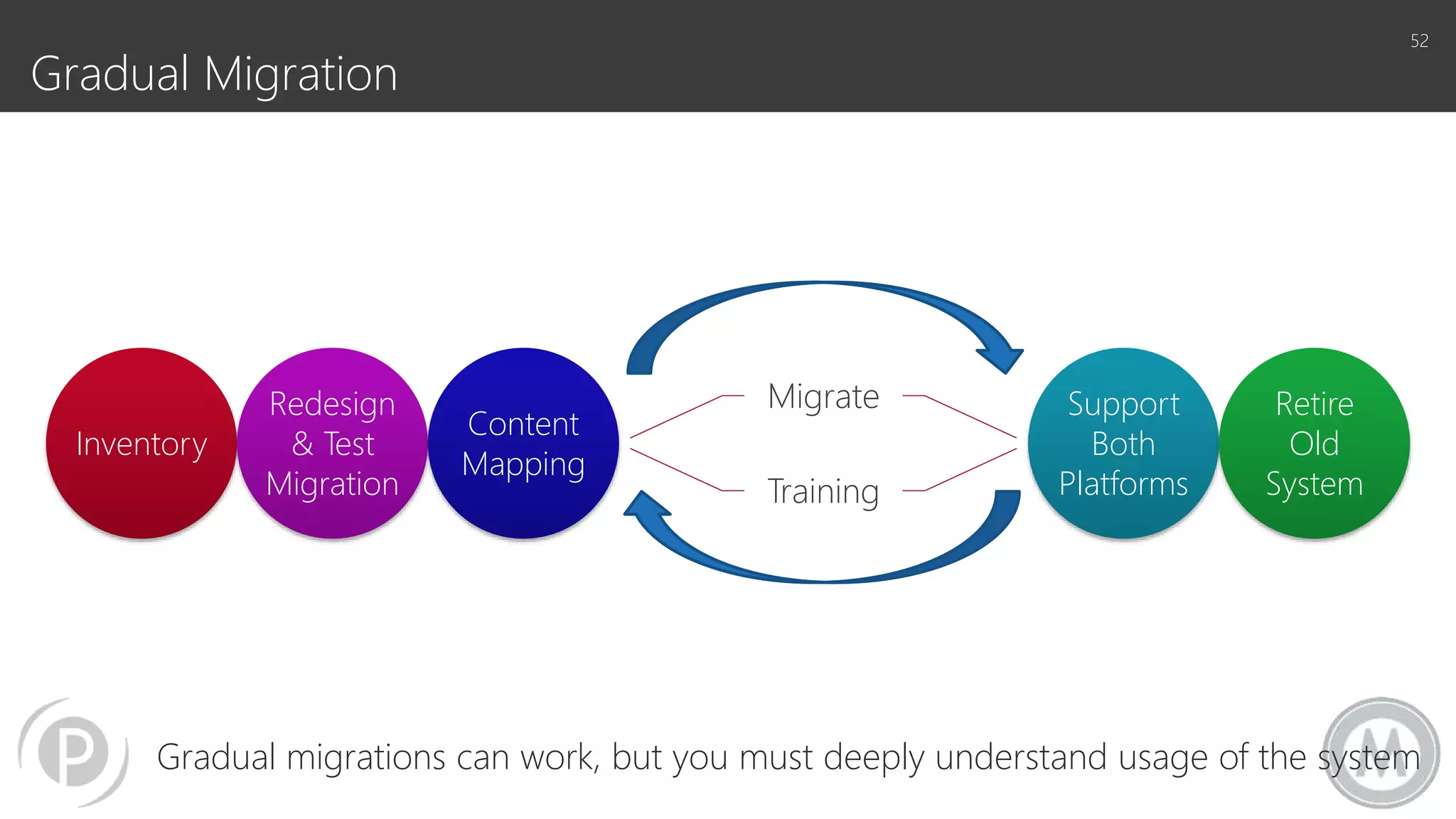
Gradual Migration
The Idea: Migrate group by group and onboard
users to the new system when their group has been
moved over
Benefits:
• Onboard groups in small batches
• Gradual change management
• Feedback loop can support easier adoption
Risks:
• Could never finish
• Large risk for duplication
• Users could resist change
• Content authenticity/system authenticity could
be questioned
50
or
Portal Solutions, LLC | Phone: (240) 450-2166
© 2015 Portal Solutions, LLC
Migration Prep Migration
Test
Migration
Site Build
Out
Inventory
Redesign
Content
Clean
Up
Migrate
Redesign
Cutover Migration
51
Cutover/Training
NOTE: Most of the advice in this presentation is for a Cutover structure
Inventory
Redesign
& Test
Migration
Content
Mapping
Migrate
Training
Support
Both
Platforms
Retire
Old
System
Gradual Migration
Gradual migrations can work, but you must deeply understand usage of the system
52
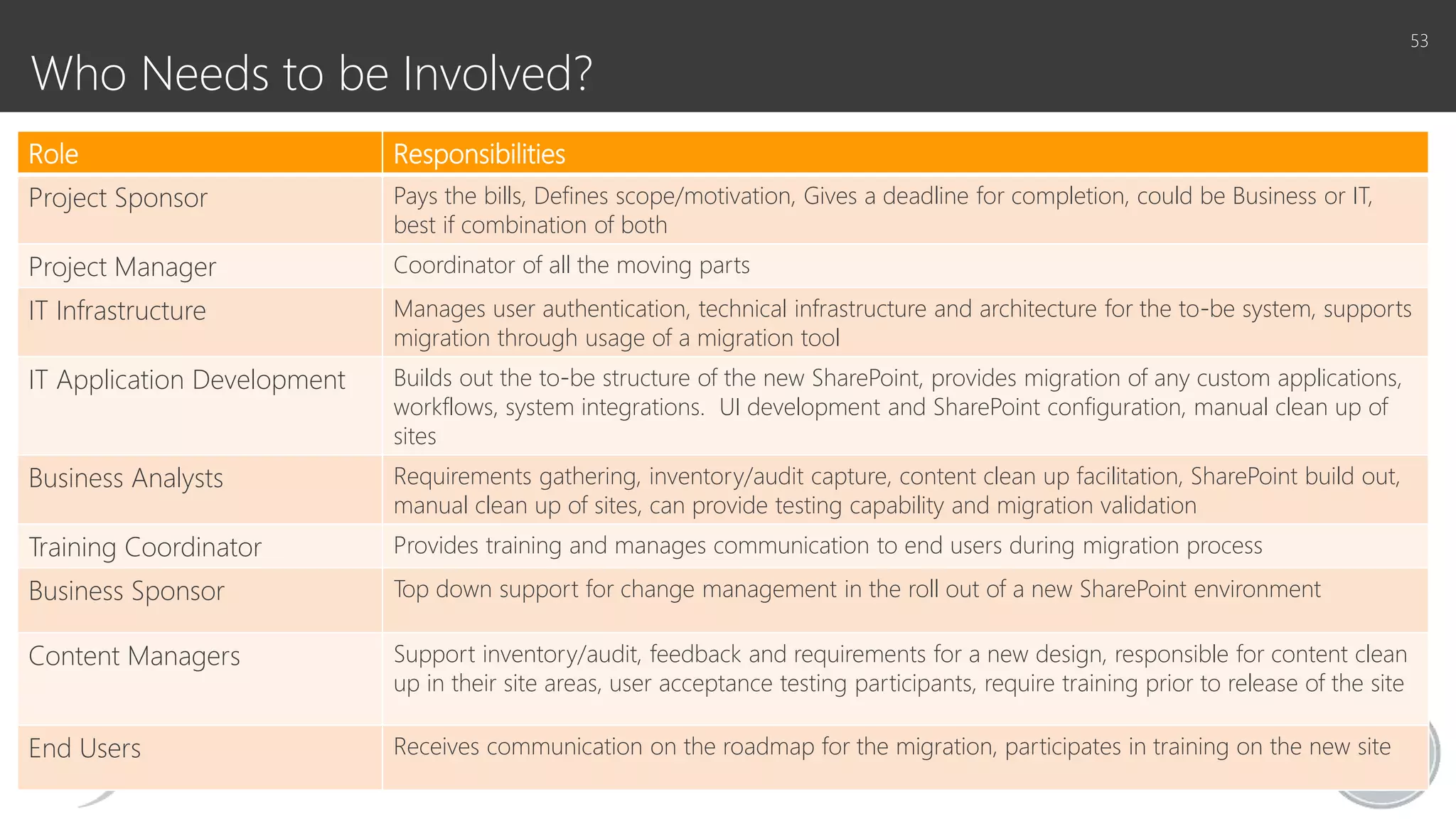
Who Needs to be Involved?
Role Responsibilities
Project Sponsor Pays the bills, Defines scope/motivation, Gives a deadline for completion, could be Business or IT,
best if combination of both
Project Manager Coordinator of all the moving parts
IT Infrastructure Manages user authentication, technical infrastructure and architecture for the to-be system, supports
migration through usage of a migration tool
IT Application Development Builds out the to-be structure of the new SharePoint, provides migration of any custom applications,
workflows, system integrations. UI development and SharePoint configuration, manual clean up of
sites
Business Analysts Requirements gathering, inventory/audit capture, content clean up facilitation, SharePoint build out,
manual clean up of sites, can provide testing capability and migration validation
Training Coordinator Provides training and manages communication to end users during migration process
Business Sponsor Top down support for change management in the roll out of a new SharePoint environment
Content Managers Support inventory/audit, feedback and requirements for a new design, responsible for content clean
up in their site areas, user acceptance testing participants, require training prior to release of the site
End Users Receives communication on the roadmap for the migration, participates in training on the new site
53
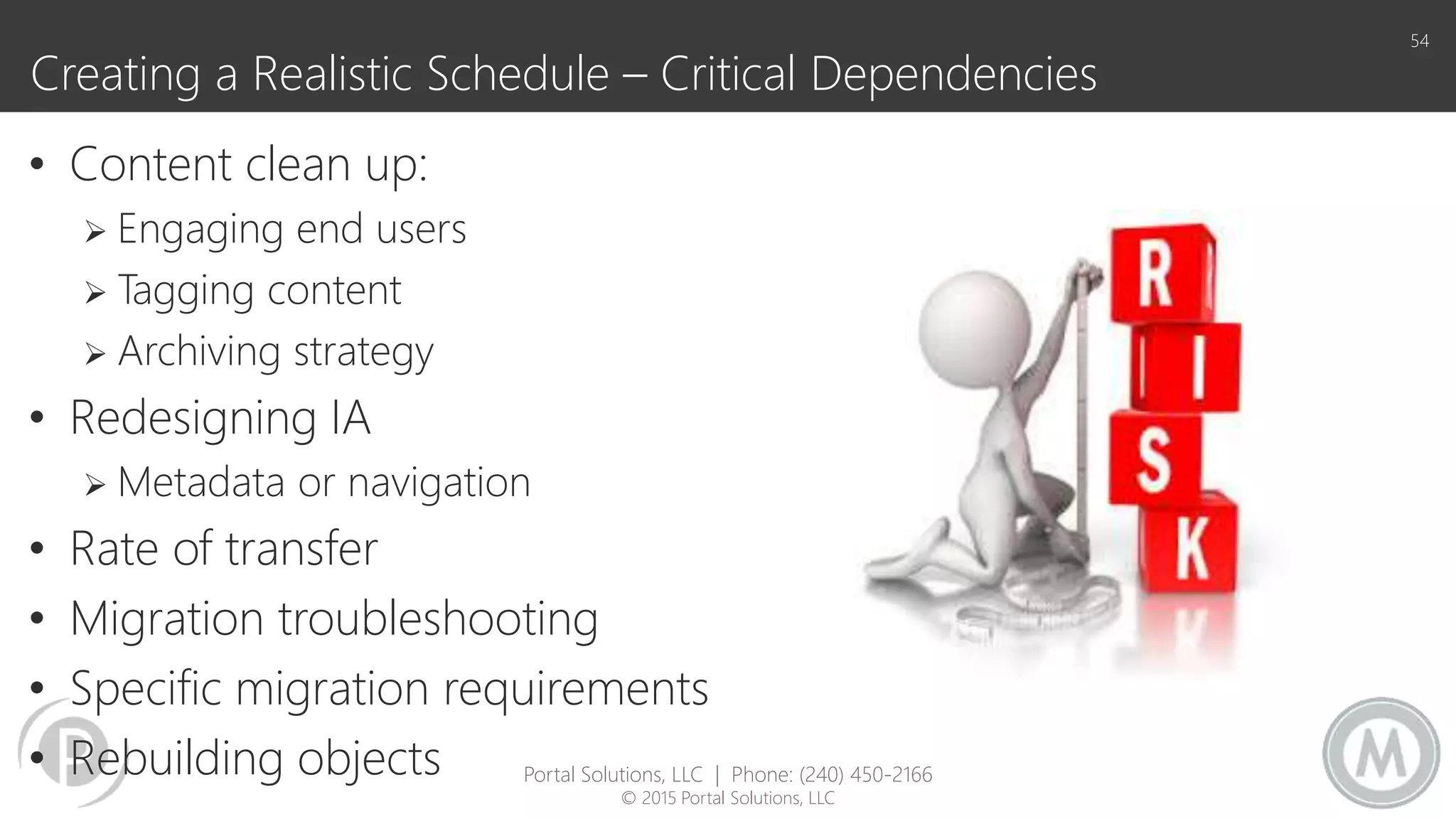
Creating a Realistic Schedule – Critical Dependencies
• Content clean up:
 Engaging end users
 Tagging content
 Archiving strategy
• Redesigning IA
 Metadata or navigation
• Rate of transfer
• Migration troubleshooting
• Specific migration requirements
• Rebuilding objects
54
Portal Solutions, LLC | Phone: (240) 450-2166
© 2015 Portal Solutions, LLC
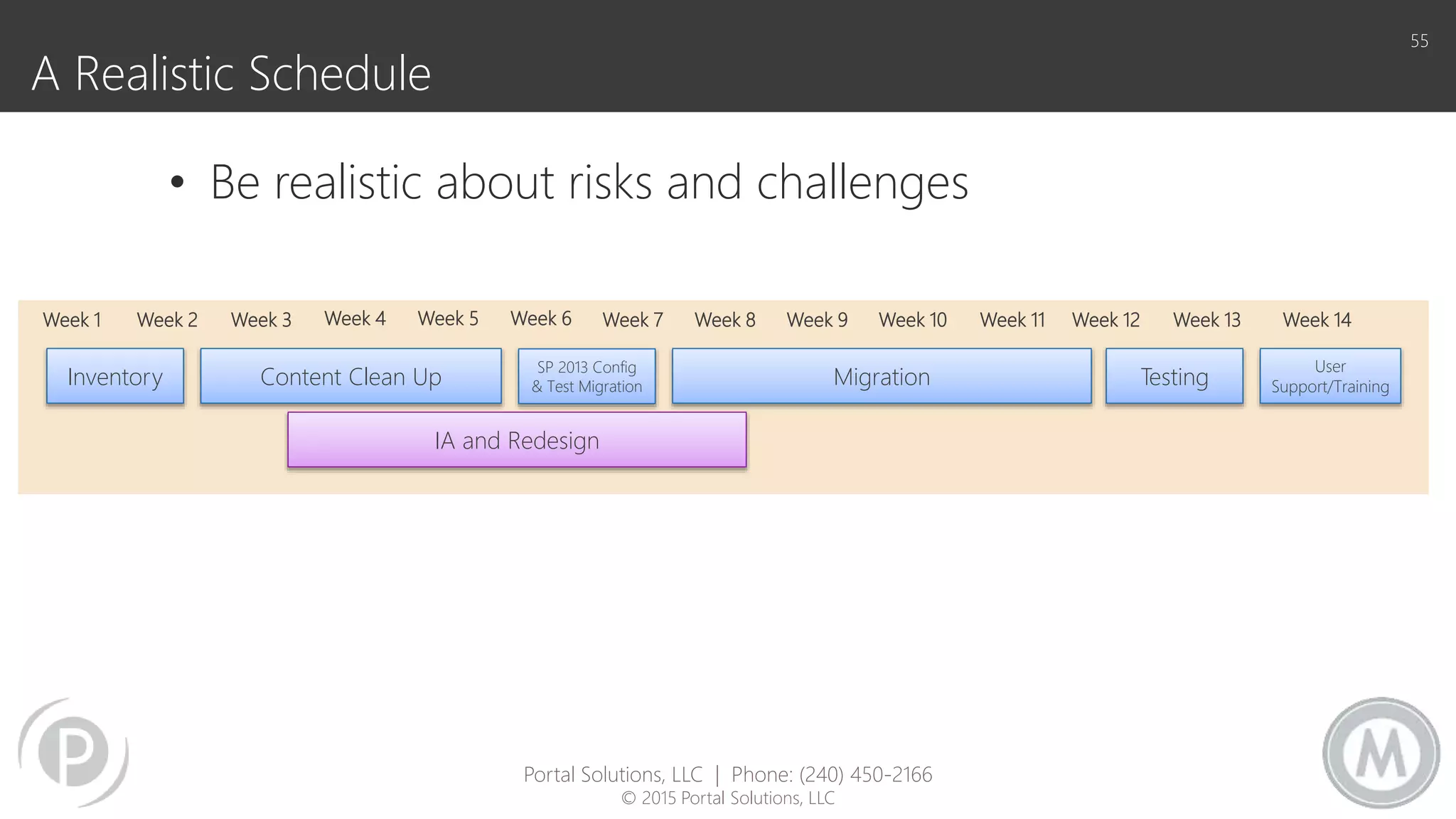
A Realistic Schedule
55
• Be realistic about risks and challenges
Inventory Content Clean Up
SP 2013 Config
& Test Migration Migration
IA and Redesign
Testing
User
Support/Training
Week 1 Week 2 Week 3 Week 4 Week 5 Week 6 Week 7 Week 8 Week 9 Week 10 Week 11 Week 12 Week 13 Week 14
Portal Solutions, LLC | Phone: (240) 450-2166
© 2015 Portal Solutions, LLC
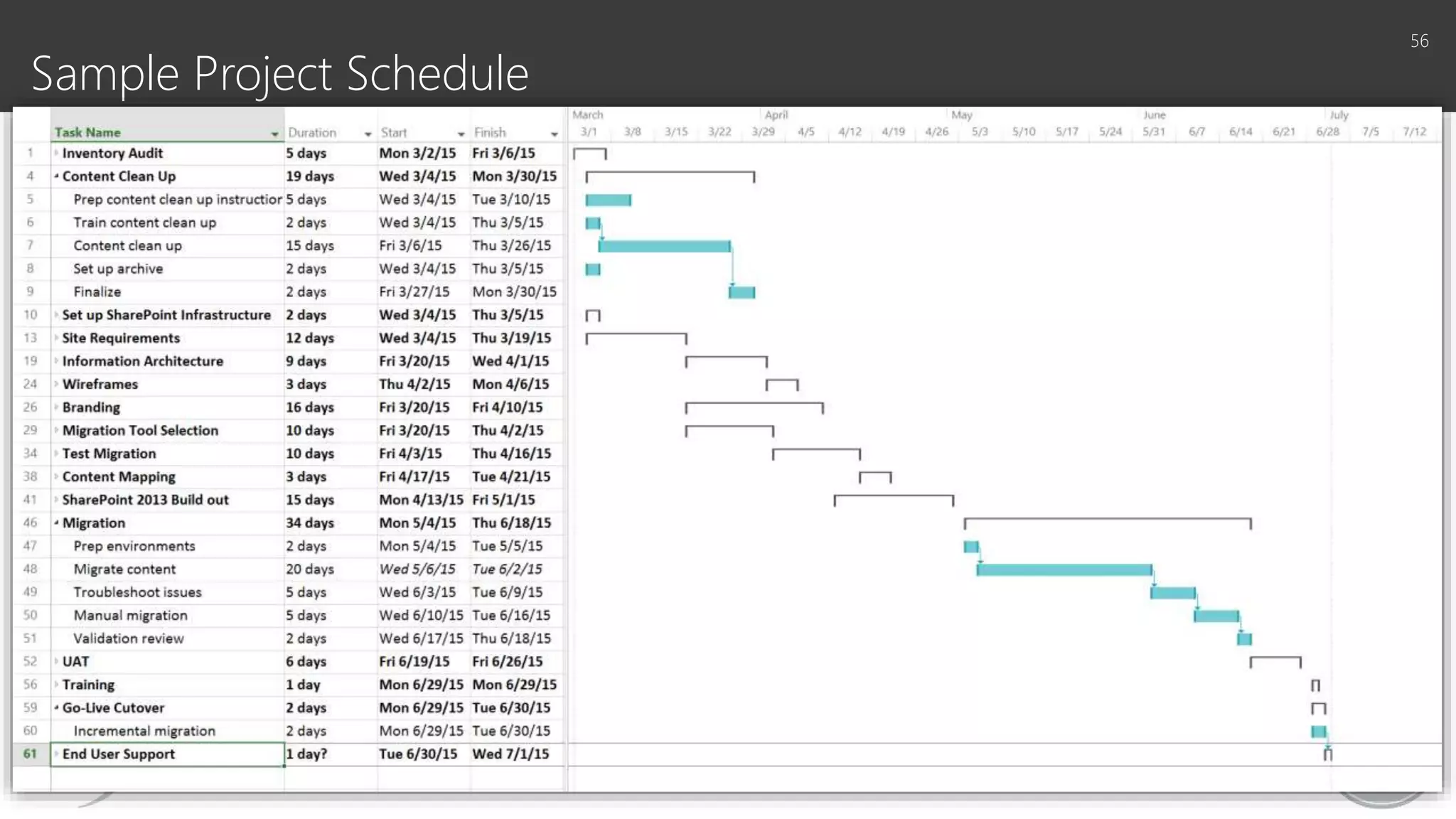
Sample Project Schedule
56
Time for everyone to benefit
57
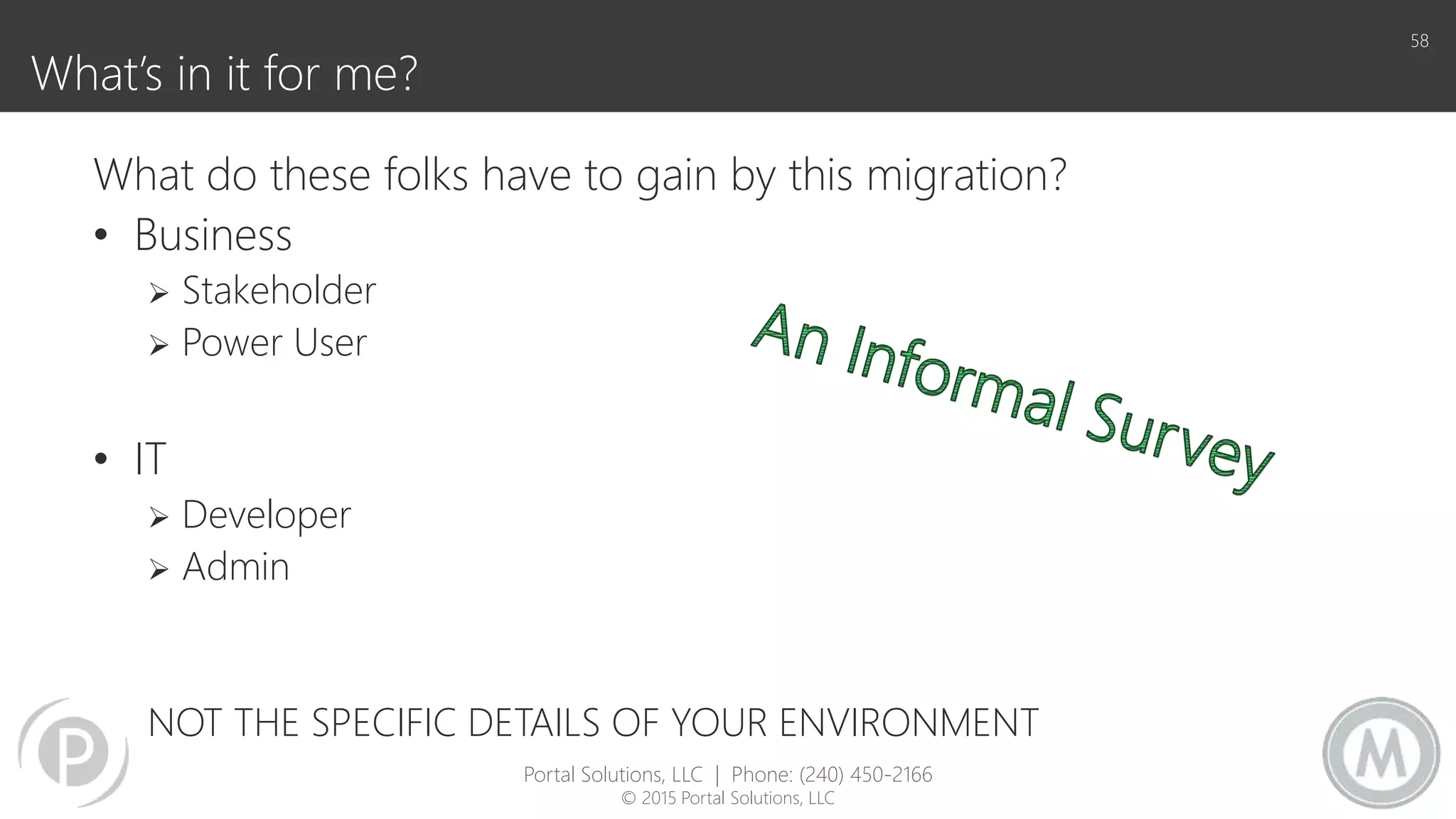
What’s in it for me?
58
What do these folks have to gain by this migration?
• Business
 Stakeholder
 Power User
• IT
 Developer
 Admin
NOT THE SPECIFIC DETAILS OF YOUR ENVIRONMENT
Portal Solutions, LLC | Phone: (240) 450-2166
© 2015 Portal Solutions, LLC
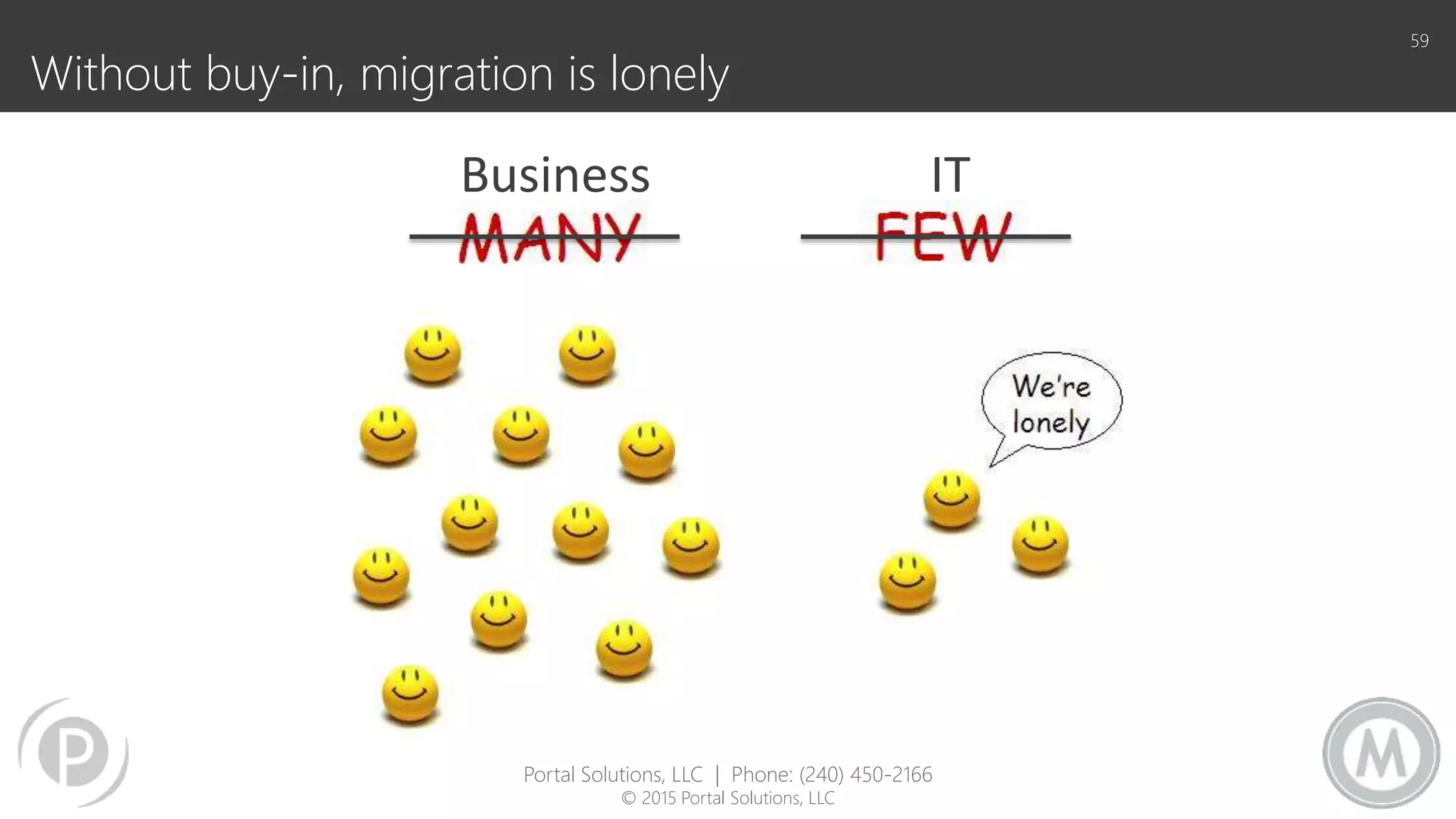
Without buy-in, migration is lonely
59
Business IT
Portal Solutions, LLC | Phone: (240) 450-2166
© 2015 Portal Solutions, LLC
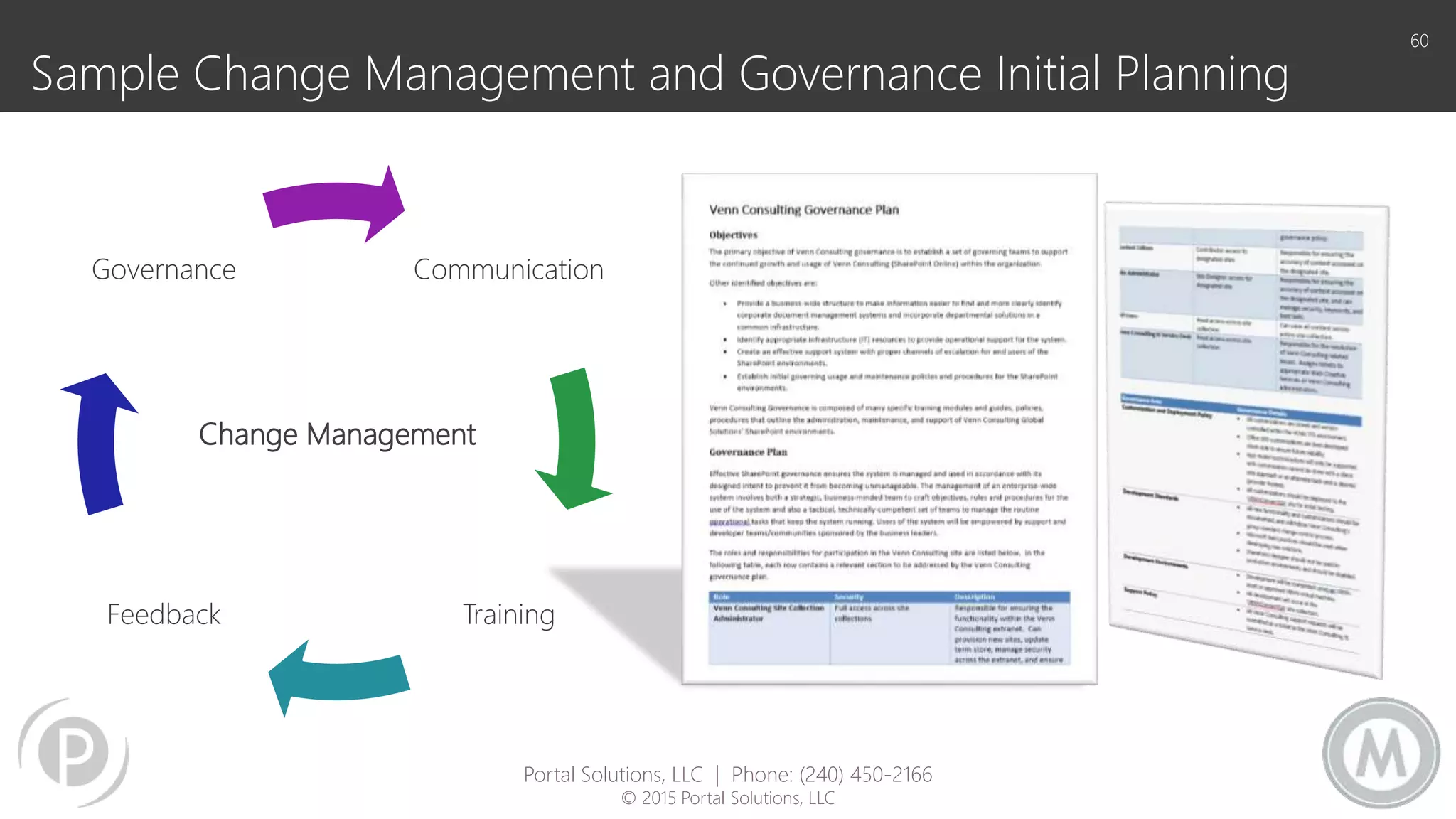
Sample Change Management and Governance Initial Planning
60
Communication
TrainingFeedback
Governance
Change Management
Portal Solutions, LLC | Phone: (240) 450-2166
© 2015 Portal Solutions, LLC
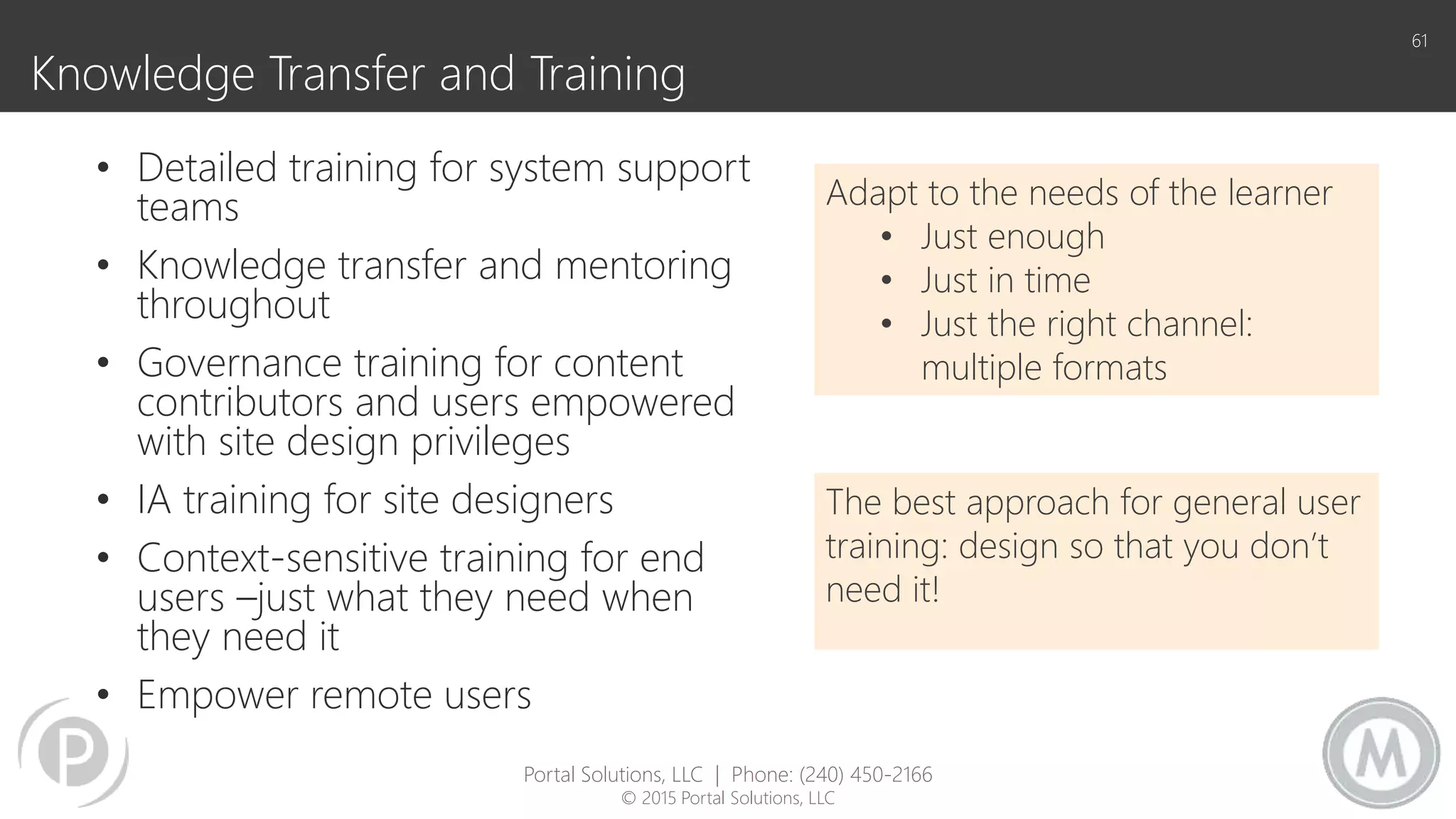
Knowledge Transfer and Training
• Detailed training for system support
teams
• Knowledge transfer and mentoring
throughout
• Governance training for content
contributors and users empowered
with site design privileges
• IA training for site designers
• Context-sensitive training for end
users –just what they need when
they need it
• Empower remote users
61
Adapt to the needs of the learner
• Just enough
• Just in time
• Just the right channel:
multiple formats
The best approach for general user
training: design so that you don’t
need it!
Portal Solutions, LLC | Phone: (240) 450-2166
© 2015 Portal Solutions, LLC
62
Govern
To steer or pilot a ship, direct
- Greek
• Resolve Ambiguity
• Communicate Short and/or Long Range Goals
• Mitigate Conflict
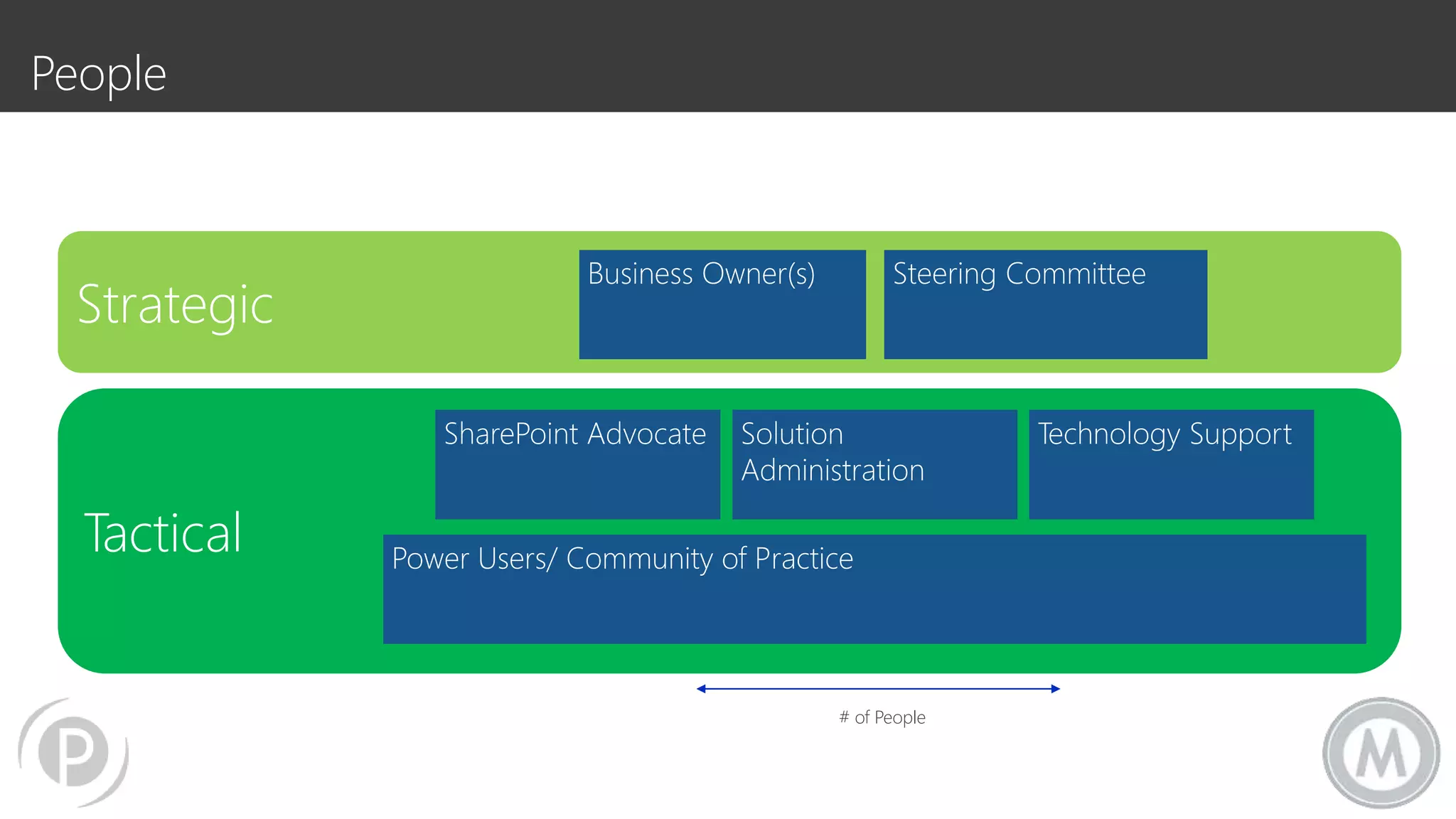
Tactical
Strategic
Business Owner(s) Steering Committee
Solution
Administration
Technology SupportSharePoint Advocate
Power Users/ Community of Practice
# of People
People
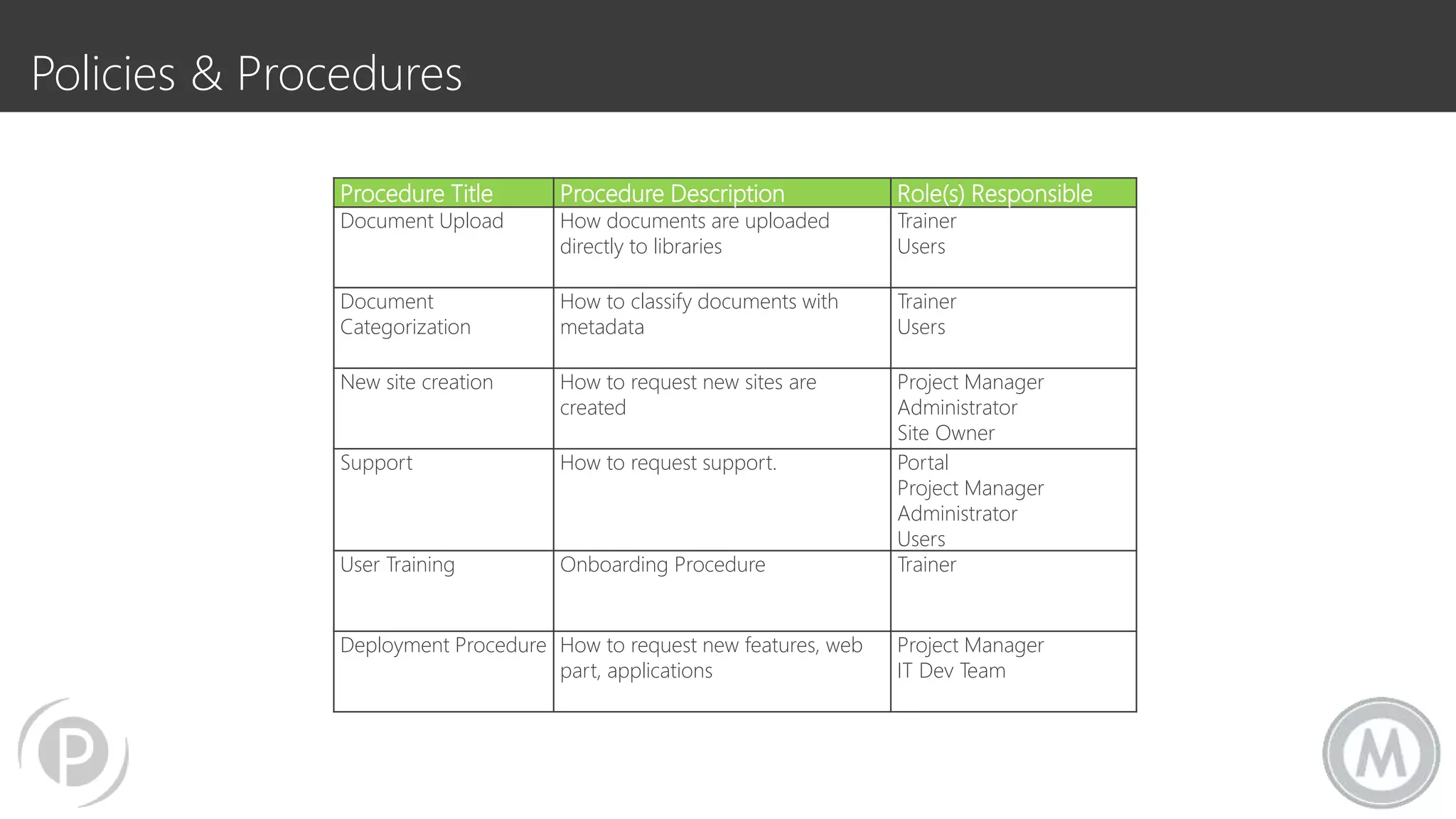
Procedure Title Procedure Description Role(s) Responsible
Document Upload How documents are uploaded
directly to libraries
Trainer
Users
Document
Categorization
How to classify documents with
metadata
Trainer
Users
New site creation How to request new sites are
created
Project Manager
Administrator
Site Owner
Support How to request support. Portal
Project Manager
Administrator
Users
User Training Onboarding Procedure Trainer
Deployment Procedure How to request new features, web
part, applications
Project Manager
IT Dev Team
Policies & Procedures
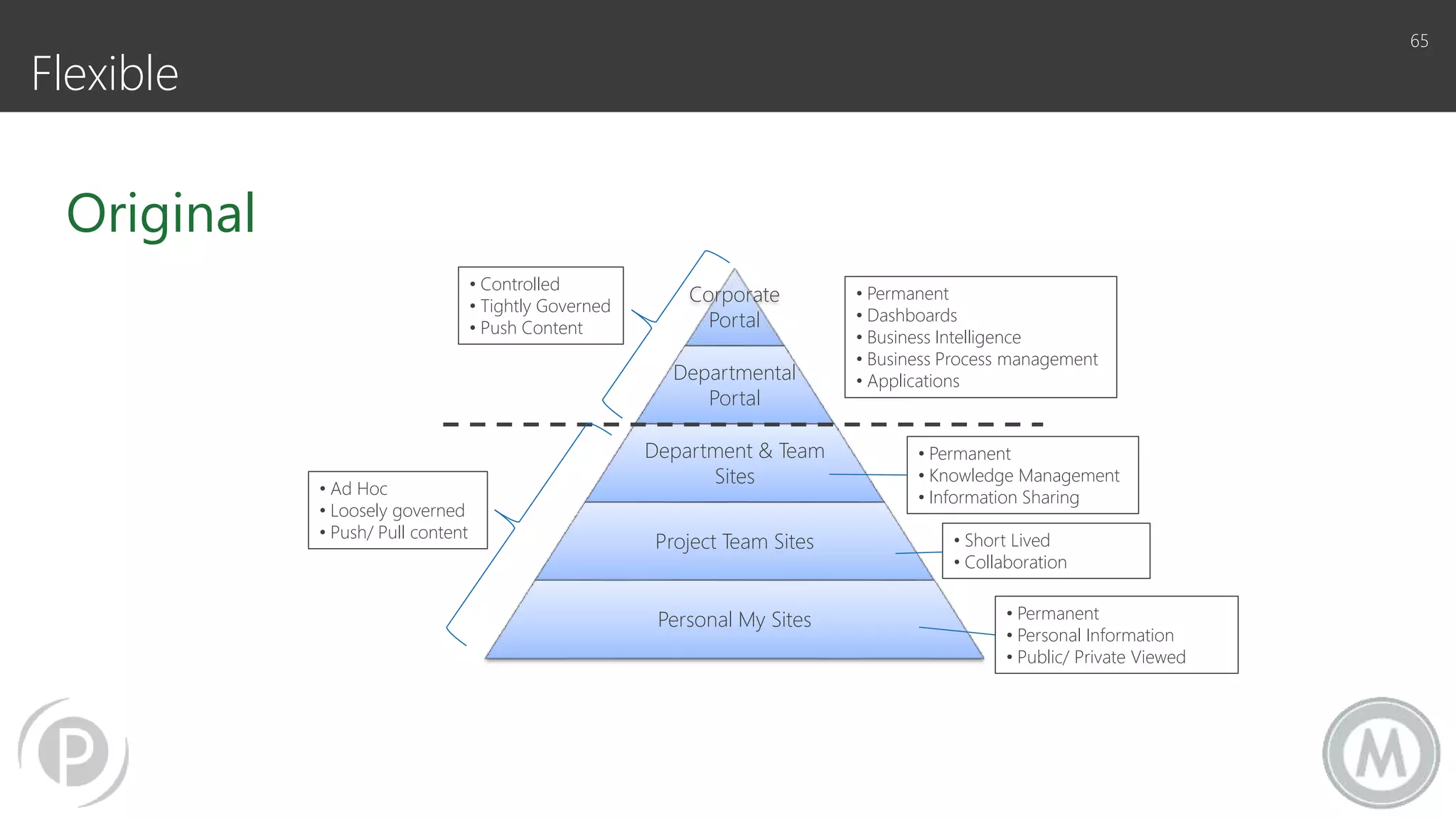
Flexible
65
Original
Corporate
Portal
Departmental
Portal
Department & Team
Sites
Project Team Sites
Personal My Sites
• Controlled
• Tightly Governed
• Push Content
• Ad Hoc
• Loosely governed
• Push/ Pull content
• Permanent
• Dashboards
• Business Intelligence
• Business Process management
• Applications
• Permanent
• Knowledge Management
• Information Sharing
• Short Lived
• Collaboration
• Permanent
• Personal Information
• Public/ Private Viewed
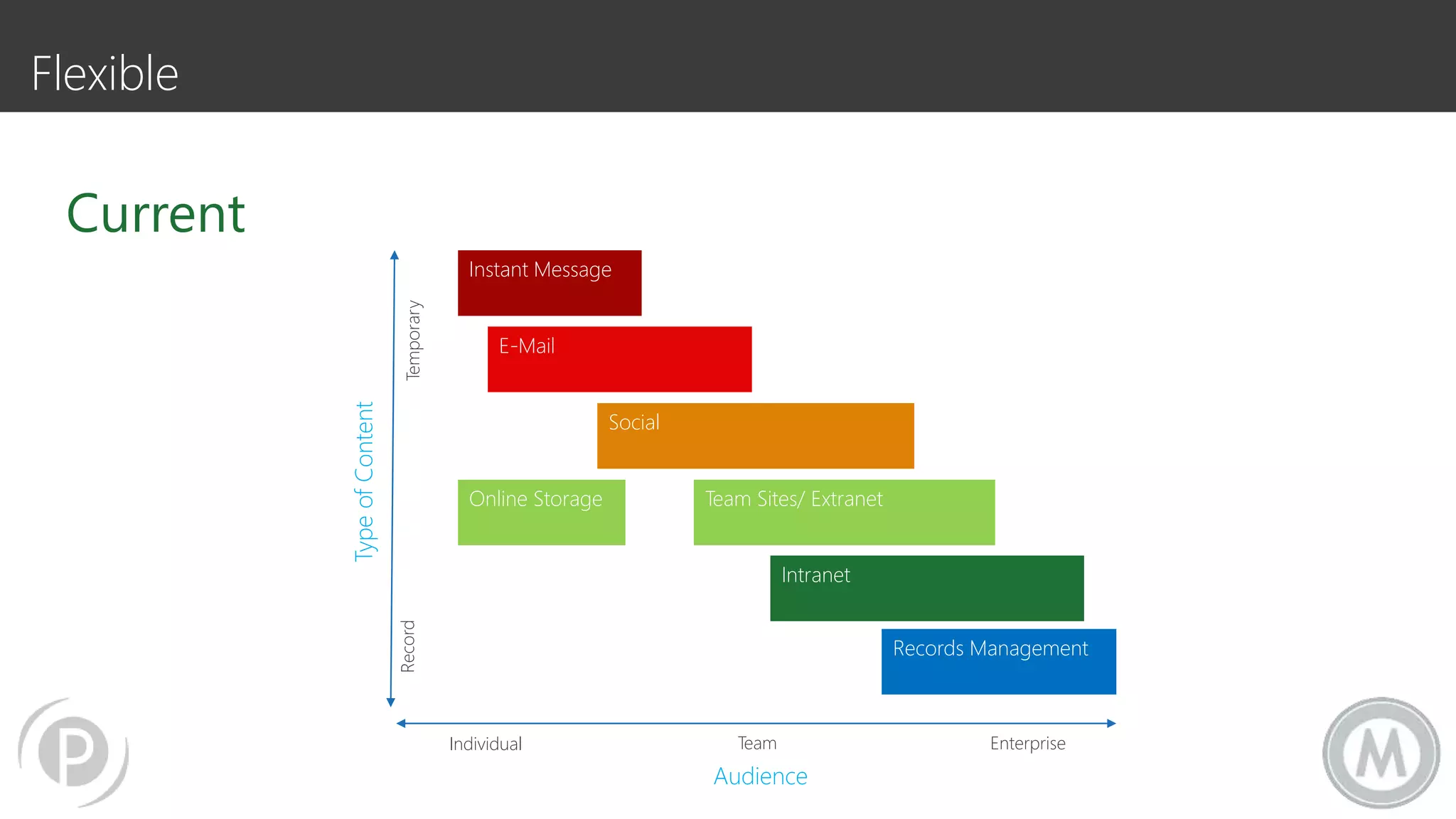
Flexible
RecordTemporary
TypeofContent
Instant Message
E-Mail
Social
Team Sites/ ExtranetOnline Storage
Intranet
Records Management
Individual Team Enterprise
Audience
Current
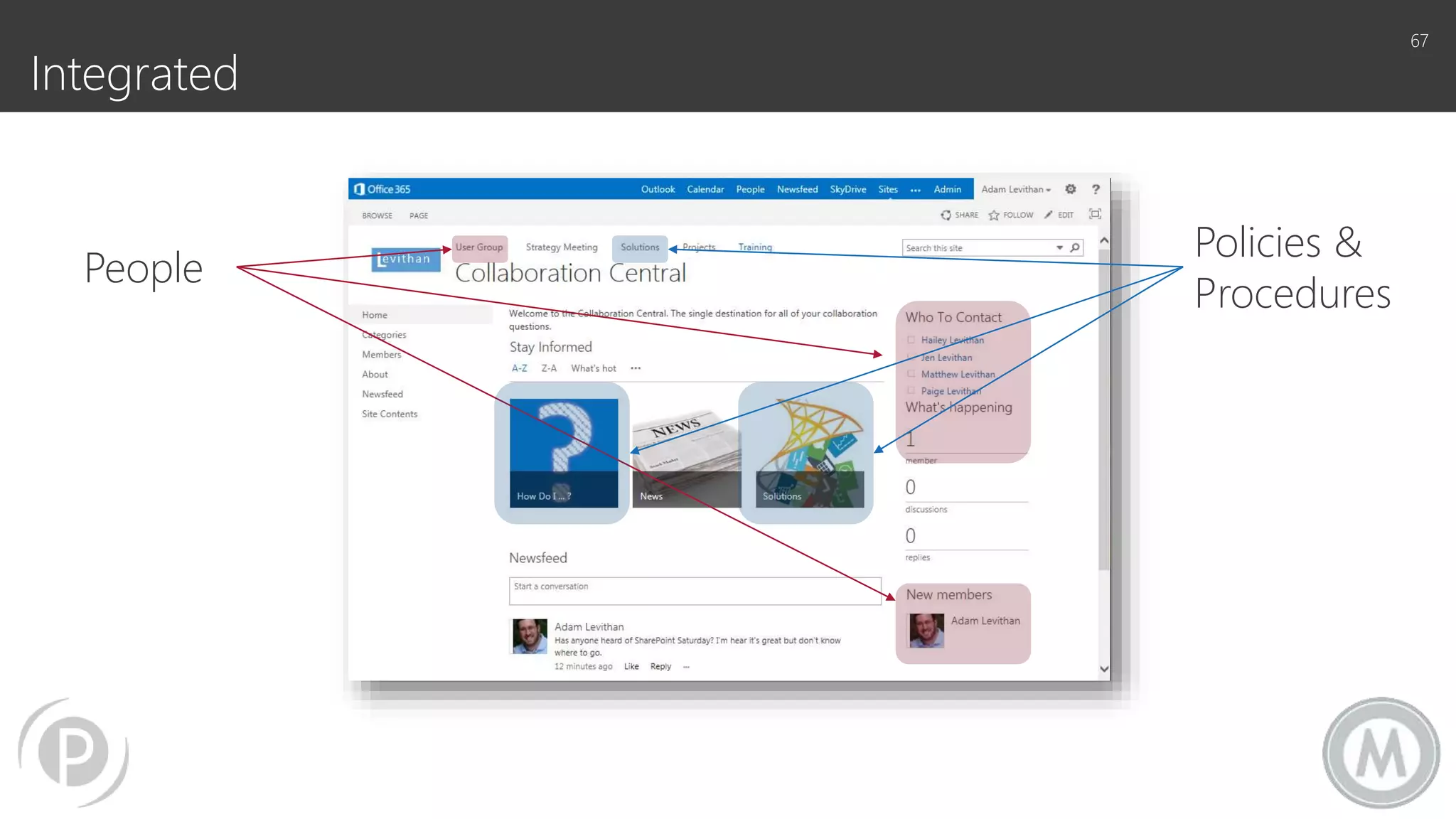
Integrated
67
People
Policies &
Procedures
TAKE ADVANTAGE OF
YOU’RE EFFORT
68
69
“A survey of corporate CIOs and general counsels
found that, typically, 69% of the data most
organizations keep, can – and should – be deleted.”
-Compliance, Governance and Oversight Counsel (CGOC) Summit
Take the opportunity to
• Clean up the content in the system
• Introduce an improved look and feel
• A more intuitive navigation
• A more robust search
• Create site personalization
• Address current solutions:
 Infopath end of life
 Connectivity to other data systems
 Content publishing process
70
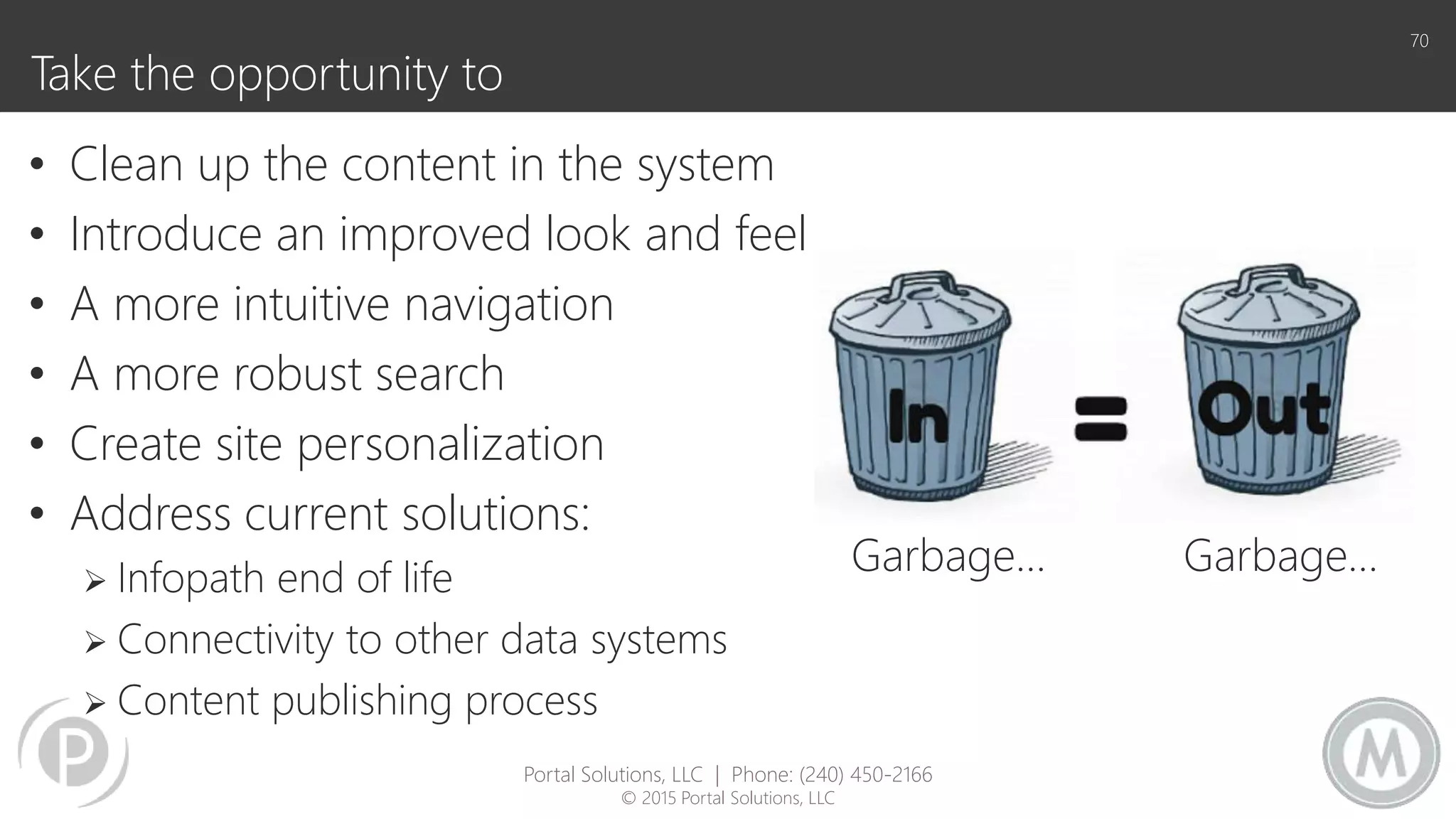
Garbage… Garbage…
Portal Solutions, LLC | Phone: (240) 450-2166
© 2015 Portal Solutions, LLC
Content Cleanup
• Three general approaches
 Create rule-based cleansing
 Engage business users/content owners for subjective analysis
 Combination of both
• ROT Analysis:
 Redundant
 Outdated
 Trivial
• Options:
 Migrate
 Migrate and Update
 Archive
 Delete
71
Beware:
The time it takes to perform this step is
almost always underestimated. Add
time to your original estimate.
Portal Solutions, LLC | Phone: (240) 450-2166
© 2015 Portal Solutions, LLC
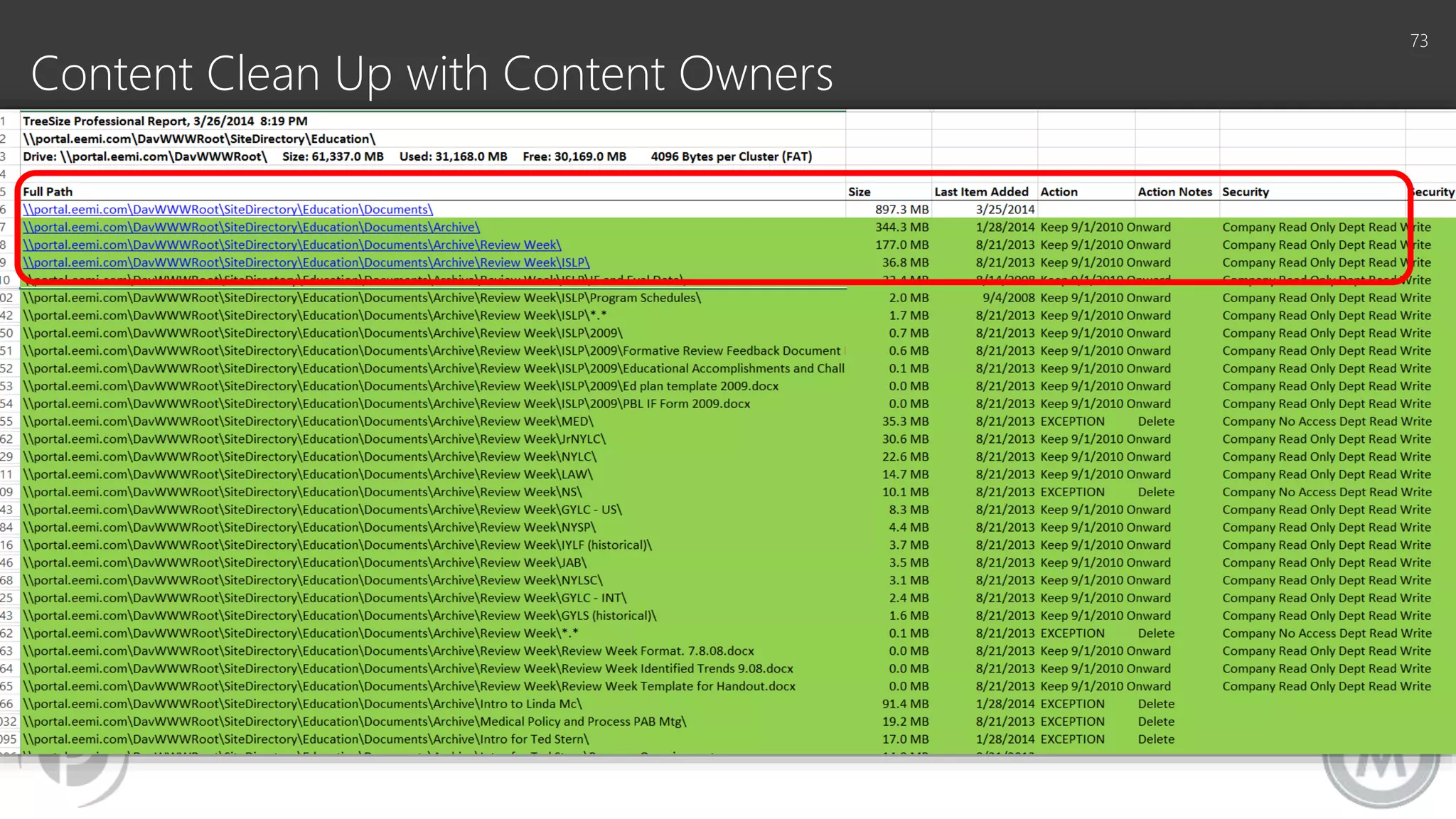
Content Clean Up with Content Owners
• Involve content owners in content
clean decisions
• Can be done a couple of ways:
 Walk through of content on the site
 Provide worksheets to make decisions
 Have them actually delete content or
sites
• Leverage last modified dates and the
size of a library/list to assist in
guidance
72
Remember - The clean up
exercise is intended to provide
benefits!
• Ensure valuable content is migrated
• Help reduce noise in the search index
• Minimize risk in reducing the overall
amount of content to migrate
• Reduce risk in removing content that
could be a liability to the company
Portal Solutions, LLC | Phone: (240) 450-2166
© 2015 Portal Solutions, LLC
Content Clean Up with Content Owners
73
Archive Strategies
• What are your options:
 Leave it in older SharePoint
 Move it from SharePoint to a file share
 Migrate to new SharePoint to an archive site collection
• If content continues to exist…keep it in READ ONLY mode.
• Consider deletion policies as part of records retention
 What should be kept for compliance?
 Is it a risk if the file is kept?
74
Portal Solutions, LLC | Phone: (240) 450-2166
© 2015 Portal Solutions, LLC
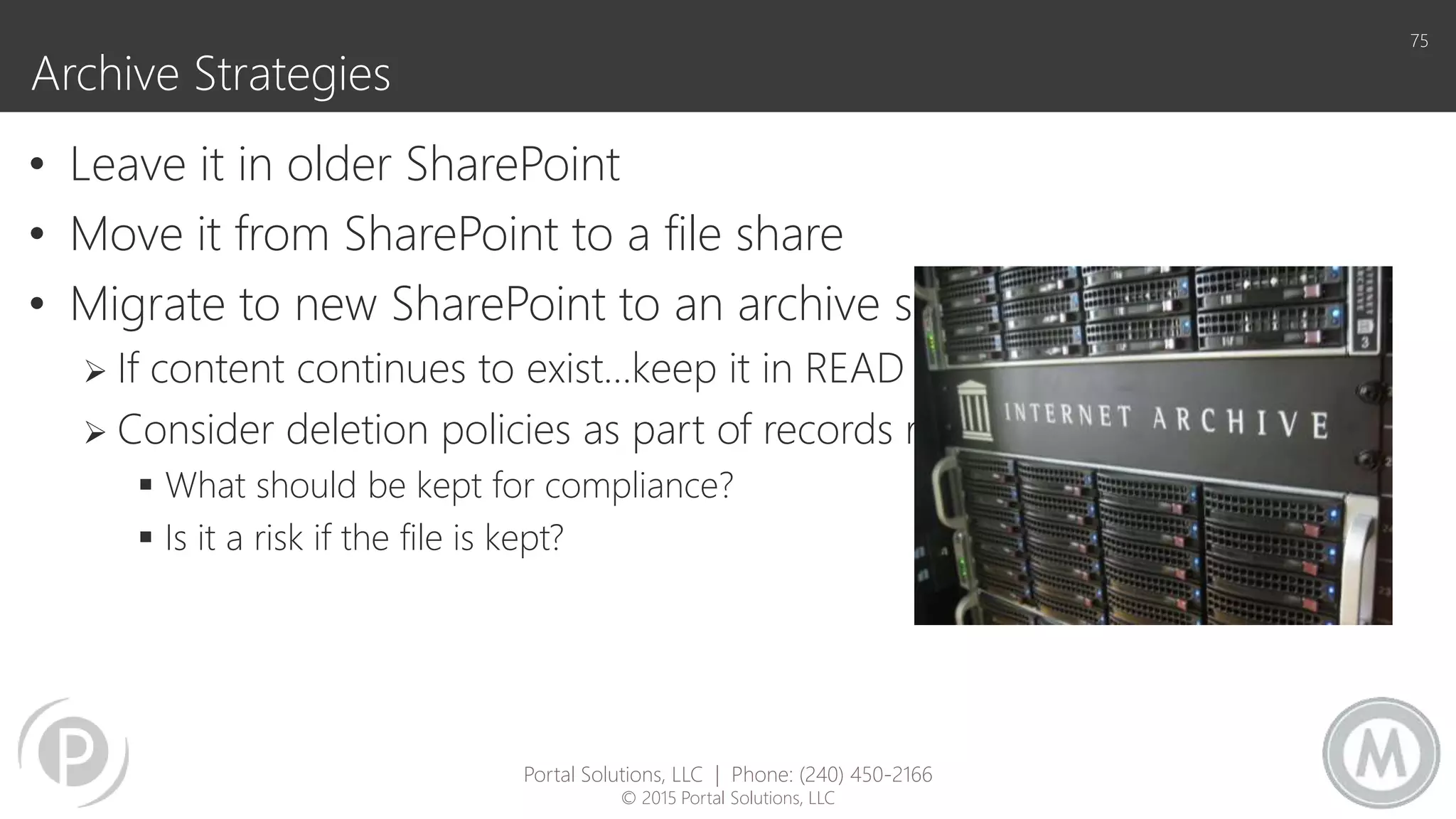
Archive Strategies
• Leave it in older SharePoint
• Move it from SharePoint to a file share
• Migrate to new SharePoint to an archive site collection
 If content continues to exist…keep it in READ ONLY mode.
 Consider deletion policies as part of records retention
 What should be kept for compliance?
 Is it a risk if the file is kept?
75
Portal Solutions, LLC | Phone: (240) 450-2166
© 2015 Portal Solutions, LLC
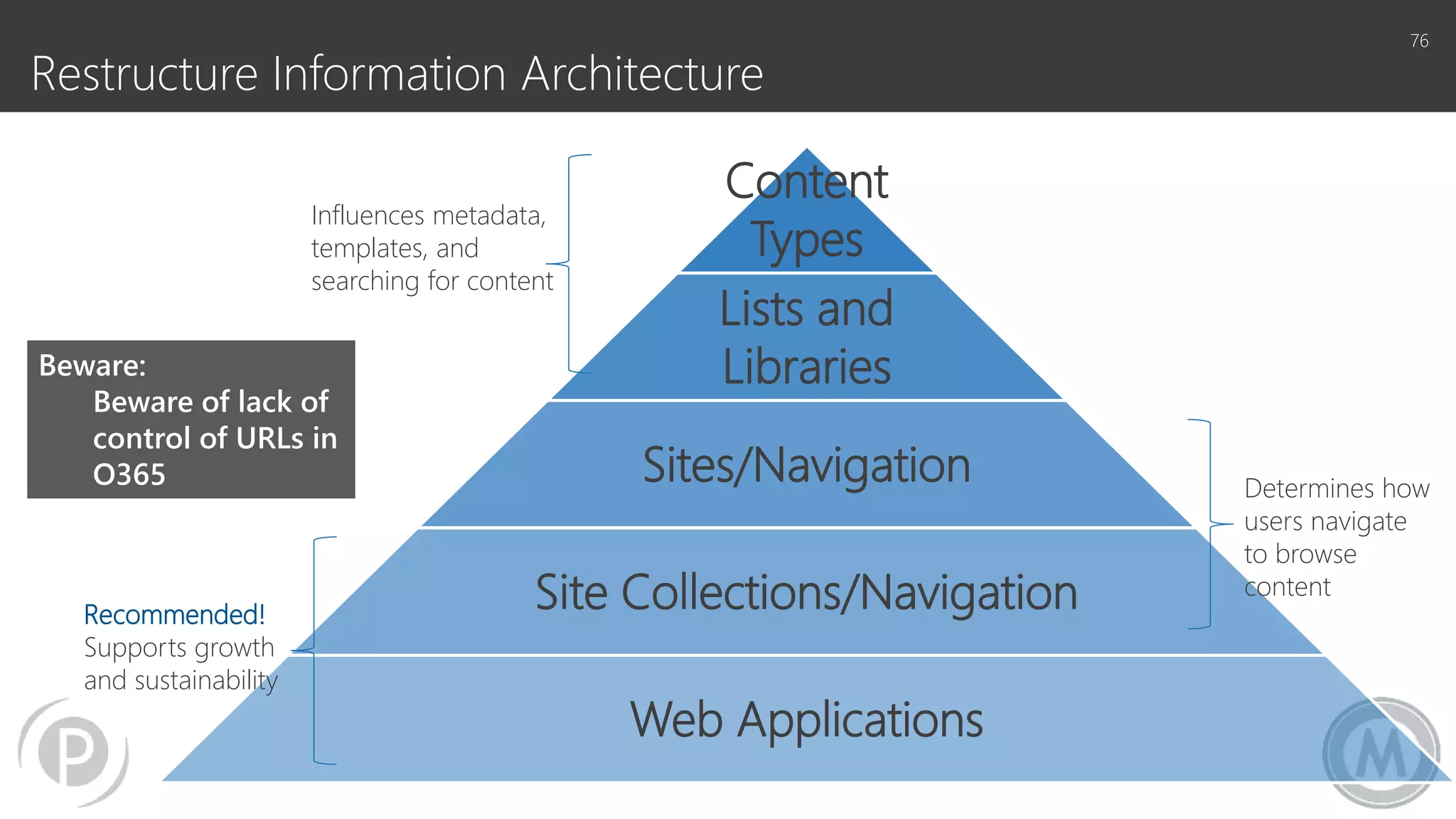
Restructure Information Architecture
76
Content
Types
Lists and
Libraries
Sites/Navigation
Site Collections/Navigation
Web Applications
Recommended!
Supports growth
and sustainability
Determines how
users navigate
to browse
content
Influences metadata,
templates, and
searching for content
Beware:
Beware of lack of
control of URLs in
O365
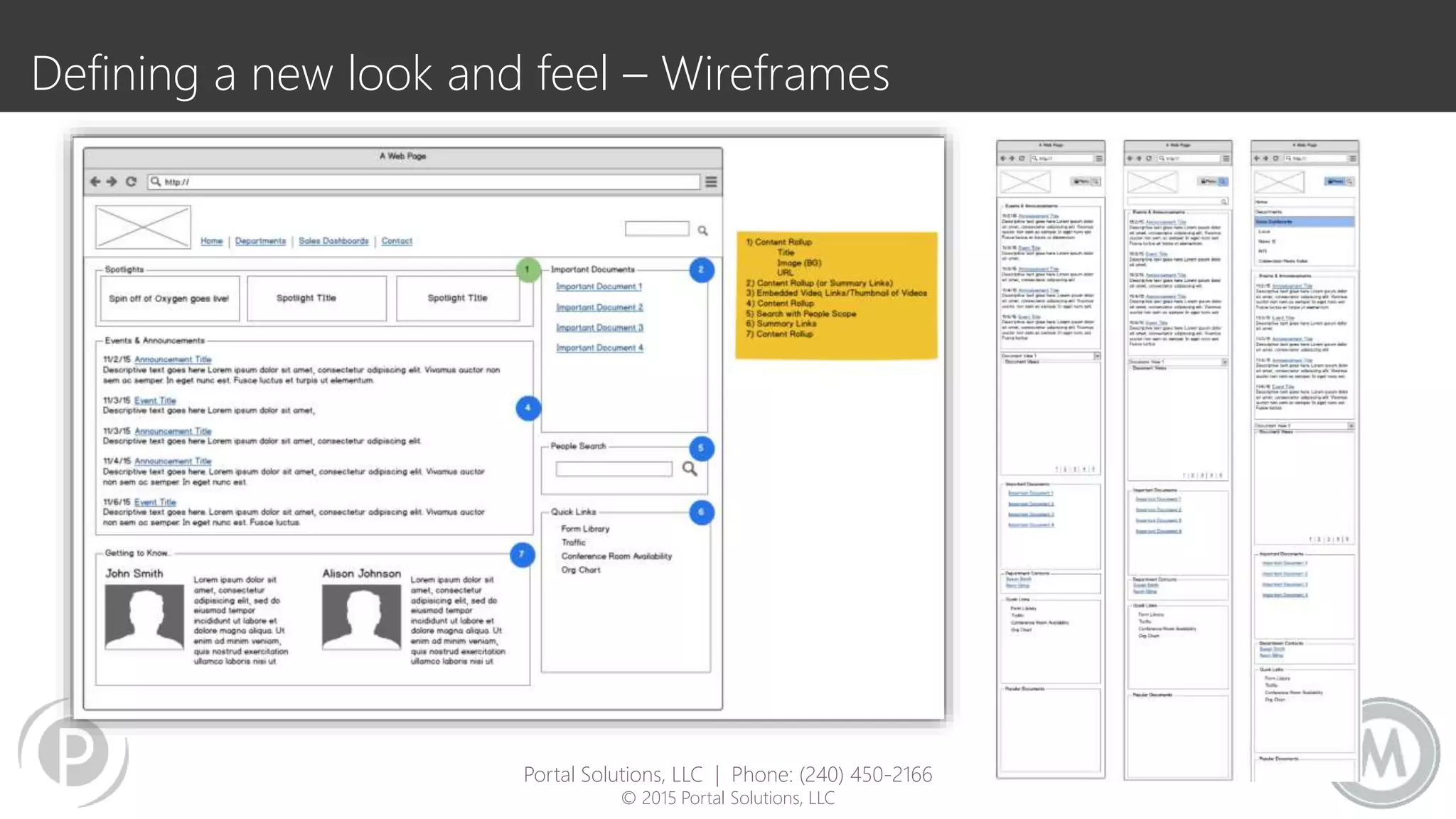
Defining a new look and feel – Wireframes
Portal Solutions, LLC | Phone: (240) 450-2166
© 2015 Portal Solutions, LLC
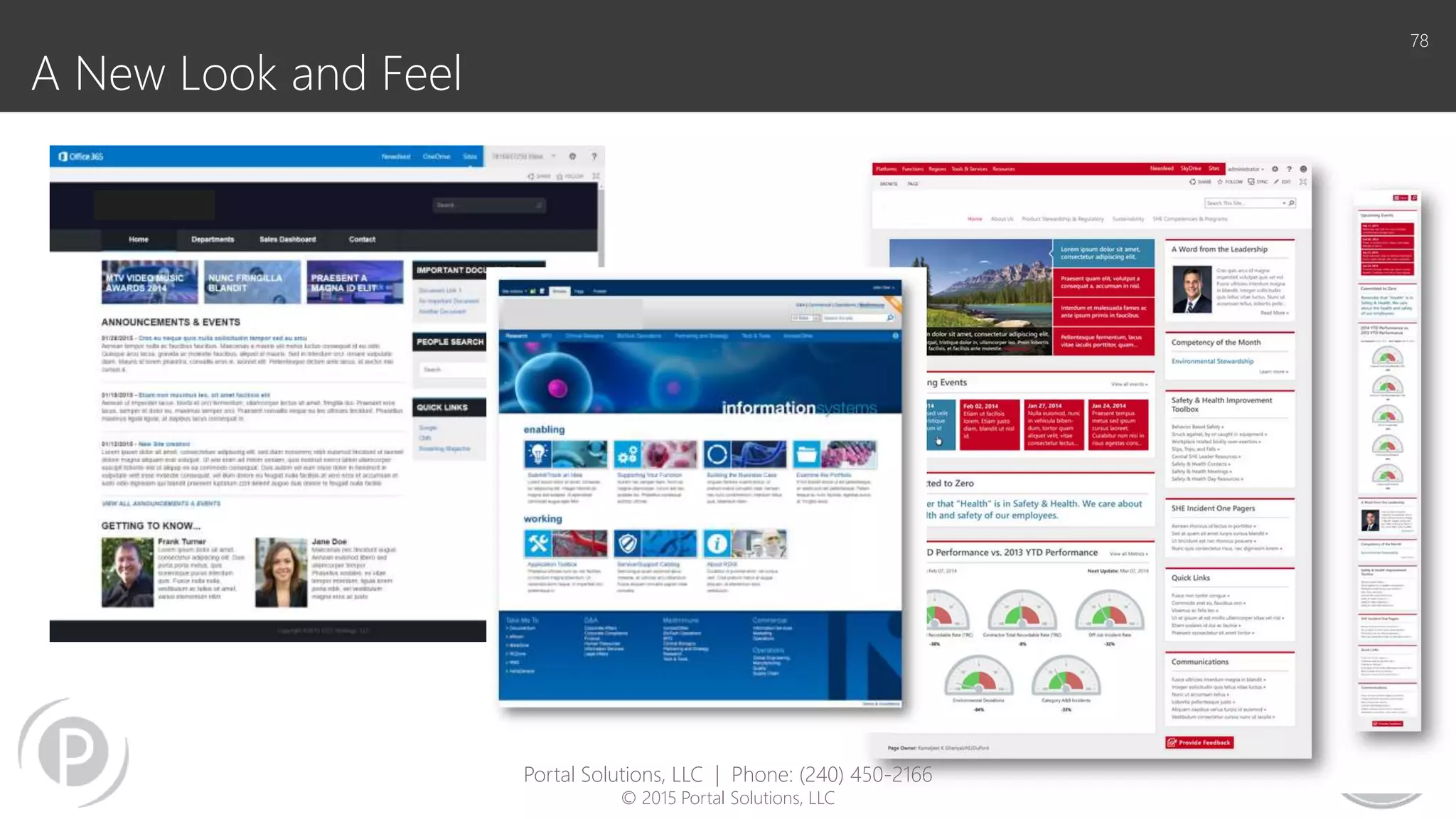
A New Look and Feel
78
Portal Solutions, LLC | Phone: (240) 450-2166
© 2015 Portal Solutions, LLC
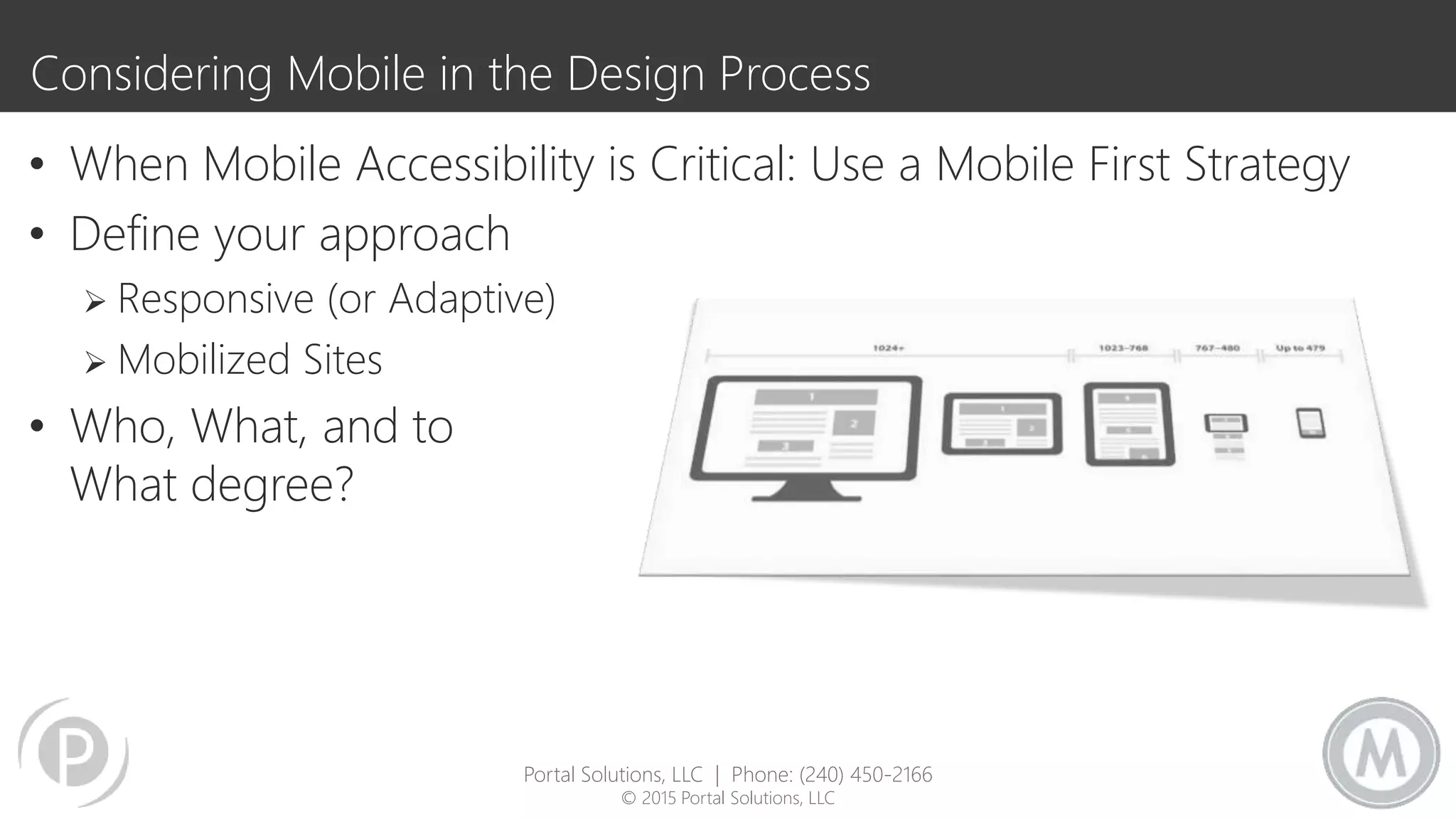
Considering Mobile in the Design Process
• When Mobile Accessibility is Critical: Use a Mobile First Strategy
• Define your approach
 Responsive (or Adaptive)
 Mobilized Sites
• Who, What, and to
What degree?
Portal Solutions, LLC | Phone: (240) 450-2166
© 2015 Portal Solutions, LLC
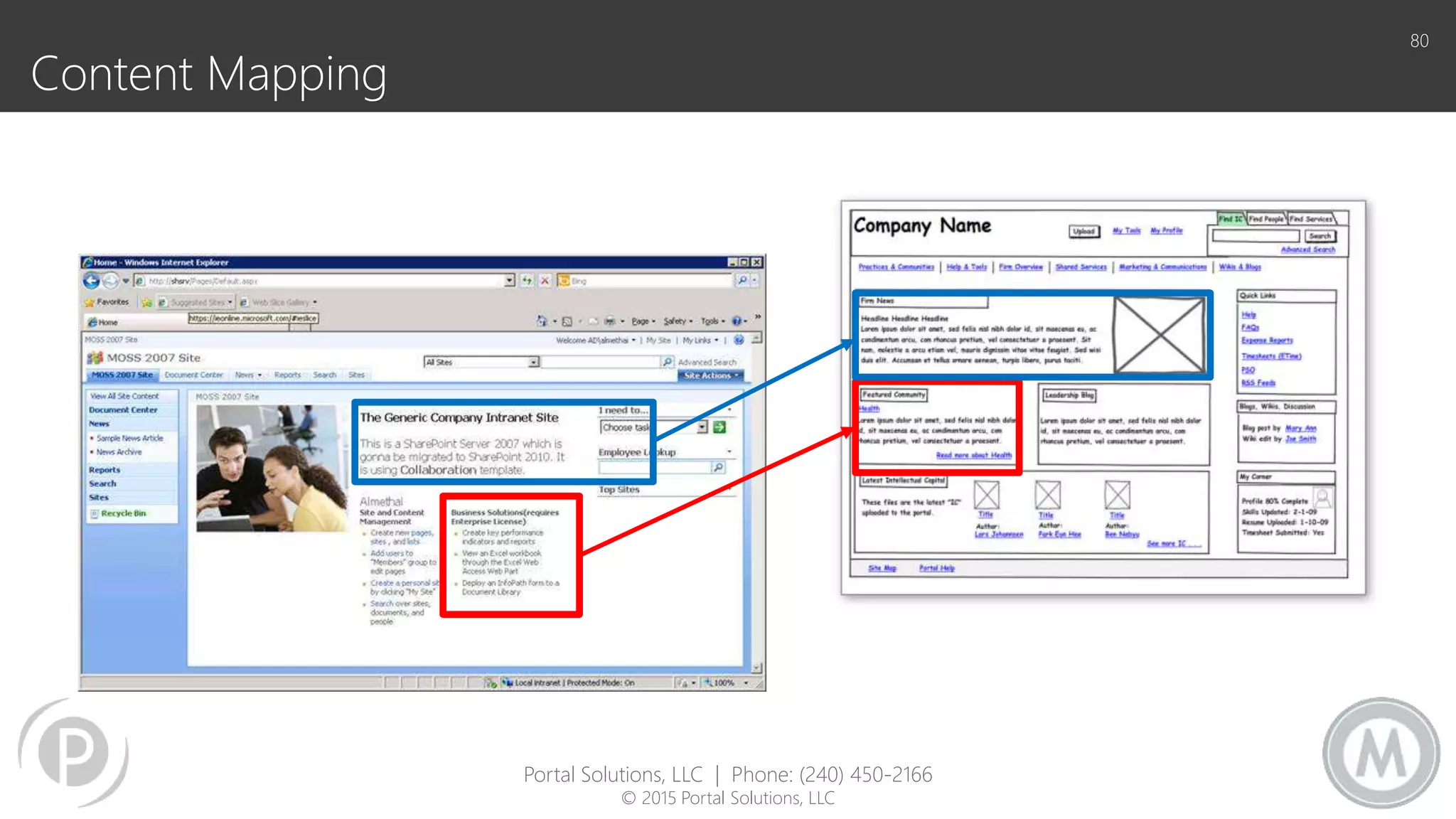
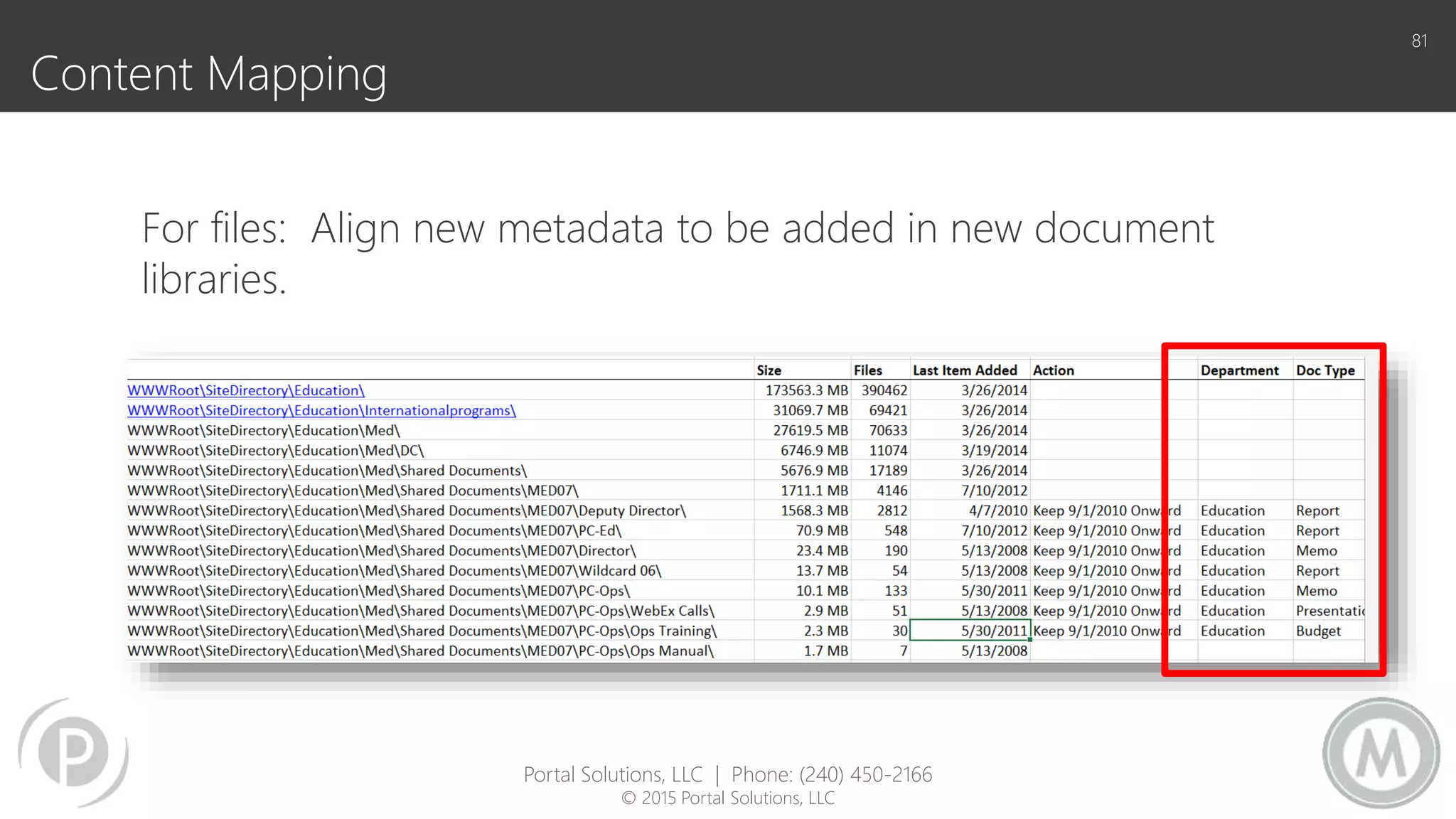
Content Mapping
80
Portal Solutions, LLC | Phone: (240) 450-2166
© 2015 Portal Solutions, LLC
Content Mapping
81
For files: Align new metadata to be added in new document
libraries.
Portal Solutions, LLC | Phone: (240) 450-2166
© 2015 Portal Solutions, LLC
QUESTIONS
THANK YOU
@jhcherryblossom – jhannemann@portalsolutions.net
@collabadam – alevithan@metalogix.com
Additional Resource: White Paper
Leave your business card with Jill and
we’ll email you a complimentary copy of
7 Office 365 Migration Best Practices.
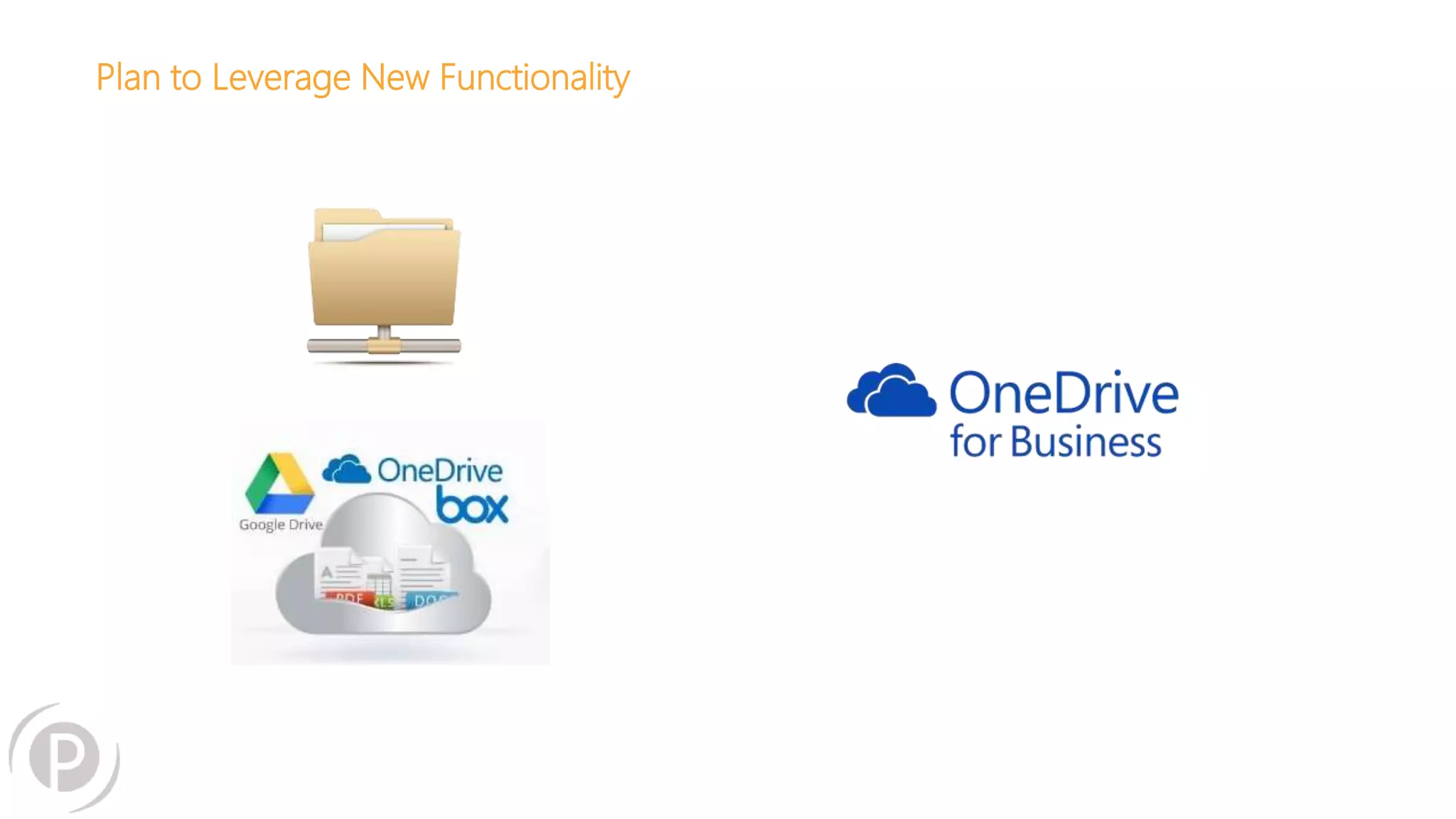
Plan to Leverage New Functionality
Your Files to Office 365. Simple. Fast.
Migrate Cloud Files to SharePoint Online & OneDrive for Business
http://www.metalogix.com/Products/Drive2Office365.aspx
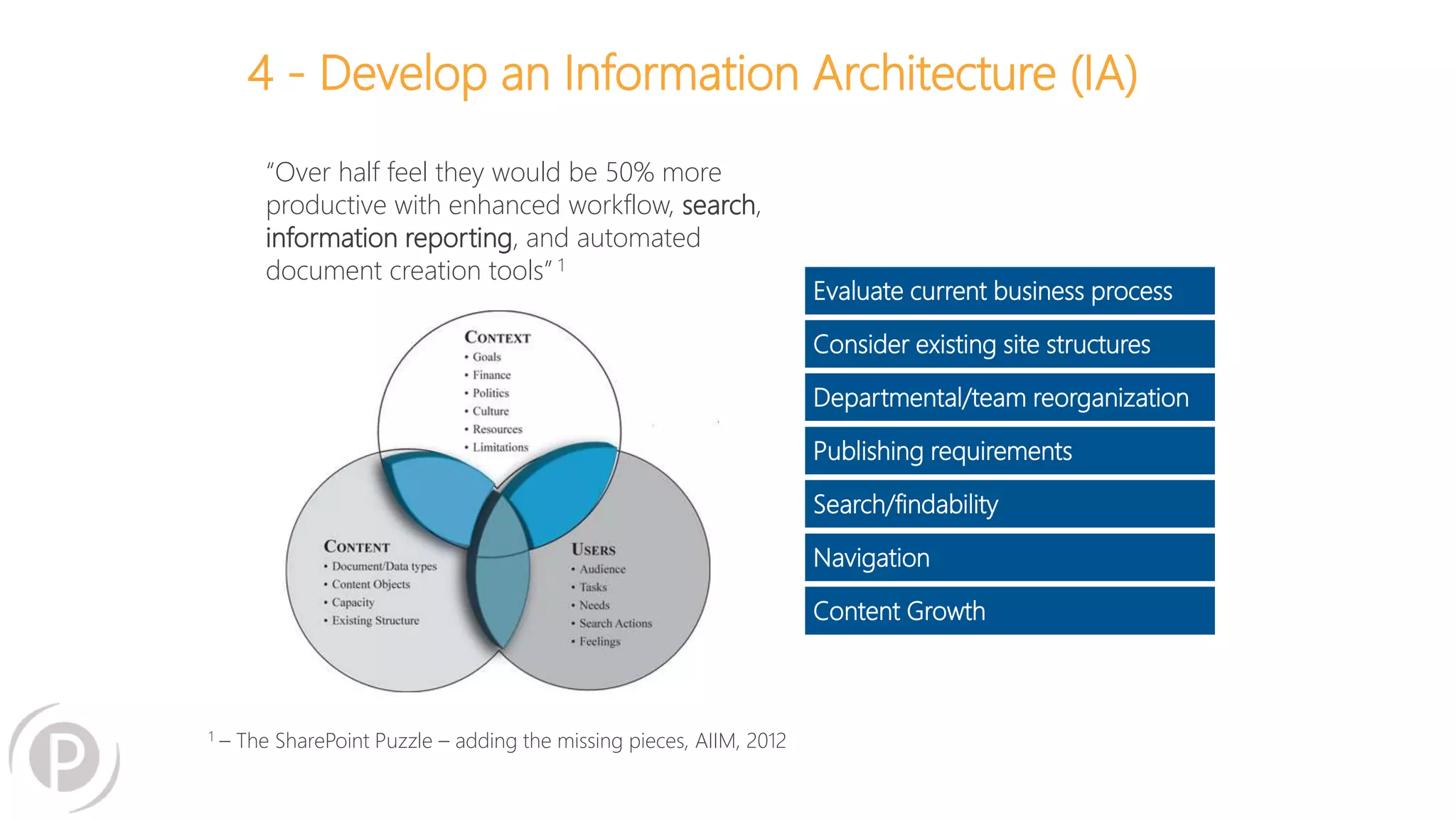
4 - Develop an Information Architecture (IA)
Evaluate current business process
Consider existing site structures
Departmental/team reorganization
Publishing requirements
Search/findability
Navigation
Content Growth
“Over half feel they would be 50% more
productive with enhanced workflow, search,
information reporting, and automated
document creation tools” 1
1 – The SharePoint Puzzle – adding the missing pieces, AIIM, 2012
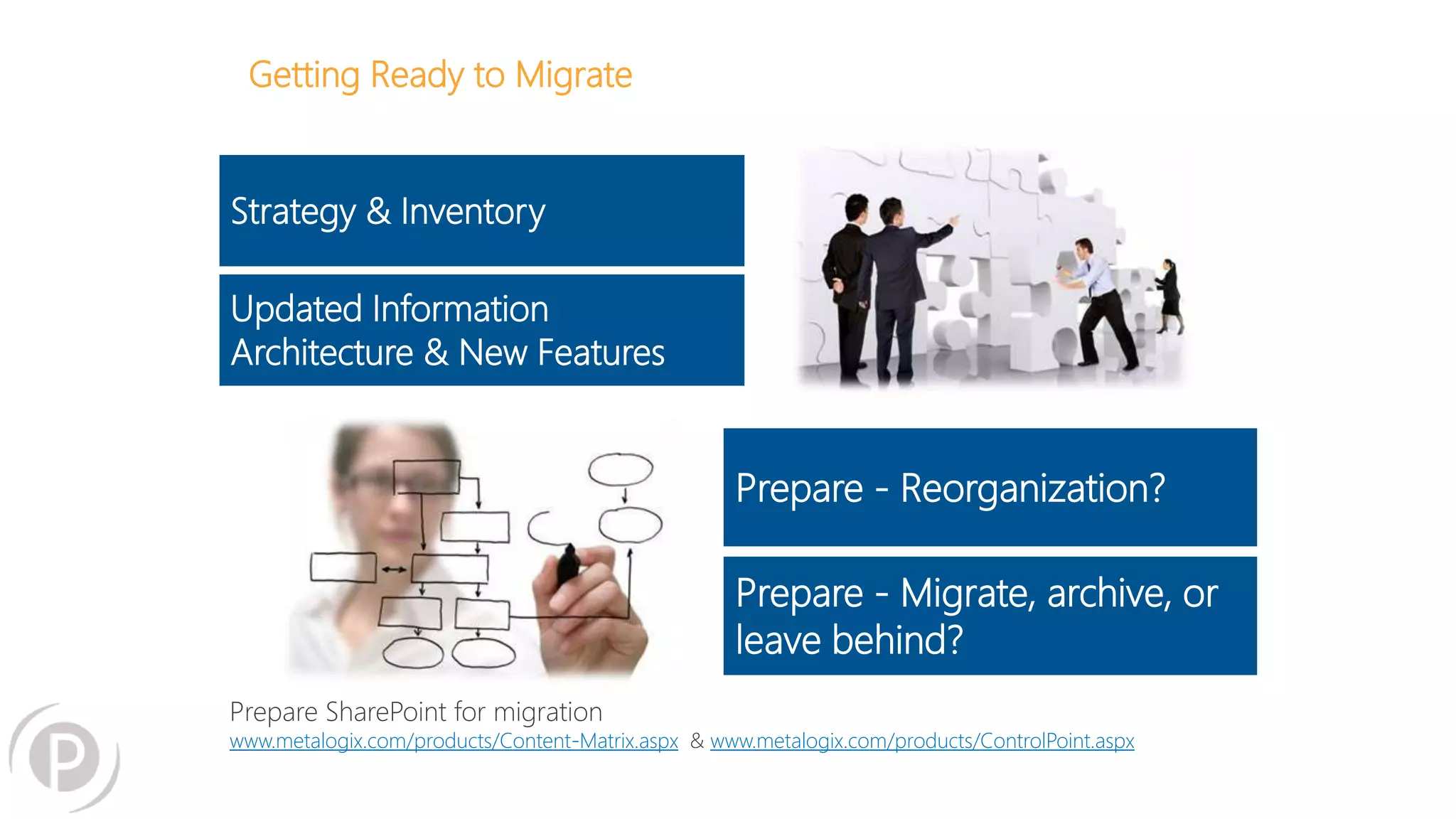
Getting Ready to Migrate
Strategy & Inventory
Updated Information
Architecture & New Features
Prepare - Reorganization?
Prepare - Migrate, archive, or
leave behind?
Prepare SharePoint for migration
www.metalogix.com/products/Content-Matrix.aspx & www.metalogix.com/products/ControlPoint.aspx
5 - Assess Your Migration Options
Upgrade v Migration – In Microsoft Terms
UPGRADE: -The Physical
Transformation of a SharePoint
Content Database from one
Schema Version to the Successive
Updated Schema
MIGRATION: -The Physical Movement
of SharePoint Containers, Data and
Associated Attributes from one
SharePoint Farm to a new Farm
independent of SharePoint version
http://www.metalogix.com/Blog/Blog-Article/13-02-11/Yes_You_Can_Move_Straight_From_SharePoint_2007_to_SharePoint_2013.aspx
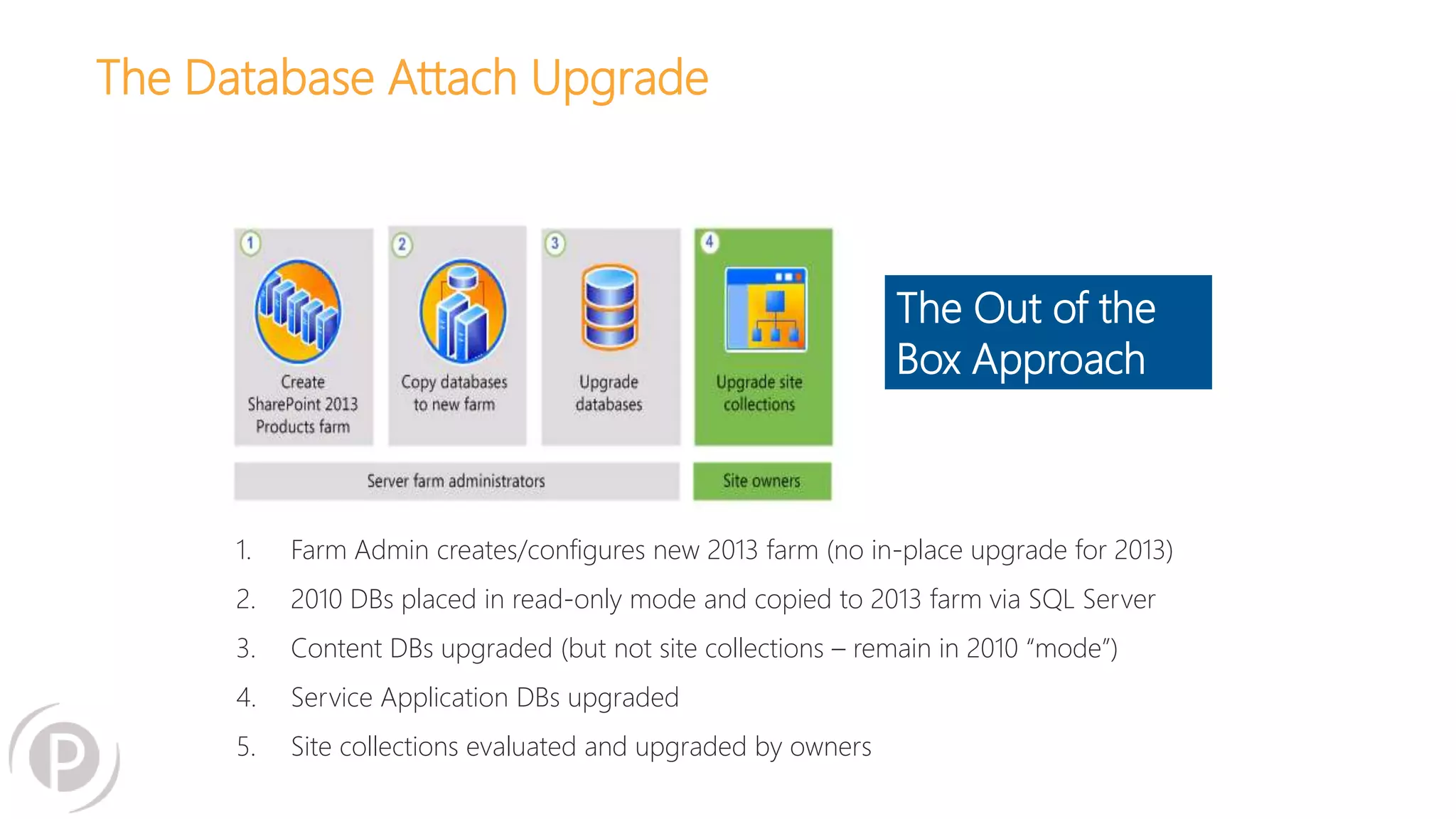
The Database Attach Upgrade
1. Farm Admin creates/configures new 2013 farm (no in-place upgrade for 2013)
2. 2010 DBs placed in read-only mode and copied to 2013 farm via SQL Server
3. Content DBs upgraded (but not site collections – remain in 2010 “mode”)
4. Service Application DBs upgraded
5. Site collections evaluated and upgraded by owners
The Out of the
Box Approach
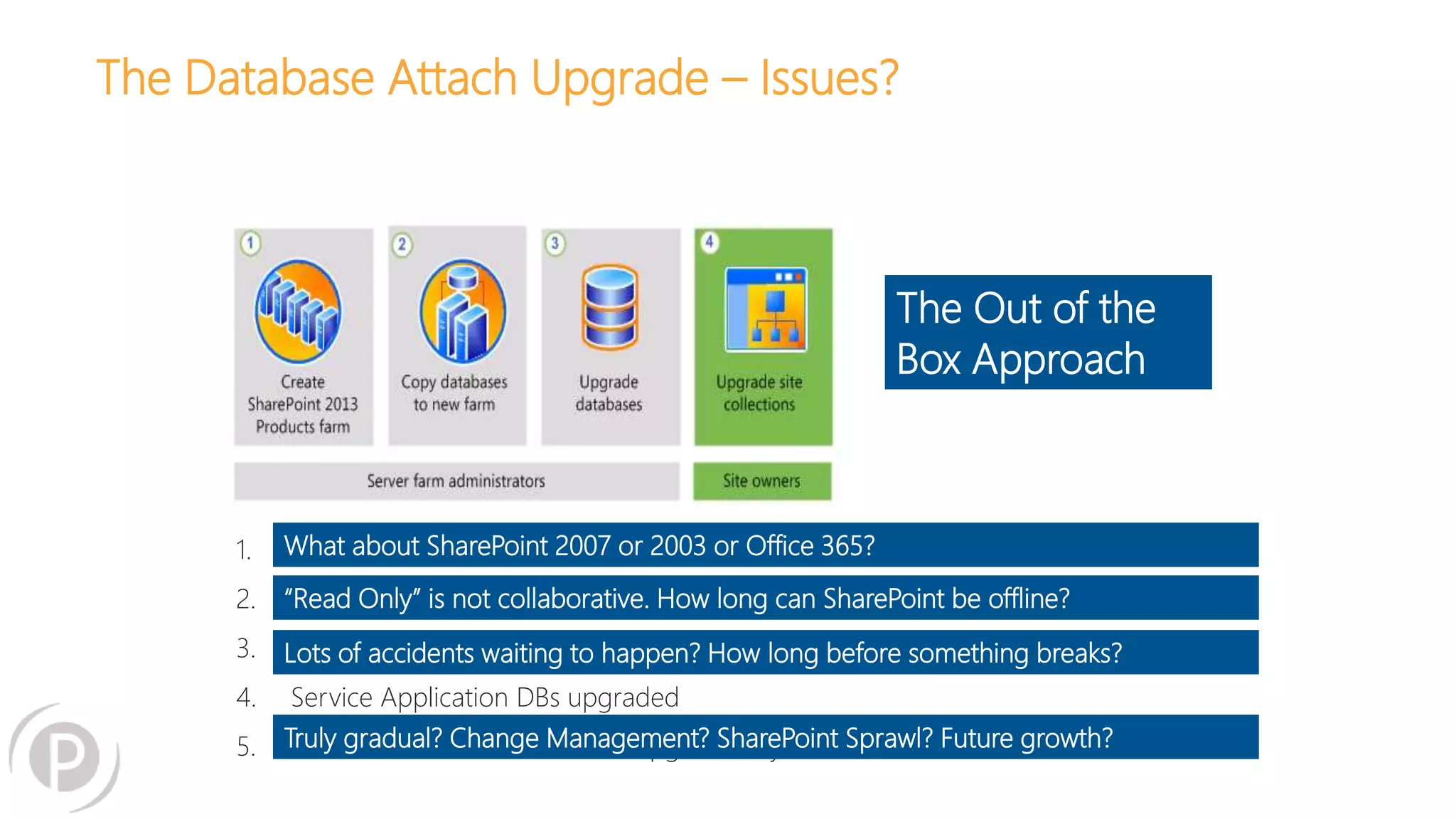
The Database Attach Upgrade – Issues?
1. Farm Admin creates/configures new 2013 farm (no in-place upgrade for 2013)
2. 2010 DBs placed in read-only mode and copied to 2013 farm via SQL Server
3. Content DBs upgraded (but not site collections – remain in 2010 “mode”)
4. Service Application DBs upgraded
5. Site collections evaluated and upgraded by owners
The Out of the
Box Approach
What about SharePoint 2007 or 2003 or Office 365?
“Read Only” is not collaborative. How long can SharePoint be offline?
Lots of accidents waiting to happen? How long before something breaks?
Truly gradual? Change Management? SharePoint Sprawl? Future growth?
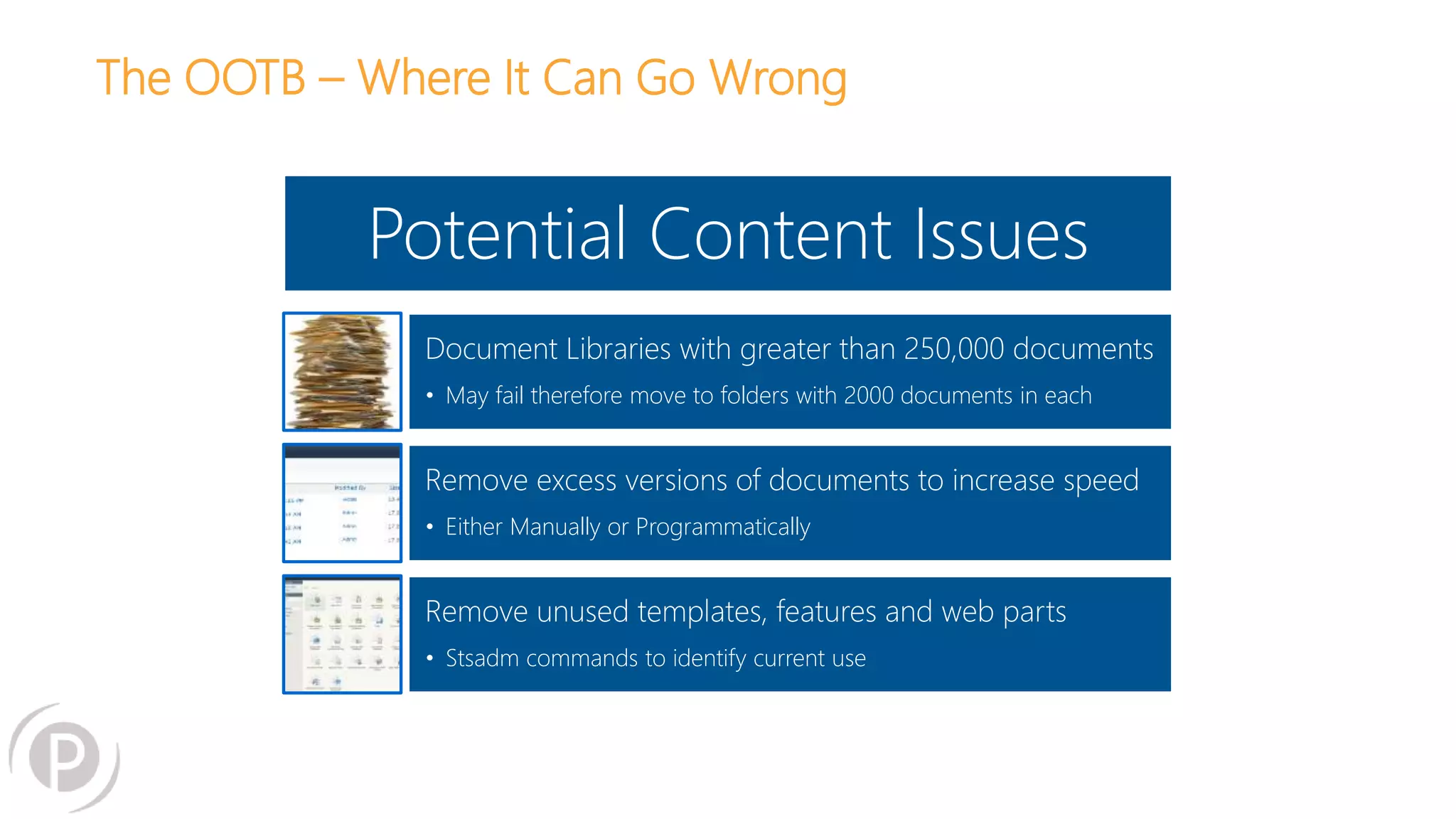
The OOTB – Where It Can Go Wrong
Potential Content Issues
Document Libraries with greater than 250,000 documents
• May fail therefore move to folders with 2000 documents in each
Remove excess versions of documents to increase speed
• Either Manually or Programmatically
Remove unused templates, features and web parts
• Stsadm commands to identify current use
The OOTB – Where It Can Go Wrong
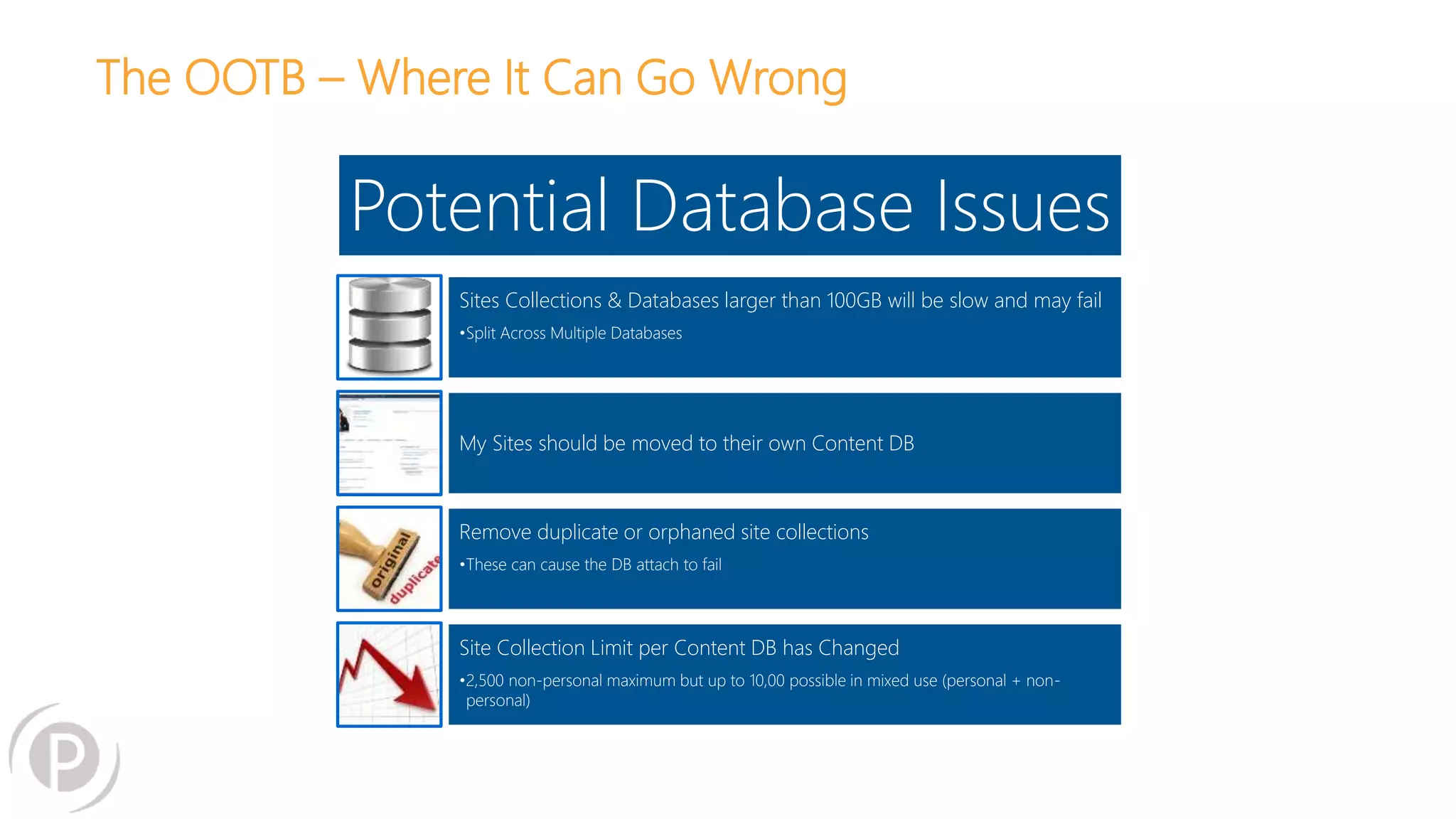
Potential Database Issues
Sites Collections & Databases larger than 100GB will be slow and may fail
•Split Across Multiple Databases
My Sites should be moved to their own Content DB
Remove duplicate or orphaned site collections
•These can cause the DB attach to fail
Site Collection Limit per Content DB has Changed
•2,500 non-personal maximum but up to 10,00 possible in mixed use (personal + non-
personal)
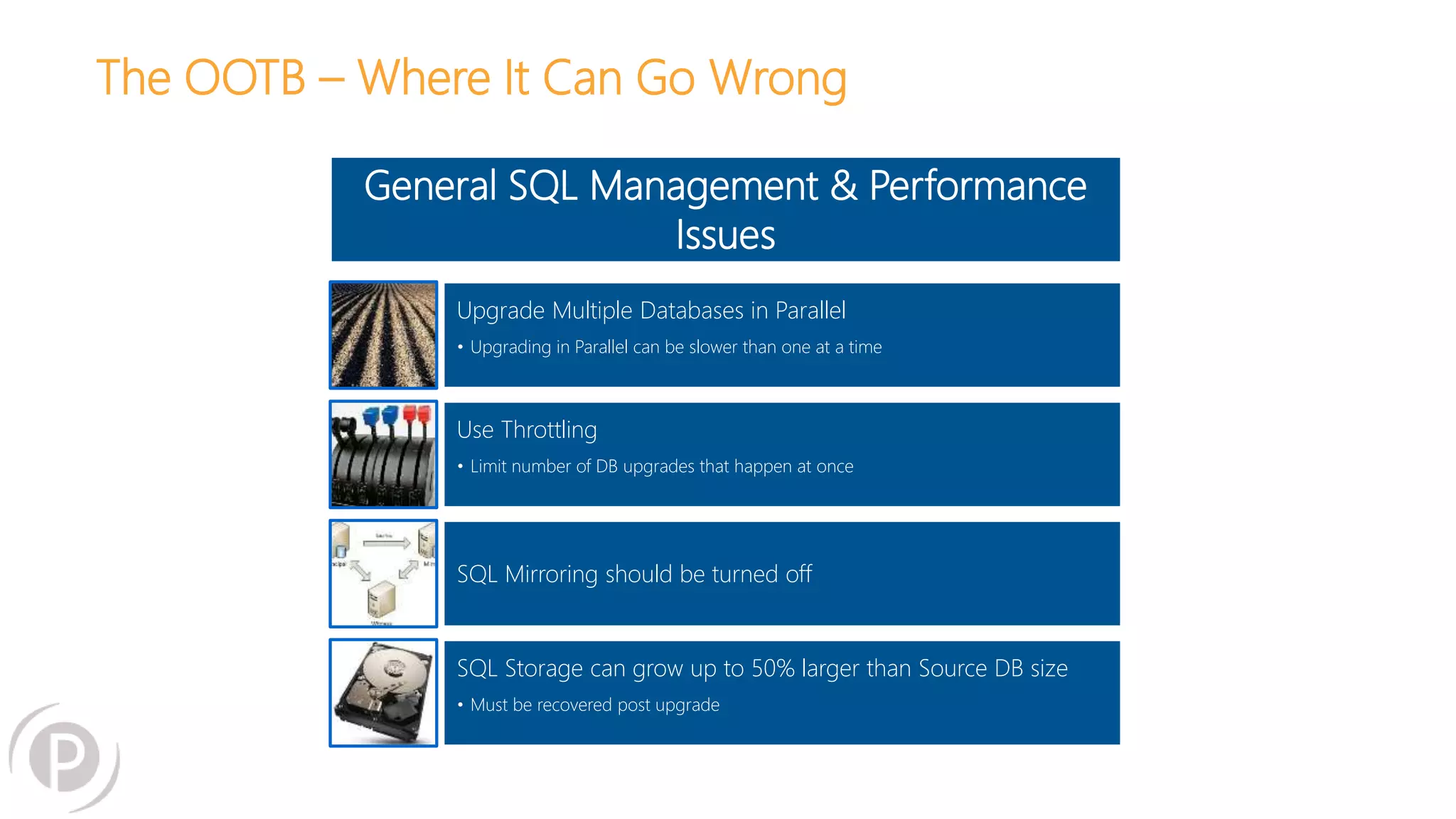
The OOTB – Where It Can Go Wrong
General SQL Management & Performance
Issues
Upgrade Multiple Databases in Parallel
• Upgrading in Parallel can be slower than one at a time
Use Throttling
• Limit number of DB upgrades that happen at once
SQL Mirroring should be turned off
SQL Storage can grow up to 50% larger than Source DB size
• Must be recovered post upgrade
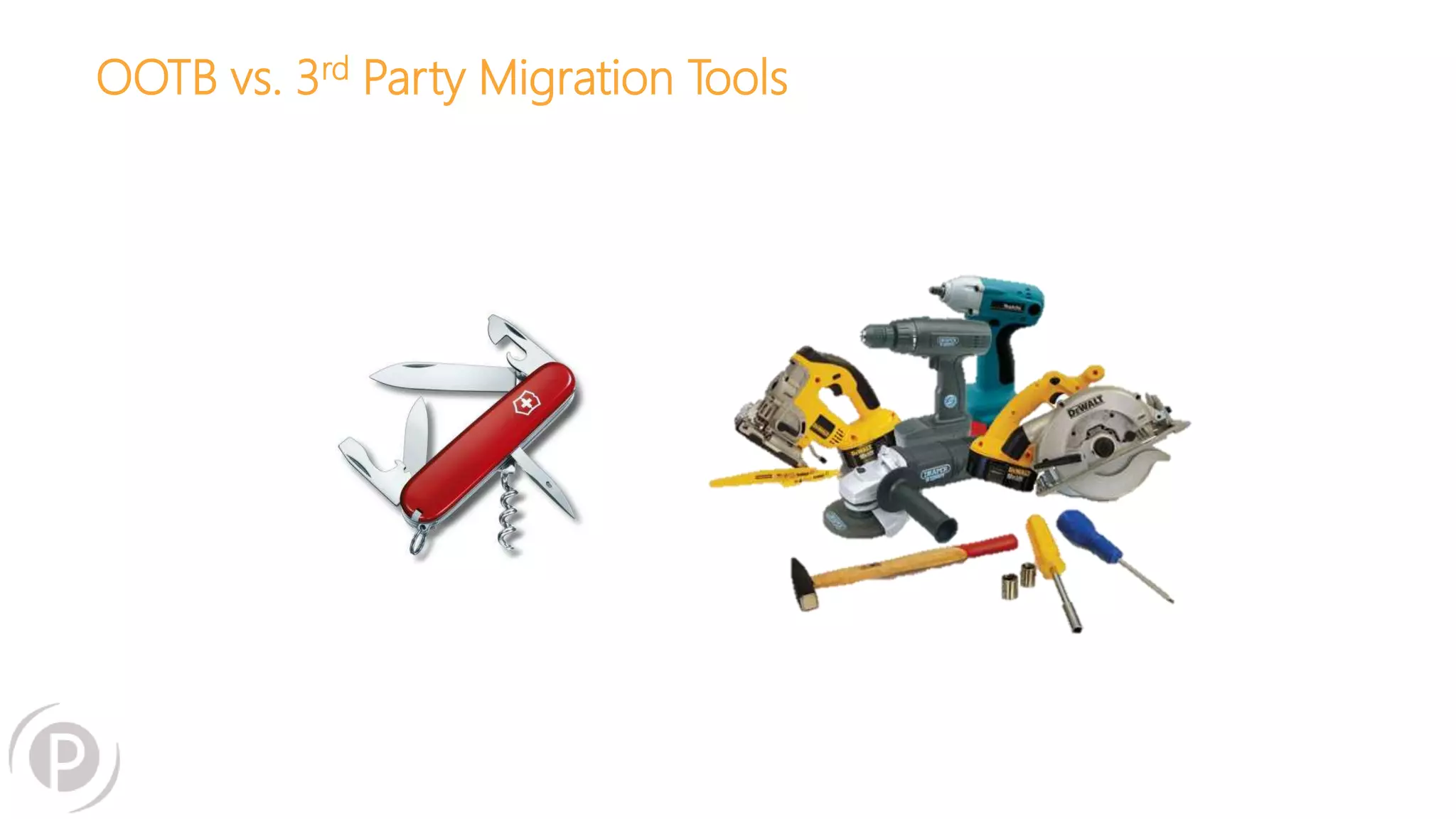
OOTB vs. 3rd Party Migration Tools
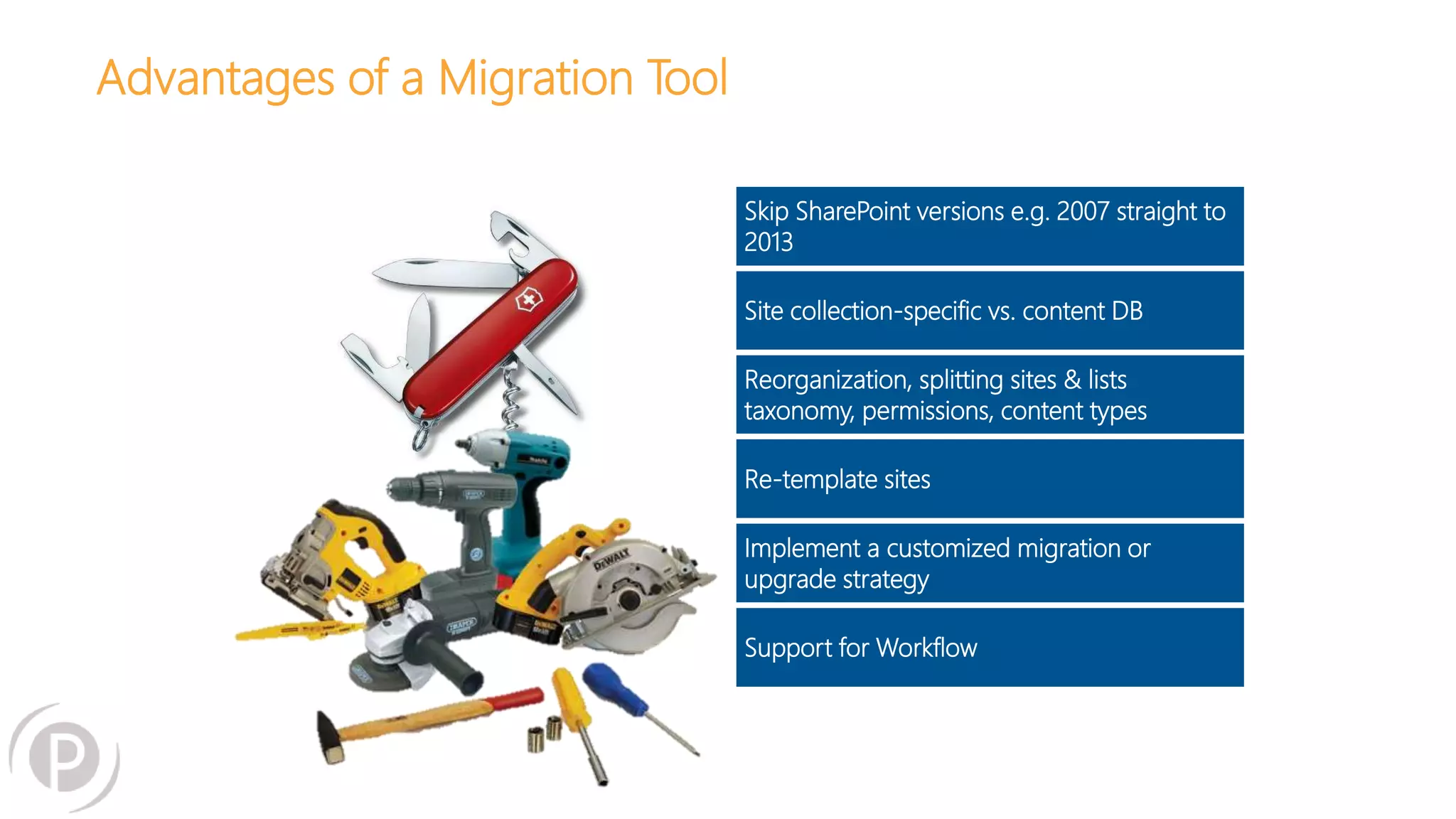
Advantages of a Migration Tool
Skip SharePoint versions e.g. 2007 straight to
2013
Site collection-specific vs. content DB
Reorganization, splitting sites & lists
taxonomy, permissions, content types
Re-template sites
Implement a customized migration or
upgrade strategy
Support for Workflow
Closing thoughts:
• A migration is a great opportunity to reassess your business
requirements and “spring clean”
• The most successful migrations are those that pay close
attention to the end user experience throughout
• Put as much control into the hands of your end users as
possible. After all, they own the content
eventmobi.com/sptcboston
Please take a moment to fill out the
class feedback form via the app.
Paper feedback forms are also
available in the back of the room.

The Slippery Slope of Migrating to SharePoint Online or On-Premise

  • 1.
    Workshop: The SlipperySlope of SharePoint Migrations: What to Do to Come Out on Top Jill Hannemann & Adam Levithan
  • 2.
    Jill Hannemann @JHCherryBlossom Editor, Digital Workplace Today Director of Advisory Services 10+years in Knowledge Management SharePoint expertise: information architecture, records management, content migration, document management Culinary project: It’s soup and chili season! About Me Portal Solutions, LLC | Phone: (240) 450-2166 © 2015 Portal Solutions, LLC
  • 3.
    Adam Levithan @collabadam AIIM &IT Unity Blogger Product Manager 9+ years in Collaborative Systems SharePoint expertise: Out-of-the- box solutions, business process management, Governance, adoptions, information architecture Next Adventure: Riding the World Championship Cycling course in Richmond VA About Me Portal Solutions, LLC | Phone: (240) 450-2166 © 2015 Portal Solutions, LLC
  • 4.
    About Portal Solutions 4 Wedeliver Digital Workplace Products and Solutions that help organizations share what they know and find what they need by connecting people, data, and content. Portal Solutions, LLC | Phone: (240) 450-2166 © 2015 Portal Solutions, LLC
  • 5.
    ENOUGH ABOUT US– YOUR TURN • What are you migrating from – to? • Where are you in the process? • What are your biggest concerns? • What are you looking to get out of this session? 5
  • 6.
    What’s so Difficult? PortalSolutions, LLC | Phone: (240) 450-2166 © 2015 Portal Solutions, LLC
  • 7.
  • 8.
    What’s so Difficult? TheSlope (complexity of your technical environment) = Level of Effort and Complexity The Rock (alignment between IT and the Business) Portal Solutions, LLC | Phone: (240) 450-2166 © 2015 Portal Solutions, LLC
  • 9.
    Failure to FullyScope the Effort 1 Failure to Budget for All Activities 2 No Buy-In from Stakeholders 3 Content is Not Cleaned or Enhanced 4 WHY MIGRATIONS FAIL
  • 10.
    Session Outline Section 1:1:45 – 3:00 PM • Defining the Scope  Why Migrate  Steps to reach your goals  What you’ve got/ Inventory Assessment  Deciding how to migrate Section 2: 3:15 – 5:00 PM • Planning & Budgeting Migrations that Work  Ideal Roadmap  O365 Roadmap  • Creating Buy-In  Review of Defining Scope  How to Govern • Take advantage of your effort  Content Cleanup  Reorganize to aligning with goals 10 Portal Solutions, LLC | Phone: (240) 450-2166 © 2015 Portal Solutions, LLC
  • 11.
    In our humbleexperience… 11
  • 12.
    Uninspired Scope The motivationsare to… • Migrate 1 : 1 • Not interested in any redesign • Wants the site to look exactly the same • Needs to preserve that legacy application integration • Things are broken, but migration will fix it • Not interested in TRAINING 12 Portal Solutions, LLC | Phone: (240) 450-2166 © 2015 Portal Solutions, LLC
  • 13.
    Migrations are theRiskiest thing we do Where ever you come from, it is a different system! There are many opportunities though • Reduce complexity • Improve user experience • Enhance productivity • Improve compliance 13 Portal Solutions, LLC | Phone: (240) 450-2166 © 2015 Portal Solutions, LLC
  • 14.
    What are yourMotivations for Upgrading to SharePoint 2013? Get off hardware Redesign intranet Move to the cloud New data center Have search work Get new features Automate processes Improve user experience Stabilize the infrastructure Expand usage of SP to other business units Develop a new look and feel Redesign IA Introduce social tools Consolidate multiple SP farms Implement records management Portal Solutions, LLC | Phone: (240) 450-2166 © 2015 Portal Solutions, LLC
  • 15.
    Combination of Businessand IT Get off hardware Redesign intranet Move to the cloud New data center Have search work Get new features Automate processes Improve user experience Stabilize the infrastructure Expand usage of SP to other business units Develop a new look and feel Redesign IA Introduce social tools Consolidate multiple SP farms Implement records management Portal Solutions, LLC | Phone: (240) 450-2166 © 2015 Portal Solutions, LLC
  • 16.
    Complexity of YourEnvironment Get off hardware Redesign intranet Move to the cloud New data center Have search work Get new features Automate processes Improve user experience Stabilize the infrastructure Expand usage of SP to other business units Develop a new look and feel Redesign IA Introduce social tools Consolidate multiple SP farms Implement records management Portal Solutions, LLC | Phone: (240) 450-2166 © 2015 Portal Solutions, LLC
  • 17.
    Recommended Path fora Successful Migration 1. Understand the business need/governance 2. Inventory Audit of current environment 3. Design/Implement future technical infrastructure 4. Design/Implement business requirements and user experience 5. Create Change Management/Migration Plan 6. Implement Change Management/Migration a. Branding deployment b. User Training c. Pilot Migration d. Full Content Migration e. Customization/Application Migration 7. Decommission of original environment 17 Portal Solutions, LLC | Phone: (240) 450-2166 © 2015 Portal Solutions, LLC
  • 18.
  • 19.
    Audit • Total sizeof database • Custom User Interface • Master page • Page layouts • Content types • Infopath forms • Workflows • Custom web parts • Custom applications • Business connectivity web services (BCS) • Permissions 19 Beware: It’s not only how much content that matters, but the character of how you’re using it (i.e. file share replacement vs. collaboration) . Portal Solutions, LLC | Phone: (240) 450-2166 © 2015 Portal Solutions, LLC
  • 20.
    Don’t Forget SocialContent Across SharePoint version or from external technologies • Profiles • Personal Sites  Content  Files • Communities 20 Portal Solutions, LLC | Phone: (240) 450-2166 © 2015 Portal Solutions, LLC
  • 21.
    Inventory • 2007 or2010 see if usage is turned on and view latest reports • Metalogix Migration Expert • Tree Size Pro • Create a Script • Metalogix Essentials (formerly MetaVis) Farm Analysis • Interns (Manual) 21 Portal Solutions, LLC | Phone: (240) 450-2166 © 2015 Portal Solutions, LLC
  • 22.
    Inventory Analysis 22 Portal Solutions,LLC | Phone: (240) 450-2166 © 2015 Portal Solutions, LLC
  • 23.
  • 24.
    24 Infrastructure Environment • Network Infrastructure Where are the current and future systems located?  Do users currently complain about speed? • Test Throughput/transfer rates  SpeedTest App  Fiddler  IE 9+  Test upload/ migration to an O365 site
  • 25.
    25 Infrastructure Health • Run MicrosoftPre-Upgrade Checkers  2007 C:>stsadm -o preupgradecheck  2010 Test-SPContentdatabase, Test-SPSite • Review of Databases  Dedicated vs. Shared  Number & Size of content databases  Size of My Site database • Review Web.config for customizations
  • 26.
    26 Infrastructure Central Administration • Authentication Methods(in Web App Settings) • Farm Structure  Service Configuration per server • Deployed Features  Farm  Web App Features  What Services Applications Configured  Search Service Application – Search Schema/ Customized? – Content Sources (Can see if there is any separation of site collections) – Scopes/ Result Sources  Non-Standard Service Applications (PerformancePoint, etc.)  Taxonomy (MMS)  Expectation for Office Web Apps
  • 27.
    27 Functionality Manual Review • ViewMost complicated site (Open in SharePoint designer if possible) • Review dates content was last modified in View All Site Content • 2007 or 2010 see if usage is turned on and view latest reports • Find workflows • Identify 3rd Party Applications (Teleric, Bamboo, Newsgator, lightning tools)
  • 28.
    28 Functionality Pass/ Fail Tests •Create a sub site within each site collection • Create a content type • Create a page in the Pages and Site Pages libraries • Upload document • Create an item Rule of Thumb: If it has ever broken before, test it
  • 29.
    Things that havechanged in 2013 • Branding using the Design Manager • No more XSLT we now use Display Templates • OneDrive for Business instead of My Sites • Search, Continuous Crawl and the new Web Parts • Apps and the App Store • Community Site • Microblogging and Activity Feeds • Run Site Collections in “2010 experience” • Claims authentication default 29 Portal Solutions, LLC | Phone: (240) 450-2166 © 2015 Portal Solutions, LLC Thank you Benjamin Nauilin http://en.share-gate.com/blog/not-working-after-sharepoint-migration-to-2013
  • 30.
    Things not supportedfor migration • Automatically fixing issues in the current environment • Meeting Workspace Sites • Page Content from SharePoint 2007 • Not all web parts are the same 2010 to 2013 • Search (A good thing) • _Files (Hidden Files) • Video files with supporting metadata to SPO 30 Portal Solutions, LLC | Phone: (240) 450-2166 © 2015 Portal Solutions, LLC
  • 31.
  • 32.
  • 33.
  • 34.
  • 35.
    Which approach isright for you? 35 • SP to SP version upgrade (cannot migrate directly from 2007-2013) • Few customizations • On-Prem to on-Prem • No IA rebuild required • Works for all types of migrations • SharePoint to SharePoint • Unstructured file repositories • Third party DMS • Only supported path to migrate to SP Online • Copy, paste, tag • Works in all situations • Extremely labor intensive Content Database Migration 3rd Party Migration Tool or Custom ScriptingManual Migration On-Prem Hosted On-Prem Hosted O365On-Prem Hosted O365 Portal Solutions, LLC | Phone: (240) 450-2166 © 2015 Portal Solutions, LLC
  • 36.
  • 37.
    New Migration APIOverview: Migrating over Internet/WAN SharePoint Online/ OneDrive For Business (OD4B) Final Destination File Share, SharePoint On-Prem, Potentially any other Data Source. Long distance between on-premises and Office 365 Portal Solutions, LLC | Phone: (240) 450-2166 © 2015 Portal Solutions, LLC
  • 38.
    New Migration APIOverview: Migration Tools using New API File Share, SharePoint On-Prem, Potentially any other Data Source. 1. Read List details from source 2. Write List to target 1. Create Package of 100+ items 2. Create XML file containing items, permissions and metadata 3. Upload to Azure Temporary Storage 4. Tell SPO to pull package from Azure Timer Job Based imports content in a scalable way that will not hurt the service using back end resources. SharePoint/ODB Final Destination Pull from Azure Azure Temporary Storage Portal Solutions, LLC | Phone: (240) 450-2166 © 2015 Portal Solutions, LLC
  • 39.
    Change in focusof Migrations: OneDrive for Business • Where are you coming from?  My Sites  File Shares  EFSS (Google, Box, etc) • How will OneDrive be used? • What are your expectations for permissions? 39 Portal Solutions, LLC | Phone: (240) 450-2166 © 2015 Portal Solutions, LLC
  • 40.
    Change in focusof Migrations: Migrating Exchange Even at SPTechCon we have to admit that Office 365 isn’t just SharePoint • Cutover and Staged very similar  Suitable for 200 or less mailboxes  Looking at 2 week +/- timeframe • Staged migration: Limitation with Exchange 2010 or 2013  Attributes are not managed in the same way, must use 3rd party tool • Hybrid: For 2000+ mailbox migration  Can be migrated from Exchange 2010 or 2013  Issue: after decommissioning 2013, all attributes will be moved to the cloud  Issue: until cutover, no calendar sharing and free/busy presence awareness 40 Portal Solutions, LLC | Phone: (240) 450-2166 © 2015 Portal Solutions, LLC
  • 41.
    Vendor Evaluation Metalogix Content Matrix Metalogix Essentials for O365 SharegateAvePoint DocAve Bit Titan User Interface Reorganize during migration Set up migration rules or bulk transfer Create new metadata Retain and migrate existing metadata Content mapping Change roll backs Client Install Pricing Model Exchange One Drive for Business Align requirements with the right tool for your migration Portal Solutions, LLC | Phone: (240) 450-2166 © 2015 Portal Solutions, LLC
  • 42.
    test …. Test…. TEST
  • 43.
    Test Migration isCritical! • Determine a rate of transfer • Forget theory and/or 3rd party promises review actual output • Allow users to test small subset of real content to gain feedback • Challenges to look for:  Links breaking  Custom content types not carrying over  File accessibility  Permissions  Page layouts not transferring  Infopath forms  CUSTOM SOLUTIONS YOU DIDN’T KNOW ABOUT 43 Beware: 2007 Non-Publishing default.aspx pages stored outside of file structure. Portal Solutions, LLC | Phone: (240) 450-2166 © 2015 Portal Solutions, LLC
  • 44.
    44 What’s in aJob? Migrating with Tools Many migration tools allow you to run jobs for flexibility in migration • You don’t ever want to run a “full migration,” i.e. send everything in one job • Jobs allow you to re-organize as you migrate • Jobs allow you some control in what successful transfers vs. what fails to fully transfer • Your need for granularity in your jobs will differ • Different tools allow for different capabilities around jobs
  • 45.
    Migration with aTool - Jobs 45 Example of jobs output from Content Matrix Portal Solutions, LLC | Phone: (240) 450-2166 © 2015 Portal Solutions, LLC
  • 46.
    TIME TO TAKEA BREAK – RESTARTING AT 3:15 It’s too much migration, I need more coffee 46
  • 47.
    Planning and budgetingmigrations that work 47
  • 48.
    Recommended Path fora Successful Migration 1. Understand the business need/governance 2. Inventory Audit of current environment 3. Design/Implement future technical infrastructure 4. Design/Implement business requirements and user experience 5. Create Change Management/Migration Plan 6. Implement Change Management/Migration a. Branding deployment b. User Training c. Pilot Migration d. Full Content Migration e. Customization/Application Migration 7. Decommission of original environment 48 Portal Solutions, LLC | Phone: (240) 450-2166 © 2015 Portal Solutions, LLC
  • 49.
  • 50.
    Two major approachesto migration scheduling Cutover Migration The Idea: Migrate everything and turn off the old system when you start to use the new Benefits: • Convert all users to the new system • Minimize duplication • Enforce change management and adoption Risks: • Could take a long time • Could also never happen • Change management could be challenging Gradual Migration The Idea: Migrate group by group and onboard users to the new system when their group has been moved over Benefits: • Onboard groups in small batches • Gradual change management • Feedback loop can support easier adoption Risks: • Could never finish • Large risk for duplication • Users could resist change • Content authenticity/system authenticity could be questioned 50 or Portal Solutions, LLC | Phone: (240) 450-2166 © 2015 Portal Solutions, LLC
  • 51.
    Migration Prep Migration Test Migration SiteBuild Out Inventory Redesign Content Clean Up Migrate Redesign Cutover Migration 51 Cutover/Training NOTE: Most of the advice in this presentation is for a Cutover structure
  • 52.
  • 53.
    Who Needs tobe Involved? Role Responsibilities Project Sponsor Pays the bills, Defines scope/motivation, Gives a deadline for completion, could be Business or IT, best if combination of both Project Manager Coordinator of all the moving parts IT Infrastructure Manages user authentication, technical infrastructure and architecture for the to-be system, supports migration through usage of a migration tool IT Application Development Builds out the to-be structure of the new SharePoint, provides migration of any custom applications, workflows, system integrations. UI development and SharePoint configuration, manual clean up of sites Business Analysts Requirements gathering, inventory/audit capture, content clean up facilitation, SharePoint build out, manual clean up of sites, can provide testing capability and migration validation Training Coordinator Provides training and manages communication to end users during migration process Business Sponsor Top down support for change management in the roll out of a new SharePoint environment Content Managers Support inventory/audit, feedback and requirements for a new design, responsible for content clean up in their site areas, user acceptance testing participants, require training prior to release of the site End Users Receives communication on the roadmap for the migration, participates in training on the new site 53
  • 54.
    Creating a RealisticSchedule – Critical Dependencies • Content clean up:  Engaging end users  Tagging content  Archiving strategy • Redesigning IA  Metadata or navigation • Rate of transfer • Migration troubleshooting • Specific migration requirements • Rebuilding objects 54 Portal Solutions, LLC | Phone: (240) 450-2166 © 2015 Portal Solutions, LLC
  • 55.
    A Realistic Schedule 55 •Be realistic about risks and challenges Inventory Content Clean Up SP 2013 Config & Test Migration Migration IA and Redesign Testing User Support/Training Week 1 Week 2 Week 3 Week 4 Week 5 Week 6 Week 7 Week 8 Week 9 Week 10 Week 11 Week 12 Week 13 Week 14 Portal Solutions, LLC | Phone: (240) 450-2166 © 2015 Portal Solutions, LLC
  • 56.
  • 57.
    Time for everyoneto benefit 57
  • 58.
    What’s in itfor me? 58 What do these folks have to gain by this migration? • Business  Stakeholder  Power User • IT  Developer  Admin NOT THE SPECIFIC DETAILS OF YOUR ENVIRONMENT Portal Solutions, LLC | Phone: (240) 450-2166 © 2015 Portal Solutions, LLC
  • 59.
    Without buy-in, migrationis lonely 59 Business IT Portal Solutions, LLC | Phone: (240) 450-2166 © 2015 Portal Solutions, LLC
  • 60.
    Sample Change Managementand Governance Initial Planning 60 Communication TrainingFeedback Governance Change Management Portal Solutions, LLC | Phone: (240) 450-2166 © 2015 Portal Solutions, LLC
  • 61.
    Knowledge Transfer andTraining • Detailed training for system support teams • Knowledge transfer and mentoring throughout • Governance training for content contributors and users empowered with site design privileges • IA training for site designers • Context-sensitive training for end users –just what they need when they need it • Empower remote users 61 Adapt to the needs of the learner • Just enough • Just in time • Just the right channel: multiple formats The best approach for general user training: design so that you don’t need it! Portal Solutions, LLC | Phone: (240) 450-2166 © 2015 Portal Solutions, LLC
  • 62.
    62 Govern To steer orpilot a ship, direct - Greek • Resolve Ambiguity • Communicate Short and/or Long Range Goals • Mitigate Conflict
  • 63.
    Tactical Strategic Business Owner(s) SteeringCommittee Solution Administration Technology SupportSharePoint Advocate Power Users/ Community of Practice # of People People
  • 64.
    Procedure Title ProcedureDescription Role(s) Responsible Document Upload How documents are uploaded directly to libraries Trainer Users Document Categorization How to classify documents with metadata Trainer Users New site creation How to request new sites are created Project Manager Administrator Site Owner Support How to request support. Portal Project Manager Administrator Users User Training Onboarding Procedure Trainer Deployment Procedure How to request new features, web part, applications Project Manager IT Dev Team Policies & Procedures
  • 65.
    Flexible 65 Original Corporate Portal Departmental Portal Department & Team Sites ProjectTeam Sites Personal My Sites • Controlled • Tightly Governed • Push Content • Ad Hoc • Loosely governed • Push/ Pull content • Permanent • Dashboards • Business Intelligence • Business Process management • Applications • Permanent • Knowledge Management • Information Sharing • Short Lived • Collaboration • Permanent • Personal Information • Public/ Private Viewed
  • 66.
    Flexible RecordTemporary TypeofContent Instant Message E-Mail Social Team Sites/ExtranetOnline Storage Intranet Records Management Individual Team Enterprise Audience Current
  • 67.
  • 68.
  • 69.
    69 “A survey ofcorporate CIOs and general counsels found that, typically, 69% of the data most organizations keep, can – and should – be deleted.” -Compliance, Governance and Oversight Counsel (CGOC) Summit
  • 70.
    Take the opportunityto • Clean up the content in the system • Introduce an improved look and feel • A more intuitive navigation • A more robust search • Create site personalization • Address current solutions:  Infopath end of life  Connectivity to other data systems  Content publishing process 70 Garbage… Garbage… Portal Solutions, LLC | Phone: (240) 450-2166 © 2015 Portal Solutions, LLC
  • 71.
    Content Cleanup • Threegeneral approaches  Create rule-based cleansing  Engage business users/content owners for subjective analysis  Combination of both • ROT Analysis:  Redundant  Outdated  Trivial • Options:  Migrate  Migrate and Update  Archive  Delete 71 Beware: The time it takes to perform this step is almost always underestimated. Add time to your original estimate. Portal Solutions, LLC | Phone: (240) 450-2166 © 2015 Portal Solutions, LLC
  • 72.
    Content Clean Upwith Content Owners • Involve content owners in content clean decisions • Can be done a couple of ways:  Walk through of content on the site  Provide worksheets to make decisions  Have them actually delete content or sites • Leverage last modified dates and the size of a library/list to assist in guidance 72 Remember - The clean up exercise is intended to provide benefits! • Ensure valuable content is migrated • Help reduce noise in the search index • Minimize risk in reducing the overall amount of content to migrate • Reduce risk in removing content that could be a liability to the company Portal Solutions, LLC | Phone: (240) 450-2166 © 2015 Portal Solutions, LLC
  • 73.
    Content Clean Upwith Content Owners 73
  • 74.
    Archive Strategies • Whatare your options:  Leave it in older SharePoint  Move it from SharePoint to a file share  Migrate to new SharePoint to an archive site collection • If content continues to exist…keep it in READ ONLY mode. • Consider deletion policies as part of records retention  What should be kept for compliance?  Is it a risk if the file is kept? 74 Portal Solutions, LLC | Phone: (240) 450-2166 © 2015 Portal Solutions, LLC
  • 75.
    Archive Strategies • Leaveit in older SharePoint • Move it from SharePoint to a file share • Migrate to new SharePoint to an archive site collection  If content continues to exist…keep it in READ ONLY mode.  Consider deletion policies as part of records retention  What should be kept for compliance?  Is it a risk if the file is kept? 75 Portal Solutions, LLC | Phone: (240) 450-2166 © 2015 Portal Solutions, LLC
  • 76.
    Restructure Information Architecture 76 Content Types Listsand Libraries Sites/Navigation Site Collections/Navigation Web Applications Recommended! Supports growth and sustainability Determines how users navigate to browse content Influences metadata, templates, and searching for content Beware: Beware of lack of control of URLs in O365
  • 77.
    Defining a newlook and feel – Wireframes Portal Solutions, LLC | Phone: (240) 450-2166 © 2015 Portal Solutions, LLC
  • 78.
    A New Lookand Feel 78 Portal Solutions, LLC | Phone: (240) 450-2166 © 2015 Portal Solutions, LLC
  • 79.
    Considering Mobile inthe Design Process • When Mobile Accessibility is Critical: Use a Mobile First Strategy • Define your approach  Responsive (or Adaptive)  Mobilized Sites • Who, What, and to What degree? Portal Solutions, LLC | Phone: (240) 450-2166 © 2015 Portal Solutions, LLC
  • 80.
    Content Mapping 80 Portal Solutions,LLC | Phone: (240) 450-2166 © 2015 Portal Solutions, LLC
  • 81.
    Content Mapping 81 For files:Align new metadata to be added in new document libraries. Portal Solutions, LLC | Phone: (240) 450-2166 © 2015 Portal Solutions, LLC
  • 82.
  • 83.
    THANK YOU @jhcherryblossom –jhannemann@portalsolutions.net @collabadam – alevithan@metalogix.com
  • 84.
    Additional Resource: WhitePaper Leave your business card with Jill and we’ll email you a complimentary copy of 7 Office 365 Migration Best Practices.
  • 85.
    Plan to LeverageNew Functionality
  • 86.
    Plan to LeverageNew Functionality Your Files to Office 365. Simple. Fast. Migrate Cloud Files to SharePoint Online & OneDrive for Business http://www.metalogix.com/Products/Drive2Office365.aspx
  • 87.
    4 - Developan Information Architecture (IA) Evaluate current business process Consider existing site structures Departmental/team reorganization Publishing requirements Search/findability Navigation Content Growth “Over half feel they would be 50% more productive with enhanced workflow, search, information reporting, and automated document creation tools” 1 1 – The SharePoint Puzzle – adding the missing pieces, AIIM, 2012
  • 88.
    Getting Ready toMigrate Strategy & Inventory Updated Information Architecture & New Features Prepare - Reorganization? Prepare - Migrate, archive, or leave behind? Prepare SharePoint for migration www.metalogix.com/products/Content-Matrix.aspx & www.metalogix.com/products/ControlPoint.aspx
  • 89.
    5 - AssessYour Migration Options
  • 90.
    Upgrade v Migration– In Microsoft Terms UPGRADE: -The Physical Transformation of a SharePoint Content Database from one Schema Version to the Successive Updated Schema MIGRATION: -The Physical Movement of SharePoint Containers, Data and Associated Attributes from one SharePoint Farm to a new Farm independent of SharePoint version http://www.metalogix.com/Blog/Blog-Article/13-02-11/Yes_You_Can_Move_Straight_From_SharePoint_2007_to_SharePoint_2013.aspx
  • 91.
    The Database AttachUpgrade 1. Farm Admin creates/configures new 2013 farm (no in-place upgrade for 2013) 2. 2010 DBs placed in read-only mode and copied to 2013 farm via SQL Server 3. Content DBs upgraded (but not site collections – remain in 2010 “mode”) 4. Service Application DBs upgraded 5. Site collections evaluated and upgraded by owners The Out of the Box Approach
  • 92.
    The Database AttachUpgrade – Issues? 1. Farm Admin creates/configures new 2013 farm (no in-place upgrade for 2013) 2. 2010 DBs placed in read-only mode and copied to 2013 farm via SQL Server 3. Content DBs upgraded (but not site collections – remain in 2010 “mode”) 4. Service Application DBs upgraded 5. Site collections evaluated and upgraded by owners The Out of the Box Approach What about SharePoint 2007 or 2003 or Office 365? “Read Only” is not collaborative. How long can SharePoint be offline? Lots of accidents waiting to happen? How long before something breaks? Truly gradual? Change Management? SharePoint Sprawl? Future growth?
  • 93.
    The OOTB –Where It Can Go Wrong Potential Content Issues Document Libraries with greater than 250,000 documents • May fail therefore move to folders with 2000 documents in each Remove excess versions of documents to increase speed • Either Manually or Programmatically Remove unused templates, features and web parts • Stsadm commands to identify current use
  • 94.
    The OOTB –Where It Can Go Wrong Potential Database Issues Sites Collections & Databases larger than 100GB will be slow and may fail •Split Across Multiple Databases My Sites should be moved to their own Content DB Remove duplicate or orphaned site collections •These can cause the DB attach to fail Site Collection Limit per Content DB has Changed •2,500 non-personal maximum but up to 10,00 possible in mixed use (personal + non- personal)
  • 95.
    The OOTB –Where It Can Go Wrong General SQL Management & Performance Issues Upgrade Multiple Databases in Parallel • Upgrading in Parallel can be slower than one at a time Use Throttling • Limit number of DB upgrades that happen at once SQL Mirroring should be turned off SQL Storage can grow up to 50% larger than Source DB size • Must be recovered post upgrade
  • 96.
    OOTB vs. 3rdParty Migration Tools
  • 97.
    Advantages of aMigration Tool Skip SharePoint versions e.g. 2007 straight to 2013 Site collection-specific vs. content DB Reorganization, splitting sites & lists taxonomy, permissions, content types Re-template sites Implement a customized migration or upgrade strategy Support for Workflow
  • 98.
    Closing thoughts: • Amigration is a great opportunity to reassess your business requirements and “spring clean” • The most successful migrations are those that pay close attention to the end user experience throughout • Put as much control into the hands of your end users as possible. After all, they own the content
  • 99.
    eventmobi.com/sptcboston Please take amoment to fill out the class feedback form via the app. Paper feedback forms are also available in the back of the room.

Editor's Notes

  • #3 Adam Edit
  • #4 Adam Edit
  • #32 Adam & Jill
  • #36 Jill & Adam
  • #39 Migrate from SQL Server in Azure VMs Migrates 99% of content from Content DBs located in Azure Virtual Machines Azure Virtual Machines are physically next door neighbors to SharePoint Online Geographical distance is no longer an issue! The Power of Automation PowerShell allows consulting companies to automate the migration of thousands of Site Collections, Sites, Lists instead of migrating 1 at a time Combining PowerShell with massive multi-threading creates a multiplier effect
  • #41 Create master CSV file with all mailboxes and sizes For Staged: combine large and small mailboxes Coach users to reduce mailbox sizes E3 plan has unlimited storage for users Archiving leverages 2nd tier storage Establish settings in Admin Center Admin Center is similar to Exchange on-prem Unified messaging Built in protection
  • #79 J – REPLACE WITH SCREEN CAPTURES IF INTERESTING 
  • #88 Migration presents an ideal time to assess the current SharePoint’s information architecture and to determine what should change. IA izncludes the combination of Content, Context, and users. For example, a user opens a main landing page. Does this user see the right content? Is it within the right context? Should this user see this content and in this context? Or should this user be receiving something else in terms of content and experience? IA considers how information – i.e., content – is design to “flow” to a user but also how a user flows to content. A good example is Amazon. If navigating to the Amazon