Presentation 
Playbook 
COPYRIGHT: AYNNE VALENCIA 2014 
This work is licensed under the Creative Commons Attribution-NonCommercial-NoDerivatives 4.0 International License. To view a copy of this license, visit http://creativecommons.org/licenses/by-nc-nd/4.0/. 
@AYNNE 
AYNNE VALENCIA
Who is this for? 
• Visual Designers 
• Art Directors 
• Interaction designers 
• Creative Directors 
• Design Managers 
• Anyone presenting creative work or ideas 
@AYNNE
Learning objectives: 
• Learn about different types of meetings 
• Learn about stakeholders 
• Set yourself up for success to speak to different audiences 
@AYNNE
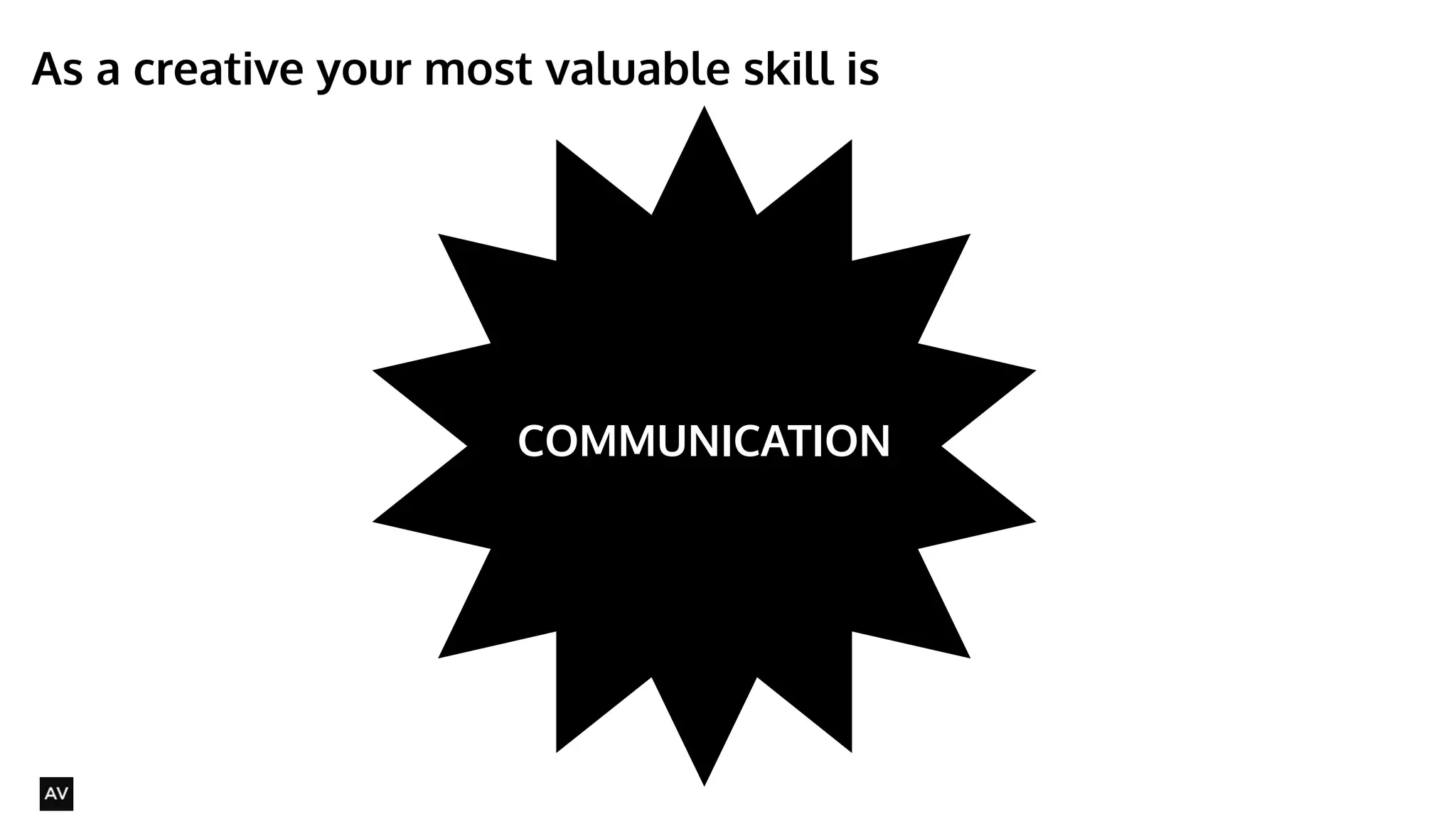
As a creative your most valuable skill is 
@AYNNE 
COMMUNICATION
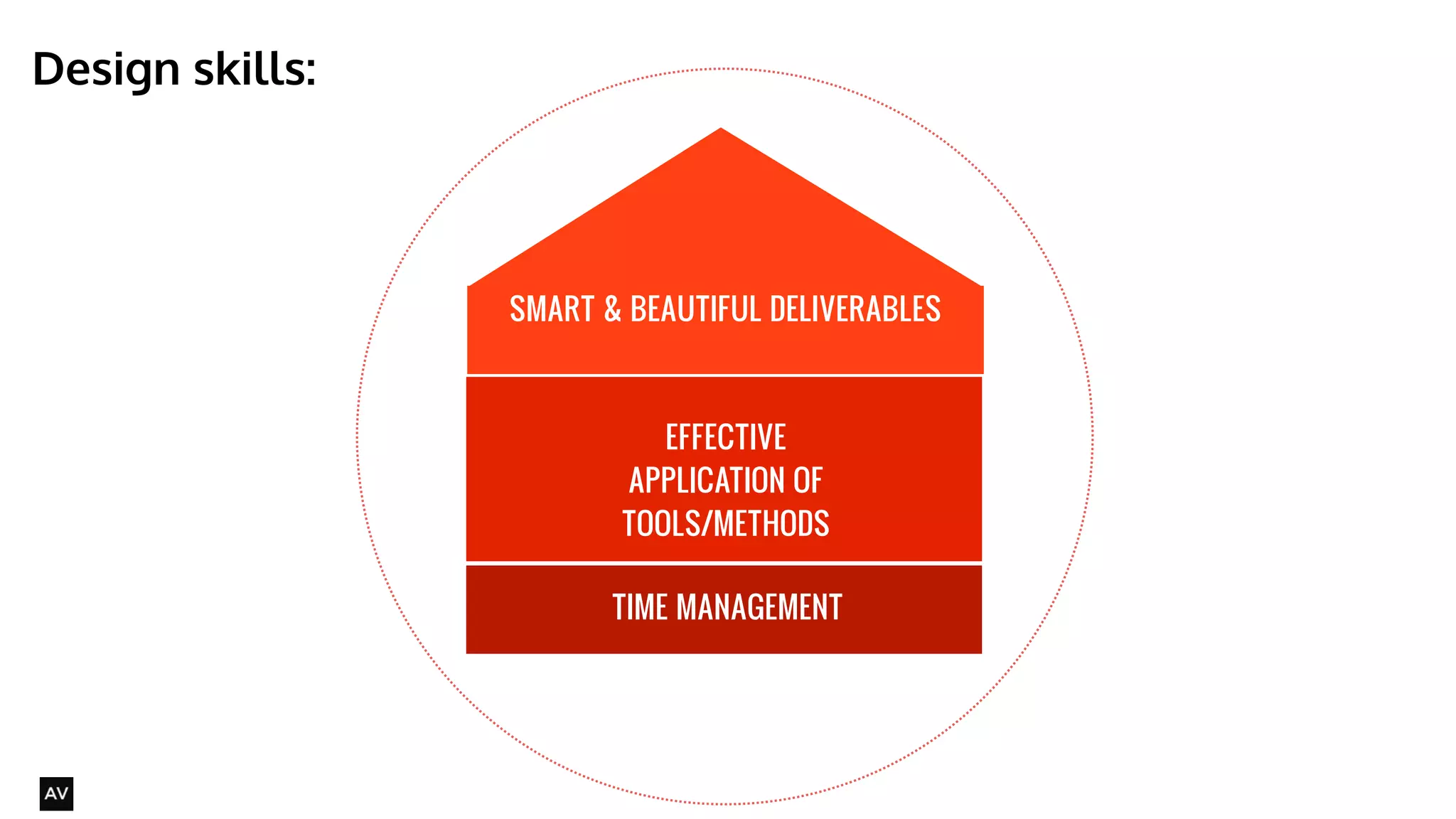
SMART & BEAUTIFUL DELIVERABLES 
TIME MANAGEMENT 
Design skills: 
@AYNNE 
EFFECTIVE 
APPLICATION OF 
TOOLS/METHODS
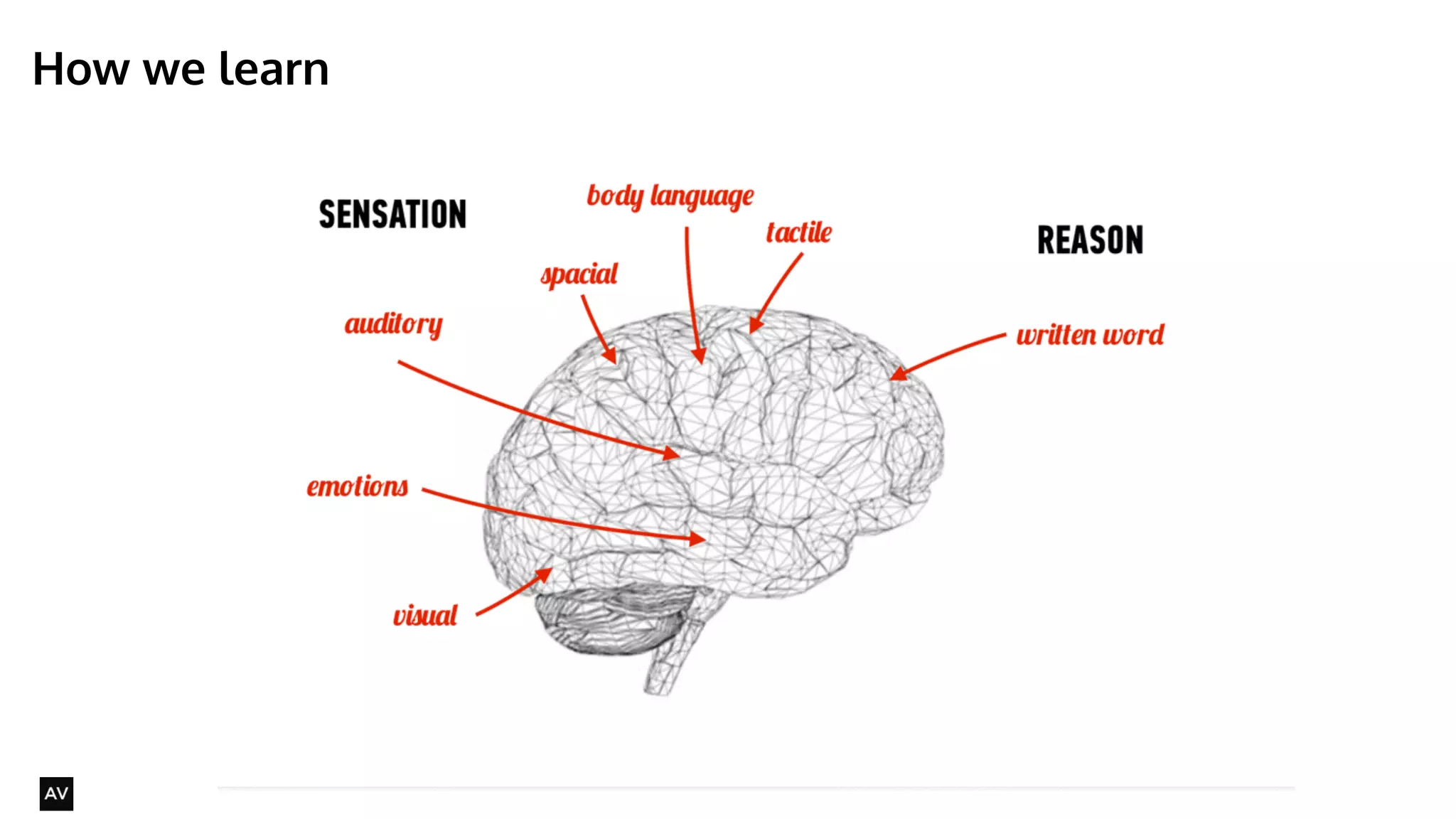
How we learn 
@AYNNE
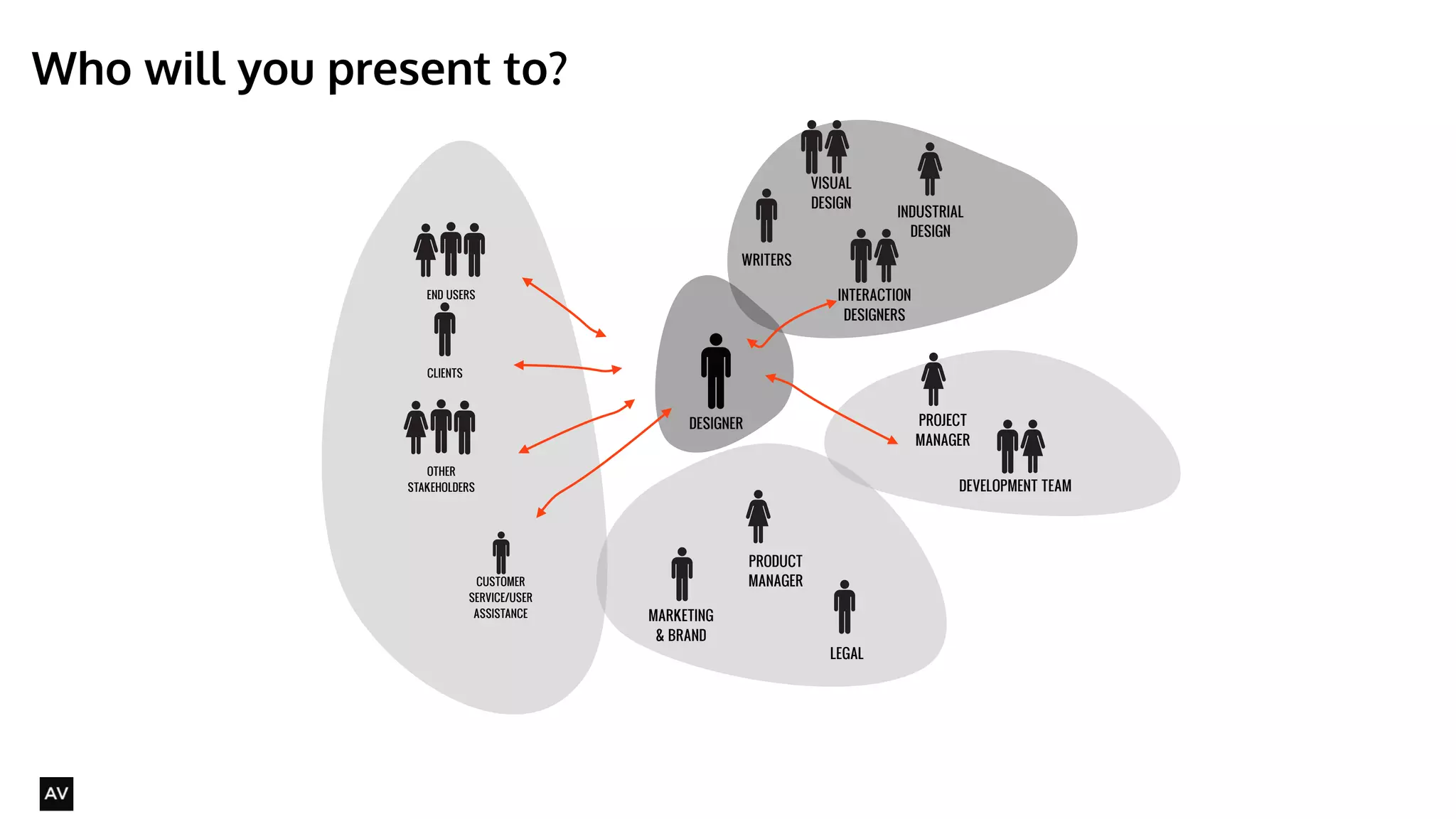
Who will you present to? 
@AYNNE 
PRODUCT 
MANAGER 
MARKETING 
& BRAND 
PROJECT 
MANAGER 
END USERS 
CLIENTS 
INTERACTION 
DESIGNERS 
DEVELOPMENT TEAM 
DESIGNER 
INDUSTRIAL 
DESIGN 
VISUAL 
DESIGN 
OTHER 
STAKEHOLDERS 
CUSTOMER 
SERVICE/USER 
ASSISTANCE 
LEGAL 
WRITERS
@AYNNE 
Selling your ideas
When will you be selling your ideas? 
• Running workshops 
• Presenting research findings 
• Presenting concepts 
• presenting designs 
• ALL THE TIME 
@AYNNE
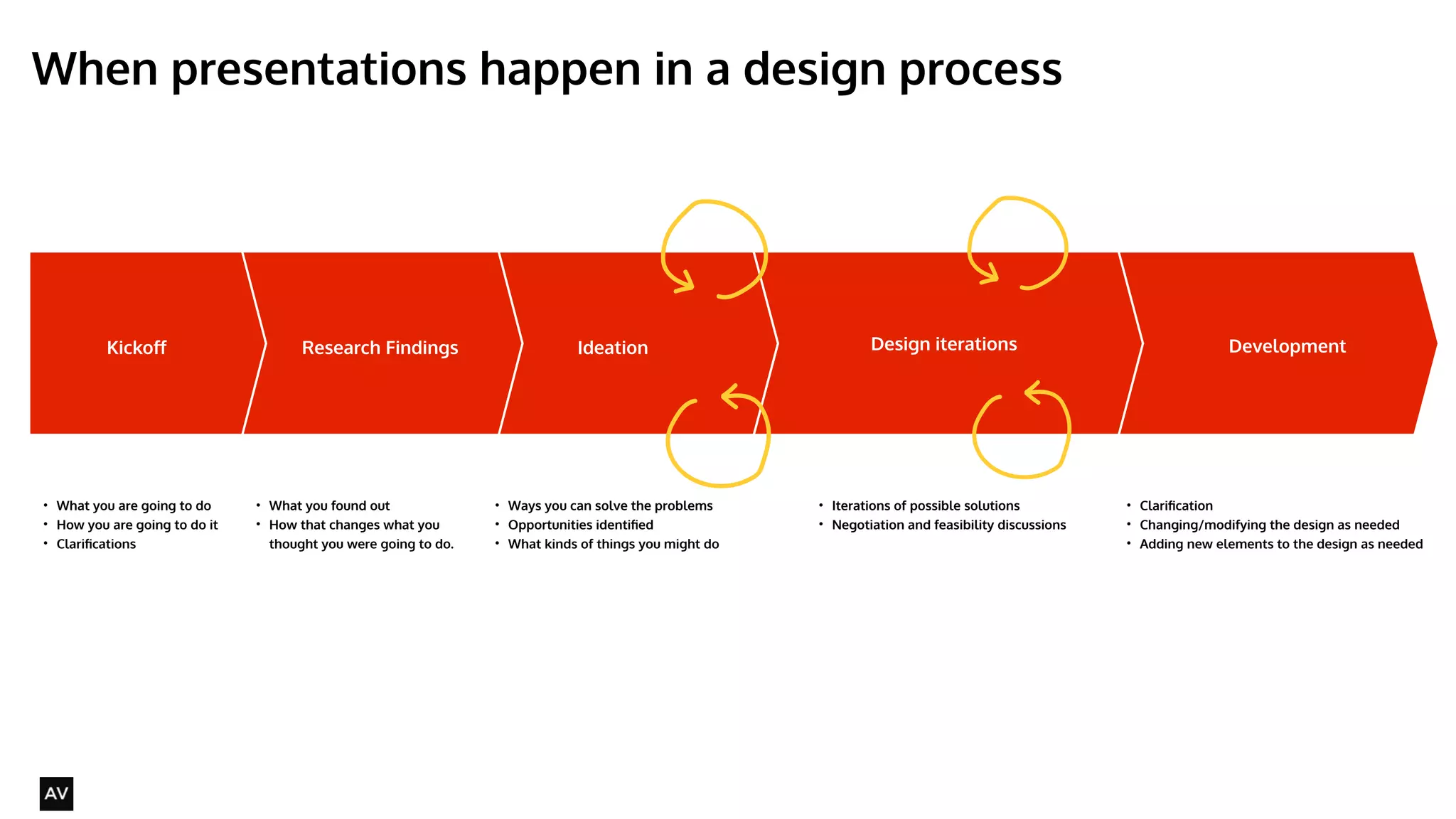
When presentations happen in a design process 
@AYNNE 
Kickoff Ideation Design iterations Development 
• What you are going to do 
• How you are going to do it 
• Clarifications 
Research Findings 
• What you found out 
• How that changes what you 
thought you were going to do. 
• Ways you can solve the problems 
• Opportunities identified 
• What kinds of things you might do 
• Iterations of possible solutions 
• Negotiation and feasibility discussions 
! 
• Clarification 
• Changing/modifying the design as needed 
• Adding new elements to the design as needed 
! 
!
Four commandments of selling your ideas effectively 
• Know your audience 
• Speak simply 
• Tell a story 
• Make clear next steps 
@AYNNE
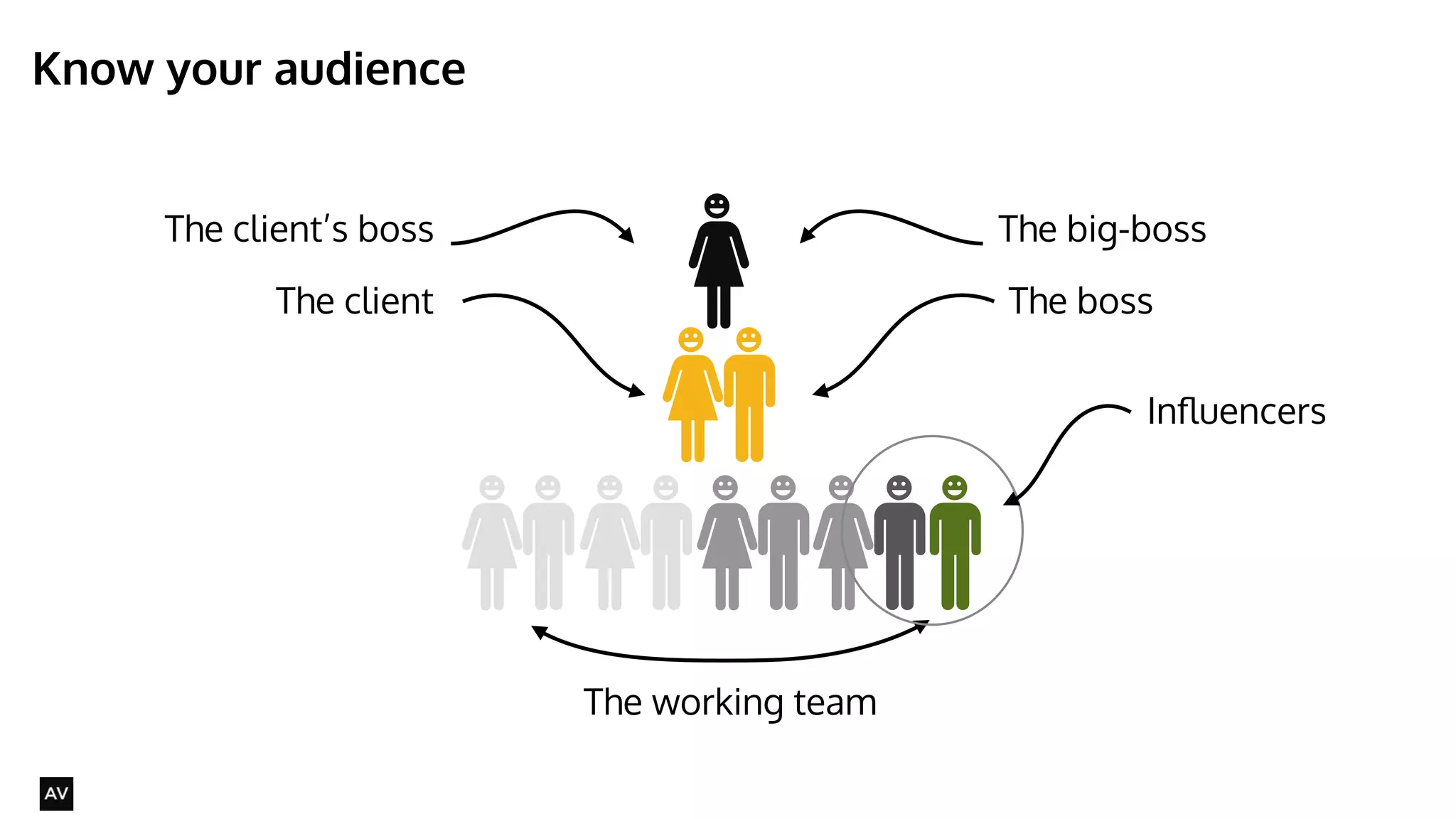
Know your audience 
@AYNNE 
The big-boss 
The boss 
The working team 
The client’s boss 
The client 
Influencers
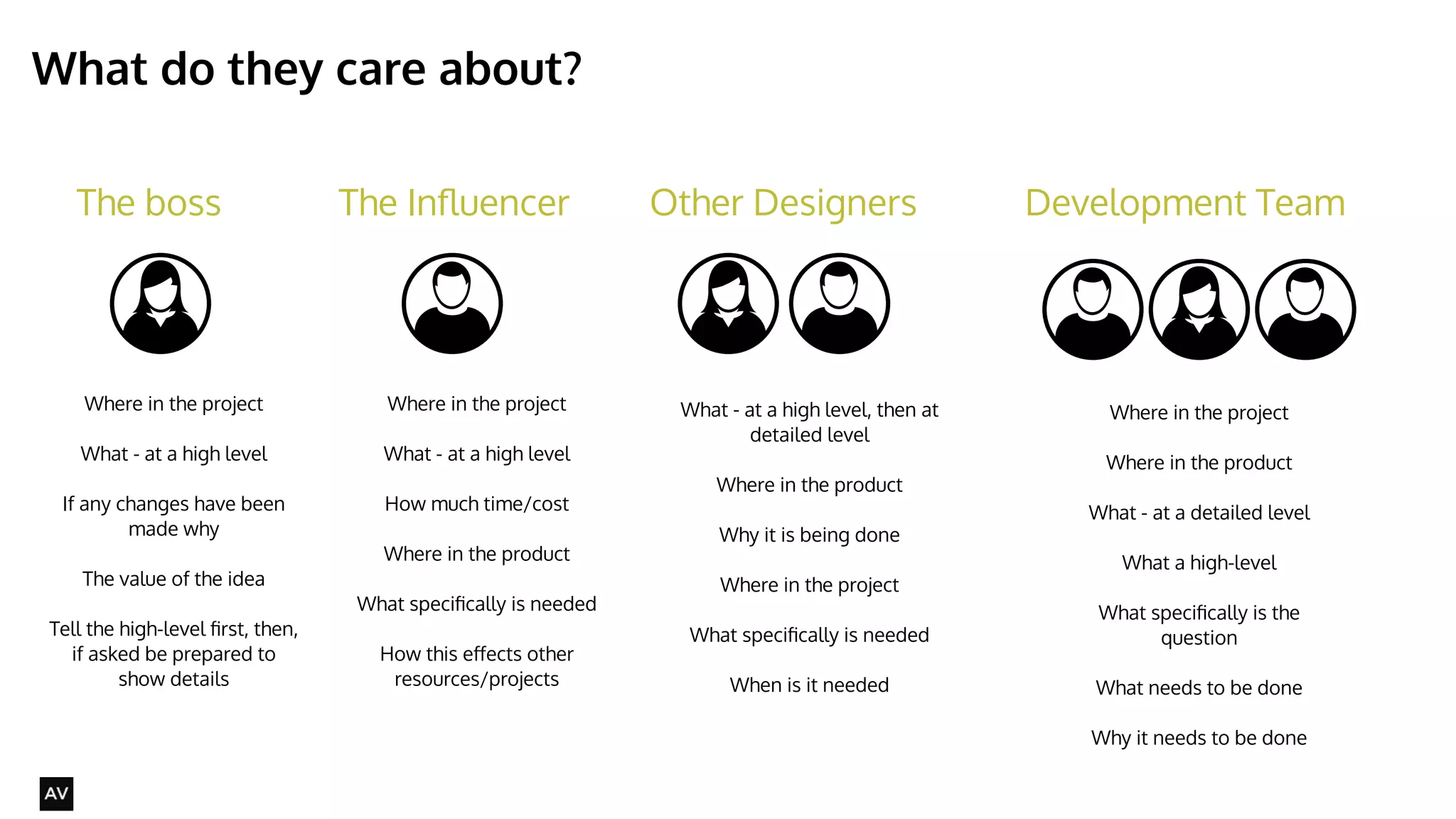
What do they care about? 
@AYNNE 
The boss The Influencer Other Designers Development Team 
Where in the project 
What - at a high level 
! 
If any changes have been 
made why 
! 
The value of the idea 
! 
Tell the high-level first, then, 
if asked be prepared to 
show details 
Where in the project 
What - at a high level 
! 
How much time/cost 
! 
Where in the product 
! 
What specifically is needed 
! 
How this effects other 
resources/projects 
What - at a high level, then at 
detailed level 
! 
Where in the product 
Why it is being done 
! 
Where in the project 
! 
What specifically is needed 
! 
When is it needed 
Where in the project 
! 
Where in the product 
What - at a detailed level 
! 
What a high-level 
! 
What specifically is the 
question 
! 
What needs to be done 
! 
Why it needs to be done
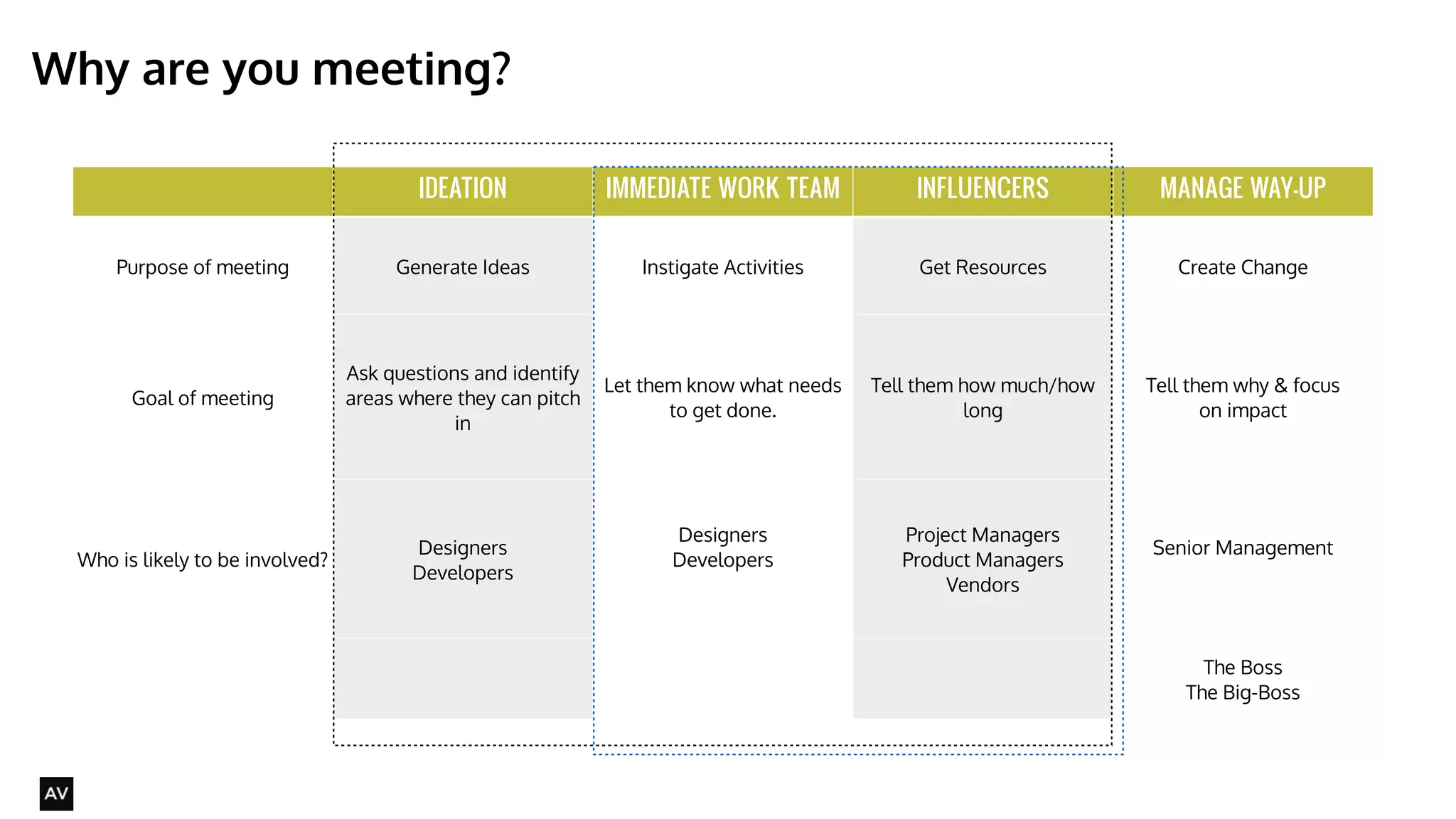
IDEATION IMMEDIATE WORK TEAM INFLUENCERS MANAGE WAY-UP 
Purpose of meeting Generate Ideas Instigate Activities Get Resources Create Change 
Goal of meeting 
Ask questions and identify 
areas where they can pitch 
in 
Let them know what needs 
to get done. 
Tell them how much/how 
long 
Tell them why & focus 
on impact 
Who is likely to be involved? Designers 
Developers 
Designers 
Developers 
Project Managers 
Product Managers 
Vendors 
Senior Management 
The Boss 
The Big-Boss 
Why are you meeting? 
@AYNNE
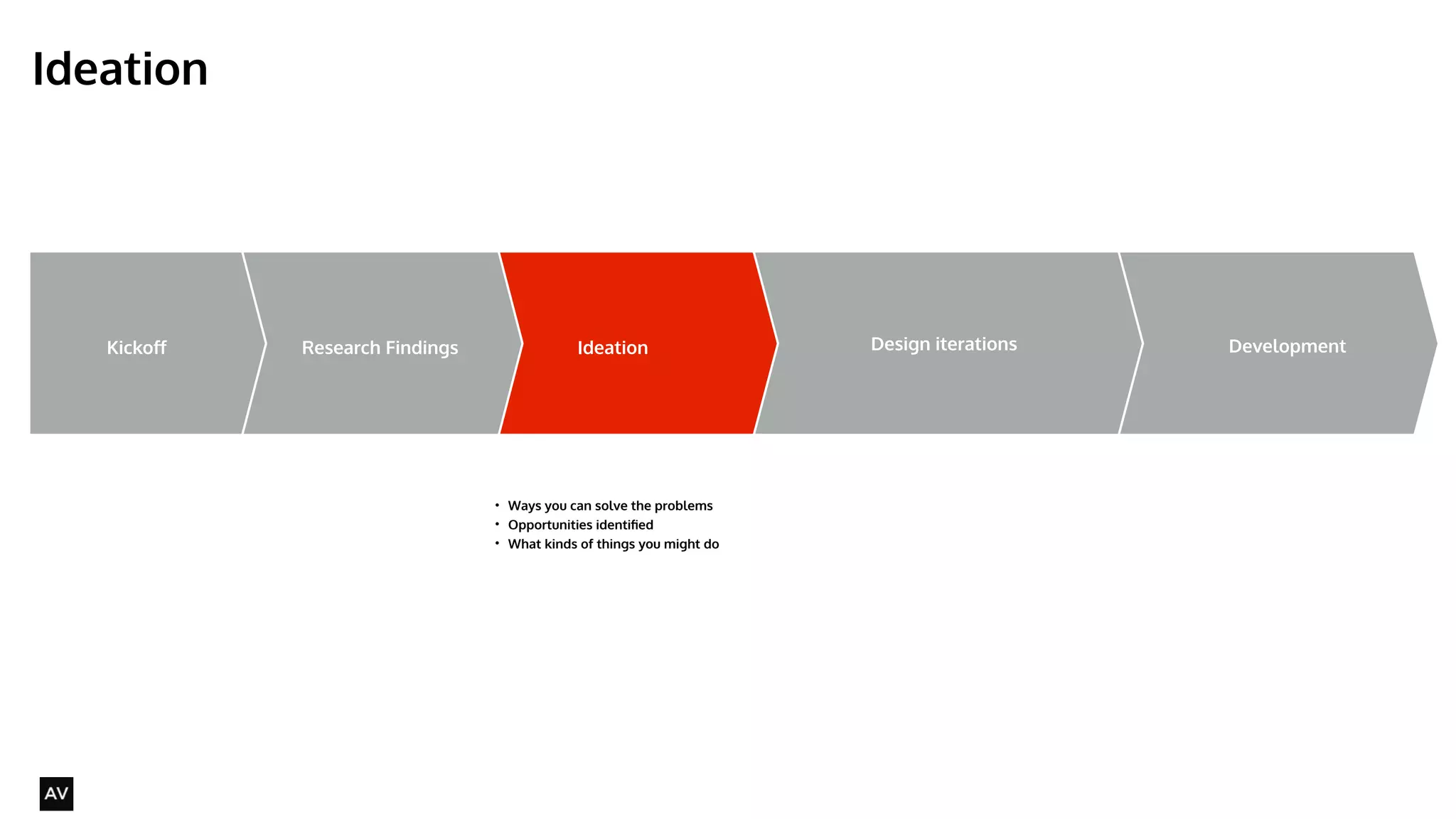
Ideation 
@AYNNE 
Kickoff Ideation Design iterations Development 
• What you are going to do 
• How you are going to do it 
• Clarifications 
Research Findings 
• What you found out 
• How that changes what you 
thought you were going to do. 
• Ways you can solve the problems 
• Opportunities identified 
• What kinds of things you might do 
• Iterations of possible solutions 
• Negotiation and feasibility discussions 
! 
• Clarification 
• Changing/modifying the design as needed 
• Adding new elements to the design as needed 
! 
!
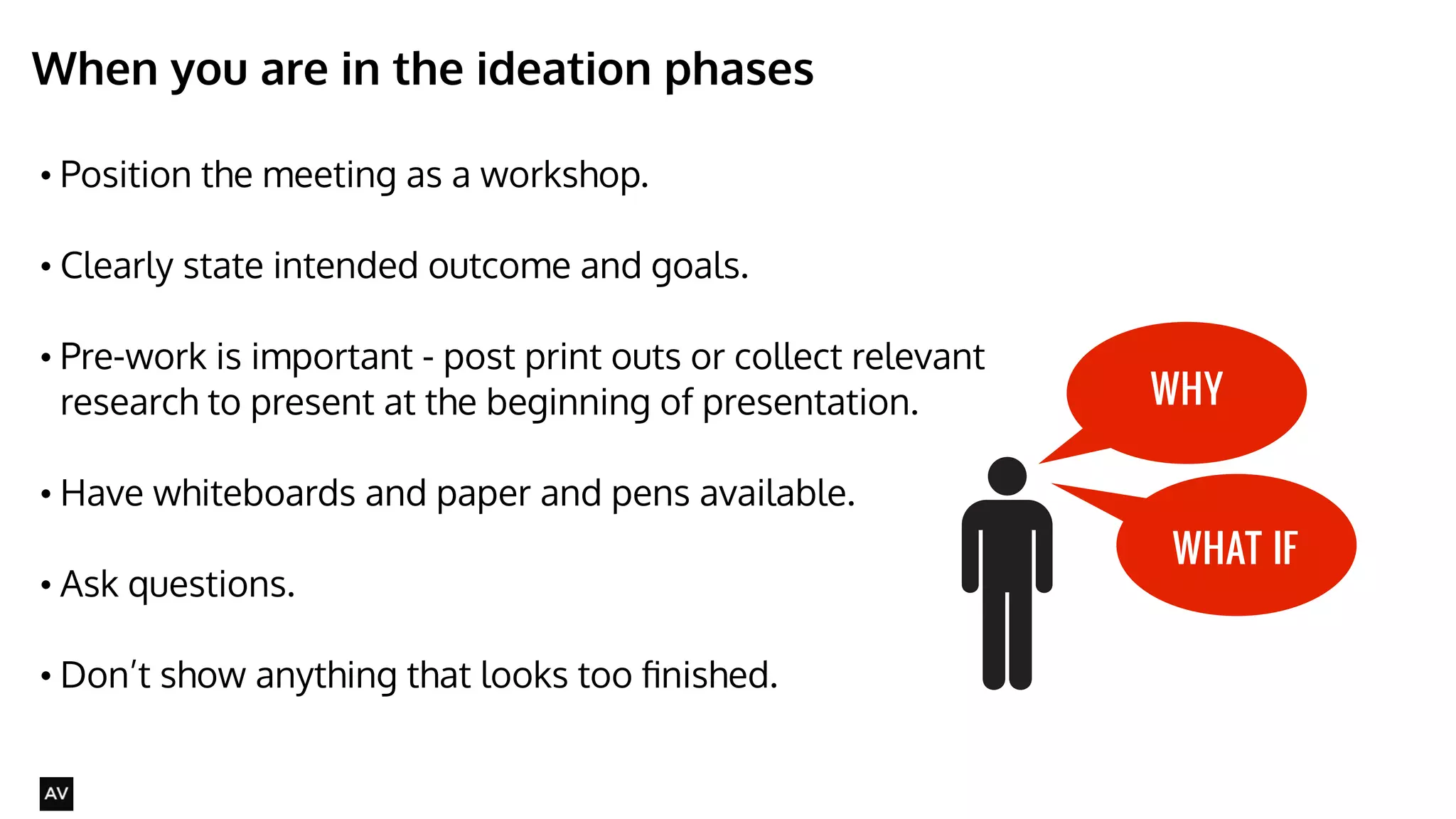
When you are in the ideation phases 
• Position the meeting as a workshop. 
• Clearly state intended outcome and goals. 
• Pre-work is important - post print outs or collect relevant 
research to present at the beginning of presentation. 
• Have whiteboards and paper and pens available. 
• Ask questions. 
! 
• Don’t show anything that looks too finished. 
@AYNNE 
WHY 
WHAT IF
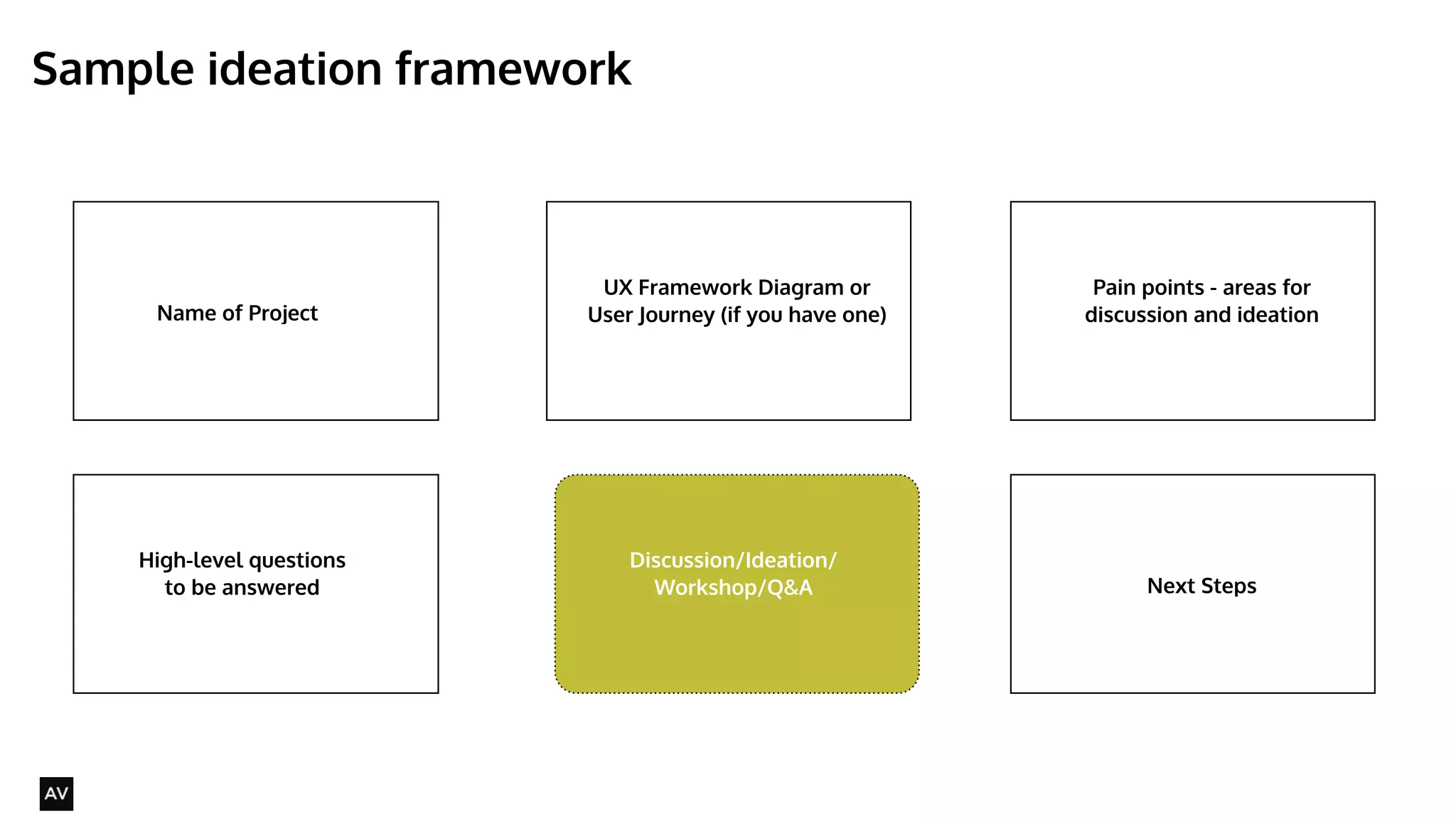
Sample ideation framework 
@AYNNE 
Name of Project 
UX Framework Diagram or 
User Journey (if you have one) 
Pain points - areas for 
discussion and ideation 
High-level questions 
to be answered 
Discussion/Ideation/ 
Workshop/Q&A Next Steps
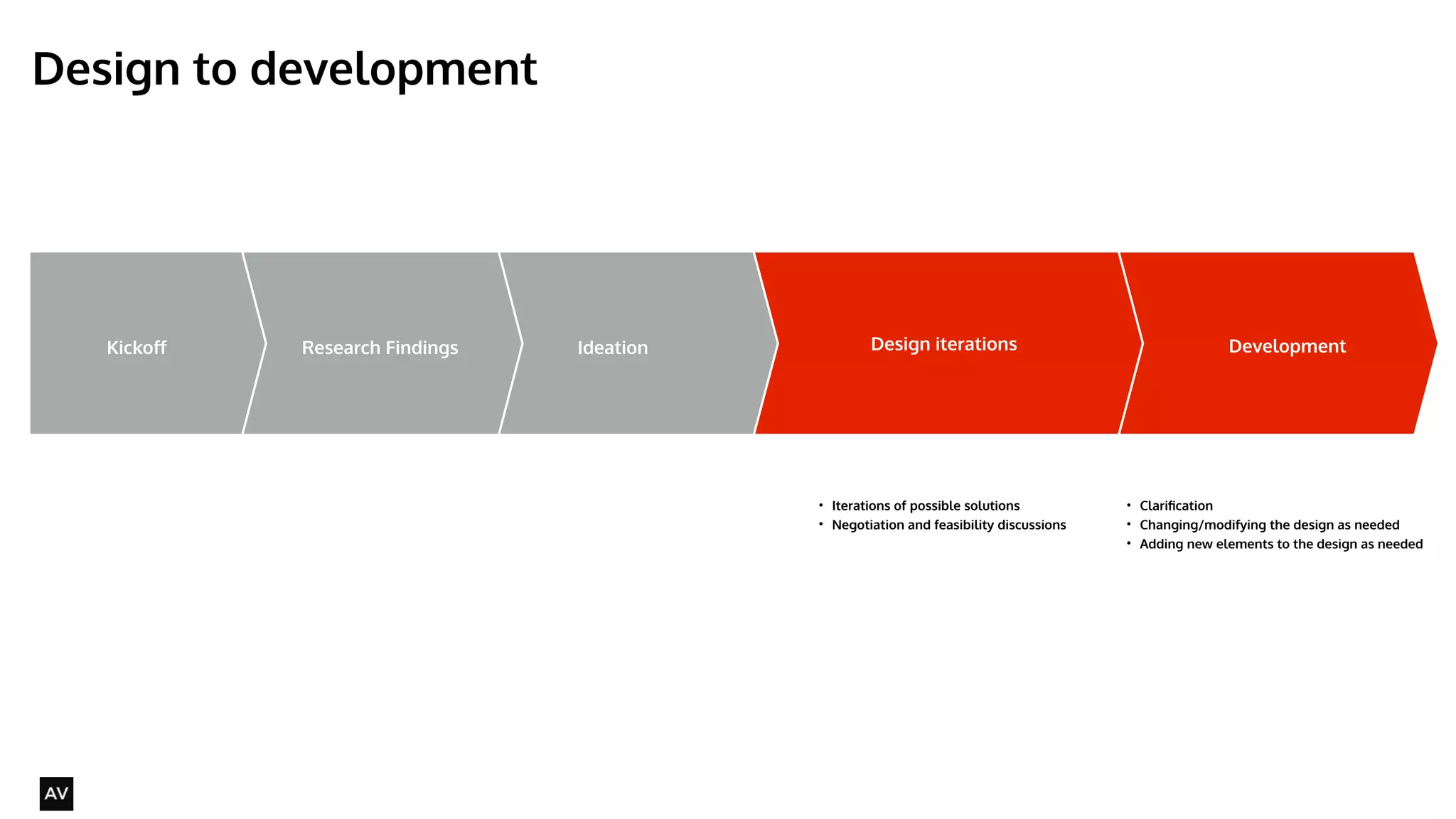
Design to development 
@AYNNE 
Kickoff Ideation Design iterations Development 
• What you are going to do 
• How you are going to do it 
• Clarifications 
Research Findings 
• What you found out 
• How that changes what you 
thought you were going to do. 
• Ways you can solve the problems 
• Opportunities identified 
• What kinds of things you might do 
• Iterations of possible solutions 
• Negotiation and feasibility discussions 
! 
• Clarification 
• Changing/modifying the design as needed 
• Adding new elements to the design as needed 
! 
!
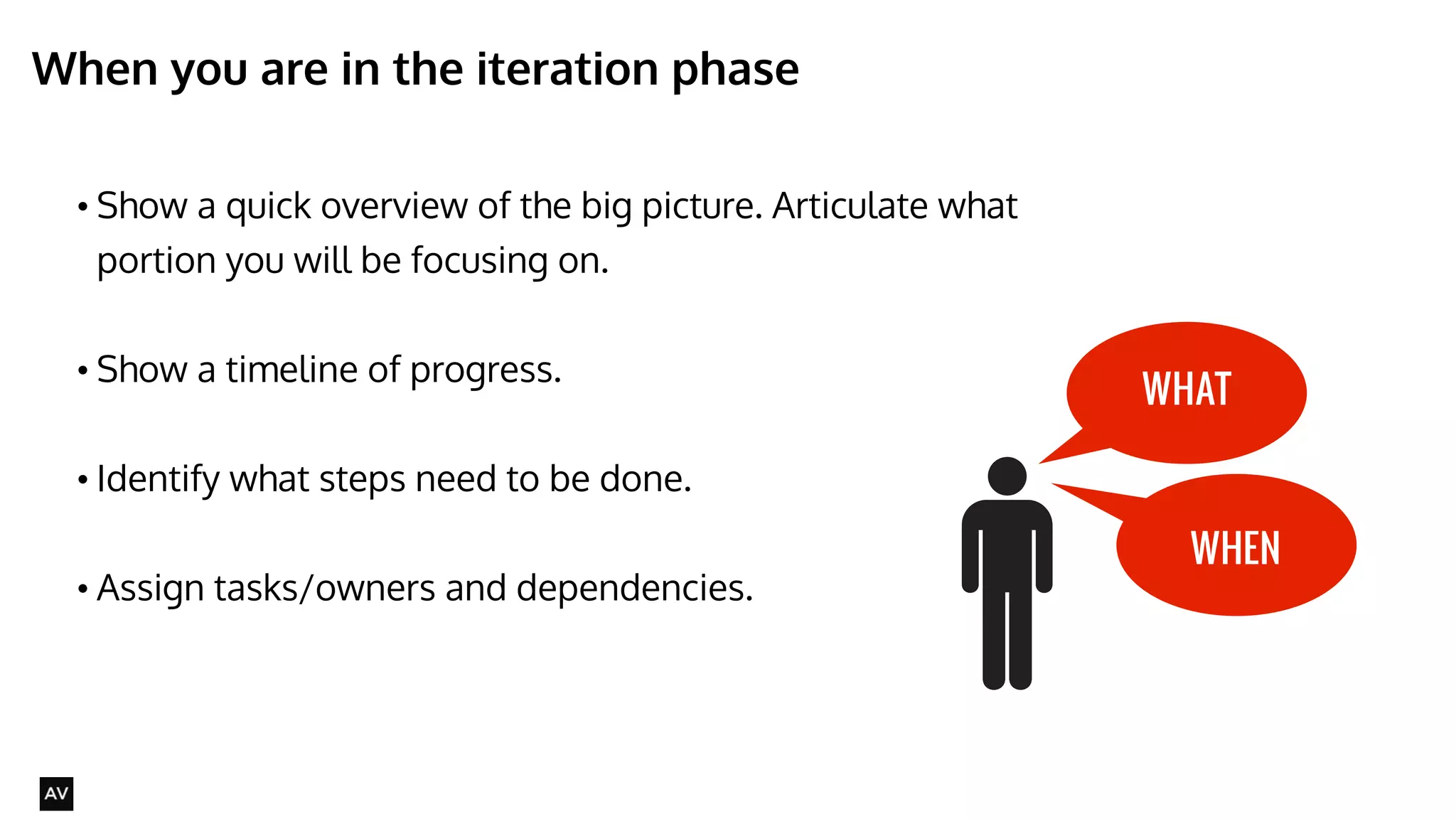
When you are in the iteration phase 
@AYNNE 
• Show a quick overview of the big picture. Articulate what 
portion you will be focusing on. 
• Show a timeline of progress. 
• Identify what steps need to be done. 
• Assign tasks/owners and dependencies. 
WHAT 
WHEN
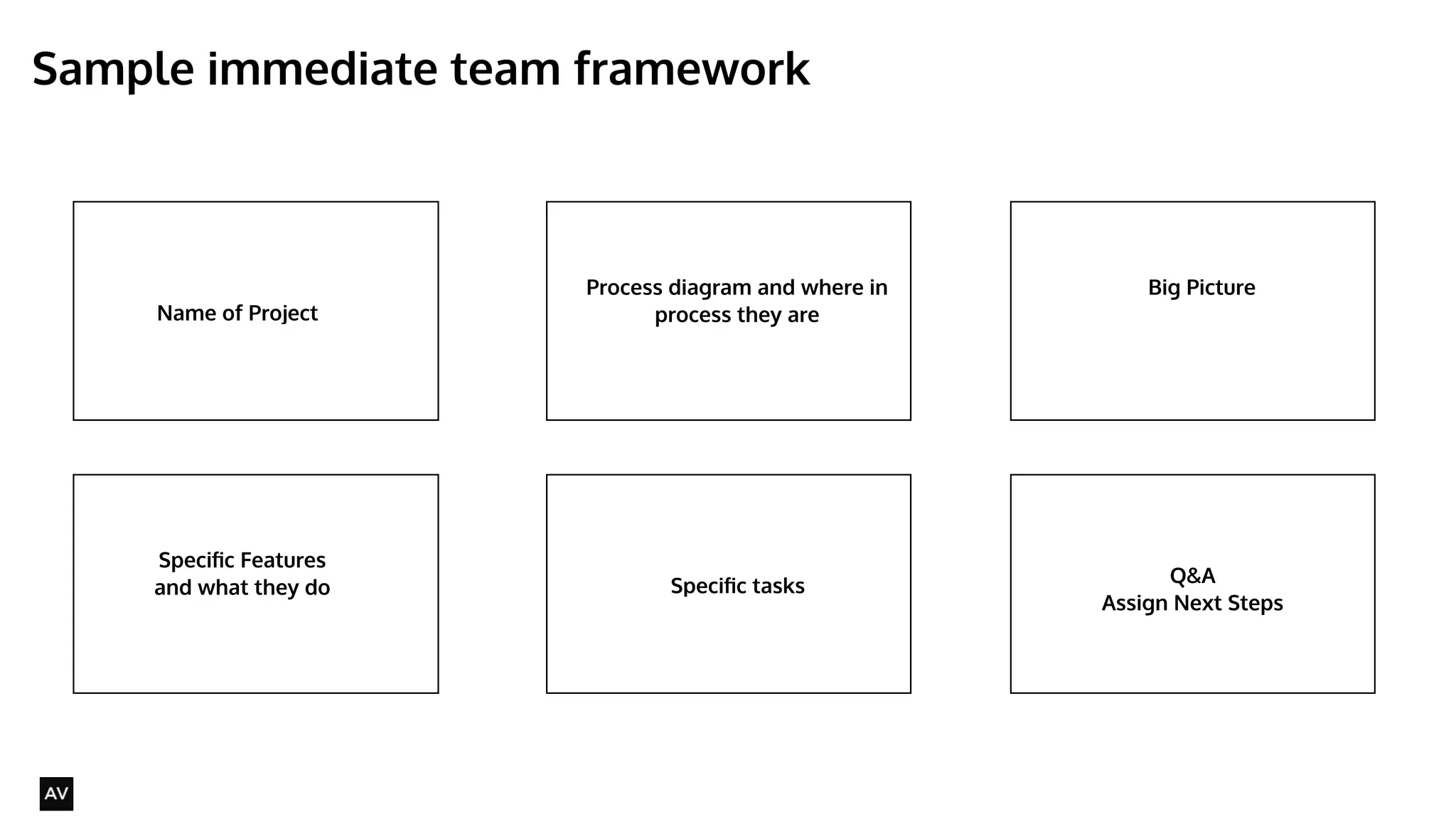
Sample immediate team framework 
@AYNNE 
Name of Project 
Process diagram and where in 
process they are 
Big Picture 
Specific Features 
and what they do 
Discussion/Ideation/ 
Workshop/Q&A Q&A 
Assign Next Steps 
Specific tasks
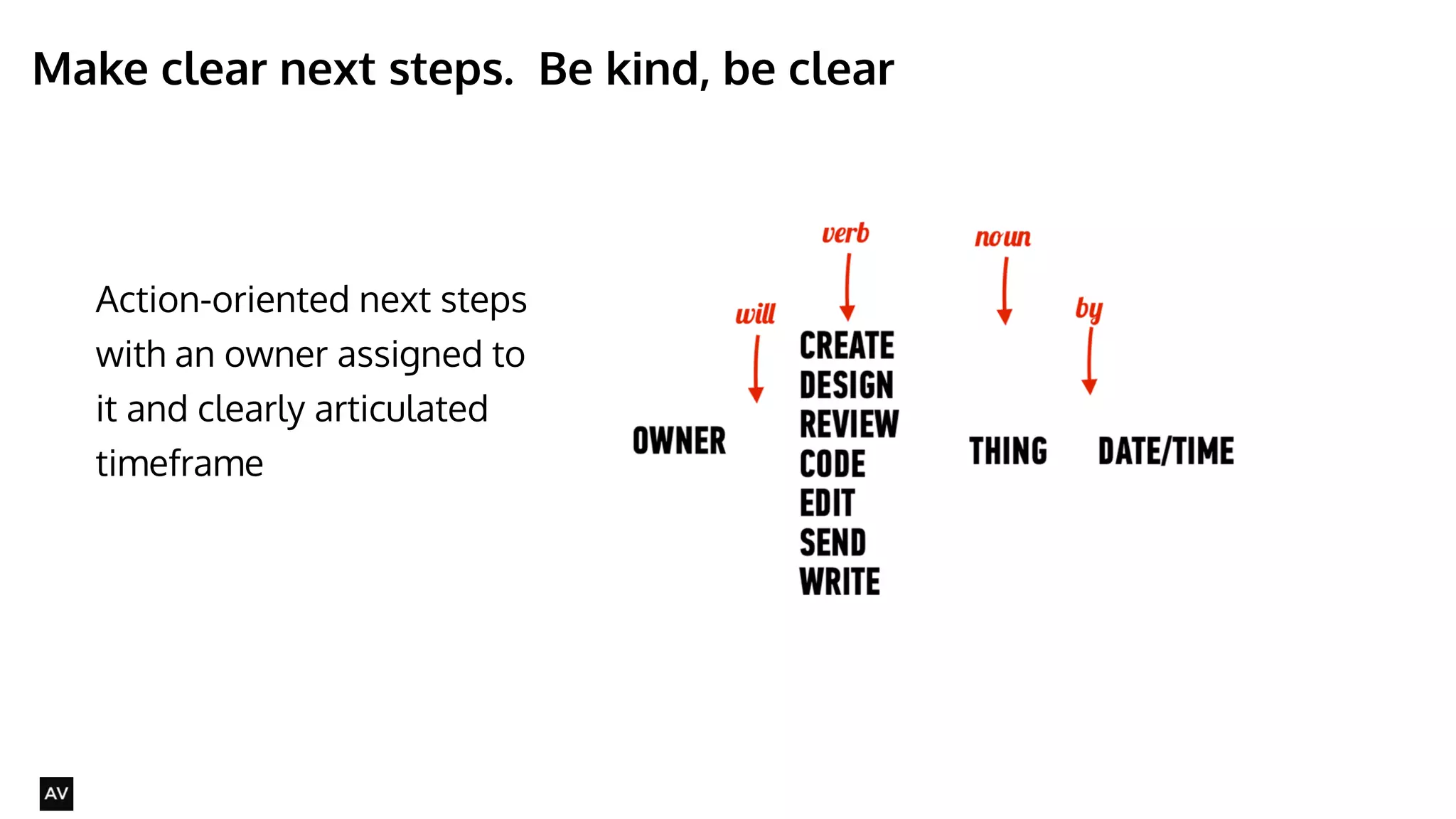
Make clear next steps. Be kind, be clear 
@AYNNE 
Action-oriented next steps 
with an owner assigned to 
it and clearly articulated 
timeframe
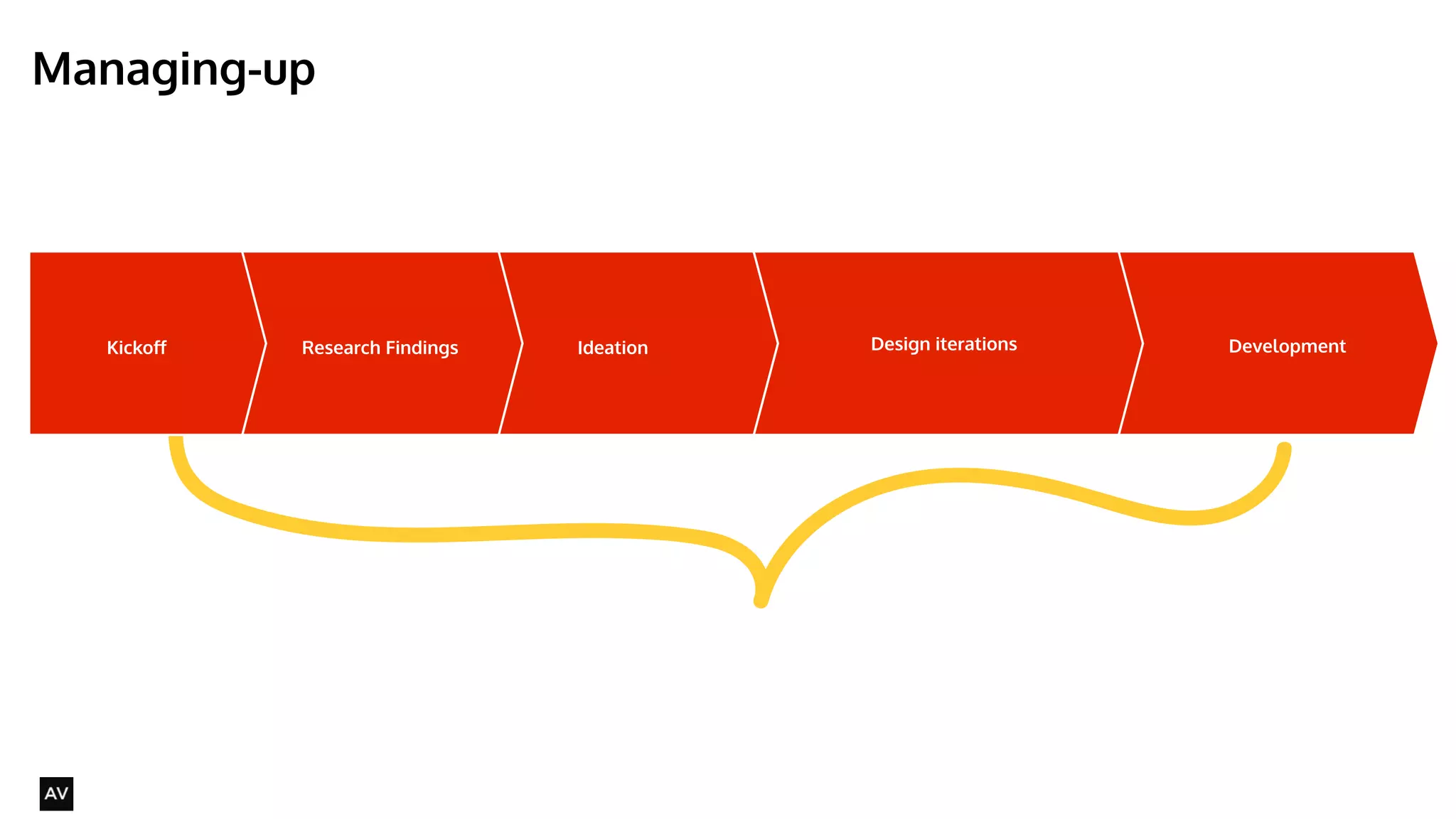
Managing-up 
@AYNNE 
Kickoff Ideation Design Research Findings iterations Development
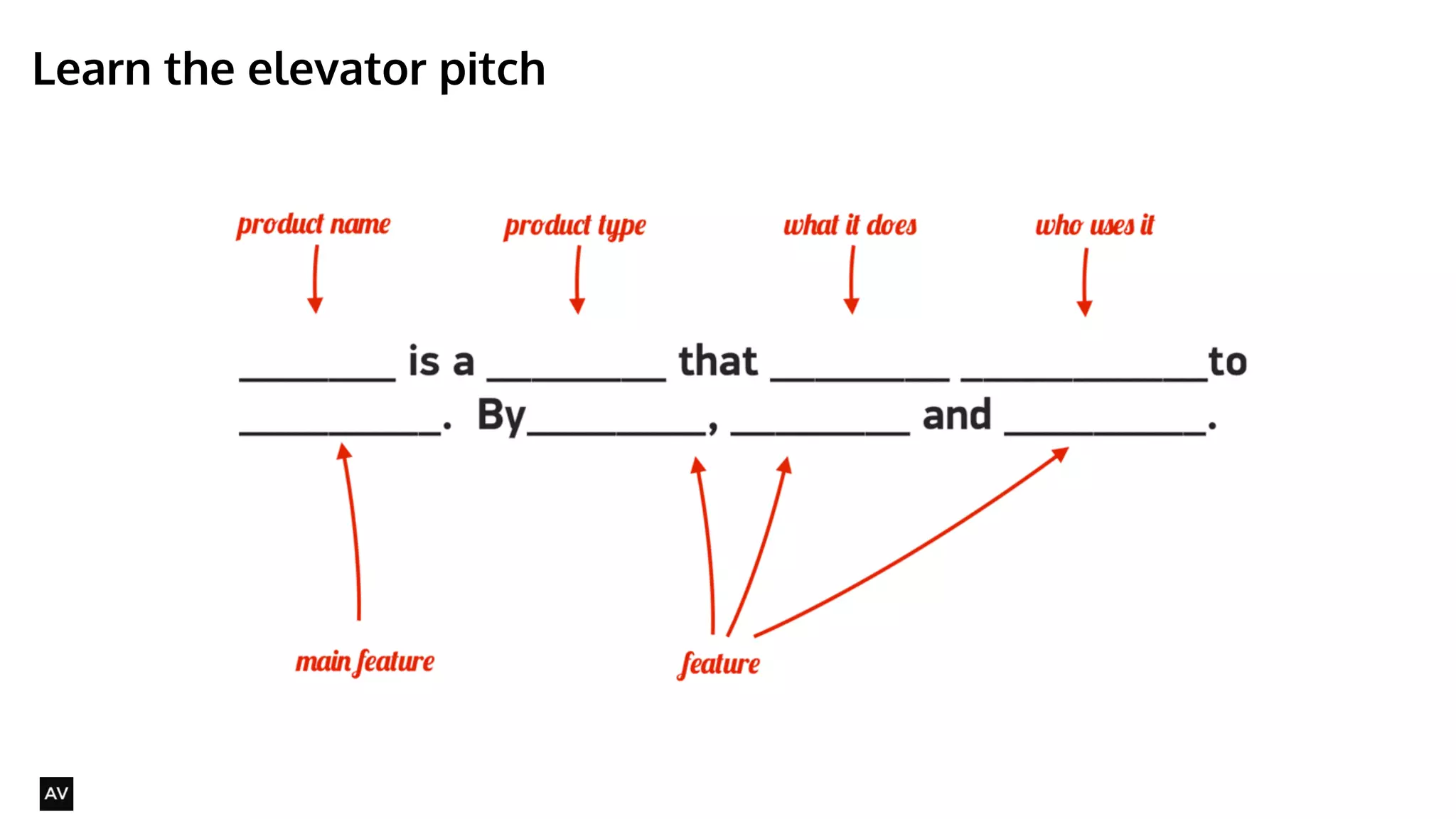
Learn the elevator pitch 
@AYNNE
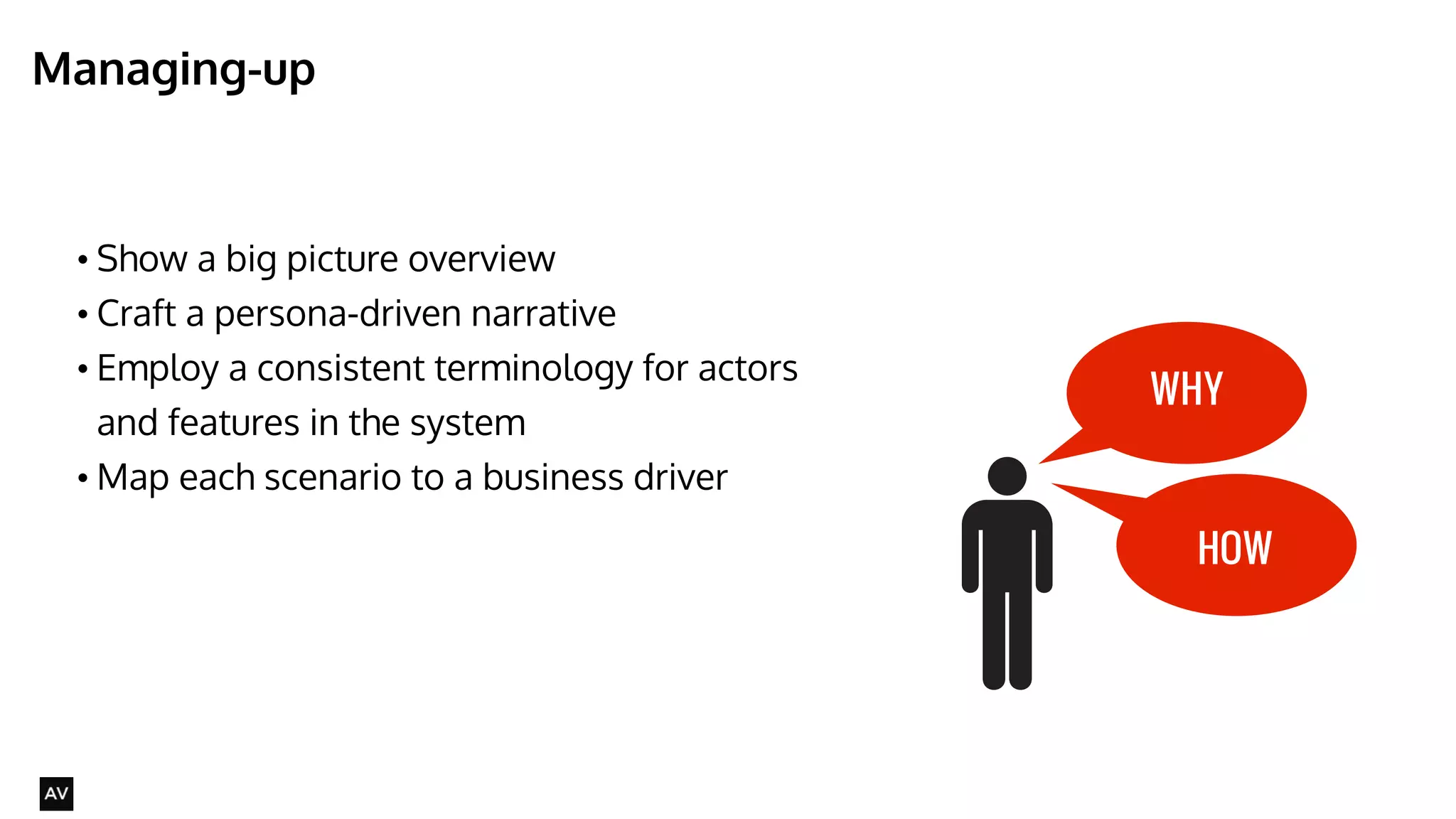
Managing-up 
@AYNNE 
• Show a big picture overview 
• Craft a persona-driven narrative 
• Employ a consistent terminology for actors 
and features in the system 
•Map each scenario to a business driver 
WHY 
HOW
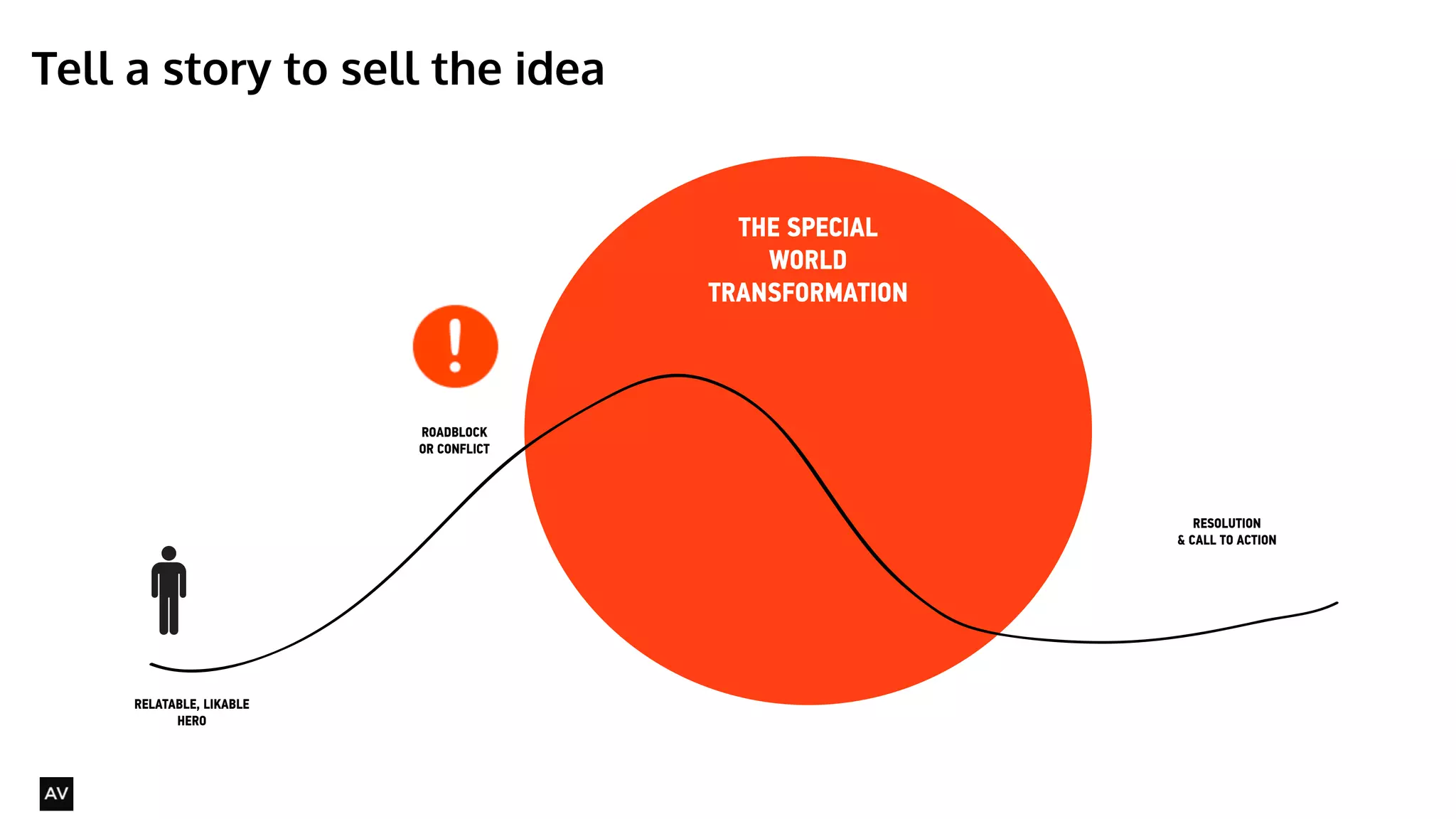
Tell a story to sell the idea 
@AYNNE 
RELATABLE, LIKABLE 
HERO 
ROADBLOCK 
OR CONFLICT 
THE SPECIAL 
WORLD 
TRANSFORMATION 
RESOLUTION 
& CALL TO ACTION
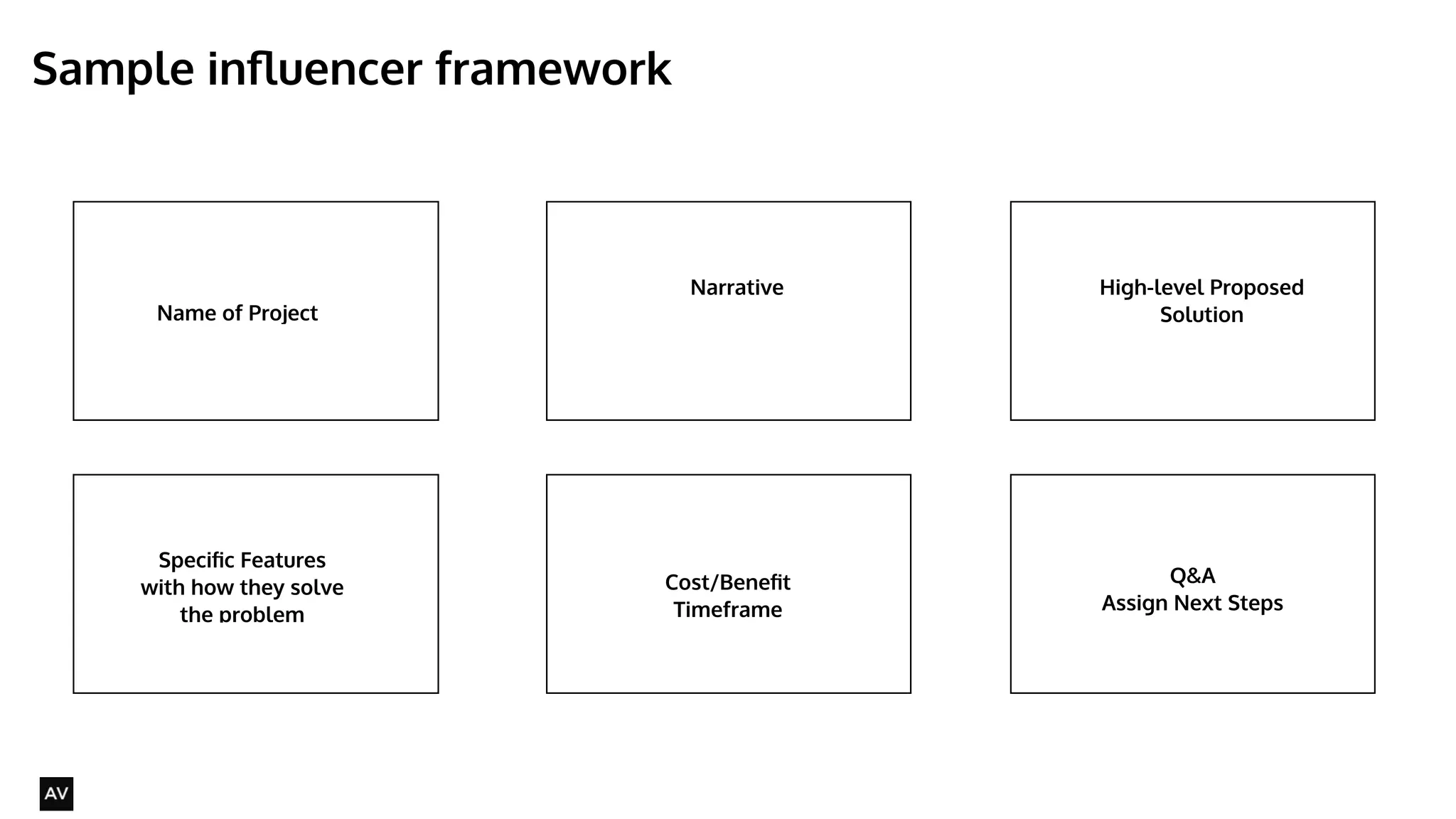
Sample influencer framework 
@AYNNE 
Name of Project 
Narrative High-level Proposed 
Solution 
Specific Features 
with how they solve 
the problem 
Discussion/Ideation/ 
Workshop/Q&A Q&A 
Assign Next Steps 
Cost/Benefit 
Timeframe
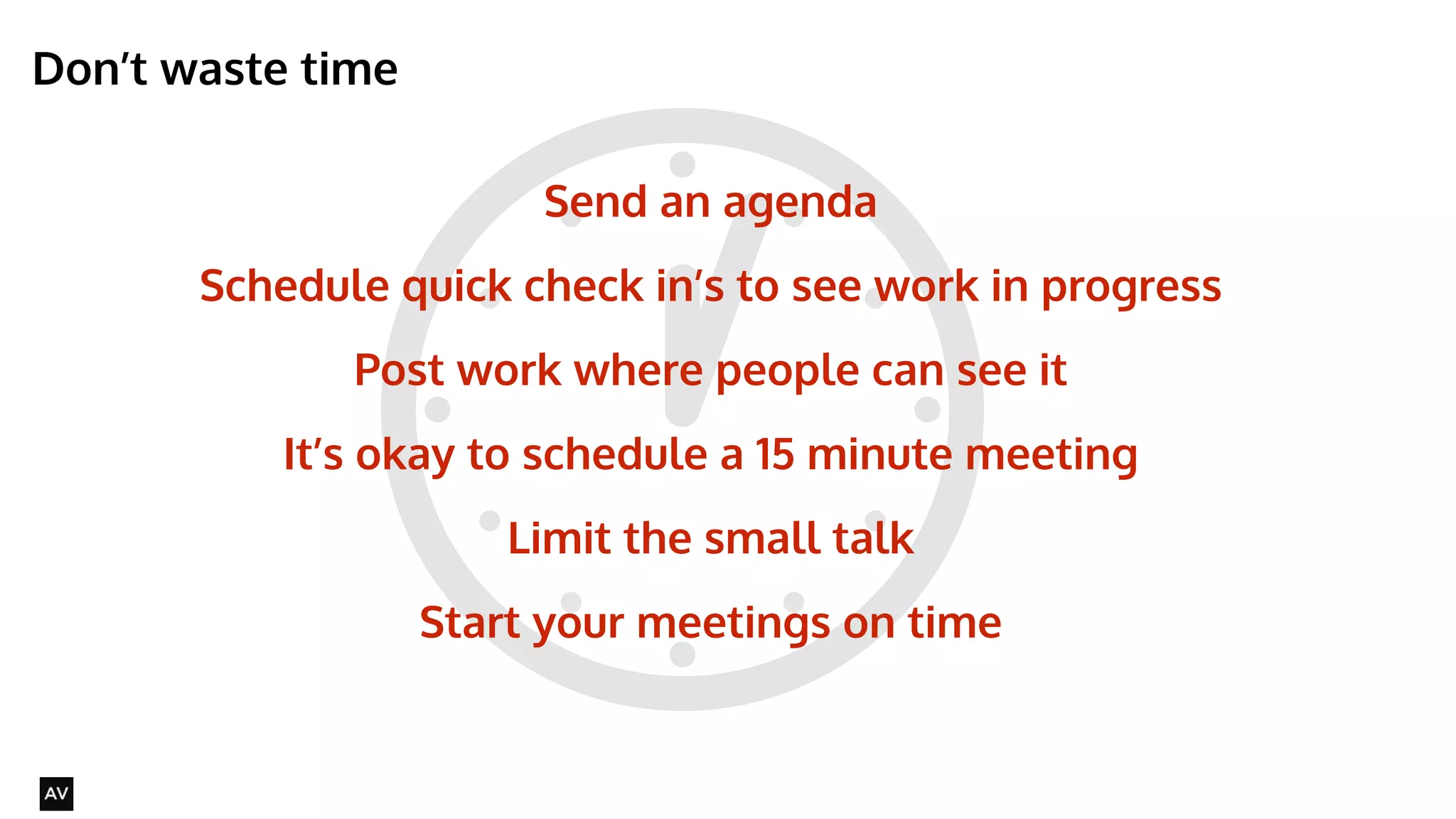
Don’t waste time 
@AYNNE 
Send an agenda 
Schedule quick check in’s to see work in progress 
Post work where people can see it 
It’s okay to schedule a 15 minute meeting 
Limit the small talk 
Start your meetings on time
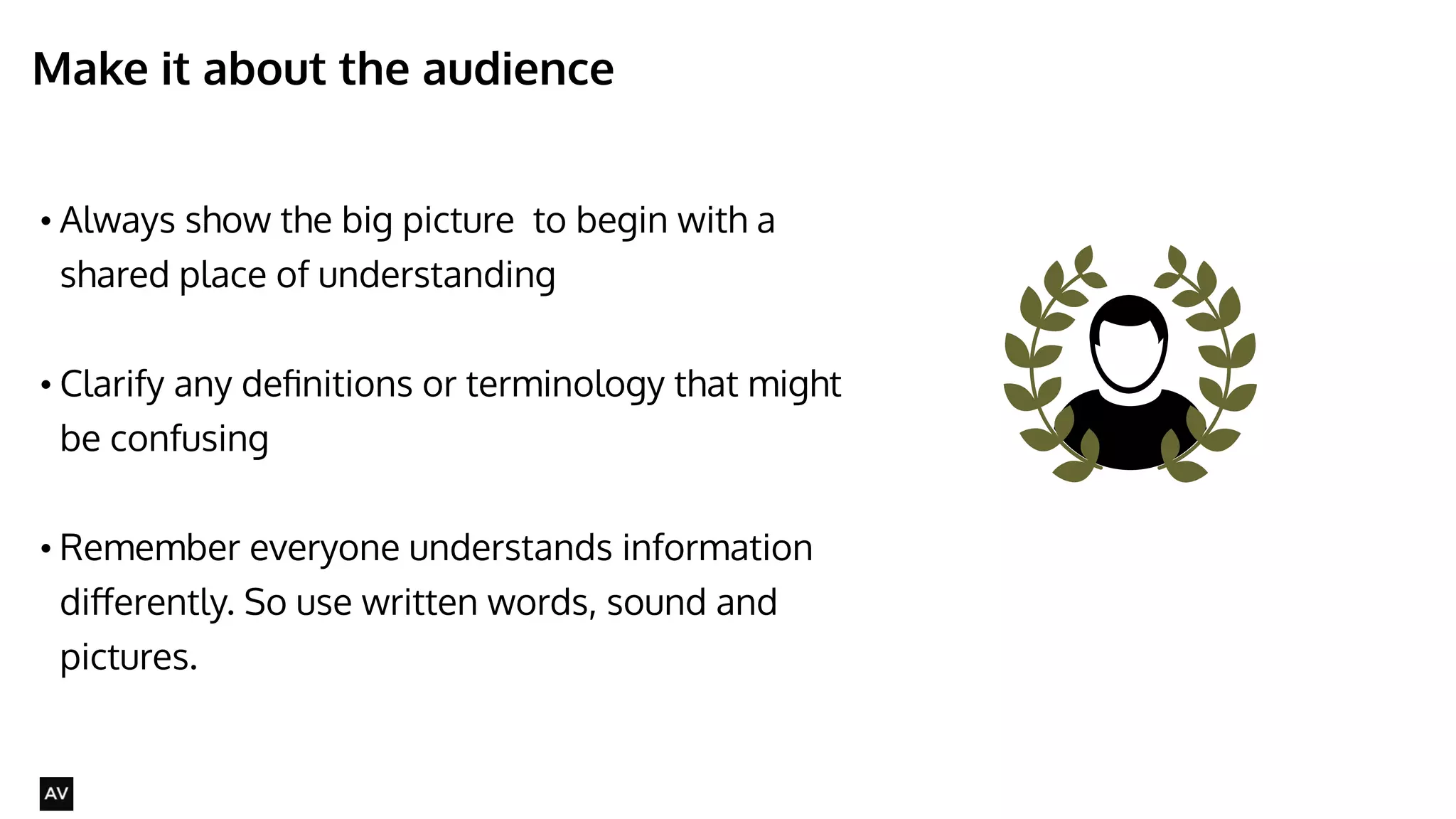
Make it about the audience 
• Always show the big picture to begin with a 
shared place of understanding 
! 
• Clarify any definitions or terminology that might 
be confusing 
! 
• Remember everyone understands information 
differently. So use written words, sound and 
pictures. 
@AYNNE
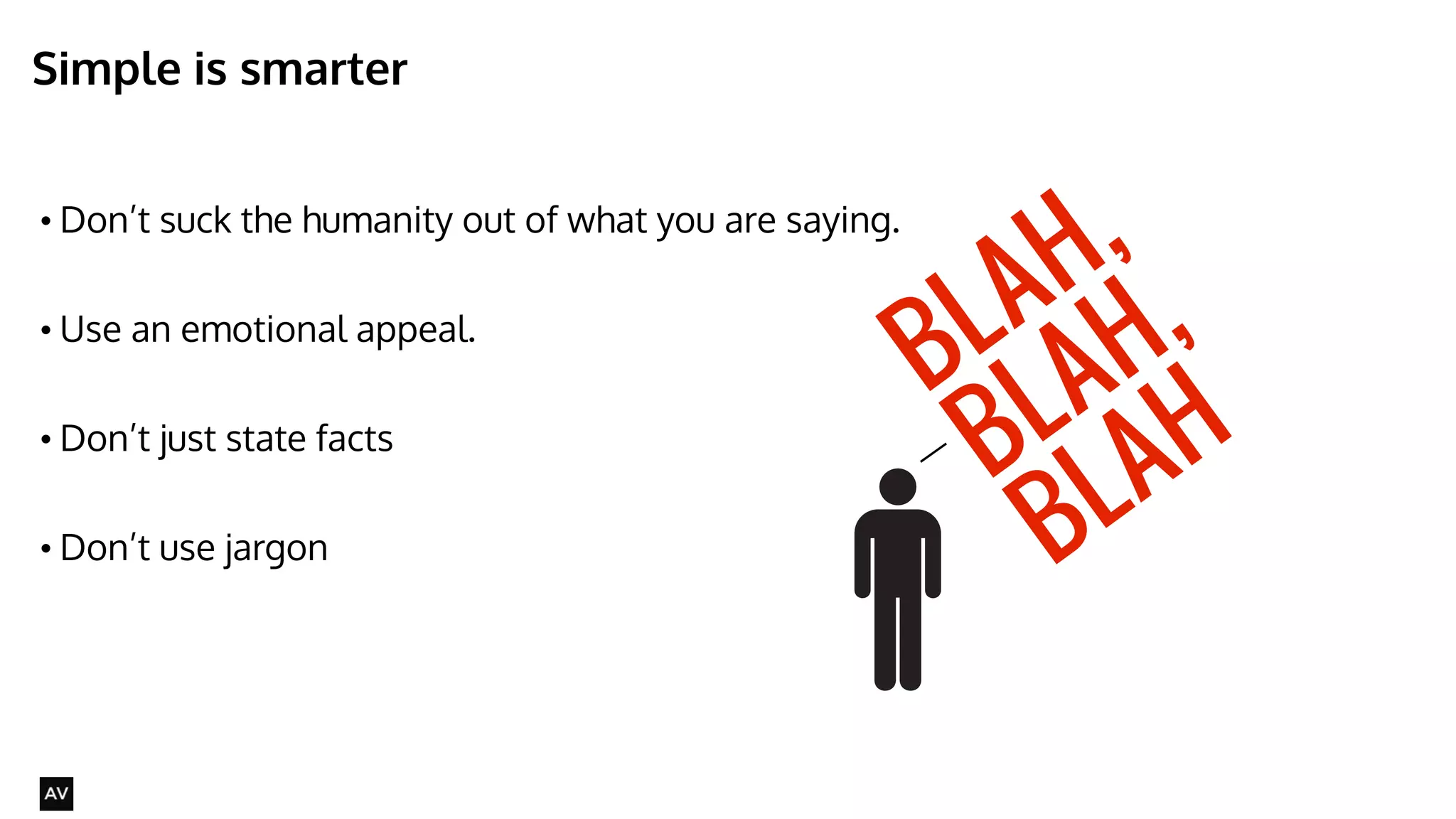
Simple is smarter 
• Don’t suck the humanity out of what you are saying. 
• Use an emotional appeal. 
! 
• Don’t just state facts 
! 
• Don’t use jargon 
@AYNNE 
BLAH, 
BLAH, 
BLAH
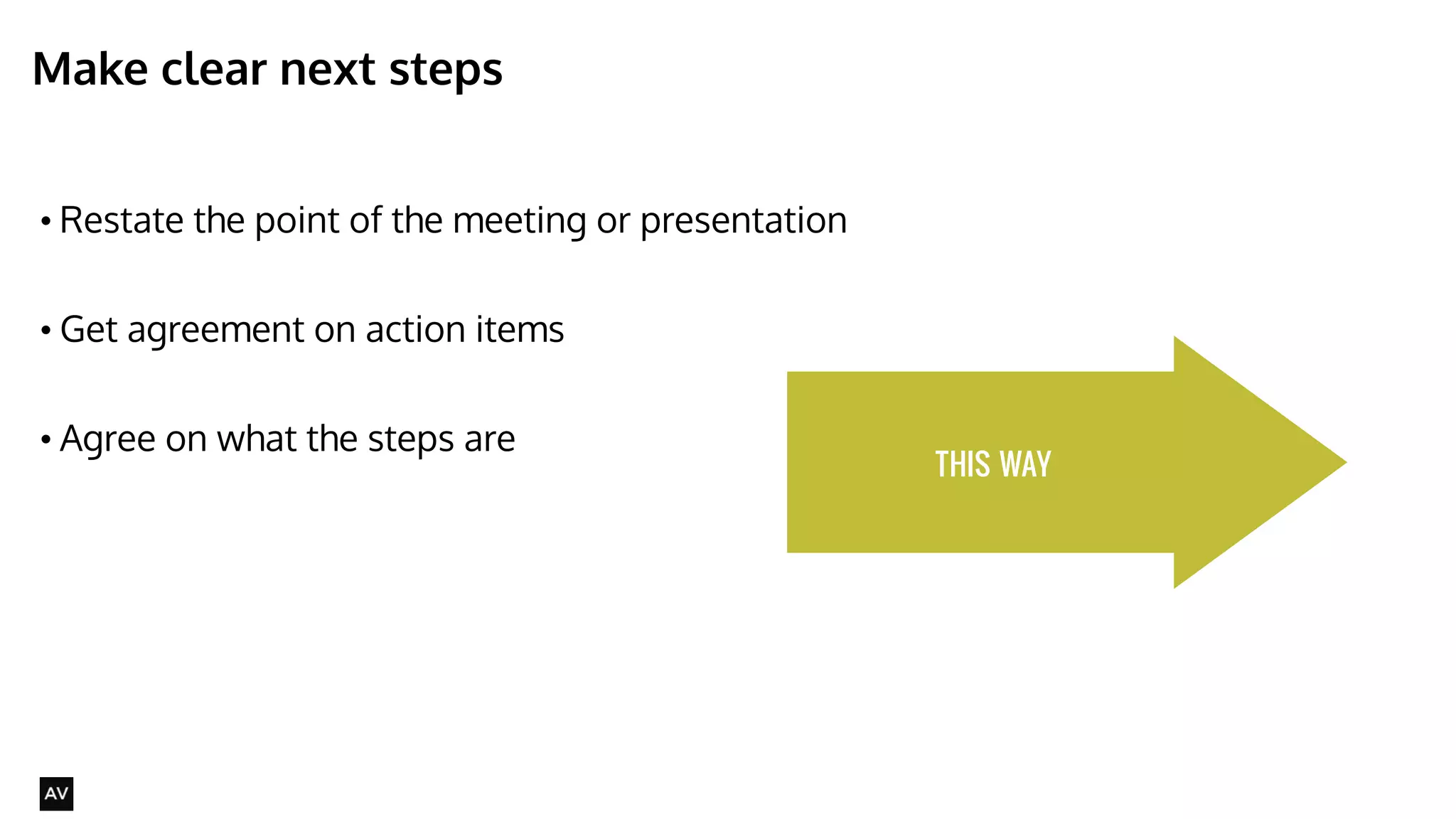
Make clear next steps 
• Restate the point of the meeting or presentation 
! 
• Get agreement on action items 
! 
• Agree on what the steps are 
@AYNNE 
THIS WAY
Four commandments of selling your ideas effectively 
• Know your audience 
• Speak simply 
• Tell a story 
• Make clear next steps 
@AYNNE
@AYNNE 
Thank You! 
AYNNE VALENCIA 
PRODUCT DESIGN DIRECTOR, EDUCATOR 
WWW.AVALEN.COM

The Presentation Playbook for Designers

  • 1.
    Presentation Playbook COPYRIGHT:AYNNE VALENCIA 2014 This work is licensed under the Creative Commons Attribution-NonCommercial-NoDerivatives 4.0 International License. To view a copy of this license, visit http://creativecommons.org/licenses/by-nc-nd/4.0/. @AYNNE AYNNE VALENCIA
  • 2.
    Who is thisfor? • Visual Designers • Art Directors • Interaction designers • Creative Directors • Design Managers • Anyone presenting creative work or ideas @AYNNE
  • 3.
    Learning objectives: •Learn about different types of meetings • Learn about stakeholders • Set yourself up for success to speak to different audiences @AYNNE
  • 4.
    As a creativeyour most valuable skill is @AYNNE COMMUNICATION
  • 5.
    SMART & BEAUTIFULDELIVERABLES TIME MANAGEMENT Design skills: @AYNNE EFFECTIVE APPLICATION OF TOOLS/METHODS
  • 6.
    How we learn @AYNNE
  • 7.
    Who will youpresent to? @AYNNE PRODUCT MANAGER MARKETING & BRAND PROJECT MANAGER END USERS CLIENTS INTERACTION DESIGNERS DEVELOPMENT TEAM DESIGNER INDUSTRIAL DESIGN VISUAL DESIGN OTHER STAKEHOLDERS CUSTOMER SERVICE/USER ASSISTANCE LEGAL WRITERS
  • 8.
  • 9.
    When will yoube selling your ideas? • Running workshops • Presenting research findings • Presenting concepts • presenting designs • ALL THE TIME @AYNNE
  • 10.
    When presentations happenin a design process @AYNNE Kickoff Ideation Design iterations Development • What you are going to do • How you are going to do it • Clarifications Research Findings • What you found out • How that changes what you thought you were going to do. • Ways you can solve the problems • Opportunities identified • What kinds of things you might do • Iterations of possible solutions • Negotiation and feasibility discussions ! • Clarification • Changing/modifying the design as needed • Adding new elements to the design as needed ! !
  • 11.
    Four commandments ofselling your ideas effectively • Know your audience • Speak simply • Tell a story • Make clear next steps @AYNNE
  • 12.
    Know your audience @AYNNE The big-boss The boss The working team The client’s boss The client Influencers
  • 13.
    What do theycare about? @AYNNE The boss The Influencer Other Designers Development Team Where in the project What - at a high level ! If any changes have been made why ! The value of the idea ! Tell the high-level first, then, if asked be prepared to show details Where in the project What - at a high level ! How much time/cost ! Where in the product ! What specifically is needed ! How this effects other resources/projects What - at a high level, then at detailed level ! Where in the product Why it is being done ! Where in the project ! What specifically is needed ! When is it needed Where in the project ! Where in the product What - at a detailed level ! What a high-level ! What specifically is the question ! What needs to be done ! Why it needs to be done
  • 14.
    IDEATION IMMEDIATE WORKTEAM INFLUENCERS MANAGE WAY-UP Purpose of meeting Generate Ideas Instigate Activities Get Resources Create Change Goal of meeting Ask questions and identify areas where they can pitch in Let them know what needs to get done. Tell them how much/how long Tell them why & focus on impact Who is likely to be involved? Designers Developers Designers Developers Project Managers Product Managers Vendors Senior Management The Boss The Big-Boss Why are you meeting? @AYNNE
  • 15.
    Ideation @AYNNE KickoffIdeation Design iterations Development • What you are going to do • How you are going to do it • Clarifications Research Findings • What you found out • How that changes what you thought you were going to do. • Ways you can solve the problems • Opportunities identified • What kinds of things you might do • Iterations of possible solutions • Negotiation and feasibility discussions ! • Clarification • Changing/modifying the design as needed • Adding new elements to the design as needed ! !
  • 16.
    When you arein the ideation phases • Position the meeting as a workshop. • Clearly state intended outcome and goals. • Pre-work is important - post print outs or collect relevant research to present at the beginning of presentation. • Have whiteboards and paper and pens available. • Ask questions. ! • Don’t show anything that looks too finished. @AYNNE WHY WHAT IF
  • 17.
    Sample ideation framework @AYNNE Name of Project UX Framework Diagram or User Journey (if you have one) Pain points - areas for discussion and ideation High-level questions to be answered Discussion/Ideation/ Workshop/Q&A Next Steps
  • 18.
    Design to development @AYNNE Kickoff Ideation Design iterations Development • What you are going to do • How you are going to do it • Clarifications Research Findings • What you found out • How that changes what you thought you were going to do. • Ways you can solve the problems • Opportunities identified • What kinds of things you might do • Iterations of possible solutions • Negotiation and feasibility discussions ! • Clarification • Changing/modifying the design as needed • Adding new elements to the design as needed ! !
  • 19.
    When you arein the iteration phase @AYNNE • Show a quick overview of the big picture. Articulate what portion you will be focusing on. • Show a timeline of progress. • Identify what steps need to be done. • Assign tasks/owners and dependencies. WHAT WHEN
  • 20.
    Sample immediate teamframework @AYNNE Name of Project Process diagram and where in process they are Big Picture Specific Features and what they do Discussion/Ideation/ Workshop/Q&A Q&A Assign Next Steps Specific tasks
  • 21.
    Make clear nextsteps. Be kind, be clear @AYNNE Action-oriented next steps with an owner assigned to it and clearly articulated timeframe
  • 22.
    Managing-up @AYNNE KickoffIdeation Design Research Findings iterations Development
  • 23.
    Learn the elevatorpitch @AYNNE
  • 24.
    Managing-up @AYNNE •Show a big picture overview • Craft a persona-driven narrative • Employ a consistent terminology for actors and features in the system •Map each scenario to a business driver WHY HOW
  • 25.
    Tell a storyto sell the idea @AYNNE RELATABLE, LIKABLE HERO ROADBLOCK OR CONFLICT THE SPECIAL WORLD TRANSFORMATION RESOLUTION & CALL TO ACTION
  • 26.
    Sample influencer framework @AYNNE Name of Project Narrative High-level Proposed Solution Specific Features with how they solve the problem Discussion/Ideation/ Workshop/Q&A Q&A Assign Next Steps Cost/Benefit Timeframe
  • 27.
    Don’t waste time @AYNNE Send an agenda Schedule quick check in’s to see work in progress Post work where people can see it It’s okay to schedule a 15 minute meeting Limit the small talk Start your meetings on time
  • 28.
    Make it aboutthe audience • Always show the big picture to begin with a shared place of understanding ! • Clarify any definitions or terminology that might be confusing ! • Remember everyone understands information differently. So use written words, sound and pictures. @AYNNE
  • 29.
    Simple is smarter • Don’t suck the humanity out of what you are saying. • Use an emotional appeal. ! • Don’t just state facts ! • Don’t use jargon @AYNNE BLAH, BLAH, BLAH
  • 30.
    Make clear nextsteps • Restate the point of the meeting or presentation ! • Get agreement on action items ! • Agree on what the steps are @AYNNE THIS WAY
  • 31.
    Four commandments ofselling your ideas effectively • Know your audience • Speak simply • Tell a story • Make clear next steps @AYNNE
  • 32.
    @AYNNE Thank You! AYNNE VALENCIA PRODUCT DESIGN DIRECTOR, EDUCATOR WWW.AVALEN.COM