








Post-Modern CSS
IN-DEPTH ON GRID LAYOUT, FLEXBOX & OTHER NEW PROPERTIES
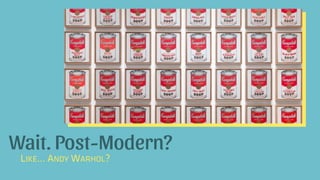
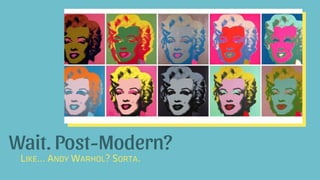
Wait. Post-Modern?
LIKE… ANDY WARHOL?
Wait. Post-Modern?
LIKE… ANDY WARHOL? SORTA.
“Simplifying to the extreme, I define postmodern
as an incredulity toward metanarratives.”
– Jean-François Lyotard
“Postmodernism was a reaction to modernism. Where
modernism was about objectivity, postmodernism was
about subjectivity. Where modernism sought a singular
truth, postmodernism sought the multiplicity of truths.”
– Miguel Syjuco
Why Post-Modern?
A VERY BRIEF HISTORY OF THE ERAS OF THE WEB AND CSS
Pre-History
POINT-TO-POINT CONNECTIONS; BULLETIN BOARDS; RESEARCHERS
The Classical Era
HTTP; HTML; THE BROWSER; SIR TIM BERNERS-LEE
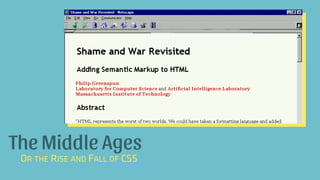
The Middle Ages
OR THE RISE AND FALL OF CSS
The Modern Era
HTML5; CSS3; ADVANCED JS; FRAMEWORKS
Postmodernity
ADVANCED LAYOUT; RE-EMERGENCE OF UNIQUE DESIGN
“Postmodernism was a reaction to modernism. Where
modernism was about objectivity, postmodernism was
about subjectivity. Where modernism sought a singular
truth, postmodernism sought the multiplicity of truths.”
– Miguel Syjuco
Our Objectivism
SOURCE: HTTP://ADVENTUREGA.ME/BOOTSTRAP/
“Simplifying to the extreme, I define postmodern
as an incredulity toward metanarratives.”
– Jean-François Lyotard
Our Metanarrative
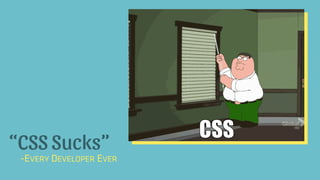
“CSS Sucks”
-EVERY DEVELOPER EVER
The Rise and Fall of CSS
THE BATTLE OVER STYLE SHEETS AND IMPLEMENTATION
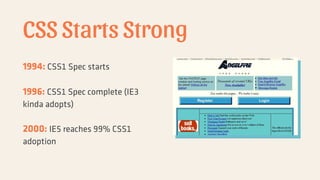
CSS Starts Strong
1994: CSS1 Spec starts
1996: CSS1 Spec complete (IE3
kinda adopts)
2000: IE5 reaches 99% CSS1
adoption
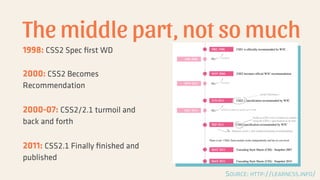
The middle part, not so much
1998: CSS2 Spec first WD
2000: CSS2 Becomes
Recommendation
2000-07: CSS2/2.1 turmoil and
back and forth
2011: CSS2.1 Finally finished and
published
SOURCE: HTTP://LEARNCSS.INFO/
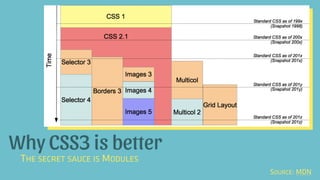
Why CSS3 is better
THE SECRET SAUCE IS MODULES
SOURCE: MDN
• The CSS Saga
• The Evolution of CSS
Further Reading
The New Hotness
TODAY’S GOAL: ADOPT ONE OF THESE PROPERTIES
Code Examples: postmoderncss.com
CSS Gradients
WHY USE IMAGES WHEN CSS CAN DO AMAZING THINGS?
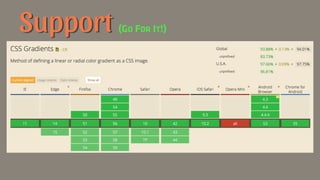
Support (GO FOR IT!)
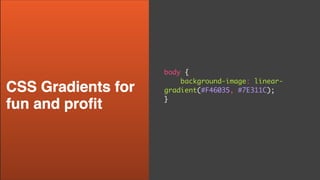
body {
background-image: linear-
gradient(#F46035, #7E311C);
}
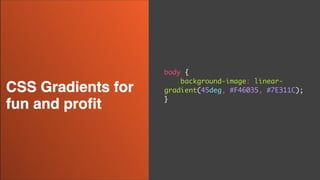
body {
background-image: linear-
gradient(45deg, #F46035, #7E311C);
}
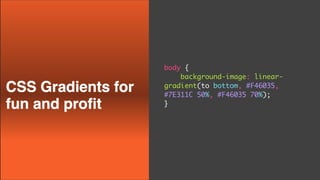
body {
background-image: linear-
gradient(to bottom, #F46035,
#7E311C 50%, #F46035 70%);
}
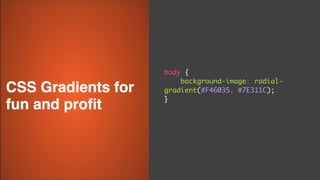
body {
background-image: radial-
gradient(#F46035, #7E311C);
}
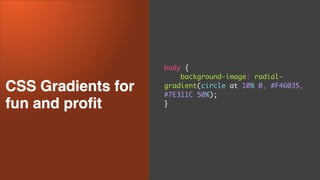
body {
background-image: radial-
gradient(circle at 10% 0, #F46035,
#7E311C 50%);
}
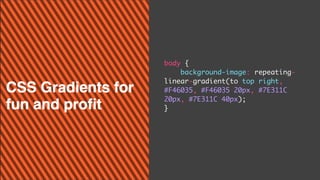
body {
background-image: repeating-
linear-gradient(to top right,
#F46035, #F46035 20px, #7E311C
20px, #7E311C 40px);
}
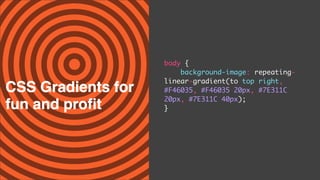
body {
background-image: repeating-
linear-gradient(to top right,
#F46035, #F46035 20px, #7E311C
20px, #7E311C 40px);
}
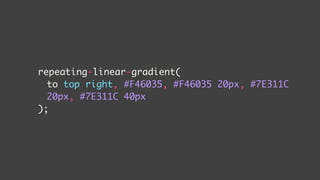
repeating-linear-gradient(
to top right, #F46035, #F46035 20px, #7E311C
20px, #7E311C 40px
);
repeating-linear-gradient(
[direction], [first color] #F46035,
[first color again to fight fade] #F46035 20px,
[second color] #7E311C 20px,
[second color again to fight fade] #7E311C 40px
);
CSS Shapes
MAKING FLOATING IMAGES INTERESTING AGAIN
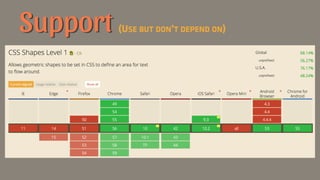
Support (USE BUT DON’T DEPEND ON)
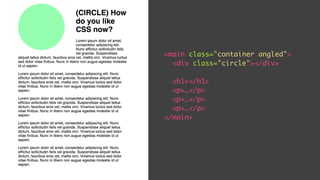
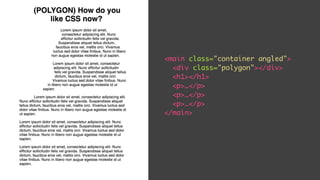
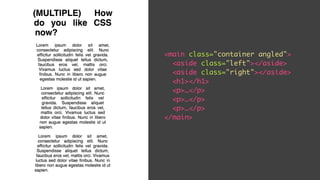
<main class="container angled">
<div class="circle"></div>
<h1></h1>
<p>…</p>
<p>…</p>
<p>…</p>
</main>
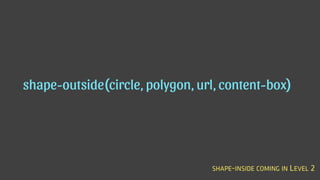
shape-outside(circle, polygon, url, content-box)
SHAPE-INSIDE COMING IN LEVEL 2
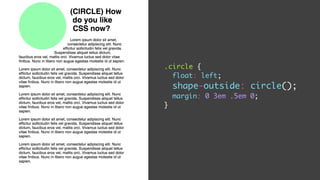
.circle {
float: left;
shape-outside: circle();
margin: 0 3em .5em 0;
}
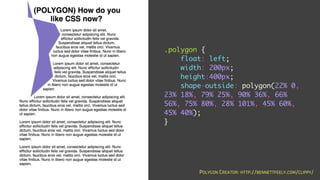
<main class="container angled">
<div class="polygon"></div>
<h1></h1>
<p>…</p>
<p>…</p>
<p>…</p>
</main>
.polygon {
float: left;
width: 200px;
height:400px;
shape-outside: polygon(22% 0,
23% 18%, 79% 25%, 90% 36%, 66%
56%, 75% 80%, 28% 101%, 45% 60%,
45% 40%);
}
POLYGON CREATOR: HTTP://BENNETTFEELY.COM/CLIPPY/
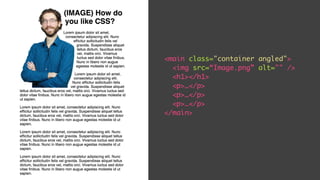
<main class="container angled">
<img src=“Image.png” alt="" />
<h1></h1>
<p>…</p>
<p>…</p>
<p>…</p>
</main>
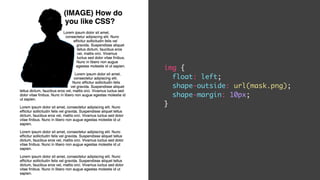
img {
float: left;
shape-outside: url(mask.png);
shape-margin: 10px;
}
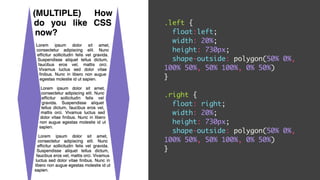
<main class="container angled">
<aside class="left"></aside>
<aside class="right"></aside>
<h1></h1>
<p>…</p>
<p>…</p>
<p>…</p>
</main>
.left {
float:left;
width: 20%;
height: 730px;
shape-outside: polygon(50% 0%,
100% 50%, 50% 100%, 0% 50%)
}
.right {
float: right;
width: 20%;
height: 730px;
shape-outside: polygon(50% 0%,
100% 50%, 50% 100%, 0% 50%)
}
Flexbox
TRULY RESPONSIVE UNI-DIRECTIONAL LAYOUT
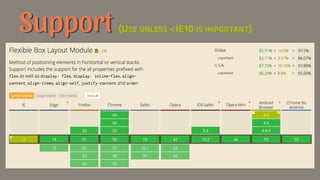
Support (USE UNLESS <IE10 IS IMPORTANT)
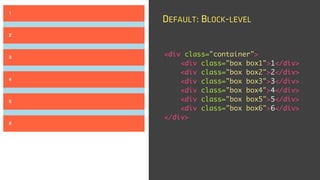
<div class="container">
<div class="box box1">1</div>
<div class="box box2">2</div>
<div class="box box3">3</div>
<div class="box box4">4</div>
<div class="box box5">5</div>
<div class="box box6">6</div>
</div>
DEFAULT: BLOCK-LEVEL
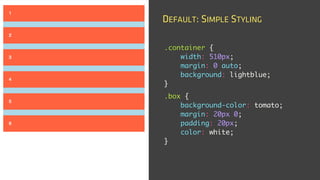
.container {
width: 510px;
margin: 0 auto;
background: lightblue;
}
.box {
background-color: tomato;
margin: 20px 0;
padding: 20px;
color: white;
}
DEFAULT: SIMPLE STYLING
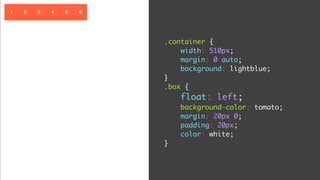
.container {
width: 510px;
margin: 0 auto;
background: lightblue;
}
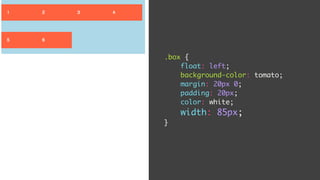
.box {
float: left;
background-color: tomato;
margin: 20px 0;
padding: 20px;
color: white;
}
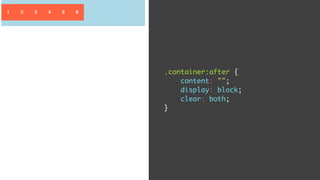
.container:after {
content: "";
display: block;
clear: both;
}
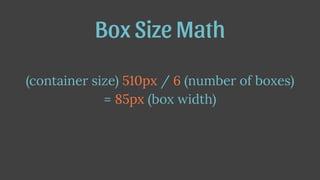
(container size) 510px / 6 (number of boxes)
= 85px (box width)
Box Size Math
.box {
float: left;
background-color: tomato;
margin: 20px 0;
padding: 20px;
color: white;
width: 85px;
}
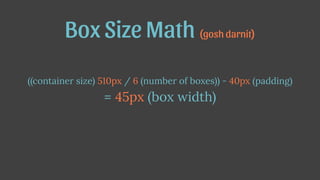
((container size) 510px / 6 (number of boxes)) - 40px (padding)
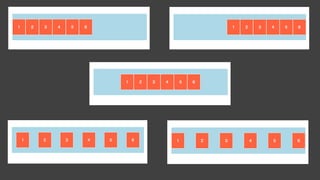
= 45px (box width)
Box Size Math (gosh darnit)

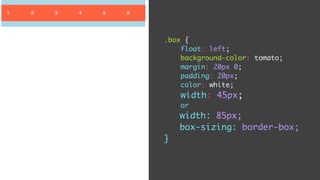
.box {
float: left;
background-color: tomato;
margin: 20px 0;
padding: 20px;
color: white;
width: 45px;
or
width: 85px;
box-sizing: border-box;
}
This is why we use frameworks
This is why Flex was created
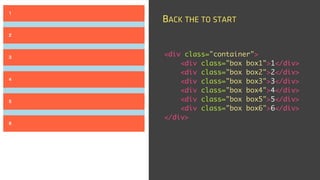
<div class="container">
<div class="box box1">1</div>
<div class="box box2">2</div>
<div class="box box3">3</div>
<div class="box box4">4</div>
<div class="box box5">5</div>
<div class="box box6">6</div>
</div>
BACK THE TO START
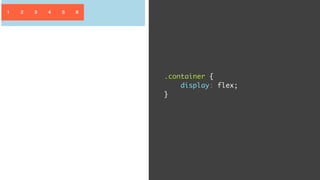
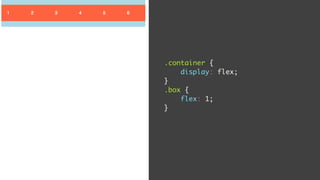
.container {
display: flex;
}
.container {
display: flex;
}
.box {
flex: 1;
}
…
Box Size Math (done)
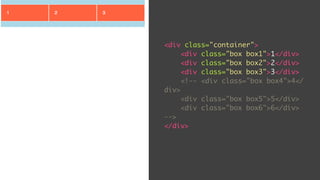
<div class="container">
<div class="box box1">1</div>
<div class="box box2">2</div>
<div class="box box3">3</div>
<!-- <div class="box box4">4</
div>
<div class="box box5">5</div>
<div class="box box6">6</div>
-->
</div>
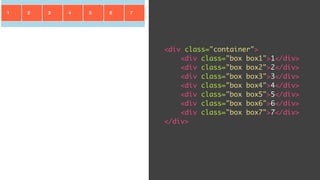
<div class="container">
<div class="box box1">1</div>
<div class="box box2">2</div>
<div class="box box3">3</div>
<div class="box box4">4</div>
<div class="box box5">5</div>
<div class="box box6">6</div>
<div class="box box7">7</div>
</div>
Flex Layouts
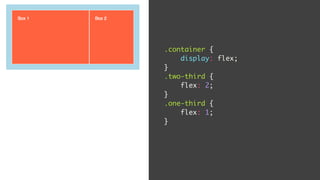
Flex-grow
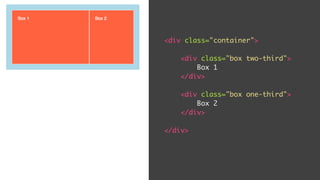
<div class="container">
<div class="box two-third">
Box 1
</div>
<div class="box one-third">
Box 2
</div>
</div>
.container {
display: flex;
}
.two-third {
flex: 2;
}
.one-third {
flex: 1;
}
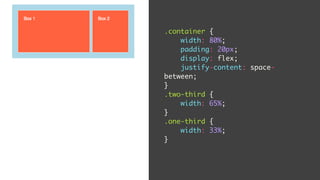
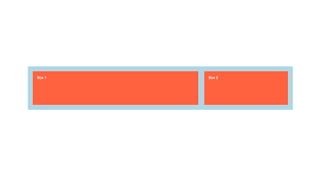
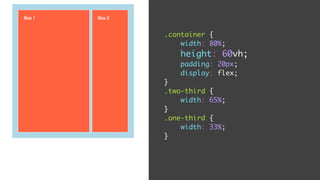
Width + Justify-Content
.container {
width: 80%;
padding: 20px;
display: flex;
justify-content: space-
between;
}
.two-third {
width: 65%;
}
.one-third {
width: 33%;
}
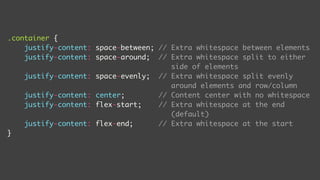
.container {
justify-content: space-between; // Extra whitespace between elements
justify-content: space-around; // Extra whitespace split to either
side of elements
justify-content: space-evenly; // Extra whitespace split evenly
around elements and row/column
justify-content: center; // Content center with no whitespace
justify-content: flex-start; // Extra whitespace at the end
(default)
justify-content: flex-end; // Extra whitespace at the start
}
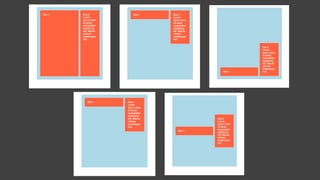
Height + Align-Items
.container {
width: 80%;
height: 60vh;
padding: 20px;
display: flex;
}
.two-third {
width: 65%;
}
.one-third {
width: 33%;
}
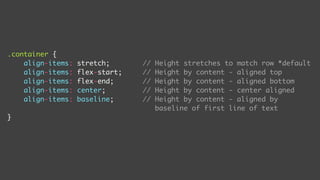
.container {
align-items: stretch; // Height stretches to match row *default
align-items: flex-start; // Height by content - aligned top
align-items: flex-end; // Height by content - aligned bottom
align-items: center; // Height by content - center aligned
align-items: baseline; // Height by content - aligned by
baseline of first line of text
}
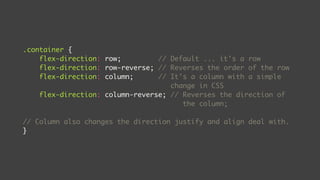
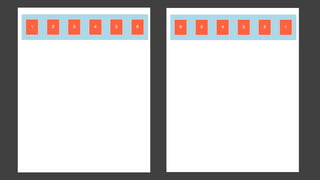
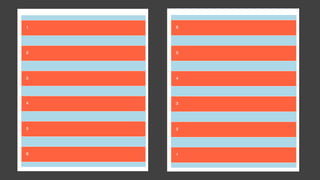
Directional Flexing
.container {
flex-direction: row; // Default ... it's a row
flex-direction: row-reverse; // Reverses the order of the row
flex-direction: column; // It's a column with a simple
change in CSS
flex-direction: column-reverse; // Reverses the direction of
the column;
// Column also changes the direction justify and align deal with.
}
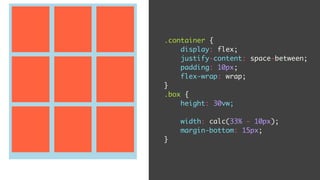
Simple Utility - Fluid Grid
.container {
display: flex;
justify-content: space-between;
padding: 10px;
flex-wrap: wrap;
}
.box {
height: 30vw;
width: calc(33% - 10px);
margin-bottom: 15px;
}
• Flexbox by Animated GIF
• Flexbox Froggy
• CSS Tricks Complete Guide to Flexbox
Learn More
New Units
SIZING HAS NEVER BEEN MORE FUN!
Size Relative to the viewport
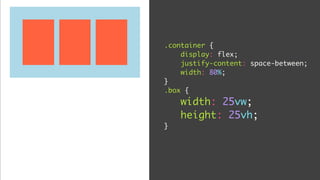
.container {
display: flex;
justify-content: space-between;
width: 80%;
}
.box {
width: 25vw;
height: 25vh;
}
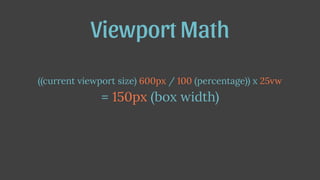
((current viewport size) 600px / 100 (percentage)) x 25vw
= 150px (box width)
Viewport Math
How can I use this for fun and profit?
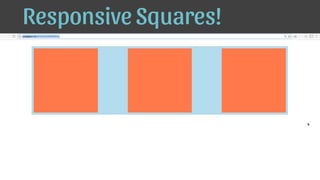
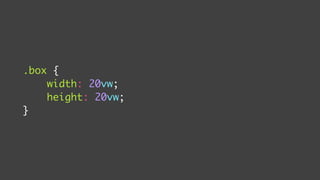
Responsive Squares!
.box {
width: 20vw;
height: 20vw;
}
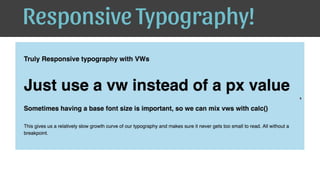
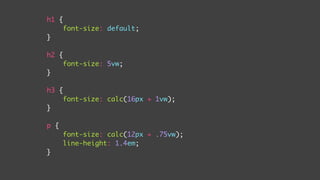
Responsive Typography!
h1 {
font-size: default;
}
h2 {
font-size: 5vw;
}
h3 {
font-size: calc(16px + 1vw);
}
p {
font-size: calc(12px + .75vw);
line-height: 1.4em;
}
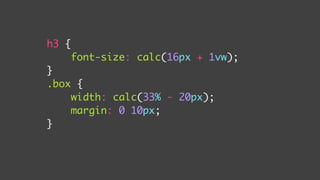
calc(unit [+, -, ÷, x] unit)
h3 {
font-size: calc(16px + 1vw);
}
.box {
width: calc(33% - 20px);
margin: 0 10px;
}
Let’s put a few things together
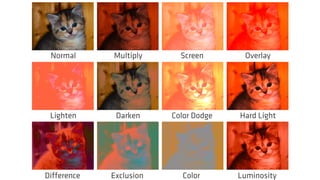
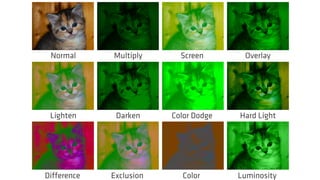
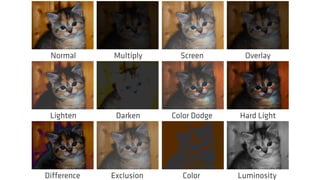
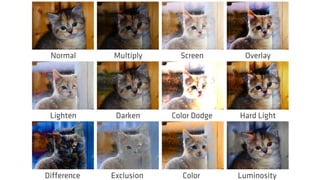
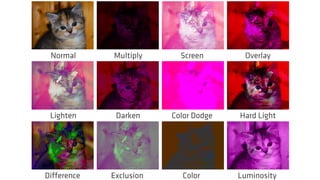
Background Blend Mode
CAN THE BROWSER REPLACE PHOTOSHOP?
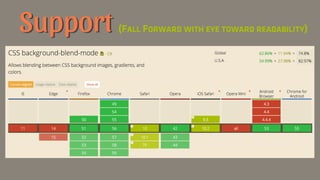
Support (FALL FORWARD WITH EYE TOWARD READABILITY)
.box {
height: 15vw;
margin-bottom: 50px;
width: calc(25% - 10px);
background-size: cover;
background-image: url(https://placekitten.com/1000/800);
background-color: purple;
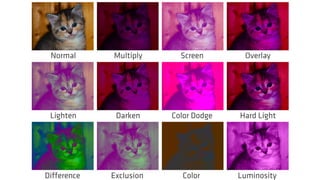
background-blend-mode: [value];
}
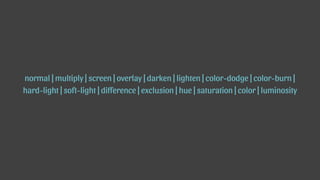
normal | multiply | screen | overlay | darken | lighten | color-dodge | color-burn |
hard-light | soft-light | difference | exclusion | hue | saturation | color | luminosity
Multiply Screen OverlayNormal
Darken Color Dodge Hard LightLighten
Exclusion Color LuminosityDifference
Multiply Screen OverlayNormal
Darken Color Dodge Hard LightLighten
Exclusion Color LuminosityDifference
Multiply Screen OverlayNormal
Darken Color Dodge Hard LightLighten
Exclusion Color LuminosityDifference
Multiply Screen OverlayNormal
Darken Color Dodge Hard LightLighten
Exclusion Color LuminosityDifference
Multiply Screen OverlayNormal
Darken Color Dodge Hard LightLighten
Exclusion Color LuminosityDifference
Multiply Screen OverlayNormal
Darken Color Dodge Hard LightLighten
Exclusion Color LuminosityDifference
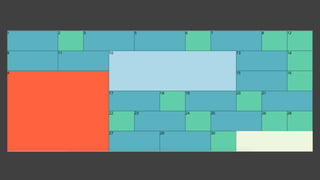
Grid Layout
TWO-DIMENSIONAL LAYOUT AT ITS FINEST. ALMOST HERE!
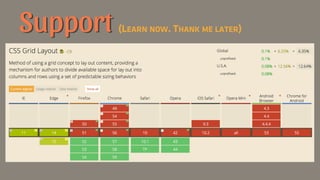
Support (LEARN NOW. THANK ME LATER)
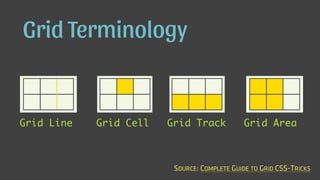
Grid Terminology
Grid Line Grid Cell Grid Track Grid Area
SOURCE: COMPLETE GUIDE TO GRID CSS-TRICKS
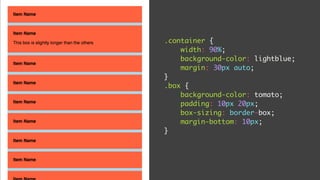
.container {
width: 90%;
background-color: lightblue;
margin: 30px auto;
}
.box {
background-color: tomato;
padding: 10px 20px;
box-sizing: border-box;
margin-bottom: 10px;
}
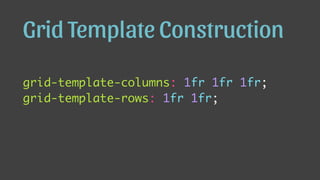
grid-template-columns: 1fr 1fr 1fr;
grid-template-rows: 1fr 1fr;
Grid Template Construction
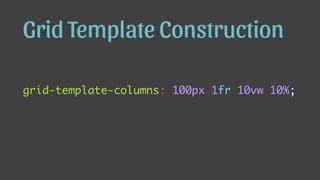
grid-template-columns: 100px 1fr 10vw 10%;
Grid Template Construction
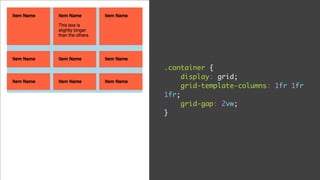
.container {
display: grid;
grid-template-columns: 1fr 1fr
1fr;
grid-gap: 2vw;
}
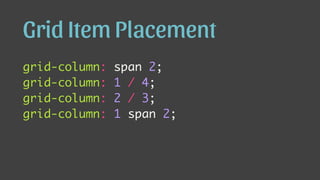
grid-column: span 2;
grid-column: 1 / 4;
grid-column: 2 / 3;
grid-column: 1 span 2;
Grid Item Placement
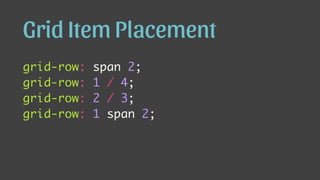
grid-row: span 2;
grid-row: 1 / 4;
grid-row: 2 / 3;
grid-row: 1 span 2;
Grid Item Placement
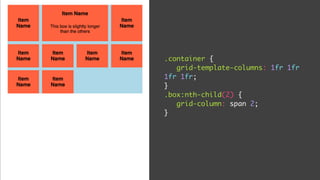
.container {
grid-template-columns: 1fr 1fr
1fr 1fr;
}
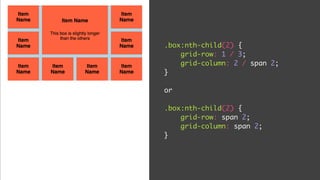
.box:nth-child(2) {
grid-column: span 2;
}
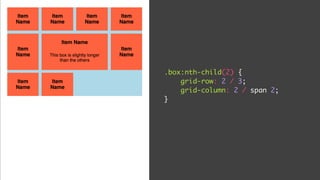
.box:nth-child(2) {
grid-row: 2 / 3;
grid-column: 2 / span 2;
}
.box:nth-child(2) {
grid-row: 1 / 3;
grid-column: 2 / span 2;
}
or
.box:nth-child(2) {
grid-row: span 2;
grid-column: span 2;
}
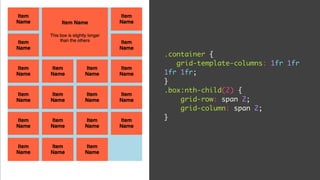
.container {
grid-template-columns: 1fr 1fr
1fr 1fr;
}
.box:nth-child(2) {
grid-row: span 2;
grid-column: span 2;
}
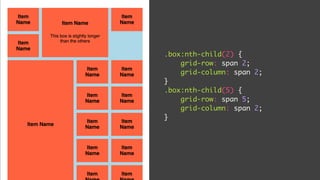
.box:nth-child(2) {
grid-row: span 2;
grid-column: span 2;
}
.box:nth-child(5) {
grid-row: span 5;
grid-column: span 2;
}
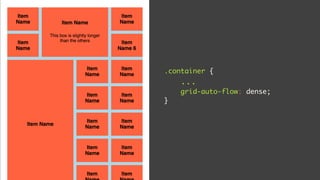
.container {
...
grid-auto-flow: dense;
}
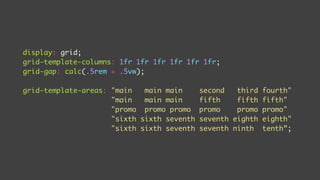
display: grid;
grid-template-columns: 1fr 1fr 1fr 1fr 1fr 1fr;
grid-gap: calc(.5rem + .5vw);
grid-template-areas: "main main main second third fourth"
"main main main fifth fifth fifth"
"promo promo promo promo promo promo"
"sixth sixth seventh seventh eighth eighth"
"sixth sixth seventh seventh ninth tenth”;
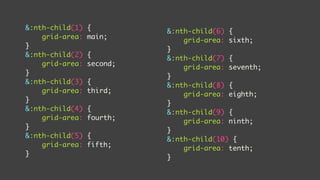
&:nth-child(1) {
grid-area: main;
}
&:nth-child(2) {
grid-area: second;
}
&:nth-child(3) {
grid-area: third;
}
&:nth-child(4) {
grid-area: fourth;
}
&:nth-child(5) {
grid-area: fifth;
}
&:nth-child(6) {
grid-area: sixth;
}
&:nth-child(7) {
grid-area: seventh;
}
&:nth-child(8) {
grid-area: eighth;
}
&:nth-child(9) {
grid-area: ninth;
}
&:nth-child(10) {
grid-area: tenth;
}
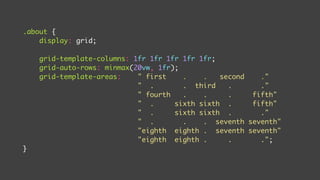
.about {
display: grid;
grid-template-columns: 1fr 1fr 1fr 1fr 1fr;
grid-auto-rows: minmax(20vw, 1fr);
grid-template-areas: " first . . second ."
" . . third . ."
" fourth . . . fifth"
" . sixth sixth . fifth"
" . sixth sixth . ."
" . . . seventh seventh"
"eighth eighth . seventh seventh"
"eighth eighth . . .";
}
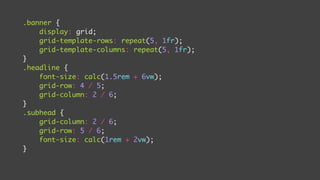
.banner {
display: grid;
grid-template-rows: repeat(5, 1fr);
grid-template-columns: repeat(5, 1fr);
}
.headline {
font-size: calc(1.5rem + 6vw);
grid-row: 4 / 5;
grid-column: 2 / 6;
}
.subhead {
grid-column: 2 / 6;
grid-row: 5 / 6;
font-size: calc(1rem + 2vw);
}
• Rachel Andrew's Get Ready for Grid Layout
• My Simple Primer
• CSS Tricks Complete Guide to Grid
• Jen Simmons’ Lab
Learn More
Explore More
• Initial Letter
• CSS Transforms
• Object-Fit
• CSS Filters
• Clip Path
Explore More
No Shame in Templates
BUT UNDERSTAND WHAT THE TEMPLATE DOES AND HOW TO BREAK OUT
CSS is Powerful
LEARN A FEW THINGS AND MAKE INTERESTING DESIGNS
Start Today
YOU DON’T HAVE TO WAIT FOR 100% BROWSER ADOPTION
Homework
LEARN ONE NEW LAYOUT AND ONE NEW STYLE PROPERTY
• http://bryanlrobinson.com
• Twitter: @brob
• Slack: 

http://slack.memphistechnology.org/
• Today’s Examples:
postmoderncss.com
I’d love to help you

Post-Modern CSS: Start learning CSS Grid, Flexbox and other new properties