By
Preeti Bhalla
1http://vinsol.com
 VALIDATION
 Validation tools and techniques
 DESIGN
 Design Validation
 Design Hacks
 Sketches, Wireframes and prototypes
 PRODUCT
 Measuring a product
 Iterating Faster
2http://vinsol.com
 A fundamental change in the way we design products
 Attributes of LEAN UX :
 User Centered
 Agile
 Data Driven
 Fast and Cheap (sometimes)
 Hypothesis validation
3http://vinsol.com (Ruby on Rails, iOS, Android & Ecommerce Apps Development)
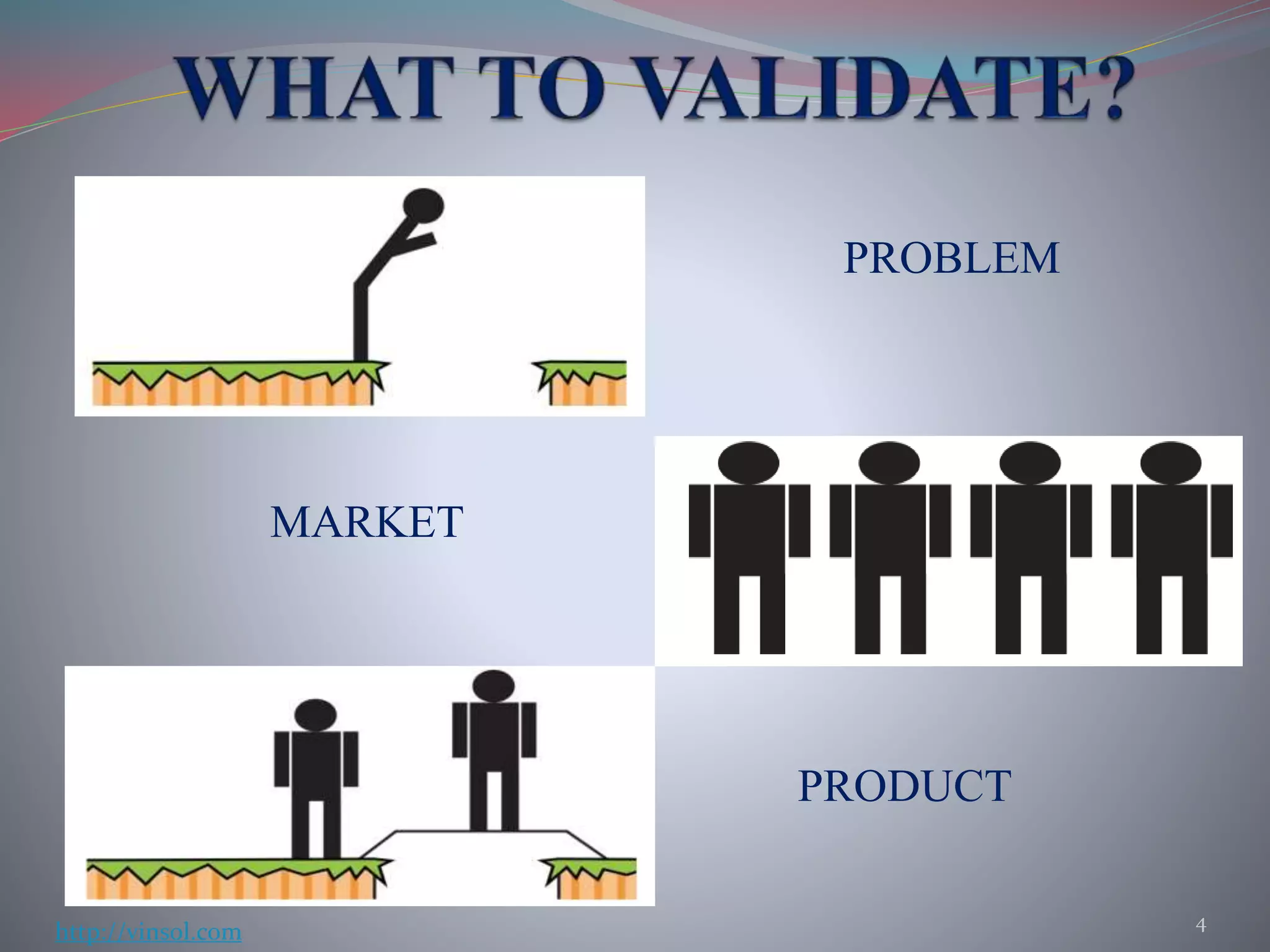
PROBLEM
MARKET
PRODUCT
4
http://vinsol.com
 It’s a Design Standard
 Company X does it this way
 We don’t have time or money
 We’re new, we’ll do it later
 It’s my Vision, users will screw it up
5http://vinsol.com
 Competitor Testing
 Landing Page tests
 Five-Second Tests
 Prototype testing
 Guerrilla User Tests
6http://vinsol.com
If you can isolate the 10% of a complicated product, you
can deliver an infinitely simpler product!
 Test someone else’s product
 It points out mistakes that others have made
 Helps you learn about users’ problems
It works even before you have an idea for a product!
7http://vinsol.com
 One page sites to see how many people are interested.
 Can be used even before an actual product is build so it’s cheap
 Validates both problem and market
 Draw traffic using Facebook or AdWords and analyse
results
8http://vinsol.com
 To test the first impression of the design/product
 Make the user look at your product for five seconds
 Ask participants if they can look at a couple of screens
and answer some questions ( maybe, in exchange of
something)
 Can use usabilityhub.com – Application to test your and
others’ products as well
9http://vinsol.com
 Give your potential customers something that has the look
and feel of your product.
 Clickable prototype testing
 Make an interactive prototype
 Decide what tasks to perform
 Ask open-ended questions
 Be careful as it could be labour intensive sometimes
10http://vinsol.com
 Cheap and fast method of gathering feedback
 Quickly finds usability flaws in the product
 Can be conducted at any place with a significant footfall
 How to perform guerrilla tests :
 Use a portable kit – Product installed on your laptop, tablet etc
 Ask someone to perform a task
 Observe as the do it
 Do not ask questions in between
11http://vinsol.com
 Don’t give a guided tour
 Ask Open-Ended questions
 Follow Up
 Let the User fail
 Look for patterns
12http://vinsol.com
 Design Patterns
 Consistency
 Frameworks
 Plug-ins
13http://vinsol.com
Design patterns are reusable solutions to a recurring problem
 Understand the difference between copying and being inspired
 Don’t settle for a design pattern without considering your
problem
 Examples : Comments, fetching data , purchase , searching etc
14http://vinsol.com
 It makes a design more professional and usable
 Problems with inconsistency :
 Makes products less finished
 Mentally taxing for users
 Try to find out what is making the product inconsistent
in the first place
15http://vinsol.com
 Frameworks – Responsive grid line interfaces with decent
styling and functionality
 Use plug-ins instead of building everything from scratch
 These are trivially simple to use
 Saves time and effort
 Example – Bootstrap, Spree, Magento etc
16http://vinsol.com (Ruby on Rails, iOS, Android & Ecommerce Apps Development)
 Establish what kind of designer do you actually need
 Try not to judge someone by his random static piece of
work
 Walkthrough his/her projects to see what exactly has
been done by him/her before you hire
17http://vinsol.com (Ruby on Rails, iOS, Android & Ecommerce Apps Development)
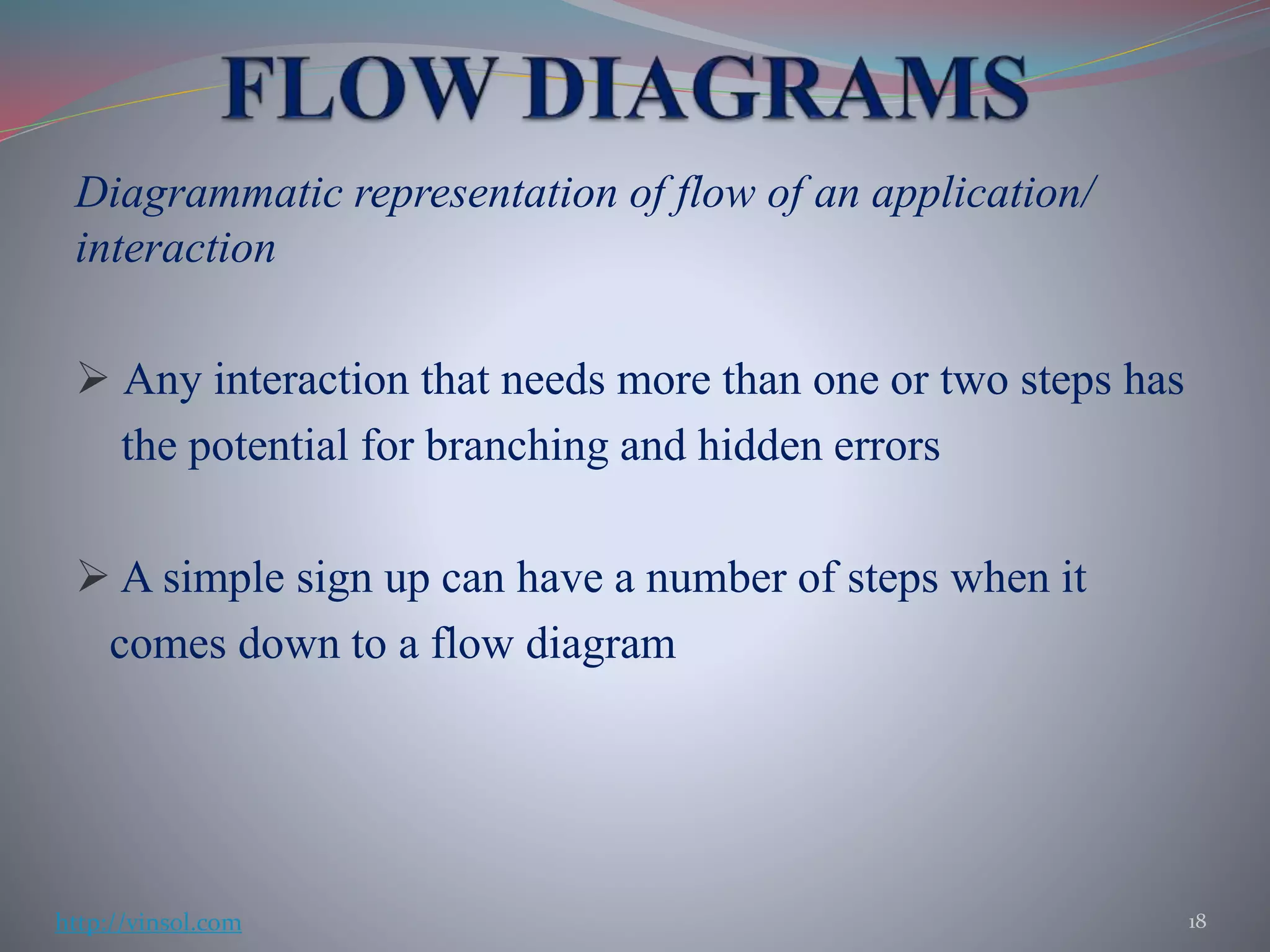
Diagrammatic representation of flow of an application/
interaction
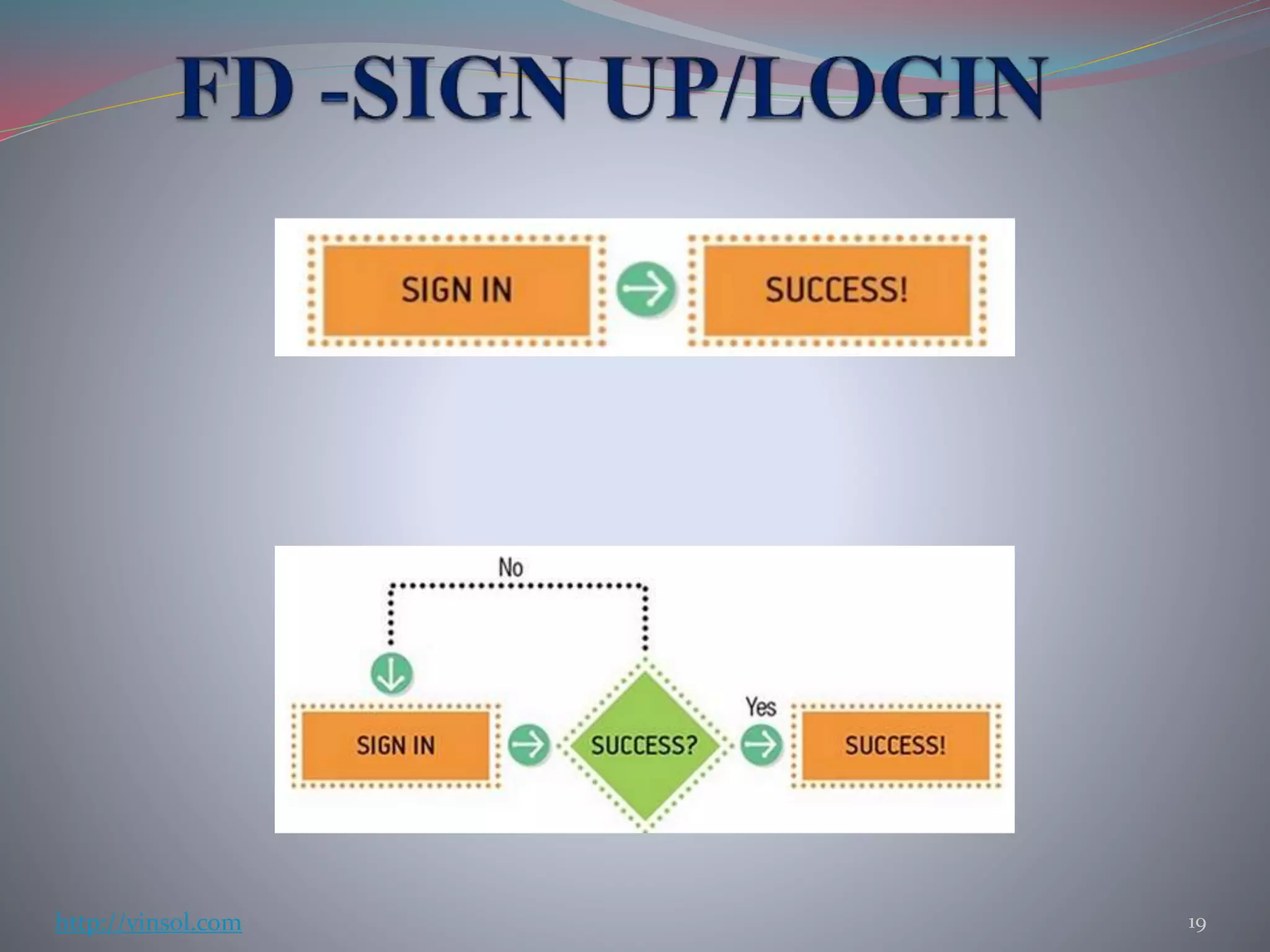
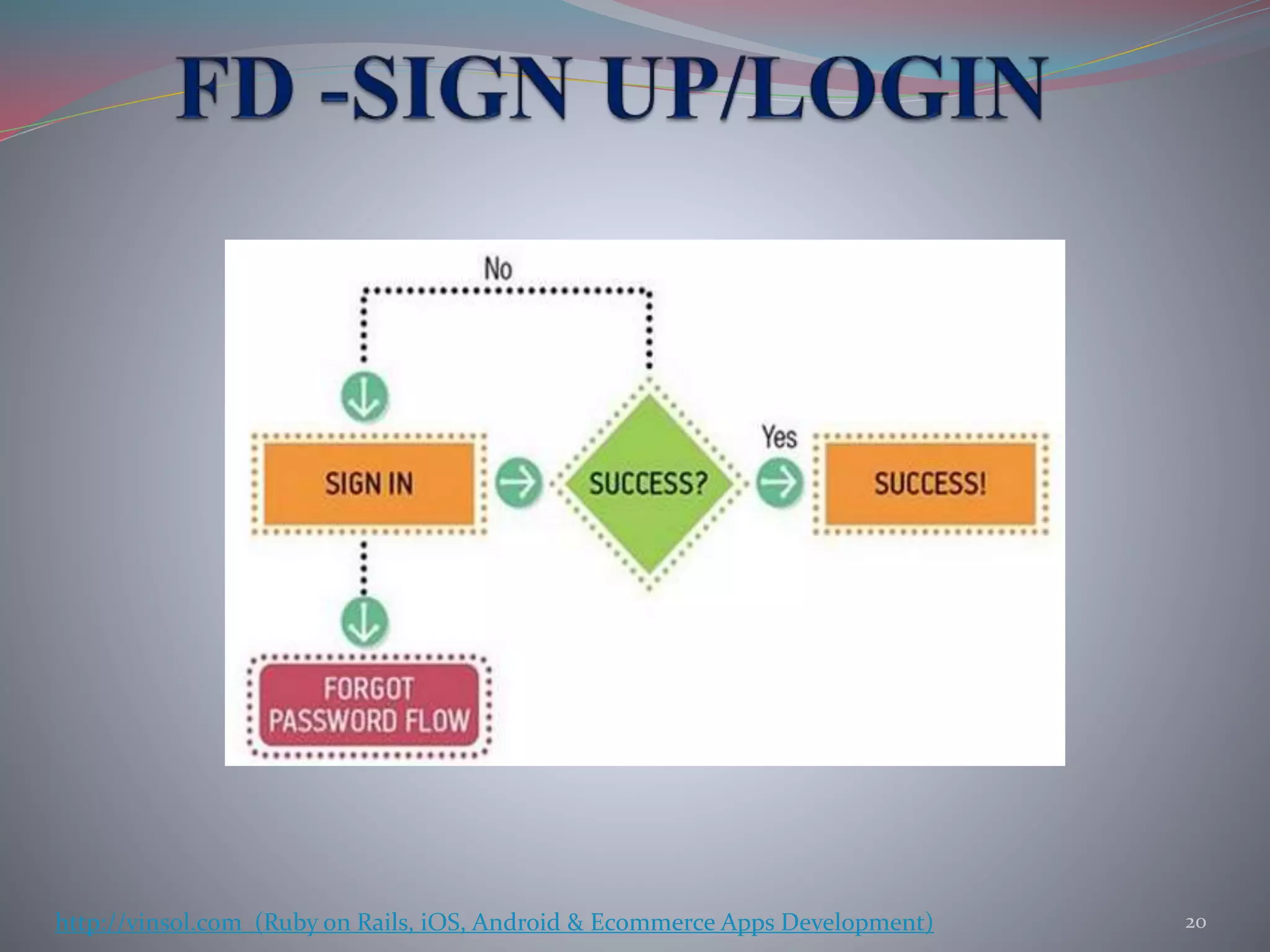
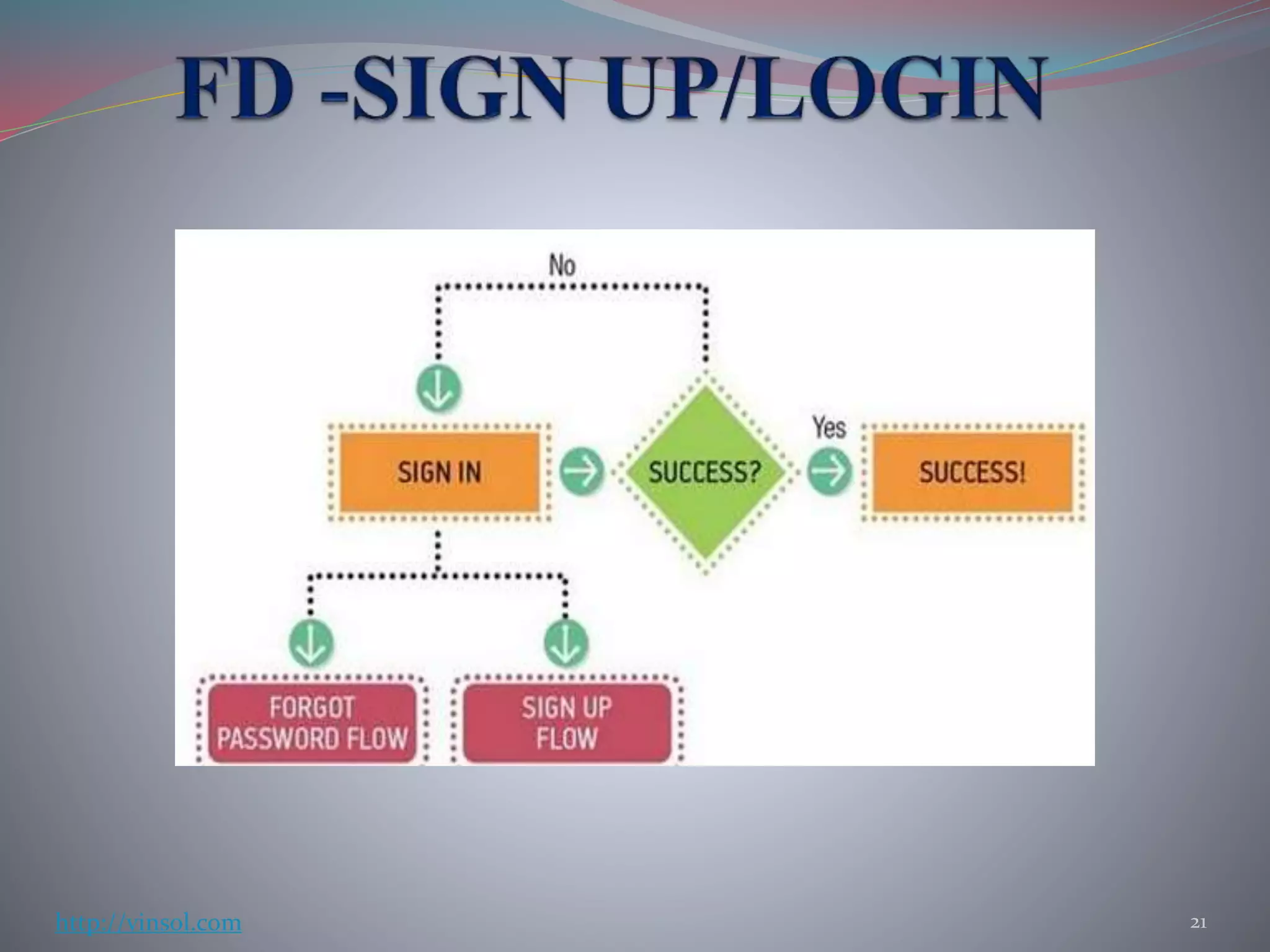
 Any interaction that needs more than one or two steps has
the potential for branching and hidden errors
 A simple sign up can have a number of steps when it
comes down to a flow diagram
18http://vinsol.com
19http://vinsol.com
20http://vinsol.com (Ruby on Rails, iOS, Android & Ecommerce Apps Development)
21http://vinsol.com
 Helps in visualizing how users will move around in the
system
 Creates a clearer picture of how much effort will be
required in design and engineering
 Helps in deciding which states need design
 Helps in visualizing design
22http://vinsol.com
Rough representation of your vision of the design
 They are quick and disposable
 Good for starting to communicate your design to others
 Help in deciding where should the elements be in
relation to one another on a page
 Cuts down a lot of documentation work
The only way you can sketch good is to start sketching!
23http://vinsol.com
Wireframes lie somewhere between a rough sketch and an
interactive prototype
 Includes all buttons, call-to-actions and navigation
elements of a real product
 Includes all the content that goes into each screen
 Helps in visualizing a deeper level of design
 Helpful in getting usability feedback
24http://vinsol.com
 Interaction Design
 It’s about how something works
 Example : Number of steps in checkout, what elements
will be there on each page etc.
 Visual Design
 It’s about how something looks like
 Example : Font sizes. Colors etc
25http://vinsol.com
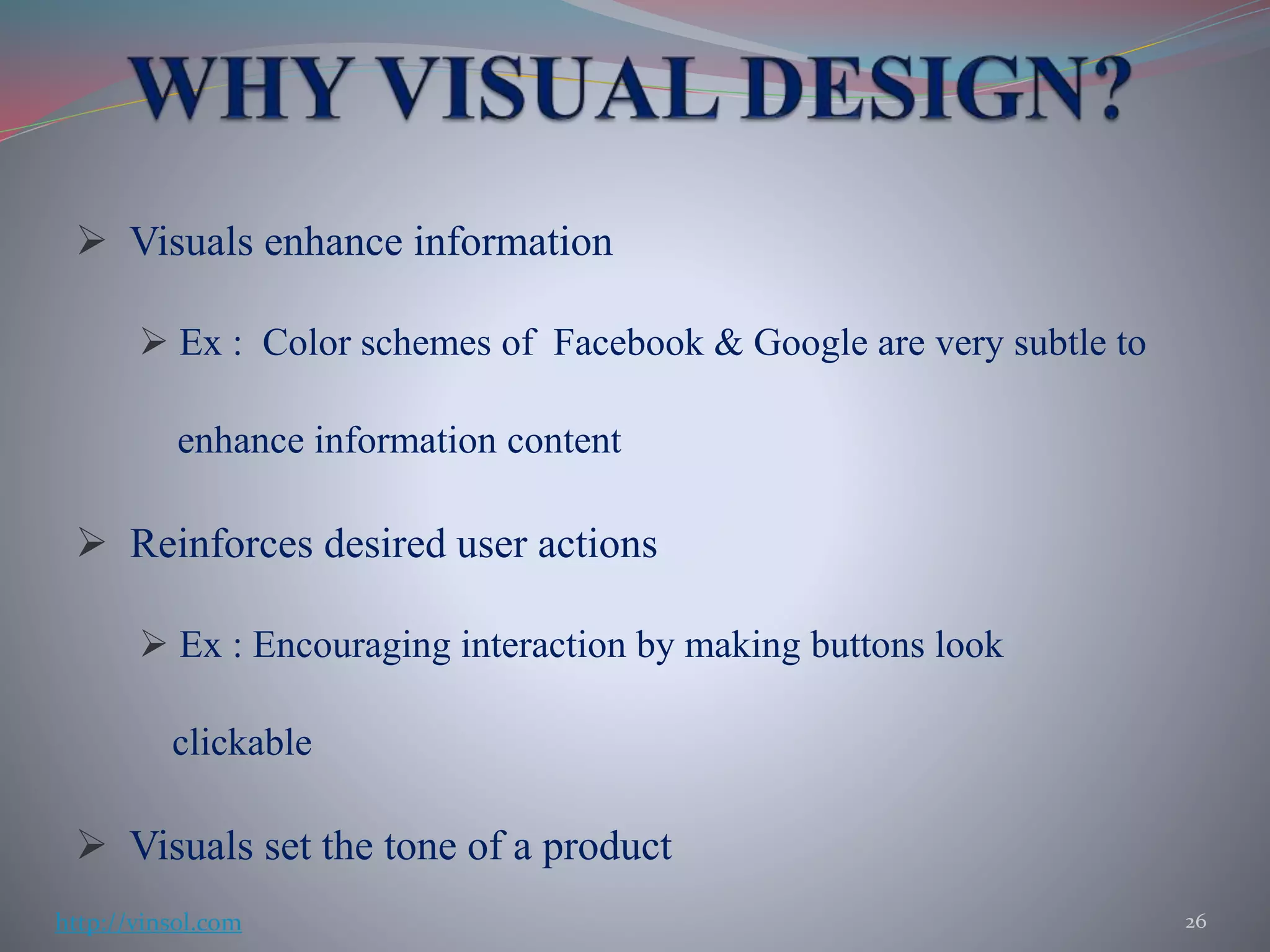
 Visuals enhance information
 Ex : Color schemes of Facebook & Google are very subtle to
enhance information content
 Reinforces desired user actions
 Ex : Encouraging interaction by making buttons look
clickable
 Visuals set the tone of a product
26http://vinsol.com
 MVP
 Limited Vs Bad product
 Shipping an MVP
 Metric analysis
27
http://vinsol.com (Ruby on Rails, iOS, Android & Ecommerce Apps Development)
 A good MVP has to be both M & V
 Don’t try to do too many things at once, none of which
work properly
 Making a product Minimum doesn’t ensure it’s viability.
 Amazon and Facebook started as MVPs and grew slowly
with time
28http://vinsol.com
 A limited product is both Minimum and Viable whereas
a bad product could be minimum but is not viable
 A limited product may not do much but whatever it does,
it does it well
 Aim at making a small whole product than a large bad
product.
29http://vinsol.com
 The following mechanisms can be used :
 Opt in – Target early adopters
 Opt out – Target people not looking for a change or an
MVP
 N% rollout – Target a percentage of existing customers
 The new user rollout – Target new set of users
30http://vinsol.com
 Retention - A good metric to look out for but be mislead
by forced retention
 Revenue – Don’t sacrifice long term revenue for short
term gains
 Net Promoter Score(NPR) – It’s a good indicator but can
be difficult to collect accurately
31http://vinsol.com
 Conversion to paying – Good indicator but skews to measuring
the free part of the product
 Engagement – Good for social networking and gaming
products
 Registration – It’s a good indicator but works better when
it’s lazy
 Customer Service contacts – Could be a tricky indicator
depending on accessibility of services
32http://vinsol.com
 Mistakes people make while analysing data :
 Trading-off long term gains for short term effects
 Forgetting the goal of metrics
 Combining data from multiple tests
33http://vinsol.com
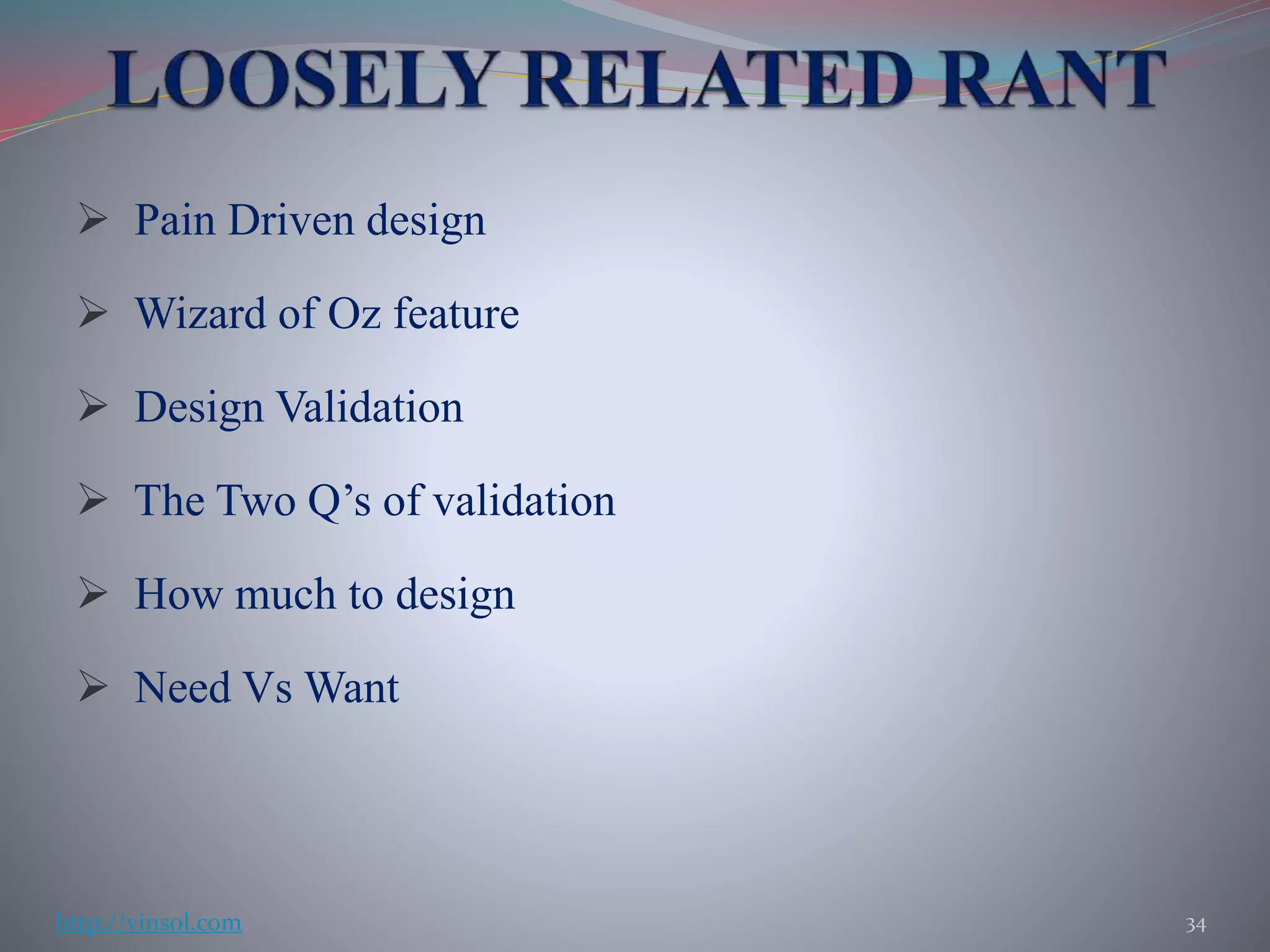
 Pain Driven design
 Wizard of Oz feature
 Design Validation
 The Two Q’s of validation
 How much to design
 Need Vs Want
34http://vinsol.com
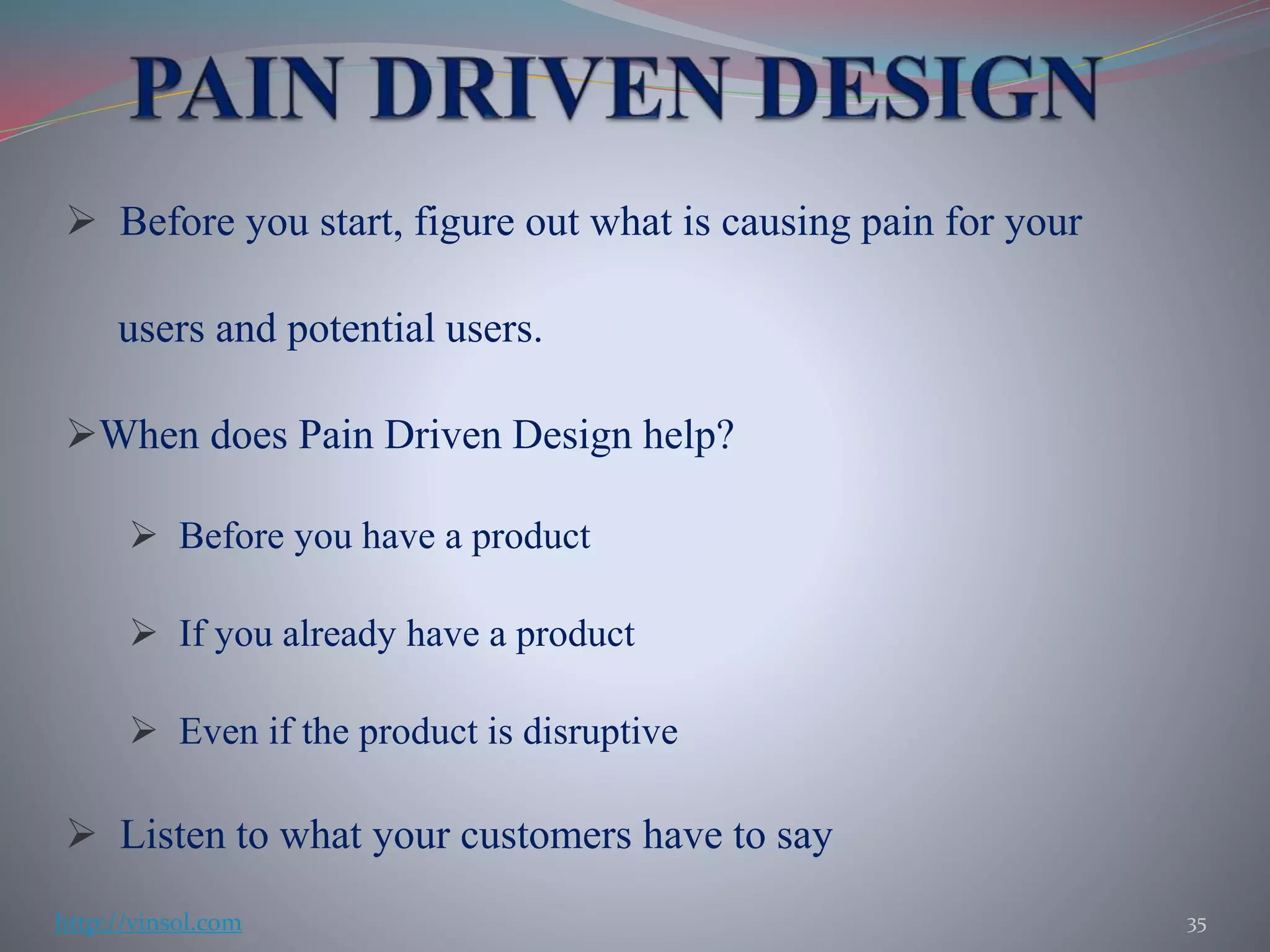
 Before you start, figure out what is causing pain for your
users and potential users.
When does Pain Driven Design help?
 Before you have a product
 If you already have a product
 Even if the product is disruptive
 Listen to what your customers have to say
35http://vinsol.com
Putting up a front that looks like a real working product
but functions are being carried out manually in the
backend.
 Saves engineering and design time
 Validates feature/product
 Saves time and money
Example : FoT , Aardvark
36http://vinsol.com
When starting with an MVP keep the following in mind :
 Design the ‘Test’ first
 Write Design stories (if required)
 Talk about possible solutions with the team
 Sketch a few approaches
 Make a decision (Using Return On Investment(ROI) approach)
 Test and Iterate
37http://vinsol.com
QUANTITATIVE APPROACH :
 Includes A/B testing, Cohort Analysis etc
 Can be used alone with one-variable (small) changes
QUALITATIVE APPROACH :
 Includes contextual enquiry , Usability studies, Customer
development interviews etc
 Needed along with Quantitative approach when multiple
variables are involved
38http://vinsol.com
 Design what you need to design to learn what you want
to learn
 Design just enough to validate your hypothesis
 Design what is absolutely necessary first and then the
neat
39http://vinsol.com
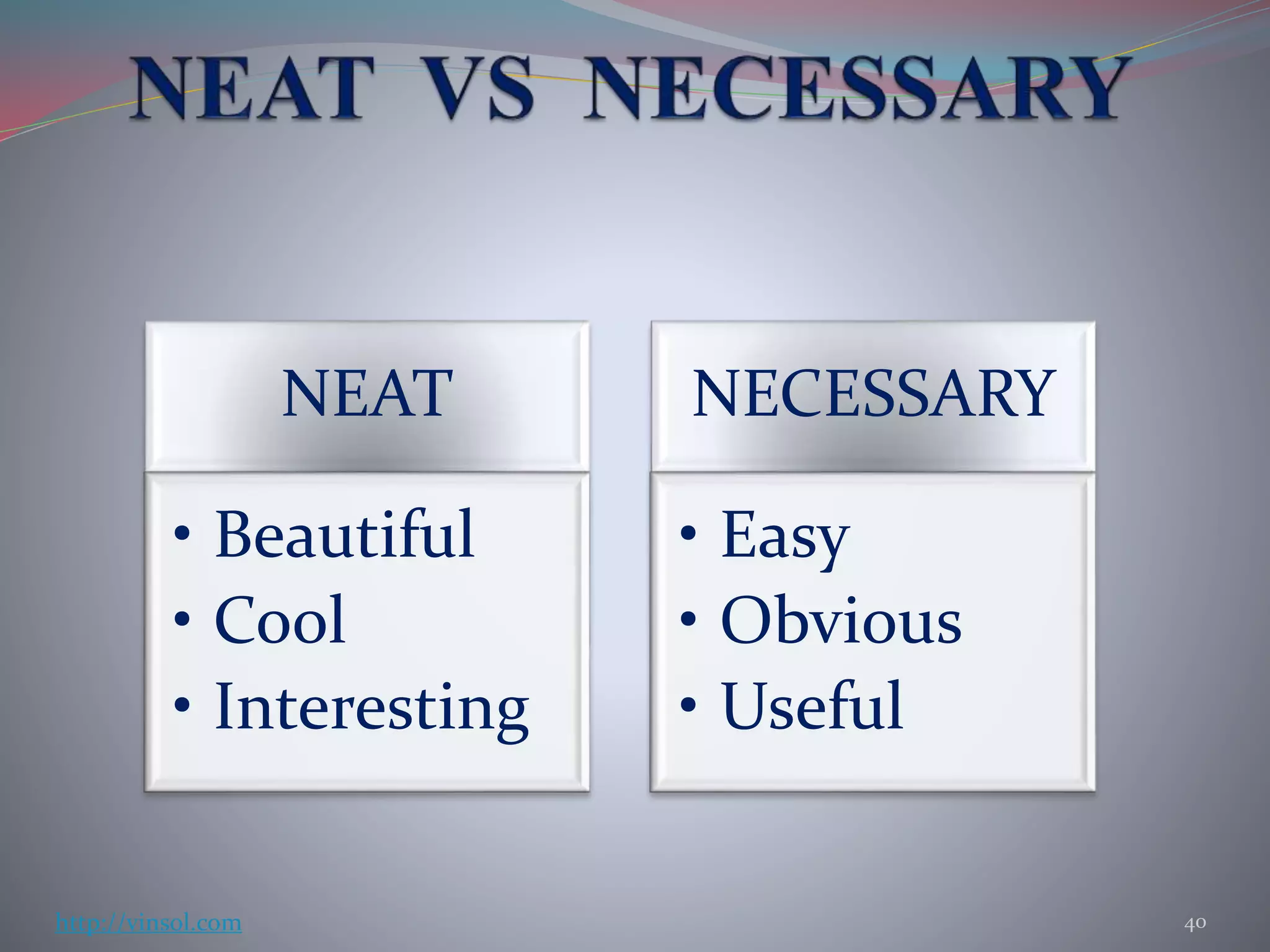
NEAT
• Beautiful
• Cool
• Interesting
NECESSARY
• Easy
• Obvious
• Useful
40http://vinsol.com
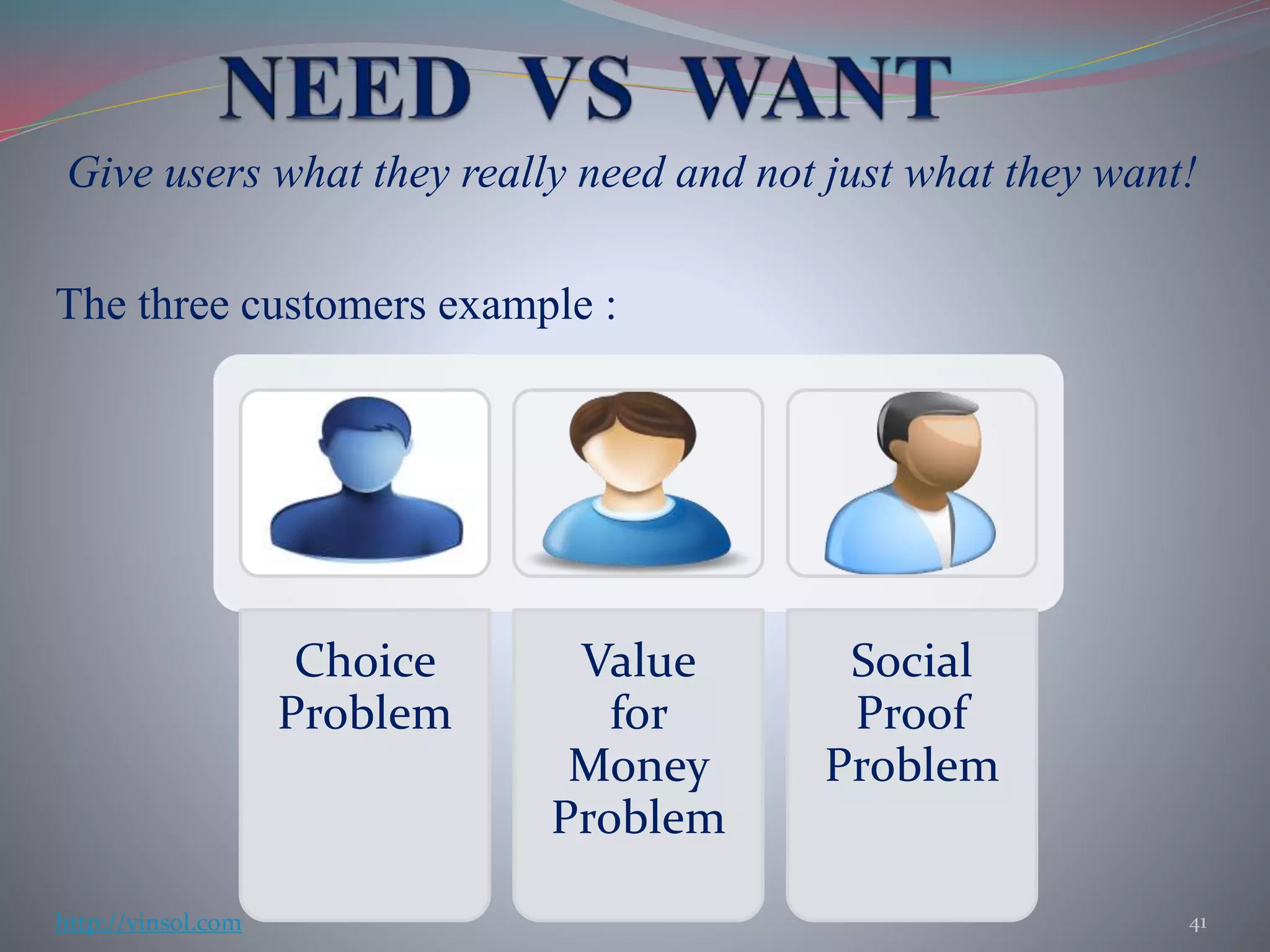
Give users what they really need and not just what they want!
The three customers example :
Choice
Problem
Value
for
Money
Problem
Social
Proof
Problem
41http://vinsol.com
42http://vinsol.com (Ruby on Rails, iOS, Android & Ecommerce Apps Development)

THE LEAN UX - SUMMARY

  • 1.
  • 2.
     VALIDATION  Validationtools and techniques  DESIGN  Design Validation  Design Hacks  Sketches, Wireframes and prototypes  PRODUCT  Measuring a product  Iterating Faster 2http://vinsol.com
  • 3.
     A fundamentalchange in the way we design products  Attributes of LEAN UX :  User Centered  Agile  Data Driven  Fast and Cheap (sometimes)  Hypothesis validation 3http://vinsol.com (Ruby on Rails, iOS, Android & Ecommerce Apps Development)
  • 4.
  • 5.
     It’s aDesign Standard  Company X does it this way  We don’t have time or money  We’re new, we’ll do it later  It’s my Vision, users will screw it up 5http://vinsol.com
  • 6.
     Competitor Testing Landing Page tests  Five-Second Tests  Prototype testing  Guerrilla User Tests 6http://vinsol.com
  • 7.
    If you canisolate the 10% of a complicated product, you can deliver an infinitely simpler product!  Test someone else’s product  It points out mistakes that others have made  Helps you learn about users’ problems It works even before you have an idea for a product! 7http://vinsol.com
  • 8.
     One pagesites to see how many people are interested.  Can be used even before an actual product is build so it’s cheap  Validates both problem and market  Draw traffic using Facebook or AdWords and analyse results 8http://vinsol.com
  • 9.
     To testthe first impression of the design/product  Make the user look at your product for five seconds  Ask participants if they can look at a couple of screens and answer some questions ( maybe, in exchange of something)  Can use usabilityhub.com – Application to test your and others’ products as well 9http://vinsol.com
  • 10.
     Give yourpotential customers something that has the look and feel of your product.  Clickable prototype testing  Make an interactive prototype  Decide what tasks to perform  Ask open-ended questions  Be careful as it could be labour intensive sometimes 10http://vinsol.com
  • 11.
     Cheap andfast method of gathering feedback  Quickly finds usability flaws in the product  Can be conducted at any place with a significant footfall  How to perform guerrilla tests :  Use a portable kit – Product installed on your laptop, tablet etc  Ask someone to perform a task  Observe as the do it  Do not ask questions in between 11http://vinsol.com
  • 12.
     Don’t givea guided tour  Ask Open-Ended questions  Follow Up  Let the User fail  Look for patterns 12http://vinsol.com
  • 13.
     Design Patterns Consistency  Frameworks  Plug-ins 13http://vinsol.com
  • 14.
    Design patterns arereusable solutions to a recurring problem  Understand the difference between copying and being inspired  Don’t settle for a design pattern without considering your problem  Examples : Comments, fetching data , purchase , searching etc 14http://vinsol.com
  • 15.
     It makesa design more professional and usable  Problems with inconsistency :  Makes products less finished  Mentally taxing for users  Try to find out what is making the product inconsistent in the first place 15http://vinsol.com
  • 16.
     Frameworks –Responsive grid line interfaces with decent styling and functionality  Use plug-ins instead of building everything from scratch  These are trivially simple to use  Saves time and effort  Example – Bootstrap, Spree, Magento etc 16http://vinsol.com (Ruby on Rails, iOS, Android & Ecommerce Apps Development)
  • 17.
     Establish whatkind of designer do you actually need  Try not to judge someone by his random static piece of work  Walkthrough his/her projects to see what exactly has been done by him/her before you hire 17http://vinsol.com (Ruby on Rails, iOS, Android & Ecommerce Apps Development)
  • 18.
    Diagrammatic representation offlow of an application/ interaction  Any interaction that needs more than one or two steps has the potential for branching and hidden errors  A simple sign up can have a number of steps when it comes down to a flow diagram 18http://vinsol.com
  • 19.
  • 20.
    20http://vinsol.com (Ruby onRails, iOS, Android & Ecommerce Apps Development)
  • 21.
  • 22.
     Helps invisualizing how users will move around in the system  Creates a clearer picture of how much effort will be required in design and engineering  Helps in deciding which states need design  Helps in visualizing design 22http://vinsol.com
  • 23.
    Rough representation ofyour vision of the design  They are quick and disposable  Good for starting to communicate your design to others  Help in deciding where should the elements be in relation to one another on a page  Cuts down a lot of documentation work The only way you can sketch good is to start sketching! 23http://vinsol.com
  • 24.
    Wireframes lie somewherebetween a rough sketch and an interactive prototype  Includes all buttons, call-to-actions and navigation elements of a real product  Includes all the content that goes into each screen  Helps in visualizing a deeper level of design  Helpful in getting usability feedback 24http://vinsol.com
  • 25.
     Interaction Design It’s about how something works  Example : Number of steps in checkout, what elements will be there on each page etc.  Visual Design  It’s about how something looks like  Example : Font sizes. Colors etc 25http://vinsol.com
  • 26.
     Visuals enhanceinformation  Ex : Color schemes of Facebook & Google are very subtle to enhance information content  Reinforces desired user actions  Ex : Encouraging interaction by making buttons look clickable  Visuals set the tone of a product 26http://vinsol.com
  • 27.
     MVP  LimitedVs Bad product  Shipping an MVP  Metric analysis 27 http://vinsol.com (Ruby on Rails, iOS, Android & Ecommerce Apps Development)
  • 28.
     A goodMVP has to be both M & V  Don’t try to do too many things at once, none of which work properly  Making a product Minimum doesn’t ensure it’s viability.  Amazon and Facebook started as MVPs and grew slowly with time 28http://vinsol.com
  • 29.
     A limitedproduct is both Minimum and Viable whereas a bad product could be minimum but is not viable  A limited product may not do much but whatever it does, it does it well  Aim at making a small whole product than a large bad product. 29http://vinsol.com
  • 30.
     The followingmechanisms can be used :  Opt in – Target early adopters  Opt out – Target people not looking for a change or an MVP  N% rollout – Target a percentage of existing customers  The new user rollout – Target new set of users 30http://vinsol.com
  • 31.
     Retention -A good metric to look out for but be mislead by forced retention  Revenue – Don’t sacrifice long term revenue for short term gains  Net Promoter Score(NPR) – It’s a good indicator but can be difficult to collect accurately 31http://vinsol.com
  • 32.
     Conversion topaying – Good indicator but skews to measuring the free part of the product  Engagement – Good for social networking and gaming products  Registration – It’s a good indicator but works better when it’s lazy  Customer Service contacts – Could be a tricky indicator depending on accessibility of services 32http://vinsol.com
  • 33.
     Mistakes peoplemake while analysing data :  Trading-off long term gains for short term effects  Forgetting the goal of metrics  Combining data from multiple tests 33http://vinsol.com
  • 34.
     Pain Drivendesign  Wizard of Oz feature  Design Validation  The Two Q’s of validation  How much to design  Need Vs Want 34http://vinsol.com
  • 35.
     Before youstart, figure out what is causing pain for your users and potential users. When does Pain Driven Design help?  Before you have a product  If you already have a product  Even if the product is disruptive  Listen to what your customers have to say 35http://vinsol.com
  • 36.
    Putting up afront that looks like a real working product but functions are being carried out manually in the backend.  Saves engineering and design time  Validates feature/product  Saves time and money Example : FoT , Aardvark 36http://vinsol.com
  • 37.
    When starting withan MVP keep the following in mind :  Design the ‘Test’ first  Write Design stories (if required)  Talk about possible solutions with the team  Sketch a few approaches  Make a decision (Using Return On Investment(ROI) approach)  Test and Iterate 37http://vinsol.com
  • 38.
    QUANTITATIVE APPROACH : Includes A/B testing, Cohort Analysis etc  Can be used alone with one-variable (small) changes QUALITATIVE APPROACH :  Includes contextual enquiry , Usability studies, Customer development interviews etc  Needed along with Quantitative approach when multiple variables are involved 38http://vinsol.com
  • 39.
     Design whatyou need to design to learn what you want to learn  Design just enough to validate your hypothesis  Design what is absolutely necessary first and then the neat 39http://vinsol.com
  • 40.
    NEAT • Beautiful • Cool •Interesting NECESSARY • Easy • Obvious • Useful 40http://vinsol.com
  • 41.
    Give users whatthey really need and not just what they want! The three customers example : Choice Problem Value for Money Problem Social Proof Problem 41http://vinsol.com
  • 42.
    42http://vinsol.com (Ruby onRails, iOS, Android & Ecommerce Apps Development)