The Final Frontier
Automating DYNAMIC
Security Testing
Matt Tesauro & Cody Maffucci
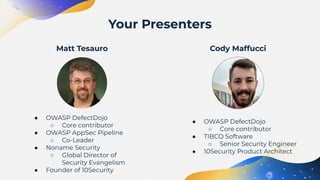
Your Presenters
Cody Maffucci
● OWASP DefectDojo
○ Core contributor
● OWASP AppSec Pipeline
○ Co-Leader
● Noname Security
○ Global Director of
Security Evangelism
● Founder of 10Security
Matt Tesauro
● OWASP DefectDojo
○ Core contributor
● TIBCO Software
○ Senior Security Engineer
● 10Security Product Architect
When we did the CFP, we had no clue...
Intro to DAST
Automation
Bringing it
Together
Targeting DAST
Today’s talk topics
01
Intro to DAST
Automation
DAST == Dynamic Application Security Testing
Two major ways to test applications:
1. Static - look at the app’s source code
2. Dynamic - look at a running app
Yes, there’s also SCA (sort of a SAST), RASP, IAST, …
For this talk, we’re concentrating on how to
automate testing of running applications.
What’s the DAST business anyway
● Most companies don’t want to test in PROD
○ UAT, Staging, Pre-Prod, … maybe matches PROD if your lucky
○ Unsure if controls match between PROD
■ Environment & Data
○ Test with or without security controls?
● Most companies are just starting to embrace configuration
management
○ Puppet, Chef, Ansible, Salt, …
○ Containerization also really helps
○ +1 if you have an elastic infrastructure
○ DevOps/IT Ops and AppSec Teams - is there a working relationship?
● Most companies have immature credential management
for testing
○ Can you dynamically create a user for any app?
○ Does that user have the necessary prerequisites?
○ Can you securely share credentials in real time?
Why is it hard to automate DAST?
When you decide to DAST test, you have to determine the level
of testing rigor:
● Unauth’ed vs Auth’ed scans
○ Unauth’ed is super easy, likely limits scope
○ Auth’ed is harder, likely more realistic
● Full crawl vs targeted crawl
○ Time / thoroughness trade-off
● Any pages need to be excluded?
○ Log off?
○ Feedback forms?
○ How much of a catalog needs to be crawled?
● Complicated workflows?
○ Handle those separately?
○ Can your crawler actually crawl them?
○ Selenium / browser automation
Levels of Testing
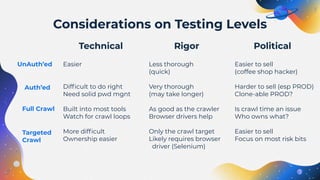
Easier
Difficult to do right
Need solid pwd mgnt
Built into most tools
Watch for crawl loops
More difficult
Ownership easier
Less thorough
(quick)
Very thorough
(may take longer)
As good as the crawler
Browser drivers help
Only the crawl target
Likely requires browser
driver (Selenium)
Easier to sell
(coffee shop hacker)
Harder to sell (esp PROD)
Clone-able PROD?
Is crawl time an issue
Who owns what?
Easier to sell
Focus on most risk bits
Political
Technical Rigor
Considerations on Testing Levels
UnAuth’ed
Auth’ed
Full Crawl
Targeted
Crawl
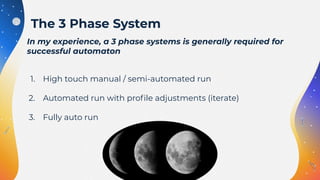
In my experience, a 3 phase systems is generally required for
successful automaton
1. High touch manual / semi-automated run
2. Automated run with profile adjustments (iterate)
3. Fully auto run
The 3 Phase System
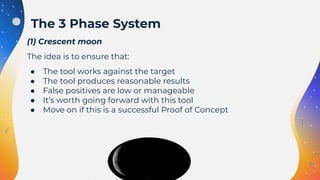
(1) Crescent moon
The idea is to ensure that:
● The tool works against the target
● The tool produces reasonable results
● False positives are low or manageable
● It’s worth going forward with this tool
● Move on if this is a successful Proof of Concept
The 3 Phase System
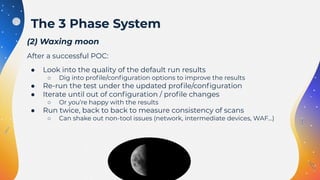
(2) Waxing moon
After a successful POC:
● Look into the quality of the default run results
○ Dig into profile/configuration options to improve the results
● Re-run the test under the updated profile/configuration
● Iterate until out of configuration / profile changes
○ Or you’re happy with the results
● Run twice, back to back to measure consistency of scans
○ Can shake out non-tool issues (network, intermediate devices, WAF…)
The 3 Phase System
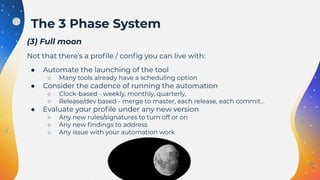
(3) Full moon
Not that there’s a profile / config you can live with:
● Automate the launching of the tool
○ Many tools already have a scheduling option
● Consider the cadence of running the automation
○ Clock-based - weekly, monthly, quarterly,
○ Release/dev based - merge to master, each release, each commit…
● Evaluate your profile under any new version
○ Any new rules/signatures to turn off or on
○ Any new findings to address
○ Any issue with your automation work
The 3 Phase System
02
Targeting
DAST
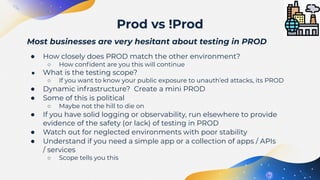
Most businesses are very hesitant about testing in PROD
● How closely does PROD match the other environment?
○ How confident are you this will continue
● What is the testing scope?
○ If you want to know your public exposure to unauth’ed attacks, its PROD
● Dynamic infrastructure? Create a mini PROD
● Some of this is political
○ Maybe not the hill to die on
● If you have solid logging or observability, run elsewhere to provide
evidence of the safety (or lack) of testing in PROD
● Watch out for neglected environments with poor stability
● Understand if you need a simple app or a collection of apps / APIs
/ services
○ Scope tells you this
Prod vs !Prod
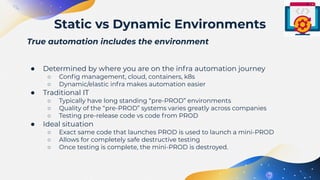
True automation includes the environment
● Determined by where you are on the infra automation journey
○ Config management, cloud, containers, k8s
○ Dynamic/elastic infra makes automation easier
● Traditional IT
○ Typically have long standing “pre-PROD” environments
○ Quality of the “pre-PROD” systems varies greatly across companies
○ Testing pre-release code vs code from PROD
● Ideal situation
○ Exact same code that launches PROD is used to launch a mini-PROD
○ Allows for completely safe destructive testing
○ Once testing is complete, the mini-PROD is destroyed.
Static vs Dynamic Environments
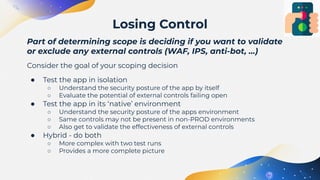
Part of determining scope is deciding if you want to validate
or exclude any external controls (WAF, IPS, anti-bot, …)
Consider the goal of your scoping decision
● Test the app in isolation
○ Understand the security posture of the app by itself
○ Evaluate the potential of external controls failing open
● Test the app in its ‘native’ environment
○ Understand the security posture of the apps environment
○ Same controls may not be present in non-PROD environments
○ Also get to validate the effectiveness of external controls
● Hybrid - do both
○ More complex with two test runs
○ Provides a more complete picture
Losing Control
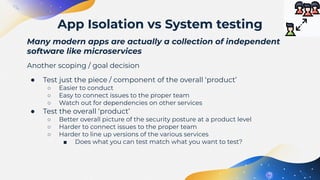
Many modern apps are actually a collection of independent
software like microservices
Another scoping / goal decision
● Test just the piece / component of the overall ‘product’
○ Easier to conduct
○ Easy to connect issues to the proper team
○ Watch out for dependencies on other services
● Test the overall ‘product’
○ Better overall picture of the security posture at a product level
○ Harder to connect issues to the proper team
○ Harder to line up versions of the various services
■ Does what you can test match what you want to test?
App Isolation vs System testing
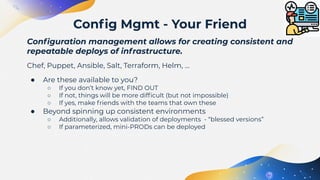
Configuration management allows for creating consistent and
repeatable deploys of infrastructure.
Chef, Puppet, Ansible, Salt, Terraform, Helm, …
● Are these available to you?
○ If you don’t know yet, FIND OUT
○ If not, things will be more difficult (but not impossible)
○ If yes, make friends with the teams that own these
● Beyond spinning up consistent environments
○ Additionally, allows validation of deployments - “blessed versions”
○ If parameterized, mini-PRODs can be deployed
Config Mgmt - Your Friend
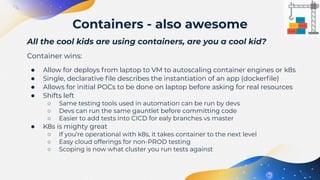
All the cool kids are using containers, are you a cool kid?
Container wins:
● Allow for deploys from laptop to VM to autoscaling container engines or k8s
● Single, declarative file describes the instantiation of an app (dockerfile)
● Allows for initial POCs to be done on laptop before asking for real resources
● Shifts left
○ Same testing tools used in automation can be run by devs
○ Devs can run the same gauntlet before committing code
○ Easier to add tests into CICD for ealy branches vs master
● K8s is mighty great
○ If you’re operational with k8s, it takes container to the next level
○ Easy cloud offerings for non-PROD testing
○ Scoping is now what cluster you run tests against
Containers - also awesome
Bringing it
Together
03
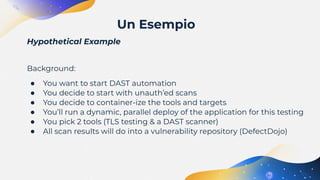
Hypothetical Example
Background:
● You want to start DAST automation
● You decide to start with unauth’ed scans
● You decide to container-ize the tools and targets
● You’ll run a dynamic, parallel deploy of the application for this testing
● You pick 2 tools (TLS testing & a DAST scanner)
● All scan results will do into a vulnerability repository (DefectDojo)
Un Esempio
Live
Demo
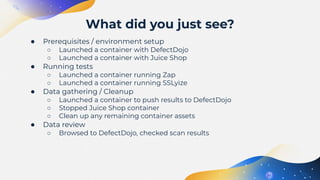
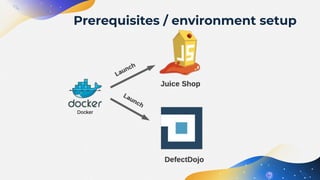
● Prerequisites / environment setup
○ Launched a container with DefectDojo
○ Launched a container with Juice Shop
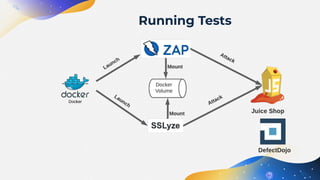
● Running tests
○ Launched a container running Zap
○ Launched a container running SSLyize
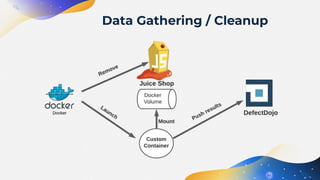
● Data gathering / Cleanup
○ Launched a container to push results to DefectDojo
○ Stopped Juice Shop container
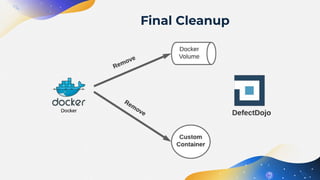
○ Clean up any remaining container assets
● Data review
○ Browsed to DefectDojo, checked scan results
What did you just see?
Prerequisites / environment setup
Running Tests
Data Gathering / Cleanup
Final Cleanup
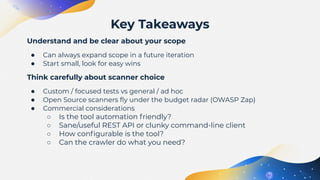
Understand and be clear about your scope
● Can always expand scope in a future iteration
● Start small, look for easy wins
Think carefully about scanner choice
● Custom / focused tests vs general / ad hoc
● Open Source scanners fly under the budget radar (OWASP Zap)
● Commercial considerations
○ Is the tool automation friendly?
○ Sane/useful REST API or clunky command-line client
○ How configurable is the tool?
○ Can the crawler do what you need?
Key Takeaways
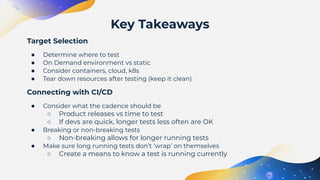
Target Selection
● Determine where to test
● On Demand environment vs static
● Consider containers, cloud, k8s
● Tear down resources after testing (keep it clean)
Connecting with CI/CD
● Consider what the cadence should be
○ Product releases vs time to test
○ If devs are quick, longer tests less often are OK
● Breaking or non-breaking tests
○ Non-breaking allows for longer running tests
● Make sure long running tests don’t ‘wrap’ on themselves
○ Create a means to know a test is running currently
Key Takeaways
CREDITS: This presentation template was
created by Slidesgo, including icons by Flaticon,
and infographics & images by Freepik
Thanks
matt.tesauro@owasp.org
Do you have any questions?
https://www.linkedin.com/in/matttesauro/
@matt_tesauro
cody.maffucci@owasp.org
https://www.linkedin.com/in/cody-maffucci/
● Slide theme “Product Requirement Theme for Business” from Slidesgo
○ https://slidesgo.com/theme/product-requirement-theme-for-business
● https://www.indiatimes.com/technology/news/william-shatner-oldest-in-space-blue-origin-551616.html
● https://pixabay.com/vectors/hurry-up-sport-speed-running-2785528/
● https://pixabay.com/photos/astronaut-wc-space-travel-toilet-4004417/
● https://pixabay.com/vectors/comic-fear-flee-fright-1296117/
● Icons made by Flaticon
○ https://www.flaticon.com/free-icon/factory_2942169
○ https://www.flaticon.com/premium-icon/dynamic_4661284
○ https://www.flaticon.com/free-icon/remote-control_2945949
○ https://www.flaticon.com/free-icon/isolation_2948067
○ https://www.flaticon.com/free-icon/monitoring_2942789
○ https://www.flaticon.com/free-icon/crane_2897728
References

The Final Frontier, Automating Dynamic Security Testing

  • 1.
    The Final Frontier AutomatingDYNAMIC Security Testing Matt Tesauro & Cody Maffucci
  • 2.
    Your Presenters Cody Maffucci ●OWASP DefectDojo ○ Core contributor ● OWASP AppSec Pipeline ○ Co-Leader ● Noname Security ○ Global Director of Security Evangelism ● Founder of 10Security Matt Tesauro ● OWASP DefectDojo ○ Core contributor ● TIBCO Software ○ Senior Security Engineer ● 10Security Product Architect
  • 3.
    When we didthe CFP, we had no clue...
  • 4.
    Intro to DAST Automation Bringingit Together Targeting DAST Today’s talk topics
  • 5.
  • 6.
    DAST == DynamicApplication Security Testing Two major ways to test applications: 1. Static - look at the app’s source code 2. Dynamic - look at a running app Yes, there’s also SCA (sort of a SAST), RASP, IAST, … For this talk, we’re concentrating on how to automate testing of running applications. What’s the DAST business anyway
  • 7.
    ● Most companiesdon’t want to test in PROD ○ UAT, Staging, Pre-Prod, … maybe matches PROD if your lucky ○ Unsure if controls match between PROD ■ Environment & Data ○ Test with or without security controls? ● Most companies are just starting to embrace configuration management ○ Puppet, Chef, Ansible, Salt, … ○ Containerization also really helps ○ +1 if you have an elastic infrastructure ○ DevOps/IT Ops and AppSec Teams - is there a working relationship? ● Most companies have immature credential management for testing ○ Can you dynamically create a user for any app? ○ Does that user have the necessary prerequisites? ○ Can you securely share credentials in real time? Why is it hard to automate DAST?
  • 8.
    When you decideto DAST test, you have to determine the level of testing rigor: ● Unauth’ed vs Auth’ed scans ○ Unauth’ed is super easy, likely limits scope ○ Auth’ed is harder, likely more realistic ● Full crawl vs targeted crawl ○ Time / thoroughness trade-off ● Any pages need to be excluded? ○ Log off? ○ Feedback forms? ○ How much of a catalog needs to be crawled? ● Complicated workflows? ○ Handle those separately? ○ Can your crawler actually crawl them? ○ Selenium / browser automation Levels of Testing
  • 9.
    Easier Difficult to doright Need solid pwd mgnt Built into most tools Watch for crawl loops More difficult Ownership easier Less thorough (quick) Very thorough (may take longer) As good as the crawler Browser drivers help Only the crawl target Likely requires browser driver (Selenium) Easier to sell (coffee shop hacker) Harder to sell (esp PROD) Clone-able PROD? Is crawl time an issue Who owns what? Easier to sell Focus on most risk bits Political Technical Rigor Considerations on Testing Levels UnAuth’ed Auth’ed Full Crawl Targeted Crawl
  • 10.
    In my experience,a 3 phase systems is generally required for successful automaton 1. High touch manual / semi-automated run 2. Automated run with profile adjustments (iterate) 3. Fully auto run The 3 Phase System
  • 11.
    (1) Crescent moon Theidea is to ensure that: ● The tool works against the target ● The tool produces reasonable results ● False positives are low or manageable ● It’s worth going forward with this tool ● Move on if this is a successful Proof of Concept The 3 Phase System
  • 12.
    (2) Waxing moon Aftera successful POC: ● Look into the quality of the default run results ○ Dig into profile/configuration options to improve the results ● Re-run the test under the updated profile/configuration ● Iterate until out of configuration / profile changes ○ Or you’re happy with the results ● Run twice, back to back to measure consistency of scans ○ Can shake out non-tool issues (network, intermediate devices, WAF…) The 3 Phase System
  • 13.
    (3) Full moon Notthat there’s a profile / config you can live with: ● Automate the launching of the tool ○ Many tools already have a scheduling option ● Consider the cadence of running the automation ○ Clock-based - weekly, monthly, quarterly, ○ Release/dev based - merge to master, each release, each commit… ● Evaluate your profile under any new version ○ Any new rules/signatures to turn off or on ○ Any new findings to address ○ Any issue with your automation work The 3 Phase System
  • 14.
  • 15.
    Most businesses arevery hesitant about testing in PROD ● How closely does PROD match the other environment? ○ How confident are you this will continue ● What is the testing scope? ○ If you want to know your public exposure to unauth’ed attacks, its PROD ● Dynamic infrastructure? Create a mini PROD ● Some of this is political ○ Maybe not the hill to die on ● If you have solid logging or observability, run elsewhere to provide evidence of the safety (or lack) of testing in PROD ● Watch out for neglected environments with poor stability ● Understand if you need a simple app or a collection of apps / APIs / services ○ Scope tells you this Prod vs !Prod
  • 16.
    True automation includesthe environment ● Determined by where you are on the infra automation journey ○ Config management, cloud, containers, k8s ○ Dynamic/elastic infra makes automation easier ● Traditional IT ○ Typically have long standing “pre-PROD” environments ○ Quality of the “pre-PROD” systems varies greatly across companies ○ Testing pre-release code vs code from PROD ● Ideal situation ○ Exact same code that launches PROD is used to launch a mini-PROD ○ Allows for completely safe destructive testing ○ Once testing is complete, the mini-PROD is destroyed. Static vs Dynamic Environments
  • 17.
    Part of determiningscope is deciding if you want to validate or exclude any external controls (WAF, IPS, anti-bot, …) Consider the goal of your scoping decision ● Test the app in isolation ○ Understand the security posture of the app by itself ○ Evaluate the potential of external controls failing open ● Test the app in its ‘native’ environment ○ Understand the security posture of the apps environment ○ Same controls may not be present in non-PROD environments ○ Also get to validate the effectiveness of external controls ● Hybrid - do both ○ More complex with two test runs ○ Provides a more complete picture Losing Control
  • 18.
    Many modern appsare actually a collection of independent software like microservices Another scoping / goal decision ● Test just the piece / component of the overall ‘product’ ○ Easier to conduct ○ Easy to connect issues to the proper team ○ Watch out for dependencies on other services ● Test the overall ‘product’ ○ Better overall picture of the security posture at a product level ○ Harder to connect issues to the proper team ○ Harder to line up versions of the various services ■ Does what you can test match what you want to test? App Isolation vs System testing
  • 19.
    Configuration management allowsfor creating consistent and repeatable deploys of infrastructure. Chef, Puppet, Ansible, Salt, Terraform, Helm, … ● Are these available to you? ○ If you don’t know yet, FIND OUT ○ If not, things will be more difficult (but not impossible) ○ If yes, make friends with the teams that own these ● Beyond spinning up consistent environments ○ Additionally, allows validation of deployments - “blessed versions” ○ If parameterized, mini-PRODs can be deployed Config Mgmt - Your Friend
  • 20.
    All the coolkids are using containers, are you a cool kid? Container wins: ● Allow for deploys from laptop to VM to autoscaling container engines or k8s ● Single, declarative file describes the instantiation of an app (dockerfile) ● Allows for initial POCs to be done on laptop before asking for real resources ● Shifts left ○ Same testing tools used in automation can be run by devs ○ Devs can run the same gauntlet before committing code ○ Easier to add tests into CICD for ealy branches vs master ● K8s is mighty great ○ If you’re operational with k8s, it takes container to the next level ○ Easy cloud offerings for non-PROD testing ○ Scoping is now what cluster you run tests against Containers - also awesome
  • 21.
  • 22.
    Hypothetical Example Background: ● Youwant to start DAST automation ● You decide to start with unauth’ed scans ● You decide to container-ize the tools and targets ● You’ll run a dynamic, parallel deploy of the application for this testing ● You pick 2 tools (TLS testing & a DAST scanner) ● All scan results will do into a vulnerability repository (DefectDojo) Un Esempio
  • 24.
  • 25.
    ● Prerequisites /environment setup ○ Launched a container with DefectDojo ○ Launched a container with Juice Shop ● Running tests ○ Launched a container running Zap ○ Launched a container running SSLyize ● Data gathering / Cleanup ○ Launched a container to push results to DefectDojo ○ Stopped Juice Shop container ○ Clean up any remaining container assets ● Data review ○ Browsed to DefectDojo, checked scan results What did you just see?
  • 26.
  • 27.
  • 28.
  • 29.
  • 30.
    Understand and beclear about your scope ● Can always expand scope in a future iteration ● Start small, look for easy wins Think carefully about scanner choice ● Custom / focused tests vs general / ad hoc ● Open Source scanners fly under the budget radar (OWASP Zap) ● Commercial considerations ○ Is the tool automation friendly? ○ Sane/useful REST API or clunky command-line client ○ How configurable is the tool? ○ Can the crawler do what you need? Key Takeaways
  • 31.
    Target Selection ● Determinewhere to test ● On Demand environment vs static ● Consider containers, cloud, k8s ● Tear down resources after testing (keep it clean) Connecting with CI/CD ● Consider what the cadence should be ○ Product releases vs time to test ○ If devs are quick, longer tests less often are OK ● Breaking or non-breaking tests ○ Non-breaking allows for longer running tests ● Make sure long running tests don’t ‘wrap’ on themselves ○ Create a means to know a test is running currently Key Takeaways
  • 32.
    CREDITS: This presentationtemplate was created by Slidesgo, including icons by Flaticon, and infographics & images by Freepik Thanks matt.tesauro@owasp.org Do you have any questions? https://www.linkedin.com/in/matttesauro/ @matt_tesauro cody.maffucci@owasp.org https://www.linkedin.com/in/cody-maffucci/
  • 33.
    ● Slide theme“Product Requirement Theme for Business” from Slidesgo ○ https://slidesgo.com/theme/product-requirement-theme-for-business ● https://www.indiatimes.com/technology/news/william-shatner-oldest-in-space-blue-origin-551616.html ● https://pixabay.com/vectors/hurry-up-sport-speed-running-2785528/ ● https://pixabay.com/photos/astronaut-wc-space-travel-toilet-4004417/ ● https://pixabay.com/vectors/comic-fear-flee-fright-1296117/ ● Icons made by Flaticon ○ https://www.flaticon.com/free-icon/factory_2942169 ○ https://www.flaticon.com/premium-icon/dynamic_4661284 ○ https://www.flaticon.com/free-icon/remote-control_2945949 ○ https://www.flaticon.com/free-icon/isolation_2948067 ○ https://www.flaticon.com/free-icon/monitoring_2942789 ○ https://www.flaticon.com/free-icon/crane_2897728 References