
Design Review Best Practices 
Velocity Barcelona 2014 
Mandi Walls 
Consulting Director, EMEA, Chef 
mandi@getchef.com
whoami 
• Mandi Walls 
• Professional Services for Chef 
• @lnxchk
Why Design Reviews? 
• Your opportunity to get a look at an incoming project 
• Hopefully early enough to have influence! 
Talk to development before it’s too late to make changes to support Ops
What You Want 
• Maximize the conversation 
• Get a good feel for important details 
• Don’t get too in the weeds, focus on what alleviates the most 
headaches
Set Your Goals 
• Initial deployment of the application 
• Runtime management and day-to-day operations 
• Releases and upgrades 
• Handling Outages
Have A Checklist 
• Combination of global requirements and needs specific to the project 
• Doesn’t have to be exhaustive, or hit everything the first time 
• Sample: http://bit.ly/lnxchk_reviewcklist 
• Sets goals by layer 
• You can also set goals by activity 
• It’s a living document 
• Make changes as you learn, launch more projects
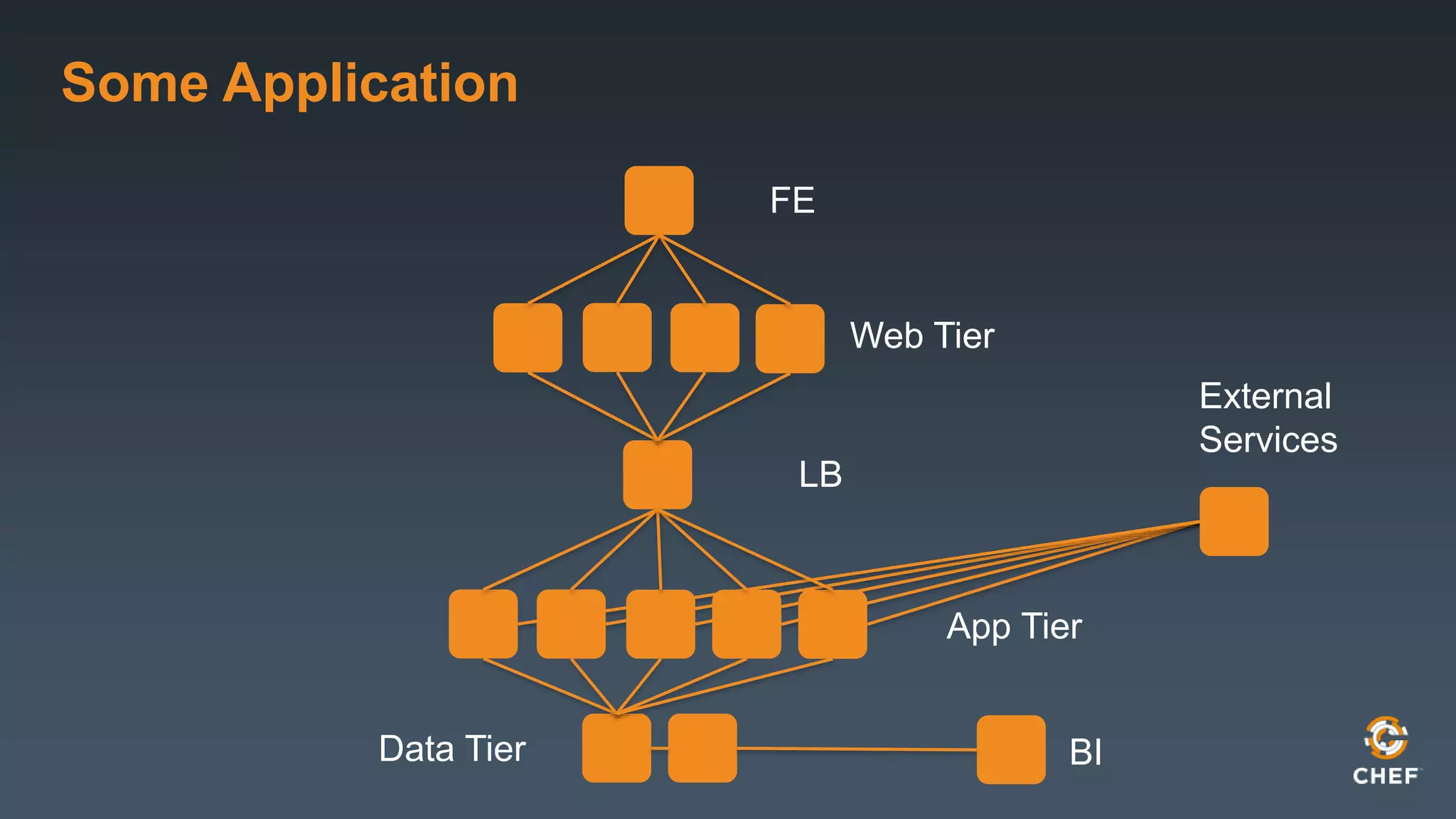
Some Application 
FE 
Web Tier 
LB 
App Tier 
External 
Services 
Data Tier BI
Investigating Layer by Layer 
• Different components will require different focus! 
• Some topics will hit all layers
Frontend Entry Point 
• To look at during deploy 
• Gathering all FQDNs 
• Determining SSL Requirements 
• Looking at Geographic Topologies
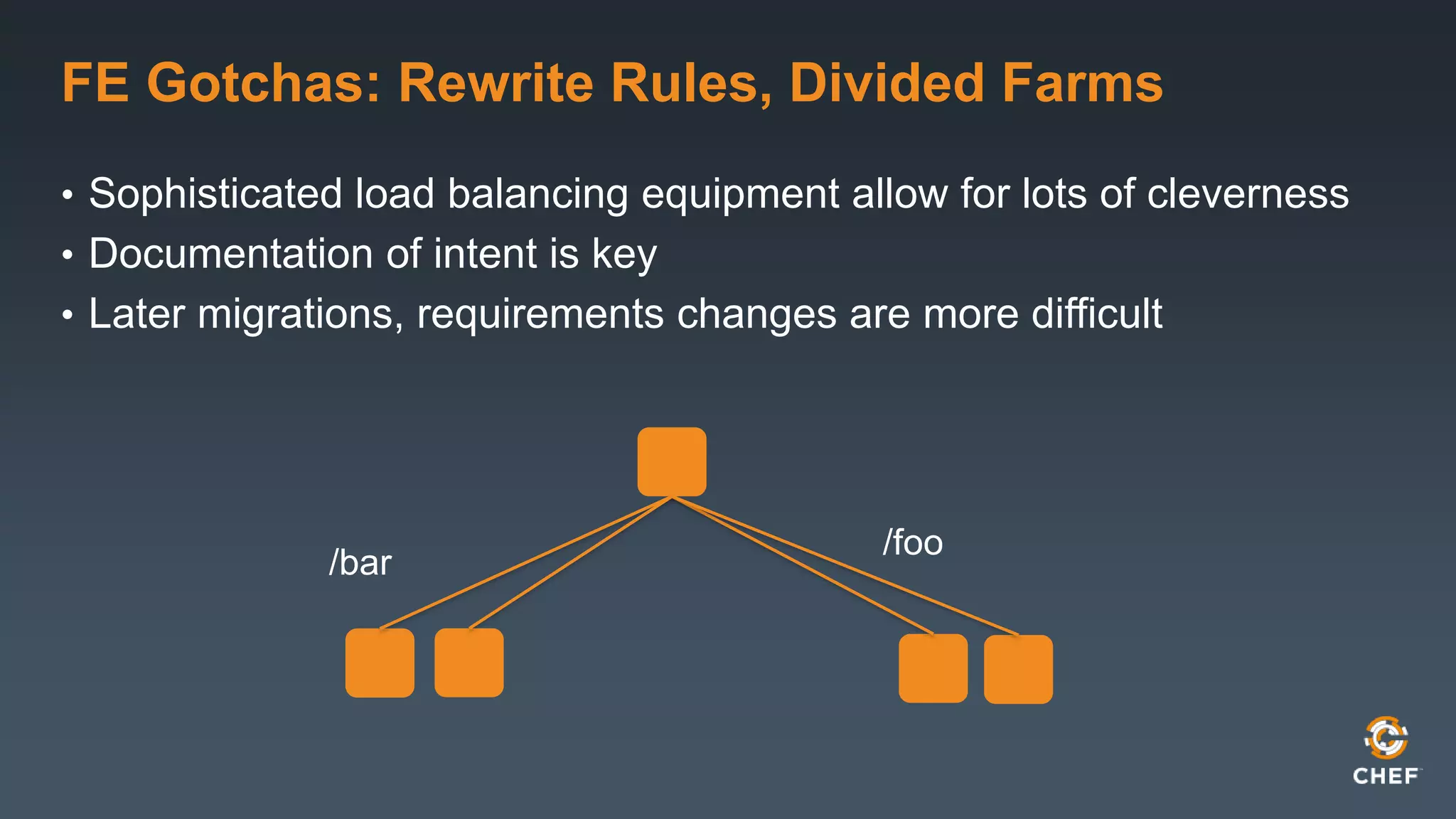
FE Gotchas: Rewrite Rules, Divided Farms 
• Sophisticated load balancing equipment allow for lots of cleverness 
• Documentation of intent is key 
• Later migrations, requirements changes are more difficult 
/foo 
/bar
Web Tier 
• Server type and version 
• Access methods to other tiers 
• Caching? 
• Locations 
• Modules and their configurations
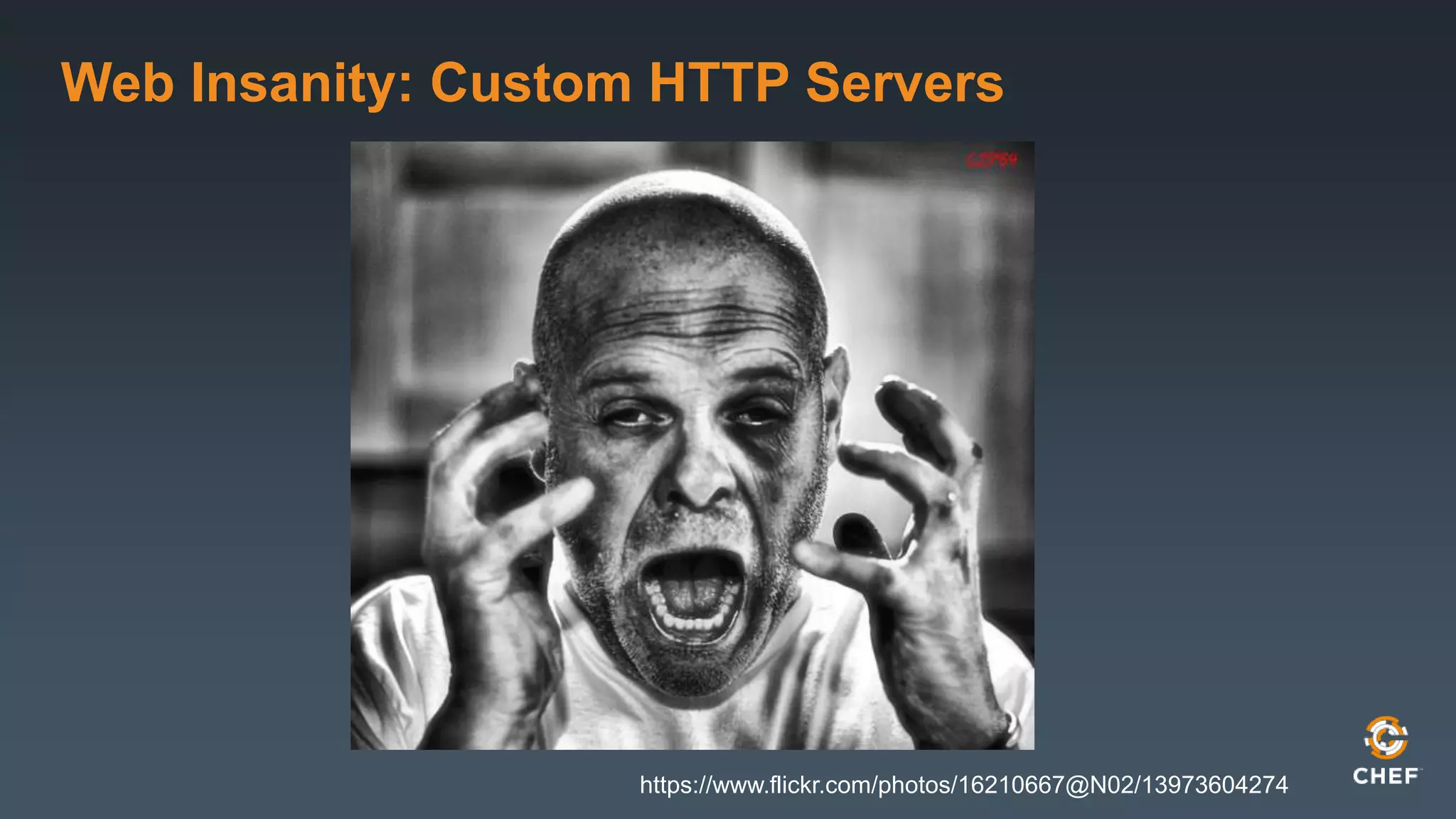
Web Insanity: Custom HTTP Servers 
https://www.flickr.com/photos/16210667@N02/13973604274
Application Tier 
• Basics: server type and version, port requirements, protocols 
• Outbound connections to outside services 
• User affinity 
• Necessary libraries and their release cycles
App Tier Gotchas 
• Things that affect scaling, replacement of hosts 
• Whitelisting! Why!? 
• What changes require restarts? 
• New FE connections? New BE connections to cache? To DB?
Data Tier – Our Data 
• In multi-location topologies, where is the master? 
• Is there whitelisting or other app authorization? 
• What are compliance/reporting requirements? 
• SOX? HIPAA? PCI? 
• Will schemas be versioned?
Doing Horrible Things to Data 
• Premature optimization can hamstring a project 
• Are the data tiers susceptible to queuing? 
• Management of data should be automated
Data Tier – Imports and ETL 
• Schedules 
• Measuring successful load 
• Contact information for upstream provider 
• Storage locations and intended size
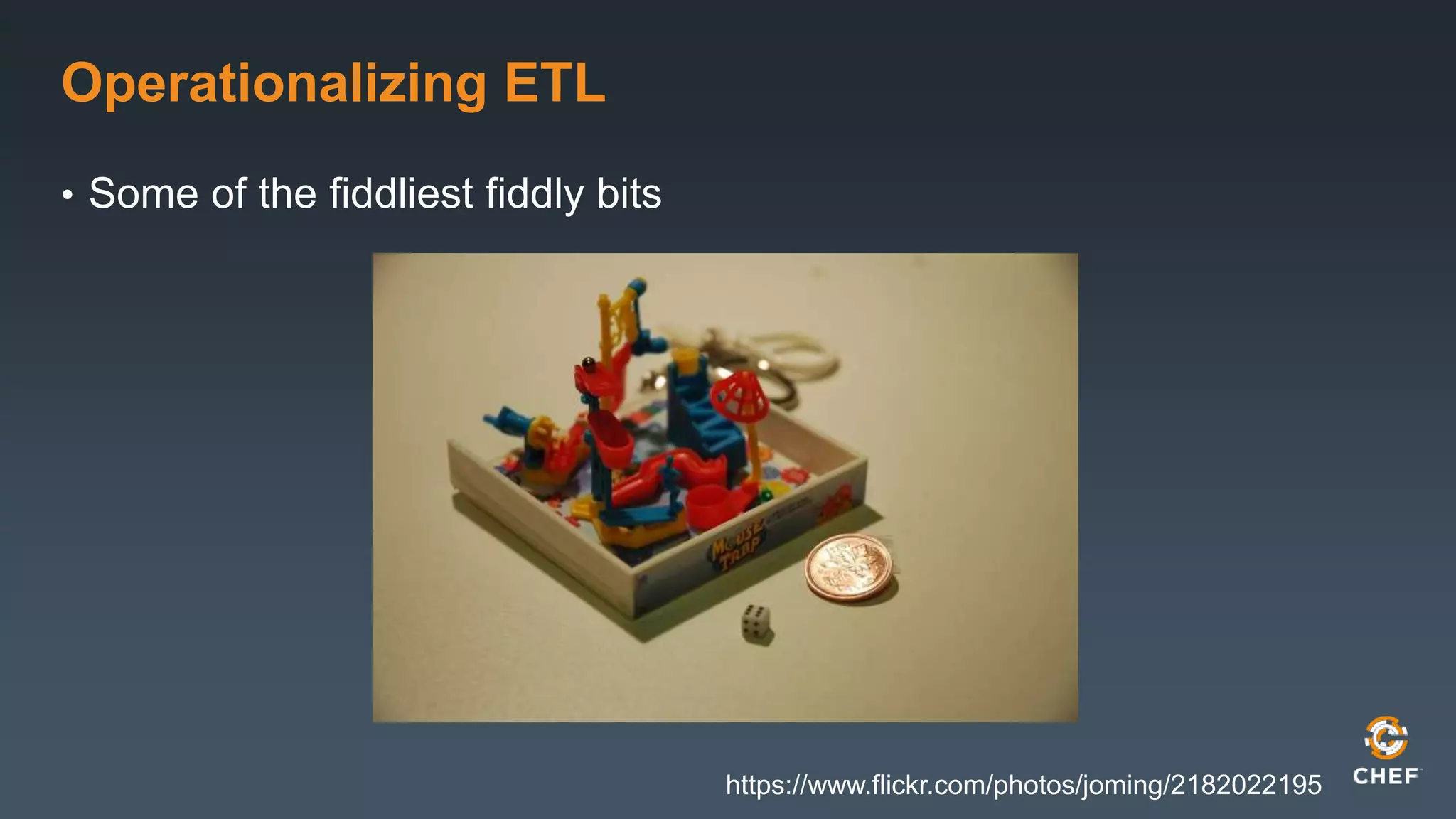
Operationalizing ETL 
• Some of the fiddliest fiddly bits 
https://www.flickr.com/photos/joming/2182022195
Data Tier – Exports, Reporting, BI 
• Packaging 
• Scheduling 
• Live replica versus full dump and export 
• Should have no impact on production operation of the datastore!
External APIs - Consumer 
• Relying on services you don’t own is tricky business 
• Account name and owner 
• SLA of service provider 
• Contact info for outages
Graceful Degradation 
• What does the App do if the external service is unavailable? 
• Shouldn’t hang 
• Should log some message 
• Should have some reasonable timeout, plus a hold down 
• Users shouldn’t notice
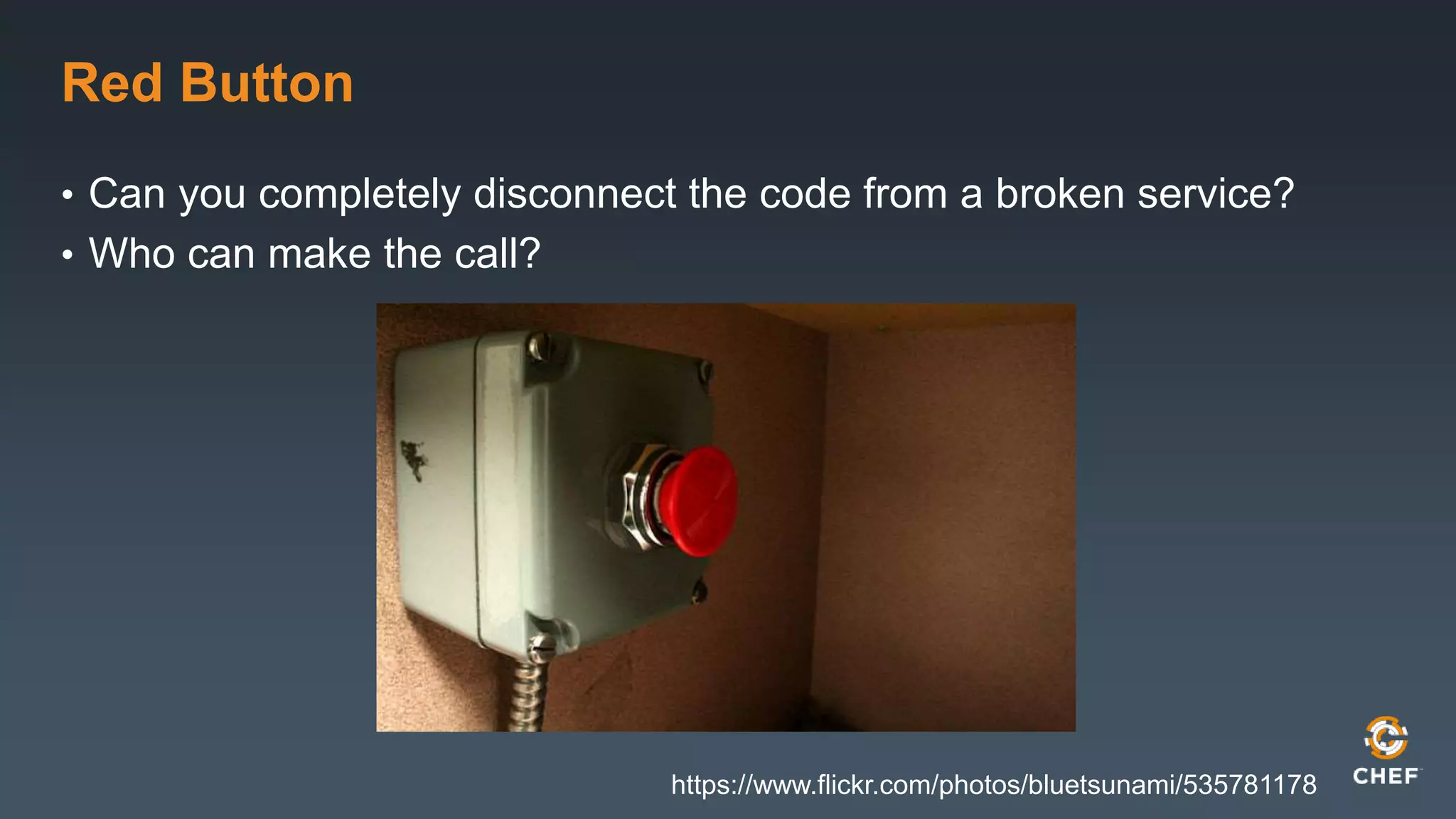
Red Button 
• Can you completely disconnect the code from a broken service? 
• Who can make the call? 
https://www.flickr.com/photos/bluetsunami/535781178
Gotchas for All Tiers 
• Host firewalls 
• Application user accounts – in the central service? 
• Logging policy 
• Metrics collection 
• Backups 
• OS Versions
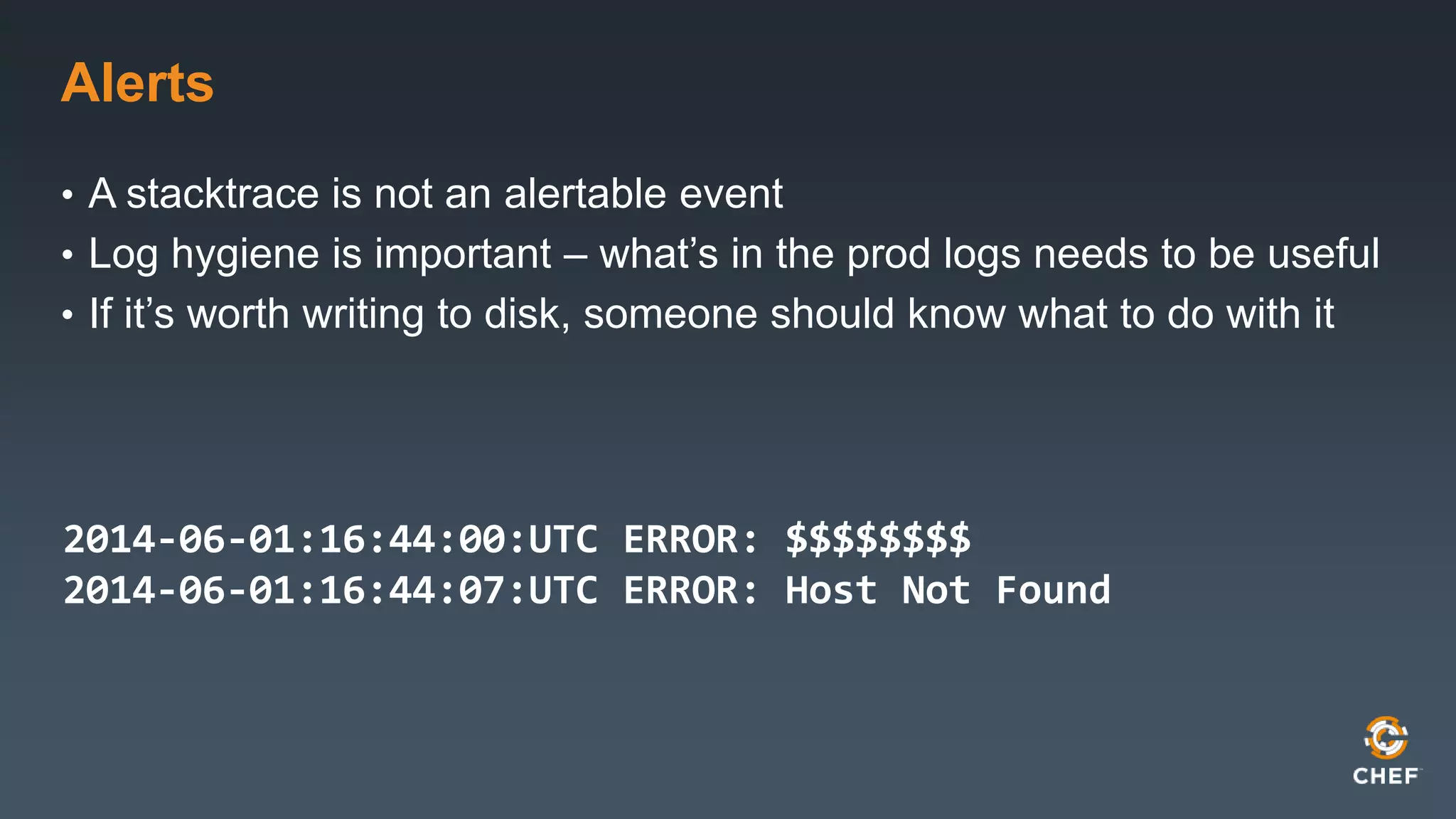
Alerts 
• A stacktrace is not an alertable event 
• Log hygiene is important – what’s in the prod logs needs to be useful 
• If it’s worth writing to disk, someone should know what to do with it 
2014-06-01:16:44:00:UTC ERROR: $$$$$$$$ 
2014-06-01:16:44:07:UTC ERROR: Host Not Found
Releases 
• Schedule – Over night? Weekends? Rolling continuous deploy? 
• Getting operations requirements into Dev cycle 
• Security requirements 
• Upgrades and patches 
• Service restarts 
• Graceful horizontal restarts 
• Full-zone downtime
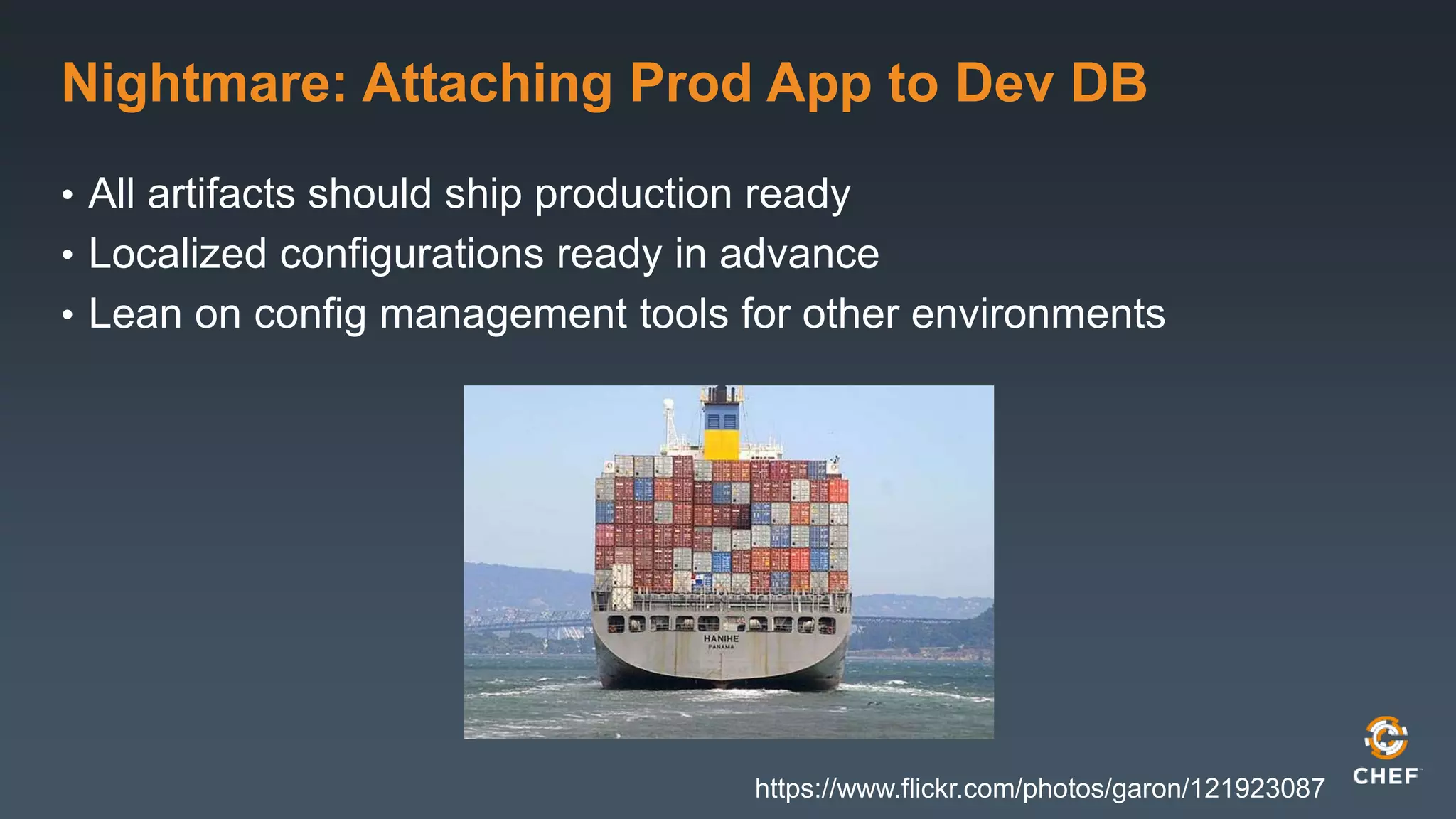
Nightmare: Attaching Prod App to Dev DB 
• All artifacts should ship production ready 
• Localized configurations ready in advance 
• Lean on config management tools for other environments 
https://www.flickr.com/photos/garon/121923087
Software Library 
• Set organizational standards 
• Rely on your OS vendors when possible 
• Pre-check that all dependencies are available in all repos for all 
environments 
• Suppress the urge to build special packages for absolutely 
everything 
• Streamlined, repeatable, reliable installs
Spelunking Through History 
• Keeping up with OS releases makes later scaling, replacement of 
dead hosts smoother 
• Always be current or no more than one release back in all envs
Performance and Tuning 
• Hard to be concise with new projects 
• Performance regression should be part of the testing process! 
• Know in advance what tunables exist, what their indicators are 
• Heap 
• GC 
• Network stacks 
• In-memory caching
Outage Planning 
• Known failure patterns and indicators 
• Who is oncall from Dev? 
• Who is oncall from Product or other decision-making stakeholders?
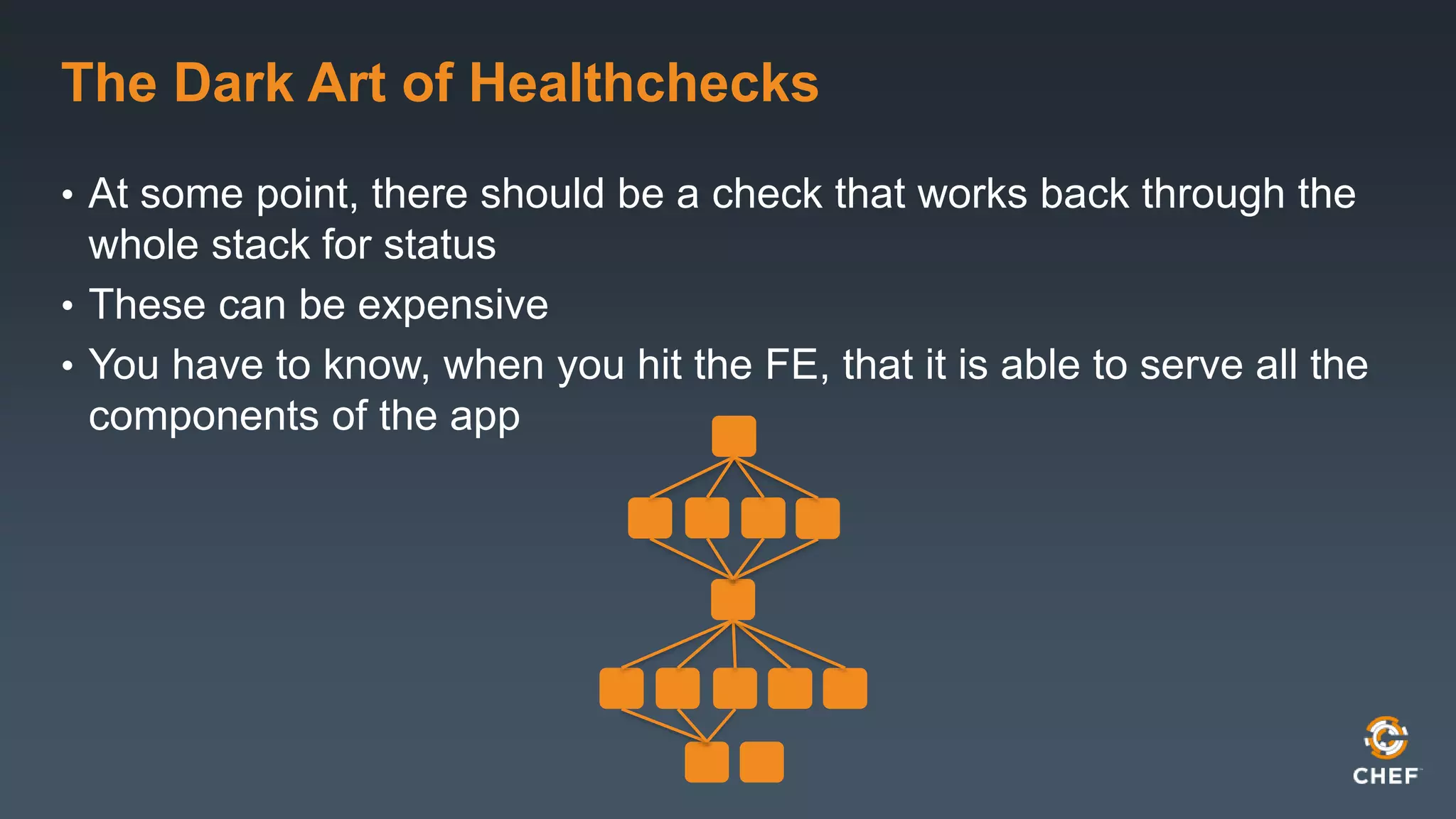
The Dark Art of Healthchecks 
• At some point, there should be a check that works back through the 
whole stack for status 
• These can be expensive 
• You have to know, when you hit the FE, that it is able to serve all the 
components of the app
Static Failover Pages 
• Mechanism for not serving up 500s or blanks during downtime 
• Set to non-cachable, show a picture, give a better experience
Other Team Info 
• Know who’s who 
• Dev teams should have some sort of oncall in case of problems Ops 
can’t fix 
• Intake process for bug reports, feedback, getting Ops issues fixed 
• Like those crazy log messages! 
• Get invited to team meetings! Go occasionally!
Success Metrics 
• What will success actually look like after launch? 
• Is the product team watching a particular set of KPIs? 
• How will the data for success be collected 
• BI, beacons, third party collectors
Things That are Challenging to Find in Review 
• Bottlenecks 
• That flat table-top graph isn’t a good thing 
• Impact of third-party inclusions 
• Rigor of the integration testing environment 
• What parts of the system users are really going to use 
• People might like something you thought was going to be minor
Learn From Experience 
• Over time, the infrastructure build out will get easier 
• Operations teams develop their own heuristics for difficulty 
• Always be learning and improving 
• Give everyone a chance to learn and improve too 
• Create standards so you don’t have to investigate all dark corners 
• Update your checklist periodically
Thanks!
Design Reviews for Operations - Velocity Europe 2014

Design Reviews for Operations - Velocity Europe 2014

  • 1.
    Design Review BestPractices Velocity Barcelona 2014 Mandi Walls Consulting Director, EMEA, Chef mandi@getchef.com
  • 2.
    whoami • MandiWalls • Professional Services for Chef • @lnxchk
  • 3.
    Why Design Reviews? • Your opportunity to get a look at an incoming project • Hopefully early enough to have influence! Talk to development before it’s too late to make changes to support Ops
  • 4.
    What You Want • Maximize the conversation • Get a good feel for important details • Don’t get too in the weeds, focus on what alleviates the most headaches
  • 5.
    Set Your Goals • Initial deployment of the application • Runtime management and day-to-day operations • Releases and upgrades • Handling Outages
  • 6.
    Have A Checklist • Combination of global requirements and needs specific to the project • Doesn’t have to be exhaustive, or hit everything the first time • Sample: http://bit.ly/lnxchk_reviewcklist • Sets goals by layer • You can also set goals by activity • It’s a living document • Make changes as you learn, launch more projects
  • 7.
    Some Application FE Web Tier LB App Tier External Services Data Tier BI
  • 8.
    Investigating Layer byLayer • Different components will require different focus! • Some topics will hit all layers
  • 9.
    Frontend Entry Point • To look at during deploy • Gathering all FQDNs • Determining SSL Requirements • Looking at Geographic Topologies
  • 10.
    FE Gotchas: RewriteRules, Divided Farms • Sophisticated load balancing equipment allow for lots of cleverness • Documentation of intent is key • Later migrations, requirements changes are more difficult /foo /bar
  • 11.
    Web Tier •Server type and version • Access methods to other tiers • Caching? • Locations • Modules and their configurations
  • 12.
    Web Insanity: CustomHTTP Servers https://www.flickr.com/photos/16210667@N02/13973604274
  • 13.
    Application Tier •Basics: server type and version, port requirements, protocols • Outbound connections to outside services • User affinity • Necessary libraries and their release cycles
  • 14.
    App Tier Gotchas • Things that affect scaling, replacement of hosts • Whitelisting! Why!? • What changes require restarts? • New FE connections? New BE connections to cache? To DB?
  • 15.
    Data Tier –Our Data • In multi-location topologies, where is the master? • Is there whitelisting or other app authorization? • What are compliance/reporting requirements? • SOX? HIPAA? PCI? • Will schemas be versioned?
  • 16.
    Doing Horrible Thingsto Data • Premature optimization can hamstring a project • Are the data tiers susceptible to queuing? • Management of data should be automated
  • 17.
    Data Tier –Imports and ETL • Schedules • Measuring successful load • Contact information for upstream provider • Storage locations and intended size
  • 18.
    Operationalizing ETL •Some of the fiddliest fiddly bits https://www.flickr.com/photos/joming/2182022195
  • 19.
    Data Tier –Exports, Reporting, BI • Packaging • Scheduling • Live replica versus full dump and export • Should have no impact on production operation of the datastore!
  • 20.
    External APIs -Consumer • Relying on services you don’t own is tricky business • Account name and owner • SLA of service provider • Contact info for outages
  • 21.
    Graceful Degradation •What does the App do if the external service is unavailable? • Shouldn’t hang • Should log some message • Should have some reasonable timeout, plus a hold down • Users shouldn’t notice
  • 22.
    Red Button •Can you completely disconnect the code from a broken service? • Who can make the call? https://www.flickr.com/photos/bluetsunami/535781178
  • 23.
    Gotchas for AllTiers • Host firewalls • Application user accounts – in the central service? • Logging policy • Metrics collection • Backups • OS Versions
  • 24.
    Alerts • Astacktrace is not an alertable event • Log hygiene is important – what’s in the prod logs needs to be useful • If it’s worth writing to disk, someone should know what to do with it 2014-06-01:16:44:00:UTC ERROR: $$$$$$$$ 2014-06-01:16:44:07:UTC ERROR: Host Not Found
  • 25.
    Releases • Schedule– Over night? Weekends? Rolling continuous deploy? • Getting operations requirements into Dev cycle • Security requirements • Upgrades and patches • Service restarts • Graceful horizontal restarts • Full-zone downtime
  • 26.
    Nightmare: Attaching ProdApp to Dev DB • All artifacts should ship production ready • Localized configurations ready in advance • Lean on config management tools for other environments https://www.flickr.com/photos/garon/121923087
  • 27.
    Software Library •Set organizational standards • Rely on your OS vendors when possible • Pre-check that all dependencies are available in all repos for all environments • Suppress the urge to build special packages for absolutely everything • Streamlined, repeatable, reliable installs
  • 28.
    Spelunking Through History • Keeping up with OS releases makes later scaling, replacement of dead hosts smoother • Always be current or no more than one release back in all envs
  • 29.
    Performance and Tuning • Hard to be concise with new projects • Performance regression should be part of the testing process! • Know in advance what tunables exist, what their indicators are • Heap • GC • Network stacks • In-memory caching
  • 30.
    Outage Planning •Known failure patterns and indicators • Who is oncall from Dev? • Who is oncall from Product or other decision-making stakeholders?
  • 31.
    The Dark Artof Healthchecks • At some point, there should be a check that works back through the whole stack for status • These can be expensive • You have to know, when you hit the FE, that it is able to serve all the components of the app
  • 32.
    Static Failover Pages • Mechanism for not serving up 500s or blanks during downtime • Set to non-cachable, show a picture, give a better experience
  • 33.
    Other Team Info • Know who’s who • Dev teams should have some sort of oncall in case of problems Ops can’t fix • Intake process for bug reports, feedback, getting Ops issues fixed • Like those crazy log messages! • Get invited to team meetings! Go occasionally!
  • 34.
    Success Metrics •What will success actually look like after launch? • Is the product team watching a particular set of KPIs? • How will the data for success be collected • BI, beacons, third party collectors
  • 35.
    Things That areChallenging to Find in Review • Bottlenecks • That flat table-top graph isn’t a good thing • Impact of third-party inclusions • Rigor of the integration testing environment • What parts of the system users are really going to use • People might like something you thought was going to be minor
  • 36.
    Learn From Experience • Over time, the infrastructure build out will get easier • Operations teams develop their own heuristics for difficulty • Always be learning and improving • Give everyone a chance to learn and improve too • Create standards so you don’t have to investigate all dark corners • Update your checklist periodically
  • 37.

Editor's Notes

  • #19 There are a lot of tools that promise to help with ETL. Many of them produce some kind of job script or war file or similar that has no logging, or predictable error reporting, or clean stop/start. They may dissolve into chaos if the data is a little bit wonky. Complex pipelines of data transformations are very hard to test, replicate, and debug.
  • #23 Red buttoning is one of the easiest ways to control your application when an upstream service is misbehaving. The button is there to completely bypass any code reliant on the service, and continue the application flow. These buttons should be easy to manipulate, maybe in a CMS, or in a configuration file that is periodically re-read by the application. The intent is to not have to restart your service because someone else is having an outage. Red button should be a manual process; automatic graceful degradation with hold down will take care of transient errors. A semi-permanent use of a red button is when the upstream provider has changed their API, and your application has not been prepared; red button the feature until the app is fixed and updated.
  • #29 The last thing you want to do with a running application in distress is dig around hoping you have the software used to build the farm originally. Keep application platforms updated; don’t let any environments get behind.
  • #37 We’ve learned a lot about post mortems, and talking about failure in general, over the past couple of years. A design review gives you the opportunity to revisit lessons learned from your systems history and make sure the learnings from those activities get incorporated into new systems.