OPERATING SYSTEM &
SERVICES IN OPERATING SYSTEM
SUB TOPICS:
• Definition of operating system
• Services provided by operating system.
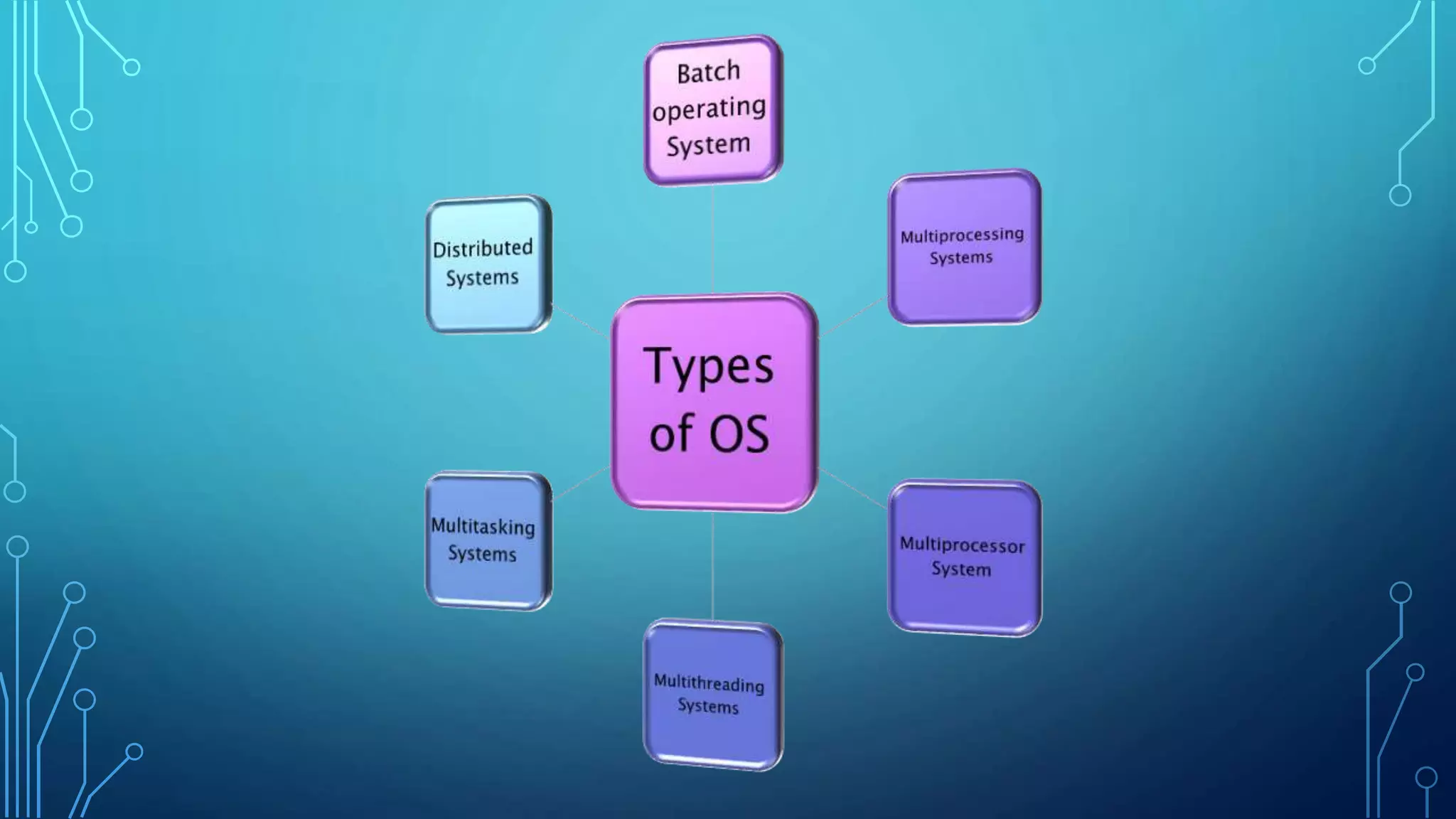
• Types of O.S
• Features of Windows and Linux
• Files and Directories
• Internal and External Commands of DOS
• Batch Files
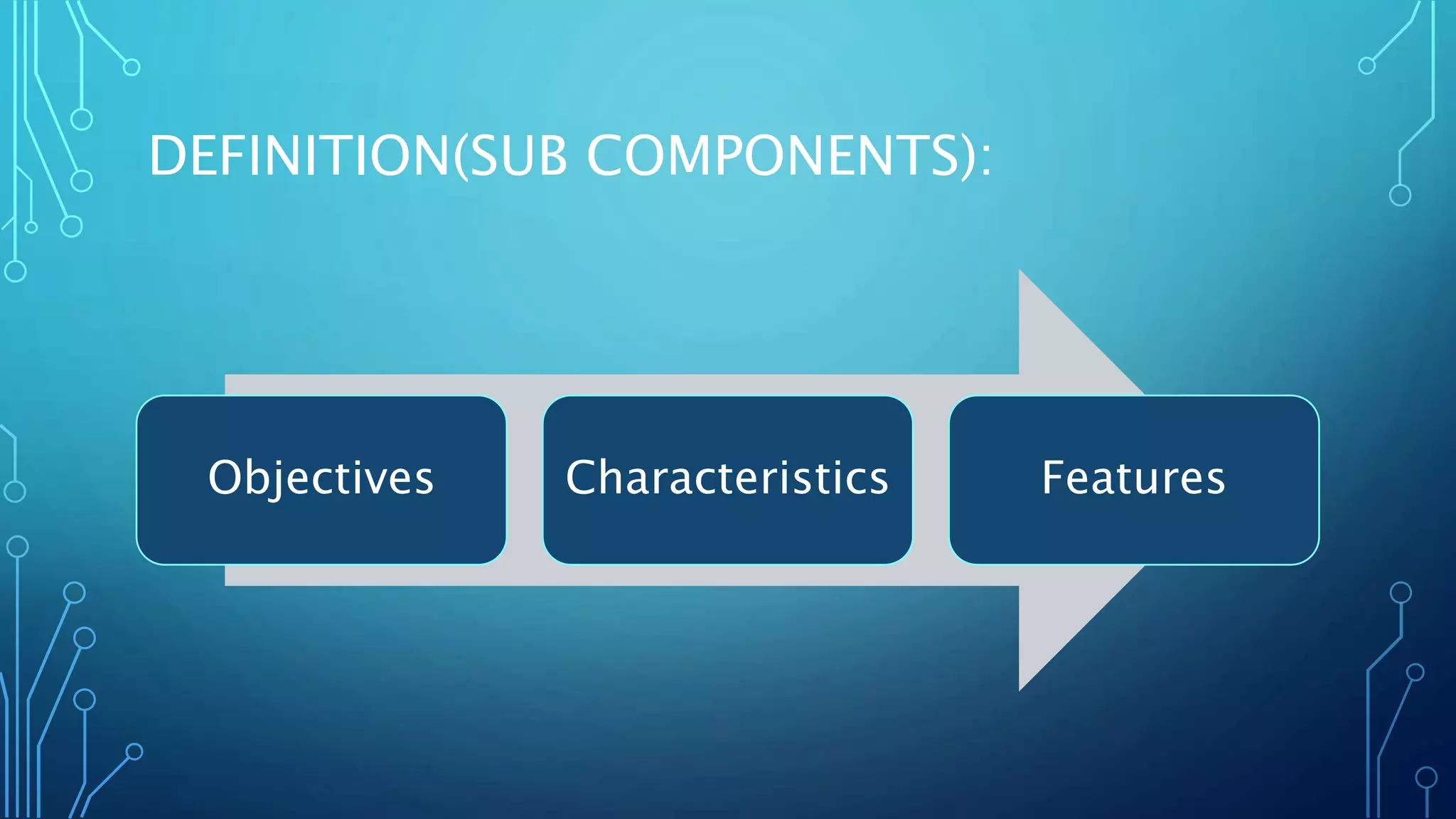
DEFINITION(SUB COMPONENTS):
Objectives Characteristics Features
DEFINITION:
• A operating system is a program that acts as an
interface between the software and the computer
hardware.
• A operating system is a computer program that
manages the resources of a computer.
• An operating system is a software that communicates
with the hardware and allows other programs to run.
OBJECTIVES:
• To provide users a convenient interface to use the computer
system.
• Manage the resources of a computer system.
• Making a computer system convenient to use in an efficient
manner.
• The efficient and fair sharing of resources among users and
programs.
• To hide the details of the hardware resources from the users.
• To acts as an intermediary between the hardware and its users
and making it easier for the users to access and use other
CHARACTERISTICS:
• Operating system is a collection of programs those are
responsible for the execution of other programs.
• It is responsible for controlling all the input and output devices
those are connected to the system.
• It is responsible for running all the application software’s.
• Provides scheduling to various processors means allocates the
memory to various process those who want to execute.
• Provides the communication between the user and the system.
FEATURES:
1. Software and Hardware management
2. Constant API( Application Program Interface)
3. Execution of Programs
4. Interruptions
5. Managing Memory
6. Networking
7. Security
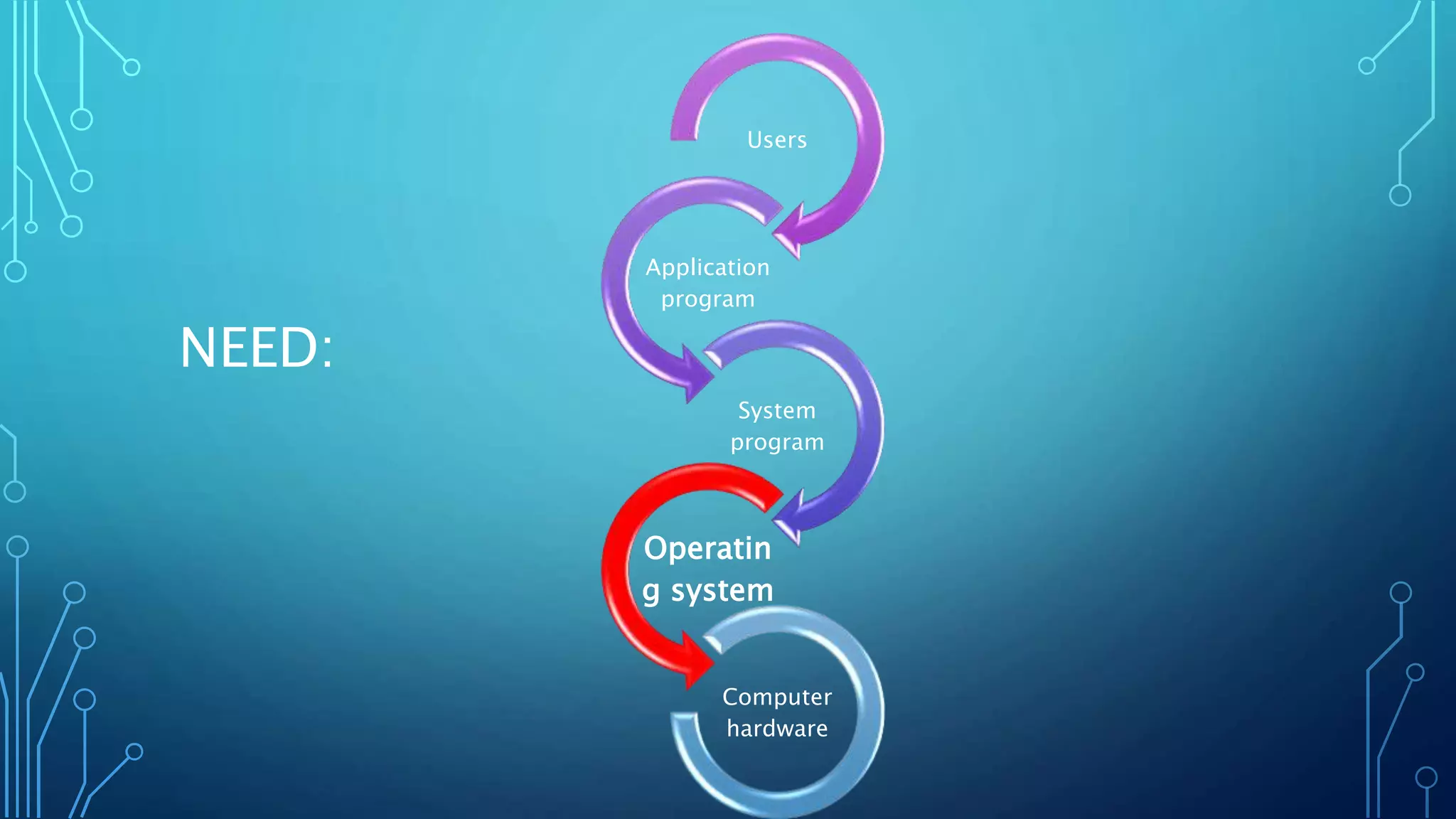
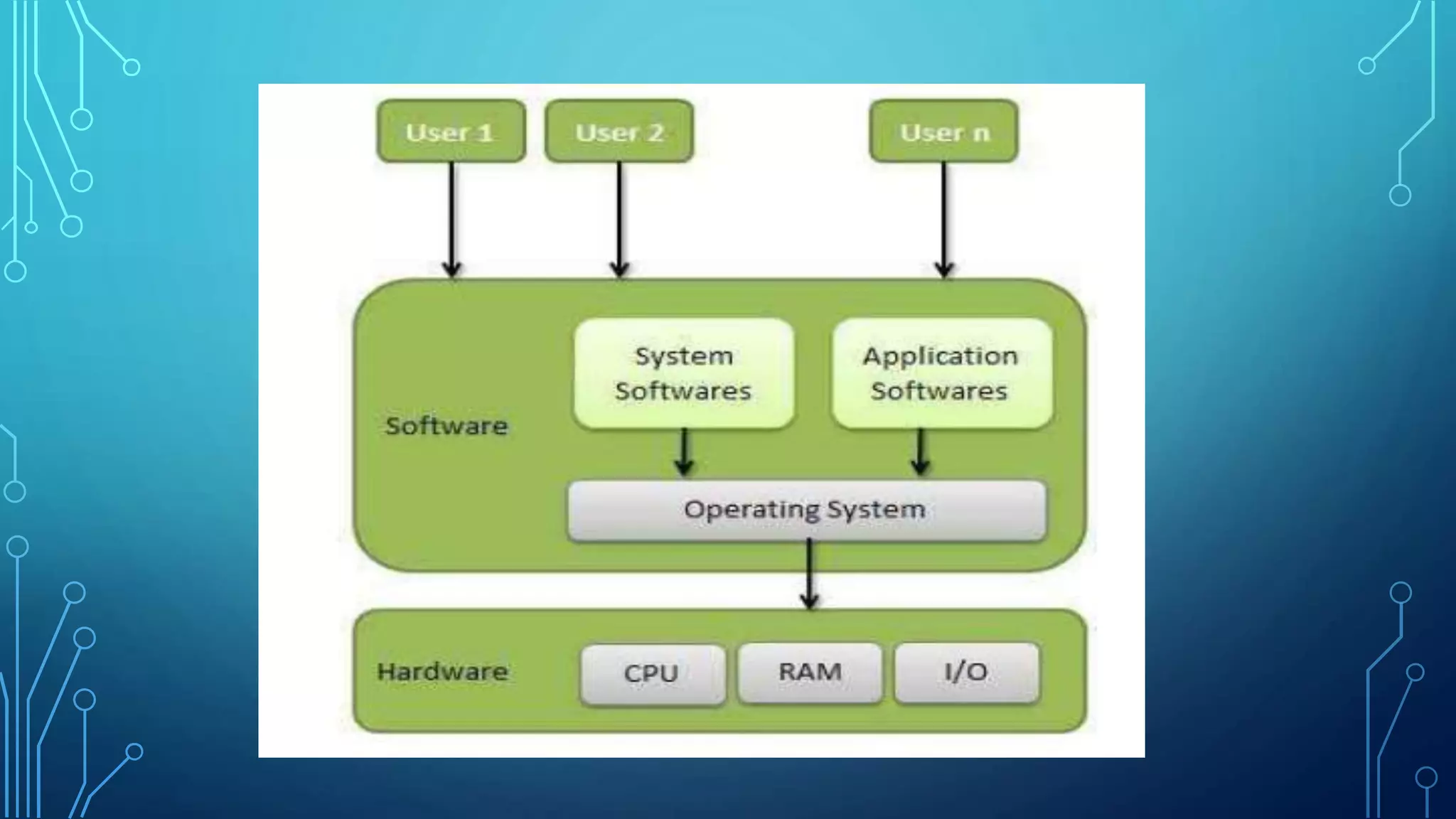
NEED:
Users
Application
program
System
program
Operatin
g system
Computer
hardware
SOME OF THE IMPORTANT REASONS WHY DO WE
NEED AN OPERATING SYSTEM ARE AS FOLLOWS:
• Operating System provides an environment for running user
programs.
• It provides an interface to the user to communicate with the
system.
• User interacts with the computer through operating system in
order to accomplish his/her task since it is his primary
interface with a computer.
• It helps the user to understand the inner functions of a
computer very closely.
COMPONENTS OF OPERATING SYSTEM:
1. The hardware: CPU, Memory and Input/output devices.
2. The application programs: Word processors,
Spreadsheets,Compilers,Web Browsers Etc. are the examples
of application programs
3. Operational Users: Operational Users are the users
responsible for installation of the software (maintenance &
making available to the user).
4. End user: End Users are the actual users of the applications.
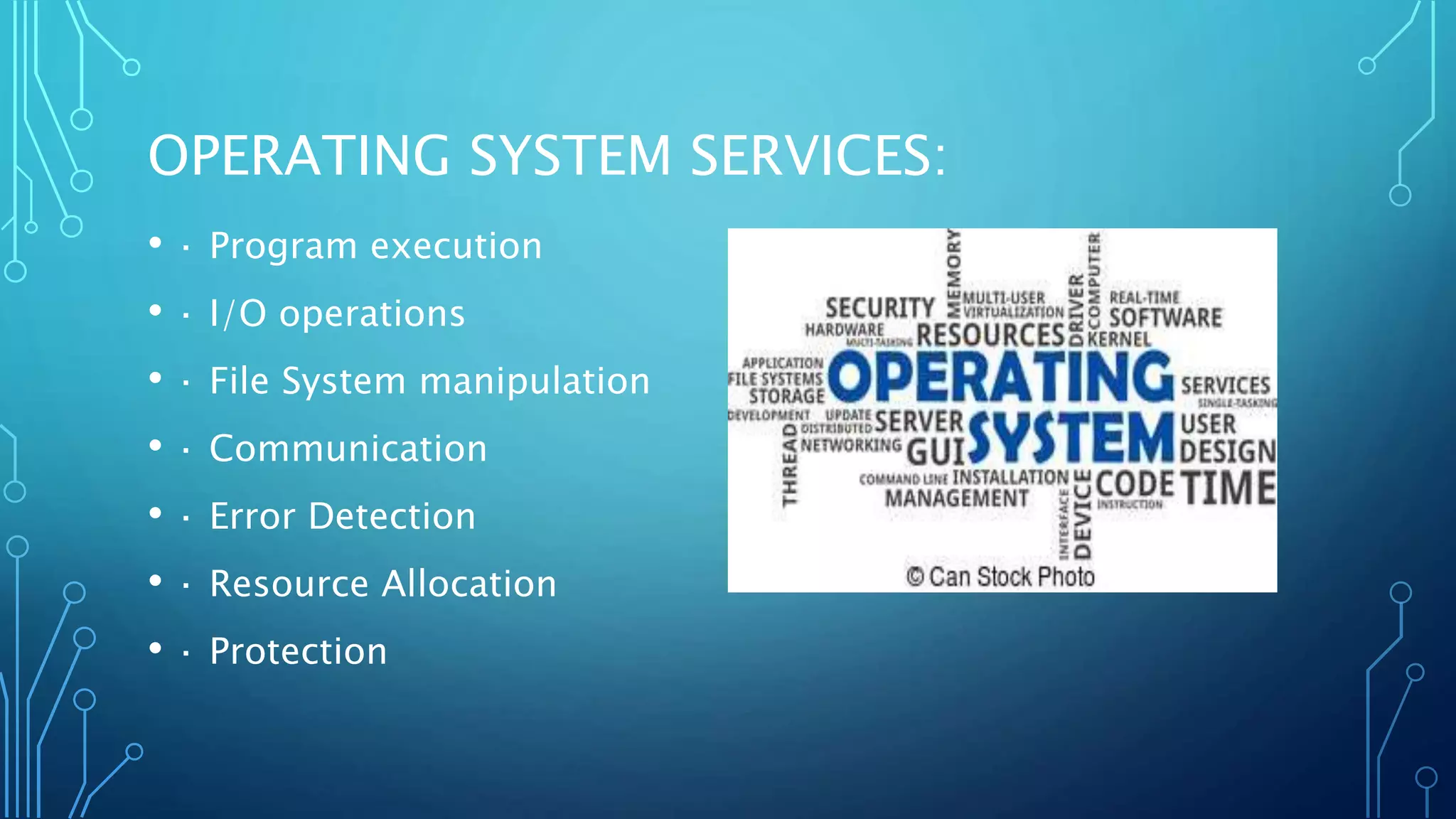
OPERATING SYSTEM SERVICES:
• · Program execution
• · I/O operations
• · File System manipulation
• · Communication
• · Error Detection
• · Resource Allocation
• · Protection
• Program Execution :
Operating systems handle many kinds of activities from user
programs to system programs like printer spooler, name servers,
file server, etc. Each of these activities is encapsulated as a
process.
• Loads a program into memory
• Executes the program
• Handles program's execution
• Provides a mechanism for process synchronization
• Provides a mechanism for process communication
• Provides a mechanism for deadlock handling
I/O OPERATIONS:
• I/O operation means read or write operation with any file or
any specific I/O device.
• Operating system provides the access to the required I/O
device when required.
FILE SYSTEM MANIPULATION:
• Program needs to read a file or write a file.
• The operating system gives the permission to the program for
operation on file.
• Permission varies from read-only, read-write, denied, and so
on.
• Operating System provides an interface to the user to
create/delete files.
• Operating System provides an interface to the user to
create/delete directories.
• Operating System provides an interface to create the backup
COMMUNICATION:
Following are the major activities of an operating system with
respect to communication:
• Two processes often require data to be transferred between
them.
• Both the processes can be on one computer or on different
computers, but are connected through a computer network.
• Communication may be implemented by two methods, either
by Shared Memory or by Message Passing.
ERROR DETECTION:
• The OS constantly checks for possible errors.
• The OS takes an appropriate action to ensure correct and
consistent computing.
RESOURCE ALLOCATION
• The OS manages all kinds of resources using schedulers.
• CPU scheduling algorithms are used for better utilization of
CPU.
PROTECTION:
• The OS ensures that all access to system resources is
controlled.
• The OS ensures that external I/O devices are protected from
invalid access attempts.
• The OS provides authentication features for each user by
means of passwords.
ADVANTAGES OF O S :
• Direct hardware access.
• Fast in speed because it provides direct access of computer
hardware.
• Easy and complete memory use and
• Efficiency use of computer hardware
DISADVANTAGES OF O S:
• No back-up available.
• Unrestricted access.
• Deadlock problems
• Problems of memory data loss.
BATCH OPERATING SYSTEM:
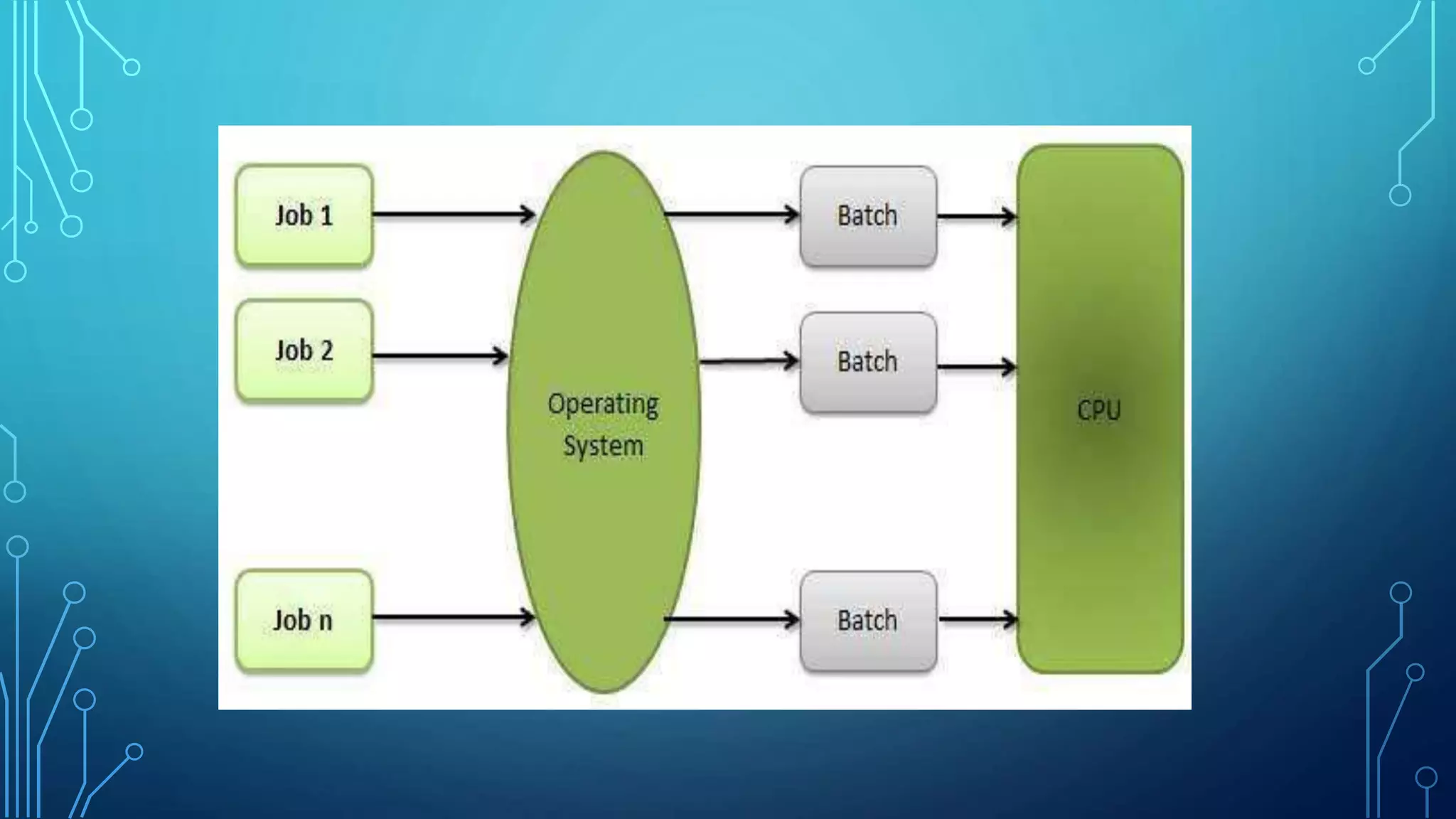
• The users of a batch operating system do not interact with the
computer directly. Each user prepares his job on an off-line device
like punch cards and submits it to the computer operator. To speed
up processing, jobs with similar needs are batched together and run
as a group. The programmers leave their programs with the operator
and the operator then sorts the programs with similar requirements
into batches . The problems with Batch Systems are as follows:
• Lack of interaction between the user and the job.
• CPU is often idle, because the speed of the mechanical I/O devices
is slower than the CPU.
• Difficult to provide the desired priority.
MULTIPROGRAMMING:
• Sharing the processor, when two or more programs reside in memory
at the same time, is referred as multiprogramming.
Multiprogramming assumes a single shared processor .
Multiprogramming increases CPU utilization by organizing jobs so
that the CPU always has one to execute.
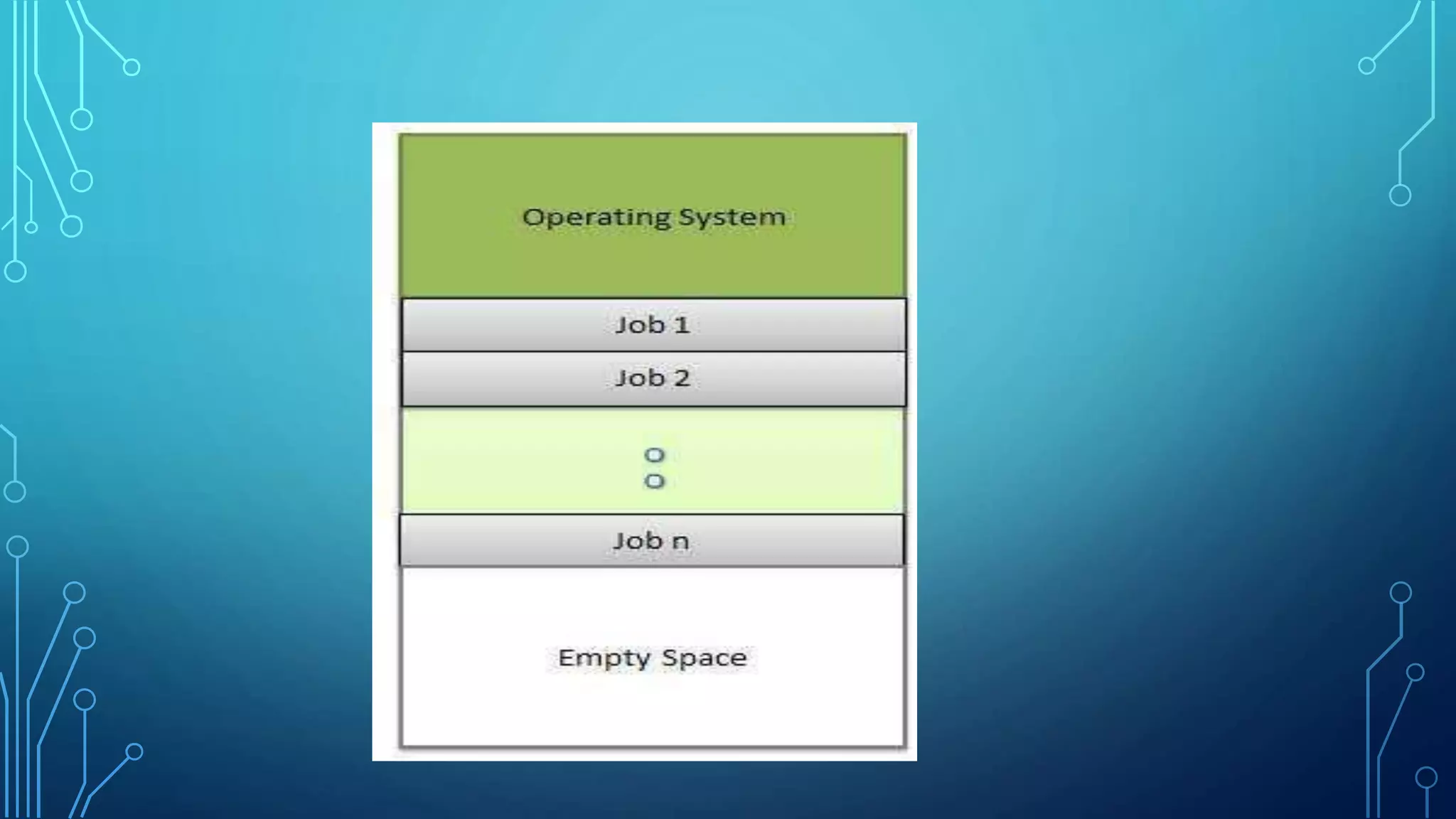
• An OS does the following activities related to multiprogramming:
• The operating system keeps several jobs in memory at a time.
• This set of jobs is a subset of the jobs kept in the job pool.
• The operating system picks and begins to execute one of the jobs
in the memory.
• Multiprogramming operating systems monitor the state of all active
programs and system resources using memory management
MULTIPROCESSING SYSTEM:
• It allows running a program on more than one CPU
simultaneously . This system is similar to multiprogramming
system , except that there is more than one CPU available.
• In most multiprocessor systems , the processors share a
common memory . Thus the user can view the system as if it
was a powerful single processor.
• Examples: linux , unix and windows.
MULTITHREADING:
• Multithreading is a technique in which a process executing an
application is divided into threads that can run concurrently.
• Thread: A dispatchable unit of work. A thread executes
sequentially and is interruptable so that the processor can turn
to another thread.
• Process: A collection of one or more threads and associated
system resources.
MULTITASKING OR TIMESHARING:
• Time sharing or Multi tasking is a logical Extension of
multiprogramming. Multiple jobs are executed by the CPU
switching between them , but the switches occur so frequently
that the users may interact with each program while running.
• Time sharing systems were developed to provide interactive
use of a computer at reasonable cost.
DISTRIBUTED SYSTEMS:
• A distributed system is a collection of processors that do no
share memory or a clock . Instead each processor has its own
local memory and the processors communicate with each other
through various communication lines.
• The purpose of distributed system is to provide an efficient and
convenient environment for this type of sharing of resources.
REAL TIME OPERATING SYSTEM (RTOS):
• Real time operating system are used to control machinery ,
scientific instruments and industrial systems.
• An RTOS typically has very little user interface capability and no
end user utilities, since the system will be a sealed box when
delivered for use.

Operating system

  • 1.
    OPERATING SYSTEM & SERVICESIN OPERATING SYSTEM
  • 2.
    SUB TOPICS: • Definitionof operating system • Services provided by operating system. • Types of O.S • Features of Windows and Linux • Files and Directories • Internal and External Commands of DOS • Batch Files
  • 3.
  • 4.
    DEFINITION: • A operatingsystem is a program that acts as an interface between the software and the computer hardware. • A operating system is a computer program that manages the resources of a computer. • An operating system is a software that communicates with the hardware and allows other programs to run.
  • 5.
    OBJECTIVES: • To provideusers a convenient interface to use the computer system. • Manage the resources of a computer system. • Making a computer system convenient to use in an efficient manner. • The efficient and fair sharing of resources among users and programs. • To hide the details of the hardware resources from the users. • To acts as an intermediary between the hardware and its users and making it easier for the users to access and use other
  • 6.
    CHARACTERISTICS: • Operating systemis a collection of programs those are responsible for the execution of other programs. • It is responsible for controlling all the input and output devices those are connected to the system. • It is responsible for running all the application software’s. • Provides scheduling to various processors means allocates the memory to various process those who want to execute. • Provides the communication between the user and the system.
  • 7.
    FEATURES: 1. Software andHardware management 2. Constant API( Application Program Interface) 3. Execution of Programs 4. Interruptions 5. Managing Memory 6. Networking 7. Security
  • 8.
  • 9.
    SOME OF THEIMPORTANT REASONS WHY DO WE NEED AN OPERATING SYSTEM ARE AS FOLLOWS: • Operating System provides an environment for running user programs. • It provides an interface to the user to communicate with the system. • User interacts with the computer through operating system in order to accomplish his/her task since it is his primary interface with a computer. • It helps the user to understand the inner functions of a computer very closely.
  • 11.
    COMPONENTS OF OPERATINGSYSTEM: 1. The hardware: CPU, Memory and Input/output devices. 2. The application programs: Word processors, Spreadsheets,Compilers,Web Browsers Etc. are the examples of application programs 3. Operational Users: Operational Users are the users responsible for installation of the software (maintenance & making available to the user). 4. End user: End Users are the actual users of the applications.
  • 12.
    OPERATING SYSTEM SERVICES: •· Program execution • · I/O operations • · File System manipulation • · Communication • · Error Detection • · Resource Allocation • · Protection
  • 13.
    • Program Execution: Operating systems handle many kinds of activities from user programs to system programs like printer spooler, name servers, file server, etc. Each of these activities is encapsulated as a process. • Loads a program into memory • Executes the program • Handles program's execution • Provides a mechanism for process synchronization • Provides a mechanism for process communication • Provides a mechanism for deadlock handling
  • 14.
    I/O OPERATIONS: • I/Ooperation means read or write operation with any file or any specific I/O device. • Operating system provides the access to the required I/O device when required.
  • 15.
    FILE SYSTEM MANIPULATION: •Program needs to read a file or write a file. • The operating system gives the permission to the program for operation on file. • Permission varies from read-only, read-write, denied, and so on. • Operating System provides an interface to the user to create/delete files. • Operating System provides an interface to the user to create/delete directories. • Operating System provides an interface to create the backup
  • 16.
    COMMUNICATION: Following are themajor activities of an operating system with respect to communication: • Two processes often require data to be transferred between them. • Both the processes can be on one computer or on different computers, but are connected through a computer network. • Communication may be implemented by two methods, either by Shared Memory or by Message Passing.
  • 17.
    ERROR DETECTION: • TheOS constantly checks for possible errors. • The OS takes an appropriate action to ensure correct and consistent computing.
  • 18.
    RESOURCE ALLOCATION • TheOS manages all kinds of resources using schedulers. • CPU scheduling algorithms are used for better utilization of CPU.
  • 19.
    PROTECTION: • The OSensures that all access to system resources is controlled. • The OS ensures that external I/O devices are protected from invalid access attempts. • The OS provides authentication features for each user by means of passwords.
  • 20.
    ADVANTAGES OF OS : • Direct hardware access. • Fast in speed because it provides direct access of computer hardware. • Easy and complete memory use and • Efficiency use of computer hardware
  • 21.
    DISADVANTAGES OF OS: • No back-up available. • Unrestricted access. • Deadlock problems • Problems of memory data loss.
  • 24.
    BATCH OPERATING SYSTEM: •The users of a batch operating system do not interact with the computer directly. Each user prepares his job on an off-line device like punch cards and submits it to the computer operator. To speed up processing, jobs with similar needs are batched together and run as a group. The programmers leave their programs with the operator and the operator then sorts the programs with similar requirements into batches . The problems with Batch Systems are as follows: • Lack of interaction between the user and the job. • CPU is often idle, because the speed of the mechanical I/O devices is slower than the CPU. • Difficult to provide the desired priority.
  • 25.
    MULTIPROGRAMMING: • Sharing theprocessor, when two or more programs reside in memory at the same time, is referred as multiprogramming. Multiprogramming assumes a single shared processor . Multiprogramming increases CPU utilization by organizing jobs so that the CPU always has one to execute. • An OS does the following activities related to multiprogramming: • The operating system keeps several jobs in memory at a time. • This set of jobs is a subset of the jobs kept in the job pool. • The operating system picks and begins to execute one of the jobs in the memory. • Multiprogramming operating systems monitor the state of all active programs and system resources using memory management
  • 27.
    MULTIPROCESSING SYSTEM: • Itallows running a program on more than one CPU simultaneously . This system is similar to multiprogramming system , except that there is more than one CPU available. • In most multiprocessor systems , the processors share a common memory . Thus the user can view the system as if it was a powerful single processor. • Examples: linux , unix and windows.
  • 28.
    MULTITHREADING: • Multithreading isa technique in which a process executing an application is divided into threads that can run concurrently. • Thread: A dispatchable unit of work. A thread executes sequentially and is interruptable so that the processor can turn to another thread. • Process: A collection of one or more threads and associated system resources.
  • 29.
    MULTITASKING OR TIMESHARING: •Time sharing or Multi tasking is a logical Extension of multiprogramming. Multiple jobs are executed by the CPU switching between them , but the switches occur so frequently that the users may interact with each program while running. • Time sharing systems were developed to provide interactive use of a computer at reasonable cost.
  • 30.
    DISTRIBUTED SYSTEMS: • Adistributed system is a collection of processors that do no share memory or a clock . Instead each processor has its own local memory and the processors communicate with each other through various communication lines. • The purpose of distributed system is to provide an efficient and convenient environment for this type of sharing of resources.
  • 31.
    REAL TIME OPERATINGSYSTEM (RTOS): • Real time operating system are used to control machinery , scientific instruments and industrial systems. • An RTOS typically has very little user interface capability and no end user utilities, since the system will be a sealed box when delivered for use.