
May 3-5, 2015 | Boston, Massachusetts USAMay 3-5, 2015 | Boston, Massachusetts USA
Using Kendo UI in Office 365
And/Or SharePoint 2013 On Premise
Ed Musters, SharePoint MVP, Infusion
emusters@infusion.com
@TechEdToronto
Slides available now at:
http://slideshare.net/emusters
May 3-5, 2015 | Boston, Massachusetts USA
Presentation Summary
You can create custom data schema (SharePoint Lists) for SharePoint
Online declaratively in Visual Studio (i.e. with tooling VS provides). Kendo
UI then makes very short work of creating a powerful user interface. Even if
you have never customized SharePoint before, you will be surprised how
rapidly you can learn everything you need to do from a programming,
packaging, and deployment perspective to start developing with SharePoint
Online now! Productivity at a level you did not think possible, guaranteed!
• Audience: Developer
• Level: 100
• Pre-Requisites: Knowledge of Kendo UI, basic SP developer knowledge
May 3-5, 2015 | Boston, Massachusetts USA
Session Evaluation! Win Prizes!
• http://bit.ly/next-musters
• Or use the TelerikNEXT App
May 3-5, 2015 | Boston, Massachusetts USA
Terminology
• Office 365 is an extensive offering
• SharePoint Online is part of that offering
• We’ll refer to SharePoint Online and Office 365
interchangeably
• Everything we do here you can also do with your On
Premise version of SharePoint 2013
May 3-5, 2015 | Boston, Massachusetts USA
Look for the .NET Ninja!
• This symbol will point you to important tips and
insider knowledge that will show you are a pro!
May 3-5, 2015 | Boston, Massachusetts USA
{ About.Me() }
https://mvp.support.microsoft.com/profile/Ed.Musters
• Current SharePoint MVP – 11th year!
• Author for two SP development books
• SharePoint Architect for Infusion
• Speaker at International Conferences on
SharePoint, at user groups, and at
SharePoint Saturdays
• Certified Trainer for the industry leading
SharePoint training from Critical Path
Training
• Harley-Davidson ™ Enthusiast!
7
And, yes, I do really have a
Black Belt. 
May 3-5, 2015 | Boston, Massachusetts USA
Agenda
• The SharePoint Team Site
• How To – SP 2013 VS Tools and Features
• How To – SharePoint Lists (Schema)
• How To – Deploy Kendo UI to SharePoint
• How To – Kendo UI Grid in SP 2013
• How To – Grid Reading From SP List
• Where to go from here?
May 3-5, 2015 | Boston, Massachusetts USA
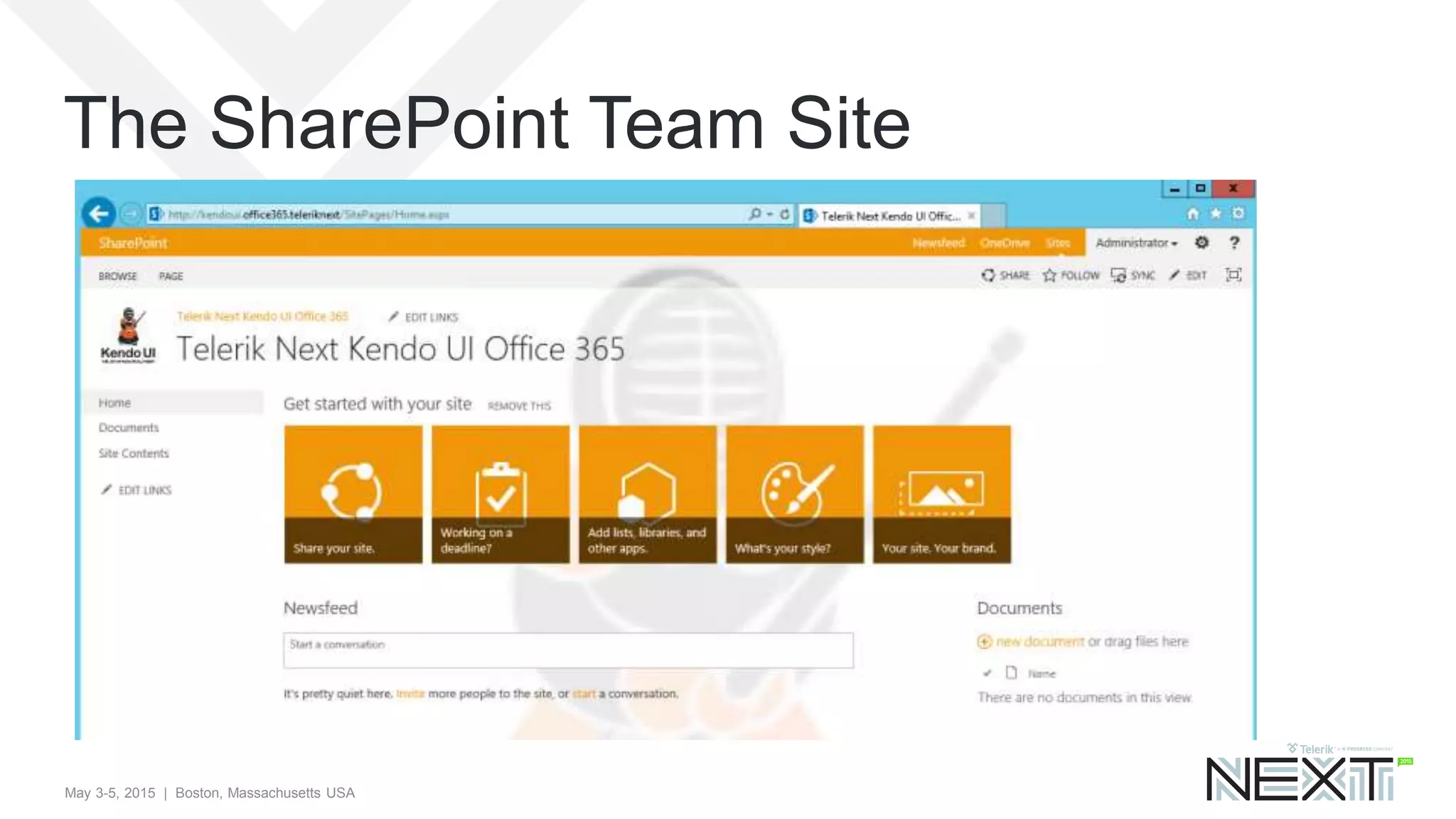
The SharePoint Team Site
May 3-5, 2015 | Boston, Massachusetts USA
Why Kendo UI in SharePoint?
• SharePoint is great for browser based
customizations, SharePoint designer customizations,
and easy no code solutions with Visual Studio
• Creating great user experiences (UI) in SharePoint,
however, is not so easy!
• Presenting… Kendo UI in SharePoint!
May 3-5, 2015 | Boston, Massachusetts USA
Agenda
• The SharePoint Team Site
• How To – SP 2013 VS Tools and Features
• How To – SharePoint Lists (Schema)
• How To – Deploy Kendo UI to SharePoint
• How To – Kendo UI Grid in SP 2013
• How To – Grid Reading From SP List
• Where to go from here?
May 3-5, 2015 | Boston, Massachusetts USA
SP2013 Declarative SandBox Solutions
• A solution deployment file, with extension of WSP
• Deploy your SharePoint customizations
• Contains features with elements that (primarily) provisions files to
the site collection (e.g. JS and CSS)
• Provision schema (site columns, content types, lists) and more!
• All done through “declarative” XML, no compiled C# code!
• Features scoped only to one specific site collection
• Compatible for Office 365 and On Premise
May 3-5, 2015 | Boston, Massachusetts USA
What are we going to deploy?
• A Kendo UI Solution for Office 365
• Deploy Kendo UI JS and Styles to site collection
• Provision custom schema – site column, content type, and list – to
store “Telerik Contacts”
• Reference Telerik JS and CSS files globally through “custom
actions”
• Create a page and configure it with Kendo UI script samples that
will read SharePoint data
May 3-5, 2015 | Boston, Massachusetts USA
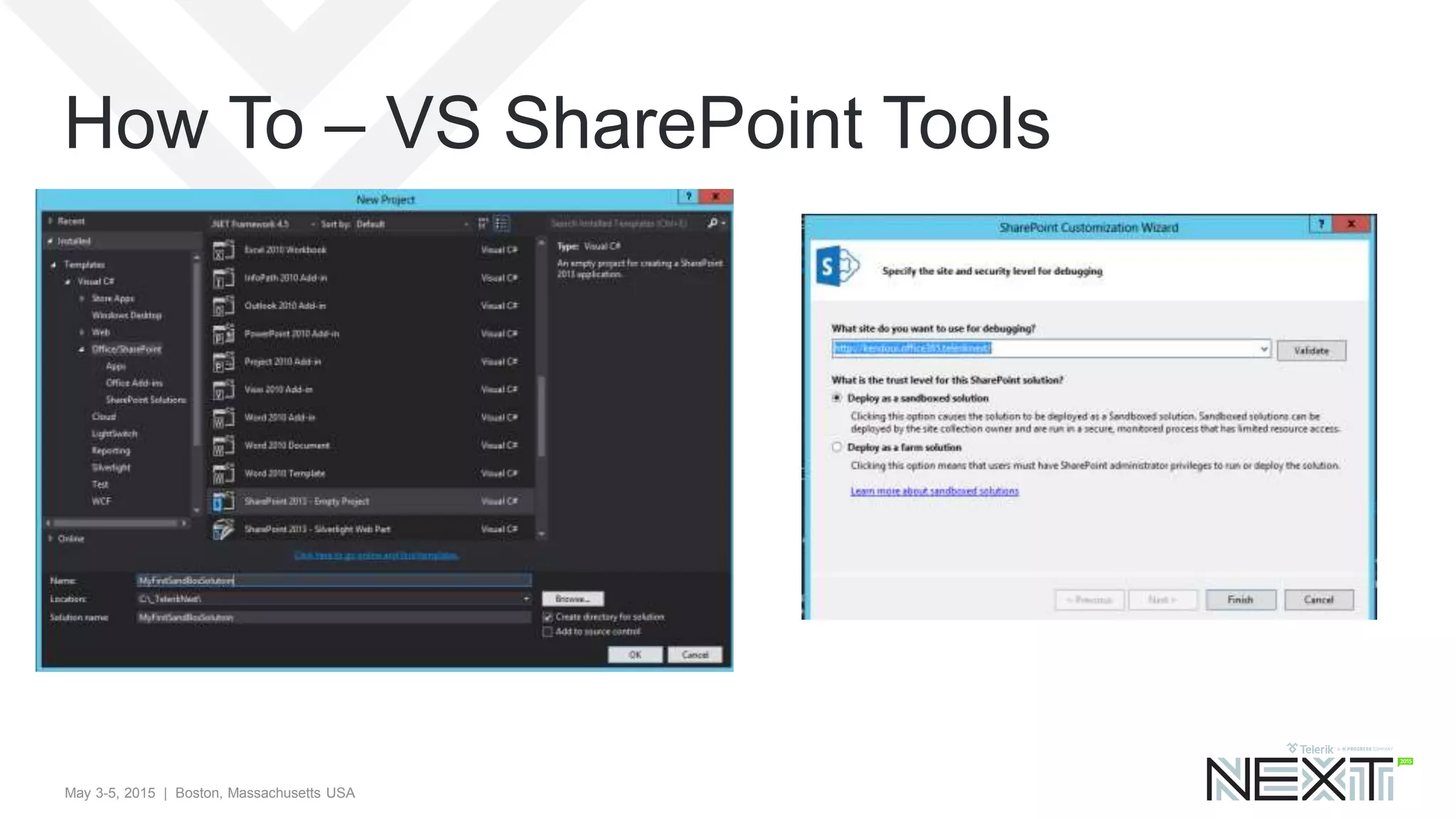
How To – VS SharePoint Tools
May 3-5, 2015 | Boston, Massachusetts USA
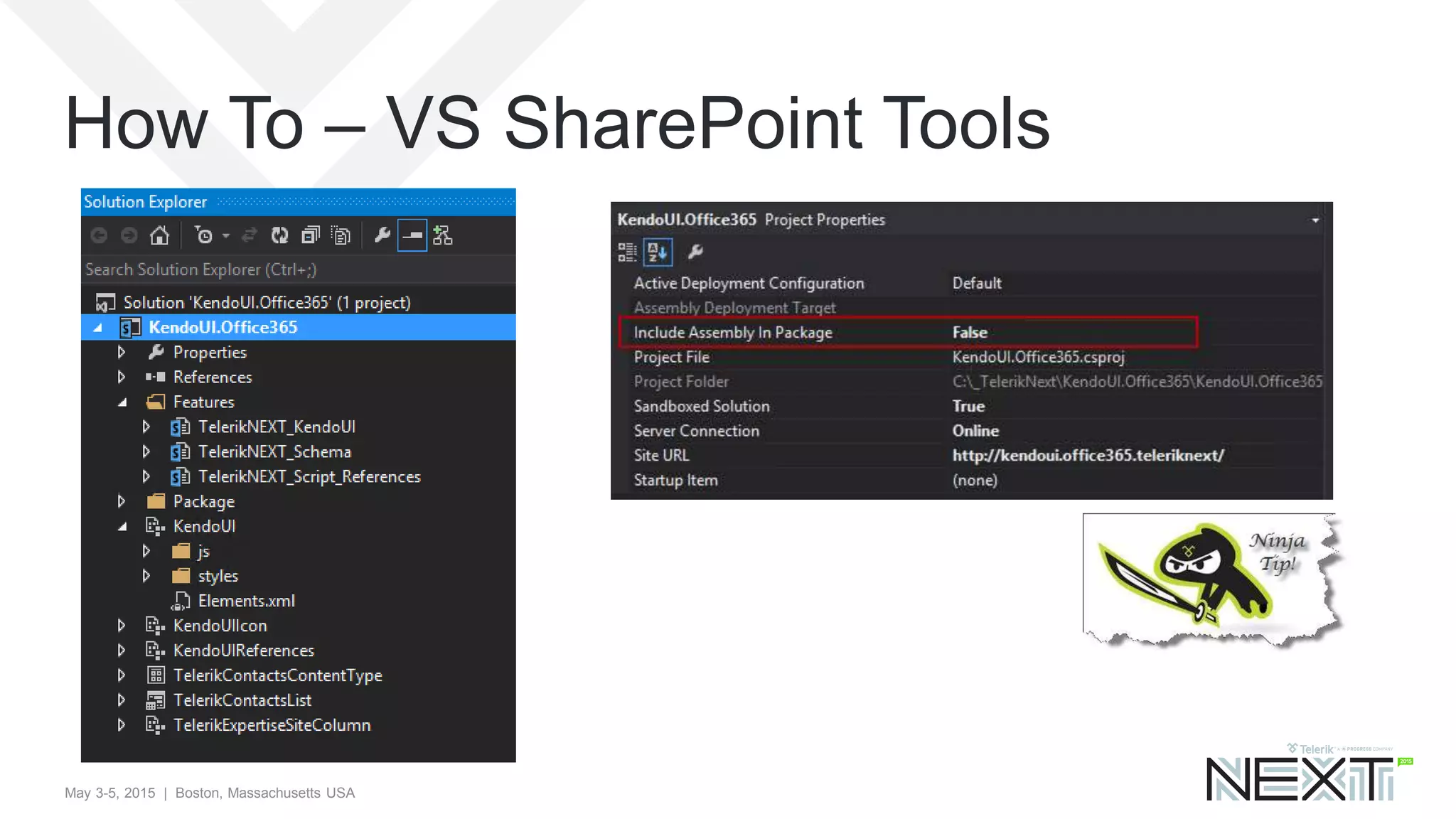
How To – VS SharePoint Tools
May 3-5, 2015 | Boston, Massachusetts USA
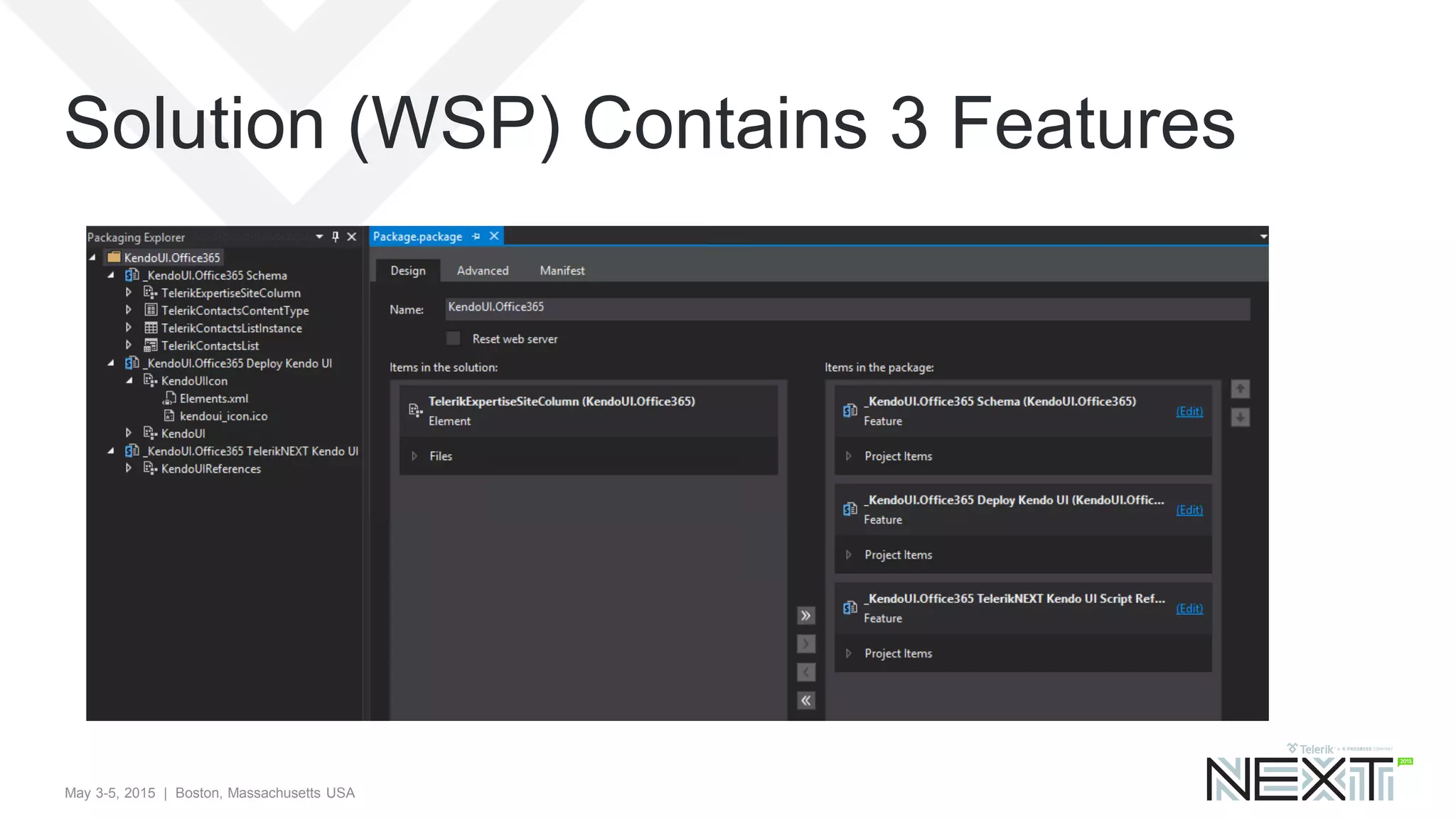
Solution (WSP) Contains 3 Features
May 3-5, 2015 | Boston, Massachusetts USA
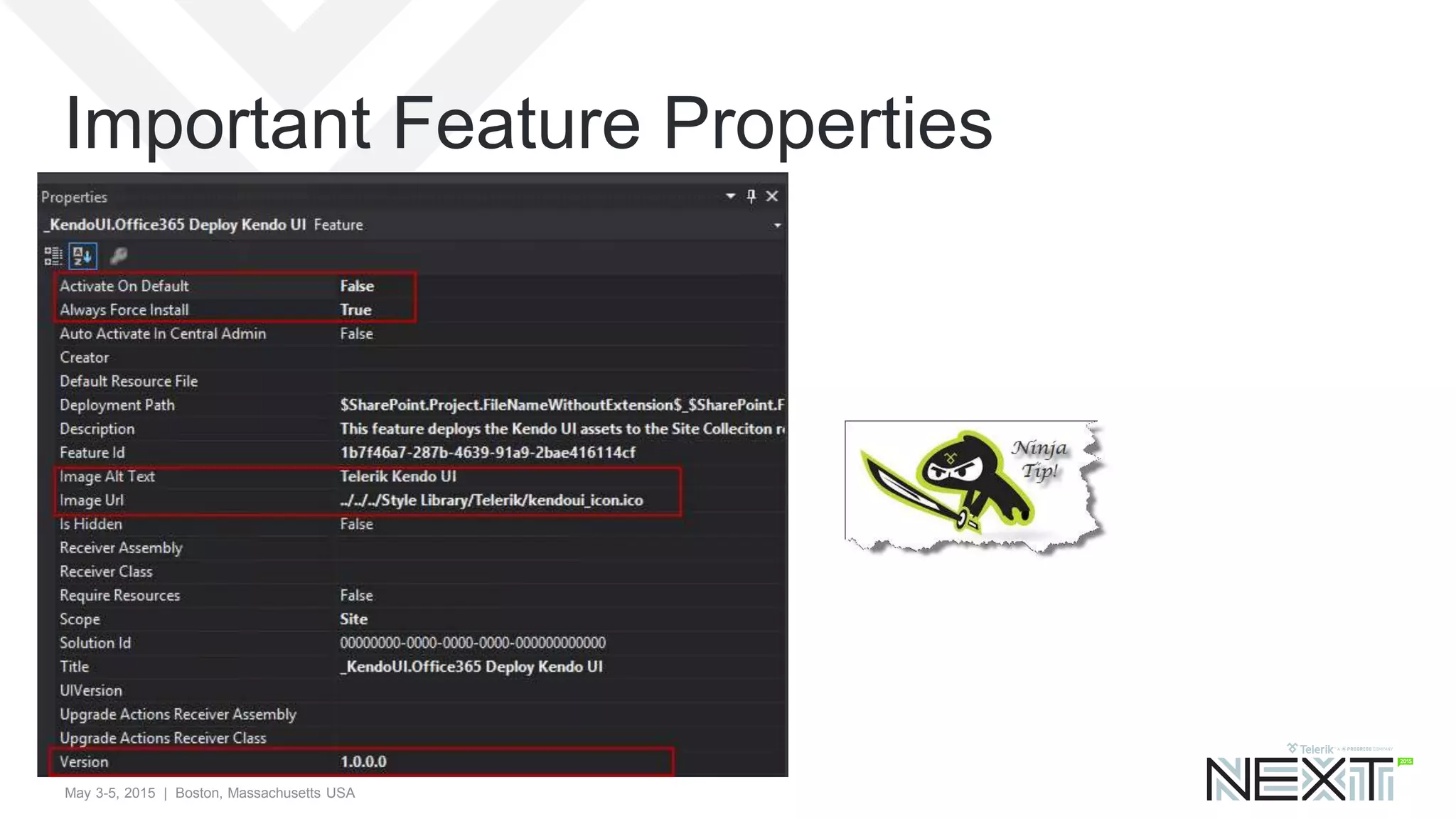
Important Feature Properties
May 3-5, 2015 | Boston, Massachusetts USA
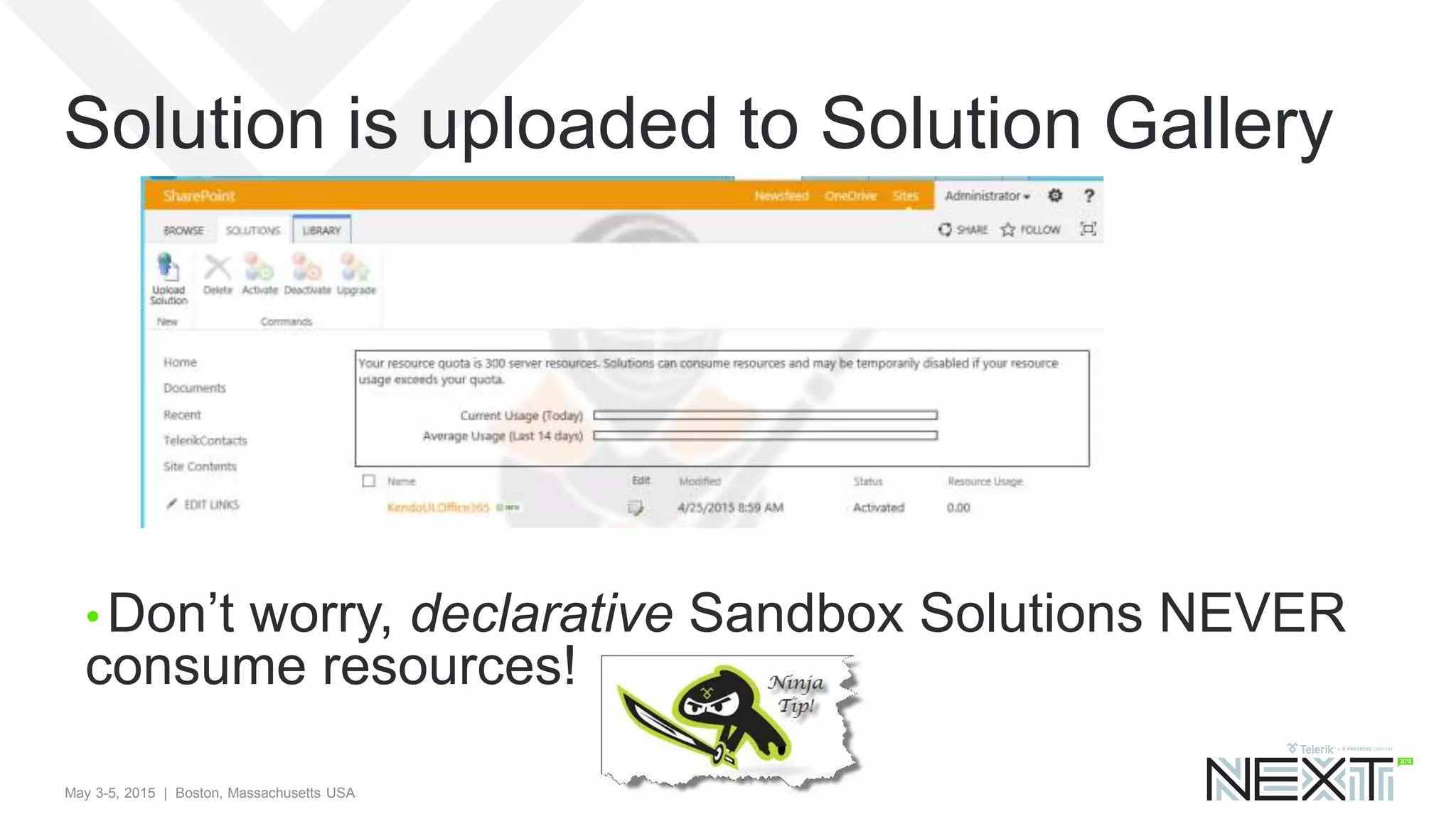
Solution is uploaded to Solution Gallery
• Don’t worry, declarative Sandbox Solutions NEVER
consume resources!
May 3-5, 2015 | Boston, Massachusetts USA
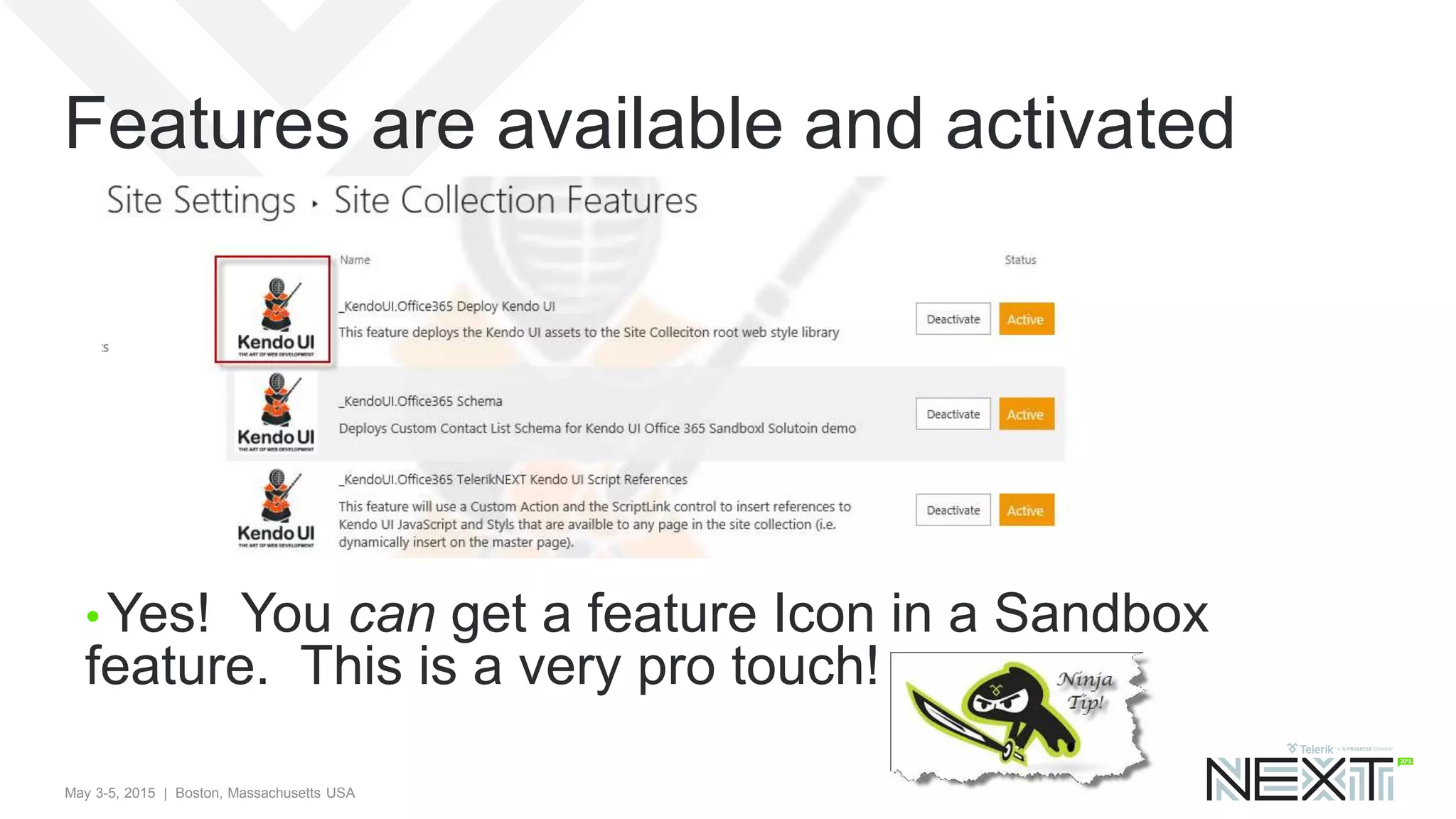
Features are available and activated
• Yes! You can get a feature Icon in a Sandbox
feature. This is a very pro touch!
May 3-5, 2015 | Boston, Massachusetts USA
Agenda
• The SharePoint Team Site
• How To – SP 2013 VS Tools and Features
• How To – SharePoint Lists (Schema)
• How To – Deploy Kendo UI to SharePoint
• How To – Kendo UI Grid in SP 2013
• How To – Grid Reading From SP List
• Where to go from here?
May 3-5, 2015 | Boston, Massachusetts USA
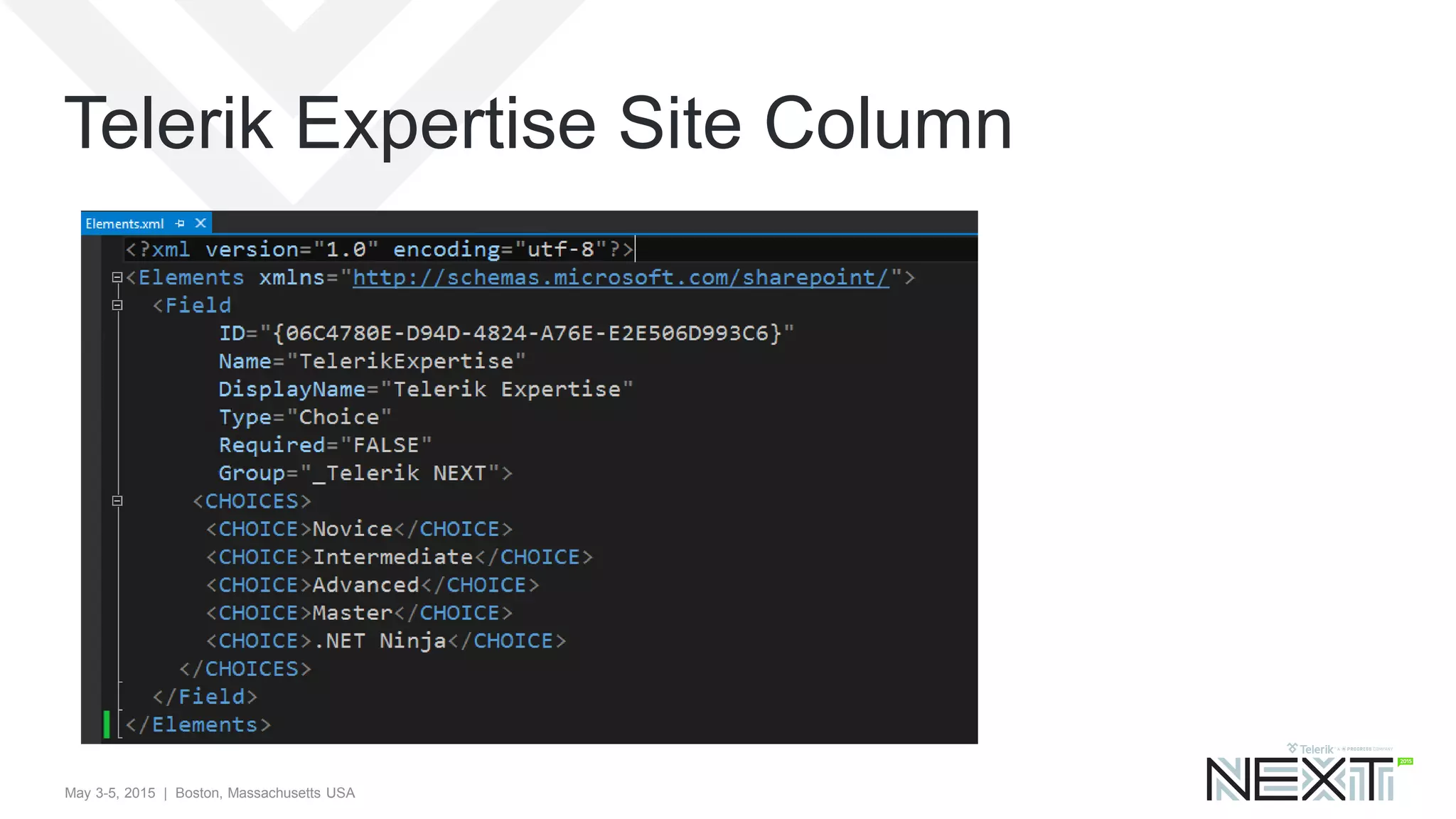
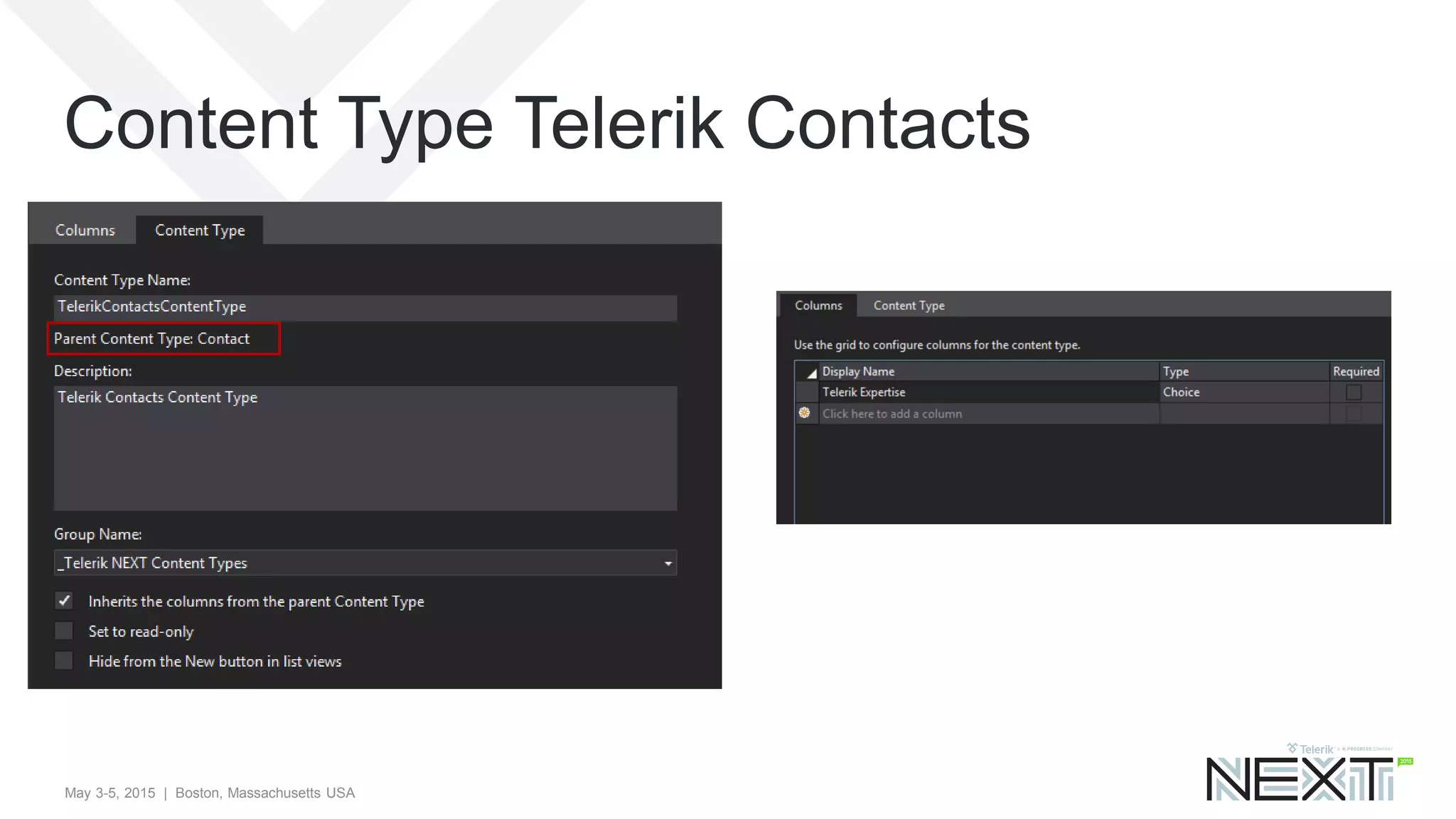
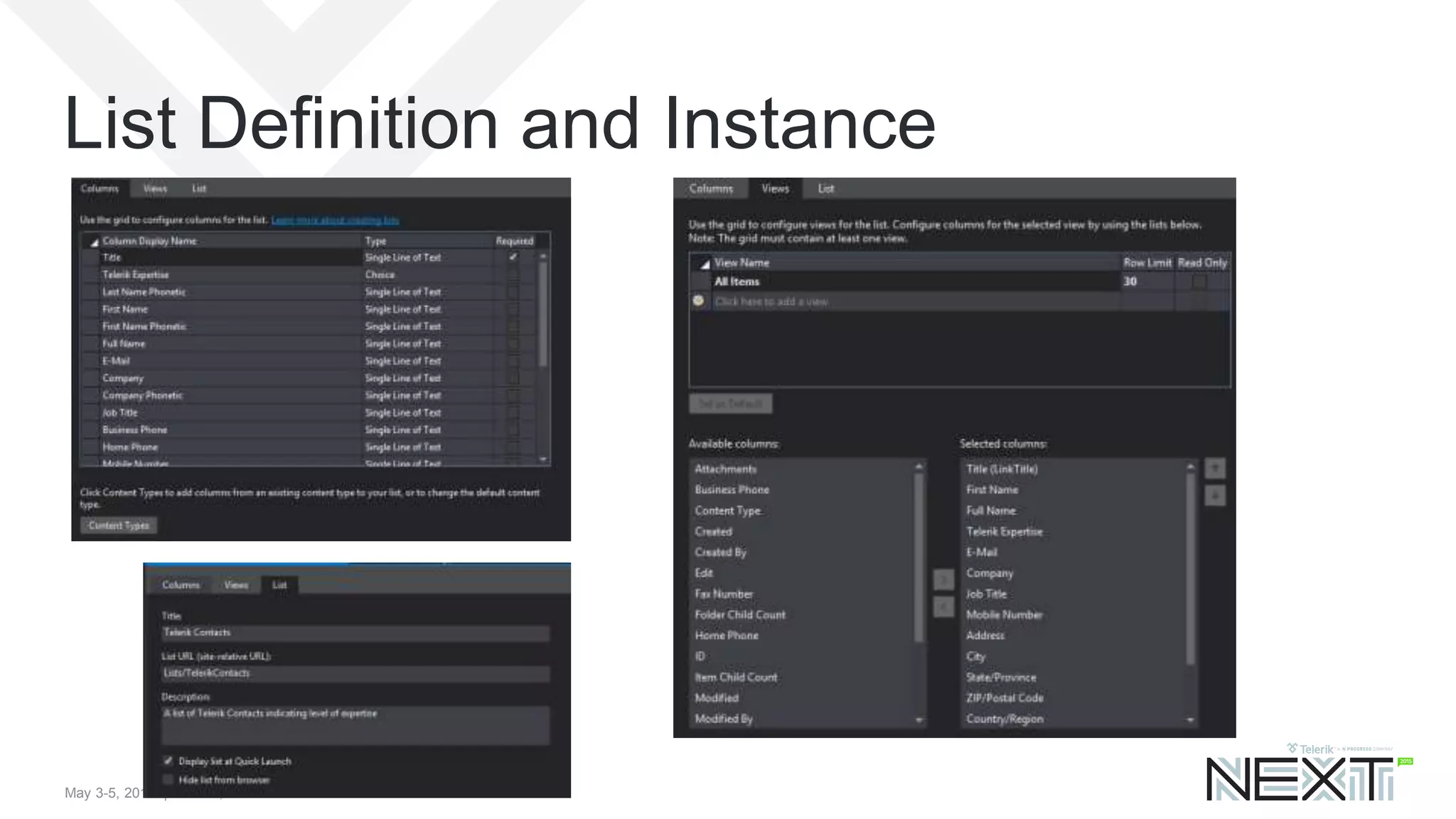
Telerik Contacts List
• Goal is to take the OOTB Contacts List
• Add a custom choice column of “Telerik Expertise”
• Create a custom Content type
• Create a custom List Definition and instance
May 3-5, 2015 | Boston, Massachusetts USA
Telerik Expertise Site Column
May 3-5, 2015 | Boston, Massachusetts USA
Content Type Telerik Contacts
May 3-5, 2015 | Boston, Massachusetts USA
List Definition and Instance
May 3-5, 2015 | Boston, Massachusetts USA
Agenda
• The SharePoint Team Site
• How To – SP 2013 VS Tools and Features
• How To – SharePoint Lists (Schema)
• How To – Deploy Kendo UI to SharePoint
• How To – Kendo UI Grid in SP 2013
• How To – Grid Reading From SP List
• Where to go from here?
May 3-5, 2015 | Boston, Massachusetts USA
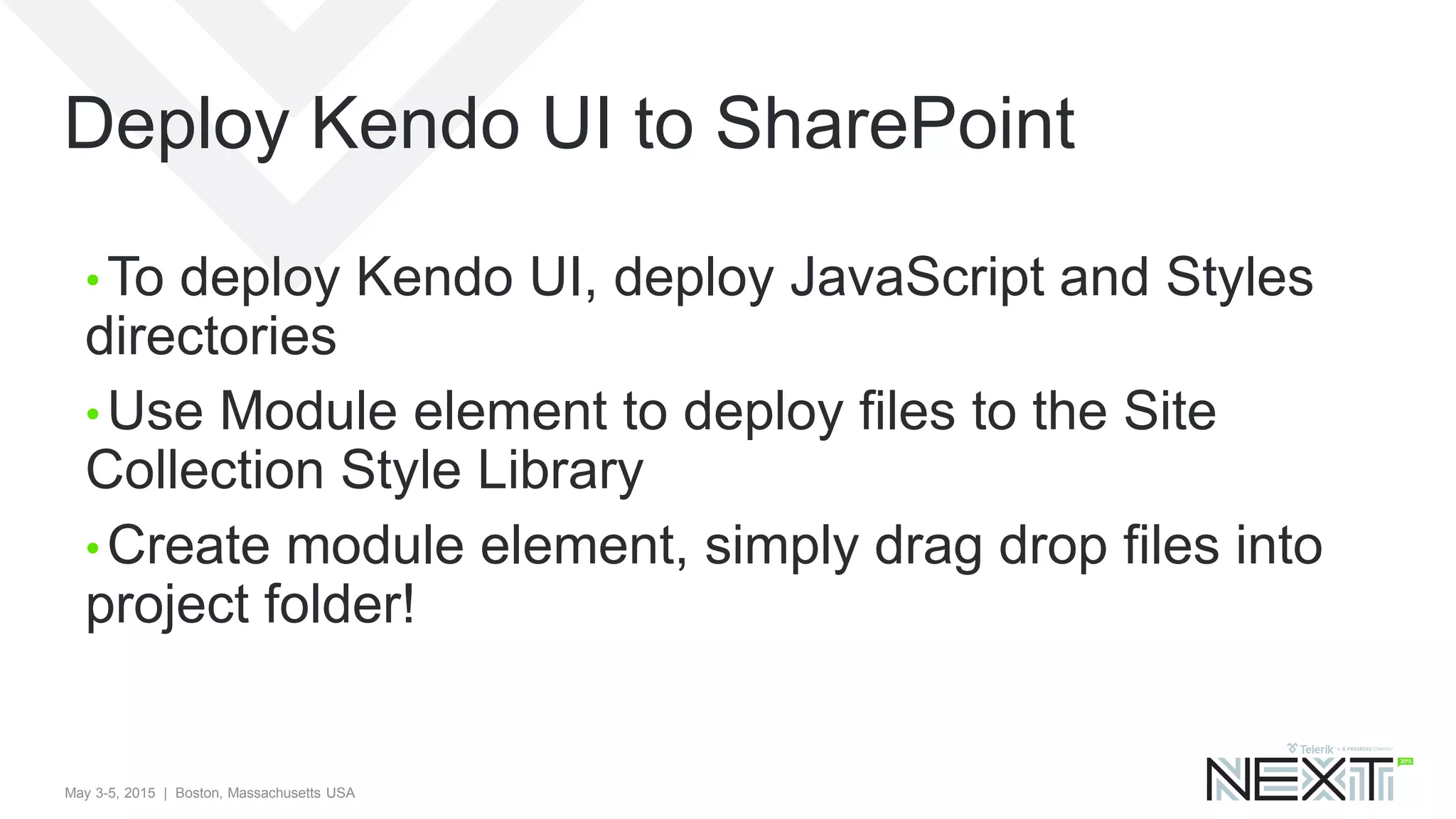
Deploy Kendo UI to SharePoint
• To deploy Kendo UI, deploy JavaScript and Styles
directories
• Use Module element to deploy files to the Site
Collection Style Library
• Create module element, simply drag drop files into
project folder!
May 3-5, 2015 | Boston, Massachusetts USA
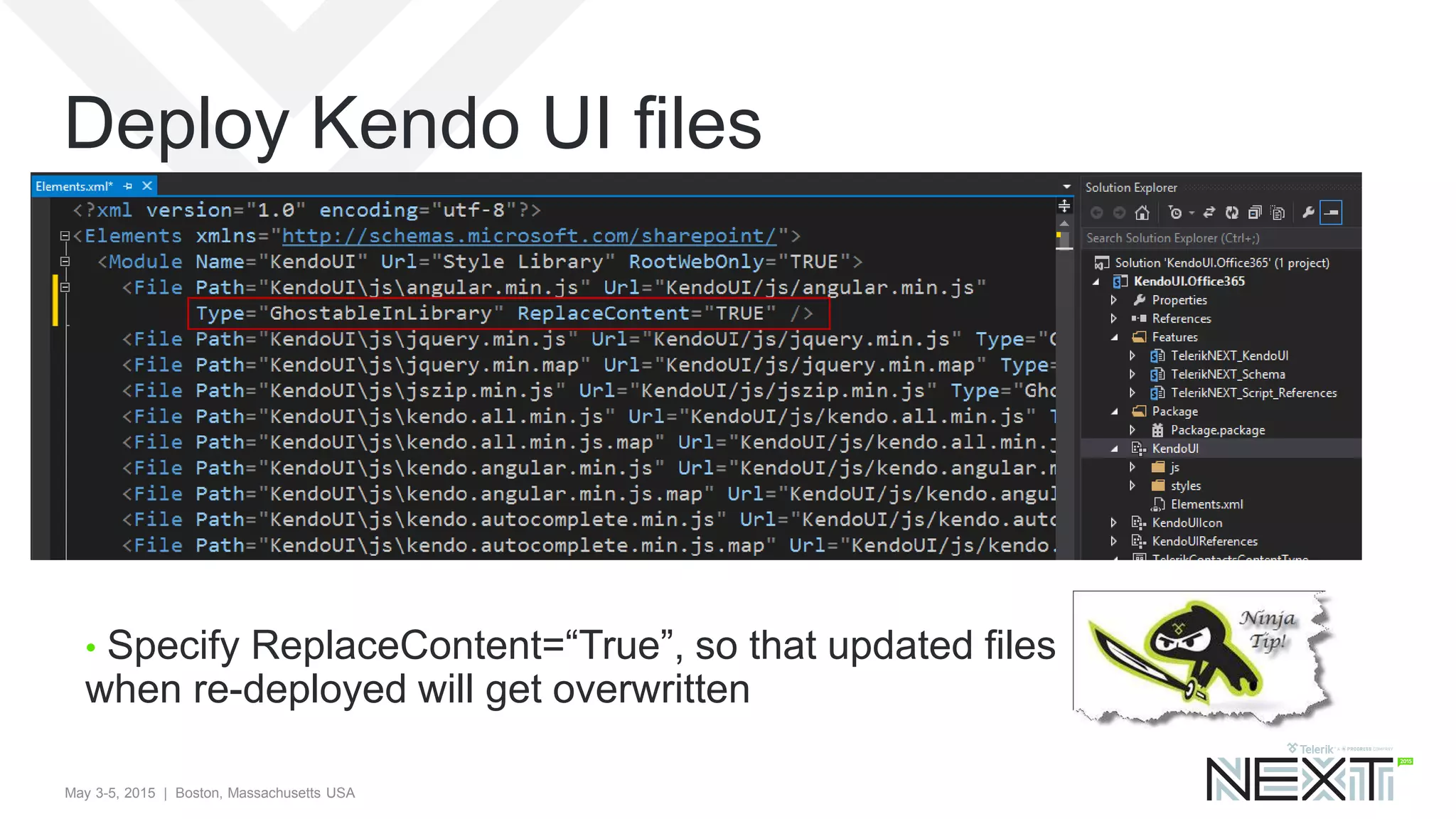
Deploy Kendo UI files
• Specify ReplaceContent=“True”, so that updated files
when re-deployed will get overwritten
May 3-5, 2015 | Boston, Massachusetts USA
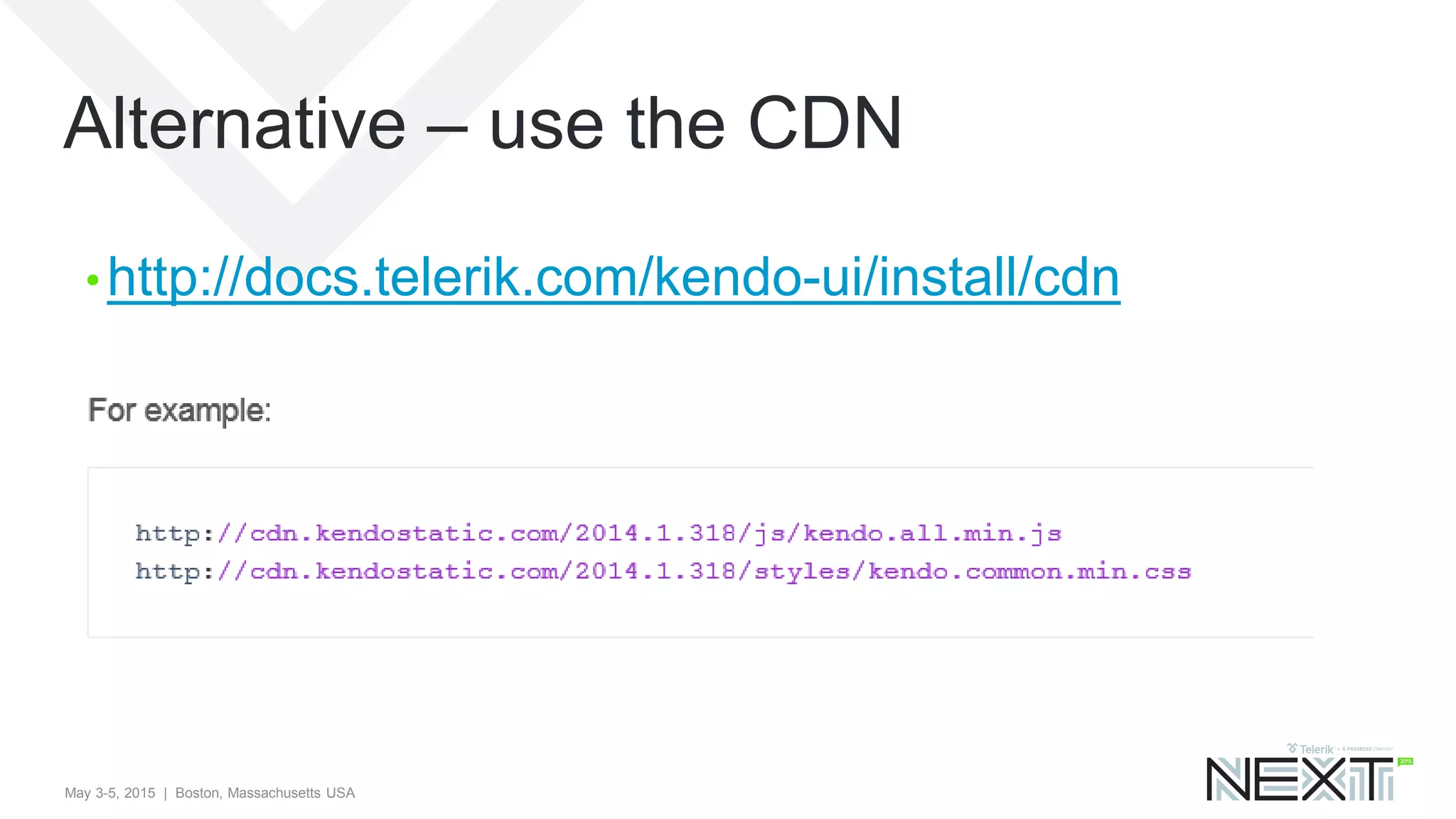
Alternative – use the CDN
• http://docs.telerik.com/kendo-ui/install/cdn
May 3-5, 2015 | Boston, Massachusetts USA
Agenda
• The SharePoint Team Site
• How To – SP 2013 VS Tools and Features
• How To – SharePoint Lists (Schema)
• How To – Deploy Kendo UI to SharePoint
• How To – Kendo UI Grid in SP 2013
• How To – Grid Reading From SP List
• Where to go from here?
May 3-5, 2015 | Boston, Massachusetts USA
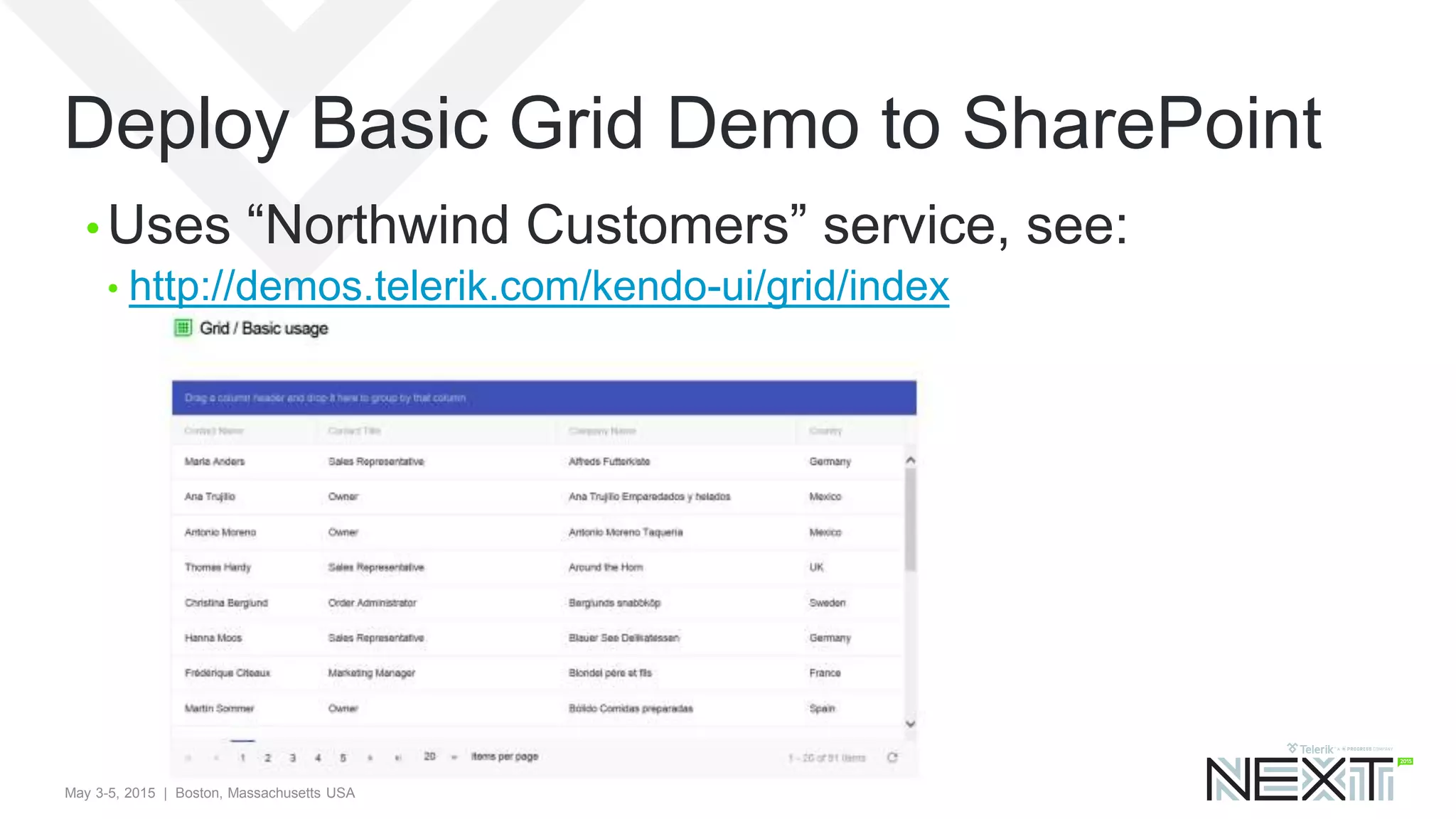
Deploy Basic Grid Demo to SharePoint
• Uses “Northwind Customers” service, see:
• http://demos.telerik.com/kendo-ui/grid/index
May 3-5, 2015 | Boston, Massachusetts USA
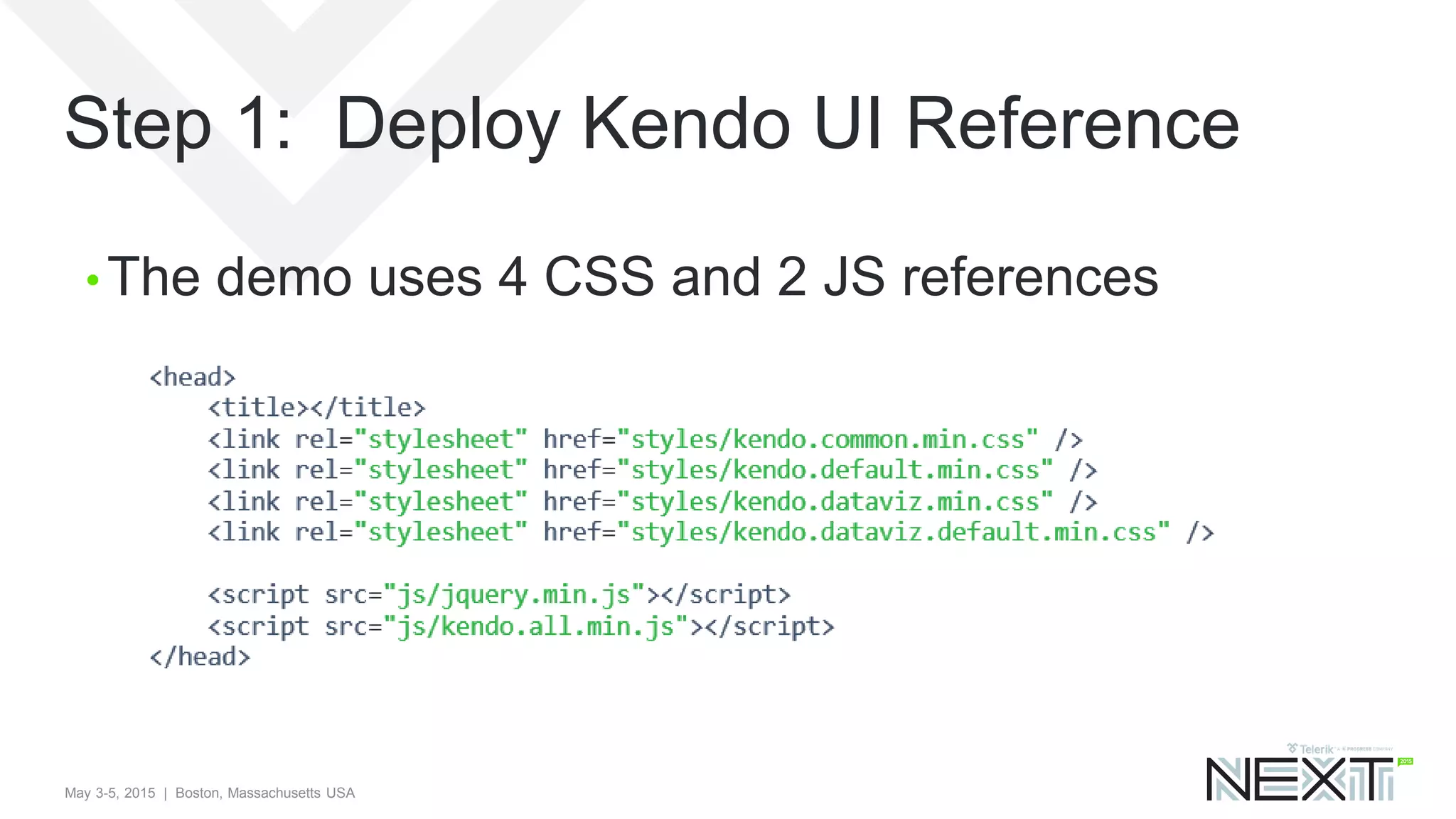
Step 1: Deploy Kendo UI Reference
• The demo uses 4 CSS and 2 JS references
May 3-5, 2015 | Boston, Massachusetts USA
SharePoint Master Page
• SharePoint has a special ASP.NET Master page
called “seattle.master” in the Master Page gallery
• A perfectly valid option is to copy this OOTB master
page, then modify it to include desired Kendo UI
references
• Instead we’ll use another method to “inject”
references to the site collection without need of
custom master pages
May 3-5, 2015 | Boston, Massachusetts USA
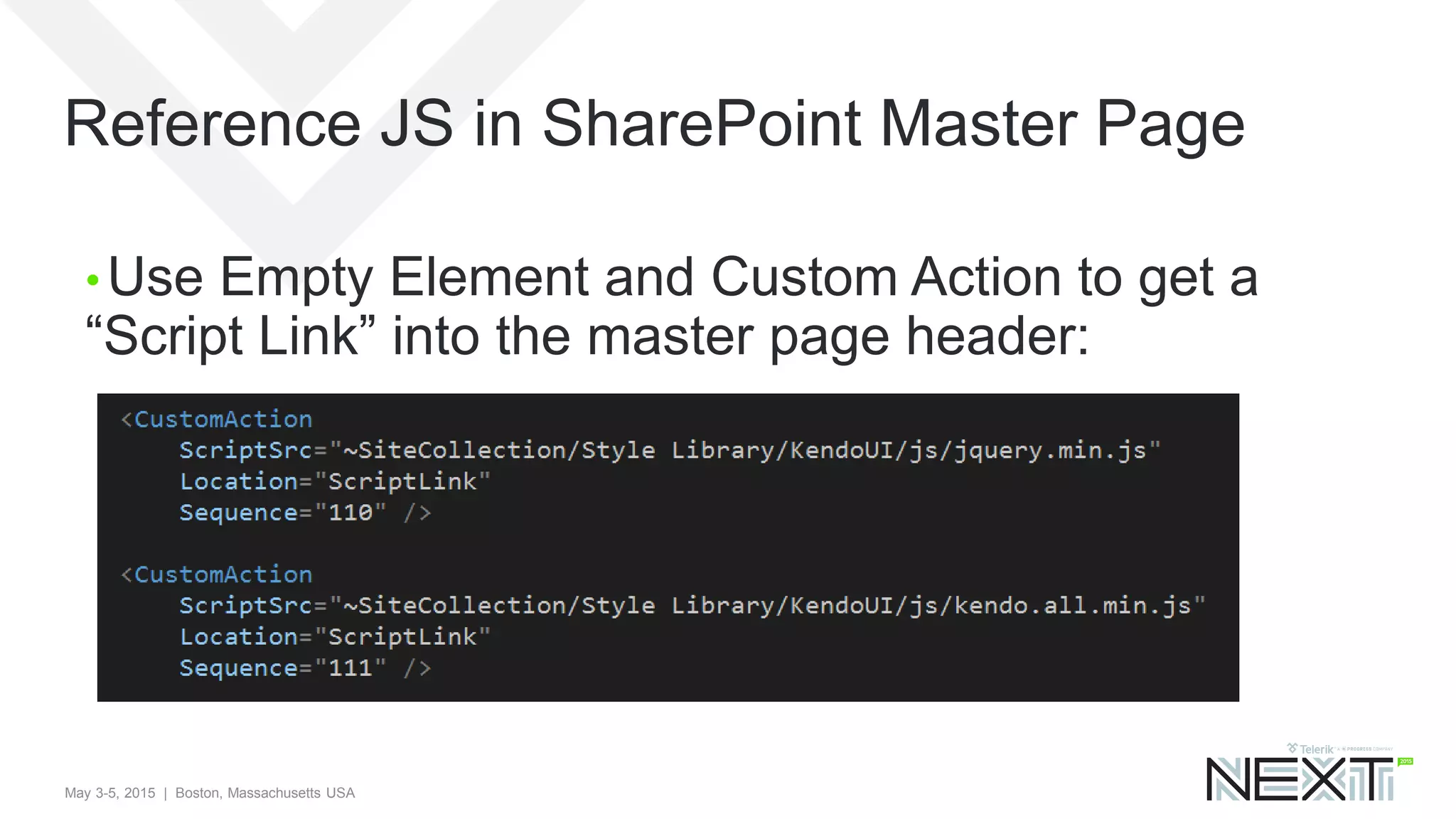
Reference JS in SharePoint Master Page
• Use Empty Element and Custom Action to get a
“Script Link” into the master page header:
May 3-5, 2015 | Boston, Massachusetts USA
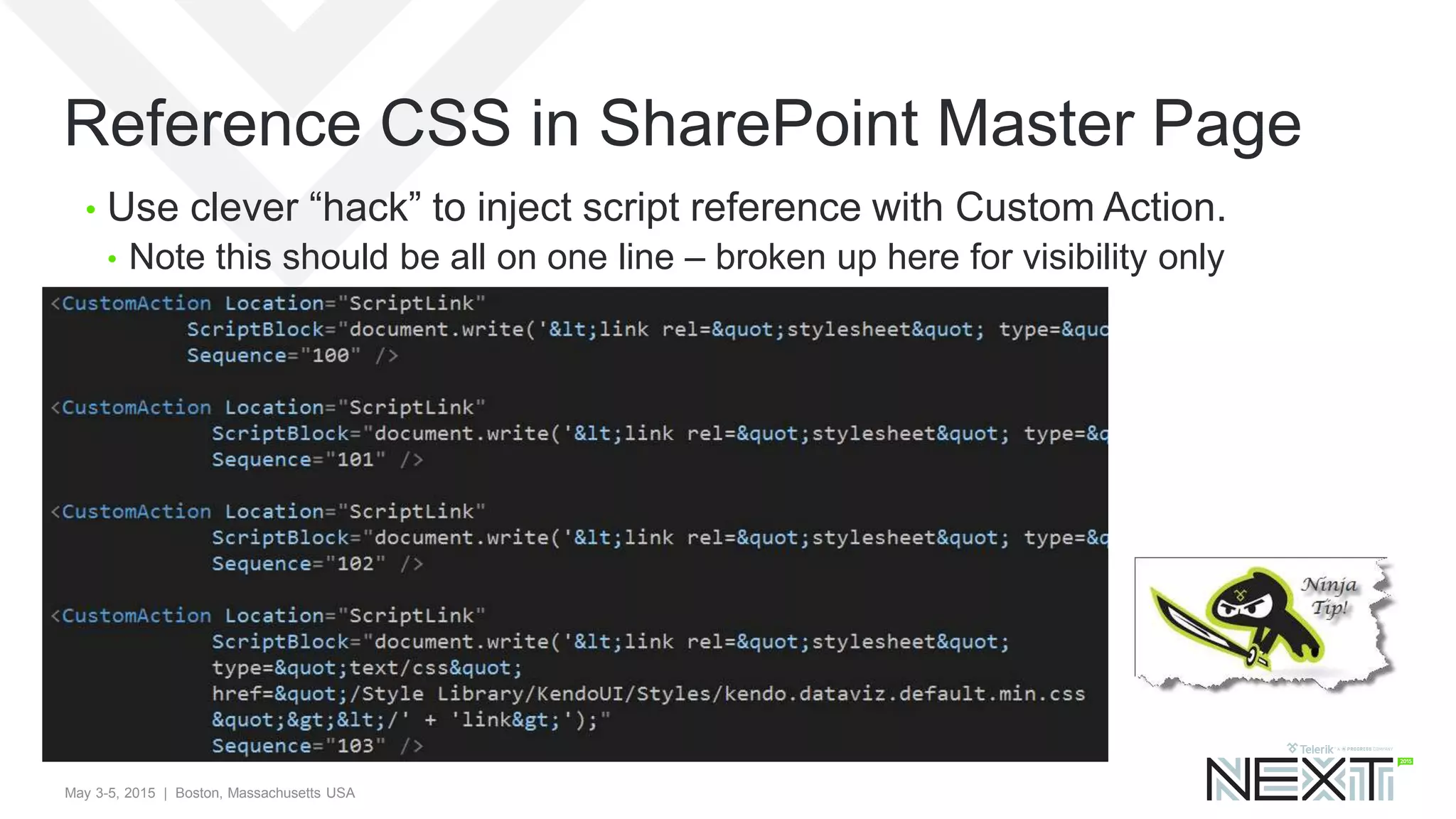
Reference CSS in SharePoint Master Page
• Use clever “hack” to inject script reference with Custom Action.
• Note this should be all on one line – broken up here for visibility only
May 3-5, 2015 | Boston, Massachusetts USA
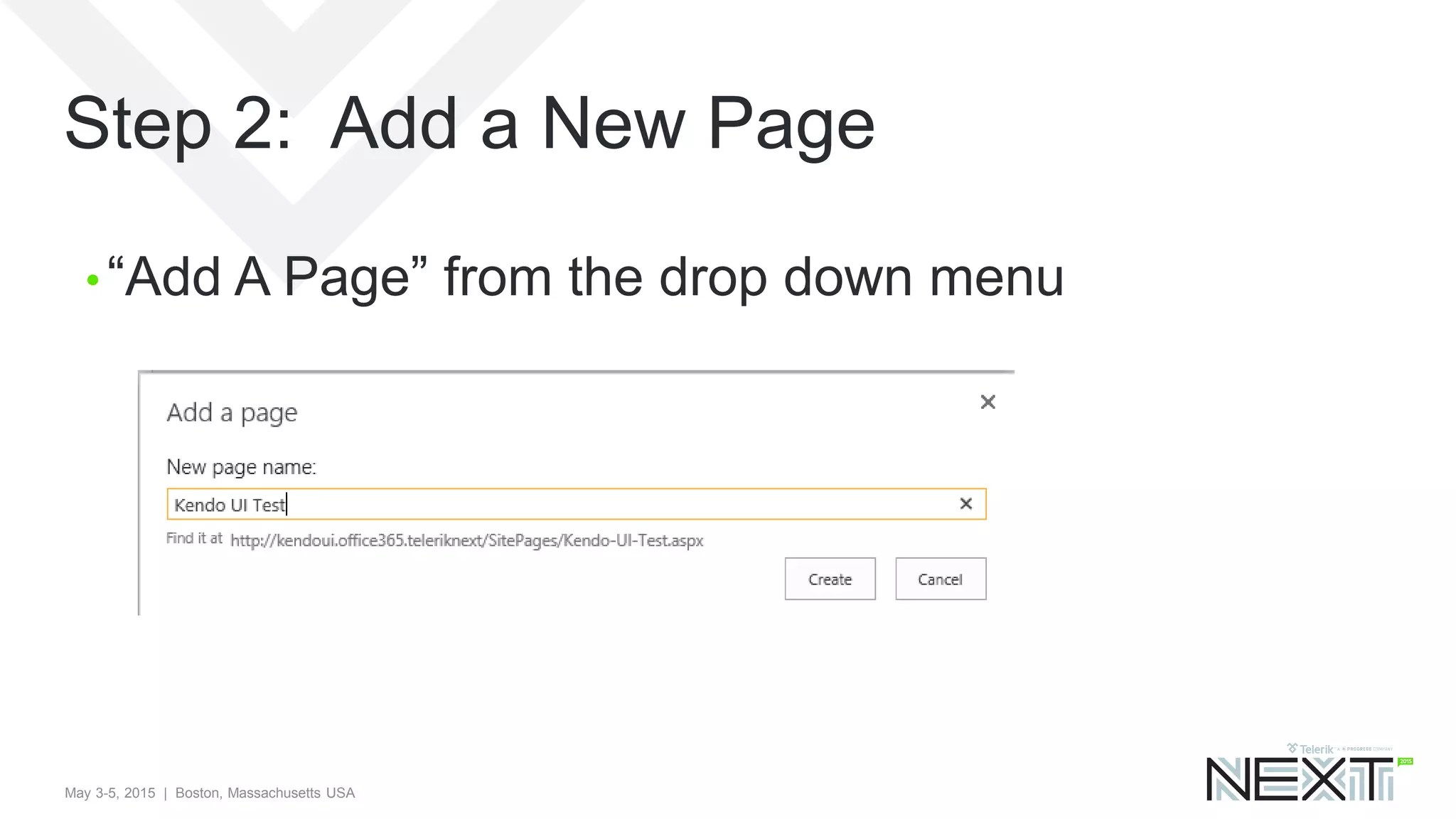
Step 2: Add a New Page
• “Add A Page” from the drop down menu
May 3-5, 2015 | Boston, Massachusetts USA
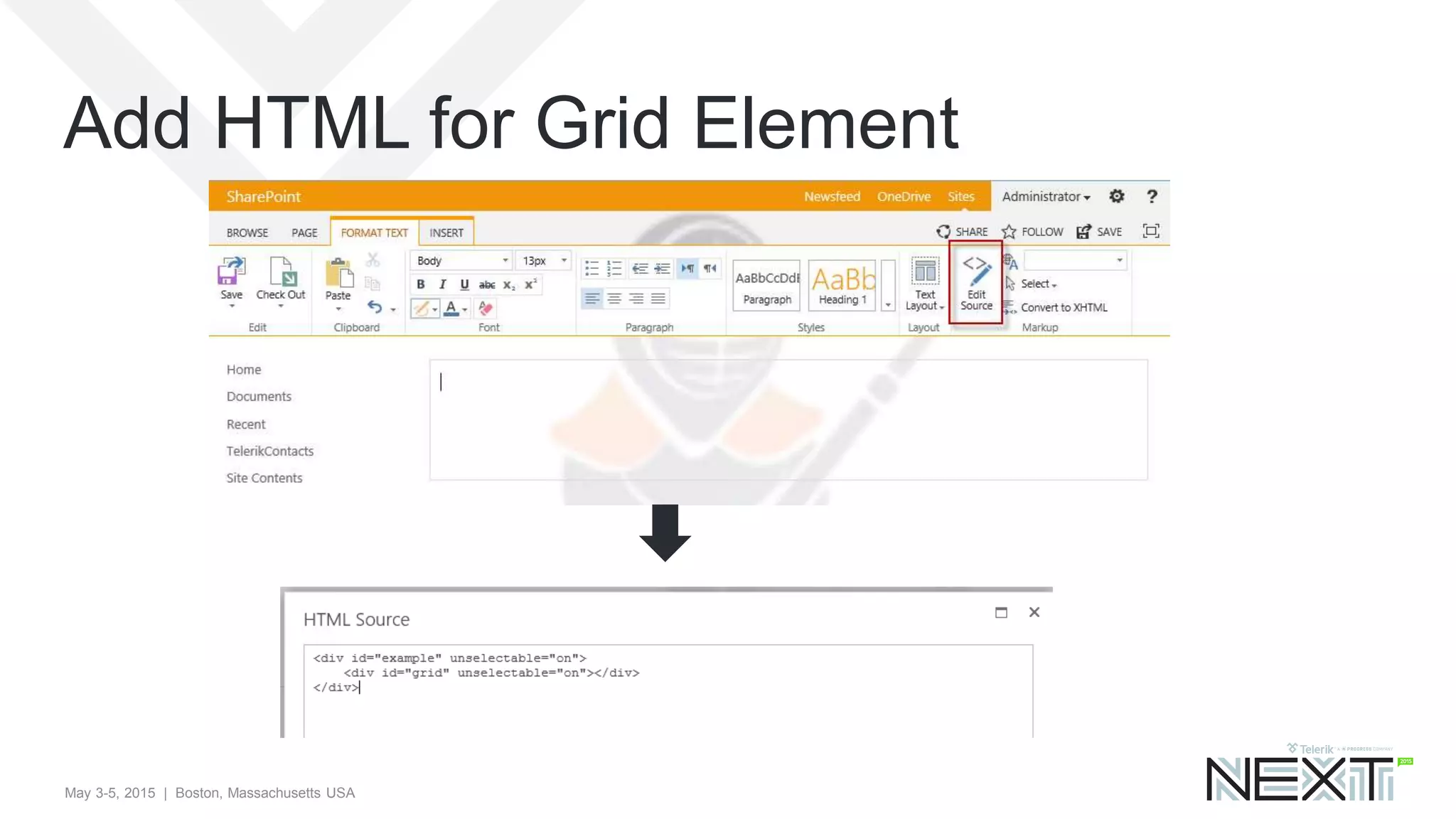
Add HTML for Grid Element
May 3-5, 2015 | Boston, Massachusetts USA
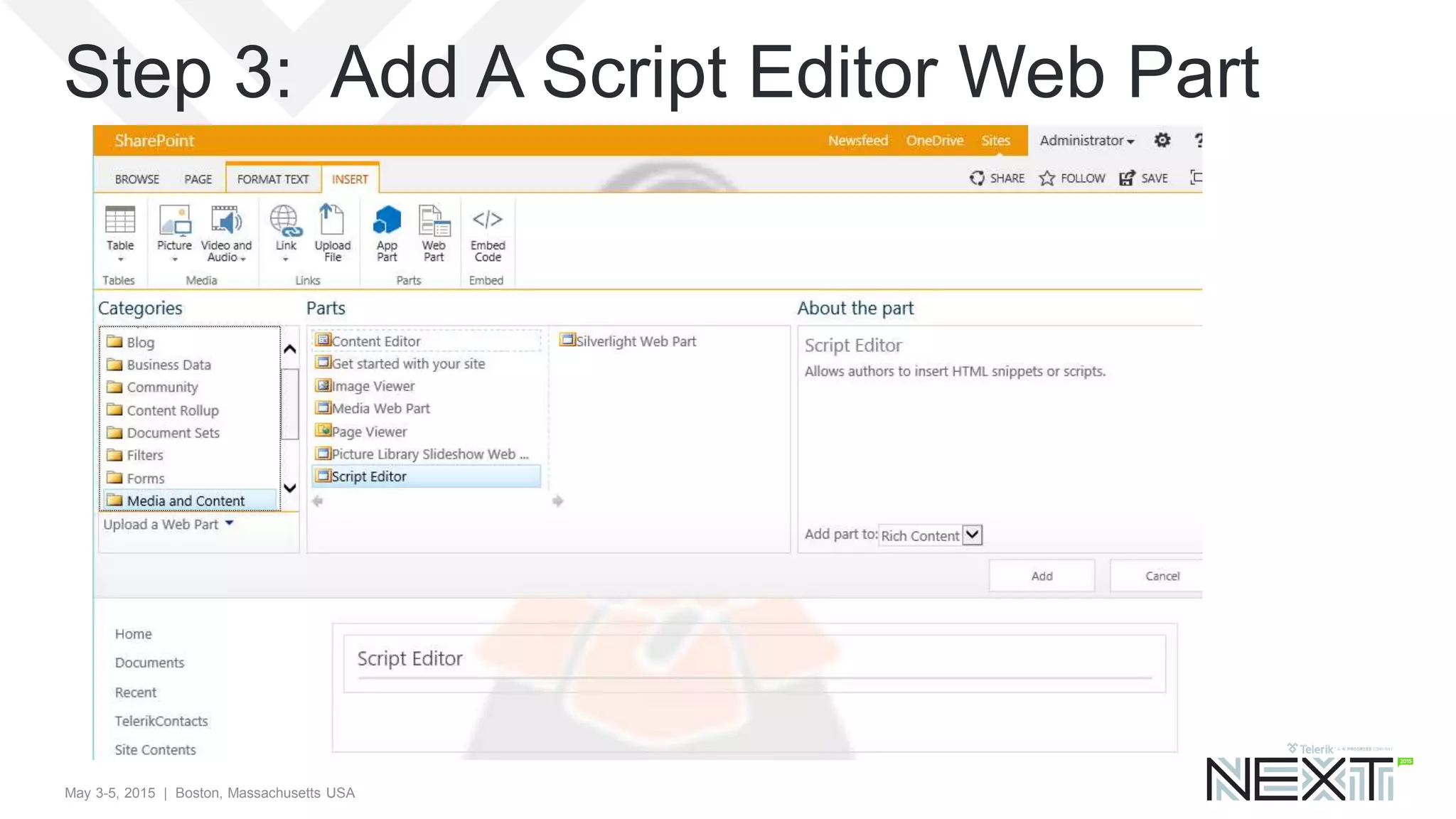
Step 3: Add A Script Editor Web Part
May 3-5, 2015 | Boston, Massachusetts USA
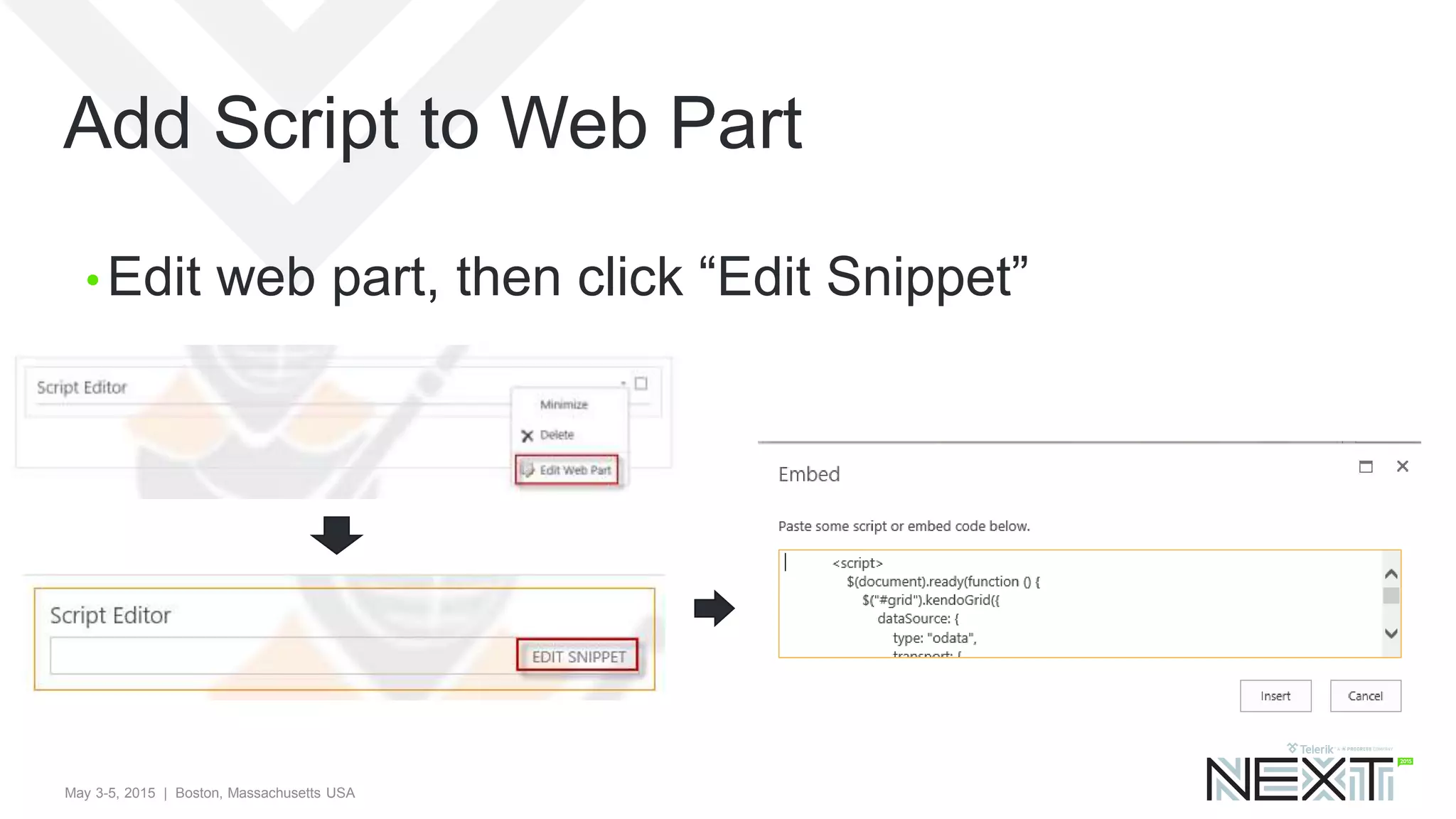
Add Script to Web Part
• Edit web part, then click “Edit Snippet”
May 3-5, 2015 | Boston, Massachusetts USA
$(document).ready(function () {
$("#grid").kendoGrid({
dataSource: {
type: "odata",
transport: {
read: "http://demos.telerik.com/kendo-ui/service/Northwind.svc/Customers"
},
pageSize: 20
},
height: 550,
groupable: true, sortable: true, pageable: {
refresh: true, pageSizes: true, buttonCount: 5 },
columns: [{
field: “FullName", title: "Contact Name", width: 200 }, {
field: “JobTitle", title: "Contact Title“ }, {
field: "Company", title: "Company Name" }, {
field: "Country", width: 150 }]
});
});
The full script pasted in was
May 3-5, 2015 | Boston, Massachusetts USA
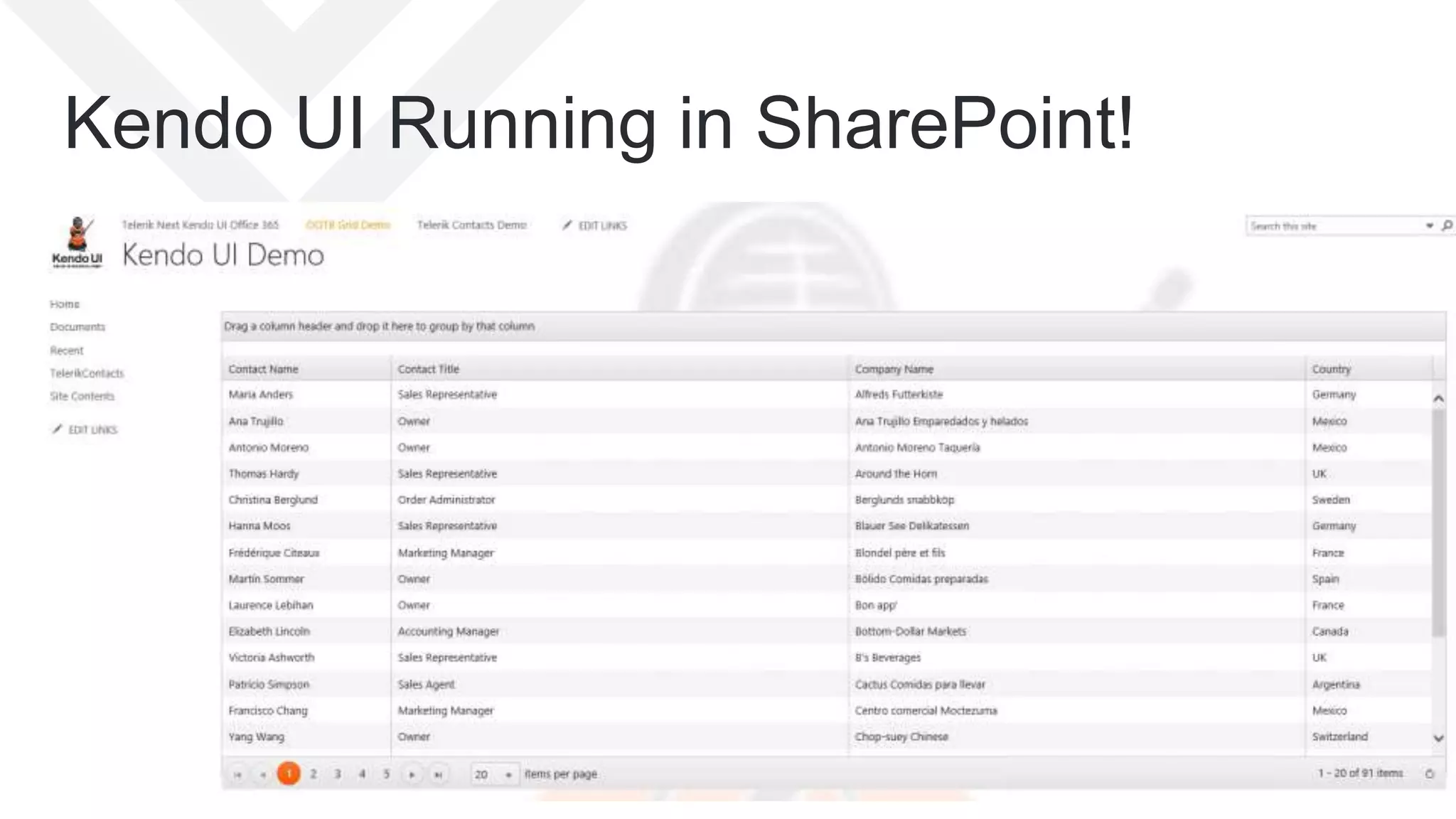
Kendo UI Running in SharePoint!
May 3-5, 2015 | Boston, Massachusetts USA
Agenda
• The SharePoint Team Site
• How To – SP 2013 VS Tools and Features
• How To – SharePoint Lists (Schema)
• How To – Deploy Kendo UI to SharePoint
• How To – Kendo UI Grid in SP 2013
• How To – Grid Reading From SP List
• Where to go from here?
May 3-5, 2015 | Boston, Massachusetts USA
Grid Reading From SharePoint List
• We will create Kendo UI Grid reading from the
Telerik Contacts list
• Repeat Step 2 – add a page and add the HTML
element for the Grid
• Repeat Step 3 with the following Script that uses the
SharePoint REST API
May 3-5, 2015 | Boston, Massachusetts USA
$(document).ready(function () {
$("#grid").kendoGrid({
dataSource: {
type: “json",
transport: {
read: "http://kendoui.office365.teleriknext/_api/lists/getbytitle('TelerikContacts')/items"
},
pageSize: 20
},
height: 550,
groupable: true, sortable: true, pageable: {
refresh: true, pageSizes: true, buttonCount: 5 },
columns: [{
field: “FullName", title: "Contact Name", width: 200 }, {
field: “JobTitle", title: "Contact Title“ }, {
field: "Company", title: "Company Name" }, {
field: "TelerikExpertise", title: "Telerik Expertise", width: 150 }]
});
});
The full script (changes highlighted)
May 3-5, 2015 | Boston, Massachusetts USA
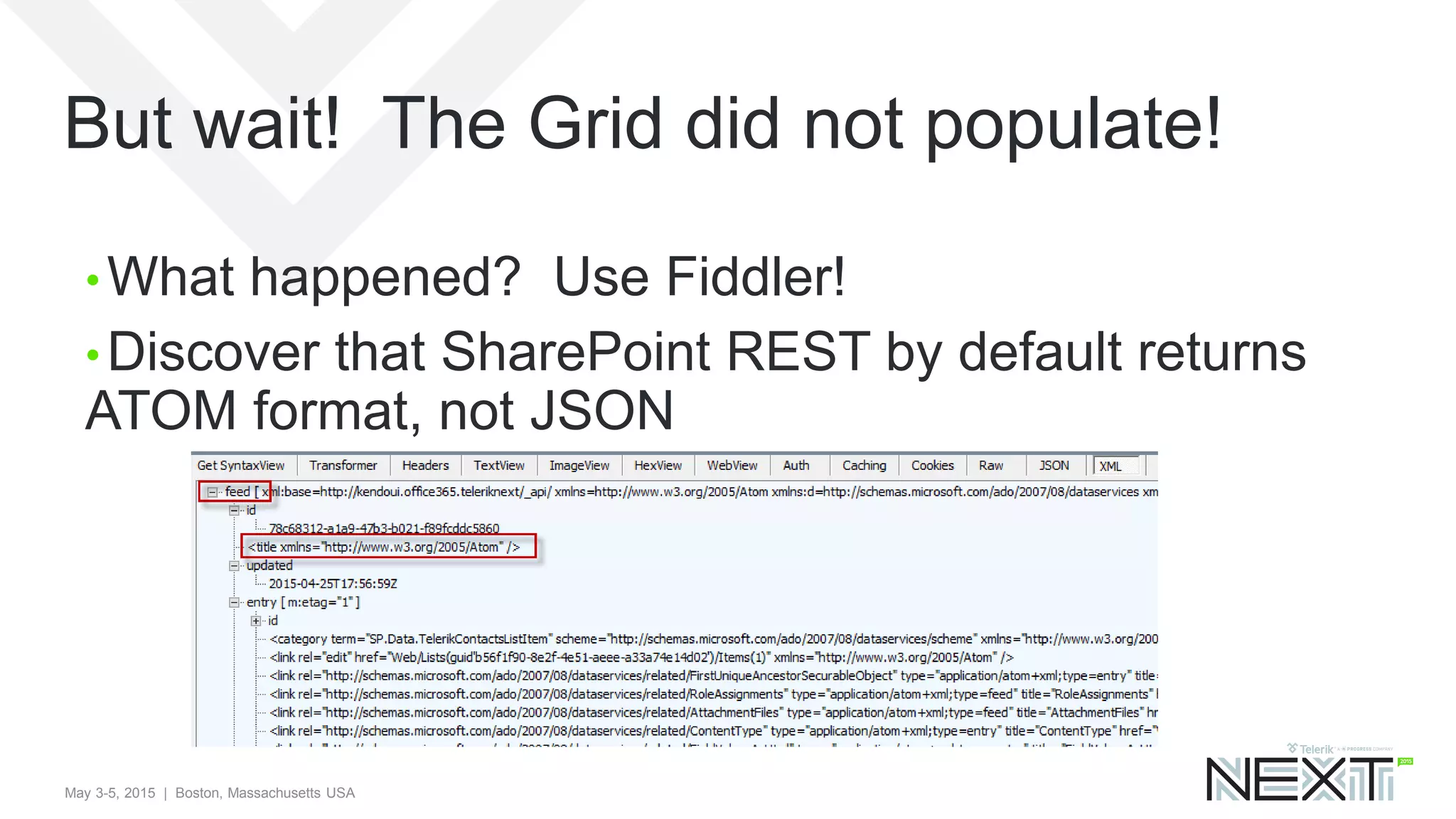
But wait! The Grid did not populate!
• What happened? Use Fiddler!
• Discover that SharePoint REST by default returns
ATOM format, not JSON
May 3-5, 2015 | Boston, Massachusetts USA
How do we fix it?
• Two things:
• First, must modify Accept Header to ask for JSON format
• The JSON will be wrapped in a “Results” block, so must target the
data
• Note: You can examine a JSON Response to get
the proper “internal” SP List field names, which will
be different from the “Display Names”.
May 3-5, 2015 | Boston, Massachusetts USA
Configuration of Script Data Source
dataSource: {
type: “json",
transport: {
read: {
url: "http://kendoui.office365.teleriknext/_api/lists/getbytitle('TelerikContacts')/items",
beforeSend: function (xhr) {
xhr.setRequestHeader("Accept", "application/json; odata=verbose")
}
}
},
schema: {
data: function (data) {
return data.d && data.d.results ? data.d.results : [data.d];
}
},
May 3-5, 2015 | Boston, Massachusetts USA
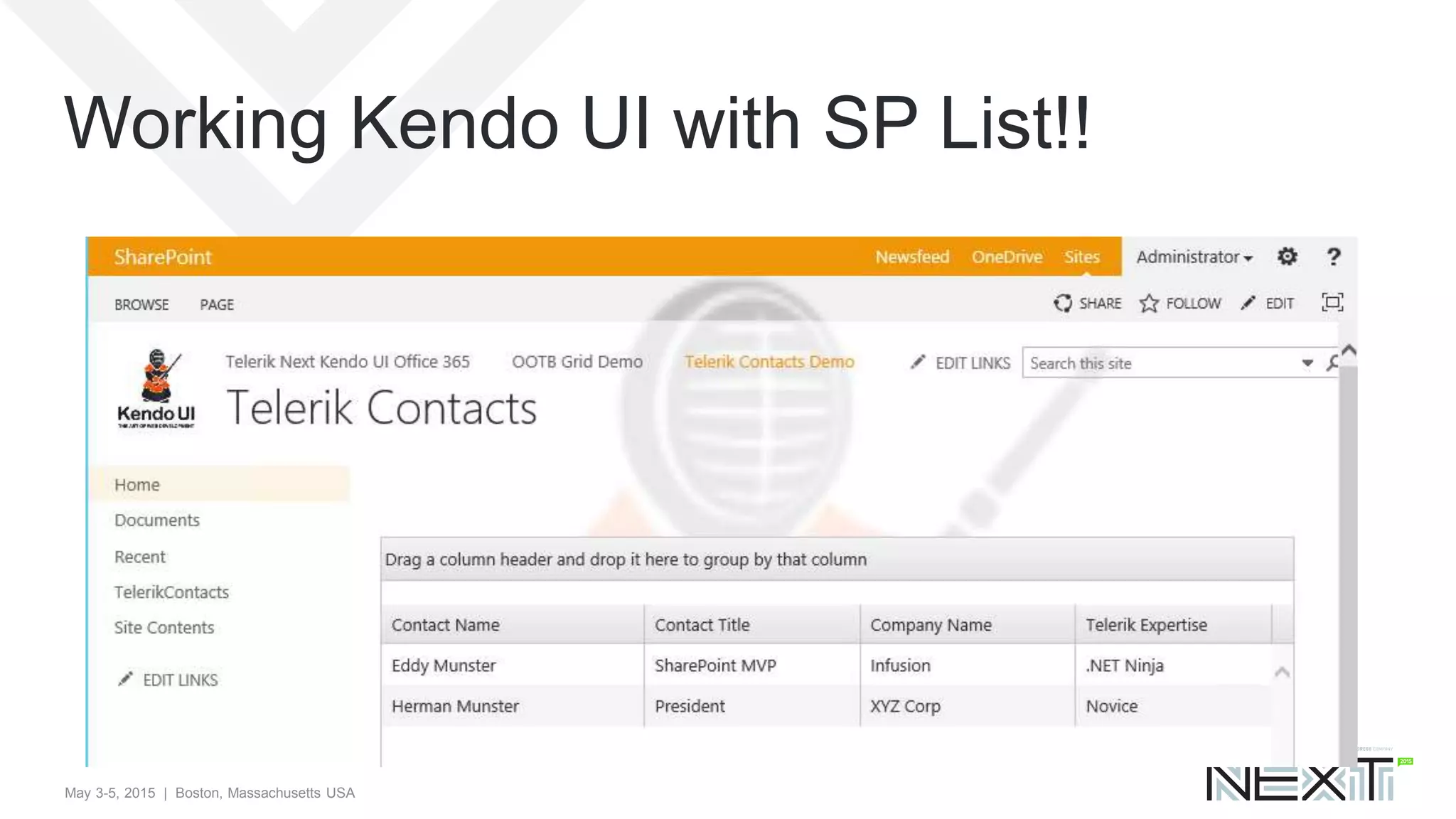
Working Kendo UI with SP List!!
May 3-5, 2015 | Boston, Massachusetts USA
BONUS DEMO
• If time permits..
• Use SharePoint Designer to download the site page
you just created
• Include in your Visual Studio solution, and create the
related module and feature
• So now you have the complete package: Schema,
list instance, Kendo UI, and User Interface
May 3-5, 2015 | Boston, Massachusetts USA
Agenda
• The SharePoint Team Site
• How To – SP 2013 VS Tools and Features
• How To – SharePoint Lists (Schema)
• How To – Deploy Kendo UI to SharePoint
• How To – Kendo UI Grid in SP 2013
• How To – Grid Reading From SP List
• Where to go from here?
May 3-5, 2015 | Boston, Massachusetts USA
Where to go from here?
• See my dedicated slide deck for SharePoint
Sandbox Solutions
• http://slideshare.net/emusters
• Kendo UI Theme available for Office 365
• Seamless styling for controls compatible for Office 365
• Can I use Kendo UI in SharePoint Apps?
• Yes! All the same techniques you have learned here can be
applied to bring Kendo UI to your SharePoint App development
May 3-5, 2015 | Boston, Massachusetts USA
Office 365 Developer Announcement!
• If you are part of the Office 365 Developer Program,
included is a free license of Kendo UI pro!
• Office 365 Developer: http://dev.office.com
• Claim Kendo UI license: http://telerik.com/o365
May 3-5, 2015 | Boston, Massachusetts USA
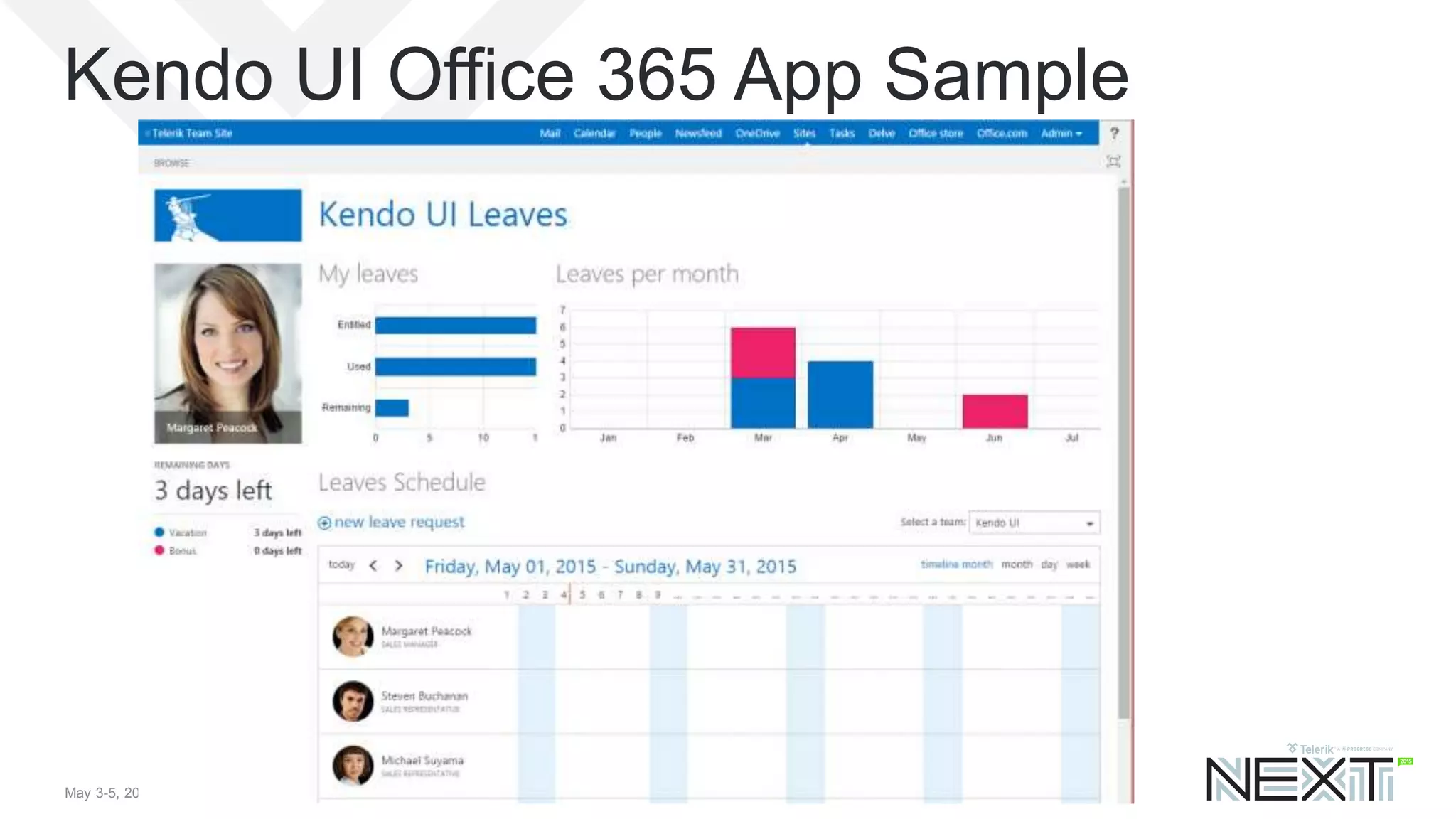
Kendo UI Office 365 App Sample
May 3-5, 2015 | Boston, Massachusetts USA
Question and Answer
Ed Musters
emusters@infusion.com
@TechEdToronto
Session Evaluation!
http://bit.ly/next-musters

Telerik Kendo UI in Office 365

  • 1.
    May 3-5, 2015| Boston, Massachusetts USAMay 3-5, 2015 | Boston, Massachusetts USA Using Kendo UI in Office 365 And/Or SharePoint 2013 On Premise Ed Musters, SharePoint MVP, Infusion emusters@infusion.com @TechEdToronto Slides available now at: http://slideshare.net/emusters
  • 2.
    May 3-5, 2015| Boston, Massachusetts USA Presentation Summary You can create custom data schema (SharePoint Lists) for SharePoint Online declaratively in Visual Studio (i.e. with tooling VS provides). Kendo UI then makes very short work of creating a powerful user interface. Even if you have never customized SharePoint before, you will be surprised how rapidly you can learn everything you need to do from a programming, packaging, and deployment perspective to start developing with SharePoint Online now! Productivity at a level you did not think possible, guaranteed! • Audience: Developer • Level: 100 • Pre-Requisites: Knowledge of Kendo UI, basic SP developer knowledge
  • 3.
    May 3-5, 2015| Boston, Massachusetts USA Session Evaluation! Win Prizes! • http://bit.ly/next-musters • Or use the TelerikNEXT App
  • 4.
    May 3-5, 2015| Boston, Massachusetts USA Terminology • Office 365 is an extensive offering • SharePoint Online is part of that offering • We’ll refer to SharePoint Online and Office 365 interchangeably • Everything we do here you can also do with your On Premise version of SharePoint 2013
  • 5.
    May 3-5, 2015| Boston, Massachusetts USA Look for the .NET Ninja! • This symbol will point you to important tips and insider knowledge that will show you are a pro!
  • 6.
    May 3-5, 2015| Boston, Massachusetts USA { About.Me() } https://mvp.support.microsoft.com/profile/Ed.Musters • Current SharePoint MVP – 11th year! • Author for two SP development books • SharePoint Architect for Infusion • Speaker at International Conferences on SharePoint, at user groups, and at SharePoint Saturdays • Certified Trainer for the industry leading SharePoint training from Critical Path Training • Harley-Davidson ™ Enthusiast!
  • 7.
    7 And, yes, Ido really have a Black Belt. 
  • 8.
    May 3-5, 2015| Boston, Massachusetts USA Agenda • The SharePoint Team Site • How To – SP 2013 VS Tools and Features • How To – SharePoint Lists (Schema) • How To – Deploy Kendo UI to SharePoint • How To – Kendo UI Grid in SP 2013 • How To – Grid Reading From SP List • Where to go from here?
  • 9.
    May 3-5, 2015| Boston, Massachusetts USA The SharePoint Team Site
  • 10.
    May 3-5, 2015| Boston, Massachusetts USA Why Kendo UI in SharePoint? • SharePoint is great for browser based customizations, SharePoint designer customizations, and easy no code solutions with Visual Studio • Creating great user experiences (UI) in SharePoint, however, is not so easy! • Presenting… Kendo UI in SharePoint!
  • 11.
    May 3-5, 2015| Boston, Massachusetts USA Agenda • The SharePoint Team Site • How To – SP 2013 VS Tools and Features • How To – SharePoint Lists (Schema) • How To – Deploy Kendo UI to SharePoint • How To – Kendo UI Grid in SP 2013 • How To – Grid Reading From SP List • Where to go from here?
  • 12.
    May 3-5, 2015| Boston, Massachusetts USA SP2013 Declarative SandBox Solutions • A solution deployment file, with extension of WSP • Deploy your SharePoint customizations • Contains features with elements that (primarily) provisions files to the site collection (e.g. JS and CSS) • Provision schema (site columns, content types, lists) and more! • All done through “declarative” XML, no compiled C# code! • Features scoped only to one specific site collection • Compatible for Office 365 and On Premise
  • 13.
    May 3-5, 2015| Boston, Massachusetts USA What are we going to deploy? • A Kendo UI Solution for Office 365 • Deploy Kendo UI JS and Styles to site collection • Provision custom schema – site column, content type, and list – to store “Telerik Contacts” • Reference Telerik JS and CSS files globally through “custom actions” • Create a page and configure it with Kendo UI script samples that will read SharePoint data
  • 14.
    May 3-5, 2015| Boston, Massachusetts USA How To – VS SharePoint Tools
  • 15.
    May 3-5, 2015| Boston, Massachusetts USA How To – VS SharePoint Tools
  • 16.
    May 3-5, 2015| Boston, Massachusetts USA Solution (WSP) Contains 3 Features
  • 17.
    May 3-5, 2015| Boston, Massachusetts USA Important Feature Properties
  • 18.
    May 3-5, 2015| Boston, Massachusetts USA Solution is uploaded to Solution Gallery • Don’t worry, declarative Sandbox Solutions NEVER consume resources!
  • 19.
    May 3-5, 2015| Boston, Massachusetts USA Features are available and activated • Yes! You can get a feature Icon in a Sandbox feature. This is a very pro touch!
  • 20.
    May 3-5, 2015| Boston, Massachusetts USA Agenda • The SharePoint Team Site • How To – SP 2013 VS Tools and Features • How To – SharePoint Lists (Schema) • How To – Deploy Kendo UI to SharePoint • How To – Kendo UI Grid in SP 2013 • How To – Grid Reading From SP List • Where to go from here?
  • 21.
    May 3-5, 2015| Boston, Massachusetts USA Telerik Contacts List • Goal is to take the OOTB Contacts List • Add a custom choice column of “Telerik Expertise” • Create a custom Content type • Create a custom List Definition and instance
  • 22.
    May 3-5, 2015| Boston, Massachusetts USA Telerik Expertise Site Column
  • 23.
    May 3-5, 2015| Boston, Massachusetts USA Content Type Telerik Contacts
  • 24.
    May 3-5, 2015| Boston, Massachusetts USA List Definition and Instance
  • 25.
    May 3-5, 2015| Boston, Massachusetts USA Agenda • The SharePoint Team Site • How To – SP 2013 VS Tools and Features • How To – SharePoint Lists (Schema) • How To – Deploy Kendo UI to SharePoint • How To – Kendo UI Grid in SP 2013 • How To – Grid Reading From SP List • Where to go from here?
  • 26.
    May 3-5, 2015| Boston, Massachusetts USA Deploy Kendo UI to SharePoint • To deploy Kendo UI, deploy JavaScript and Styles directories • Use Module element to deploy files to the Site Collection Style Library • Create module element, simply drag drop files into project folder!
  • 27.
    May 3-5, 2015| Boston, Massachusetts USA Deploy Kendo UI files • Specify ReplaceContent=“True”, so that updated files when re-deployed will get overwritten
  • 28.
    May 3-5, 2015| Boston, Massachusetts USA Alternative – use the CDN • http://docs.telerik.com/kendo-ui/install/cdn
  • 29.
    May 3-5, 2015| Boston, Massachusetts USA Agenda • The SharePoint Team Site • How To – SP 2013 VS Tools and Features • How To – SharePoint Lists (Schema) • How To – Deploy Kendo UI to SharePoint • How To – Kendo UI Grid in SP 2013 • How To – Grid Reading From SP List • Where to go from here?
  • 30.
    May 3-5, 2015| Boston, Massachusetts USA Deploy Basic Grid Demo to SharePoint • Uses “Northwind Customers” service, see: • http://demos.telerik.com/kendo-ui/grid/index
  • 31.
    May 3-5, 2015| Boston, Massachusetts USA Step 1: Deploy Kendo UI Reference • The demo uses 4 CSS and 2 JS references
  • 32.
    May 3-5, 2015| Boston, Massachusetts USA SharePoint Master Page • SharePoint has a special ASP.NET Master page called “seattle.master” in the Master Page gallery • A perfectly valid option is to copy this OOTB master page, then modify it to include desired Kendo UI references • Instead we’ll use another method to “inject” references to the site collection without need of custom master pages
  • 33.
    May 3-5, 2015| Boston, Massachusetts USA Reference JS in SharePoint Master Page • Use Empty Element and Custom Action to get a “Script Link” into the master page header:
  • 34.
    May 3-5, 2015| Boston, Massachusetts USA Reference CSS in SharePoint Master Page • Use clever “hack” to inject script reference with Custom Action. • Note this should be all on one line – broken up here for visibility only
  • 35.
    May 3-5, 2015| Boston, Massachusetts USA Step 2: Add a New Page • “Add A Page” from the drop down menu
  • 36.
    May 3-5, 2015| Boston, Massachusetts USA Add HTML for Grid Element
  • 37.
    May 3-5, 2015| Boston, Massachusetts USA Step 3: Add A Script Editor Web Part
  • 38.
    May 3-5, 2015| Boston, Massachusetts USA Add Script to Web Part • Edit web part, then click “Edit Snippet”
  • 39.
    May 3-5, 2015| Boston, Massachusetts USA $(document).ready(function () { $("#grid").kendoGrid({ dataSource: { type: "odata", transport: { read: "http://demos.telerik.com/kendo-ui/service/Northwind.svc/Customers" }, pageSize: 20 }, height: 550, groupable: true, sortable: true, pageable: { refresh: true, pageSizes: true, buttonCount: 5 }, columns: [{ field: “FullName", title: "Contact Name", width: 200 }, { field: “JobTitle", title: "Contact Title“ }, { field: "Company", title: "Company Name" }, { field: "Country", width: 150 }] }); }); The full script pasted in was
  • 40.
    May 3-5, 2015| Boston, Massachusetts USA Kendo UI Running in SharePoint!
  • 41.
    May 3-5, 2015| Boston, Massachusetts USA Agenda • The SharePoint Team Site • How To – SP 2013 VS Tools and Features • How To – SharePoint Lists (Schema) • How To – Deploy Kendo UI to SharePoint • How To – Kendo UI Grid in SP 2013 • How To – Grid Reading From SP List • Where to go from here?
  • 42.
    May 3-5, 2015| Boston, Massachusetts USA Grid Reading From SharePoint List • We will create Kendo UI Grid reading from the Telerik Contacts list • Repeat Step 2 – add a page and add the HTML element for the Grid • Repeat Step 3 with the following Script that uses the SharePoint REST API
  • 43.
    May 3-5, 2015| Boston, Massachusetts USA $(document).ready(function () { $("#grid").kendoGrid({ dataSource: { type: “json", transport: { read: "http://kendoui.office365.teleriknext/_api/lists/getbytitle('TelerikContacts')/items" }, pageSize: 20 }, height: 550, groupable: true, sortable: true, pageable: { refresh: true, pageSizes: true, buttonCount: 5 }, columns: [{ field: “FullName", title: "Contact Name", width: 200 }, { field: “JobTitle", title: "Contact Title“ }, { field: "Company", title: "Company Name" }, { field: "TelerikExpertise", title: "Telerik Expertise", width: 150 }] }); }); The full script (changes highlighted)
  • 44.
    May 3-5, 2015| Boston, Massachusetts USA But wait! The Grid did not populate! • What happened? Use Fiddler! • Discover that SharePoint REST by default returns ATOM format, not JSON
  • 45.
    May 3-5, 2015| Boston, Massachusetts USA How do we fix it? • Two things: • First, must modify Accept Header to ask for JSON format • The JSON will be wrapped in a “Results” block, so must target the data • Note: You can examine a JSON Response to get the proper “internal” SP List field names, which will be different from the “Display Names”.
  • 46.
    May 3-5, 2015| Boston, Massachusetts USA Configuration of Script Data Source dataSource: { type: “json", transport: { read: { url: "http://kendoui.office365.teleriknext/_api/lists/getbytitle('TelerikContacts')/items", beforeSend: function (xhr) { xhr.setRequestHeader("Accept", "application/json; odata=verbose") } } }, schema: { data: function (data) { return data.d && data.d.results ? data.d.results : [data.d]; } },
  • 47.
    May 3-5, 2015| Boston, Massachusetts USA Working Kendo UI with SP List!!
  • 48.
    May 3-5, 2015| Boston, Massachusetts USA BONUS DEMO • If time permits.. • Use SharePoint Designer to download the site page you just created • Include in your Visual Studio solution, and create the related module and feature • So now you have the complete package: Schema, list instance, Kendo UI, and User Interface
  • 49.
    May 3-5, 2015| Boston, Massachusetts USA Agenda • The SharePoint Team Site • How To – SP 2013 VS Tools and Features • How To – SharePoint Lists (Schema) • How To – Deploy Kendo UI to SharePoint • How To – Kendo UI Grid in SP 2013 • How To – Grid Reading From SP List • Where to go from here?
  • 50.
    May 3-5, 2015| Boston, Massachusetts USA Where to go from here? • See my dedicated slide deck for SharePoint Sandbox Solutions • http://slideshare.net/emusters • Kendo UI Theme available for Office 365 • Seamless styling for controls compatible for Office 365 • Can I use Kendo UI in SharePoint Apps? • Yes! All the same techniques you have learned here can be applied to bring Kendo UI to your SharePoint App development
  • 51.
    May 3-5, 2015| Boston, Massachusetts USA Office 365 Developer Announcement! • If you are part of the Office 365 Developer Program, included is a free license of Kendo UI pro! • Office 365 Developer: http://dev.office.com • Claim Kendo UI license: http://telerik.com/o365
  • 52.
    May 3-5, 2015| Boston, Massachusetts USA Kendo UI Office 365 App Sample
  • 53.
    May 3-5, 2015| Boston, Massachusetts USA Question and Answer Ed Musters emusters@infusion.com @TechEdToronto Session Evaluation! http://bit.ly/next-musters