


March 16, 2012
• Open wireless access is available.

  • Feel free to Tweet (#SPcincy2012) and blog during the
    session.


#SPcincy2012 on Twitter
www.sharepointcincy.com
Thanks to our Title & Platinum Sponsors


#SPcincy2012 on Twitter
www.sharepointcincy.com
Solutions Architect / SharePoint Practice
Lead / Developer

Email: mrackley@gmail.com
Blog: http://www.sharepointhillbilly.com
Twitter: @mrackley


         www.sharepointcincy.com
   What is jQuery and Why should I care?
   jQuery Overview
   Deployment & Development
   Interacting with SharePoint & the DOM
   Reading / Writing SharePoint List Data
   Using Third Party Libraries
   Demos


                                       5
   What / Why jQuery?
    ◦ JavaScript utility library supported by Microsoft
    ◦ Don‟t have to crack open Visual Studio or deploy
      solutions (ideal for SharePoint online and tightly
      controlled environments)
    ◦ It‟s the future
   What skills do you need?
    ◦ JavaScript
    ◦ CSS, XML
    ◦ A development background
      It IS code
      Uses development constructs
      If you can‟t write code, your ability to do magic will be
       limited to what you can copy/paste
    ◦ CAML, CAML, CAML… Sorry…
    ◦ Ability to think outside the box
      Use all the pieces together
Resolves many common SharePoint complaints
  without having to crack open Visual Studio
“It looks like SharePoint”
“That‟s SharePoint?”
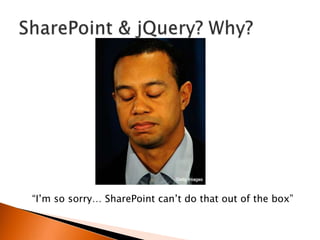
“I‟m so sorry… SharePoint can‟t do that out of the box”
“Sure, no problem”
“That will take 3 weeks???” becomes “2 days?
Awesome! I love you… here, please accept this
bonus for being such a wonderful developer”
   What you need to be aware of
    ◦ It is secure
       It uses SharePoint‟s security. All scripts run with privileges of
        current user
    ◦ It performs well… if done correctly
       Reduce postbacks
       Can delay queries more effectively
    ◦ Privileges
       They can not be elevated… thank goodness…
   What you need to be careful of
    ◦ It can perform horribly
      Executes on client computer
      Don‟t send too much data over the wire
      Minify your scripts
    ◦ Inconsistent results
      Different browsers
      Network speed
      Client machine differences
    ◦ Changes in the jQuery library
    ◦ It CAN harm your farm!
JavaScript          Description
Classes / Objects   var myCar = {
                       id: 1,
                       make: “Jeep”,
                       model: “Wrangler”,
                       color: “Silver”
                    }

                    var vehicles = {};

                    vehicles[myCar.ID] = myCar;
For each loops      For (car in vehicles)
                    {
                      var thisCar = vehicles[car];
                    }
.split()            Var numbers = “1,2,3,4,5”;
                    Var myArray = numbers.split(“,”);
                    myArray[0] == “1”
.replace()          var myString = “This string has spaces”;
                    var newString = myString.replace(“ “,””);
                    newString == “Thisstringhasspaces”;
Method                           Description

$(document).ready(function($){   Where code execution begins after page is loaded
})
$(“#ElementID”)                  Returns element with given id

$(“Type[attrib=„value‟]”)        Gets element of specific type and attribute value
                                 $(“input[Title=„First Name‟]”)
.show(), .hide(), .toggle()      Shows, hides, toggles

.html()                          Gets the raw html for an element with tags

.text()                          Contents of an element with HTML tags stripped out
Method                             Description

.each(function() {})               Iterate through all elements that are found.
                                   $(“tr”).each(function() { }) would iterate through every row
                                   on the page.
.closest(selector)                 Get the first element that matches the selector, beginning
                                   at the currently element and progressing UP the DOM
                                   $("input[title=„Field Name']").closest("tr").hide();
.contains()                        Check to see if a DOM element is within another DOM
                                   element
.find()                            Get the child elements of current element, filtered by a
                                   selector


Chaining:
$("#WebPartWPDnn").find("nobr b:contains('Sum = ')").html().split(" = ")[1].replace(",","");
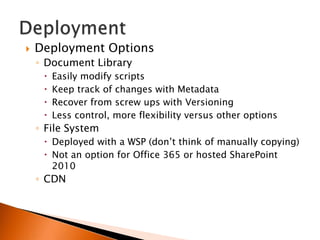
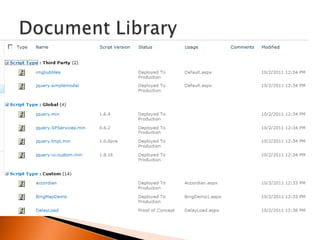
   Deployment Options
    ◦ Document Library
        Easily modify scripts
        Keep track of changes with Metadata
        Recover from screw ups with Versioning
        Less control, more flexibility versus other options
    ◦ File System
      Deployed with a WSP (don‟t think of manually copying)
      Not an option for Office 365 or hosted SharePoint
       2010
    ◦ CDN
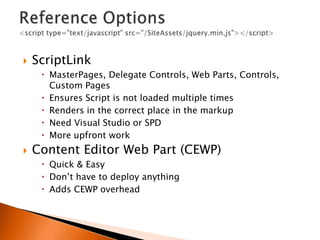
   ScriptLink
      MasterPages, Delegate Controls, Web Parts, Controls,
       Custom Pages
      Ensures Script is not loaded multiple times
      Renders in the correct place in the markup
      Need Visual Studio or SPD
      More upfront work
   Content Editor Web Part (CEWP)
      Quick & Easy
      Don‟t have to deploy anything
      Adds CEWP overhead
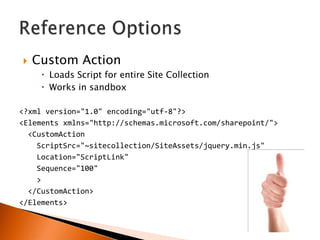
   Custom Action
      Loads Script for entire Site Collection
      Works in sandbox

<?xml version="1.0" encoding="utf-8"?>
<Elements xmlns="http://schemas.microsoft.com/sharepoint/">
  <CustomAction
    ScriptSrc="~sitecollection/SiteAssets/jquery.min.js"
    Location="ScriptLink"
    Sequence="100"
    >
  </CustomAction>
</Elements>
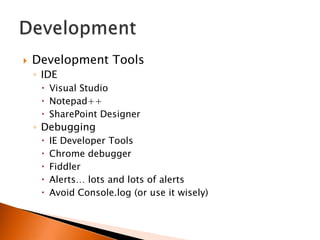
   Development Tools
    ◦ IDE
      Visual Studio
      Notepad++
      SharePoint Designer
    ◦ Debugging
        IE Developer Tools
        Chrome debugger
        Fiddler
        Alerts… lots and lots of alerts
        Avoid Console.log (or use it wisely)
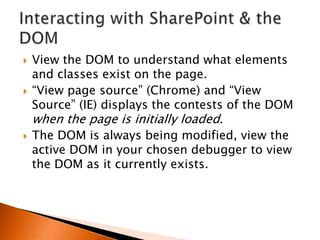
   View the DOM to understand what elements
    and classes exist on the page.
   “View page source” (Chrome) and “View
    Source” (IE) displays the contests of the DOM
    when the page is initially loaded.
   The DOM is always being modified, view the
    active DOM in your chosen debugger to view
    the DOM as it currently exists.
Getting/Setting SharePoint Form Fields
  Text Boxes
      ◦ $(“input[title=‟My Text Field‟]”).val()
     Selects
      ◦ $(“select[title=‟My Choice‟]”).val(mySelectValue);
     Checkboxes
      ◦ $("input[title='My Check
        box']").removeAttr('checked');
      ◦ $("input[title='My Check
        box']").attr('checked','checked');
http://sharepointhillbilly.com/archive/2011/08/20/a-dummies-guide-to-
sharepoint-and-jqueryndashgetting-amp-setting-sharepoint.aspx
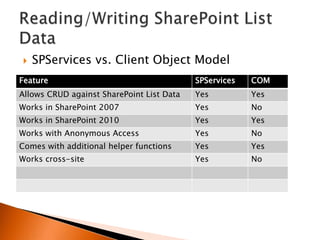
   SPServices vs. Client Object Model
Feature                                    SPServices   COM
Allows CRUD against SharePoint List Data   Yes          Yes
Works in SharePoint 2007                   Yes          No
Works in SharePoint 2010                   Yes          Yes
Works with Anonymous Access                Yes          No
Comes with additional helper functions     Yes          Yes
Works cross-site                           Yes          No
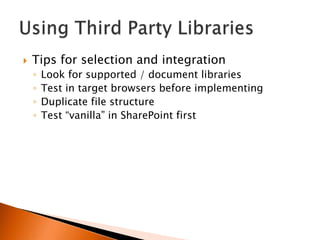
   Tips for selection and integration
    ◦   Look for supported / document libraries
    ◦   Test in target browsers before implementing
    ◦   Duplicate file structure
    ◦   Test “vanilla” in SharePoint first
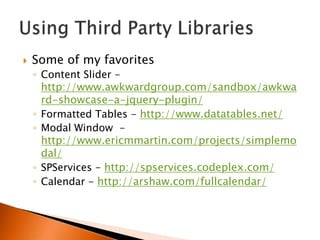
   Some of my favorites
    ◦ Content Slider -
      http://www.awkwardgroup.com/sandbox/awkwa
      rd-showcase-a-jquery-plugin/
    ◦ Formatted Tables - http://www.datatables.net/
    ◦ Modal Window -
      http://www.ericmmartin.com/projects/simplemo
      dal/
    ◦ SPServices - http://spservices.codeplex.com/
    ◦ Calendar - http://arshaw.com/fullcalendar/
And Nifty Stuff
   You don‟t have to be a SharePoint Guru
   It‟s Cheap
   It‟s Quick
   It‟s Easy
   It gets the job done
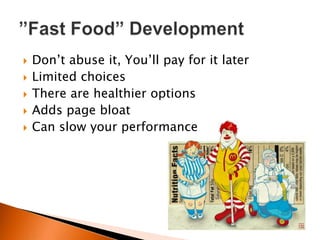
   Don‟t abuse it, You‟ll pay for it later
   Limited choices
   There are healthier options
   Adds page bloat
   Can slow your performance
Don’t drink the
     haterade…


Mark Rackley
mrackley@juniper-strategy.com
www.twitter.com/mrackley
www.sharepointhillbilly.com

                                34
 Dfdasf adsf
       Please complete and turn in your Session
       Evaluation Form as your entry for Prizes at
       the end of event prize raffle.

       Presenter:
          Speaker Name

       Session Name:
         Name of Session

#SPcincy2012 on Twitter
www.sharepointcincy.com
•Remember to visit the exhibit hall.

   •Get to know your user groups to find out about local
   activities and events in your area.

   •Make sure you stick around for the closing session
   and turn in your evaluation forms to be eligible for
   the prize raffles.


#SPcincy2012 on Twitter
www.sharepointcincy.com
#SPcincy2012 on Twitter
www.sharepointcincy.com

SharePoint Cincy 2012 - jQuery essentials

  • 1.
  • 2.
    • Open wirelessaccess is available. • Feel free to Tweet (#SPcincy2012) and blog during the session. #SPcincy2012 on Twitter www.sharepointcincy.com
  • 3.
    Thanks to ourTitle & Platinum Sponsors #SPcincy2012 on Twitter www.sharepointcincy.com
  • 4.
    Solutions Architect /SharePoint Practice Lead / Developer Email: mrackley@gmail.com Blog: http://www.sharepointhillbilly.com Twitter: @mrackley www.sharepointcincy.com
  • 5.
    What is jQuery and Why should I care?  jQuery Overview  Deployment & Development  Interacting with SharePoint & the DOM  Reading / Writing SharePoint List Data  Using Third Party Libraries  Demos 5
  • 6.
    What / Why jQuery? ◦ JavaScript utility library supported by Microsoft ◦ Don‟t have to crack open Visual Studio or deploy solutions (ideal for SharePoint online and tightly controlled environments) ◦ It‟s the future
  • 7.
    What skills do you need? ◦ JavaScript ◦ CSS, XML ◦ A development background  It IS code  Uses development constructs  If you can‟t write code, your ability to do magic will be limited to what you can copy/paste ◦ CAML, CAML, CAML… Sorry… ◦ Ability to think outside the box  Use all the pieces together
  • 8.
    Resolves many commonSharePoint complaints without having to crack open Visual Studio
  • 9.
    “It looks likeSharePoint”
  • 10.
  • 11.
    “I‟m so sorry…SharePoint can‟t do that out of the box”
  • 12.
  • 13.
    “That will take3 weeks???” becomes “2 days? Awesome! I love you… here, please accept this bonus for being such a wonderful developer”
  • 15.
    What you need to be aware of ◦ It is secure  It uses SharePoint‟s security. All scripts run with privileges of current user ◦ It performs well… if done correctly  Reduce postbacks  Can delay queries more effectively ◦ Privileges  They can not be elevated… thank goodness…
  • 16.
    What you need to be careful of ◦ It can perform horribly  Executes on client computer  Don‟t send too much data over the wire  Minify your scripts ◦ Inconsistent results  Different browsers  Network speed  Client machine differences ◦ Changes in the jQuery library ◦ It CAN harm your farm!
  • 17.
    JavaScript Description Classes / Objects var myCar = { id: 1, make: “Jeep”, model: “Wrangler”, color: “Silver” } var vehicles = {}; vehicles[myCar.ID] = myCar; For each loops For (car in vehicles) { var thisCar = vehicles[car]; } .split() Var numbers = “1,2,3,4,5”; Var myArray = numbers.split(“,”); myArray[0] == “1” .replace() var myString = “This string has spaces”; var newString = myString.replace(“ “,””); newString == “Thisstringhasspaces”;
  • 18.
    Method Description $(document).ready(function($){ Where code execution begins after page is loaded }) $(“#ElementID”) Returns element with given id $(“Type[attrib=„value‟]”) Gets element of specific type and attribute value $(“input[Title=„First Name‟]”) .show(), .hide(), .toggle() Shows, hides, toggles .html() Gets the raw html for an element with tags .text() Contents of an element with HTML tags stripped out
  • 19.
    Method Description .each(function() {}) Iterate through all elements that are found. $(“tr”).each(function() { }) would iterate through every row on the page. .closest(selector) Get the first element that matches the selector, beginning at the currently element and progressing UP the DOM $("input[title=„Field Name']").closest("tr").hide(); .contains() Check to see if a DOM element is within another DOM element .find() Get the child elements of current element, filtered by a selector Chaining: $("#WebPartWPDnn").find("nobr b:contains('Sum = ')").html().split(" = ")[1].replace(",","");
  • 20.
    Deployment Options ◦ Document Library  Easily modify scripts  Keep track of changes with Metadata  Recover from screw ups with Versioning  Less control, more flexibility versus other options ◦ File System  Deployed with a WSP (don‟t think of manually copying)  Not an option for Office 365 or hosted SharePoint 2010 ◦ CDN
  • 22.
    ScriptLink  MasterPages, Delegate Controls, Web Parts, Controls, Custom Pages  Ensures Script is not loaded multiple times  Renders in the correct place in the markup  Need Visual Studio or SPD  More upfront work  Content Editor Web Part (CEWP)  Quick & Easy  Don‟t have to deploy anything  Adds CEWP overhead
  • 23.
    Custom Action  Loads Script for entire Site Collection  Works in sandbox <?xml version="1.0" encoding="utf-8"?> <Elements xmlns="http://schemas.microsoft.com/sharepoint/"> <CustomAction ScriptSrc="~sitecollection/SiteAssets/jquery.min.js" Location="ScriptLink" Sequence="100" > </CustomAction> </Elements>
  • 24.
    Development Tools ◦ IDE  Visual Studio  Notepad++  SharePoint Designer ◦ Debugging  IE Developer Tools  Chrome debugger  Fiddler  Alerts… lots and lots of alerts  Avoid Console.log (or use it wisely)
  • 25.
    View the DOM to understand what elements and classes exist on the page.  “View page source” (Chrome) and “View Source” (IE) displays the contests of the DOM when the page is initially loaded.  The DOM is always being modified, view the active DOM in your chosen debugger to view the DOM as it currently exists.
  • 26.
    Getting/Setting SharePoint FormFields  Text Boxes ◦ $(“input[title=‟My Text Field‟]”).val()  Selects ◦ $(“select[title=‟My Choice‟]”).val(mySelectValue);  Checkboxes ◦ $("input[title='My Check box']").removeAttr('checked'); ◦ $("input[title='My Check box']").attr('checked','checked'); http://sharepointhillbilly.com/archive/2011/08/20/a-dummies-guide-to- sharepoint-and-jqueryndashgetting-amp-setting-sharepoint.aspx
  • 27.
    SPServices vs. Client Object Model Feature SPServices COM Allows CRUD against SharePoint List Data Yes Yes Works in SharePoint 2007 Yes No Works in SharePoint 2010 Yes Yes Works with Anonymous Access Yes No Comes with additional helper functions Yes Yes Works cross-site Yes No
  • 28.
    Tips for selection and integration ◦ Look for supported / document libraries ◦ Test in target browsers before implementing ◦ Duplicate file structure ◦ Test “vanilla” in SharePoint first
  • 29.
    Some of my favorites ◦ Content Slider - http://www.awkwardgroup.com/sandbox/awkwa rd-showcase-a-jquery-plugin/ ◦ Formatted Tables - http://www.datatables.net/ ◦ Modal Window - http://www.ericmmartin.com/projects/simplemo dal/ ◦ SPServices - http://spservices.codeplex.com/ ◦ Calendar - http://arshaw.com/fullcalendar/
  • 30.
  • 32.
    You don‟t have to be a SharePoint Guru  It‟s Cheap  It‟s Quick  It‟s Easy  It gets the job done
  • 33.
    Don‟t abuse it, You‟ll pay for it later  Limited choices  There are healthier options  Adds page bloat  Can slow your performance
  • 34.
    Don’t drink the haterade… Mark Rackley mrackley@juniper-strategy.com www.twitter.com/mrackley www.sharepointhillbilly.com 34
  • 35.
     Dfdasf adsf Please complete and turn in your Session Evaluation Form as your entry for Prizes at the end of event prize raffle. Presenter: Speaker Name Session Name: Name of Session #SPcincy2012 on Twitter www.sharepointcincy.com
  • 36.
    •Remember to visitthe exhibit hall. •Get to know your user groups to find out about local activities and events in your area. •Make sure you stick around for the closing session and turn in your evaluation forms to be eligible for the prize raffles. #SPcincy2012 on Twitter www.sharepointcincy.com
  • 37.

Editor's Notes