Technologies
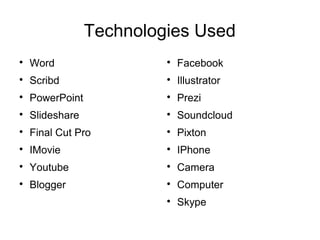
Technologies Used

Word

Scribd

PowerPoint

Slideshare

Final Cut Pro

IMovie

Youtube

Blogger

Facebook

Illustrator

Prezi

Soundcloud

Pixton

IPhone

Camera

Computer

Skype
Used For Our Film
Social Networks for Blog
Word and Scribd

We used word primarily for our scripts but also for my
thriller directors. Due to it being universally used it
meant we could transfer the scripts easily with each
other and make adjustments to them before uploading
them to my blog. We used Scribd to to publish our
scripts because it made our scripts look smart and cuts
down the space on my blog. It uses a very easy
method and has a very easy embed system that
allowed us to embed the documents on to our blogs.
PowerPoint and SlideShare

I used a lot of powerpoints as I feel it can
compress a big amount of writing into one
document. This means it gets rid of huge
chunks of writing into one link on my blog.
Slideshare is used a lot on my blog because it is
very simple to use and is very easy to put onto
my blog. Slidshare ticked every box for positives
apart from not being able to click on links within
the powerpoint.
Youtube

Youtube is quite important towards my film and
my blog as it allowed me to put my film on my
blog in the best quality possible (1080p). Also it
meant I could easily link clips from thrillers that I
could analyse and was extremely useful for our
final film as it brings out the action tone in our
film.
IMovie and Final Cut Pro

Imovie is a simplified version of final cut pro.
After using both editing applications final cut pro
is a lot better for editing our film. Imovie was
good for making short clips and shorter videos
that did not need much effect to them but to get
the best possible outcome of our film final cut
pro was the best option available.
Mac, Camera, Microphone,
Illustrator

Having the Mac's at school with programmes like imovie, final
cut pro, word and powerpoint meant that a lot of my work took
place there. It made editing a lot easier as we could leave our
film on one mac and always go back to that same computer and
edit it other than constantly transferring it. The camera we used
was a 1080p hd camera which meant we could get the best
quality shots possible for our film. We used a microphone to
cancel out the wind in some of our shots. This meant we could
get the best possible sound quality for our film. We used
Illustrator to create a logo for our production company. This was
useful because it meant we could create any and lots of designs
and decide which one was best.
Facebook and Skype

To keep in touch with the other members of the
group we created a facebook group and made
group skype calls. This meant we could discuss
and plan all the key things we needed for our
film making sure that everything is prepared for
shooting day. They were very good because it
meant we could keep in touch and quickly get
ideas from each other and send photos.
Blogger

Blogger was primarily used due to the fact that
the course requires a blog. It is very easy to use
in terms of uploading posts and getting all the
information onto the blog, however it was a
struggle to keep the blog in the correct order
which often meant that either a new blog had to
be created or delete the post and re-add it in.
Phone

My Phone was very important in the planning
stage of our film. I used it to organise actors and
shooting schedules and to make sure everyone
in the group knew what they were doing for the
film. Having the Blogger App on my phone also
meant that I could always make adjustments
and add to my blog at anytime.
Pixton, Soundcloud, Prezi

I used pixton to create my storyboards for our film. This
meant that we could have a brief visualisation of what our
film looked like. It was very useful but to make a storyboard
of good quality was difficult as it did not have all of the
required elements in our film and it took a while to make. I
used soundcloud to use a different method to transfer
information across. Other than just text sometimes it is
better to hear information. It is also very easy to use and
was easy to transfer onto blogger. I used a lot of prezi as it
is a very good way to simplify and transfer information. It is
very easy to use and it gives the audience another way to
view boring information in an interesting way.

Technologies 6

  • 1.
  • 2.
    Technologies Used  Word  Scribd  PowerPoint  Slideshare  Final CutPro  IMovie  Youtube  Blogger  Facebook  Illustrator  Prezi  Soundcloud  Pixton  IPhone  Camera  Computer  Skype
  • 4.
  • 5.
  • 7.
    Word and Scribd  Weused word primarily for our scripts but also for my thriller directors. Due to it being universally used it meant we could transfer the scripts easily with each other and make adjustments to them before uploading them to my blog. We used Scribd to to publish our scripts because it made our scripts look smart and cuts down the space on my blog. It uses a very easy method and has a very easy embed system that allowed us to embed the documents on to our blogs.
  • 8.
    PowerPoint and SlideShare  Iused a lot of powerpoints as I feel it can compress a big amount of writing into one document. This means it gets rid of huge chunks of writing into one link on my blog. Slideshare is used a lot on my blog because it is very simple to use and is very easy to put onto my blog. Slidshare ticked every box for positives apart from not being able to click on links within the powerpoint.
  • 9.
    Youtube  Youtube is quiteimportant towards my film and my blog as it allowed me to put my film on my blog in the best quality possible (1080p). Also it meant I could easily link clips from thrillers that I could analyse and was extremely useful for our final film as it brings out the action tone in our film.
  • 10.
    IMovie and FinalCut Pro  Imovie is a simplified version of final cut pro. After using both editing applications final cut pro is a lot better for editing our film. Imovie was good for making short clips and shorter videos that did not need much effect to them but to get the best possible outcome of our film final cut pro was the best option available.
  • 11.
    Mac, Camera, Microphone, Illustrator  Havingthe Mac's at school with programmes like imovie, final cut pro, word and powerpoint meant that a lot of my work took place there. It made editing a lot easier as we could leave our film on one mac and always go back to that same computer and edit it other than constantly transferring it. The camera we used was a 1080p hd camera which meant we could get the best quality shots possible for our film. We used a microphone to cancel out the wind in some of our shots. This meant we could get the best possible sound quality for our film. We used Illustrator to create a logo for our production company. This was useful because it meant we could create any and lots of designs and decide which one was best.
  • 12.
    Facebook and Skype  Tokeep in touch with the other members of the group we created a facebook group and made group skype calls. This meant we could discuss and plan all the key things we needed for our film making sure that everything is prepared for shooting day. They were very good because it meant we could keep in touch and quickly get ideas from each other and send photos.
  • 13.
    Blogger  Blogger was primarilyused due to the fact that the course requires a blog. It is very easy to use in terms of uploading posts and getting all the information onto the blog, however it was a struggle to keep the blog in the correct order which often meant that either a new blog had to be created or delete the post and re-add it in.
  • 14.
    Phone  My Phone wasvery important in the planning stage of our film. I used it to organise actors and shooting schedules and to make sure everyone in the group knew what they were doing for the film. Having the Blogger App on my phone also meant that I could always make adjustments and add to my blog at anytime.
  • 15.
    Pixton, Soundcloud, Prezi  Iused pixton to create my storyboards for our film. This meant that we could have a brief visualisation of what our film looked like. It was very useful but to make a storyboard of good quality was difficult as it did not have all of the required elements in our film and it took a while to make. I used soundcloud to use a different method to transfer information across. Other than just text sometimes it is better to hear information. It is also very easy to use and was easy to transfer onto blogger. I used a lot of prezi as it is a very good way to simplify and transfer information. It is very easy to use and it gives the audience another way to view boring information in an interesting way.