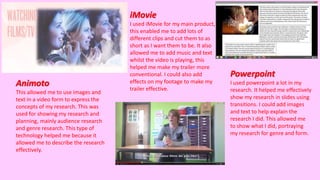
Animoto
This allowed me to use images and
text in a video form to express the
concepts of my research. This was
used for showing my research and
planning, mainly audience research
and genre research. This type of
technology helped me because it
allowed me to describe the research
effectively.
iMovie
I used iMovie for my main product,
this enabled me to add lots of
different clips and cut them to as
short as I want them to be. It also
allowed me to add music and text
whilst the video is playing, this
helped me make my trailer more
conventional. I could also add
effects on my footage to make my
trailer effective.
Powerpoint
I used powerpoint a lot in my
research. It helped me effectively
show my research in slides using
transitions. I could add images
and text to help explain the
research I did. This allowed me
to show what I did, portraying
my research for genre and form.
Popplet
This helped me because I could review my
findings in a mind map. This helped me show
my findings effectively because I could
separate each category and present even more
findings within that category.
Microsoft Word
This was another technology that helped me add
images with text, this could be shown as effective
because I could add tables and charts to show
what I have researched. This was also helpful with
planning for the production.
Surveys
Throughout the research, planning and production I
have consistently used surveys, I used SurveyMonkey
and Padlet. This helped me get the results for audience
feedback. This was used regularly during my research
and planning. It enabled me to make progress, I
received the feedback and I used this to make
progression with my production.
These surveys were targeted at a mass audience, this
meant that I gained feedback from a big audience,
gaining more constructive feedback.
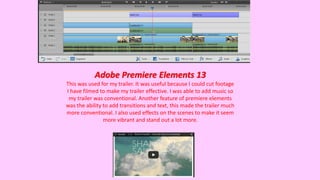
Adobe Premiere Elements 13
This was used for my trailer. It was useful because I could cut footage
I have filmed to make my trailer effective. I was able to add music so
my trailer was conventional. Another feature of premiere elements
was the ability to add transitions and text, this made the trailer much
more conventional. I also used effects on the scenes to make it seem
more vibrant and stand out a lot more.

Technologies

  • 1.
    Animoto This allowed meto use images and text in a video form to express the concepts of my research. This was used for showing my research and planning, mainly audience research and genre research. This type of technology helped me because it allowed me to describe the research effectively. iMovie I used iMovie for my main product, this enabled me to add lots of different clips and cut them to as short as I want them to be. It also allowed me to add music and text whilst the video is playing, this helped me make my trailer more conventional. I could also add effects on my footage to make my trailer effective. Powerpoint I used powerpoint a lot in my research. It helped me effectively show my research in slides using transitions. I could add images and text to help explain the research I did. This allowed me to show what I did, portraying my research for genre and form.
  • 2.
    Popplet This helped mebecause I could review my findings in a mind map. This helped me show my findings effectively because I could separate each category and present even more findings within that category. Microsoft Word This was another technology that helped me add images with text, this could be shown as effective because I could add tables and charts to show what I have researched. This was also helpful with planning for the production.
  • 3.
    Surveys Throughout the research,planning and production I have consistently used surveys, I used SurveyMonkey and Padlet. This helped me get the results for audience feedback. This was used regularly during my research and planning. It enabled me to make progress, I received the feedback and I used this to make progression with my production. These surveys were targeted at a mass audience, this meant that I gained feedback from a big audience, gaining more constructive feedback.
  • 4.
    Adobe Premiere Elements13 This was used for my trailer. It was useful because I could cut footage I have filmed to make my trailer effective. I was able to add music so my trailer was conventional. Another feature of premiere elements was the ability to add transitions and text, this made the trailer much more conventional. I also used effects on the scenes to make it seem more vibrant and stand out a lot more.