YOUTUBE
I used YouTube so that I could upload my
music video to the internet. By doing this I
got the embedded code so that I could
upload it to blogger. This was needed so
that it could be marked as well as to receive
feedback. I also used it for research. When I
was looking at media conventions with
music videos, I had to analyse some, this
was the best way to find them.
PREZI
I have used Prezi for my evaluation question 1
as well as using it in my AS year. This was
very useful as it was easy to write the
information, and to gain a new way of
presenting my work. It is also user friendly
as it has animations in it.
SLIDESHARE
This was new software to me, I was told about
it by a friend and I can say the
recommendation was on point. This was
very useful, a nice way of working on my
evaluation question 4 and made it user
friendly, as it allowed me to make a
PowerPoint and put it on my blog.
POWTOON
I used Powtoon for my evaluation question
3 as well as in my AS year. I find this
very useful as it is a very user friendly
piece of software as it makes boring
PowerPoints into cartoons which are
much better to watch as they can get the
audience’s attention better.
ADOBE PHOTOSHOP
This piece of software was key to my digipack
and poster part of the course. Using this
software allowed me to create these items
using templates already given to me. They
also allowed the effects to be added to the
pictures which made them look better than
what they were originally.
ADOBE AFTER EFFECTS
I used after effects for the titles for my music
video. This was a simple piece of software
to use due to the use of it in AS level. After
Effects allowed me to put a simple credit
sequence on top of a movie clip I had
already obtained so it made my life a lot
less stressful when it came to the music
video.
CANON 1100D
This camera is the same that I used at AS
level. This camera allowed me to film in
720pHD level which was very useful for my
piece. It was also very simple to use so I will
use this camera again!
SD CARD
A very simple piece of technology that allowed
me to film clips and save them, as well as
put them straight onto my computer.
TRIPOD
I had to use this to get the steady shots in my
music video.
OUTLOOK
I used Microsoft Outlook as my email port, to
email the band to get permission to use
their song for my video.
BLOGGER
The blogger software I have used was used
so that I could receive feedback as well as
get my work marked so it was vital in my
production journey. It was also very useful
as it allowed me to organise my work into
categories which was good because
organisation is vital when you’re working on
a tight deadline.
ADOBE PREMIERE PRO
Premiere Pro was the software I used to
actually create my music video. It allowed
me to precisely cut clips to the time with the
music so it all worked in harmony with each
other. I used it at AS level and again I’ve
found it to be very useful. I also used it to
put effects on to my clips making them more
in time and make it work with the song.
MICROSOFT WORD
I used this programme to spell check my
documents and evaluations.
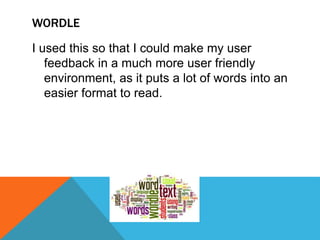
WORDLE
I used this so that I could make my user
feedback in a much more user friendly
environment, as it puts a lot of words into an
easier format to read.

E4

  • 2.
    YOUTUBE I used YouTubeso that I could upload my music video to the internet. By doing this I got the embedded code so that I could upload it to blogger. This was needed so that it could be marked as well as to receive feedback. I also used it for research. When I was looking at media conventions with music videos, I had to analyse some, this was the best way to find them.
  • 3.
    PREZI I have usedPrezi for my evaluation question 1 as well as using it in my AS year. This was very useful as it was easy to write the information, and to gain a new way of presenting my work. It is also user friendly as it has animations in it.
  • 4.
    SLIDESHARE This was newsoftware to me, I was told about it by a friend and I can say the recommendation was on point. This was very useful, a nice way of working on my evaluation question 4 and made it user friendly, as it allowed me to make a PowerPoint and put it on my blog.
  • 5.
    POWTOON I used Powtoonfor my evaluation question 3 as well as in my AS year. I find this very useful as it is a very user friendly piece of software as it makes boring PowerPoints into cartoons which are much better to watch as they can get the audience’s attention better.
  • 6.
    ADOBE PHOTOSHOP This pieceof software was key to my digipack and poster part of the course. Using this software allowed me to create these items using templates already given to me. They also allowed the effects to be added to the pictures which made them look better than what they were originally.
  • 7.
    ADOBE AFTER EFFECTS Iused after effects for the titles for my music video. This was a simple piece of software to use due to the use of it in AS level. After Effects allowed me to put a simple credit sequence on top of a movie clip I had already obtained so it made my life a lot less stressful when it came to the music video.
  • 8.
    CANON 1100D This camerais the same that I used at AS level. This camera allowed me to film in 720pHD level which was very useful for my piece. It was also very simple to use so I will use this camera again!
  • 9.
    SD CARD A verysimple piece of technology that allowed me to film clips and save them, as well as put them straight onto my computer.
  • 10.
    TRIPOD I had touse this to get the steady shots in my music video.
  • 11.
    OUTLOOK I used MicrosoftOutlook as my email port, to email the band to get permission to use their song for my video.
  • 12.
    BLOGGER The blogger softwareI have used was used so that I could receive feedback as well as get my work marked so it was vital in my production journey. It was also very useful as it allowed me to organise my work into categories which was good because organisation is vital when you’re working on a tight deadline.
  • 13.
    ADOBE PREMIERE PRO PremierePro was the software I used to actually create my music video. It allowed me to precisely cut clips to the time with the music so it all worked in harmony with each other. I used it at AS level and again I’ve found it to be very useful. I also used it to put effects on to my clips making them more in time and make it work with the song.
  • 14.
    MICROSOFT WORD I usedthis programme to spell check my documents and evaluations.
  • 15.
    WORDLE I used thisso that I could make my user feedback in a much more user friendly environment, as it puts a lot of words into an easier format to read.