CREATIVE CRITICAL REFLECTION
TECHNOLOGIES
BY MARTHA ROBB
THE INTERNET:
RESEARCH INTO TITLE SEQUENCES
• I used internet sites like Art of the Title and
YouTube to research different opening
sequences.
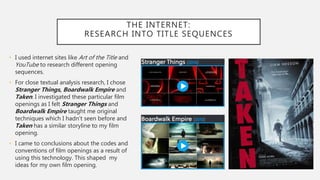
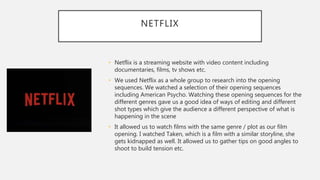
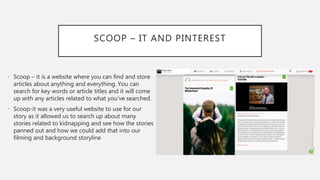
• For close textual analysis research, I chose
Stranger Things, Boardwalk Empire and
Taken. I investigated these particular film
openings as I felt Stranger Things and
Boardwalk Empire taught me original
techniques which I hadn’t seen before and
Taken has a similar storyline to my film
opening.
• I came to conclusions about the codes and
conventions of film openings as a result of
using this technology. This shaped my
ideas for my own film opening.
NETFLIX
• Netflix is a streaming website with video content including
documentaries, films, tv shows etc.
• We used Netflix as a whole group to research into the opening
sequences. We watched a selection of their opening sequences
including American Psycho. Watching these opening sequences for the
different genres gave us a good idea of ways of editing and different
shot types which give the audience a different perspective of what is
happening in the scene
• It allowed us to watch films with the same genre / plot as our film
opening. I watched Taken, which is a film with a similar storyline, she
gets kidnapped as well. It allowed us to gather tips on good angles to
shoot to build tension etc.
SCOOP – IT AND PINTEREST
• Scoop – it is a website where you can find and store
articles about anything and everything. You can
search for key words or article titles and it will come
up with any articles related to what you’ve searched.
• Scoop-it was a very useful website to use for our
story as it allowed us to search up about many
stories related to kidnapping and see how the stories
panned out and how we could add that into our
filming and background storyline
HOW TO WRITE A TREATMENT
• As a group, we watched a presentation by Frank Ash, a
Creative Consultant for the BBC academy. He has taught
storytelling and creative techniques to many teams across
the BBC. He thinks its important to focus on the audience
and find out what will interest them. He thinks its
important to get the main point of the film across. He
believes its important to synthesise the whole of the story
into one line. It makes it simple for the audience to know
what they’re are going to be watching to see whether
they will be interested in the film. This is what Frank Ash
called the topline. This helped us to sum up our own
narrative in one sentence.
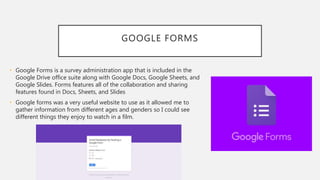
GOOGLE FORMS
• Google Forms is a survey administration app that is included in the
Google Drive office suite along with Google Docs, Google Sheets, and
Google Slides. Forms features all of the collaboration and sharing
features found in Docs, Sheets, and Slides
• Google forms was a very useful website to use as it allowed me to
gather information from different ages and genders so I could see
different things they enjoy to watch in a film.
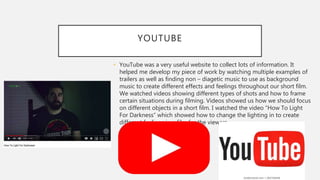
YOUTUBE
• YouTube was a very useful website to collect lots of information. It
helped me develop my piece of work by watching multiple examples of
trailers as well as finding non – diagetic music to use as background
music to create different effects and feelings throughout our short film.
We watched videos showing different types of shots and how to frame
certain situations during filming. Videos showed us how we should focus
on different objects in a short film. I watched the video “How To Light
For Darkness” which showed how to change the lighting in to create
different feelings in a film for the viewers.
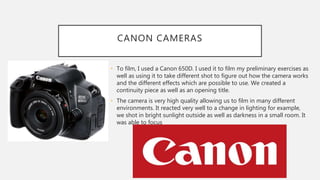
CANON CAMERAS
• To film, I used a Canon 650D. I used it to film my preliminary exercises as
well as using it to take different shot to figure out how the camera works
and the different effects which are possible to use. We created a
continuity piece as well as an opening title.
• The camera is very high quality allowing us to film in many different
environments. It reacted very well to a change in lighting for example,
we shot in bright sunlight outside as well as darkness in a small room. It
was able to focus
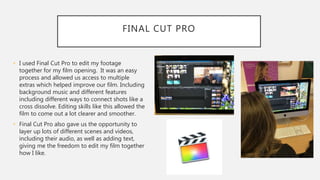
FINAL CUT PRO
• I used Final Cut Pro to edit my footage
together for my film opening. It was an easy
process and allowed us access to multiple
extras which helped improve our film. Including
background music and different features
including different ways to connect shots like a
cross dissolve. Editing skills like this allowed the
film to come out a lot clearer and smoother.
• Final Cut Pro also gave us the opportunity to
layer up lots of different scenes and videos,
including their audio, as well as adding text,
giving me the freedom to edit my film together
how I like.
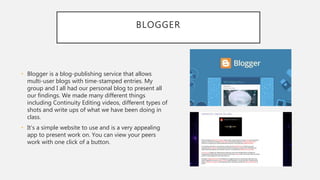
BLOGGER
• Blogger is a blog-publishing service that allows
multi-user blogs with time-stamped entries. My
group and I all had our personal blog to present all
our findings. We made many different things
including Continuity Editing videos, different types of
shots and write ups of what we have been doing in
class.
• It’s a simple website to use and is a very appealing
app to present work on. You can view your peers
work with one click of a button.
GOOGLE MAPS & WORD
• I used a mixture of Google Maps and Word to create my Shot List, Risk
Assessment and my Call Sheet. We did these prior to film our shots as it
gave us a good plan including timings and the props we need. It made
sure we didn’t forget any equipment.
• Our call sheet held a selection of information including the date,
location, outfit and cast. It made us organised and made sure we all
arrived in time and in the correct outfits.
• Our shot list showed a detailed plan of what the actors needed in terms
of props, outfit etc. I was useful to know prior to filming so we could get
everything ready and go and get extra items of they are needed. The
shot list also showed the background of our certain shots more into
depth making the process of filming very easy and efficient.
• The risk assessment was a relatively quick thing to make however you
have to check every risk that could occur while filming. It showed the
dangerous part of filming and allowed us to figure out ways to get over
the issues that could come up.
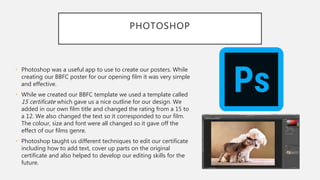
PHOTOSHOP
• Photoshop was a useful app to use to create our posters. While
creating our BBFC poster for our opening film it was very simple
and effective.
• While we created our BBFC template we used a template called
15 certificate which gave us a nice outline for our design. We
added in our own film title and changed the rating from a 15 to
a 12. We also changed the text so it corresponded to our film.
The colour, size and font were all changed so it gave off the
effect of our films genre.
• Photoshop taught us different techniques to edit our certificate
including how to add text, cover up parts on the original
certificate and also helped to develop our editing skills for the
future.

Technologies

  • 1.
  • 2.
    THE INTERNET: RESEARCH INTOTITLE SEQUENCES • I used internet sites like Art of the Title and YouTube to research different opening sequences. • For close textual analysis research, I chose Stranger Things, Boardwalk Empire and Taken. I investigated these particular film openings as I felt Stranger Things and Boardwalk Empire taught me original techniques which I hadn’t seen before and Taken has a similar storyline to my film opening. • I came to conclusions about the codes and conventions of film openings as a result of using this technology. This shaped my ideas for my own film opening.
  • 3.
    NETFLIX • Netflix isa streaming website with video content including documentaries, films, tv shows etc. • We used Netflix as a whole group to research into the opening sequences. We watched a selection of their opening sequences including American Psycho. Watching these opening sequences for the different genres gave us a good idea of ways of editing and different shot types which give the audience a different perspective of what is happening in the scene • It allowed us to watch films with the same genre / plot as our film opening. I watched Taken, which is a film with a similar storyline, she gets kidnapped as well. It allowed us to gather tips on good angles to shoot to build tension etc.
  • 4.
    SCOOP – ITAND PINTEREST • Scoop – it is a website where you can find and store articles about anything and everything. You can search for key words or article titles and it will come up with any articles related to what you’ve searched. • Scoop-it was a very useful website to use for our story as it allowed us to search up about many stories related to kidnapping and see how the stories panned out and how we could add that into our filming and background storyline
  • 5.
    HOW TO WRITEA TREATMENT • As a group, we watched a presentation by Frank Ash, a Creative Consultant for the BBC academy. He has taught storytelling and creative techniques to many teams across the BBC. He thinks its important to focus on the audience and find out what will interest them. He thinks its important to get the main point of the film across. He believes its important to synthesise the whole of the story into one line. It makes it simple for the audience to know what they’re are going to be watching to see whether they will be interested in the film. This is what Frank Ash called the topline. This helped us to sum up our own narrative in one sentence.
  • 6.
    GOOGLE FORMS • GoogleForms is a survey administration app that is included in the Google Drive office suite along with Google Docs, Google Sheets, and Google Slides. Forms features all of the collaboration and sharing features found in Docs, Sheets, and Slides • Google forms was a very useful website to use as it allowed me to gather information from different ages and genders so I could see different things they enjoy to watch in a film.
  • 7.
    YOUTUBE • YouTube wasa very useful website to collect lots of information. It helped me develop my piece of work by watching multiple examples of trailers as well as finding non – diagetic music to use as background music to create different effects and feelings throughout our short film. We watched videos showing different types of shots and how to frame certain situations during filming. Videos showed us how we should focus on different objects in a short film. I watched the video “How To Light For Darkness” which showed how to change the lighting in to create different feelings in a film for the viewers.
  • 8.
    CANON CAMERAS • Tofilm, I used a Canon 650D. I used it to film my preliminary exercises as well as using it to take different shot to figure out how the camera works and the different effects which are possible to use. We created a continuity piece as well as an opening title. • The camera is very high quality allowing us to film in many different environments. It reacted very well to a change in lighting for example, we shot in bright sunlight outside as well as darkness in a small room. It was able to focus
  • 9.
    FINAL CUT PRO •I used Final Cut Pro to edit my footage together for my film opening. It was an easy process and allowed us access to multiple extras which helped improve our film. Including background music and different features including different ways to connect shots like a cross dissolve. Editing skills like this allowed the film to come out a lot clearer and smoother. • Final Cut Pro also gave us the opportunity to layer up lots of different scenes and videos, including their audio, as well as adding text, giving me the freedom to edit my film together how I like.
  • 10.
    BLOGGER • Blogger isa blog-publishing service that allows multi-user blogs with time-stamped entries. My group and I all had our personal blog to present all our findings. We made many different things including Continuity Editing videos, different types of shots and write ups of what we have been doing in class. • It’s a simple website to use and is a very appealing app to present work on. You can view your peers work with one click of a button.
  • 11.
    GOOGLE MAPS &WORD • I used a mixture of Google Maps and Word to create my Shot List, Risk Assessment and my Call Sheet. We did these prior to film our shots as it gave us a good plan including timings and the props we need. It made sure we didn’t forget any equipment. • Our call sheet held a selection of information including the date, location, outfit and cast. It made us organised and made sure we all arrived in time and in the correct outfits. • Our shot list showed a detailed plan of what the actors needed in terms of props, outfit etc. I was useful to know prior to filming so we could get everything ready and go and get extra items of they are needed. The shot list also showed the background of our certain shots more into depth making the process of filming very easy and efficient. • The risk assessment was a relatively quick thing to make however you have to check every risk that could occur while filming. It showed the dangerous part of filming and allowed us to figure out ways to get over the issues that could come up.
  • 12.
    PHOTOSHOP • Photoshop wasa useful app to use to create our posters. While creating our BBFC poster for our opening film it was very simple and effective. • While we created our BBFC template we used a template called 15 certificate which gave us a nice outline for our design. We added in our own film title and changed the rating from a 15 to a 12. We also changed the text so it corresponded to our film. The colour, size and font were all changed so it gave off the effect of our films genre. • Photoshop taught us different techniques to edit our certificate including how to add text, cover up parts on the original certificate and also helped to develop our editing skills for the future.