ICT tools in Education
Welcome to ShipCon Training
LEARN & ENJOY
Introductions
Your Name:
Where you are from
What you do
What are your learning goals for the week
Course Structure – The logic
Course more like a workshop than a seminar
Hands on ICT tools from participants – working individually and as group
Emphasis on ICT tools that can be easily implemented & applied in any
educational setting
Course Structure – The logic - details
First day - EDMONTO theory - Belbin test – Forming Groups based on Belbin test – Introduction of the work to be
done on Group exercise 1 (Problem solving - Bob) & Group exercise 2 (structured SP folder as ICT tool for Project
Management) – Start working on Group exercise 1
Second day – Google vs. Zoho theory – Working on Group exercise 1 (first half) & Group exercise 2 (second half) –
work for both exercises (1 & 2) should be done ONLY via EDMONTO
Third day – Filmora vs. Animoto theory – Working on Group exercise 2 (first half) - Presentations of Group exercise 1
& Start working on Group exercise 3 (FILMORA video)
Fourth day – Adobe spark & Socrative theory – Working on Group exercise 2 (first half) – working on Group exercise
3 (second half)
Fifth day – Bubbl vs. Popplet theory – Presentations of Group exercise 2 & Group exercise 3 by all groups – reflections
– feedback – self-evaluation
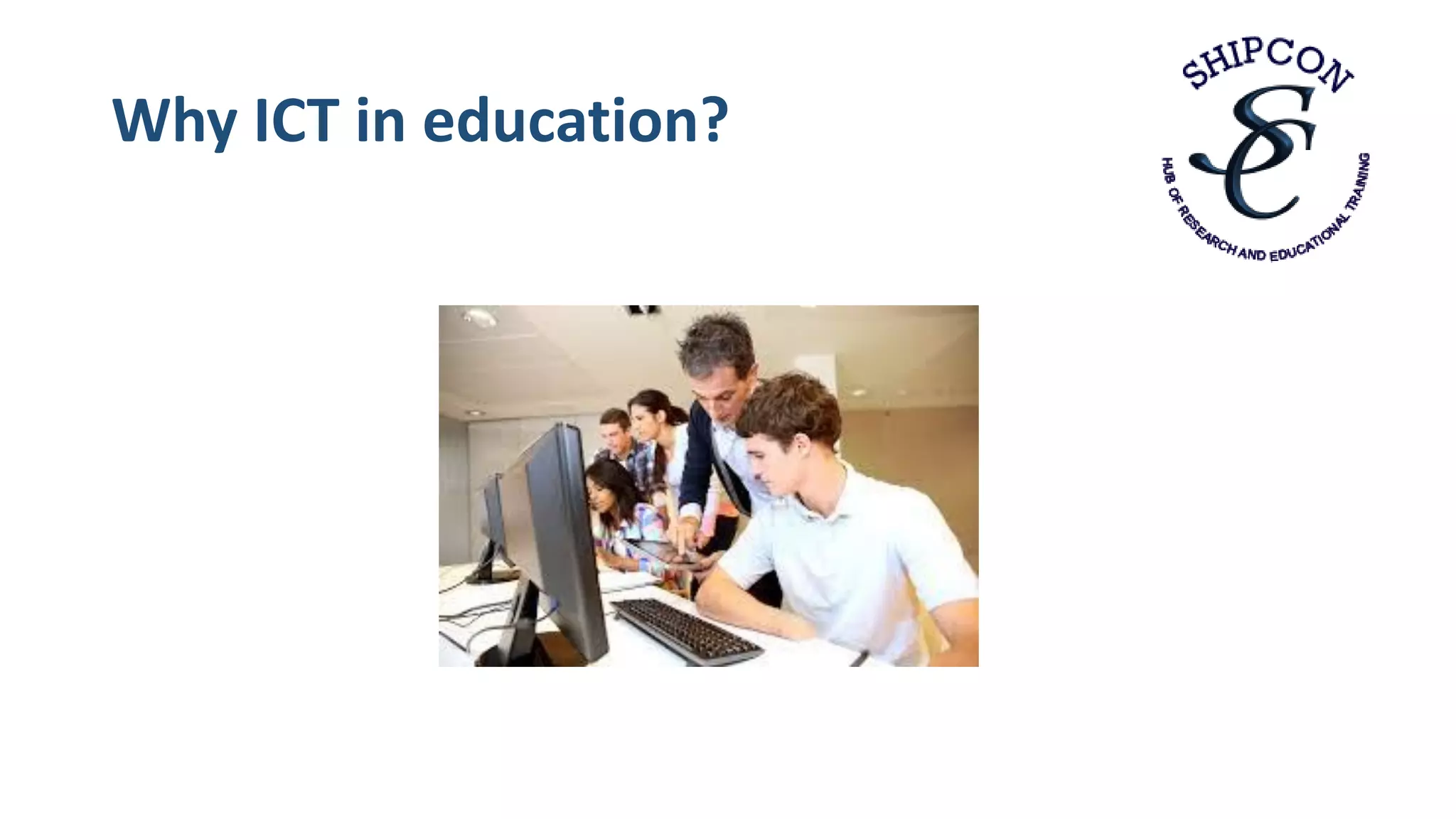
Why ICT in education?
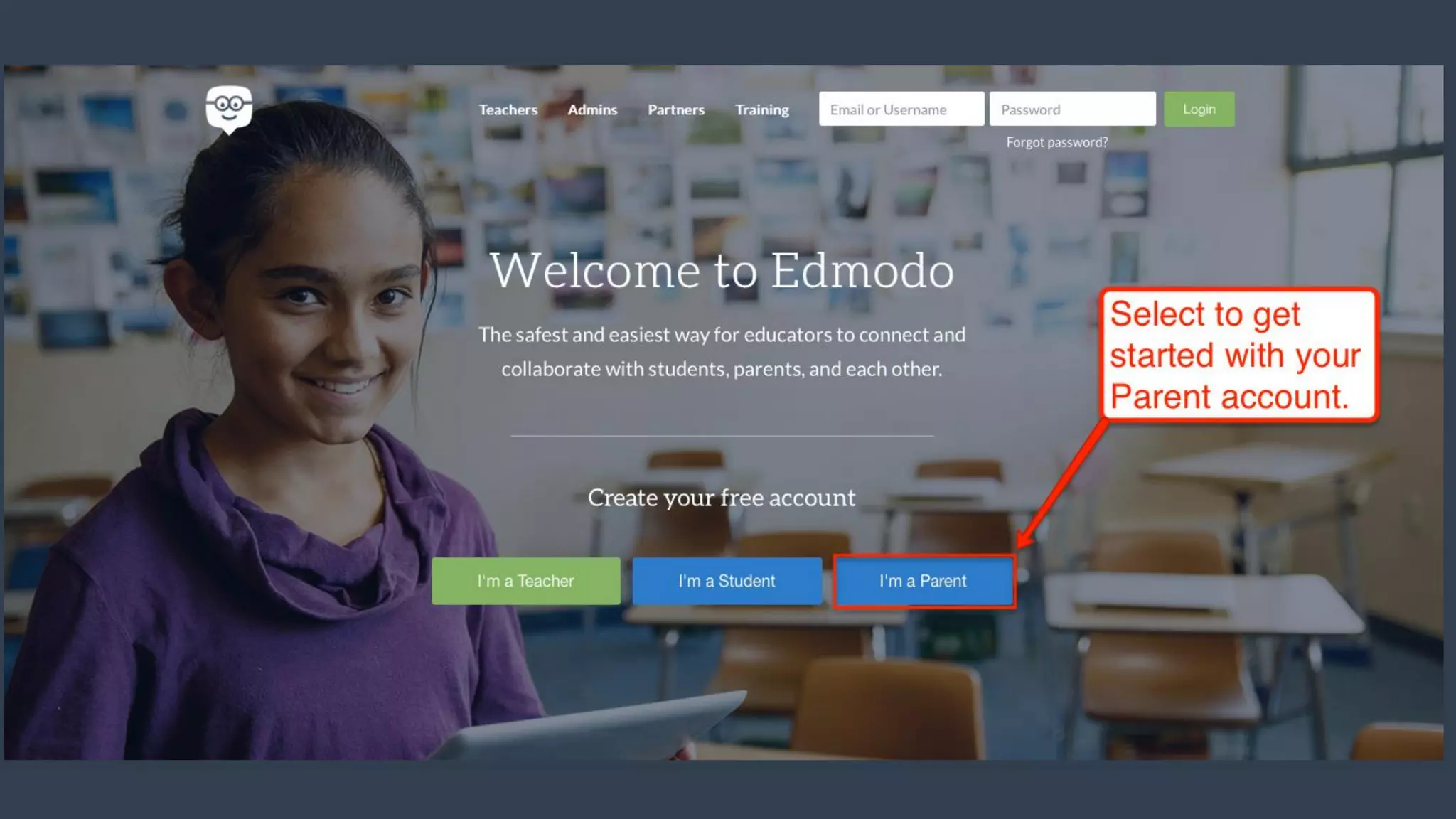
Edmodo
Make your classroom a
community
What is Edmodo?
Edmodo is an
easy way to get
your students
connected so
they can safely
collaborate
Edmodo helps to
stay organized
Manage
communication with
students,
colleagues, parents
Edmodo network
enables teachers to
share content,
distribute quizzes,
assignments
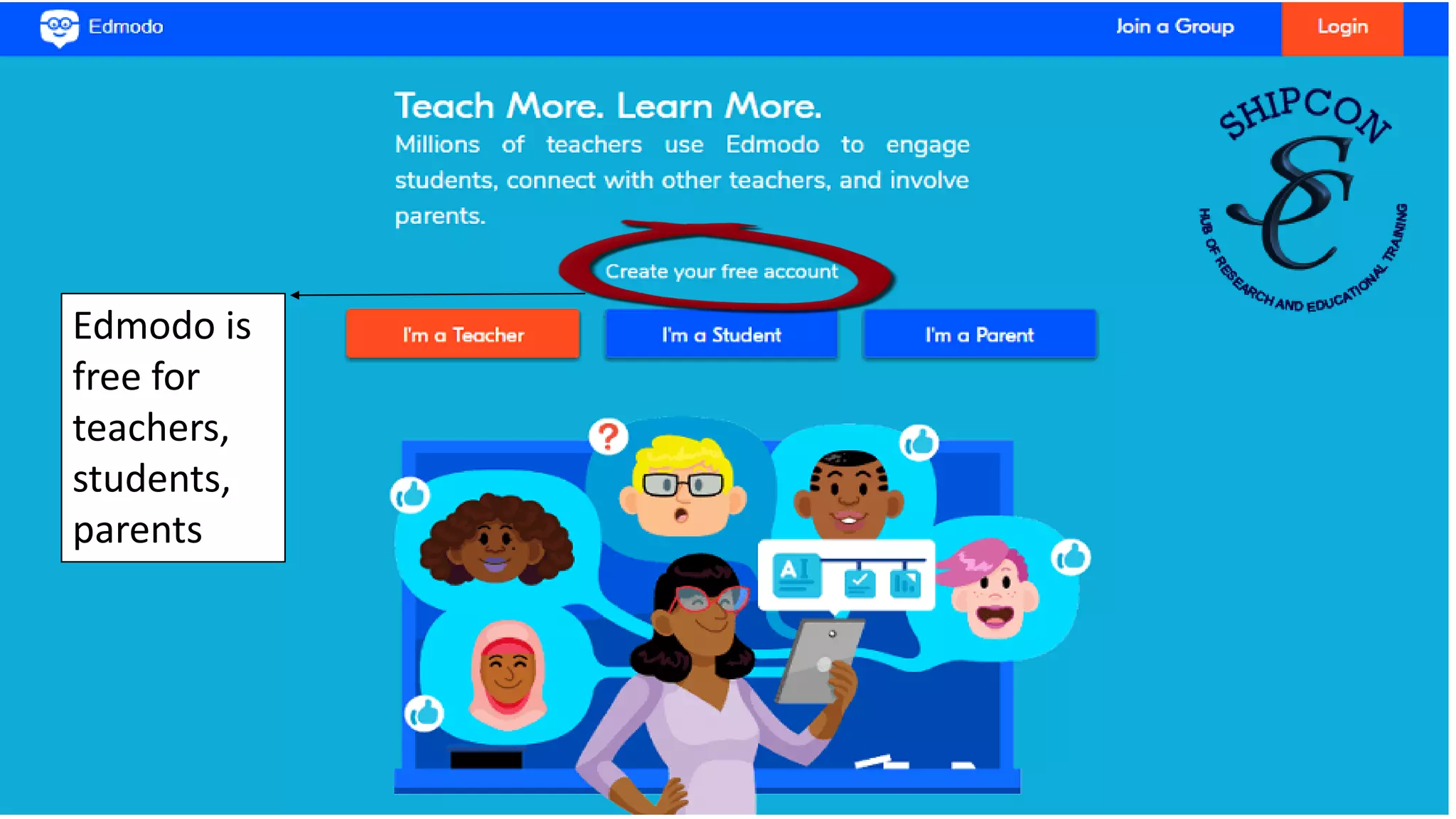
Edmodo is
free for
teachers,
students,
parents
Edmodo for teachers
• Teachers can share digital media such as blogs, links, videos,
documents, notes, presentations etc..
• Teachers can expand their PLN (Personal Learning Network)
• The calendar keeps all homework organized for teachers and
students
• Teachers can differentiate instruction by creating subgroups
of students
• Teachers can give students positive reinforcement privately
• Teachers can give feedback and post grades
• Edmodo for parents
Text here
Benefits
for
teachers
Edit Profile
Add “About” Information
Add Professional Experience
Add Social Pages
Edit Profile
Add Schedule Information
Add Education Information
Add additional links
Creating groups: create one of each groups you
wish to use Edmodo with
1. Name your group
2. Describe your group
3. Put a subject
Push “create”
Fill in the information for your class
Your group code
➢Each class you create has a
separate group code
➢ Include the group code on the
class syllabus at the beginning
of semester
Press “done”
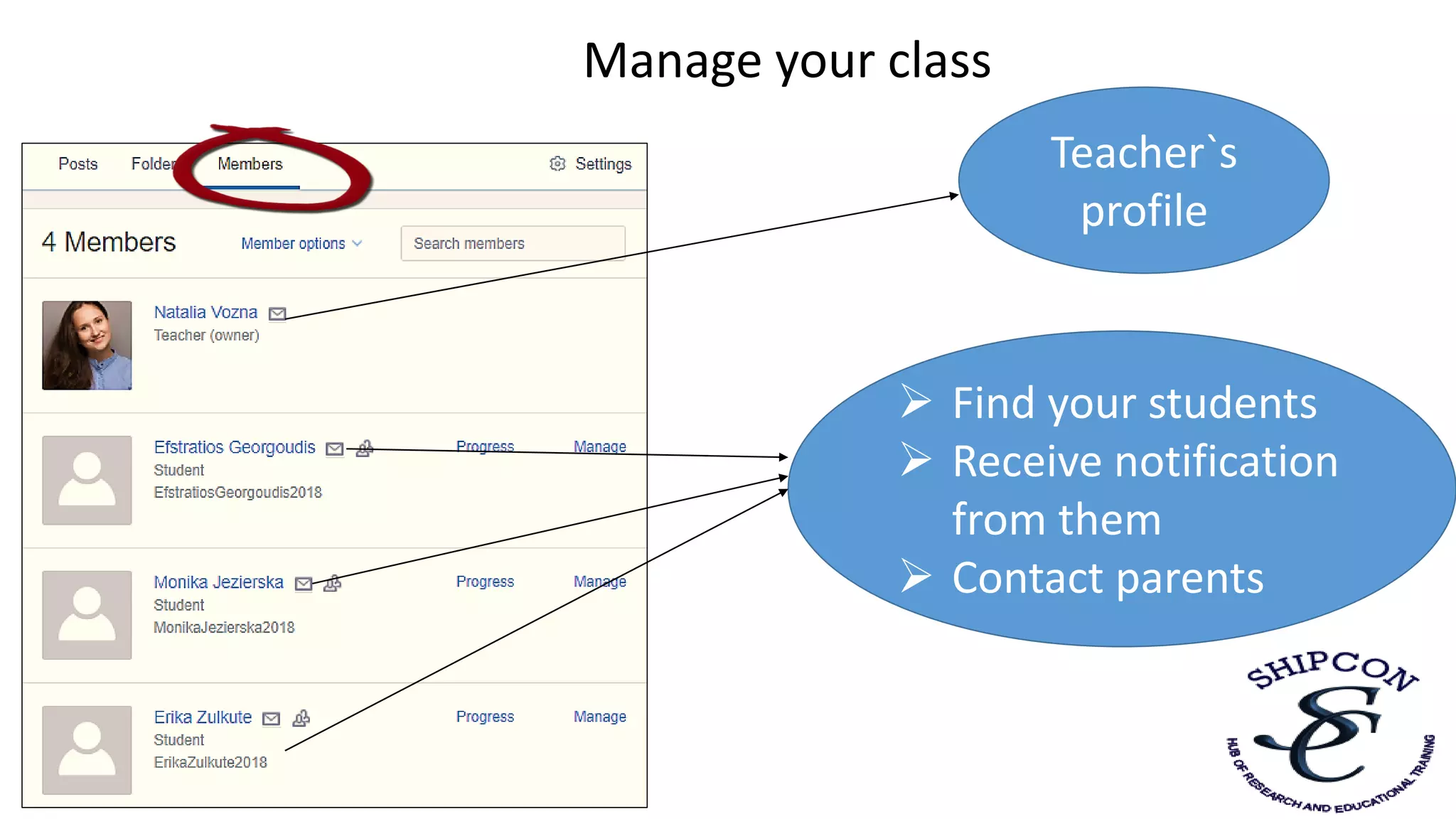
Manage your class
➢ Find your students
➢ Receive notification
from them
➢ Contact parents
Teacher`s
profile
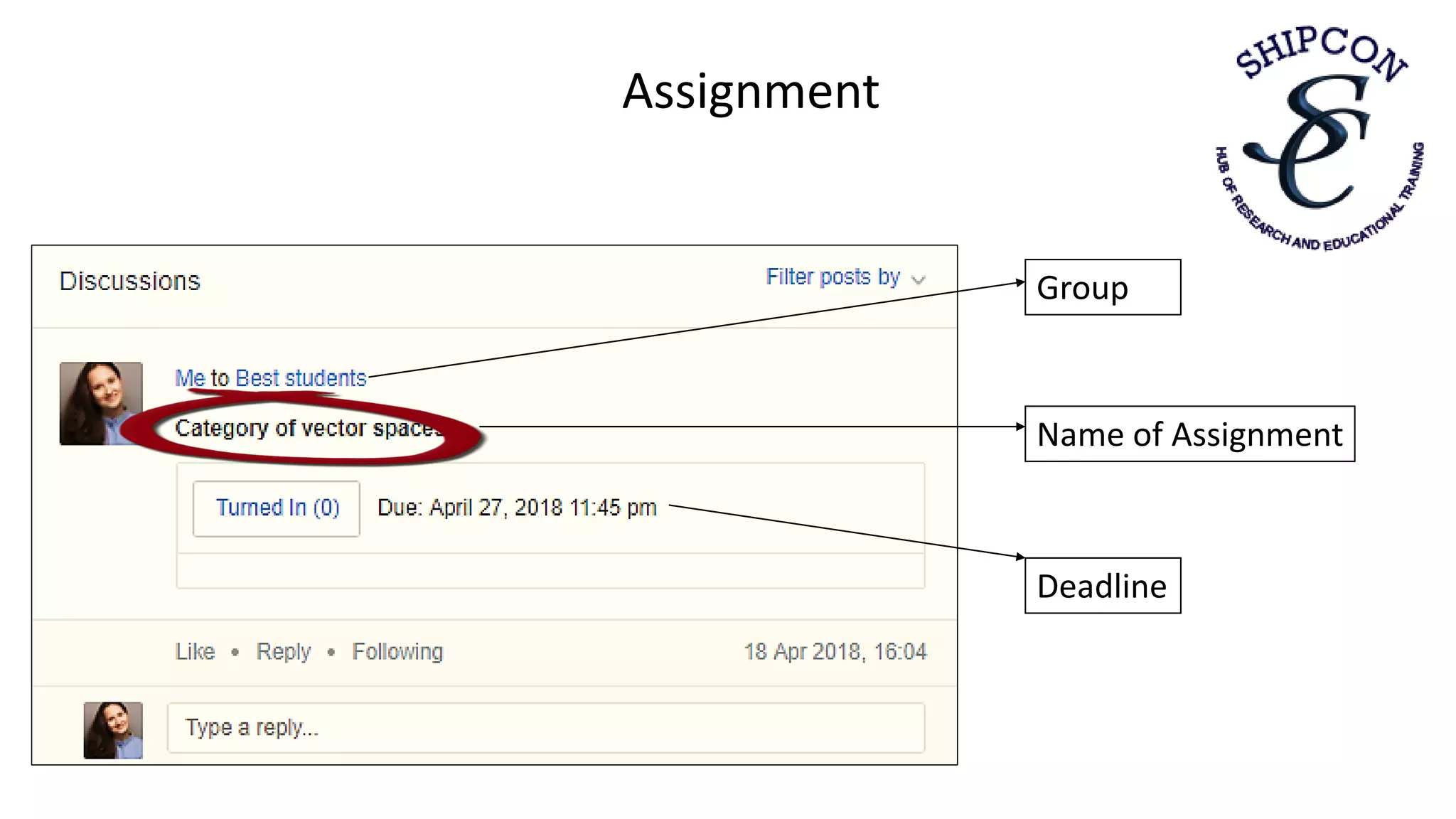
Creating an assignment
Choose assignment section
Put a name of your assignment
Put deadline of assignment
Choose to lock this assignment
after its due date or not
Describe the assignment
Choose a group for assignment
Assignment
Name of Assignment
Group
Deadline
Post a note
Choose a note section
Type your note
Attach files, add link, add
from library, send post at
a later date and time
Press to post
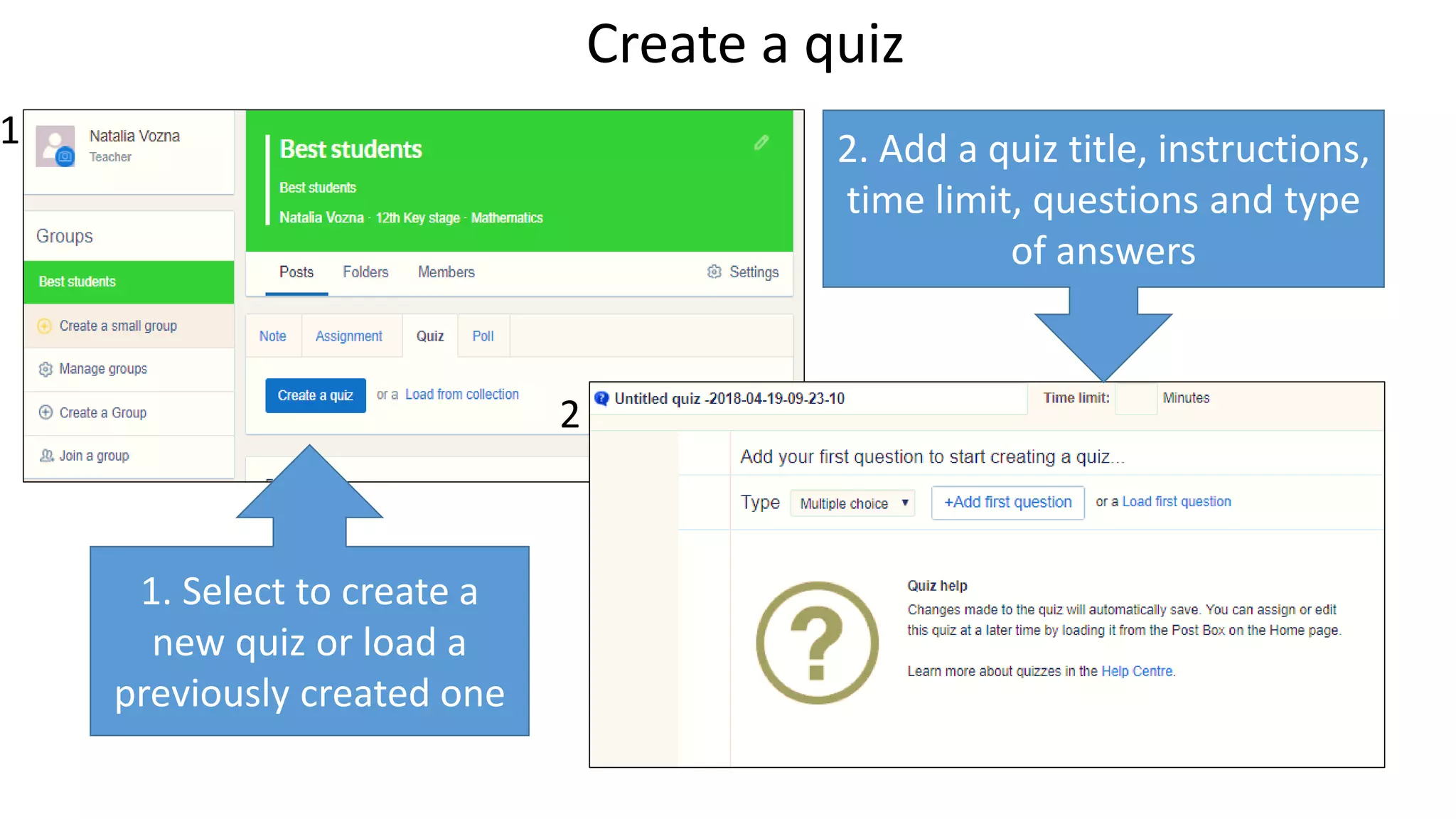
Create a quiz
1. Select to create a
new quiz or load a
previously created one
1
2
2. Add a quiz title, instructions,
time limit, questions and type
of answers
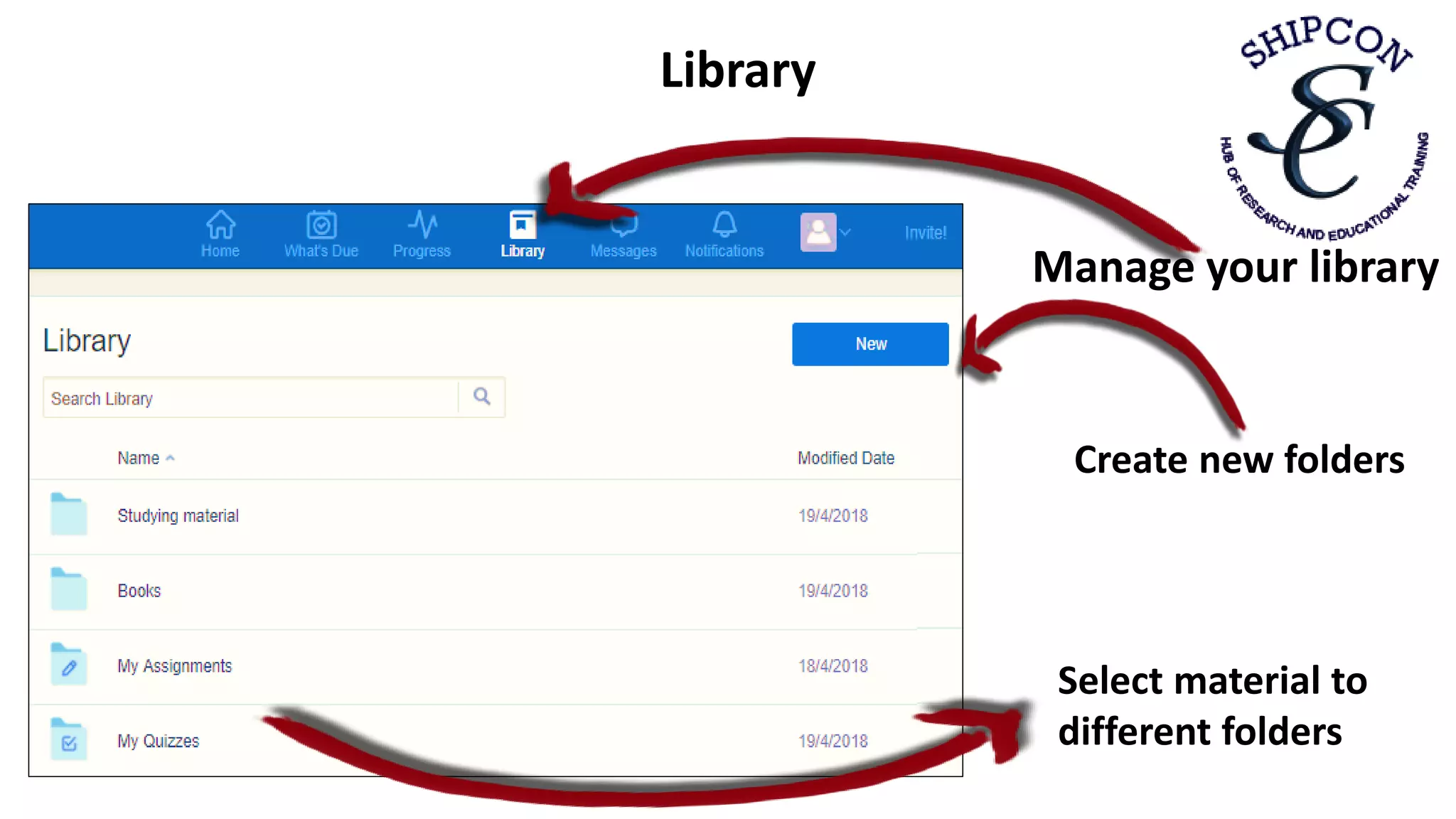
Manage your library
Select material to
different folders
Create new folders
Library
Planner
View by month or week Filter by group or view all
Add class events, school
events or
view scheduled
assignment
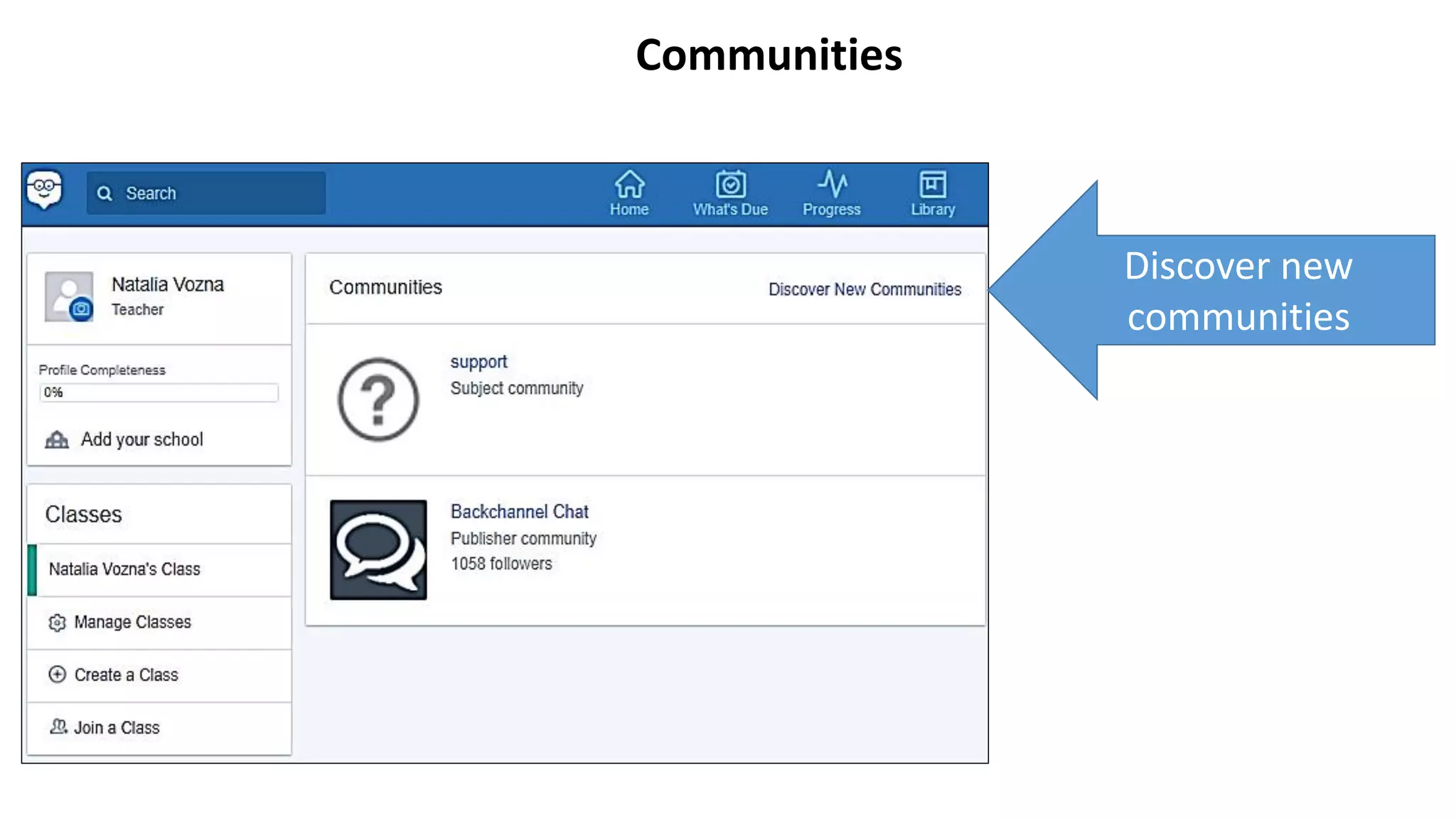
Communities
Discover new
communities
Communities
Browse
topics
Follow subject and content
communities to connect and
share best practices and
resources with other
educators
• Safe, closed network: students don't have to include personal
information in profile
• Students can participate in online discussions
• Students have a real audience for their work
• Can create connections with other students from different
schools, states, cultures
• After posting their work, students can receive feedback and
suggestions
• There are text alerts to remind students of big assignments
• Students can upload homework assignments
Text here
Benefits
for
students
• Parents can stay connected by viewing their child's work
and grades
• Parents and teachers can message one another
Text here
Benefits
for
parents
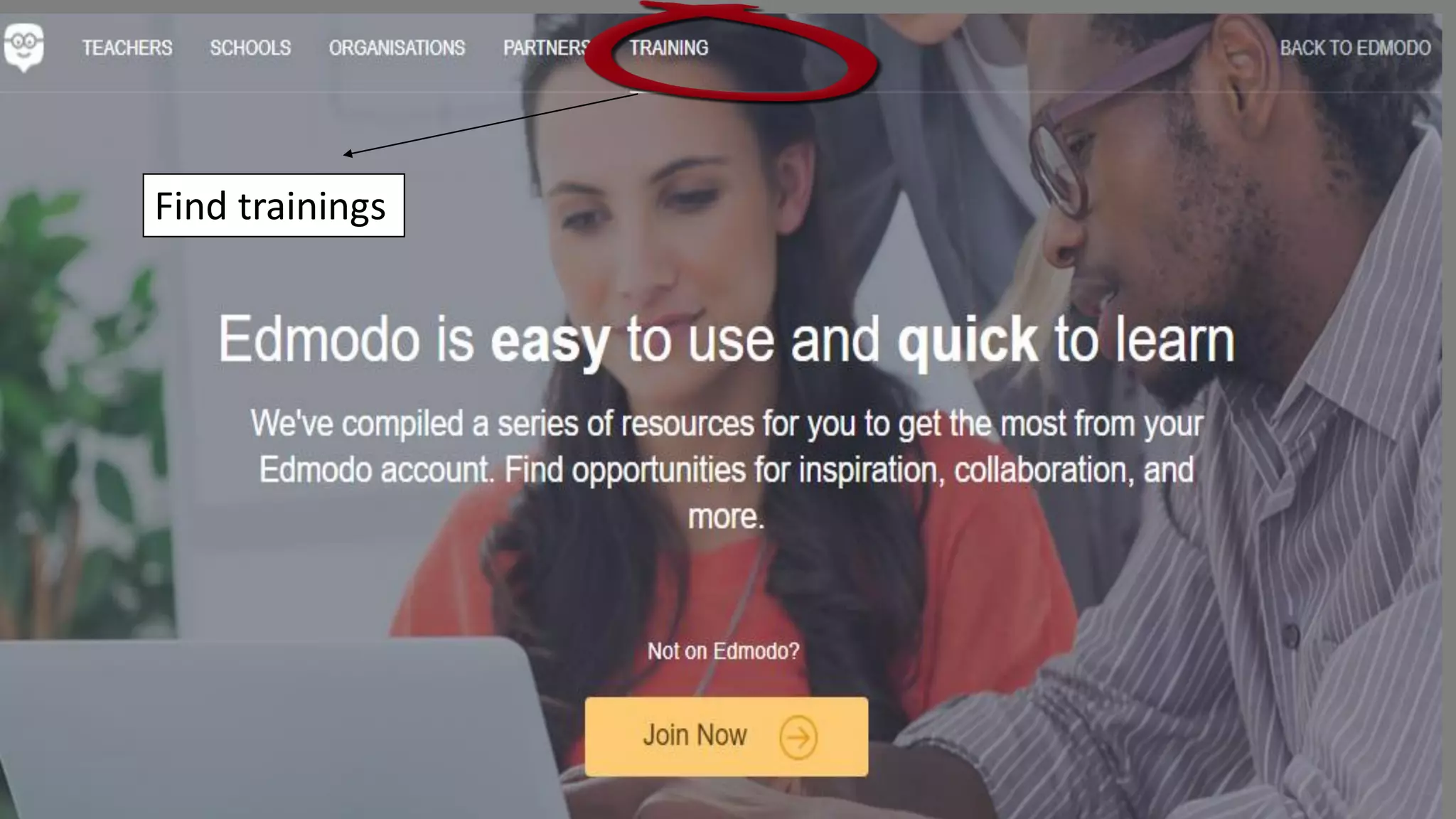
Find trainings
Text here
Trainings
and support
2. Explore resources in the Help Center:
https://support.edmodo.com/hc/en-us
3. Ask the Edmodo support community:
http://www.edmodo.com/community/support
4. Join Edmodo Trainings:
https://www.edmodo.com/training
1.Edmodo Link:
https://www.edmodo.com/home
Text hereWindows scenario – Group exercise
Bob is a secretary for the local credit bureau. He is responsible for keeping good will between
the bureau and its customers.
When he answered the telephone one day, a man’s voice demanded to talk to the head of the
office. Bob told him that he was not in the office and asked if he can be of any help. The man
answered in a loud voice, using abusive language. Bob put the receiver down with a bang. The
telephone rang, but he refused to answer.
This is not the first time Bob has done this and the manager wants to talk with Bob about his
behaviour with an HRD representative present.
What should the HRD representative do?
Text here
Windows scenario – Important notes/instructions
At the second half of the first day each participant will spend time to fill in the Windows note
template - INDIVIDUALLY. They can use laptops or any gadgets (mobs, ipads, etc.) to record their
thoughts on all fields of the windows note template. There will be one ‘teacher’ or team leader
and several ‘students’ or team members per group.
Text hereWindows scenario – Template
FACTS
How Many?
FEELINGS
How Many?
QUESTIONS
How Many?
IDEAS
How Many?
Thank you!
END OF DAY 1

Ppt day 1

  • 1.
    ICT tools inEducation
  • 2.
    Welcome to ShipConTraining LEARN & ENJOY
  • 3.
    Introductions Your Name: Where youare from What you do What are your learning goals for the week
  • 4.
    Course Structure –The logic Course more like a workshop than a seminar Hands on ICT tools from participants – working individually and as group Emphasis on ICT tools that can be easily implemented & applied in any educational setting
  • 5.
    Course Structure –The logic - details First day - EDMONTO theory - Belbin test – Forming Groups based on Belbin test – Introduction of the work to be done on Group exercise 1 (Problem solving - Bob) & Group exercise 2 (structured SP folder as ICT tool for Project Management) – Start working on Group exercise 1 Second day – Google vs. Zoho theory – Working on Group exercise 1 (first half) & Group exercise 2 (second half) – work for both exercises (1 & 2) should be done ONLY via EDMONTO Third day – Filmora vs. Animoto theory – Working on Group exercise 2 (first half) - Presentations of Group exercise 1 & Start working on Group exercise 3 (FILMORA video) Fourth day – Adobe spark & Socrative theory – Working on Group exercise 2 (first half) – working on Group exercise 3 (second half) Fifth day – Bubbl vs. Popplet theory – Presentations of Group exercise 2 & Group exercise 3 by all groups – reflections – feedback – self-evaluation
  • 6.
    Why ICT ineducation?
  • 7.
  • 10.
    What is Edmodo? Edmodois an easy way to get your students connected so they can safely collaborate Edmodo helps to stay organized Manage communication with students, colleagues, parents Edmodo network enables teachers to share content, distribute quizzes, assignments
  • 13.
  • 14.
  • 15.
    • Teachers canshare digital media such as blogs, links, videos, documents, notes, presentations etc.. • Teachers can expand their PLN (Personal Learning Network) • The calendar keeps all homework organized for teachers and students • Teachers can differentiate instruction by creating subgroups of students • Teachers can give students positive reinforcement privately • Teachers can give feedback and post grades • Edmodo for parents Text here Benefits for teachers
  • 17.
    Edit Profile Add “About”Information Add Professional Experience Add Social Pages
  • 18.
    Edit Profile Add ScheduleInformation Add Education Information Add additional links
  • 19.
    Creating groups: createone of each groups you wish to use Edmodo with
  • 20.
    1. Name yourgroup 2. Describe your group 3. Put a subject Push “create” Fill in the information for your class
  • 21.
    Your group code ➢Eachclass you create has a separate group code ➢ Include the group code on the class syllabus at the beginning of semester Press “done”
  • 22.
    Manage your class ➢Find your students ➢ Receive notification from them ➢ Contact parents Teacher`s profile
  • 23.
    Creating an assignment Chooseassignment section Put a name of your assignment Put deadline of assignment Choose to lock this assignment after its due date or not Describe the assignment Choose a group for assignment
  • 24.
  • 25.
    Post a note Choosea note section Type your note Attach files, add link, add from library, send post at a later date and time Press to post
  • 26.
    Create a quiz 1.Select to create a new quiz or load a previously created one 1 2 2. Add a quiz title, instructions, time limit, questions and type of answers
  • 27.
    Manage your library Selectmaterial to different folders Create new folders Library
  • 28.
    Planner View by monthor week Filter by group or view all Add class events, school events or view scheduled assignment
  • 29.
  • 30.
    Communities Browse topics Follow subject andcontent communities to connect and share best practices and resources with other educators
  • 33.
    • Safe, closednetwork: students don't have to include personal information in profile • Students can participate in online discussions • Students have a real audience for their work • Can create connections with other students from different schools, states, cultures • After posting their work, students can receive feedback and suggestions • There are text alerts to remind students of big assignments • Students can upload homework assignments Text here Benefits for students
  • 35.
    • Parents canstay connected by viewing their child's work and grades • Parents and teachers can message one another Text here Benefits for parents
  • 37.
  • 38.
    Text here Trainings and support 2.Explore resources in the Help Center: https://support.edmodo.com/hc/en-us 3. Ask the Edmodo support community: http://www.edmodo.com/community/support 4. Join Edmodo Trainings: https://www.edmodo.com/training 1.Edmodo Link: https://www.edmodo.com/home
  • 39.
    Text hereWindows scenario– Group exercise Bob is a secretary for the local credit bureau. He is responsible for keeping good will between the bureau and its customers. When he answered the telephone one day, a man’s voice demanded to talk to the head of the office. Bob told him that he was not in the office and asked if he can be of any help. The man answered in a loud voice, using abusive language. Bob put the receiver down with a bang. The telephone rang, but he refused to answer. This is not the first time Bob has done this and the manager wants to talk with Bob about his behaviour with an HRD representative present. What should the HRD representative do?
  • 40.
    Text here Windows scenario– Important notes/instructions At the second half of the first day each participant will spend time to fill in the Windows note template - INDIVIDUALLY. They can use laptops or any gadgets (mobs, ipads, etc.) to record their thoughts on all fields of the windows note template. There will be one ‘teacher’ or team leader and several ‘students’ or team members per group.
  • 41.
    Text hereWindows scenario– Template FACTS How Many? FEELINGS How Many? QUESTIONS How Many? IDEAS How Many?
  • 42.