T4
Concurrent Class
10/3/2013 9:45:00 AM

"Mobile Testing Trends and
Innovations"
Presented by:
Melissa Tondi
ProtoTest

Brought to you by:

340 Corporate Way, Suite 300, Orange Park, FL 32073
888-268-8770 ∙ 904-278-0524 ∙ sqeinfo@sqe.com ∙ www.sqe.com
Melissa Tondi
ProntoTest
Vice president of mobile for ProtoTest Melissa Tondi is building a testing practice in the
innovative world of mobile where the concentration is on functional, performance, and security,
and the new mobile testing techniques. In the software test and quality engineering field for
more than fifteen years, Melissa focuses on organizing testing teams around three major
tenets—efficiency, innovation, and culture.
9/19/2013

Mobile Testing Trends and
Innovations

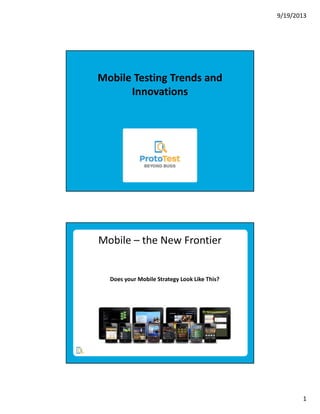
Mobile – the New Frontier

Does your Mobile Strategy Look Like This?

1
9/19/2013

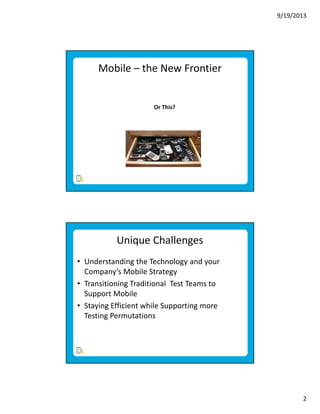
Mobile – the New Frontier

Or This?

Unique Challenges
• Understanding the Technology and your
Company’s Mobile Strategy
• Transitioning Traditional Test Teams to
Support Mobile
• Staying Efficient while Supporting more
Testing Permutations

2
9/19/2013

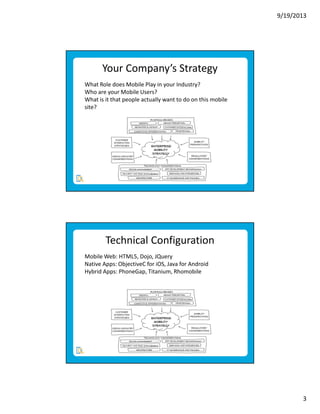
Your Company’s Strategy
What Role does Mobile Play in your Industry?
Who are your Mobile Users?
What is it that people actually want to do on this mobile
site?

Technical Configuration
Mobile Web: HTML5, Dojo, JQuery
Native Apps: ObjectiveC for iOS, Java for Android
Hybrid Apps: PhoneGap, Titanium, Rhomobile

3
9/19/2013

Mobile Technology – m/T Site
Mobile Web Site: mobile web sites designed to match
every web-enabled device. They’re accessed through the
mobile device’s web browser and do not need to be
downloaded/installed. They re-direct to the site’s M Site or
T site.

Mobile Technology - Native
Native Apps: coded with a specific programming language.
They are fast, reliable, and powerful, but are tied to a
mobile platform and downloaded from a central portal by
OS (i.e. Apple App Store, Google Play). That means you
must duplicate them using the appropriate programming
language in order to target another mobile platform.

4
9/19/2013

Mobile Technology – Hybrid
Hybrid Apps: rely on development frameworks and are
written with the same technology used for websites and
mobile web implementations They are hosted or run inside
a native container on a mobile device. They ensure crossplatform compatibility and can access the phone’s
hardware (camera, GPS, user’s contacts, etc.)

Mobile Technology – “Mobile First”
Responsive Web Design – an approach aimed at building
sites to provide an appropriate viewing experience (reading
and navigation with minimal resizing, panning, and
scrolling) across a wide range of devices. It adapts the
layout to the viewing environment.

5
9/19/2013

Transitioning your Teams - Types
Peripheral
• Wireless Testing – NFC (Near Field
Communication), Bluetooth/Bluetooth LE
Accessory, Stylus
• Wired
Internal to Device – Headphone Jack, Keyboard
External to Phone - CC Readers, Bar Code
Scanners

Transitioning your Teams - Types
Connection Testing
• USB Power/Data
• 4G/LTE/CDMA+/Wimax
• 3G/GSM/CDMA, 2G/Analog, WiFi, Hotspot
Generation
• Computer Tethering
• Carrier
• Throttle – Limiting bandwidth and measuring an
App’s performance

6
9/19/2013

Transitioning your Teams - Types
Gestures
• Swipe, tap, pinch/expand, shake, orient, tilt, press
and hold, swipe and hold, eye pause.
Interruption Tests
Controlled
• Plug in/out USB, power, and headphone, Home
Button, Power Button, Navigating to another App,
Save State
• Uncontrolled - SMS, Phone Call, Notifications

Transitioning your Teams - Types
Syncing - Updating two or more locations to ensure
applicable files are equivalent.
• App to Cloud, App to Computer, App to App, Device
to Device
Internal Hardware Integration
• Camera, GPS, Accelerometer, Battery Drain, SIM
Card, Volume, SMS, Microphone, Speakerphone

7
9/19/2013

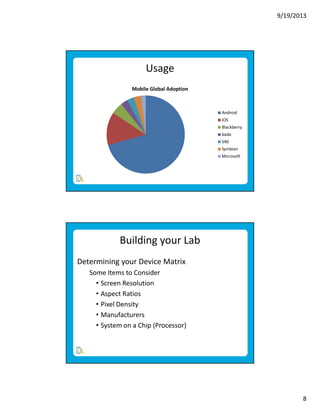
Usage
Mobile Global Adoption

Android
iOS
Blackberry
bada
S40
Symbian
Microsoft

Building your Lab
Determining your Device Matrix
Some Items to Consider
• Screen Resolution
• Aspect Ratios
• Pixel Density
• Manufacturers
• System on a Chip (Processor)

8
9/19/2013

Building your Lab
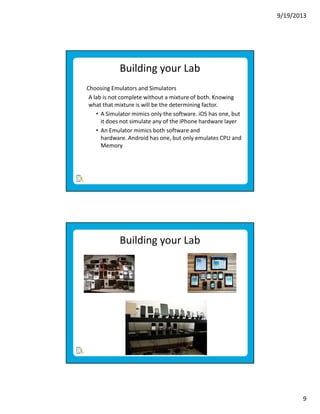
Choosing Emulators and Simulators
A lab is not complete without a mixture of both. Knowing
what that mixture is will be the determining factor.
• A Simulator mimics only the software. iOS has one, but
it does not simulate any of the iPhone hardware layer
• An Emulator mimics both software and
hardware. Android has one, but only emulates CPU and
Memory

Building your Lab

9
9/19/2013

Questions and Comments

Contact Information
• email: mtondi@prototest.com
• Twitter: @melissatondi
• Blog: MelissaTondi.blogspot.com
• LinkedIn: Melissa Tondi

10

Mobile Testing Trends and Innovations

  • 1.
    T4 Concurrent Class 10/3/2013 9:45:00AM "Mobile Testing Trends and Innovations" Presented by: Melissa Tondi ProtoTest Brought to you by: 340 Corporate Way, Suite 300, Orange Park, FL 32073 888-268-8770 ∙ 904-278-0524 ∙ sqeinfo@sqe.com ∙ www.sqe.com
  • 2.
    Melissa Tondi ProntoTest Vice presidentof mobile for ProtoTest Melissa Tondi is building a testing practice in the innovative world of mobile where the concentration is on functional, performance, and security, and the new mobile testing techniques. In the software test and quality engineering field for more than fifteen years, Melissa focuses on organizing testing teams around three major tenets—efficiency, innovation, and culture.
  • 3.
    9/19/2013 Mobile Testing Trendsand Innovations Mobile – the New Frontier Does your Mobile Strategy Look Like This? 1
  • 4.
    9/19/2013 Mobile – theNew Frontier Or This? Unique Challenges • Understanding the Technology and your Company’s Mobile Strategy • Transitioning Traditional Test Teams to Support Mobile • Staying Efficient while Supporting more Testing Permutations 2
  • 5.
    9/19/2013 Your Company’s Strategy WhatRole does Mobile Play in your Industry? Who are your Mobile Users? What is it that people actually want to do on this mobile site? Technical Configuration Mobile Web: HTML5, Dojo, JQuery Native Apps: ObjectiveC for iOS, Java for Android Hybrid Apps: PhoneGap, Titanium, Rhomobile 3
  • 6.
    9/19/2013 Mobile Technology –m/T Site Mobile Web Site: mobile web sites designed to match every web-enabled device. They’re accessed through the mobile device’s web browser and do not need to be downloaded/installed. They re-direct to the site’s M Site or T site. Mobile Technology - Native Native Apps: coded with a specific programming language. They are fast, reliable, and powerful, but are tied to a mobile platform and downloaded from a central portal by OS (i.e. Apple App Store, Google Play). That means you must duplicate them using the appropriate programming language in order to target another mobile platform. 4
  • 7.
    9/19/2013 Mobile Technology –Hybrid Hybrid Apps: rely on development frameworks and are written with the same technology used for websites and mobile web implementations They are hosted or run inside a native container on a mobile device. They ensure crossplatform compatibility and can access the phone’s hardware (camera, GPS, user’s contacts, etc.) Mobile Technology – “Mobile First” Responsive Web Design – an approach aimed at building sites to provide an appropriate viewing experience (reading and navigation with minimal resizing, panning, and scrolling) across a wide range of devices. It adapts the layout to the viewing environment. 5
  • 8.
    9/19/2013 Transitioning your Teams- Types Peripheral • Wireless Testing – NFC (Near Field Communication), Bluetooth/Bluetooth LE Accessory, Stylus • Wired Internal to Device – Headphone Jack, Keyboard External to Phone - CC Readers, Bar Code Scanners Transitioning your Teams - Types Connection Testing • USB Power/Data • 4G/LTE/CDMA+/Wimax • 3G/GSM/CDMA, 2G/Analog, WiFi, Hotspot Generation • Computer Tethering • Carrier • Throttle – Limiting bandwidth and measuring an App’s performance 6
  • 9.
    9/19/2013 Transitioning your Teams- Types Gestures • Swipe, tap, pinch/expand, shake, orient, tilt, press and hold, swipe and hold, eye pause. Interruption Tests Controlled • Plug in/out USB, power, and headphone, Home Button, Power Button, Navigating to another App, Save State • Uncontrolled - SMS, Phone Call, Notifications Transitioning your Teams - Types Syncing - Updating two or more locations to ensure applicable files are equivalent. • App to Cloud, App to Computer, App to App, Device to Device Internal Hardware Integration • Camera, GPS, Accelerometer, Battery Drain, SIM Card, Volume, SMS, Microphone, Speakerphone 7
  • 10.
    9/19/2013 Usage Mobile Global Adoption Android iOS Blackberry bada S40 Symbian Microsoft Buildingyour Lab Determining your Device Matrix Some Items to Consider • Screen Resolution • Aspect Ratios • Pixel Density • Manufacturers • System on a Chip (Processor) 8
  • 11.
    9/19/2013 Building your Lab ChoosingEmulators and Simulators A lab is not complete without a mixture of both. Knowing what that mixture is will be the determining factor. • A Simulator mimics only the software. iOS has one, but it does not simulate any of the iPhone hardware layer • An Emulator mimics both software and hardware. Android has one, but only emulates CPU and Memory Building your Lab 9
  • 12.
    9/19/2013 Questions and Comments ContactInformation • email: mtondi@prototest.com • Twitter: @melissatondi • Blog: MelissaTondi.blogspot.com • LinkedIn: Melissa Tondi 10