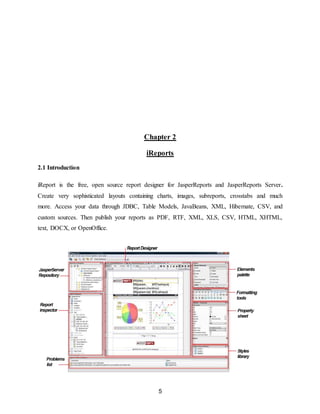
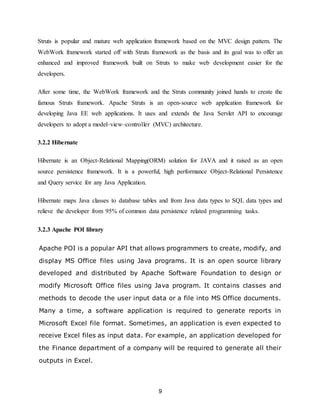
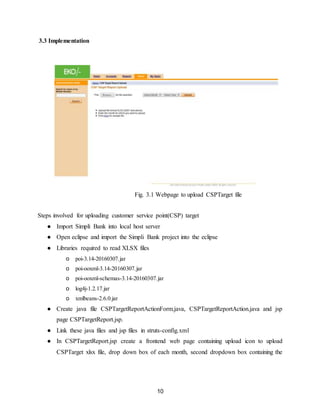
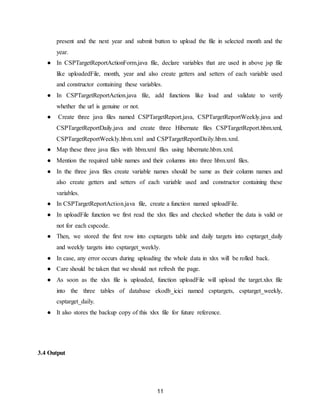
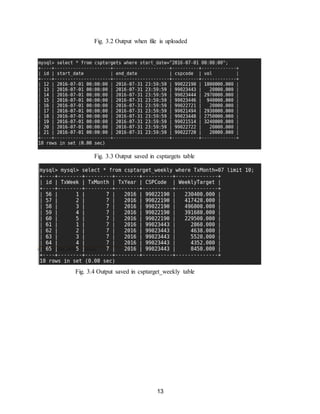
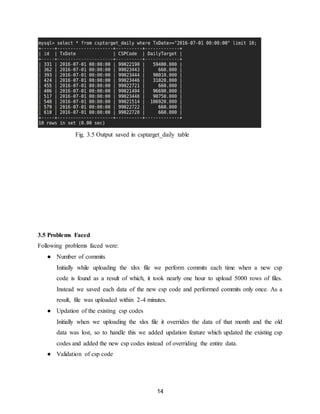
The document describes setting up JasperReports Server and uploading customer service point (CSP) target reports. It discusses authentication and roles, designing reports using iReport, and scheduling reports. It then details uploading CSP target reports for Eko India Financial Services. The steps include importing frameworks, creating Java classes and JSP pages, mapping to Hibernate, and reading the target Excel file to save data to database tables. The output displays new/updated CSP codes and total volumes uploaded for the month. Problems faced were committing for each CSP, slowing the upload.






![19
References
Online
[1] JasperSoft from http://community.jaspersoft.com/wiki/what-jasperreports-server
[2] iReports from http://community.jaspersoft.com/wiki/getting-started-ireport-designer
[3] Simpli Bank from https://en.wikipedia.org/wiki/Eko_India_Financial_Services
[4] Struts from http://www.tutorialspoint.com/struts_2/
[5] Hibernate from http://www.tutorialspoint.com/hibernate/
[6] IP address from https://en.wikipedia.org/wiki/IP_address](https://image.slidesharecdn.com/e6eb949f-1445-4439-b04b-7beb5792dfd4-161114135542/85/synopsis-19-320.jpg)


