Introduction to Jasper Reports
Ankur Gupta
About Me
SCJP/OCJP - Oracle Certified Java Programmer
MCP:70-480 - Specialist certification in HTML5
with JavaScript and CSS3 Exam
M101J: MongoDB for Java Developers
Skills : Servoy, Java, JavaScript,
HTML, Jasper Reports , iReport,
MongoDB, JavaFX
Connect Me :
Facebook : https://www.facebook.com/ankur10aug
LinkedIn: http://www.linkedin.com/pub/ankur-gupta/51/895/910
Twitter: https://twitter.com/ankur_aug
Google+ : https://plus.google.com/116451164261752827176
Blog: http://ankurthetechie.blogspot.in, http://community.jaspersoft.com/planet
YouTube video Stream: http://www.youtube.com/user/ankurgupta46/videos
Contact Me :
Email : Ankurg@mindfiresolutions.com
Skype: mfsi_ankurg
Agenda
 Introduction to reporting
 What is Jasper Reports
 Tools that can be used to create Jasper Reports
 What is iReport
 Various editions of iReport (Community/Professional)
 Basic elements of the report.
 Introduction to usage of Parameters and variables .
 Demonstration in iReports (Using sample database).
 Peek into the next seminar.
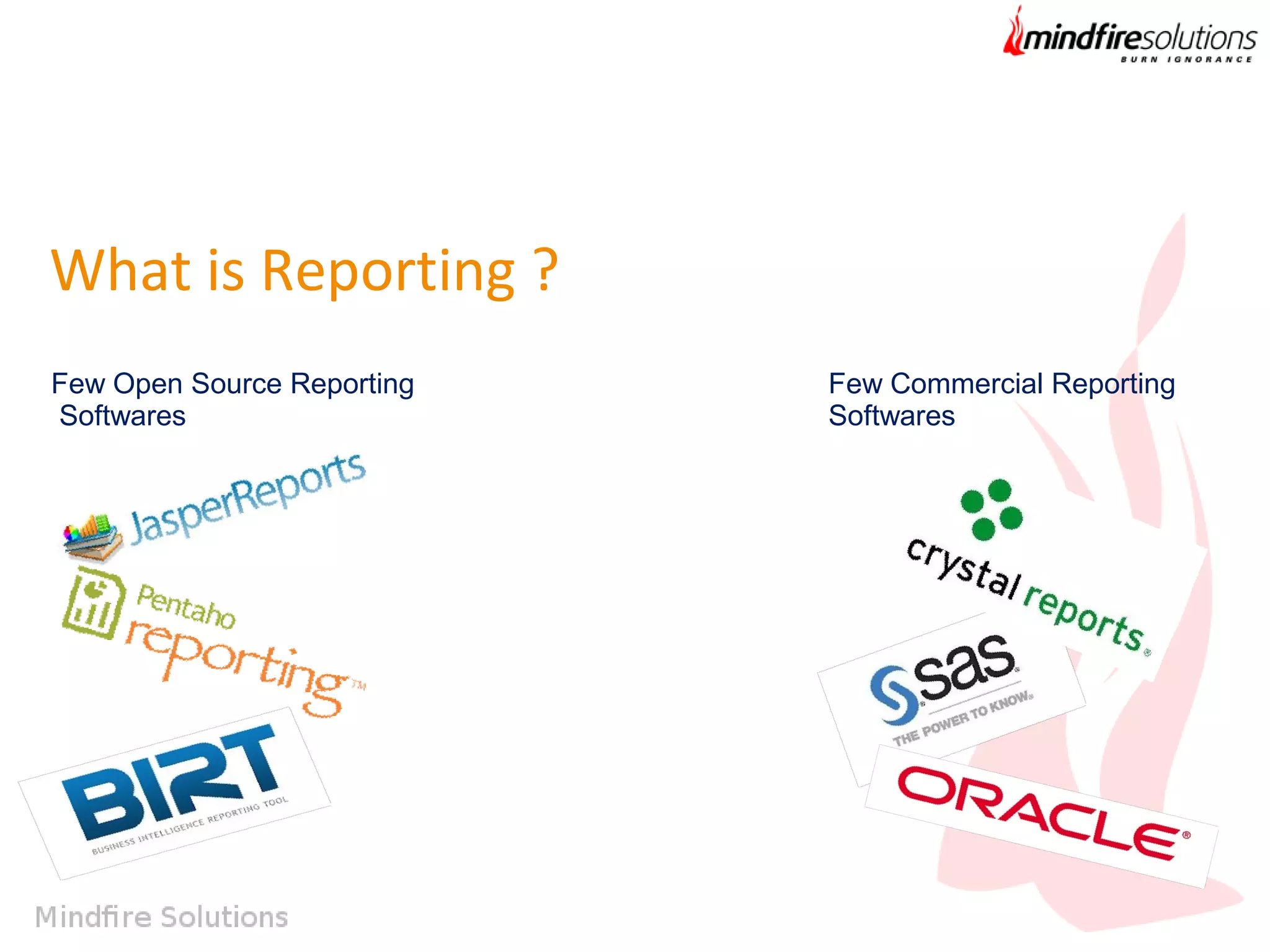
What is Reporting ?
Few Open Source Reporting
Softwares

Few Commercial Reporting
Softwares
What is Jasper Reports?
Tools can be used to create Jasper Reports
 iReport
 JasperSoft Studio
 Netbeans plugin
 Dynamic Jasper Reports
What is iReport?
Main Features :
• 98% of Jasper Reports tags supported 
• Visual designer WYSIWYG with tools for draw rectangles, lines, ellipses, text fields
feilds, charts, sub reports, lists, cross tabs ... 
• Built-in editor with syntax highlighting for write expression 
• Support for Unicode and non Latin language (Russian, Chinese, Korean,...) 
• Document structure browser 
• Integrated compiler and exporter 
• Support of all JDBC compliant databases 
• Support of all kind of JRDataSource 
• Wizard to create automatically reports 
• Support for sub reports 
• Save backup 
• Support for templates 
• Facilities for fonts 
Various Editions of iReport
1. Professional Edition
2. Community Edition
Jasper Community- http://community.jaspersoft.com/
Components of Jasper Reporting
 JRXML
 .Jasper file
 Jasper Report Server
 iReport(For that matter any tool chosen)
Getting to know the UI of iReport
How to customize Jasper Reports
(Overview)
 Scriptlets.
 Custom JRDataSource.
 JR Datasource Provider.
 JFree Charts.
Getting to know
Parameters, Variables and Groups
Demo of making a Simple Jasper Report in
iReport.
Peek into the next seminar.
 Demonstration of making Japer Reports using different
datasources.
 Usages of Scriptlets.
 Integration of Scriptlets in Reports enabling the usage of user
defined functions.
 Charts.
 Demonstration over the Jasper Report Server
and much more …
Questions
Thankyou

Introduction to Jasper Reports

  • 1.
    Introduction to JasperReports Ankur Gupta
  • 2.
    About Me SCJP/OCJP -Oracle Certified Java Programmer MCP:70-480 - Specialist certification in HTML5 with JavaScript and CSS3 Exam M101J: MongoDB for Java Developers Skills : Servoy, Java, JavaScript, HTML, Jasper Reports , iReport, MongoDB, JavaFX Connect Me : Facebook : https://www.facebook.com/ankur10aug LinkedIn: http://www.linkedin.com/pub/ankur-gupta/51/895/910 Twitter: https://twitter.com/ankur_aug Google+ : https://plus.google.com/116451164261752827176 Blog: http://ankurthetechie.blogspot.in, http://community.jaspersoft.com/planet YouTube video Stream: http://www.youtube.com/user/ankurgupta46/videos Contact Me : Email : Ankurg@mindfiresolutions.com Skype: mfsi_ankurg
  • 3.
    Agenda  Introduction toreporting  What is Jasper Reports  Tools that can be used to create Jasper Reports  What is iReport  Various editions of iReport (Community/Professional)  Basic elements of the report.  Introduction to usage of Parameters and variables .  Demonstration in iReports (Using sample database).  Peek into the next seminar.
  • 4.
    What is Reporting? Few Open Source Reporting Softwares Few Commercial Reporting Softwares
  • 5.
  • 6.
    Tools can beused to create Jasper Reports  iReport  JasperSoft Studio  Netbeans plugin  Dynamic Jasper Reports
  • 7.
    What is iReport? MainFeatures : • 98% of Jasper Reports tags supported  • Visual designer WYSIWYG with tools for draw rectangles, lines, ellipses, text fields feilds, charts, sub reports, lists, cross tabs ...  • Built-in editor with syntax highlighting for write expression  • Support for Unicode and non Latin language (Russian, Chinese, Korean,...)  • Document structure browser  • Integrated compiler and exporter  • Support of all JDBC compliant databases  • Support of all kind of JRDataSource  • Wizard to create automatically reports  • Support for sub reports  • Save backup  • Support for templates  • Facilities for fonts 
  • 8.
    Various Editions ofiReport 1. Professional Edition 2. Community Edition Jasper Community- http://community.jaspersoft.com/
  • 9.
    Components of JasperReporting  JRXML  .Jasper file  Jasper Report Server  iReport(For that matter any tool chosen)
  • 10.
    Getting to knowthe UI of iReport
  • 11.
    How to customizeJasper Reports (Overview)  Scriptlets.  Custom JRDataSource.  JR Datasource Provider.  JFree Charts.
  • 12.
    Getting to know Parameters,Variables and Groups
  • 13.
    Demo of makinga Simple Jasper Report in iReport.
  • 14.
    Peek into thenext seminar.  Demonstration of making Japer Reports using different datasources.  Usages of Scriptlets.  Integration of Scriptlets in Reports enabling the usage of user defined functions.  Charts.  Demonstration over the Jasper Report Server and much more …
  • 15.
  • 16.