Claudia Villarreal #23 8°C
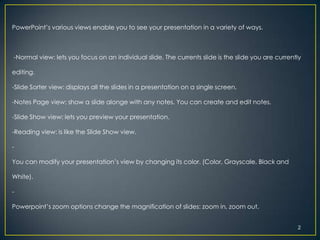
PowerPoint’s various views enable you to see your presentation in a variety of ways.


-Normal view: lets you focus on an individual slide. The currents slide is the slide you are currently

editing.

-Slide Sorter view: displays all the slides in a presentation on a single screen.

-Notes Page view: show a slide alonge with any notes. You can create and edit notes.

-Slide Show view: lets you preview your presentation.

-Reading view: is like the Slide Show view.

-

You can modify your presentation’s view by changing its color. (Color, Grayscale, Black and

White).

-

Powerpoint’s zoom options change the magnification of slides: zoom in, zoom out.


                                                                                                    2
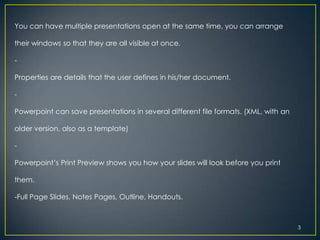
You can have multiple presentations open at the same time, you can arrange

their windows so that they are all visible at once.

-

Properties are details that the user defines in his/her document.

-

Powerpoint can save presentations in several different file formats. (XML, with an

older version, also as a template)

-

Powerpoint’s Print Preview shows you how your slides will look before you print

them.

-Full Page Slides, Notes Pages, Outline, Handouts.


                                                                                     3
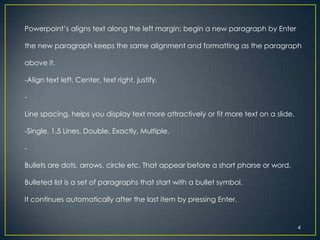
Powerpoint’s aligns text along the left margin; begin a new paragraph by Enter

the new paragraph keeps the same alignment and formatting as the paragraph

above it.

-Align text left, Center, text right, justify.

-

Line spacing, helps you display text more attractively or fit more text on a slide.

-Single, 1.5 Lines, Double, Exactly, Multiple.

-

Bullets are dots, arrows, circle etc. That appear before a short pharse or word.

Bulleted list is a set of paragraphs that start with a bullet symbol.

It continues automatically after the last item by pressing Enter.


                                                                                      4
Powerpoint’s Quick Styles allow you to quick format any text box or

placeholder with a combination of fill, border, and effect formats to

make objects stand out.

-

You can format the text within a text box in a number of ways.

The alignment options in a text box are available for a text placeholder.

In Justify alignment Powerpoint adds extra space between words if

necessary.

-

Powerpoint enables you to create columns in text boxes.


                                                                            5
Powerpoint makes it easy to see how a theme will look on your slides by offering a

live preview. A theme applies it to all slides in a presentation. A theme contains no

sample content only formatting specifications.

-

You can change the colors in the themes, you can create you own color theme

or select the colors from some other theme.

Use the Create New Theme Colors dialog box. Save a new color theme on the

Design Tab and click Colors and click Create New Theme Colors.

-

Each theme supplies a combinations of two fonts( headings and text) they are

called a font theme.


                                                                                    6
Powerpoint supplies a variety of font combinations to allow you to choose among

traditional serif fonts and contemporary sans serif fonts.

Serif is a “tail” or flourish on the edges of each letter.

You can select your own theme fonts and save them(click Create New Theme

Fonts).

-

Use format Background dialog box to create and modify any background.

Click Apply to All button to apply the background to the entire presentation.

-

A footer is text that repeats at the bottom of each slide in a presentation. The

header is like the the footer, it appears at the top of each page.


                                                                                   7
Sections: groups of slides together so you can move them, format

them, or even delete them.


                                                                   8

Power point essentials

  • 1.
  • 2.
    PowerPoint’s various viewsenable you to see your presentation in a variety of ways. -Normal view: lets you focus on an individual slide. The currents slide is the slide you are currently editing. -Slide Sorter view: displays all the slides in a presentation on a single screen. -Notes Page view: show a slide alonge with any notes. You can create and edit notes. -Slide Show view: lets you preview your presentation. -Reading view: is like the Slide Show view. - You can modify your presentation’s view by changing its color. (Color, Grayscale, Black and White). - Powerpoint’s zoom options change the magnification of slides: zoom in, zoom out. 2
  • 3.
    You can havemultiple presentations open at the same time, you can arrange their windows so that they are all visible at once. - Properties are details that the user defines in his/her document. - Powerpoint can save presentations in several different file formats. (XML, with an older version, also as a template) - Powerpoint’s Print Preview shows you how your slides will look before you print them. -Full Page Slides, Notes Pages, Outline, Handouts. 3
  • 4.
    Powerpoint’s aligns textalong the left margin; begin a new paragraph by Enter the new paragraph keeps the same alignment and formatting as the paragraph above it. -Align text left, Center, text right, justify. - Line spacing, helps you display text more attractively or fit more text on a slide. -Single, 1.5 Lines, Double, Exactly, Multiple. - Bullets are dots, arrows, circle etc. That appear before a short pharse or word. Bulleted list is a set of paragraphs that start with a bullet symbol. It continues automatically after the last item by pressing Enter. 4
  • 5.
    Powerpoint’s Quick Stylesallow you to quick format any text box or placeholder with a combination of fill, border, and effect formats to make objects stand out. - You can format the text within a text box in a number of ways. The alignment options in a text box are available for a text placeholder. In Justify alignment Powerpoint adds extra space between words if necessary. - Powerpoint enables you to create columns in text boxes. 5
  • 6.
    Powerpoint makes iteasy to see how a theme will look on your slides by offering a live preview. A theme applies it to all slides in a presentation. A theme contains no sample content only formatting specifications. - You can change the colors in the themes, you can create you own color theme or select the colors from some other theme. Use the Create New Theme Colors dialog box. Save a new color theme on the Design Tab and click Colors and click Create New Theme Colors. - Each theme supplies a combinations of two fonts( headings and text) they are called a font theme. 6
  • 7.
    Powerpoint supplies avariety of font combinations to allow you to choose among traditional serif fonts and contemporary sans serif fonts. Serif is a “tail” or flourish on the edges of each letter. You can select your own theme fonts and save them(click Create New Theme Fonts). - Use format Background dialog box to create and modify any background. Click Apply to All button to apply the background to the entire presentation. - A footer is text that repeats at the bottom of each slide in a presentation. The header is like the the footer, it appears at the top of each page. 7
  • 8.
    Sections: groups ofslides together so you can move them, format them, or even delete them. 8