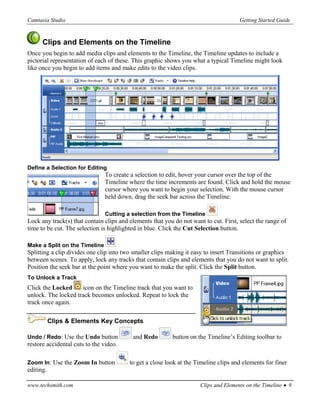
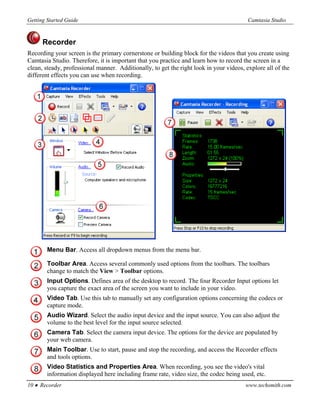
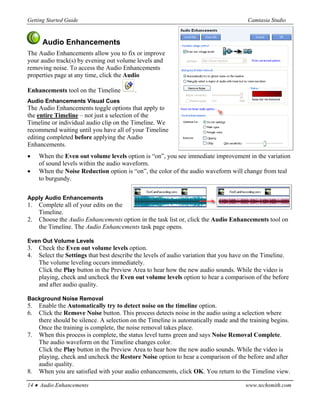
The document provides instructions for getting started with Camtasia Studio 4.0. It outlines the three main steps: 1) Record your video using the Camtasia Recorder to capture screen activity. 2) Edit and enhance the recording on the timeline by adding clips, adjusting timing, and adding effects. 3) Produce the final video by selecting format and settings to optimize file size. The guide provides overviews of the recording, editing, and production features in Camtasia Studio.









![5G Explained! A High Level Overview [Introduction]](https://cdn.slidesharecdn.com/ss_thumbnails/5gexplainedahighleveloverview-260119165306-cc137a3e-thumbnail.jpg?width=640&height=640&fit=bounds)


