WORD DOCUMENT


    OPEN SOURCE PLIGIARISM-TECHNICAL REPORT1

                                by

                   NAME OF THE AUTHOR


Submitted in partial fulfilment of the requirements for the subject

                  INDUSTRIAL PROJECT IV

 As part of the Open Source Plagiarism Tester (OSPT) project

                              in the

    FACULTY OF INFORMATION AND COMMUNICATION
                   TECHNOLOGY

         TSHWANE UNIVERSITY OF TECHNOLOGY

                         Project Leader
                           M Jordaan


                              Date

                           13 April 2010
DECLARATION

“I hereby declare that the OSPT WORD DOCUMENT: OSPT TECHNICAL
REPORT submitted for evaluation towards the requirements of the subject:
INDUSTRIAL PROJECT IV IPRB401 as part of the Open Source Plagiarism
Tester project, at the Tshwane University of Technology, is my own original
work and has not previously been submitted to any other institution of higher
learning or subject for evaluation. All sources used or quoted in this document
are indicated and acknowledged by means of a comprehensive list of
references”.

NAME AND STUDENT NUMBER

Date: _13_/_04_/__2010__
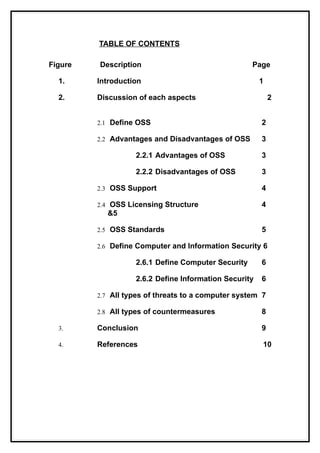
TABLE OF CONTENTS

Figure   Description                                Page

  1.     Introduction                                  1

  2.     Discussion of each aspects                        2


         2.1 Define OSS                                2

         2.2 Advantages and Disadvantages of OSS       3

                   2.2.1 Advantages of OSS             3

                   2.2.2 Disadvantages of OSS          3

         2.3 OSS Support                               4

         2.4 OSS Licensing Structure                   4
           &5

         2.5 OSS Standards                             5

         2.6 Define Computer and Information Security 6

                   2.6.1 Define Computer Security      6

                   2.6.2 Define Information Security   6

         2.7 All types of threats to a computer system 7

         2.8 All types of countermeasures              8

  3.     Conclusion                                    9

  4.     References                                    10
1. Introduction

According to Ueda (Ueda, 2005), In 1985 the Free Software Foundation
(FSF) was formed that is where the free software was defined. Open Source
Software (OSS) was formed in 1998 by the Open Source Initiative (OSI)
members. These two organisations grouped themselves together and formed
Open Software Society. FSF members defines the Free Software as a
software where users will be able to run, copy, distribute, study, change and
improve the software.


The OSI members define Open Source Software as software for which the
source code is distributed, accessible without charge or limitations on
modifications and programmers can read, copy, modify, improve, adapt it and
fix bugs. The software can be incrementally improved and easily tested.
Users are free to make improvements and redistribute the source code as
long as they follow the licensing rules. OSS development encourages the free
flow of knowledge; every individual can build on the work of others on the
network.


                                                                           1
2. Discussion of each aspect

       2.1 Define Open Source Software

Erikson (2005:927), states that for people to understand OSS they must first
understand what Source Code is, he describes the Source Code as program
written by a programmer before it is compiled into a machine executable.
“OSS is when developers share a program’s code with one another to allow
others to learn from the software, distribute it, modify and improve the
software”(Erickson, 2005).

Kavanagh (2004:1) describes OSS as software that must be distributed with
the source code easily available. E.g. by free download from the internet and
the license of this software will allow anyone to distribute the code or modify
it. “Open Source Software is the software for which the source code is
publicly revealed which means that it can be modified by anyone redistribute
freely and is available at no charge”(DeLong, 2004).

Kasper (2004:112) defines OSS as software distributed under a license
allowing free copying, modifications of the program, and free redistribution of
the source code and also allows users to obtain the program code then
compile it and use the program as they want. (Edwards, 2004)
According to Bruce and Raymond the OSI team members (quoted by Ueda,
2005:1) describes OSS definition that includes several criteria, which the
software must meet are as follows:

       Free Redistribution – This means that anyone can make any number
        of copies of the software at no cost and sell them or give them away.

       Source Code – The source code must be distributed with original work.

       Derived works – The license must allow for modification and the
        modified work must be redistributed under the original license terms.

       Integrity of the author’s source code – Modifications of the original
        work may be restricted.

       Everyone should have access

       Distribution of License – No additional license must be required to
        those whom received the program because the rights attached to the
        program must comply with all.

       License must not be specific to a product – If the program is separated
        from the original open source software that program must be
        redistributed under the original license.

       License must be neutral – The license must not force the other
        software being distributed on the same medium to be open source.


                                                                             2
2.2 Advantages and Disadvantages of OSS

       2.2.1 Advantages of OSS

According to Kavanagh (2004:41) the advantages of using OSS include the
ability to:
     View, change and redistribute source code
     Reduce software licensing cost and effort

I also think that the following are also the advantages of OSS
       It is free, available and anyone has got access to it and at no cost.

       Software can be used by anyone.

       It gives users the rights to modify and improve the code.

       It allows programmers to implement new features and security fixes.

       2.2.2 Disadvantages of OSS

According to Kavanagh (2004:41) the disadvantages of using OSS:
       It is not secure and there is no enough support.

       It is not possible to know if the project will reach a usable stage.

       There is no much advertising for OSS.

       There may be issues with the source code.

       Lack of skills


                                                                                3
2.3 OSS Support

OSS has been increasingly part of the market in recent times. Companies
such as IBM have been backing up OSS to improve the position of OSS to
the extent that corporate world and now people are seeing OSS as a viable
option.

According to DeLong (2004:9), the following are the supporters of OSS:

       Software Users – they see an opportunity of the free software

       Software developers - they benefit from writing the software

       IBM – as a competitive company against other companies

       Distributors of open source programs they see an open source
        software as a business opportunity

       2.4 OSS Licensing Structure

A license is an agreement between the user and the developer on how that
software can be acquired and used. When the software is installed the
user/developer will click on “I Agree” button to agree to the End User License
Agreement. Open source licenses are approved by OSI.

According to (DeLong, 2004), the most two important OSS licenses are
Berkeley Software Development (BSD) and General Public License (GPL),
Delong (2004:17) describes these licenses as follows: BSD it allows
redistribution, use of the source code and object code modifications as long
as the redistribution of source code retains required copyright and
disclaimers. GPL stipulates that not only the source code need to be
available, but also the program can be modified and redistributed as long as
the redistributed program is given to GPL.

“The license must not restrict anyone from making use of a program in a
specific field; it must not restrict other software, must not be specific to a
product and must be technology-neutral. The rights attached to the program
must not depend on the program’s being part of a particular software
distribution. The license must keep the source code open and available, and
must maintain the integrity of the author’s source code. The license must not
restrict anyone from selling the software; it must allow modifications and must
allow them to be distributed under the same terms as the license of the
original software. Mozilla Public License (MPL) is made by Netscape to
distribute the code of Mozilla. NPL and MPL require that any and all changes
must be available” (Perens, 1999).


                                                                             4
Henley (2007:78), states that the GPL protects the following essential
freedoms identified by FSF which are:

      To study how the software works, run it and adapt it

      To redistribute the copies of the software and improve it

Edwards (2004:114) explains the GPL as the license that requires the source
code to be available, allows people to use it, copy, distribute and modify the
source code and BSD allows a user-developer to distribute the modifications
and a modified program under a different license code.

       2.5 OSS Standards

“A Standard is a specific category of information technology that is defined by
an open source public specification. Open Source Standards repository is a
location that will contain standards relevant to the open source community.
This will include standards, licenses and protocols. The purpose of open
source standard is to increase a market for Technology by enabling
consumers and suppliers of that technology to invest in it without paying any
fee”(Cerri, 2007).

To comply with open source standard the following criteria must be followed:

      The standard must be open to everybody

      The Standard must be freely and publicly available to the people

      No Agreements – There must be no requirements for execution of the
       license agreement


                                                                               5
2.6 Define Computer and Information Security

       2.6.1 Computer Security

According to Dulaney (2008:3), Computer Security is protection of information
and property from theft, corruption, or natural disaster while allowing the
information and property to remain accessible and productive to its intended
users. It is also a collective processes and mechanisms by which sensitive
and valuable information is protected against tampering, publication or
unauthorised access. Computer Security is also used to protect any damage
that can be caused by intruders or any unauthorised access. Several forms of
damage are:

Destruction of computer systems and internal data:

       Loss of sensitive information

       Use of sensitive information against the organization’s customers,
        which may result in legal action and loss of customers

       Damage due to the reputation of an organization

       2.6.2 Information Security
Dulaney (2008:3), explains Information Security as the process to protect
data against unauthorised use or access.

The five pillars of Information Security according to Von Solms (2000:7-19):

       Identification and Authentication – When a person wants to
        use/access/logon to the computer system the user must first be
        identified and authenticated.

       Authorisation – Once the user has been authorised and authenticated
        the user will now request access to some resource such as
        transaction, file or program, then this process will check if the user has
        right to access the requested resource.

       Confidentiality – This process means protecting the confidentiality of
        data and software to ensure that only authorised people may access
        /view the contents of the data or software.

       Integrity – This means protecting the integrity of the data and software
        to ensure that only authorised users may change the contents of the
        data or software.

       Non- denial – Whereby a sender of a data is provided with a proof of
        delivery and the recipient is assured of the sender’s identity so that
        afterwards none of them can deny having processes data.


                                                                                6
2.7 All types of computer threats

There are different types of threats to computers and when these threats are
successful they can harm or spread through the entire network.

Dulaney (2008:81-92) defines the following types of threats:

       Viruses – A virus is software that is designed to harm or infect a
        computer system and it may damage the data on the hard disk,
        destroy the operating system and spread through the open shares on
        the network and this may cause a computer to crash. Viruses may get
        into the computer through the external drives or through e-mail and as
        part of another program. Viruses try to infect as many machine as they
        can and as quickly as possible.

       Spam – is any unwanted e-mails or programs.

       Trojan horse – Are programs that enter the system or network through
        another programs and it may attach itself or enter during the
        installation program.

       Logic Bombs – Are programs that execute when a certain predefined
        event occurs. When a user is logged onto the internet it may send the
        user a message of attack using a word processor.

       Worms – It can reproduce itself because it is self contained and it does
        not need a host application to be transported.

       Phishing – Is a form of social engineering in which you simply ask
        someone for information that is missing by making it look as if it is a
        legitimate request, an e-mail might look as if it is from the bank and
        contain some basic information such as user’s name, contact numbers.

       Fraud – Is when someone tries to access other people transactions
        and steal the information or maybe trying to steal the money from other
        people’s bank accounts.

       Social Engineering – Is the process in which an attacker attempts to
        acquire information about your network and system by social means
        such as talking to people in the organisation.


                                                                              7
2.8 All types of Countermeasures
(Dulaney, 2008:89-92) explains the types of countermeasures as follows:
       Anti Virus Software – is an application that is installed on the system to
        protect that system against worms, viruses, and Trojan horses and it is
        software that is also used to scan for malicious code. The Anti Virus
        software on the machine must always be current and the virus
        definition files should always be up to date. “The primary method of
        preventing the propagation of malicious code involves the use of anti
        virus software”, (Dulaney, 2008:89).

       Anti Spyware software – is software used to prevent or detect spyware
        on the computer system.

       Intrusion Detection System – It is a security system that detects
        malicious activity on a computer or network, once a possible intrusion
        is detected IDS system will send an alert to Administrator to take
        action.

       Firewall – It is used to protect the resources of a private network from
        users to other network and it prevents the outsiders from accessing
        private data and keeps out and unwanted traffic.

       Intrusion Prevention System – It is used to identify potential threats
        and monitors traffic by dropping a malicious packets and block network
        traffic from the IP address or port.

       Anti Spam software – It is used to prevent spam from entering the
        system.

       Security Management – It monitors and controls the organization’s
        security services, distributes security information and reports security
        events.

       Patch Management – The process of reviewing, testing or deployment
        of software patches to all systems.

       Vulnerability assessment      –Scanning     for   systems   that   maybe
        vulnerable to exploit.


                                                                                8
3. Conclusion

(Kavanagh, 2004) states that Open Source Software is a software developed
by programmers and is free to the public. Several licensing agreements have
been developed to formalize distribution terms. OSS is software that has
been released under a license which requires the distribution of the software’s
source code. It is often available at no cost and is supported by developers
and many people use it.

OSS is software where the source code is freely available which is open to
the public. It can be distributed to anyone for modifications and
improvements. “Computer Security is a branch of information technology
known as information security as applied to computer and networks”(Von
Solms, 2000). “There are different types of threats to computers and the
countermeasures must be applied in order to be able to prevent the threats
from attacking the computer systems”(Dulaney, 2008).

I believe that Open Source is software where the source code is freely
available to the general public for use and programmers can improve the
source code and share the changes with others. Users are free to read, make
improvements, modify and redistribute the source code. OSS is free but
product like Microsoft is not free because the User will only receive a
compiled version of the software, modification and improvements are not
allowed Microsoft source code is closed. OSS generally allows anyone to
use, change, modify and improve the software and to redistribute it in
modified and unmodified forms and share it with others


                                                                             9
4. References
   CERRI, D. 2007. The Journal of systems and software. Open
    Standards, open formats, and open source: 1930 -1937. [Online]
    Available from: http//www.Sciencedirect.com [Accessed: 03/04/2010].

   DELONG, J. V. 2004. The progress and Freedom Foundation. The
    Enigma of Open Source Software: 1-47. [Online] Accessed from: http//
    www.scirus.com [Accessed: 08/04/2010].

   DULANEY, E. 2008. CopmTIA Security+. In: KELLUM, J. (Ed.).
    Identifying Potential Risks (Fourth ed., 81-92). Canada: Swadley, R &
    Wikert, J.B.

   EDWARDS, K. 2004. Telematics and Informatics. An economic
    perspective on software licenses - open source, maintainers and user-
    developers:       111-133.         [Online]     Available       from:
    http//www.Sciencedirect.com [Accessed: 03/04/2010].

   ERICKSON, B. 2005. The Role of Open Source Software in
    Innovation and Standardization in Radiology. Open Source Software,
    2:927-931. [Online] Available from: http//www.Sciencedirect.com
    [Accessed: 03/04/2010].

   HENLY, M. 2007. Computer Law and Security Report. Open Source
    Software,      24(1):77-85.      [Online]      Available from:
    http//www.Sciencedirect.com [Accessed: 03/04/2010].

   KAVANAGH, P. 2004. Implementation and Management. Open
    Source Software: Definitions and History: 1-17. [Online] Available from:
    http//www.Sciencedirect.com [Accessed: 03/04/2010].

   PERENS, B. 1999. Open Sources. Voices from the Open Source
    Revolution.             [Online]           Available        from:
    http://www.oreilly.com/catalog/opensources/book/perens.html
    [Accessed: 09/03/2010]

   UEDA, M. 2005. Licenses of Open Source Software and their
    Economic Values. Open Source Licenses: 1-4. [Online] Accessed
    from: http//www.scirus.com [Accessed: 08/04/2010].

   VON SOLMS, S. 2000. Information Security. In: ELOFF, J. (Ed.).
    The five pillars of information security (1st ed., 7-19). Pretoria: Eloff,
    Mariki.


                                                                           10

Student z

  • 1.
    WORD DOCUMENT OPEN SOURCE PLIGIARISM-TECHNICAL REPORT1 by NAME OF THE AUTHOR Submitted in partial fulfilment of the requirements for the subject INDUSTRIAL PROJECT IV As part of the Open Source Plagiarism Tester (OSPT) project in the FACULTY OF INFORMATION AND COMMUNICATION TECHNOLOGY TSHWANE UNIVERSITY OF TECHNOLOGY Project Leader M Jordaan Date 13 April 2010
  • 2.
    DECLARATION “I hereby declarethat the OSPT WORD DOCUMENT: OSPT TECHNICAL REPORT submitted for evaluation towards the requirements of the subject: INDUSTRIAL PROJECT IV IPRB401 as part of the Open Source Plagiarism Tester project, at the Tshwane University of Technology, is my own original work and has not previously been submitted to any other institution of higher learning or subject for evaluation. All sources used or quoted in this document are indicated and acknowledged by means of a comprehensive list of references”. NAME AND STUDENT NUMBER Date: _13_/_04_/__2010__
  • 3.
    TABLE OF CONTENTS Figure Description Page 1. Introduction 1 2. Discussion of each aspects 2 2.1 Define OSS 2 2.2 Advantages and Disadvantages of OSS 3 2.2.1 Advantages of OSS 3 2.2.2 Disadvantages of OSS 3 2.3 OSS Support 4 2.4 OSS Licensing Structure 4 &5 2.5 OSS Standards 5 2.6 Define Computer and Information Security 6 2.6.1 Define Computer Security 6 2.6.2 Define Information Security 6 2.7 All types of threats to a computer system 7 2.8 All types of countermeasures 8 3. Conclusion 9 4. References 10
  • 5.
    1. Introduction According toUeda (Ueda, 2005), In 1985 the Free Software Foundation (FSF) was formed that is where the free software was defined. Open Source Software (OSS) was formed in 1998 by the Open Source Initiative (OSI) members. These two organisations grouped themselves together and formed Open Software Society. FSF members defines the Free Software as a software where users will be able to run, copy, distribute, study, change and improve the software. The OSI members define Open Source Software as software for which the source code is distributed, accessible without charge or limitations on modifications and programmers can read, copy, modify, improve, adapt it and fix bugs. The software can be incrementally improved and easily tested. Users are free to make improvements and redistribute the source code as long as they follow the licensing rules. OSS development encourages the free flow of knowledge; every individual can build on the work of others on the network. 1
  • 6.
    2. Discussion ofeach aspect 2.1 Define Open Source Software Erikson (2005:927), states that for people to understand OSS they must first understand what Source Code is, he describes the Source Code as program written by a programmer before it is compiled into a machine executable. “OSS is when developers share a program’s code with one another to allow others to learn from the software, distribute it, modify and improve the software”(Erickson, 2005). Kavanagh (2004:1) describes OSS as software that must be distributed with the source code easily available. E.g. by free download from the internet and the license of this software will allow anyone to distribute the code or modify it. “Open Source Software is the software for which the source code is publicly revealed which means that it can be modified by anyone redistribute freely and is available at no charge”(DeLong, 2004). Kasper (2004:112) defines OSS as software distributed under a license allowing free copying, modifications of the program, and free redistribution of the source code and also allows users to obtain the program code then compile it and use the program as they want. (Edwards, 2004) According to Bruce and Raymond the OSI team members (quoted by Ueda, 2005:1) describes OSS definition that includes several criteria, which the software must meet are as follows:  Free Redistribution – This means that anyone can make any number of copies of the software at no cost and sell them or give them away.  Source Code – The source code must be distributed with original work.  Derived works – The license must allow for modification and the modified work must be redistributed under the original license terms.  Integrity of the author’s source code – Modifications of the original work may be restricted.  Everyone should have access  Distribution of License – No additional license must be required to those whom received the program because the rights attached to the program must comply with all.  License must not be specific to a product – If the program is separated from the original open source software that program must be redistributed under the original license.  License must be neutral – The license must not force the other software being distributed on the same medium to be open source. 2
  • 7.
    2.2 Advantages andDisadvantages of OSS 2.2.1 Advantages of OSS According to Kavanagh (2004:41) the advantages of using OSS include the ability to:  View, change and redistribute source code  Reduce software licensing cost and effort I also think that the following are also the advantages of OSS  It is free, available and anyone has got access to it and at no cost.  Software can be used by anyone.  It gives users the rights to modify and improve the code.  It allows programmers to implement new features and security fixes. 2.2.2 Disadvantages of OSS According to Kavanagh (2004:41) the disadvantages of using OSS:  It is not secure and there is no enough support.  It is not possible to know if the project will reach a usable stage.  There is no much advertising for OSS.  There may be issues with the source code.  Lack of skills 3
  • 8.
    2.3 OSS Support OSShas been increasingly part of the market in recent times. Companies such as IBM have been backing up OSS to improve the position of OSS to the extent that corporate world and now people are seeing OSS as a viable option. According to DeLong (2004:9), the following are the supporters of OSS:  Software Users – they see an opportunity of the free software  Software developers - they benefit from writing the software  IBM – as a competitive company against other companies  Distributors of open source programs they see an open source software as a business opportunity 2.4 OSS Licensing Structure A license is an agreement between the user and the developer on how that software can be acquired and used. When the software is installed the user/developer will click on “I Agree” button to agree to the End User License Agreement. Open source licenses are approved by OSI. According to (DeLong, 2004), the most two important OSS licenses are Berkeley Software Development (BSD) and General Public License (GPL), Delong (2004:17) describes these licenses as follows: BSD it allows redistribution, use of the source code and object code modifications as long as the redistribution of source code retains required copyright and disclaimers. GPL stipulates that not only the source code need to be available, but also the program can be modified and redistributed as long as the redistributed program is given to GPL. “The license must not restrict anyone from making use of a program in a specific field; it must not restrict other software, must not be specific to a product and must be technology-neutral. The rights attached to the program must not depend on the program’s being part of a particular software distribution. The license must keep the source code open and available, and must maintain the integrity of the author’s source code. The license must not restrict anyone from selling the software; it must allow modifications and must allow them to be distributed under the same terms as the license of the original software. Mozilla Public License (MPL) is made by Netscape to distribute the code of Mozilla. NPL and MPL require that any and all changes must be available” (Perens, 1999). 4
  • 9.
    Henley (2007:78), statesthat the GPL protects the following essential freedoms identified by FSF which are:  To study how the software works, run it and adapt it  To redistribute the copies of the software and improve it Edwards (2004:114) explains the GPL as the license that requires the source code to be available, allows people to use it, copy, distribute and modify the source code and BSD allows a user-developer to distribute the modifications and a modified program under a different license code. 2.5 OSS Standards “A Standard is a specific category of information technology that is defined by an open source public specification. Open Source Standards repository is a location that will contain standards relevant to the open source community. This will include standards, licenses and protocols. The purpose of open source standard is to increase a market for Technology by enabling consumers and suppliers of that technology to invest in it without paying any fee”(Cerri, 2007). To comply with open source standard the following criteria must be followed:  The standard must be open to everybody  The Standard must be freely and publicly available to the people  No Agreements – There must be no requirements for execution of the license agreement 5
  • 10.
    2.6 Define Computerand Information Security 2.6.1 Computer Security According to Dulaney (2008:3), Computer Security is protection of information and property from theft, corruption, or natural disaster while allowing the information and property to remain accessible and productive to its intended users. It is also a collective processes and mechanisms by which sensitive and valuable information is protected against tampering, publication or unauthorised access. Computer Security is also used to protect any damage that can be caused by intruders or any unauthorised access. Several forms of damage are: Destruction of computer systems and internal data:  Loss of sensitive information  Use of sensitive information against the organization’s customers, which may result in legal action and loss of customers  Damage due to the reputation of an organization 2.6.2 Information Security Dulaney (2008:3), explains Information Security as the process to protect data against unauthorised use or access. The five pillars of Information Security according to Von Solms (2000:7-19):  Identification and Authentication – When a person wants to use/access/logon to the computer system the user must first be identified and authenticated.  Authorisation – Once the user has been authorised and authenticated the user will now request access to some resource such as transaction, file or program, then this process will check if the user has right to access the requested resource.  Confidentiality – This process means protecting the confidentiality of data and software to ensure that only authorised people may access /view the contents of the data or software.  Integrity – This means protecting the integrity of the data and software to ensure that only authorised users may change the contents of the data or software.  Non- denial – Whereby a sender of a data is provided with a proof of delivery and the recipient is assured of the sender’s identity so that afterwards none of them can deny having processes data. 6
  • 11.
    2.7 All typesof computer threats There are different types of threats to computers and when these threats are successful they can harm or spread through the entire network. Dulaney (2008:81-92) defines the following types of threats:  Viruses – A virus is software that is designed to harm or infect a computer system and it may damage the data on the hard disk, destroy the operating system and spread through the open shares on the network and this may cause a computer to crash. Viruses may get into the computer through the external drives or through e-mail and as part of another program. Viruses try to infect as many machine as they can and as quickly as possible.  Spam – is any unwanted e-mails or programs.  Trojan horse – Are programs that enter the system or network through another programs and it may attach itself or enter during the installation program.  Logic Bombs – Are programs that execute when a certain predefined event occurs. When a user is logged onto the internet it may send the user a message of attack using a word processor.  Worms – It can reproduce itself because it is self contained and it does not need a host application to be transported.  Phishing – Is a form of social engineering in which you simply ask someone for information that is missing by making it look as if it is a legitimate request, an e-mail might look as if it is from the bank and contain some basic information such as user’s name, contact numbers.  Fraud – Is when someone tries to access other people transactions and steal the information or maybe trying to steal the money from other people’s bank accounts.  Social Engineering – Is the process in which an attacker attempts to acquire information about your network and system by social means such as talking to people in the organisation. 7
  • 12.
    2.8 All typesof Countermeasures (Dulaney, 2008:89-92) explains the types of countermeasures as follows:  Anti Virus Software – is an application that is installed on the system to protect that system against worms, viruses, and Trojan horses and it is software that is also used to scan for malicious code. The Anti Virus software on the machine must always be current and the virus definition files should always be up to date. “The primary method of preventing the propagation of malicious code involves the use of anti virus software”, (Dulaney, 2008:89).  Anti Spyware software – is software used to prevent or detect spyware on the computer system.  Intrusion Detection System – It is a security system that detects malicious activity on a computer or network, once a possible intrusion is detected IDS system will send an alert to Administrator to take action.  Firewall – It is used to protect the resources of a private network from users to other network and it prevents the outsiders from accessing private data and keeps out and unwanted traffic.  Intrusion Prevention System – It is used to identify potential threats and monitors traffic by dropping a malicious packets and block network traffic from the IP address or port.  Anti Spam software – It is used to prevent spam from entering the system.  Security Management – It monitors and controls the organization’s security services, distributes security information and reports security events.  Patch Management – The process of reviewing, testing or deployment of software patches to all systems.  Vulnerability assessment –Scanning for systems that maybe vulnerable to exploit. 8
  • 13.
    3. Conclusion (Kavanagh, 2004)states that Open Source Software is a software developed by programmers and is free to the public. Several licensing agreements have been developed to formalize distribution terms. OSS is software that has been released under a license which requires the distribution of the software’s source code. It is often available at no cost and is supported by developers and many people use it. OSS is software where the source code is freely available which is open to the public. It can be distributed to anyone for modifications and improvements. “Computer Security is a branch of information technology known as information security as applied to computer and networks”(Von Solms, 2000). “There are different types of threats to computers and the countermeasures must be applied in order to be able to prevent the threats from attacking the computer systems”(Dulaney, 2008). I believe that Open Source is software where the source code is freely available to the general public for use and programmers can improve the source code and share the changes with others. Users are free to read, make improvements, modify and redistribute the source code. OSS is free but product like Microsoft is not free because the User will only receive a compiled version of the software, modification and improvements are not allowed Microsoft source code is closed. OSS generally allows anyone to use, change, modify and improve the software and to redistribute it in modified and unmodified forms and share it with others 9
  • 14.
    4. References  CERRI, D. 2007. The Journal of systems and software. Open Standards, open formats, and open source: 1930 -1937. [Online] Available from: http//www.Sciencedirect.com [Accessed: 03/04/2010].  DELONG, J. V. 2004. The progress and Freedom Foundation. The Enigma of Open Source Software: 1-47. [Online] Accessed from: http// www.scirus.com [Accessed: 08/04/2010].  DULANEY, E. 2008. CopmTIA Security+. In: KELLUM, J. (Ed.). Identifying Potential Risks (Fourth ed., 81-92). Canada: Swadley, R & Wikert, J.B.  EDWARDS, K. 2004. Telematics and Informatics. An economic perspective on software licenses - open source, maintainers and user- developers: 111-133. [Online] Available from: http//www.Sciencedirect.com [Accessed: 03/04/2010].  ERICKSON, B. 2005. The Role of Open Source Software in Innovation and Standardization in Radiology. Open Source Software, 2:927-931. [Online] Available from: http//www.Sciencedirect.com [Accessed: 03/04/2010].  HENLY, M. 2007. Computer Law and Security Report. Open Source Software, 24(1):77-85. [Online] Available from: http//www.Sciencedirect.com [Accessed: 03/04/2010].  KAVANAGH, P. 2004. Implementation and Management. Open Source Software: Definitions and History: 1-17. [Online] Available from: http//www.Sciencedirect.com [Accessed: 03/04/2010].  PERENS, B. 1999. Open Sources. Voices from the Open Source Revolution. [Online] Available from: http://www.oreilly.com/catalog/opensources/book/perens.html [Accessed: 09/03/2010]  UEDA, M. 2005. Licenses of Open Source Software and their Economic Values. Open Source Licenses: 1-4. [Online] Accessed from: http//www.scirus.com [Accessed: 08/04/2010].  VON SOLMS, S. 2000. Information Security. In: ELOFF, J. (Ed.). The five pillars of information security (1st ed., 7-19). Pretoria: Eloff, Mariki. 10