OPEN SOURCE TOOLS
By INDUMATHI , SVDC , K R PURAM
1.1 INTRODUCTION TO OPEN SOURCES
what is an open source tool?
An open source tool refers to a software tool or application that is released under an
open source license. Open source software allows users to view, modify, and
distribute the source code, providing them with the freedom to use, customize, and
share the tool as they see fit.
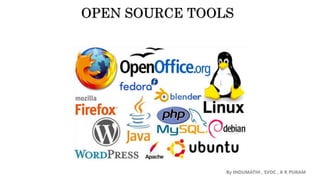
Following are few examples:
 GNU/Linux
 Mozilla Firefox
 VLC media player
 GIMP
 Android operating system
 Apache web server
 LibreOffice
 jQuery
https://blog.digitalogy.co/top-open-source-software-examples
By INDUMATHI , SVDC , K R PURAM
Closed source software refers to the computer software which source code is closed means
public is not given access to the source code. In short it is referred as CSS.
• In closed source software the source code is protected.
• The only individual or organization who has created the software can only change it.
• The price of closed source software is high and users need to have valid and authenticated
license to use the software. As it issues an authenticated license, it also puts a lot of
restrictions on users based on usability and modification of software.
• Some examples of closed source software are:
• Skype,
• Google earth,
• Java,
• Adobe Flash,
• Adobe Reader,
• Microsoft office,
• Microsoft Windows,
• WinRAR,
• mac OS,
By INDUMATHI , SVDC , K R PURAM
HISTORY
• In the beginning, all software was free
• in the 1960s ,when IBM and others sold the first large-scale computers, these
machines came with software which was free.
• This software could be freely shared among users,
• The software came written in a programming language (source code
available), and it could be improved and modified.
• Manufacturers were happy that people were writing software that made their
machines useful.
• Then proprietary software dominated the software landscape as manufacturers
removed access to the source code.
• IBM and others realized that most users couldn’t or didn’t want to “fix” their
own software and
• There was money to be made in leasing or licensing software.
By INDUMATHI , SVDC , K R PURAM
• By the mid-1970s almost all software was proprietary
• “Proprietary software is software that is owned by an individual or a
company (usually the one that developed it). There are almost always
major restrictions on its use, and its source code is almost always kept
secret.” (1) users were not allowed to redistribute it,
• source code is not available
• users cannot modify the programs.
• Software is an additional product that was for sale
• In 1980 US copyright law was modified to include software (1)
Adapted from http://eu.conecta.it/paper/brief_history_open_source.html
(1) http://en.wikipedia.org/wiki/Free_software
By INDUMATHI , SVDC , K R PURAM
• In late 1970s and early 1980s, two different groups started what
became known as the open source software movement:
• East coast, Richard Stallman (1985), formerly a programmer at the
MIT AI Lab, launched the GNU Project and the Free Software
Foundation.
• “to satisfy the need for and give the benefit of ‘software freedom’ to computer
users.” (1)
• ultimate goal of the GNU Project was to build a free operating system.
• the GNU General Public License (GPL) was designed to ensure that the
software produced by GNU will remain free, and to promote the production of
more and more free software.
By INDUMATHI , SVDC , K R PURAM
• West coast, the Computer Science Research Group (CSRG) of the University
of California at Berkeley was improving the Unix system, and building
applications which quickly become “BSD Unix”.
• Unix was initially developed by AT&T employees (1)
• efforts were funded mainly by DARPA contracts
• a network of Unix programmers around the world helped to debug, maintain and
improve the system.
• in late 1980s, distributed under the ``BSD license'' (one of the first open source
licenses).
• Unfortunately, still contained some components that were proprietary requiring a
license from AT&T
By INDUMATHI , SVDC , K R PURAM
• 1991-1992, the open source world improved
• In California, Bill Jolitz implementing a version of BSD Unix free of AT &
T’s copyright.
• The work was covered by the BSD license making it completely free.
• It included other free software GNU licenses
• Also during 1991-1992
• In Finland, Linus Torvalds, a Finnish computer science student, was
implementing the first versions of Linux.
• Other people joined to collaboration to create the GNU/Linux operating
system.
• By 1993, both GNU/Linux and BSD Unix were free stable operating
environments.
• Both continue to evolve
By INDUMATHI , SVDC , K R PURAM
1.2 NEED OF OPEN SOURCES
1.Transparency: Open source software provides transparency in its development process. The source code is openly available,
allowing anyone to inspect, review, and modify it. This transparency promotes trust and security as potential vulnerabilities or
backdoors can be identified and fixed by a global community of developers.
2.Collaboration: Open source software encourages collaboration among developers worldwide. Developers from diverse
backgrounds can contribute their skills and expertise to improve the software. This collaborative approach often leads to faster
innovation, bug fixes, and feature enhancements.
3.Cost-effective: Open source software is typically free to use, which eliminates licensing costs. This affordability makes it an
attractive option, especially for individuals, small businesses, and organizations with limited budgets. Furthermore, open source
software can be customized and tailored to specific needs without incurring additional expenses.
4.Flexibility and customization: Open source software offers the flexibility to modify and customize the code according to
specific requirements. This level of customization allows organizations to adapt the software to fit their workflows, integrate it
with existing systems, or extend its functionality. Developers can modify the source code to add features, fix bugs, or optimize
performance.
5.Avoiding vendor lock-in: Open source software reduces the risk of vendor lock-in, where users become dependent on a
specific vendor's proprietary software. With open source alternatives, users are not tied to a particular vendor and have the
freedom to switch between different solutions without significant barriers.
By INDUMATHI , SVDC , K R PURAM
6. Community support: Open source software often has vibrant communities surrounding them. These
communities provide support through forums, documentation, and online resources. Users can seek help,
ask questions, and share knowledge, ensuring that assistance is available even without formal customer
support.
7. Rapid innovation: Open source software fosters innovation by encouraging developers to build upon
existing solutions. Developers can leverage the work done by others, enabling them to focus on creating
new features or solving unique challenges rather than reinventing the wheel. This collaborative
environment promotes the sharing of ideas and expertise, leading to rapid innovation cycles.
8. Long-term sustainability: Open source software tends to have better long-term sustainability compared
to proprietary software. Even if the original developer or organization behind the software discontinues
support, the open source nature allows others to step in and continue its development, ensuring its
longevity.
By INDUMATHI , SVDC , K R PURAM
1.3 ADVANTAGES OF OPEN SOURCE SOFTWARE
Cost: Open source software is generally free, which means organizations can use it without
any licensing fees.
Customization: Since the source code is available, developers can modify and customize the
software to meet specific requirements.
Community Support: Open source software has a large community of users who contribute to
documentation, bug fixes, and improvements.
Security: With open source software, security vulnerabilities can be detected and fixed quickly
by the community.
Transparency: Since the source code is open, users can see how the software works and what
data it collects.
Collaboration and innovation: Global collaboration and contributions to the creation of
software projects are made possible by open source, leading to faster innovation and the
creation of more advanced and reliable software.
The creation of the Linux operating system is a prime illustration of how open source
promotes cooperation and innovation. Linus Torvalds founded the open-source Linux project
in 1991. It is one of the most popular open-source projects in history and is widely used in
servers, smartphones and other devices today.
By INDUMATHI , SVDC , K R PURAM
1.4 Principles of the Open Source
Transparency: Transparency is another key principle of open source software. The source code is
available for anyone to view, so anyone can see how the software works and how it is being developed.
This transparency helps to build trust between users and developers.
Collaboration: Open source software is a collaborative effort, with developers from all over the world
contributing to the code. This collaboration allows for rapid innovation and helps to ensure that the
software is of high quality.
Release early and often: Rapid prototypes can lead to rapid discoveries. An iterative approach leads
to better solutions faster. When you're free to experiment, you can look at problems in new ways and
seek answers in new places. You can learn by doing.
Freedom: Freedom is another important principle of open source software. Users are free to use the
software for any purpose, and to modify it to suit their needs. This freedom allows users to create
custom solutions that fit their specific needs.
Community: Communities form when different people unite around a common purpose. Shared
values guide decision making, and community goals supersede individual interests and agendas.
By INDUMATHI , SVDC , K R PURAM
1.5 Standard requirements
While there are no strict standard requirements for all open source software, there are certain
practices and principles that are commonly followed within the open source community. Here are
some standard requirements or expectations for open source software:
1.Open source license: Open source software should be released under an approved open
source license, such as the GNU General Public License (GPL), MIT License, Apache License,
or Creative Commons licenses. The license should grant users the freedom to use, modify,
distribute, and redistribute the software.
2.Source code availability: The source code of the software should be made readily available to
the users. This allows users to examine, modify, and build upon the code. The source code
should be distributed alongside the compiled or executable version of the software.
3.Documentation: Open source software should include clear and comprehensive
documentation, providing instructions on installation, configuration, and usage. Documentation
helps users understand the software's functionality, features, and any specific requirements.
4.Community engagement: Open source software should encourage community engagement
and participation. This involves creating a welcoming and inclusive environment for developers,
contributors, and users. Open source projects often have forums, mailing lists, issue trackers,
and collaborative platforms for communication and collaboration.
5.Version control and collaboration tools: Open source software projects commonly use version
control systems like Git, Mercurial, or Subversion to manage the source code and facilitate
collaboration among contributors. These tools enable developers to track changes, manage
branches, and merge contributions. By INDUMATHI , SVDC , K R PURAM
6. Bug tracking and issue management: Open source software projects typically
have systems in place to track bugs, issues, and feature requests. This allows
users and developers to report problems, suggest improvements, and track
progress. Popular bug tracking systems include Bugzilla, JIRA, and GitHub
Issues.
7. Testing and quality assurance: Open source software should undergo testing and
quality assurance processes to ensure its reliability and stability. This may involve
automated tests, manual testing, code reviews, and continuous integration (CI)
systems to catch and address bugs and vulnerabilities.
8. Collaboration guidelines: Open source projects often have guidelines or
contributing documentation that outline the expectations for contributors, including
coding standards, documentation conventions, and the process for submitting
patches or pull requests. These guidelines ensure a consistent and collaborative
approach to development.
9. License compatibility: Open source software should be compatible with other open
source licenses. If the software incorporates third-party libraries or components,
their licenses should be compatible with the main open source license to avoid
conflicts.
10.Community governance: Many open source projects have established governance
models to guide decision-making processes within the community. This may
involve core maintainers, project leads, or steering committees responsible for
overseeing the project's direction, resolving conflicts, and managing contributions.
By INDUMATHI , SVDC , K R PURAM
1.5 FOSS (Free and Open Source Software)
FOSS stands for Free and Open Source Software. It refers to software that is freely available for use,
modification, and distribution, and whose source code is openly accessible. FOSS embodies the
principles of openness, collaboration, and user freedom. Here are some key characteristics of FOSS:
1.Freedom to use: FOSS allows users to run the software for any purpose, without any restrictions.
2. Freedom to study: FOSS provides users with access to the source code, enabling them to examine
how the software works and understand its underlying logic.
3. Freedom to modify: FOSS permits users to modify the software's source code to suit their specific
needs. This customization empowers users to adapt the software to their requirements, add new
features, or fix bugs.
4. Freedom to distribute: FOSS allows users to share copies of the software with others, either for free
or for a fee. This freedom promotes the widespread availability and accessibility of the software.
By INDUMATHI , SVDC , K R PURAM
FOSS offers numerous benefits, including:
a. Cost savings: FOSS is often available at no cost, reducing expenses for individuals,
organizations, and businesses. It eliminates the need for costly software licenses and
allows users to allocate resources elsewhere.
b. Flexibility and customization: FOSS provides the flexibility to customize and tailor the
software to specific needs. Users can modify the source code, integrate it with other systems,
or extend its functionality.
c. Security and reliability: With open access to the source code, the FOSS community can
collectively review, audit, and enhance the software's security. Potential vulnerabilities can be
identified and addressed quickly, leading to more secure and reliable software.
d. Community collaboration: FOSS fosters collaboration among a global community of
developers, who contribute their skills, knowledge, and expertise to improve the software. This
collaborative approach leads to rapid innovation, bug fixes, and feature enhancements.
e. Avoiding vendor lock-in: FOSS reduces the risk of being locked into a specific vendor's
proprietary software. Users have the freedom to switch between different FOSS solutions,
ensuring independence and flexibility.
f. Long-term sustainability: FOSS tends to have better long-term sustainability compared to
proprietary software. Even if the original developer or organization discontinues support, the
open nature of FOSS allows others to step in and continue its development.
By INDUMATHI , SVDC , K R PURAM
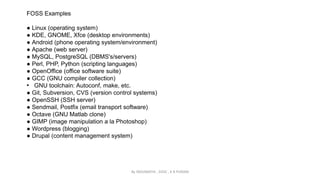
FOSS Examples
● Linux (operating system)
● KDE, GNOME, Xfce (desktop environments)
● Android (phone operating system/environment)
● Apache (web server)
● MySQL, PostgreSQL (DBMS's/servers)
● Perl, PHP, Python (scripting languages)
● OpenOffice (office software suite)
● GCC (GNU compiler collection)
• GNU toolchain: Autoconf, make, etc.
● Git, Subversion, CVS (version control systems)
● OpenSSH (SSH server)
● Sendmail, Postfix (email transport software)
● Octave (GNU Matlab clone)
● GIMP (image manipulation a la Photoshop)
● Wordpress (blogging)
● Drupal (content management system)
By INDUMATHI , SVDC , K R PURAM
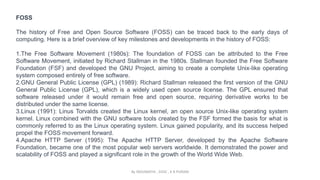
FOSS
The history of Free and Open Source Software (FOSS) can be traced back to the early days of
computing. Here is a brief overview of key milestones and developments in the history of FOSS:
1.The Free Software Movement (1980s): The foundation of FOSS can be attributed to the Free
Software Movement, initiated by Richard Stallman in the 1980s. Stallman founded the Free Software
Foundation (FSF) and developed the GNU Project, aiming to create a complete Unix-like operating
system composed entirely of free software.
2.GNU General Public License (GPL) (1989): Richard Stallman released the first version of the GNU
General Public License (GPL), which is a widely used open source license. The GPL ensured that
software released under it would remain free and open source, requiring derivative works to be
distributed under the same license.
3.Linux (1991): Linus Torvalds created the Linux kernel, an open source Unix-like operating system
kernel. Linux combined with the GNU software tools created by the FSF formed the basis for what is
commonly referred to as the Linux operating system. Linux gained popularity, and its success helped
propel the FOSS movement forward.
4.Apache HTTP Server (1995): The Apache HTTP Server, developed by the Apache Software
Foundation, became one of the most popular web servers worldwide. It demonstrated the power and
scalability of FOSS and played a significant role in the growth of the World Wide Web.
By INDUMATHI , SVDC , K R PURAM
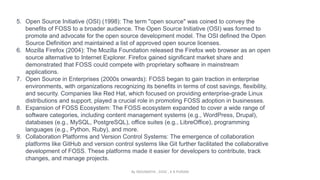
5. Open Source Initiative (OSI) (1998): The term "open source" was coined to convey the
benefits of FOSS to a broader audience. The Open Source Initiative (OSI) was formed to
promote and advocate for the open source development model. The OSI defined the Open
Source Definition and maintained a list of approved open source licenses.
6. Mozilla Firefox (2004): The Mozilla Foundation released the Firefox web browser as an open
source alternative to Internet Explorer. Firefox gained significant market share and
demonstrated that FOSS could compete with proprietary software in mainstream
applications.
7. Open Source in Enterprises (2000s onwards): FOSS began to gain traction in enterprise
environments, with organizations recognizing its benefits in terms of cost savings, flexibility,
and security. Companies like Red Hat, which focused on providing enterprise-grade Linux
distributions and support, played a crucial role in promoting FOSS adoption in businesses.
8. Expansion of FOSS Ecosystem: The FOSS ecosystem expanded to cover a wide range of
software categories, including content management systems (e.g., WordPress, Drupal),
databases (e.g., MySQL, PostgreSQL), office suites (e.g., LibreOffice), programming
languages (e.g., Python, Ruby), and more.
9. Collaboration Platforms and Version Control Systems: The emergence of collaboration
platforms like GitHub and version control systems like Git further facilitated the collaborative
development of FOSS. These platforms made it easier for developers to contribute, track
changes, and manage projects.
By INDUMATHI , SVDC , K R PURAM
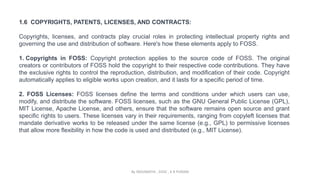
1.6 COPYRIGHTS, PATENTS, LICENSES, AND CONTRACTS:
Copyrights, licenses, and contracts play crucial roles in protecting intellectual property rights and
governing the use and distribution of software. Here's how these elements apply to FOSS.
1. Copyrights in FOSS: Copyright protection applies to the source code of FOSS. The original
creators or contributors of FOSS hold the copyright to their respective code contributions. They have
the exclusive rights to control the reproduction, distribution, and modification of their code. Copyright
automatically applies to eligible works upon creation, and it lasts for a specific period of time.
2. FOSS Licenses: FOSS licenses define the terms and conditions under which users can use,
modify, and distribute the software. FOSS licenses, such as the GNU General Public License (GPL),
MIT License, Apache License, and others, ensure that the software remains open source and grant
specific rights to users. These licenses vary in their requirements, ranging from copyleft licenses that
mandate derivative works to be released under the same license (e.g., GPL) to permissive licenses
that allow more flexibility in how the code is used and distributed (e.g., MIT License).
By INDUMATHI , SVDC , K R PURAM
3. Patents: Patents are legal protections granted to inventors for new inventions or processes.
They provide exclusive rights to the patent holder, preventing others from making, using, or selling
the patented invention without permission. FOSS patents that are either held by contributors to
FOSS projects or are deemed to cover technologies or innovations implemented in FOSS.
4. Contracts in FOSS: Contracts are less common in the FOSS context but can still play a role,
especially in commercial settings or when multiple parties collaborate on a project. Contracts can
outline the terms and agreements between contributors, specifying ownership, licensing, and other
obligations related to the FOSS project. They can also establish responsibilities and warranties
when FOSS is used or integrated into proprietary products.
By INDUMATHI , SVDC , K R PURAM
FOSS (Free and Open Source Software) presents unique legal considerations related to
copyrights, patents, contracts, and licenses. Here are some key issues to be aware of in each
area:
1.Copyrights in FOSS:
1. Give credit to the original authors when using or sharing FOSS.
2. Understand which licenses are compatible with each other to avoid conflicts.
2.Patents in FOSS:
1. Be aware of potential patent infringement when using FOSS.
2. Some organizations acquire patents to protect the FOSS community from patent
lawsuits.
3.Contracts in FOSS:
1. Contributors may need to sign agreements to clarify ownership and licensing terms.
2. Some FOSS projects offer dual licensing options for commercial use.
4.Licenses in FOSS:
1. Follow the rules of FOSS licenses you use, such as giving proper attribution.
2. Ensure compatibility between different FOSS licenses to avoid problems.
In summary, respect the rights of authors, be mindful of patent issues, clarify agreements
when contributing, and comply with FOSS licenses to avoid legal complications.
By INDUMATHI , SVDC , K R PURAM
1.7 APPLICATIONS OF OPEN SOURCES
Open-source software (OSS) has a wide range of applications across various domains. Here are
some common applications of open-source software:
1. Operating Systems: Open-source operating systems, such as Linux, provide alternatives to
proprietary systems like Windows and macOS. They are used in servers, personal computers,
mobile devices, and embedded systems.
2. Web Development: Many popular web technologies and frameworks, including Apache, Nginx,
Node.js, and WordPress, are open source. They enable the creation of websites, web
applications, and content management systems.
3. Databases: Open-source databases like MySQL, PostgreSQL, and MongoDB are widely used
for managing and storing structured and unstructured data in various applications, from small-
scale projects to large enterprise systems.
4. Content Management Systems (CMS): Open-source CMS platforms, such as WordPress,
Drupal, and Joomla, provide tools for creating and managing websites and digital content,
making them popular among individuals, businesses, and organizations.
5. Development Tools: Open-source development tools, including programming languages like
Python, Java, and PHP, as well as integrated development environments (IDEs) like Eclipse and
Visual Studio Code, support software development across different domains.
By INDUMATHI , SVDC , K R PURAM
6. Artificial Intelligence and Machine Learning: Open-source frameworks like TensorFlow, PyTorch,
and scikit-learn are extensively used in the development of AI and machine learning applications.
They provide libraries and tools for training and deploying models.
7. Internet of Things (IoT): Open-source platforms like Arduino and Raspberry Pi are widely used for
prototyping and developing IoT projects. They offer hardware and software solutions for building
connected devices and smart systems.
8. Scientific Research: Open-source software is prevalent in scientific research, facilitating data
analysis, simulation, modeling, and visualization. Tools like R, GNU Octave, and OpenFOAM are
used in various scientific disciplines.
9. Security and Privacy: Open-source security tools, such as OpenSSL and GnuPG, provide
encryption, authentication, and secure communication protocols. They play a crucial role in
securing systems and protecting privacy.
10.Education: Open-source software is commonly used in educational institutions to teach
programming, computer science, and other disciplines. It provides accessible and cost-effective
tools for students and educators.
By INDUMATHI , SVDC , K R PURAM
1.8 OPEN SOURCE OPERATING SYSTEMS
FEDORA
Fedora is a free and open-source Linux distribution that is maintained by Fedora Project which is
sponsored by Red Hat with support from other companies.
Fedora is referred to as a “bleeding edge” operating system. This implies that it regularly gets the
latest software updates, features, and drivers. As such, it’s an operating system recommended for
users who crave the latest applications, drivers, and features.
Fedora is designed as a reliable, secure, and general-purpose Linux distribution for all users. It can
be deployed in a workstation as a desktop operating system or used in a server environment. New
releases of Fedora are pushed out after 6 months.
38 versions of Fedora have been released till date.
Here are some key aspects of Fedora:
1.Community-Driven: Fedora is developed by the Fedora Project, a community-driven project
sponsored by Red Hat. It encourages community participation and collaboration in the development
and improvement of the operating system.
2.Cutting-Edge Technology: Fedora aims to be at the forefront of technology by including the latest
stable versions of open-source software. It serves as a platform for testing and showcasing new
features and innovations in the Linux ecosystem.
By INDUMATHI , SVDC , K R PURAM
3. Rapid Release Cycle: Fedora follows a fast release cycle, with a new version typically
released approximately every six months. This frequent release schedule allows users to
access the latest software updates and features quickly.
4. Variety of Editions: Fedora offers different editions tailored for specific use cases. The main
edition, Fedora Workstation, focuses on providing a user-friendly desktop environment for
developers and general users. Other editions include Fedora Server, designed for server
deployments, and Fedora IoT, targeting Internet of Things devices.
5. Package Management: Fedora uses the DNF package manager (a successor to YUM) for
software package installation, removal, and updates. The package repositories provide a vast
collection of open-source software applications.
6. Security-Focused: Fedora places a strong emphasis on security and includes features like
SELinux (Security-Enhanced Linux) to provide enhanced security measures. Regular security
updates and robust security practices are integral to the Fedora ecosystem.
7. Community Support: The Fedora community actively provides support through forums, mailing
lists, IRC channels, and documentation. Users can find assistance and engage with other
Fedora enthusiasts to troubleshoot issues or seek advice.
8. Upstream Contributions: Fedora plays a crucial role in contributing back to the open-source
community. It serves as a testing ground for new features and bug fixes, with many
improvements eventually making their way upstream to projects like the Linux kernel.
By INDUMATHI , SVDC , K R PURAM
UBUNTU
Ubuntu is a popular Linux-based operating system known for its user-friendly interface, ease of use,
and strong community support. Here's an overview of Ubuntu:
1. Background: Ubuntu was initially released in 2004 by Canonical Ltd., a company founded by
South African entrepreneur Mark Shuttleworth. The name "Ubuntu" is derived from an African
philosophy that emphasizes community and sharing.
2. Debian-Based Distribution: Ubuntu is based on the Debian distribution of Linux. It inherits many
of Debian's features, package management system (APT), and extensive software repositories.
3. User-Friendly Interface: Ubuntu focuses on providing a user-friendly experience, making it
accessible to both new and experienced users. It offers a visually appealing desktop
environment called "GNOME" by default, which provides a clean and intuitive interface.
4. Regular Release Cycle: Ubuntu follows a predictable release cycle, with new versions being
released every six months. Each version is given a specific version number, derived from the
year and month of its release. For example, Ubuntu 20.04 was released in April 2020.
5. Long-Term Support (LTS) Releases: In addition to regular releases, Ubuntu offers Long-Term
Support (LTS) versions. These LTS releases are supported with security updates and bug fixes
for an extended period, typically five years, providing stability for enterprise and long-term use.
By INDUMATHI , SVDC , K R PURAM
6. Software Packages: Ubuntu provides a vast collection of pre-packaged software applications,
covering a wide range of needs. The Ubuntu Software Center (now known as the GNOME Software)
offers a convenient graphical interface for browsing and installing software.
7. Ubuntu Flavors: Ubuntu offers different flavors that provide alternative desktop environments and
customized experiences. These include Kubuntu (KDE Plasma), Xubuntu (Xfce), Lubuntu (LXQt),
Ubuntu MATE (MATE desktop), and Ubuntu Budgie (Budgie desktop).
8. Strong Community: Ubuntu has a large and active community of users and developers who contribute
to its development, provide support, and participate in forums, mailing lists, and events. The Ubuntu
community fosters collaboration, sharing, and open communication.
9. Cloud and Server Editions: Ubuntu has gained significant popularity in cloud computing and server
deployments. Ubuntu Server Edition is a powerful platform for running servers, and Ubuntu has
become a popular choice for cloud deployments, including the use of its own cloud management
platform called "Ubuntu Server with MAAS."
10.Commitment to Open Source: Ubuntu is rooted in the open-source philosophy, and most of its
software components are open source. It actively contributes to the open-source community and
supports initiatives for free and open-source software.
By INDUMATHI , SVDC , K R PURAM

open_source_tools.pptx 4th sem bca......

  • 1.
    OPEN SOURCE TOOLS ByINDUMATHI , SVDC , K R PURAM
  • 2.
    1.1 INTRODUCTION TOOPEN SOURCES what is an open source tool? An open source tool refers to a software tool or application that is released under an open source license. Open source software allows users to view, modify, and distribute the source code, providing them with the freedom to use, customize, and share the tool as they see fit. Following are few examples:  GNU/Linux  Mozilla Firefox  VLC media player  GIMP  Android operating system  Apache web server  LibreOffice  jQuery https://blog.digitalogy.co/top-open-source-software-examples By INDUMATHI , SVDC , K R PURAM
  • 3.
    Closed source softwarerefers to the computer software which source code is closed means public is not given access to the source code. In short it is referred as CSS. • In closed source software the source code is protected. • The only individual or organization who has created the software can only change it. • The price of closed source software is high and users need to have valid and authenticated license to use the software. As it issues an authenticated license, it also puts a lot of restrictions on users based on usability and modification of software. • Some examples of closed source software are: • Skype, • Google earth, • Java, • Adobe Flash, • Adobe Reader, • Microsoft office, • Microsoft Windows, • WinRAR, • mac OS, By INDUMATHI , SVDC , K R PURAM
  • 4.
    HISTORY • In thebeginning, all software was free • in the 1960s ,when IBM and others sold the first large-scale computers, these machines came with software which was free. • This software could be freely shared among users, • The software came written in a programming language (source code available), and it could be improved and modified. • Manufacturers were happy that people were writing software that made their machines useful. • Then proprietary software dominated the software landscape as manufacturers removed access to the source code. • IBM and others realized that most users couldn’t or didn’t want to “fix” their own software and • There was money to be made in leasing or licensing software. By INDUMATHI , SVDC , K R PURAM
  • 5.
    • By themid-1970s almost all software was proprietary • “Proprietary software is software that is owned by an individual or a company (usually the one that developed it). There are almost always major restrictions on its use, and its source code is almost always kept secret.” (1) users were not allowed to redistribute it, • source code is not available • users cannot modify the programs. • Software is an additional product that was for sale • In 1980 US copyright law was modified to include software (1) Adapted from http://eu.conecta.it/paper/brief_history_open_source.html (1) http://en.wikipedia.org/wiki/Free_software By INDUMATHI , SVDC , K R PURAM
  • 6.
    • In late1970s and early 1980s, two different groups started what became known as the open source software movement: • East coast, Richard Stallman (1985), formerly a programmer at the MIT AI Lab, launched the GNU Project and the Free Software Foundation. • “to satisfy the need for and give the benefit of ‘software freedom’ to computer users.” (1) • ultimate goal of the GNU Project was to build a free operating system. • the GNU General Public License (GPL) was designed to ensure that the software produced by GNU will remain free, and to promote the production of more and more free software. By INDUMATHI , SVDC , K R PURAM
  • 7.
    • West coast,the Computer Science Research Group (CSRG) of the University of California at Berkeley was improving the Unix system, and building applications which quickly become “BSD Unix”. • Unix was initially developed by AT&T employees (1) • efforts were funded mainly by DARPA contracts • a network of Unix programmers around the world helped to debug, maintain and improve the system. • in late 1980s, distributed under the ``BSD license'' (one of the first open source licenses). • Unfortunately, still contained some components that were proprietary requiring a license from AT&T By INDUMATHI , SVDC , K R PURAM
  • 8.
    • 1991-1992, theopen source world improved • In California, Bill Jolitz implementing a version of BSD Unix free of AT & T’s copyright. • The work was covered by the BSD license making it completely free. • It included other free software GNU licenses • Also during 1991-1992 • In Finland, Linus Torvalds, a Finnish computer science student, was implementing the first versions of Linux. • Other people joined to collaboration to create the GNU/Linux operating system. • By 1993, both GNU/Linux and BSD Unix were free stable operating environments. • Both continue to evolve By INDUMATHI , SVDC , K R PURAM
  • 9.
    1.2 NEED OFOPEN SOURCES 1.Transparency: Open source software provides transparency in its development process. The source code is openly available, allowing anyone to inspect, review, and modify it. This transparency promotes trust and security as potential vulnerabilities or backdoors can be identified and fixed by a global community of developers. 2.Collaboration: Open source software encourages collaboration among developers worldwide. Developers from diverse backgrounds can contribute their skills and expertise to improve the software. This collaborative approach often leads to faster innovation, bug fixes, and feature enhancements. 3.Cost-effective: Open source software is typically free to use, which eliminates licensing costs. This affordability makes it an attractive option, especially for individuals, small businesses, and organizations with limited budgets. Furthermore, open source software can be customized and tailored to specific needs without incurring additional expenses. 4.Flexibility and customization: Open source software offers the flexibility to modify and customize the code according to specific requirements. This level of customization allows organizations to adapt the software to fit their workflows, integrate it with existing systems, or extend its functionality. Developers can modify the source code to add features, fix bugs, or optimize performance. 5.Avoiding vendor lock-in: Open source software reduces the risk of vendor lock-in, where users become dependent on a specific vendor's proprietary software. With open source alternatives, users are not tied to a particular vendor and have the freedom to switch between different solutions without significant barriers. By INDUMATHI , SVDC , K R PURAM
  • 10.
    6. Community support:Open source software often has vibrant communities surrounding them. These communities provide support through forums, documentation, and online resources. Users can seek help, ask questions, and share knowledge, ensuring that assistance is available even without formal customer support. 7. Rapid innovation: Open source software fosters innovation by encouraging developers to build upon existing solutions. Developers can leverage the work done by others, enabling them to focus on creating new features or solving unique challenges rather than reinventing the wheel. This collaborative environment promotes the sharing of ideas and expertise, leading to rapid innovation cycles. 8. Long-term sustainability: Open source software tends to have better long-term sustainability compared to proprietary software. Even if the original developer or organization behind the software discontinues support, the open source nature allows others to step in and continue its development, ensuring its longevity. By INDUMATHI , SVDC , K R PURAM
  • 11.
    1.3 ADVANTAGES OFOPEN SOURCE SOFTWARE Cost: Open source software is generally free, which means organizations can use it without any licensing fees. Customization: Since the source code is available, developers can modify and customize the software to meet specific requirements. Community Support: Open source software has a large community of users who contribute to documentation, bug fixes, and improvements. Security: With open source software, security vulnerabilities can be detected and fixed quickly by the community. Transparency: Since the source code is open, users can see how the software works and what data it collects. Collaboration and innovation: Global collaboration and contributions to the creation of software projects are made possible by open source, leading to faster innovation and the creation of more advanced and reliable software. The creation of the Linux operating system is a prime illustration of how open source promotes cooperation and innovation. Linus Torvalds founded the open-source Linux project in 1991. It is one of the most popular open-source projects in history and is widely used in servers, smartphones and other devices today. By INDUMATHI , SVDC , K R PURAM
  • 12.
    1.4 Principles ofthe Open Source Transparency: Transparency is another key principle of open source software. The source code is available for anyone to view, so anyone can see how the software works and how it is being developed. This transparency helps to build trust between users and developers. Collaboration: Open source software is a collaborative effort, with developers from all over the world contributing to the code. This collaboration allows for rapid innovation and helps to ensure that the software is of high quality. Release early and often: Rapid prototypes can lead to rapid discoveries. An iterative approach leads to better solutions faster. When you're free to experiment, you can look at problems in new ways and seek answers in new places. You can learn by doing. Freedom: Freedom is another important principle of open source software. Users are free to use the software for any purpose, and to modify it to suit their needs. This freedom allows users to create custom solutions that fit their specific needs. Community: Communities form when different people unite around a common purpose. Shared values guide decision making, and community goals supersede individual interests and agendas. By INDUMATHI , SVDC , K R PURAM
  • 13.
    1.5 Standard requirements Whilethere are no strict standard requirements for all open source software, there are certain practices and principles that are commonly followed within the open source community. Here are some standard requirements or expectations for open source software: 1.Open source license: Open source software should be released under an approved open source license, such as the GNU General Public License (GPL), MIT License, Apache License, or Creative Commons licenses. The license should grant users the freedom to use, modify, distribute, and redistribute the software. 2.Source code availability: The source code of the software should be made readily available to the users. This allows users to examine, modify, and build upon the code. The source code should be distributed alongside the compiled or executable version of the software. 3.Documentation: Open source software should include clear and comprehensive documentation, providing instructions on installation, configuration, and usage. Documentation helps users understand the software's functionality, features, and any specific requirements. 4.Community engagement: Open source software should encourage community engagement and participation. This involves creating a welcoming and inclusive environment for developers, contributors, and users. Open source projects often have forums, mailing lists, issue trackers, and collaborative platforms for communication and collaboration. 5.Version control and collaboration tools: Open source software projects commonly use version control systems like Git, Mercurial, or Subversion to manage the source code and facilitate collaboration among contributors. These tools enable developers to track changes, manage branches, and merge contributions. By INDUMATHI , SVDC , K R PURAM
  • 14.
    6. Bug trackingand issue management: Open source software projects typically have systems in place to track bugs, issues, and feature requests. This allows users and developers to report problems, suggest improvements, and track progress. Popular bug tracking systems include Bugzilla, JIRA, and GitHub Issues. 7. Testing and quality assurance: Open source software should undergo testing and quality assurance processes to ensure its reliability and stability. This may involve automated tests, manual testing, code reviews, and continuous integration (CI) systems to catch and address bugs and vulnerabilities. 8. Collaboration guidelines: Open source projects often have guidelines or contributing documentation that outline the expectations for contributors, including coding standards, documentation conventions, and the process for submitting patches or pull requests. These guidelines ensure a consistent and collaborative approach to development. 9. License compatibility: Open source software should be compatible with other open source licenses. If the software incorporates third-party libraries or components, their licenses should be compatible with the main open source license to avoid conflicts. 10.Community governance: Many open source projects have established governance models to guide decision-making processes within the community. This may involve core maintainers, project leads, or steering committees responsible for overseeing the project's direction, resolving conflicts, and managing contributions. By INDUMATHI , SVDC , K R PURAM
  • 15.
    1.5 FOSS (Freeand Open Source Software) FOSS stands for Free and Open Source Software. It refers to software that is freely available for use, modification, and distribution, and whose source code is openly accessible. FOSS embodies the principles of openness, collaboration, and user freedom. Here are some key characteristics of FOSS: 1.Freedom to use: FOSS allows users to run the software for any purpose, without any restrictions. 2. Freedom to study: FOSS provides users with access to the source code, enabling them to examine how the software works and understand its underlying logic. 3. Freedom to modify: FOSS permits users to modify the software's source code to suit their specific needs. This customization empowers users to adapt the software to their requirements, add new features, or fix bugs. 4. Freedom to distribute: FOSS allows users to share copies of the software with others, either for free or for a fee. This freedom promotes the widespread availability and accessibility of the software. By INDUMATHI , SVDC , K R PURAM
  • 16.
    FOSS offers numerousbenefits, including: a. Cost savings: FOSS is often available at no cost, reducing expenses for individuals, organizations, and businesses. It eliminates the need for costly software licenses and allows users to allocate resources elsewhere. b. Flexibility and customization: FOSS provides the flexibility to customize and tailor the software to specific needs. Users can modify the source code, integrate it with other systems, or extend its functionality. c. Security and reliability: With open access to the source code, the FOSS community can collectively review, audit, and enhance the software's security. Potential vulnerabilities can be identified and addressed quickly, leading to more secure and reliable software. d. Community collaboration: FOSS fosters collaboration among a global community of developers, who contribute their skills, knowledge, and expertise to improve the software. This collaborative approach leads to rapid innovation, bug fixes, and feature enhancements. e. Avoiding vendor lock-in: FOSS reduces the risk of being locked into a specific vendor's proprietary software. Users have the freedom to switch between different FOSS solutions, ensuring independence and flexibility. f. Long-term sustainability: FOSS tends to have better long-term sustainability compared to proprietary software. Even if the original developer or organization discontinues support, the open nature of FOSS allows others to step in and continue its development. By INDUMATHI , SVDC , K R PURAM
  • 17.
    FOSS Examples ● Linux(operating system) ● KDE, GNOME, Xfce (desktop environments) ● Android (phone operating system/environment) ● Apache (web server) ● MySQL, PostgreSQL (DBMS's/servers) ● Perl, PHP, Python (scripting languages) ● OpenOffice (office software suite) ● GCC (GNU compiler collection) • GNU toolchain: Autoconf, make, etc. ● Git, Subversion, CVS (version control systems) ● OpenSSH (SSH server) ● Sendmail, Postfix (email transport software) ● Octave (GNU Matlab clone) ● GIMP (image manipulation a la Photoshop) ● Wordpress (blogging) ● Drupal (content management system) By INDUMATHI , SVDC , K R PURAM
  • 18.
    FOSS The history ofFree and Open Source Software (FOSS) can be traced back to the early days of computing. Here is a brief overview of key milestones and developments in the history of FOSS: 1.The Free Software Movement (1980s): The foundation of FOSS can be attributed to the Free Software Movement, initiated by Richard Stallman in the 1980s. Stallman founded the Free Software Foundation (FSF) and developed the GNU Project, aiming to create a complete Unix-like operating system composed entirely of free software. 2.GNU General Public License (GPL) (1989): Richard Stallman released the first version of the GNU General Public License (GPL), which is a widely used open source license. The GPL ensured that software released under it would remain free and open source, requiring derivative works to be distributed under the same license. 3.Linux (1991): Linus Torvalds created the Linux kernel, an open source Unix-like operating system kernel. Linux combined with the GNU software tools created by the FSF formed the basis for what is commonly referred to as the Linux operating system. Linux gained popularity, and its success helped propel the FOSS movement forward. 4.Apache HTTP Server (1995): The Apache HTTP Server, developed by the Apache Software Foundation, became one of the most popular web servers worldwide. It demonstrated the power and scalability of FOSS and played a significant role in the growth of the World Wide Web. By INDUMATHI , SVDC , K R PURAM
  • 19.
    5. Open SourceInitiative (OSI) (1998): The term "open source" was coined to convey the benefits of FOSS to a broader audience. The Open Source Initiative (OSI) was formed to promote and advocate for the open source development model. The OSI defined the Open Source Definition and maintained a list of approved open source licenses. 6. Mozilla Firefox (2004): The Mozilla Foundation released the Firefox web browser as an open source alternative to Internet Explorer. Firefox gained significant market share and demonstrated that FOSS could compete with proprietary software in mainstream applications. 7. Open Source in Enterprises (2000s onwards): FOSS began to gain traction in enterprise environments, with organizations recognizing its benefits in terms of cost savings, flexibility, and security. Companies like Red Hat, which focused on providing enterprise-grade Linux distributions and support, played a crucial role in promoting FOSS adoption in businesses. 8. Expansion of FOSS Ecosystem: The FOSS ecosystem expanded to cover a wide range of software categories, including content management systems (e.g., WordPress, Drupal), databases (e.g., MySQL, PostgreSQL), office suites (e.g., LibreOffice), programming languages (e.g., Python, Ruby), and more. 9. Collaboration Platforms and Version Control Systems: The emergence of collaboration platforms like GitHub and version control systems like Git further facilitated the collaborative development of FOSS. These platforms made it easier for developers to contribute, track changes, and manage projects. By INDUMATHI , SVDC , K R PURAM
  • 20.
    1.6 COPYRIGHTS, PATENTS,LICENSES, AND CONTRACTS: Copyrights, licenses, and contracts play crucial roles in protecting intellectual property rights and governing the use and distribution of software. Here's how these elements apply to FOSS. 1. Copyrights in FOSS: Copyright protection applies to the source code of FOSS. The original creators or contributors of FOSS hold the copyright to their respective code contributions. They have the exclusive rights to control the reproduction, distribution, and modification of their code. Copyright automatically applies to eligible works upon creation, and it lasts for a specific period of time. 2. FOSS Licenses: FOSS licenses define the terms and conditions under which users can use, modify, and distribute the software. FOSS licenses, such as the GNU General Public License (GPL), MIT License, Apache License, and others, ensure that the software remains open source and grant specific rights to users. These licenses vary in their requirements, ranging from copyleft licenses that mandate derivative works to be released under the same license (e.g., GPL) to permissive licenses that allow more flexibility in how the code is used and distributed (e.g., MIT License). By INDUMATHI , SVDC , K R PURAM
  • 21.
    3. Patents: Patentsare legal protections granted to inventors for new inventions or processes. They provide exclusive rights to the patent holder, preventing others from making, using, or selling the patented invention without permission. FOSS patents that are either held by contributors to FOSS projects or are deemed to cover technologies or innovations implemented in FOSS. 4. Contracts in FOSS: Contracts are less common in the FOSS context but can still play a role, especially in commercial settings or when multiple parties collaborate on a project. Contracts can outline the terms and agreements between contributors, specifying ownership, licensing, and other obligations related to the FOSS project. They can also establish responsibilities and warranties when FOSS is used or integrated into proprietary products. By INDUMATHI , SVDC , K R PURAM
  • 22.
    FOSS (Free andOpen Source Software) presents unique legal considerations related to copyrights, patents, contracts, and licenses. Here are some key issues to be aware of in each area: 1.Copyrights in FOSS: 1. Give credit to the original authors when using or sharing FOSS. 2. Understand which licenses are compatible with each other to avoid conflicts. 2.Patents in FOSS: 1. Be aware of potential patent infringement when using FOSS. 2. Some organizations acquire patents to protect the FOSS community from patent lawsuits. 3.Contracts in FOSS: 1. Contributors may need to sign agreements to clarify ownership and licensing terms. 2. Some FOSS projects offer dual licensing options for commercial use. 4.Licenses in FOSS: 1. Follow the rules of FOSS licenses you use, such as giving proper attribution. 2. Ensure compatibility between different FOSS licenses to avoid problems. In summary, respect the rights of authors, be mindful of patent issues, clarify agreements when contributing, and comply with FOSS licenses to avoid legal complications. By INDUMATHI , SVDC , K R PURAM
  • 23.
    1.7 APPLICATIONS OFOPEN SOURCES Open-source software (OSS) has a wide range of applications across various domains. Here are some common applications of open-source software: 1. Operating Systems: Open-source operating systems, such as Linux, provide alternatives to proprietary systems like Windows and macOS. They are used in servers, personal computers, mobile devices, and embedded systems. 2. Web Development: Many popular web technologies and frameworks, including Apache, Nginx, Node.js, and WordPress, are open source. They enable the creation of websites, web applications, and content management systems. 3. Databases: Open-source databases like MySQL, PostgreSQL, and MongoDB are widely used for managing and storing structured and unstructured data in various applications, from small- scale projects to large enterprise systems. 4. Content Management Systems (CMS): Open-source CMS platforms, such as WordPress, Drupal, and Joomla, provide tools for creating and managing websites and digital content, making them popular among individuals, businesses, and organizations. 5. Development Tools: Open-source development tools, including programming languages like Python, Java, and PHP, as well as integrated development environments (IDEs) like Eclipse and Visual Studio Code, support software development across different domains. By INDUMATHI , SVDC , K R PURAM
  • 24.
    6. Artificial Intelligenceand Machine Learning: Open-source frameworks like TensorFlow, PyTorch, and scikit-learn are extensively used in the development of AI and machine learning applications. They provide libraries and tools for training and deploying models. 7. Internet of Things (IoT): Open-source platforms like Arduino and Raspberry Pi are widely used for prototyping and developing IoT projects. They offer hardware and software solutions for building connected devices and smart systems. 8. Scientific Research: Open-source software is prevalent in scientific research, facilitating data analysis, simulation, modeling, and visualization. Tools like R, GNU Octave, and OpenFOAM are used in various scientific disciplines. 9. Security and Privacy: Open-source security tools, such as OpenSSL and GnuPG, provide encryption, authentication, and secure communication protocols. They play a crucial role in securing systems and protecting privacy. 10.Education: Open-source software is commonly used in educational institutions to teach programming, computer science, and other disciplines. It provides accessible and cost-effective tools for students and educators. By INDUMATHI , SVDC , K R PURAM
  • 25.
    1.8 OPEN SOURCEOPERATING SYSTEMS FEDORA Fedora is a free and open-source Linux distribution that is maintained by Fedora Project which is sponsored by Red Hat with support from other companies. Fedora is referred to as a “bleeding edge” operating system. This implies that it regularly gets the latest software updates, features, and drivers. As such, it’s an operating system recommended for users who crave the latest applications, drivers, and features. Fedora is designed as a reliable, secure, and general-purpose Linux distribution for all users. It can be deployed in a workstation as a desktop operating system or used in a server environment. New releases of Fedora are pushed out after 6 months. 38 versions of Fedora have been released till date. Here are some key aspects of Fedora: 1.Community-Driven: Fedora is developed by the Fedora Project, a community-driven project sponsored by Red Hat. It encourages community participation and collaboration in the development and improvement of the operating system. 2.Cutting-Edge Technology: Fedora aims to be at the forefront of technology by including the latest stable versions of open-source software. It serves as a platform for testing and showcasing new features and innovations in the Linux ecosystem. By INDUMATHI , SVDC , K R PURAM
  • 26.
    3. Rapid ReleaseCycle: Fedora follows a fast release cycle, with a new version typically released approximately every six months. This frequent release schedule allows users to access the latest software updates and features quickly. 4. Variety of Editions: Fedora offers different editions tailored for specific use cases. The main edition, Fedora Workstation, focuses on providing a user-friendly desktop environment for developers and general users. Other editions include Fedora Server, designed for server deployments, and Fedora IoT, targeting Internet of Things devices. 5. Package Management: Fedora uses the DNF package manager (a successor to YUM) for software package installation, removal, and updates. The package repositories provide a vast collection of open-source software applications. 6. Security-Focused: Fedora places a strong emphasis on security and includes features like SELinux (Security-Enhanced Linux) to provide enhanced security measures. Regular security updates and robust security practices are integral to the Fedora ecosystem. 7. Community Support: The Fedora community actively provides support through forums, mailing lists, IRC channels, and documentation. Users can find assistance and engage with other Fedora enthusiasts to troubleshoot issues or seek advice. 8. Upstream Contributions: Fedora plays a crucial role in contributing back to the open-source community. It serves as a testing ground for new features and bug fixes, with many improvements eventually making their way upstream to projects like the Linux kernel. By INDUMATHI , SVDC , K R PURAM
  • 27.
    UBUNTU Ubuntu is apopular Linux-based operating system known for its user-friendly interface, ease of use, and strong community support. Here's an overview of Ubuntu: 1. Background: Ubuntu was initially released in 2004 by Canonical Ltd., a company founded by South African entrepreneur Mark Shuttleworth. The name "Ubuntu" is derived from an African philosophy that emphasizes community and sharing. 2. Debian-Based Distribution: Ubuntu is based on the Debian distribution of Linux. It inherits many of Debian's features, package management system (APT), and extensive software repositories. 3. User-Friendly Interface: Ubuntu focuses on providing a user-friendly experience, making it accessible to both new and experienced users. It offers a visually appealing desktop environment called "GNOME" by default, which provides a clean and intuitive interface. 4. Regular Release Cycle: Ubuntu follows a predictable release cycle, with new versions being released every six months. Each version is given a specific version number, derived from the year and month of its release. For example, Ubuntu 20.04 was released in April 2020. 5. Long-Term Support (LTS) Releases: In addition to regular releases, Ubuntu offers Long-Term Support (LTS) versions. These LTS releases are supported with security updates and bug fixes for an extended period, typically five years, providing stability for enterprise and long-term use. By INDUMATHI , SVDC , K R PURAM
  • 28.
    6. Software Packages:Ubuntu provides a vast collection of pre-packaged software applications, covering a wide range of needs. The Ubuntu Software Center (now known as the GNOME Software) offers a convenient graphical interface for browsing and installing software. 7. Ubuntu Flavors: Ubuntu offers different flavors that provide alternative desktop environments and customized experiences. These include Kubuntu (KDE Plasma), Xubuntu (Xfce), Lubuntu (LXQt), Ubuntu MATE (MATE desktop), and Ubuntu Budgie (Budgie desktop). 8. Strong Community: Ubuntu has a large and active community of users and developers who contribute to its development, provide support, and participate in forums, mailing lists, and events. The Ubuntu community fosters collaboration, sharing, and open communication. 9. Cloud and Server Editions: Ubuntu has gained significant popularity in cloud computing and server deployments. Ubuntu Server Edition is a powerful platform for running servers, and Ubuntu has become a popular choice for cloud deployments, including the use of its own cloud management platform called "Ubuntu Server with MAAS." 10.Commitment to Open Source: Ubuntu is rooted in the open-source philosophy, and most of its software components are open source. It actively contributes to the open-source community and supports initiatives for free and open-source software. By INDUMATHI , SVDC , K R PURAM