Stop Using Cheesy
Clip Art:
Designing Better Graphics


Starr Hoffman
Librarian for Digital Collections
University of North Texas Libraries


TechNet 2010
Decatur, Texas
05.14.2020
Why Avoid Clip Art?

  doesn’t clarify message

  unprofessional look

  mismatched design

  nonspecific, generic

  repetitive
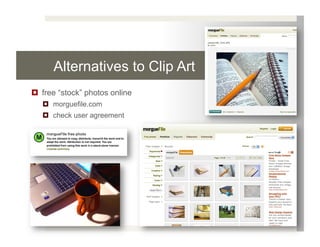
Alternatives to Clip Art
  free “stock” photos online
     morguefile.com
     check user agreement
Alternatives to Clip Art
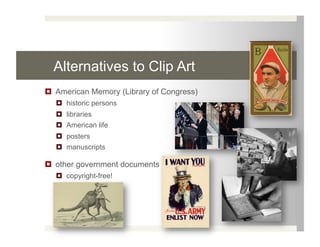
  American Memory (Library of Congress)
    historic persons
    libraries
    American life
    posters
    manuscripts

  other government documents
    copyright-free!
Alternatives to Clip Art
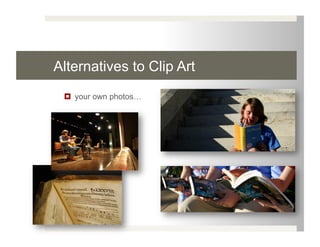
   your own photos…
Taking (& Editing) Better Photos

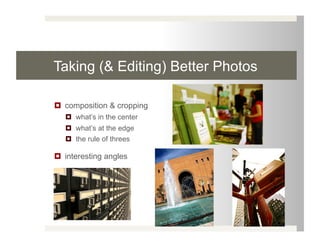
  composition & cropping
     what’s in the center
     what’s at the edge
     the rule of threes

  interesting angles
Taking (& Editing) Better Photos
  strong light source
     window, table lamp, etc.
     use a DIY reflector
        car shade, aluminum foil, white paper

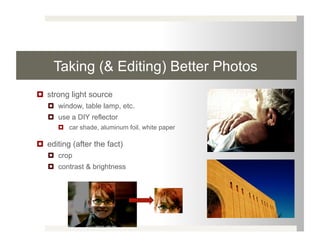
  editing (after the fact)
     crop
     contrast & brightness
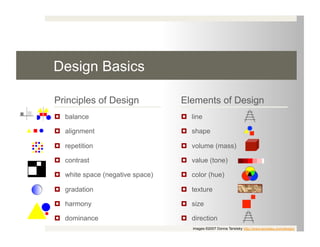
Design Basics

Principles of Design              Elements of Design
  balance                          line

  alignment                        shape

  repetition                       volume (mass)

  contrast                         value (tone)

  white space (negative space)     color (hue)

  gradation                        texture

  harmony                          size

  dominance                        direction
                                     images ©2007 Donna Tersiisky http://www.tersiiska.com/design/
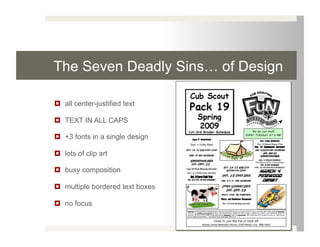
The Seven Deadly Sins… of Design

  all center-justified text

  TEXT IN ALL CAPS

  +3 fonts in a single design

  lots of clip art

  busy composition

  multiple bordered text boxes

  no focus
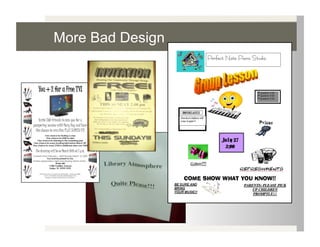
More Bad Design
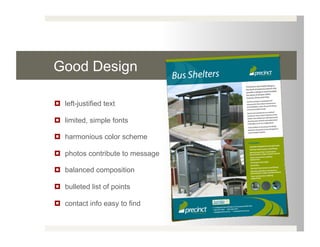
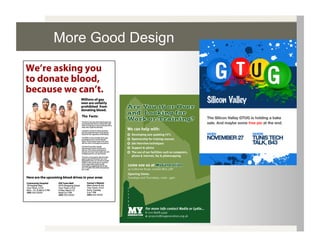
Good Design

  left-justified text

  limited, simple fonts

  harmonious color scheme

  photos contribute to message

  balanced composition

  bulleted list of points

  contact info easy to find
More Good Design
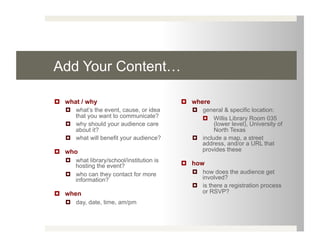
Add Your Content…

  what / why                                where
     what’s the event, cause, or idea          general & specific location:
      that you want to communicate?                Willis Library Room 035
     why should your audience care                   (lower level), University of
      about it?                                       North Texas
     what will benefit your audience?          include a map, a street
                                                 address, and/or a URL that
  who                                           provides these
     what library/school/institution is
      hosting the event?                     how
     who can they contact for more             how does the audience get
      information?                               involved?
                                                is there a registration process
  when                                          or RSVP?
     day, date, time, am/pm
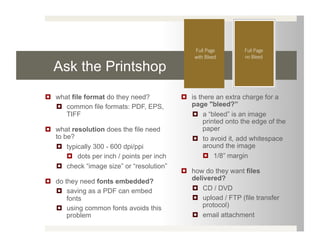
Ask the Printshop
  what file format do they need?             is there an extra charge for a
     common file formats: PDF, EPS,           page "bleed?”
      TIFF                                       a “bleed” is an image
                                                    printed onto the edge of the
  what resolution does the file need               paper
   to be?                                        to avoid it, add whitespace
     typically 300 - 600 dpi/ppi                   around the image
         dots per inch / points per inch             1/8” margin
     check “image size” or “resolution”
                                              how do they want files
  do they need fonts embedded?                delivered?
     saving as a PDF can embed                  CD / DVD
       fonts                                     upload / FTP (file transfer
     using common fonts avoids this               protocol)
       problem                                   email attachment
Need More Help?

  ask me!
       Starr Hoffman
       Librarian for Digital Collections
       UNT Libraries
       starr.hoffman@unt.edu
       940.565.4150

  find my presentations & CV here:
     http://geekyartistlibrarian.wordpress.com

  find more info about graphic design here:
     http://librarygraphics.pbworks.com/

Stop Using Cheesy Clip-Art!

  • 1.
    Stop Using Cheesy ClipArt: Designing Better Graphics Starr Hoffman Librarian for Digital Collections University of North Texas Libraries TechNet 2010 Decatur, Texas 05.14.2020
  • 2.
    Why Avoid ClipArt?   doesn’t clarify message   unprofessional look   mismatched design   nonspecific, generic   repetitive
  • 3.
    Alternatives to ClipArt   free “stock” photos online   morguefile.com   check user agreement
  • 4.
    Alternatives to ClipArt   American Memory (Library of Congress)   historic persons   libraries   American life   posters   manuscripts   other government documents   copyright-free!
  • 5.
    Alternatives to ClipArt   your own photos…
  • 6.
    Taking (& Editing)Better Photos   composition & cropping   what’s in the center   what’s at the edge   the rule of threes   interesting angles
  • 7.
    Taking (& Editing)Better Photos   strong light source   window, table lamp, etc.   use a DIY reflector   car shade, aluminum foil, white paper   editing (after the fact)   crop   contrast & brightness
  • 8.
    Design Basics Principles ofDesign Elements of Design   balance   line   alignment   shape   repetition   volume (mass)   contrast   value (tone)   white space (negative space)   color (hue)   gradation   texture   harmony   size   dominance   direction images ©2007 Donna Tersiisky http://www.tersiiska.com/design/
  • 9.
    The Seven DeadlySins… of Design   all center-justified text   TEXT IN ALL CAPS   +3 fonts in a single design   lots of clip art   busy composition   multiple bordered text boxes   no focus
  • 10.
  • 11.
    Good Design   left-justifiedtext   limited, simple fonts   harmonious color scheme   photos contribute to message   balanced composition   bulleted list of points   contact info easy to find
  • 12.
  • 13.
    Add Your Content…  what / why   where   what’s the event, cause, or idea   general & specific location: that you want to communicate?   Willis Library Room 035   why should your audience care (lower level), University of about it? North Texas   what will benefit your audience?   include a map, a street address, and/or a URL that   who provides these   what library/school/institution is hosting the event?   how   who can they contact for more   how does the audience get information? involved?   is there a registration process   when or RSVP?   day, date, time, am/pm
  • 14.
    Ask the Printshop  what file format do they need?   is there an extra charge for a   common file formats: PDF, EPS, page "bleed?” TIFF   a “bleed” is an image printed onto the edge of the   what resolution does the file need paper to be?   to avoid it, add whitespace   typically 300 - 600 dpi/ppi around the image   dots per inch / points per inch   1/8” margin   check “image size” or “resolution”   how do they want files   do they need fonts embedded? delivered?   saving as a PDF can embed   CD / DVD fonts   upload / FTP (file transfer   using common fonts avoids this protocol) problem   email attachment
  • 15.
    Need More Help?  ask me!   Starr Hoffman   Librarian for Digital Collections   UNT Libraries   starr.hoffman@unt.edu   940.565.4150   find my presentations & CV here:   http://geekyartistlibrarian.wordpress.com   find more info about graphic design here:   http://librarygraphics.pbworks.com/