
Stacki – The 1600+ Server Journey
David Peterson
Lead Systems Engineer
david.peterson@salesforce.com
Agenda
▪ Why Stacki
▪ Hardware and provisioning requirements
▪ Stacki configuration with chef integration
▪ ZFS and data safe re-provisioning
▪ Detecting issues and adhoc reporting
Why Stacki
Why Stacki
▪ Managing thousands of servers is easy (csv)
▪ HP raid controller support
▪ Easy out of the box provisioning but deep customization
available
▪ Ability to re-provision without losing data
▪ Easy network/subnet configuration
▪ YUM repo support
▪ Command line, command line, command line
▪ Support
Hardware and Provisioning
Requirements
Hardware and Provisioning Requirements
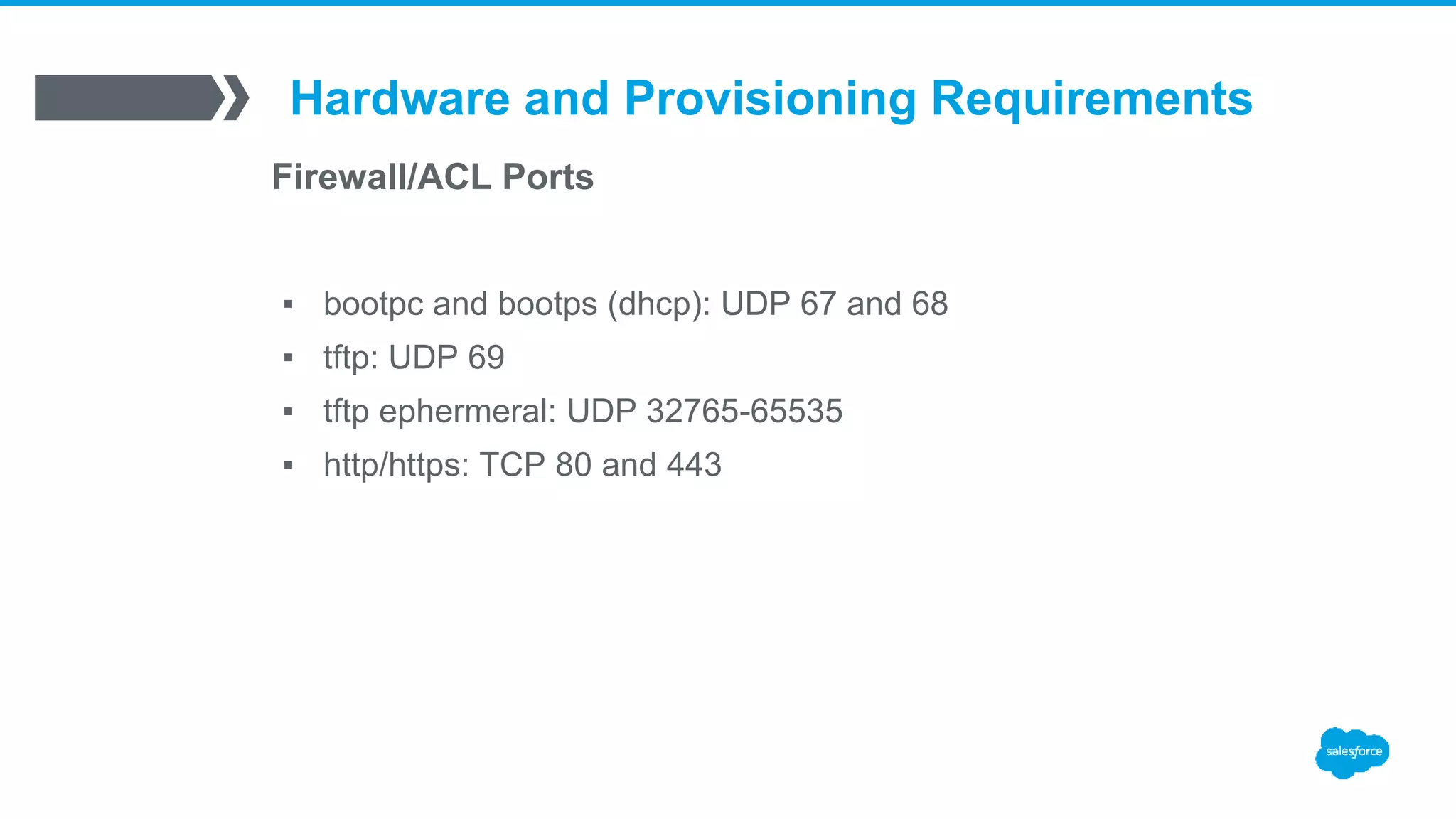
Firewall/ACL Ports
▪ bootpc and bootps (dhcp): UDP 67 and 68
▪ tftp: UDP 69
▪ tftp ephermeral: UDP 32765-65535
▪ http/https: TCP 80 and 443
Hardware and Provisioning Requirements
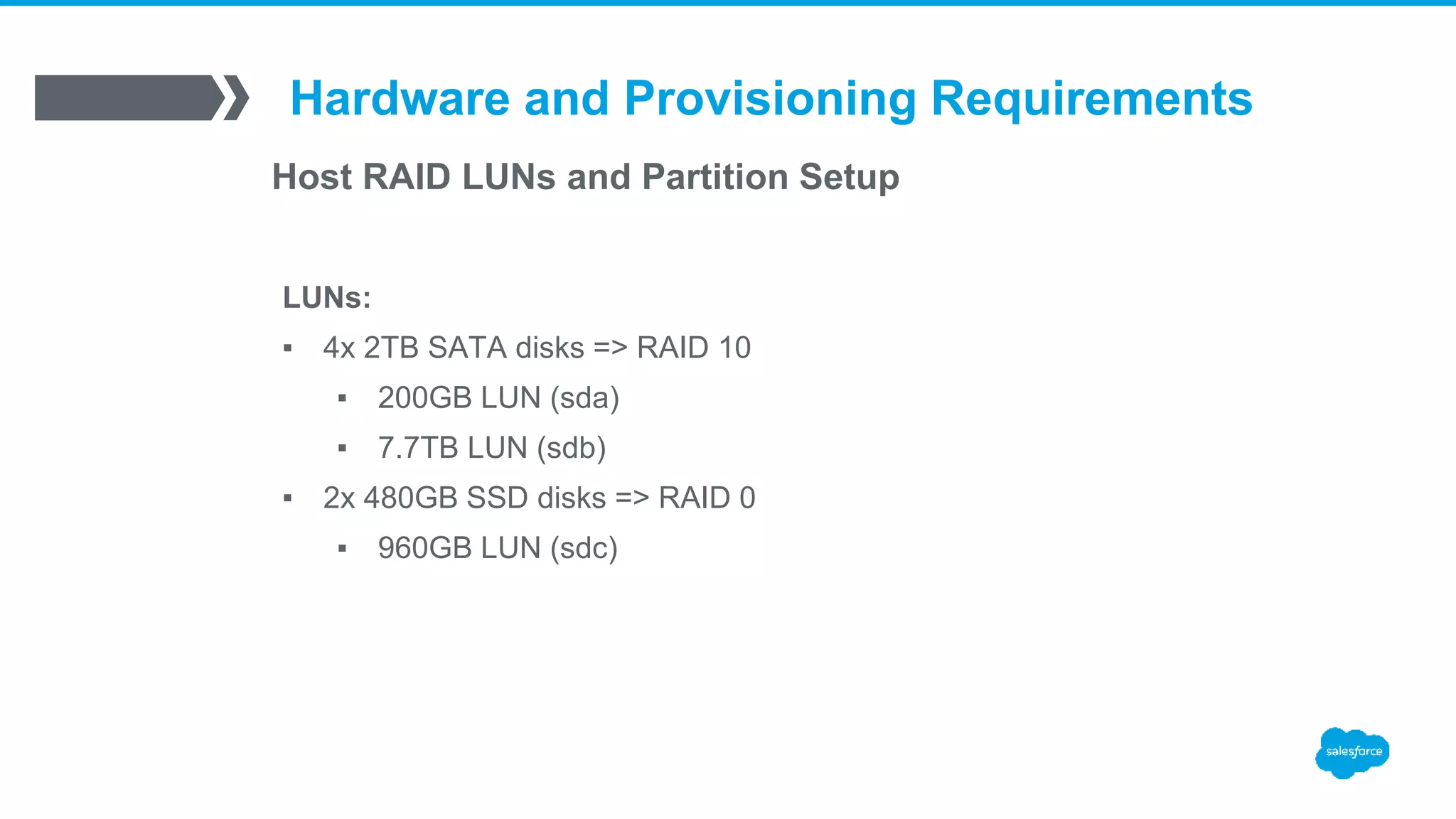
Host RAID LUNs and Partition Setup
LUNs:
▪ 4x 2TB SATA disks => RAID 10
▪ 200GB LUN (sda)
▪ 7.7TB LUN (sdb)
▪ 2x 480GB SSD disks => RAID 0
▪ 960GB LUN (sdc)
Hardware and Provisioning Requirements
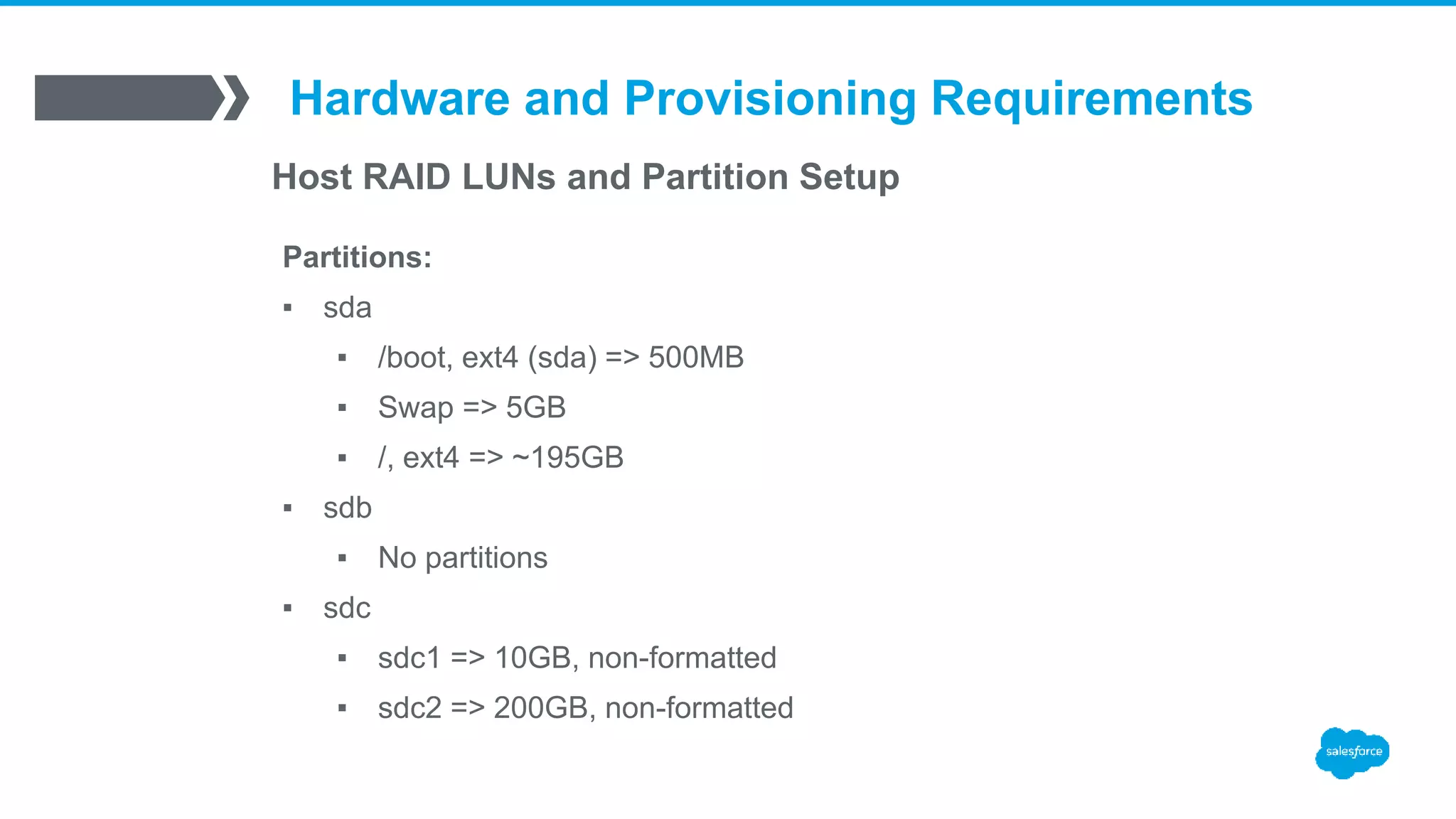
Host RAID LUNs and Partition Setup
Partitions:
▪ sda
▪ /boot, ext4 (sda) => 500MB
▪ Swap => 5GB
▪ /, ext4 => ~195GB
▪ sdb
▪ No partitions
▪ sdc
▪ sdc1 => 10GB, non-formatted
▪ sdc2 => 200GB, non-formatted
Hardware and Provisioning Requirements
Latest LT Kernel and ZFS
▪ Kernel LT => 3.10.95-1
▪ ZFS => 0.6.5.2
Hardware and Provisioning Requirements
Chef Integration
▪ End to end server provisioning with chef
▪ Chef configured on each server, host added to
chef server, and a chef-client run to apply base
roles
Stacki Configuration
Concurrent kickstart limitation
▪ /export/stack/sbin/kickstart.cgi:L154
# Use a semaphore to restrict the number of concurrent kickstart
# file generators. The first time through we set the semaphore
# to the number of CPUs (not a great guess, but reasonable).
▪ semaphore = stack.lock.Semaphore('/var/tmp/kickstart.semaphore')
[root@stacki]# echo 200 > /var/tmp/kickstart.semaphore
Stacki Configuration
Custom RAID Controller Setup
▪ /export/stack/site-profiles/prod/2.0/nodes/replace-storage-controller-client.xml
/export/stack/site-profiles/prod/2.0/nodes/replace-storage-controller-client.xml
<?xml version="1.0" standalone="no"?>
<kickstart>
<pre>
if [ "&nukecontroller;" == "true" ]
then
/opt/stack/sbin/hpssacli ctrl slot=0 delete forced override
/opt/stack/sbin/hpssacli ctrl slot=0 create type=ld 
drives=1I:1:1,1I:1:2,1I:1:3,1I:1:4 raid=1+0 size=200000
/opt/stack/sbin/hpssacli ctrl slot=0 create type=ld 
drives=1I:1:1,1I:1:2,1I:1:3,1I:1:4 raid=1+0
/opt/stack/sbin/hpssacli ctrl slot=0 create type=ld 
drives=2I:0:5,2I:0:6 raid=0
fi
</pre>
<!-- now reset the nukecontroller attribute to false -->
<pre>
<eval>
/opt/stack/bin/stack set host attr &hostname; attr=nukecontroller value=false
</eval>
</pre>
</kickstart>
/export/stack/site-profiles/prod/2.0/nodes/replace-storage-controller-client.xml
<pre cond="appliance in [’rabbitmq']">
if [ "&nukecontroller;" == "true" ]
then
/opt/stack/sbin/hpssacli ctrl slot=0 delete forced override
/opt/stack/sbin/hpssacli ctrl slot=0 create type=ld 
drives=1I:1:1,1I:1:2,1I:1:3,1I:1:4 raid=1+0 size=500000
/opt/stack/sbin/hpssacli ctrl slot=0 create type=ld 
drives=1I:1:1,1I:1:2,1I:1:3,1I:1:4 raid=1+0
/opt/stack/sbin/hpssacli ctrl slot=0 create type=ld 
drives=2I:0:5,2I:0:6 raid=1
fi
</pre>
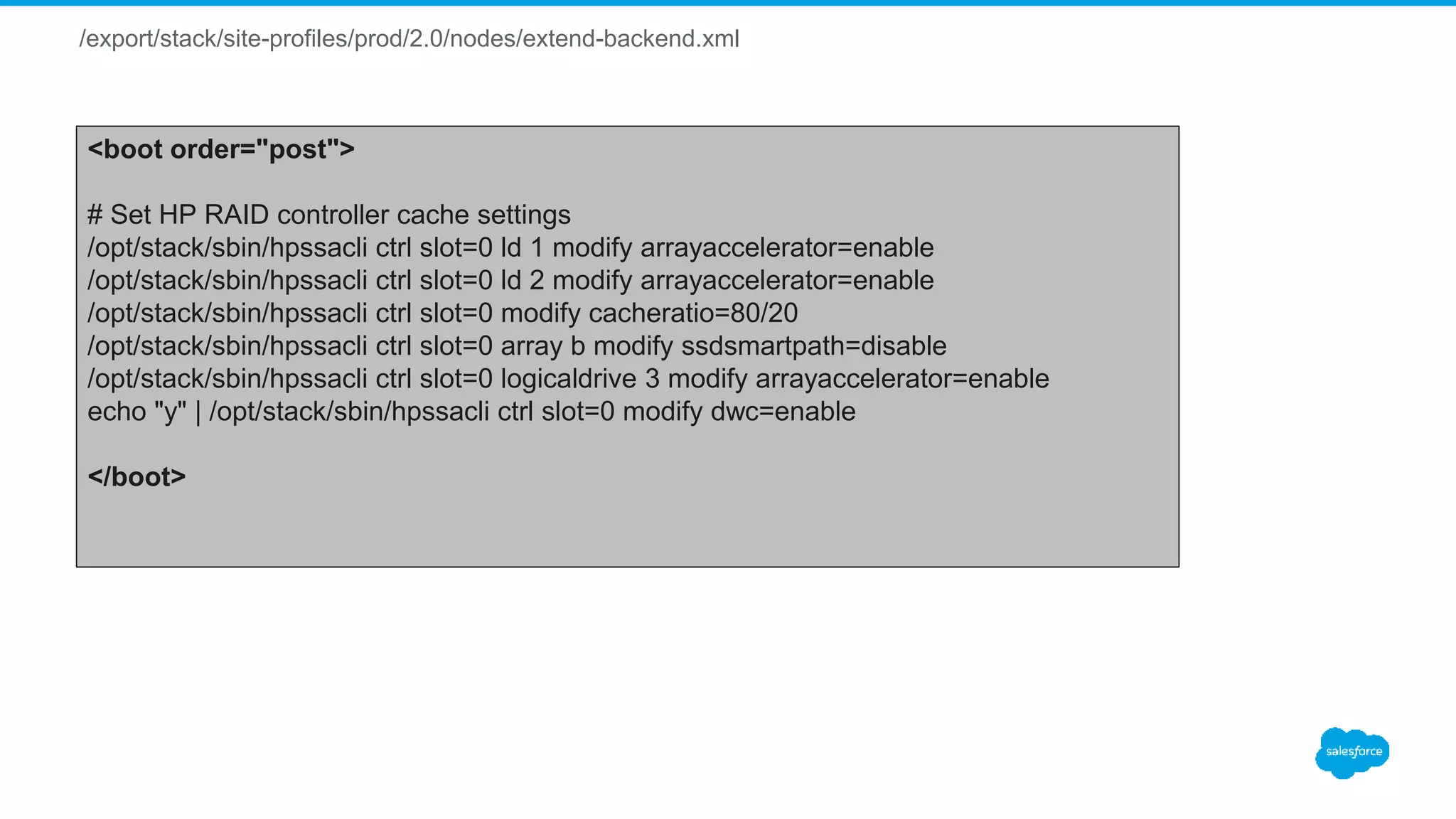
/export/stack/site-profiles/prod/2.0/nodes/extend-backend.xml
<boot order="post">
# Set HP RAID controller cache settings
/opt/stack/sbin/hpssacli ctrl slot=0 ld 1 modify arrayaccelerator=enable
/opt/stack/sbin/hpssacli ctrl slot=0 ld 2 modify arrayaccelerator=enable
/opt/stack/sbin/hpssacli ctrl slot=0 modify cacheratio=80/20
/opt/stack/sbin/hpssacli ctrl slot=0 array b modify ssdsmartpath=disable
/opt/stack/sbin/hpssacli ctrl slot=0 logicaldrive 3 modify arrayaccelerator=enable
echo "y" | /opt/stack/sbin/hpssacli ctrl slot=0 modify dwc=enable
</boot>
Stacki Configuration
Custom Partitions
▪ /export/stack/site-profiles/prod/2.0/nodes/extend-partition.xml
/export/stack/site-profiles/prod/2.0/nodes/extend-partition.xml
<?xml version="1.0" standalone="no"?>
<kickstart>
<post>
<![CDATA[
/sbin/fdisk /dev/sdc << EOF
d
w
EOF
/sbin/fdisk /dev/sdc << EOF
n
p
1
1
+10G
w
EOF
/sbin/fdisk /dev/sdc << EOF
n
p
2
+200G
w
EOF
]]>
</post>
</kickstart>
Stacki Configuration
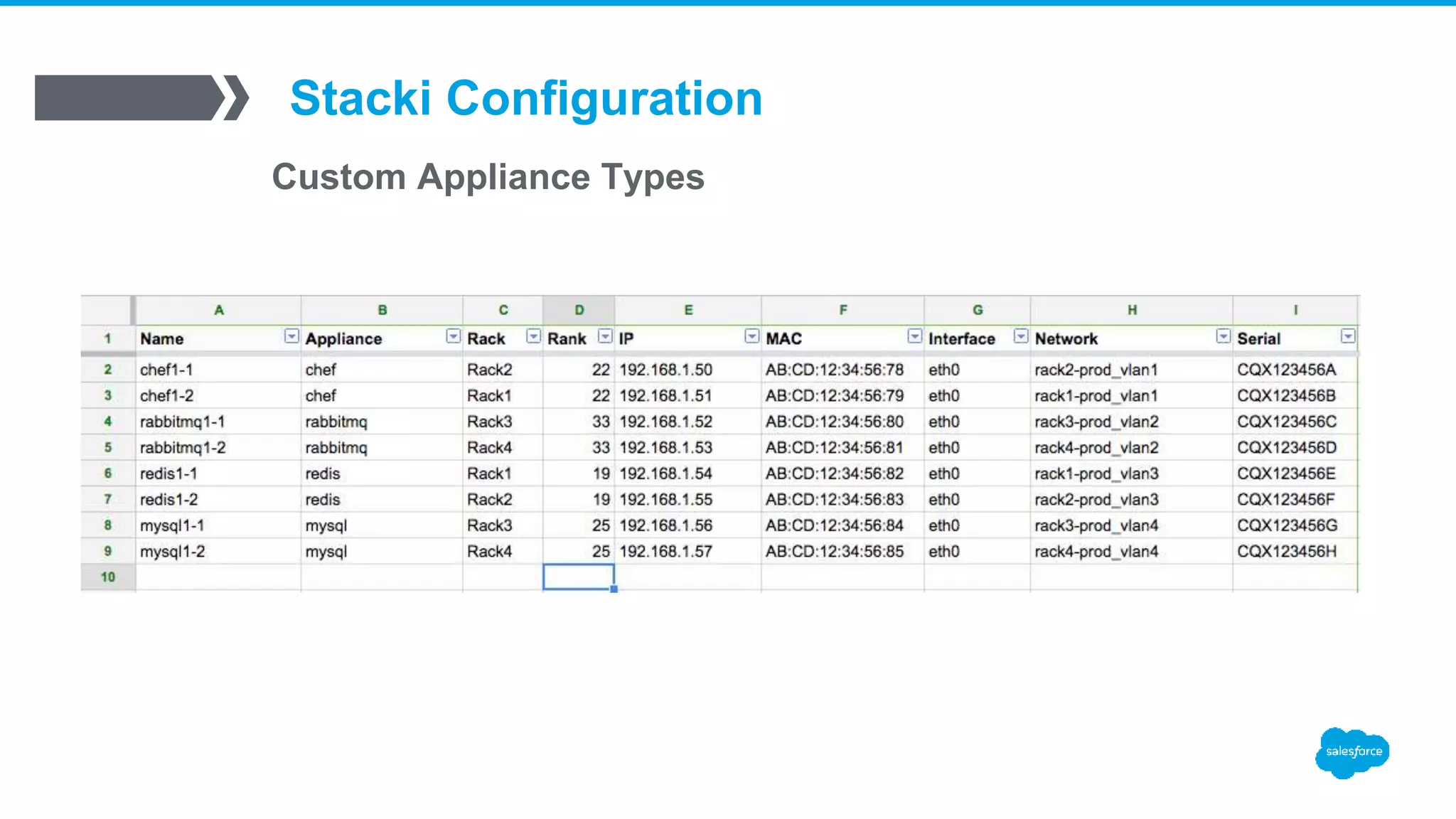
Custom Appliance Types
▪ /export/stack/site-profiles/prod/2.0/nodes/extend-backend.xml
[root@stacki]# stack list appliance
APPLIANCE MEMBERSHIP PUBLIC
frontend: Frontend no
backend: Backend yes
rabbitmq: Rabbitmq yes
redis: Redis yes
mysql: Mysql yes
[root@stacki]# stack add appliance loadbalancer
[root@stacki]# stack set appliance attr loadbalancer attr=managed value=true
[root@stacki]# stack set appliance attr loadbalancer attr=kickstartable value=true
[root@stacki]# stack set appliance attr loadbalancer attr=node value=backend
/export/stack/site-profiles/prod/2.0/nodes/extend-backend.xml
<boot order="post" cond="appliance == ’rabbitmq' and (nukecontroller or nukedisks)">
/sbin/zfs create data/rabbitmq
/sbin/zfs set mountpoint=/var/lib/rabbitmq data/rabbitmq
</boot>
<boot order="post" cond="appliance == ’redis' and (nukecontroller or nukedisks)">
/sbin/zfs create data/redis
/sbin/zfs set mountpoint=/var/lib/redis data/redis
adduser -r redis -U
chown redis:redis /var/lib/redis
</boot>
<boot order="post" cond="appliance == 'mysql' and (nukecontroller or nukedisks)">
# Disabling THP
<![CDATA[
echo never > /sys/kernel/mm/transparent_hugepage/enabled
echo never > /sys/kernel/mm/transparent_hugepage/defrag
sed -i 's/kernel.* console=ttyS0,19200n8$/& transparent_hugepage=never/' /boot/grub/grub.conf
sed -i 's/kernel.* crashkernel=auto$/& transparent_hugepage=never/' /boot/grub/grub.conf
]]>
/sbin/zfs create data/mysql
/sbin/zfs create data/mysql-log
/sbin/zfs create data/mysql-tmp
/sbin/zfs set recordsize=16K data/mysql
/sbin/zfs set mountpoint=/var/lib/mysql data/mysql
/sbin/zfs set mountpoint=/var/log/mysql data/mysql-log
/sbin/zfs set mountpoint=/var/lib/mysql/tmp data/mysql-tmp
adduser -r mysql -U
chown mysql:mysql /var/lib/mysql /var/log/mysql /var/lib/mysql/tmp
</boot>
Stacki Configuration
Custom Appliance Types
Stacki Configuration
Chef Cart
▪ /export/stack/carts/chef/nodes/cart-chef-backend.xml
/export/stack/carts/chef/nodes/cart-chef-backend.xml
<?xml version="1.0" standalone="no"?>
<kickstart>
<description>
chef cart backend appliance extensions
</description>
<package>chef</package>
<!-- shell code for post RPM installation -->
<post>
mkdir -p /etc/chef /var/log/chef /var/run/chef
</post>
<post cond="not ‘proxy’ in hostname">
<file name="/etc/chef/client.rb">
<![CDATA[
#
# Chef Client Config File
#
# Dynamically generated by Stacki
#
log_level :info
log_location STDOUT
chef_server_url "#CHEF_SERVER#"
validation_client_name ”chef-validator"
validation_key "/etc/chef/validation.pem"
client_key "/etc/chef/client.pem"
ssl_verify_mode :verify_none
http_proxy 'http://proxy1:3128'
https_proxy 'http://proxy2:3128'
no_proxy ’test1,localhost,127.0.0.1'
environment 'production'
# Using default node name (fqdn)
node_name "#HOSTNAME#”
Ohai::Config[:plugin_path] << '/etc/chef/ohai'
]]>
</file>
# Need to add the chef server and client hostname to the client.rb file
sed -i 's,#CHEF_SERVER#,&chef_server;,g' /etc/chef/client.rb
sed -i 's/#HOSTNAME#/&hostname;.&domainname;/g' /etc/chef/client.rb
</post>
/export/stack/carts/chef/nodes/cart-chef-backend.xml
<post>
<file name="/etc/chef/first-boot.json">
{
"run_list": [
"role[base_role]",
"role[dc_sfo]"
]
}
</file>
</post>
# If we are nuking disks we are assuming this is a new server
# or the chef client/node has been deleted out of the chef server if it existed.
<boot order="post" cond="nukedisks">
# Run chef-client for the first time
/usr/bin/chef-client -j /etc/chef/first-boot.json -L /var/log/chef/chef.log
# Make a backup of the chef private key in case we need to re-provision/upgrade a server
mkdir -p /data/chef-backup
chown root:root /data/chef-backup
chmod 700 /data/chef-backup
cp -a /etc/chef/* /data/chef-backup
</boot>
# If we are not nuking the disks we are assuming we are re-loading or upgrading
# the OS and need to keep the client.pem chef key so chef-client can run properly
<boot order="post" cond="not nukedisks">
cp /data/chef-backup/client.pem /etc/chef/
/usr/bin/chef-client -L /var/log/chef/chef.log
</boot>
Stacki Configuration
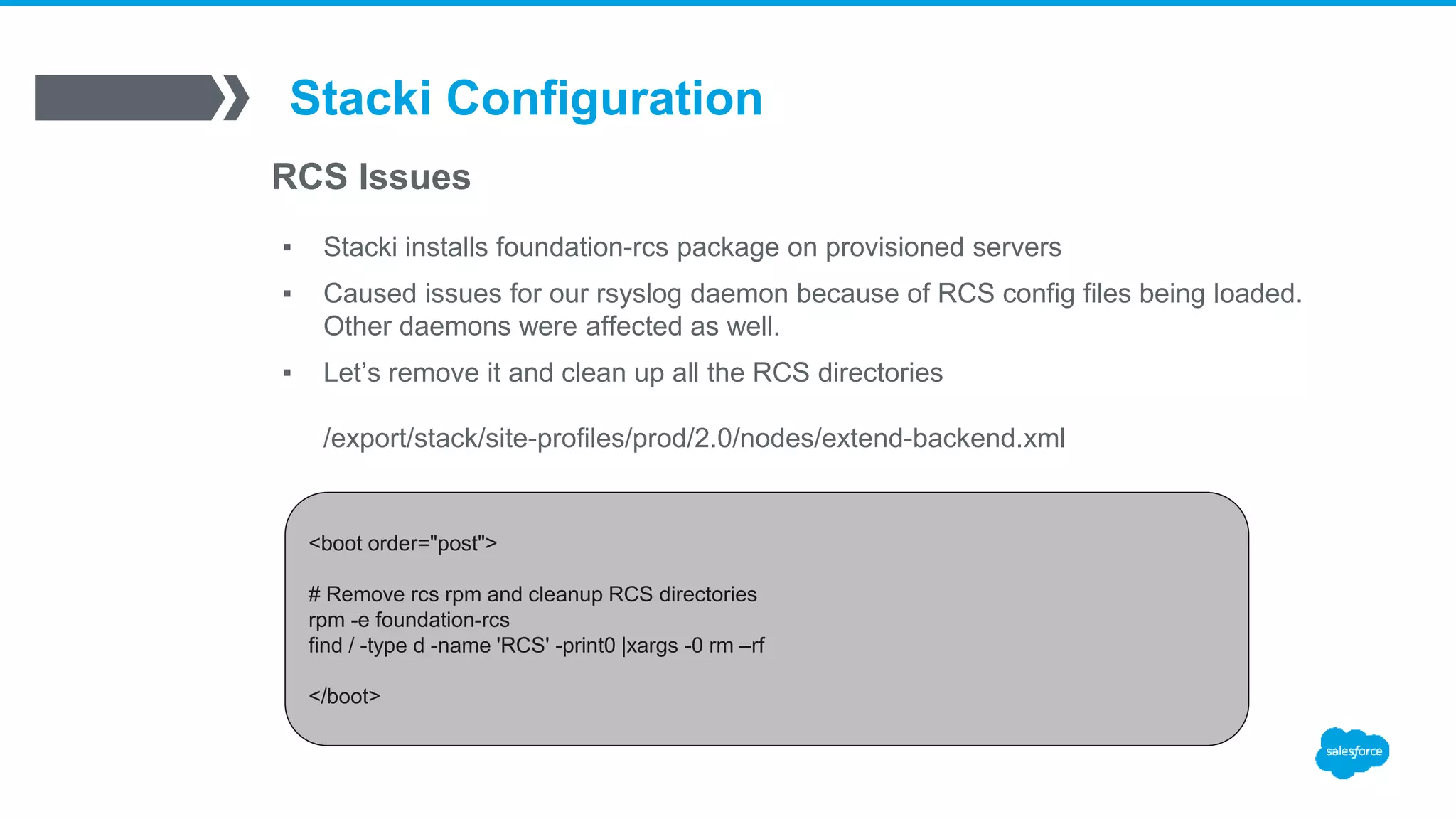
RCS Issues
▪ Stacki installs foundation-rcs package on provisioned servers
▪ Caused issues for our rsyslog daemon because of RCS config files being loaded.
Other daemons were affected as well.
▪ Let’s remove it and clean up all the RCS directories
/export/stack/site-profiles/prod/2.0/nodes/extend-backend.xml
<boot order="post">
# Remove rcs rpm and cleanup RCS directories
rpm -e foundation-rcs
find / -type d -name 'RCS' -print0 |xargs -0 rm –rf
</boot>
ZFS and Data Safe
Provisioning
ZFS and Data Safe Provisioning
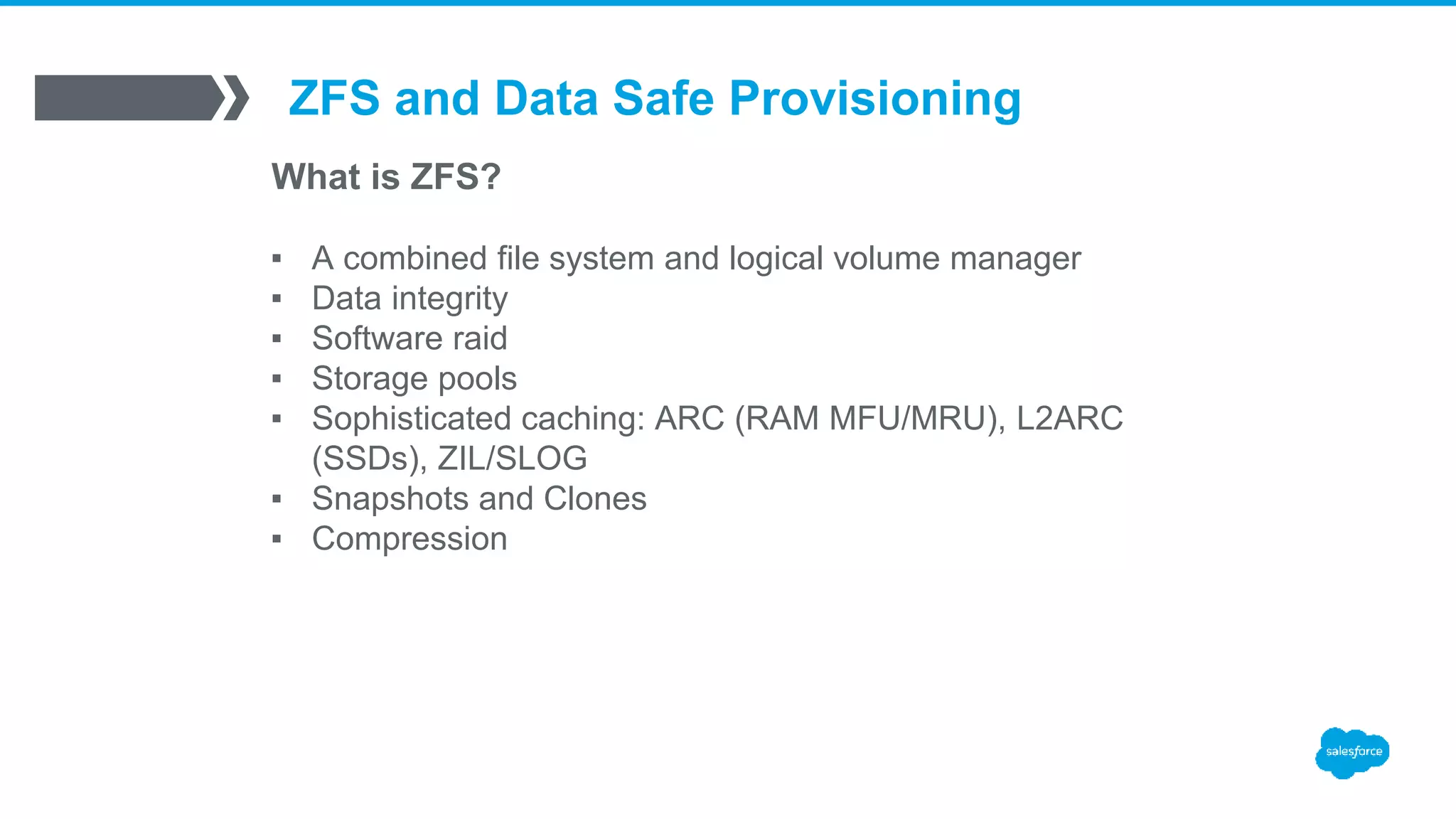
What is ZFS?
▪ A combined file system and logical volume manager
▪ Data integrity
▪ Software raid
▪ Storage pools
▪ Sophisticated caching: ARC (RAM MFU/MRU), L2ARC
(SSDs), ZIL/SLOG
▪ Snapshots and Clones
▪ Compression
ZFS and Data Safe Provisioning
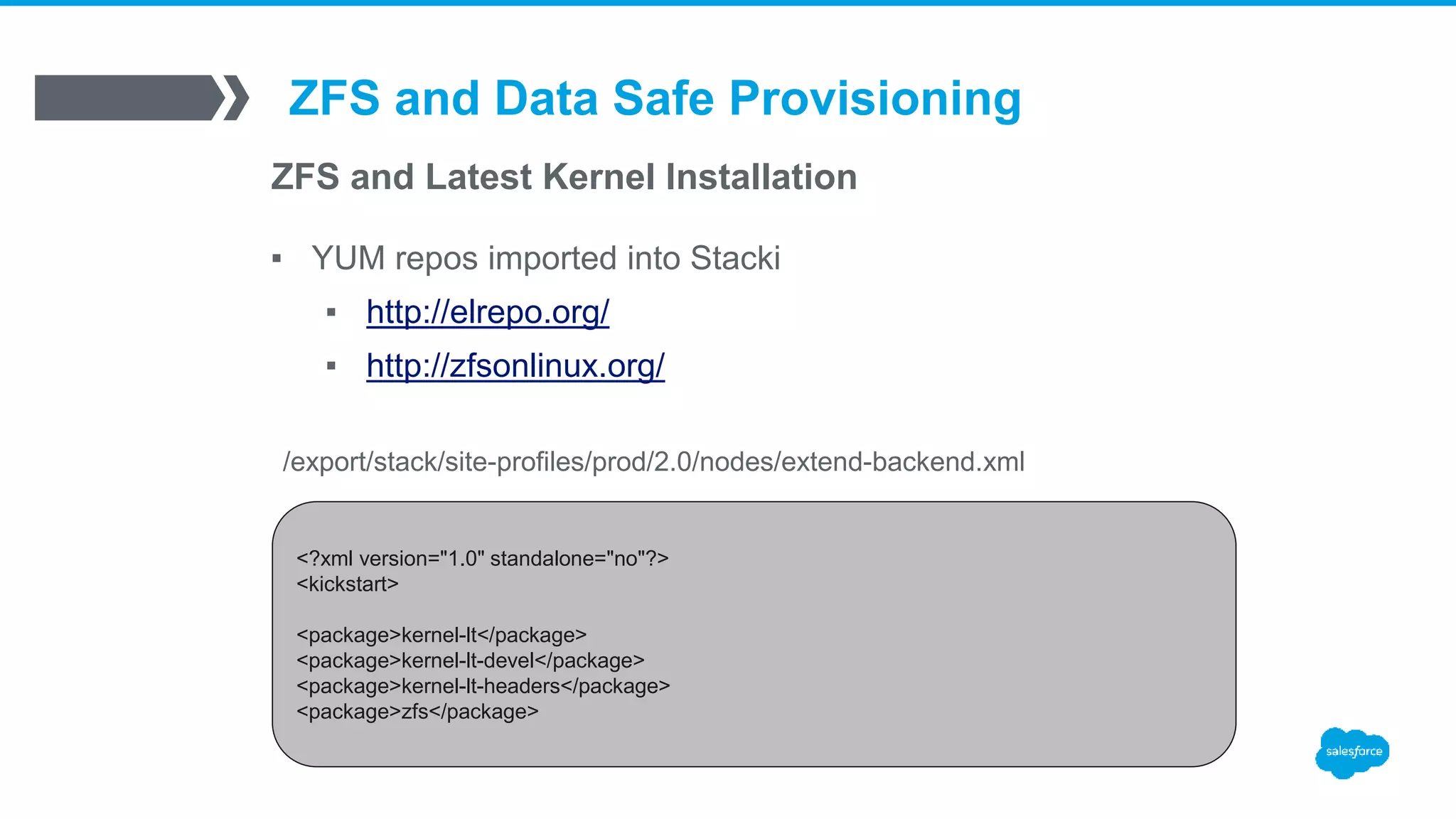
ZFS and Latest Kernel Installation
▪ YUM repos imported into Stacki
▪ http://elrepo.org/
▪ http://zfsonlinux.org/
<?xml version="1.0" standalone="no"?>
<kickstart>
<package>kernel-lt</package>
<package>kernel-lt-devel</package>
<package>kernel-lt-headers</package>
<package>zfs</package>
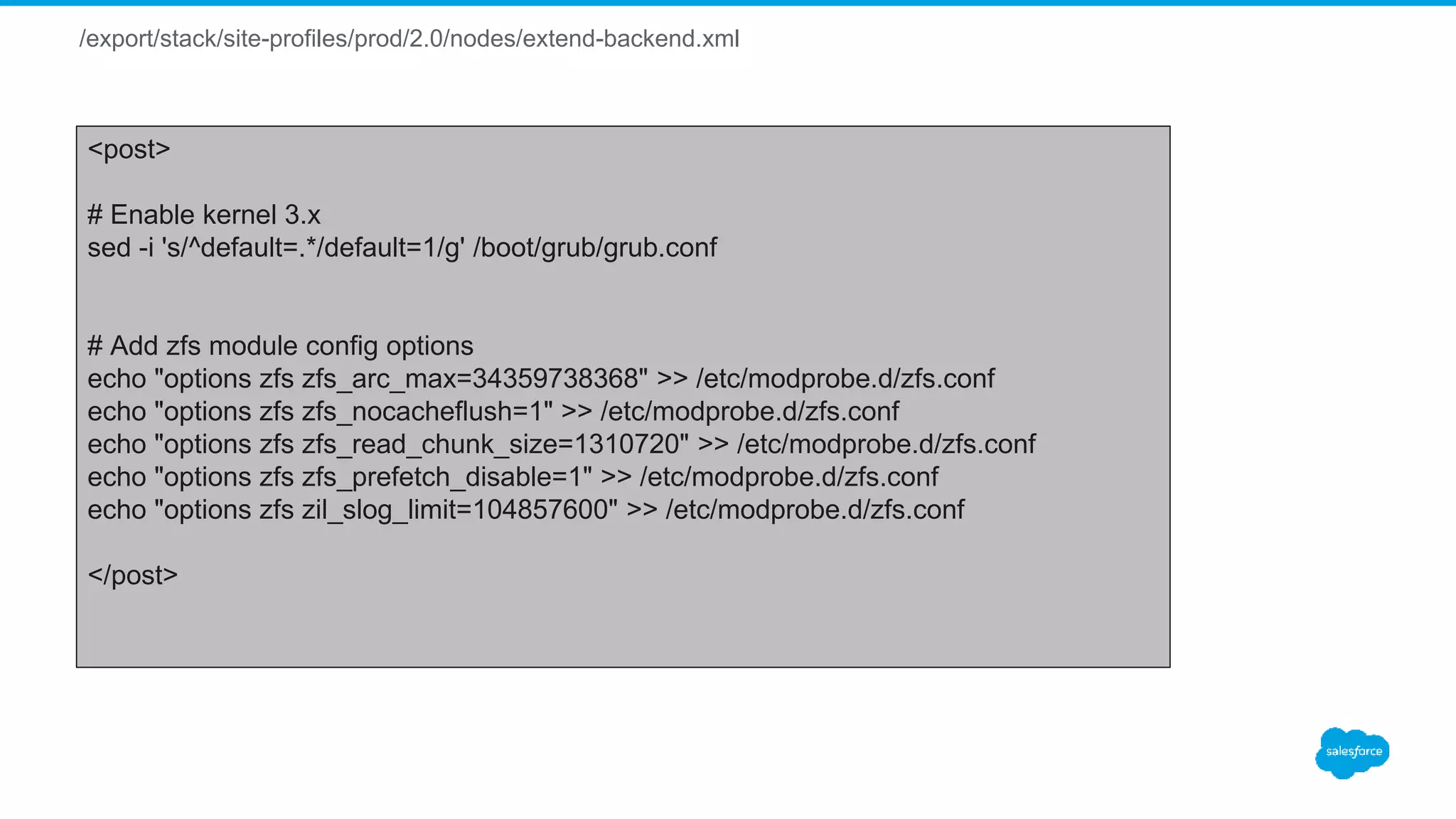
/export/stack/site-profiles/prod/2.0/nodes/extend-backend.xml
<post>
# Enable kernel 3.x
sed -i 's/^default=.*/default=1/g' /boot/grub/grub.conf
# Add zfs module config options
echo "options zfs zfs_arc_max=34359738368" >> /etc/modprobe.d/zfs.conf
echo "options zfs zfs_nocacheflush=1" >> /etc/modprobe.d/zfs.conf
echo "options zfs zfs_read_chunk_size=1310720" >> /etc/modprobe.d/zfs.conf
echo "options zfs zfs_prefetch_disable=1" >> /etc/modprobe.d/zfs.conf
echo "options zfs zil_slog_limit=104857600" >> /etc/modprobe.d/zfs.conf
</post>
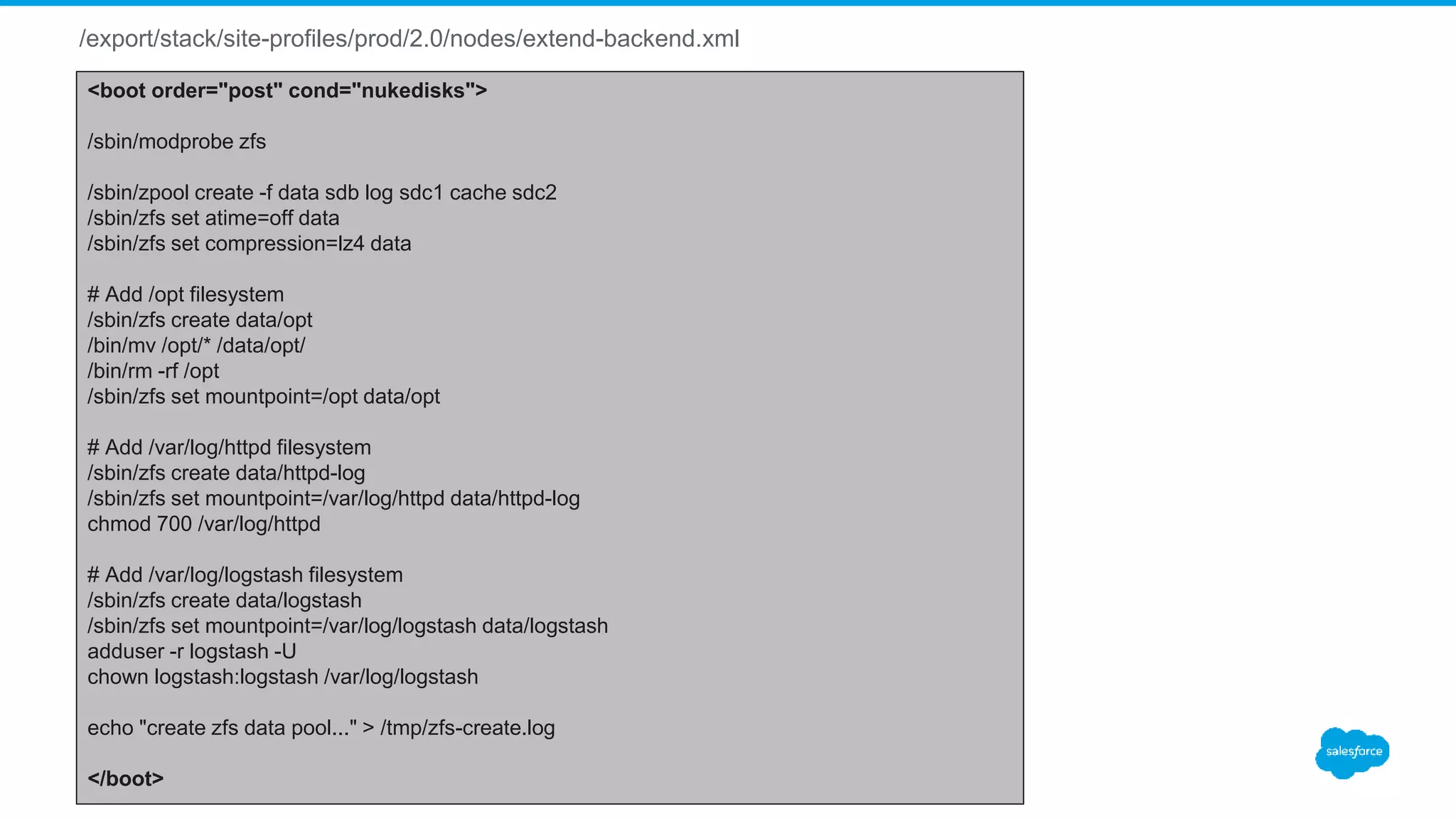
/export/stack/site-profiles/prod/2.0/nodes/extend-backend.xml
<boot order="post" cond="nukedisks">
/sbin/modprobe zfs
/sbin/zpool create -f data sdb log sdc1 cache sdc2
/sbin/zfs set atime=off data
/sbin/zfs set compression=lz4 data
# Add /opt filesystem
/sbin/zfs create data/opt
/bin/mv /opt/* /data/opt/
/bin/rm -rf /opt
/sbin/zfs set mountpoint=/opt data/opt
# Add /var/log/httpd filesystem
/sbin/zfs create data/httpd-log
/sbin/zfs set mountpoint=/var/log/httpd data/httpd-log
chmod 700 /var/log/httpd
# Add /var/log/logstash filesystem
/sbin/zfs create data/logstash
/sbin/zfs set mountpoint=/var/log/logstash data/logstash
adduser -r logstash -U
chown logstash:logstash /var/log/logstash
echo "create zfs data pool..." > /tmp/zfs-create.log
</boot>
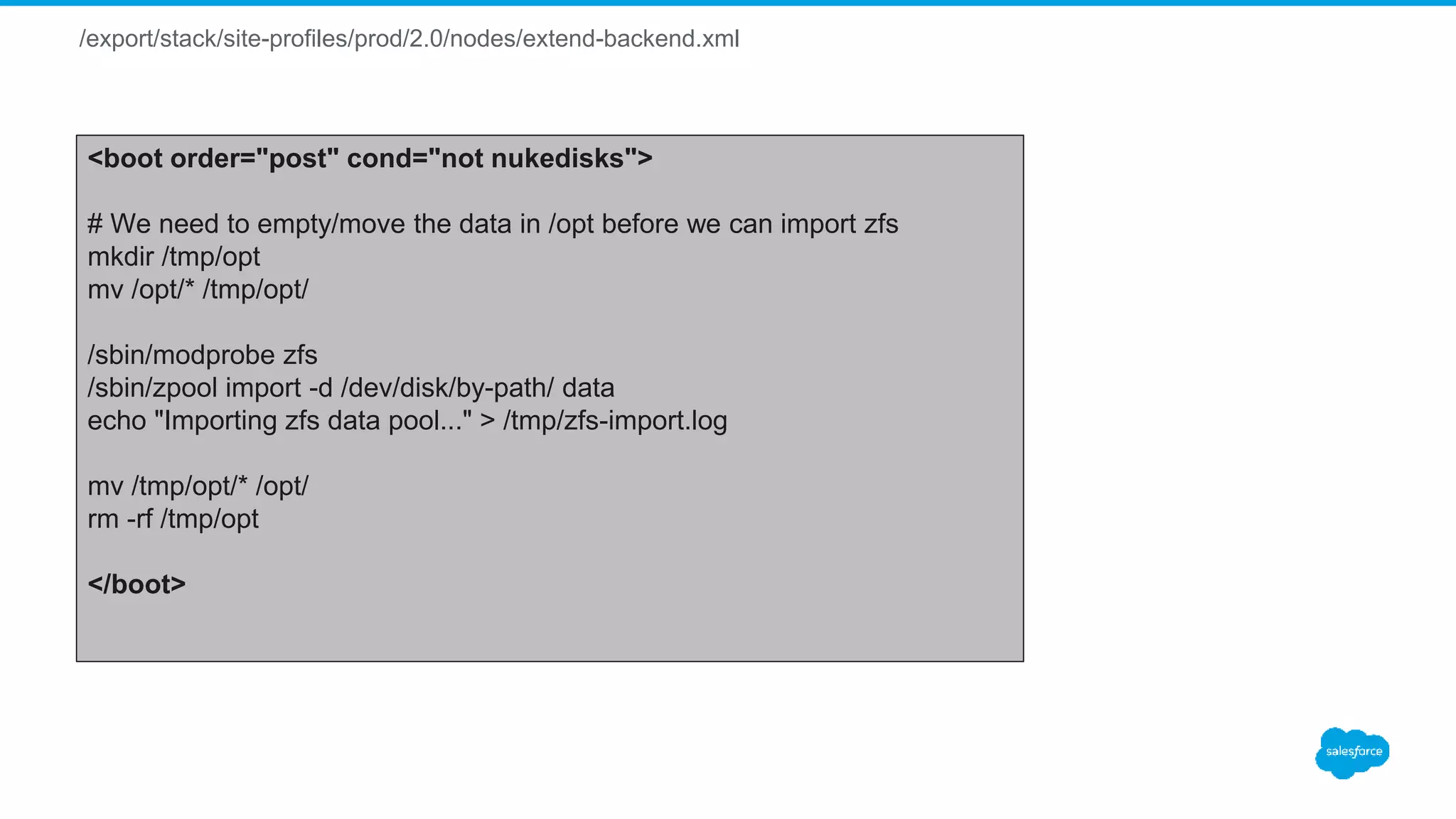
/export/stack/site-profiles/prod/2.0/nodes/extend-backend.xml
<boot order="post" cond="not nukedisks">
# We need to empty/move the data in /opt before we can import zfs
mkdir /tmp/opt
mv /opt/* /tmp/opt/
/sbin/modprobe zfs
/sbin/zpool import -d /dev/disk/by-path/ data
echo "Importing zfs data pool..." > /tmp/zfs-import.log
mv /tmp/opt/* /opt/
rm -rf /tmp/opt
</boot>
Detecting Issues and
AdHoc Reporting
Detecting Issues and AdHoc Reporting
What? We have Issues?
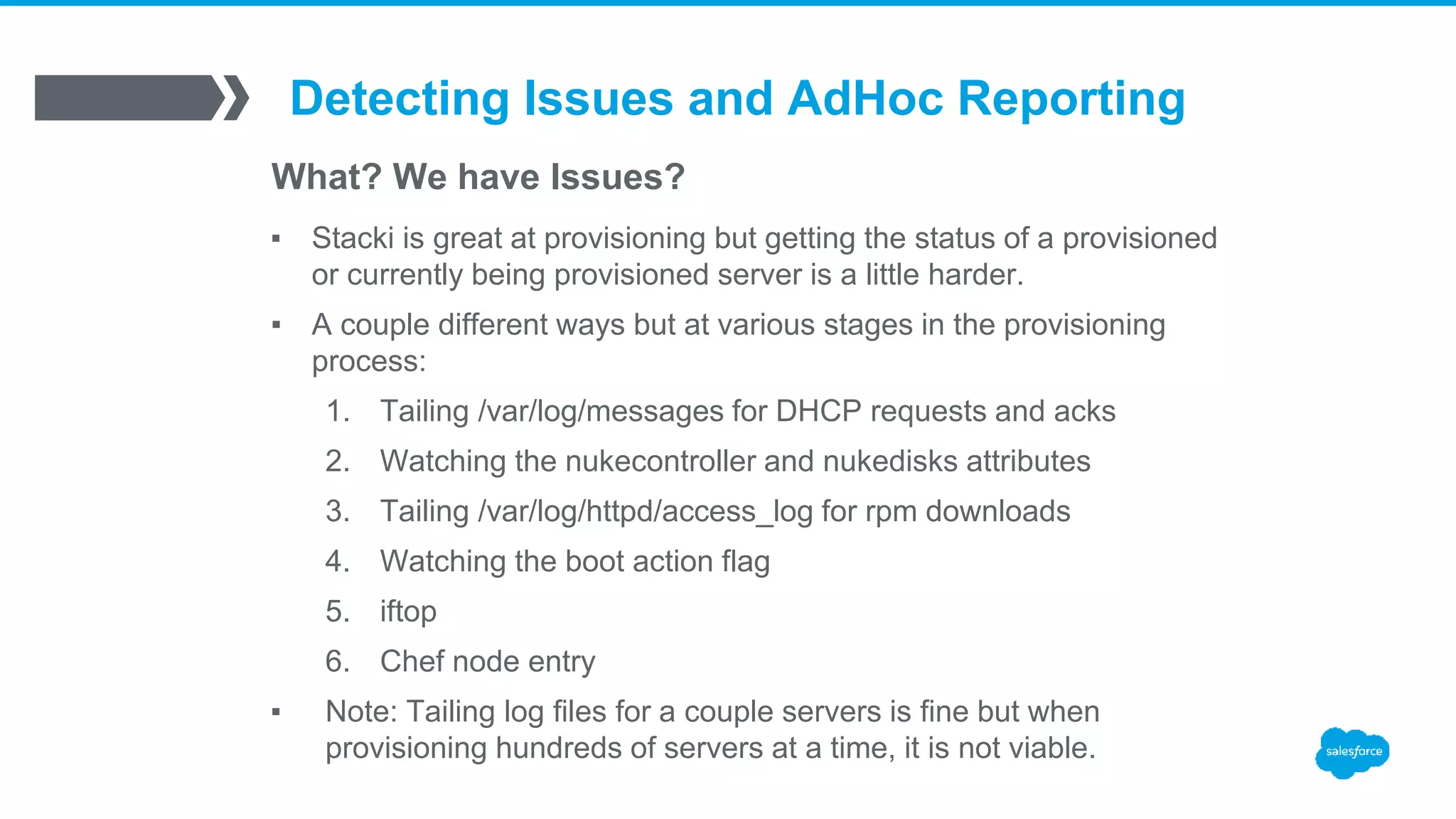
▪ Stacki is great at provisioning but getting the status of a provisioned
or currently being provisioned server is a little harder.
▪ A couple different ways but at various stages in the provisioning
process:
1. Tailing /var/log/messages for DHCP requests and acks
2. Watching the nukecontroller and nukedisks attributes
3. Tailing /var/log/httpd/access_log for rpm downloads
4. Watching the boot action flag
5. iftop
6. Chef node entry
▪ Note: Tailing log files for a couple servers is fine but when
provisioning hundreds of servers at a time, it is not viable.
Detecting Issues and AdHoc Reporting
What? We have Issues?
▪ Watching the nukecontroller and nukedisks attributes
[root@stacki]# stack list host attr chef1-1 |grep nuke
chef1-1: -------------------- nukecontroller true H
chef1-1: -------------------- nukedisks true H
192.168.10.50 - - [09/Feb/2016:20:39:52 -0700] "GET /install/sbin/public/setDbPartitions.cgi HTTP/1.1" 200 1
/var/log/httpd/ssl_access_log
Detecting Issues and AdHoc Reporting
What? We have Issues?
▪ Tailing /var/log/httpd/access_log for rpm downloads
192.168.10.50 - - [09/Feb/2016:17:09:32 -0700] "GET /install/distributions/prod/x86_64/RedHat/RPMS/gtk2-2.24.23-6.el6.x86_64.rpm HTTP/1.1" 200 3339880 "-" "-"
192.168.10.50 - - [09/Feb/2016:17:09:31 -0700] "GET /install/distributions/prod/x86_64/RedHat/RPMS/hdparm-9.43-4.el6.x86_64.rpm HTTP/1.1" 200 83060 "-" "-”
192.168.10.50 - - [09/Feb/2016:17:09:32 -0700] "GET /install/distributions/prod/x86_64/RedHat/RPMS/libXext-1.3.2-2.1.el6.x86_64.rpm HTTP/1.1" 200 35644 "-" "-"
192.168.10.50 - - [09/Feb/2016:17:09:32 -0700] "GET /install/distributions/prod/x86_64/RedHat/RPMS/filesystem-2.4.30-3.el6.x86_64.rpm HTTP/1.1" 200 1057228 "-" "-"
192.168.10.50 - - [09/Feb/2016:17:09:32 -0700] "GET /install/distributions/prod/x86_64/RedHat/RPMS/NetworkManager-0.8.1-99.el6.x86_64.rpm HTTP/1.1" 200 1185212 "-" "-"
192.168.10.50 - - [09/Feb/2016:17:09:32 -0700] "GET /install/distributions/prod/x86_64/RedHat/RPMS/libstoragemgmt-1.2.3-1.el6.x86_64.rpm HTTP/1.1" 200 211068 "-" "-"
tail –f /var/log/httpd/access_log | grep –E “192.168.10.50|192.168.10.51”
Detecting Issues and AdHoc Reporting
What? We have Issues?
▪ Watching the boot action flag
[root@stacki]# stack list host boot chef1-*
HOST ACTION
chef1-2: install
chef1-1: os
192.168.10.50 - - [09/Feb/2016:20:39:52 -0700] "GET /install/sbin/public/setPxeboot.cgi?params={"action":"os"} HTTP/1.1" 200 1
/var/log/httpd/ssl_access_log
Detecting Issues and AdHoc Reporting
What? We have Issues?
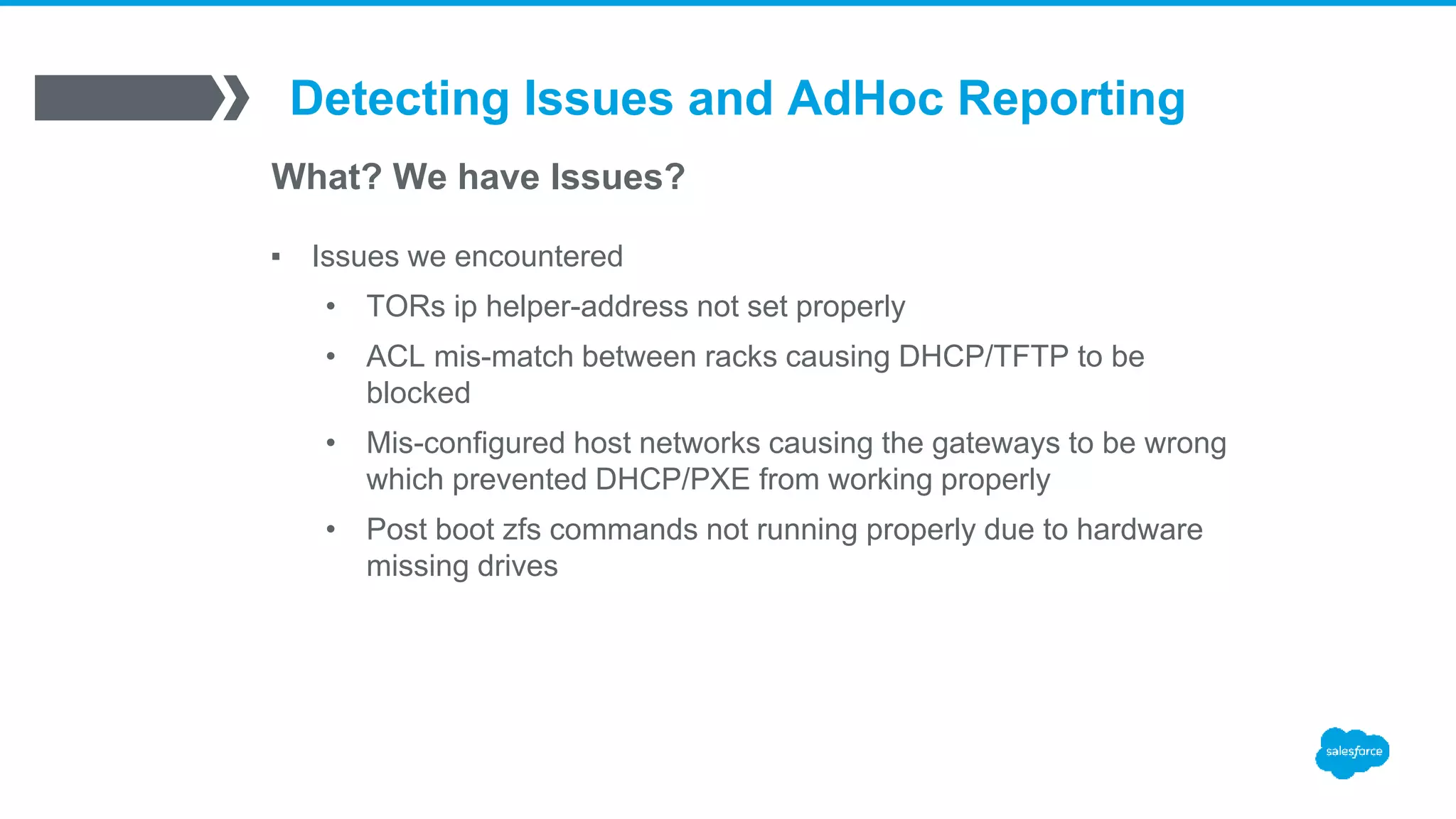
▪ Issues we encountered
• TORs ip helper-address not set properly
• ACL mis-match between racks causing DHCP/TFTP to be
blocked
• Mis-configured host networks causing the gateways to be wrong
which prevented DHCP/PXE from working properly
• Post boot zfs commands not running properly due to hardware
missing drives
Detecting Issues and AdHoc Reporting
AdHoc Reporting
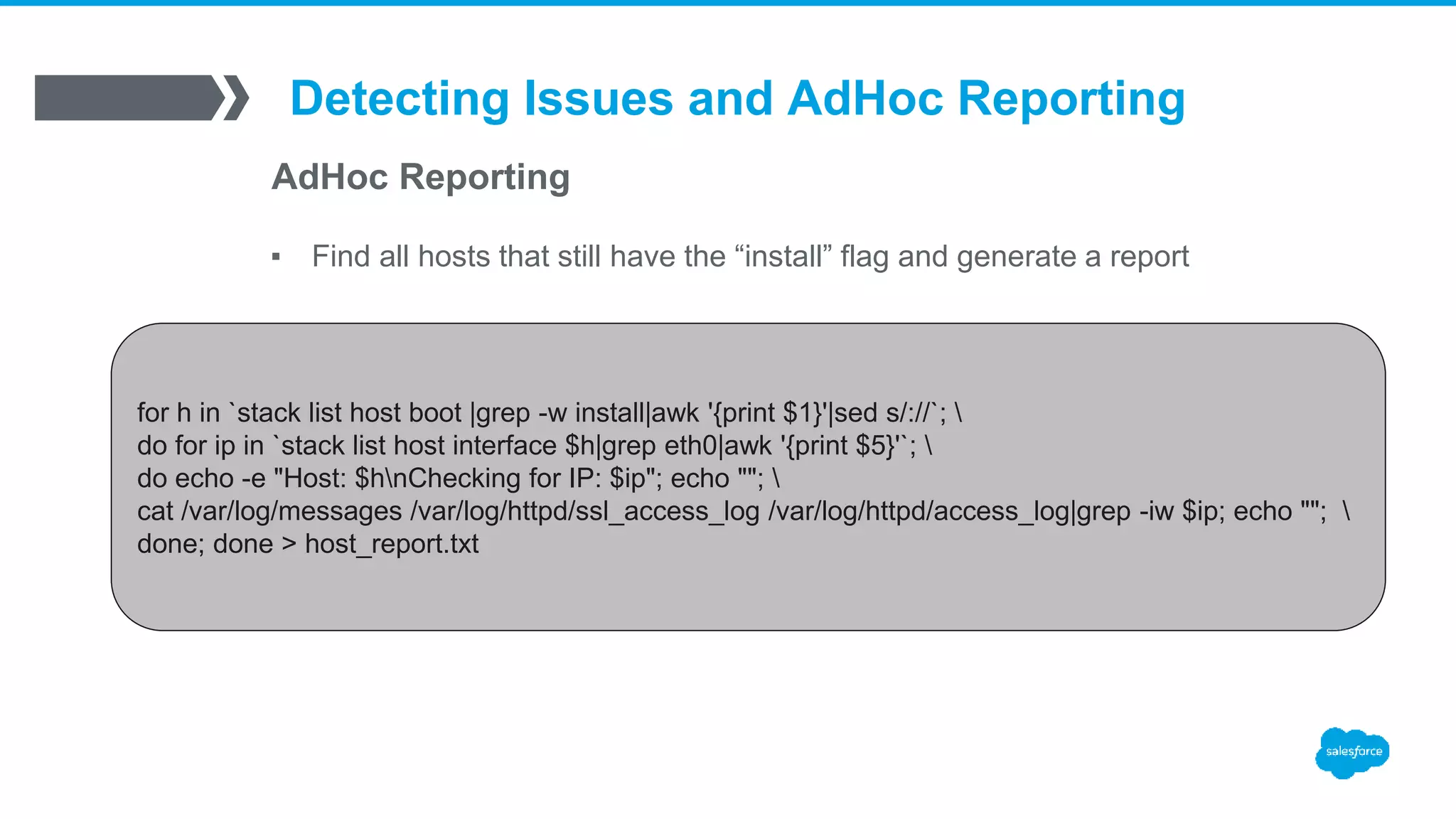
▪ Find all hosts that still have the “install” flag and generate a report
for h in `stack list host boot |grep -w install|awk '{print $1}'|sed s/://`; 
do for ip in `stack list host interface $h|grep eth0|awk '{print $5}'`; 
do echo -e "Host: $hnChecking for IP: $ip"; echo ""; 
cat /var/log/messages /var/log/httpd/ssl_access_log /var/log/httpd/access_log|grep -iw $ip; echo ""; 
done; done > host_report.txt
Host: test1
Checking for IP: 192.168.10.50
Feb 9 19:32:12 stacki-host dhcpd: DHCPOFFER on 192.168.10.50 to ba:c2:3d:c3:ab:13 via 192.168.10.1
Feb 9 19:32:16 stacki-host dhcpd: DHCPREQUEST for 192.168.10.50 (192.168.10.5) from ba:c2:3d:c3:ab:13 via 192.168.10.1
Feb 9 19:32:16 stacki-host dhcpd: DHCPACK on 192.168.10.50to ba:c2:3d:c3:ab:13 via 192.168.10.1
Feb 9 19:32:16 stacki-host dhcpd: DHCPREQUEST for 192.168.10.50 (192.168.10.5) from ba:c2:3d:c3:ab:13 via 192.168.10.1
Feb 9 19:32:16 stacki-host dhcpd: DHCPACK on 192.168.10.50 to ba:c2:3d:c3:ab:13 via 192.168.10.1
192.168.10.50 - - [09/Feb/2016:19:32:54 -0700] "GET /install/sbin/kickstart.cgi?arch=x86_64&np=40 HTTP/1.1" 200 96101
192.168.10.50 - - [09/Feb/2016:19:33:13 -0700] "GET /install/distributions/prod/x86_64/images/updates.img HTTP/1.1" 404 329 "-" "-”
192.168.10.50 - - [09/Feb/2016:19:33:33 -0700] "GET /install/distributions/prod/x86_64/images/product.img HTTP/1.1" 200 782336 "-" "-"
192.168.10.50 - - [09/Feb/2016:19:33:35 -0700] "GET /install/distributions/prod/x86_64/images/install.img HTTP/1.1" 200 236163072 "-" "-"
Host: test2
Checking for IP: 192.168.10.51
Host: test3
Checking for IP: 192.168.10.52
Detecting Issues and AdHoc Reporting
AdHoc Reporting
▪ Find the top racks with the most un-provisioned hosts. Helps us
identify racks with potential ACL issues.
[root@stacki]# stack list network|awk '{print $1}’
NETWORK
rack1-prod_vlan1:
rack2-prod_vlan2:
rack3-prod_vlan1:
rack4-prod_vlan2:
rack5-prod_vlan2:
[root@stacki]# for h in `stack list host boot |grep -w install|awk '{print $1}'|sed s/://`; do stack list host interface $h; done
|grep eth0|awk '{print $3}'|cut -d- -f 1|sort|uniq -c|sort -rn|head
40 rack2
9 rack3
7 rack5
6 rack1
6 rack4
Lessons Learned
▪ With thousands of servers, you need a standard naming convention for hosts, networks,
appliance types, etc.
▪ Standardized servers saves you time and headaches.
▪ Created custom scripts to augment stacki functionality and reduce human errors
• create-stack-appliances.sh: This script will look for appliance types in the extend-backend.xml file, check to
see if they already exist and if not, create them in Stacki.
• create-stack-networks.sh: This script will import a list of networks from a csv file you specify.
• stack-hosts.sh: This script enables or disables provisioning of hosts listed in a file and can optionally set the
nuke attributes.
▪ Stacki by default does not allow you to have a high number of concurrent kickstart
sessions.
▪ When making config changes, verify proper syntax and expected output by running:
stack list host profile <hostname> | less
thank y u

Stacki - The1600+ Server Journey

  • 1.
    Stacki – The1600+ Server Journey David Peterson Lead Systems Engineer david.peterson@salesforce.com
  • 2.
    Agenda ▪ Why Stacki ▪Hardware and provisioning requirements ▪ Stacki configuration with chef integration ▪ ZFS and data safe re-provisioning ▪ Detecting issues and adhoc reporting
  • 3.
  • 4.
    Why Stacki ▪ Managingthousands of servers is easy (csv) ▪ HP raid controller support ▪ Easy out of the box provisioning but deep customization available ▪ Ability to re-provision without losing data ▪ Easy network/subnet configuration ▪ YUM repo support ▪ Command line, command line, command line ▪ Support
  • 5.
  • 6.
    Hardware and ProvisioningRequirements Firewall/ACL Ports ▪ bootpc and bootps (dhcp): UDP 67 and 68 ▪ tftp: UDP 69 ▪ tftp ephermeral: UDP 32765-65535 ▪ http/https: TCP 80 and 443
  • 7.
    Hardware and ProvisioningRequirements Host RAID LUNs and Partition Setup LUNs: ▪ 4x 2TB SATA disks => RAID 10 ▪ 200GB LUN (sda) ▪ 7.7TB LUN (sdb) ▪ 2x 480GB SSD disks => RAID 0 ▪ 960GB LUN (sdc)
  • 8.
    Hardware and ProvisioningRequirements Host RAID LUNs and Partition Setup Partitions: ▪ sda ▪ /boot, ext4 (sda) => 500MB ▪ Swap => 5GB ▪ /, ext4 => ~195GB ▪ sdb ▪ No partitions ▪ sdc ▪ sdc1 => 10GB, non-formatted ▪ sdc2 => 200GB, non-formatted
  • 9.
    Hardware and ProvisioningRequirements Latest LT Kernel and ZFS ▪ Kernel LT => 3.10.95-1 ▪ ZFS => 0.6.5.2
  • 10.
    Hardware and ProvisioningRequirements Chef Integration ▪ End to end server provisioning with chef ▪ Chef configured on each server, host added to chef server, and a chef-client run to apply base roles
  • 11.
  • 12.
    Stacki Configuration Concurrent kickstartlimitation ▪ /export/stack/sbin/kickstart.cgi:L154 # Use a semaphore to restrict the number of concurrent kickstart # file generators. The first time through we set the semaphore # to the number of CPUs (not a great guess, but reasonable). ▪ semaphore = stack.lock.Semaphore('/var/tmp/kickstart.semaphore') [root@stacki]# echo 200 > /var/tmp/kickstart.semaphore
  • 13.
    Stacki Configuration Custom RAIDController Setup ▪ /export/stack/site-profiles/prod/2.0/nodes/replace-storage-controller-client.xml
  • 14.
    /export/stack/site-profiles/prod/2.0/nodes/replace-storage-controller-client.xml <?xml version="1.0" standalone="no"?> <kickstart> <pre> if[ "&nukecontroller;" == "true" ] then /opt/stack/sbin/hpssacli ctrl slot=0 delete forced override /opt/stack/sbin/hpssacli ctrl slot=0 create type=ld drives=1I:1:1,1I:1:2,1I:1:3,1I:1:4 raid=1+0 size=200000 /opt/stack/sbin/hpssacli ctrl slot=0 create type=ld drives=1I:1:1,1I:1:2,1I:1:3,1I:1:4 raid=1+0 /opt/stack/sbin/hpssacli ctrl slot=0 create type=ld drives=2I:0:5,2I:0:6 raid=0 fi </pre> <!-- now reset the nukecontroller attribute to false --> <pre> <eval> /opt/stack/bin/stack set host attr &hostname; attr=nukecontroller value=false </eval> </pre> </kickstart>
  • 15.
    /export/stack/site-profiles/prod/2.0/nodes/replace-storage-controller-client.xml <pre cond="appliance in[’rabbitmq']"> if [ "&nukecontroller;" == "true" ] then /opt/stack/sbin/hpssacli ctrl slot=0 delete forced override /opt/stack/sbin/hpssacli ctrl slot=0 create type=ld drives=1I:1:1,1I:1:2,1I:1:3,1I:1:4 raid=1+0 size=500000 /opt/stack/sbin/hpssacli ctrl slot=0 create type=ld drives=1I:1:1,1I:1:2,1I:1:3,1I:1:4 raid=1+0 /opt/stack/sbin/hpssacli ctrl slot=0 create type=ld drives=2I:0:5,2I:0:6 raid=1 fi </pre>
  • 16.
    /export/stack/site-profiles/prod/2.0/nodes/extend-backend.xml <boot order="post"> # SetHP RAID controller cache settings /opt/stack/sbin/hpssacli ctrl slot=0 ld 1 modify arrayaccelerator=enable /opt/stack/sbin/hpssacli ctrl slot=0 ld 2 modify arrayaccelerator=enable /opt/stack/sbin/hpssacli ctrl slot=0 modify cacheratio=80/20 /opt/stack/sbin/hpssacli ctrl slot=0 array b modify ssdsmartpath=disable /opt/stack/sbin/hpssacli ctrl slot=0 logicaldrive 3 modify arrayaccelerator=enable echo "y" | /opt/stack/sbin/hpssacli ctrl slot=0 modify dwc=enable </boot>
  • 17.
    Stacki Configuration Custom Partitions ▪/export/stack/site-profiles/prod/2.0/nodes/extend-partition.xml
  • 18.
    /export/stack/site-profiles/prod/2.0/nodes/extend-partition.xml <?xml version="1.0" standalone="no"?> <kickstart> <post> <![CDATA[ /sbin/fdisk/dev/sdc << EOF d w EOF /sbin/fdisk /dev/sdc << EOF n p 1 1 +10G w EOF /sbin/fdisk /dev/sdc << EOF n p 2 +200G w EOF ]]> </post> </kickstart>
  • 19.
    Stacki Configuration Custom ApplianceTypes ▪ /export/stack/site-profiles/prod/2.0/nodes/extend-backend.xml [root@stacki]# stack list appliance APPLIANCE MEMBERSHIP PUBLIC frontend: Frontend no backend: Backend yes rabbitmq: Rabbitmq yes redis: Redis yes mysql: Mysql yes [root@stacki]# stack add appliance loadbalancer [root@stacki]# stack set appliance attr loadbalancer attr=managed value=true [root@stacki]# stack set appliance attr loadbalancer attr=kickstartable value=true [root@stacki]# stack set appliance attr loadbalancer attr=node value=backend
  • 20.
    /export/stack/site-profiles/prod/2.0/nodes/extend-backend.xml <boot order="post" cond="appliance== ’rabbitmq' and (nukecontroller or nukedisks)"> /sbin/zfs create data/rabbitmq /sbin/zfs set mountpoint=/var/lib/rabbitmq data/rabbitmq </boot> <boot order="post" cond="appliance == ’redis' and (nukecontroller or nukedisks)"> /sbin/zfs create data/redis /sbin/zfs set mountpoint=/var/lib/redis data/redis adduser -r redis -U chown redis:redis /var/lib/redis </boot> <boot order="post" cond="appliance == 'mysql' and (nukecontroller or nukedisks)"> # Disabling THP <![CDATA[ echo never > /sys/kernel/mm/transparent_hugepage/enabled echo never > /sys/kernel/mm/transparent_hugepage/defrag sed -i 's/kernel.* console=ttyS0,19200n8$/& transparent_hugepage=never/' /boot/grub/grub.conf sed -i 's/kernel.* crashkernel=auto$/& transparent_hugepage=never/' /boot/grub/grub.conf ]]> /sbin/zfs create data/mysql /sbin/zfs create data/mysql-log /sbin/zfs create data/mysql-tmp /sbin/zfs set recordsize=16K data/mysql /sbin/zfs set mountpoint=/var/lib/mysql data/mysql /sbin/zfs set mountpoint=/var/log/mysql data/mysql-log /sbin/zfs set mountpoint=/var/lib/mysql/tmp data/mysql-tmp adduser -r mysql -U chown mysql:mysql /var/lib/mysql /var/log/mysql /var/lib/mysql/tmp </boot>
  • 21.
  • 22.
    Stacki Configuration Chef Cart ▪/export/stack/carts/chef/nodes/cart-chef-backend.xml
  • 23.
    /export/stack/carts/chef/nodes/cart-chef-backend.xml <?xml version="1.0" standalone="no"?> <kickstart> <description> chefcart backend appliance extensions </description> <package>chef</package> <!-- shell code for post RPM installation --> <post> mkdir -p /etc/chef /var/log/chef /var/run/chef </post> <post cond="not ‘proxy’ in hostname"> <file name="/etc/chef/client.rb"> <![CDATA[ # # Chef Client Config File # # Dynamically generated by Stacki # log_level :info log_location STDOUT chef_server_url "#CHEF_SERVER#" validation_client_name ”chef-validator" validation_key "/etc/chef/validation.pem" client_key "/etc/chef/client.pem" ssl_verify_mode :verify_none http_proxy 'http://proxy1:3128' https_proxy 'http://proxy2:3128' no_proxy ’test1,localhost,127.0.0.1' environment 'production' # Using default node name (fqdn) node_name "#HOSTNAME#” Ohai::Config[:plugin_path] << '/etc/chef/ohai' ]]> </file> # Need to add the chef server and client hostname to the client.rb file sed -i 's,#CHEF_SERVER#,&chef_server;,g' /etc/chef/client.rb sed -i 's/#HOSTNAME#/&hostname;.&domainname;/g' /etc/chef/client.rb </post>
  • 24.
    /export/stack/carts/chef/nodes/cart-chef-backend.xml <post> <file name="/etc/chef/first-boot.json"> { "run_list": [ "role[base_role]", "role[dc_sfo]" ] } </file> </post> #If we are nuking disks we are assuming this is a new server # or the chef client/node has been deleted out of the chef server if it existed. <boot order="post" cond="nukedisks"> # Run chef-client for the first time /usr/bin/chef-client -j /etc/chef/first-boot.json -L /var/log/chef/chef.log # Make a backup of the chef private key in case we need to re-provision/upgrade a server mkdir -p /data/chef-backup chown root:root /data/chef-backup chmod 700 /data/chef-backup cp -a /etc/chef/* /data/chef-backup </boot> # If we are not nuking the disks we are assuming we are re-loading or upgrading # the OS and need to keep the client.pem chef key so chef-client can run properly <boot order="post" cond="not nukedisks"> cp /data/chef-backup/client.pem /etc/chef/ /usr/bin/chef-client -L /var/log/chef/chef.log </boot>
  • 25.
    Stacki Configuration RCS Issues ▪Stacki installs foundation-rcs package on provisioned servers ▪ Caused issues for our rsyslog daemon because of RCS config files being loaded. Other daemons were affected as well. ▪ Let’s remove it and clean up all the RCS directories /export/stack/site-profiles/prod/2.0/nodes/extend-backend.xml <boot order="post"> # Remove rcs rpm and cleanup RCS directories rpm -e foundation-rcs find / -type d -name 'RCS' -print0 |xargs -0 rm –rf </boot>
  • 26.
    ZFS and DataSafe Provisioning
  • 27.
    ZFS and DataSafe Provisioning What is ZFS? ▪ A combined file system and logical volume manager ▪ Data integrity ▪ Software raid ▪ Storage pools ▪ Sophisticated caching: ARC (RAM MFU/MRU), L2ARC (SSDs), ZIL/SLOG ▪ Snapshots and Clones ▪ Compression
  • 28.
    ZFS and DataSafe Provisioning ZFS and Latest Kernel Installation ▪ YUM repos imported into Stacki ▪ http://elrepo.org/ ▪ http://zfsonlinux.org/ <?xml version="1.0" standalone="no"?> <kickstart> <package>kernel-lt</package> <package>kernel-lt-devel</package> <package>kernel-lt-headers</package> <package>zfs</package> /export/stack/site-profiles/prod/2.0/nodes/extend-backend.xml
  • 29.
    /export/stack/site-profiles/prod/2.0/nodes/extend-backend.xml <post> # Enable kernel3.x sed -i 's/^default=.*/default=1/g' /boot/grub/grub.conf # Add zfs module config options echo "options zfs zfs_arc_max=34359738368" >> /etc/modprobe.d/zfs.conf echo "options zfs zfs_nocacheflush=1" >> /etc/modprobe.d/zfs.conf echo "options zfs zfs_read_chunk_size=1310720" >> /etc/modprobe.d/zfs.conf echo "options zfs zfs_prefetch_disable=1" >> /etc/modprobe.d/zfs.conf echo "options zfs zil_slog_limit=104857600" >> /etc/modprobe.d/zfs.conf </post>
  • 30.
    /export/stack/site-profiles/prod/2.0/nodes/extend-backend.xml <boot order="post" cond="nukedisks"> /sbin/modprobezfs /sbin/zpool create -f data sdb log sdc1 cache sdc2 /sbin/zfs set atime=off data /sbin/zfs set compression=lz4 data # Add /opt filesystem /sbin/zfs create data/opt /bin/mv /opt/* /data/opt/ /bin/rm -rf /opt /sbin/zfs set mountpoint=/opt data/opt # Add /var/log/httpd filesystem /sbin/zfs create data/httpd-log /sbin/zfs set mountpoint=/var/log/httpd data/httpd-log chmod 700 /var/log/httpd # Add /var/log/logstash filesystem /sbin/zfs create data/logstash /sbin/zfs set mountpoint=/var/log/logstash data/logstash adduser -r logstash -U chown logstash:logstash /var/log/logstash echo "create zfs data pool..." > /tmp/zfs-create.log </boot>
  • 31.
    /export/stack/site-profiles/prod/2.0/nodes/extend-backend.xml <boot order="post" cond="notnukedisks"> # We need to empty/move the data in /opt before we can import zfs mkdir /tmp/opt mv /opt/* /tmp/opt/ /sbin/modprobe zfs /sbin/zpool import -d /dev/disk/by-path/ data echo "Importing zfs data pool..." > /tmp/zfs-import.log mv /tmp/opt/* /opt/ rm -rf /tmp/opt </boot>
  • 32.
  • 33.
    Detecting Issues andAdHoc Reporting What? We have Issues? ▪ Stacki is great at provisioning but getting the status of a provisioned or currently being provisioned server is a little harder. ▪ A couple different ways but at various stages in the provisioning process: 1. Tailing /var/log/messages for DHCP requests and acks 2. Watching the nukecontroller and nukedisks attributes 3. Tailing /var/log/httpd/access_log for rpm downloads 4. Watching the boot action flag 5. iftop 6. Chef node entry ▪ Note: Tailing log files for a couple servers is fine but when provisioning hundreds of servers at a time, it is not viable.
  • 34.
    Detecting Issues andAdHoc Reporting What? We have Issues? ▪ Watching the nukecontroller and nukedisks attributes [root@stacki]# stack list host attr chef1-1 |grep nuke chef1-1: -------------------- nukecontroller true H chef1-1: -------------------- nukedisks true H 192.168.10.50 - - [09/Feb/2016:20:39:52 -0700] "GET /install/sbin/public/setDbPartitions.cgi HTTP/1.1" 200 1 /var/log/httpd/ssl_access_log
  • 35.
    Detecting Issues andAdHoc Reporting What? We have Issues? ▪ Tailing /var/log/httpd/access_log for rpm downloads 192.168.10.50 - - [09/Feb/2016:17:09:32 -0700] "GET /install/distributions/prod/x86_64/RedHat/RPMS/gtk2-2.24.23-6.el6.x86_64.rpm HTTP/1.1" 200 3339880 "-" "-" 192.168.10.50 - - [09/Feb/2016:17:09:31 -0700] "GET /install/distributions/prod/x86_64/RedHat/RPMS/hdparm-9.43-4.el6.x86_64.rpm HTTP/1.1" 200 83060 "-" "-” 192.168.10.50 - - [09/Feb/2016:17:09:32 -0700] "GET /install/distributions/prod/x86_64/RedHat/RPMS/libXext-1.3.2-2.1.el6.x86_64.rpm HTTP/1.1" 200 35644 "-" "-" 192.168.10.50 - - [09/Feb/2016:17:09:32 -0700] "GET /install/distributions/prod/x86_64/RedHat/RPMS/filesystem-2.4.30-3.el6.x86_64.rpm HTTP/1.1" 200 1057228 "-" "-" 192.168.10.50 - - [09/Feb/2016:17:09:32 -0700] "GET /install/distributions/prod/x86_64/RedHat/RPMS/NetworkManager-0.8.1-99.el6.x86_64.rpm HTTP/1.1" 200 1185212 "-" "-" 192.168.10.50 - - [09/Feb/2016:17:09:32 -0700] "GET /install/distributions/prod/x86_64/RedHat/RPMS/libstoragemgmt-1.2.3-1.el6.x86_64.rpm HTTP/1.1" 200 211068 "-" "-" tail –f /var/log/httpd/access_log | grep –E “192.168.10.50|192.168.10.51”
  • 36.
    Detecting Issues andAdHoc Reporting What? We have Issues? ▪ Watching the boot action flag [root@stacki]# stack list host boot chef1-* HOST ACTION chef1-2: install chef1-1: os 192.168.10.50 - - [09/Feb/2016:20:39:52 -0700] "GET /install/sbin/public/setPxeboot.cgi?params={"action":"os"} HTTP/1.1" 200 1 /var/log/httpd/ssl_access_log
  • 37.
    Detecting Issues andAdHoc Reporting What? We have Issues? ▪ Issues we encountered • TORs ip helper-address not set properly • ACL mis-match between racks causing DHCP/TFTP to be blocked • Mis-configured host networks causing the gateways to be wrong which prevented DHCP/PXE from working properly • Post boot zfs commands not running properly due to hardware missing drives
  • 38.
    Detecting Issues andAdHoc Reporting AdHoc Reporting ▪ Find all hosts that still have the “install” flag and generate a report for h in `stack list host boot |grep -w install|awk '{print $1}'|sed s/://`; do for ip in `stack list host interface $h|grep eth0|awk '{print $5}'`; do echo -e "Host: $hnChecking for IP: $ip"; echo ""; cat /var/log/messages /var/log/httpd/ssl_access_log /var/log/httpd/access_log|grep -iw $ip; echo ""; done; done > host_report.txt
  • 39.
    Host: test1 Checking forIP: 192.168.10.50 Feb 9 19:32:12 stacki-host dhcpd: DHCPOFFER on 192.168.10.50 to ba:c2:3d:c3:ab:13 via 192.168.10.1 Feb 9 19:32:12 stacki-host dhcpd: DHCPOFFER on 192.168.10.50 to ba:c2:3d:c3:ab:13 via 192.168.10.1 Feb 9 19:32:16 stacki-host dhcpd: DHCPREQUEST for 192.168.10.50 (192.168.10.5) from ba:c2:3d:c3:ab:13 via 192.168.10.1 Feb 9 19:32:16 stacki-host dhcpd: DHCPACK on 192.168.10.50to ba:c2:3d:c3:ab:13 via 192.168.10.1 Feb 9 19:32:16 stacki-host dhcpd: DHCPREQUEST for 192.168.10.50 (192.168.10.5) from ba:c2:3d:c3:ab:13 via 192.168.10.1 Feb 9 19:32:16 stacki-host dhcpd: DHCPACK on 192.168.10.50 to ba:c2:3d:c3:ab:13 via 192.168.10.1 192.168.10.50 - - [09/Feb/2016:19:32:54 -0700] "GET /install/sbin/kickstart.cgi?arch=x86_64&np=40 HTTP/1.1" 200 96101 192.168.10.50 - - [09/Feb/2016:19:33:13 -0700] "GET /install/distributions/prod/x86_64/images/updates.img HTTP/1.1" 404 329 "-" "-” 192.168.10.50 - - [09/Feb/2016:19:33:33 -0700] "GET /install/distributions/prod/x86_64/images/product.img HTTP/1.1" 200 782336 "-" "-" 192.168.10.50 - - [09/Feb/2016:19:33:35 -0700] "GET /install/distributions/prod/x86_64/images/install.img HTTP/1.1" 200 236163072 "-" "-" Host: test2 Checking for IP: 192.168.10.51 Host: test3 Checking for IP: 192.168.10.52
  • 40.
    Detecting Issues andAdHoc Reporting AdHoc Reporting ▪ Find the top racks with the most un-provisioned hosts. Helps us identify racks with potential ACL issues. [root@stacki]# stack list network|awk '{print $1}’ NETWORK rack1-prod_vlan1: rack2-prod_vlan2: rack3-prod_vlan1: rack4-prod_vlan2: rack5-prod_vlan2: [root@stacki]# for h in `stack list host boot |grep -w install|awk '{print $1}'|sed s/://`; do stack list host interface $h; done |grep eth0|awk '{print $3}'|cut -d- -f 1|sort|uniq -c|sort -rn|head 40 rack2 9 rack3 7 rack5 6 rack1 6 rack4
  • 41.
    Lessons Learned ▪ Withthousands of servers, you need a standard naming convention for hosts, networks, appliance types, etc. ▪ Standardized servers saves you time and headaches. ▪ Created custom scripts to augment stacki functionality and reduce human errors • create-stack-appliances.sh: This script will look for appliance types in the extend-backend.xml file, check to see if they already exist and if not, create them in Stacki. • create-stack-networks.sh: This script will import a list of networks from a csv file you specify. • stack-hosts.sh: This script enables or disables provisioning of hosts listed in a file and can optionally set the nuke attributes. ▪ Stacki by default does not allow you to have a high number of concurrent kickstart sessions. ▪ When making config changes, verify proper syntax and expected output by running: stack list host profile <hostname> | less
  • 42.