By: Molly Lepine and Stacey RaapIT 101Operating Systems
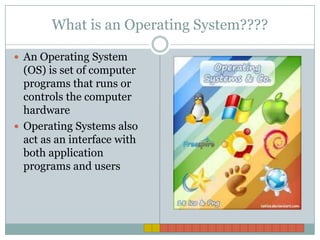
What is an Operating System????An Operating System (OS) is set of computer programs that runs or controls the computer hardwareOperating Systems also act as an interface with both application programs and users
Why do we need OS????Operating Systems play a central role in the functioning of all computer systemsThey help most digital devices operateEvery computer is controlled by an OS, usually find software stored on a disk
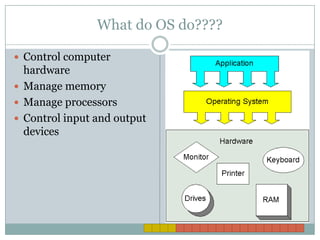
What do OS do????Control computer hardwareManage memoryManage processorsControl input and output devices
What do OS Do???? (cont.) Store and manipulation filesProve a user interfaceMost today provide networking featuresSome support larger computer systems
Specifications of OSDesigned to work with specific types of computers and processorsApplication software works specifically with a particular operating system
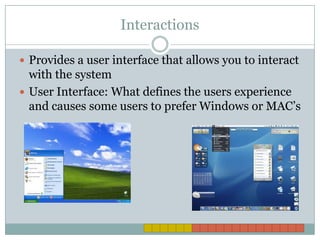
InteractionsProvides a user interface that allows you to interact with the systemUser Interface: What defines the users experience and causes some users to prefer Windows or MAC’s
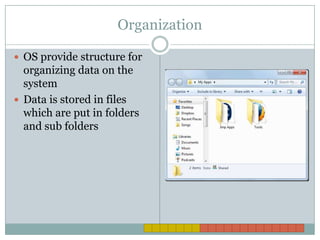
OrganizationOS provide structure for organizing data on the systemData is stored in files which are put in folders and sub folders
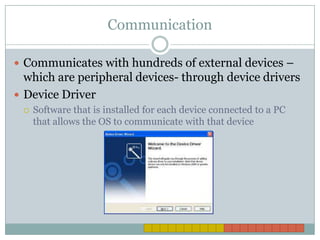
CommunicationCommunicates with hundreds of external devices – which are peripheral devices- through device driversDevice DriverSoftware that is installed for each device connected to a PC that allows the OS to communicate with that device
OS ControlControls processing and memory useHow?Retrieve instructions from the running software, decode it, sends it to CPU for execution, which then stores any dataMultitask by running multiple tasks at the same time
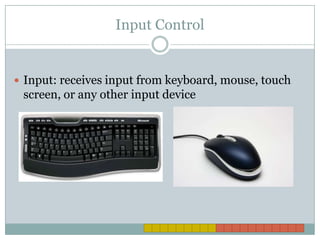
Input ControlInput: receives input from keyboard, mouse, touch screen, or any other input device
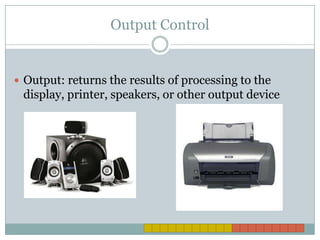
Output ControlOutput: returns the results of processing to the display, printer, speakers, or other output device
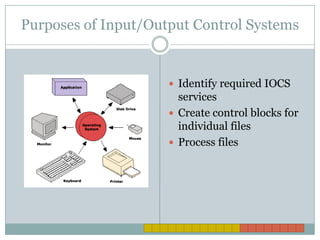
Purposes of Input/Output Control SystemsIdentify required IOCS servicesCreate control blocks for individual filesProcess files
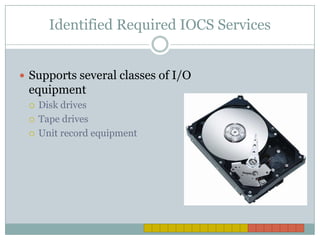
Identified Required IOCS ServicesSupports several classes of I/O equipment Disk drivesTape drivesUnit record equipment
Create Control Blocks for FilesCreate codes to block specific filesEach code is generated by a statementExample of statements: DDF, DUF, CONSFILE
Process Files They specify the actions that the system wishes to performThis is done with processing macros
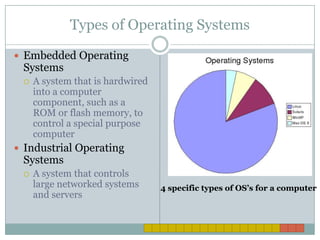
Types of Operating Systems Embedded Operating SystemsA system that is hardwired into a computer component, such as a ROM or flash memory, to control a special purpose computerIndustrial Operating SystemsA system that controls large networked systems and servers 4 specific types of OS’s for a computer
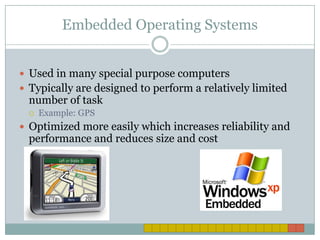
Embedded Operating SystemsUsed in many special purpose computers Typically are designed to perform a relatively limited number of taskExample: GPSOptimized more easily which increases reliability and performance and reduces size and cost
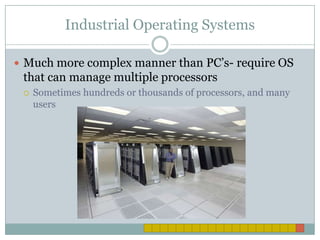
Industrial Operating Systems Much more complex manner than PC’s- require OS that can manage multiple processors Sometimes hundreds or thousands of processors, and many users
Thank you!Any Questions?

Stacey and molly.pptx

  • 1.
    By: Molly Lepineand Stacey RaapIT 101Operating Systems
  • 2.
    What is anOperating System????An Operating System (OS) is set of computer programs that runs or controls the computer hardwareOperating Systems also act as an interface with both application programs and users
  • 3.
    Why do weneed OS????Operating Systems play a central role in the functioning of all computer systemsThey help most digital devices operateEvery computer is controlled by an OS, usually find software stored on a disk
  • 4.
    What do OSdo????Control computer hardwareManage memoryManage processorsControl input and output devices
  • 5.
    What do OSDo???? (cont.) Store and manipulation filesProve a user interfaceMost today provide networking featuresSome support larger computer systems
  • 6.
    Specifications of OSDesignedto work with specific types of computers and processorsApplication software works specifically with a particular operating system
  • 7.
    InteractionsProvides a userinterface that allows you to interact with the systemUser Interface: What defines the users experience and causes some users to prefer Windows or MAC’s
  • 8.
    OrganizationOS provide structurefor organizing data on the systemData is stored in files which are put in folders and sub folders
  • 9.
    CommunicationCommunicates with hundredsof external devices – which are peripheral devices- through device driversDevice DriverSoftware that is installed for each device connected to a PC that allows the OS to communicate with that device
  • 10.
    OS ControlControls processingand memory useHow?Retrieve instructions from the running software, decode it, sends it to CPU for execution, which then stores any dataMultitask by running multiple tasks at the same time
  • 11.
    Input ControlInput: receivesinput from keyboard, mouse, touch screen, or any other input device
  • 12.
    Output ControlOutput: returnsthe results of processing to the display, printer, speakers, or other output device
  • 13.
    Purposes of Input/OutputControl SystemsIdentify required IOCS servicesCreate control blocks for individual filesProcess files
  • 14.
    Identified Required IOCSServicesSupports several classes of I/O equipment Disk drivesTape drivesUnit record equipment
  • 15.
    Create Control Blocksfor FilesCreate codes to block specific filesEach code is generated by a statementExample of statements: DDF, DUF, CONSFILE
  • 16.
    Process Files Theyspecify the actions that the system wishes to performThis is done with processing macros
  • 17.
    Types of OperatingSystems Embedded Operating SystemsA system that is hardwired into a computer component, such as a ROM or flash memory, to control a special purpose computerIndustrial Operating SystemsA system that controls large networked systems and servers 4 specific types of OS’s for a computer
  • 18.
    Embedded Operating SystemsUsedin many special purpose computers Typically are designed to perform a relatively limited number of taskExample: GPSOptimized more easily which increases reliability and performance and reduces size and cost
  • 19.
    Industrial Operating SystemsMuch more complex manner than PC’s- require OS that can manage multiple processors Sometimes hundreds or thousands of processors, and many users
  • 20.