Spring Web Flow
A little flow of happiness.
Presented by – Vikrant
Agenda
 Why Web – Flow ?
 Spring Web-Flow (Basic Introduction)
 Spring Web-Flow Grails Plugin
 Demo
Introduction
Spring Web Flow builds on Spring MVC and allows
implementing the "flows" of a web application. A flow
encapsulates a sequence of steps that guide a user through the
execution of some business task. It spans multiple HTTP
requests, has state, deals with transactional data, is reusable.
Stateful web applications with controlled navigation such as checking
in for a flight, applying for a loan, shopping cart checkout and many
more.
These scenarios have in common is one or more of the following traits:
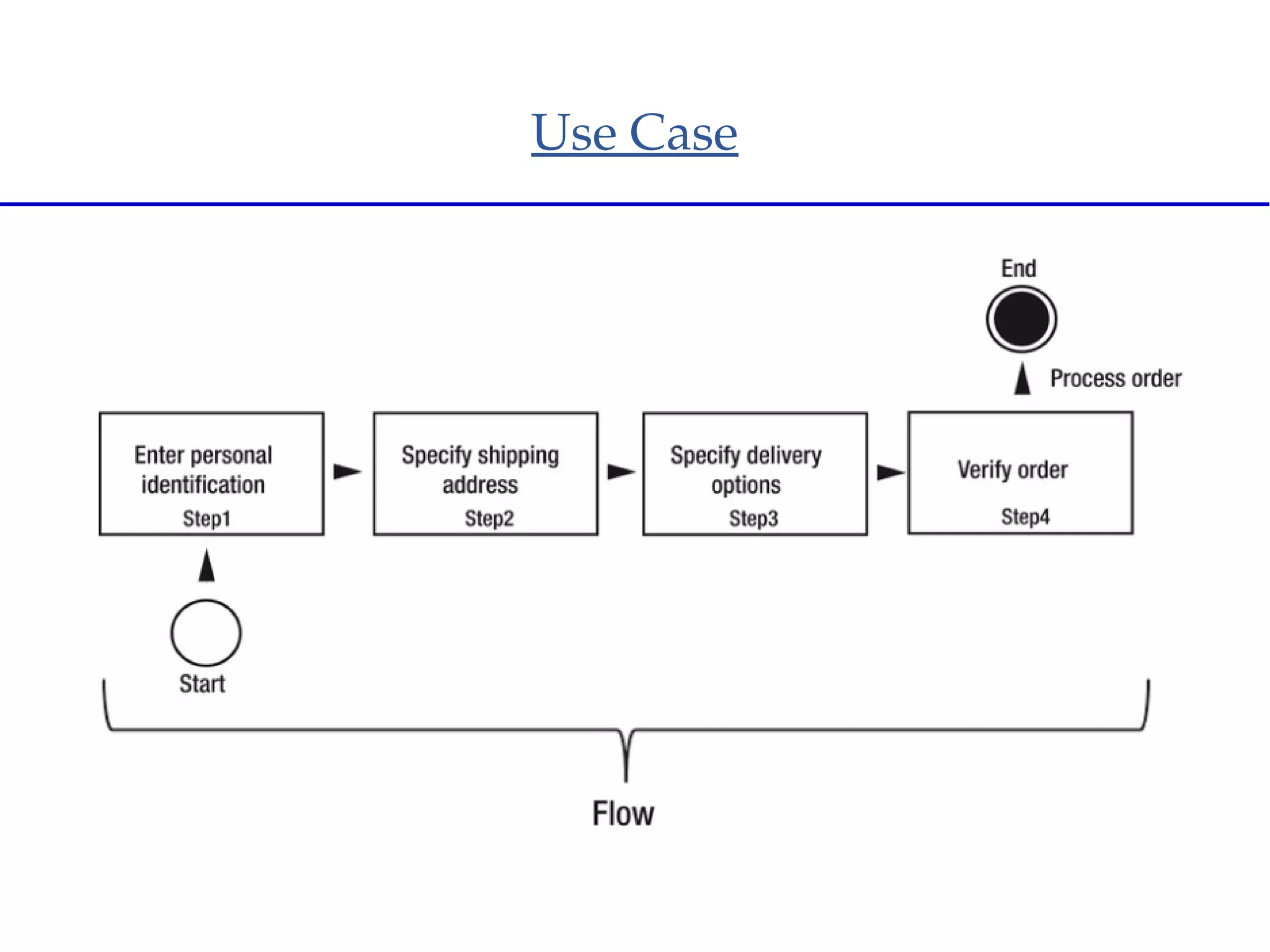
● There is a clear start and an end point.
● The user must go through a set of screens in a specific order.
● The changes are not finalized until the last step.
● Once complete it shouldn't be possible to repeat a transaction accidentally
Disadvantages of MVC
 Visualizing the flow is very difficult
 Mixed navigation and view
 Overall navigation rules complexity
 All-in-one navigation storage
 Lack of state control/navigation customization
Use Case
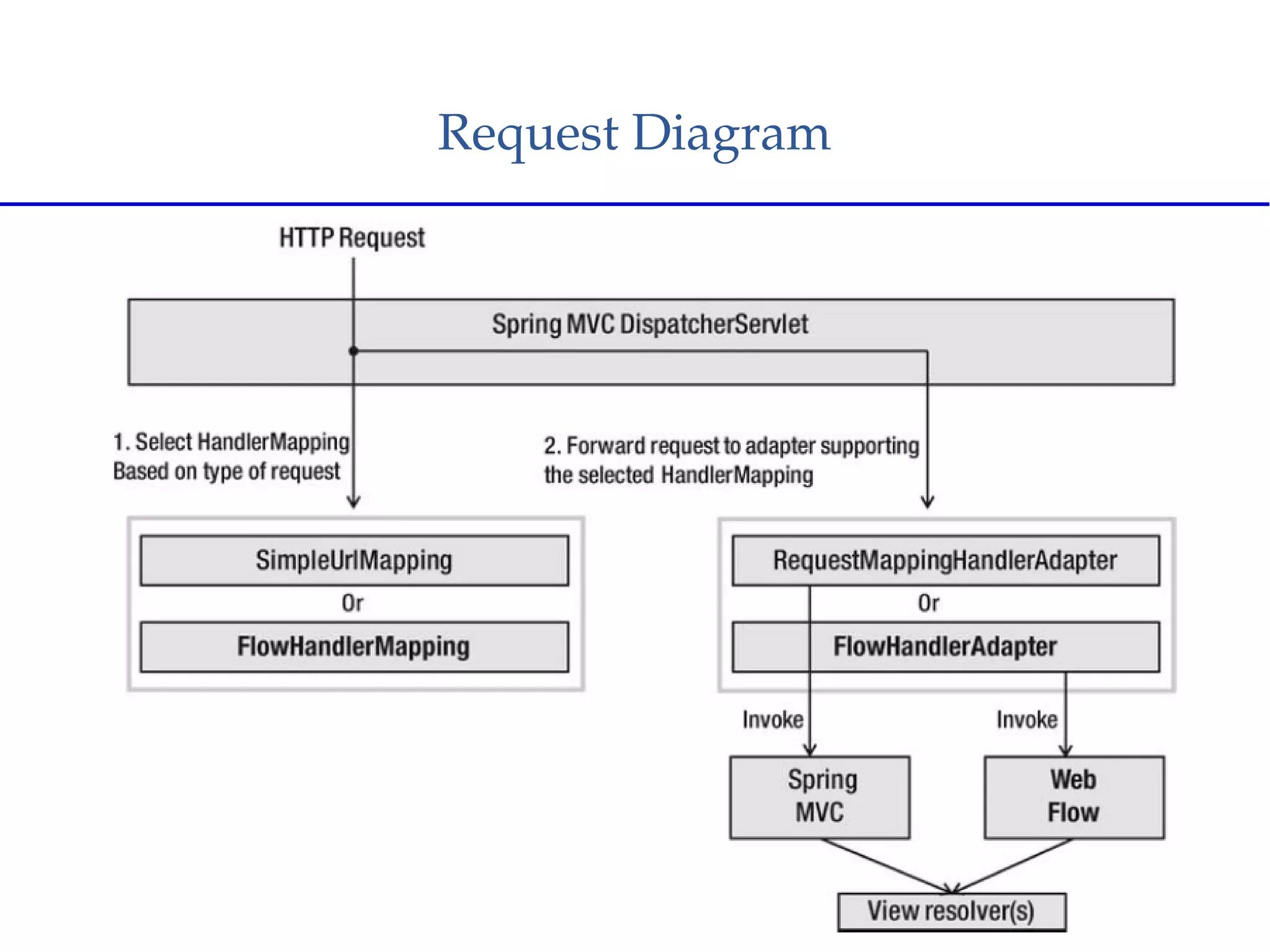
Request Diagram
Basic Components
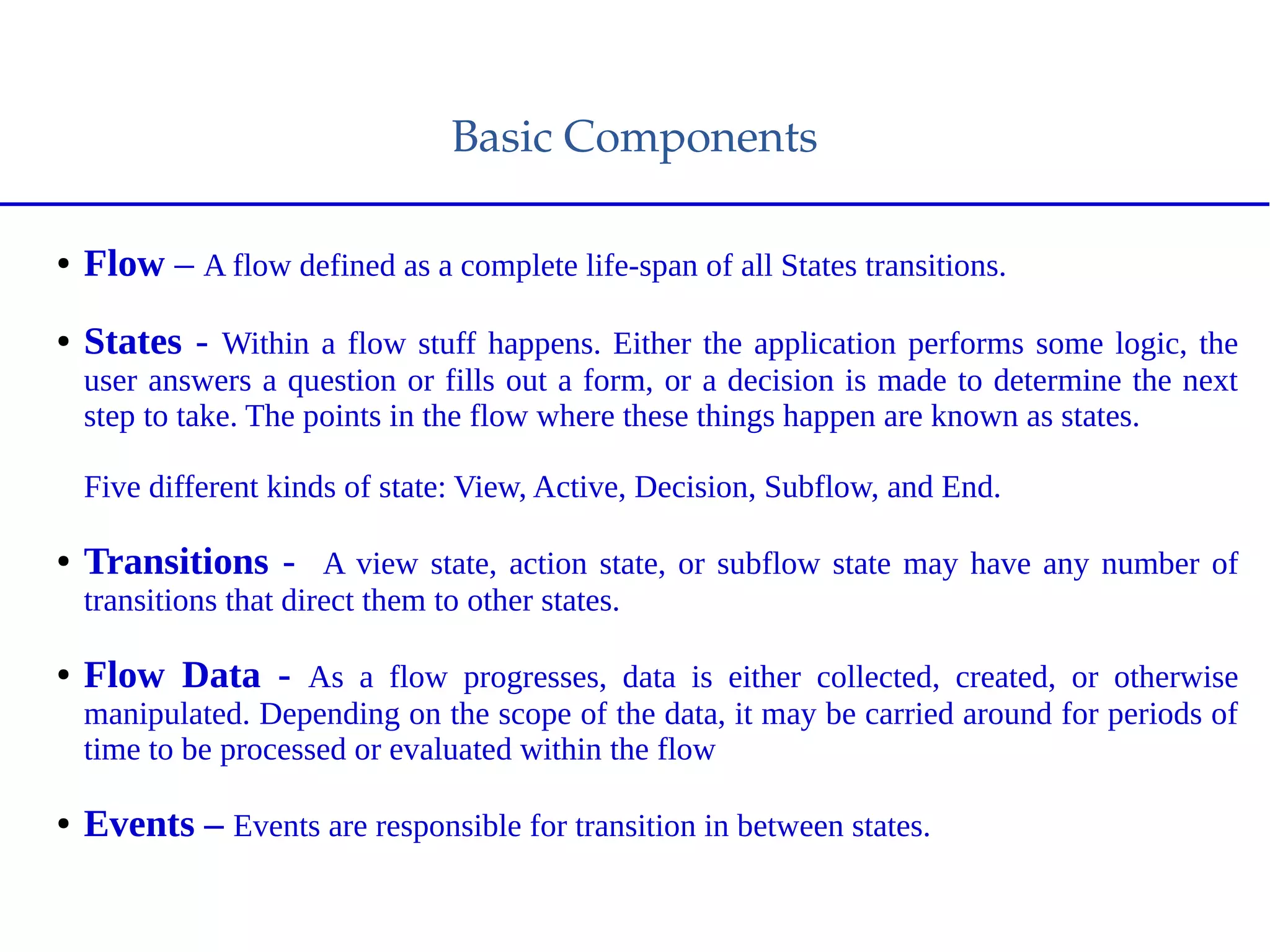
● Flow – A flow defined as a complete life-span of all States transitions.
● States - Within a flow stuff happens. Either the application performs some logic, the
user answers a question or fills out a form, or a decision is made to determine the next
step to take. The points in the flow where these things happen are known as states.
Five different kinds of state: View, Active, Decision, Subflow, and End.
● Transitions - A view state, action state, or subflow state may have any number of
transitions that direct them to other states.
● Flow Data - As a flow progresses, data is either collected, created, or otherwise
manipulated. Depending on the scope of the data, it may be carried around for periods of
time to be processed or evaluated within the flow
● Events – Events are responsible for transition in between states.
Types of State
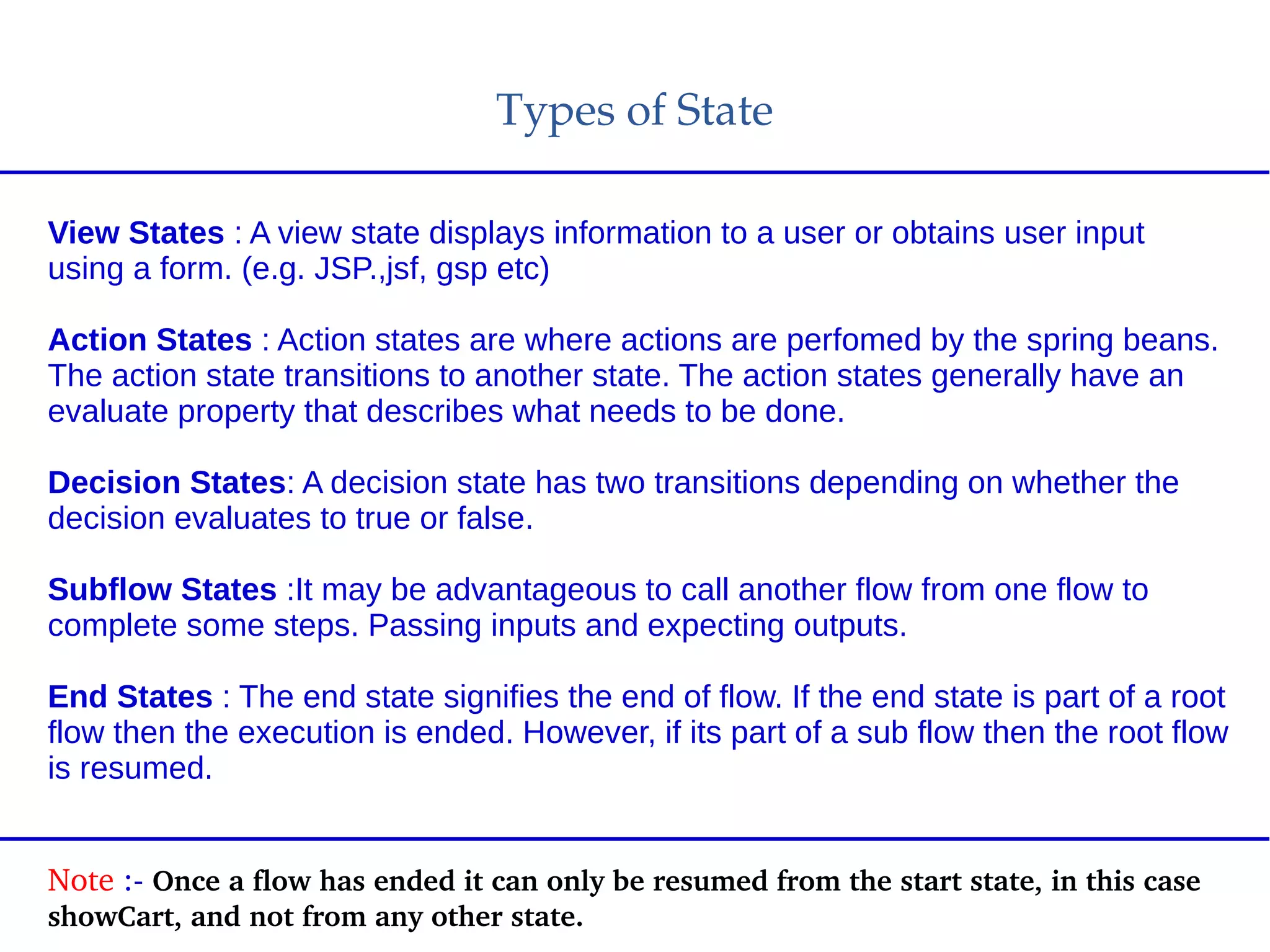
View States : A view state displays information to a user or obtains user input
using a form. (e.g. JSP.,jsf, gsp etc)
Action States : Action states are where actions are perfomed by the spring beans.
The action state transitions to another state. The action states generally have an
evaluate property that describes what needs to be done.
Decision States: A decision state has two transitions depending on whether the
decision evaluates to true or false.
Subflow States :It may be advantageous to call another flow from one flow to
complete some steps. Passing inputs and expecting outputs.
End States : The end state signifies the end of flow. If the end state is part of a root
flow then the execution is ended. However, if its part of a sub flow then the root flow
is resumed.
Note :­ Once a flow has ended it can only be resumed from the start state, in this case 
showCart, and not from any other state.
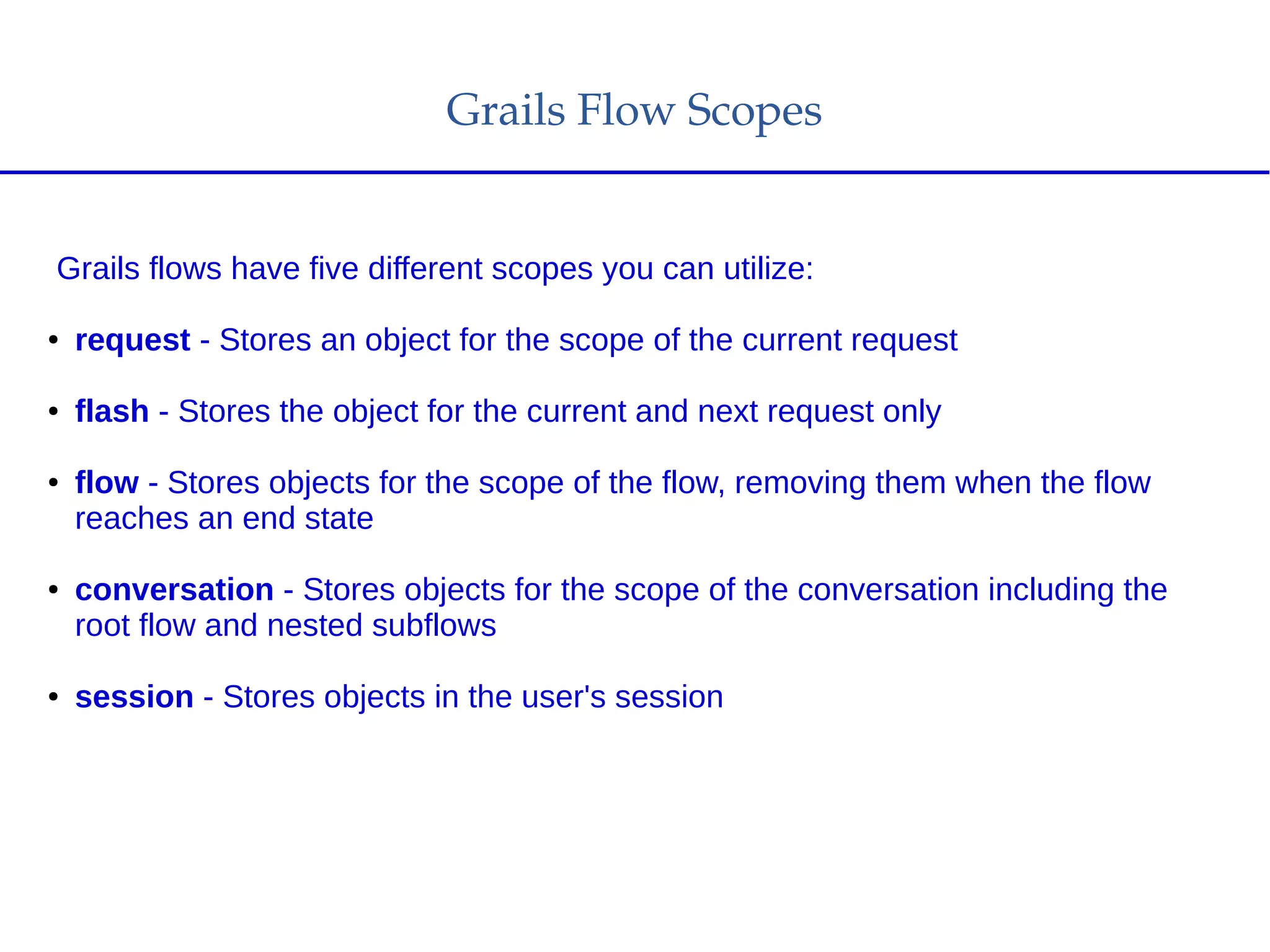
Grails Flow Scopes
Grails flows have five different scopes you can utilize:
● request - Stores an object for the scope of the current request
● flash - Stores the object for the current and next request only
● flow - Stores objects for the scope of the flow, removing them when the flow
reaches an end state
● conversation - Stores objects for the scope of the conversation including the
root flow and nested subflows
● session - Stores objects in the user's session
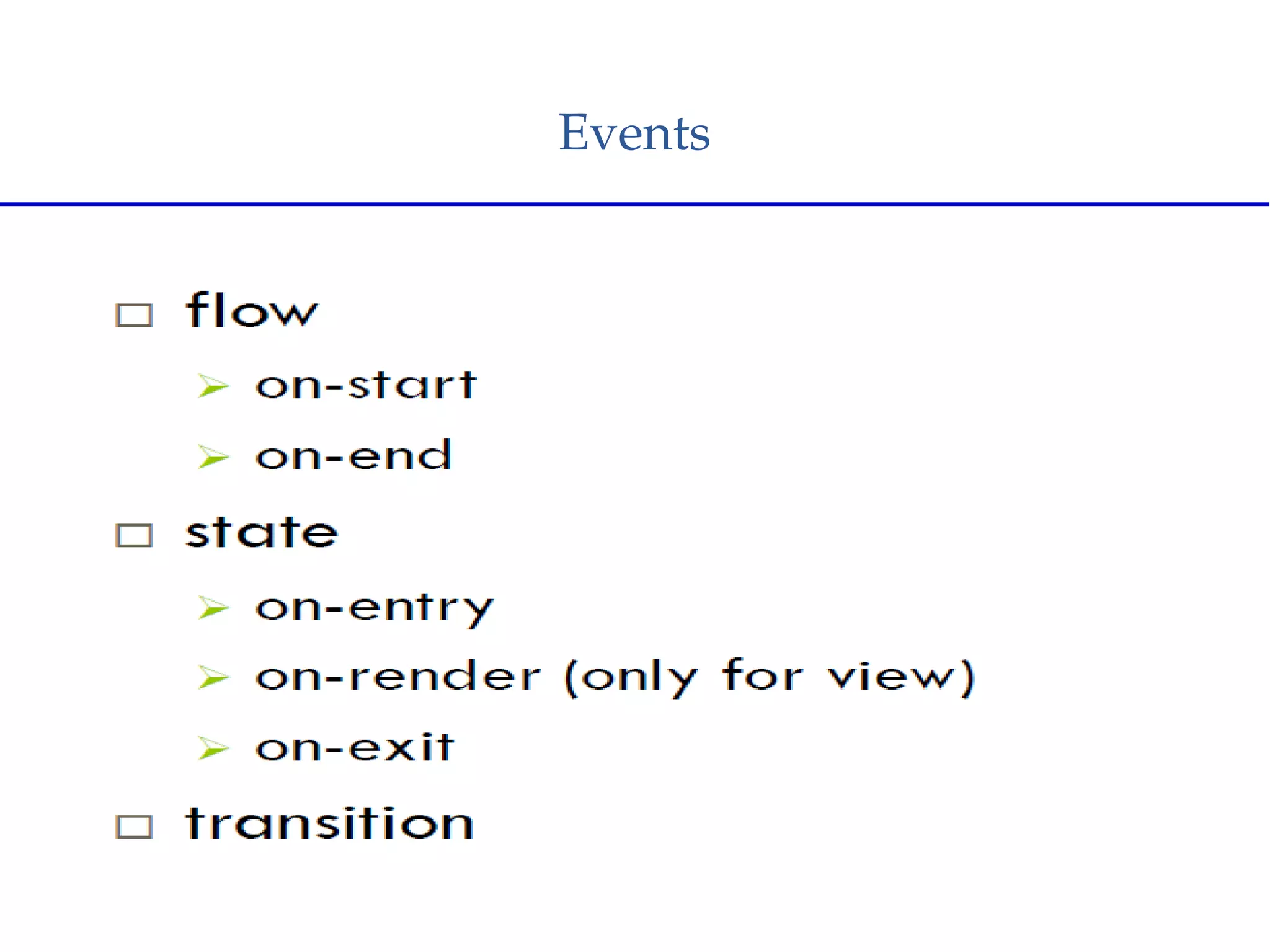
Events
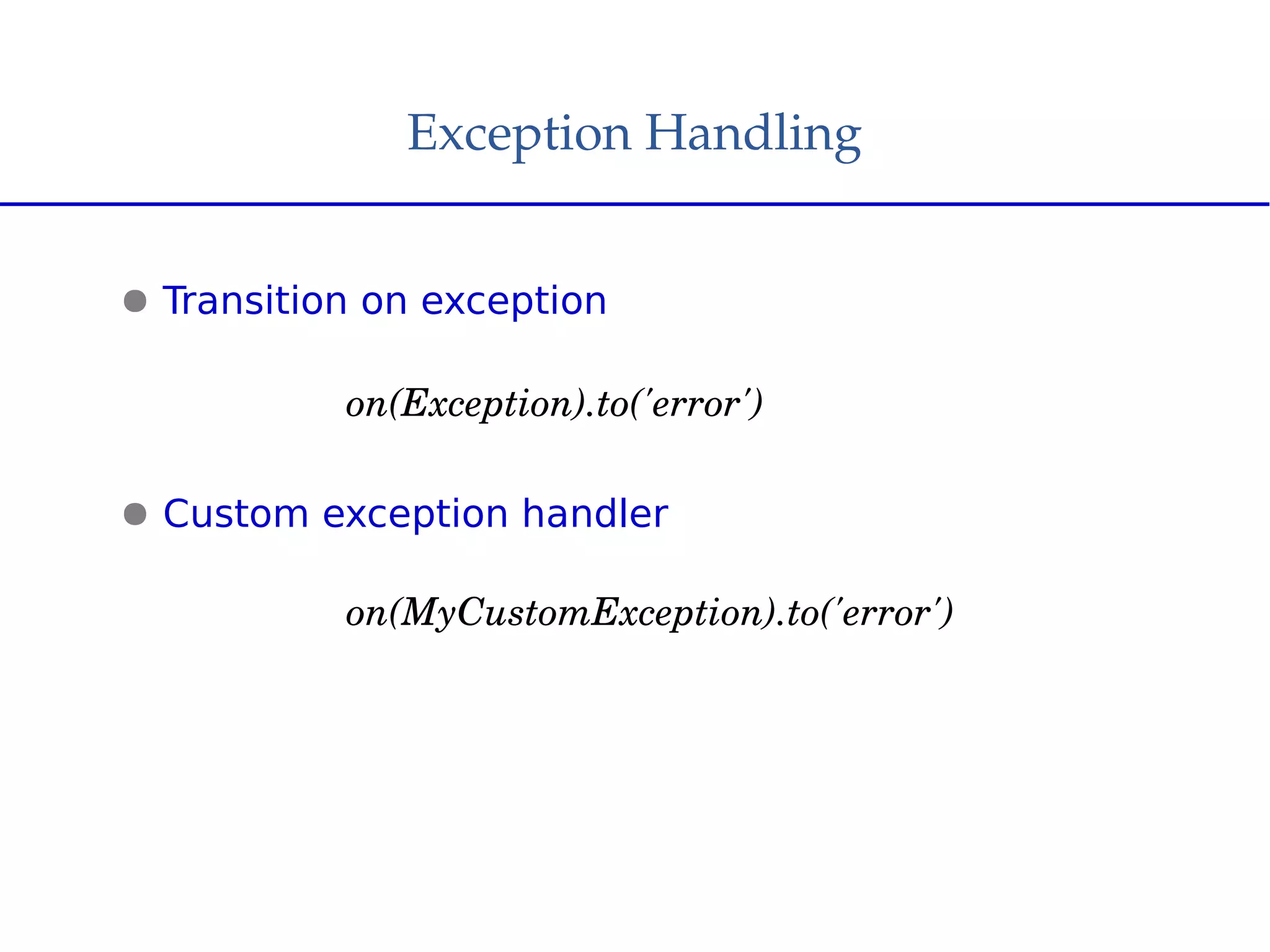
Exception Handling
● Transition on exception
on(Exception).to('error')
● Custom exception handler
on(MyCustomException).to('error')
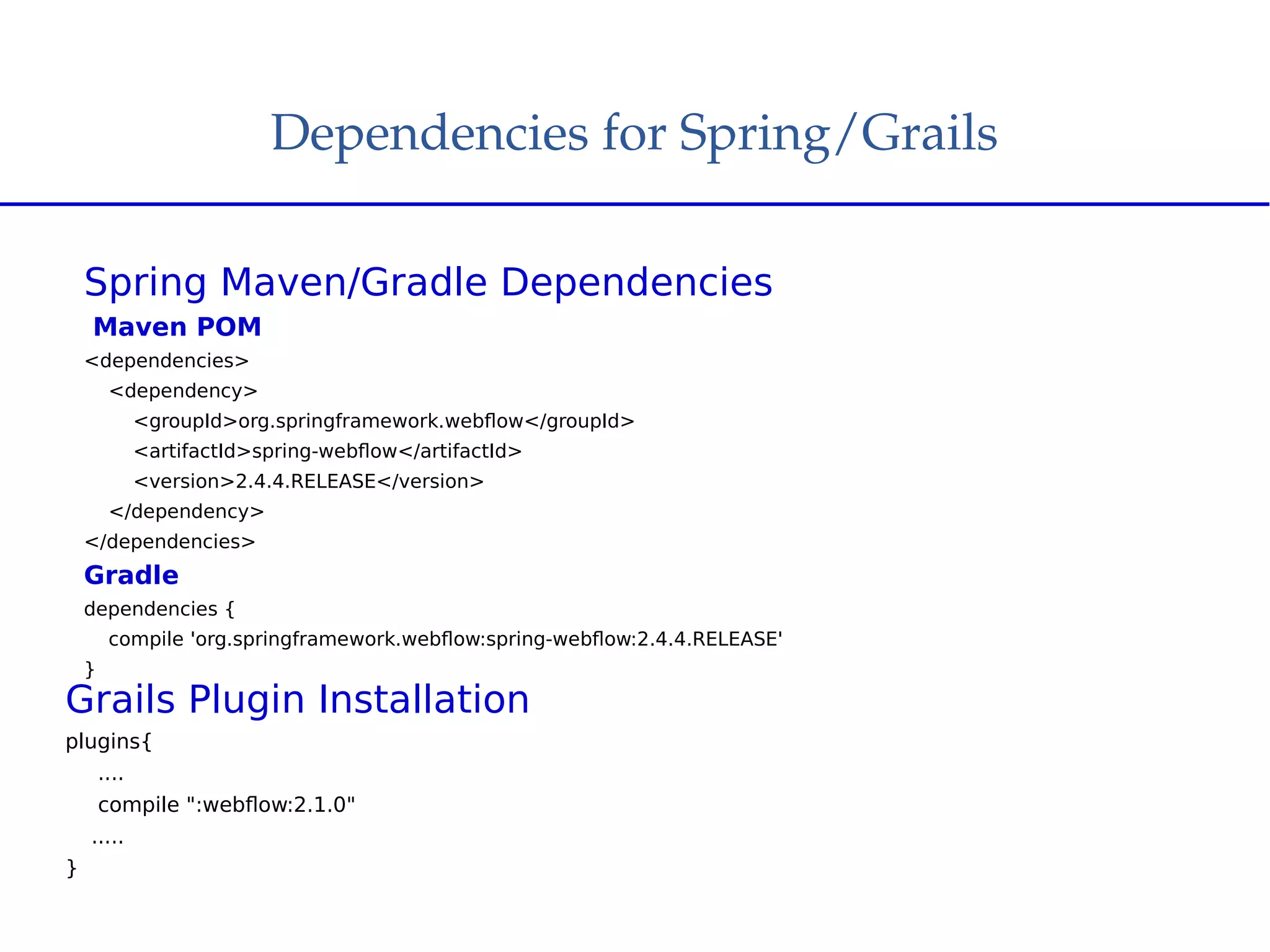
Dependencies for Spring/Grails
Spring Maven/Gradle Dependencies
Maven POM
<dependencies>
<dependency>
<groupId>org.springframework.webflow</groupId>
<artifactId>spring-webflow</artifactId>
<version>2.4.4.RELEASE</version>
</dependency>
</dependencies>
Gradle
dependencies {
compile 'org.springframework.webflow:spring-webflow:2.4.4.RELEASE'
}
Grails Plugin Installation
plugins{
....
compile ":webflow:2.1.0"
.....
}
Grails Web Flow Plugin
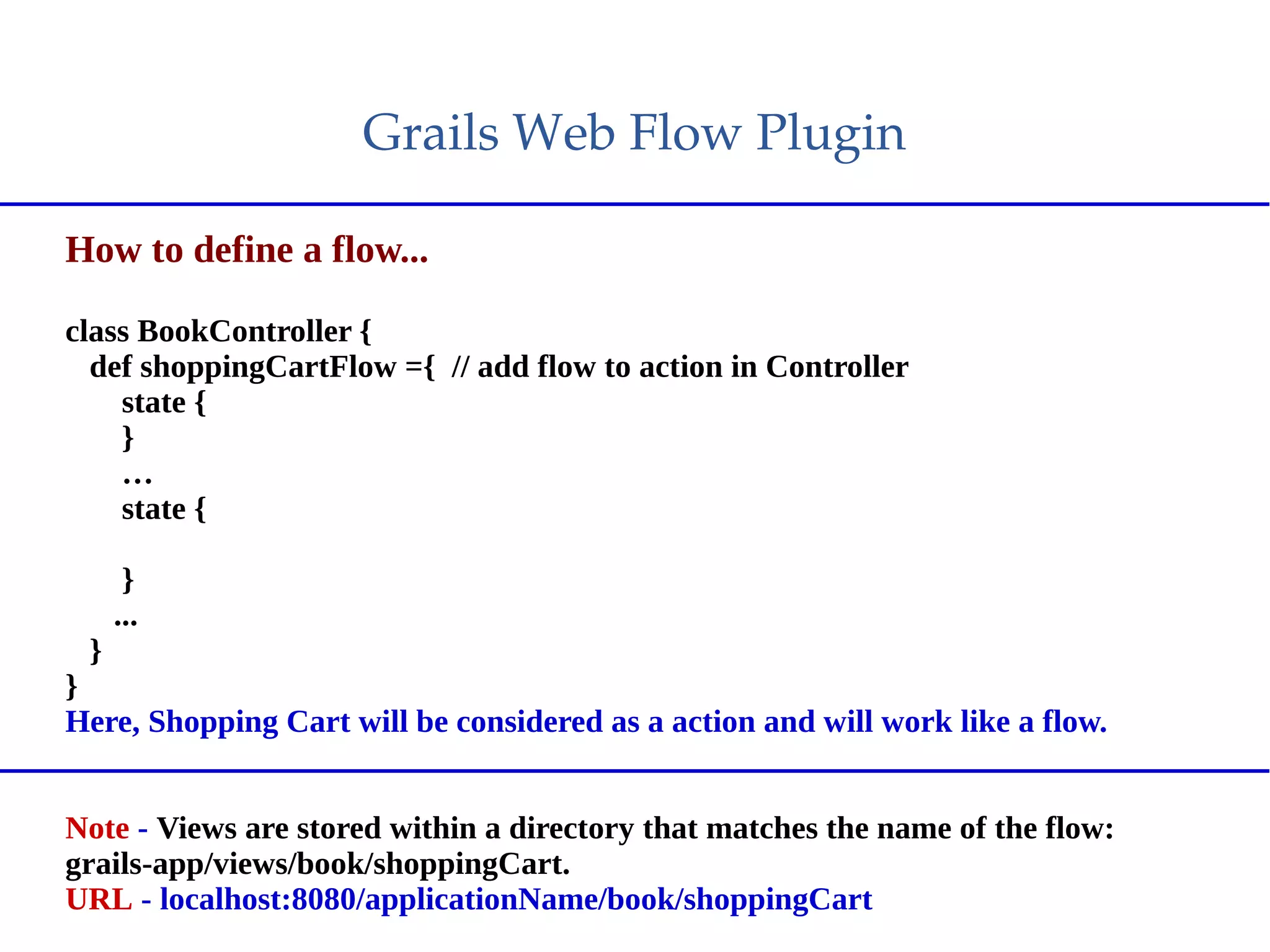
How to define a flow...
class BookController {
def shoppingCartFlow ={ // add flow to action in Controller
state {
}
…
state {
}
...
}
}
Here, Shopping Cart will be considered as a action and will work like a flow.
Note - Views are stored within a directory that matches the name of the flow:
grails-app/views/book/shoppingCart.
URL - localhost:8080/applicationName/book/shoppingCart
Grails Web Flow Plugin
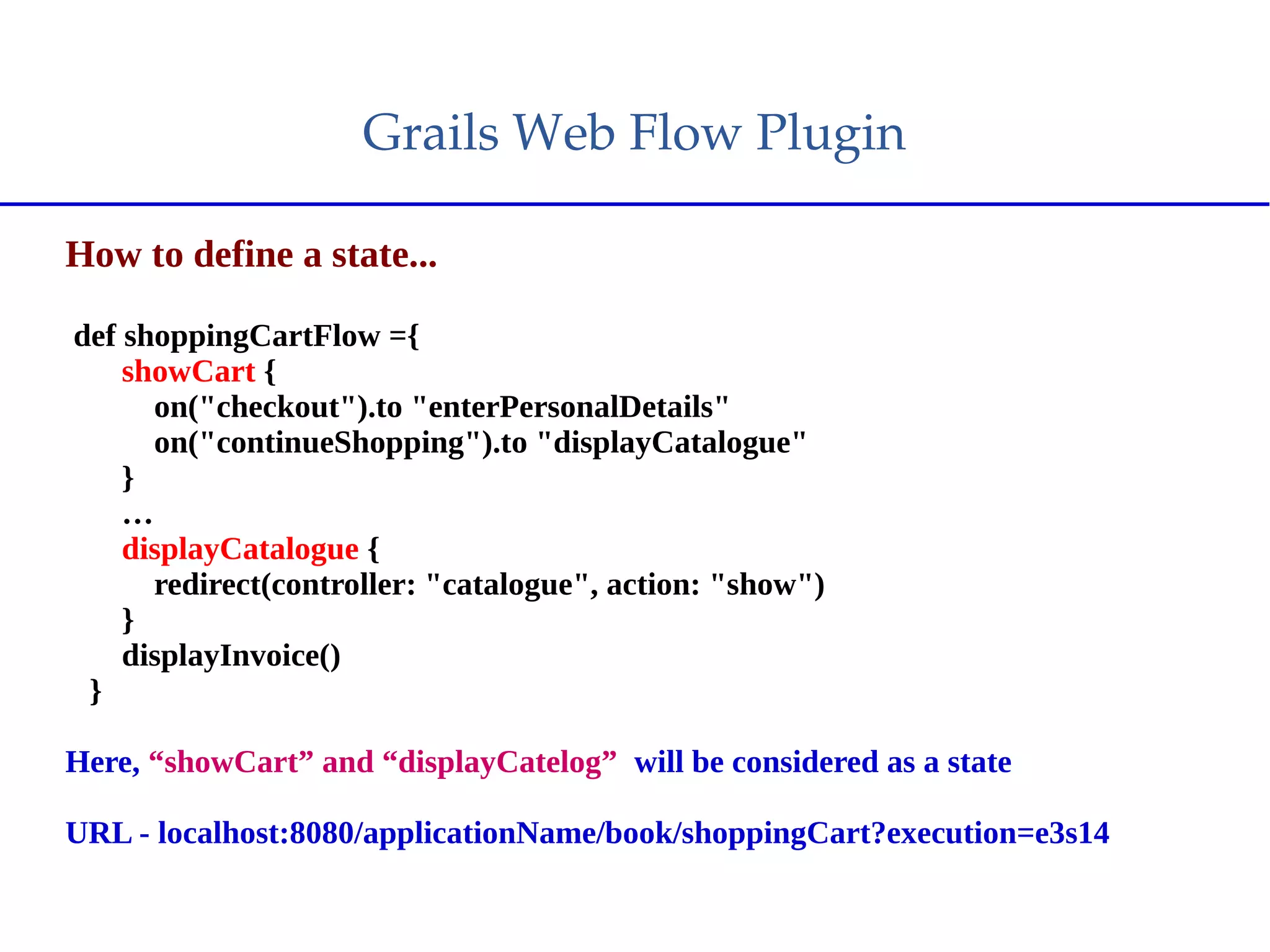
How to define a state...
def shoppingCartFlow ={
showCart {
on("checkout").to "enterPersonalDetails"
on("continueShopping").to "displayCatalogue"
}
…
displayCatalogue {
redirect(controller: "catalogue", action: "show")
}
displayInvoice()
}
Here, “showCart” and “displayCatelog” will be considered as a state
URL - localhost:8080/applicationName/book/shoppingCart?execution=e3s14
Grails Web Flow Plugin
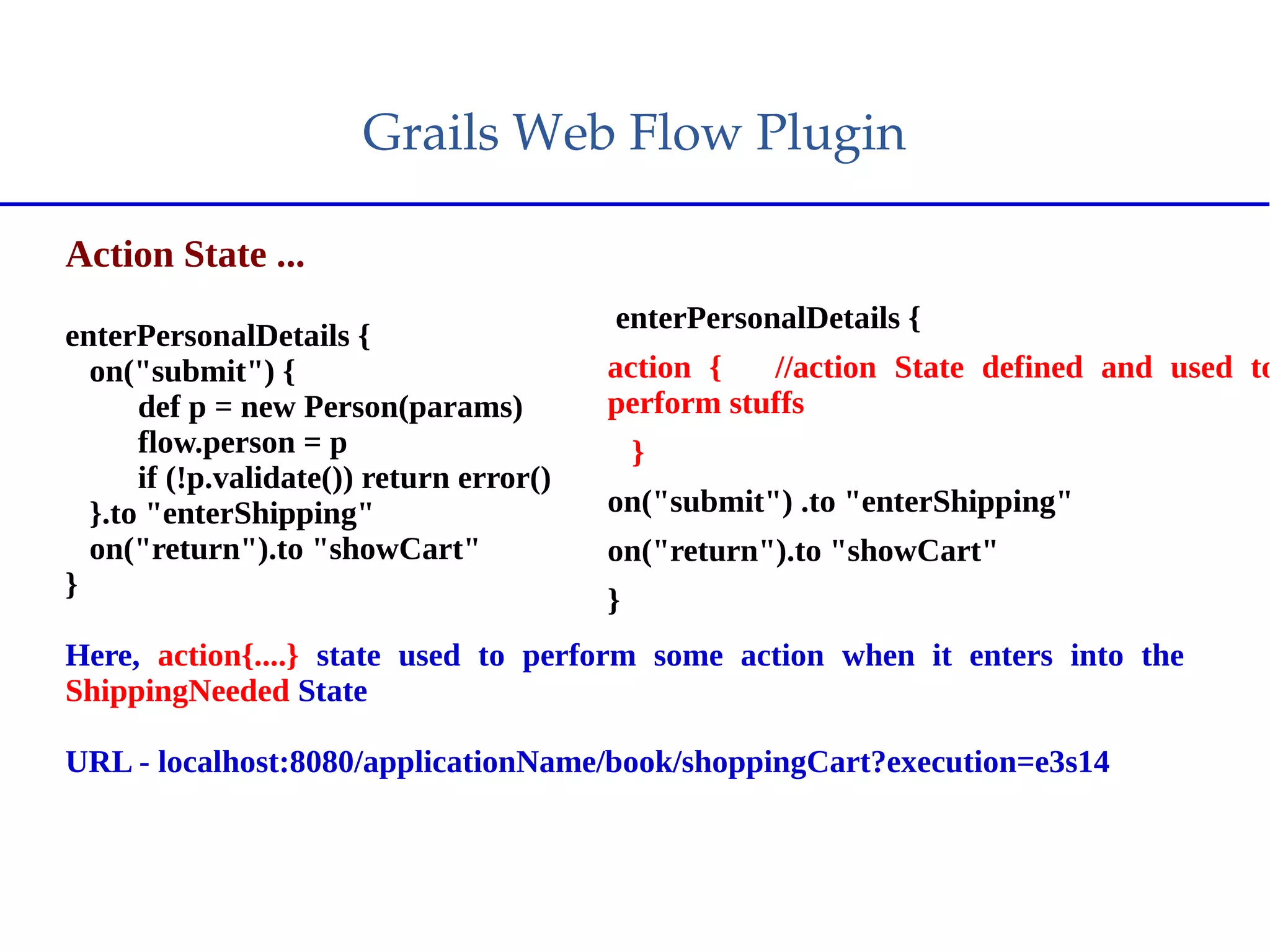
Action State ...
enterPersonalDetails {
on("submit") {
def p = new Person(params)
flow.person = p
if (!p.validate()) return error()
}.to "enterShipping"
on("return").to "showCart"
}
Here, action{....} state used to perform some action when it enters into the
ShippingNeeded State
URL - localhost:8080/applicationName/book/shoppingCart?execution=e3s14
enterPersonalDetails {
action { //action State defined and used to
perform stuffs
}
on("submit") .to "enterShipping"
on("return").to "showCart"
}
Grails Web Flow Plugin
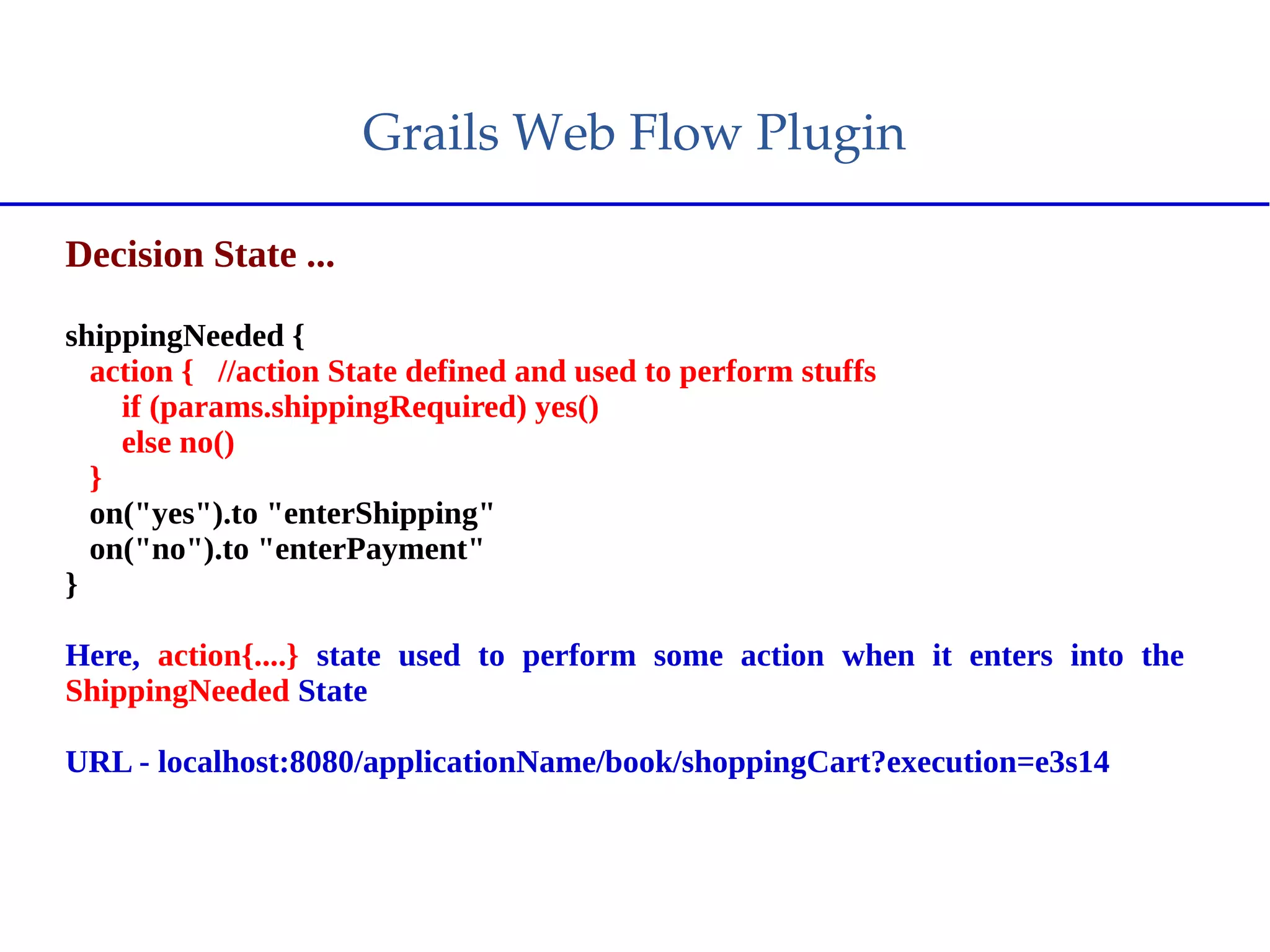
Decision State ...
shippingNeeded {
action { //action State defined and used to perform stuffs
if (params.shippingRequired) yes()
else no()
}
on("yes").to "enterShipping"
on("no").to "enterPayment"
}
Here, action{....} state used to perform some action when it enters into the
ShippingNeeded State
URL - localhost:8080/applicationName/book/shoppingCart?execution=e3s14
Grails Web Flow Plugin
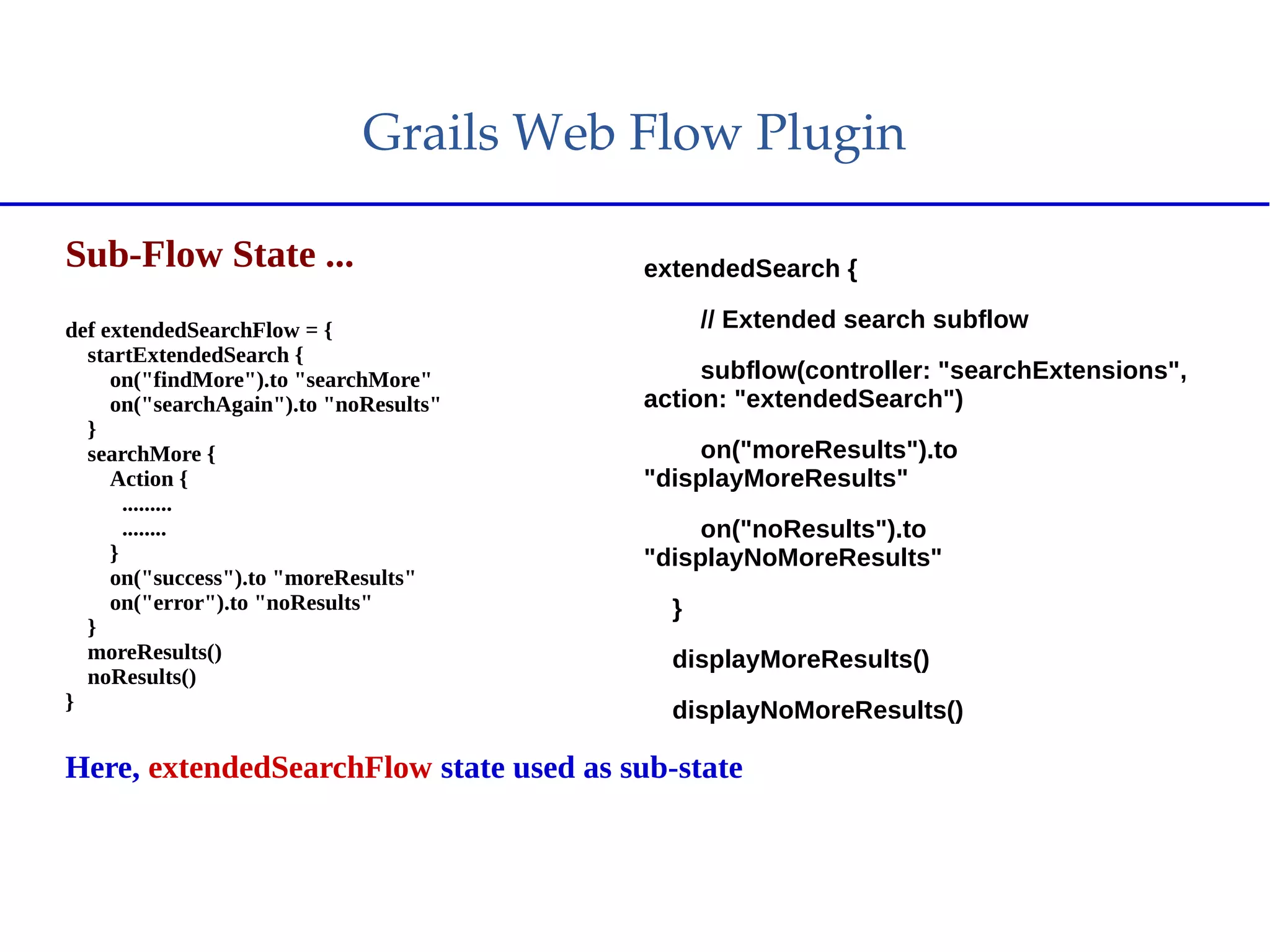
Sub-Flow State ...
def extendedSearchFlow = {
startExtendedSearch {
on("findMore").to "searchMore"
on("searchAgain").to "noResults"
}
searchMore {
Action {
.........
........
}
on("success").to "moreResults"
on("error").to "noResults"
}
moreResults()
noResults()
}
Here, extendedSearchFlow state used as sub-state
extendedSearch {
// Extended search subflow
subflow(controller: "searchExtensions",
action: "extendedSearch")
on("moreResults").to
"displayMoreResults"
on("noResults").to
"displayNoMoreResults"
}
displayMoreResults()
displayNoMoreResults()
Grails Web Flow Plugin
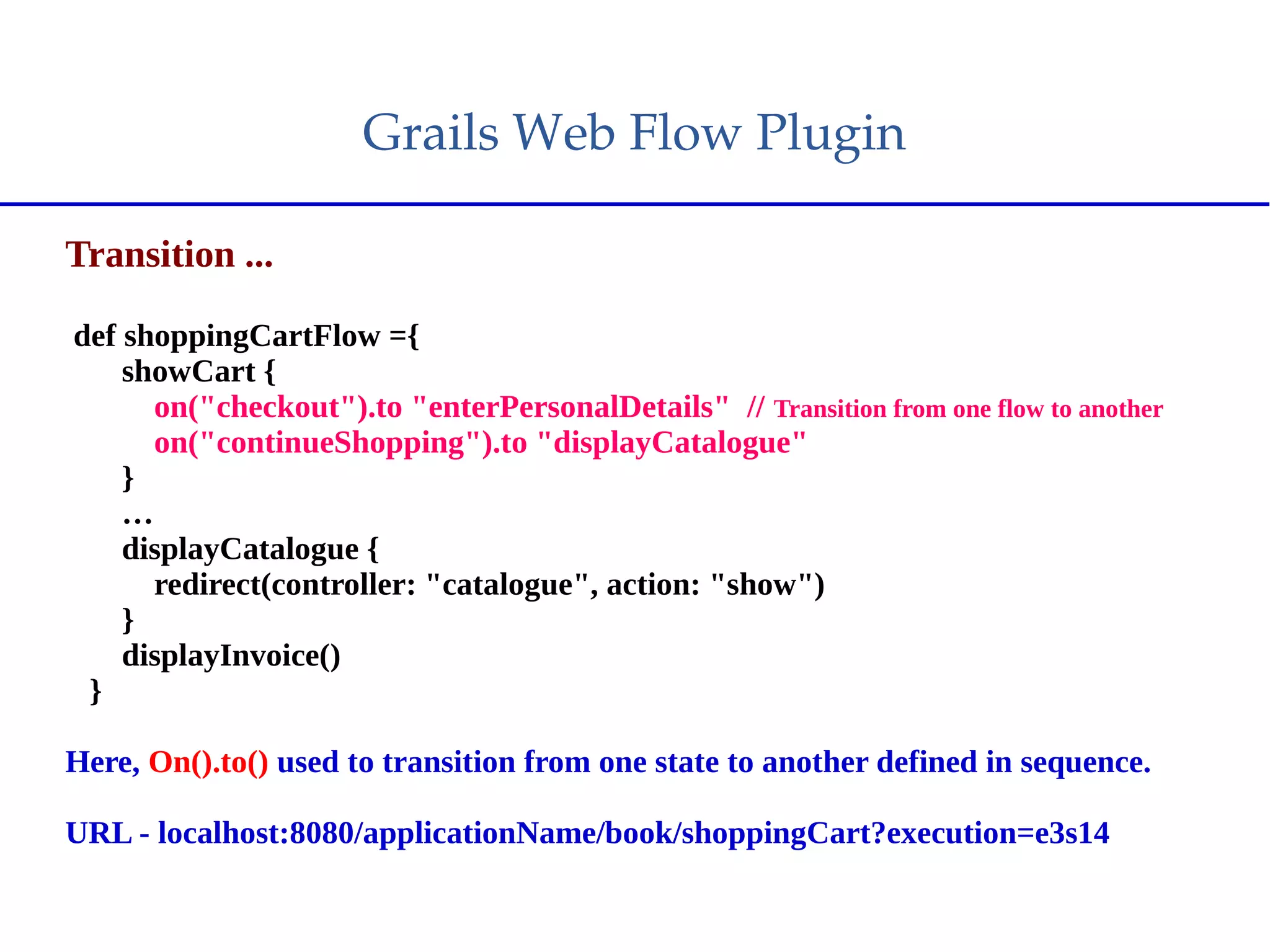
Transition ...
def shoppingCartFlow ={
showCart {
on("checkout").to "enterPersonalDetails" // Transition from one flow to another
on("continueShopping").to "displayCatalogue"
}
…
displayCatalogue {
redirect(controller: "catalogue", action: "show")
}
displayInvoice()
}
Here, On().to() used to transition from one state to another defined in sequence.
URL - localhost:8080/applicationName/book/shoppingCart?execution=e3s14
Grails Web Flow Plugin
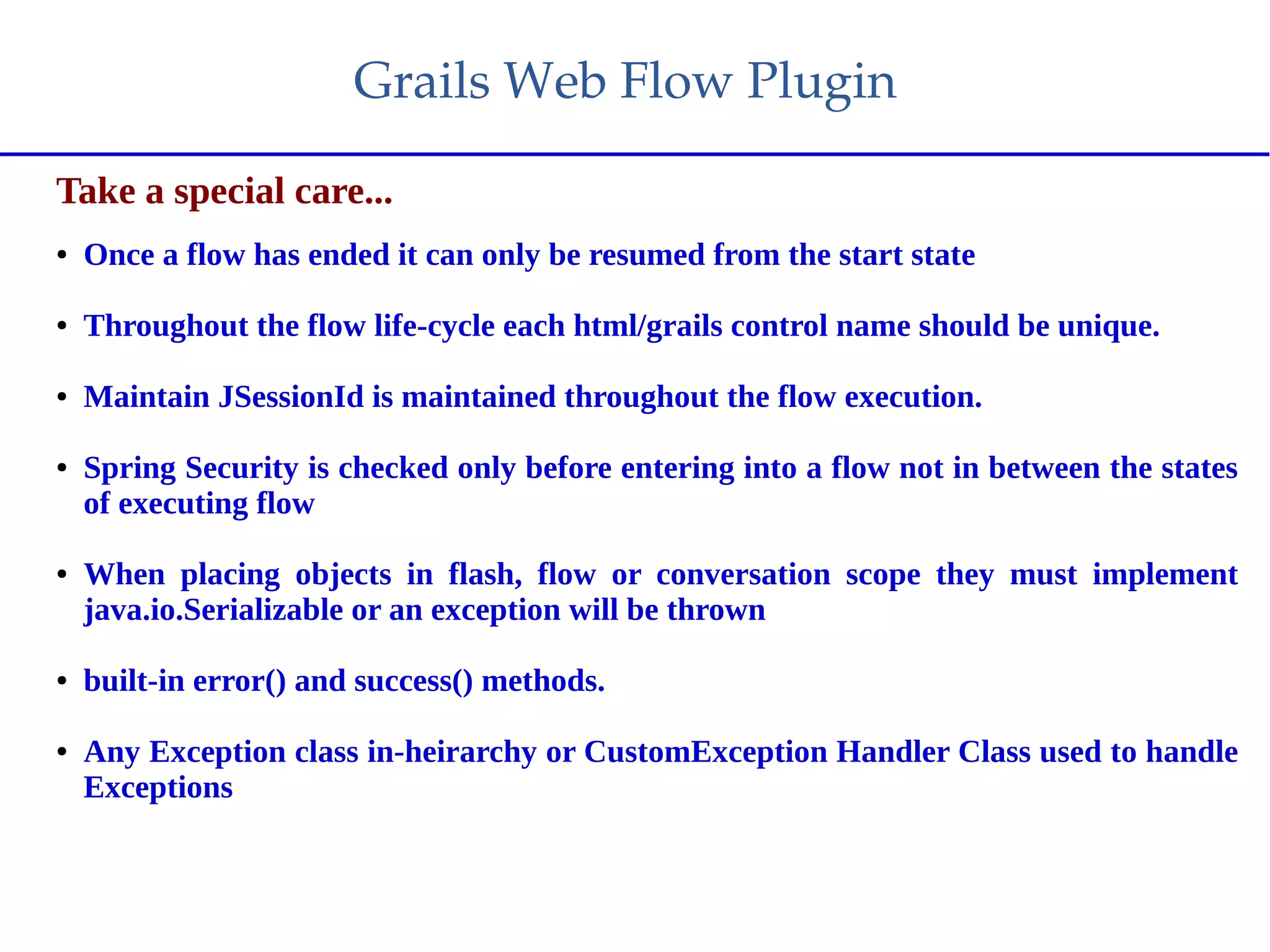
Take a special care...
● Once a flow has ended it can only be resumed from the start state
● Throughout the flow life-cycle each html/grails control name should be unique.
● Maintain JSessionId is maintained throughout the flow execution.
● Spring Security is checked only before entering into a flow not in between the states
of executing flow
● When placing objects in flash, flow or conversation scope they must implement
java.io.Serializable or an exception will be thrown
● built-in error() and success() methods.
● Any Exception class in-heirarchy or CustomException Handler Class used to handle
Exceptions
References
1. https://dzone.com/refcardz/spring-web-flow
2. http://projects.spring.io/spring-webflow/
3. https://grails-plugins.github.io/grails-webflow-plugin/guide/
4. https://grails.org/plugin/webflow
Questions ?
Take a look aside practically
Demo !!
Thank You !!

Spring Web Flow

  • 1.
  • 2.
    Agenda  Why Web– Flow ?  Spring Web-Flow (Basic Introduction)  Spring Web-Flow Grails Plugin  Demo
  • 3.
    Introduction Spring Web Flowbuilds on Spring MVC and allows implementing the "flows" of a web application. A flow encapsulates a sequence of steps that guide a user through the execution of some business task. It spans multiple HTTP requests, has state, deals with transactional data, is reusable. Stateful web applications with controlled navigation such as checking in for a flight, applying for a loan, shopping cart checkout and many more. These scenarios have in common is one or more of the following traits: ● There is a clear start and an end point. ● The user must go through a set of screens in a specific order. ● The changes are not finalized until the last step. ● Once complete it shouldn't be possible to repeat a transaction accidentally
  • 4.
    Disadvantages of MVC  Visualizing theflow is very difficult  Mixed navigation and view  Overall navigation rules complexity  All-in-one navigation storage  Lack of state control/navigation customization
  • 5.
  • 6.
  • 7.
    Basic Components ● Flow –A flow defined as a complete life-span of all States transitions. ● States - Within a flow stuff happens. Either the application performs some logic, the user answers a question or fills out a form, or a decision is made to determine the next step to take. The points in the flow where these things happen are known as states. Five different kinds of state: View, Active, Decision, Subflow, and End. ● Transitions - A view state, action state, or subflow state may have any number of transitions that direct them to other states. ● Flow Data - As a flow progresses, data is either collected, created, or otherwise manipulated. Depending on the scope of the data, it may be carried around for periods of time to be processed or evaluated within the flow ● Events – Events are responsible for transition in between states.
  • 8.
    Types of State View States :A view state displays information to a user or obtains user input using a form. (e.g. JSP.,jsf, gsp etc) Action States : Action states are where actions are perfomed by the spring beans. The action state transitions to another state. The action states generally have an evaluate property that describes what needs to be done. Decision States: A decision state has two transitions depending on whether the decision evaluates to true or false. Subflow States :It may be advantageous to call another flow from one flow to complete some steps. Passing inputs and expecting outputs. End States : The end state signifies the end of flow. If the end state is part of a root flow then the execution is ended. However, if its part of a sub flow then the root flow is resumed. Note :­ Once a flow has ended it can only be resumed from the start state, in this case  showCart, and not from any other state.
  • 9.
    Grails Flow Scopes Grails flows havefive different scopes you can utilize: ● request - Stores an object for the scope of the current request ● flash - Stores the object for the current and next request only ● flow - Stores objects for the scope of the flow, removing them when the flow reaches an end state ● conversation - Stores objects for the scope of the conversation including the root flow and nested subflows ● session - Stores objects in the user's session
  • 10.
  • 11.
    Exception Handling ● Transition onexception on(Exception).to('error') ● Custom exception handler on(MyCustomException).to('error')
  • 12.
    Dependencies for Spring/Grails Spring Maven/Gradle Dependencies MavenPOM <dependencies> <dependency> <groupId>org.springframework.webflow</groupId> <artifactId>spring-webflow</artifactId> <version>2.4.4.RELEASE</version> </dependency> </dependencies> Gradle dependencies { compile 'org.springframework.webflow:spring-webflow:2.4.4.RELEASE' } Grails Plugin Installation plugins{ .... compile ":webflow:2.1.0" ..... }
  • 13.
    Grails Web Flow Plugin How to definea flow... class BookController { def shoppingCartFlow ={ // add flow to action in Controller state { } … state { } ... } } Here, Shopping Cart will be considered as a action and will work like a flow. Note - Views are stored within a directory that matches the name of the flow: grails-app/views/book/shoppingCart. URL - localhost:8080/applicationName/book/shoppingCart
  • 14.
    Grails Web Flow Plugin How to definea state... def shoppingCartFlow ={ showCart { on("checkout").to "enterPersonalDetails" on("continueShopping").to "displayCatalogue" } … displayCatalogue { redirect(controller: "catalogue", action: "show") } displayInvoice() } Here, “showCart” and “displayCatelog” will be considered as a state URL - localhost:8080/applicationName/book/shoppingCart?execution=e3s14
  • 15.
    Grails Web Flow Plugin Action State ... enterPersonalDetails{ on("submit") { def p = new Person(params) flow.person = p if (!p.validate()) return error() }.to "enterShipping" on("return").to "showCart" } Here, action{....} state used to perform some action when it enters into the ShippingNeeded State URL - localhost:8080/applicationName/book/shoppingCart?execution=e3s14 enterPersonalDetails { action { //action State defined and used to perform stuffs } on("submit") .to "enterShipping" on("return").to "showCart" }
  • 16.
    Grails Web Flow Plugin Decision State ... shippingNeeded{ action { //action State defined and used to perform stuffs if (params.shippingRequired) yes() else no() } on("yes").to "enterShipping" on("no").to "enterPayment" } Here, action{....} state used to perform some action when it enters into the ShippingNeeded State URL - localhost:8080/applicationName/book/shoppingCart?execution=e3s14
  • 17.
    Grails Web Flow Plugin Sub-Flow State ... defextendedSearchFlow = { startExtendedSearch { on("findMore").to "searchMore" on("searchAgain").to "noResults" } searchMore { Action { ......... ........ } on("success").to "moreResults" on("error").to "noResults" } moreResults() noResults() } Here, extendedSearchFlow state used as sub-state extendedSearch { // Extended search subflow subflow(controller: "searchExtensions", action: "extendedSearch") on("moreResults").to "displayMoreResults" on("noResults").to "displayNoMoreResults" } displayMoreResults() displayNoMoreResults()
  • 18.
    Grails Web Flow Plugin Transition ... def shoppingCartFlow={ showCart { on("checkout").to "enterPersonalDetails" // Transition from one flow to another on("continueShopping").to "displayCatalogue" } … displayCatalogue { redirect(controller: "catalogue", action: "show") } displayInvoice() } Here, On().to() used to transition from one state to another defined in sequence. URL - localhost:8080/applicationName/book/shoppingCart?execution=e3s14
  • 19.
    Grails Web Flow Plugin Take a specialcare... ● Once a flow has ended it can only be resumed from the start state ● Throughout the flow life-cycle each html/grails control name should be unique. ● Maintain JSessionId is maintained throughout the flow execution. ● Spring Security is checked only before entering into a flow not in between the states of executing flow ● When placing objects in flash, flow or conversation scope they must implement java.io.Serializable or an exception will be thrown ● built-in error() and success() methods. ● Any Exception class in-heirarchy or CustomException Handler Class used to handle Exceptions
  • 20.
    References 1. https://dzone.com/refcardz/spring-web-flow 2. http://projects.spring.io/spring-webflow/ 3.https://grails-plugins.github.io/grails-webflow-plugin/guide/ 4. https://grails.org/plugin/webflow
  • 21.
  • 22.
    Take a lookaside practically Demo !!
  • 23.