Retail Allocation 2.0
MEGAN KELLER
Objective
• Learn how Allocation 2.0 optimizes supplier purchases and
delivery across your entire retail organization.
1. SPI Buyer Overview
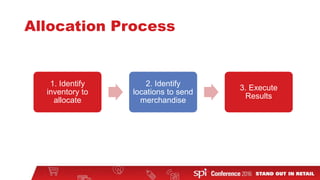
2. Allocation Process
• Identify inventory to allocate
• Identify locations to receive merchandise
• Execute Results
3. Benefits
CONTENTS PAGE
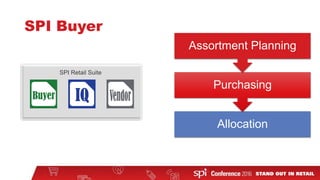
SPI Buyer
Allocation
Purchasing
Assortment Planning
SPI Retail Suite
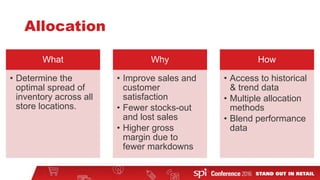
Allocation
What
• Determine the
optimal spread of
inventory across all
store locations.
Why
• Improve sales and
customer
satisfaction
• Fewer stocks-out
and lost sales
• Higher gross
margin due to
fewer markdowns
How
• Access to historical
& trend data
• Multiple allocation
methods
• Blend performance
data
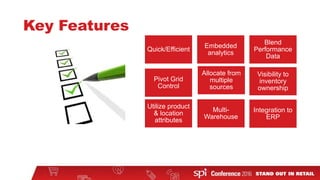
Key Features
Quick/Efficient
Embedded
analytics
Blend
Performance
Data
Pivot Grid
Control
Visibility to
inventory
ownership
Multi-
Warehouse
Allocate from
multiple
sources
Utilize product
& location
attributes
Integration to
ERP
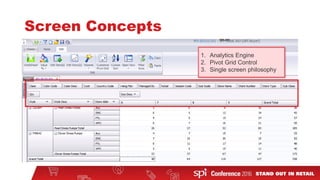
Screen Concepts
1. Analytics Engine
2. Pivot Grid Control
3. Single screen philosophy
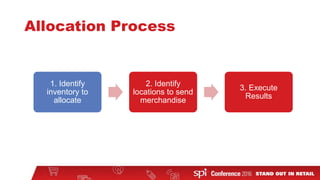
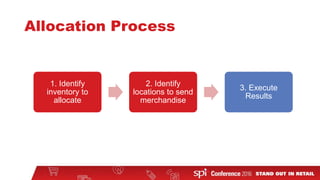
Allocation Process
1. Identify
inventory to
allocate
2. Identify
locations to send
merchandise
3. Execute
Results
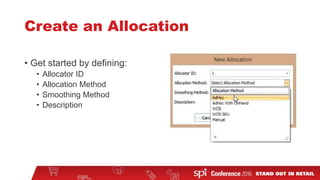
Create an Allocation
• Get started by defining:
• Allocator ID
• Allocation Method
• Smoothing Method
• Description
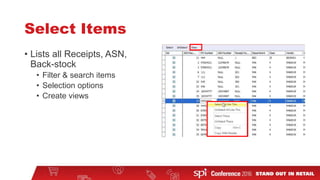
Select Items
• Lists all Receipts, ASN,
Back-stock
• Filter & search items
• Selection options
• Create views
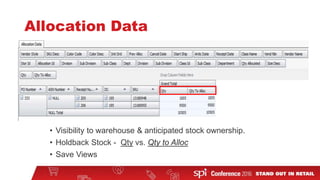
Allocation Data
• Visibility to warehouse & anticipated stock ownership.
• Holdback Stock - Qty vs. Qty to Alloc
• Save Views
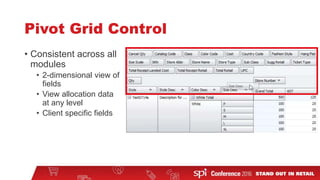
Pivot Grid Control
• Consistent across all
modules
• 2-dimensional view of
fields
• View allocation data
at any level
• Client specific fields
Allocation Process
1. Identify
inventory to
allocate
2. Identify
locations to send
merchandise
3. Execute
Results
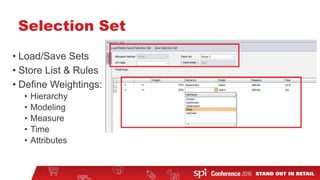
Selection Set
• Load/Save Sets
• Store List & Rules
• Define Weightings:
• Hierarchy
• Modeling
• Measure
• Time
• Attributes
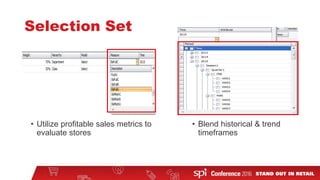
Selection Set
• Utilize profitable sales metrics to
evaluate stores
• Blend historical & trend
timeframes
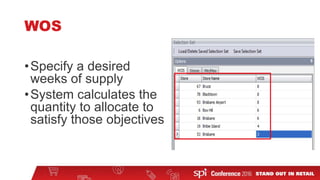
WOS
•Specify a desired
weeks of supply
•System calculates the
quantity to allocate to
satisfy those objectives
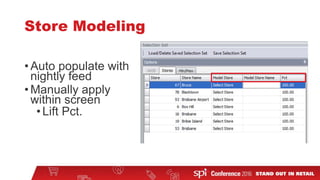
Store Modeling
•Auto populate with
nightly feed
•Manually apply
within screen
•Lift Pct.
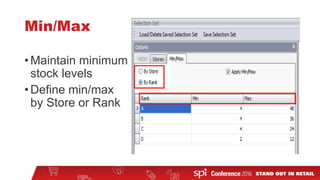
Min/Max
•Maintain minimum
stock levels
•Define min/max
by Store or Rank
Allocation Process
1. Identify
inventory to
allocate
2. Identify
locations to send
merchandise
3. Execute
Results
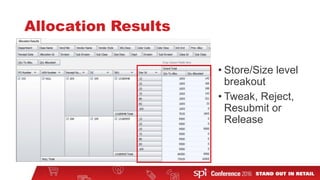
Allocation Results
• Store/Size level
breakout
• Tweak, Reject,
Resubmit or
Release
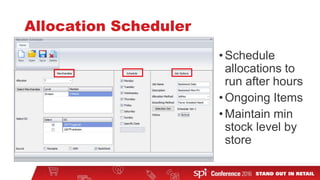
Allocation Scheduler
•Schedule
allocations to
run after hours
•Ongoing Items
•Maintain min
stock level by
store
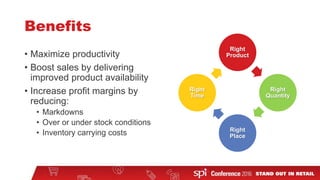
Benefits
• Maximize productivity
• Boost sales by delivering
improved product availability
• Increase profit margins by
reducing:
• Markdowns
• Over or under stock conditions
• Inventory carrying costs
Right
Product
Right
Quantity
Right
Place
Right
Time
What’s New?
• SPI Platform and user interface
• Analytics engine - greater flexibility and speed
• Keep the user in a single screen
• Excel-like commands that are familiar to most users
Contact Me
•Megan Keller
Email: megan.keller@spi.com
Phone: 484-716-5606

SPI Buyer Retail Allocation 2.0