Advanced Inventory Planning


                              SAP Business One
Inventory Planning for SAP Business One
The Inventory Planner is seamlessly integrated into SAP                For-
Business One, providing automated forecasting,                               Audio
replenishment, and optimisation at the tips of your                          Automotive
fingers.                                                                     Building materials
                                                                             Consumer
Inventory Planning for SAP Business One gives you                            Construction
instant visibility to all warehouses, field stock, customer                  Electrical
locations, and everything in between. Optimisation                           Food & Beverage
provides exceptional value by reducing inventory,                            HVAC
controlling new purchases and improving customer                             Industrial
service.                                                                     Lawn & Garden
                                                                             Medical & Dental
Enhanced Planning Features                                                   Plumbing
                                                                             Distribution
Automated Forecasting and Replenishment Planning

     Enhanced forecasting for highly seasonal and slow-
      moving items                                                             Value You Gain
     Vendor planning for easy replenishment
      management                                                       The Inventory Planner solution
     New Items are easier and faster with the “proxy                  provides dramatic results that
      process”                                                         help improve positive cash flow
     Simultaneously generates new orders and stock
      transfers (may require additional module)                        Savings

Sophisticated Item Management                                          20%-40%
                                                                       Inventory Reduction
     Enhanced details show lead time, service levels,
      vendor, and more                                                 15%-30%
     Full visibility at all locations: virtual, real, and             Reduction in Stock-outs
      customers (if required)
     Dynamically computes and reports on excess and                   6%-15%
      obsolete inventory                                               Reduction in Expedited
     Automatically sets shelf stock by item and location              Shipments

Seamless Integration                                                   Improvements

     Completely integrated in SAP Business One                        15%-25%
     Main menu provides fast access to planning                       Increase in Sales & Revenues
     Replenishment planning is optimised for better asset
      and spend control                                                5%-12%
     Automatically creates either full or draft Purchase              Productivity Gains
      Order


“We used to spend all day, everyday creating orders by running multiple reports to avoid over and
under purchasing. Since implementing the Inventory Planner, we create our orders in less than three
hours. We have increased our productivity by 30 hours a week and by only ordering what we need,
we’ve significantly reduced our excess stock while at the same time, increasing service levels across all
of our lines.”

Maurice Riley, Camlab Ltd.
Advanced Inventory Planning and Replenishment
Item Master Demand History &
Forecasting

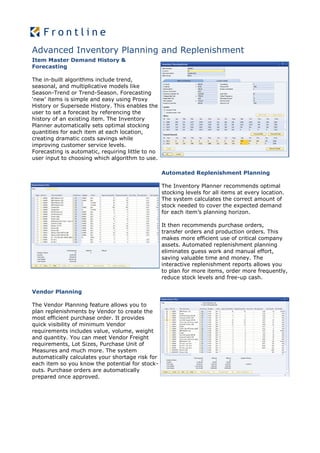
The in-built algorithms include trend,
seasonal, and multiplicative models like
Season-Trend or Trend-Season. Forecasting
‘new’ items is simple and easy using Proxy
History or Supersede History. This enables the
user to set a forecast by referencing the
history of an existing item. The Inventory
Planner automatically sets optimal stocking
quantities for each item at each location,
creating dramatic costs savings while
improving customer service levels.
Forecasting is automatic, requiring little to no
user input to choosing which algorithm to use.

                                                   Automated Replenishment Planning

                                                   The Inventory Planner recommends optimal
                                                   stocking levels for all items at every location.
                                                   The system calculates the correct amount of
                                                   stock needed to cover the expected demand
                                                   for each item’s planning horizon.

                                                   It then recommends purchase orders,
                                                   transfer orders and production orders. This
                                                   makes more efficient use of critical company
                                                   assets. Automated replenishment planning
                                                   eliminates guess work and manual effort,
                                                   saving valuable time and money. The
                                                   interactive replenishment reports allows you
                                                   to plan for more items, order more frequently,
                                                   reduce stock levels and free-up cash.

Vendor Planning

The Vendor Planning feature allows you to
plan replenishments by Vendor to create the
most efficient purchase order. It provides
quick visibility of minimum Vendor
requirements includes value, volume, weight
and quantity. You can meet Vendor Freight
requirements, Lot Sizes, Purchase Unit of
Measures and much more. The system
automatically calculates your shortage risk for
each item so you know the potential for stock-
outs. Purchase orders are automatically
prepared once approved.
Automated Forecasting-Optimisation-Replenishment
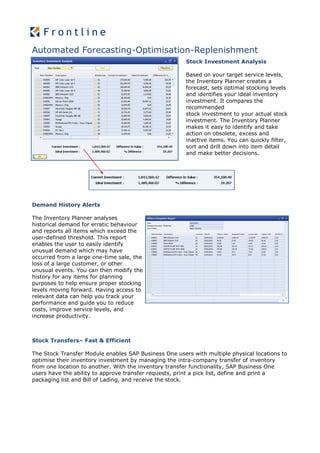
                                                       Stock Investment Analysis

                                                       Based on your target service levels,
                                                       the Inventory Planner creates a
                                                       forecast, sets optimal stocking levels
                                                       and identifies your ideal inventory
                                                       investment. It compares the
                                                       recommended
                                                       stock investment to your actual stock
                                                       investment. The Inventory Planner
                                                       makes it easy to identify and take
                                                       action on obsolete, excess and
                                                       inactive items. You can quickly filter,
                                                       sort and drill down into item detail
                                                       and make better decisions.


Demand History Alerts

The Inventory Planner analyses
historical demand for erratic behaviour
and reports all items which exceed the
user-defined threshold. This report
enables the user to easily identify
unusual demand which may have
occurred from a large one-time sale, the
loss of a large customer, or other
unusual events. You can then modify the
history for any items for planning
purposes to help ensure proper stocking
levels moving forward. Having access to
relevant data can help you track your
performance and guide you to reduce
costs, improve service levels, and
increase productivity.


Stock Transfers– Fast & Efficient

The Stock Transfer Module enables SAP Business One users with multiple physical locations to
optimise their inventory investment by managing the intra-company transfer of inventory
from one location to another. With the inventory transfer functionality, SAP Business One
users have the ability to approve transfer requests, print a pick list, define and print a
packaging list and Bill of Lading, and receive the stock.
Automated Forecasting-Optimisation-Replenishment

                                                       Purchasing Made Easy

                                                       The approved Replenishment Plan
                                                       automatically creates new Purchase
                                                       Drafts or live Purchase Orders right in the
                                                       SAP Business One Purchasing module.
                                                       This eliminates the need to re-key data,
                                                       avoids costly mistakes, and provides the
                                                       user with all the control and approvals
                                                       they require.


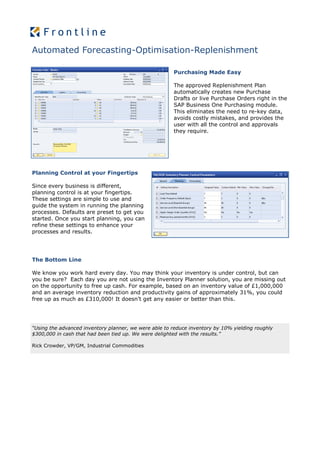
Planning Control at your Fingertips

Since every business is different,
planning control is at your fingertips.
These settings are simple to use and
guide the system in running the planning
processes. Defaults are preset to get you
started. Once you start planning, you can
refine these settings to enhance your
processes and results.


The Bottom Line

We know you work hard every day. You may think your inventory is under control, but can
you be sure? Each day you are not using the Inventory Planner solution, you are missing out
on the opportunity to free up cash. For example, based on an inventory value of £1,000,000
and an average inventory reduction and productivity gains of approximately 31%, you could
free up as much as £310,000! It doesn’t get any easier or better than this.


“Using the advanced inventory planner, we were able to reduce inventory by 10% yielding roughly
$300,000 in cash that had been tied up. We were delighted with the results.”

Rick Crowder, VP/GM, Industrial Commodities

Inventory planning for sap business one

  • 1.
  • 2.
    Inventory Planning forSAP Business One The Inventory Planner is seamlessly integrated into SAP For- Business One, providing automated forecasting,  Audio replenishment, and optimisation at the tips of your  Automotive fingers.  Building materials  Consumer Inventory Planning for SAP Business One gives you  Construction instant visibility to all warehouses, field stock, customer  Electrical locations, and everything in between. Optimisation  Food & Beverage provides exceptional value by reducing inventory,  HVAC controlling new purchases and improving customer  Industrial service.  Lawn & Garden  Medical & Dental Enhanced Planning Features  Plumbing  Distribution Automated Forecasting and Replenishment Planning  Enhanced forecasting for highly seasonal and slow- moving items Value You Gain  Vendor planning for easy replenishment management The Inventory Planner solution  New Items are easier and faster with the “proxy provides dramatic results that process” help improve positive cash flow  Simultaneously generates new orders and stock transfers (may require additional module) Savings Sophisticated Item Management 20%-40% Inventory Reduction  Enhanced details show lead time, service levels, vendor, and more 15%-30%  Full visibility at all locations: virtual, real, and Reduction in Stock-outs customers (if required)  Dynamically computes and reports on excess and 6%-15% obsolete inventory Reduction in Expedited  Automatically sets shelf stock by item and location Shipments Seamless Integration Improvements  Completely integrated in SAP Business One 15%-25%  Main menu provides fast access to planning Increase in Sales & Revenues  Replenishment planning is optimised for better asset and spend control 5%-12%  Automatically creates either full or draft Purchase Productivity Gains Order “We used to spend all day, everyday creating orders by running multiple reports to avoid over and under purchasing. Since implementing the Inventory Planner, we create our orders in less than three hours. We have increased our productivity by 30 hours a week and by only ordering what we need, we’ve significantly reduced our excess stock while at the same time, increasing service levels across all of our lines.” Maurice Riley, Camlab Ltd.
  • 3.
    Advanced Inventory Planningand Replenishment Item Master Demand History & Forecasting The in-built algorithms include trend, seasonal, and multiplicative models like Season-Trend or Trend-Season. Forecasting ‘new’ items is simple and easy using Proxy History or Supersede History. This enables the user to set a forecast by referencing the history of an existing item. The Inventory Planner automatically sets optimal stocking quantities for each item at each location, creating dramatic costs savings while improving customer service levels. Forecasting is automatic, requiring little to no user input to choosing which algorithm to use. Automated Replenishment Planning The Inventory Planner recommends optimal stocking levels for all items at every location. The system calculates the correct amount of stock needed to cover the expected demand for each item’s planning horizon. It then recommends purchase orders, transfer orders and production orders. This makes more efficient use of critical company assets. Automated replenishment planning eliminates guess work and manual effort, saving valuable time and money. The interactive replenishment reports allows you to plan for more items, order more frequently, reduce stock levels and free-up cash. Vendor Planning The Vendor Planning feature allows you to plan replenishments by Vendor to create the most efficient purchase order. It provides quick visibility of minimum Vendor requirements includes value, volume, weight and quantity. You can meet Vendor Freight requirements, Lot Sizes, Purchase Unit of Measures and much more. The system automatically calculates your shortage risk for each item so you know the potential for stock- outs. Purchase orders are automatically prepared once approved.
  • 4.
    Automated Forecasting-Optimisation-Replenishment Stock Investment Analysis Based on your target service levels, the Inventory Planner creates a forecast, sets optimal stocking levels and identifies your ideal inventory investment. It compares the recommended stock investment to your actual stock investment. The Inventory Planner makes it easy to identify and take action on obsolete, excess and inactive items. You can quickly filter, sort and drill down into item detail and make better decisions. Demand History Alerts The Inventory Planner analyses historical demand for erratic behaviour and reports all items which exceed the user-defined threshold. This report enables the user to easily identify unusual demand which may have occurred from a large one-time sale, the loss of a large customer, or other unusual events. You can then modify the history for any items for planning purposes to help ensure proper stocking levels moving forward. Having access to relevant data can help you track your performance and guide you to reduce costs, improve service levels, and increase productivity. Stock Transfers– Fast & Efficient The Stock Transfer Module enables SAP Business One users with multiple physical locations to optimise their inventory investment by managing the intra-company transfer of inventory from one location to another. With the inventory transfer functionality, SAP Business One users have the ability to approve transfer requests, print a pick list, define and print a packaging list and Bill of Lading, and receive the stock.
  • 5.
    Automated Forecasting-Optimisation-Replenishment Purchasing Made Easy The approved Replenishment Plan automatically creates new Purchase Drafts or live Purchase Orders right in the SAP Business One Purchasing module. This eliminates the need to re-key data, avoids costly mistakes, and provides the user with all the control and approvals they require. Planning Control at your Fingertips Since every business is different, planning control is at your fingertips. These settings are simple to use and guide the system in running the planning processes. Defaults are preset to get you started. Once you start planning, you can refine these settings to enhance your processes and results. The Bottom Line We know you work hard every day. You may think your inventory is under control, but can you be sure? Each day you are not using the Inventory Planner solution, you are missing out on the opportunity to free up cash. For example, based on an inventory value of £1,000,000 and an average inventory reduction and productivity gains of approximately 31%, you could free up as much as £310,000! It doesn’t get any easier or better than this. “Using the advanced inventory planner, we were able to reduce inventory by 10% yielding roughly $300,000 in cash that had been tied up. We were delighted with the results.” Rick Crowder, VP/GM, Industrial Commodities