OnlineTraining Course
Nemath Hussain| SparkItSolutions
Course Description
Brief description of the Course’s
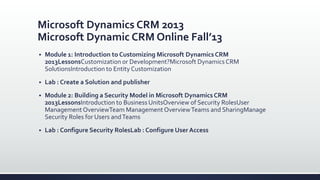
Microsoft Dynamics CRM 2013
Microsoft Dynamic CRM Online Fall’13
 Module 1: Introduction to Customizing Microsoft Dynamics CRM
2013LessonsCustomization or Development?Microsoft Dynamics CRM
SolutionsIntroduction to Entity Customization
 Lab : Create a Solution and publisher
 Module 2: Building a Security Model in Microsoft Dynamics CRM
2013LessonsIntroduction to Business UnitsOverview of Security RolesUser
ManagementOverviewTeam ManagementOverviewTeams and SharingManage
Security Roles for Users andTeams
 Lab : Configure Security RolesLab : Configure User Access
Microsoft Dynamics CRM 2013
Microsoft Dynamic CRM Online Fall’13
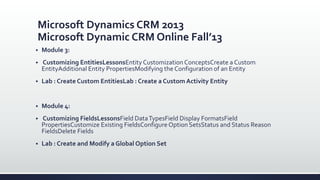
 Module 3:
 Customizing EntitiesLessonsEntity Customization ConceptsCreate a Custom
EntityAdditional Entity PropertiesModifying the Configuration of an Entity
 Lab : Create Custom EntitiesLab : Create a Custom Activity Entity
 Module 4:
 Customizing FieldsLessonsField DataTypesField Display FormatsField
PropertiesCustomize Existing FieldsConfigure Option SetsStatus and Status Reason
FieldsDelete Fields
 Lab : Create and Modify a Global Option Set
Microsoft Dynamics CRM 2013
Microsoft Dynamic CRM Online Fall’13
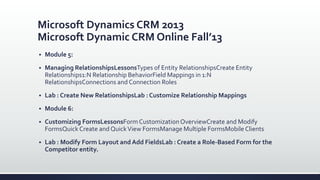
 Module 5:
 Managing RelationshipsLessonsTypes of Entity RelationshipsCreate Entity
Relationships1:N Relationship BehaviorField Mappings in 1:N
RelationshipsConnections and Connection Roles
 Lab : Create New RelationshipsLab : Customize Relationship Mappings
 Module 6:
 Customizing FormsLessonsForm Customization OverviewCreate and Modify
FormsQuick Create and QuickView FormsManage Multiple FormsMobile Clients
 Lab : Modify Form Layout and Add FieldsLab : Create a Role-Based Form for the
Competitor entity.
Microsoft Dynamics CRM 2013
Microsoft Dynamic CRM Online Fall’13
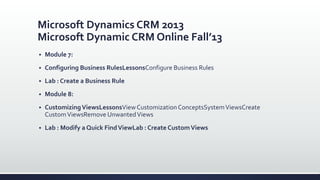
 Module 7:
 Configuring Business RulesLessonsConfigure Business Rules
 Lab : Create a Business Rule
 Module 8:
 CustomizingViewsLessonsViewCustomization ConceptsSystemViewsCreate
CustomViewsRemove UnwantedViews
 Lab : Modify a Quick FindViewLab : Create CustomViews
Microsoft Dynamics CRM 2013
Microsoft Dynamic CRM Online Fall’13
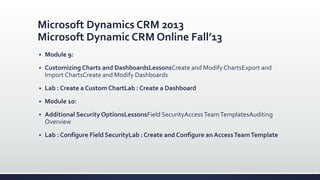
 Module 9:
 Customizing Charts and DashboardsLessonsCreate and Modify ChartsExport and
Import ChartsCreate and Modify Dashboards
 Lab : Create a Custom ChartLab : Create a Dashboard
 Module 10:
 Additional Security OptionsLessonsField SecurityAccessTeamTemplatesAuditing
Overview
 Lab : Configure Field SecurityLab : Create and Configure an AccessTeamTemplate
Microsoft Dynamics CRM 2013
Microsoft Dynamic CRM Online Fall’13
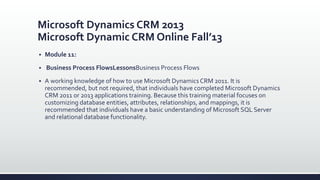
 Module 11:
 Business Process FlowsLessonsBusiness Process Flows
 A working knowledge of how to use Microsoft Dynamics CRM 2011. It is
recommended, but not required, that individuals have completed Microsoft Dynamics
CRM 2011 or 2013 applications training. Because this training material focuses on
customizing database entities, attributes, relationships, and mappings, it is
recommended that individuals have a basic understanding of Microsoft SQL Server
and relational database functionality.
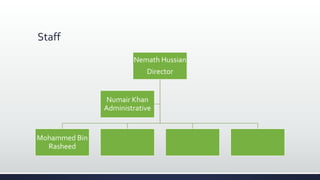
Staff
Nemath Hussian
Director
Mohammed Bin
Rasheed
Numair Khan
Administrative
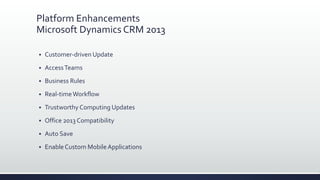
Platform Enhancements
Microsoft Dynamics CRM 2013
 Customer-driven Update
 AccessTeams
 Business Rules
 Real-timeWorkflow
 Trustworthy Computing Updates
 Office 2013 Compatibility
 Auto Save
 Enable Custom MobileApplications
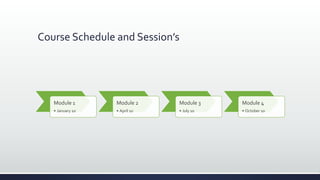
Course Schedule and Session’s
Module 1
• January 10
Module 2
• April 10
Module 3
• July 10
Module 4
• October 10
Conclusion
 Microsoft has a powerful vision for CRM. It is defining and delivering a connected and forward-looking
 enterprise — the successful enterprise of the future, an enterprise that connects its employees,
 partners and customers to what they need, in the right context, using the device and channel they
 prefer — enabling each of our customers to run a Dynamic Business. As Microsoft looks toward the
 Microsoft Dynamics CRM 2013 launch, it is committed to delivering on its Dynamic Business vision
 with lasting investments across robust applications, great experiences, and platform strength and
 flexibility.

 It is truly an exciting time to be engaging with Microsoft Dynamics CRM! Microsoft looks forward to
 keeping you informed of the innovations and exciting capabilities that Microsoft Dynamics CRM will
 deliver for you now and into the future!
Enterprise Collaboration
 Social in context
 Get the information you need from the right people, in the right place at the right
time. Using the
 Enterprise power ofYammer, your team can quickly comment on posts or start
contextual
 conversations from within Microsoft Dynamics CRM (on-premises and online) or
Yammer. Yammer
 extends across your organization bringing all your people into the conversation –
including non-licensedCRM users from withinYammer.
Server-side Synchronization
 Stay productive and up to date no matter where you are or what device you’re on. With server-
side
 synchronization, administrators can easily manage the synchronization of email, tasks,
appointments
 and contacts between on-premises versions of CRM and Exchange.
 The following synchronization scenarios will be supported following the General Availability
of CRM
 2013. They will not be available at launch:
 CRM Online and Exchange Online for Email, tasks, appointments and contacts
 CRM Online or CRM 2013 (on-premises) and POP3/SMTP2 for Email
 Synchronization using the Email Router and Outlook client will continue to be supported.
Communicate with Ease
 Connect with your colleagues with real-time visibility into their availability. Within
embedded3
 presence from Microsoft Lync your people can call, IM or meet with colleagues or
customers directly from CRM.
 Facilitate simpler collaboration and engagement between employees and customers
with embedded communication capabilities. Users can click the Email address to
send an Email using their default mail provider or the phone number to make
outbound calls using Lync or Skype directly from the CRM web forms4 .When the call
is initiated,CRM
 creates a Phone Call activity so your people can
 quickly and easily capture call notes. Your customers
 are now just a click away.
Spark it solution
Spark it solution

Spark it solution

  • 1.
  • 2.
  • 3.
    Microsoft Dynamics CRM2013 Microsoft Dynamic CRM Online Fall’13  Module 1: Introduction to Customizing Microsoft Dynamics CRM 2013LessonsCustomization or Development?Microsoft Dynamics CRM SolutionsIntroduction to Entity Customization  Lab : Create a Solution and publisher  Module 2: Building a Security Model in Microsoft Dynamics CRM 2013LessonsIntroduction to Business UnitsOverview of Security RolesUser ManagementOverviewTeam ManagementOverviewTeams and SharingManage Security Roles for Users andTeams  Lab : Configure Security RolesLab : Configure User Access
  • 4.
    Microsoft Dynamics CRM2013 Microsoft Dynamic CRM Online Fall’13  Module 3:  Customizing EntitiesLessonsEntity Customization ConceptsCreate a Custom EntityAdditional Entity PropertiesModifying the Configuration of an Entity  Lab : Create Custom EntitiesLab : Create a Custom Activity Entity  Module 4:  Customizing FieldsLessonsField DataTypesField Display FormatsField PropertiesCustomize Existing FieldsConfigure Option SetsStatus and Status Reason FieldsDelete Fields  Lab : Create and Modify a Global Option Set
  • 5.
    Microsoft Dynamics CRM2013 Microsoft Dynamic CRM Online Fall’13  Module 5:  Managing RelationshipsLessonsTypes of Entity RelationshipsCreate Entity Relationships1:N Relationship BehaviorField Mappings in 1:N RelationshipsConnections and Connection Roles  Lab : Create New RelationshipsLab : Customize Relationship Mappings  Module 6:  Customizing FormsLessonsForm Customization OverviewCreate and Modify FormsQuick Create and QuickView FormsManage Multiple FormsMobile Clients  Lab : Modify Form Layout and Add FieldsLab : Create a Role-Based Form for the Competitor entity.
  • 6.
    Microsoft Dynamics CRM2013 Microsoft Dynamic CRM Online Fall’13  Module 7:  Configuring Business RulesLessonsConfigure Business Rules  Lab : Create a Business Rule  Module 8:  CustomizingViewsLessonsViewCustomization ConceptsSystemViewsCreate CustomViewsRemove UnwantedViews  Lab : Modify a Quick FindViewLab : Create CustomViews
  • 7.
    Microsoft Dynamics CRM2013 Microsoft Dynamic CRM Online Fall’13  Module 9:  Customizing Charts and DashboardsLessonsCreate and Modify ChartsExport and Import ChartsCreate and Modify Dashboards  Lab : Create a Custom ChartLab : Create a Dashboard  Module 10:  Additional Security OptionsLessonsField SecurityAccessTeamTemplatesAuditing Overview  Lab : Configure Field SecurityLab : Create and Configure an AccessTeamTemplate
  • 8.
    Microsoft Dynamics CRM2013 Microsoft Dynamic CRM Online Fall’13  Module 11:  Business Process FlowsLessonsBusiness Process Flows  A working knowledge of how to use Microsoft Dynamics CRM 2011. It is recommended, but not required, that individuals have completed Microsoft Dynamics CRM 2011 or 2013 applications training. Because this training material focuses on customizing database entities, attributes, relationships, and mappings, it is recommended that individuals have a basic understanding of Microsoft SQL Server and relational database functionality.
  • 9.
  • 10.
    Platform Enhancements Microsoft DynamicsCRM 2013  Customer-driven Update  AccessTeams  Business Rules  Real-timeWorkflow  Trustworthy Computing Updates  Office 2013 Compatibility  Auto Save  Enable Custom MobileApplications
  • 11.
    Course Schedule andSession’s Module 1 • January 10 Module 2 • April 10 Module 3 • July 10 Module 4 • October 10
  • 12.
    Conclusion  Microsoft hasa powerful vision for CRM. It is defining and delivering a connected and forward-looking  enterprise — the successful enterprise of the future, an enterprise that connects its employees,  partners and customers to what they need, in the right context, using the device and channel they  prefer — enabling each of our customers to run a Dynamic Business. As Microsoft looks toward the  Microsoft Dynamics CRM 2013 launch, it is committed to delivering on its Dynamic Business vision  with lasting investments across robust applications, great experiences, and platform strength and  flexibility.   It is truly an exciting time to be engaging with Microsoft Dynamics CRM! Microsoft looks forward to  keeping you informed of the innovations and exciting capabilities that Microsoft Dynamics CRM will  deliver for you now and into the future!
  • 13.
    Enterprise Collaboration  Socialin context  Get the information you need from the right people, in the right place at the right time. Using the  Enterprise power ofYammer, your team can quickly comment on posts or start contextual  conversations from within Microsoft Dynamics CRM (on-premises and online) or Yammer. Yammer  extends across your organization bringing all your people into the conversation – including non-licensedCRM users from withinYammer.
  • 14.
    Server-side Synchronization  Stayproductive and up to date no matter where you are or what device you’re on. With server- side  synchronization, administrators can easily manage the synchronization of email, tasks, appointments  and contacts between on-premises versions of CRM and Exchange.  The following synchronization scenarios will be supported following the General Availability of CRM  2013. They will not be available at launch:  CRM Online and Exchange Online for Email, tasks, appointments and contacts  CRM Online or CRM 2013 (on-premises) and POP3/SMTP2 for Email  Synchronization using the Email Router and Outlook client will continue to be supported.
  • 15.
    Communicate with Ease Connect with your colleagues with real-time visibility into their availability. Within embedded3  presence from Microsoft Lync your people can call, IM or meet with colleagues or customers directly from CRM.  Facilitate simpler collaboration and engagement between employees and customers with embedded communication capabilities. Users can click the Email address to send an Email using their default mail provider or the phone number to make outbound calls using Lync or Skype directly from the CRM web forms4 .When the call is initiated,CRM  creates a Phone Call activity so your people can  quickly and easily capture call notes. Your customers  are now just a click away.