Project-CRM 4.0   Overview Powered by Microsoft Dynamics CRM 4.0
Long Term CRM Success  “ To get better CRM projects, the company must view CRM as more than just an IT project or a business project. Instead,  business users and IT users must work together to implement a strategy.“ Gartner Group September 2007
Typical Challenges in Enterprise CRM Achieve reliable user adoption Attain 360 degree view of customers Adapt quickly to business changes Align business and IT needs Accelerate project delivery and returns
Industry Views “ A CRM system must be flexible to adjust as a company's business model and processes change.  CRM solutions that only address the first level or two of a company's sales process or cannot adapt to change will have limited effectiveness.” CRM June 2007 “ Our senior leaders gave me the time and resources to do the job right. They saw value in getting users actively involved and encouraged me to take this approach.  I concentrated on delivering ‘quick wins' to sustain their enthusiasm . ” Customer –CRM Magazine, September 2007 “ End-user benefits must remain at the center of CRM process and application enhancements.  Attention must be given to the application user interface and workflows to ensure that they are well aligned with the working practices of day-to-day users.” Forrester Research June 2007
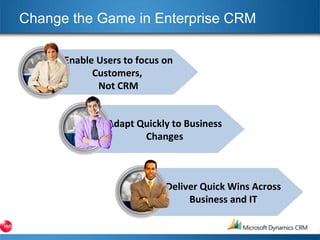
Change the Game in Enterprise CRM Enable Users to focus on Customers,  Not CRM Adapt Quickly to Business Changes Deliver Quick Wins Across Business and IT
SOLUTION Project-CRM CRM for the Construction Industry
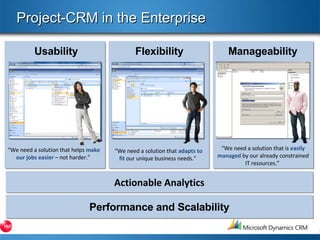
Project-CRM in the Enterprise Actionable Analytics Manageability Flexibility Usability “ We need a solution that is  easily managed  by our already constrained IT resources.”  “ We need a solution that  adapts to fit   our unique business needs.”  “ We need a solution that helps  make our jobs easier  – not harder.”  Performance and Scalability
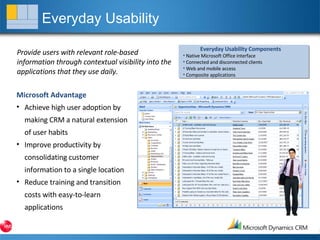
Everyday Usability Provide users with relevant role-based information through contextual visibility into the applications that they use daily. Microsoft Advantage Achieve high user adoption by making CRM a natural extension of user habits Improve productivity by consolidating customer information to a single location Reduce training and transition costs with easy-to-learn applications Everyday Usability Components Native Microsoft Office interface Connected and disconnected clients Web and mobile access Composite applications
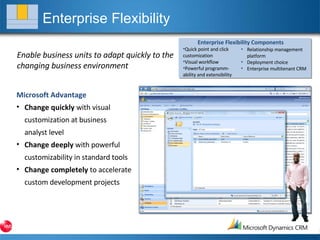
Enterprise Flexibility Enable business units to adapt quickly to the changing business environment Microsoft Advantage Change quickly  with visual customization at business  analyst level Change deeply  with powerful customizability in standard tools Change completely  to accelerate custom development projects Relationship management platform Deployment choice Enterprise multitenant CRM Enterprise Flexibility Components Quick point and click  customization Visual workflow Powerful programm- ability and extensibility
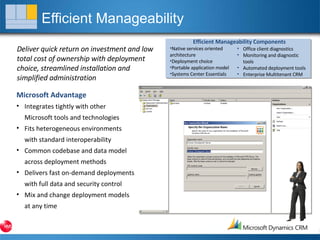
Efficient Manageability Deliver quick return on investment and low total cost of ownership with deployment choice, streamlined installation and simplified administration Microsoft Advantage Integrates tightly with other  Microsoft tools and technologies Fits heterogeneous environments with standard interoperability Common codebase and data model across deployment methods Delivers fast on-demand deployments with full data and security control Mix and change deployment models at any time Efficient Manageability Components Native services oriented  architecture Deployment choice Portable application model Systems Center Essentials Office client diagnostics Monitoring and diagnostic  tools Automated deployment tools Enterprise Multitenant CRM
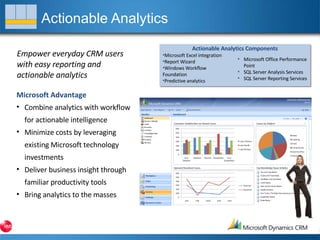
Actionable Analytics Empower everyday CRM users with easy reporting and actionable analytics Microsoft Advantage Combine analytics with workflow for actionable intelligence Minimize costs by leveraging existing Microsoft technology investments Deliver business insight through familiar productivity tools Bring analytics to the masses Actionable Analytics Components Microsoft Excel integration Report Wizard Windows Workflow  Foundation Predictive analytics Microsoft Office Performance Point SQL Server Analysis Services SQL Server Reporting Services
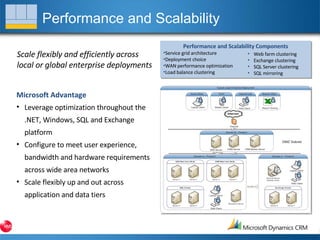
Performance and Scalability Scale flexibly and efficiently across local or global enterprise deployments Microsoft Advantage Leverage optimization throughout the .NET, Windows, SQL and Exchange platform Configure to meet user experience, bandwidth and hardware requirements across wide area networks Scale flexibly up and out across application and data tiers Performance and Scalability Components Service grid architecture Deployment choice WAN performance optimization Load balance clustering Web farm clustering Exchange clustering SQL Server clustering SQL mirroring
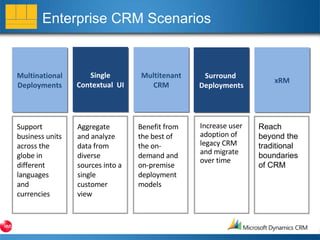
Enterprise CRM Scenarios Multinational Deployments Single Contextual  UI Multitenant CRM Surround  Deployments xRM Support business units across the globe in different languages and currencies Aggregate and analyze data from diverse sources into a single customer view Benefit from the best of the on-demand and on-premise deployment models Increase user adoption of legacy CRM and migrate over time Reach beyond the traditional boundaries of CRM
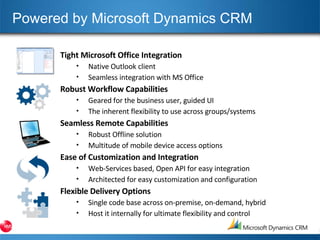
Powered by Microsoft Dynamics CRM Tight Microsoft Office Integration Native Outlook client Seamless integration with MS Office Robust Workflow Capabilities Geared for the business user, guided UI The inherent flexibility to use across groups/systems Seamless Remote Capabilities Robust Offline solution Multitude of mobile device access options Ease of Customization and Integration Web-Services based, Open API for easy integration Architected for easy customization and configuration Flexible Delivery Options Single code base across on-premise, on-demand, hybrid Host it internally for ultimate flexibility and control
BENEFITS
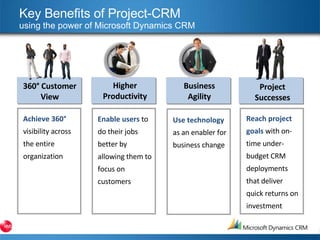
Key Benefits of Project-CRM using the power of Microsoft Dynamics CRM  Achieve 360°  visibility across the entire organization 360° Customer View Enable users  to do their jobs better by allowing them to focus on customers Higher Productivity Project Successes Reach project goals  with on-time under-budget CRM deployments that deliver quick returns on investment Business Agility Use technology  as an enabler for business change
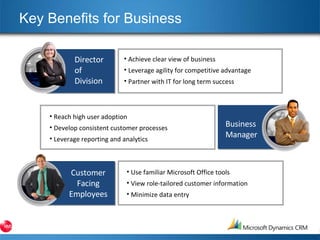
Key Benefits for Business Achieve clear view of business Leverage agility for competitive advantage Partner with IT for long term success Reach high user adoption Develop consistent customer processes Leverage reporting and analytics Use familiar Microsoft Office tools View role-tailored customer information Minimize data entry Director of Division Business Manager Customer Facing Employees
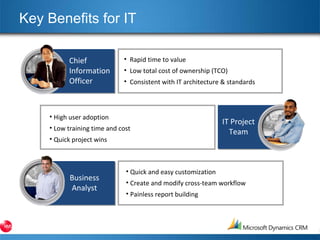
Key Benefits for IT Rapid time to value Low total cost of ownership (TCO) Consistent with IT architecture & standards High user adoption Low training time and cost Quick project wins Quick and easy customization Create and modify cross-team workflow Painless report building Chief  Information Officer IT Project Team Business Analyst
Contact us now… Book your online demonstration now, or have one of our Customer Care team visit your offices. KMS Sales : +44 (0)207 939 0744 www.kms-software.com Email :  [email_address]

Project Crm Presentation

  • 1.
    Project-CRM 4.0 Overview Powered by Microsoft Dynamics CRM 4.0
  • 2.
    Long Term CRMSuccess “ To get better CRM projects, the company must view CRM as more than just an IT project or a business project. Instead, business users and IT users must work together to implement a strategy.“ Gartner Group September 2007
  • 3.
    Typical Challenges inEnterprise CRM Achieve reliable user adoption Attain 360 degree view of customers Adapt quickly to business changes Align business and IT needs Accelerate project delivery and returns
  • 4.
    Industry Views “A CRM system must be flexible to adjust as a company's business model and processes change. CRM solutions that only address the first level or two of a company's sales process or cannot adapt to change will have limited effectiveness.” CRM June 2007 “ Our senior leaders gave me the time and resources to do the job right. They saw value in getting users actively involved and encouraged me to take this approach. I concentrated on delivering ‘quick wins' to sustain their enthusiasm . ” Customer –CRM Magazine, September 2007 “ End-user benefits must remain at the center of CRM process and application enhancements. Attention must be given to the application user interface and workflows to ensure that they are well aligned with the working practices of day-to-day users.” Forrester Research June 2007
  • 5.
    Change the Gamein Enterprise CRM Enable Users to focus on Customers, Not CRM Adapt Quickly to Business Changes Deliver Quick Wins Across Business and IT
  • 6.
    SOLUTION Project-CRM CRMfor the Construction Industry
  • 7.
    Project-CRM in theEnterprise Actionable Analytics Manageability Flexibility Usability “ We need a solution that is easily managed by our already constrained IT resources.” “ We need a solution that adapts to fit our unique business needs.” “ We need a solution that helps make our jobs easier – not harder.” Performance and Scalability
  • 8.
    Everyday Usability Provideusers with relevant role-based information through contextual visibility into the applications that they use daily. Microsoft Advantage Achieve high user adoption by making CRM a natural extension of user habits Improve productivity by consolidating customer information to a single location Reduce training and transition costs with easy-to-learn applications Everyday Usability Components Native Microsoft Office interface Connected and disconnected clients Web and mobile access Composite applications
  • 9.
    Enterprise Flexibility Enablebusiness units to adapt quickly to the changing business environment Microsoft Advantage Change quickly with visual customization at business analyst level Change deeply with powerful customizability in standard tools Change completely to accelerate custom development projects Relationship management platform Deployment choice Enterprise multitenant CRM Enterprise Flexibility Components Quick point and click customization Visual workflow Powerful programm- ability and extensibility
  • 10.
    Efficient Manageability Deliverquick return on investment and low total cost of ownership with deployment choice, streamlined installation and simplified administration Microsoft Advantage Integrates tightly with other Microsoft tools and technologies Fits heterogeneous environments with standard interoperability Common codebase and data model across deployment methods Delivers fast on-demand deployments with full data and security control Mix and change deployment models at any time Efficient Manageability Components Native services oriented architecture Deployment choice Portable application model Systems Center Essentials Office client diagnostics Monitoring and diagnostic tools Automated deployment tools Enterprise Multitenant CRM
  • 11.
    Actionable Analytics Empowereveryday CRM users with easy reporting and actionable analytics Microsoft Advantage Combine analytics with workflow for actionable intelligence Minimize costs by leveraging existing Microsoft technology investments Deliver business insight through familiar productivity tools Bring analytics to the masses Actionable Analytics Components Microsoft Excel integration Report Wizard Windows Workflow Foundation Predictive analytics Microsoft Office Performance Point SQL Server Analysis Services SQL Server Reporting Services
  • 12.
    Performance and ScalabilityScale flexibly and efficiently across local or global enterprise deployments Microsoft Advantage Leverage optimization throughout the .NET, Windows, SQL and Exchange platform Configure to meet user experience, bandwidth and hardware requirements across wide area networks Scale flexibly up and out across application and data tiers Performance and Scalability Components Service grid architecture Deployment choice WAN performance optimization Load balance clustering Web farm clustering Exchange clustering SQL Server clustering SQL mirroring
  • 13.
    Enterprise CRM ScenariosMultinational Deployments Single Contextual UI Multitenant CRM Surround Deployments xRM Support business units across the globe in different languages and currencies Aggregate and analyze data from diverse sources into a single customer view Benefit from the best of the on-demand and on-premise deployment models Increase user adoption of legacy CRM and migrate over time Reach beyond the traditional boundaries of CRM
  • 14.
    Powered by MicrosoftDynamics CRM Tight Microsoft Office Integration Native Outlook client Seamless integration with MS Office Robust Workflow Capabilities Geared for the business user, guided UI The inherent flexibility to use across groups/systems Seamless Remote Capabilities Robust Offline solution Multitude of mobile device access options Ease of Customization and Integration Web-Services based, Open API for easy integration Architected for easy customization and configuration Flexible Delivery Options Single code base across on-premise, on-demand, hybrid Host it internally for ultimate flexibility and control
  • 15.
  • 16.
    Key Benefits ofProject-CRM using the power of Microsoft Dynamics CRM Achieve 360° visibility across the entire organization 360° Customer View Enable users to do their jobs better by allowing them to focus on customers Higher Productivity Project Successes Reach project goals with on-time under-budget CRM deployments that deliver quick returns on investment Business Agility Use technology as an enabler for business change
  • 17.
    Key Benefits forBusiness Achieve clear view of business Leverage agility for competitive advantage Partner with IT for long term success Reach high user adoption Develop consistent customer processes Leverage reporting and analytics Use familiar Microsoft Office tools View role-tailored customer information Minimize data entry Director of Division Business Manager Customer Facing Employees
  • 18.
    Key Benefits forIT Rapid time to value Low total cost of ownership (TCO) Consistent with IT architecture & standards High user adoption Low training time and cost Quick project wins Quick and easy customization Create and modify cross-team workflow Painless report building Chief Information Officer IT Project Team Business Analyst
  • 19.
    Contact us now…Book your online demonstration now, or have one of our Customer Care team visit your offices. KMS Sales : +44 (0)207 939 0744 www.kms-software.com Email : [email_address]